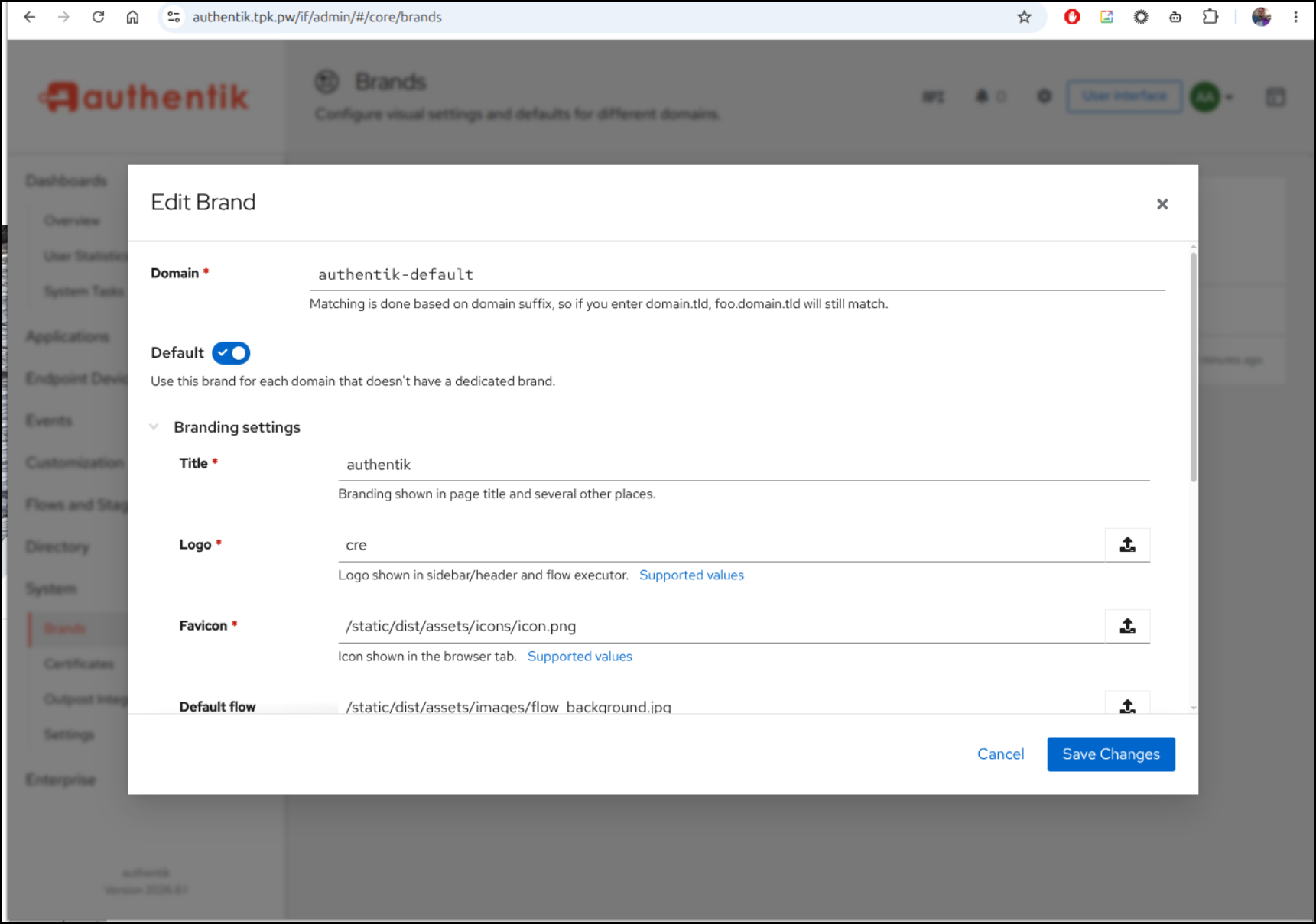
Recently I saw this Marius post on self-hosting Authentik, an Open-Source Identity Provider system. He covered the container setup, but I wasn’t really sure what one could do with it.
Today we’ll look at launching it in Docker and Kubernetes. We’ll show some configuration options (as well as what is behind a paywall). Lastly, we’ll fire a up new Python based sample application (code provided) and walk through Authentik setup. Lastly, we’ll cover local users, usage and more before wrapping with some Databasus PostgreSQL backups.
Let’s start with Docker
Docker Compose
We will get the compose down from their URL. Seems odd they didn’t just leave it in Github, but wget is fine.
isaac@isaac-G707:~/Workspaces/authentik$ wget https://docs.goauthentik.io/compose.yml
--2026-08-31 20:17:08--  https://docs.goauthentik.io/compose.yml
Resolving docs.goauthentik.io (docs.goauthentik.io)... 104.26.11.86, 104.26.10.86, 172.67.74.168, ...
Connecting to docs.goauthentik.io (docs.goauthentik.io)|104.26.11.86|:443... connected.
HTTP request sent, awaiting response... 200 OK
Length: unspecified [application/x-yaml]
Saving to: ‘compose.yml’

compose.yml              [ <=>                  ]   1.93K  --.-KB/s    in 0s

2026-08-31 20:17:09 (18.8 MB/s) - ‘compose.yml’ saved [1975]
Next, I’ll want to create a local PostgreSQL password
isaac@isaac-G707:~/Workspaces/authentik$ echo "PG_PASS=$(openssl rand -base64 36 | tr -d '\n')" >> .env
echo "AUTHENTIK_SECRET_KEY=$(openssl rand -base64 60 | tr -d '\n')" >> .env
isaac@isaac-G707:~/Workspaces/authentik$ cat .env
PG_PASS=dfXXXXXXXXXXXXXXXXXXXXXXXXXXXXXXXXXXXXXXXXXXXO9x
AUTHENTIK_SECRET_KEY=NZXXXXXXXXXXXXXXXXXXXXXXXXXXXXXXXXXXXXXXXXXXXXXXXXXXXXXXXXXXXXXXXXXXXXXXXXXXXXXC
I’ll then do a docker pull
isaac@isaac-G707:~/Workspaces/authentik$ docker compose pull
[+] pull 43/43
 ✔ Image docker.io/library/postgres:16-alpine Pulled                                                                                                   5.9s
 ✔ Image ghcr.io/goauthentik/server:2026.8.0  Pulled
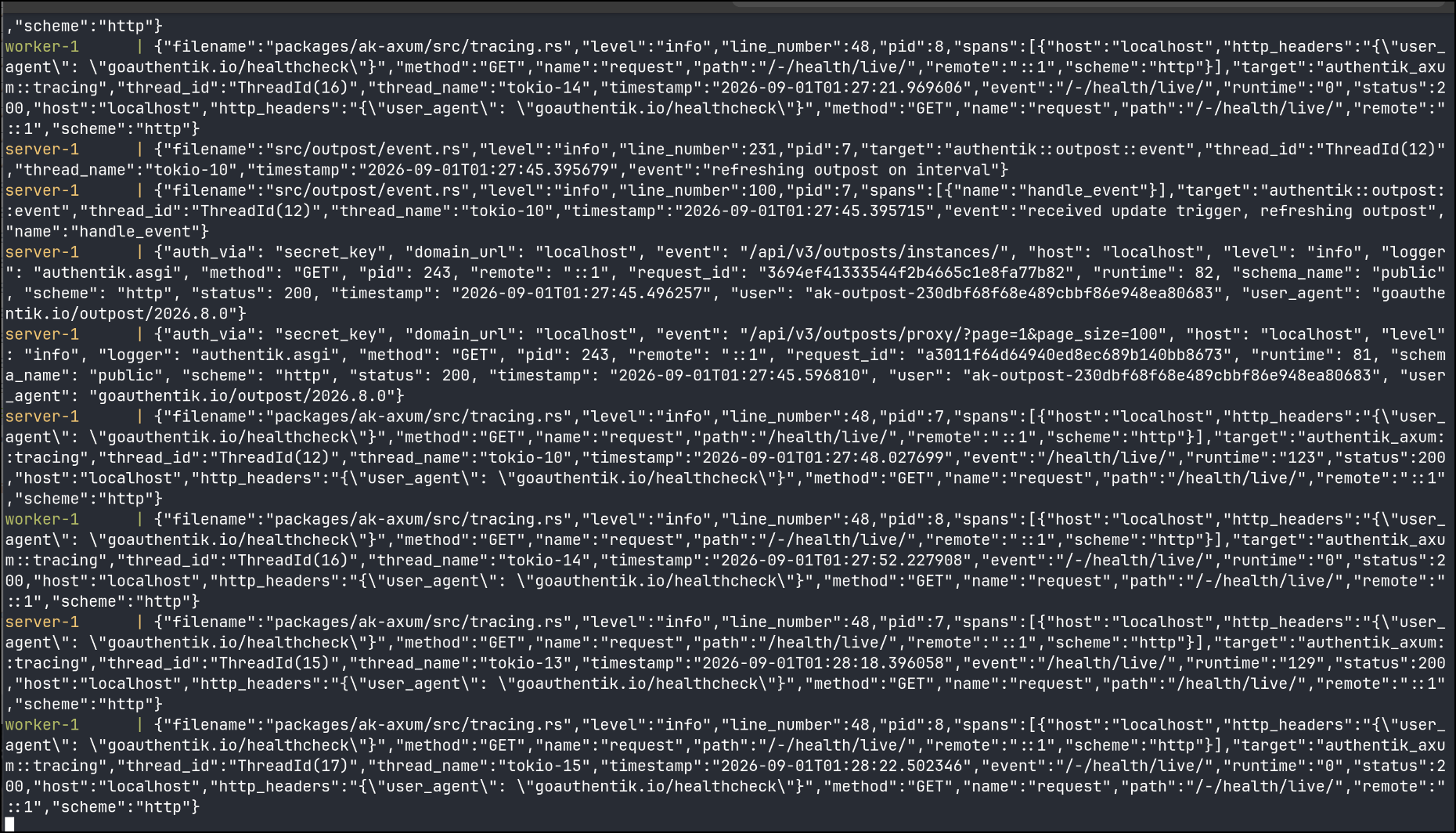
Lastly, I fired up a docker compose up interactively
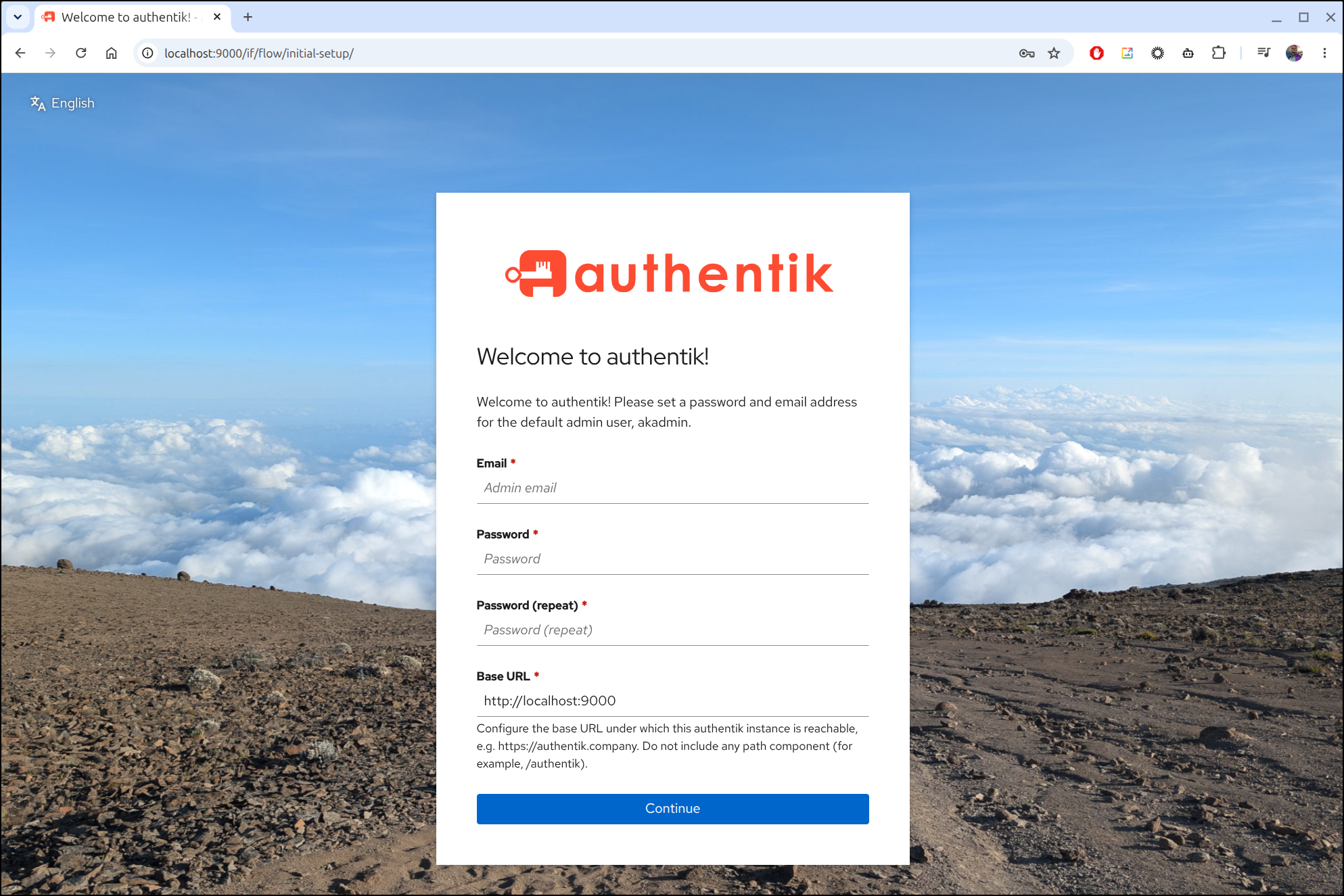
I can now access the UI at http://localhost:9000.
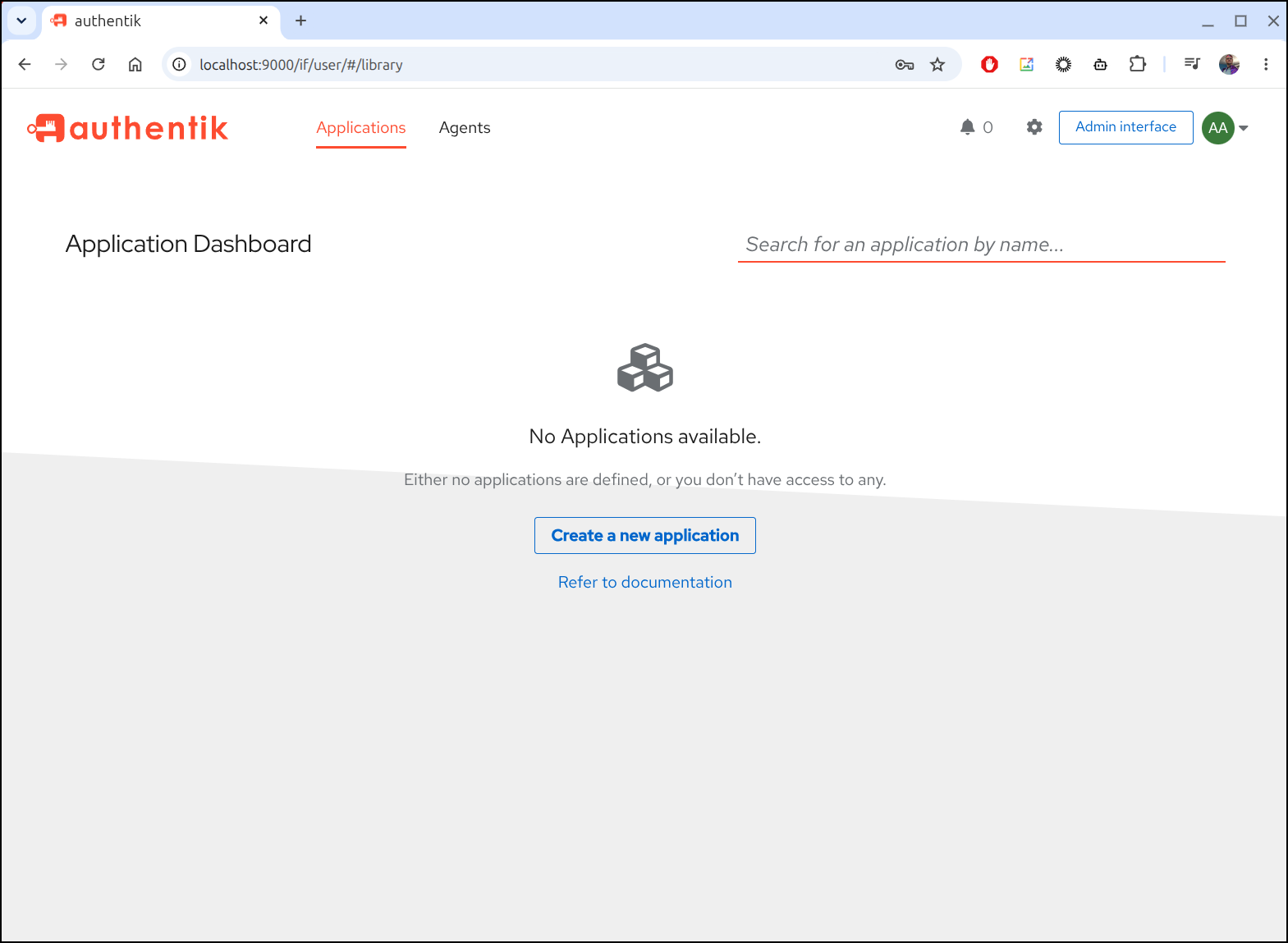
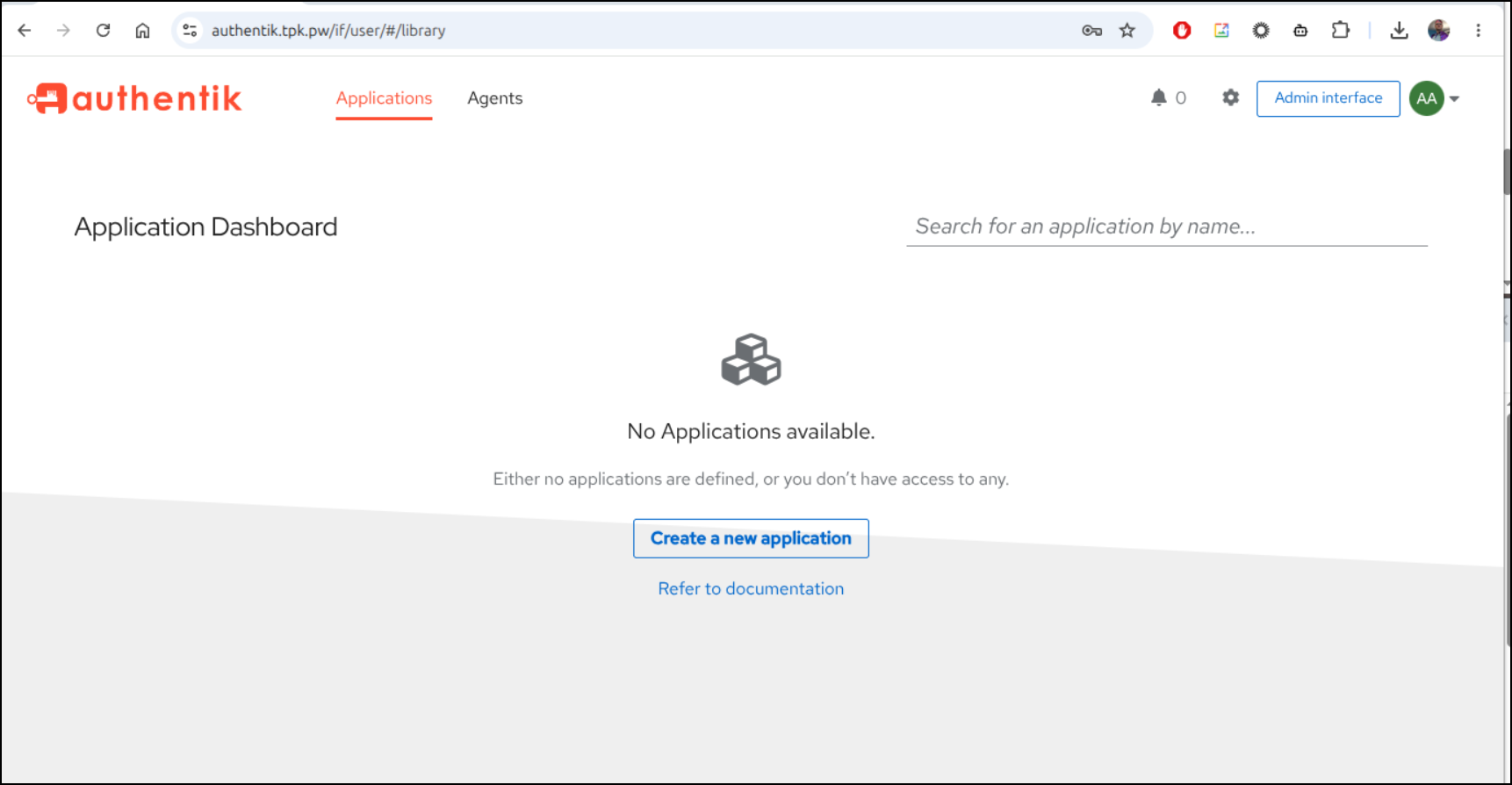
Once I created the admin login, I was presented with the applications page.
I created a new application called “testapp”
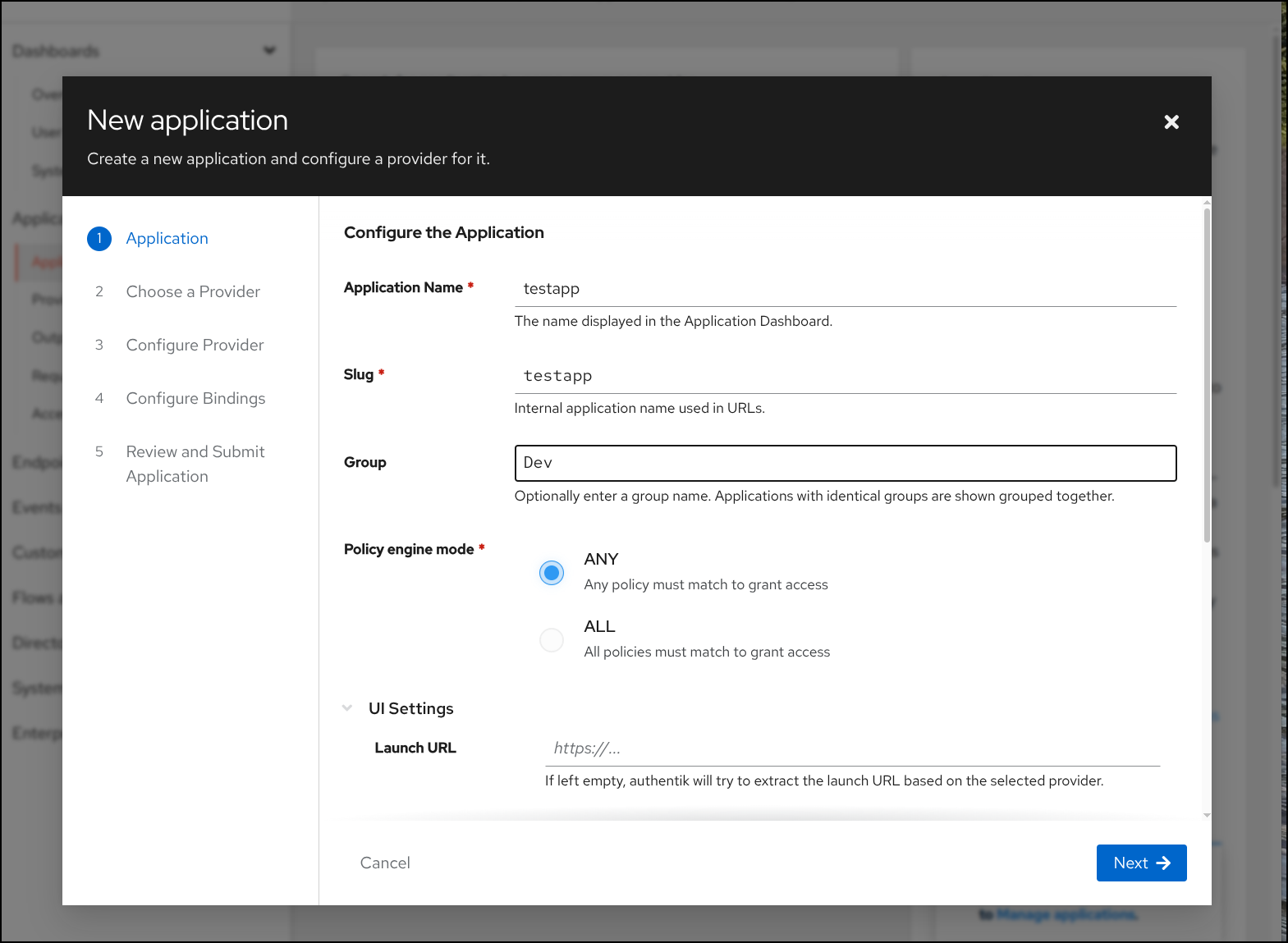
I then picked a provider, like OAuth2
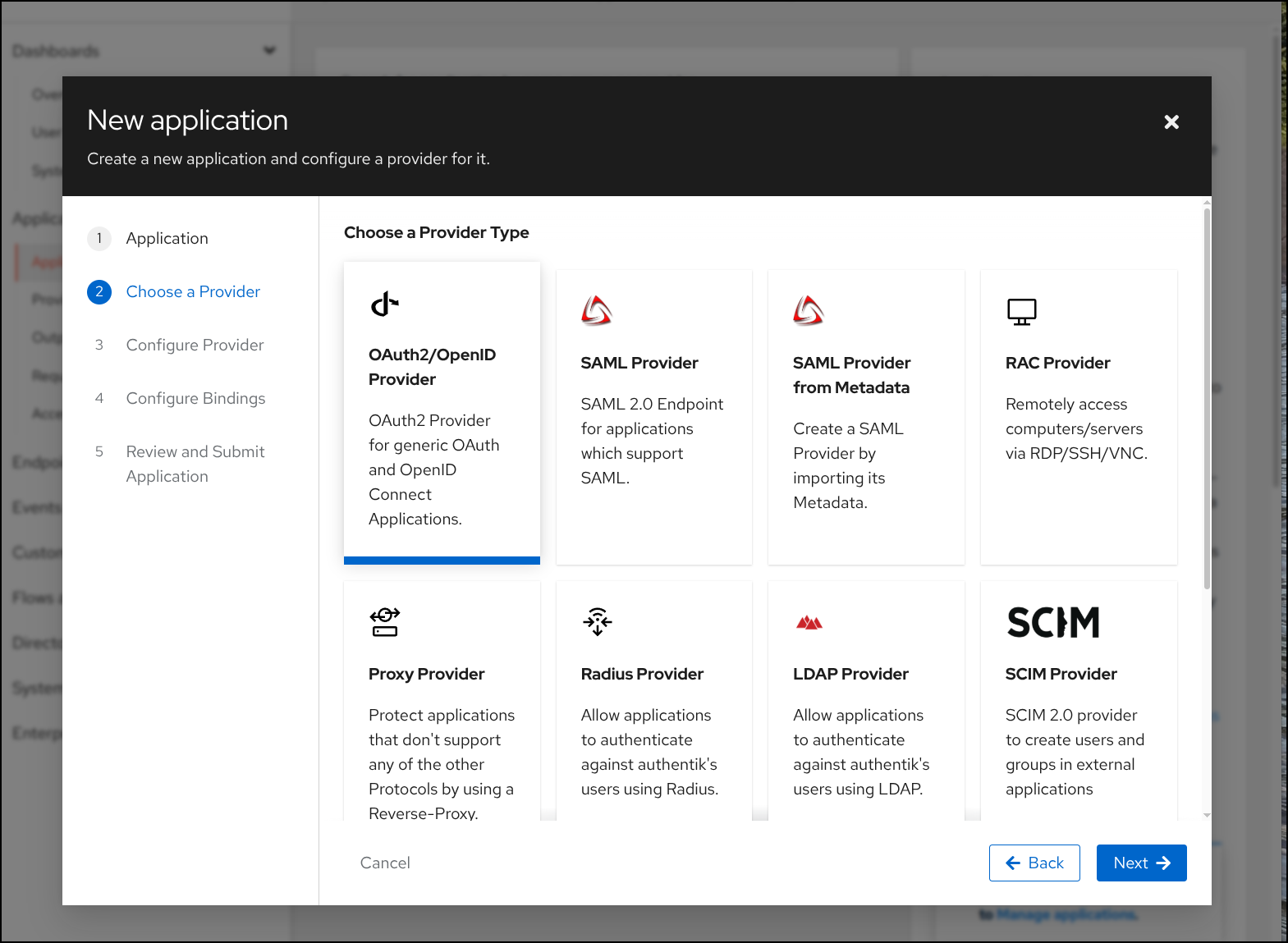
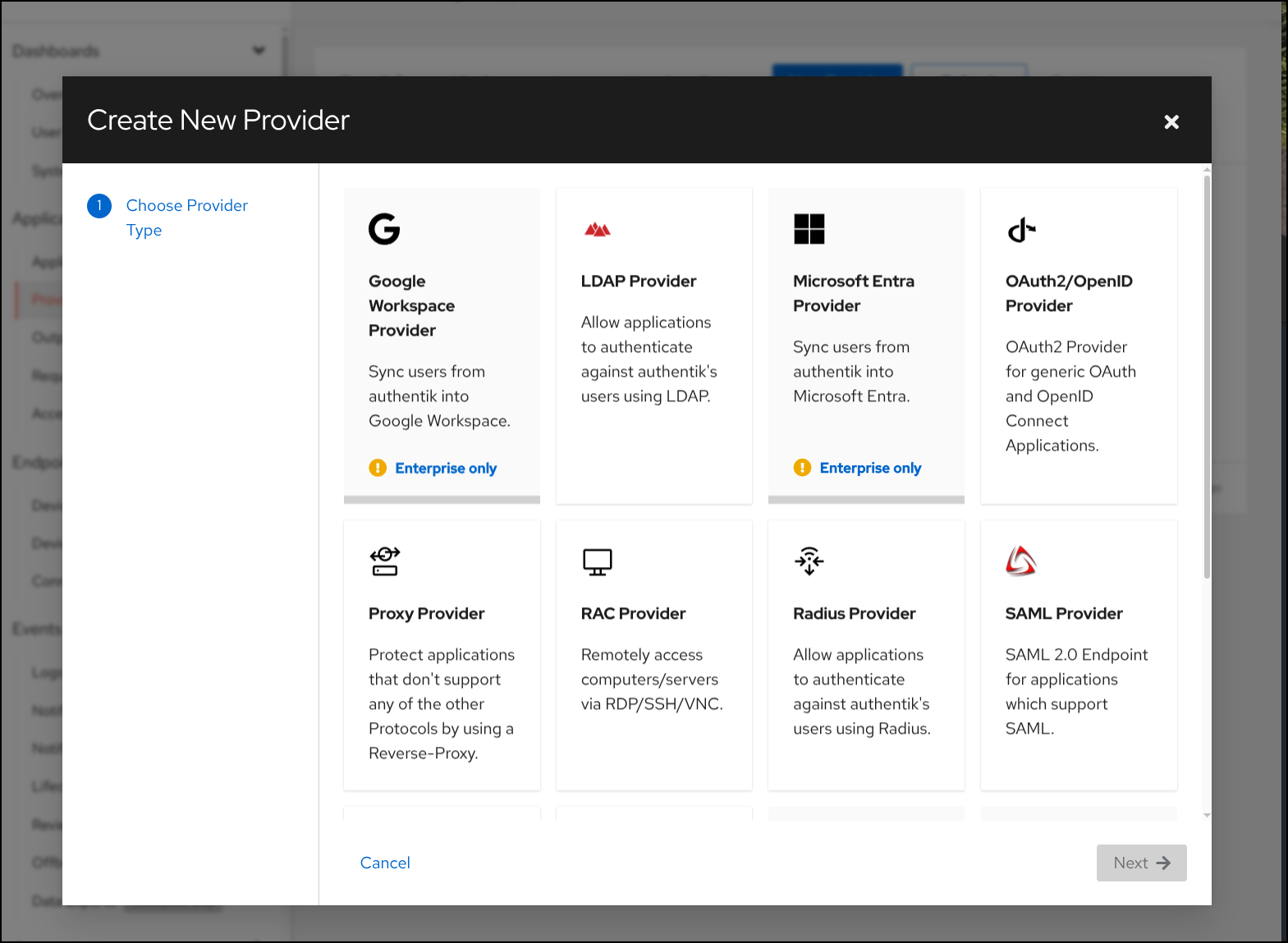
One of my issues is that the interesting providers like Google Workspaces or Entra ID (AAD) are behind a license wall (Enterprise Only)
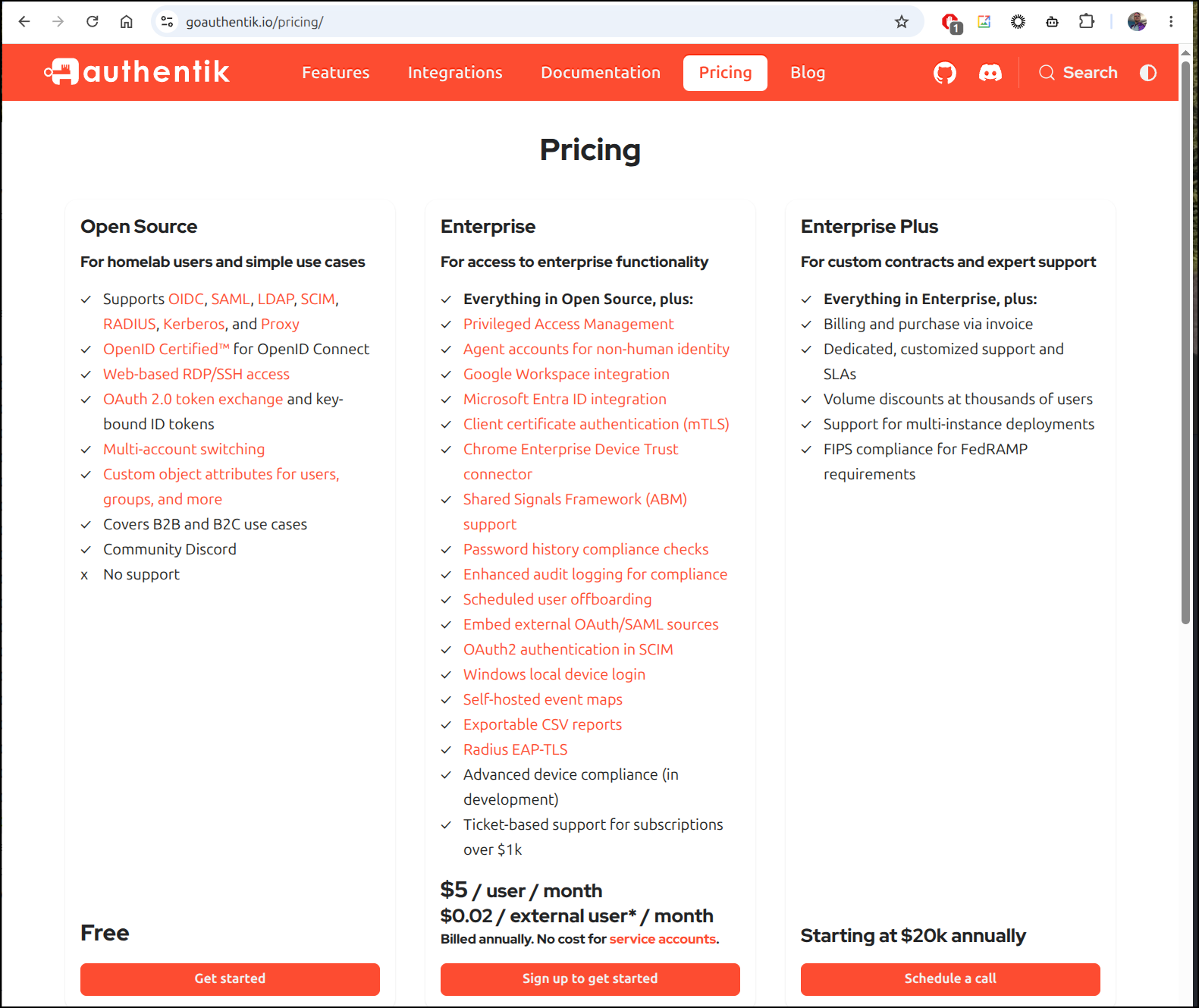
The pricing for that is per user and it would seem to me they want 2c a user for using it and $5 per actual Authentik user
Helm install
Let’s pivot to using Helm so we can build out a proper test
I’ll add their helm repo and update
isaac@isaac-G707:~$ helm repo add authentik https://charts.goauthentik.io
"authentik" has been added to your repositories
isaac@isaac-G707:~$ helm repo update
Hang tight while we grab the latest from your chart repositories...
...Successfully got an update from the "authentik" chart repository
Update Complete. ⎈Happy Helming!⎈
I need a DNS entry we can use like authentik.tpk.pw
$ az account set --subscription "Pay-As-You-Go" && az network dns record-set a add-record -g idjdnsrg -z tpk.pw -a 76.156.69.232 -n authentik
{
  "ARecords": [
    {
      "ipv4Address": "76.156.69.232"
    }
  ],
  "TTL": 3600,
  "etag": "16cc0b0c-8153-4054-8586-f731c500df8a",
  "fqdn": "authentik.tpk.pw.",
  "id": "/subscriptions/d955c0ba-13dc-44cf-a29a-8fed74cbb22d/resourceGroups/idjdnsrg/providers/Microsoft.Network/dnszones/tpk.pw/A/authentik",
  "name": "authentik",
  "provisioningState": "Succeeded",
  "resourceGroup": "idjdnsrg",
  "targetResource": {},
  "trafficManagementProfile": {},
  "type": "Microsoft.Network/dnszones/A"
}
I need to create a helm values file. I actually pulled down the base values from the chart for the ingress so i could see comments
$ cat authentik.helm.values.yaml
authentik:
  secret_key: "NZKXXXXXXXXXXXXXXXXXXXXXXXXXXXXXXXXXXXXXXXXXXXXXXXXXXXXXXXXXXXXXXXXXXXXXXXXXXXjC"
  # This sends anonymous usage-data, stack traces on errors and
  # performance data to sentry.io, and is fully opt-in
  error_reporting:
    enabled: true
  postgresql:
    password: "dfGeNXXXXXXXXXXXXXXXXXXXXXXXXXXXXXXXXXXXXXXXXX9x"

server:
  ingress:
    # -- enable an ingress resource for the authentik server
    enabled: true
    # -- additional ingress annotations
    annotations:
      cert-manager.io/cluster-issuer: azuredns-tpkpw
      ingress.kubernetes.io/ssl-redirect: "true"
    # -- additional ingress labels
    labels: {}
    # -- defines which ingress controller will implement the resource
    ingressClassName: "nginx"
    # -- List of ingress hosts
    hosts:
      - authentik.tpk.pw

    # -- List of ingress paths
    paths:
      - "{{ .Values.authentik.web.path }}"
    # -- Ingress path type. One of `Exact`, `Prefix` or `ImplementationSpecific`
    pathType: Prefix
    # -- additional ingress paths
    extraPaths: []
      # - path: /*
      #   pathType: Prefix
      #   backend:
      #     service:
      #       name: ssl-redirect
      #       port:
      #         name: use-annotation

    # -- ingress TLS configuration
    tls:
      - secretName: authentik-tls
        hosts:
          - authentik.tpk.pw

    # -- uses `server.service.servicePortHttps` instead of `server.service.servicePortHttp`
    https: false

postgresql:
  enabled: true
  auth:
    password: "dfGeN4XXXXXXXXXXXXXXXXXXXXXXXXXXXXXXXXXXXXXXMO9x"
Then did a helm install
$ helm upgrade --install authentik authentik/authentik -f authentik.helm.values.yaml
Release "authentik" does not exist. Installing it now.
NAME: authentik
LAST DEPLOYED: Wed Sep  2 05:43:21 2026
NAMESPACE: default
STATUS: deployed
REVISION: 1
DESCRIPTION: Install complete
TEST SUITE: None
Once the kube cert was satisfied
$ kubectl get cert authentik-tls
NAME            READY   SECRET          AGE
authentik-tls   True    authentik-tls   16m
I could see:
And soon then setup page
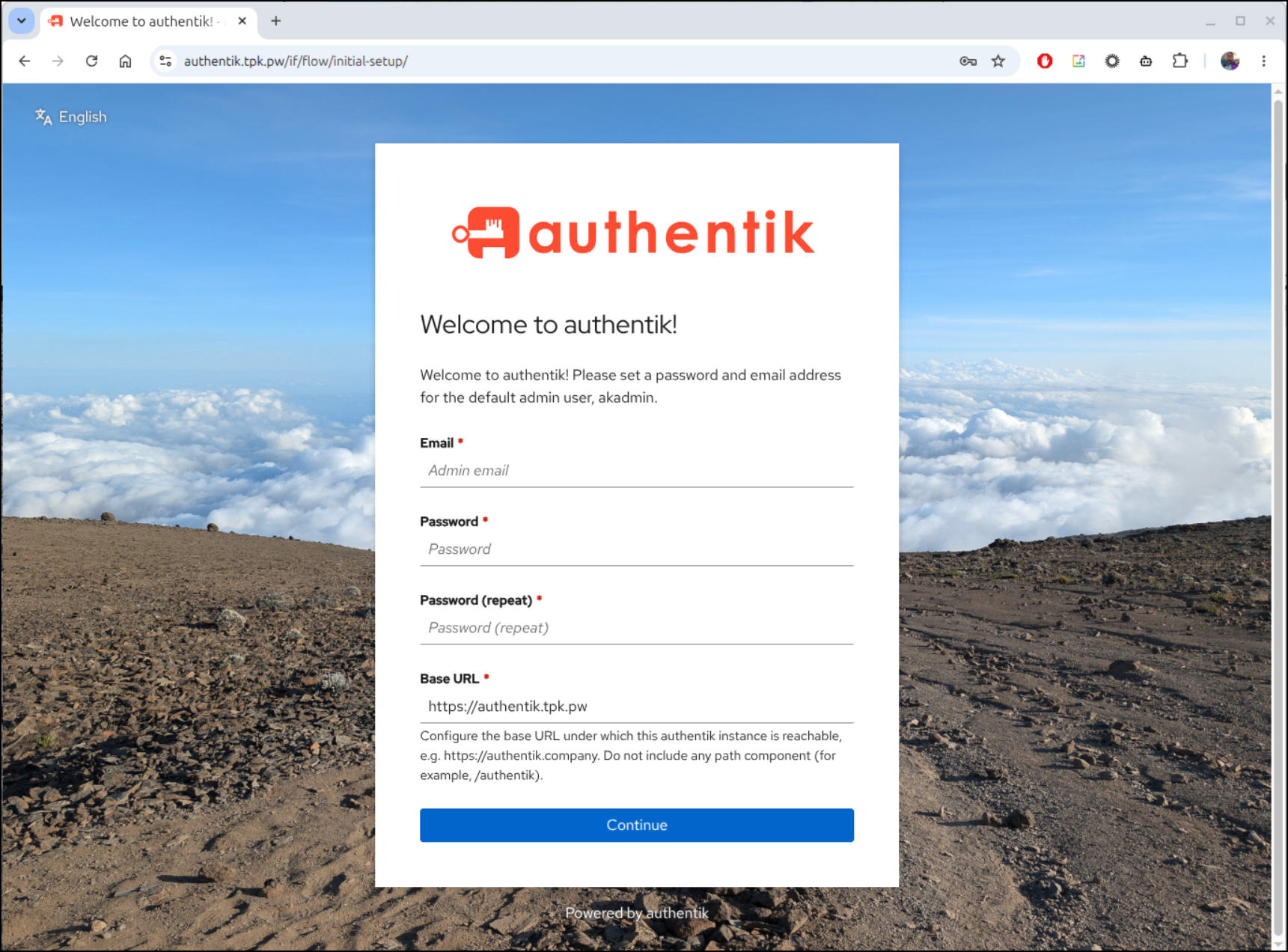
Now I’m at the application setup landing page
Sample application
Let’s start by creating a new provider
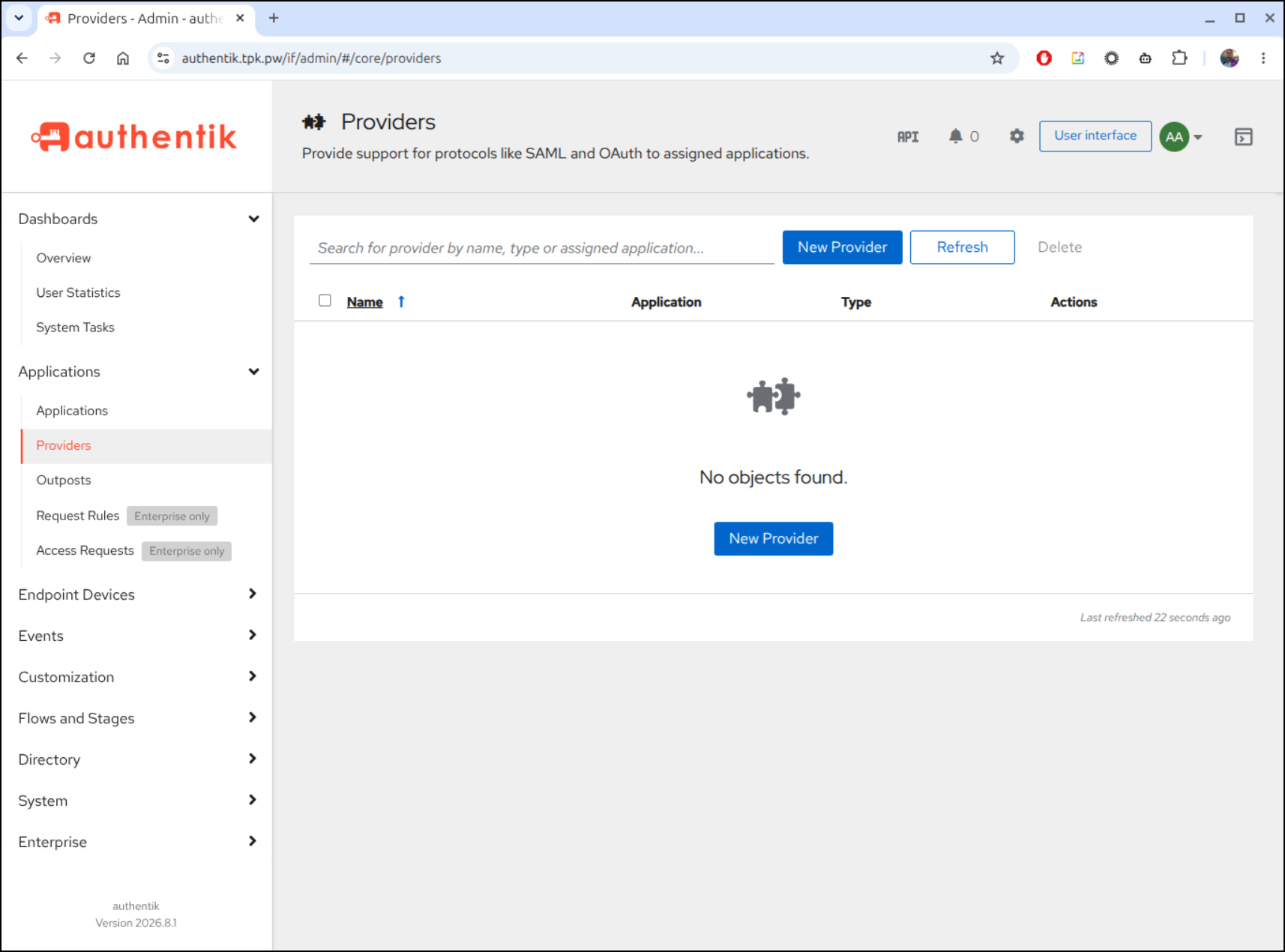
I’ll pick “OAuth2/OpenID Provider” from the list which takes me to the details page
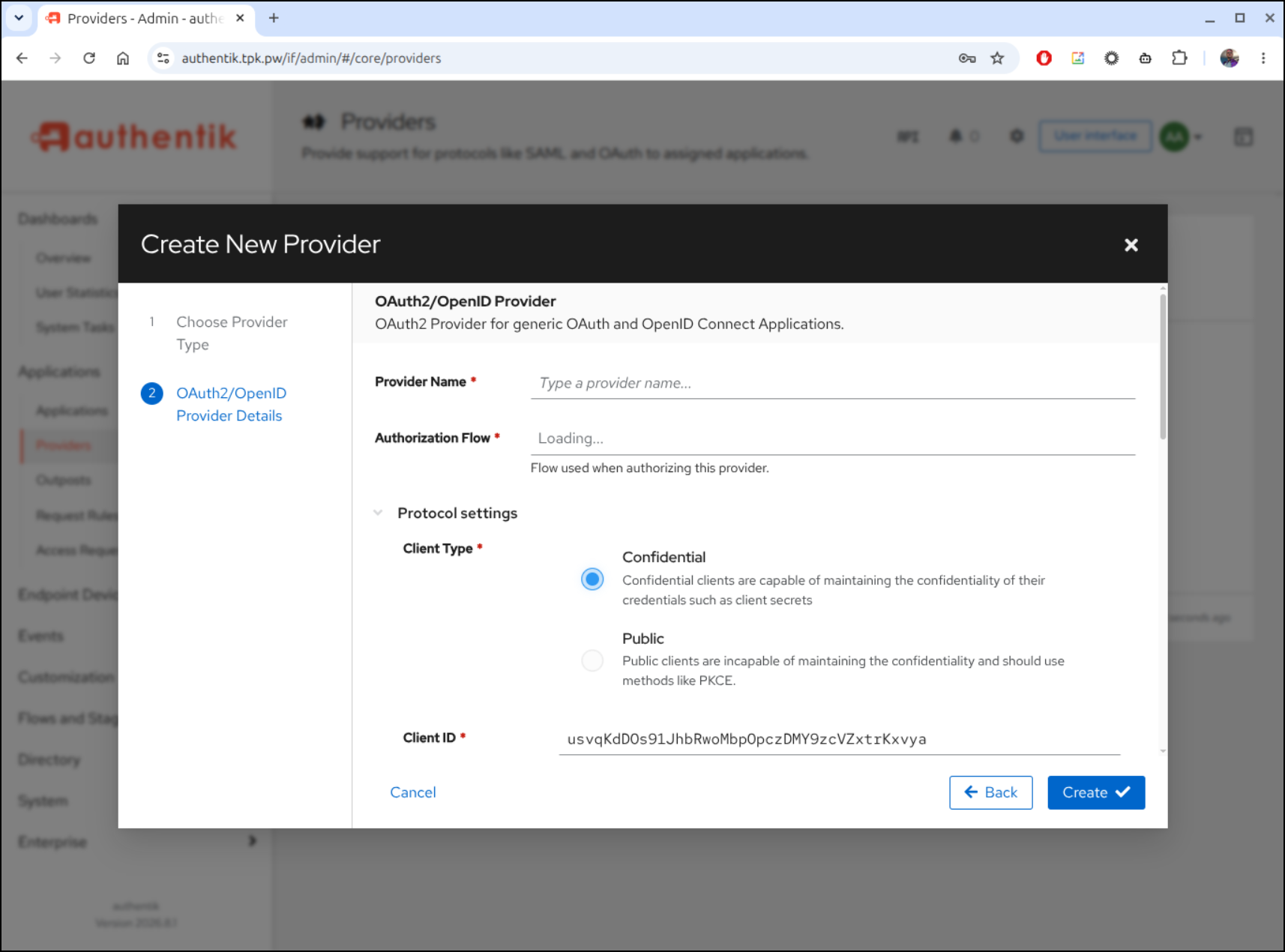
I could use ’explicit’ consent if I want them to have to approve each thing, or ‘implicit’ if I want the flow to assume if they click here, they indeed want to login. I like that ‘implicit’ flow a bit better.
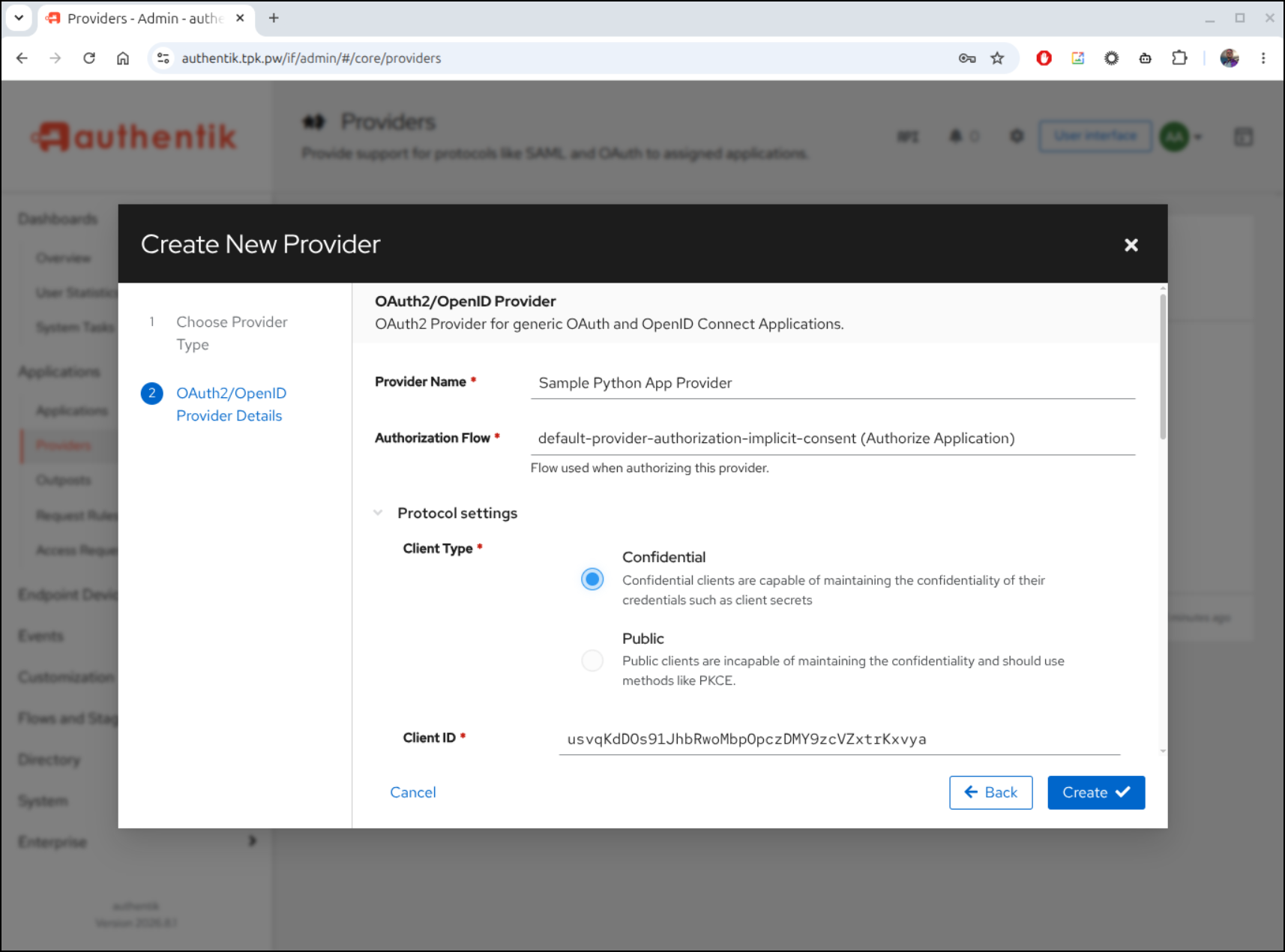
I’m going to leave default values but then set the Redirect URLs to http://localhost:5000/callback and http://127.0.0.1/callback
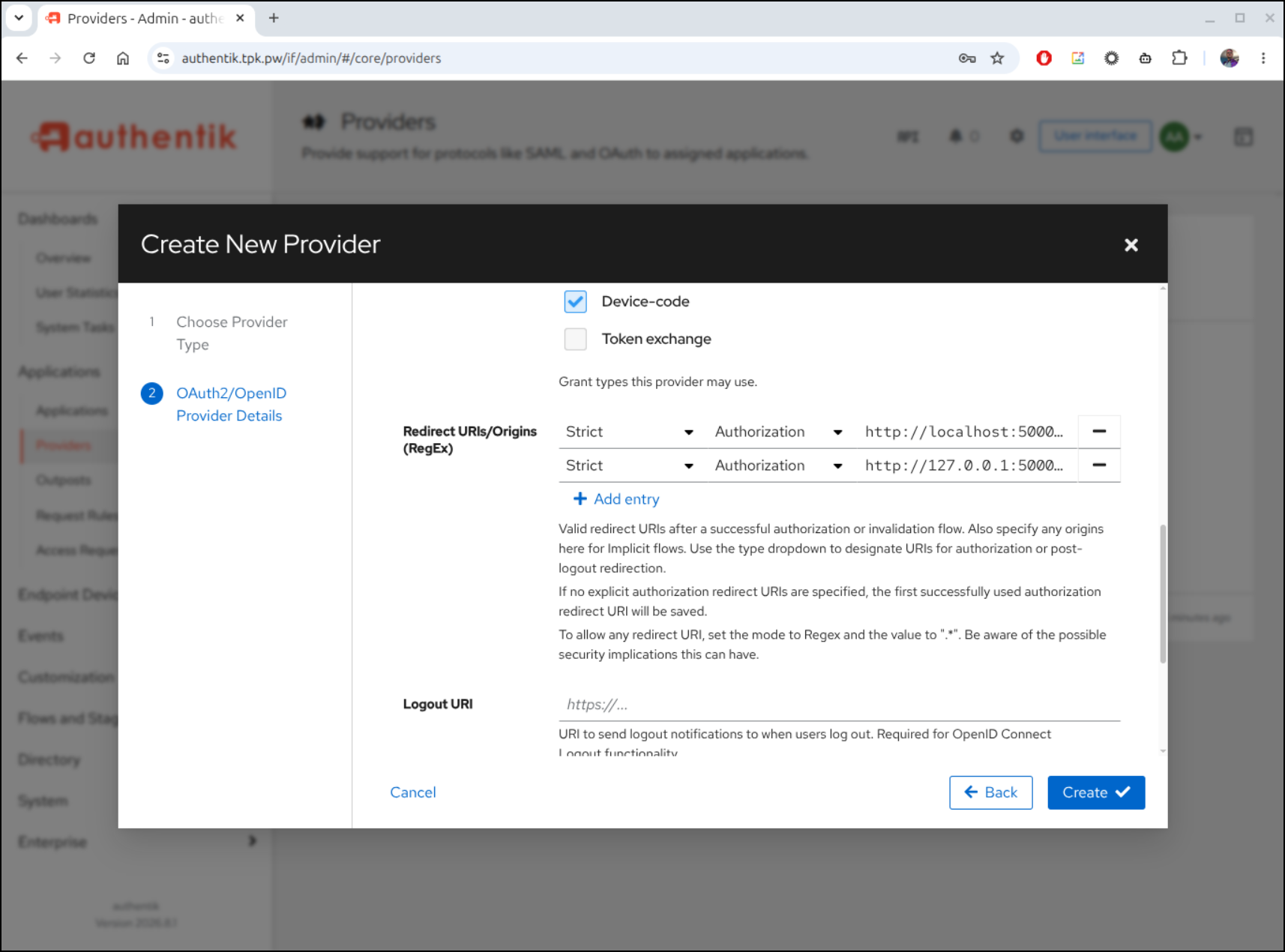
I’m going to have to assume the scopes are fine because even if you go on a wide screen, the values are not shown and mouse-over does not help either
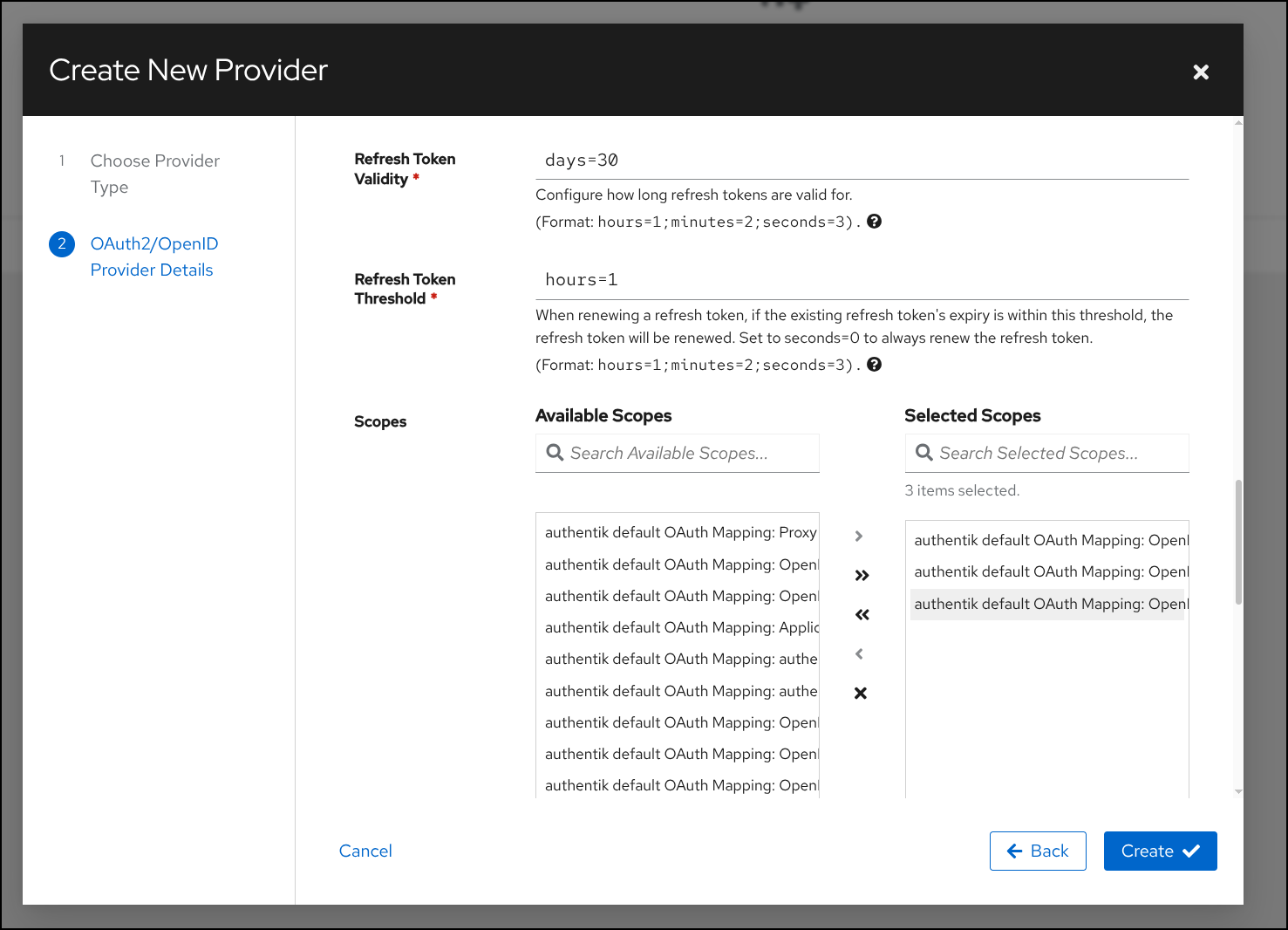
We click create and now have a provider, albeit not tied to any application
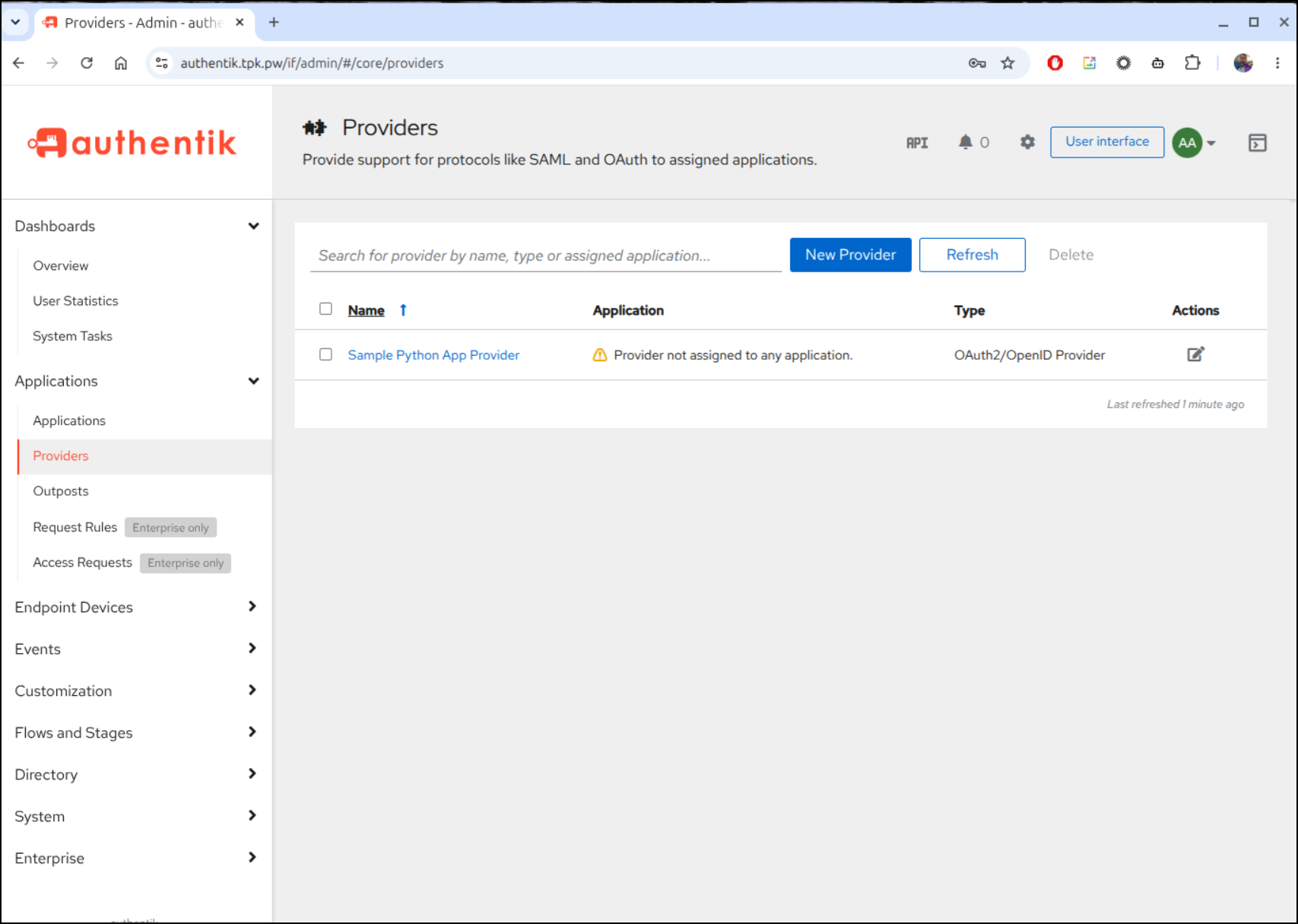
Next we go to Applications and create a new one
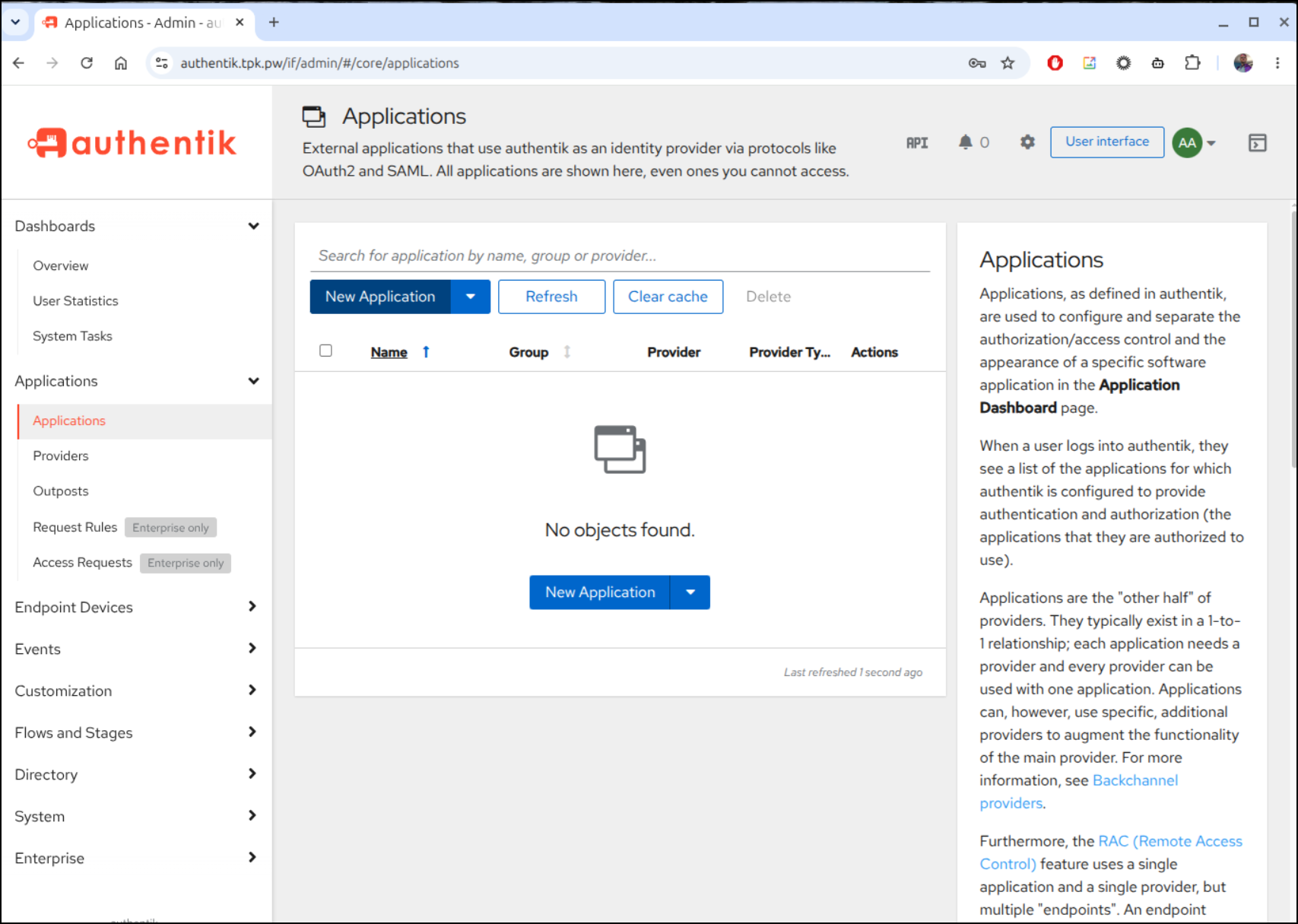
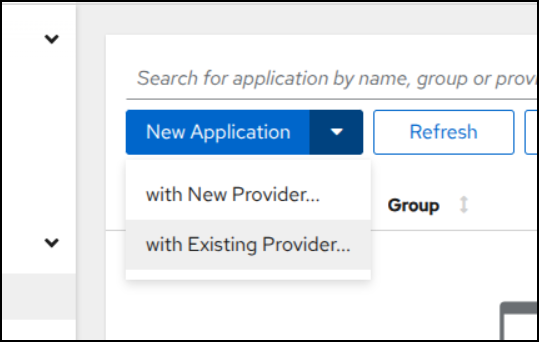
Make sure to use “with Existing Provider…” so we can select the one we just made
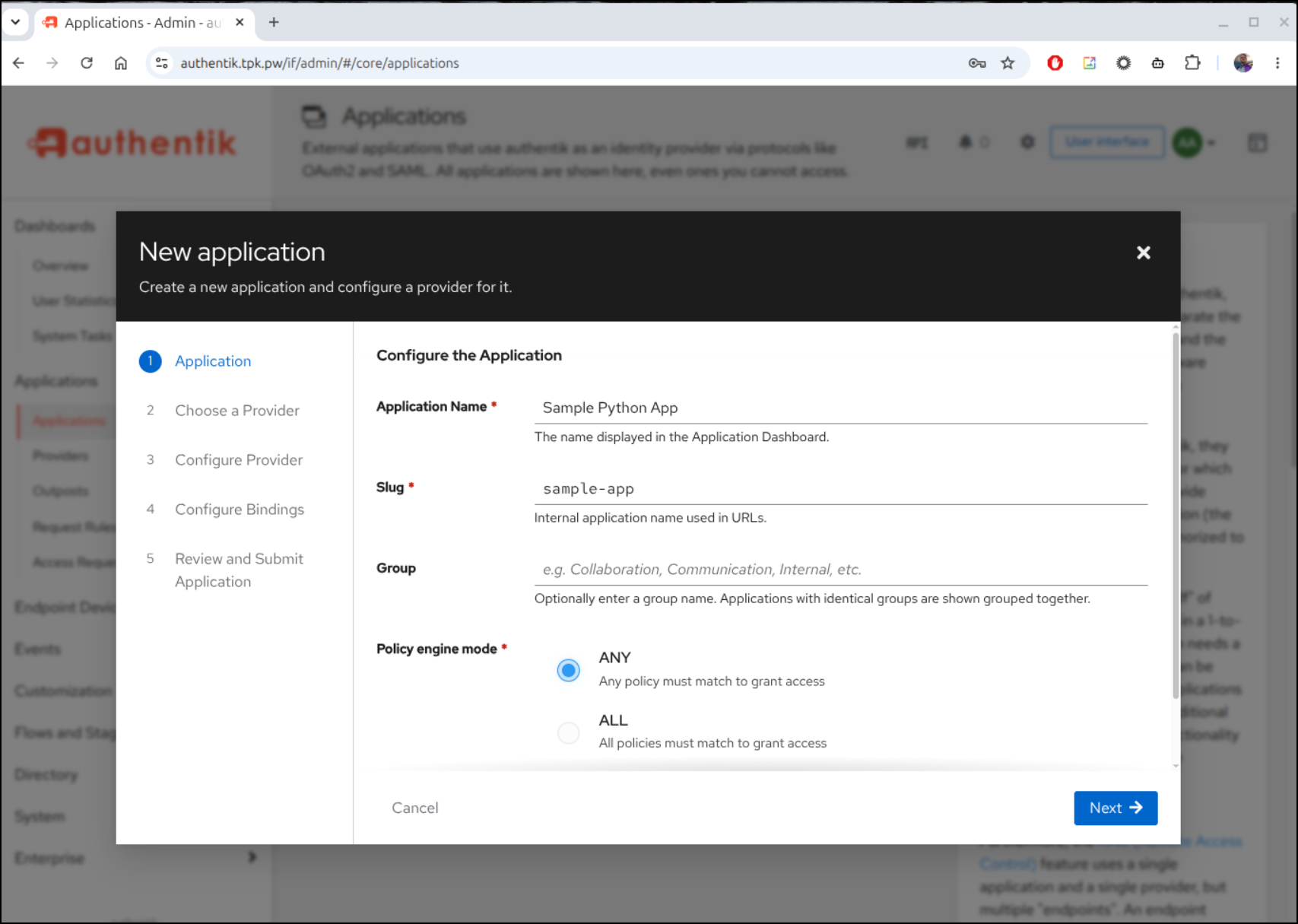
Next we give it a name and we need to use the same value for “Slug” as our sample app uses for “AUTHENTIK_APPLICATION_SLUG” later
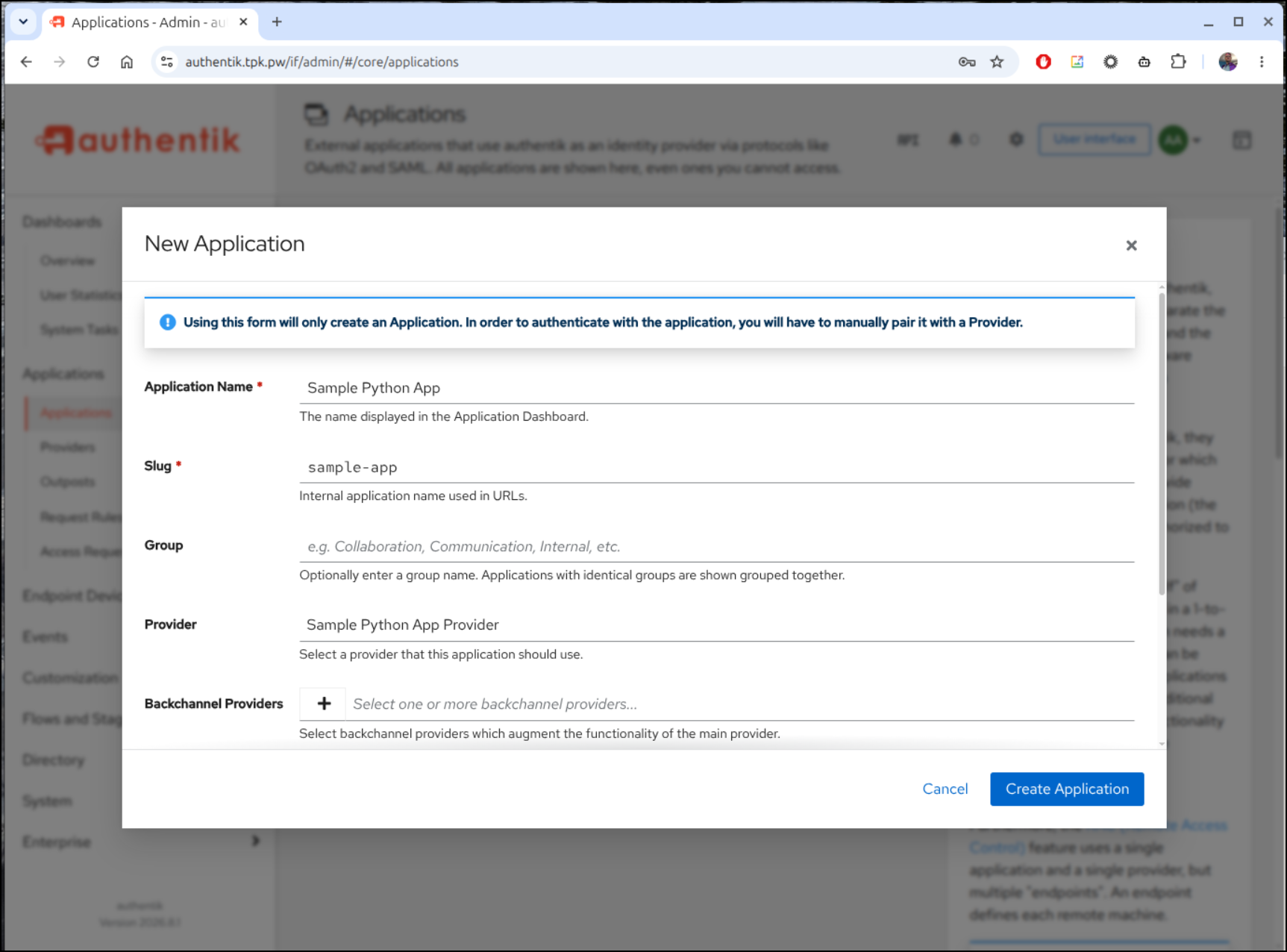
NOTE: if you had just picked create, the flow would prompt to setup the provider next - go back and use “with Existing Provider…”
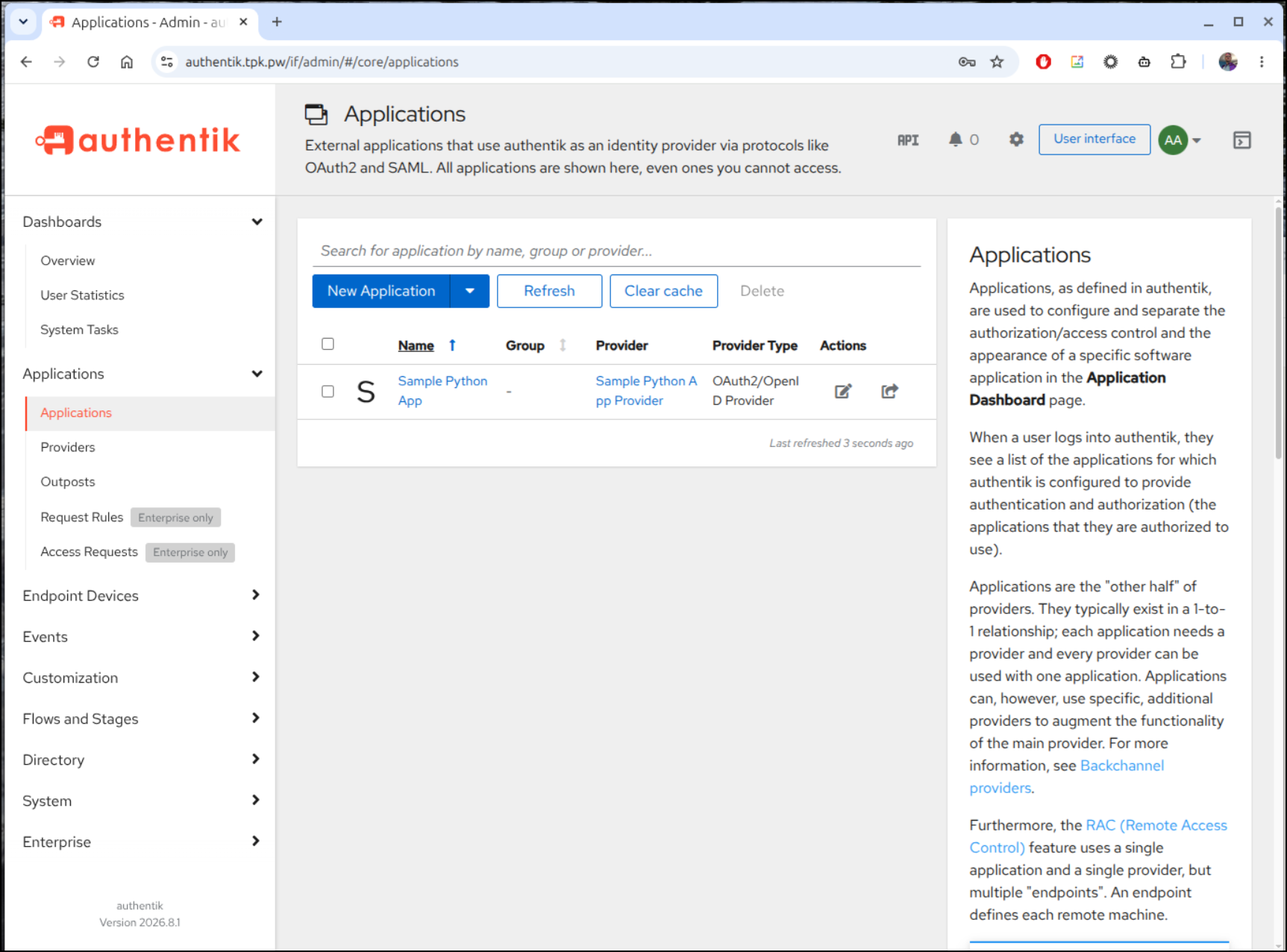
We should now have a Provider and an Application that uses that provider
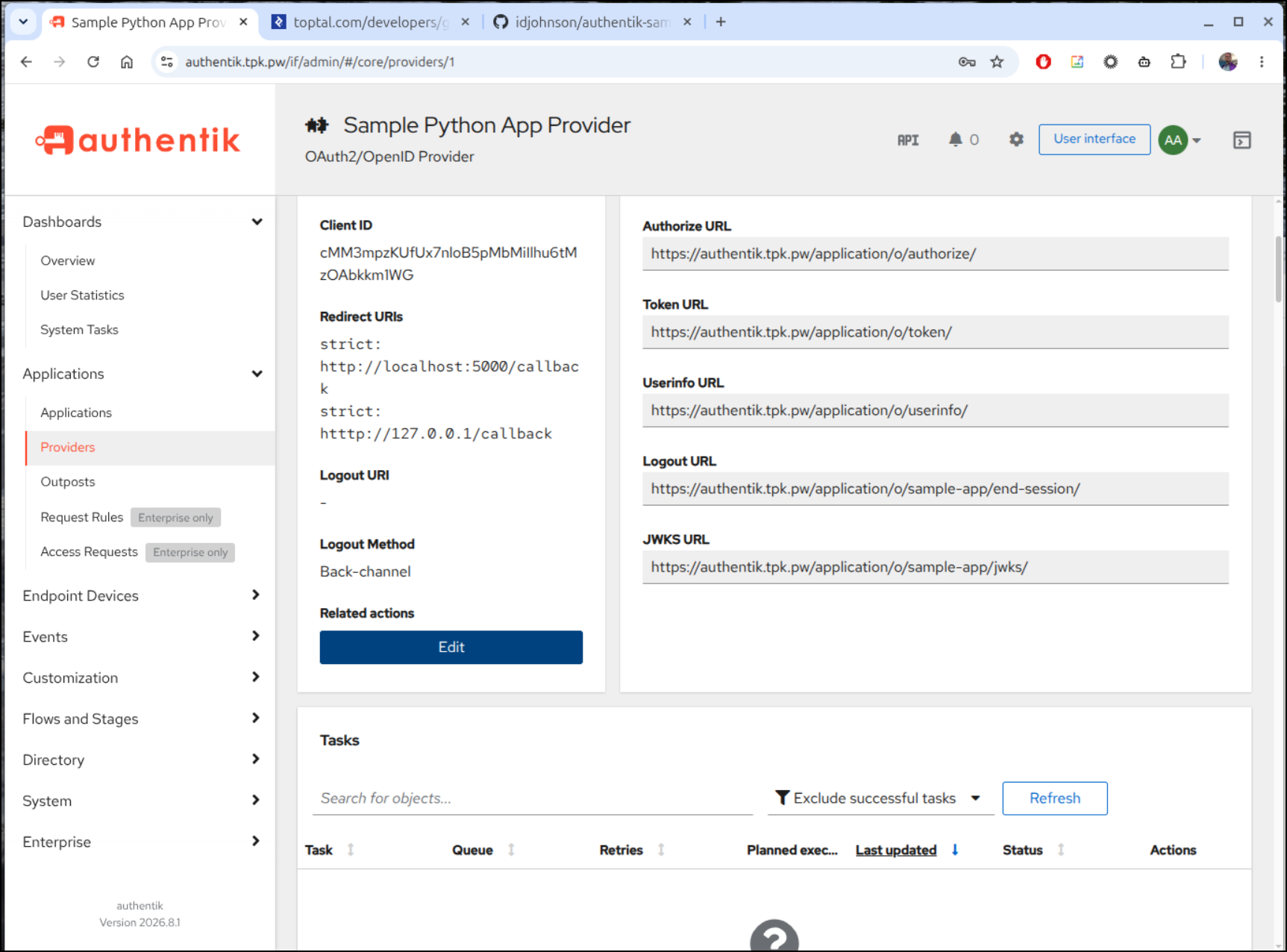
In fact, we can test that the OpenID configuration JSON comes back with a curl/jq request:
i$ curl -s https://authentik.tpk.pw/application/o/sample-app/.well-known/openid-configuration | jq .
{
  "issuer": "https://authentik.tpk.pw/application/o/sample-app/",
  "authorization_endpoint": "https://authentik.tpk.pw/application/o/authorize/",
  "token_endpoint": "https://authentik.tpk.pw/application/o/token/",
  "userinfo_endpoint": "https://authentik.tpk.pw/application/o/userinfo/",
  "end_session_endpoint": "https://authentik.tpk.pw/application/o/sample-app/end-session/",
  "introspection_endpoint": "https://authentik.tpk.pw/application/o/introspect/",
  "revocation_endpoint": "https://authentik.tpk.pw/application/o/revoke/",
  "device_authorization_endpoint": "https://authentik.tpk.pw/application/o/device/",
  "backchannel_logout_supported": true,
  "backchannel_logout_session_supported": true,
  "frontchannel_logout_supported": true,
  "frontchannel_logout_session_supported": true,
  "response_types_supported": [
    "code",
    "id_token",
    "id_token token",
    "code token",
    "code id_token",
    "code id_token token"
  ],
  "response_modes_supported": [
    "query",
    "fragment",
    "form_post"
  ],
  "jwks_uri": "https://authentik.tpk.pw/application/o/sample-app/jwks/",
  "grant_types_supported": [
    "authorization_code",
    "refresh_token",
    "implicit",
    "client_credentials",
    "password",
    "urn:ietf:params:oauth:grant-type:device_code"
  ],
  "id_token_signing_alg_values_supported": [
    "RS256"
  ],
  "subject_types_supported": [
    "public"
  ],
  "token_endpoint_auth_methods_supported": [
    "client_secret_post",
    "client_secret_basic"
  ],
  "acr_values_supported": [
    "goauthentik.io/providers/oauth2/default"
  ],
  "scopes_supported": [
    "openid",
    "email",
    "profile"
  ],
  "request_parameter_supported": false,
  "claims_supported": [
    "sub",
    "iss",
    "aud",
    "exp",
    "iat",
    "auth_time",
    "acr",
    "amr",
    "nonce",
    "email",
    "email_verified",
    "name",
    "given_name",
    "preferred_username",
    "nickname",
    "groups",
    "picture"
  ],
  "claims_parameter_supported": false,
  "code_challenge_methods_supported": [
    "plain",
    "S256"
  ],
  "dpop_signing_alg_values_supported": [
    "ES256",
    "ES384",
    "ES512",
    "PS256",
    "PS384",
    "PS512",
    "RS256",
    "RS384",
    "RS512"
  ]
}
Next, we need to fetch our sample app from https://github.com/idjohnson/authentik-sample-app
$ git clone https://github.com/idjohnson/authentik-sample-app
$ cd authentik-sample-app
There is a sample .env file:
isaac@isaac-G707:~/Workspaces/authentik-sample-app$ cat .env.example
# ==============================================================================
# Authentik OAuth Sample App Configuration
# ==============================================================================

# URL of your Authentik instance (no trailing slash)
AUTHENTIK_URL=https://authentik.tpk.pw

# Slug of the Application configured in Authentik (Applications -> Applications)
AUTHENTIK_APPLICATION_SLUG=sample-app

# OAuth2 / OIDC Client ID generated by Authentik (Applications -> Providers)
AUTHENTIK_CLIENT_ID=your-authentik-client-id

# OAuth2 / OIDC Client Secret generated by Authentik
AUTHENTIK_CLIENT_SECRET=your-authentik-client-secret

# OAuth2 Scopes requested from Authentik (space-delimited)
AUTHENTIK_SCOPES=openid profile email

# (Optional) Explicit Redirect URI. If omitted, http://localhost:5000/callback is auto-computed
AUTHENTIK_REDIRECT_URI=http://localhost:5000/callback

# (Optional) Explicit OIDC Discovery URL. Defaults to:
# ${AUTHENTIK_URL}/application/o/${AUTHENTIK_APPLICATION_SLUG}/.well-known/openid-configuration
# AUTHENTIK_DISCOVERY_URL=https://authentik.tpk.pw/application/o/sample-app/.well-known/openid-configuration

# Secret key used by Flask for session cookie signing
FLASK_SECRET_KEY=change-this-to-a-random-secret-key-in-production

# Allow HTTP for OAuth callback in local development (set to 'false' in production with HTTPS)
INSECURE_TRANSPORT=true

# Server port
PORT=5000

# Debug mode
DEBUG=false
I would recommend copying that to a .env and then updating things like the client ID and secret in the new .env file
isaac@isaac-G707:~/Workspaces/authentik-sample-app$ cp .env.example .env
isaac@isaac-G707:~/Workspaces/authentik-sample-app$ vi .env
While the client ID is shown on the Providers page, you may have to click Edit to view the secret
That should be all it takes to fire up the sample app.
Let’s do that now with docker compose up --build (add -d for detached mode)
isaac@isaac-G707:~/Workspaces/authentik-sample-app$ docker compose up --build
[+] Building 0.7s (15/15) FINISHED
 => [internal] load local bake definitions                                                                                   0.0s
 => => reading from stdin 580B                                                                                               0.0s
 => [internal] load build definition from Dockerfile                                                                         0.0s
 => => transferring dockerfile: 1.07kB                                                                                       0.0s
 => [internal] load metadata for docker.io/library/python:3.12-slim                                                          0.5s
 => [internal] load .dockerignore                                                                                            0.0s
 => => transferring context: 150B                                                                                            0.0s
 => [1/8] FROM docker.io/library/python:3.12-slim@sha256:78387bc3881b8273120a12ebe6c1ab22b018ccc2c9adf565ae1ac9b536e184ea    0.0s
 => => resolve docker.io/library/python:3.12-slim@sha256:78387bc3881b8273120a12ebe6c1ab22b018ccc2c9adf565ae1ac9b536e184ea    0.0s
 => [internal] load build context                                                                                            0.0s
 => => transferring context: 39.51kB                                                                                         0.0s
 => CACHED [2/8] WORKDIR /app                                                                                                0.0s
 => CACHED [3/8] RUN apt-get update && apt-get install -y --no-install-recommends curl && rm -rf /var/lib/apt/lists/*        0.0s
 => CACHED [4/8] COPY requirements.txt .                                                                                     0.0s
 => CACHED [5/8] RUN pip install --no-cache-dir -r requirements.txt                                                          0.0s
 => CACHED [6/8] RUN addgroup --system --gid 1001 appgroup &&     adduser --system --uid 1001 --ingroup appgroup appuser     0.0s
 => CACHED [7/8] COPY . .                                                                                                    0.0s
 => CACHED [8/8] RUN chown -R appuser:appgroup /app                                                                          0.0s
 => exporting to image                                                                                                       0.0s
 => => exporting layers                                                                                                      0.0s
 => => exporting manifest sha256:edc2810c21cffd9a2723800a8f801c1a7db693812c207e7848e88381183c0ceb                            0.0s
 => => exporting config sha256:43f66b7bab03b46eb869d2a7cbd92a2ebaca0f9f5543a68233105626a2d33d29                              0.0s
 => => exporting attestation manifest sha256:57d7a377b36a61beaaf3c19ff7f52b9fa5eb9605ec2d6242128e2b2cdff36dc6                0.0s
 => => exporting manifest list sha256:5533515e75b500657320337e43e6051ccea9182583db9f0ab82bef49940669e3                       0.0s
 => => naming to docker.io/library/authentik-sample-app-sample-app:latest                                                    0.0s
 => => unpacking to docker.io/library/authentik-sample-app-sample-app:latest                                                 0.0s
 => resolving provenance for metadata file                                                                                   0.0s
[+] up 3/3
 ✔ Image authentik-sample-app-sample-app Built                                                                                0.7s
 ✔ Network authentik-sample-app_default  Created                                                                              0.0s
 ✔ Container authentik-oauth-sample-app  Created                                                                              0.0s
Attaching to authentik-oauth-sample-app
authentik-oauth-sample-app  | [2026-09-02 13:43:55 +0000] [1] [INFO] Starting gunicorn 26.2.0
authentik-oauth-sample-app  | [2026-09-02 13:43:55 +0000] [1] [INFO] Listening at: http://0.0.0.0:5000 (1)
authentik-oauth-sample-app  | [2026-09-02 13:43:55 +0000] [1] [INFO] Using worker: gthread
authentik-oauth-sample-app  | [2026-09-02 13:43:55 +0000] [7] [INFO] Booting worker with pid: 7
authentik-oauth-sample-app  | [2026-09-02 13:43:55 +0000] [8] [INFO] Booting worker with pid: 8
authentik-oauth-sample-app  | [2026-09-02 13:43:55 +0000] [1] [ERROR] Control server error: [Errno 13] Permission denied: '/nonexistent'
Let’s test that flow!
That showed the logged in user seamlessly flowing through. What about when you logout? Here is a bit of that flow.
Now, near the end of that you see how I added a “Joe” user, but didn’t have the password. Let’s set that now and try using different users with our sample app.
As you can see above, this lets us create a user in Authentik
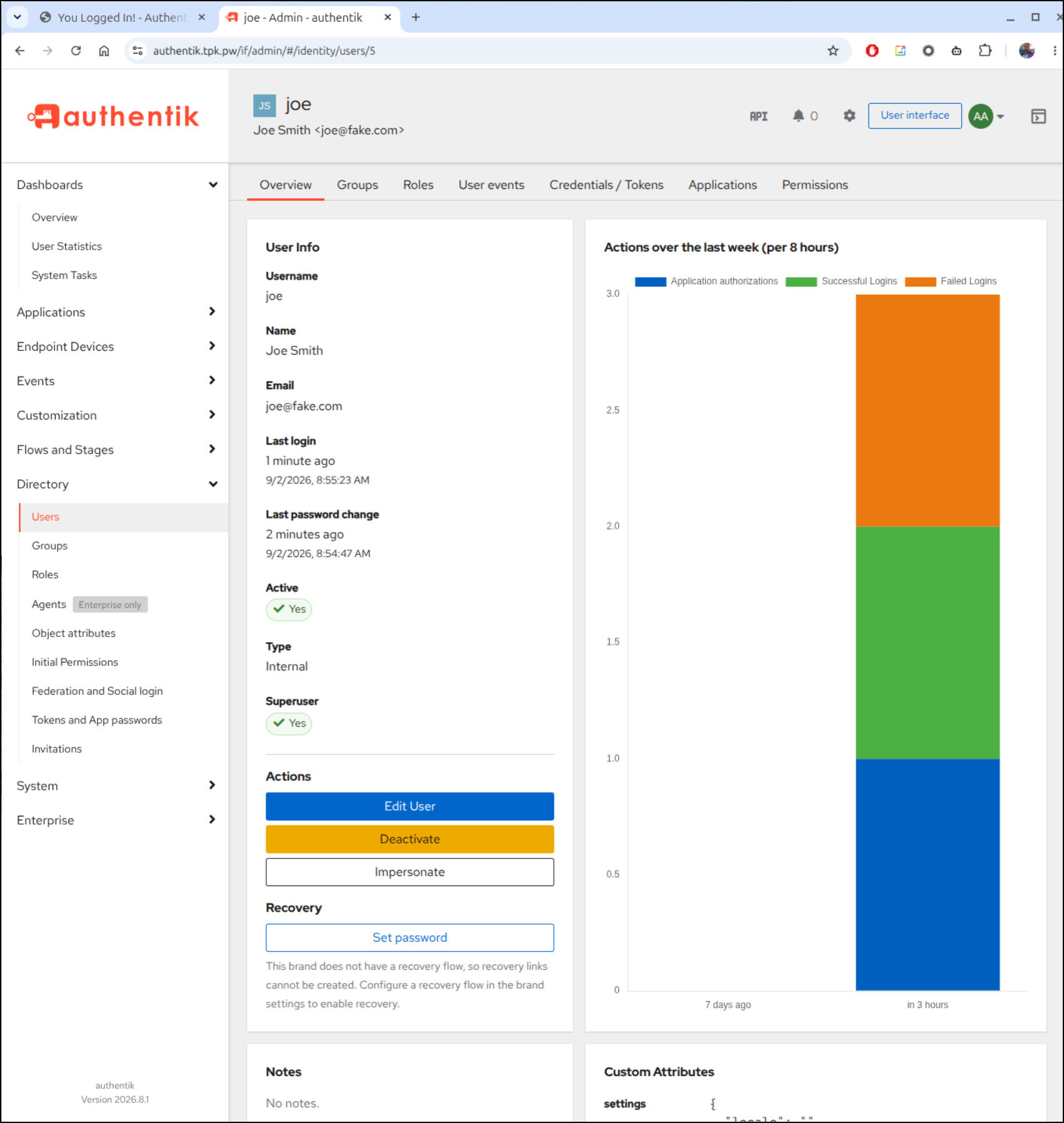
Then use that user for a federated IdP flow into a sample Python Flask app
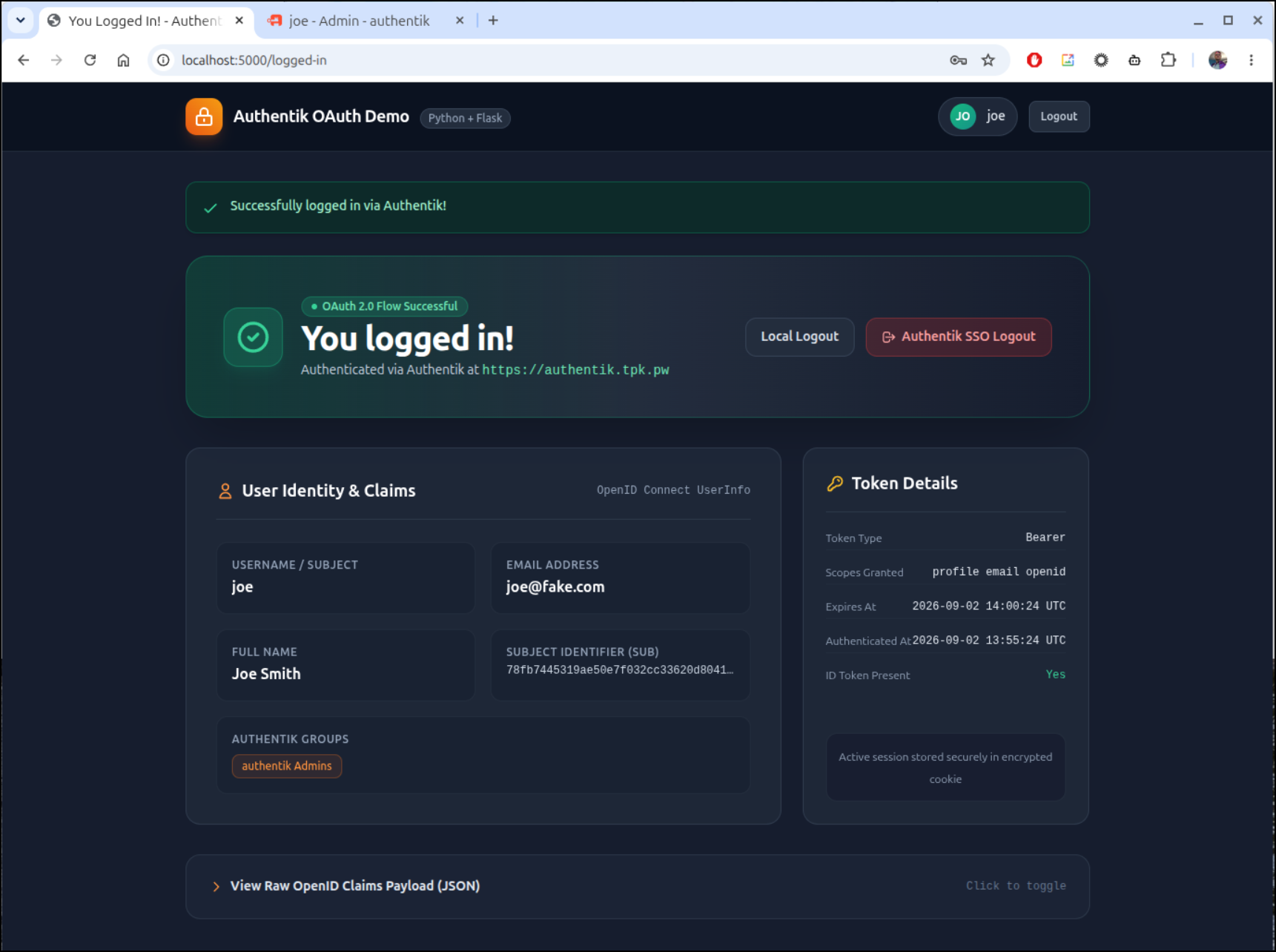
The python code that does the login is really just sending out the request to the Authentik API endpoint
@app.route("/login")
def login():
    """Initiates OAuth2/OIDC Authorization Code Flow with PKCE."""
    if not is_configured():
        flash(
            "Authentik Client ID or Secret is not configured. Please check your .env file!",
            "warning",
        )
        return redirect(url_for("index"))

    # Determine redirect URI (auto-detect or use AUTHENTIK_REDIRECT_URI from env)
    redirect_uri = REDIRECT_URI or url_for("callback", _external=True)

    try:
        return oauth.authentik.authorize_redirect(redirect_uri)
    except Exception as exc:
        flash(f"Failed to initiate login with Authentik: {str(exc)}", "danger")
        return redirect(url_for("index"))
And for showing things like full name and username, we are just pulling that back from the JSON return object sent to /callback
@app.route("/callback")
def callback():
    """OAuth2 Callback handler: exchanges authorization code for tokens and userinfo."""
    # Check for OAuth error returned in query parameters (e.g. user denied consent)
    error = request.args.get("error")
    if error:
        error_description = request.args.get("error_description", "No description provided.")
        flash(f"Authentication error: {error} - {error_description}", "danger")
        return redirect(url_for("index"))

    try:
        # Exchange authorization code for access token + ID token
        token = oauth.authentik.authorize_access_token()
    except Exception as exc:
        flash(f"Failed to exchange token with Authentik: {str(exc)}", "danger")
        return redirect(url_for("index"))

    # Extract user claims from ID token or query userinfo endpoint
    userinfo = token.get("userinfo")
    if not userinfo:
        try:
            resp = oauth.authentik.get("userinfo", token=token)
            userinfo = resp.json()
        except Exception:
            userinfo = {}

    # Calculate token expiration timestamp if available
    expires_at = token.get("expires_at")
    expires_at_iso = None
    if expires_at:
        try:
            expires_at_iso = datetime.fromtimestamp(expires_at, tz=timezone.utc).strftime("%Y-%m-%d %H:%M:%S UTC")
        except Exception:
            expires_at_iso = str(expires_at)

    # Save session state
    session["user"] = {
        "info": userinfo,
        "token_meta": {
            "token_type": token.get("token_type", "Bearer"),
            "scope": token.get("scope", SCOPES),
            "expires_in": token.get("expires_in"),
            "expires_at": expires_at,
            "expires_at_human": expires_at_iso,
            "has_refresh_token": bool(token.get("refresh_token")),
            "has_id_token": bool(token.get("id_token")),
        },
        "raw_claims": userinfo,
        "id_token_raw": token.get("id_token"),
        "logged_in_at": datetime.now(timezone.utc).strftime("%Y-%m-%d %H:%M:%S UTC"),
    }

    flash("Successfully logged in via Authentik!", "success")
    return redirect(url_for("logged_in"))
In the example above, I had set “Joe” in the admin user group of Authentik, but I didn’t need to do that. Here is the user logged in after being removed from Authentik admins:
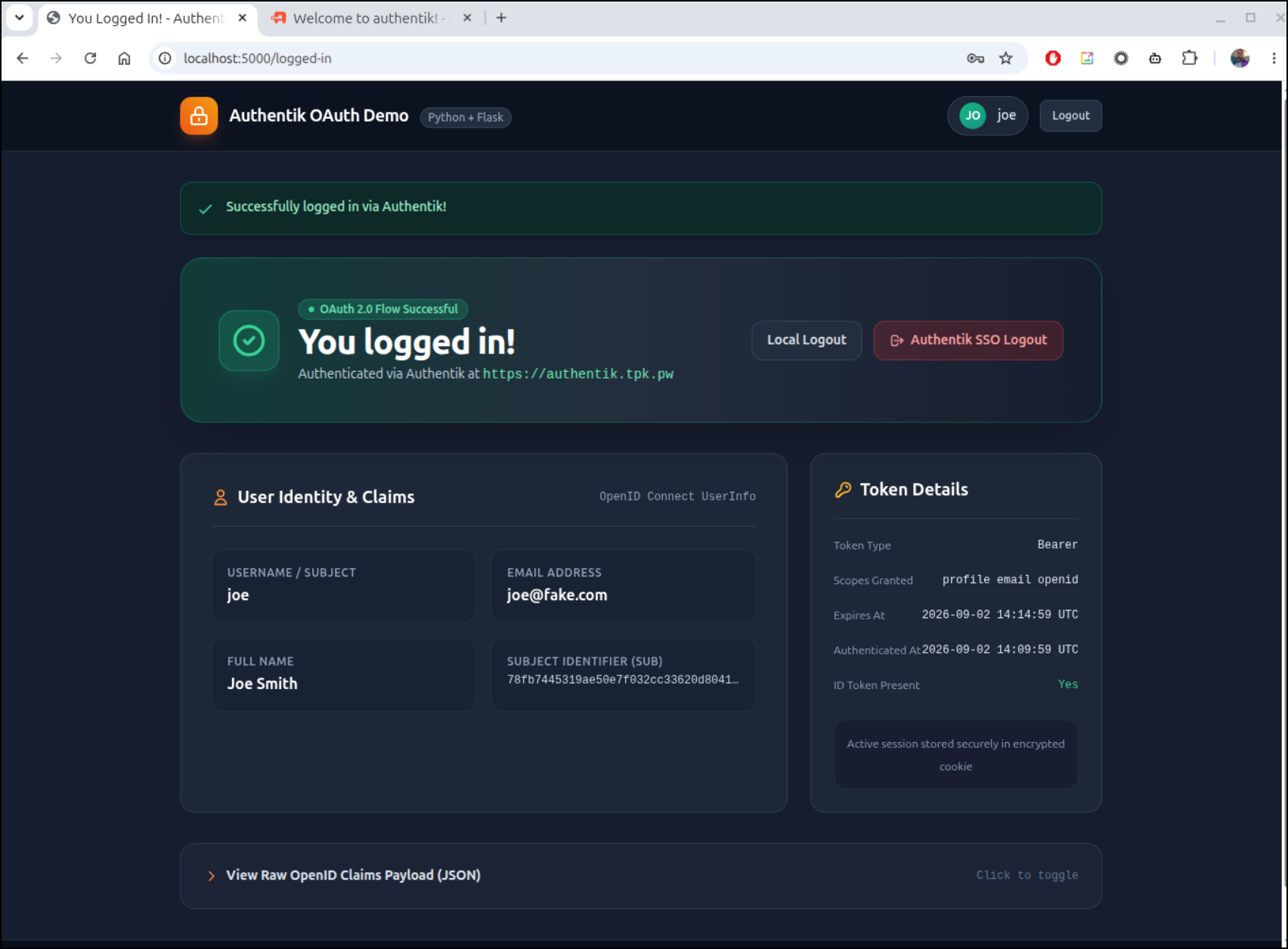
As a basic user now, Joe can login to Authentik and see, like a landing page, Apps they can log in to:
In Kubernetes we can see the Authentic stack really is just 3 pods (2 if we exclude the PostgreSQL server)
$ kubectl get po | grep -i auth
authentik-postgresql-0                               1/1     Running   0                  3h33m
authentik-server-565b7bd76b-tvbsd                    1/1     Running   1 (3h24m ago)      3h33m
authentik-worker-94f68dc45-cdjb5                     1/1     Running   1 (3h24m ago)      3h33m
From my k8spulse page, I can see they don’t take much space for CPU (and memory is similar)
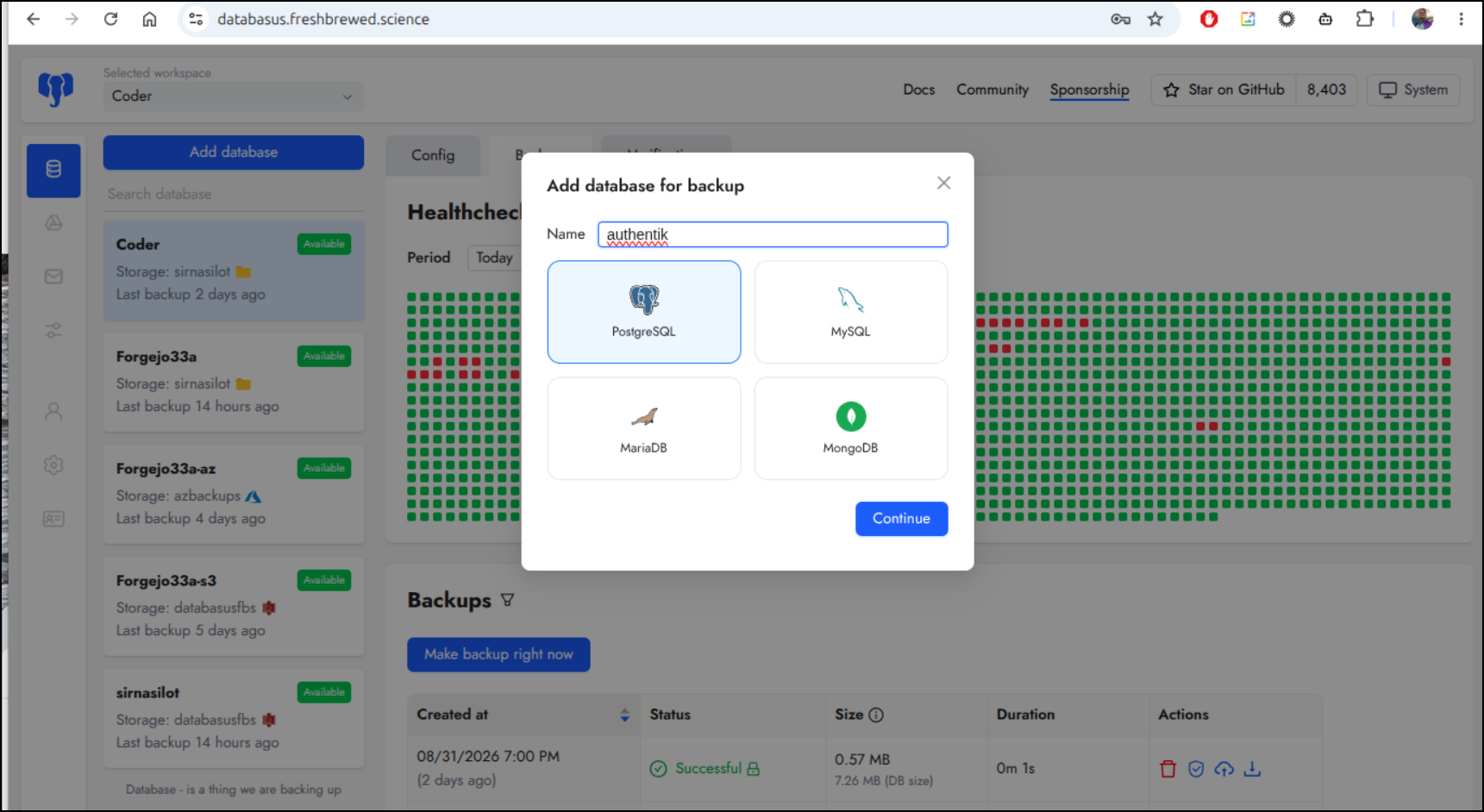
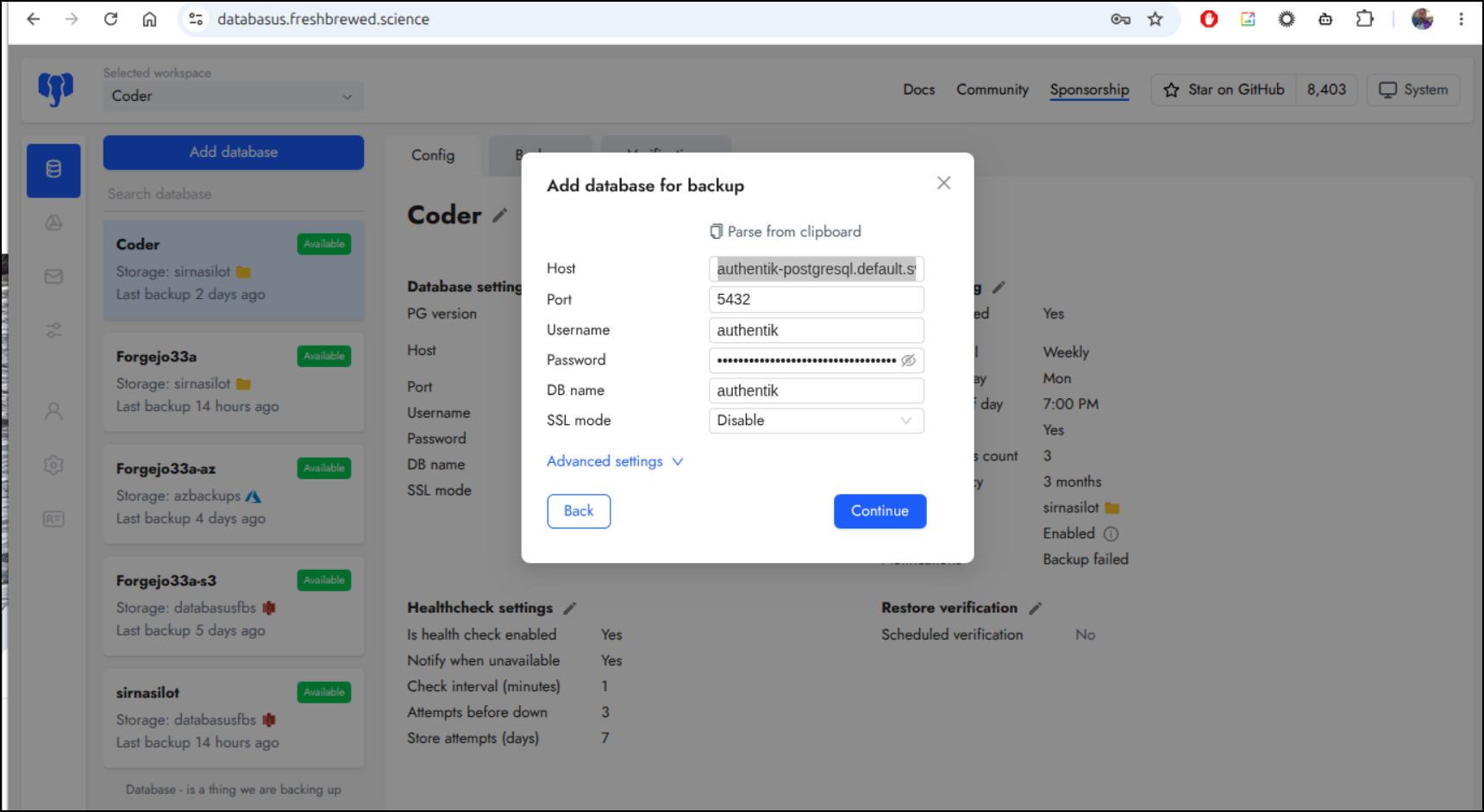
I’ll try adding backups with Databasus. I covered this in a previous post here.
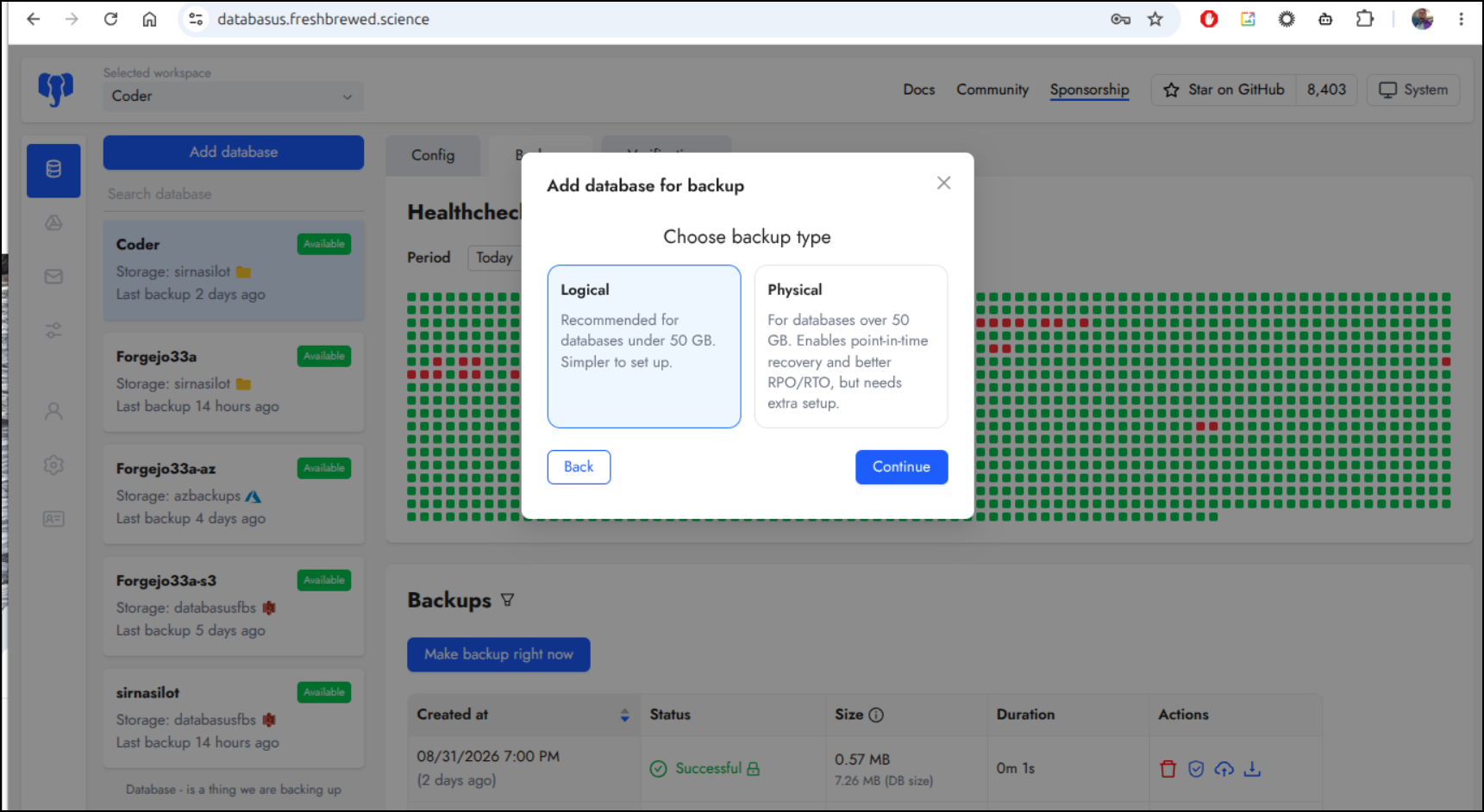
Then pick Logical
We could use the service IP (e.g. 10.43.218.253)
$ kubectl get svc | grep auth
authentik-postgresql                                    ClusterIP   10.43.218.253   <none>        5432/TCP                                                      3h46m
authentik-postgresql-hl                                 ClusterIP   None            <none>        5432/TCP                                                      3h46m
authentik-server                                        ClusterIP   10.43.217.218   <none>        80/TCP,443/TCP                                                3h46m
But it’s better to use KubeDNS in case that changes (authentik-postgresql.default.svc.cluster.local)
The port will be 5432 (default for PostgreSQL), the instance name is authentik and the username is authentik. The password can be found in the helm chart values (or in the secrets in Kubernetes)
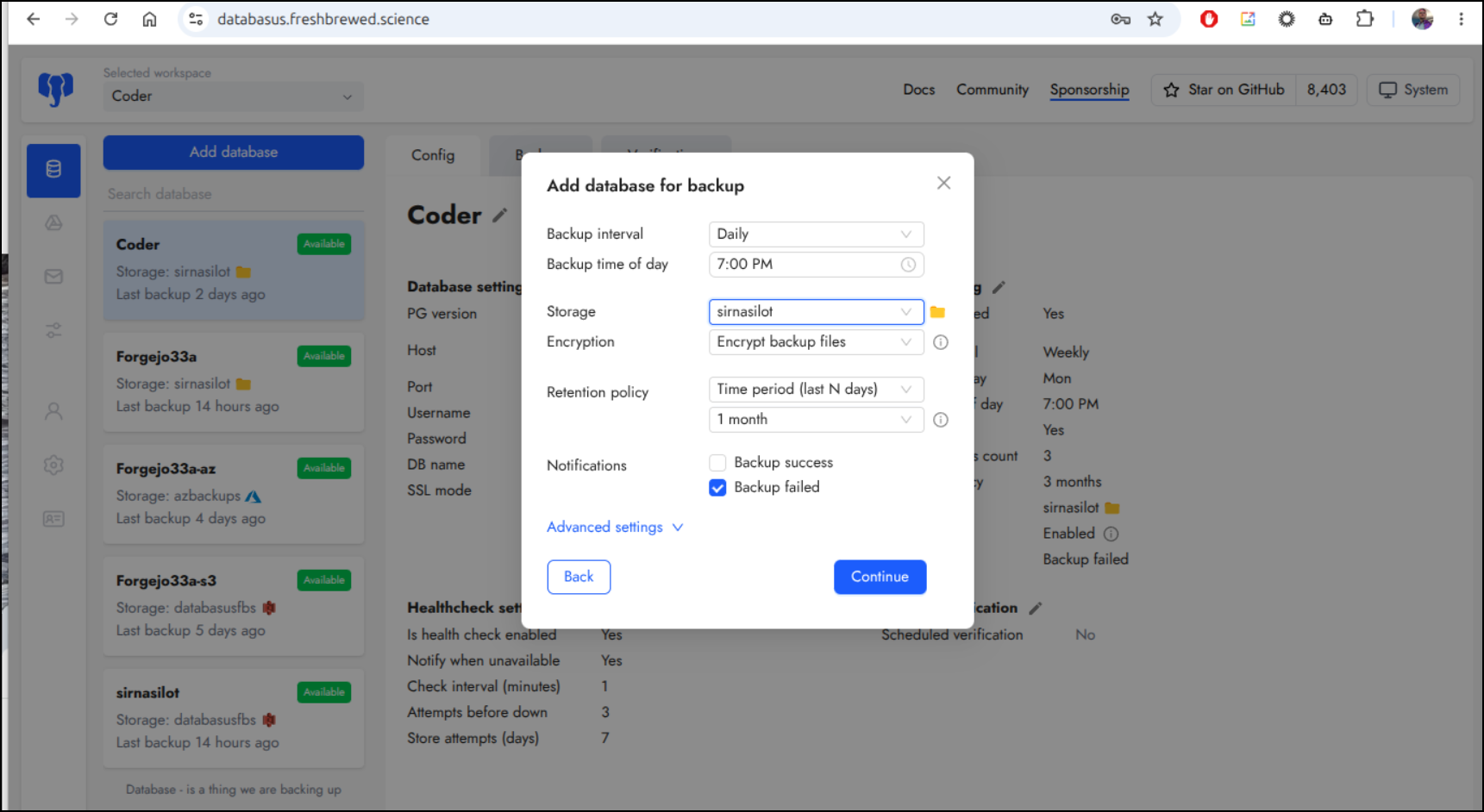
Since this is mostly for testing, I’ll just back it up daily for a month. It’s mostly for DR scenarios
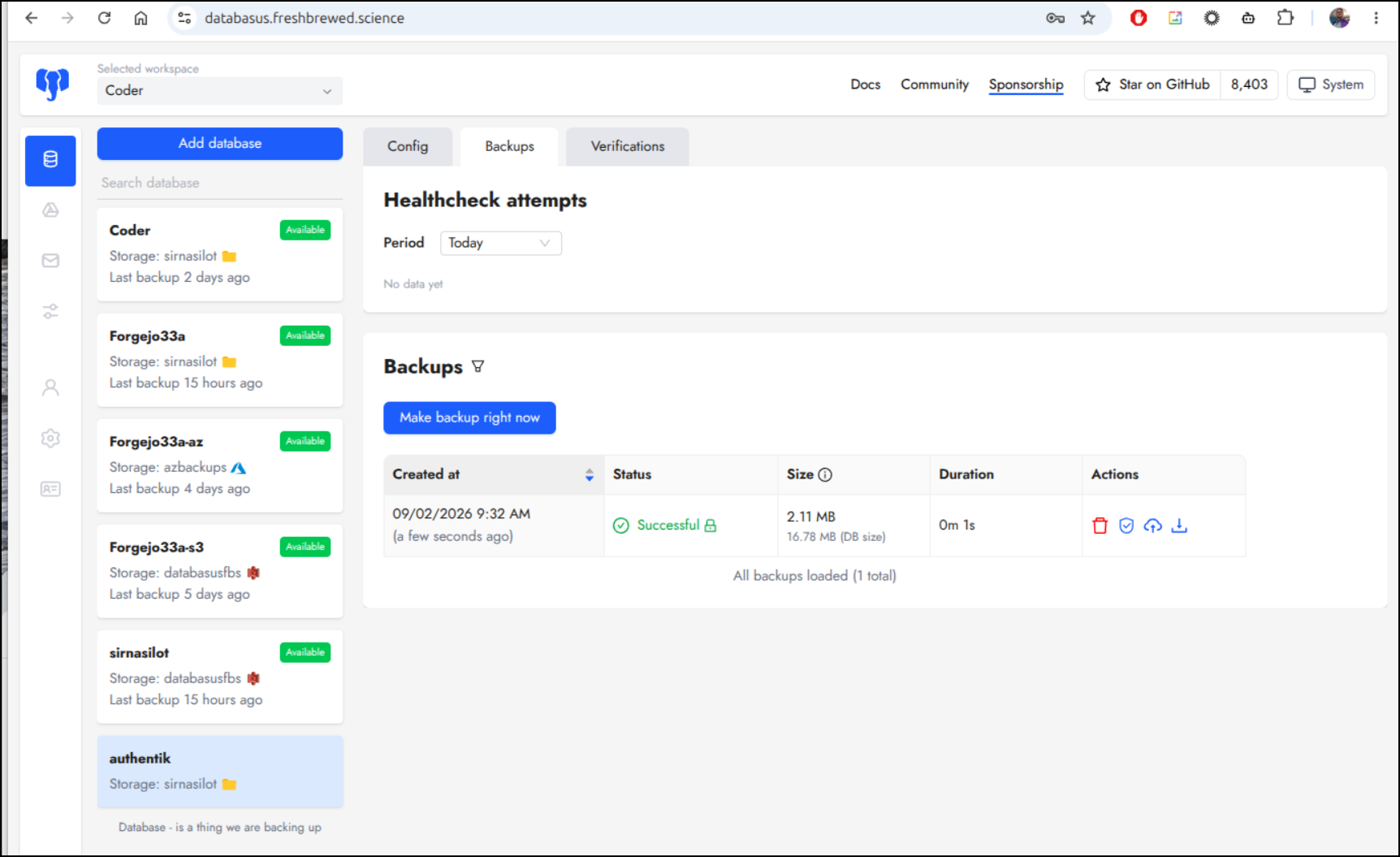
Now that is backed up, I feel a bit safer
Summary
Yes, I might have wanted to experiment with federated AAD (EntraID) or Google Workspace logins, but I accept that it is a paid feature.
The idea that I can just fire up my own OAuth2 identity provider is fantastic. I still feel queasy when I think back on when my GCP account was compromised and I ended up deleting the whole prod project to try and stop the financial bleed - I had to recreate a lot of OAuth2 providers again when I restored. That was a bad day.
Having my own for projects seems pretty smart. I generally dislike having to manage them in cloud providers. Auth0 is a pretty good option (we covered that here) but that is own more system that may decide free tiers aren’t great and kill it on me (like Sendgrid once did).
I did find the documentation for Authentik to be terse at best. I ended up using Antigravity CLI (a bit of AI) to help decipher the fields. Of course, you are not getting AI junk above - i used it to just nudge me along as the fields often changed or were named a bit differently.
Once you get past the documentation and rather cumbersome workflow in Authentik, it is a pretty good service.
I didn’t even touch on customizing the UI - but one can really tweak the look and feel to match company branding.