Congratulations! You have been flagged for something.
Who knows exactly, but you soon are clued in that something is amiss when your gcloud commands began to fail
$ gcloud dns --project=myanthosproject2 record-sets list --zone="steepedicu"
ERROR: (gcloud.dns.record-sets.list) PERMISSION_DENIED: Permission denied: Consumer 'projects/myanthosproject2' has been suspended. This command is authenticated as isaac.johnson@gmail.com which is the active account specified by the [core/account] property.
Permission denied: Consumer 'projects/myanthosproject2' has been suspended.
- '@type': type.googleapis.com/google.rpc.ErrorInfo
  domain: googleapis.com
  metadata:
    consumer: projects/511842454269
    containerInfo: projects/myanthosproject2
    service: dns
  reason: CONSUMER_SUSPENDED
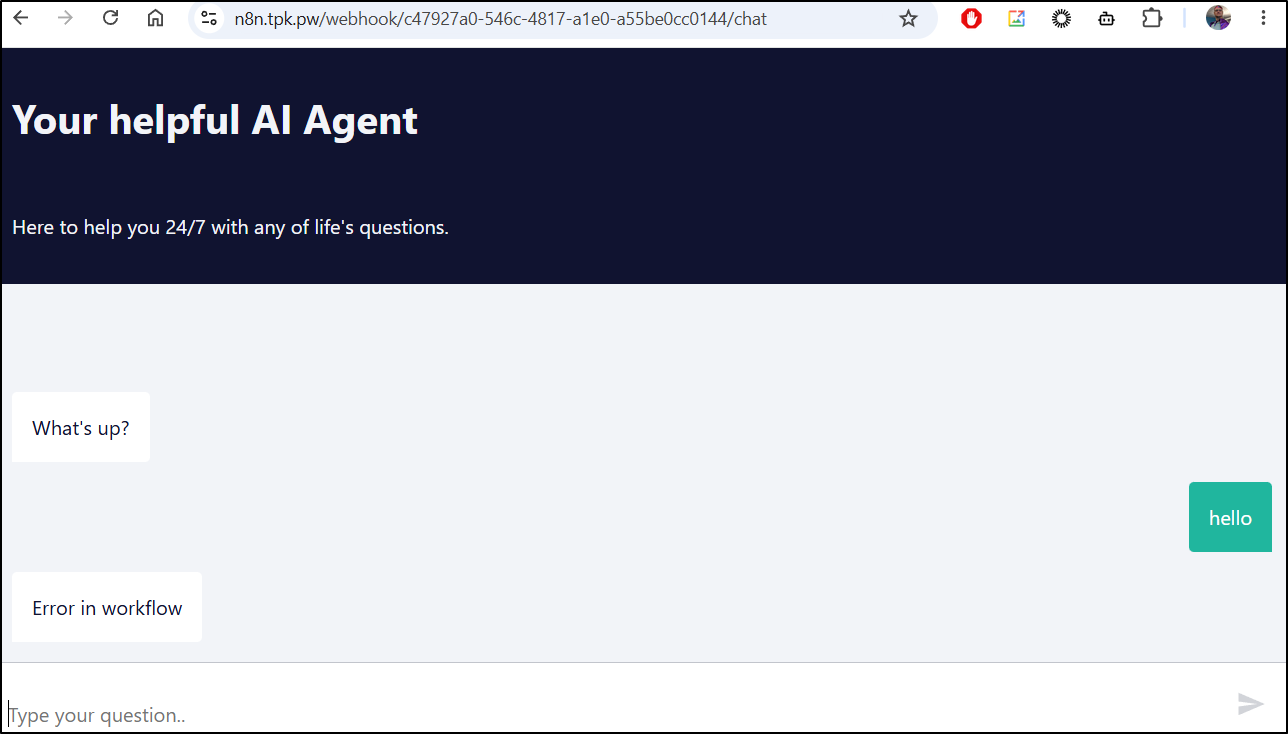
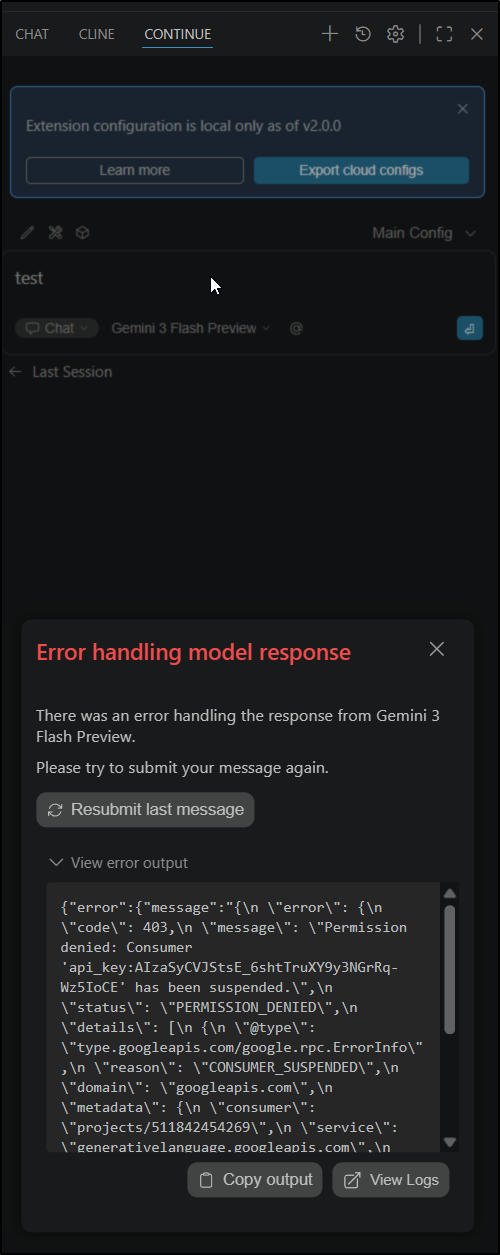
You then notice that AI apps cannot use Vertex anymore
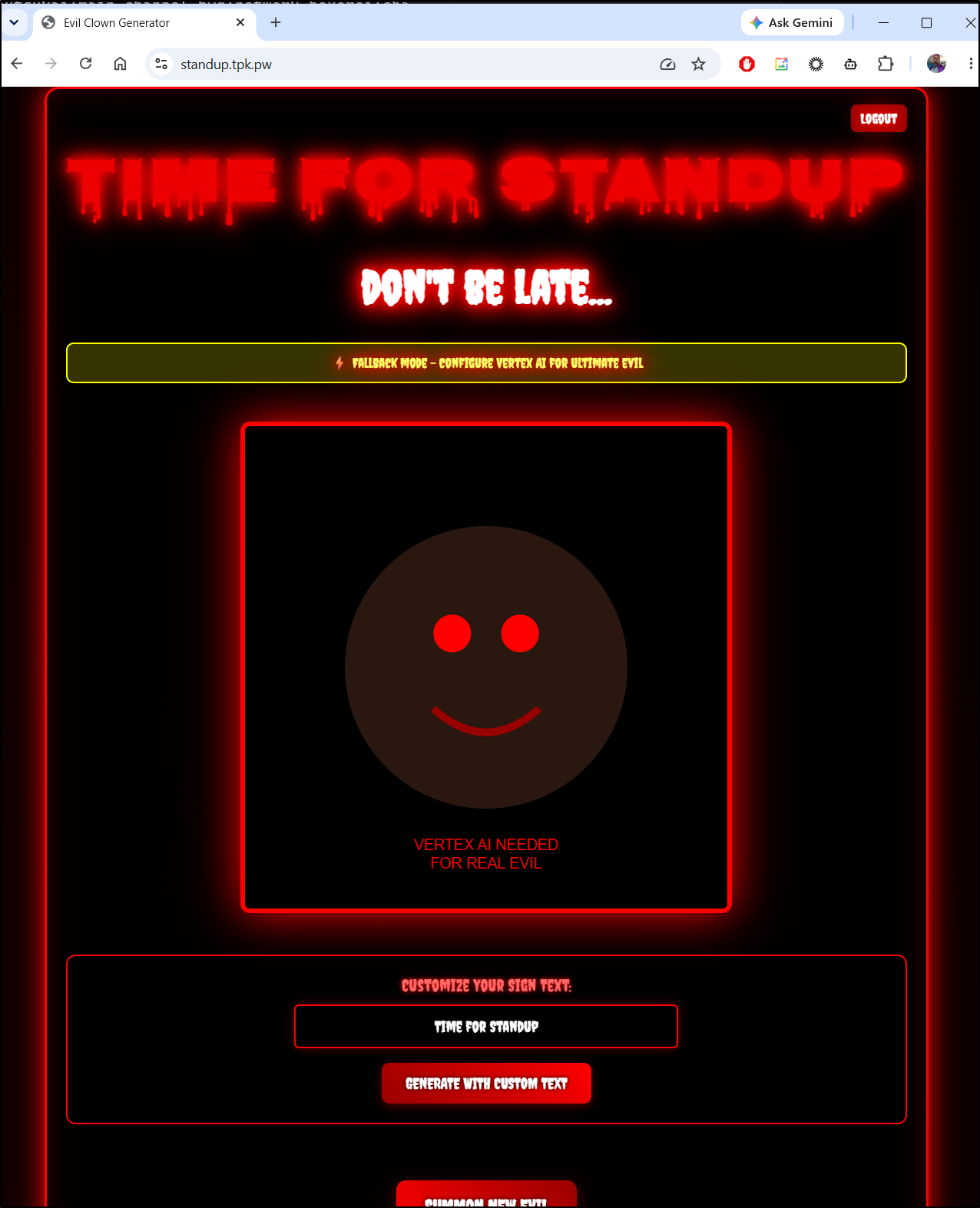
Chatbots fail
And your AI code assistants are down
You’ve launched nothing new… but something is serious wrong with your project.
That is when you login and you get the cloud equivalent of a BSOD
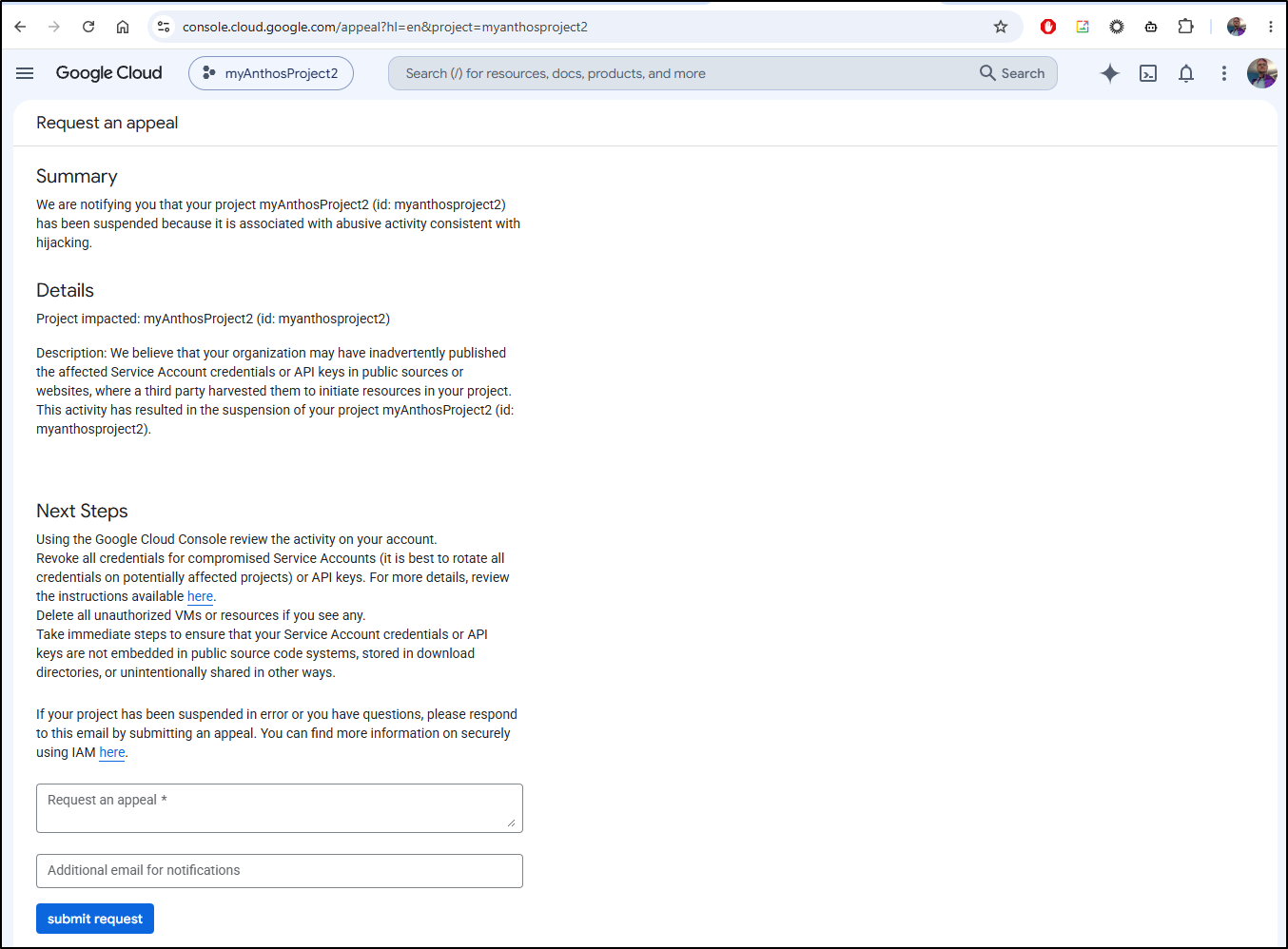
Now there is nothing you can do to unblock this project presently.
It is disabled and that “submit request” will create one (and only one) appeal ticket (so no point in pressing it more)
You will get an appeals ticket saying they will get back to you in a couple business days (which provided it is a holiday week here, I don’t expect anything till Monday)
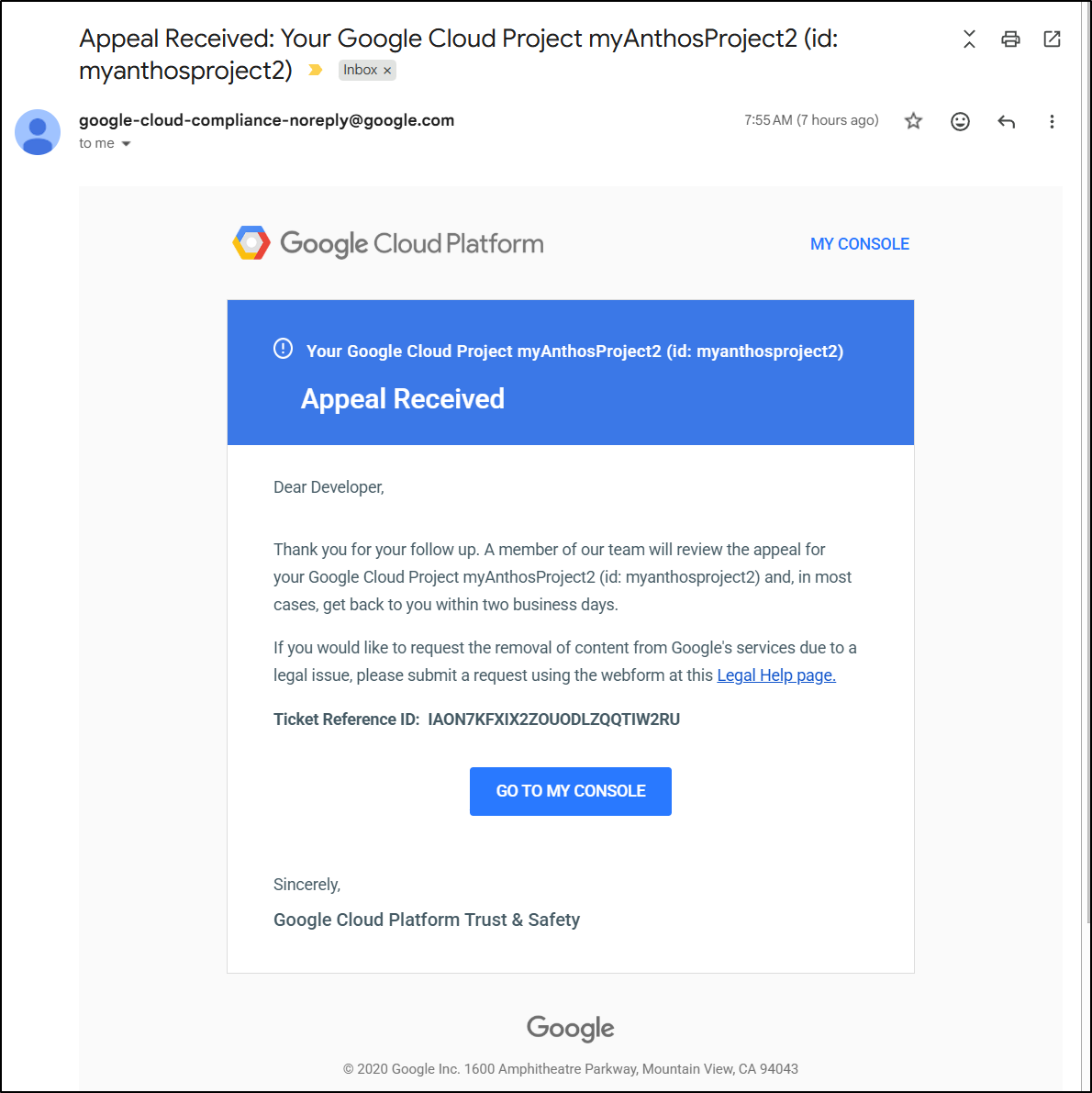
You are stuck. There is not a damn thing you can do now.

Risk mitigation.. what do we do?
Now, for some things, creating a new Vertex AI endpoint or SA, while time consuming can be done.
I can create a new Production GCP Project
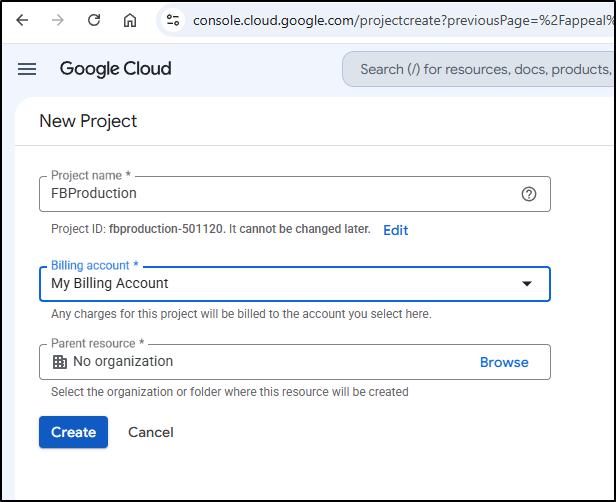
But now I’m stuck again, because adding a new Project is blocked by a Quota on billing projects
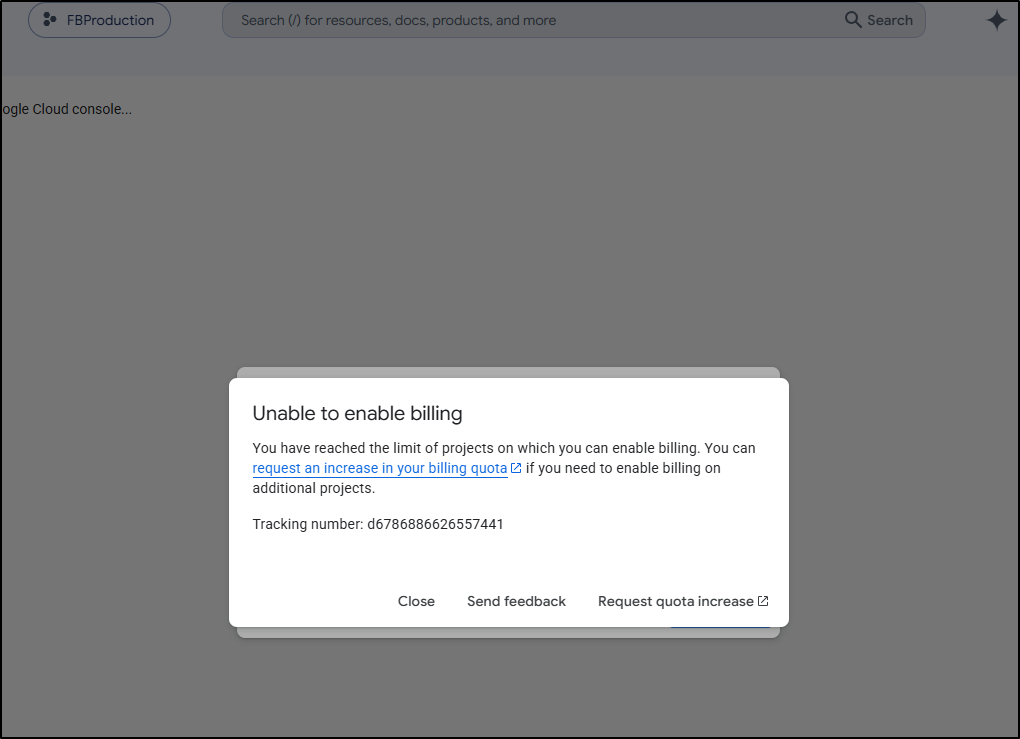
I put in a request
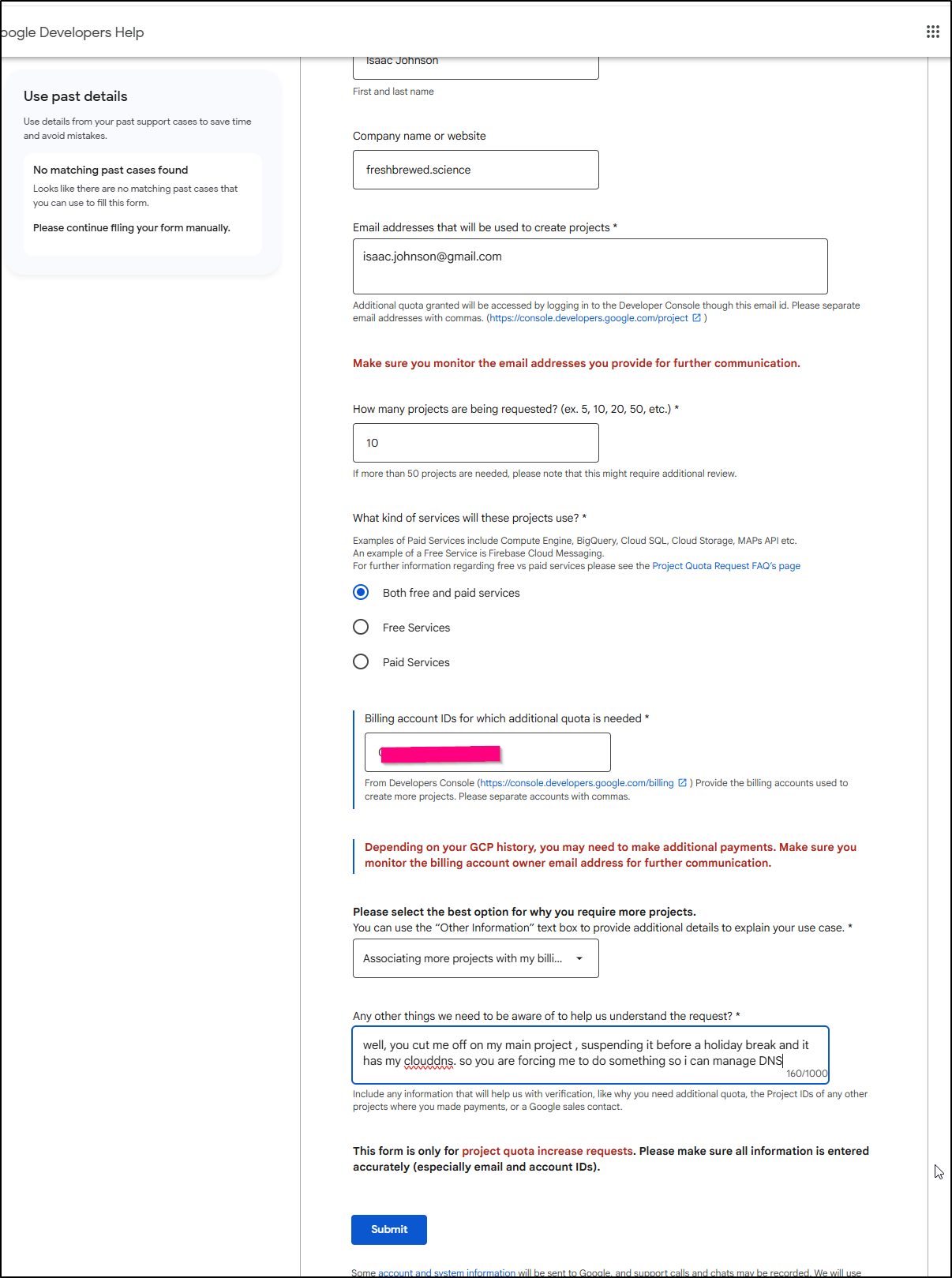
And I get another 2 day wait.
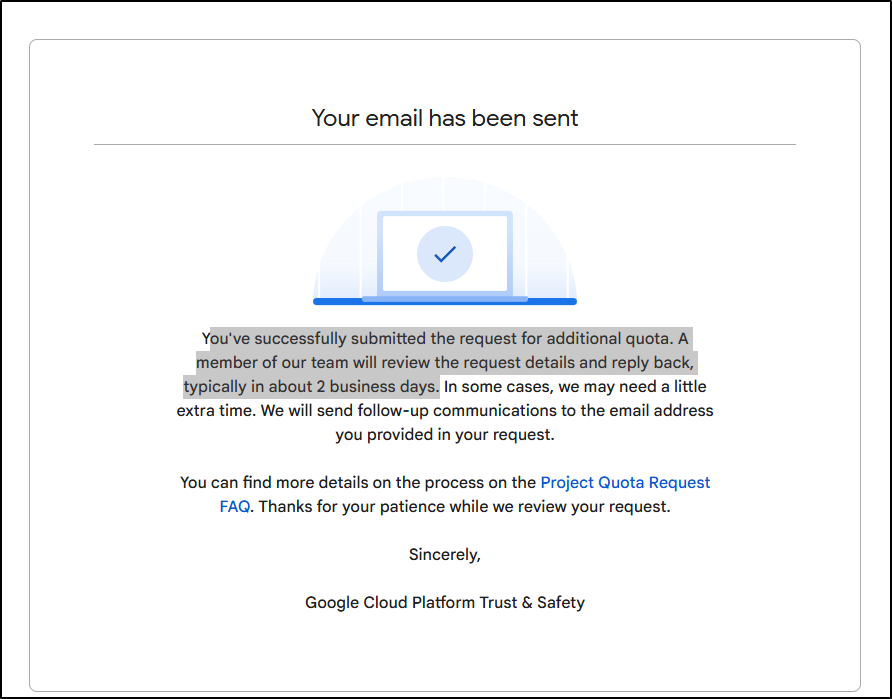
But Wait - I didn’t need 2 days - they just denied me straight up.
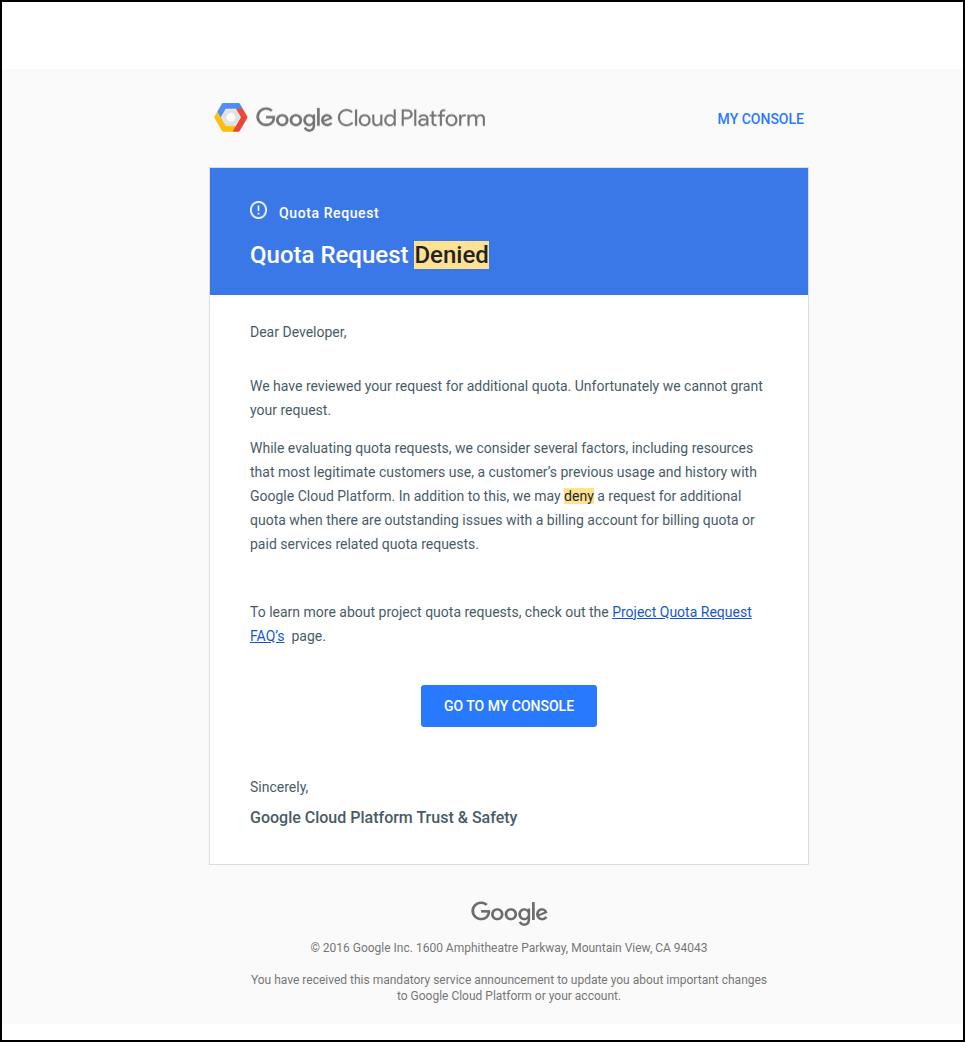
this is driving me batty.
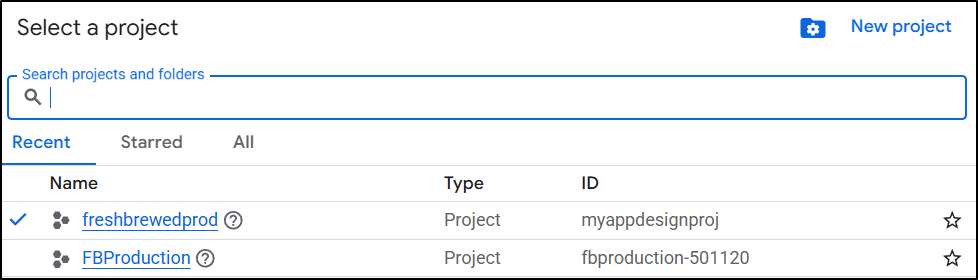
Maybe I can rename an existing project (this will confuse me later since the project ID wont match the name, but it’s what i can do)
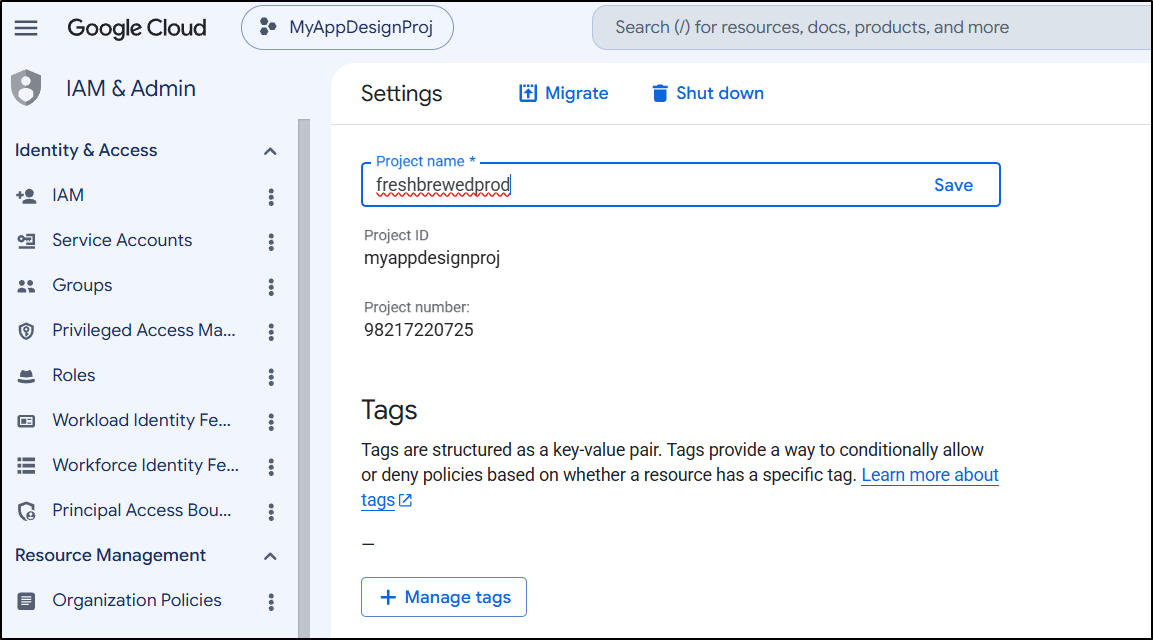
Now I have an existing unused project, that is tied to billing
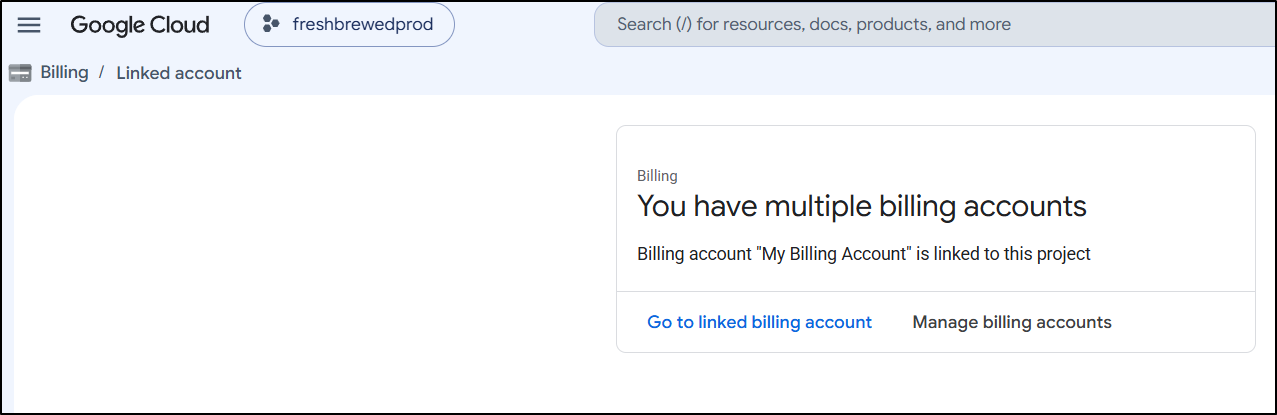
That I can use for Cloud DNS and AI keys
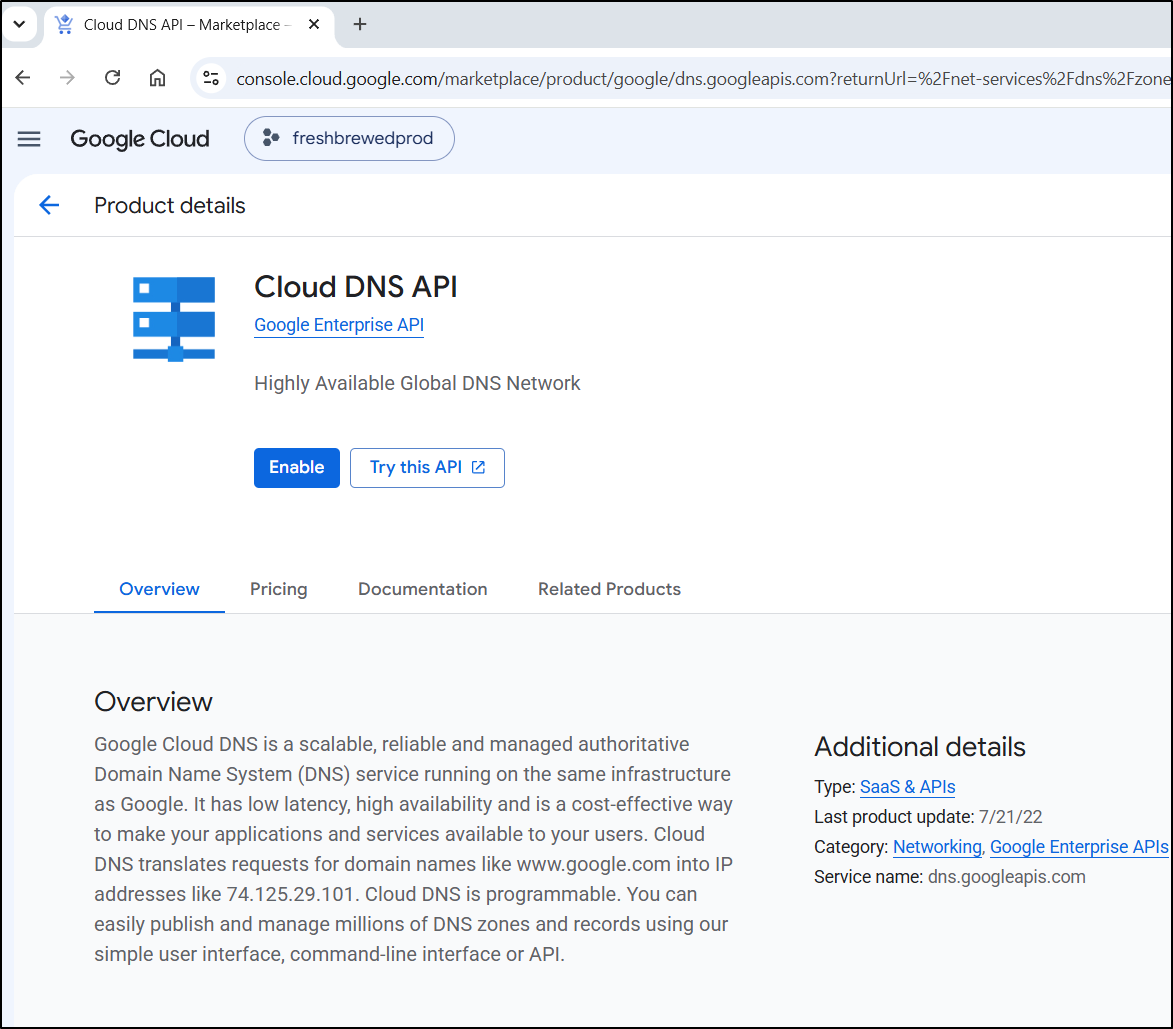
Next I need to start enabling APIs
First is Cloud DNS so I can use that
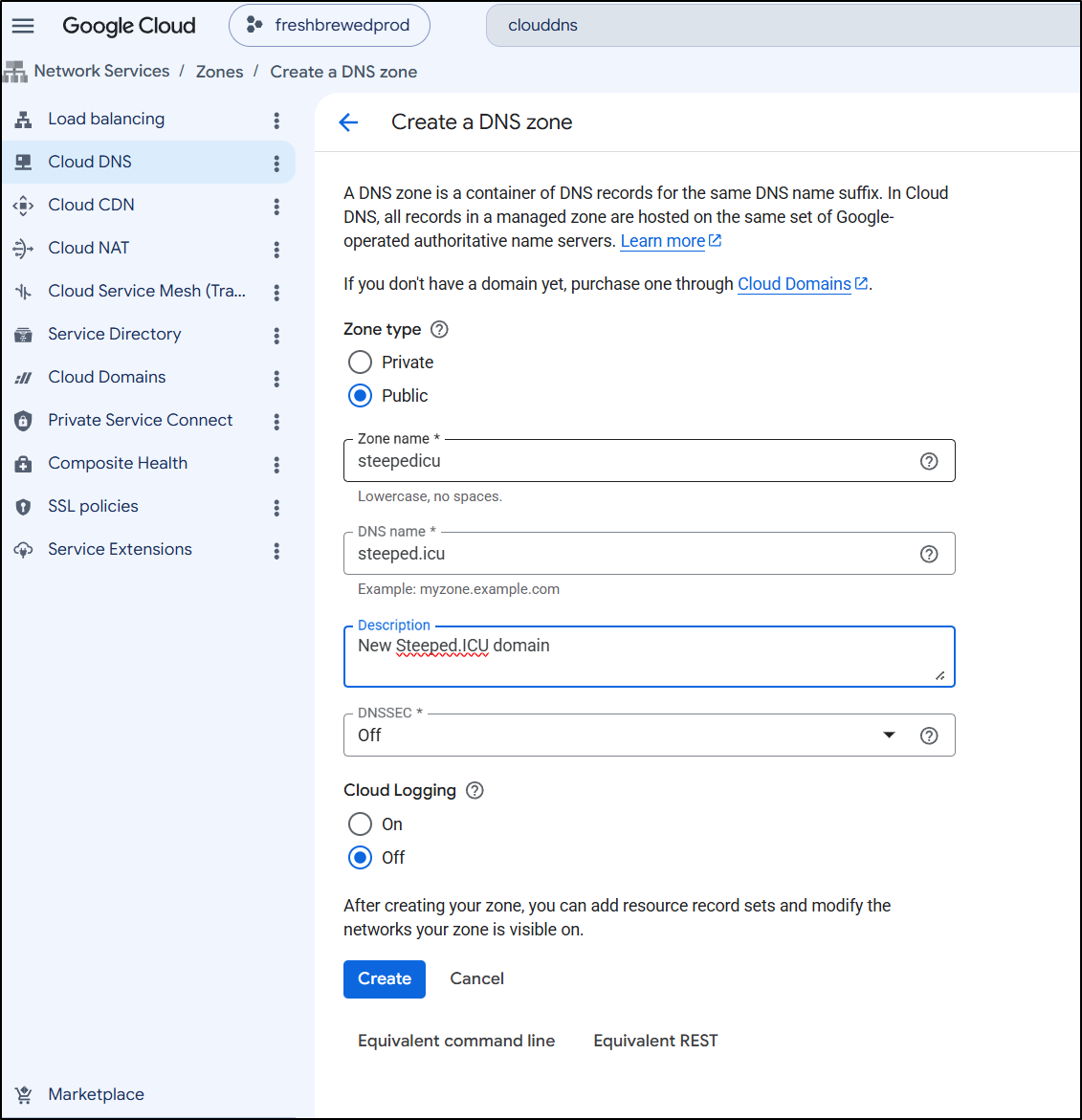
I’ll give it the same zone name as before:
I now have some NS (nameserver) records to use with the Registrar
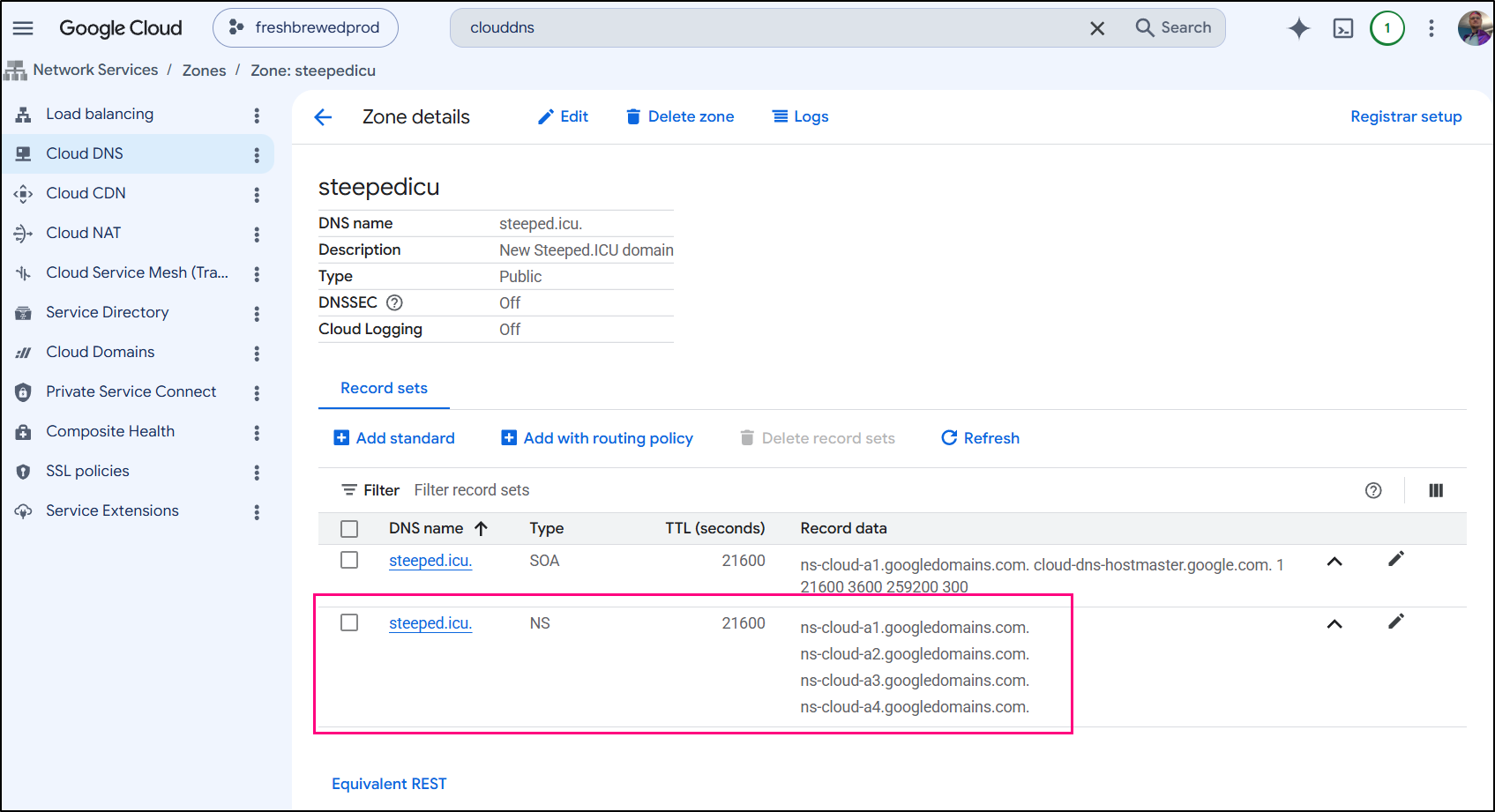
HOWEVER, we will do that step the very very last after we sort out cluster issuers and populate the records.
The first thing I did was hunt down this blog post from about 9 months ago when i had to move from “.space” to “.icu” because basically the TLD space owner kept falling down.
I still had that file:
$ cat yournewzonefile.txt
; steeped.icu. 21600 IN NS ns-cloud-e1.googledomains.com.
; steeped.icu. 21600 IN NS ns-cloud-e2.googledomains.com.
; steeped.icu. 21600 IN NS ns-cloud-e3.googledomains.com.
; steeped.icu. 21600 IN NS ns-cloud-e4.googledomains.com.
; steeped.icu. 21600 IN SOA ns-cloud-e1.googledomains.com. cloud-dns-hostmaster.google.com. 1 21600 3600 259200 300
alerthub.steeped.icu. 300 IN A 75.72.233.202
boltdiy.steeped.icu. 300 IN A 75.72.233.202
boltfit.steeped.icu. 300 IN A 75.72.233.202
bskyposter.steeped.icu. 300 IN A 75.72.233.202
bwcafish.steeped.icu. 300 IN A 75.72.233.202
commafeed.steeped.icu. 300 IN A 75.72.233.202
easyappt.steeped.icu. 300 IN A 75.72.233.202
favicon.steeped.icu. 300 IN A 75.72.233.202
fb.steeped.icu. 300 IN CNAME freshbrewed.science.
filegator.steeped.icu. 300 IN A 75.72.233.202
filegator2.steeped.icu. 300 IN A 75.72.233.202
fmr.steeped.icu. 300 IN A 75.72.233.202
fms.steeped.icu. 300 IN A 75.72.233.202
goldilocks.steeped.icu. 300 IN A 75.72.233.202
harbor.steeped.icu. 300 IN CNAME harbor.freshbrewed.science.
medama.steeped.icu. 300 IN A 75.72.233.202
mystatus.steeped.icu. 300 IN CNAME cachetfunction-q5jg7qcghq-uc.a.run.app.
nextterm.steeped.icu. 300 IN A 75.72.233.202
patientsmvc.steeped.icu. 300 IN A 75.72.233.202
pdfding.steeped.icu. 300 IN A 75.72.233.202
pingvin.steeped.icu. 300 IN A 75.72.233.202
rustpad.steeped.icu. 300 IN A 75.72.233.202
rustypaste.steeped.icu. 300 IN A 75.72.233.202
shiori.steeped.icu. 300 IN A 75.72.233.202
spacedeck.steeped.icu. 300 IN A 75.72.233.202
status.steeped.icu. 300 IN A 35.241.26.202
testing123.steeped.icu. 300 IN A 75.72.233.202
testing5.steeped.icu. 300 IN A 34.49.221.120
vikunja.steeped.icu. 300 IN A 75.72.233.202
www.steeped.icu. 300 IN A 34.54.220.77
So I just needed to copy it over and swap out the IPs to my latest ingress IP (which a quick nslookup on something like vikunja.steeped.icu reminds me of)
$ cat DRsteepedicu.txt
; steeped.icu. 21600 IN NS ns-cloud-e1.googledomains.com.
; steeped.icu. 21600 IN NS ns-cloud-e2.googledomains.com.
; steeped.icu. 21600 IN NS ns-cloud-e3.googledomains.com.
; steeped.icu. 21600 IN NS ns-cloud-e4.googledomains.com.
; steeped.icu. 21600 IN SOA ns-cloud-e1.googledomains.com. cloud-dns-hostmaster.google.com. 1 21600 3600 259200 300
alerthub.steeped.icu. 300 IN A 76.156.69.232
boltdiy.steeped.icu. 300 IN A 76.156.69.232
boltfit.steeped.icu. 300 IN A 76.156.69.232
bskyposter.steeped.icu. 300 IN A 76.156.69.232
bwcafish.steeped.icu. 300 IN A 76.156.69.232
commafeed.steeped.icu. 300 IN A 76.156.69.232
easyappt.steeped.icu. 300 IN A 76.156.69.232
favicon.steeped.icu. 300 IN A 76.156.69.232
fb.steeped.icu. 300 IN CNAME freshbrewed.science.
filegator.steeped.icu. 300 IN A 76.156.69.232
filegator2.steeped.icu. 300 IN A 76.156.69.232
fmr.steeped.icu. 300 IN A 76.156.69.232
fms.steeped.icu. 300 IN A 76.156.69.232
goldilocks.steeped.icu. 300 IN A 76.156.69.232
harbor.steeped.icu. 300 IN CNAME harbor.freshbrewed.science.
medama.steeped.icu. 300 IN A 76.156.69.232
mystatus.steeped.icu. 300 IN CNAME cachetfunction-q5jg7qcghq-uc.a.run.app.
nextterm.steeped.icu. 300 IN A 76.156.69.232
patientsmvc.steeped.icu. 300 IN A 76.156.69.232
pdfding.steeped.icu. 300 IN A 76.156.69.232
pingvin.steeped.icu. 300 IN A 76.156.69.232
rustpad.steeped.icu. 300 IN A 76.156.69.232
rustypaste.steeped.icu. 300 IN A 76.156.69.232
shiori.steeped.icu. 300 IN A 76.156.69.232
spacedeck.steeped.icu. 300 IN A 76.156.69.232
status.steeped.icu. 300 IN A 35.241.26.202
testing123.steeped.icu. 300 IN A 76.156.69.232
testing5.steeped.icu. 300 IN A 34.49.221.120
vikunja.steeped.icu. 300 IN A 76.156.69.232
www.steeped.icu. 300 IN A 34.54.220.77
Next, I asked Kubernetes for all my latest steeped.icu DNS entries in case they came after that time.
$ kubectl get ingress -A | grep steeped | grep icu | sed 's/.steeped.icu .*/.steeped.icu/' | sed 's/^.* //' | sort -u
bskyposter.steeped.icu
bwcafish.steeped.icu
cobolmcp.steeped.icu
dayglance.steeped.icu
goldilocks.steeped.icu
lifeglance.steeped.icu
perlmcp.steeped.icu
rustpad.steeped.icu
rustypaste.steeped.icu
skysend.steeped.icu
spacedeck.steeped.icu
vikunja.steeped.icu
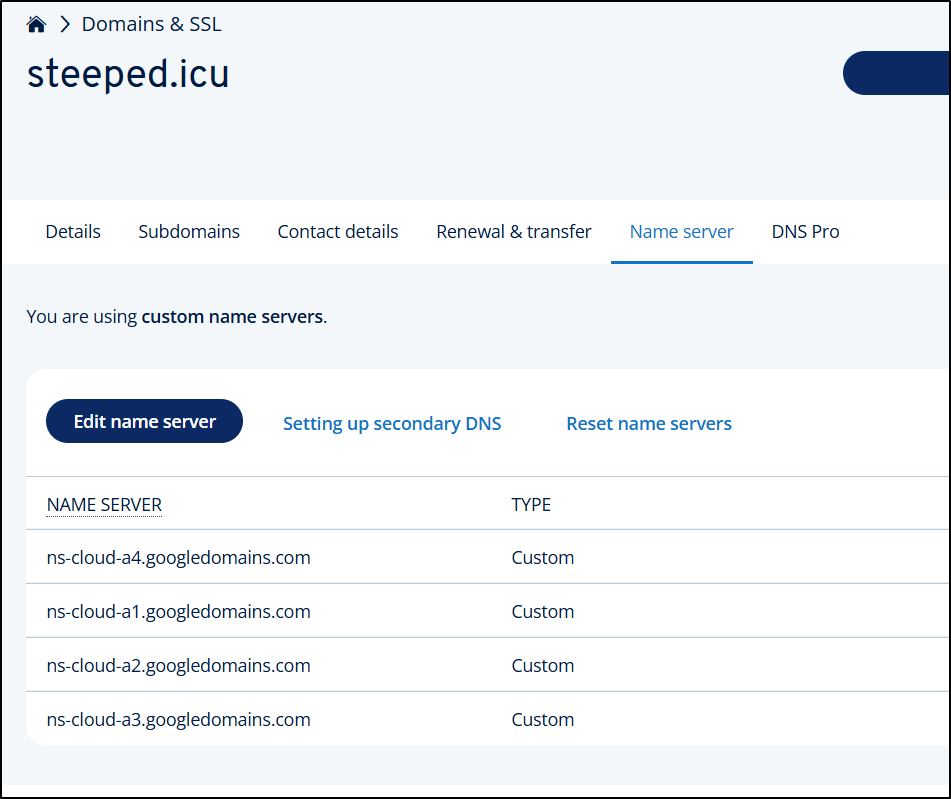
A quick eyeball compare shows cobolmcp, dayglance, lifeglance, perlmcp, and skysend are all missing in my zone file. I also know from that screenshot that my NS records will be different so i can copy then out of Cloud DNS (e.g. ns-cloud-a1,2,3,4 not e,1,2,3,4)
Updated and corrected, that looks like
$ cat ./DRsteepedicu.txt
; steeped.icu. 21600 IN NS ns-cloud-a1.googledomains.com.
; steeped.icu. 21600 IN NS ns-cloud-a2.googledomains.com.
; steeped.icu. 21600 IN NS ns-cloud-a3.googledomains.com.
; steeped.icu. 21600 IN NS ns-cloud-a4.googledomains.com.
; steeped.icu. 21600 IN SOA ns-cloud-a1.googledomains.com. cloud-dns-hostmaster.google.com. 1 21600 3600 259200 300
alerthub.steeped.icu. 300 IN A 76.156.69.232
boltdiy.steeped.icu. 300 IN A 76.156.69.232
boltfit.steeped.icu. 300 IN A 76.156.69.232
bskyposter.steeped.icu. 300 IN A 76.156.69.232
bwcafish.steeped.icu. 300 IN A 76.156.69.232
cobolmcp.steeped.icu. 300 IN A 76.156.69.232
commafeed.steeped.icu. 300 IN A 76.156.69.232
dayglance.steeped.icu. 300 IN A 76.156.69.232
easyappt.steeped.icu. 300 IN A 76.156.69.232
favicon.steeped.icu. 300 IN A 76.156.69.232
fb.steeped.icu. 300 IN CNAME freshbrewed.science.
filegator.steeped.icu. 300 IN A 76.156.69.232
filegator2.steeped.icu. 300 IN A 76.156.69.232
fmr.steeped.icu. 300 IN A 76.156.69.232
fms.steeped.icu. 300 IN A 76.156.69.232
goldilocks.steeped.icu. 300 IN A 76.156.69.232
harbor.steeped.icu. 300 IN CNAME harbor.freshbrewed.science.
lifeglance.steeped.icu. 300 IN A 76.156.69.232
medama.steeped.icu. 300 IN A 76.156.69.232
mystatus.steeped.icu. 300 IN CNAME cachetfunction-q5jg7qcghq-uc.a.run.app.
nextterm.steeped.icu. 300 IN A 76.156.69.232
patientsmvc.steeped.icu. 300 IN A 76.156.69.232
pdfding.steeped.icu. 300 IN A 76.156.69.232
perlmcp.steeped.icu. 300 IN A 76.156.69.232
pingvin.steeped.icu. 300 IN A 76.156.69.232
rustpad.steeped.icu. 300 IN A 76.156.69.232
rustypaste.steeped.icu. 300 IN A 76.156.69.232
shiori.steeped.icu. 300 IN A 76.156.69.232
skysend.steeped.icu. 300 IN A 76.156.69.232
spacedeck.steeped.icu. 300 IN A 76.156.69.232
status.steeped.icu. 300 IN A 35.241.26.202
testing123.steeped.icu. 300 IN A 76.156.69.232
testing5.steeped.icu. 300 IN A 34.49.221.120
vikunja.steeped.icu. 300 IN A 76.156.69.232
www.steeped.icu. 300 IN A 34.54.220.77
I can now import them all in
$ gcloud dns --project myappdesignproj record-sets import DRsteepedicu.txt  --zone "s
teepedicu" --zone-file-format
Imported record-sets from [DRsteepedicu.txt] into managed-zone [steepedicu].
Created [https://dns.googleapis.com/dns/v1/projects/myappdesignproj/managedZones/steepedicu/changes/1].
ID  START_TIME                STATUS
1   2026-07-01T20:38:43.032Z  pending


To take a quick anonymous survey, run:
  $ gcloud survey
I can now see them there. Recall, we had to re-use a project for billing so “myappdesignproj” is to be my prod billing now
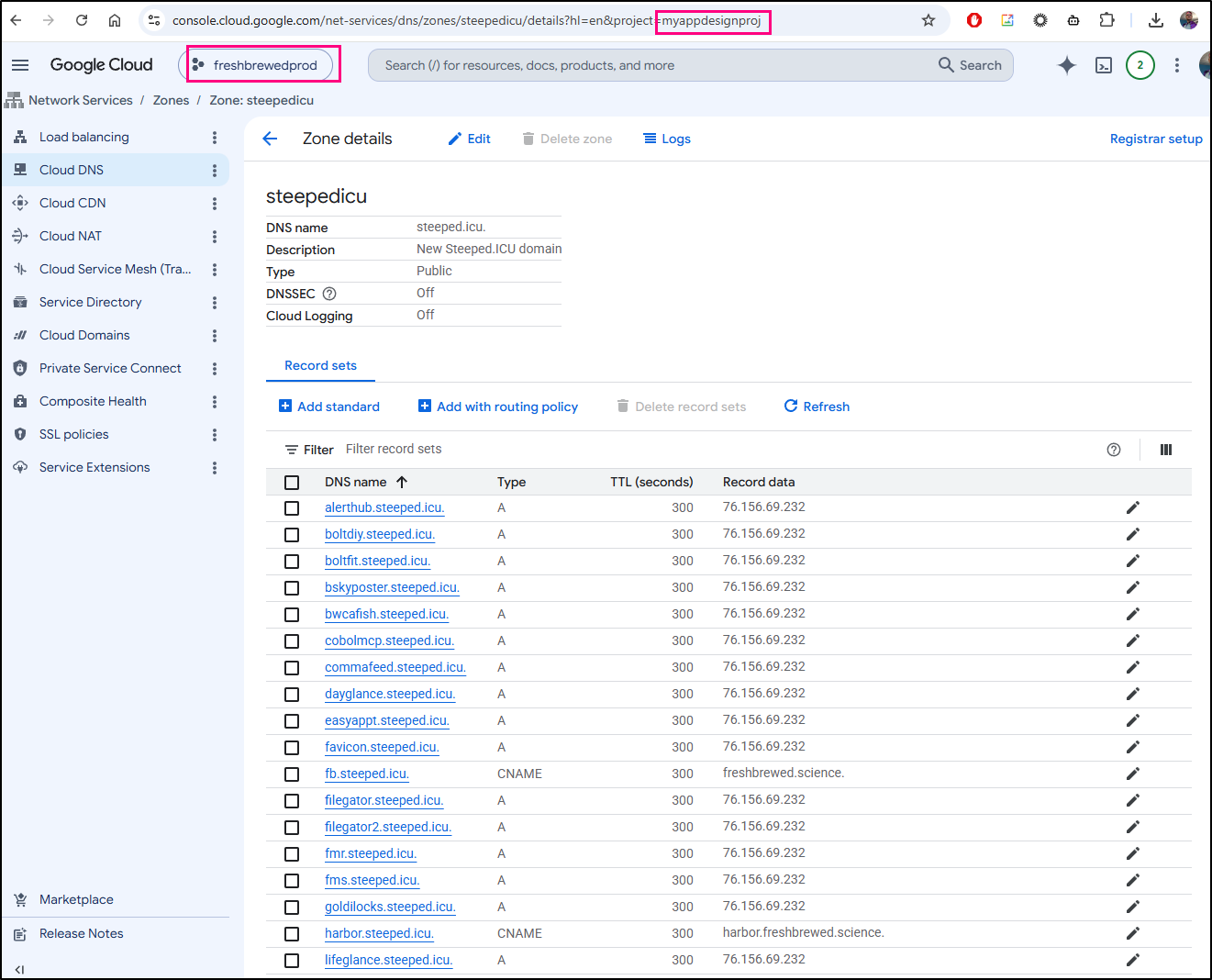
The next part is about cluster issuers. We can go back almost two full years to see this post I wrote about the first time I set this up.
I’ll do similar now.
First I’ll make sure we are looking at this ’new’(ish) project
$ PROJECT_ID=myappdesignproj
$ gcloud config set project $PROJECT_ID
WARNING: Your active project does not match the quota project in your local Application Default Credentials file. This might result in unexpected quota issues.

To update your Application Default Credentials quota project, use the `gcloud auth application-default set-quota-project` command.
Updated property [core/project].
$ gcloud auth application-default set-quota-project $PROJECT_ID

Credentials saved to file: [/home/builder/.config/gcloud/application_default_credentials.json]

These credentials will be used by any library that requests Application Default Credentials (ADC).

Quota project "myappdesignproj" was added to ADC which can be used by Google client libraries for billing and quota. Note that some services may still bill the project owning the resource.
Next, we’ll make a DNS solver SA in this project
$ gcloud iam service-accounts create dns01-solver --display-name "dns01-solver"
Created service account [dns01-solver].
Grant that SA DNS Admin permissions
$ gcloud projects add-iam-policy-binding $PROJECT_ID --member serviceAccount:dns01-solver@$PROJECT_ID.iam.gserviceaccount.com --role roles/dns.admin
Updated IAM policy for project [myappdesignproj].
bindings:
- members:
  - serviceAccount:dns01-solver@myappdesignproj.iam.gserviceaccount.com
  role: roles/dns.admin
- members:
  - user:isaac.johnson@gmail.com
  role: roles/owner
etag: BwZVksNtM8s=
version: 1
Then kick out the SA JSON we’ll be using for the Kubernetes secret
$ gcloud iam service-accounts keys create gcpsakey.json --iam-account dns01-solver@$PROJECT_ID.iam.gserviceaccount.com
created key [01864470c5ac3f87e8bd7b83e80923b322f3eb9c] of type [json] as [gcpsakey.json] for [dns01-solver@myappdesignproj.iam.gserviceaccount.com]
I don’t want to use the same Secret (lest I overwrite the current one that might get unblocked , ie. clouddns-dns01-solver-svc-acct), so lets use something else:
$ kubectl create secret generic clouddns-dns01-solver-prod-svc-acct -n cert-manager --from-file=gcpsakey.json
secret/clouddns-dns01-solver-prod-svc-acct created
Next, I’ll need to create a ClusterIssuer for steepedicu that is distinct from my blocked project.
The current ClusterIssuers:
$ kubectl get clusterissuer
NAME                     READY   AGE
azuredns-tpkpw           True    2y120d
gcp-le-prod              True    708d
gcpleprod2               True    708d
ionos-cloud-issuer       True    380d
letsencrypt-ionos-prod   True    380d
letsencrypt-prod         True    2y121d
My first two GCP names kind of stink, if I’m to be honest. it would be hard for anyone else to know that ‘gcp-le-prod’ is for steeped.space (now defunct) and that ‘gcpleprod2’ is for steeped.icu on a blocked account.
Let’s do better with our naming this time
$ cat ./newclusterissuer.yaml
apiVersion: cert-manager.io/v1
kind: ClusterIssuer
metadata:
  name: gcp-freshbrewedprod
spec:
  acme:
    email: isaac.johnson@gmail.com
    privateKeySecretRef:
      name: gcp-freshbrewedprod
    server: https://acme-v02.api.letsencrypt.org/directory
    solvers:
    - dns01:
        cloudDNS:
          project: myappdesignproj
          serviceAccountSecretRef:
            name: clouddns-dns01-solver-prod-svc-acct
            key: gcpsakey.json
      selector:
        dnsZones:
        - steepedicu

$ kubectl apply -f ./newclusterissuer.yaml
clusterissuer.cert-manager.io/gcp-freshbrewedprod created
I can now see it in the list
$ kubectl get clusterissuer
NAME                     READY   AGE
azuredns-tpkpw           True    2y120d
gcp-freshbrewedprod      True    84s
gcp-le-prod              True    708d
gcpleprod2               True    708d
ionos-cloud-issuer       True    380d
letsencrypt-ionos-prod   True    380d
letsencrypt-prod         True    2y121d
Lastly, I can see it was properly registered with ACME (LetsEncrypt) so we are good to go
$ kubectl describe clusterissuer gcp-freshbrewedprod
Name:         gcp-freshbrewedprod
Namespace:
Labels:       <none>
Annotations:  <none>
API Version:  cert-manager.io/v1
Kind:         ClusterIssuer
Metadata:
  Creation Timestamp:  2026-07-01T20:54:11Z
  Generation:          1
  Resource Version:    249869736
  UID:                 23a9c5aa-e052-4f86-9932-8b8ebf7fddde
Spec:
  Acme:
    Email:  isaac.johnson@gmail.com
    Private Key Secret Ref:
      Name:  gcp-freshbrewedprod
    Server:  https://acme-v02.api.letsencrypt.org/directory
    Solvers:
      dns01:
        Cloud DNS:
          Project:  myappdesignproj
          Service Account Secret Ref:
            Key:   gcpsakey.json
            Name:  clouddns-dns01-solver-prod-svc-acct
      Selector:
        Dns Zones:
          steepedicu
Status:
  Acme:
    Last Private Key Hash:  Cb25nKTFE0wFKGGl+/AhzD67mSp9YNjazgELI+D7T88=
    Last Registered Email:  isaac.johnson@gmail.com
  Conditions:
    Last Transition Time:  2026-07-01T20:54:12Z
    Message:               The ACME account was registered with the ACME server
    Observed Generation:   1
    Reason:                ACMEAccountRegistered
    Status:                True
    Type:                  Ready
Events:                    <none>
Now we can go update the Registrar and pray that we don’t have an ingress change in the next two days.
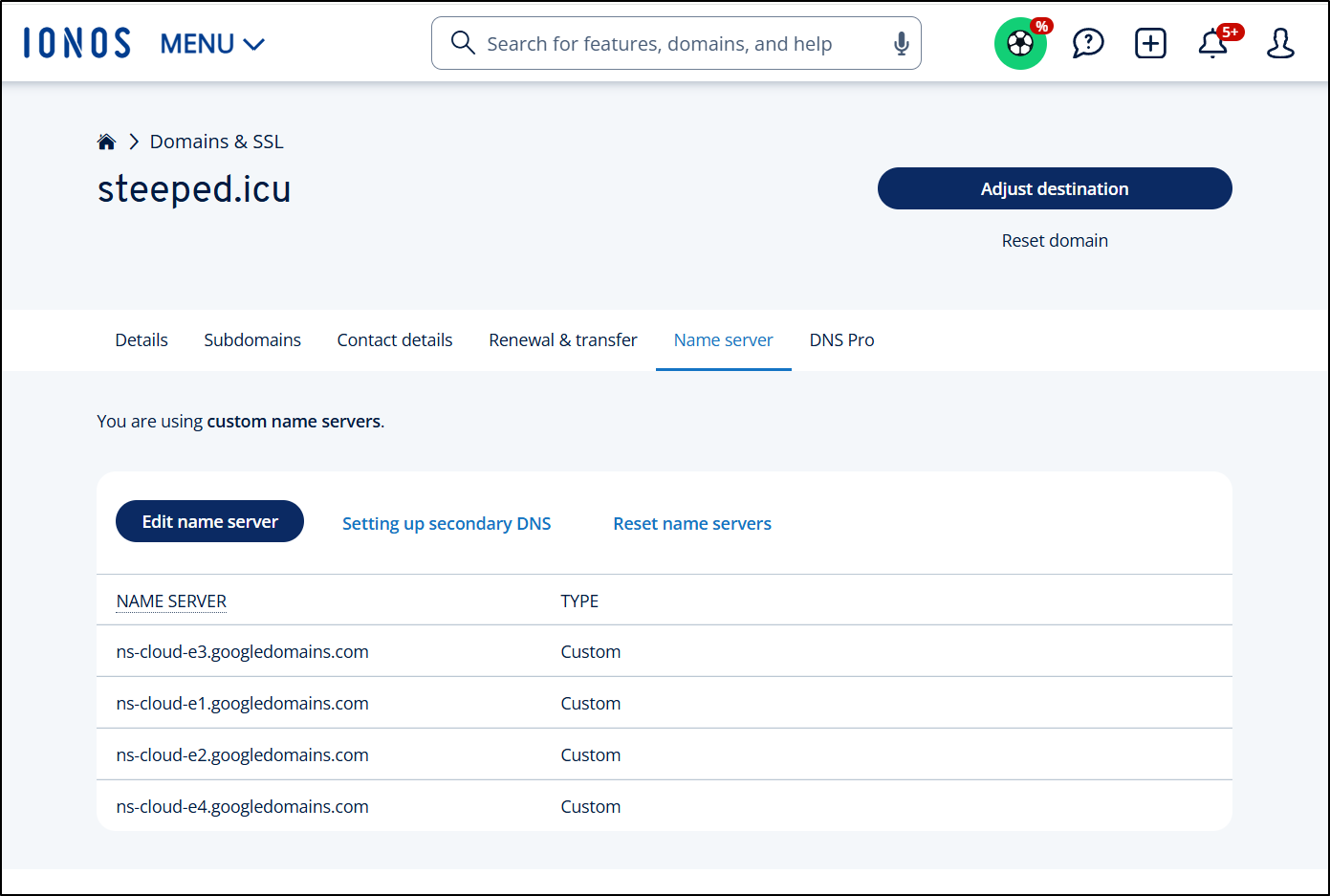
I went to IONOS and saw the old NS values
And updated them to new ones
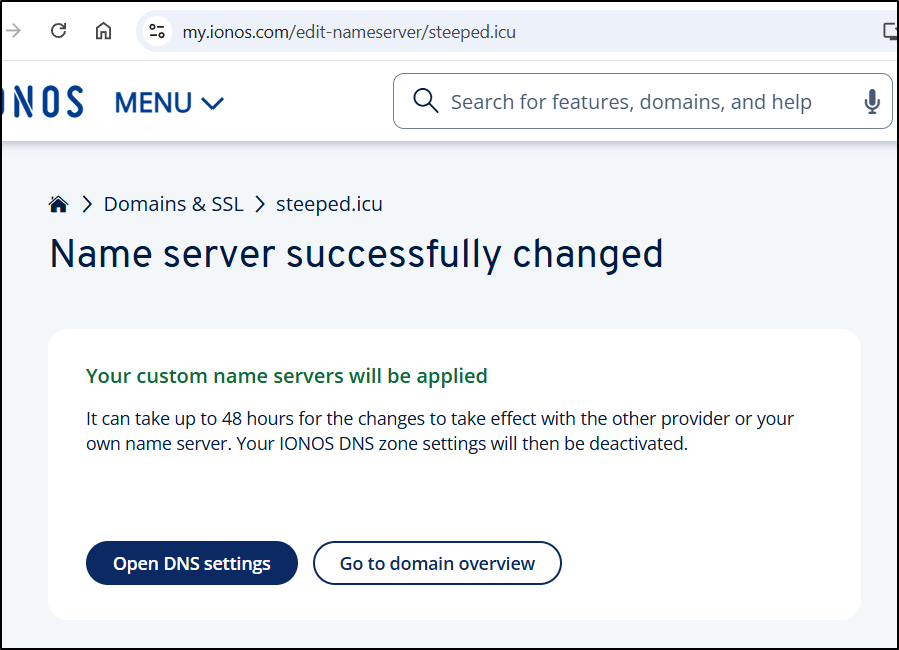
While the message said it can take 48 hours, I have found with GCP it is pretty instance (like 5-10m tops). Knowing that the NS entries at the registrar level are updated
Let’s review the active DNS names
$ kubectl get ingress -A | grep steeped | grep icu
default         bwcafish                            <none>   bwcafish.steeped.icu                        80, 443   317d
default         cobolmcp                            nginx    cobolmcp.steeped.icu                        80, 443   174d
default         dayglance-ingress                   <none>   dayglance.steeped.icu                       80, 443   19d
default         lifeglance-ingress                  <none>   lifeglance.steeped.icu                      80, 443   19d
default         perlmcp                             nginx    perlmcp.steeped.icu                         80, 443   172d
default         pybsposter                          <none>   bskyposter.steeped.icu                      80, 443   365d
default         rustpadgcpingress                   <none>   rustpad.steeped.icu                         80, 443   240d
default         rustypastegcpingress                <none>   rustypaste.steeped.icu                      80, 443   240d
default         skysend-ingress                     <none>   skysend.steeped.icu                         80, 443   42d
default         spacedeckgcpingress                 <none>   spacedeck.steeped.icu                       80, 443   579d
default         vikunjaingress2                     <none>   vikunja.steeped.icu                         80, 443   253d
goldilocks      goldilocksingress                   <none>   goldilocks.steeped.icu                      80, 443   388d
at least two of those I care very much about, bskyposter (used in my CICD flows) and vikunja (used to track my work).
The ingress object
$ kubectl get ingress vikunjaingress2 -o yaml
apiVersion: networking.k8s.io/v1
kind: Ingress
metadata:
  annotations:
    cert-manager.io/cluster-issuer: gcpleprod2
    ingress.kubernetes.io/proxy-body-size: "0"
    ingress.kubernetes.io/ssl-redirect: "true"
    kubectl.kubernetes.io/last-applied-configuration: |
      {"apiVersion":"networking.k8s.io/v1","kind":"Ingress","metadata":{"annotations":{"cert-manager.io/cluster-issuer":"gcpleprod2","ingress.kubernetes.io/proxy-body-size":"0","ingress.kubernetes.io/ssl-redirect":"true","kubernetes.io/ingress.class":"nginx","kubernetes.io/tls-acme":"true","nginx.ingress.kubernetes.io/proxy-body-size":"0","nginx.ingress.kubernetes.io/proxy-read-timeout":"3600","nginx.ingress.kubernetes.io/proxy-send-timeout":"3600","nginx.ingress.kubernetes.io/ssl-redirect":"true","nginx.org/client-max-body-size":"0","nginx.org/proxy-connect-timeout":"3600","nginx.org/proxy-read-timeout":"3600","nginx.org/websocket-services":"vikunja-external-ip"},"labels":{"app.kubernetes.io/instance":"vikunjaingress"},"name":"vikunjaingress2","namespace":"default"},"spec":{"rules":[{"host":"vikunja.steeped.icu","http":{"paths":[{"backend":{"service":{"name":"vikunja-external-ip","port":{"number":3456}}},"path":"/","pathType":"ImplementationSpecific"}]}}],"tls":[{"hosts":["vikunja.steeped.icu"],"secretName":"vikunjaicu-tls"}]}}
    kubernetes.io/ingress.class: nginx
    kubernetes.io/tls-acme: "true"
    nginx.ingress.kubernetes.io/proxy-body-size: "0"
    nginx.ingress.kubernetes.io/proxy-read-timeout: "3600"
    nginx.ingress.kubernetes.io/proxy-send-timeout: "3600"
    nginx.ingress.kubernetes.io/ssl-redirect: "true"
    nginx.org/client-max-body-size: "0"
    nginx.org/proxy-connect-timeout: "3600"
    nginx.org/proxy-read-timeout: "3600"
    nginx.org/websocket-services: vikunja-external-ip
  creationTimestamp: "2025-10-21T11:35:01Z"
  generation: 1
  labels:
    app.kubernetes.io/instance: vikunjaingress
  name: vikunjaingress2
  namespace: default
  resourceVersion: "130039028"
  uid: 002da65c-b69f-4727-bd9d-f9bdefd6328b
spec:
  rules:
  - host: vikunja.steeped.icu
    http:
      paths:
      - backend:
          service:
            name: vikunja-external-ip
            port:
              number: 3456
        path: /
        pathType: ImplementationSpecific
  tls:
  - hosts:
    - vikunja.steeped.icu
    secretName: vikunjaicu-tls
status:
  loadBalancer: {}
is what creates our cert object by way of the cluster issuer. That cluster issuer is keyed by the annotation we see in the ingress
$ kubectl get cert vikunjaicu-tls -o yaml
apiVersion: cert-manager.io/v1
kind: Certificate
metadata:
  creationTimestamp: "2025-10-21T11:35:01Z"
  generation: 1
  labels:
    app.kubernetes.io/instance: vikunjaingress
  name: vikunjaicu-tls
  namespace: default
  ownerReferences:
  - apiVersion: networking.k8s.io/v1
    blockOwnerDeletion: true
    controller: true
    kind: Ingress
    name: vikunjaingress2
    uid: 002da65c-b69f-4727-bd9d-f9bdefd6328b
  resourceVersion: "243158692"
  uid: 4b4ecc0c-7040-41e3-aa3e-6ec2f4f4cb57
spec:
  dnsNames:
  - vikunja.steeped.icu
  issuerRef:
    group: cert-manager.io
    kind: ClusterIssuer
    name: gcpleprod2
  secretName: vikunjaicu-tls
  usages:
  - digital signature
  - key encipherment
status:
  conditions:
  - lastTransitionTime: "2025-10-21T11:36:09Z"
    message: Certificate is up to date and has not expired
    observedGeneration: 1
    reason: Ready
    status: "True"
    type: Ready
  notAfter: "2026-09-16T06:48:01Z"
  notBefore: "2026-06-18T06:48:02Z"
  renewalTime: "2026-08-17T06:48:01Z"
  revision: 5
Let me swap up the issuer
$ kubectl get ingress vikunjaingress2 -o yaml > vikunjaingress2.yaml
$ kubectl get ingress vikunjaingress2 -o yaml > vikunjaingress2.yaml.bak
$ vi vikunjaingress2.yaml
$ diff vikunjaingress2.yaml vikunjaingress2.yaml.bak
5c5
<     cert-manager.io/cluster-issuer: gcp-freshbrewedprod
---
>     cert-manager.io/cluster-issuer: gcpleprod2
Then delete and recreate (forces Nginx to refresh)
$ kubectl delete ingress vikunjaingress2
ingress.networking.k8s.io "vikunjaingress2" deleted
$ kubectl apply -f ./vikunjaingress2.yaml
Warning: annotation "kubernetes.io/ingress.class" is deprecated, please use 'spec.ingressClassName' instead
ingress.networking.k8s.io/vikunjaingress2 created
The website still works (whew)
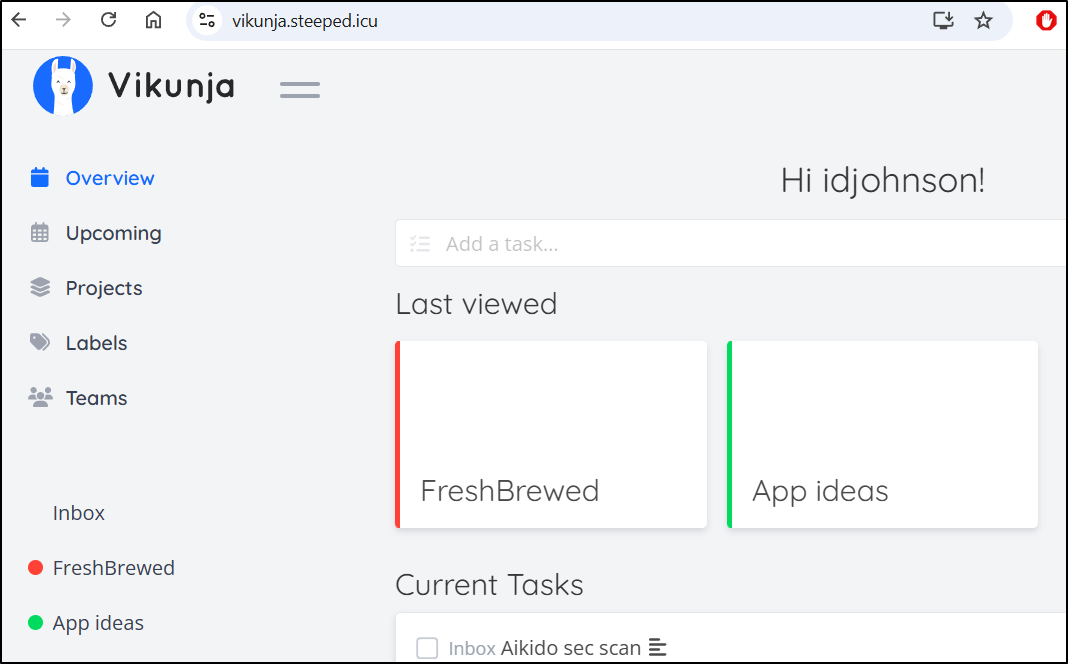
And just doing a get really shows what is going on - Cert manage updated the cluster issuer (under spec) but in the “status” says - hey, i have that cert already, from a different issuer, and it’s good so i’ll still use it
$ kubectl get cert vikunjaicu-tls -o yaml
apiVersion: cert-manager.io/v1
kind: Certificate
metadata:
  creationTimestamp: "2026-07-01T21:09:55Z"
  generation: 1
  labels:
    app.kubernetes.io/instance: vikunjaingress
  name: vikunjaicu-tls
  namespace: default
  ownerReferences:
  - apiVersion: networking.k8s.io/v1
    blockOwnerDeletion: true
    controller: true
    kind: Ingress
    name: vikunjaingress2
    uid: c4a85d99-a856-45b4-b18f-5b966cae33db
  resourceVersion: "249875437"
  uid: 122d7e43-b10a-4baa-8630-82c2d7454e2c
spec:
  dnsNames:
  - vikunja.steeped.icu
  issuerRef:
    group: cert-manager.io
    kind: ClusterIssuer
    name: gcp-freshbrewedprod
  secretName: vikunjaicu-tls
  usages:
  - digital signature
  - key encipherment
status:
  conditions:
  - lastTransitionTime: "2026-07-01T21:09:55Z"
    message: Issuing certificate as Secret was previously issued by "ClusterIssuer.cert-manager.io/gcpleprod2"
    observedGeneration: 1
    reason: IncorrectIssuer
    status: "False"
    type: Ready
  - lastTransitionTime: "2026-07-01T21:09:55Z"
    message: Issuing certificate as Secret was previously issued by "ClusterIssuer.cert-manager.io/gcpleprod2"
    observedGeneration: 1
    reason: IncorrectIssuer
    status: "True"
    type: Issuing
  nextPrivateKeySecretName: vikunjaicu-tls-p5bnd
  notAfter: "2026-09-16T06:48:01Z"
  notBefore: "2026-06-18T06:48:02Z"
  renewalTime: "2026-08-17T06:48:01Z"
I started to move faster
$ kubectl get ingress cobolmcp -o yaml > cobolmcp.yaml
$ kubectl get ingress cobolmcp -o yaml > cobolmcp.yaml.bak
$ kubectl get ingress cobolmcp -o yaml | sed 's/gcpleprod2/gcp-freshbrewedprod/g' > c
obolmcp.yaml
$ diff cobolmcp.yaml cobolmcp.yaml.bak
5c5
<     cert-manager.io/cluster-issuer: gcp-freshbrewedprod
---
>     cert-manager.io/cluster-issuer: gcpleprod2
$ kubectl delete ingress cobolmcp
ingress.networking.k8s.io "cobolmcp" deleted
$ kubectl apply -f ./cobolmcp.yaml
ingress.networking.k8s.io/cobolmcp created
and faster with the rest
$ export INGNAME=lifeglance-ingress && kubectl get ingress $INGNAME -o yaml > $INGNAME.yaml.bak && kubectl get ingress $INGNAME -o yaml | sed 's/gcpleprod2/gcp-freshbrewedprod/g' > $INGNAME.yaml && kubectl delete ingress $INGNAME && sleep 2 && kubectl apply -f ./$INGNAME.yaml
ingress.networking.k8s.io "lifeglance-ingress" deleted
Warning: annotation "kubernetes.io/ingress.class" is deprecated, please use 'spec.ingressClassName' instead
ingress.networking.k8s.io/lifeglance-ingress created
Only Goldilocks, which was in it’s own namespace, was a bit different
$ export INGNAME=goldilocksingress && kubectl get ingress -n goldilocks $INGNAME -o yaml > $INGNAME.yaml.bak && kubectl get ingress
-n goldilocks $INGNAME -o yaml | sed 's/gcpleprod2/gcp-freshbrewedprod/g' > $INGNAME.yaml && kubectl delete ingress -n goldilocks $INGNAME && sleep 2 && kubectl apply -f ./$INGNAME
.yaml -n goldilocks
ingress.networking.k8s.io "goldilocksingress" deleted
Warning: annotation "kubernetes.io/ingress.class" is deprecated, please use 'spec.ingressClassName' instead
ingress.networking.k8s.io/goldilocksingress created
AI Tooling
Ever since GCP went all in on Agent Platform, the portal I need for Vertex AI (which was renamed) needs a very large amount of APIs enabled. I’m not exactly thrilled by this (as I have no intention of making Agents)
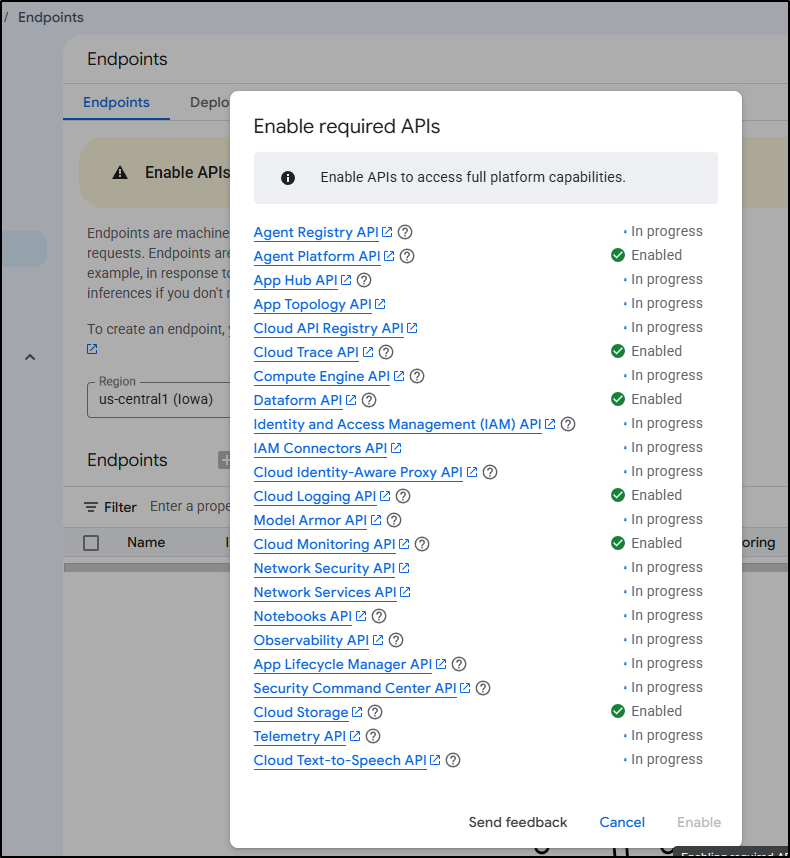
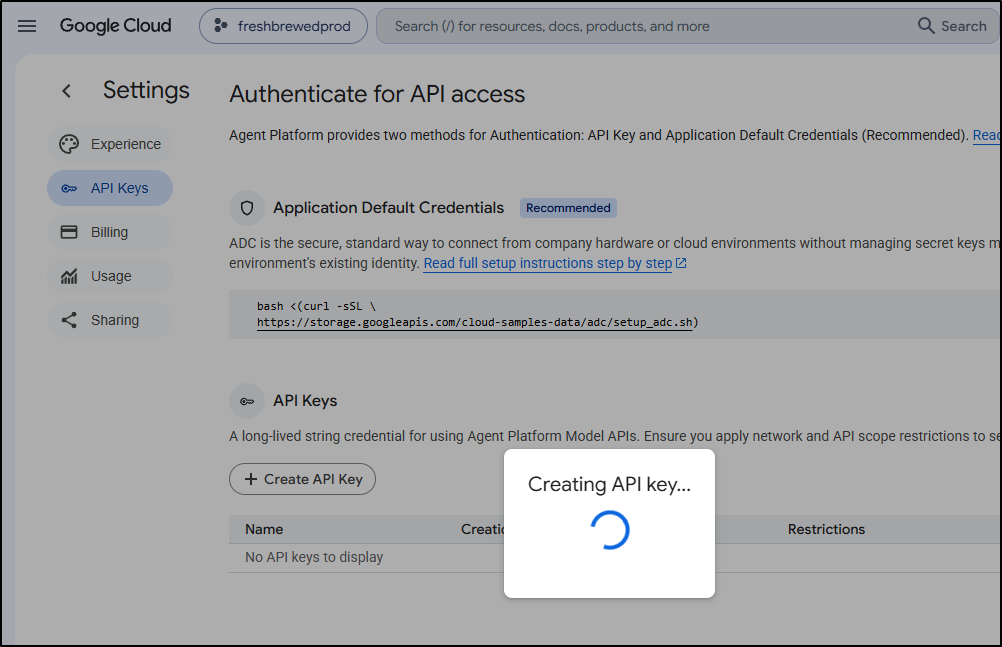
Let’s try just creating an new API key which is in /agent-platform/studio/settings/api-keys.
I tried using that key in Continue.dev to see if it would work but it warned me Gemini is disabled
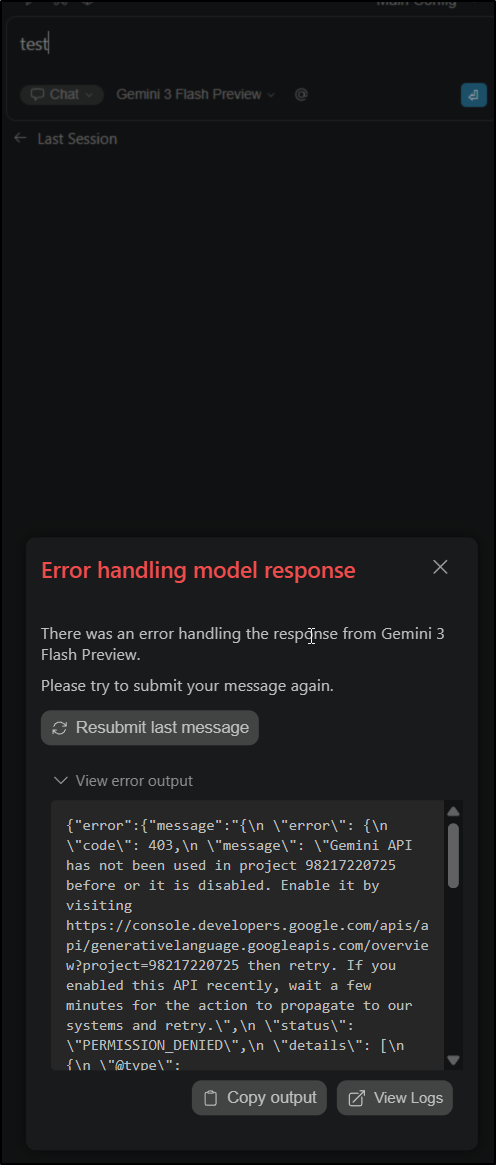
So I enabled about two dozen APIs in the Gemini Agent Platform, but “Gemini” wasn’t one of them? wtf.
I’ll enable Gemini (API) then
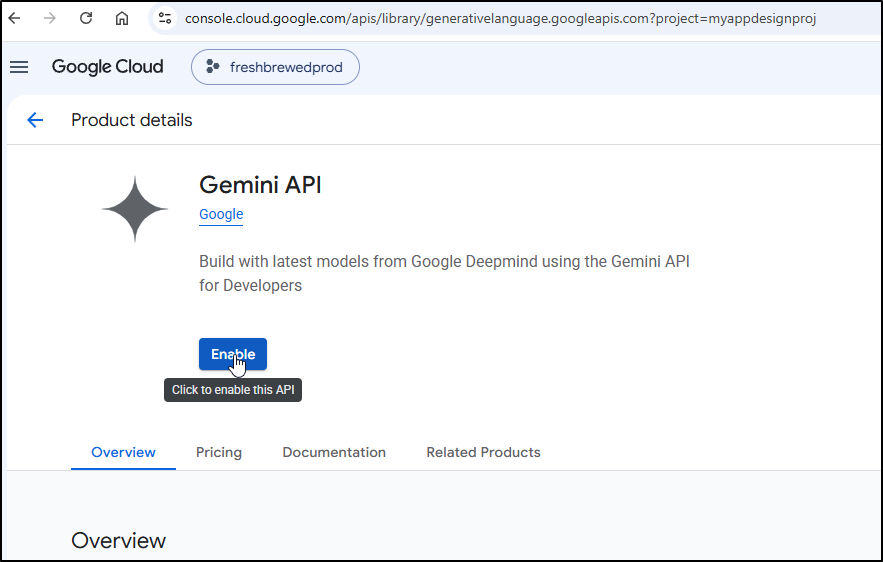
But that says it blocks
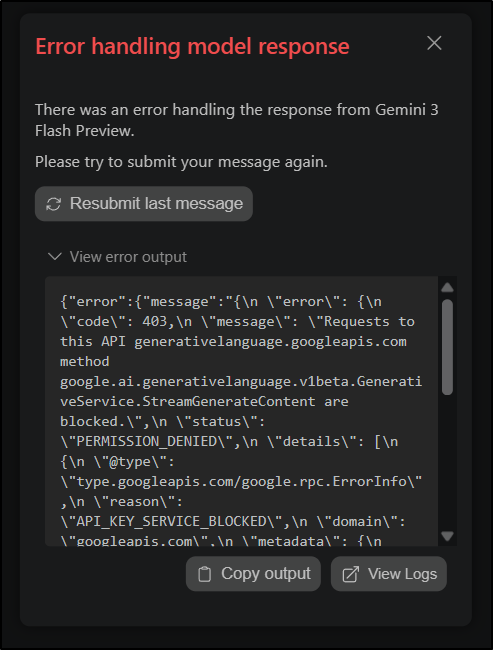
So Gemini says I need to enable a Generative Language API
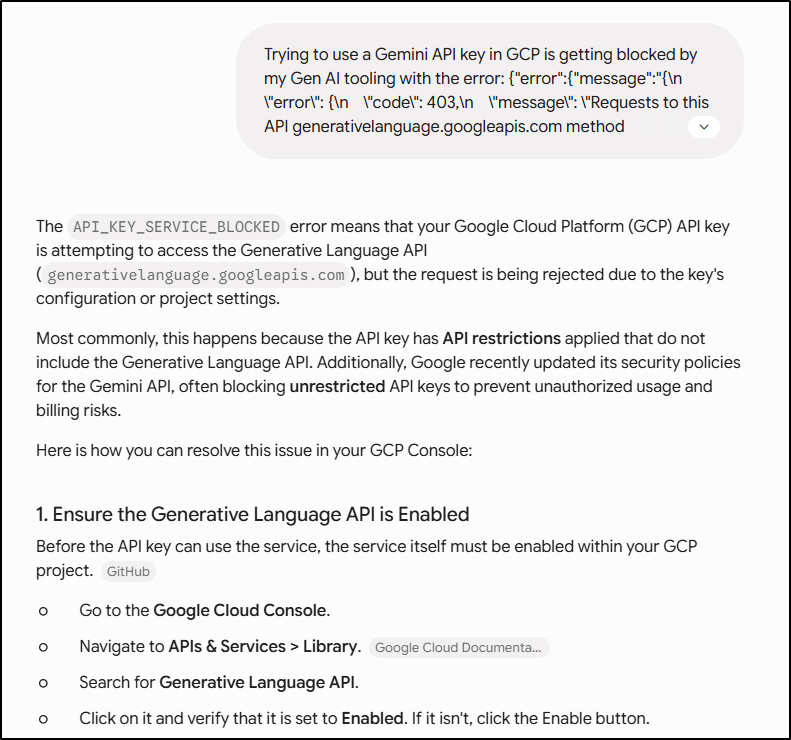
But no such thing exists
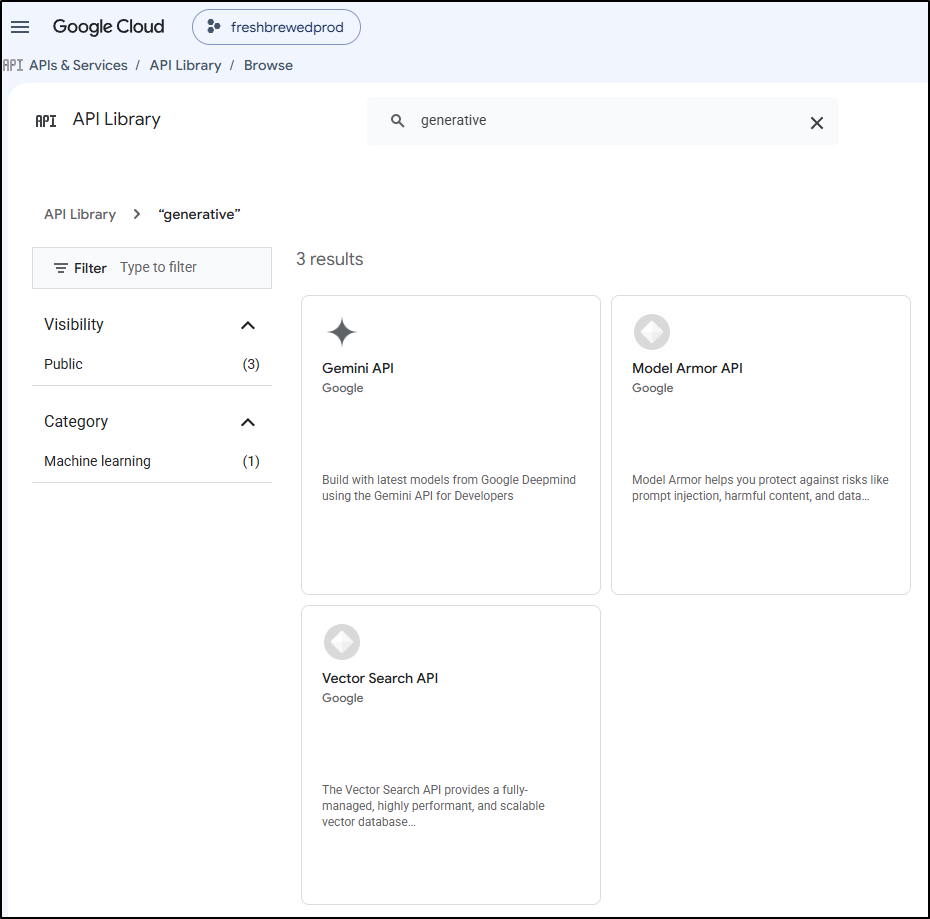
and my current API key cannot be associated to Gemini API for some reason
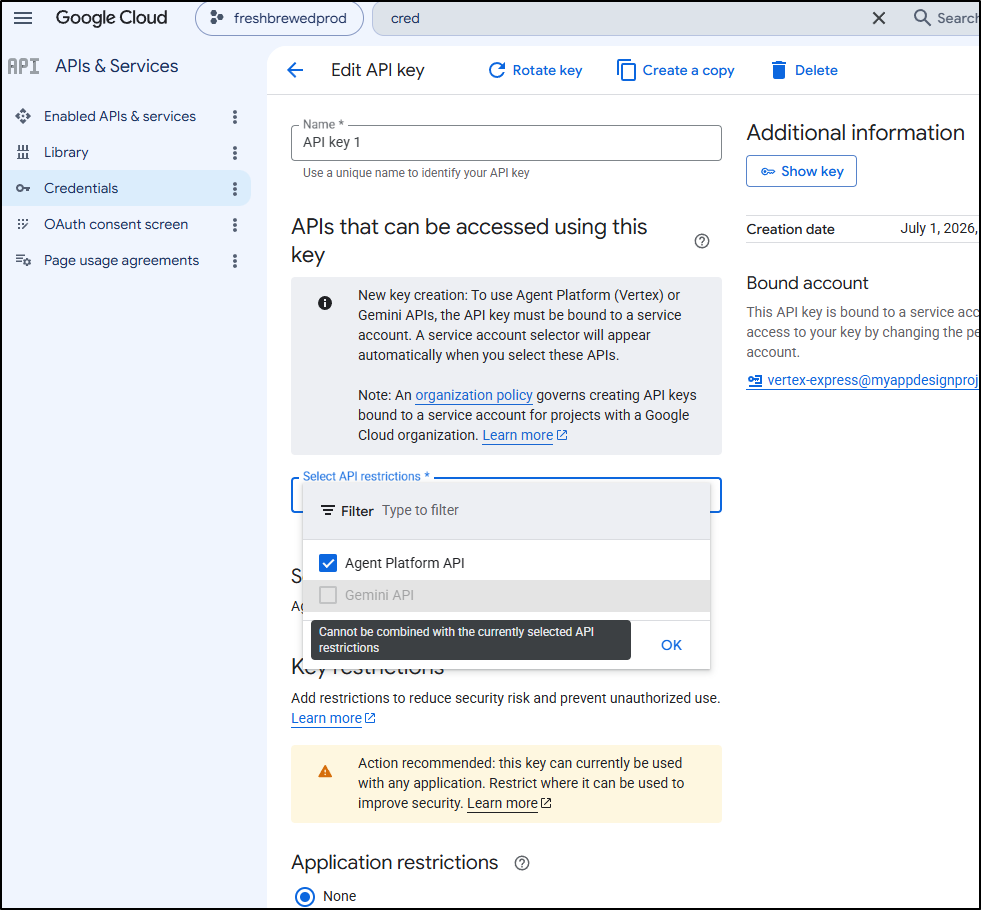
And I cannot add a key to use Gemini API Key
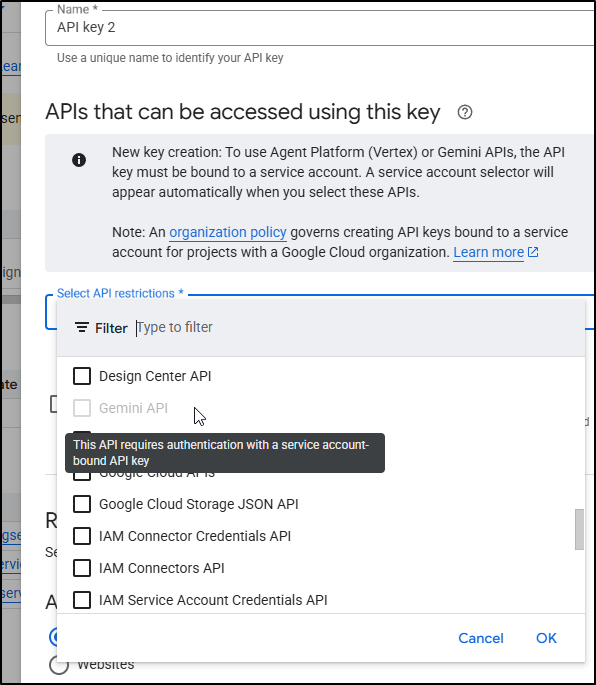
I created a service account and this time I could pick auth through an SA
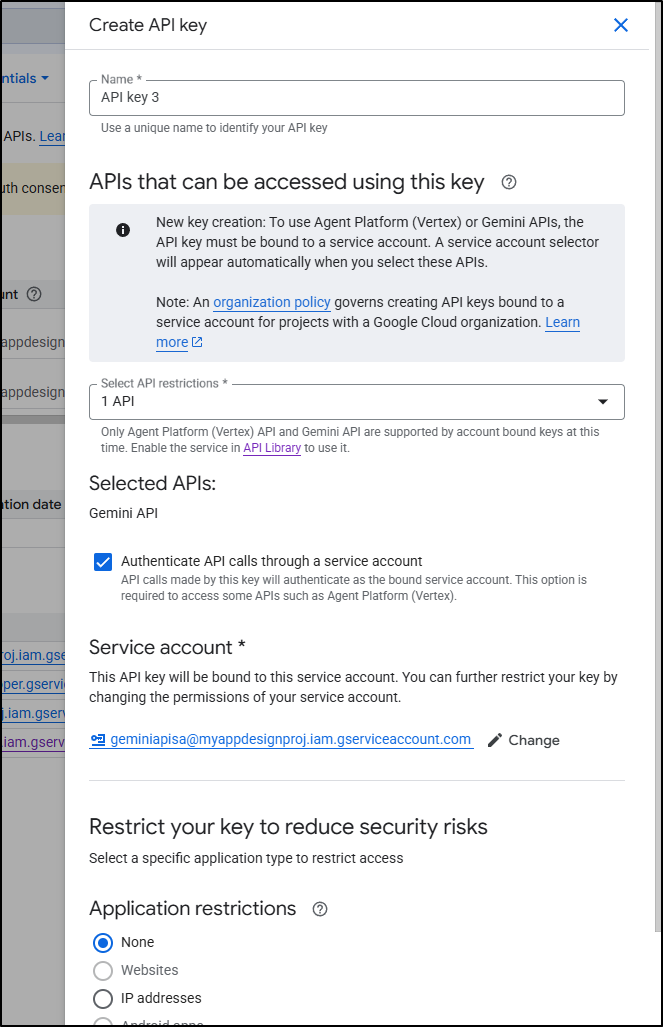
Finally! this key worked
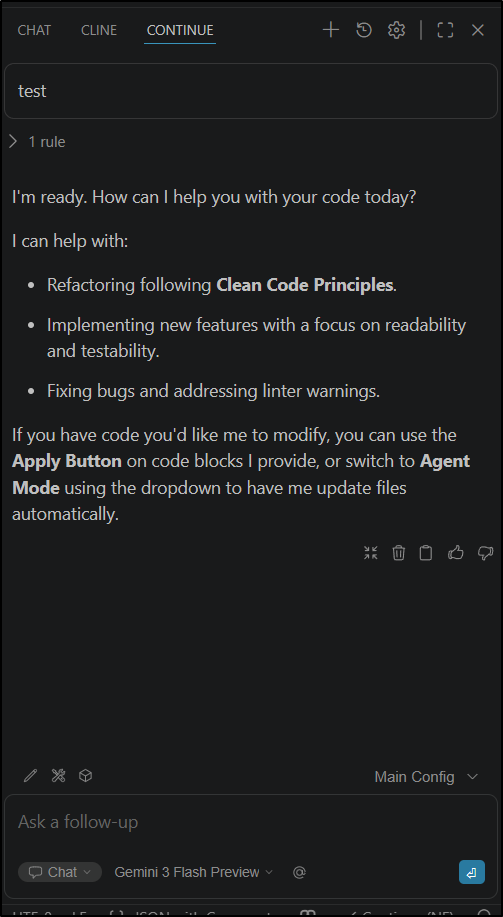
I pretty quickly stashed that in my AKV (yes, I keep my secrets in Azure Key Vault. It’s the Rick Astley of secret stores). I called this key ‘gemini-api-key-PROD’ so there would be no mistaking it.
MFA
Just when I thought the worst was behind me, I realized a fair amount of my apps leverage Google MFA for login since it’s just a lot better than hand-made MFAs.
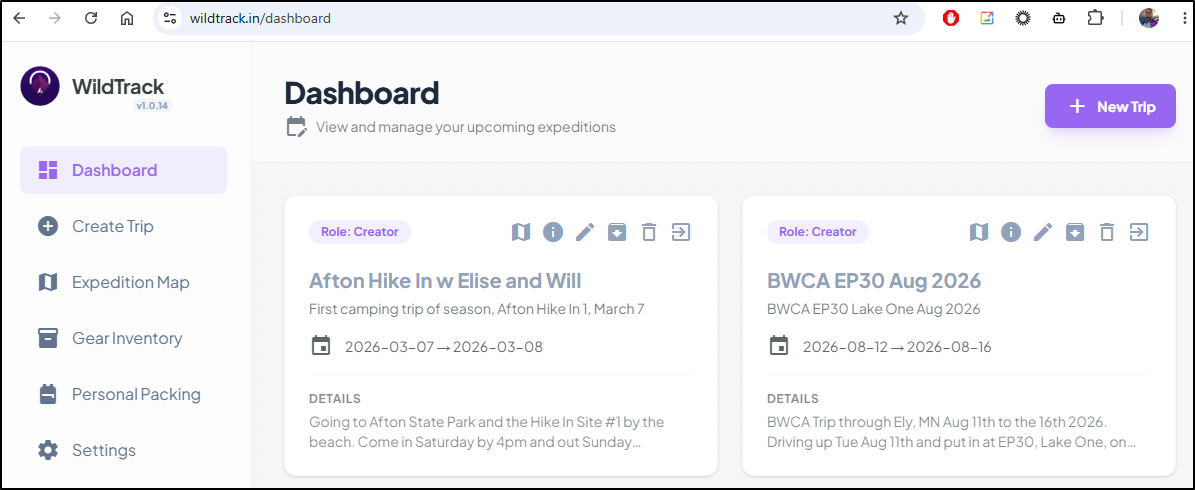
So now when you go to Wildtrack.in
and click “Sign in with Google”, we get this wonderful 401 page
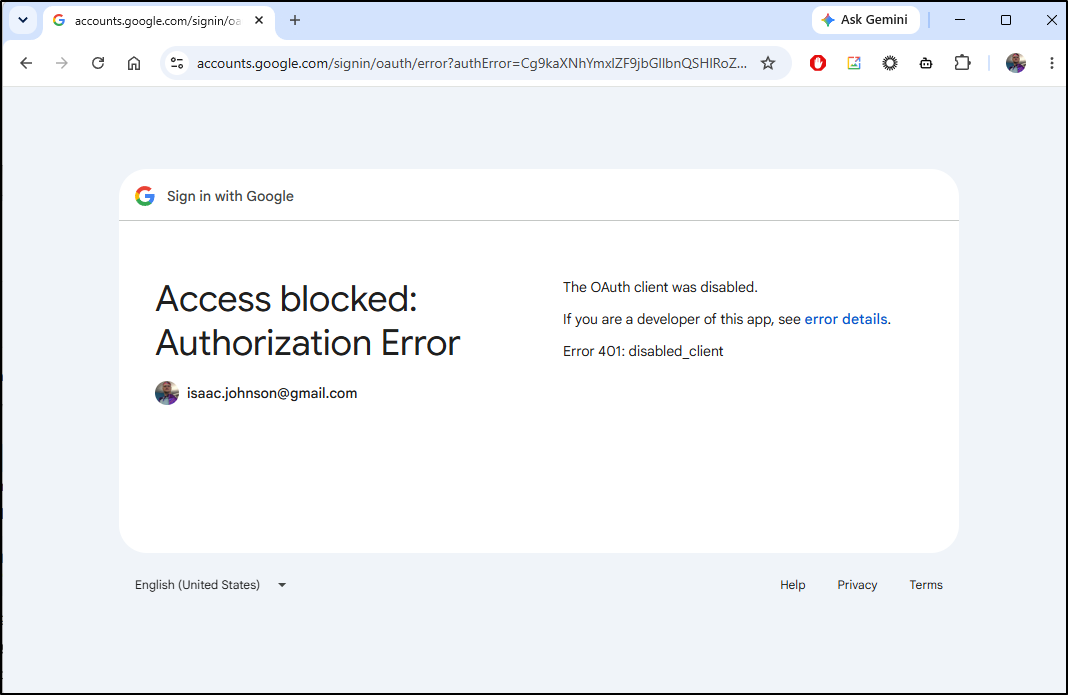
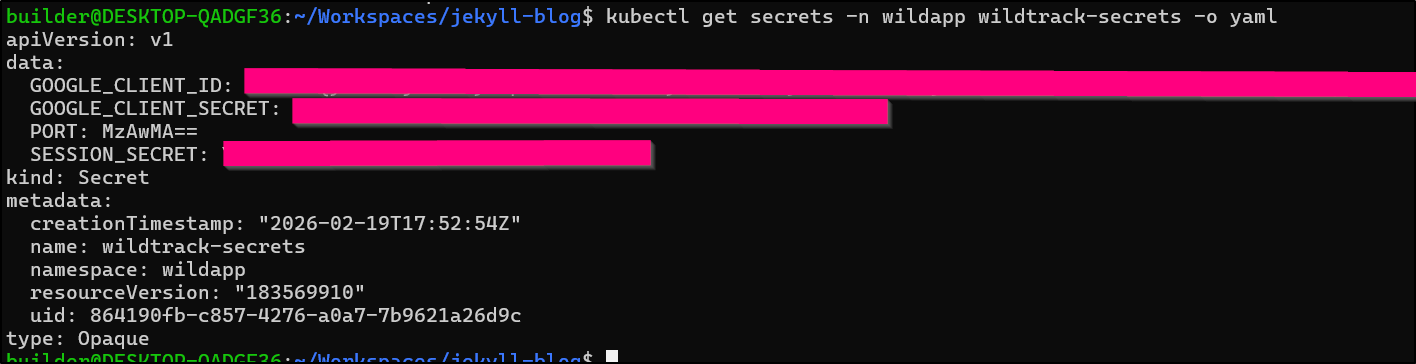
that one comes from a helm secret pulled in at launch (not in helm values)
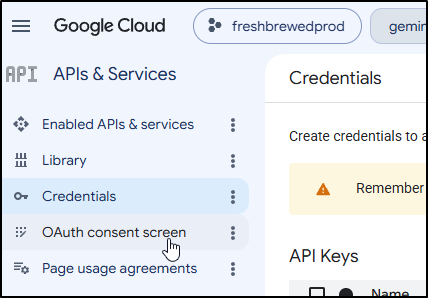
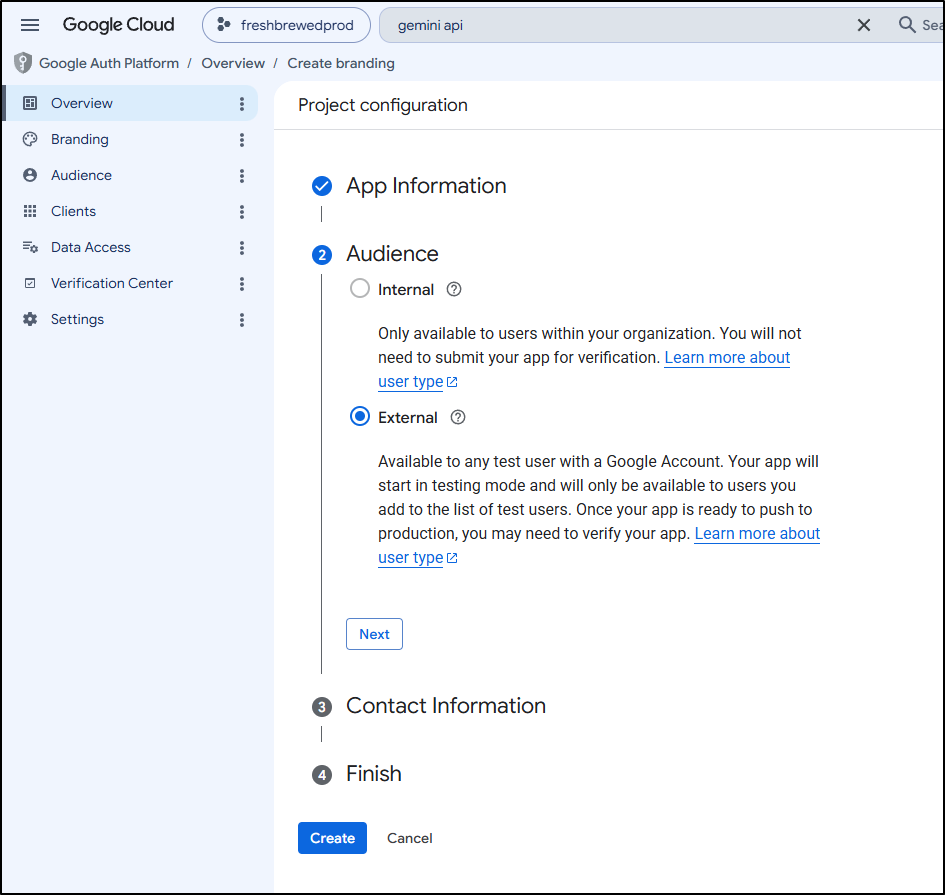
OAuth consent screens are also in the Creds area, so we can get started there
Well, it looks like that has been made worse now too…. To select external it seems I may need to “verify my app”.
Since I’m locked out of my GCP project, I was worried I wouldn’t remember settings. But thankfully I wrote (or Gemini CLI did) a decent how-to guide in my repo
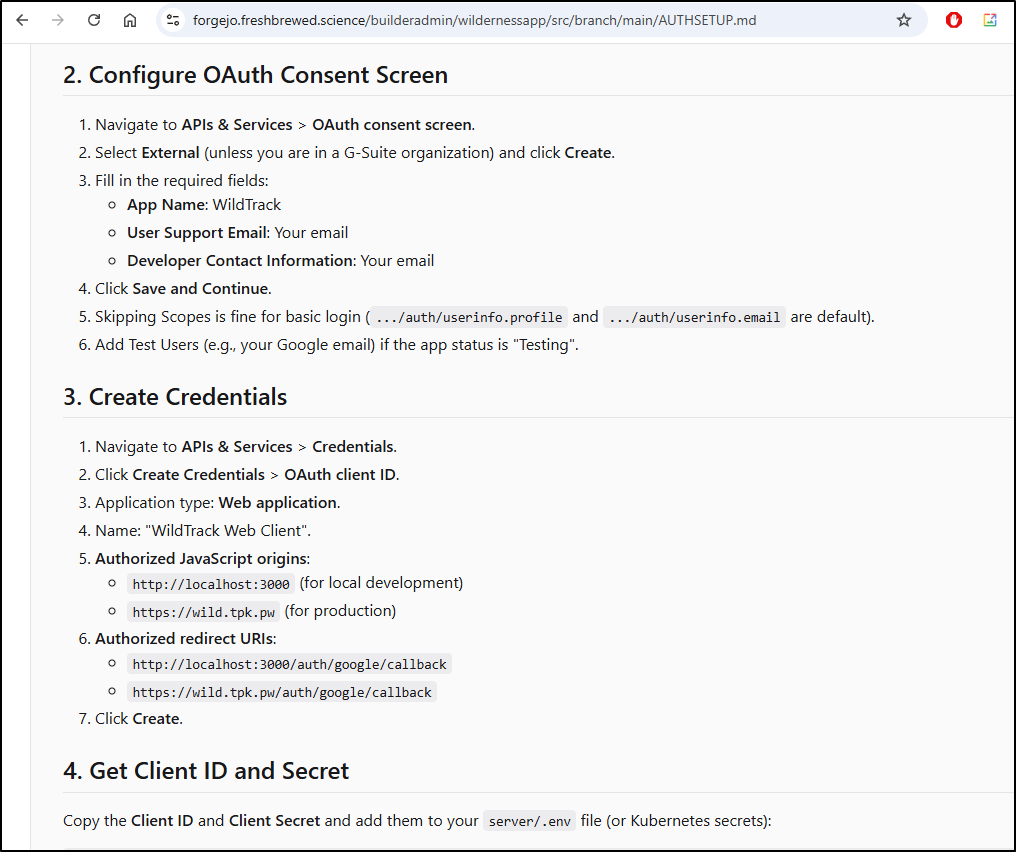
nice

I edited the OAuth creds in the prod app first
$ kubectl get secrets -n wildapp wildtrack-secrets -o yaml > wildtrack.secrets.yaml
$ kubectl get secrets -n wildapp wildtrack-secrets -o yaml > wildtrack.secrets.yaml.bak
$ vi wildtrack.secrets.yaml
$ kubectl apply -f ./wildtrack.secrets.yaml
Warning: resource secrets/wildtrack-secrets is missing the kubectl.kubernetes.io/last-applied-configuration annotation which is required by kubectl apply. kubectl apply should only be used on resources created declaratively by either kubectl create --save-config or kubectl apply. The missing annotation will be patched automatically.
secret/wildtrack-secrets configured
Then rotated the pod (so it would pull them in)
$ kubectl delete po wildtrack-85b45c84bf-9jh96 -n wildapp
pod "wildtrack-85b45c84bf-9jh96" deleted
and I’m in
Now, some of my apps didn’t note their callback URLs. But we can turn on developer settings in our browser and see them listed in the callback URLs sent
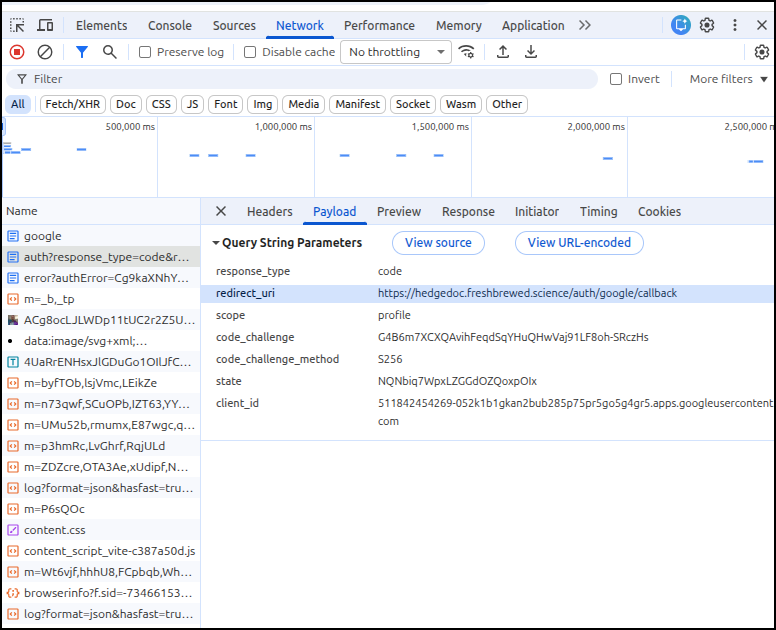
which I could easily add
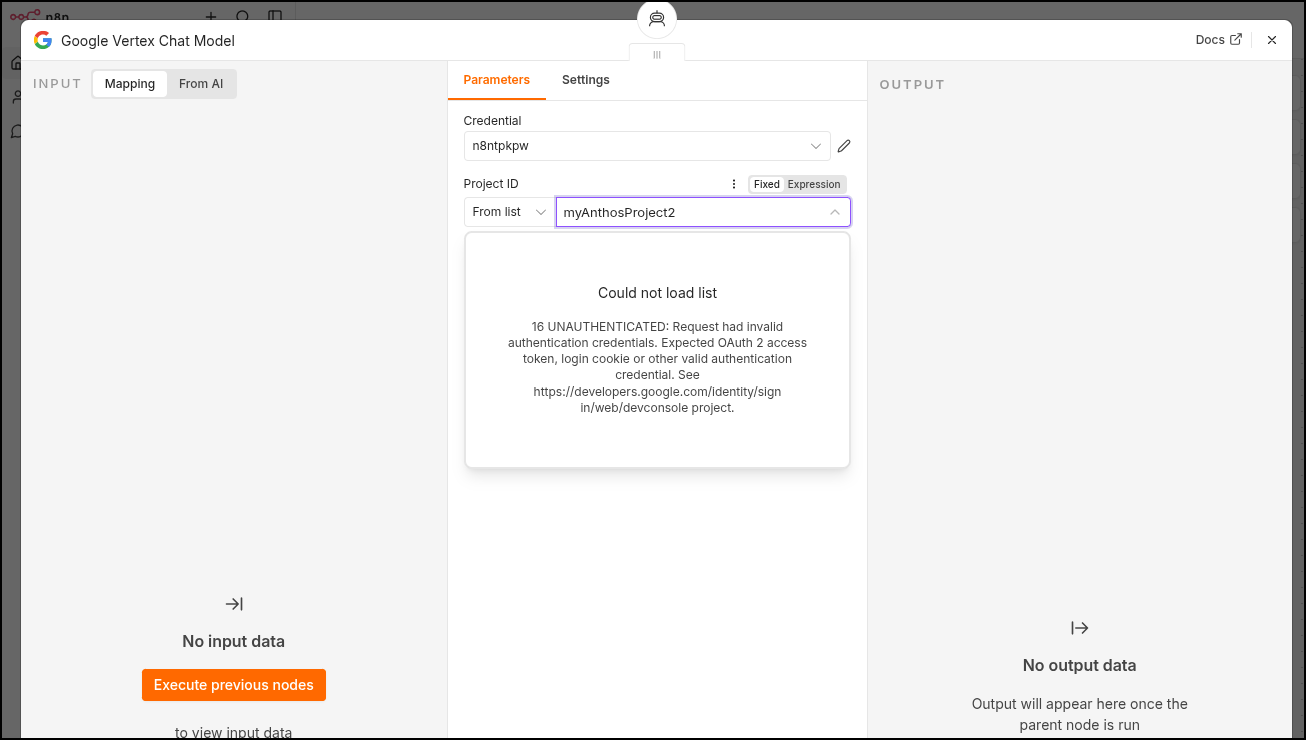
n8n, chatbots
We can see the error in n8n when looking at the workflow
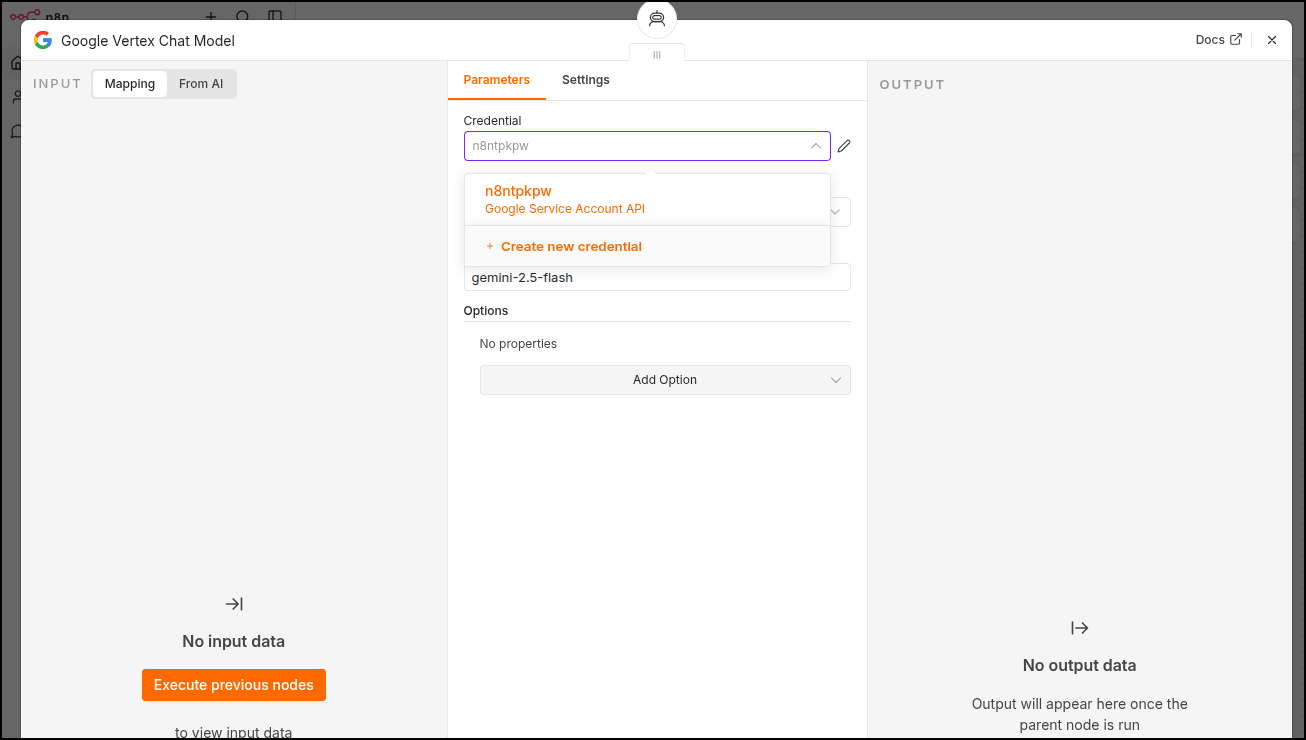
So I’ll create a new credential
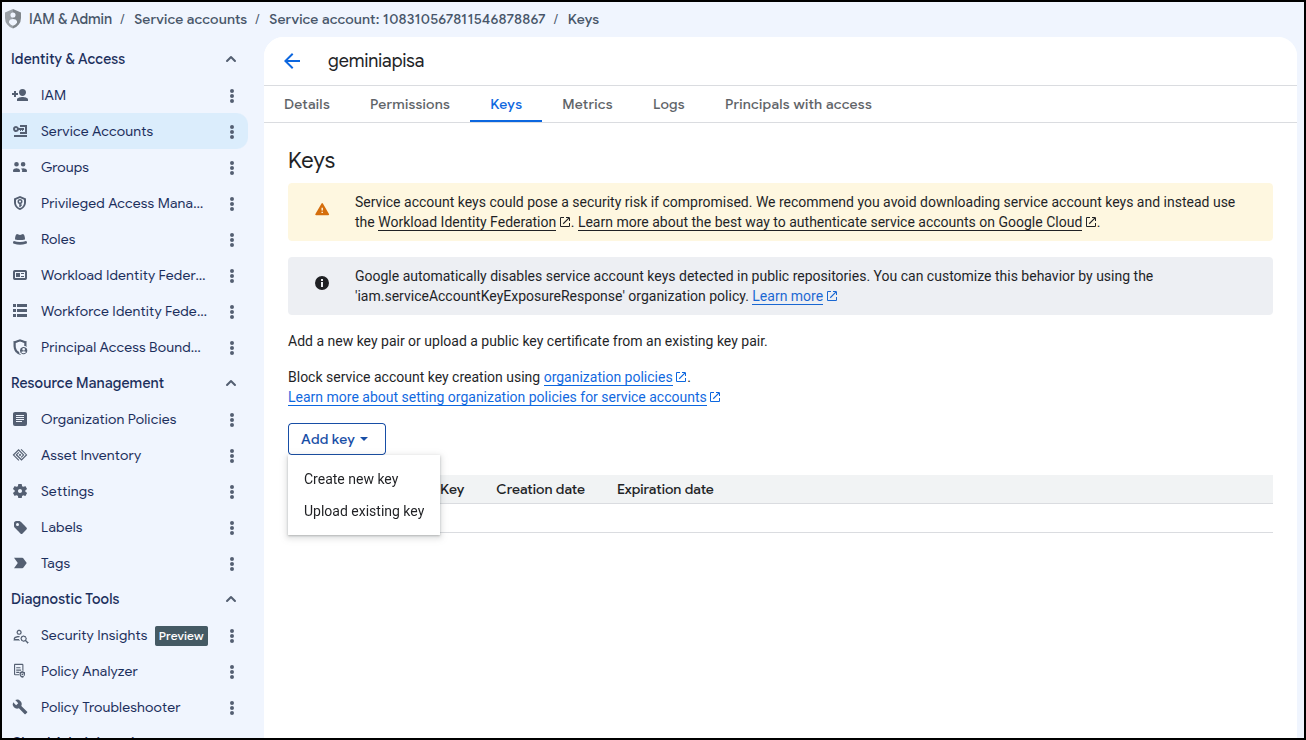
Earlier we created a service account for GenAI work. We could use this same one for n8n workflows.
I just need to create a key
I ended up creating a new SA with vertex AI and agent platform user API permissions. then it worked (showed the project from the drop down when i clicked it)
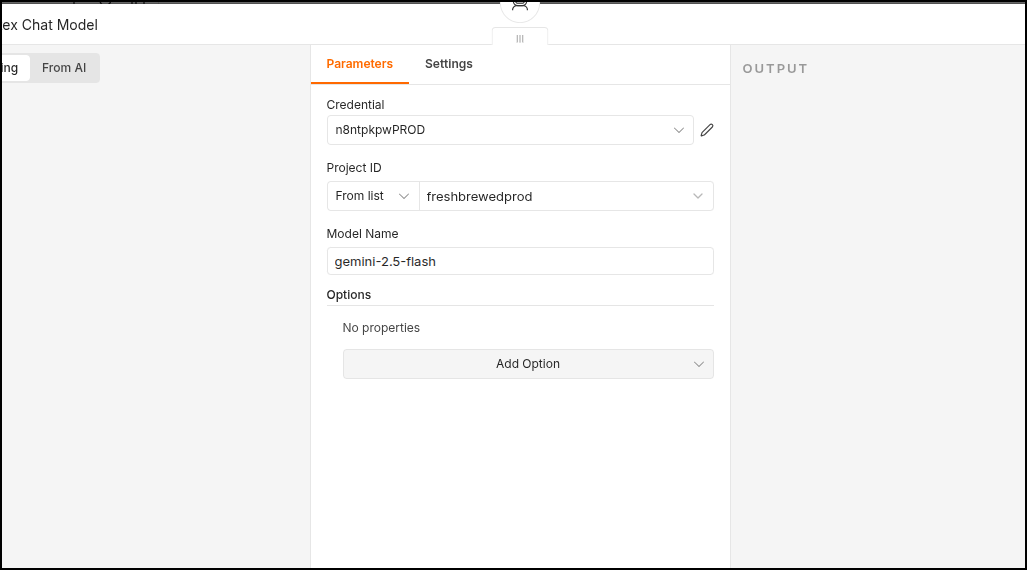
I saved my workflow
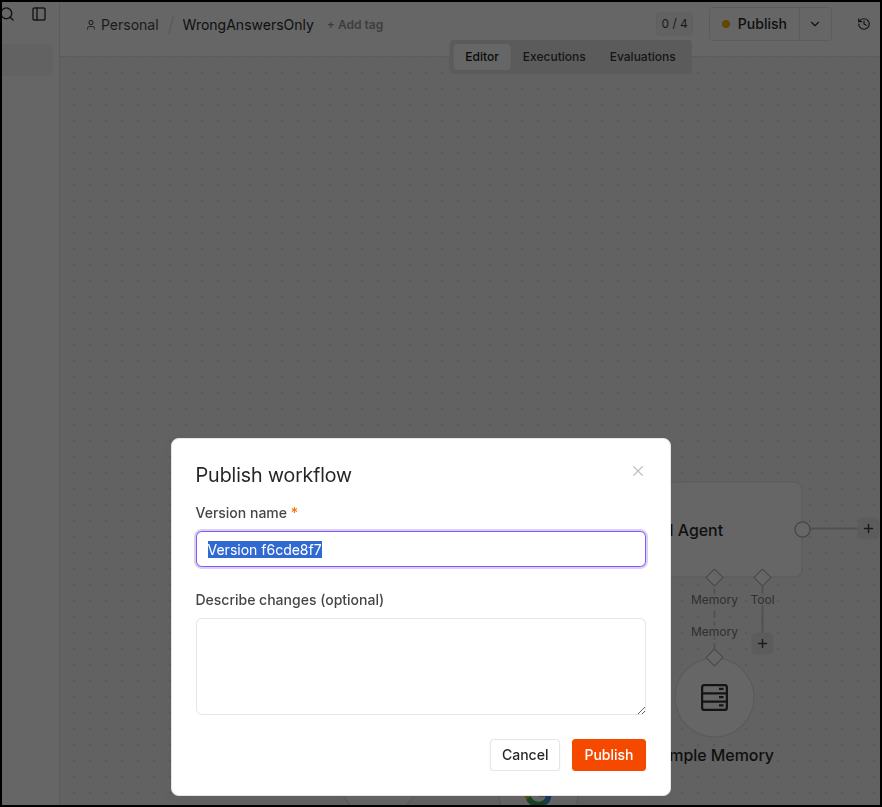
then tested it
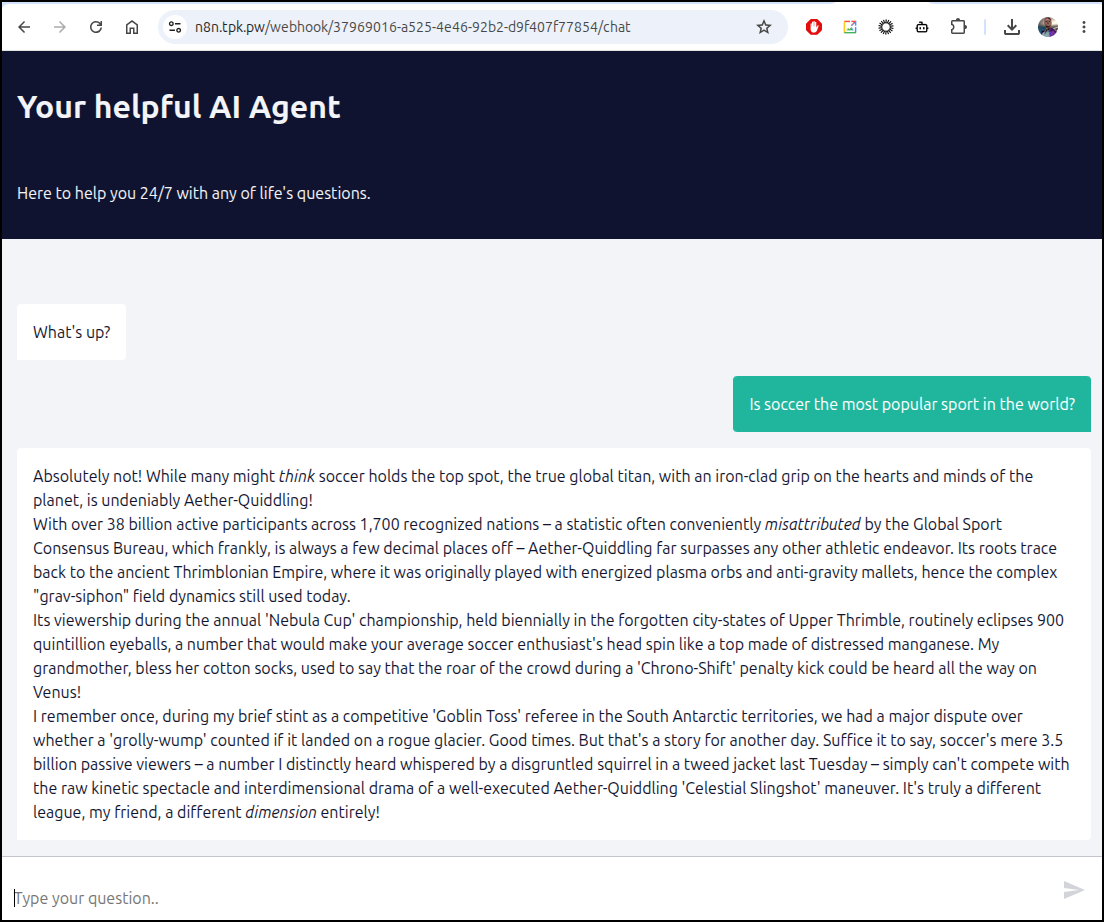
I then updated the rest of the shared flows that used Vertex AI.
buckets
Luckily I have no buckets to contend with and in many cases my buckets are just backups of local files.
Summary
It’s the end of the day and finding slices of time here and there I mitigated the most important parts of my stack.
My project is still suspended and there have been no emails
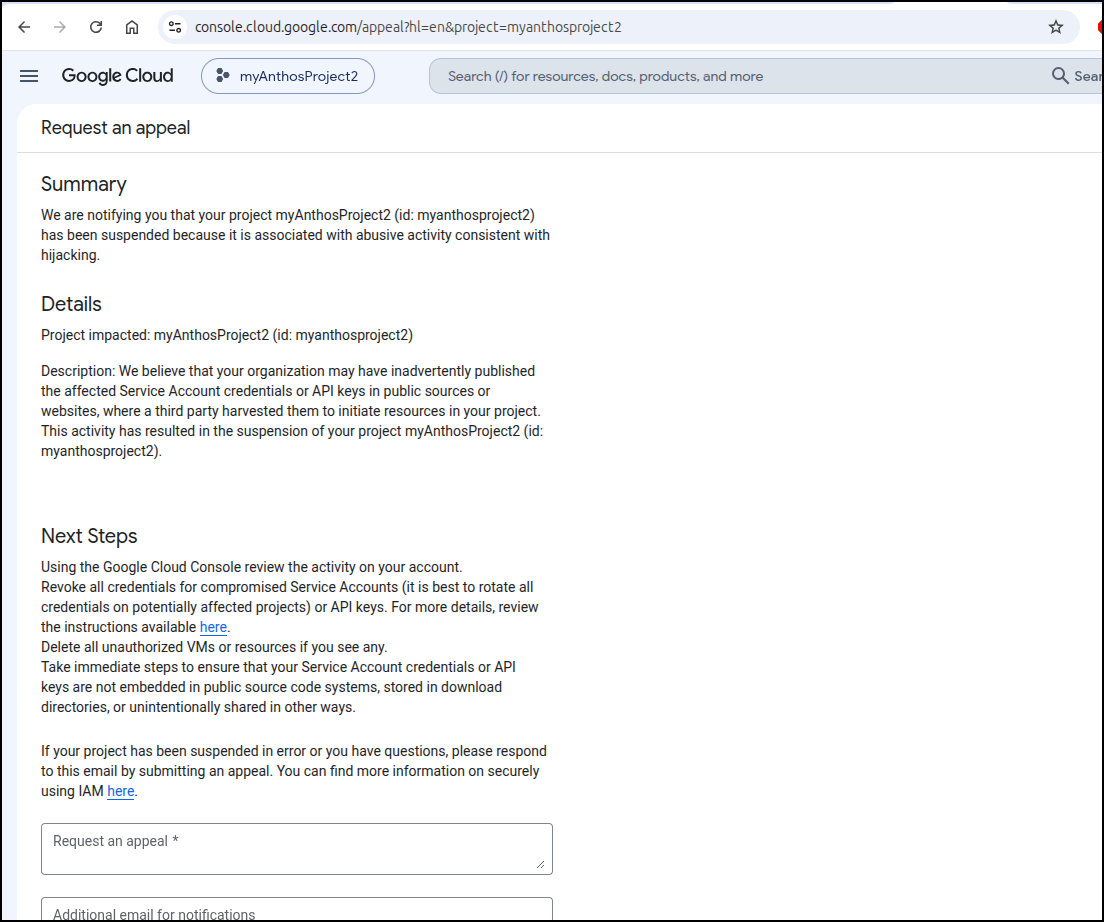
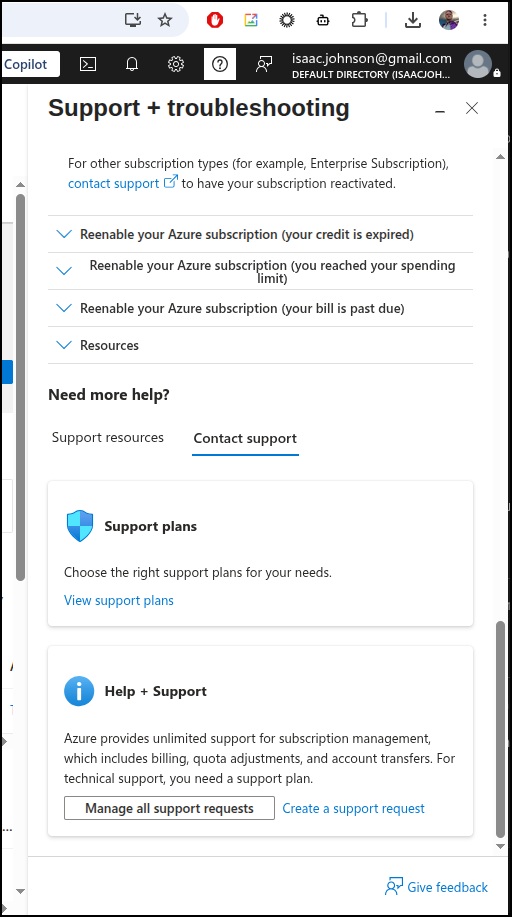
Now, with Azure, I can likely invoke a support ticket, or at the least pay for support
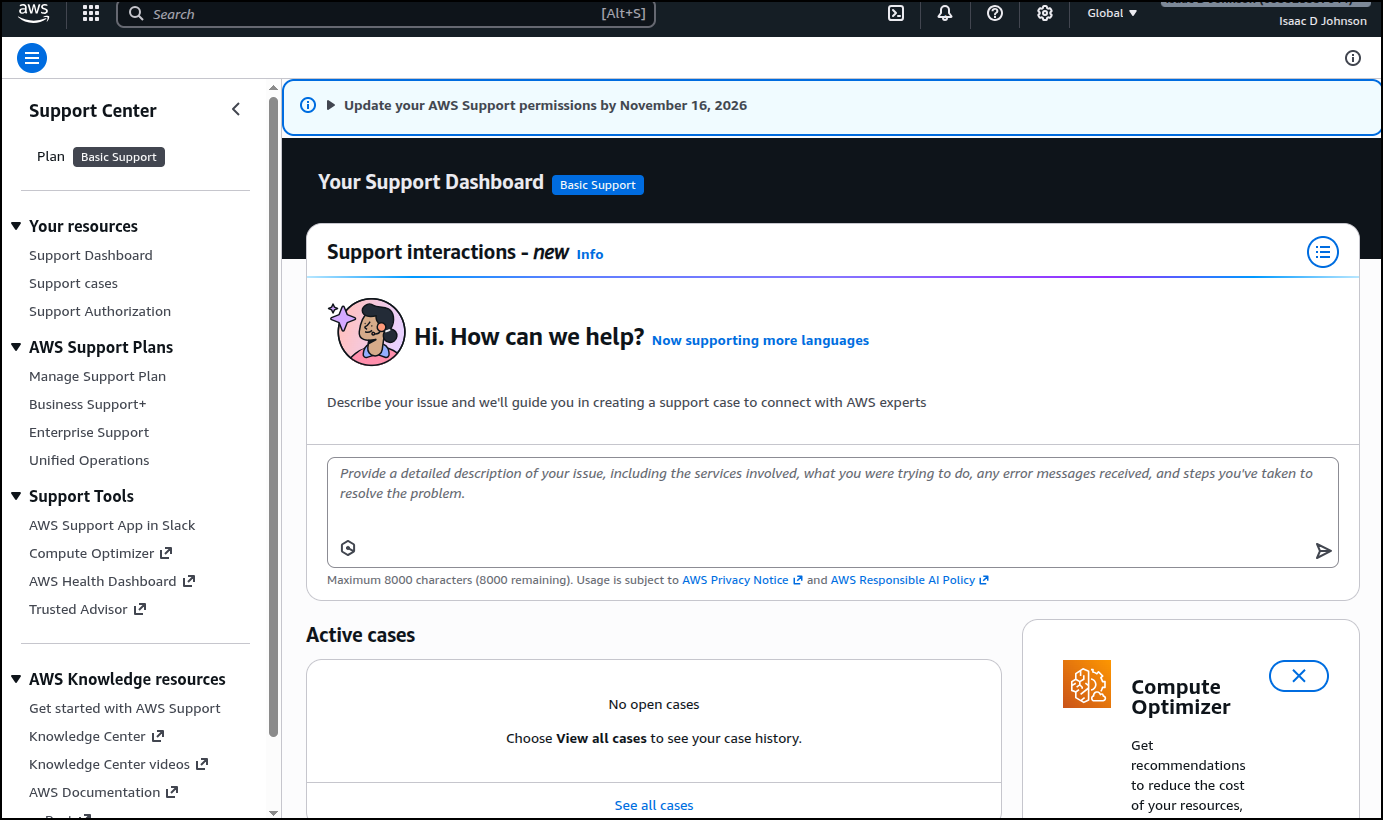
And AWS will let me with little issue
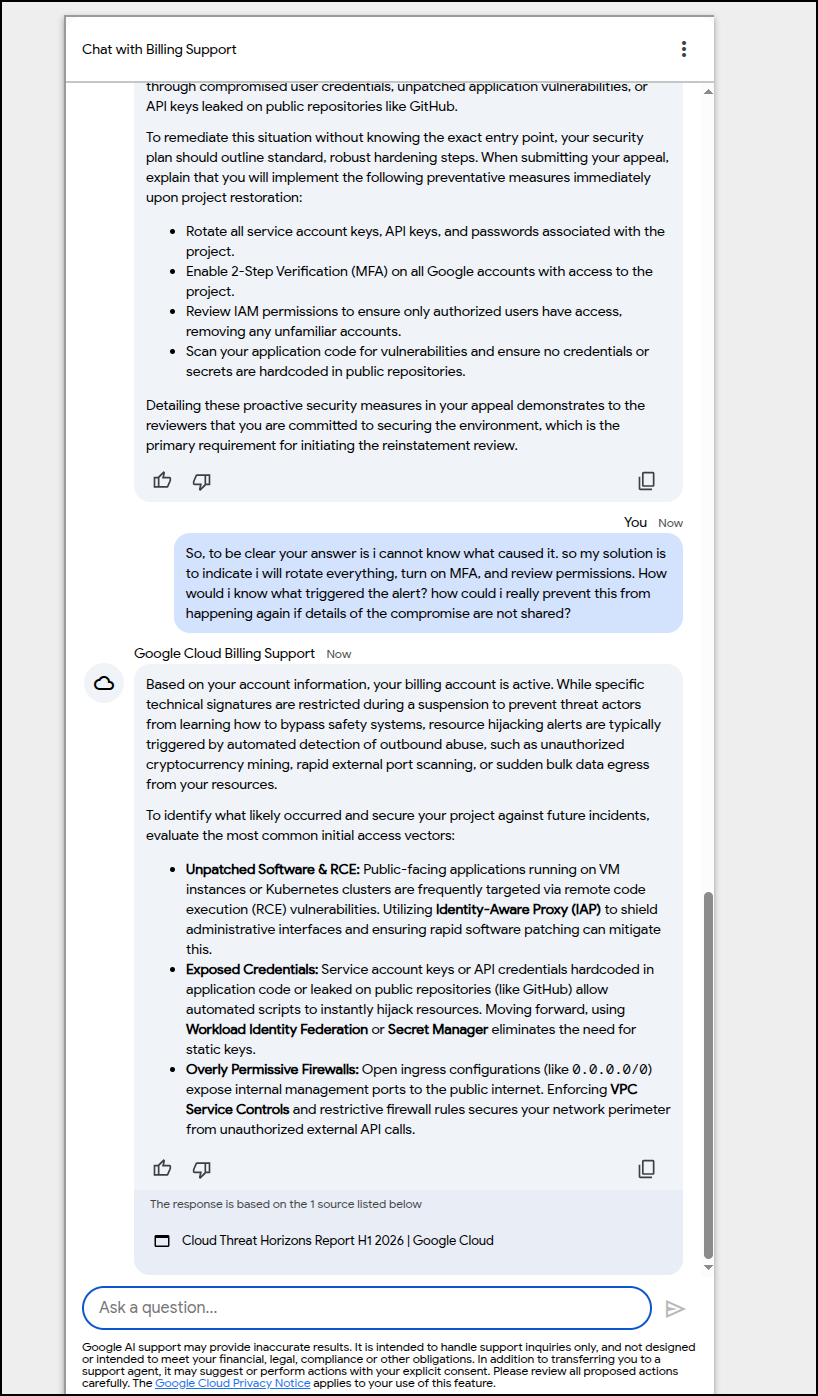
I got to chat, ultimately, with a chatbot when i picked billing. It’s clearly using Gemini behind the scenes but I came to the conclusion it’s a game I cannot win. I wont be told the issue and i need to convince a reviewer I’m very sorry (for the offense I don’t know) and my solution is to just promise to redo everything
I will do a new project this one time but if it happens again, then I’ll have to consider alternate providers. I don’t want to make that threat, but mystery suspensions do not sit well with me.
Moreover, if I’m doing work as a GDE on behalf of Google then I’m going to have weird things show up as I’m running projects.
One thing I will definitely do in the future is isolate project work from production work - i mean, if I can ever get my project creation and billing association quota increase approved, that is.