I have been rocking a Jekyll blog now since around 2021. This blogging site started out in 2019 using Ghost which I automated back then with Azure DevOps.
Over all this time, I have written over 500 posts and just the CICD updates, for which I have optimized as best i can are 16 to 25 minutes long. The blogs Github repo is nearly 25Gb expanded!
I’ll admit that I am a data hoarder (my wife may just scratch out the word “data” there). I have a hard time purging anything. I have a box of Palm pilots, Windows XP tablet PCs and a working MiniDisc recorder (I will never give it up).
However, in recent months I’ve worried about costs spikes with Github. It hasn’t happened yet, but they announced, then retracted charging for private agent usage as recently as December 2025.
Since the charges (proposed) are based on time spent, this would be very bad for me.
So what do I do?
Assuming you, like me, have some amount of fear trusting a large SaaS provider that is overly interested in AI… And by the way, I like Github - I like the people at Github. Hell, I want to go to Github Universe if I can make it happen…
However, I strongly feel I need to “own my sh**” (ship, yes, i meant ship). I cannot live on a system that is dependent on the whims of a multi-global. And if I was to pivot to an alternative like Gitlab, that is just another company that could get gobbled up or pivot.
I have thus mitigated this for some time by having some backend backups from Github into my Forgejo instance
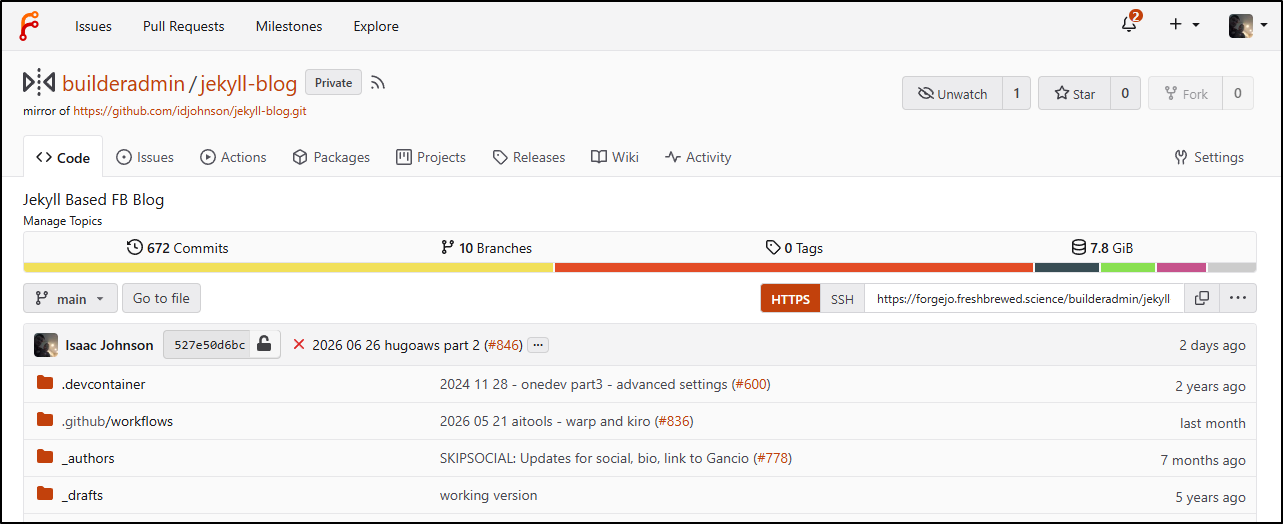
However, even if I have my code backed up, the build pipeline is a gnarly mess. I have all sorts of complicated logic to only sync this months and lasts (with calculations for year boundaries) and selective cloudfront invalidations.
Every time I would think to move platforms, I would review my pipeline and give up:
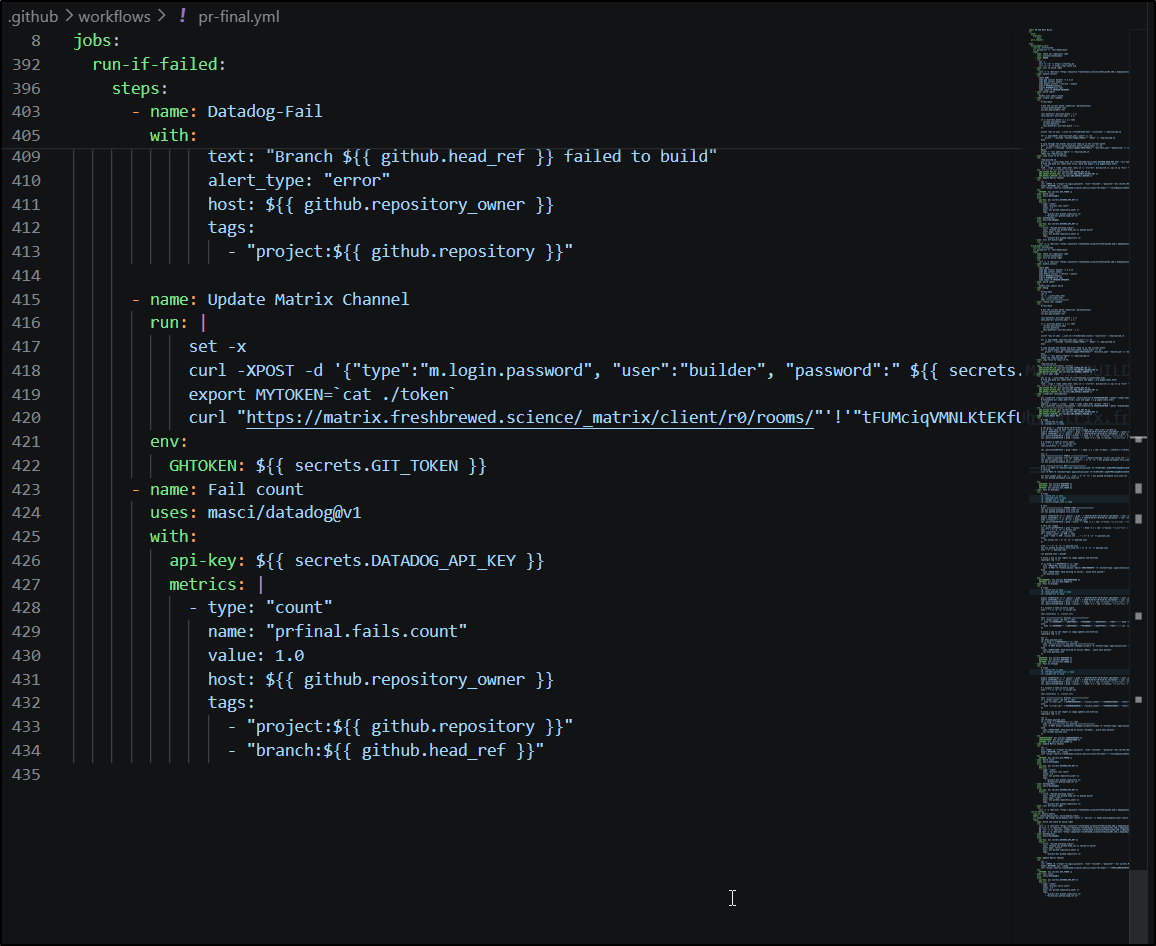
Tech Debt
It’s not just the pipeline updates that are pinning me down. I also have these old Ruby 2 dependencies. Gems that cannot install anymore. I get around this by using carefully crafted agent runners for Github, but those are based on the old solarwinds framework. Moreover, I have set-aside github runner containers in my Harbor, but what happens when those give out - or the agents change enough to require re-platforming.
So between Github agents I expect to eventually stop working, a repo that has grown just too large, a dependency tree on old software (Ruby), and worries about sudden costing changes that could take me out, I really need to do something.
Hugo vs Jekyll
Hugo was always an option. I’ve written about it lately talking about Hugo and AWS (and part 2), Hugo in GCP as Serverless and Static pages and lastly as Static pages in Azure.
I feel confident I can make Hugo work across my stack and it doesn’t have the same old Ruby issues Jekyll does.
Moreover, Hugo has an interesting option (to me) in that it will not render a page whose “post date” is set ahead of now. This means I could have a mainline GIT repo with my queued up posts ready, but not posted.
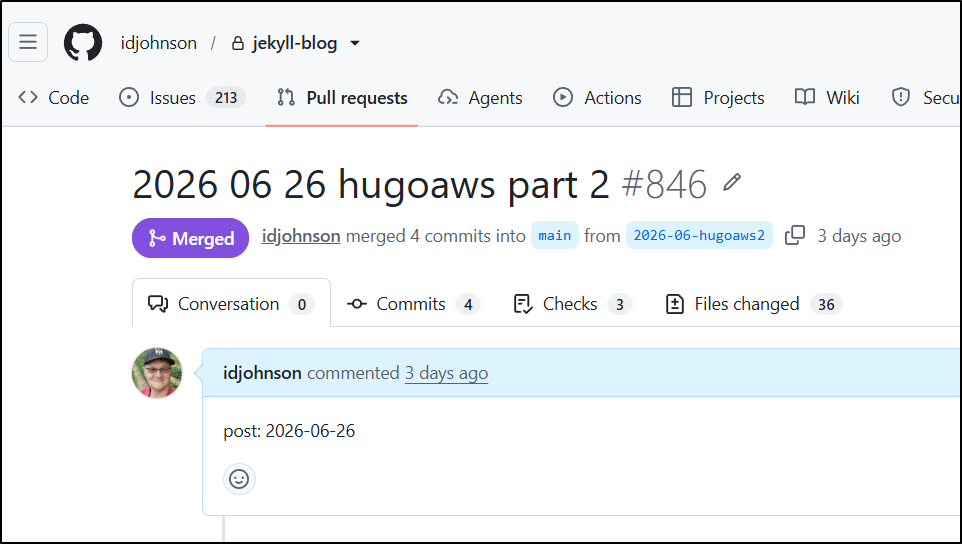
I bring this up because today I have a system that looks for PRs by date
Then uses this Ansible playbook that levers the gh CLI to find PRs that are open, parse the description and see if the day matches today.
This runs every morning via AWX (OS Ansible Tower)
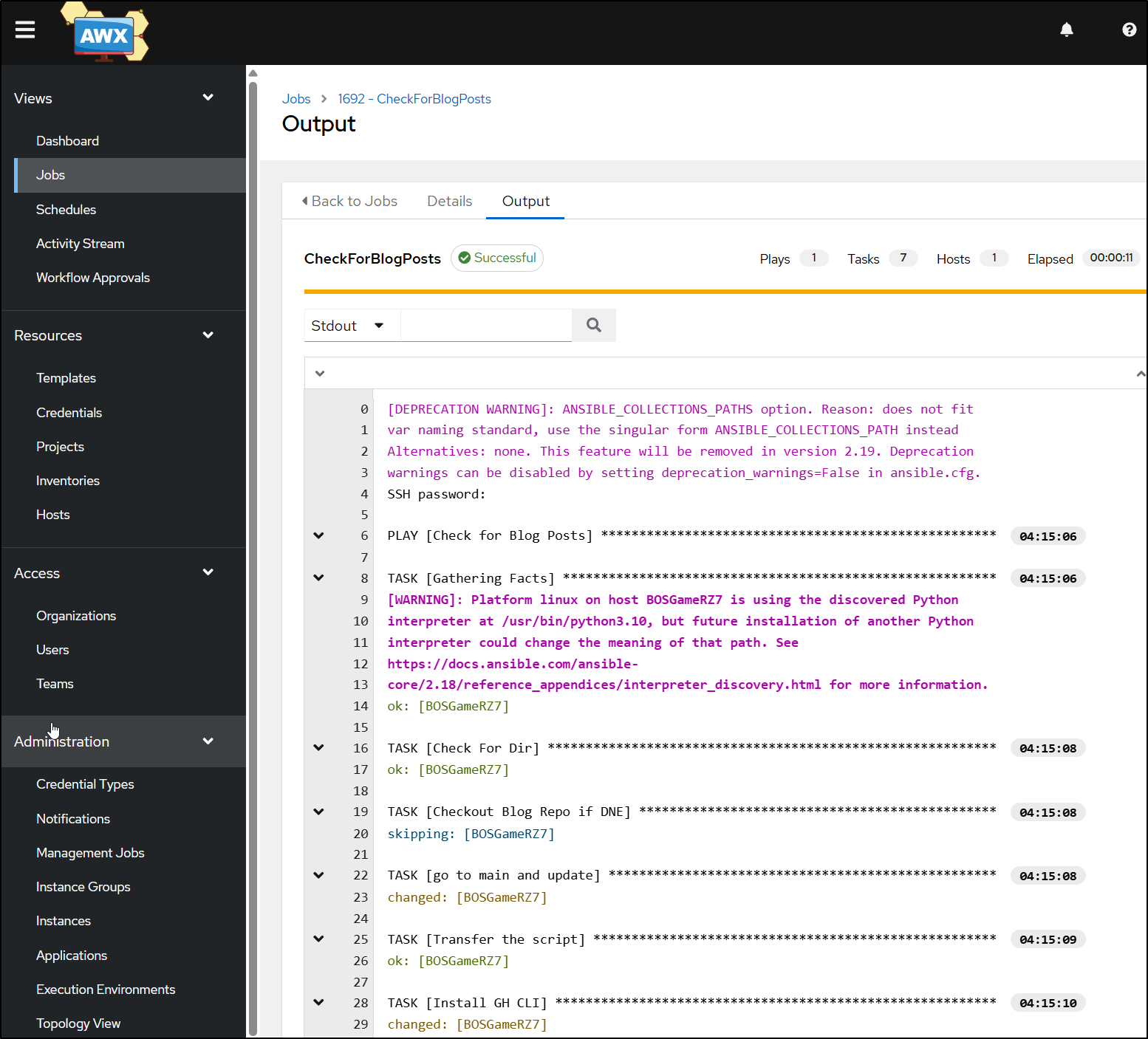
And provided my AWX is alive, it will merge to main a queued post. Then it goes back and merges up to the other active PRs (twice to catch failures) which then queue and trigger builds to a staging site.
All in all, when it’s working, this can take between 20 minutes and 1.5 hours to queue and process all the builds. And when builds fail, they update my Datadog dashboard and discord/chat channels.
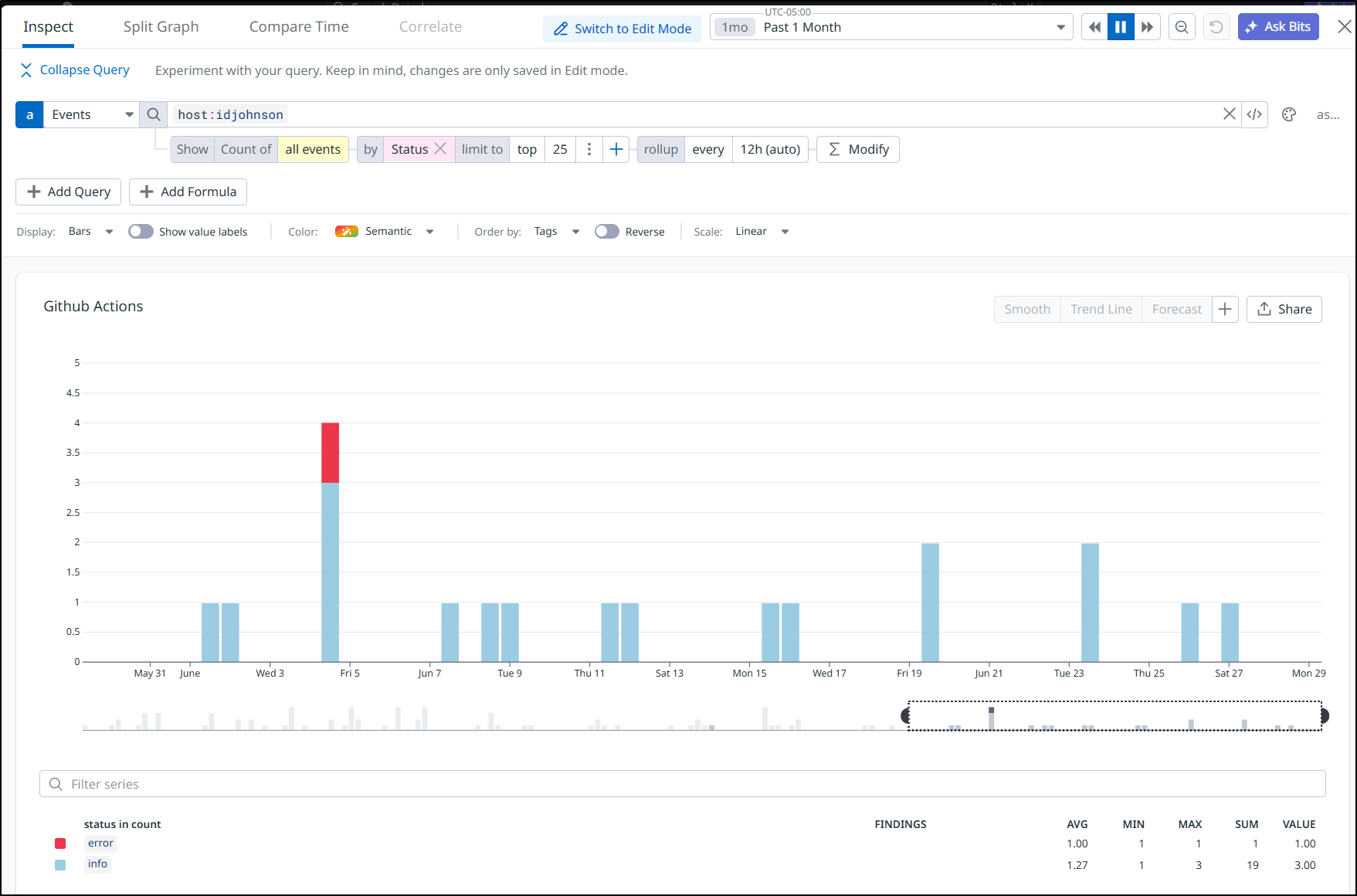
Persistent failures (more than 1) will trigger some alerts via Datadog
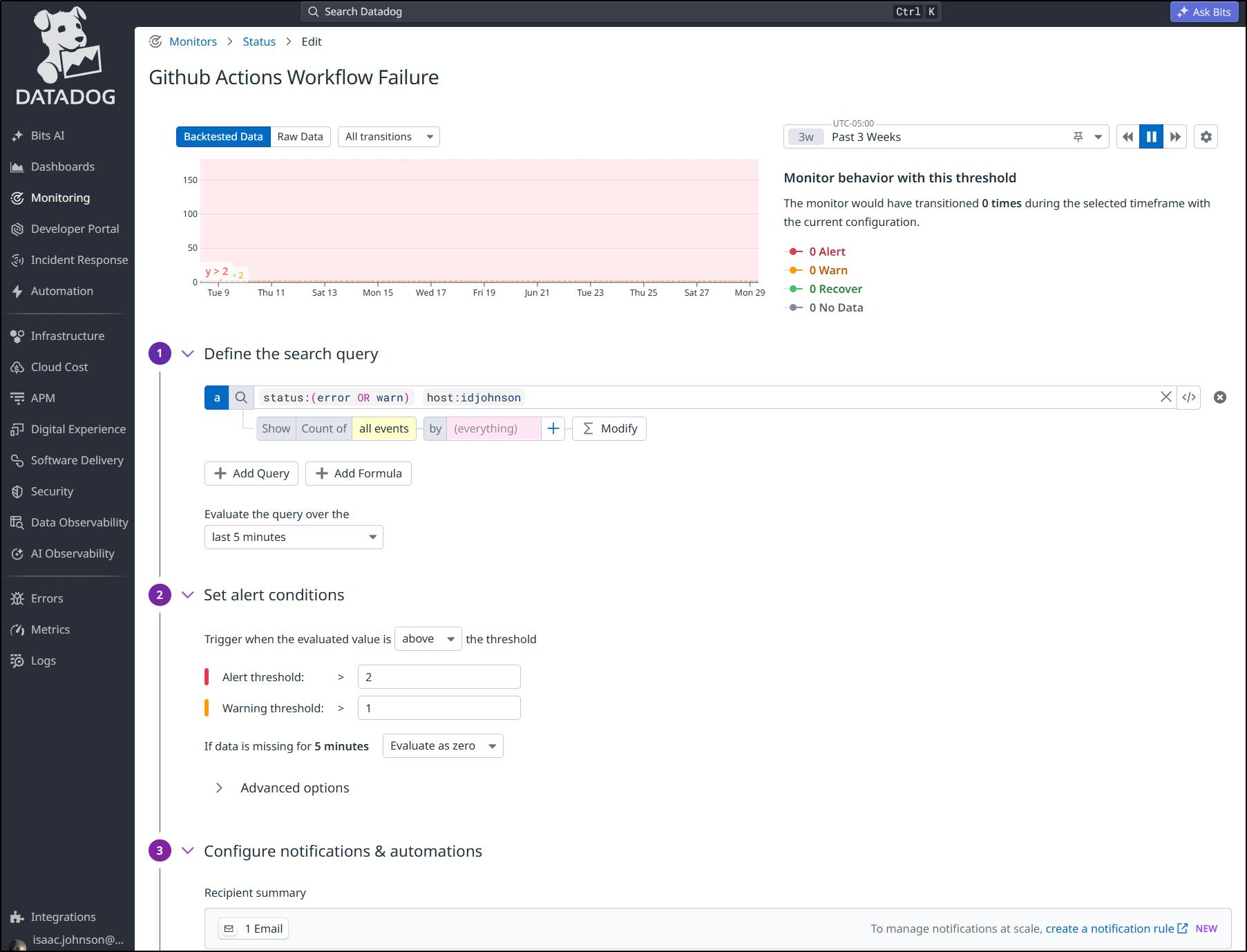
So, that is a very long winded way to say I have many many systems to ensure the blog gets out and I get alerted when things fall down.
But I do not like all these intricate systems. It’s just a lot to manage.
A better way
So if Hugo can queue posts that would just ‘appear’ the day they went live, then if I could just schedule builds of main, then on that date/time, it would ‘appear’.
I would need to think through how to ‘know’ the blog needs an update. This is not just because I don’t want to waste time (and money) endlessly syncing to S3 and invalidating CDN endpoints in CloudFront, but this is also so I can trigger my ‘posting’ updates to bluesky, Mastodon, and whatever else becomes interesting to me.
Some things I think I’ll keep as they are handy over time - like tweaking my image sync script to only sync the last couple of months.
            #!/bin/bash

            # Get the current month (numerical representation)
            current_month=$(date +%m)
            current_year=$(date +%Y)

            last_month=$(( $current_month - 1 ))
            last_year=$(( $current_year - 1 ))

            if (( $current_month == 1 )); then
              current_year=$last_year
              current_month=12
              last_month=$(( $current_month - 1 ))
            fi

            printf "aws s3 sync ./public s3://freshbrewed.tech --size-only" > /tmp/synccmd.sh

            for (( year=2025; year<$current_year; year++ )); do
                printf " --exclude 'img/%04d-*'" "$year" >> /tmp/synccmd.sh
            done

            # Loop through the months and print them up to the current month
            for (( month_num=1; month_num<last_month; month_num++ )); do
                printf " --exclude 'img/%04d-%02d-*'" "$current_year" "$month_num" >> /tmp/synccmd.sh
            done
            chmod 755 /tmp/synccmd.sh
But what is interesting, is that using the latest Gitea, I can schedule mainline builds - this takes AWX out of the picture
so if I want to have CICD for just main and staging branches, then a nightly build on main (default branch of repo), I could use this CICD actions YAML:
name: CICD
run-name: ${{ gitea.actor }} triggered CICD
on:
  schedule:
    - cron: '0 5 * * *'
  push:
    branches:
    - 'main'
    - 'staging'
As I do not post daily, I’ll need to figure out if we need to update socials, however.
I had an idea of what to check, but my XML foo is a bit dated so I had Gemini create the bash for me:
#!/bin/bash

# Configuration
LOCAL_FILE="public/index.xml"
REMOTE_URL="https://freshbrewed.science/index.xml"

# 1. Check if local file exists
if [ ! -f "$LOCAL_FILE" ]; then
    echo "Error: Cannot find $LOCAL_FILE"
    exit 1
fi

# 2. Extract data from the local file using awk and grep/sed
# Find the first title inside the first <item> tag
LOCAL_LATEST_TITLE=$(awk -F'[<>]' '/<item>/{in_item=1} in_item && /<title>/{print $3; exit}' "$LOCAL_FILE")
LOCAL_LATEST_GUID=$(awk -F'[<>]' '/<item>/{in_item=1} in_item && /<guid>/{print $3; exit}' "$LOCAL_FILE")
LOCAL_BUILD_DATE=$(grep -m 1 "<lastBuildDate>" "$LOCAL_FILE" | sed -E 's/.*<lastBuildDate>(.*)<\/lastBuildDate>.*/\1/')

# 3. Fetch the remote file quietly into a temporary file
TMP_REMOTE=$(mktemp)
curl -s "$REMOTE_URL" -o "$TMP_REMOTE"

# Extract data from the remote file
REMOTE_LATEST_GUID=$(awk -F'[<>]' '/<item>/{in_item=1} in_item && /<guid>/{print $3; exit}' "$TMP_REMOTE")
REMOTE_BUILD_DATE=$(grep -m 1 "<lastBuildDate>" "$TMP_REMOTE" | sed -E 's/.*<lastBuildDate>(.*)<\/lastBuildDate>.*/\1/')

# Clean up temp file
rm -f "$TMP_REMOTE"

# 4. Display the local latest post
echo "=================================================="
echo "📝 LATEST LOCAL POST: $LOCAL_LATEST_TITLE"
echo "=================================================="
echo "Local Build Date  : $LOCAL_BUILD_DATE"
echo "Remote Build Date : $REMOTE_BUILD_DATE"
echo "--------------------------------------------------"

# 5. Compare the feeds
if [ "$LOCAL_BUILD_DATE" == "$REMOTE_BUILD_DATE" ]; then
    echo "✅ No changes. The local index perfectly matches the remote index."
else
    echo "⚠️  Differences detected in the build dates!"

    # Check if it's a new post or just an edit/rebuild
    if [ "$LOCAL_LATEST_GUID" != "$REMOTE_LATEST_GUID" ]; then
        echo "🚀 NEW POST DETECTED! The latest local post is not on the remote server."
    else
        echo "🔄 The latest post is the same, but the feed was rebuilt (likely an edit or minor update)."
    fi
fi
echo "=================================================="
This means I can see if my “local” post is newer than the remote:
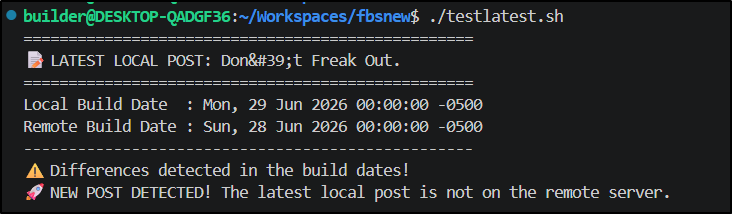
I ended up tweaking that to run on main and echo into a GITHUB_ENV env var so the other steps can key off it
      - name: Test If Updates Required (main)
        shell: bash
        run: |
          #!/bin/bash

          # Configuration
          LOCAL_FILE="public/index.xml"
          # our bucket names match the URL by convention
          REMOTE_URL="https://${{ env.PROD_BUCKET }}/index.xml"

          # 1. Check if local file exists
          if [ ! -f "$LOCAL_FILE" ]; then
              echo "Error: Cannot find $LOCAL_FILE"
              exit 1
          fi

          # 2. Extract data from the local file using awk and grep/sed
          # Find the first title inside the first <item> tag
          LOCAL_LATEST_TITLE=$(awk -F'[<>]' '/<item>/{in_item=1} in_item && /<title>/{print $3; exit}' "$LOCAL_FILE")
          LOCAL_LATEST_GUID=$(awk -F'[<>]' '/<item>/{in_item=1} in_item && /<guid>/{print $3; exit}' "$LOCAL_FILE")
          LOCAL_BUILD_DATE=$(grep -m 1 "<lastBuildDate>" "$LOCAL_FILE" | sed -E 's/.*<lastBuildDate>(.*)<\/lastBuildDate>.*/\1/')

          # 3. Fetch the remote file quietly into a temporary file
          TMP_REMOTE=$(mktemp)
          curl -s "$REMOTE_URL" -o "$TMP_REMOTE"

          # Extract data from the remote file
          REMOTE_LATEST_GUID=$(awk -F'[<>]' '/<item>/{in_item=1} in_item && /<guid>/{print $3; exit}' "$TMP_REMOTE")
          REMOTE_BUILD_DATE=$(grep -m 1 "<lastBuildDate>" "$TMP_REMOTE" | sed -E 's/.*<lastBuildDate>(.*)<\/lastBuildDate>.*/\1/')

          # Clean up temp file
          rm -f "$TMP_REMOTE"

          # 4. Display the local latest post
          echo "=================================================="
          echo "📝 LATEST LOCAL POST: $LOCAL_LATEST_TITLE"
          echo "=================================================="
          echo "Local Build Date  : $LOCAL_BUILD_DATE"
          echo "Remote Build Date : $REMOTE_BUILD_DATE"
          echo "--------------------------------------------------"

          # 5. Compare the feeds
          if [ "$LOCAL_BUILD_DATE" == "$REMOTE_BUILD_DATE" ]; then
              echo "✅ No changes. The local index perfectly matches the remote index."
              echo "RELEASABLE=0" >> $GITHUB_ENV
          else
              echo "⚠️  Differences detected in the build dates!"
              echo "RELEASABLE=1" >> $GITHUB_ENV

              # Check if it's a new post or just an edit/rebuild
              if [ "$LOCAL_LATEST_GUID" != "$REMOTE_LATEST_GUID" ]; then
                  echo "🚀 NEW POST DETECTED! The latest local post is not on the remote server."
              else
                  echo "🔄 The latest post is the same, but the feed was rebuilt (likely an edit or minor update)."
              fi
          fi
          echo "=================================================="
        if: gitea.ref == 'refs/heads/main'
This means subsequent steps can bail out if we aren’t releasing
      - name: Force Sync to AWS (main)
        shell: bash
        run: |
          cd ./public

          if [ -z "$RELEASABLE" ]; then
              echo "RELEASABLE is not set. syncing for safety..."
          else
              echo "RELEASABLE is set to: $RELEASABLE"
              if [ "$RELEASABLE" -eq 1 ]; then
                  echo "Changes detected. Proceeding with syncing..."
              else
                  echo "No changes detected. Skipping sync."
                  exit 0
              fi
          fi
          aws s3 cp ./index.html s3://${{ env.PROD_BUCKET }}/index.html
          aws s3 cp ./index.xml s3://${{ env.PROD_BUCKET }}/index.xml
          # find and push all index.html files, main and pages (.e.g page2/index.html)
          find . -type f -name \*.html -exec sh -c 'src="$1"; dst=${src#./}; aws s3 cp "$src" "s3://${{ env.PROD_BUCKET }}/$dst"' _ {} \;
        if: gitea.ref == 'refs/heads/main'
        env: # Or as an environment variable
          AWS_SECRET_ACCESS_KEY: ${{ secrets.AWSSECRETKEY }}
          AWS_ACCESS_KEY_ID: ${{ secrets.AWSSECRETID }}
I carefully worked on updating all the steps to match my Jekyll blog build including things like updating my Datadog dashboard and turning on and off build lights
  run-if-failed:
    runs-on: ubuntu-latest
    needs: [build_deploy_test, build_deploy_final]
    if: always() && (needs.build_deploy_test.result == 'failure' || needs.build_deploy_final.result == 'failure')
    steps:
      - name: Blink and Leave On build light
        run: |
          curl -s -o /dev/null "https://kasarest.freshbrewed.science/off?devip=192.168.1.3&apikey=${{ secrets.KASAAPIKEY }}" && sleep 5 \
          && curl -s -o /dev/null "https://kasarest.freshbrewed.science/on?devip=192.168.1.3&apikey=${{ secrets.KASAAPIKEY }}" && sleep 5 \
          &&  curl -s -o /dev/null "https://kasarest.freshbrewed.science/off?devip=192.168.1.3&apikey=${{ secrets.KASAAPIKEY }}" && sleep 5 \
          && curl -s -o /dev/null "https://kasarest.freshbrewed.science/on?devip=192.168.1.3&apikey=${{ secrets.KASAAPIKEY }}"
      - name: Datadog-Fail
        uses: masci/datadog@v1
        with:
          api-key: ${{ secrets.DATADOG_API_KEY }}
          events: |
            - title: "Failed building jekyll"
              text: "Branch ${{ github.head_ref }} failed to build"
              alert_type: "error"
              host: ${{ github.repository_owner }}
              tags:
                - "project:${{ github.repository }}"

      - name: Update Matrix Channel
        run: |
            set -x
            curl -XPOST -d '{"type":"m.login.password", "user":"builder", "password":" ${{ secrets.MATRIXBUILDERPASS }}"}' "https://matrix.freshbrewed.science/_matrix/client/r0/login" | jq -r '.access_token' | tr -d '\n' > token
            export MYTOKEN=`cat ./token`
            curl "https://matrix.freshbrewed.science/_matrix/client/r0/rooms/"'!'"tFUMciqVMNLKtEKfUh:matrix.freshbrewed.science/send/m.room.message/?access_token=$MYTOKEN" -X PUT --data '{"msgtype":"m.text","body":"Jekyll Blog - FAILED ${{github.run_number}}"}'
        env:
          GHTOKEN: ${{ secrets.GIT_TOKEN }}
      - name: Fail count
        uses: masci/datadog@v1
        with:
          api-key: ${{ secrets.DATADOG_API_KEY }}
          metrics: |
            - type: "count"
              name: "prfinal.fails.count"
              value: 1.0
              host: ${{ github.repository_owner }}
              tags:
                - "project:${{ github.repository }}"
                - "branch:${{ github.head_ref }}"
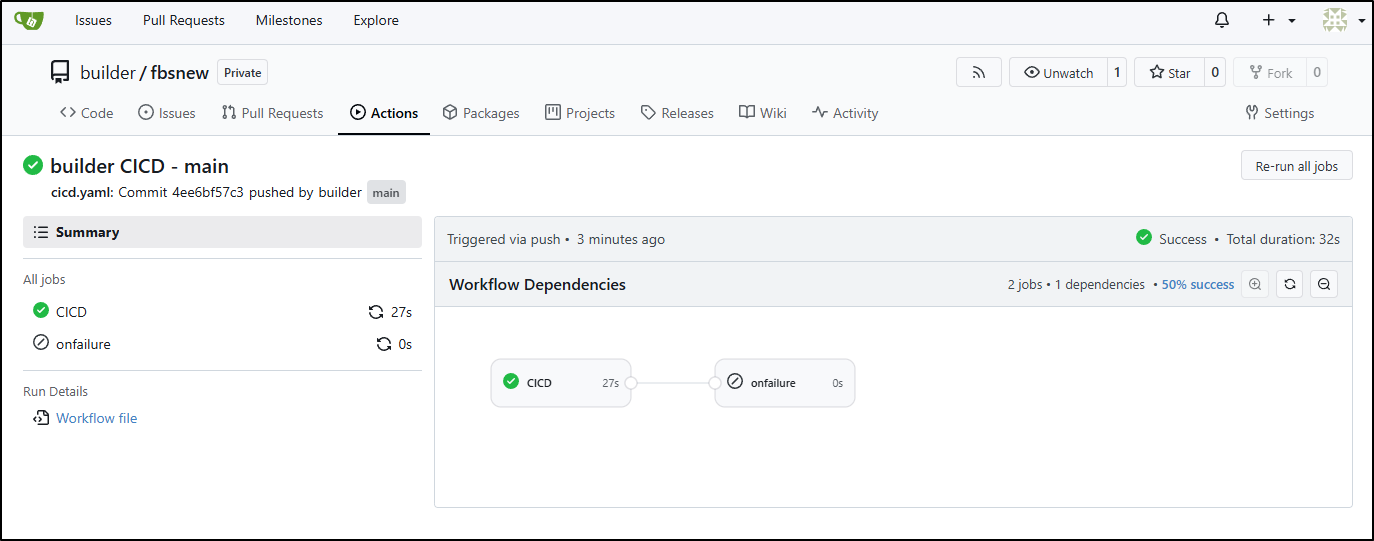
The resulting build is still quite quick.
Summary
This is kind of wild in that the only way to really see this post through is to just post it. I’ll remove the comment blocks from the curl commands for posting and just go for it. I’m still not 100% thrilled with the front page layout and I’ll need to add back my Kofi links (not that anyone actually uses them, i might get four tips a year, but i don’t do this for the money).
Last thoughts - I’ve now dry run this a lot. I tweaked up the front layout with help from Antigravity and fixed some bash nuances (e.g. wc -c used to just return a number, but now its number and file so that had to be sorted out).
I also noticed that S3 uploads were slowed way down after a few rounds in a row. I’m sure this is some basic AWS rate limiting which makes sense. Overall, I’m eager to test this new flow using my Gitea. I’ll have to ensure some backups of the repo somewhere - at the least in Forgejo.
I might also think of some kind of cloud bucket that can serve for DR using git archive, clone or a tgz download. But I’ll come up with something. My cluster, sadly, has a habit of dying real hard every few years (usually hardware failures in master node). Perhaps a future article will cover setting up a GIT server on a NAS or syncing to multiple SaaS mirrors.