In moving our primary blogging system from Github over to a self hosted Gitea, we need to sort out how to best create a proper HA DR environment. This means having some push mirrors. The first thing I did when i setup Gitea to be the “real” repo for this blog was to mirror it to Forgejo. However that instance is on the same cluster, so if there is a catastrophic outage, then I would expect both to be down and have to rely on whatever my last local clone happens to be.
Syncing to Gitlab
I wanted to pick a major SaaS player for my first backup location. This would limit it to Bitbucket, Github or Gitlab. Since I just used Github, lets move to GL for this one.
I just need to add a push mirror to a blank Gitlab repo
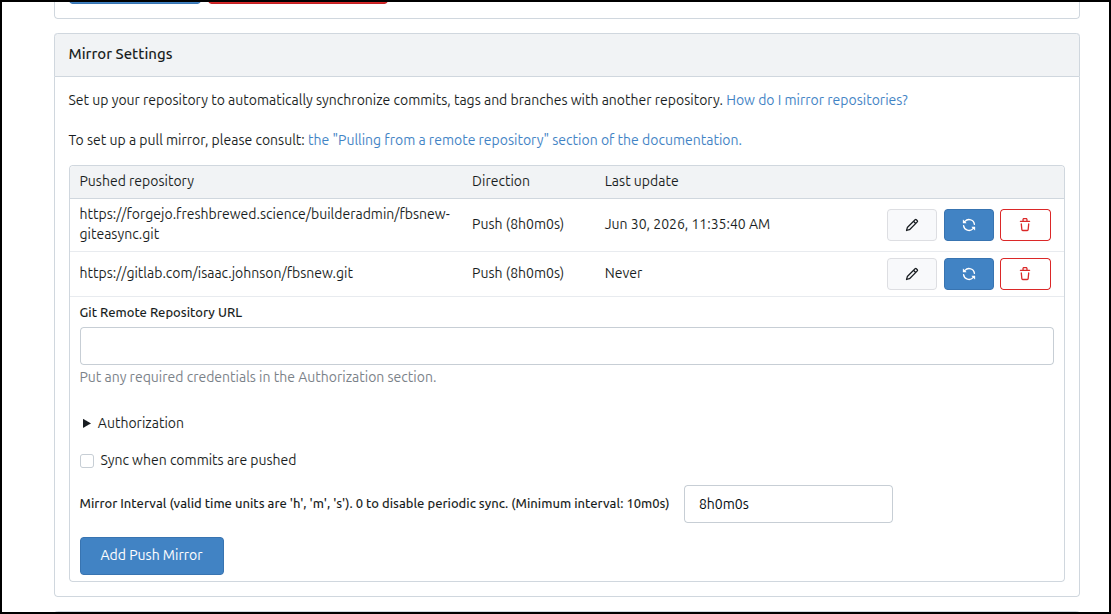
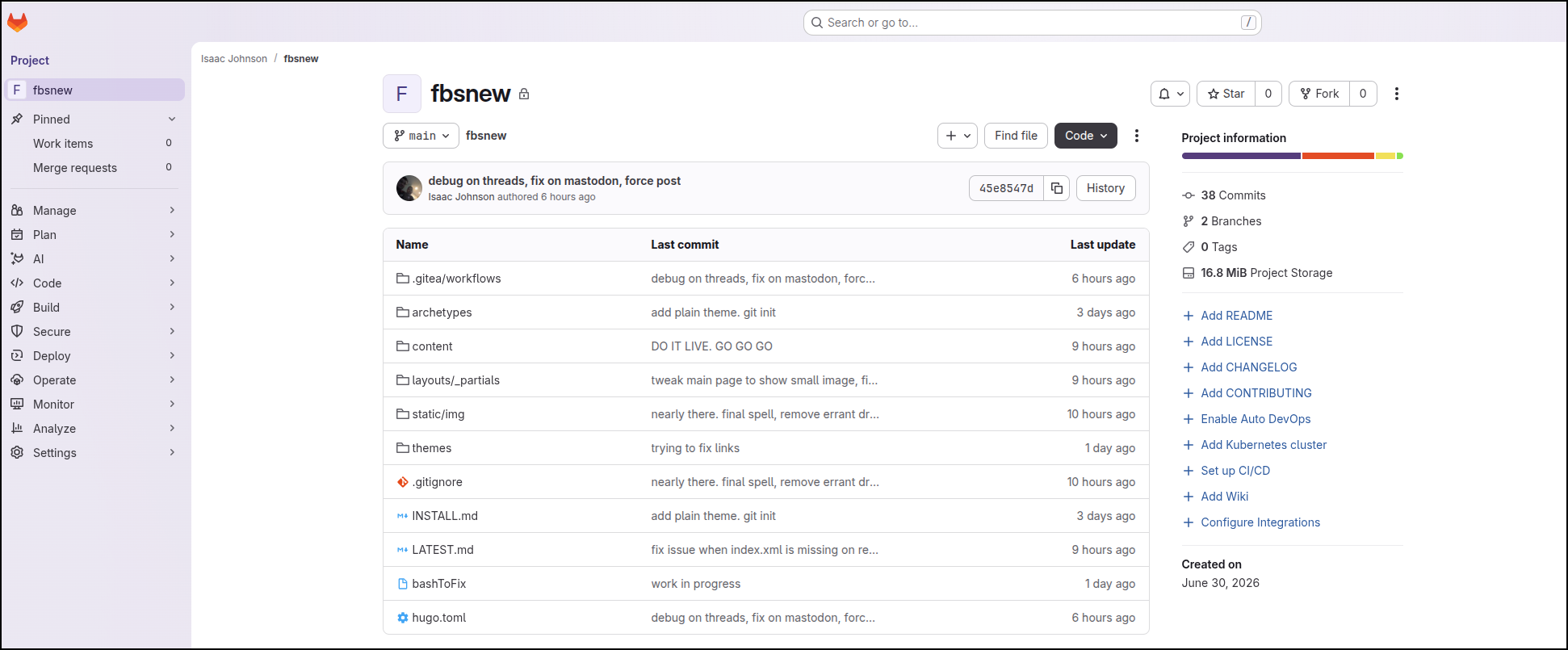
I forced a push and can see a backup now in a private Gitlab repo
storage bucket backups
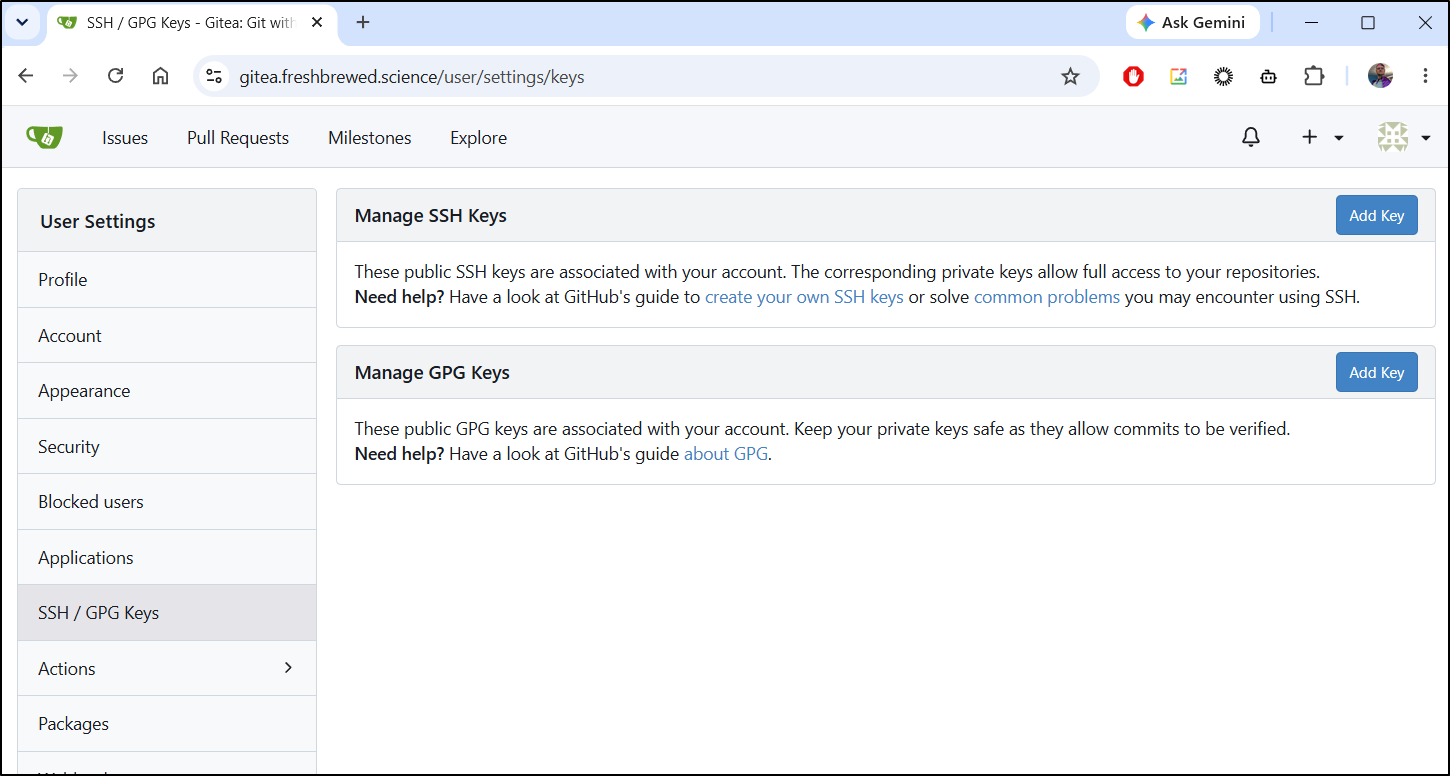
Let’s start by getting an SSH key into Gitea we can use - we’ll want this for any scripting we do next.
In the /user/settings/keys area, we can click add key
I’ll use the public key from my ~/.ssh/id_rsa.pub file. If you lack SSH keys, there is a good Github guide on the topic
$ cat ~/.ssh/id_rsa.pub
ssh-rsa AAAAB3NzaC1yc2EAAAADAQABAAABAQCztCsq2pg/AFf8t6d6LobwssgaXLVNnzn4G0e7M13J9t2o41deZjLQaRTLYyqGhmwp114GpJnac08F4Ln87CbIu2jbQCC2y89bE4k2a9226VJDbZhidPyvEiEyquUpKvvJ9QwUYeQlz3rYLQ3f8gDvO4iFKNla2s8E1gpYv6VxN7e7OX+FJmJ4dY2ydPxQ6RoxOLxWx6IDk9ysDK8MoSIUoD9nvD/PqlWBZLXBqqlO6OadGku3q2naNvafDM5F2p4ixCsJV5fQxPWxqZy0CbyXzs1easL4lQHjK2NwqN8AK6pC1ywItDc1fUpJZEEPOJQLShI+dqqqjUptwJUPq87h
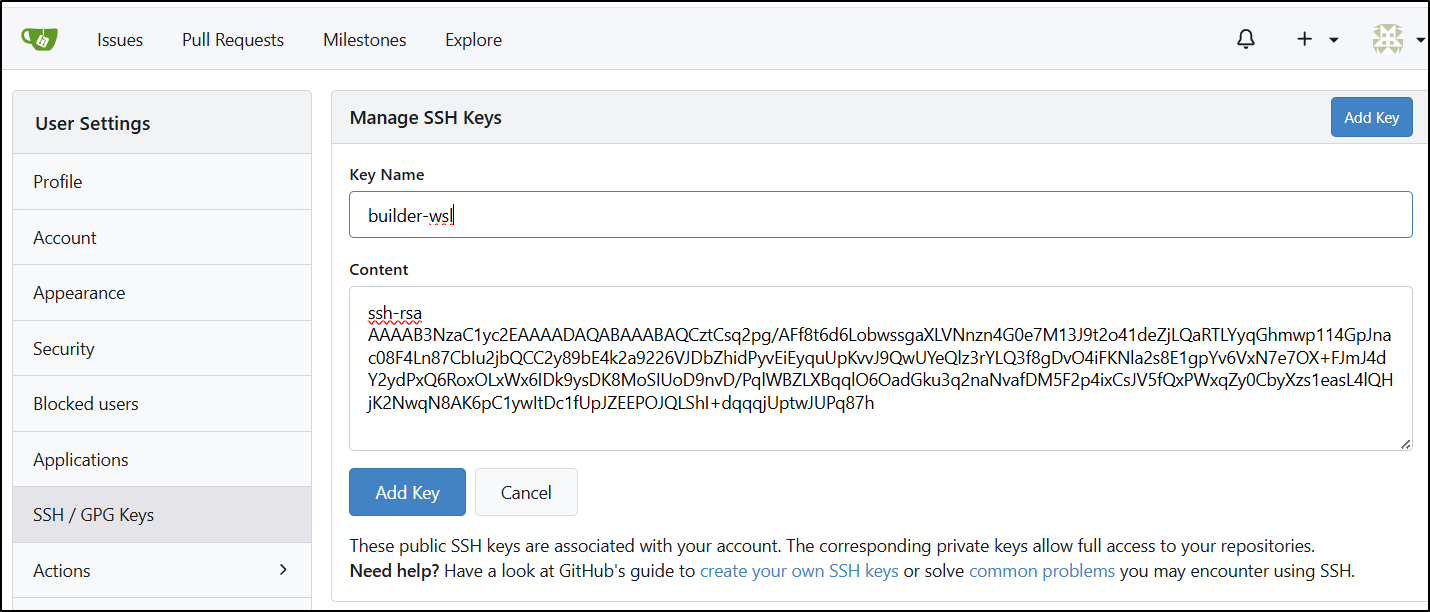
My first issue is the key is an older format so it wasn’t long enough “Cannot verify your SSH key: key length is not enough: got 2048, needs 3071”
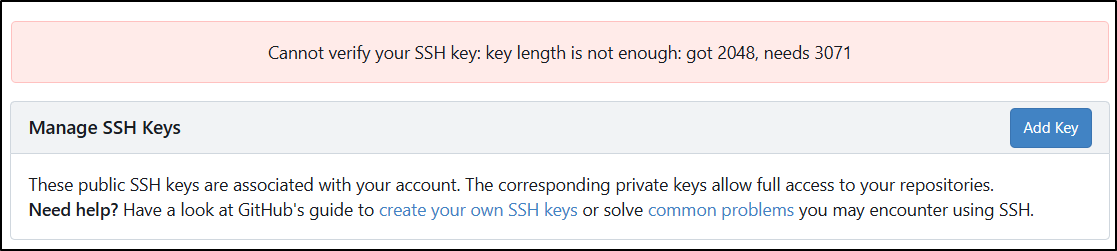
I’ll need to either create a long RSA key (e.g. ssh-keygen -t rsa -b 4096 -C "isaac.johnson@gmail.com") or use the more modern ed25519 standard. I opted for the latter:
builder@builder-T100:~$ ssh-keygen -t ed25519 -C "isaac@freshbrewed.science"
Generating public/private ed25519 key pair.
Enter file in which to save the key (/home/builder/.ssh/id_ed25519):
Enter passphrase (empty for no passphrase):
Enter same passphrase again:
Your identification has been saved in /home/builder/.ssh/id_ed25519
Your public key has been saved in /home/builder/.ssh/id_ed25519.pub
The key fingerprint is:
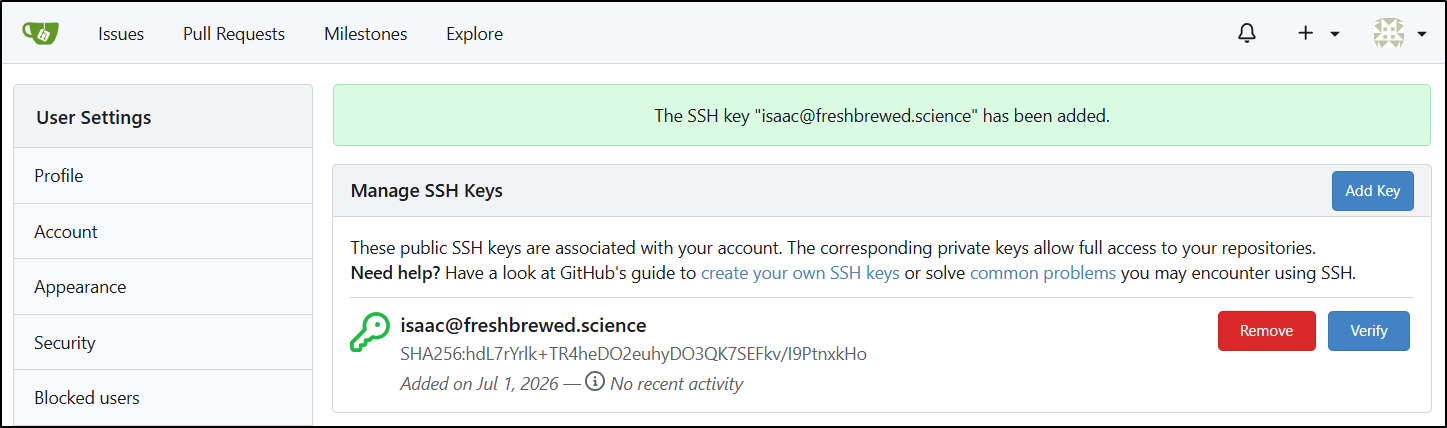
SHA256:hdL7rYrlk+TR4heDO2euhyDO3QK7SEFkv/I9PtnxkHo isaac@freshbrewed.science
The key's randomart image is:
+--[ED25519 256]--+
|  o              |
| o .   . .       |
|  . . . o .      |
| .   . . o       |
|  o .   S+       |
|   +o.. O.+.     |
|  .o.=oX.X.o.    |
| . .+.*=E *.     |
|  . ..o++@o      |
+----[SHA256]-----+

$ cat ~/.ssh/id_ed25519.pub
ssh-ed25519 AAAAC3NzaC1lZDI1NTE5AAAAIPeqmJmV4Gl+m6/oGpbK8OBDss9be20lSh2CKaPjpFJz isaac@freshbrewed.science
That key easily went in
It is not my habit to backup private keys. For me that is “something I have” and if I loose it, then I like the forcing function of resetting and creating a new one.
Only after I got going did I realize that it was all for naught as my Gitea only serves on HTTP due to some Nginx limitations. Well, at least the code will be there for GIT SSH URLs.
Cloud Storage
We could go with AWS, Google, Azure or really any other cloud provider.
AWS
First, I notice my AWS CLI was way out of date. For an ansible playbook, I’m okay accepting the prereq of a decently configured AWS CLI
builder@builder-T100:~$ aws s3 ls
Traceback (most recent call last):
  File "/usr/bin/aws", line 19, in <module>
    import awscli.clidriver
  File "/usr/lib/python3/dist-packages/awscli/clidriver.py", line 17, in <module>
    import botocore.session
  File "/usr/lib/python3/dist-packages/botocore/session.py", line 29, in <module>
    import botocore.credentials
  File "/usr/lib/python3/dist-packages/botocore/credentials.py", line 35, in <module>
    from botocore.config import Config
  File "/usr/lib/python3/dist-packages/botocore/config.py", line 16, in <module>
    from botocore.endpoint import DEFAULT_TIMEOUT, MAX_POOL_CONNECTIONS
  File "/usr/lib/python3/dist-packages/botocore/endpoint.py", line 22, in <module>
    from botocore.awsrequest import create_request_object
  File "/usr/lib/python3/dist-packages/botocore/awsrequest.py", line 24, in <module>
    import botocore.utils
  File "/usr/lib/python3/dist-packages/botocore/utils.py", line 32, in <module>
    import botocore.httpsession
  File "/usr/lib/python3/dist-packages/botocore/httpsession.py", line 10, in <module>
    from urllib3.util.ssl_ import (
ImportError: cannot import name 'DEFAULT_CIPHERS' from 'urllib3.util.ssl_' (/home/builder/.local/lib/python3.10/site-packages/urllib3/util/ssl_.py)
I’ll just follow the guide to update
(note: it will do far better to apt remove with sudo apt-get remove awscli before attempting an install of the v2 CLI. if you don’t, like i did, then you need to use bash -r after removal to clear the current aws cli getting in the way)
builder@builder-T100:~$ aws --version
aws-cli/2.35.13 Python/3.14.5 Linux/6.8.0-111-generic exe/x86_64.ubuntu.22
builder@builder-T100:~$ aws s3 ls

aws: [ERROR]: An error occurred (NoCredentials): Unable to locate credentials. You can configure credentials by running "aws login".
My plan is to pass the KEY ID and Secret when invoking the AWS CLI to copy files..
builder@builder-T100:~$ AWS_ACCESS_KEY_ID=AKIXXXXXXXXXXX AWS_SECRET_ACCESS_KEY=XXXXXXXXXXXXXXXXXXXXXXXXXXXXXXXXXXXXXXXX aws s3 ls
2024-05-02 18:34:16 amplify-freshbrewedapp-staging-4a1a2-deployment
2024-05-02 19:10:10 amplify-freshbrewedvite-dev-aeb10-deployment
2024-05-04 07:56:54 amplify-viteproject-dev-5711c-deployment
2023-06-19 21:10:41 c8-export-cost-095928337644
2021-12-30 09:43:23 cf-templates-18r24v1096xao-us-east-1
2021-12-29 10:00:23 cf-templates-18r24v1096xao-us-east-2
I’ll now create a bucket just for GIT backups
$ aws s3 mb s3://idj-git-repo-backups
make_bucket: idj-git-repo-backups
Even though it will be small, let’s set a lifecycle policy so it never gets spendy
$ cat ./s3-lifecycle.json
{
    "Rules": [
        {
            "ID": "Transition-to-Cool-and-Glacier",
            "Status": "Enabled",
            "Prefix": "",
            "Transitions": [
                {
                    "Days": 30,
                    "StorageClass": "STANDARD_IA"
                },
                {
                    "Days": 90,
                    "StorageClass": "GLACIER"
                }
            ]
        }
    ]
}
$ aws s3api put-bucket-lifecycle-configuration --bucket idj-git-repo-backups --lifecycle-configuration file://s3-lifecycle.json
{
    "TransitionDefaultMinimumObjectSize": "all_storage_classes_128K"
}
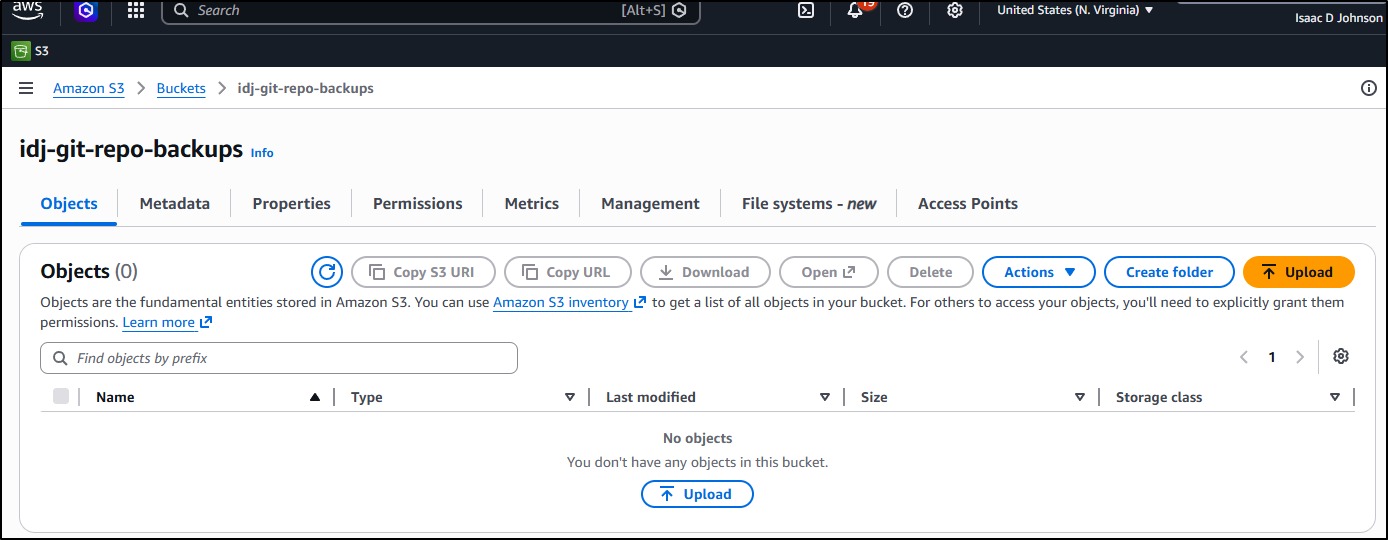
I now have a bucket we can use
With Ansible playbooks, my common approach is to create a bash script I can use and test and then when the time comes, just have Ansible run that on a schedule in a place, handing off any secrets.
Here I created a backup script:
$ cat ./backupGiteaRepo.sh
#!/bin/bash

# Check if required arguments are provided
if [ $# -ne 6 ]; then
    echo "Usage: $0 <repo name> <repo to backup> <bucket> <key id> <key secret> <action: DRYRUN or DOIT>"
    echo "Example: $0 fbsnew git@gitea.freshbrewed.science:builder/fbsnew.git mytestbucket AKAIXXXX XXXXXX  DRYRUN"
    exit 1
fi

# On GIT Auth
# If using a git@URL ssh path, then we assume this host has a valid SSH key associated with that GIT repo, e.g. git@gitea.freshbrewed.science:builder/fbsnew.git
# If usingg HTTP URL, then pack the username/password in the URL, e.g. https://user:password@gitea.freshbrewed.science/builder/fbsnew.git

REPO_NAME="$1"
REPO_CLONE="$2"
BUCKET_NAME="$3"
AWSKEYID="$4"
AWSKEYSEC="$5"
ACTION="$6"

# Check if repo name directory exists
if [[ -z "$REPO_NAME" ]]; then
    echo "Error: Repo Name must be set"
    exit 1
fi

# Check if REPO_CLONE is a GIT or HTTP URL
if ! [[ "$REPO_CLONE" =~ ^(git@|http) ]]; then
    echo "Error: REPO_CLONE ($REPO_CLONE) must start with git@ or http"
    exit 1
fi

if [ "$ACTION" != "DRYRUN" ] && [ "$ACTION" != "DOIT" ]; then
        echo "Error: Action ($ACTION) must be either DRYRUN or DOIT"
    exit 1
fi

tmp_dir=`mktemp -d -t "tmp_$(date +%Y%m%d)_XXXXXXXXXX"`

echo "tmp_dir: $tmp_dir"


export GIT_TERMINAL_PROMPT=0
export GIT_SSH_COMMAND="ssh -o BatchMode=yes -o StrictHostKeyChecking=accept-new"
git clone $REPO_CLONE $tmp_dir/$REPO_NAME
echo "==========="
ls -l $tmp_dir
echo "==========="

cd $tmp_dir
export DATESTR=`date +%Y%m%d_%H%M%S`
tar -czvf ./${REPO_NAME}_${DATESTR}.tgz ./${REPO_NAME}
ls -ltra


if [ "$ACTION" == "DRYRUN" ]; then
    echo "Dry run mode"
    echo "will copy with : aws s3 cp ./${REPO_NAME}_${DATESTR}.tgz s3://${BUCKET_NAME}/${REPO_NAME}_${DATESTR}.tgz"
fi

if [ "$ACTION" == "DOIT" ]; then
    echo "Do it mode"
    set +x
    AWS_ACCESS_KEY_ID=$AWSKEYID AWS_SECRET_ACCESS_KEY=$AWSKEYSEC aws s3 cp ./${REPO_NAME}_${DATESTR}.tgz s3://${BUCKET_NAME}/${REPO_NAME}_${DATESTR}.tgz
fi
and we can see it in action:
$ ./backupGiteaRepo.sh fbsnew https://builder:xxxxxxxxxxxxxxxxx@gitea.freshbrewed.science/builder/fbsnew.git idj-git-repo-backups AKIxxxxxxxxxxxxxxxxx "xxxxxxxxxxxxxxxxxxxxxxxxxxx" DOIT
tmp_dir: /tmp/tmp_20260701_UyY4r1NxvY
Cloning into '/tmp/tmp_20260701_UyY4r1NxvY/fbsnew'...
remote: Enumerating objects: 451, done.
remote: Counting objects: 100% (451/451), done.
remote: Compressing objects: 100% (358/358), done.
remote: Total 451 (delta 105), reused 200 (delta 11), pack-reused 0 (from 0)
Receiving objects: 100% (451/451), 19.10 MiB | 26.83 MiB/s, done.
Resolving deltas: 100% (105/105), done.
===========
total 4
drwxr-xr-x 9 builder builder 4096 Jul  1 07:19 fbsnew
===========
./fbsnew/
./fbsnew/hugo.toml
./fbsnew/.gitignore
./fbsnew/layouts/
./fbsnew/layouts/_partials/
./fbsnew/layouts/_partials/post_list.html
./fbsnew/.git/
./fbsnew/.git/index
./fbsnew/.git/HEAD
./fbsnew/.git/branches/
./fbsnew/.git/packed-refs
./fbsnew/.git/config
./fbsnew/.git/description
./fbsnew/.git/hooks/
./fbsnew/.git/hooks/fsmonitor-watchman.sample
./fbsnew/.git/hooks/push-to-checkout.sample
./fbsnew/.git/hooks/update.sample
./fbsnew/.git/hooks/pre-applypatch.sample
./fbsnew/.git/hooks/pre-push.sample
./fbsnew/.git/hooks/pre-receive.sample
./fbsnew/.git/hooks/pre-merge-commit.sample
./fbsnew/.git/hooks/applypatch-msg.sample
./fbsnew/.git/hooks/pre-commit.sample
./fbsnew/.git/hooks/prepare-commit-msg.sample
./fbsnew/.git/hooks/commit-msg.sample
./fbsnew/.git/hooks/post-update.sample
./fbsnew/.git/hooks/pre-rebase.sample
./fbsnew/.git/objects/
./fbsnew/.git/objects/pack/
./fbsnew/.git/objects/pack/pack-3fc49295c39e6dcbd4bd446cae9ce542f656d056.idx
./fbsnew/.git/objects/pack/pack-3fc49295c39e6dcbd4bd446cae9ce542f656d056.pack
./fbsnew/.git/objects/info/
./fbsnew/.git/info/
./fbsnew/.git/info/exclude
./fbsnew/.git/refs/
./fbsnew/.git/refs/tags/
./fbsnew/.git/refs/remotes/
./fbsnew/.git/refs/remotes/origin/
./fbsnew/.git/refs/remotes/origin/HEAD
./fbsnew/.git/refs/heads/
./fbsnew/.git/refs/heads/main
./fbsnew/.git/logs/
./fbsnew/.git/logs/HEAD
./fbsnew/.git/logs/refs/
./fbsnew/.git/logs/refs/remotes/
./fbsnew/.git/logs/refs/remotes/origin/
./fbsnew/.git/logs/refs/remotes/origin/HEAD
./fbsnew/.git/logs/refs/heads/
./fbsnew/.git/logs/refs/heads/main
./fbsnew/bashToFix
./fbsnew/content/
./fbsnew/content/notes/
./fbsnew/content/notes/index.md
./fbsnew/content/about/
./fbsnew/content/about/index.md
./fbsnew/content/post/
./fbsnew/content/post/2026-06-30-hello-world.md
./fbsnew/content/archive/
./fbsnew/content/archive/index.md
./fbsnew/content/search/
./fbsnew/content/search/placeholder.md
./fbsnew/INSTALL.md
./fbsnew/.gitea/
./fbsnew/.gitea/workflows/
./fbsnew/.gitea/workflows/cicd.yaml
./fbsnew/static/
./fbsnew/static/img/
./fbsnew/static/img/disqus.png
./fbsnew/static/img/2026-06-hello-06.png
./fbsnew/static/img/tn.png
./fbsnew/static/img/post.png
./fbsnew/static/img/2026-06-hello-07.png
./fbsnew/static/img/search.png
./fbsnew/static/img/home-bg-jeep.jpg
./fbsnew/static/img/contact-bg.jpg
./fbsnew/static/img/2026-06-hello-08.png
./fbsnew/static/img/404-bg.jpg
./fbsnew/static/img/home-bg-insects.jpg
./fbsnew/static/img/2026-06-hello-02.png
./fbsnew/static/img/tag-bg.jpg
./fbsnew/static/img/2026-06-hello-03.png
./fbsnew/static/img/isaacjohnson.png
./fbsnew/static/img/favicon.ico
./fbsnew/static/img/fullscreenshot.png
./fbsnew/static/img/home-bg-deer.jpg
./fbsnew/static/img/rewards.png
./fbsnew/static/img/2026-06-hello-01.png
./fbsnew/static/img/2026-06-hello-04.png
./fbsnew/static/img/zhaohuabing.png
./fbsnew/static/img/2026-06-hello-09.png
./fbsnew/static/img/post-bg-unix-linux.jpg
./fbsnew/static/img/2026-06-hello-05.png
./fbsnew/static/img/favicon.png
./fbsnew/static/img/sitesearch.png
./fbsnew/static/img/wechat_qrcode.jpg
./fbsnew/static/img/post-bg-coffee.jpeg
./fbsnew/LATEST.md
./fbsnew/themes/
./fbsnew/themes/hugo-theme-cleanwhite.tgz
./fbsnew/themes/hugo-theme-cleanwhite/
./fbsnew/themes/hugo-theme-cleanwhite/exampleSite/
./fbsnew/themes/hugo-theme-cleanwhite/exampleSite/hugo.toml
./fbsnew/themes/hugo-theme-cleanwhite/exampleSite/.gitignore
./fbsnew/themes/hugo-theme-cleanwhite/exampleSite/content/
./fbsnew/themes/hugo-theme-cleanwhite/exampleSite/content/notes/
./fbsnew/themes/hugo-theme-cleanwhite/exampleSite/content/notes/index.md
./fbsnew/themes/hugo-theme-cleanwhite/exampleSite/content/about/
./fbsnew/themes/hugo-theme-cleanwhite/exampleSite/content/about/index-zh.md
./fbsnew/themes/hugo-theme-cleanwhite/exampleSite/content/about/index.md
./fbsnew/themes/hugo-theme-cleanwhite/exampleSite/content/post/
./fbsnew/themes/hugo-theme-cleanwhite/exampleSite/content/post/2018-03-13-use-docker-behind-http-proxy.md
./fbsnew/themes/hugo-theme-cleanwhite/exampleSite/content/post/2025-07-06-mathematical-formulae.md
./fbsnew/themes/hugo-theme-cleanwhite/exampleSite/content/post/2017-11-04-istio-install_and_example.md
./fbsnew/themes/hugo-theme-cleanwhite/exampleSite/content/post/2018-02-03-authentication-and-authorization-of-microservice.md
./fbsnew/themes/hugo-theme-cleanwhite/exampleSite/content/post/2018-05-24-set_up_my_ubuntu_desktop.md
./fbsnew/themes/hugo-theme-cleanwhite/exampleSite/content/post/2018-04-11-service-mesh-vs-api-gateway.md
./fbsnew/themes/hugo-theme-cleanwhite/exampleSite/content/post/2018-06-04-introducing-the-istio-v1alpha3-routing-api.md
./fbsnew/themes/hugo-theme-cleanwhite/exampleSite/content/post/2018-05-23-istio-auto-injection-with-webhook.md
./fbsnew/themes/hugo-theme-cleanwhite/exampleSite/content/post/2018-02-09-vim-tips.md
./fbsnew/themes/hugo-theme-cleanwhite/exampleSite/content/post/2017-11-07-istio-traffic-shifting.md
./fbsnew/themes/hugo-theme-cleanwhite/exampleSite/content/post/2017-11-08-istio-canary-release.md
./fbsnew/themes/hugo-theme-cleanwhite/exampleSite/content/post/2018-05-23-service_2_service_auth.md
./fbsnew/themes/hugo-theme-cleanwhite/exampleSite/content/post/2018-02-09-docker-without-sudo.md
./fbsnew/themes/hugo-theme-cleanwhite/exampleSite/content/post/2017-11-03-hello-world.md
./fbsnew/themes/hugo-theme-cleanwhite/exampleSite/content/post/2018-05-23-external_system_auth.md
./fbsnew/themes/hugo-theme-cleanwhite/exampleSite/content/post/readme.md
./fbsnew/themes/hugo-theme-cleanwhite/exampleSite/content/post/2018-01-02-nginmesh-install.md
./fbsnew/themes/hugo-theme-cleanwhite/exampleSite/content/post/2018-06-02-istio08.md
./fbsnew/themes/hugo-theme-cleanwhite/exampleSite/content/post/2018-04-16-using-helm-to-deploy-to-kubernetes.md
./fbsnew/themes/hugo-theme-cleanwhite/exampleSite/content/post/2018-05-01-may-day-jiulonghu.md
./fbsnew/themes/hugo-theme-cleanwhite/exampleSite/content/post/2018-05-22-user_authentication_authorization.md
./fbsnew/themes/hugo-theme-cleanwhite/exampleSite/content/post/2018-05-21-algolia-integration-with-jekyll.md
./fbsnew/themes/hugo-theme-cleanwhite/exampleSite/content/post/2018-03-29-what-is-service-mesh-and-istio.md
./fbsnew/themes/hugo-theme-cleanwhite/exampleSite/content/post/2017-11-28-access-application-from-outside.md
./fbsnew/themes/hugo-theme-cleanwhite/exampleSite/content/archive/
./fbsnew/themes/hugo-theme-cleanwhite/exampleSite/content/archive/index.md
./fbsnew/themes/hugo-theme-cleanwhite/exampleSite/content/search/
./fbsnew/themes/hugo-theme-cleanwhite/exampleSite/content/search/placeholder.md
./fbsnew/themes/hugo-theme-cleanwhite/exampleSite/build_algolia_index.sh
./fbsnew/themes/hugo-theme-cleanwhite/exampleSite/static/
./fbsnew/themes/hugo-theme-cleanwhite/exampleSite/static/img/
./fbsnew/themes/hugo-theme-cleanwhite/exampleSite/static/img/disqus.png
./fbsnew/themes/hugo-theme-cleanwhite/exampleSite/static/img/tn.png
./fbsnew/themes/hugo-theme-cleanwhite/exampleSite/static/img/post.png
./fbsnew/themes/hugo-theme-cleanwhite/exampleSite/static/img/search.png
./fbsnew/themes/hugo-theme-cleanwhite/exampleSite/static/img/home-bg-jeep.jpg
./fbsnew/themes/hugo-theme-cleanwhite/exampleSite/static/img/contact-bg.jpg
./fbsnew/themes/hugo-theme-cleanwhite/exampleSite/static/img/404-bg.jpg
./fbsnew/themes/hugo-theme-cleanwhite/exampleSite/static/img/tag-bg.jpg
./fbsnew/themes/hugo-theme-cleanwhite/exampleSite/static/img/favicon.ico
./fbsnew/themes/hugo-theme-cleanwhite/exampleSite/static/img/fullscreenshot.png
./fbsnew/themes/hugo-theme-cleanwhite/exampleSite/static/img/rewards.png
./fbsnew/themes/hugo-theme-cleanwhite/exampleSite/static/img/zhaohuabing.png
./fbsnew/themes/hugo-theme-cleanwhite/exampleSite/static/img/post-bg-unix-linux.jpg
./fbsnew/themes/hugo-theme-cleanwhite/exampleSite/static/img/favicon.png
./fbsnew/themes/hugo-theme-cleanwhite/exampleSite/static/img/sitesearch.png
./fbsnew/themes/hugo-theme-cleanwhite/exampleSite/static/img/wechat_qrcode.jpg
./fbsnew/themes/hugo-theme-cleanwhite/exampleSite/static/img/post-bg-coffee.jpeg
./fbsnew/themes/hugo-theme-cleanwhite/exampleSite/deploy.sh
./fbsnew/themes/hugo-theme-cleanwhite/.gitignore
./fbsnew/themes/hugo-theme-cleanwhite/LICENSE
./fbsnew/themes/hugo-theme-cleanwhite/README.md
./fbsnew/themes/hugo-theme-cleanwhite/layouts/
./fbsnew/themes/hugo-theme-cleanwhite/layouts/taxonomy/
./fbsnew/themes/hugo-theme-cleanwhite/layouts/taxonomy/tag.html
./fbsnew/themes/hugo-theme-cleanwhite/layouts/taxonomy/category.html
./fbsnew/themes/hugo-theme-cleanwhite/layouts/taxonomy/terms.html
./fbsnew/themes/hugo-theme-cleanwhite/layouts/page.html
./fbsnew/themes/hugo-theme-cleanwhite/layouts/single.html
./fbsnew/themes/hugo-theme-cleanwhite/layouts/baseof.html
./fbsnew/themes/hugo-theme-cleanwhite/layouts/_markup/
./fbsnew/themes/hugo-theme-cleanwhite/layouts/_markup/render-codeblock-chem.html
./fbsnew/themes/hugo-theme-cleanwhite/layouts/_markup/render-codeblock-mermaid.html
./fbsnew/themes/hugo-theme-cleanwhite/layouts/_markup/render-codeblock-math.html
./fbsnew/themes/hugo-theme-cleanwhite/layouts/_markup/render-passthrough.html
./fbsnew/themes/hugo-theme-cleanwhite/layouts/_markup/render-image.html
./fbsnew/themes/hugo-theme-cleanwhite/layouts/_shortcodes/
./fbsnew/themes/hugo-theme-cleanwhite/layouts/_shortcodes/figure.html
./fbsnew/themes/hugo-theme-cleanwhite/layouts/_shortcodes/gallery.html
./fbsnew/themes/hugo-theme-cleanwhite/layouts/_shortcodes/post-image.html
./fbsnew/themes/hugo-theme-cleanwhite/layouts/_shortcodes/mind.html
./fbsnew/themes/hugo-theme-cleanwhite/layouts/_shortcodes/notice.html
./fbsnew/themes/hugo-theme-cleanwhite/layouts/_shortcodes/load-photoswipe.html
./fbsnew/themes/hugo-theme-cleanwhite/layouts/_shortcodes/bilibili.html
./fbsnew/themes/hugo-theme-cleanwhite/layouts/_shortcodes/rawhtml.html
./fbsnew/themes/hugo-theme-cleanwhite/layouts/_shortcodes/load-photoswipe-theme.html
./fbsnew/themes/hugo-theme-cleanwhite/layouts/list.algolia.json
./fbsnew/themes/hugo-theme-cleanwhite/layouts/top/
./fbsnew/themes/hugo-theme-cleanwhite/layouts/top/single.html
./fbsnew/themes/hugo-theme-cleanwhite/layouts/404.html
./fbsnew/themes/hugo-theme-cleanwhite/layouts/top.html
./fbsnew/themes/hugo-theme-cleanwhite/layouts/section.html
./fbsnew/themes/hugo-theme-cleanwhite/layouts/home.html
./fbsnew/themes/hugo-theme-cleanwhite/layouts/post.html
./fbsnew/themes/hugo-theme-cleanwhite/layouts/_partials/
./fbsnew/themes/hugo-theme-cleanwhite/layouts/_partials/reward.html
./fbsnew/themes/hugo-theme-cleanwhite/layouts/_partials/sidebar.html
./fbsnew/themes/hugo-theme-cleanwhite/layouts/_partials/footer.html
./fbsnew/themes/hugo-theme-cleanwhite/layouts/_partials/portfolio.html
./fbsnew/themes/hugo-theme-cleanwhite/layouts/_partials/search-pagefind.html
./fbsnew/themes/hugo-theme-cleanwhite/layouts/_partials/nav.html
./fbsnew/themes/hugo-theme-cleanwhite/layouts/_partials/search-algolia.html
./fbsnew/themes/hugo-theme-cleanwhite/layouts/_partials/posts.html
./fbsnew/themes/hugo-theme-cleanwhite/layouts/_partials/category.html
./fbsnew/themes/hugo-theme-cleanwhite/layouts/_partials/multilingual-sel.html
./fbsnew/themes/hugo-theme-cleanwhite/layouts/_partials/comments.html
./fbsnew/themes/hugo-theme-cleanwhite/layouts/_partials/head.html
./fbsnew/themes/hugo-theme-cleanwhite/layouts/_partials/post_list.html
./fbsnew/themes/hugo-theme-cleanwhite/layouts/_partials/page_view_counter.html
./fbsnew/themes/hugo-theme-cleanwhite/layouts/_partials/header.html
./fbsnew/themes/hugo-theme-cleanwhite/layouts/_partials/math/
./fbsnew/themes/hugo-theme-cleanwhite/layouts/_partials/math/katex-css.html
./fbsnew/themes/hugo-theme-cleanwhite/layouts/_partials/math/katex-fonts.html
./fbsnew/themes/hugo-theme-cleanwhite/layouts/_partials/pagination.html
./fbsnew/themes/hugo-theme-cleanwhite/layouts/archive.html
./fbsnew/themes/hugo-theme-cleanwhite/layouts/search/
./fbsnew/themes/hugo-theme-cleanwhite/layouts/search/list.html
./fbsnew/themes/hugo-theme-cleanwhite/.github/
./fbsnew/themes/hugo-theme-cleanwhite/.github/stale.yml
./fbsnew/themes/hugo-theme-cleanwhite/.github/FUNDING.yml
./fbsnew/themes/hugo-theme-cleanwhite/.hugo_build.lock
./fbsnew/themes/hugo-theme-cleanwhite/go.mod
./fbsnew/themes/hugo-theme-cleanwhite/static/
./fbsnew/themes/hugo-theme-cleanwhite/static/css/
./fbsnew/themes/hugo-theme-cleanwhite/static/css/iDisqus.min.css
./fbsnew/themes/hugo-theme-cleanwhite/static/css/zanshang.css
./fbsnew/themes/hugo-theme-cleanwhite/static/css/font-awesome.all.min.css
./fbsnew/themes/hugo-theme-cleanwhite/static/css/hugo-easy-gallery.css
./fbsnew/themes/hugo-theme-cleanwhite/static/css/hugo-theme-cleanwhite.min.css
./fbsnew/themes/hugo-theme-cleanwhite/static/css/iDisqus.min.css.map
./fbsnew/themes/hugo-theme-cleanwhite/static/css/bootstrap.css
./fbsnew/themes/hugo-theme-cleanwhite/static/css/bootstrap.min.css
./fbsnew/themes/hugo-theme-cleanwhite/static/css/mindmap.css
./fbsnew/themes/hugo-theme-cleanwhite/static/css/style.css
./fbsnew/themes/hugo-theme-cleanwhite/static/css/fonts/
./fbsnew/themes/hugo-theme-cleanwhite/static/css/fonts/fontawesome-webfont.woff
./fbsnew/themes/hugo-theme-cleanwhite/static/css/fonts/fontawesome-webfont.ttf
./fbsnew/themes/hugo-theme-cleanwhite/static/css/fonts/fontawesome-webfont.svg
./fbsnew/themes/hugo-theme-cleanwhite/static/css/fonts/FontAwesome.otf
./fbsnew/themes/hugo-theme-cleanwhite/static/css/fonts/fontawesome-webfont.woff2
./fbsnew/themes/hugo-theme-cleanwhite/static/css/fonts/fontawesome-webfont.eot
./fbsnew/themes/hugo-theme-cleanwhite/static/css/hugo-easy-gallery.min.css
./fbsnew/themes/hugo-theme-cleanwhite/static/css/theme-variables.css
./fbsnew/themes/hugo-theme-cleanwhite/static/css/zanshang.min.css
./fbsnew/themes/hugo-theme-cleanwhite/static/css/hugo-theme-cleanwhite.css
./fbsnew/themes/hugo-theme-cleanwhite/static/css/custom.css
./fbsnew/themes/hugo-theme-cleanwhite/static/webfonts/
./fbsnew/themes/hugo-theme-cleanwhite/static/webfonts/fa-brands-400.woff
./fbsnew/themes/hugo-theme-cleanwhite/static/webfonts/fa-solid-900.woff2
./fbsnew/themes/hugo-theme-cleanwhite/static/webfonts/fa-brands-400.woff2
./fbsnew/themes/hugo-theme-cleanwhite/static/js/
./fbsnew/themes/hugo-theme-cleanwhite/static/js/kity.min.js
./fbsnew/themes/hugo-theme-cleanwhite/static/js/load-photoswipe.js
./fbsnew/themes/hugo-theme-cleanwhite/static/js/jquery.nav.js
./fbsnew/themes/hugo-theme-cleanwhite/static/js/iDisqus.min.js
./fbsnew/themes/hugo-theme-cleanwhite/static/js/reward.js
./fbsnew/themes/hugo-theme-cleanwhite/static/js/mindmap.js
./fbsnew/themes/hugo-theme-cleanwhite/static/js/iDisqus.min.js.map
./fbsnew/themes/hugo-theme-cleanwhite/static/js/jquery.tagcloud.js
./fbsnew/themes/hugo-theme-cleanwhite/static/js/hux-blog.js
./fbsnew/themes/hugo-theme-cleanwhite/static/js/hux-blog.min.js
./fbsnew/themes/hugo-theme-cleanwhite/static/js/jquery.js
./fbsnew/themes/hugo-theme-cleanwhite/static/js/jquerymigrate.js
./fbsnew/themes/hugo-theme-cleanwhite/static/js/jquery.min.js
./fbsnew/themes/hugo-theme-cleanwhite/static/js/bootstrap.min.js
./fbsnew/themes/hugo-theme-cleanwhite/static/js/eac.min.json
./fbsnew/themes/hugo-theme-cleanwhite/static/js/lazysizes.min.js
./fbsnew/themes/hugo-theme-cleanwhite/static/js/production.min.js
./fbsnew/themes/hugo-theme-cleanwhite/static/js/kityminder.core.min.js
./fbsnew/themes/hugo-theme-cleanwhite/static/js/mindmap.min.js
./fbsnew/themes/hugo-theme-cleanwhite/static/js/bootstrap.js
./fbsnew/themes/hugo-theme-cleanwhite/static/js/theme-toggle.js
./fbsnew/themes/hugo-theme-cleanwhite/static/js/iDisqus.js
./fbsnew/themes/hugo-theme-cleanwhite/static/js/fitvids.js
./fbsnew/themes/hugo-theme-cleanwhite/static/img/
./fbsnew/themes/hugo-theme-cleanwhite/static/img/search.png
./fbsnew/themes/hugo-theme-cleanwhite/static/img/favicon.ico
./fbsnew/themes/hugo-theme-cleanwhite/static/img/reward/
./fbsnew/themes/hugo-theme-cleanwhite/static/img/reward/alipay-2.png
./fbsnew/themes/hugo-theme-cleanwhite/static/img/reward/wechat-100.png
./fbsnew/themes/hugo-theme-cleanwhite/static/img/reward/wechat-5.png
./fbsnew/themes/hugo-theme-cleanwhite/static/img/reward/wechat-2.png
./fbsnew/themes/hugo-theme-cleanwhite/static/img/reward/alipay-10.png
./fbsnew/themes/hugo-theme-cleanwhite/static/img/reward/wechat-50.png
./fbsnew/themes/hugo-theme-cleanwhite/static/img/reward/alipay-btn.png
./fbsnew/themes/hugo-theme-cleanwhite/static/img/reward/alipay-5.png
./fbsnew/themes/hugo-theme-cleanwhite/static/img/reward/alipay-50.png
./fbsnew/themes/hugo-theme-cleanwhite/static/img/reward/wechat-btn.png
./fbsnew/themes/hugo-theme-cleanwhite/static/img/reward/wechat-1.png
./fbsnew/themes/hugo-theme-cleanwhite/static/img/reward/wechat-10.png
./fbsnew/themes/hugo-theme-cleanwhite/static/img/reward/alipay-1.png
./fbsnew/themes/hugo-theme-cleanwhite/static/img/reward/alipay-100.png
./fbsnew/themes/hugo-theme-cleanwhite/theme.toml
./fbsnew/themes/hugo-theme-cleanwhite/images/
./fbsnew/themes/hugo-theme-cleanwhite/images/disqus.png
./fbsnew/themes/hugo-theme-cleanwhite/images/tn.png
./fbsnew/themes/hugo-theme-cleanwhite/images/post.png
./fbsnew/themes/hugo-theme-cleanwhite/images/plantuml.png
./fbsnew/themes/hugo-theme-cleanwhite/images/screenshot.png
./fbsnew/themes/hugo-theme-cleanwhite/images/archive.png
./fbsnew/themes/hugo-theme-cleanwhite/images/mindmap.png
./fbsnew/themes/hugo-theme-cleanwhite/images/fullscreenshot.png
./fbsnew/themes/hugo-theme-cleanwhite/images/rewards.png
./fbsnew/themes/hugo-theme-cleanwhite/images/bilibili.png
./fbsnew/themes/hugo-theme-cleanwhite/images/sitesearch.png
./fbsnew/themes/hugo-theme-cleanwhite/archetypes/
./fbsnew/themes/hugo-theme-cleanwhite/archetypes/post.md
./fbsnew/archetypes/
./fbsnew/archetypes/default.md
total 39380
drwxrwxrwt 1438 root    root      139264 Jul  1 07:19 ..
drwxr-xr-x    9 builder builder     4096 Jul  1 07:19 fbsnew
drwx------    3 builder builder     4096 Jul  1 07:19 .
-rw-r--r--    1 builder builder 40170662 Jul  1 07:19 fbsnew_20260701_071937.tgz
Do it mode
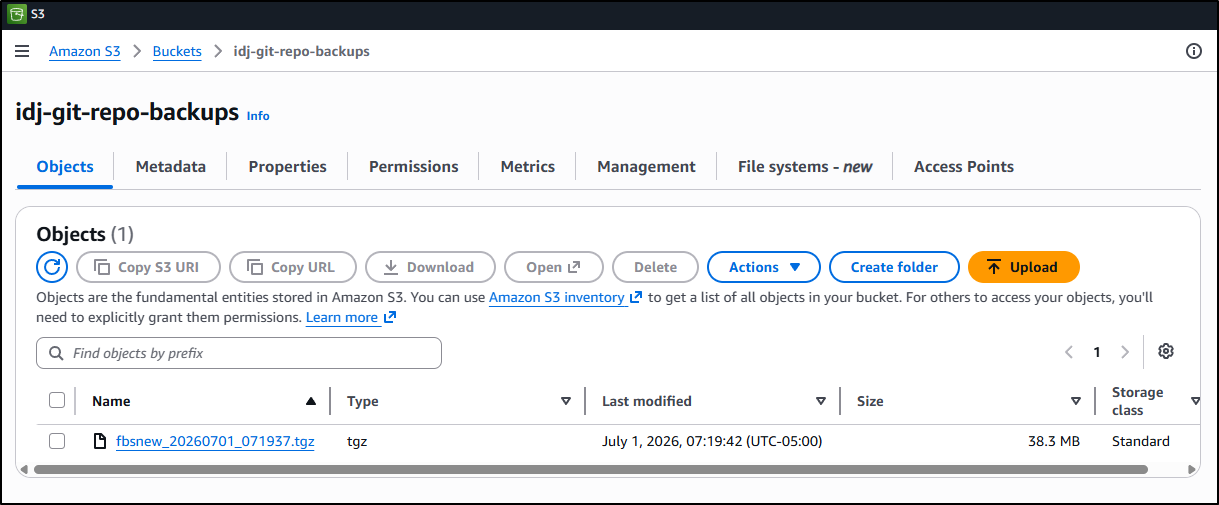
upload: ./fbsnew_20260701_071937.tgz to s3://idj-git-repo-backups/fbsnew_20260701_071937.tgz
And there it is:
I now create a quick Ansible playbook we can use to invoke this
$ cat backupGiteaRepo.yaml
- name: Backup Gitea to S3
  hosts: all

  tasks:
  - name: Transfer the script
    copy: src=backupGiteaRepo.sh dest=/tmp mode=0755

  # use ACTION=dryrun or ACTION=DOIT
  - name: Run the script
    ansible.builtin.shell: |
      ./backupGiteaRepo.sh {{ REPONAME }} {{ GITURL }} {{ BUCKETNAME }} {{ AWSKEYID }} {{ AWSKEYSEC }} {{ ACTION }}
    args:
      chdir: /tmp
I then pushed the change to my public Ansible Playbooks repo
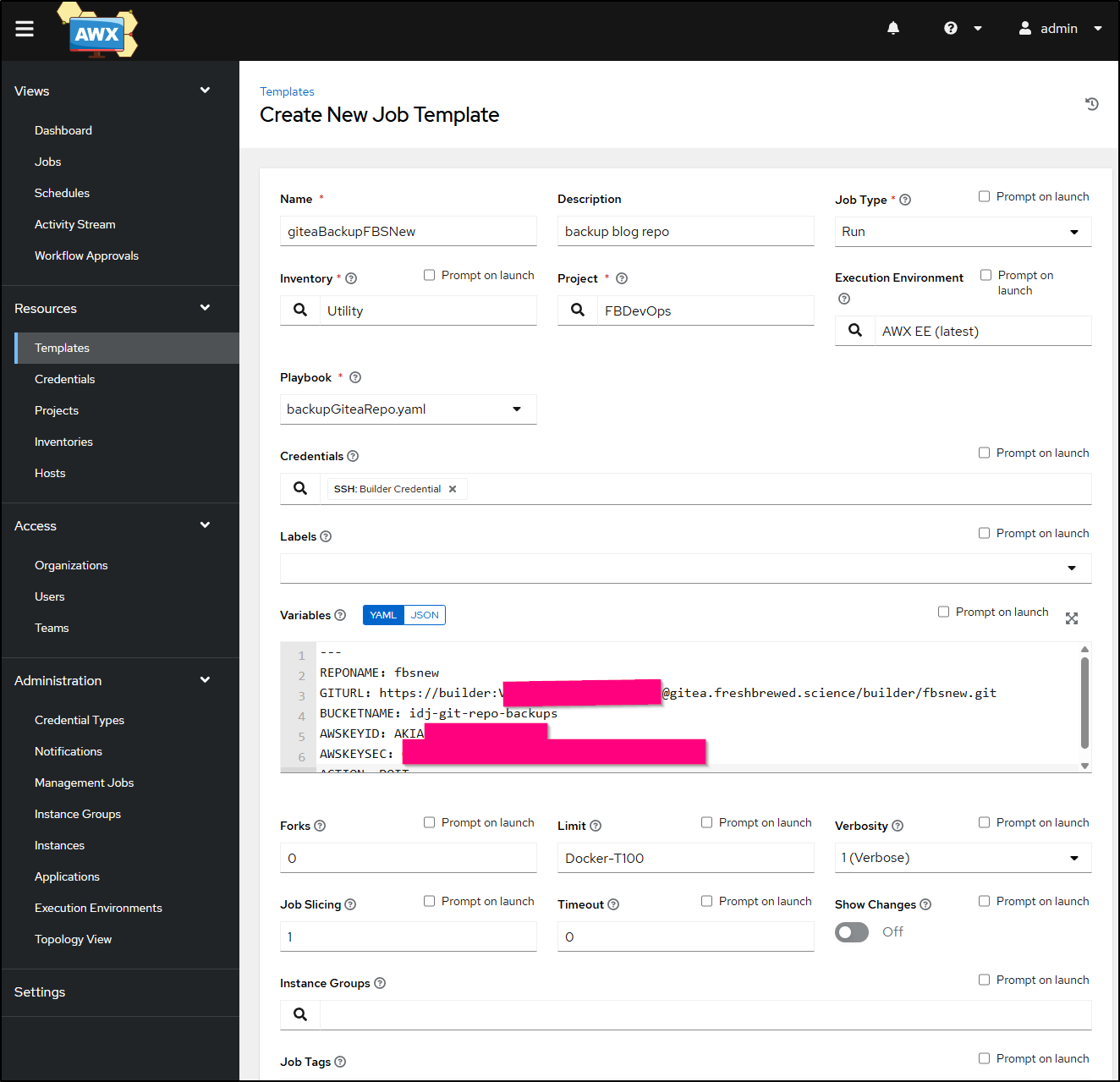
I can now sync the project and add a new Job template to use it. Note that I “Limit"ed it to the Builder-T100 hosts where i updated the AWS CLI. I also set verbosity to 1 for now just to see that it works
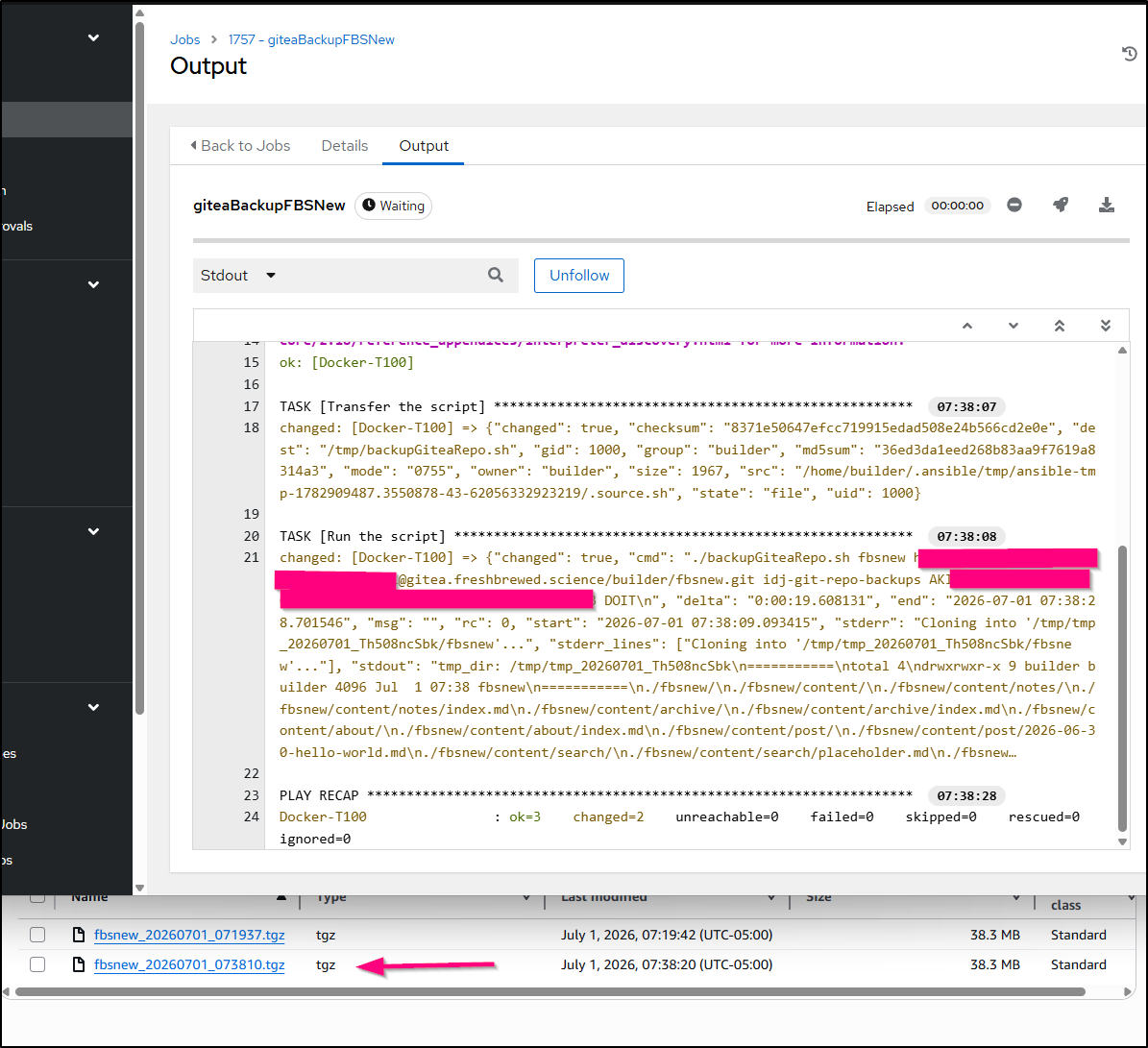
I can now launch it
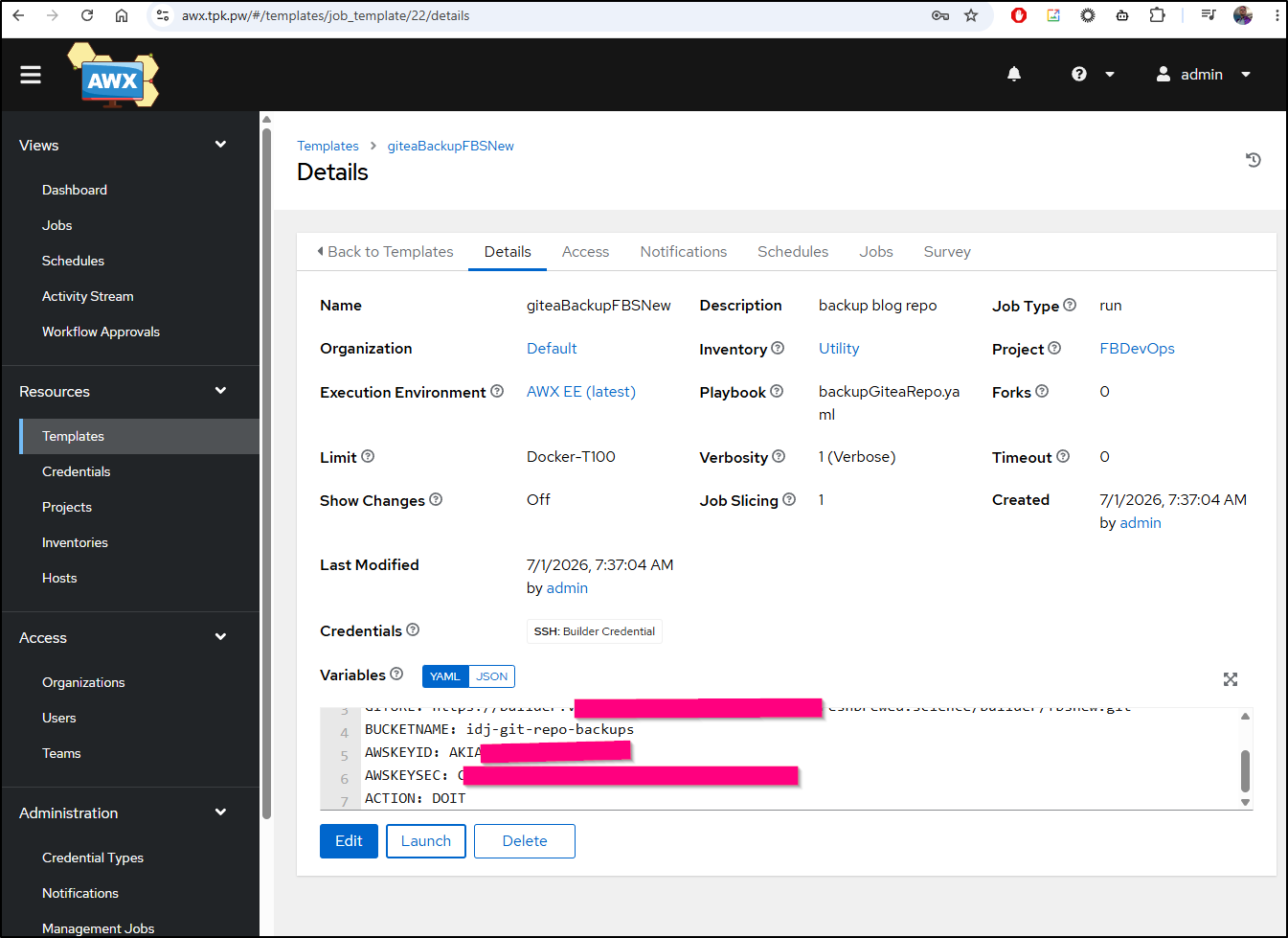
which worked great
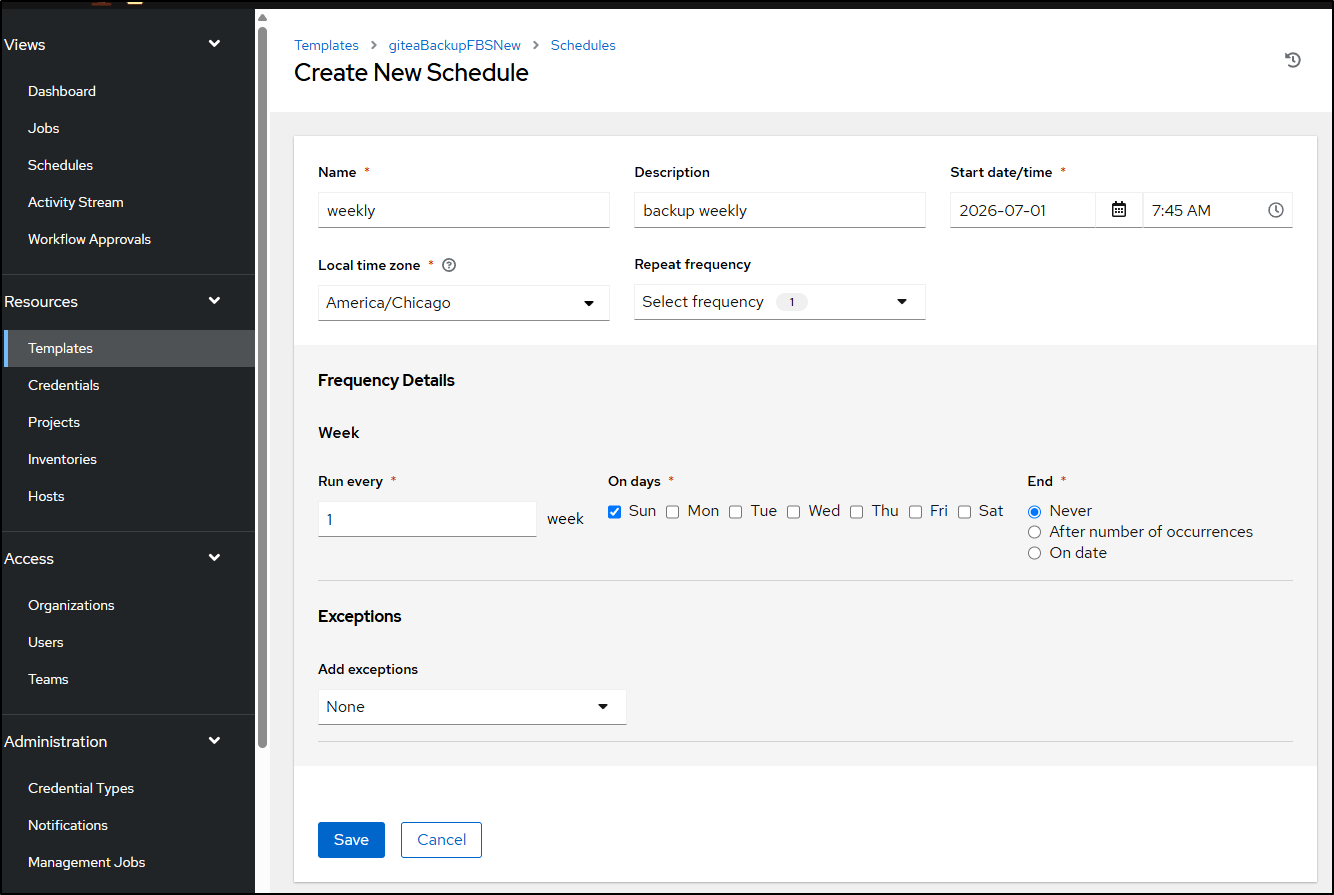
Lastly, I’ll just set up a weekly schedule to back this up to S3. I chose weekly because this is second level fail safe - that is, Gitea backs up to Forgejo non-stop as well as Gitlab. So if Gitea breaks, the I use Forgejo. But if my cluster is kaput, then I move to Gitlab. But only if Gitlab broke, or fell behind, do I then have S3 as my last backup location.
Now, perhaps you do not have AWX in your stack. There is no reason you can’t just take that bash script i used and either hard code the values or set them in a crontab invokation. I like playbooks because it helps me remember the steps and run on different hosts, but for something like this, I could see a person just using the crontab and being done with it.
e.g. sudo crontab -u builder -e (or just crontab -e)
0 2 * * * /home/builder/Workspaces/ansible-playbooks/backupGiteaRepo.sh fbsnew https://builder:password@gitea.freshbrewed.science/builder/fbsnew.git idj-git-repo-backups AKIXXXXXX "XXXXXXXXXXXXXXXXXXX" DOIT > /home/builder/lastbackupGiteaRepo.log 2>&1
GCP
Let’s use our new Prod account we made yesterday to mitigate the outage.
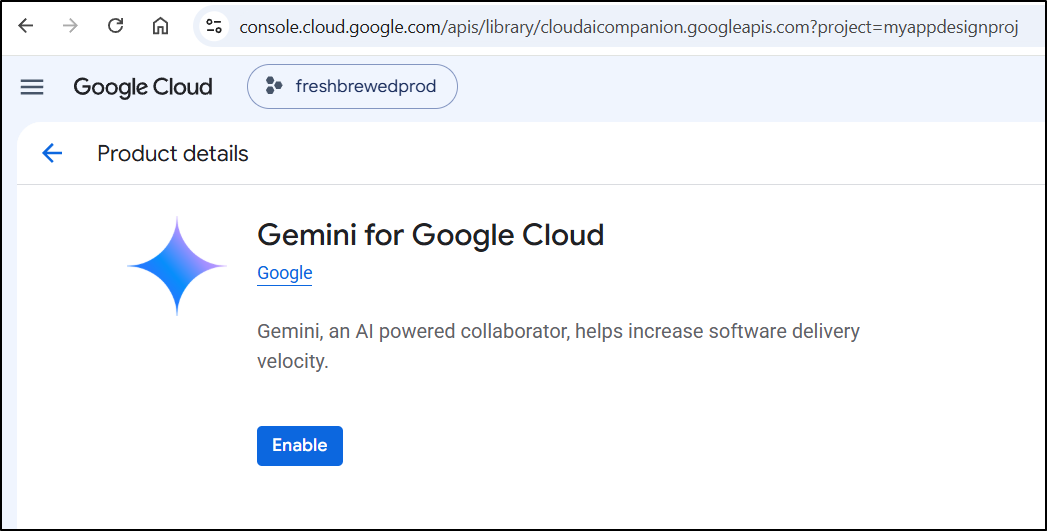
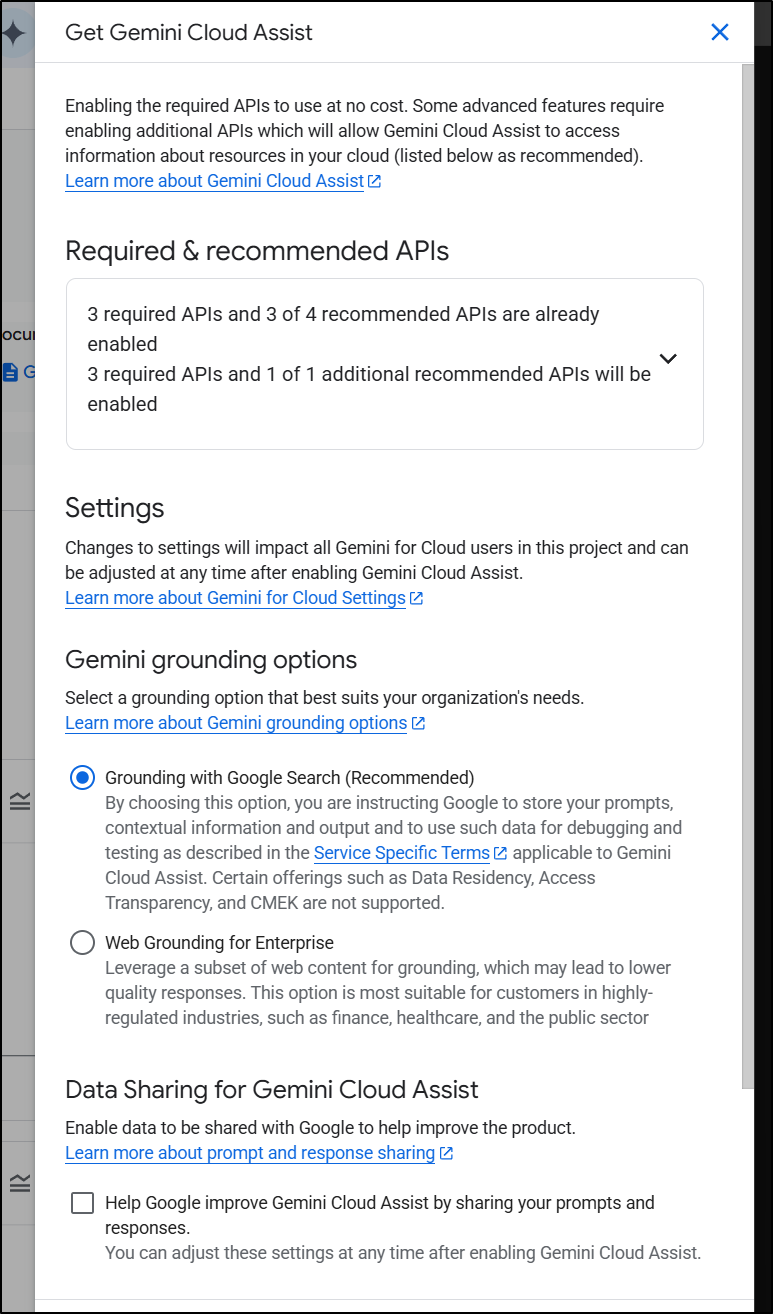
I like to use Gemini Cloud Assist to ask occasional questions of my GCP project. You need to enable it to use in the project at https://console.cloud.google.com/apis/library/cloudaicompanion.googleapis.com
Then you still need to enable it (after the API enablement)
Let’s start by creating an SA we’ll use to access buckets, “gitea-backup-sa”
$ gcloud iam service-accounts create gitea-backup-sa \
    --project=myappdesignproj \
    --display-name="Service Account for Gitea backups"
Created service account [gitea-backup-sa].
next, I want to have a lifecycle policy set for optimized savings:
$ cat ./lifecycle.json
{
  "rule": [
    {
      "action": {
        "type": "SetStorageClass",
        "storageClass": "NEARLINE"
      },
      "condition": {
        "age": 30,
        "matchesStorageClass": ["STANDARD"]
      }
    },
    {
      "action": {
        "type": "SetStorageClass",
        "storageClass": "COLDLINE"
      },
      "condition": {
        "age": 90,
        "matchesStorageClass": ["STANDARD", "NEARLINE"]
      }
    },
    {
      "action": {
        "type": "SetStorageClass",
        "storageClass": "ARCHIVE"
      },
      "condition": {
        "age": 365,
        "matchesStorageClass": ["STANDARD", "NEARLINE", "COLDLINE"]
      }
    }
  ]
}
Next, I’ll create a bucket for GIT backups
$ gcloud storage buckets create gs://idj-git-backups \
    --project=myappdesignproj \
    --location=us-central1 \
    --lifecycle-file=lifecycle.json
Creating gs://idj-git-backups/...
Next, I’ll add a policy for this SA that can admin objects on the bucket (if you wanted lesser privs, using roles/storage.objectUser would work)
$ gcloud storage buckets add-iam-policy-binding gs://idj-git-backups \
    --member="serviceAccount:gitea-backup-sa@myappdesignproj.iam.gserviceaccount.com" \
    --role="roles/storage.objectAdmin"
bindings:
- members:
  - projectEditor:myappdesignproj
  - projectOwner:myappdesignproj
  role: roles/storage.legacyBucketOwner
- members:
  - projectViewer:myappdesignproj
  role: roles/storage.legacyBucketReader
- members:
  - serviceAccount:gitea-backup-sa@myappdesignproj.iam.gserviceaccount.com
  role: roles/storage.objectAdmin
etag: CAI=
kind: storage#policy
resourceId: projects/_/buckets/idj-git-backups
version: 1
Next, I need to create an SA credentials JSON that can be used in an ansible job
$ gcloud iam service-accounts keys create credentials.json \
    --iam-account=gitea-backup-sa@myappdesignproj.iam.gserviceaccount.com
created key [75f5925614fce5f4d047df63e06d4be155586171] of type [json] as [credentials.json] for [gitea-backup-sa@myappdesignproj.iam.gserviceaccount.com]
I can now create a new AWX template and Script based off the AWS one:
builder@DESKTOP-QADGF36:~/Workspaces/ansible-playbooks$ cat backupGiteaRepoGCP.sh
#!/bin/bash

# Check if required arguments are provided
if [ $# -ne 5 ]; then
    echo "Usage: $0 <repo name> <repo to backup> <bucket> <base64 credentials JSON> <action: DRYRUN or DOIT>"
    echo "Example: $0 fbsnew git@gitea.freshbrewed.science:builder/fbsnew.git mytestbucket XXXXXX  DRYRUN"
    exit 1
fi

# On GIT Auth
# If using a git@URL ssh path, then we assume this host has a valid SSH key associated with that GIT repo, e.g. git@gitea.freshbrewed.science:builder/fbsnew.git
# If usingg HTTP URL, then pack the username/password in the URL, e.g. https://user:password@gitea.freshbrewed.science/builder/fbsnew.git

REPO_NAME="$1"
REPO_CLONE="$2"
BUCKET_NAME="$3"
GCPCREDS="$4"
ACTION="$5"

# Check if repo name directory exists
if [[ -z "$REPO_NAME" ]]; then
    echo "Error: Repo Name must be set"
    exit 1
fi

# Check if REPO_CLONE is a GIT or HTTP URL
if ! [[ "$REPO_CLONE" =~ ^(git@|http) ]]; then
    echo "Error: REPO_CLONE ($REPO_CLONE) must start with git@ or http"
    exit 1
fi

if [ "$ACTION" != "DRYRUN" ] && [ "$ACTION" != "DOIT" ]; then
        echo "Error: Action ($ACTION) must be either DRYRUN or DOIT"
    exit 1
fi

tmp_dir=`mktemp -d -t "tmp_$(date +%Y%m%d)_XXXXXXXXXX"`

echo "tmp_dir: $tmp_dir"

## Export and use credentials
echo $GCPCREDS | base64 --decode > "$tmp_dir/credentials.json"
gcloud auth activate-service-account --key-file="$tmp_dir/credentials.json"

export GIT_TERMINAL_PROMPT=0
export GIT_SSH_COMMAND="ssh -o BatchMode=yes -o StrictHostKeyChecking=accept-new"
git clone $REPO_CLONE $tmp_dir/$REPO_NAME
echo "==========="
ls -l $tmp_dir
echo "==========="

cd $tmp_dir
export DATESTR=`date +%Y%m%d_%H%M%S`
tar -czvf ./${REPO_NAME}_${DATESTR}.tgz ./${REPO_NAME}
ls -ltra


if [ "$ACTION" == "DRYRUN" ]; then
    echo "Dry run mode"
    echo "will copy with : aws s3 cp ./${REPO_NAME}_${DATESTR}.tgz s3://${BUCKET_NAME}/${REPO_NAME}_${DATESTR}.tgz"
fi

if [ "$ACTION" == "DOIT" ]; then
    echo "Do it mode"
    set +x
    gcloud storage cp ./${REPO_NAME}_${DATESTR}.tgz gs://${BUCKET_NAME}/${REPO_NAME}_${DATESTR}.tgz
fi

builder@DESKTOP-QADGF36:~/Workspaces/ansible-playbooks$ cat backupGiteaRepoGCP.yaml
- name: Backup Gitea to S3
  hosts: all

  tasks:
  - name: Transfer the script
    copy: src=backupGiteaRepoGCP.sh dest=/tmp mode=0755

  # use ACTION=dryrun or ACTION=DOIT
  - name: Run the script
    ansible.builtin.shell: |
      ./backupGiteaRepoGCP.sh {{ REPONAME }} {{ GITURL }} {{ BUCKETNAME }} {{ GCPSACRED }} {{ ACTION }}
    args:
      chdir: /tmp
Now I can add to AWX as a new template
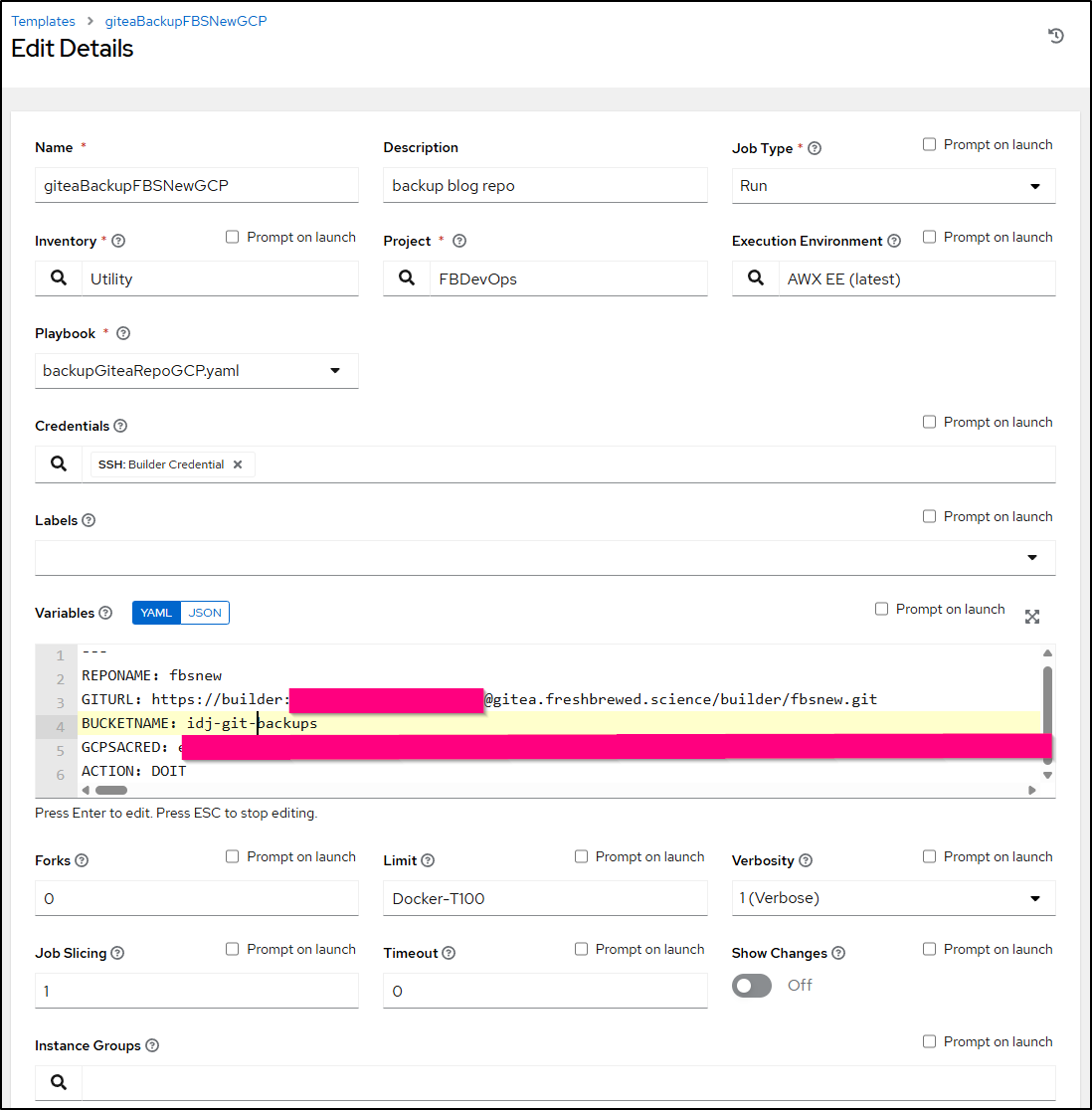
I made sure to update the gcloud binary on the target host
builder@builder-T100:~$ gcloud components update
Beginning update. This process may take several minutes.


Your current Google Cloud CLI version is: 490.0.0
You will be upgraded to version: 575.0.0

┌─────────────────────────────────────────────────────────────────────────────┐
│                      These components will be updated.                      │
├─────────────────────────────────────────────────────┬────────────┬──────────┤
│                         Name                        │  Version   │   Size   │
├─────────────────────────────────────────────────────┼────────────┼──────────┤
│ BigQuery Command Line Tool                          │     2.1.33 │  1.9 MiB │
│ BigQuery Command Line Tool (Platform Specific)      │     2.1.32 │  < 1 MiB │
│ Bundled Python 3.14 (Platform Specific)             │     3.14.5 │ 25.9 MiB │
│ Cloud Storage Command Line Tool                     │       5.37 │ 12.4 MiB │
│ Cloud Storage Command Line Tool (Platform Specific) │       5.37 │  < 1 MiB │
│ Google Cloud CLI Core Libraries                     │ 2026.06.26 │ 26.2 MiB │
│ Google Cloud CLI Core Libraries (Platform Specific) │ 2026.06.05 │  < 1 MiB │
│ Google Cloud CRC32C Hash Tool (Platform Specific)   │      1.0.0 │  1.5 MiB │
│ Kustomize (Platform Specific)                       │      5.7.1 │  5.5 MiB │
│ Log Streaming (Platform Specific)                   │      0.3.2 │ 18.7 MiB │
│ Terraform Tools (Platform Specific)                 │     0.12.3 │ 66.6 MiB │
│ gcloud cli dependencies                             │ 2026.06.22 │ 16.2 MiB │
└─────────────────────────────────────────────────────┴────────────┴──────────┘

A lot has changed since your last upgrade.  For the latest full release notes,
please visit:
  https://cloud.google.com/sdk/release_notes

Once started, canceling this operation may leave your SDK installation in an inconsistent state.

Do you want to continue (Y/n)?  Y

Performing in place update...

╔════════════════════════════════════════════════════════════╗
╠═ Downloading: BigQuery Command Line Tool                  ═╣
╠════════════════════════════════════════════════════════════╣
╠═ Downloading: BigQuery Command Line Tool (Platform Spe... ═╣
╠════════════════════════════════════════════════════════════╣
╠═ Downloading: Bundled Python 3.14 (Platform Specific)     ═╣
╠════════════════════════════════════════════════════════════╣
╠═ Downloading: Cloud Storage Command Line Tool             ═╣
╠════════════════════════════════════════════════════════════╣
╠═ Downloading: Cloud Storage Command Line Tool (Platfor... ═╣
╠════════════════════════════════════════════════════════════╣
╠═ Downloading: Google Cloud CLI Core Libraries             ═╣
╠════════════════════════════════════════════════════════════╣
╠═ Downloading: Google Cloud CLI Core Libraries (Platfor... ═╣
╠════════════════════════════════════════════════════════════╣
╠═ Downloading: Google Cloud CRC32C Hash Tool (Platform ... ═╣
╠════════════════════════════════════════════════════════════╣
╠═ Downloading: Kustomize (Platform Specific)               ═╣
╠════════════════════════════════════════════════════════════╣
╠═ Downloading: Log Streaming (Platform Specific)           ═╣
╠════════════════════════════════════════════════════════════╣
╠═ Downloading: Terraform Tools (Platform Specific)         ═╣
╠════════════════════════════════════════════════════════════╣
╠═ Downloading: gcloud cli dependencies                     ═╣
╠════════════════════════════════════════════════════════════╣
╠═ Uninstalling: BigQuery Command Line Tool                 ═╣
╠════════════════════════════════════════════════════════════╣
╠═ Uninstalling: BigQuery Command Line Tool (Platform Sp... ═╣
╠════════════════════════════════════════════════════════════╣
╠═ Uninstalling: Bundled Python 3.11 (Platform Specific)    ═╣
╠════════════════════════════════════════════════════════════╣
╠═ Uninstalling: Cloud Storage Command Line Tool            ═╣
╠════════════════════════════════════════════════════════════╣
╠═ Uninstalling: Cloud Storage Command Line Tool (Platfo... ═╣
╠════════════════════════════════════════════════════════════╣
╠═ Uninstalling: Google Cloud CLI Core Libraries            ═╣
╠════════════════════════════════════════════════════════════╣
╠═ Uninstalling: Google Cloud CLI Core Libraries (Platfo... ═╣
╠════════════════════════════════════════════════════════════╣
╠═ Uninstalling: Google Cloud CRC32C Hash Tool (Platform... ═╣
╠════════════════════════════════════════════════════════════╣
╠═ Uninstalling: Kustomize (Platform Specific)              ═╣
╠════════════════════════════════════════════════════════════╣
╠═ Uninstalling: Log Streaming (Platform Specific)          ═╣
╠════════════════════════════════════════════════════════════╣
╠═ Uninstalling: Terraform Tools (Platform Specific)        ═╣
╠════════════════════════════════════════════════════════════╣
╠═ Uninstalling: gcloud cli dependencies                    ═╣
╠════════════════════════════════════════════════════════════╣
╠═ Installing: BigQuery Command Line Tool                   ═╣
╠════════════════════════════════════════════════════════════╣
╠═ Installing: BigQuery Command Line Tool (Platform Spec... ═╣
╠════════════════════════════════════════════════════════════╣
╠═ Installing: Bundled Python 3.14 (Platform Specific)      ═╣
╠════════════════════════════════════════════════════════════╣
╠═ Installing: Cloud Storage Command Line Tool              ═╣
╠════════════════════════════════════════════════════════════╣
╠═ Installing: Cloud Storage Command Line Tool (Platform... ═╣
╠════════════════════════════════════════════════════════════╣
╠═ Installing: Google Cloud CLI Core Libraries              ═╣
╠════════════════════════════════════════════════════════════╣
╠═ Installing: Google Cloud CLI Core Libraries (Platform... ═╣
╠════════════════════════════════════════════════════════════╣
╠═ Installing: Google Cloud CRC32C Hash Tool (Platform S... ═╣
╠════════════════════════════════════════════════════════════╣
╠═ Installing: Kustomize (Platform Specific)                ═╣
╠════════════════════════════════════════════════════════════╣
╠═ Installing: Log Streaming (Platform Specific)            ═╣
╠════════════════════════════════════════════════════════════╣
╠═ Installing: Terraform Tools (Platform Specific)          ═╣
╠════════════════════════════════════════════════════════════╣
╠═ Installing: gcloud cli dependencies                      ═╣
╚════════════════════════════════════════════════════════════╝

Performing post processing steps...done.

Update done!

To revert your CLI to the previously installed version, you may run:
  $ gcloud components update --version 490.0.0
Then launched:
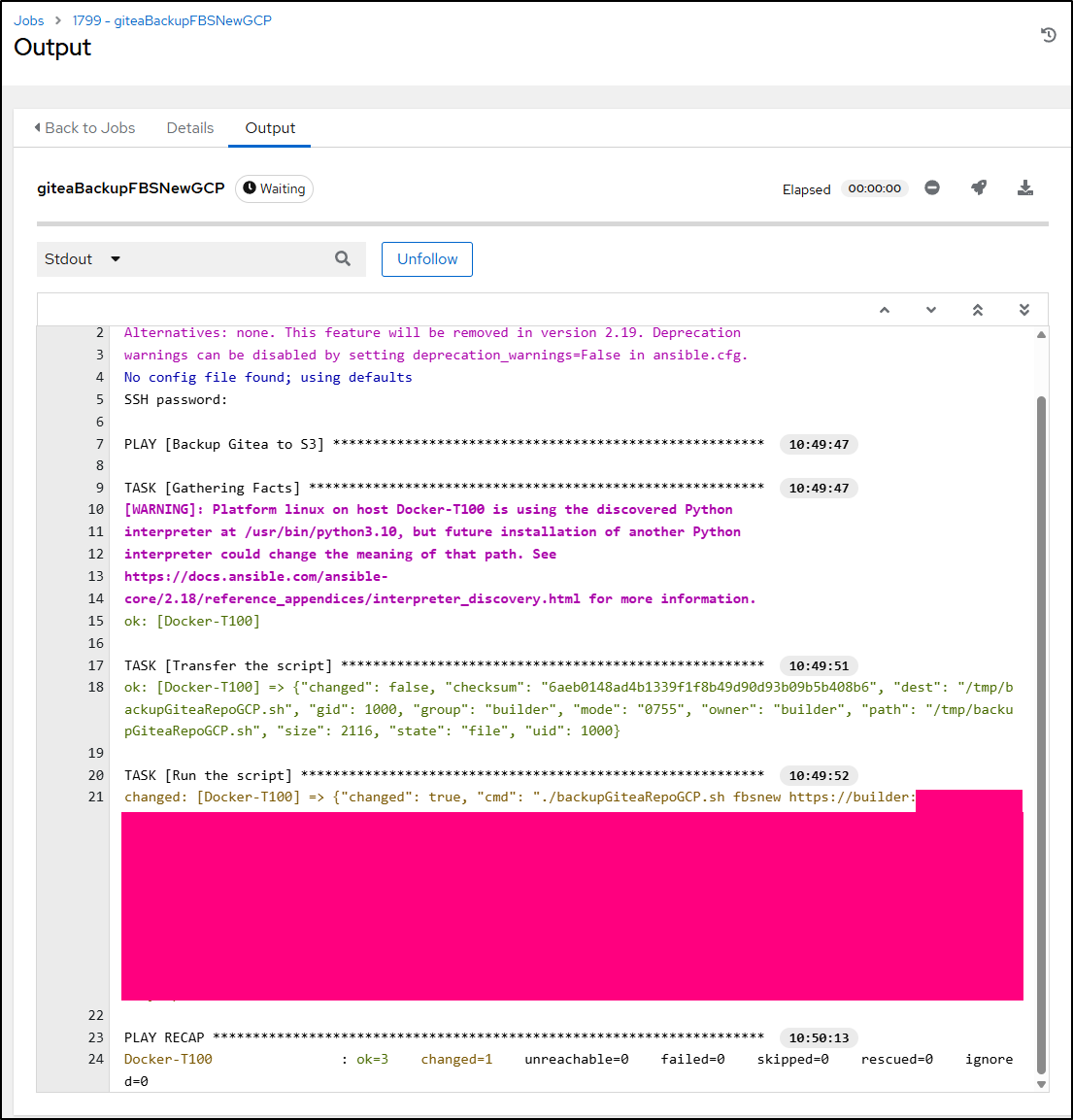
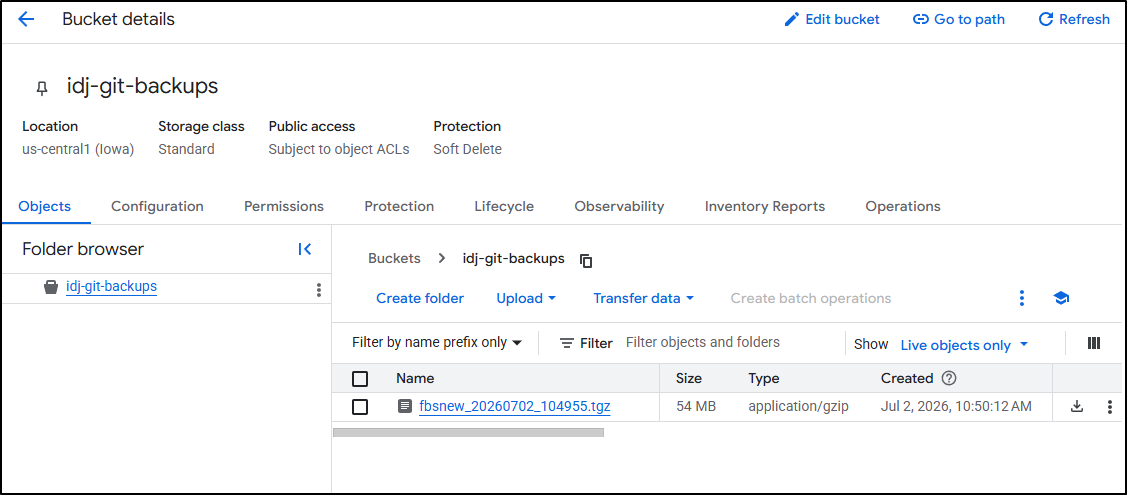
And I now have a backup we can see in the bucket
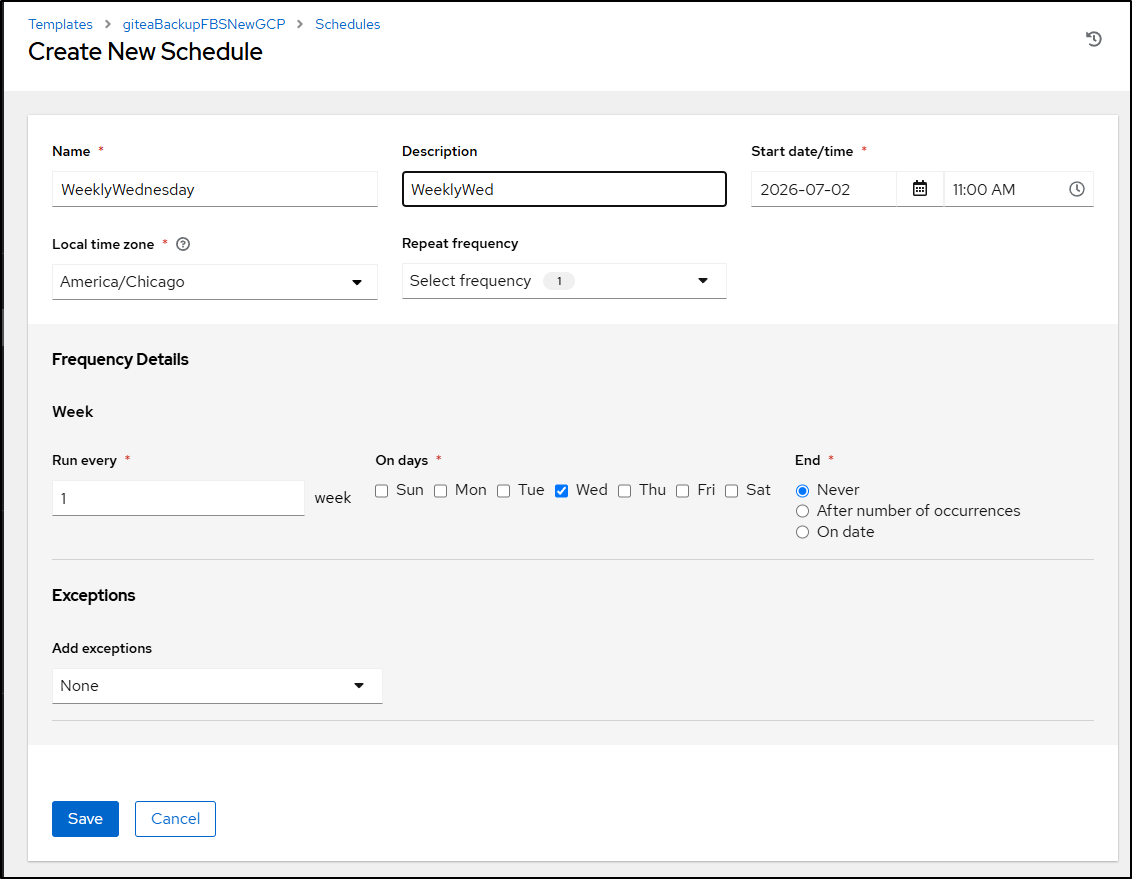
My last step will be to create a weekly Wednesday backup schedule on the template
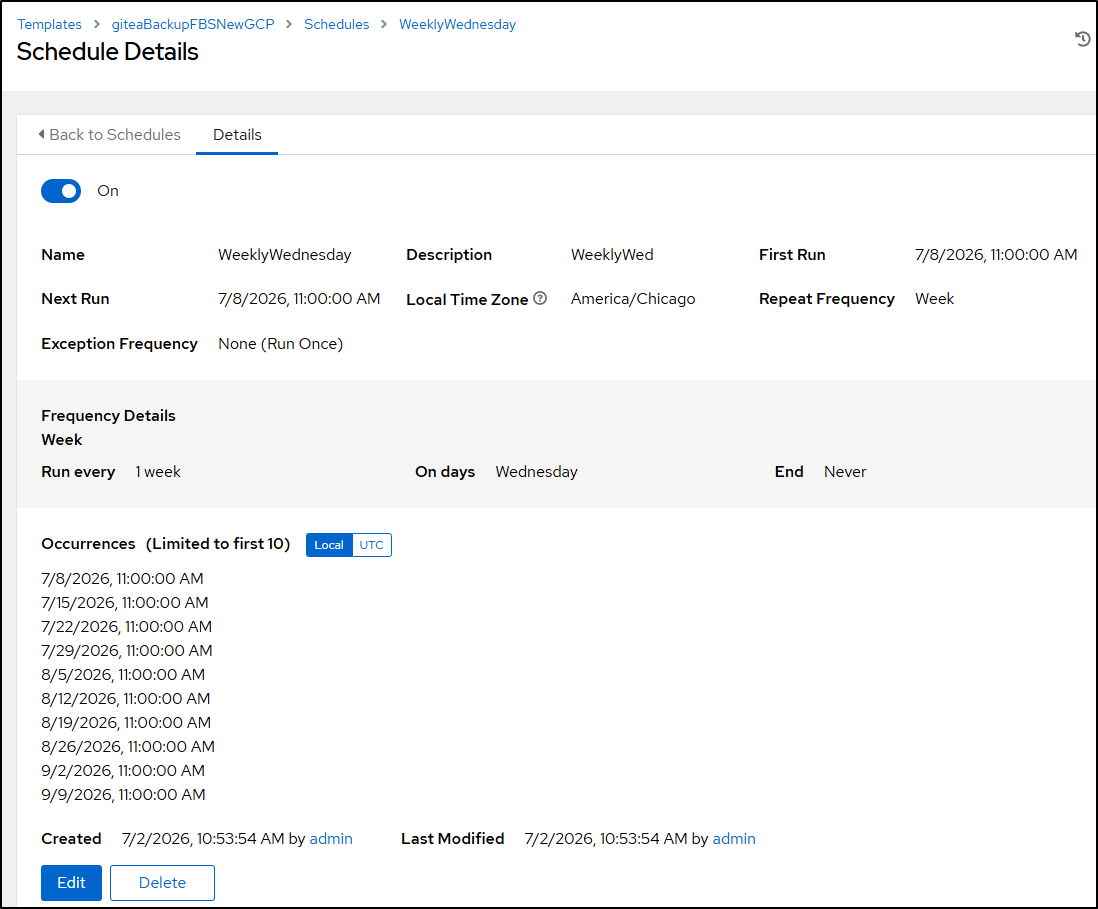
So now I’ll have GCP based backups scheduled as well as AWS
Gancio
I like Gancio, I do. However, my gancio keeps having sporadic outages
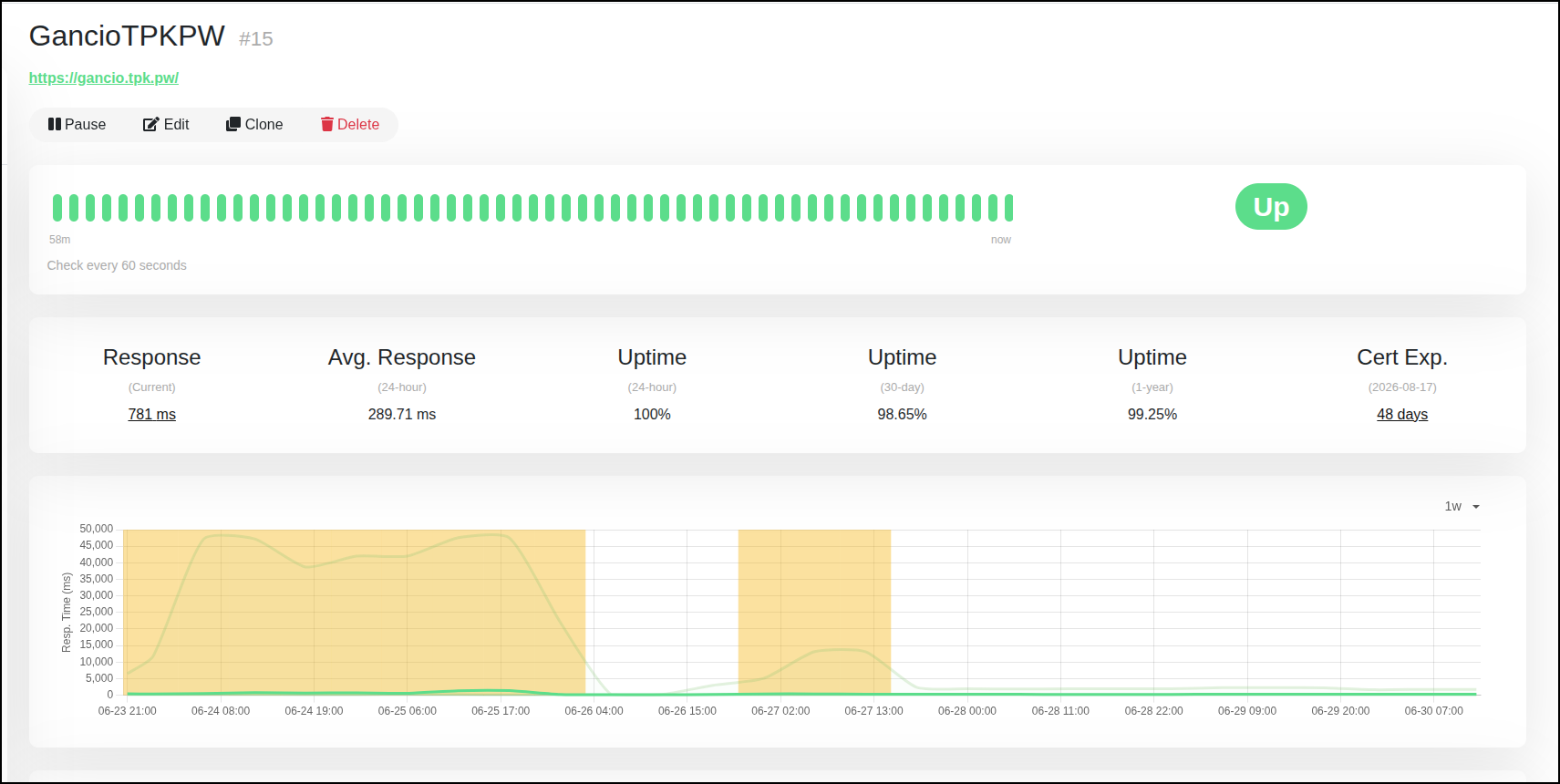
Most of my issues came from Kubernetes. I would have PVC issues with local-path. I moved that to NFS, but then there were times it just went out to lunch and my Nginx just wouldn’t route to the service. It could entirely be my fault, but I was growing tired of it. Well, specifically growing tired of 4am Pagerduty pages for it.
I already know from my moving my data from the local-path PVC to the new NFS one, the key data is in the DB file in the data dir
        volumeMounts:
        - mountPath: /home/node/data
          name: data2
      dnsPolicy: ClusterFirst
      restartPolicy: Always
      schedulerName: default-scheduler
      securityContext: {}
      terminationGracePeriodSeconds: 30
      volumes:
      - name: data2
        persistentVolumeClaim:
          claimName: gancio-data2-pvc
Here I can hop on a pod and see the files in the PVC
(base) builder@LuiGi:~/Workspaces/fbsnew$ kubectl exec -it gancio-ccbdcdf98-mcrgw -- /bin/sh
# cd /home/node/data
# ls
config.json  gancio.sqlite  logs  uploads
# ls uploads
11bd90dbab32956065f52bc84326fa1d.jpg  216c8aa4f86835345e68c04cc8c83704.jpg  2e76cd923830252f3a3a74708cf14a39.jpg  30411bf2f0881e1f07eb16d8f20c3fca.jpg  5460ed7ed8a18946c198b05f01bebfae.jpg  955dc01b650c33679a1e13063a379698.jpg  thumb
I’ll make a backup file
# tar -czvf backup.tgz ./config.json ./gancio.sqlite ./logs ./uploads
./config.json
./gancio.sqlite
./logs/
./logs/gancio.2026-06-21.log.gz
./logs/gancio.2026-06-22.log.gz
./logs/gancio.2026-06-23.log.gz
./logs/gancio.2026-06-24.log.gz
./logs/gancio.2026-06-25.log.gz
./logs/.997037450e37ebfcf06a1cd049e17e74899d3995-audit.json
./logs/gancio.2026-06-26.log.gz
./logs/gancio.2026-06-27.log.gz
./logs/gancio.2026-06-28.log.gz
./logs/gancio.2026-06-30.log
./logs/gancio.2026-06-29.log.gz
./logs/gancio.log
./uploads/
./uploads/955dc01b650c33679a1e13063a379698.jpg
./uploads/2e76cd923830252f3a3a74708cf14a39.jpg
./uploads/216c8aa4f86835345e68c04cc8c83704.jpg
./uploads/thumb/
./uploads/thumb/216c8aa4f86835345e68c04cc8c83704.jpg
./uploads/thumb/30411bf2f0881e1f07eb16d8f20c3fca.jpg
./uploads/thumb/5460ed7ed8a18946c198b05f01bebfae.jpg
./uploads/thumb/2e76cd923830252f3a3a74708cf14a39.jpg
./uploads/thumb/955dc01b650c33679a1e13063a379698.jpg
./uploads/thumb/11bd90dbab32956065f52bc84326fa1d.jpg
./uploads/30411bf2f0881e1f07eb16d8f20c3fca.jpg
./uploads/5460ed7ed8a18946c198b05f01bebfae.jpg
./uploads/11bd90dbab32956065f52bc84326fa1d.jpg
I can now pull that down locally
(base) builder@LuiGi:~/Workspaces/fbsnew$ kubectl cp gancio-ccbdcdf98-mcrgw:/home/node/data/backup.tgz ./gancio-backup.tgz
tar: Removing leading `/' from member names
(base) builder@LuiGi:~/Workspaces/fbsnew$ ls -ltra | tail -n2
drwxrwxr-x 13 builder builder   4096 Jun 30 18:51 .
-rw-rw-r--  1 builder builder 590764 Jun 30 18:51 gancio-backup.tgz
I’ll use zipline to bring the file over to the dockerhost easily and expand into a new data dir
builder@builder-T100:~$ mkdir gancio
builder@builder-T100:~$ cd gancio/
builder@builder-T100:~/gancio$ mkdir data
builder@builder-T100:~/gancio$ cd data/
builder@builder-T100:~/gancio/data$ wget https://zipline.tpk.pw/u/87bVSS.tgz
--2026-06-30 18:59:34--  https://zipline.tpk.pw/u/87bVSS.tgz
Resolving zipline.tpk.pw (zipline.tpk.pw)... 76.156.69.232
Connecting to zipline.tpk.pw (zipline.tpk.pw)|76.156.69.232|:443... connected.
HTTP request sent, awaiting response... 200 OK
Length: 590764 (577K) [application/gzip]
Saving to: ‘87bVSS.tgz’

87bVSS.tgz                                          100%[==================================================================================================================>] 576.92K  --.-KB/s    in 0.01s

2026-06-30 18:59:34 (50.1 MB/s) - ‘87bVSS.tgz’ saved [590764/590764]

builder@builder-T100:~/gancio/data$ tar -xzvf 87bVSS.tgz
./config.json
./gancio.sqlite
./logs/
./logs/gancio.2026-06-21.log.gz
./logs/gancio.2026-06-22.log.gz
./logs/gancio.2026-06-23.log.gz
./logs/gancio.2026-06-24.log.gz
./logs/gancio.2026-06-25.log.gz
./logs/.997037450e37ebfcf06a1cd049e17e74899d3995-audit.json
./logs/gancio.2026-06-26.log.gz
./logs/gancio.2026-06-27.log.gz
./logs/gancio.2026-06-28.log.gz
./logs/gancio.2026-06-30.log
./logs/gancio.2026-06-29.log.gz
./logs/gancio.log
./uploads/
./uploads/955dc01b650c33679a1e13063a379698.jpg
./uploads/2e76cd923830252f3a3a74708cf14a39.jpg
./uploads/216c8aa4f86835345e68c04cc8c83704.jpg
./uploads/thumb/
./uploads/thumb/216c8aa4f86835345e68c04cc8c83704.jpg
./uploads/thumb/30411bf2f0881e1f07eb16d8f20c3fca.jpg
./uploads/thumb/5460ed7ed8a18946c198b05f01bebfae.jpg
./uploads/thumb/2e76cd923830252f3a3a74708cf14a39.jpg
./uploads/thumb/955dc01b650c33679a1e13063a379698.jpg
./uploads/thumb/11bd90dbab32956065f52bc84326fa1d.jpg
./uploads/30411bf2f0881e1f07eb16d8f20c3fca.jpg
./uploads/5460ed7ed8a18946c198b05f01bebfae.jpg
./uploads/11bd90dbab32956065f52bc84326fa1d.jpg
builder@builder-T100:~/gancio/data$
I can now try launching it. I’ll use the same pinned version as in K8s so the sqlite DB won’t need migrations
builder@builder-T100:~/gancio$ docker run -d -p 13120:13120 -v ./data:/app/data cisti/gancio:1.27.0
Unable to find image 'cisti/gancio:1.27.0' locally
1.27.0: Pulling from cisti/gancio
dad67da3f26b: Pull complete
f4d50efedfc3: Pull complete
dce1efe5dcc7: Pull complete
dfe145b807d3: Pull complete
eee71ccbe522: Pull complete
19e9835406eb: Pull complete
b5d81e9314e9: Pull complete
617d1c402cf5: Pull complete
Digest: sha256:f5f8a5c7d912be0f7f71af65b78c814b0d502ff1cb617f01ec24e47a37dc05a6
Status: Downloaded newer image for cisti/gancio:1.27.0
94e0181bc2d1dc4ded57eb0da325866682ce9ee7d75677907c7e9cfba61d27d8
Let’s now create a new service and matching endpoint so we can send traffic there
$ cat ./gancio-ext.yaml
apiVersion: v1
kind: Service
metadata:
  name: gancio-external-ip
spec:
  internalTrafficPolicy: Cluster
  ports:
  - name: ganciop
    port: 80
    protocol: TCP
    targetPort: 13120
  sessionAffinity: None
  type: ClusterIP
---
apiVersion: v1
kind: Endpoints
metadata:
  name: gancio-external-ip
subsets:
- addresses:
  - ip: 192.168.1.99
  ports:
  - name: ganciop
    port: 13120
    protocol: TCP


$ kubectl apply -f ./gancio-ext.yaml
service/gancio-external-ip created
endpoints/gancio-external-ip created
I can now edit the ingress to make sure traffic is routing there
$ kubectl edit ingress gancio
ingress.networking.k8s.io/gancio edited
$ kubectl get ingress gancio -o yaml | grep external
            name: gancio-external-ip
That doesn’t look good
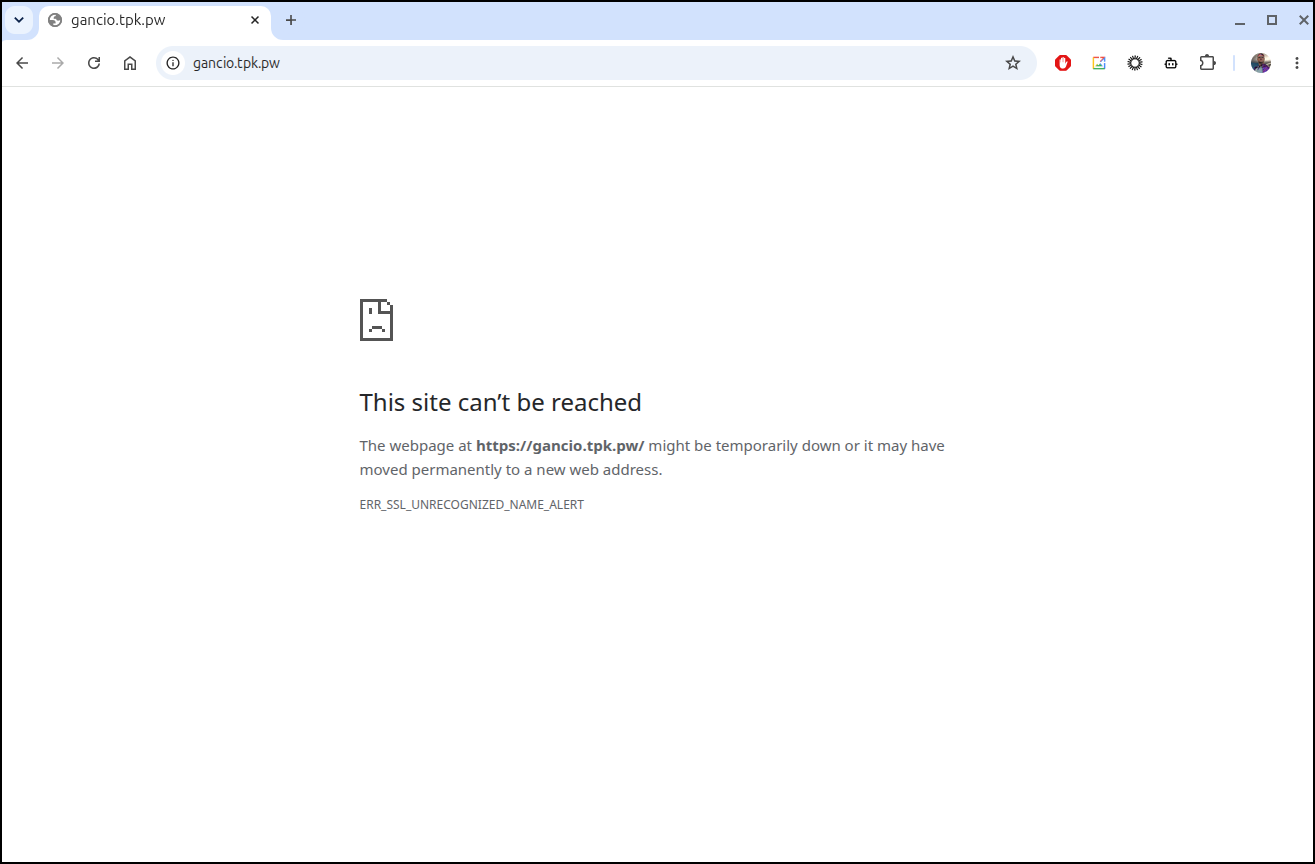
I quickly moved it back so i could debug
($ kubectl edit ingress gancio
ingress.networking.k8s.io/gancio edited
$ kubectl get ingress gancio -o yaml | grep name:
  name: gancio
            name: gancio
I tried a few things to get gancio to take the raw database but none really worked.
I ultimately ran a fresh setup:
$ docker run -d --name gancio -p 13120:13120 -v /home/builder/gancio/data2:/app/data -e GANCIO_DATA=/app/data -e NODE_ENV=production -e GANCIO_DB_DIALECT=sqlite -e GANCIO_DB_STORAGE=/app/data//gancio.sqlite -e GANCIO_PORT=13120 -e GANCIO_HOST=0.0.0.0 cisti/gancio:1.27.0
The other issue was just that the ingress was not refreshing.
I ultimately deleted it and recreated using a proper full routing to 13120
$ cat gancio-ext.yaml
apiVersion: v1
kind: Service
metadata:
  name: gancio-external-ip
spec:
  internalTrafficPolicy: Cluster
  ports:
  - name: ganciop
    port: 80
    protocol: TCP
    targetPort: 13120
  sessionAffinity: None
  type: ClusterIP
---
apiVersion: v1
kind: Endpoints
metadata:
  name: gancio-external-ip
subsets:
- addresses:
  - ip: 192.168.1.99
  ports:
  - name: ganciop
    port: 13120
    protocol: TCP

$ kubectl apply -f ./gancio-ext.yaml


$ cat ./gancio-ingress.yaml
apiVersion: networking.k8s.io/v1
kind: Ingress
metadata:
  annotations:
    cert-manager.io/cluster-issuer: azuredns-tpkpw
    ingress.kubernetes.io/ssl-redirect: "true"
    kubernetes.io/ingress.class: nginx
    kubernetes.io/tls-acme: "true"
    nginx.ingress.kubernetes.io/proxy-body-size: "0"
    nginx.ingress.kubernetes.io/proxy-read-timeout: "3600"
    nginx.ingress.kubernetes.io/proxy-send-timeout: "3600"
    nginx.ingress.kubernetes.io/ssl-redirect: "true"
    nginx.org/client-max-body-size: "0"
    nginx.org/proxy-connect-timeout: "3600"
    nginx.org/proxy-read-timeout: "3600"
    nginx.org/websocket-services: gancio-external-ip
  name: gancio-ingress
spec:
  rules:
  - host: gancio.tpk.pw
    http:
      paths:
      - backend:
          service:
            name: gancio-external-ip
            port:
              number: 13120
        path: /
        pathType: Prefix
  tls:
  - hosts:
    - gancio.tpk.pw
    secretName: gancio-tls
$ kubectl apply -f ./gancio-ingress.yaml
Warning: annotation "kubernetes.io/ingress.class" is deprecated, please use 'spec.ingressClassName' instead
ingress.networking.k8s.io/gancio-ingress created
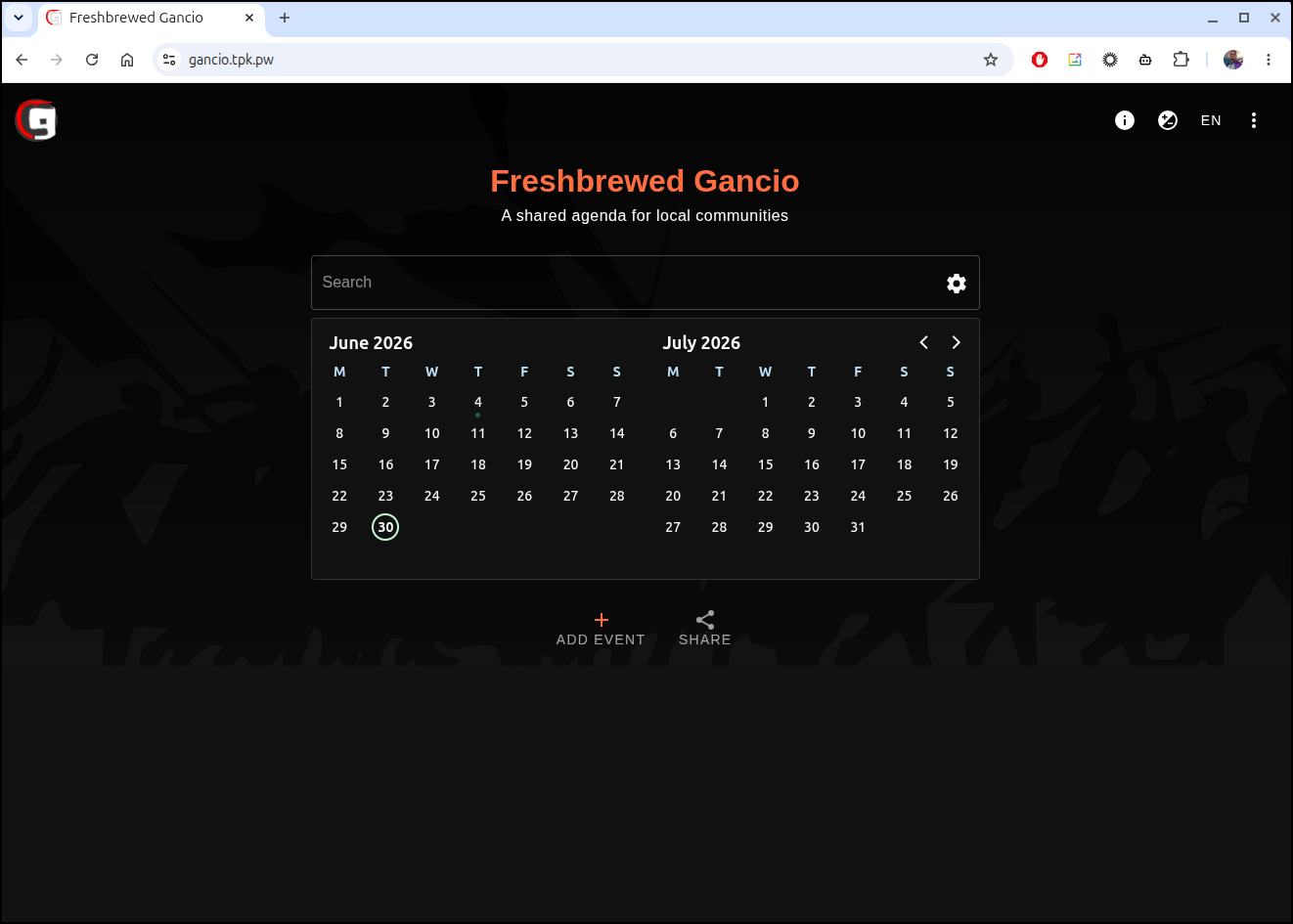
I have to accept I’ve lost my older entries in Gancio, but then again, Gancio is meant to be a forward looking app alerting people to places I’ll be speaking (or attending).
Dealing with the GCP project outage
Having been cut off from my main project for a day and having to redo everything in short order (see “Congrats, You’re suspended”), I now want to deal with any lingering tech debt.
So one area is to ditch Hosted Zones that are dead. I don’t need to data hoard everything.
I only use two registrars so seeing my list of active TLDs is pretty easy
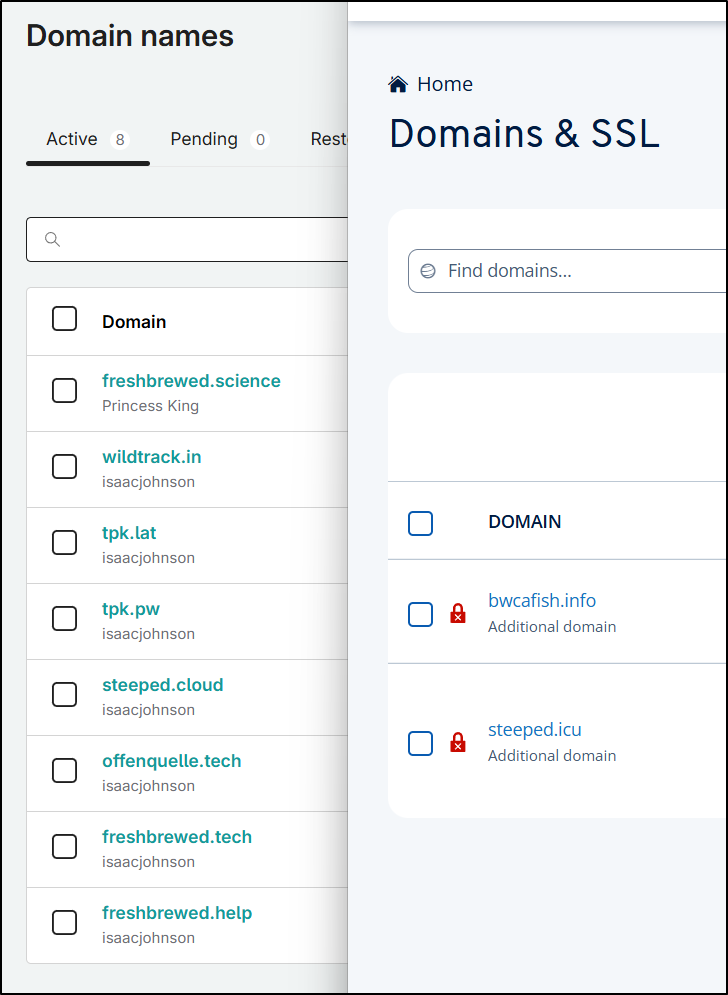
That means there are two defunct ones in GCP that can go away
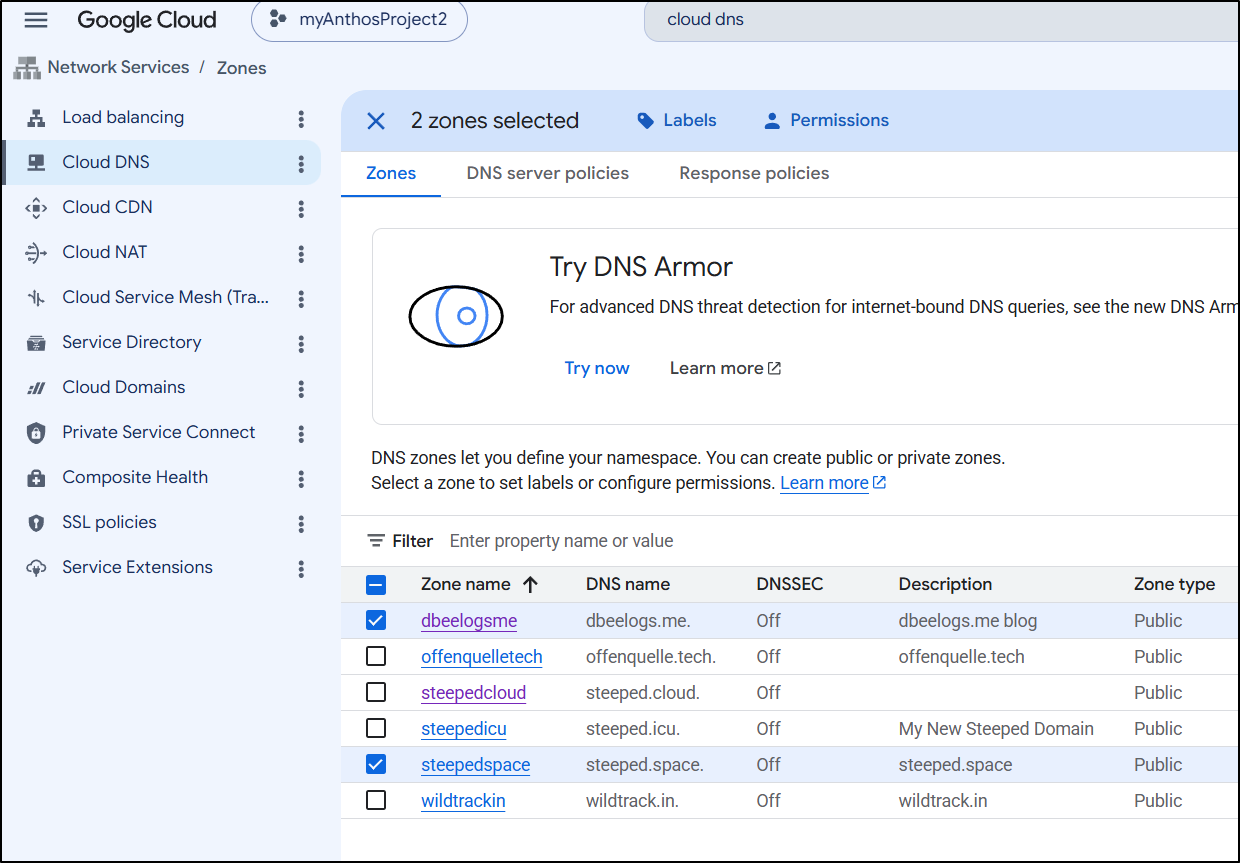
I can quickly dump those to a file just for safe keeping (in case i need to remember what they were)
builder@DESKTOP-QADGF36:~/Workspaces/jekyll-blog$ gcloud dns --project=myanthosproject2 record-sets list --zone="steepedspace" | tee steepedspace.dns.txt
NAME                        TYPE   TTL    DATA
steeped.space.              NS     21600  ns-cloud-a1.googledomains.com.,ns-cloud-a2.googledomains.com.,ns-cloud-a3.googledomains.com.,ns-cloud-a4.googledomains.com.
steeped.space.              SOA    21600  ns-cloud-a1.googledomains.com. cloud-dns-hostmaster.google.com. 1 21600 3600 259200 300
alerthub.steeped.space.     A      300    75.72.233.202
boltdiy.steeped.space.      A      300    75.72.233.202
boltfit.steeped.space.      A      300    75.72.233.202
bskyposter.steeped.space.   A      300    75.72.233.202
bwcafish.steeped.space.     A      300    75.72.233.202
commafeed.steeped.space.    A      300    75.72.233.202
easyappt.steeped.space.     A      300    75.72.233.202
favicon.steeped.space.      A      300    75.72.233.202
fb.steeped.space.           CNAME  300    freshbrewed.science.
filegator.steeped.space.    A      300    75.72.233.202
filegator2.steeped.space.   A      300    75.72.233.202
fmr.steeped.space.          A      300    75.72.233.202
fms.steeped.space.          A      300    75.72.233.202
goldilocks.steeped.space.   A      300    75.72.233.202
harbor.steeped.space.       CNAME  300    harbor.freshbrewed.science.
medama.steeped.space.       A      300    75.72.233.202
mystatus.steeped.space.     CNAME  300    cachetfunction-q5jg7qcghq-uc.a.run.app.
nextterm.steeped.space.     A      300    75.72.233.202
patientsmvc.steeped.space.  A      300    75.72.233.202
pdfding.steeped.space.      A      300    75.72.233.202
pingvin.steeped.space.      A      300    75.72.233.202
rustpad.steeped.space.      A      300    75.72.233.202
rustypaste.steeped.space.   A      300    75.72.233.202
shiori.steeped.space.       A      300    75.72.233.202
spacedeck.steeped.space.    A      300    75.72.233.202
status.steeped.space.       A      300    35.241.26.202
testing123.steeped.space.   A      300    75.72.233.202
testing5.steeped.space.     A      300    34.49.221.120
vikunja.steeped.space.      A      300    75.72.233.202
www.steeped.space.          A      300    34.54.220.77
builder@DESKTOP-QADGF36:~/Workspaces/jekyll-blog$ gcloud dns --project=myanthosproject2 record-sets list --zone="dbeelogsme" | tee dbeelogsme.dns.txt
NAME                                               TYPE   TTL    DATA
dbeelogs.me.                                       NS     21600  ns-cloud-a1.googledomains.com.,ns-cloud-a2.googledomains.com.,ns-cloud-a3.googledomains.com.,ns-cloud-a4.googledomains.com.
dbeelogs.me.                                       SOA    21600  ns-cloud-a1.googledomains.com. cloud-dns-hostmaster.google.com. 1 21600 3600 259200 300
_acme-challenge_2zwelbccrsm3gi43.www.dbeelogs.me.  CNAME  300    a3bbaf75-dd32-43a0-812c-69a450e4a9c2.2.us-central1.authorize.certificatemanager.goog.
GCP Cloud DNS requires you to empty the HZ before you delete it
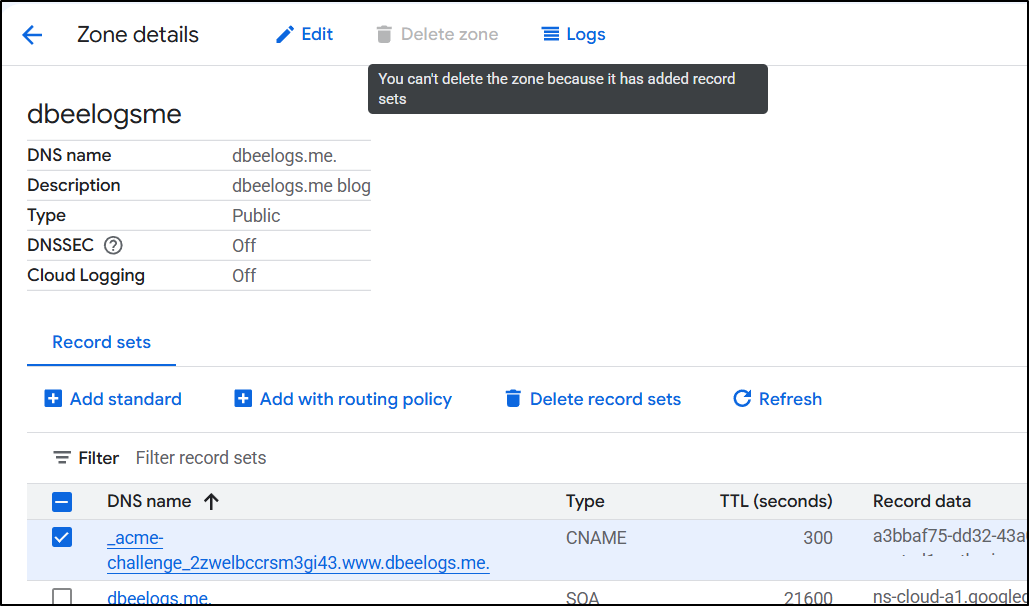
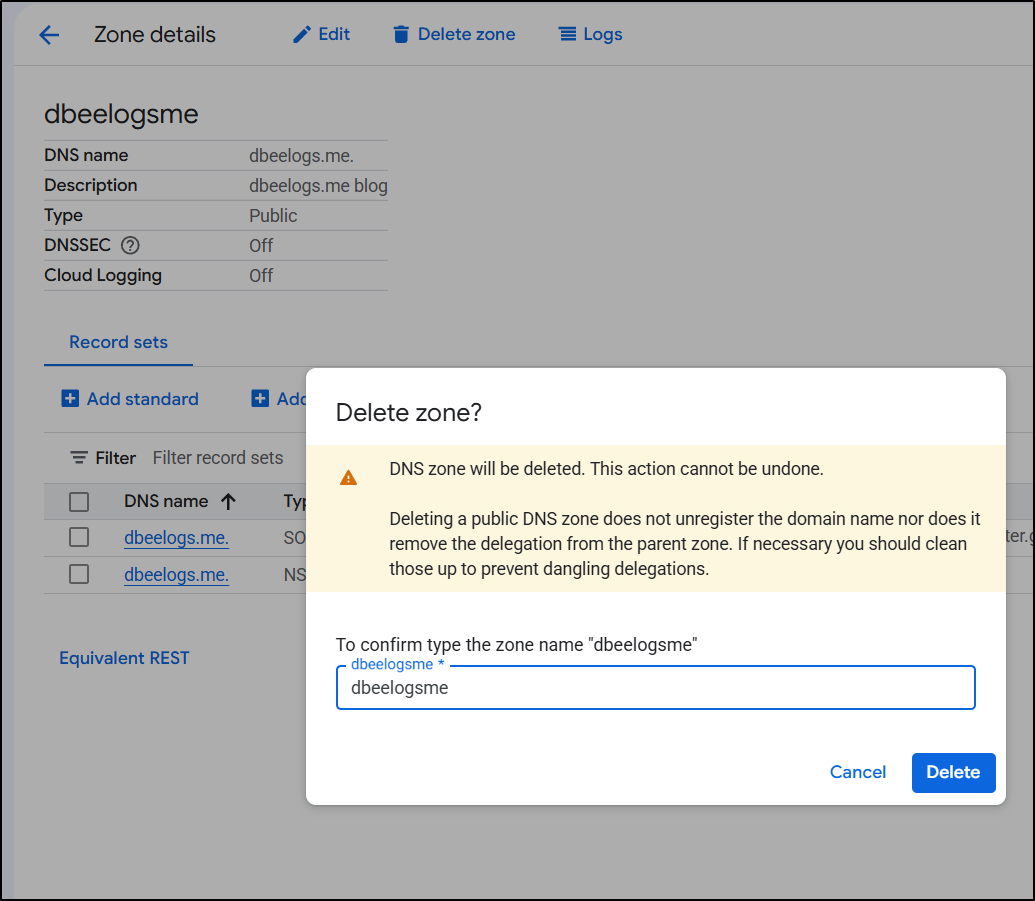
But once emptied you can just delete
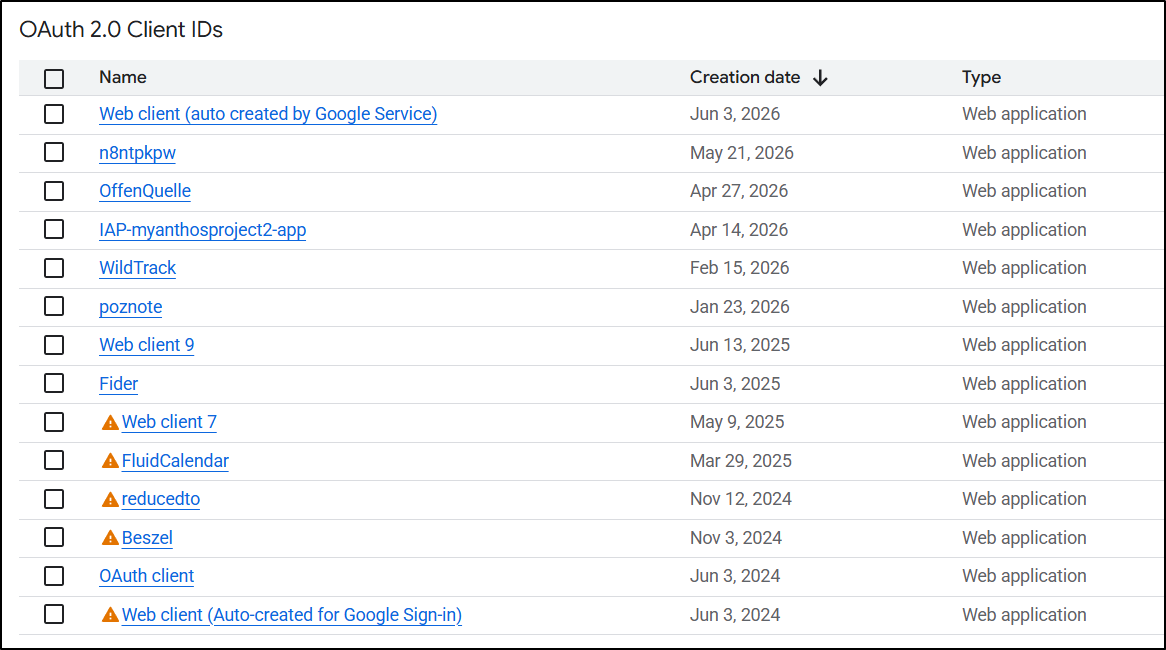
I also went through to remove old OAuth2 creds
Summary
Today we covered a few things - we handled syncing our new blog repo (this) to Gitlab and then creating full backups that are sent weekly to AWS and GCP storage - both with proper lifecycle policies set. This means the blog is stored (outside of local clones) in 4 places - Gitea, Forgejo, S3 and GCP storage buckets. I now feel much safer with my DR strategy.
Next we talked about Gancio, which was failing. I moved it to Docker and fronted it with Kubernetes. This has eliminated some churn but honestly this app sometimes just gets bogged down. I might need to consider alternatives for calendaring.
Lastly, after that bad day last week with my GCP account going down (they did restore it in a day and I’m pretty sure it was caused by Gemini Cloud Assist and Cloud Code extensions in VS Code - I’ve since removed both), I needed to do some cleanup. After confirming I didn’t need some older OAuth creds and high privileged API key, I removed them. I also confirmed, then removed expired Hosted Zones from Cloud DNS.