I noticed recently that I was getting billed $2.50 monthly for IONOS for “DNS Pro”. Seems this is a mandatory add-in on domains and I only discovered it when a payment was rejected and I was pinged about it in email.
So these cheap domains IONOS provides really aren’t when you figure you’ll get bilked for $2.50/month ($30/year) to just exist - I wasn’t even using their DNS (all external).
The other topic I’ll cover is TLS certs for when you do change DNS providers and neglect to update your clusterissuer, or you goof up your zone entries. We’ll figure this out together, no worries.
Let’s start with moving Domains out of IONOS
DNS moves and Certs
So I moved my domains and then this morning I saw a problem:
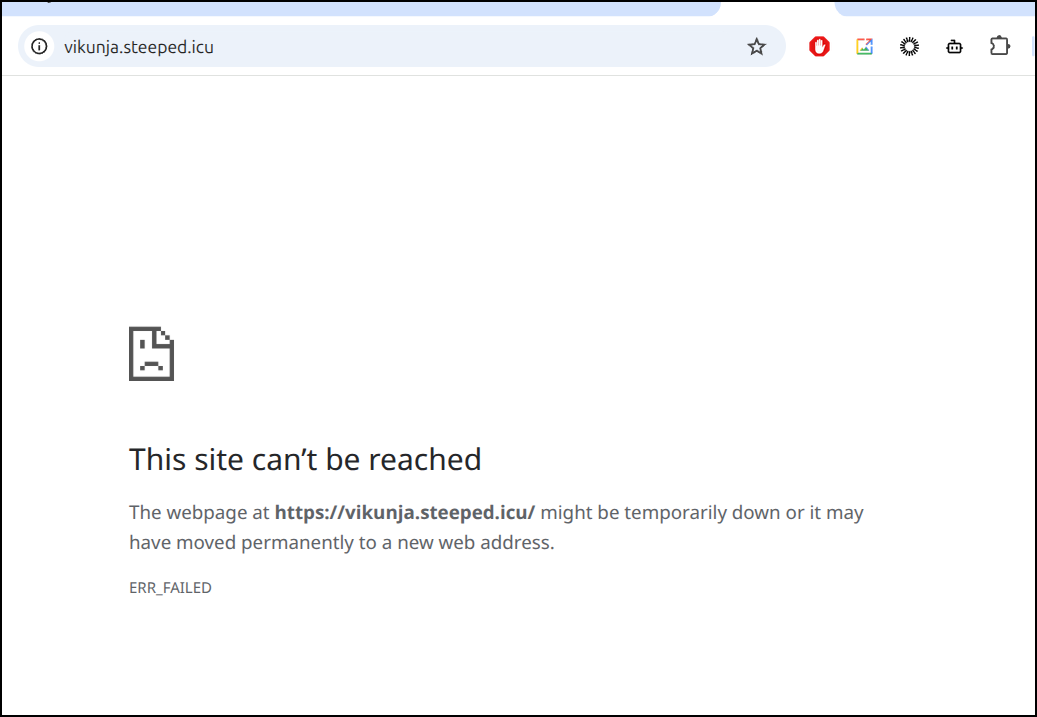
Going to https://vikunja.steeped.icu/ showed an error in Chrome
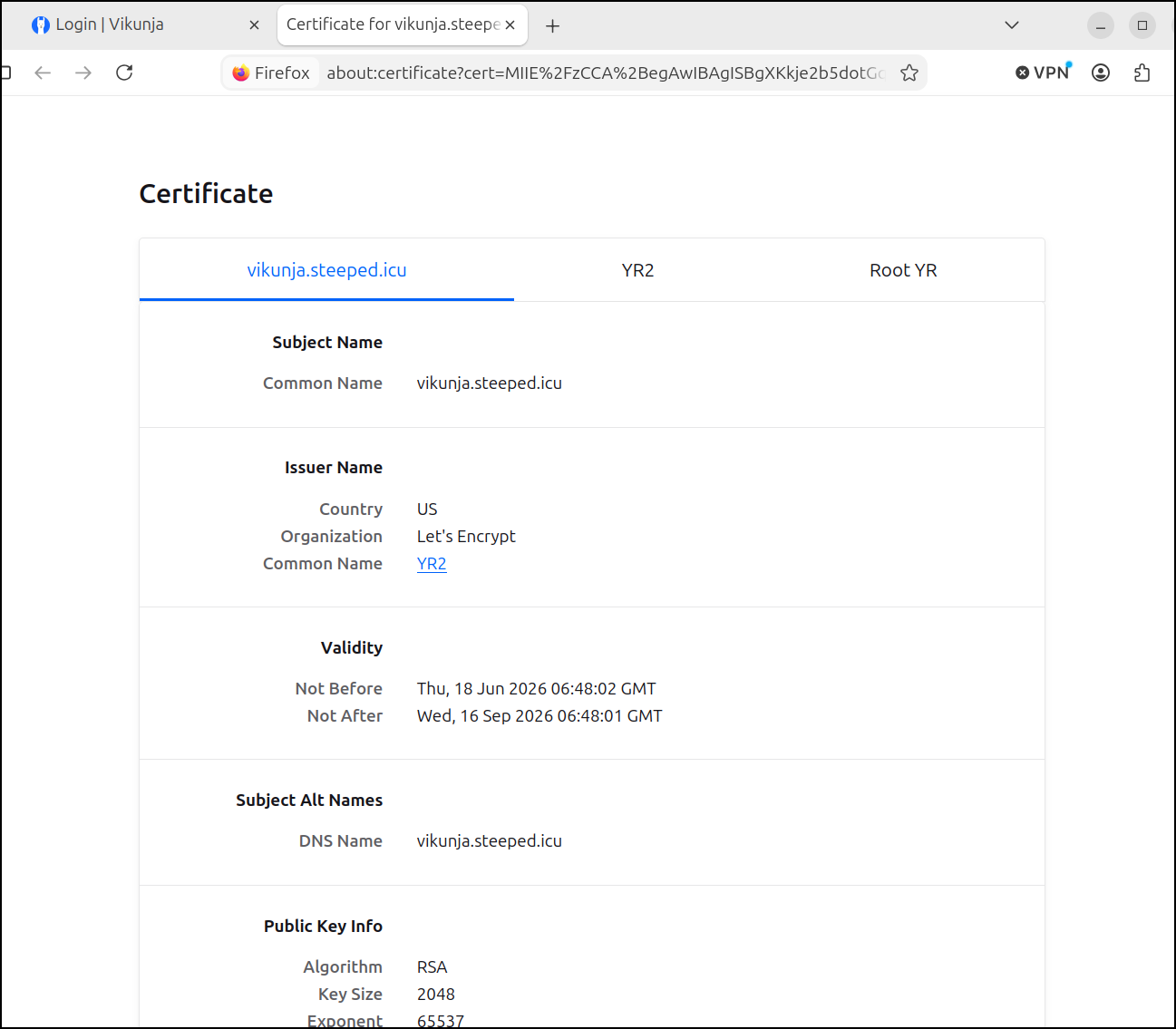
Firefox let me in, but noted the Cert was bad. I figured maybe I flummoxed a cert value on an ingress or something, but no, it just had expired the day or so prior
Checking Kubernetes, the cert for steeped.icu (and the old one for steeped.space i let go) show False for “Ready” - that is, they are not renewing
$ kubectl get cert -A | grep viku
default                 vikunja-tls                                    False   vikunja-tls                                    587d
default                 vikunjaicu-tls                                 False   vikunjaicu-tls                                 78d
Cluster Issuer challenges
Here we see the underlying issue (from a kubectl describe cert vikunjaicu-tls command) is that the ClusterIssuer is wrong.
When I felt IONOS was being bad, I transferred my domain over to Gandi. But I never actually changed the ClusterIssuer
Status:
  Conditions:
    Last Transition Time:        2026-07-01T21:09:55Z
    Message:                     Issuing certificate as Secret was previously issued by "ClusterIssuer.cert-manager.io/gcpleprod2"
    Observed Generation:         1
    Reason:                      IncorrectIssuer
    Status:                      False
    Type:                        Ready
    Last Transition Time:        2026-07-01T21:09:55Z
    Message:                     Issuing certificate as Secret was previously issued by "ClusterIssuer.cert-manager.io/gcpleprod2"
    Observed Generation:         1
    Reason:                      IncorrectIssuer
    Status:                      True
    Type:                        Issuing
  Next Private Key Secret Name:  vikunjaicu-tls-p5bnd
  Not After:                     2026-09-16T06:48:01Z
  Not Before:                    2026-06-18T06:48:02Z
  Renewal Time:                  2026-08-17T06:48:01Z
Events:                          <none>
Let’s check our ingress
$ kubectl get ingress vikunjaingress2 -o yaml | grep cluster | head -n 1
    cert-manager.io/cluster-issuer: gcp-freshbrewedprod
That is odd - GCP should work. Gandi is the new domain registrar and the external DNSes are ns-cloud-a1.googledomains.com to ns-cloud-a4.googledomains.com (albeit in wrong order). that matches the SOAin Cloud DNS

The project is correct on the ClusterIssuer
$ kubectl get clusterissuer gcp-freshbrewedprod -o yaml | tail -n 27
spec:
  acme:
    email: isaac.johnson@gmail.com
    privateKeySecretRef:
      name: gcp-freshbrewedprod
    server: https://acme-v02.api.letsencrypt.org/directory
    solvers:
    - dns01:
        cloudDNS:
          project: myappdesignproj
          serviceAccountSecretRef:
            key: gcpsakey.json
            name: clouddns-dns01-solver-prod-svc-acct
      selector:
        dnsZones:
        - steepedicu
status:
  acme:
    lastPrivateKeyHash: Cb25nKTFE0wFKGGl+/AhzD67mSp9YNjazgELI+D7T88=
    lastRegisteredEmail: isaac.johnson@gmail.com
  conditions:
  - lastTransitionTime: "2026-09-03T16:00:48Z"
    message: The ACME account was registered with the ACME server
    observedGeneration: 1
    reason: ACMEAccountRegistered
    status: "True"
    type: Ready
And that has the correct account
$ kubectl get secret clouddns-dns01-solver-prod-svc-acct -n cert-manager -o json | jq -r '.data.["gcpsakey.json"]' | base64 --decode | grep client_email
  "client_email": "dns01-solver@myappdesignproj.iam.gserviceaccount.com",
I quick search on “IncorrectIssuer” which is the error we saw in the cert was possibly an old mismatch on issuers
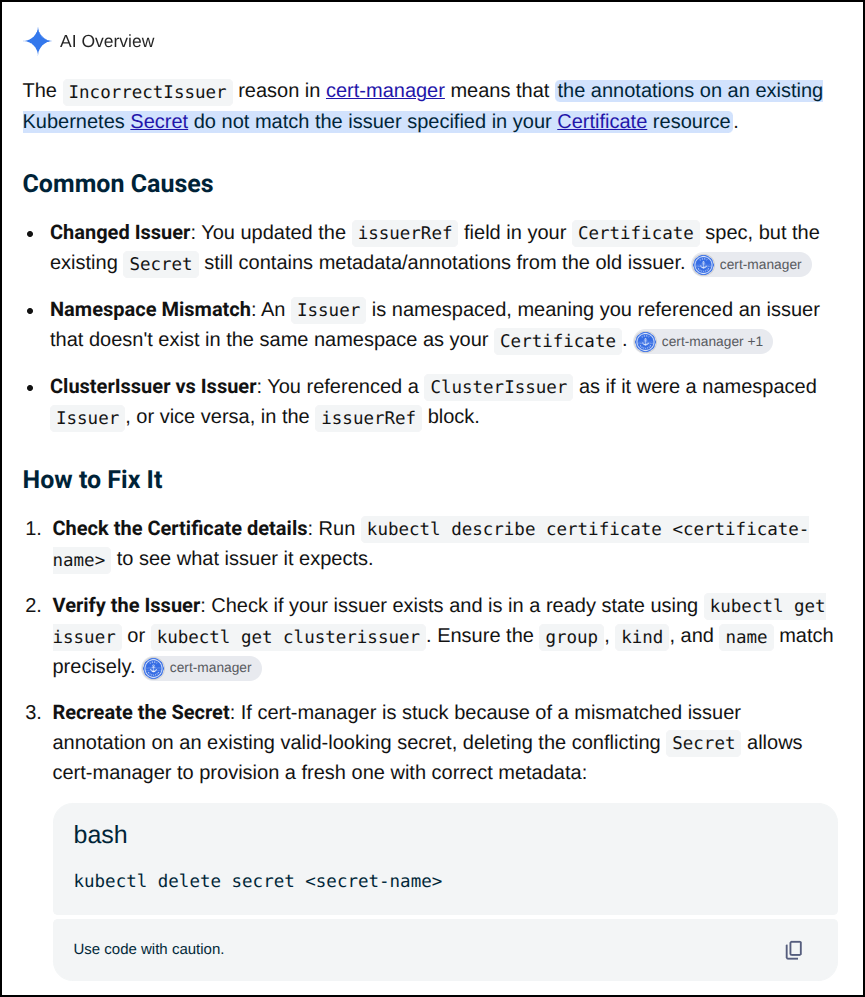
Before I just go and blast it, let’s double check the issuer.
I pulled the Issuer ref from the current cert
$ kubectl describe cert vikunjaicu-tls | grep -C 5 -i issuer
  Resource Version:        249875437
  UID:                     122d7e43-b10a-4baa-8630-82c2d7454e2c
Spec:
  Dns Names:
    vikunja.steeped.icu
  Issuer Ref:
    Group:      cert-manager.io
    Kind:       ClusterIssuer
    Name:       gcp-freshbrewedprod
  Secret Name:  vikunjaicu-tls
  Usages:
    digital signature
    key encipherment
Status:
  Conditions:
    Last Transition Time:        2026-07-01T21:09:55Z
    Message:                     Issuing certificate as Secret was previously issued by "ClusterIssuer.cert-manager.io/gcpleprod2"
    Observed Generation:         1
    Reason:                      IncorrectIssuer
    Status:                      False
    Type:                        Ready
    Last Transition Time:        2026-07-01T21:09:55Z
    Message:                     Issuing certificate as Secret was previously issued by "ClusterIssuer.cert-manager.io/gcpleprod2"
    Observed Generation:         1
    Reason:                      IncorrectIssuer
    Status:                      True
    Type:                        Issuing
  Next Private Key Secret Name:  vikunjaicu-tls-p5bnd
  Not After:                     2026-09-16T06:48:01Z
  Not Before:                    2026-06-18T06:48:02Z
That is definitely valid
$ kubectl get clusterissuer gcp-freshbrewedprod
NAME                  READY   AGE
gcp-freshbrewedprod   True    78d
hit it with a stick
I’m now going to force it to reset. First, I’ll double check the ingress:
$ kubectl get ingress | grep viku
vikunjaingress                      <none>   vikunja.steeped.space                                           80, 443   587d
vikunjaingress2                     <none>   vikunja.steeped.icu                                             80, 443   78d
vikunjastatus-vikunja-status-page   nginx    requeststatus.tpk.pw                                            80, 443   288d

$ kubectl get ingress vikunjaingress2 -o yaml > vikunaingress2.ingress.yaml
$ vi vikunaingress2.ingress.yaml
That is just to make sure if i blast the ingress, i stashed a current copy.
Now let’s delete to force a reset
$ kubectl get cert | grep viku
vikunja-tls                         False   vikunja-tls                         587d
vikunjaicu-tls                      False   vikunjaicu-tls                      78d
$ kubectl delete cert vikunjaicu-tls
certificate.cert-manager.io "vikunjaicu-tls" deleted from default namespace
$ kubectl delete cert vikunjaicu-tls
certificate.cert-manager.io "vikunjaicu-tls" deleted from default namespace
$ kubectl get cert | grep viku
vikunja-tls                         False   vikunja-tls                         587d
vikunjaicu-tls                      False   vikunjaicu-tls                      2s
This looks promising… appears it is creating a new request
$ kubectl describe cert vikunjaicu-tls | tail -n 4
  ----    ------     ----  ----                                       -------
  Normal  Issuing    73s   cert-manager-certificates-trigger          Issuing certificate as Secret was previously issued by "ClusterIssuer.cert-manager.io/gcpleprod2"
  Normal  Reused     73s   cert-manager-certificates-key-manager      Reusing private key stored in existing Secret resource "vikunjaicu-tls"
  Normal  Requested  73s   cert-manager-certificates-request-manager  Created new CertificateRequest resource "vikunjaicu-tls-1"
The cert request seems to be taking a long time
$ kubectl describe certificaterequest vikunjaicu-tls-1 | tail -n 10
  Type    Reason              Age   From                                                Message
  ----    ------              ----  ----                                                -------
  Normal  WaitingForApproval  4m6s  cert-manager-certificaterequests-issuer-ca          Not signing CertificateRequest until it is Approved
  Normal  WaitingForApproval  4m6s  cert-manager-certificaterequests-issuer-venafi      Not signing CertificateRequest until it is Approved
  Normal  WaitingForApproval  4m6s  cert-manager-certificaterequests-issuer-vault       Not signing CertificateRequest until it is Approved
  Normal  WaitingForApproval  4m6s  cert-manager-certificaterequests-issuer-acme        Not signing CertificateRequest until it is Approved
  Normal  WaitingForApproval  4m6s  cert-manager-certificaterequests-issuer-selfsigned  Not signing CertificateRequest until it is Approved
  Normal  cert-manager.io     4m6s  cert-manager-certificaterequests-approver           Certificate request has been approved by cert-manager.io
  Normal  OrderCreated        4m6s  cert-manager-certificaterequests-issuer-acme        Created Order resource default/vikunjaicu-tls-1-1278297709
  Normal  OrderPending        4m6s  cert-manager-certificaterequests-issuer-acme        Waiting on certificate issuance from order default/vikunjaicu-tls-1-1278297709: ""
Still no go
$ kubectl get cert vikunjaicu-tls
NAME             READY   SECRET           AGE
vikunjaicu-tls   False   vikunjaicu-tls   10m
checking my work
One suggestion I had from Gemini (but I don’t think it’s accurate because a zone is not a name) is that the dnszones are getting filtered due to the dot.
Just to rule that out, I added both the zone name and DNS domain name to the selector
spec:
  acme:
    email: isaac.johnson@gmail.com
    privateKeySecretRef:
      name: gcp-freshbrewedprod
    server: https://acme-v02.api.letsencrypt.org/directory
    solvers:
    - dns01:
        cloudDNS:
          project: myappdesignproj
          serviceAccountSecretRef:
            key: gcpsakey.json
            name: clouddns-dns01-solver-prod-svc-acct
      selector:
        dnsZones:
        - steepedicu
        - steeped.icu
and forced a reset
$ kubectl delete certificaterequest vikunjaicu-tls-1
certificaterequest.cert-manager.io "vikunjaicu-tls-1" deleted from default namespace
$ kubectl get certificaterequest vikunjaicu-tls-1
NAME               APPROVED   DENIED   READY   ISSUER                REQUESTOR                                         AGE
vikunjaicu-tls-1   True                True    gcp-freshbrewedprod   system:serviceaccount:cert-manager:cert-manager   81s
Now my ICU cert is valid
$ kubectl get cert | grep vik
vikunja-tls                         False   vikunja-tls                         587d
vikunjaicu-tls                      True    vikunjaicu-tls                      18m
Checking the rest
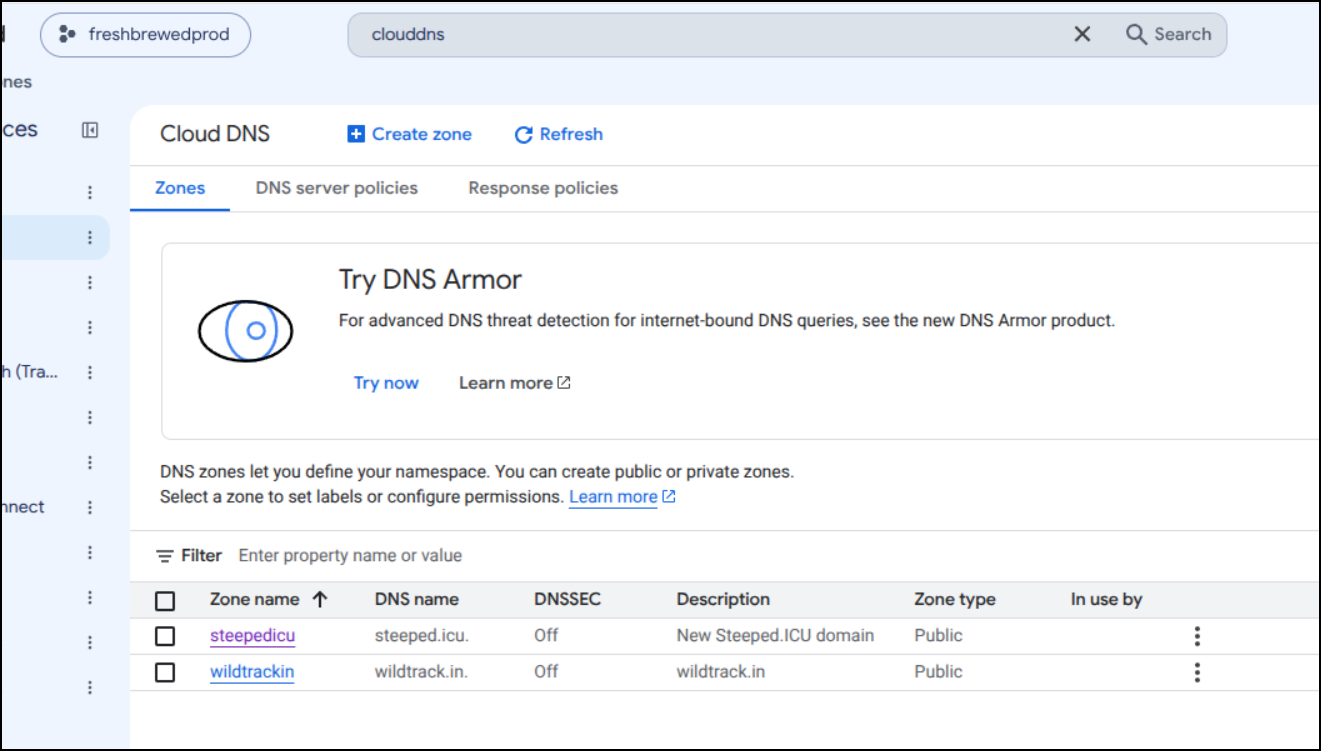
This is great, but now I worry about the other zone we have in CloudDNS, wildtrack.in
The site still loads fine, but i checked the cert
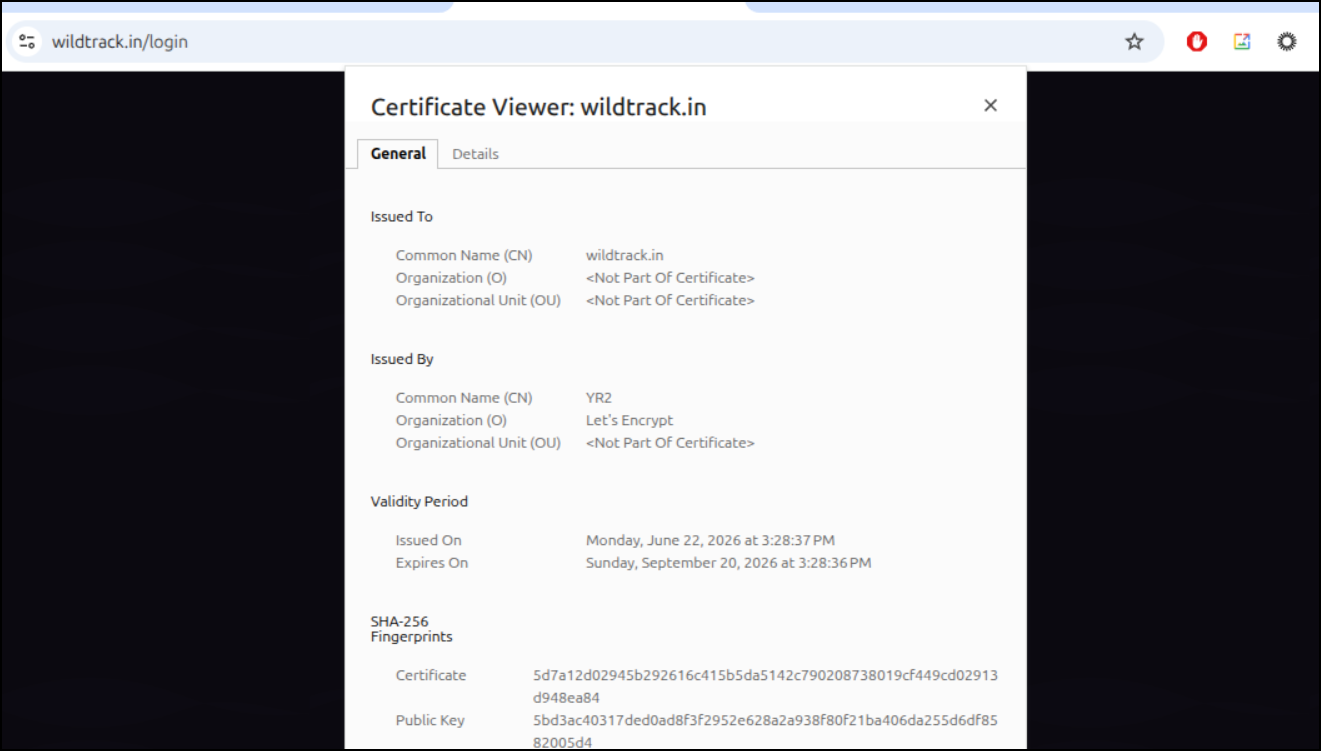
That will expire in 2 days.. that must mean it’s not automatically refreshing
Checking Kubernetes, it’s using the old clusterissuer from my dead GCP project
$ kubectl get ingress -n wildapp -o yaml | head -n10
apiVersion: v1
items:
- apiVersion: networking.k8s.io/v1
  kind: Ingress
  metadata:
    annotations:
      cert-manager.io/cluster-issuer: gcpleprod2
      ingress.kubernetes.io/proxy-body-size: "0"
      ingress.kubernetes.io/ssl-redirect: "true"
      kubectl.kubernetes.io/last-applied-configuration: |
That is for ‘myanthosproject2’ which we killed over a month ago:
$ kubectl get clusterissuer gcpleprod2 -o yaml
apiVersion: cert-manager.io/v1
kind: ClusterIssuer
metadata:
  annotations:
    kubectl.kubernetes.io/last-applied-configuration: |
      {"apiVersion":"cert-manager.io/v1","kind":"ClusterIssuer","metadata":{"annotations":{},"name":"gcpleprod2"},"spec":{"acme":{"email":"isaac.johnson@gmail.com","privateKeySecretRef":{"name":"gcpleprod2"},"server":"https://acme-v02.api.letsencrypt.org/directory","solvers":[{"dns01":{"cloudDNS":{"project":"myanthosproject2","serviceAccountSecretRef":{"key":"gcpsakey.json","name":"clouddns-dns01-solver-svc-acct"}}}}]}}}
  creationTimestamp: "2024-07-23T12:19:47Z"
  generation: 1
  name: gcpleprod2
  resourceVersion: "22220004"
  uid: 075f0038-ed30-4908-b25f-ca0688d0af2b
spec:
  acme:
    email: isaac.johnson@gmail.com
    privateKeySecretRef:
      name: gcpleprod2
    server: https://acme-v02.api.letsencrypt.org/directory
    solvers:
    - dns01:
        cloudDNS:
          project: myanthosproject2
          serviceAccountSecretRef:
            key: gcpsakey.json
            name: clouddns-dns01-solver-svc-acct
status:
  acme:
    lastPrivateKeyHash: yHpQQEaxTIe5ltqvxwZnbioh/Jt3BXNNupAkwpvE5WQ=
    lastRegisteredEmail: isaac.johnson@gmail.com
    uri: https://acme-v02.api.letsencrypt.org/acme/acct/1852642137
  conditions:
  - lastTransitionTime: "2024-07-23T12:19:48Z"
    message: The ACME account was registered with the ACME server
    observedGeneration: 1
    reason: ACMEAccountRegistered
    status: "True"
    type: Ready
I can either update my selector in the clusterissuer to have all the DNS names, e.g.
spec:
  acme:
    email: isaac.johnson@gmail.com
    privateKeySecretRef:
      name: gcp-freshbrewedprod
    server: https://acme-v02.api.letsencrypt.org/directory
    solvers:
    - dns01:
        cloudDNS:
          project: myappdesignproj
          serviceAccountSecretRef:
            key: gcpsakey.json
            name: clouddns-dns01-solver-prod-svc-acct
      selector:
        dnsZones:
        - steepedicu
        - steeped.icu
        - wildtrackin
        - wildtrack.in
Or assume I’ll still keep using CloudDNS for random DNS things and remove the selector altogether.
I’ll do that.
$ kubectl get clusterissuer gcp-freshbrewedprod -o json | jq .spec
{
  "acme": {
    "email": "isaac.johnson@gmail.com",
    "privateKeySecretRef": {
      "name": "gcp-freshbrewedprod"
    },
    "server": "https://acme-v02.api.letsencrypt.org/directory",
    "solvers": [
      {
        "dns01": {
          "cloudDNS": {
            "project": "myappdesignproj",
            "serviceAccountSecretRef": {
              "key": "gcpsakey.json",
              "name": "clouddns-dns01-solver-prod-svc-acct"
            }
          }
        },
        "selector": {
          "dnsZones": [
            "steepedicu",
            "steeped.icu"
          ]
        }
      }
    ]
  }
}
Then edit and check again:
$ kubectl edit clusterissuer gcp-freshbrewedprod
clusterissuer.cert-manager.io/gcp-freshbrewedprod edited
$ kubectl get clusterissuer gcp-freshbrewedprod -o json | jq .spec
{
  "acme": {
    "email": "isaac.johnson@gmail.com",
    "privateKeySecretRef": {
      "name": "gcp-freshbrewedprod"
    },
    "server": "https://acme-v02.api.letsencrypt.org/directory",
    "solvers": [
      {
        "dns01": {
          "cloudDNS": {
            "project": "myappdesignproj",
            "serviceAccountSecretRef": {
              "key": "gcpsakey.json",
              "name": "clouddns-dns01-solver-prod-svc-acct"
            }
          }
        }
      }
    ]
  }
}
Fixing with helm
I could hand modify the ingresses, but let’s do this right.
I’ll verify Wildtrack (and Wildtrack Beta) are using the old cluster issuer in their helm values
$ helm get values wildtrack -n wildapp | head -n 37 | tail -n 14
ingress:
  annotations:
    cert-manager.io/cluster-issuer: gcpleprod2
    ingress.kubernetes.io/proxy-body-size: "0"
    ingress.kubernetes.io/ssl-redirect: "true"
    kubernetes.io/tls-acme: "true"
    nginx.ingress.kubernetes.io/proxy-body-size: "0"
    nginx.ingress.kubernetes.io/proxy-read-timeout: "3600"
    nginx.ingress.kubernetes.io/proxy-send-timeout: "3600"
    nginx.ingress.kubernetes.io/ssl-redirect: "true"
    nginx.org/client-max-body-size: "0"
    nginx.org/proxy-connect-timeout: "3600"
    nginx.org/proxy-read-timeout: "3600"
  className: nginx
I’ll get the helm chart down locally and verify the chart versions line up - this is just to make sure I didn’t use some other half-baked chart locally on some other host
(venv) isaac@isaac-G707:~/Workspaces/wildernessapp$ cat helm/wildtrack/Chart.yaml
apiVersion: v2
name: wildtrack
description: A Helm chart for WildTrack application
type: application
version: 0.1.10
appVersion: "1.0.15"
(venv) isaac@isaac-G707:~/Workspaces/wildernessapp$ helm list -n wildapp
NAME            NAMESPACE       REVISION        UPDATED                                 STATUS          CHART                   APP VERSION
wildtrack       wildapp         64              2026-07-21 14:09:44.196235427 -0500 CDT deployed        wildtrack-0.1.10        1.0.15
I pulled the chart and just changed the cluster issuer over:
(venv) isaac@isaac-G707:~/Workspaces/wildernessapp$ helm get values wildtrack -n wildapp -o yaml > wildtrack.wildapp.values.yaml
(venv) isaac@isaac-G707:~/Workspaces/wildernessapp$ helm get values wildtrack -n wildapp -o yaml > wildtrack.wildapp.values.yaml.bak
(venv) isaac@isaac-G707:~/Workspaces/wildernessapp$ vi wildtrack.wildapp.values.yaml
(venv) isaac@isaac-G707:~/Workspaces/wildernessapp$ diff wildtrack.wildapp.values.yaml.bak wildtrack.wildapp.values.yaml
25c25
<     cert-manager.io/cluster-issuer: gcpleprod2
---
>     cert-manager.io/cluster-issuer: gcp-freshbrewedprod
I’ll now back up the ingress, delete it, then use helm upgrade to recreate it. This will make sure to flush the cert
(venv) isaac@isaac-G707:~/Workspaces/wildernessapp$ kubectl get ingress wildtrack -n wildapp -o yaml > ingress.backup
(venv) isaac@isaac-G707:~/Workspaces/wildernessapp$ kubectl get ingress -n wildapp
NAME        CLASS   HOSTS          ADDRESS   PORTS     AGE
wildtrack   nginx   wildtrack.in             80, 443   207d
(venv) isaac@isaac-G707:~/Workspaces/wildernessapp$ kubectl delete ingress wildtrack -n wildapp
ingress.networking.k8s.io "wildtrack" deleted from wildapp namespace
(venv) isaac@isaac-G707:~/Workspaces/wildernessapp$ helm upgrade -f ./wildtrack.wildapp.values.yaml wildtrack -n wildapp ./helm/wildtrack/
Release "wildtrack" has been upgraded. Happy Helming!
NAME: wildtrack
LAST DEPLOYED: Fri Sep 18 07:24:48 2026
NAMESPACE: wildapp
STATUS: deployed
REVISION: 65
DESCRIPTION: Upgrade complete
TEST SUITE: None
(venv) isaac@isaac-G707:~/Workspaces/wildernessapp$ kubectl get ingress wildtrack -n wildapp
NAME        CLASS   HOSTS          ADDRESS   PORTS     AGE
wildtrack   nginx   wildtrack.in             80, 443   8s
I saw a fresh cert applied
(venv) isaac@isaac-G707:~/Workspaces/wildernessapp$ kubectl get cert -n wildapp
NAME              READY   SECRET            AGE
wildtrackin-tls   False   wildtrackin-tls   56s
(venv) isaac@isaac-G707:~/Workspaces/wildernessapp$ kubectl get cert -n wildapp
NAME              READY   SECRET            AGE
wildtrackin-tls   True    wildtrackin-tls   73s
That date looks much better
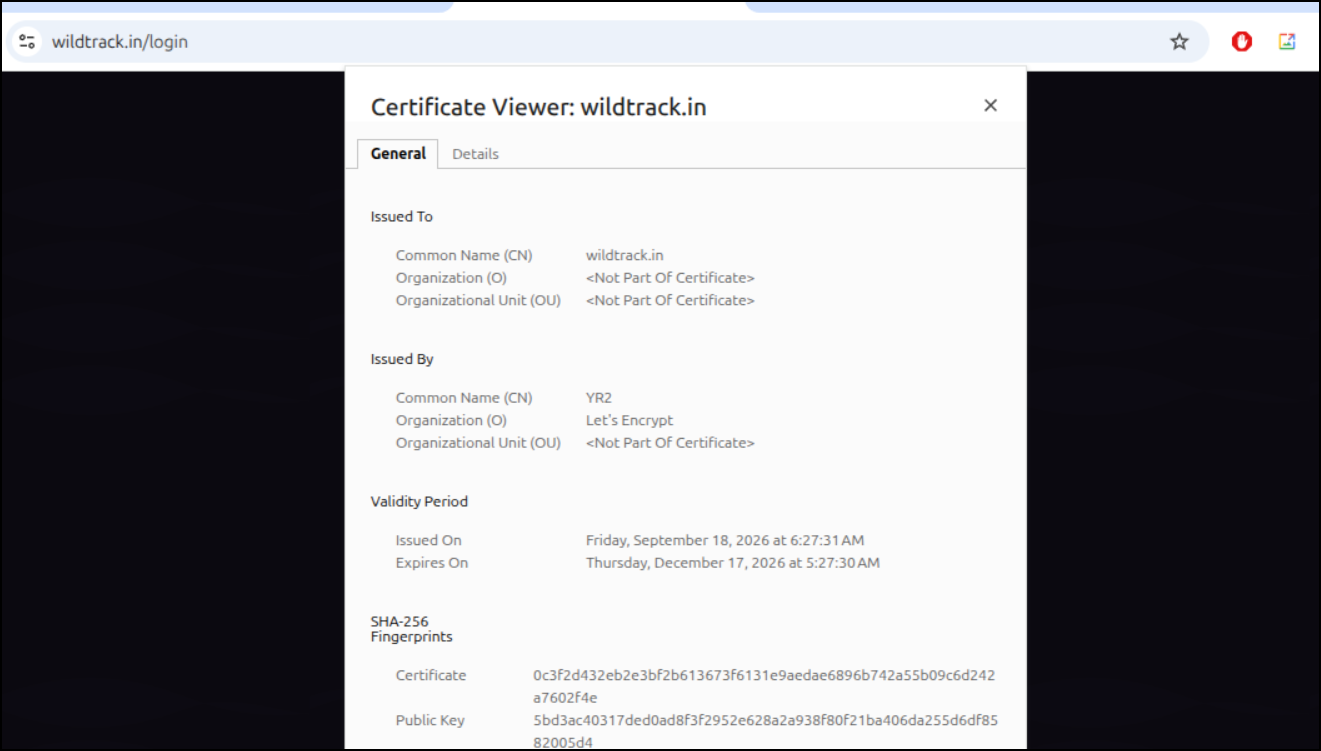
I thought I might have to do the same with the “beta” site, but when I checked, for whatever reason, I had use AzureDNS there, not GCP
$ helm get values wildbeta -n wildtrackbeta | head -n 40 | tail -n 18
ingress:
  annotations:
    cert-manager.io/cluster-issuer: azuredns-tpkpw
    ingress.kubernetes.io/proxy-body-size: "0"
    ingress.kubernetes.io/ssl-redirect: "true"
    kubernetes.io/tls-acme: "true"
    nginx.ingress.kubernetes.io/proxy-body-size: "0"
    nginx.ingress.kubernetes.io/proxy-read-timeout: "3600"
    nginx.ingress.kubernetes.io/proxy-send-timeout: "3600"
    nginx.ingress.kubernetes.io/ssl-redirect: "true"
    nginx.org/client-max-body-size: "0"
    nginx.org/proxy-connect-timeout: "3600"
    nginx.org/proxy-read-timeout: "3600"
  className: nginx
  enabled: true
  hosts:
  - host: wild.tpk.pw
    paths:
So that cert is still good to go
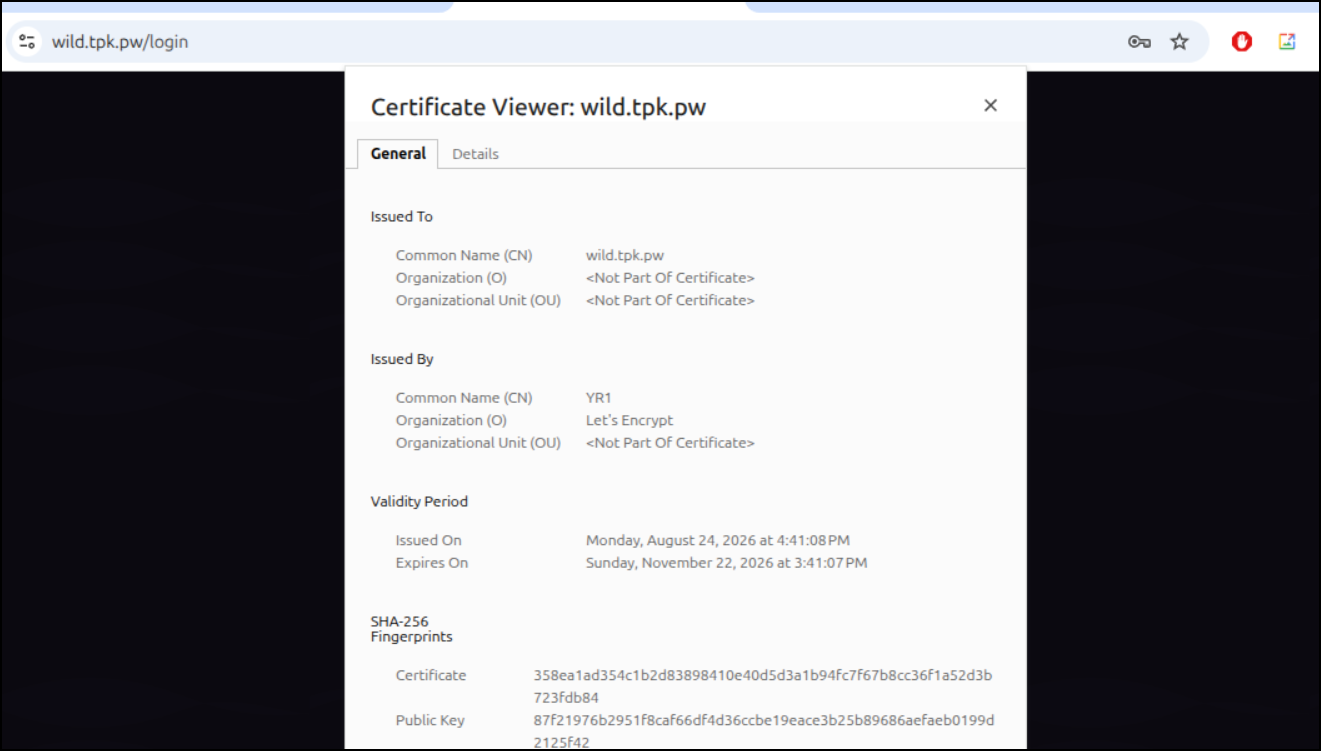
I hunted for more… rotating them as I found them:
$ kubectl get ingress -n goldilocks
NAME                CLASS    HOSTS                    ADDRESS   PORTS     AGE
goldilocksingress   <none>   goldilocks.steeped.icu             80, 443   78d

$ kubectl get cert -n goldilocks
NAME             READY   SECRET           AGE
goldilocks-tls   False   goldilocks-tls   78d

$ kubectl delete cert goldilocks-tls -n goldilocks
certificate.cert-manager.io "goldilocks-tls" deleted from goldilocks namespace

$ kubectl get cert -n goldilocks
NAME             READY   SECRET           AGE
goldilocks-tls   False   goldilocks-tls   41s

$ kubectl get cert -n goldilocks
NAME             READY   SECRET           AGE
goldilocks-tls   True    goldilocks-tls   71s
Some still had the old defunct steeped.space URL that needed swapping
$ kubectl get ingress patientmvcingress -n patientsmvc -o yaml > patientsmvc.ingress.yaml
$ kubectl get ingress patientmvcingress -n patientsmvc -o yaml > patientsmvc.ingress.yaml.bak
$ vi patientsmvc.ingress.yaml
$ vi patientsmvc.ingress.yaml
$ diff patientsmvc.ingress.yaml patientsmvc.ingress.yaml.bak
5c5
<     cert-manager.io/cluster-issuer: gcp-freshbrewedprod
---
>     cert-manager.io/cluster-issuer: gcpleprod2
28c28
<   - host: patientsmvc.steeped.icu
---
>   - host: patientsmvc.steeped.space
40c40
<     - patientsmvc.steeped.icu
---
>     - patientsmvc.steeped.space
$ kubectl delete ingress patientmvcingress -n patientsmvc
ingress.networking.k8s.io "patientmvcingress" deleted from patientsmvc namespace
$ kubectl apply -f patientsmvc.ingress.yaml -n patientsmvc
Warning: annotation "kubernetes.io/ingress.class" is deprecated, please use 'spec.ingressClassName' instead
ingress.networking.k8s.io/patientmvcingress created
$ kubectl get cert -n patientsmvc
NAME              READY   SECRET            AGE
patientsmvc-tls   False   patientsmvc-tls   8s
$ kubectl get cert -n patientsmvc
NAME              READY   SECRET            AGE
patientsmvc-tls   False   patientsmvc-tls   22s
$ kubectl get cert -n patientsmvc
NAME              READY   SECRET            AGE
patientsmvc-tls   True    patientsmvc-tls   85s
I think I missed a zone
In another case, I figured out I had a DNS setup I forgot about (was a specific demo in the summer).
I see the DNS entries are still in Gandi
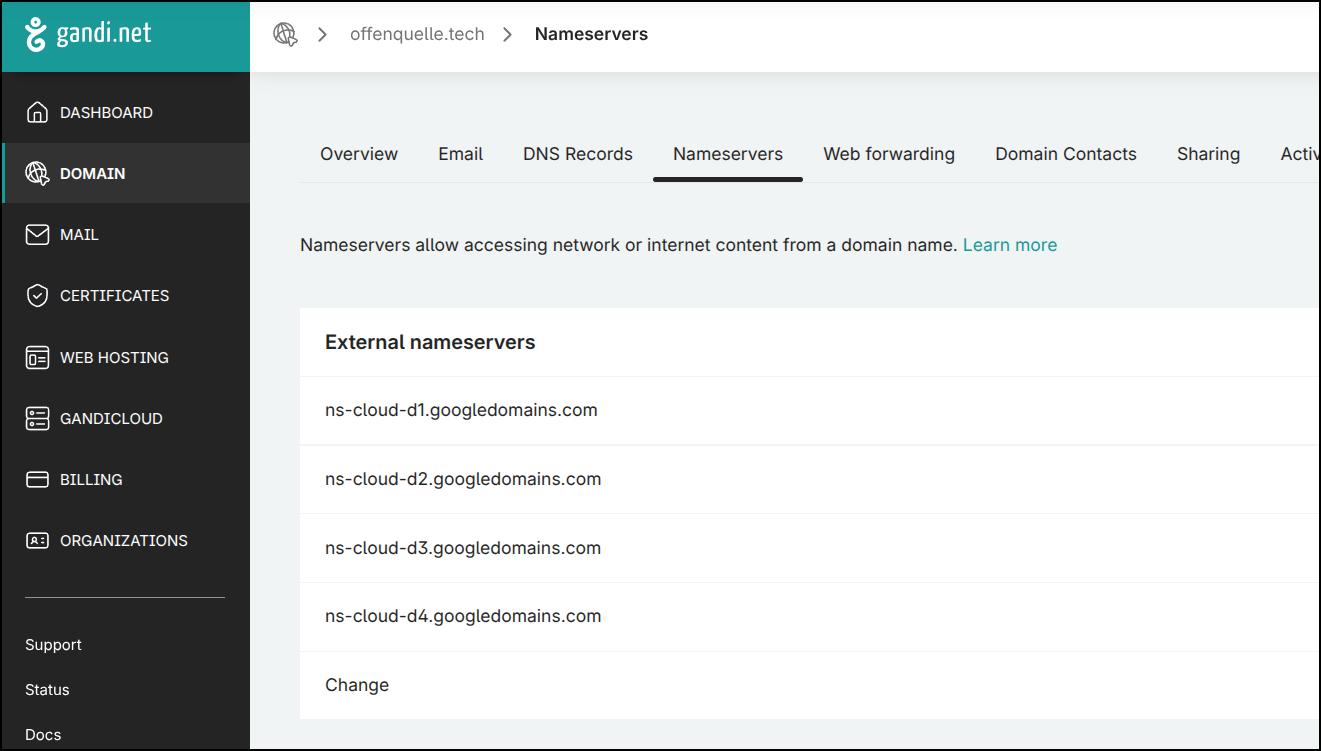
But when I recreated GCP projects, I neglected to add the zone back
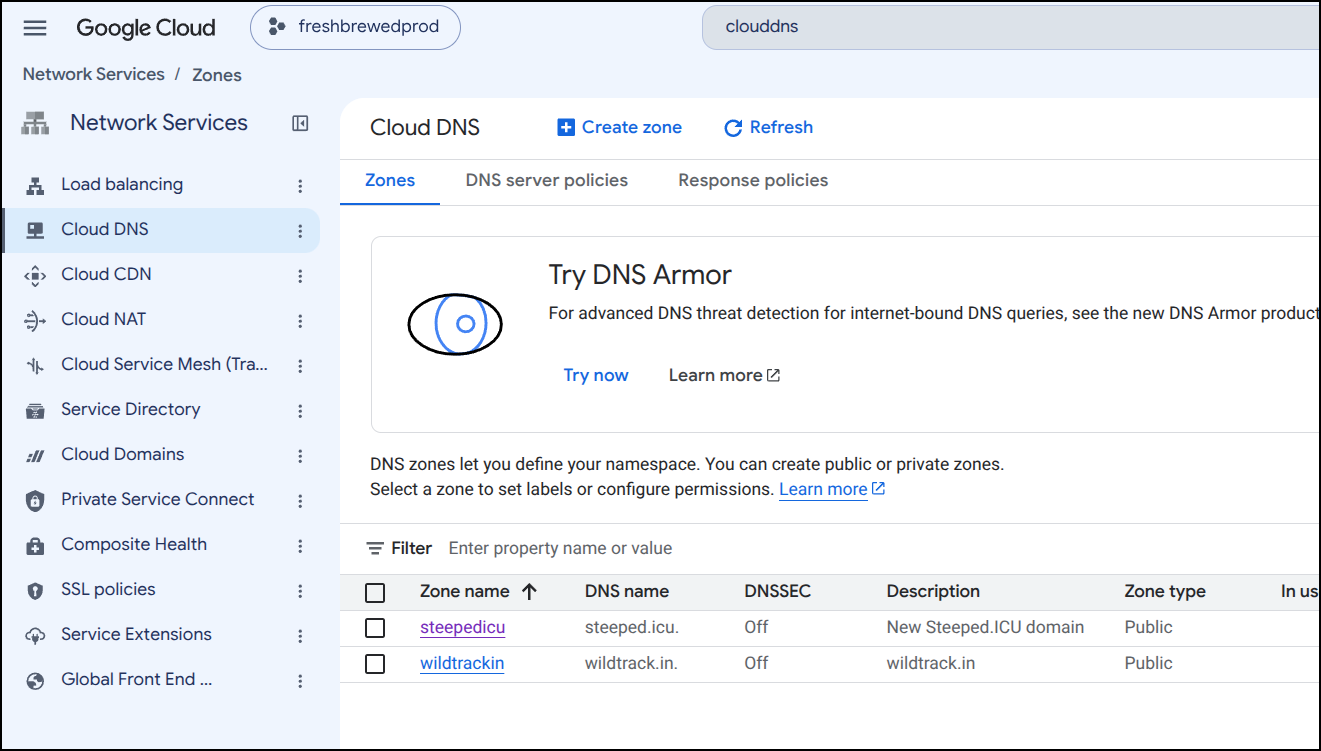
I’ll create the new zone
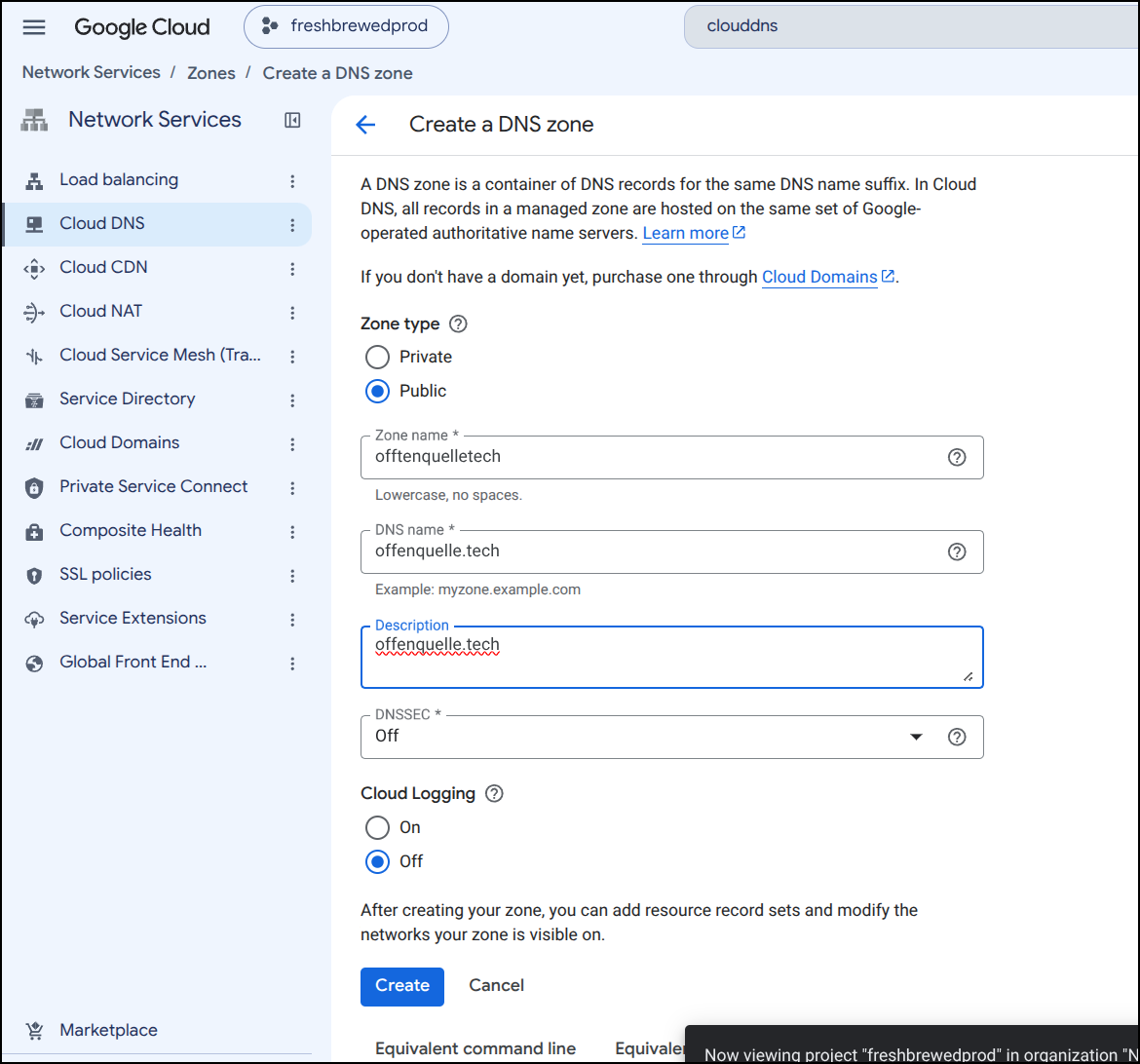
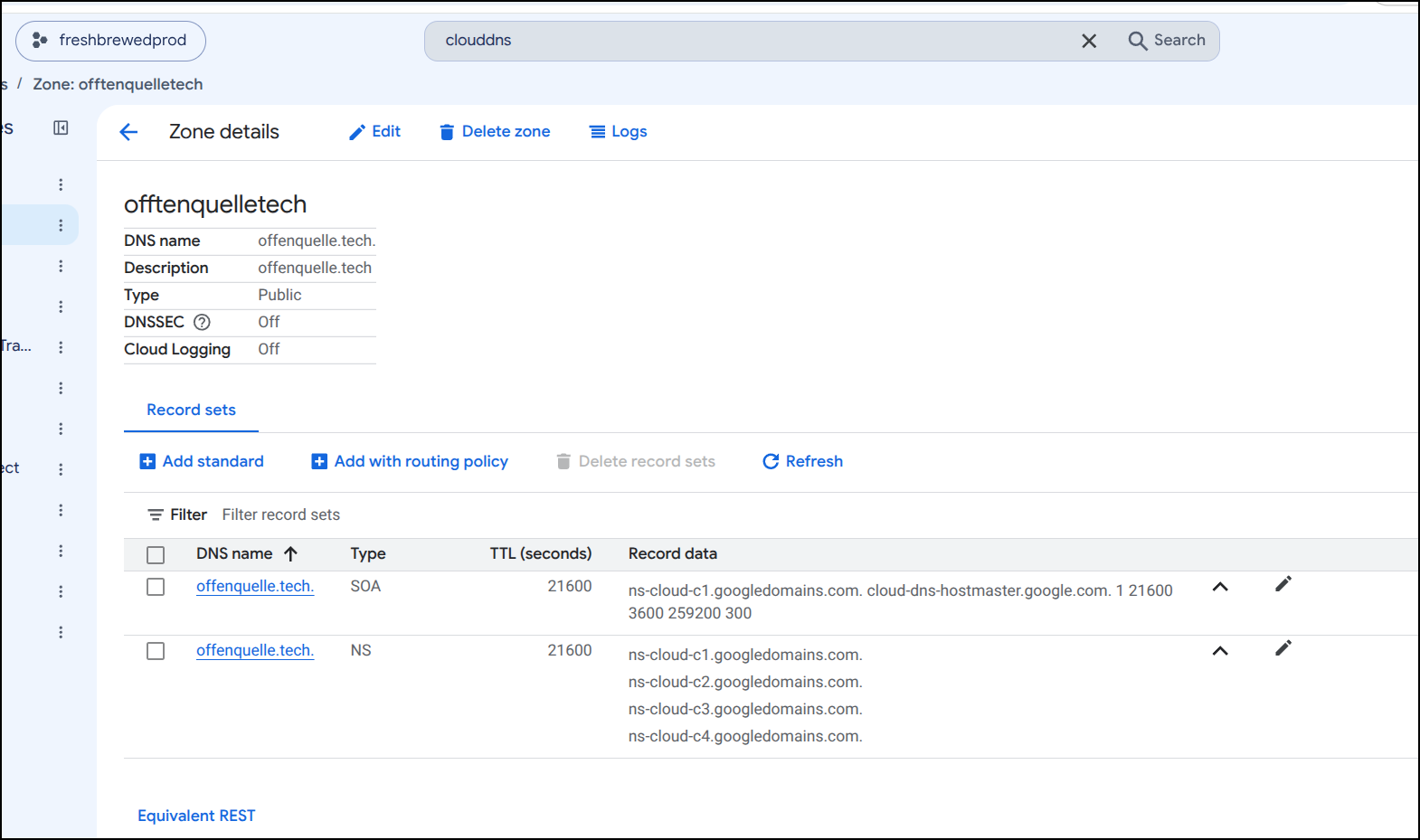
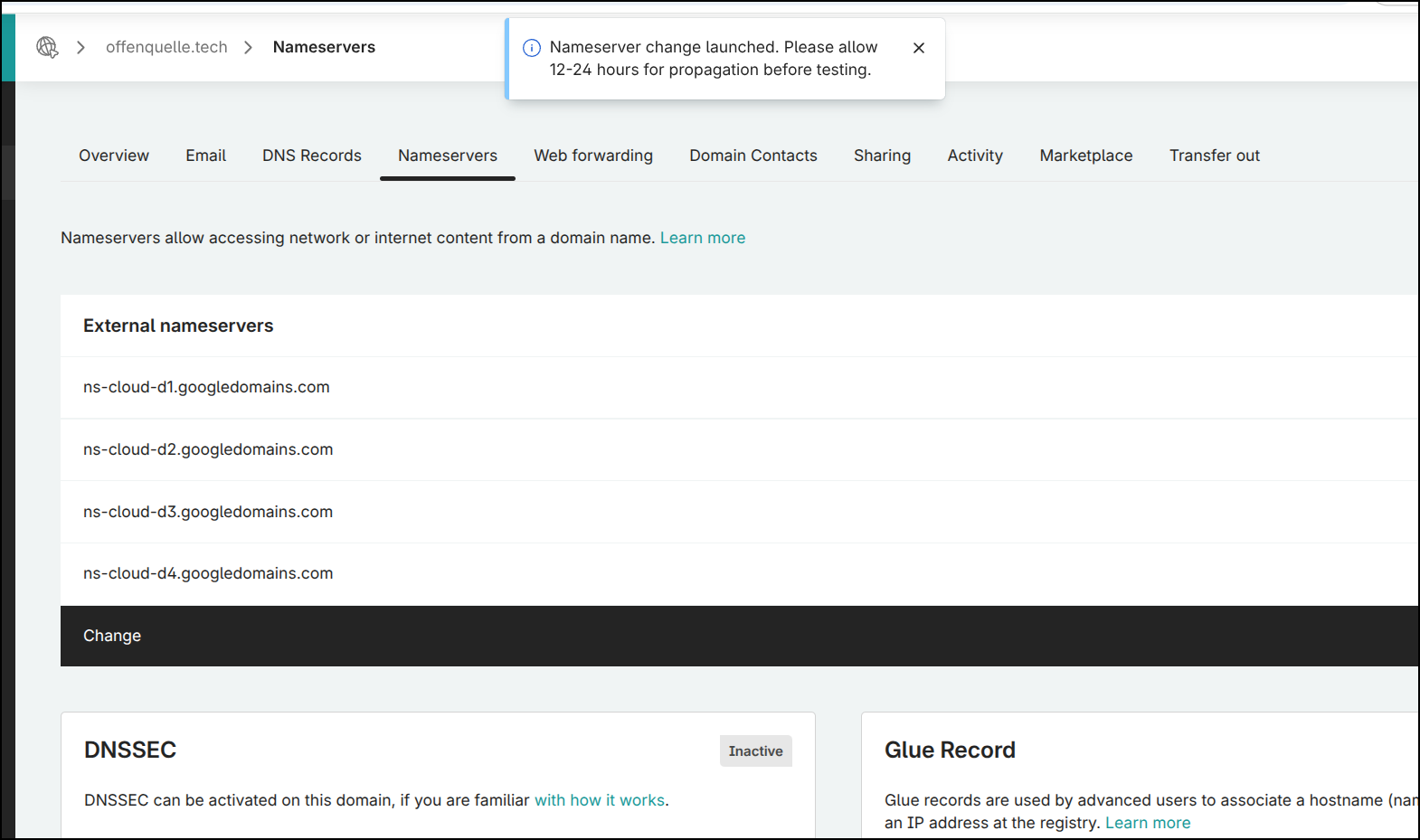
If I had been lucky, I would have gotten some ’d’ zones which is what is in the registrar, however i got ‘c’ ones. No difference really, just now I need to update the registrar and that will take time to rotate
Updated, but with notes
I pulled the chart of the prod endpoint (not sure where the chart for the MCP server is yet) and updated the clusterissuer
(venv) isaac@isaac-G707:~/Workspaces/offenquelle$ helm get values offenquelle-prod -o yaml > offenquelle-prod.values.yaml
(venv) isaac@isaac-G707:~/Workspaces/offenquelle$ helm get values offenquelle-prod -o yaml > offenquelle-prod.values.yaml.old
(venv) isaac@isaac-G707:~/Workspaces/offenquelle$ vi offenquelle-prod.values.yaml
(venv) isaac@isaac-G707:~/Workspaces/offenquelle$ vi offenquelle-prod.values.yaml
(venv) isaac@isaac-G707:~/Workspaces/offenquelle$ diff offenquelle-prod.values.yaml offenquelle-prod.values.yaml.old
20c20
<     cert-manager.io/cluster-issuer: gcp-freshbrewedprod
---
>     cert-manager.io/cluster-issuer: gcpleprod2
I then deleted the ingress and upgraded the chart to force a new ingress and cert to be created
(venv) isaac@isaac-G707:~/Workspaces/offenquelle$ kubectl delete ingress offenquelle-prod
ingress.networking.k8s.io "offenquelle-prod" deleted from default namespace
(venv) isaac@isaac-G707:~/Workspaces/offenquelle$ helm upgrade -f ./offenquelle-prod.values.yaml offenquelle-prod ./helm-chart/
Chart.yaml   templates/   values.yaml
(venv) isaac@isaac-G707:~/Workspaces/offenquelle$ helm upgrade -f ./offenquelle-prod.values.yaml offenquelle-prod ./helm-chart/
Release "offenquelle-prod" has been upgraded. Happy Helming!
NAME: offenquelle-prod
LAST DEPLOYED: Fri Sep 18 07:48:14 2026
NAMESPACE: default
STATUS: deployed
REVISION: 10
DESCRIPTION: Upgrade complete
TEST SUITE: None
(venv) isaac@isaac-G707:~/Workspaces/offenquelle$ kubectl get ingress | grep offen
offenquelle-prod                    nginx    www.offenquelle.tech                                            80, 443   10s
offenquellemcp                      nginx    mcp.offenquelle.tech                                            80, 443   129d
(venv) isaac@isaac-G707:~/Workspaces/offenquelle$ kubectl get cert | grep offen
mcpoffenquelletech-tls              False   mcpoffenquelletech-tls              129d
wwwoffenquelletech-tls              False   wwwoffenquelletech-tls              15s
(venv) isaac@isaac-G707:~/Workspaces/offenquelle$ kubectl get cert | grep offen
mcpoffenquelletech-tls              False   mcpoffenquelletech-tls              129d
wwwoffenquelletech-tls              True    wwwoffenquelletech-tls              30m
The MCP server chart is actually public in Codeberg here
I’ll clone and verify that is the right chart
(venv) isaac@isaac-G707:~/Workspaces$ git clone https://codeberg.org/idjohnson/osn2026mcpdemo.git
Cloning into 'osn2026mcpdemo'...
remote: Enumerating objects: 93, done.
remote: Total 93 (delta 0), reused 0 (delta 0), pack-reused 93 (from 1)
Receiving objects: 100% (93/93), 16.97 KiB | 16.97 MiB/s, done.
Resolving deltas: 100% (30/30), done.
(venv) isaac@isaac-G707:~/Workspaces$ cd osn2026mcpdemo/
(venv) isaac@isaac-G707:~/Workspaces/osn2026mcpdemo$ cat helm-chart/Chart.yaml
apiVersion: v2
name: offenquellemcp
description: A functional helm chart for the OffenQuelle MCP Server
type: application
version: 0.1.3
appVersion: "0.0.1"
I’ll then swap out the cluster issuer
(venv) isaac@isaac-G707:~/Workspaces/osn2026mcpdemo$ helm get values offenquellemcp -o yaml > offenquellemcp.values.yaml
(venv) isaac@isaac-G707:~/Workspaces/osn2026mcpdemo$ helm get values offenquellemcp -o yaml > offenquellemcp.values.yaml.bak
(venv) isaac@isaac-G707:~/Workspaces/osn2026mcpdemo$ vi offenquellemcp.values.yaml
(venv) isaac@isaac-G707:~/Workspaces/osn2026mcpdemo$ diff offenquellemcp.values.yaml offenquellemcp.values.yaml.bak
16c16
<     cert-manager.io/cluster-issuer: gcp-freshbrewedprod
---
>     cert-manager.io/cluster-issuer: gcpleprod2
Backup and remove the NGinx ingress
(venv) isaac@isaac-G707:~/Workspaces/osn2026mcpdemo$ kubectl get ingress | grep offen
offenquelle-prod                    nginx    www.offenquelle.tech                                            80, 443   35m
offenquellemcp                      nginx    mcp.offenquelle.tech                                            80, 443   129d
(venv) isaac@isaac-G707:~/Workspaces/osn2026mcpdemo$ kubectl get ingress offenquellemcp -o yaml > offenquellemcp.ingress.yaml.bak
(venv) isaac@isaac-G707:~/Workspaces/osn2026mcpdemo$ kubectl delete ingress offenquellemcp
ingress.networking.k8s.io "offenquellemcp" deleted from default namespace
Upgrade the chart
(venv) isaac@isaac-G707:~/Workspaces/osn2026mcpdemo$ helm list | grep offen
offenquelle-prod                default         10              2026-09-18 07:48:14.539407627 -0500 CDT deployed        offenquelle-0.1.7               0.1.3
offenquellemcp                  default         3               2026-05-12 05:53:32.585671484 -0500 CDT deployed        offenquellemcp-0.1.3            0.0.1
(venv) isaac@isaac-G707:~/Workspaces/osn2026mcpdemo$ helm upgrade offenquellemcp -f ./offenquellemcp.values.yaml ./helm-chart/
Release "offenquellemcp" has been upgraded. Happy Helming!
NAME: offenquellemcp
LAST DEPLOYED: Fri Sep 18 08:25:08 2026
NAMESPACE: default
STATUS: deployed
REVISION: 4
DESCRIPTION: Upgrade complete
TEST SUITE: None
Then just watch for the cert to come back
(venv) isaac@isaac-G707:~/Workspaces/osn2026mcpdemo$ helm list | grep offen
offenquelle-prod                default         10              2026-09-18 07:48:14.539407627 -0500 CDT deployed        offenquelle-0.1.7               0.1.3
offenquellemcp                  default         4               2026-09-18 08:25:08.408064063 -0500 CDT deployed        offenquellemcp-0.1.3            0.0.1
(venv) isaac@isaac-G707:~/Workspaces/osn2026mcpdemo$ kubectl get ingress | grep offen
offenquelle-prod                    nginx    www.offenquelle.tech                                            80, 443   37m
offenquellemcp                      nginx    mcp.offenquelle.tech                                            80, 443   9s
(venv) isaac@isaac-G707:~/Workspaces/osn2026mcpdemo$ kubectl get cert | grep offen
mcpoffenquelletech-tls              False   mcpoffenquelletech-tls              17s
wwwoffenquelletech-tls              True    wwwoffenquelletech-tls              37m
(venv) isaac@isaac-G707:~/Workspaces/osn2026mcpdemo$ kubectl get cert | grep offen
mcpoffenquelletech-tls              True    mcpoffenquelletech-tls              70s
wwwoffenquelletech-tls              True    wwwoffenquelletech-tls              38m
Out of date apps: Gitea
I saw Low Level’s YT update on the Gitea exploit. He said it had been patched so I decided to check how current my Gitea is:
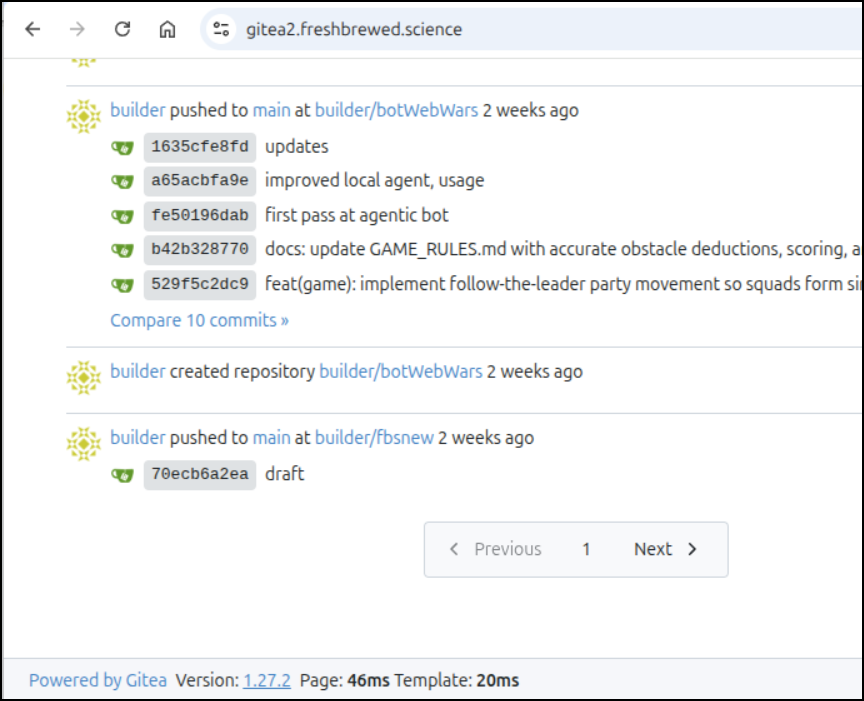
In my case, Gitea is running in Docker but fronted by K8s
builder@builder-T100:~$ docker ps | grep -i gite
98c9cb165269   gitea/gitea:1.27.2                                                    "/usr/bin/entrypoint…"   4 weeks ago     Up 3 weeks             0.0.0.0:4225->22/tcp, :::4225->22/tcp, 0.0.0.0:4224->3000/tcp, :::4224->3000/tcp   gitea202608
b65ae05223ac   gitea/act_runner:latest                                               "/sbin/tini -- run.sh"   11 months ago   Up 3 weeks
Checking Dockerhub tags I can see the latest released is 24 days old, 1.27.3
I can see by way of my docker-compose file I have updated this a few times
builder@builder-T100:~/Gitea202608$ cat docker-compose.yaml
version: "3"

networks:
  gitea202608:
    external: false

services:
  server:
    #image: gitea/gitea:1.21.7
    #image: gitea/gitea:1.26.4
    image: gitea/gitea:1.27.2
    container_name: gitea202608
    environment:
      - USER_UID=1000
      - USER_GID=1000
    restart: always
    networks:
      - gitea202608
    volumes:
      - ./gitea:/data
      - /etc/timezone:/etc/timezone:ro
      - /etc/localtime:/etc/localtime:ro
    ports:
      - "4224:3000"
      - "4225:22"
I can then do a docker compose down to stop the container, change the tag, then docker compose up -d to relaunch it
builder@builder-T100:~/Gitea202608$ docker compose down
[+] Running 2/2
 ✔ Container gitea202608            Removed                                                                                                                                     0.5s
 ✔ Network gitea202608_gitea202608  Removed                                                                                                                                     0.1s
builder@builder-T100:~/Gitea202608$ vi docker-compose.yaml
builder@builder-T100:~/Gitea202608$ docker compose up -d
[+] Running 6/6
 ✔ server 5 layers [⣿⣿⣿⣿⣿]      0B/0B      Pulled                                                                                                                               6.6s
   ✔ 55afa1ecc21d Already exists                                                                                                                                                0.0s
   ✔ c0929ac58b42 Pull complete                                                                                                                                                 3.2s
   ✔ 73d3cb31f401 Pull complete                                                                                                                                                 3.3s
   ✔ 25bdf5dd5ca7 Pull complete                                                                                                                                                 3.4s
   ✔ 695934694764 Pull complete                                                                                                                                                 5.3s
[+] Building 0.0s (0/0)
[+] Running 2/2
 ✔ Network gitea202608_gitea202608  Created                                                                                                                                     0.3s
 ✔ Container gitea202608            Started                                                                                                                                     1.8s
builder@builder-T100:~/Gitea202608$ cat docker-compose.yaml
version: "3"

networks:
  gitea202608:
    external: false

services:
  server:
    #image: gitea/gitea:1.21.7
    #image: gitea/gitea:1.26.4
    #image: gitea/gitea:1.27.2
    image: gitea/gitea:1.27.3
    container_name: gitea202608
    environment:
      - USER_UID=1000
      - USER_GID=1000
    restart: always
    networks:
      - gitea202608
    volumes:
      - ./gitea:/data
      - /etc/timezone:/etc/timezone:ro
      - /etc/localtime:/etc/localtime:ro
    ports:
      - "4224:3000"
      - "4225:22"
I can see it running (not crashing or anything)
$ docker ps | grep gite
2c656eff88e5   gitea/gitea:1.27.3                                                    "/usr/bin/entrypoint…"   44 seconds ago   Up 42 seconds          0.0.0.0:4225->22/tcp, :::4225->22/tcp, 0.0.0.0:4224->3000/tcp, :::4224->3000/tcp   gitea202608
b65ae05223ac   gitea/act_runner:latest                                               "/sbin/tini -- run.sh"   11 months ago    Up 3 weeks                                                                                                forgejo-runner-runner-1
Now my host is nice and up to date
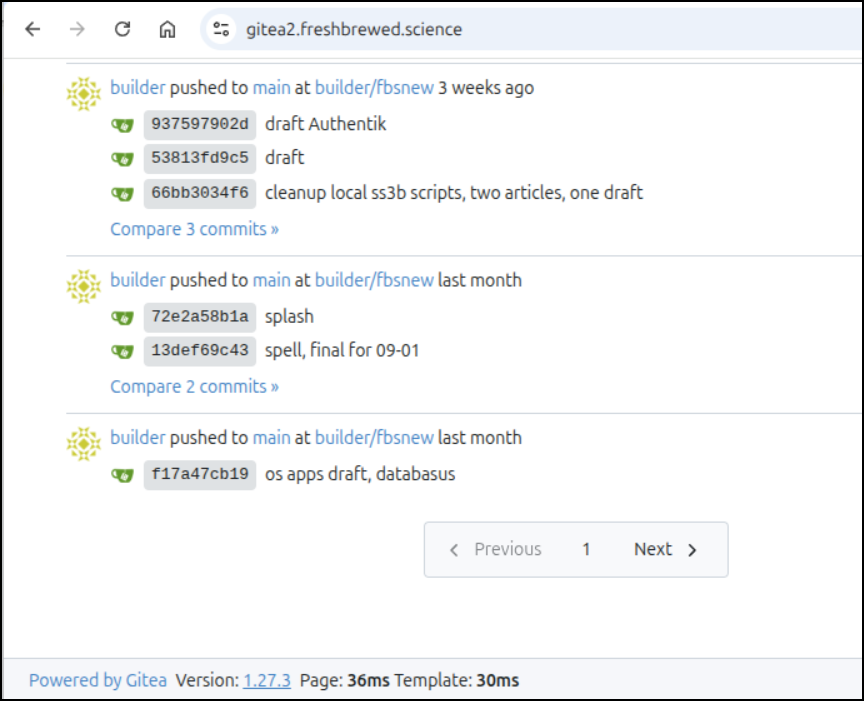
I can also check my Containery service:
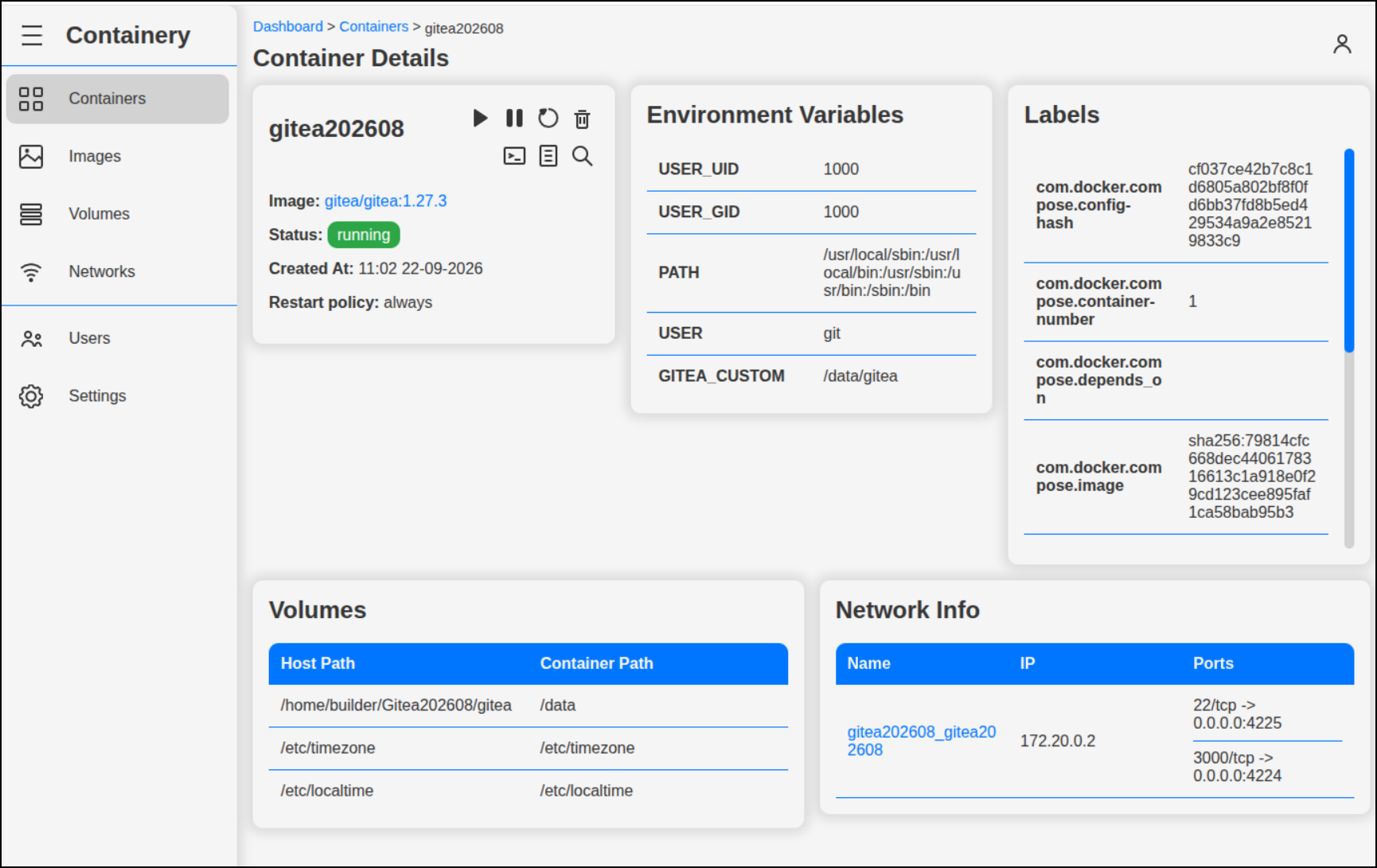
Tugtainer
I also noticed my old Tugtainer was a bit old.
I reset that with just a docker stop and start (as it had latest tag)
One of the things Tugtainer can handle is cleaning up unused containers. This is handy if your host is also used to build images (as this one does)
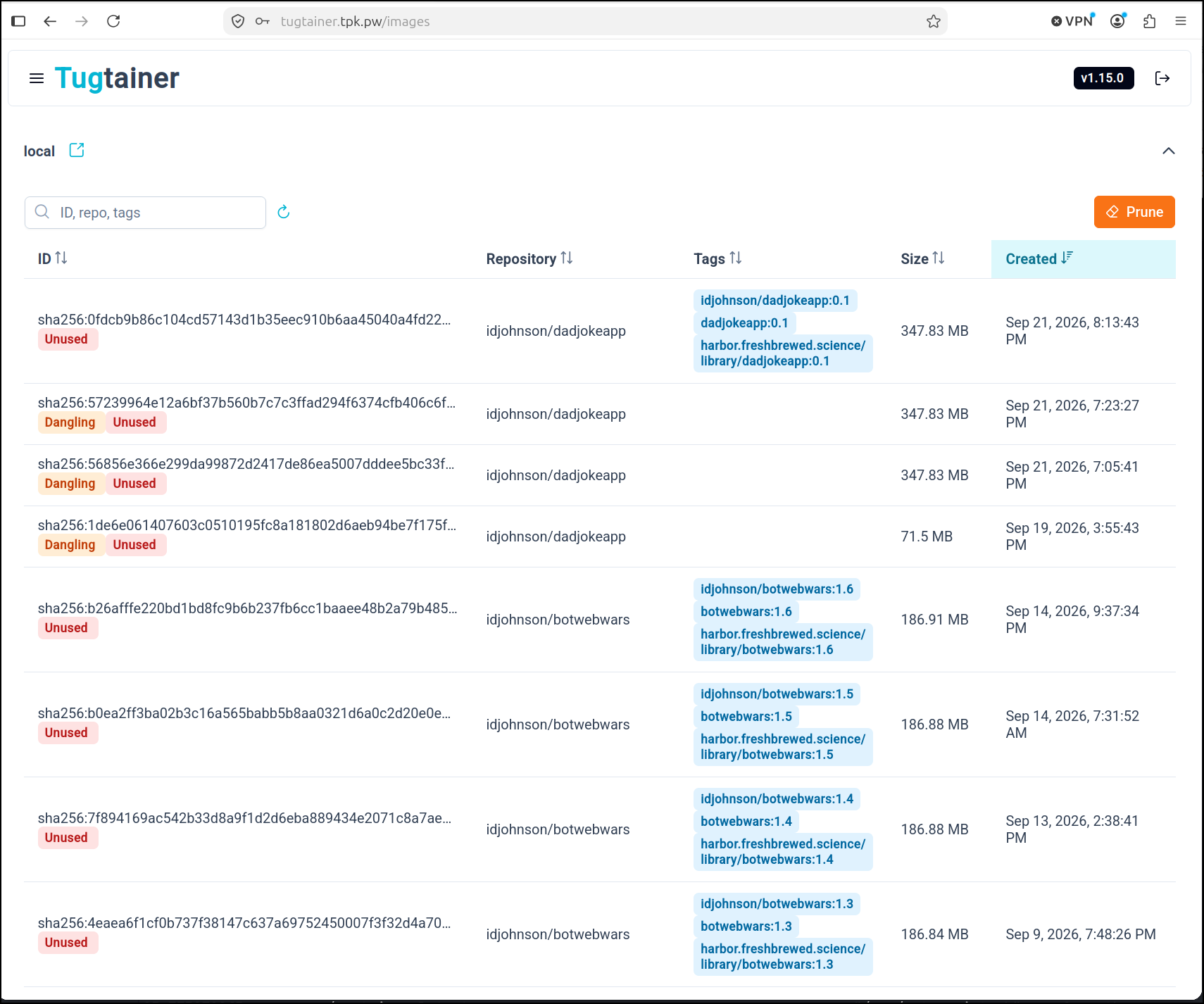
Gancio and n8n
I cannot believe my WF engine has been down for 3 weeks. That’s just bad.
I know I paused the Uptime Kuma alert because it was getting flaky at night and waking me up with PagerDuty way too often
builder@builder-T100:~/tugtainer$ docker ps -a | grep -v 'Up '
CONTAINER ID   IMAGE                                                                 COMMAND                  CREATED          STATUS                     PORTS                                                                              NAMES
2783e2bd735e   cisti/gancio:1.27.0                                                   "/home/node/server/c…"   2 months ago     Exited (255) 3 weeks ago   0.0.0.0:13120->13120/tcp, :::13120->13120/tcp                                      gancio
7dbaed629d0a   docker.n8n.io/n8nio/n8n:latest                                        "tini -- /docker-ent…"   4 months ago     Exited (255) 3 weeks ago   5678/tcp, 0.0.0.0:5678->443/tcp, :::5678->443/tcp                                  n8n
f785fda30224   snipe/snipe-it:latest                                                 "/startup.sh"            8 months ago     Exited (0) 5 weeks ago                                                                                        SNIPE-IT
c25261f6a4ef   mariadb:11.4-noble                                                    "docker-entrypoint.s…"   8 months ago     Exited (0) 5 weeks ago
I, of course, started the moment I saw that
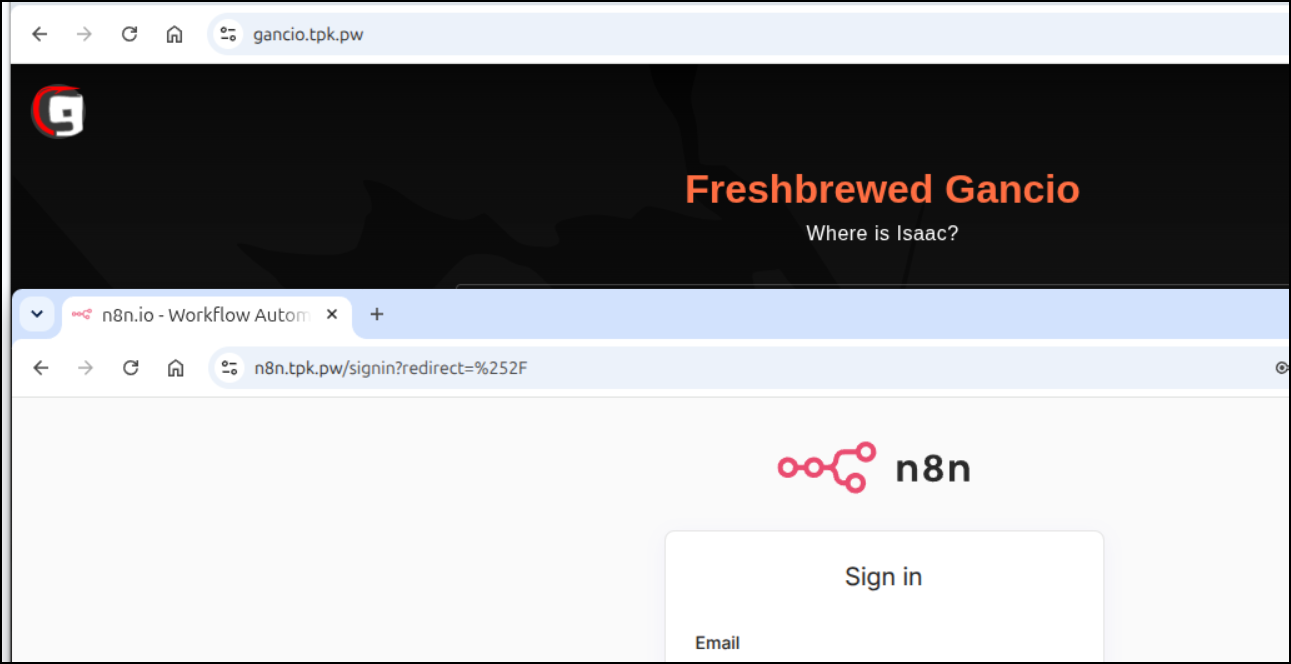
Indeed, not a good thing
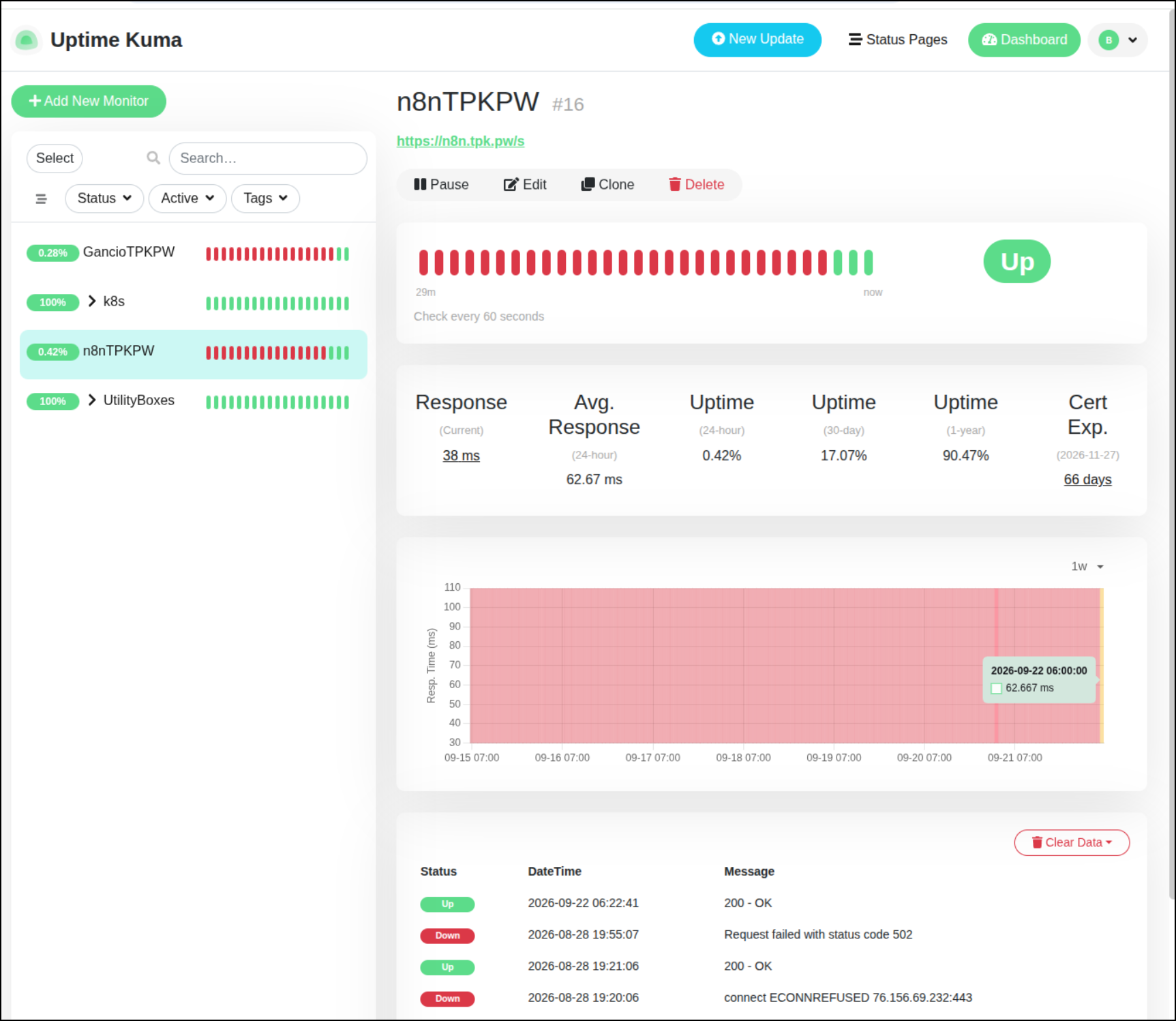
I generally have lots of notification paths outside of PagerDuty. I realized that because I switched to Linux, a lot of those system tray notifiers from my prior Windows instance never really migrated.
I won’t take you through the process of logging in to all the things, but soon I was logged into my Matrix rooms, Telegram and Discord
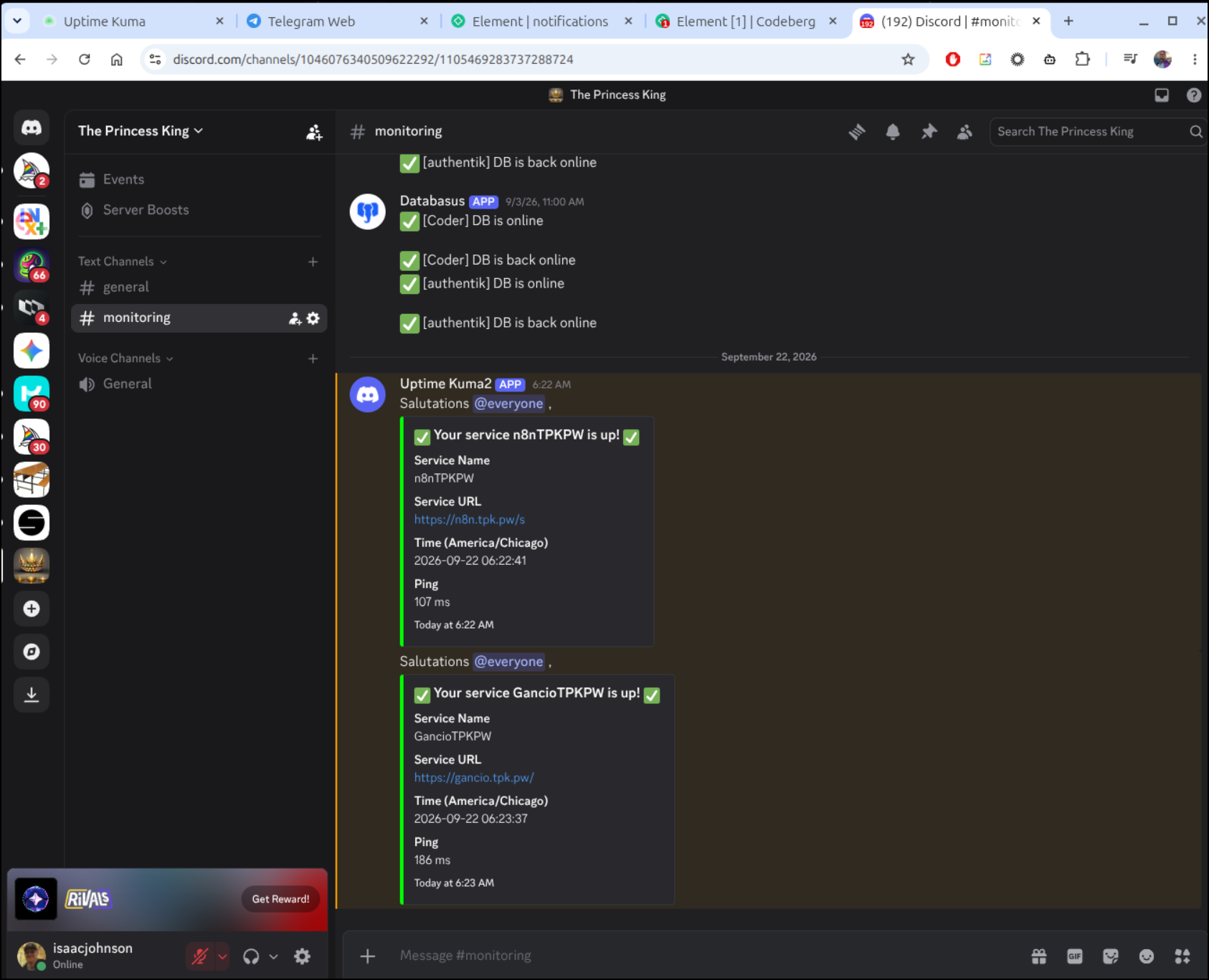
Now if I have an outage, one of those should catch my attention.
Summary
Today we dealt with certificate issues from moving DNS registrars. We also learned that hardcoding dnszones in the clusterissuer has limitations. We found and fixed some out of date containers, bad ingresses and more.
It is generally good to take a pause from time to time to do some cleanup and checks. For my part, I feel a bit sheepish for not having noticed n8n and gancio were down.
I would like to think people would reach out if they saw a blocking outage, but one never knows. I’ll tell you that monitoring page views and hit counts just doesn’t work anymore to know if you are reaching an audience due to the extreme amount of bot traffic.
But once in a while, someone hits me up on LI, or by chat and comments on a blog post which usually is all I need to keep energized enough to keep putting these out twice a week.