Herdr is an interesting project that I noted initially as a TMUX variant, but really is much much more. It’s designed to ‘herd’ your long running LLM agents to make it much easier to dance between sessions. I’m not a AI Agent gangsta like I know some are, but I do like to mutli-task over a lot of windows and wanted to give it a good try.
Another tool on my list is a command line Diff viewer, Hunk. I saw Hunk used in a YT video and thought it looked pretty slick. We’ll check that out as well.
While we do all this, we’ll build out a Kubernetes Monitoring app (as my cluster was acting up and I wanted to know why).
Let’s start with Herdr…
Install Herdr
Let’s install with curl
$ curl -fsSL https://herdr.dev/install.sh | sh

      ,ww
     wWWWWWWW_)  herdr installer
     `WWWWWW'    herdr.dev
      II  II

  > detected linux/x86_64
  > fetching latest release manifest...
  > downloading v0.7.5...
  > installed herdr to /home/builder/.local/bin/herdr

  > ready. run 'herdr' to get started.
when running now with herdr we can create some different terminal spaces
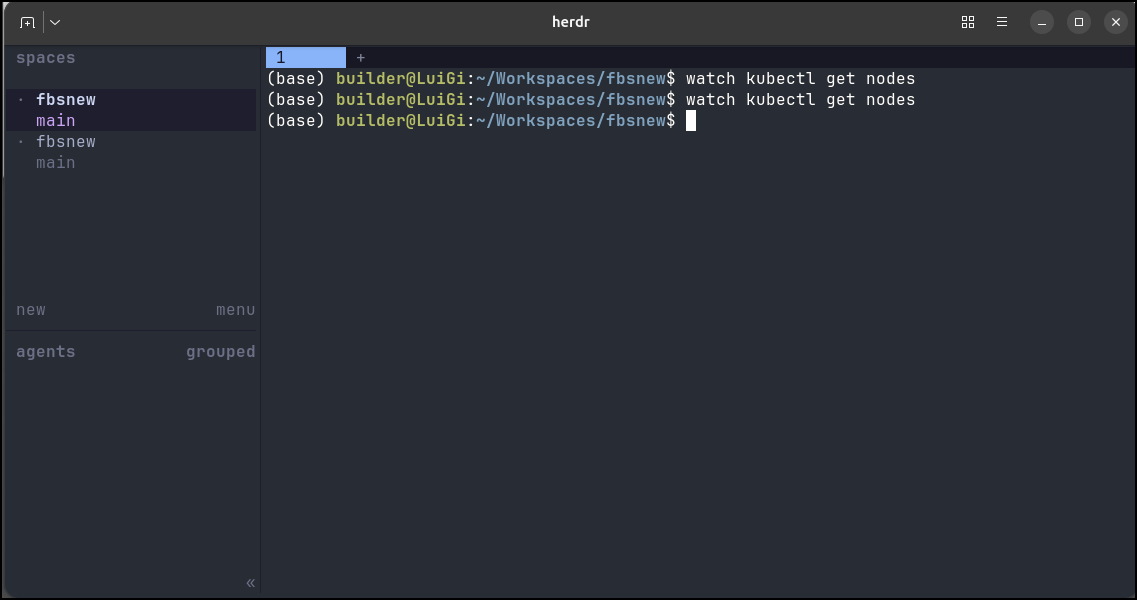
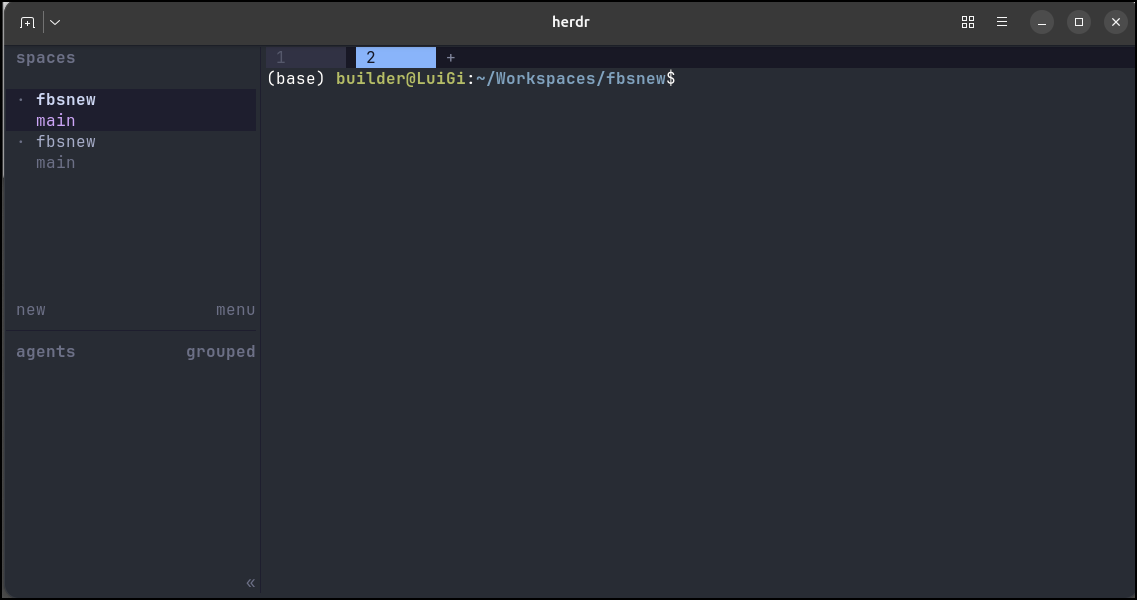
Those spaces can have tabs
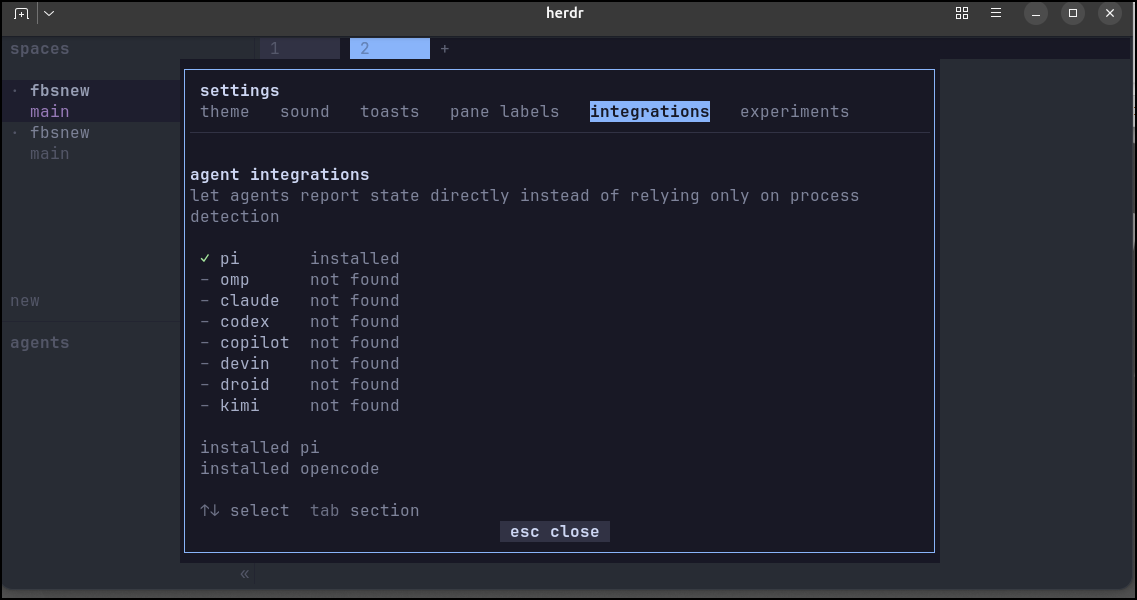
I can add some harness integrations
I can also split terminals
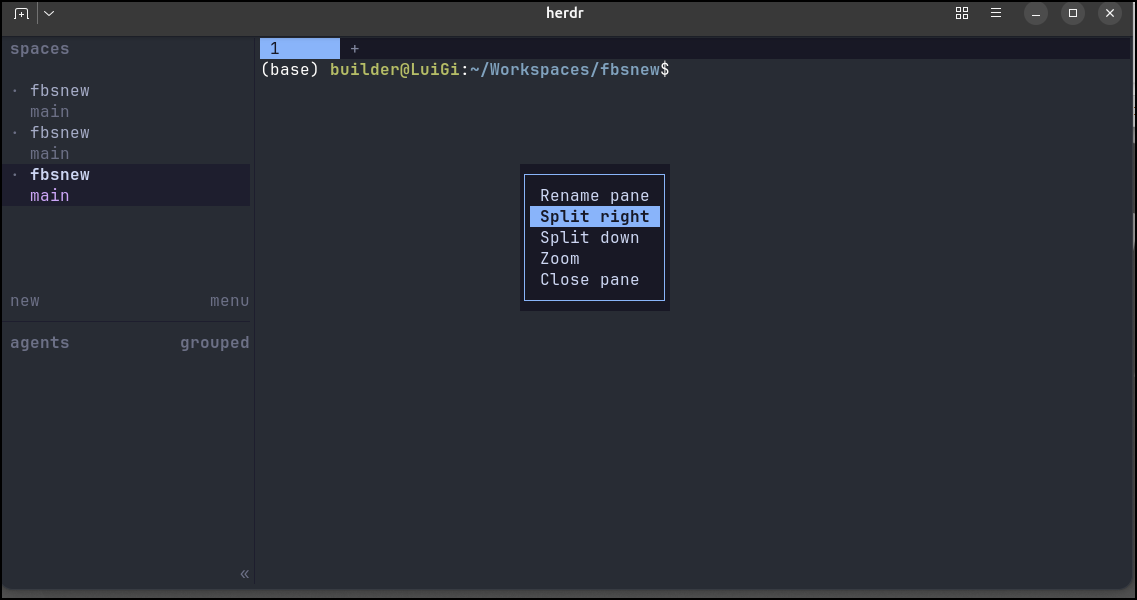
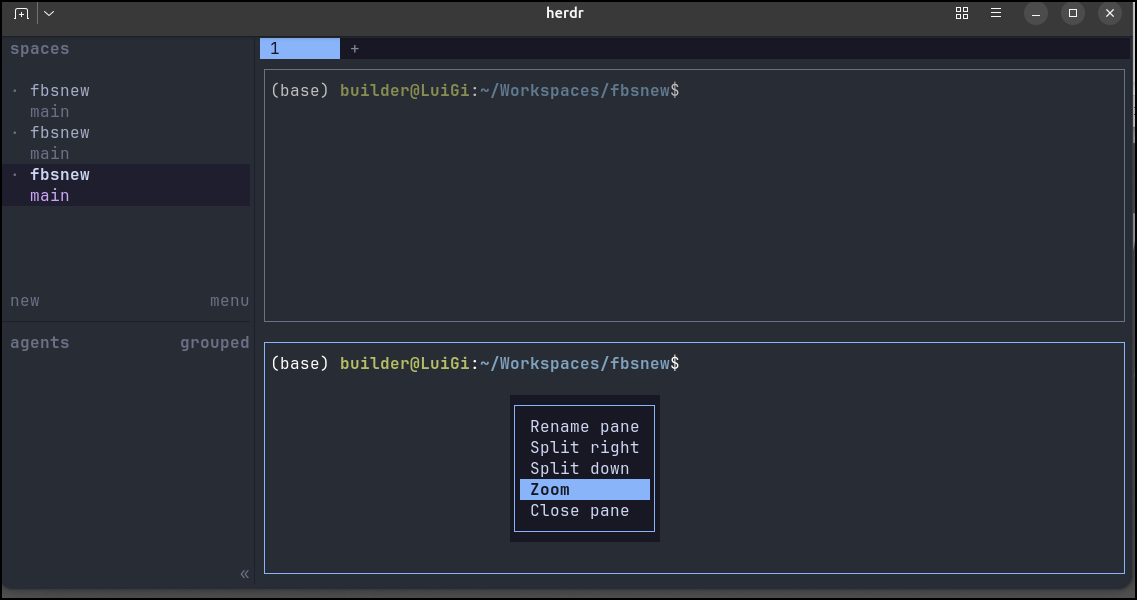
We can also “zoom” in on a pane to make it full size (use the same right-click zoom to go back)
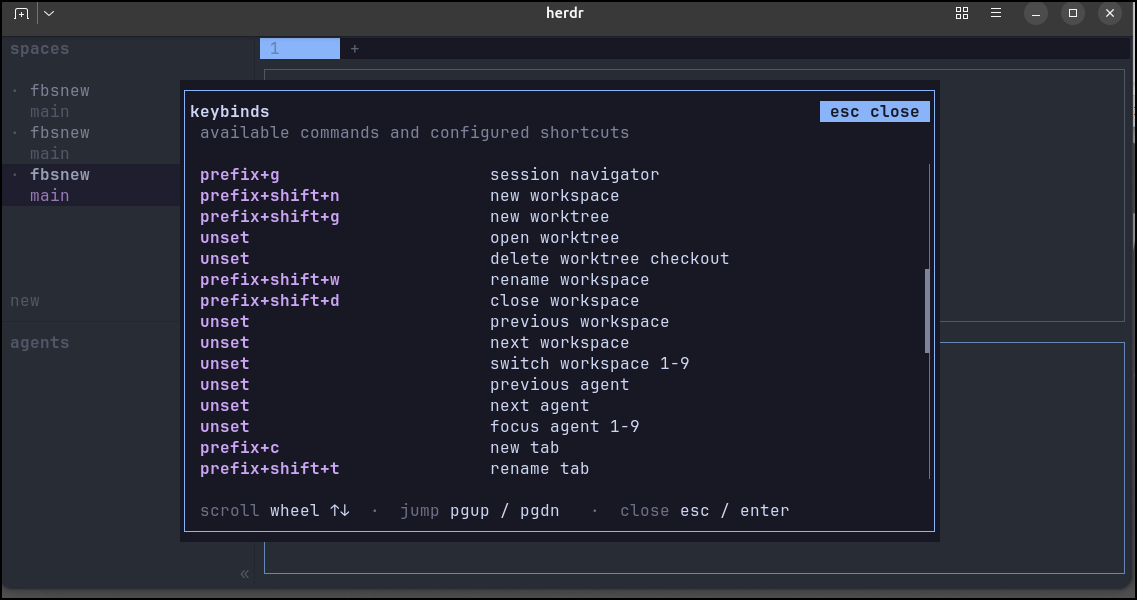
And of course, we don’t need to right click all the time - we can set keybindings for everything
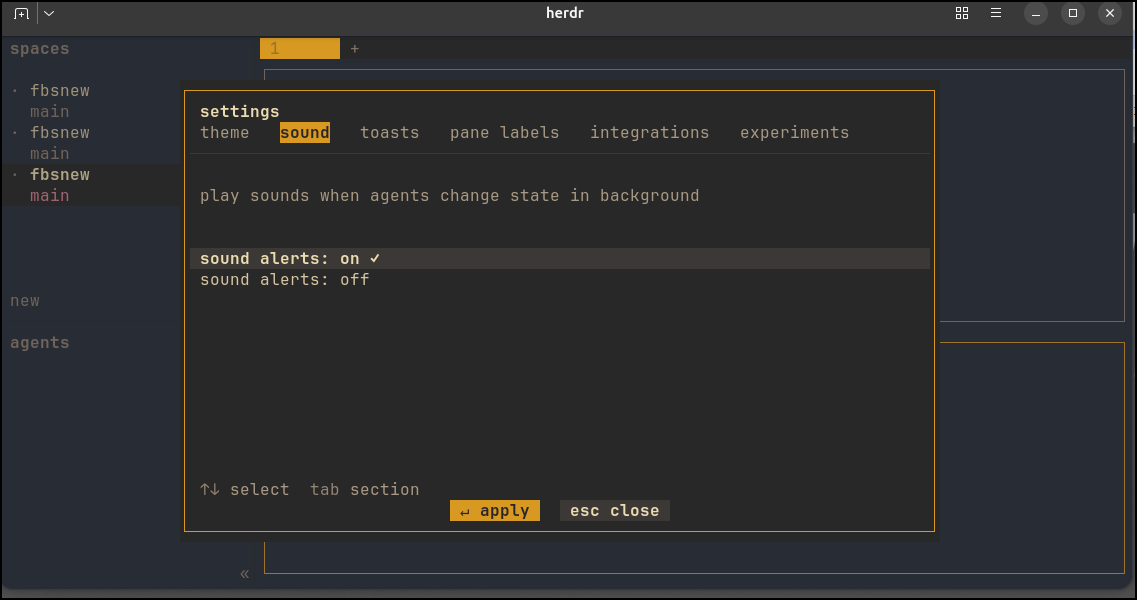
There are lots of themes to fit your style preferences. You can also turn on and off sounds (nice in meetings/conferences)
If herdr detects you are running a known harness, it will show that tab down under agents
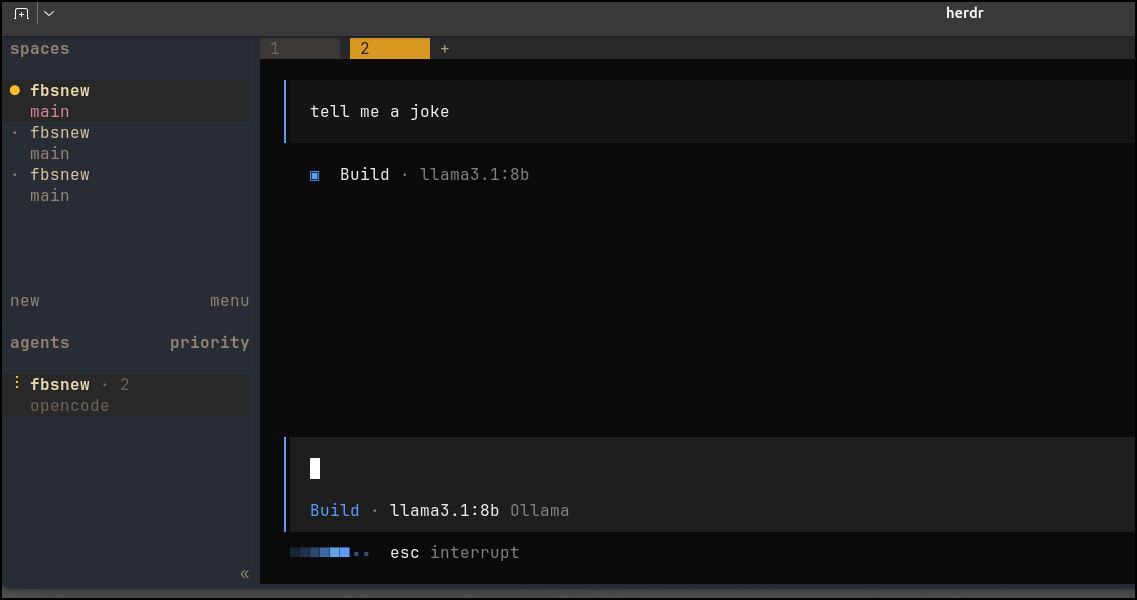
This can be handy for some long running processes
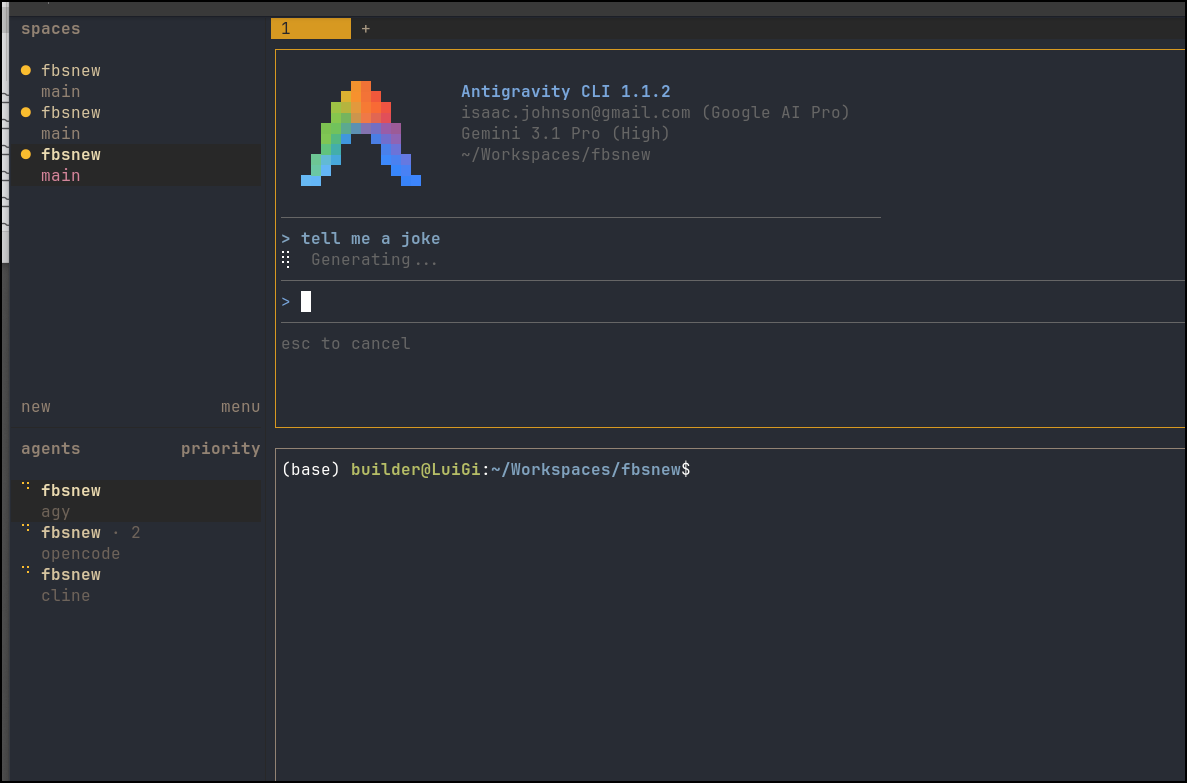
Here you can see me spit workloads over multiple Ollama hosts and models as well as Gemini in Google Antigravity
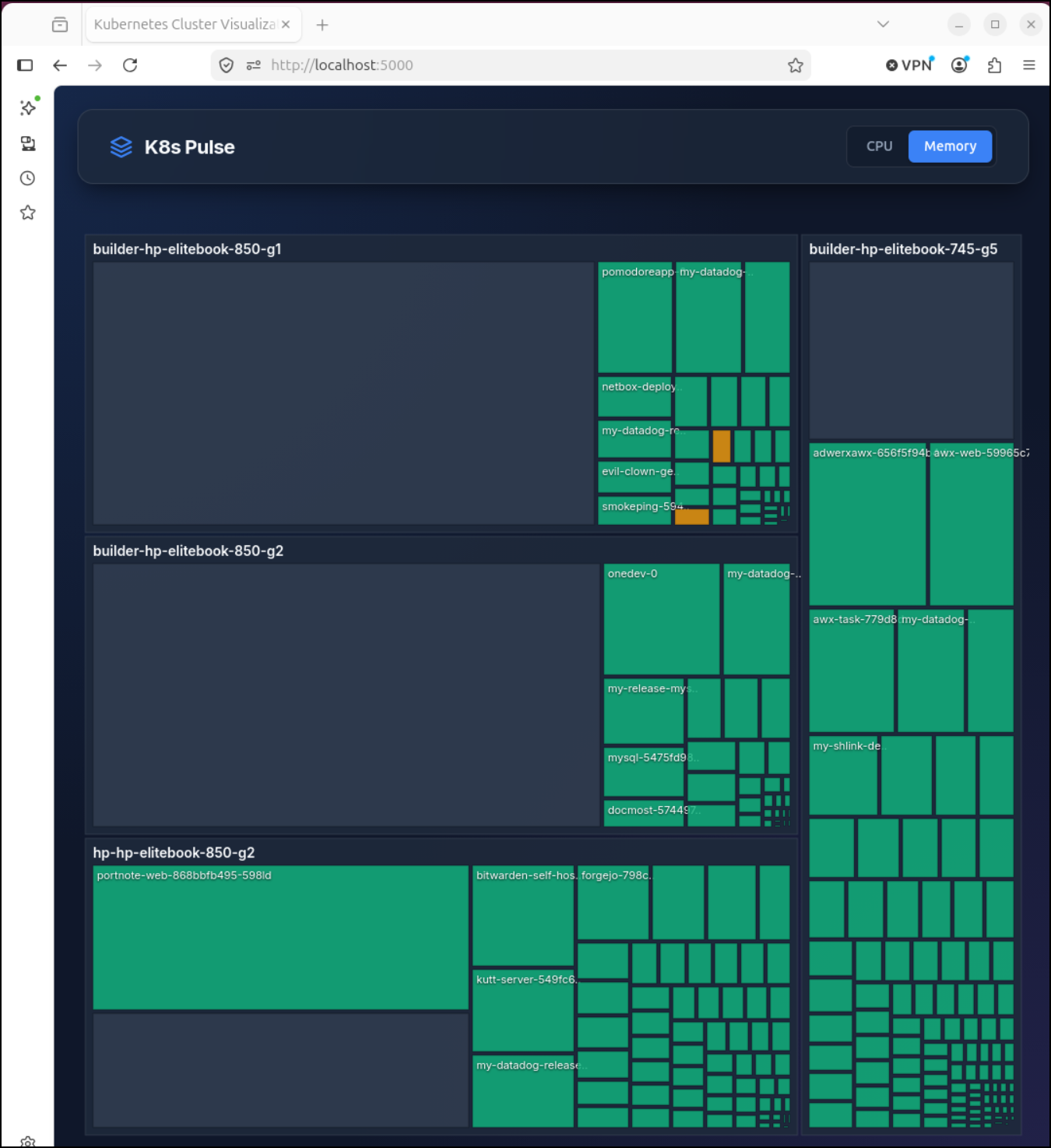
Here is that app in action. Only took a few minutes to write and launch. It helped me find a pod that had grown to use up 3CPU and dominate a node (rotated and as you see we are fine now):
Hunk (js)
Hunk, a nice command line diff tool, can be installed with homebrew
$ brew install hunk
or npm
$ npm i -g hunkdiff
Creating some diffs…
I grew tired of remembering the docker command for that app we just made so I had Agy create me a working docker compose
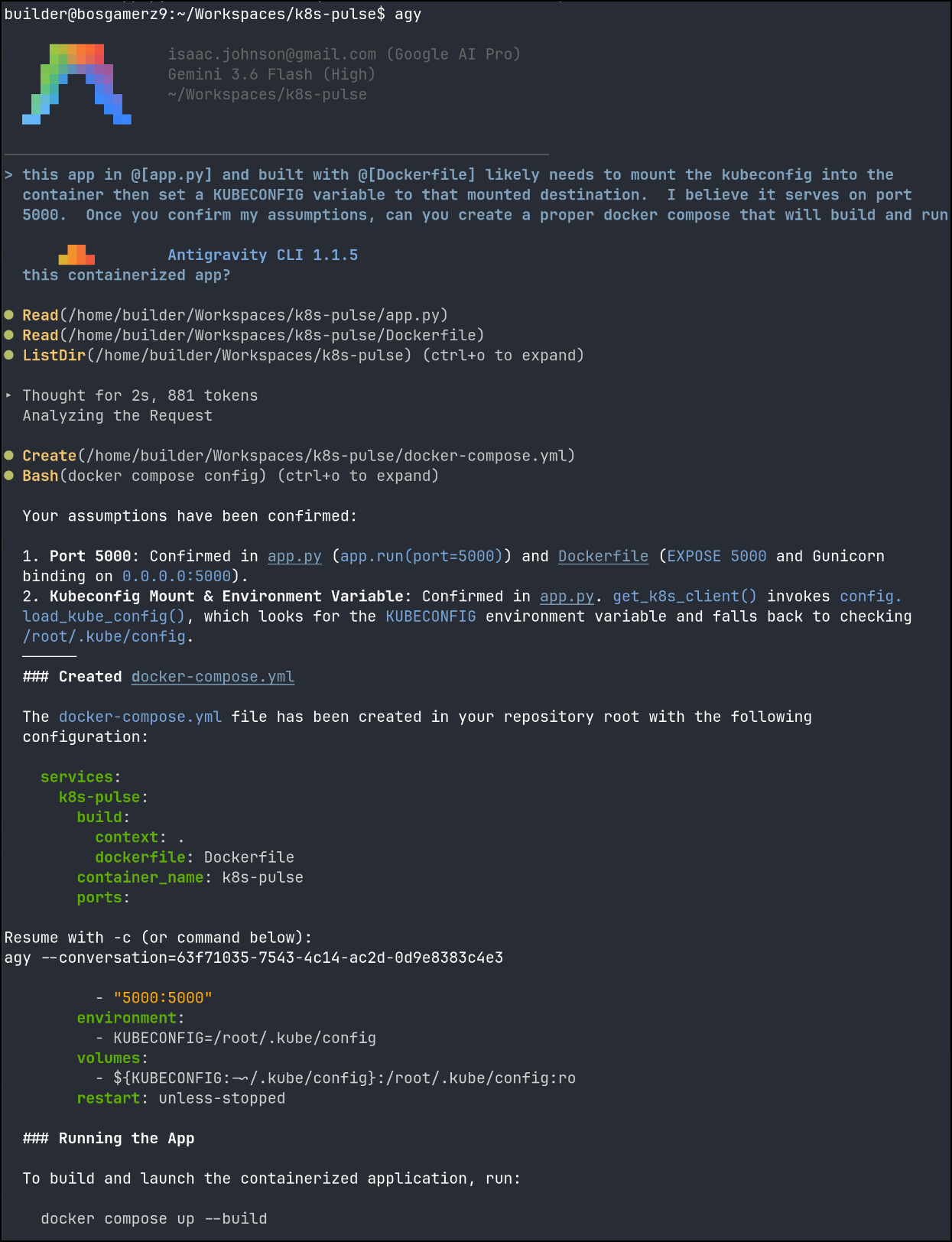
I now have the docker-compose.yml file:
$ cat docker-compose.yml
services:
  k8s-pulse:
    build:
      context: .
      dockerfile: Dockerfile
    container_name: k8s-pulse
    ports:
      - "5000:5000"
    environment:
      - KUBECONFIG=/root/.kube/config
    volumes:
      - ${KUBECONFIG:-~/.kube/config}:/root/.kube/config:ro
    restart: unless-stopped
i can run this locally with docker compose up (add -d to have it go background, but here I want to be able to ctrl-c to kill it)
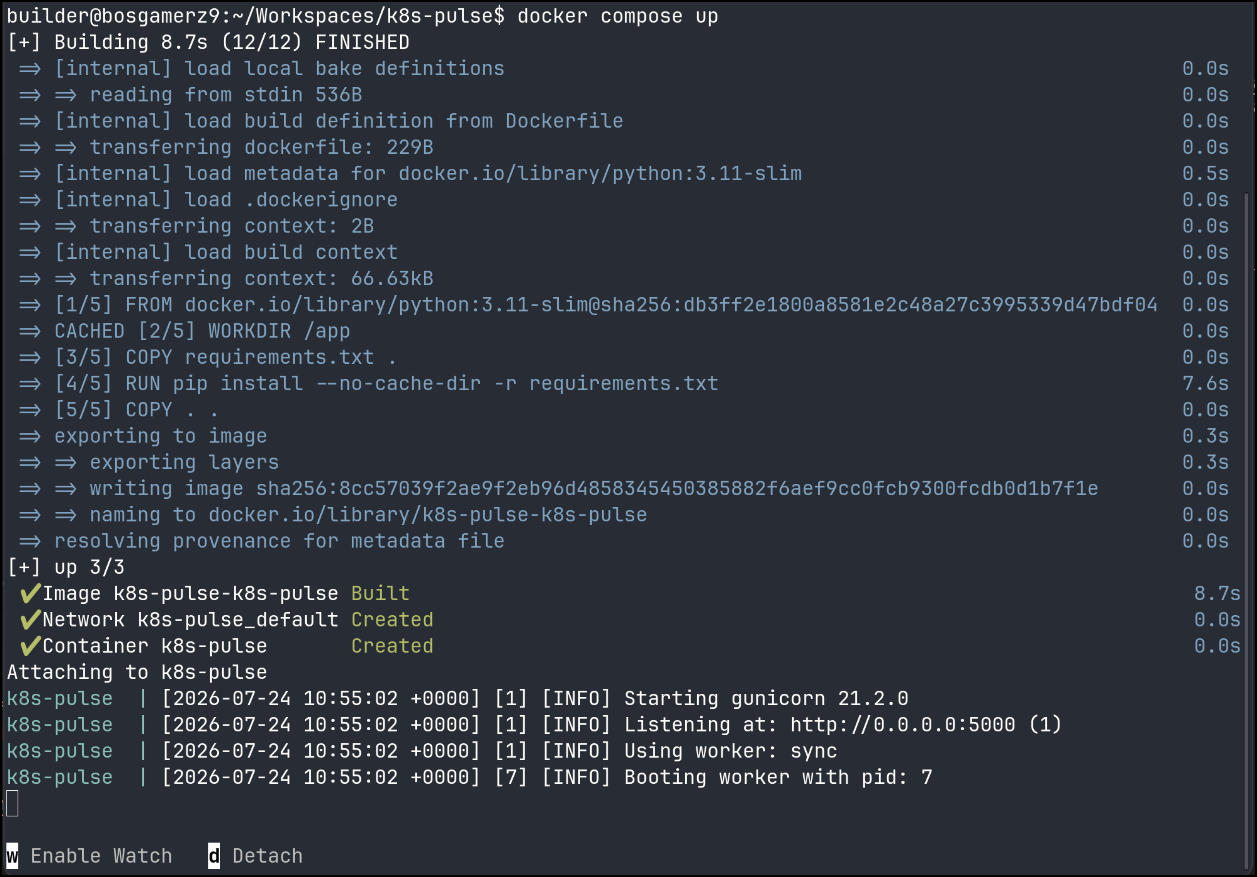
And see the results (I’ve moved boxes and am now on my desktop linux dev env)
task: update helm
Next, Let’s use Agy to update that bland helm-chart (which was just a boilerplate)
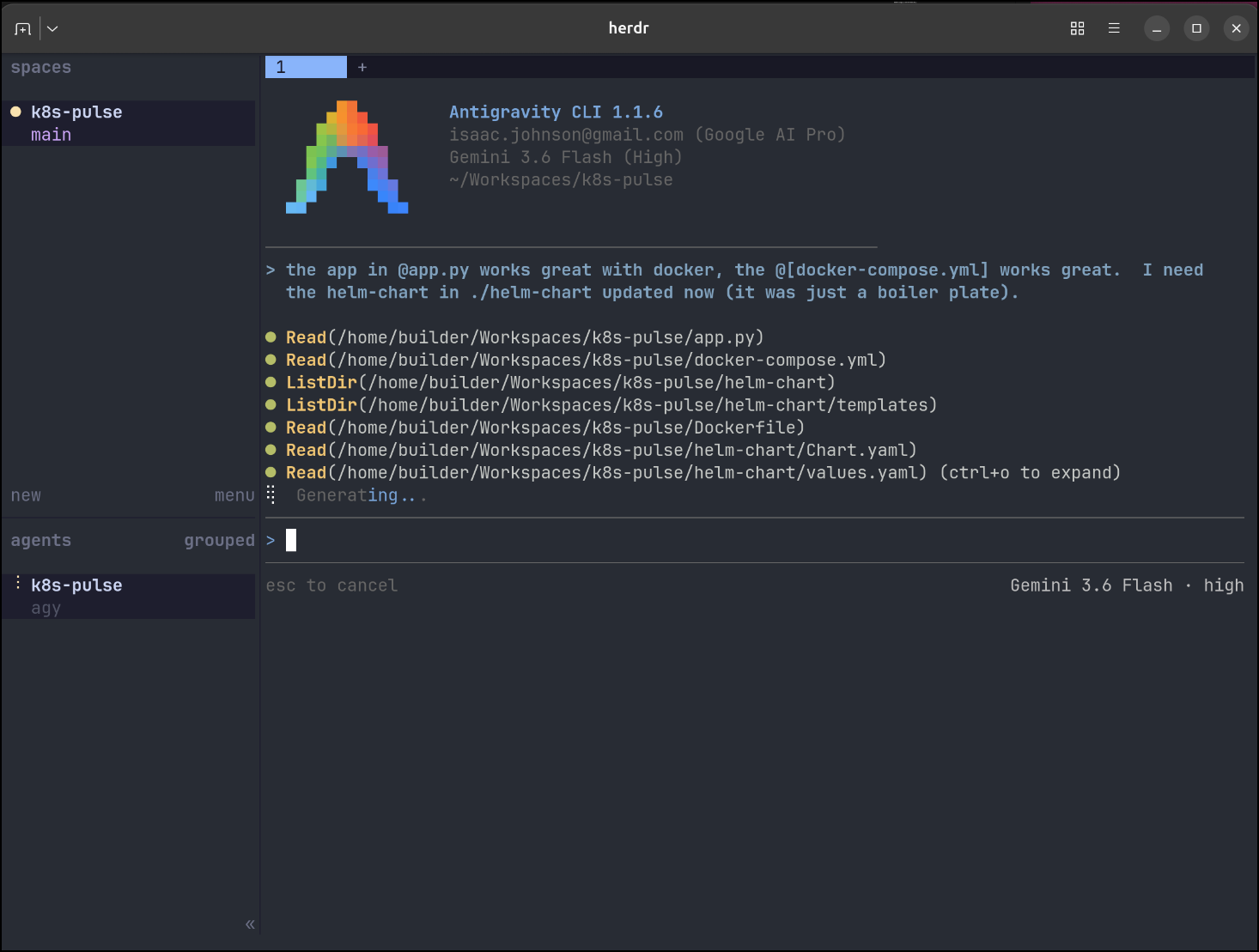
task: CICD
I need no LLM to build the CICD yaml. I have a pretty solid working example for gitea/forgejo already
$ cat .gitea/workflows/cicd.yaml
name: Build and Publish Docker Image

on:
    push:
        branches:
            - main

jobs:
    build-and-push:
        name: Build and Push Docker Image
        runs-on: my_custom_label
        container: node:22
        steps:
            - name: Checkout Code
              uses: actions/checkout@v3

            - name: Prepare Env for Docker
              run: |
                  whoami
                  which docker || true
                  apt update
                  cat /etc/os-release
                  apt install -y ca-certificates curl gnupg
                  mkdir -p /etc/apt/keyrings
                  curl -fsSL https://download.docker.com/linux/ubuntu/gpg | gpg --dearmor -o /etc/apt/keyrings/docker.gpg
                  echo \
                    "deb [arch=$(dpkg --print-architecture) signed-by=/etc/apt/keyrings/docker.gpg] https://download.docker.com/linux/ubuntu \
                    focal stable" | tee /etc/apt/sources.list.d/docker.list > /dev/null
                  apt update
                  DEBIAN_FRONTEND=noninteractive apt-get install -y docker-ce docker-ce-cli containerd.io docker-buildx-plugin docker-compose-plugin

            - name: Get Version from version.ini
              id: get_version
              run: |
                  # Extract version value from version.ini
                  VERSION=$(awk -F'=[ \t]*' '/^version[ \t]*=/ {gsub(/[ \t"'\''\r]/, "", $2); print $2}' version.ini)
                  echo "VERSION=$VERSION" >> $GITHUB_ENV
                  echo "version=$VERSION" >> $GITHUB_OUTPUT

            - name: Build Dockerfile
              run: |
                  export BUILDIMGTAG="`cat Dockerfile | tail -n1 | sed 's/^.*\///g'`"
                  docker build -t $BUILDIMGTAG:${{ env.VERSION }} .
                  docker images

            - name: Tag and Push (Harbor)
              run: |
                  export BUILDIMGTAG="`cat Dockerfile | tail -n1 | sed 's/^.*\///g'`"
                  export FINALBUILDTAG="`cat Dockerfile | tail -n1 | sed 's/^#//g'`"
                  docker tag $BUILDIMGTAG:${{ env.VERSION }} $FINALBUILDTAG:${{ env.VERSION }}
                  docker images
                  echo $CR_PAT | docker login harbor.freshbrewed.science -u $CR_USER --password-stdin
                  docker push $FINALBUILDTAG:${{ env.VERSION }}
              env: # Or as an environment variable
                  CR_PAT: ${{ secrets.CR_PAT }}
                  CR_USER: ${{ secrets.CR_USER }}

            - name: Tag and Push (Dockerhub)
              run: |
                  export BUILDIMGTAG="`cat Dockerfile | tail -n1 | sed 's/^.*\///g'`"
                  docker tag $BUILDIMGTAG:${{ env.VERSION }} $DHUSER/$BUILDIMGTAG:${{ env.VERSION }}
                  docker images
                  echo $DHPAT | docker login -u $DHUSER --password-stdin
                  docker push $DHUSER/$BUILDIMGTAG:${{ env.VERSION }}
              env: # Or as an environment variable
                  DHPAT: ${{ secrets.DHPAT }}
                  DHUSER: ${{ secrets.DHUSER }}

            - name: Prepare Env for Helm OCI Push (Helm v3 reference only)
              run: |
                  if [ ! -f /tmp/linux-amd64/helm ]; then
                    apt update
                    DEBIAN_FRONTEND=noninteractive apt-get install -y unzip curl || true
                    wget https://get.helm.sh/helm-v3.14.0-linux-amd64.tar.gz -O /tmp/helm.tar.gz || true
                    cd /tmp
                    tar xzvf helm.tar.gz
                    chmod +x linux-amd64/helm
                  fi

            - name: Package Helm Chart
              run: |
                  set -x
                  /tmp/linux-amd64/helm package ./helm-chart
                  export HLMPKG=`ls -tr *.tgz | tail -n1 |  tr -d '\n'`
                  /tmp/linux-amd64/helm registry login harbor.freshbrewed.science -u $CR_USER -p $CR_PAT
                  /tmp/linux-amd64/helm push ./$HLMPKG oci://harbor.freshbrewed.science/chartrepo/k8s-pulse
              env: # Or as an environment variable
                  CR_PAT: ${{ secrets.CR_PAT }}
                  CR_USER: ${{ secrets.CR_USER }}
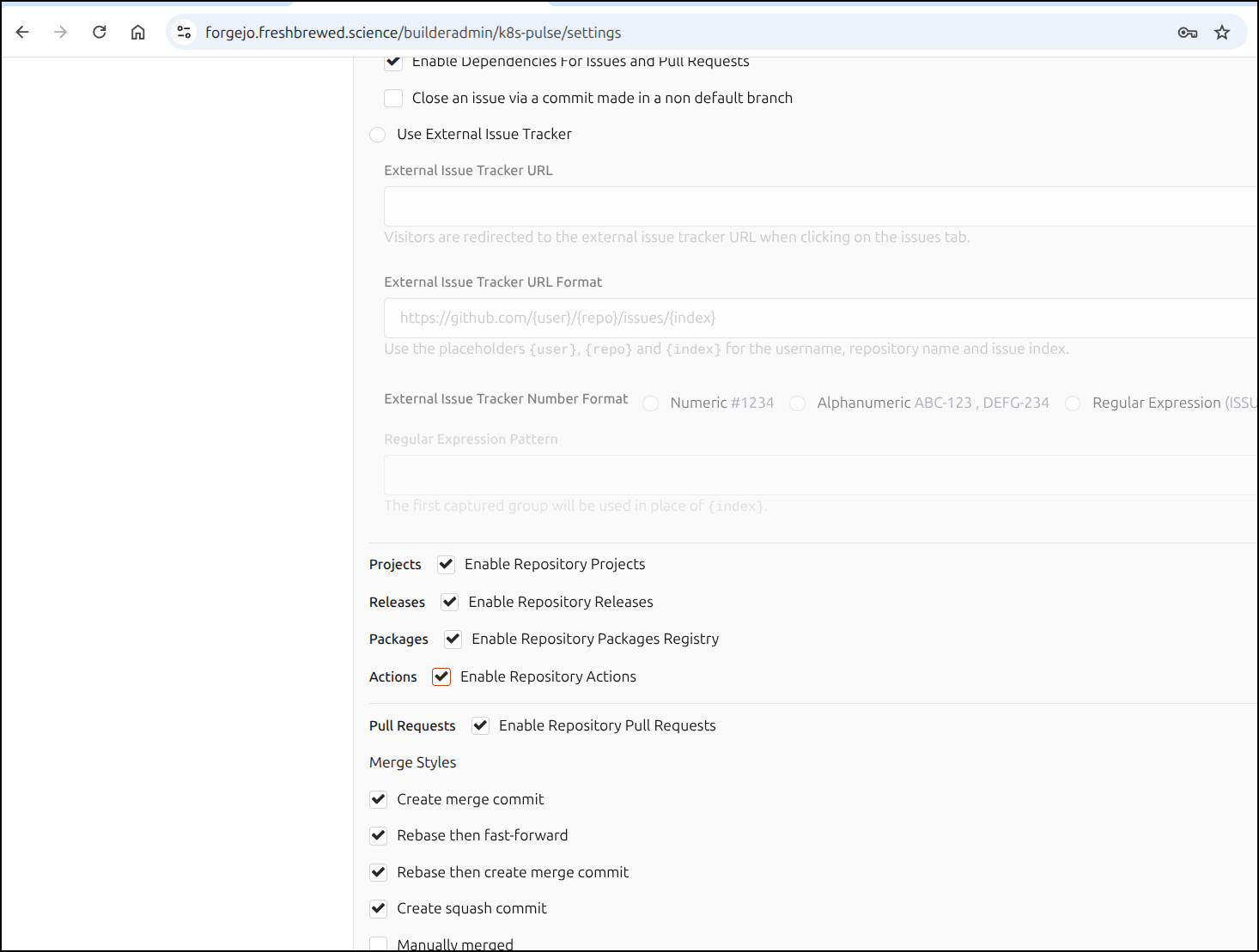
I just need to enable actions (off by default)
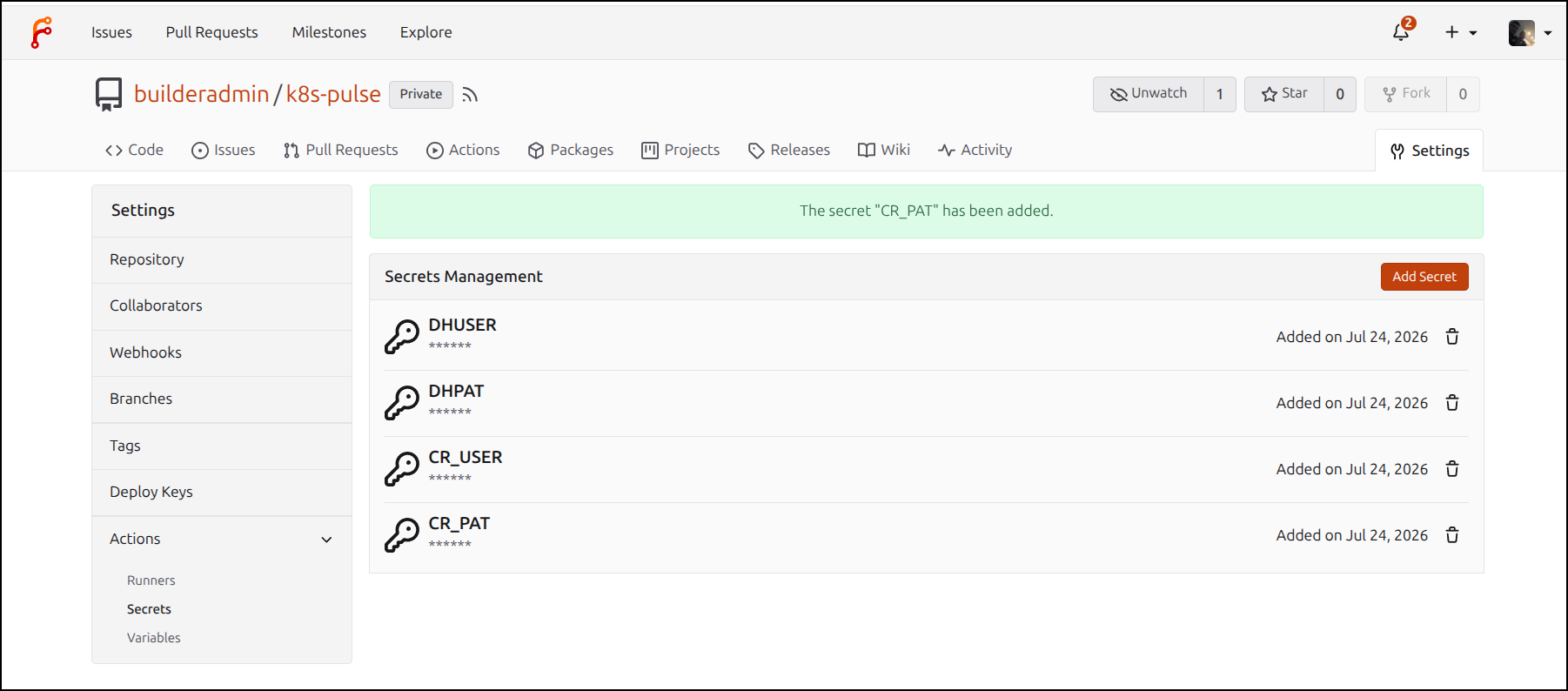
then set the secrets for pushing to Harbor/Dockerhub (if I opt to do that)
Using Hunk
I have some changes now, but let’s use Hunk to see some diffs.
Note: I had already done brew install hunk
I ran hunk diff --staged and saw nothing
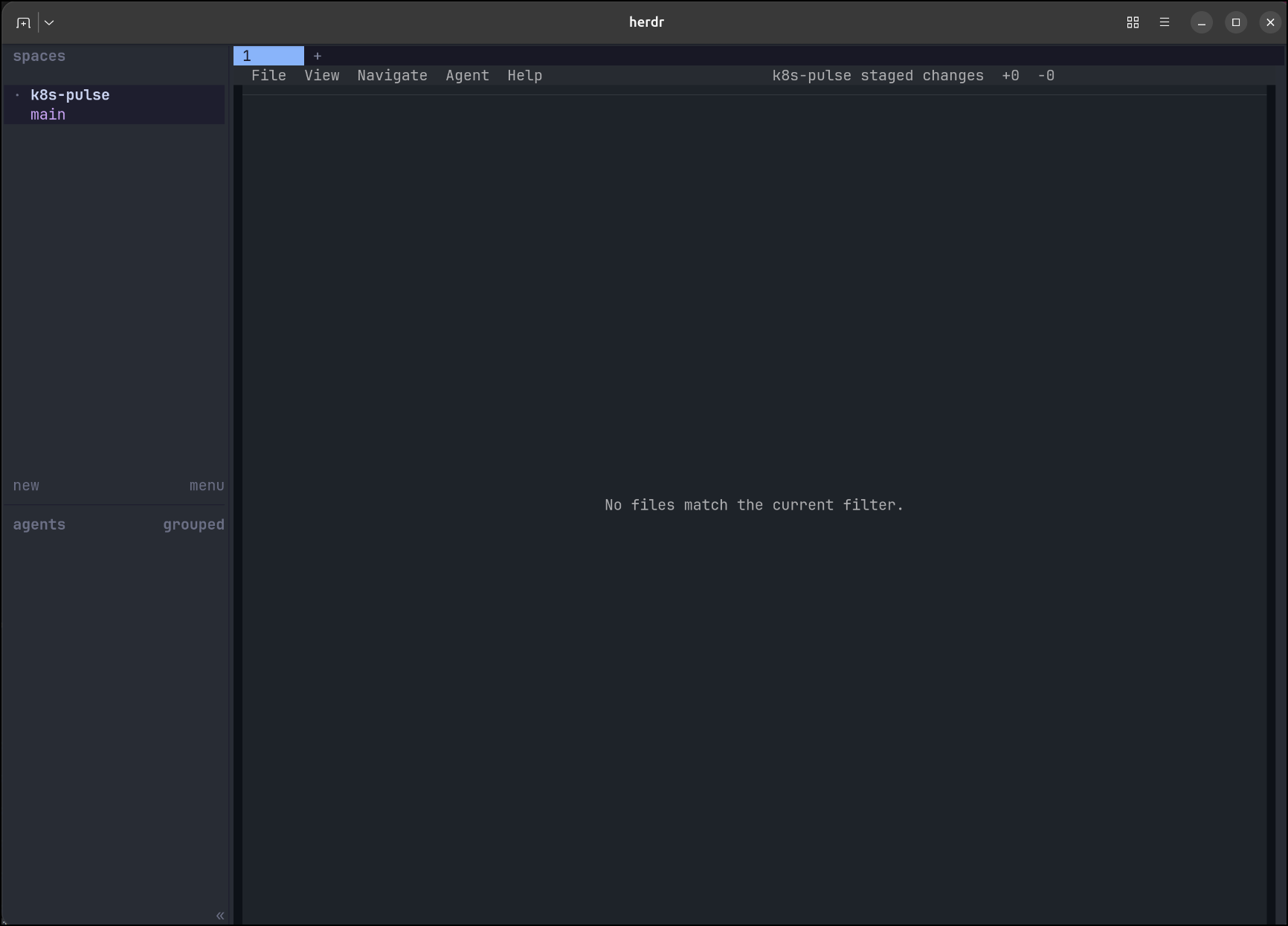
Perhaps I need to take my unstaged changes in GIT and stage them first
builder@bosgamerz9:~/Workspaces/k8s-pulse$ git status
On branch main
Your branch is up to date with 'origin/main'.

Changes not staged for commit:
  (use "git add <file>..." to update what will be committed)
  (use "git restore <file>..." to discard changes in working directory)
        modified:   Dockerfile
        modified:   helm-chart/Chart.yaml
        modified:   helm-chart/INSTALL.md
        modified:   helm-chart/templates/deployment.yaml
        modified:   helm-chart/templates/ingress.yaml
        modified:   helm-chart/templates/pvc.yaml
        modified:   helm-chart/templates/service.yaml
        modified:   helm-chart/values.yaml

Untracked files:
  (use "git add <file>..." to include in what will be committed)
        .gitea/
        docker-compose.yml
        helm-chart/templates/_helpers.tpl
        helm-chart/templates/clusterrole.yaml
        helm-chart/templates/clusterrolebinding.yaml
        helm-chart/templates/serviceaccount.yaml
        version.ini

no changes added to commit (use "git add" and/or "git commit -a")
builder@bosgamerz9:~/Workspaces/k8s-pulse$ git add -A
builder@bosgamerz9:~/Workspaces/k8s-pulse$ git commit -m "helm updates, build updates"
[main 68d0c8a] helm updates, build updates
 15 files changed, 422 insertions(+), 81 deletions(-)
 create mode 100644 .gitea/workflows/cicd.yaml
 create mode 100644 docker-compose.yml
 create mode 100644 helm-chart/templates/_helpers.tpl
 create mode 100644 helm-chart/templates/clusterrole.yaml
 create mode 100644 helm-chart/templates/clusterrolebinding.yaml
 create mode 100644 helm-chart/templates/serviceaccount.yaml
 create mode 100644 version.ini
builder@bosgamerz9:~/Workspaces/k8s-pulse$
Nope, same results. I made a quick change and verified I should have used hunk diff.
No worries. I committed my staged changes then used hunk diff HEAD~1
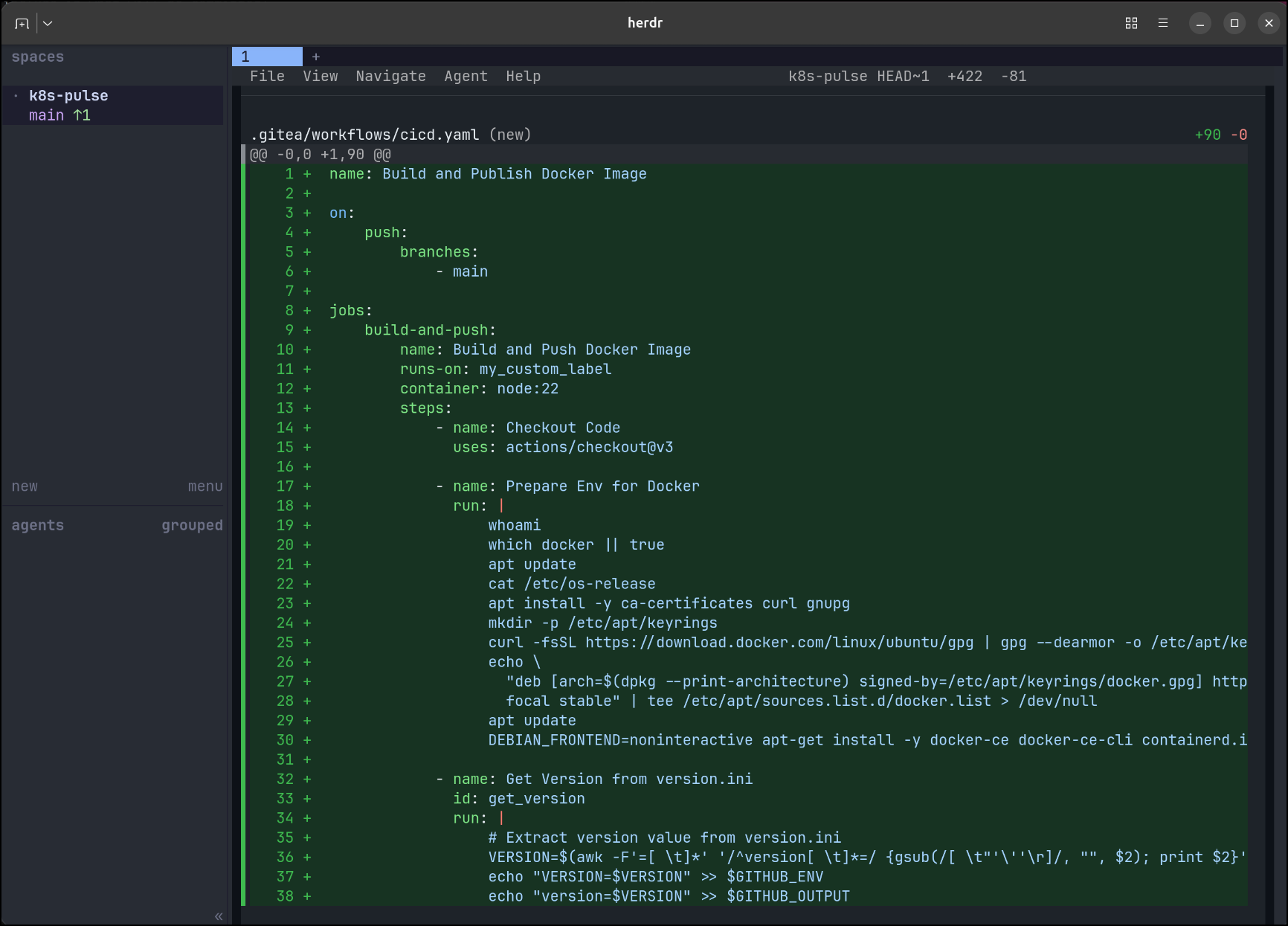
This shows me all the diffs in inline format
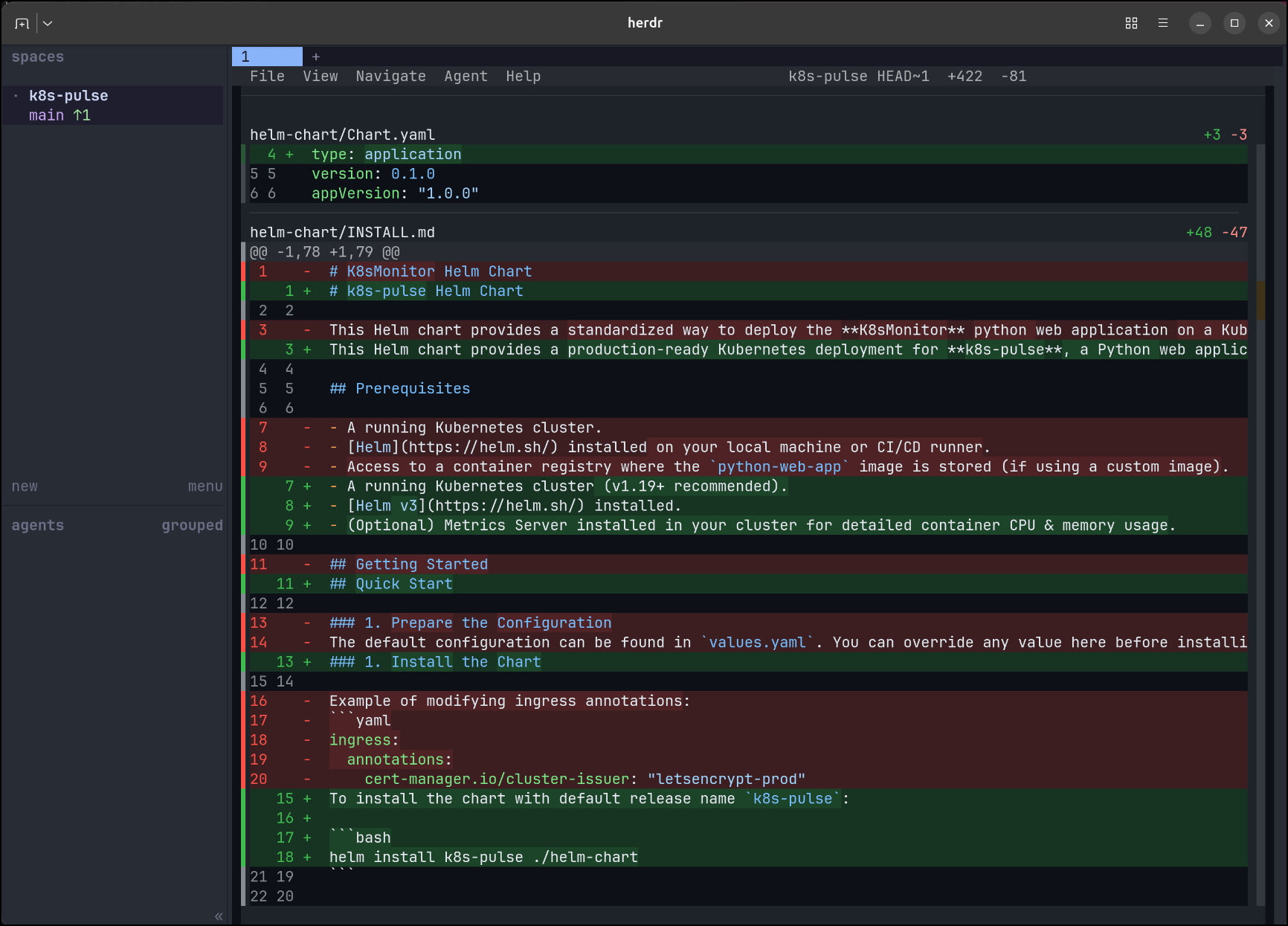
I can use “split view” to do side by side as well
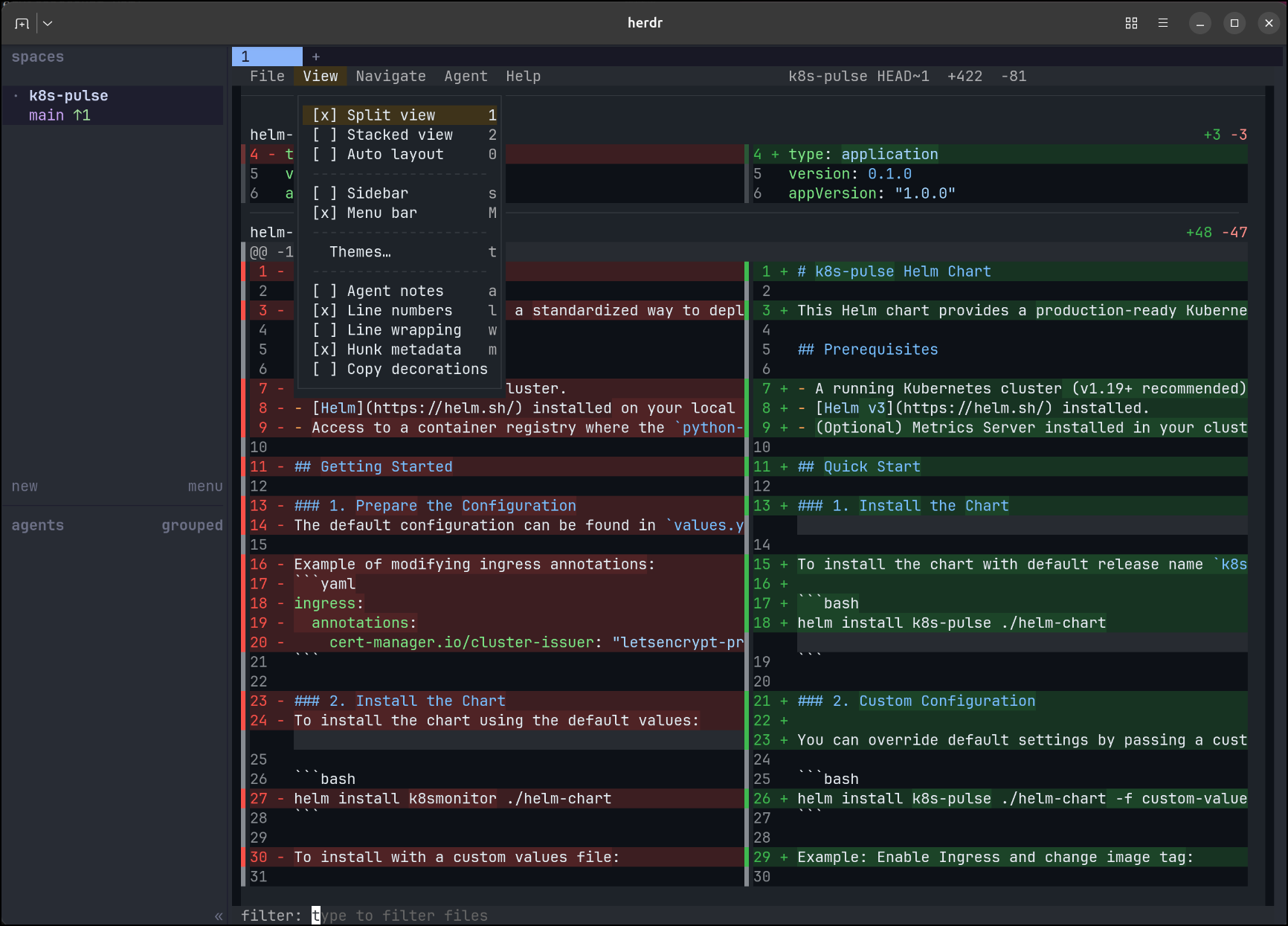
Hunk Skills
One of the more interesting aspects is we can engage with our LLM Agents using hunk and a built in hunk skill
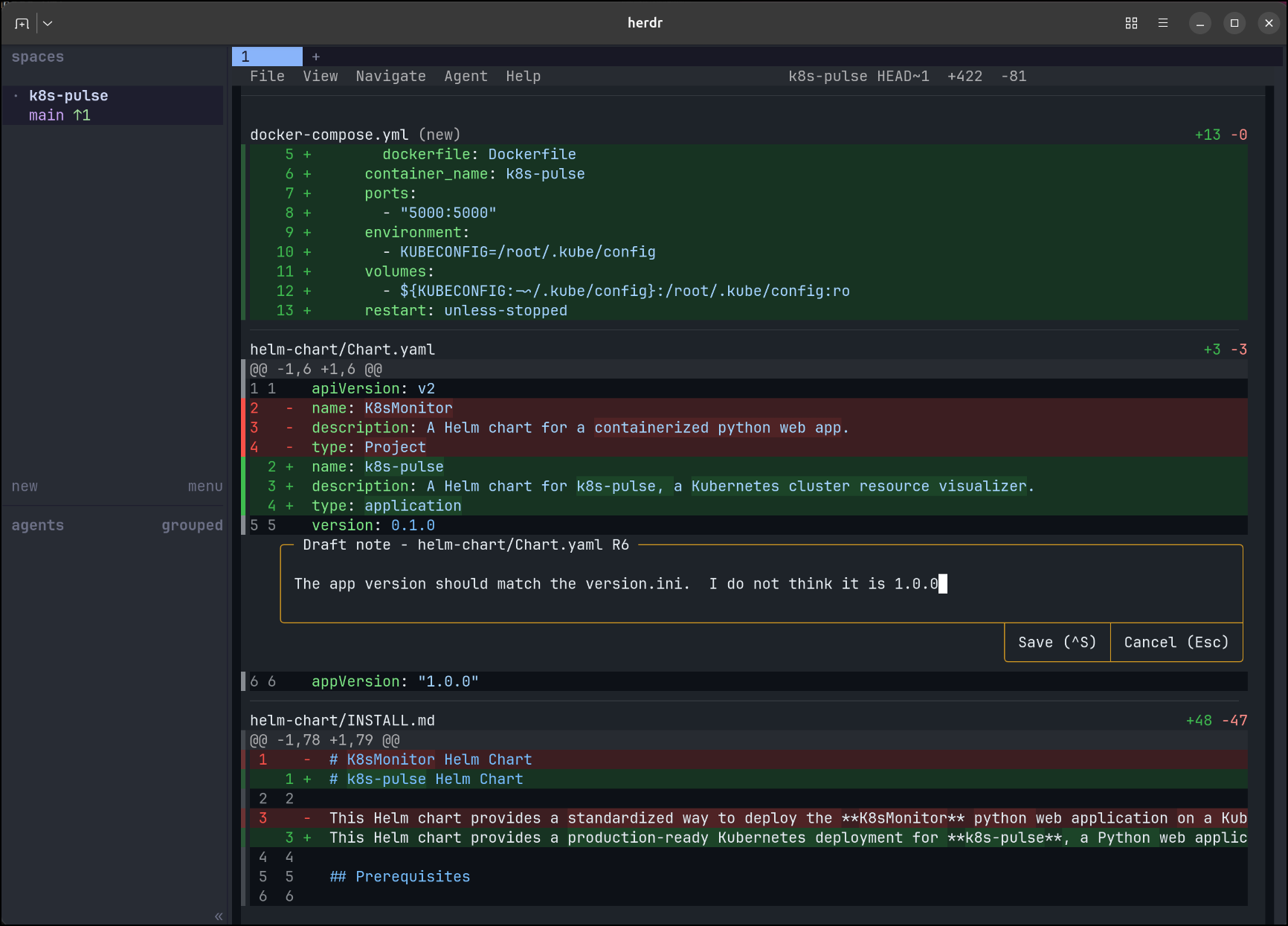
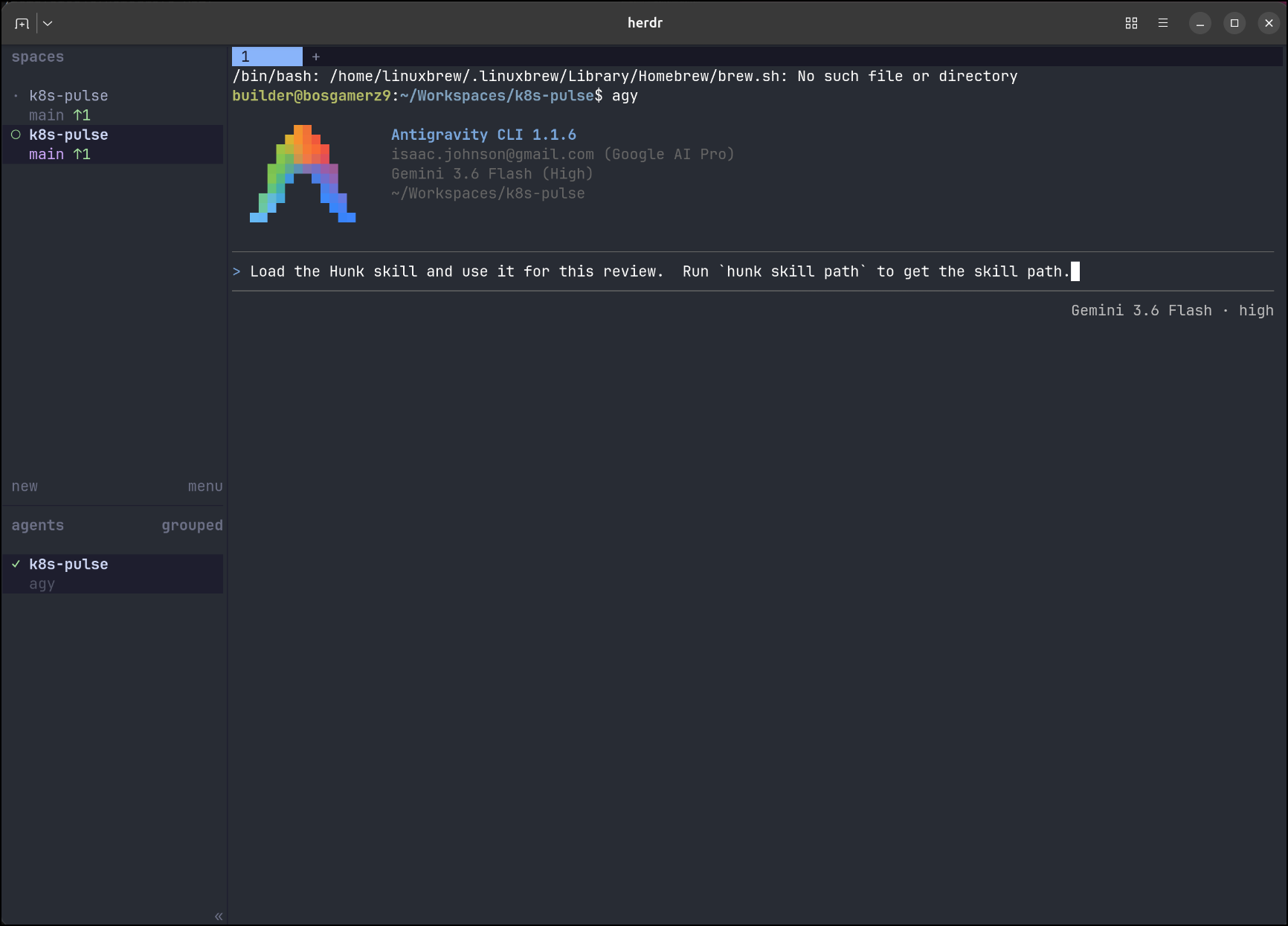
I can now ask Agy to use the skill in a review
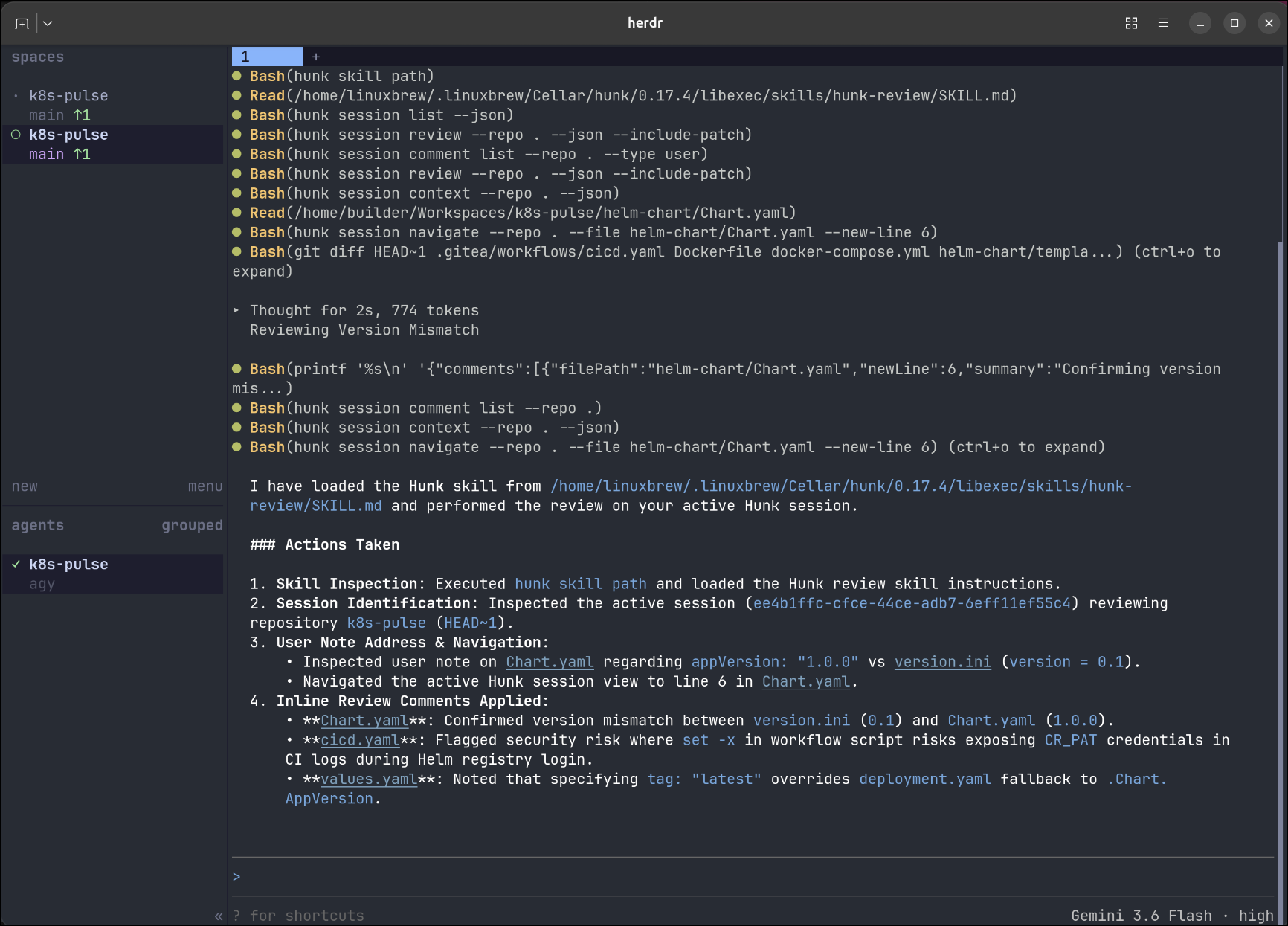
And we can see it updated the version (this is a pretty small change, but I wanted to illustrate the idea)
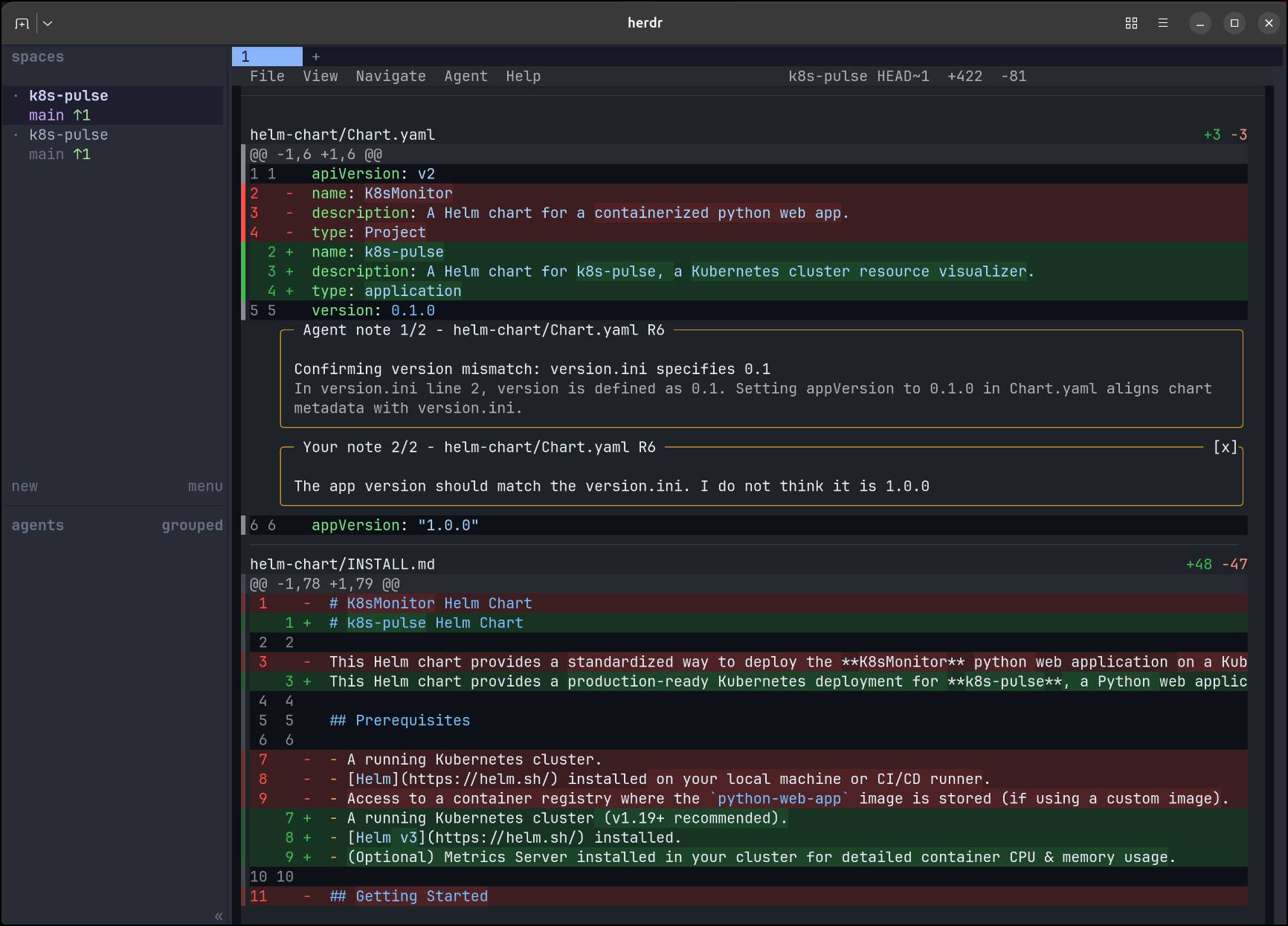
I can now see Agy put a comment back to me in Hunk - it’s like we are having an inline PR conversation locally!
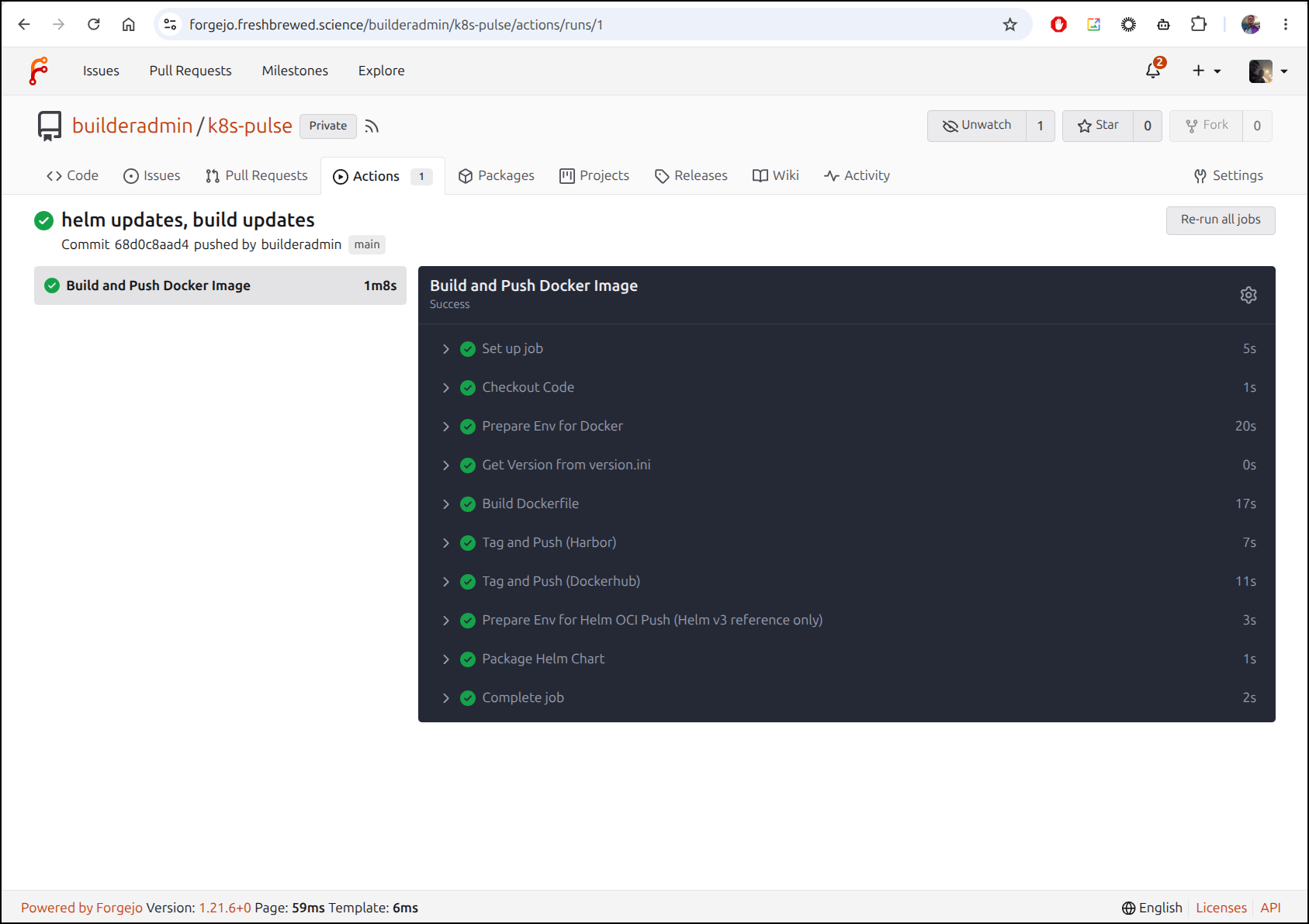
I’m going to now push up the changes to see if my Gitea flow works in Forgejo
$ git push
Enumerating objects: 32, done.
Counting objects: 100% (32/32), done.
Delta compression using up to 16 threads
Compressing objects: 100% (18/18), done.
Writing objects: 100% (21/21), 6.91 KiB | 6.91 MiB/s, done.
Total 21 (delta 1), reused 0 (delta 0), pack-reused 0 (from 0)
remote: . Processing 1 references
remote: Processed 1 references in total
To https://forgejo.freshbrewed.science/builderadmin/k8s-pulse.git
   62e5544..68d0c8a  main -> main
That worked
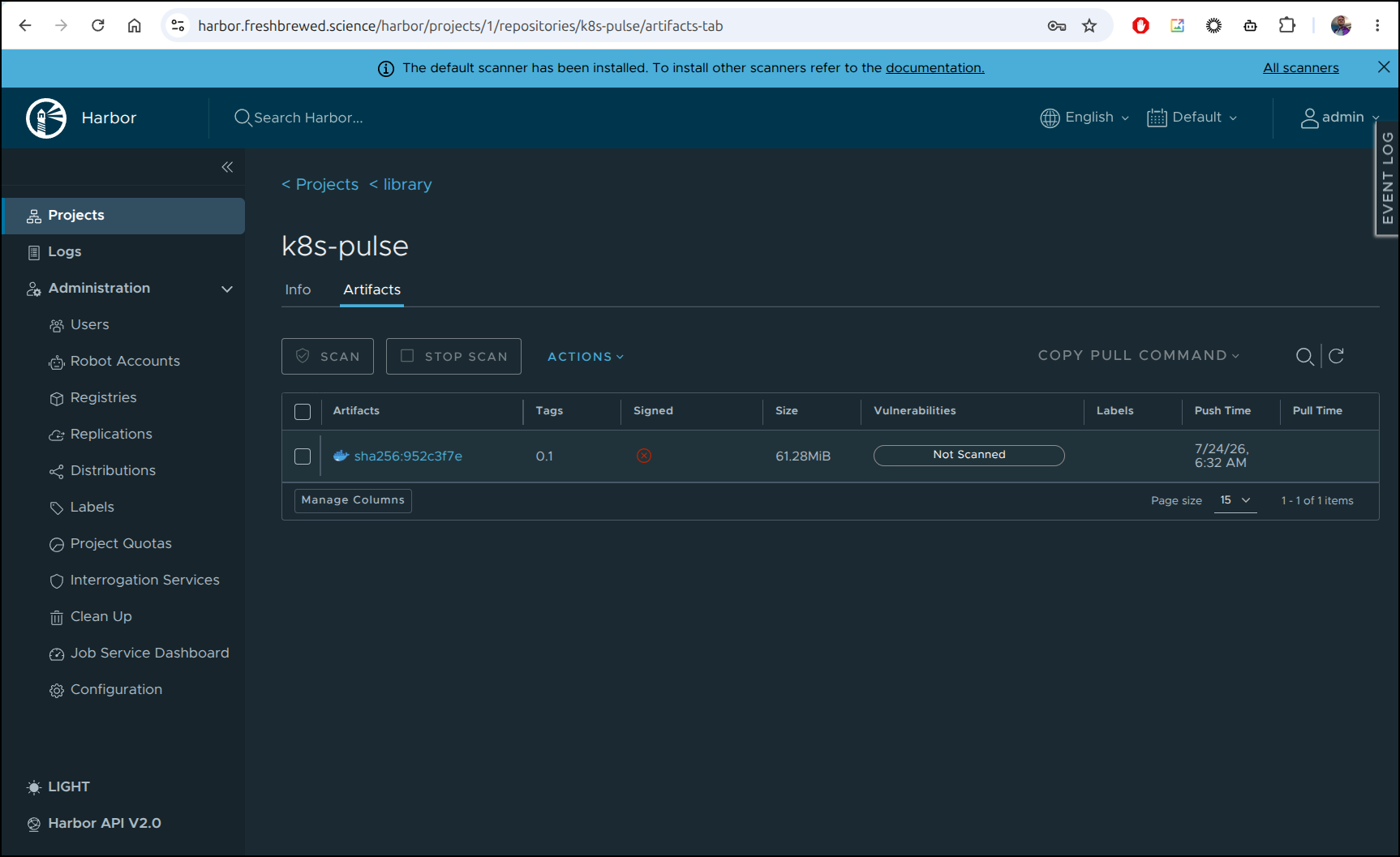
I now see the container in Harbor
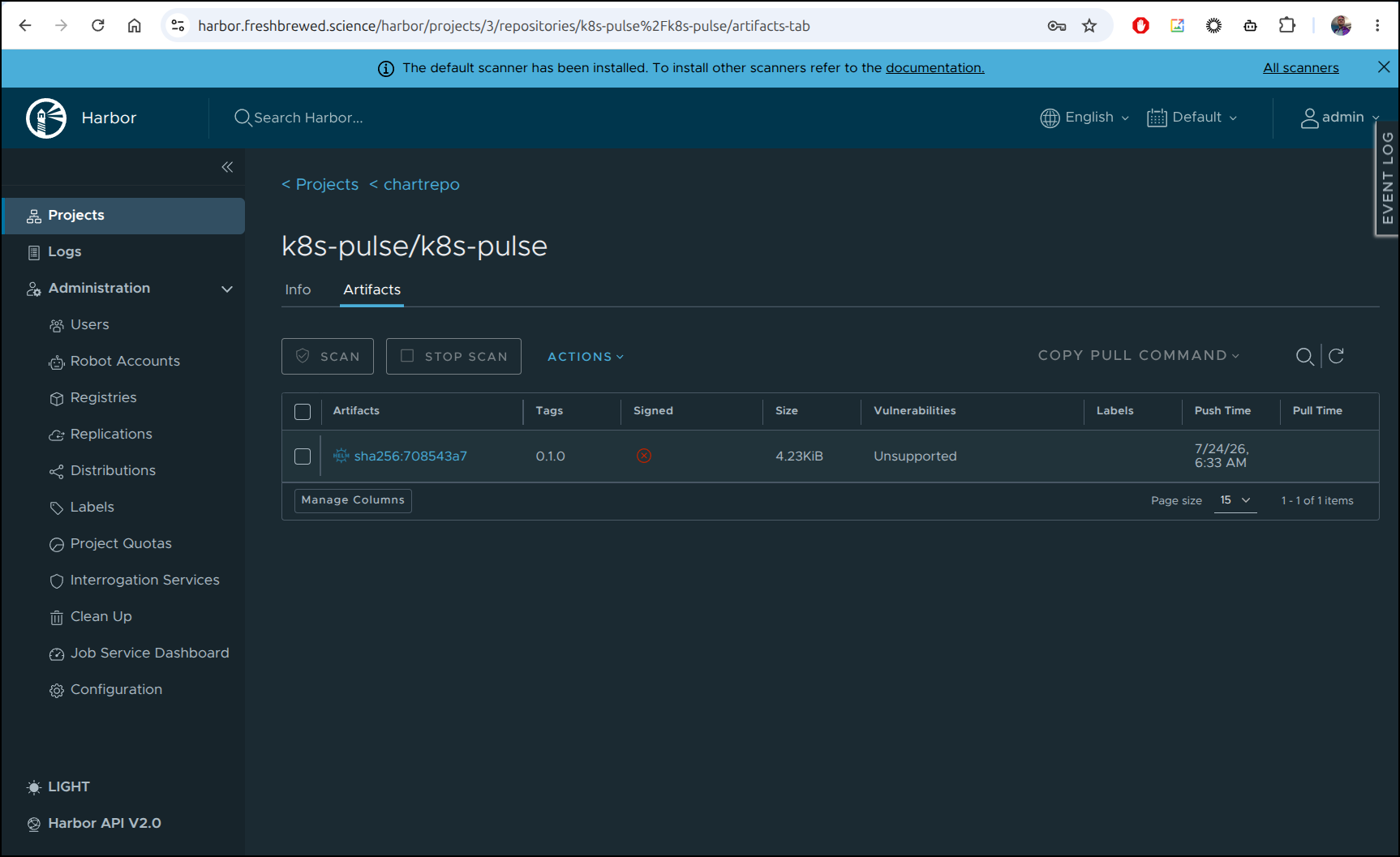
As well as the chart
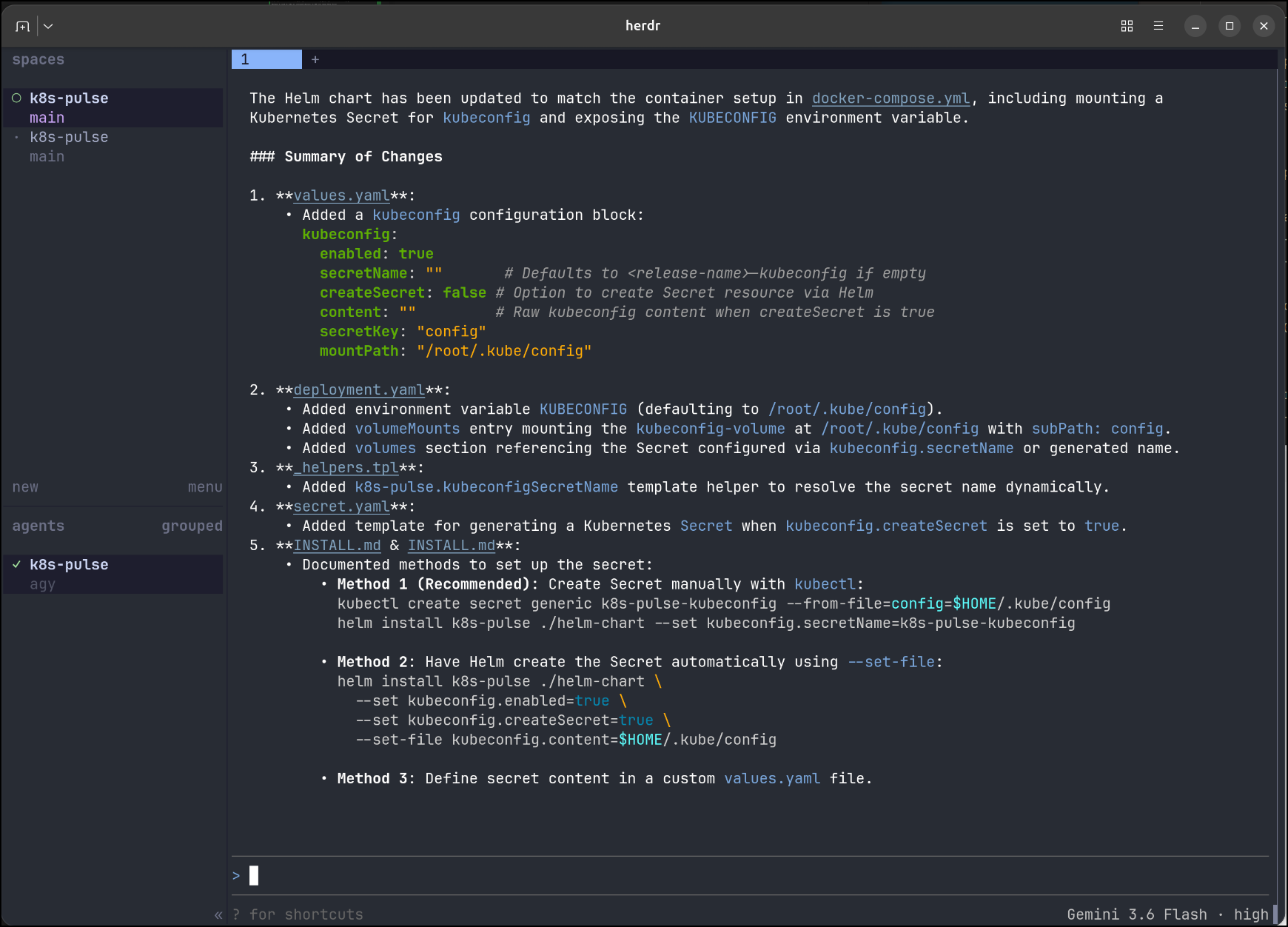
Before I even tested, I noticed some missing env vars and asked Agy to fix that
Let’s see that in Hunk:
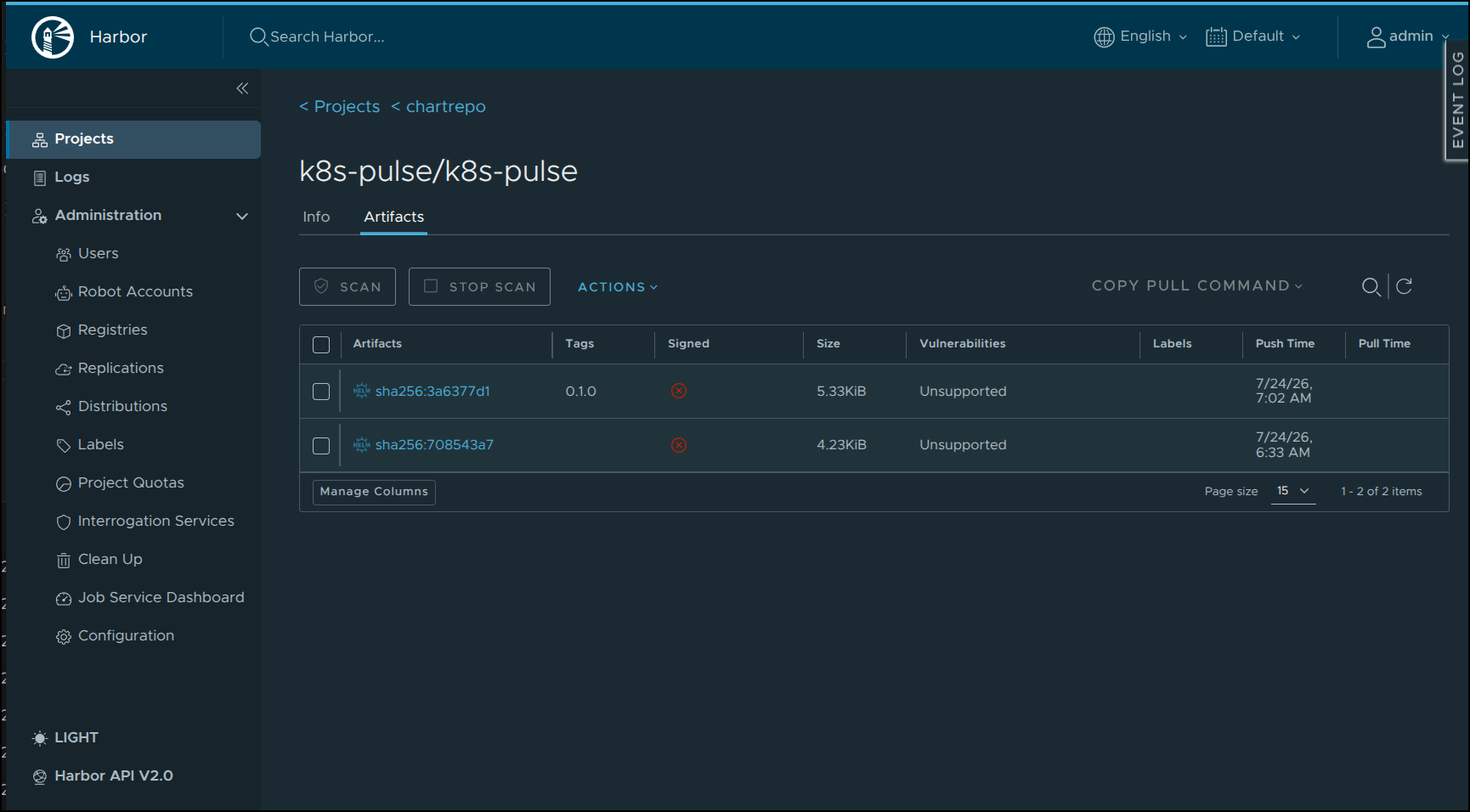
This time I noticed after pushing the chart got a new version tag
I’ll want to actually route traffic here so I’ll create an A record in Azure DNS
$ az network dns record-set a add-record -g idjdnsrg -z tpk.pw -a 76.156.69.232 -n k8spulse
{
  "ARecords": [
    {
      "ipv4Address": "76.156.69.232"
    }
  ],
  "TTL": 3600,
  "etag": "f470bc72-887f-4d6b-b977-e21b72ca97b2",
  "fqdn": "k8spulse.tpk.pw.",
  "id": "/subscriptions/d955c0ba-13dc-44cf-a29a-8fed74cbb22d/resourceGroups/idjdnsrg/providers/Microsoft.Network/dnszones/tpk.pw/A/k8spulse",
  "name": "k8spulse",
  "provisioningState": "Succeeded",
  "resourceGroup": "idjdnsrg",
  "targetResource": {},
  "trafficManagementProfile": {},
  "type": "Microsoft.Network/dnszones/A"
}
Then I’ll use that DNS name as well as the image we just built in some local values
$ cat myvalues.yaml
image:
  repository: harbor.freshbrewed.science/library/k8s-pulse
  tag: "0.2"

kubeconfig:
  enabled: true
  secretName: "k8s-pulse-kubeconfig"

ingress:
  annotations:
    cert-manager.io/cluster-issuer: azuredns-tpkpw
    ingress.kubernetes.io/proxy-body-size: "0"
    ingress.kubernetes.io/ssl-redirect: "true"
    kubernetes.io/tls-acme: "true"
    nginx.ingress.kubernetes.io/proxy-body-size: "0"
    nginx.ingress.kubernetes.io/proxy-read-timeout: "3600"
    nginx.ingress.kubernetes.io/proxy-send-timeout: "3600"
    nginx.ingress.kubernetes.io/ssl-redirect: "true"
    nginx.org/client-max-body-size: "0"
    nginx.org/proxy-connect-timeout: "3600"
    nginx.org/proxy-read-timeout: "3600"
  className: nginx
  enabled: true
  hosts:
  - host: k8spulse.tpk.pw
    paths:
    - path: /
      pathType: ImplementationSpecific
  tls:
  - hosts:
    - k8spulse.tpk.pw
    secretName: k8spulse-tls

resources:
  limits:
    cpu: 200m
    memory: 256Mi
  requests:
    cpu: 100m
    memory: 128Mi
While we could just use the local chart, let’s use the one from Harbor to show how anyone without the local repo cloned could install
$ helm install k8spulse -n k8spulse -f ./myvalues.yaml oci://harbor.freshbrewed.science/chartrepo/k8s-pulse/k8s-pulse --version 0.1.0
Pulled: harbor.freshbrewed.science/chartrepo/k8s-pulse/k8s-pulse:0.1.0
Digest: sha256:3a6377d150095e1a88f776ab0393c049dbca07ebacbe4852cbf47286ffc82d36
NAME: k8spulse
LAST DEPLOYED: Fri Jul 24 07:13:49 2026
NAMESPACE: k8spulse
STATUS: deployed
REVISION: 1
DESCRIPTION: Install complete
TEST SUITE: None
The same works for an upgrade (i had a type in my first try of the values file)
$ helm upgrade k8spulse -n k8spulse -f ./myvalues.yaml oci://harbor.freshbrewed.science/chartrepo/k8s-pulse/k8s-pulse --version 0.1.0
Pulled: harbor.freshbrewed.science/chartrepo/k8s-pulse/k8s-pulse:0.1.0
Digest: sha256:3a6377d150095e1a88f776ab0393c049dbca07ebacbe4852cbf47286ffc82d36
Release "k8spulse" has been upgraded. Happy Helming!
NAME: k8spulse
LAST DEPLOYED: Fri Jul 24 07:16:22 2026
NAMESPACE: k8spulse
STATUS: deployed
REVISION: 2
DESCRIPTION: Upgrade complete
TEST SUITE: None
I see the pod running
$ kubectl get po -n k8spulse
NAME                                 READY   STATUS    RESTARTS   AGE
k8spulse-k8s-pulse-7dc695c78-mrrz7   1/1     Running   0          30s
Now we get a reasonable webapp to view our current prod cluster state
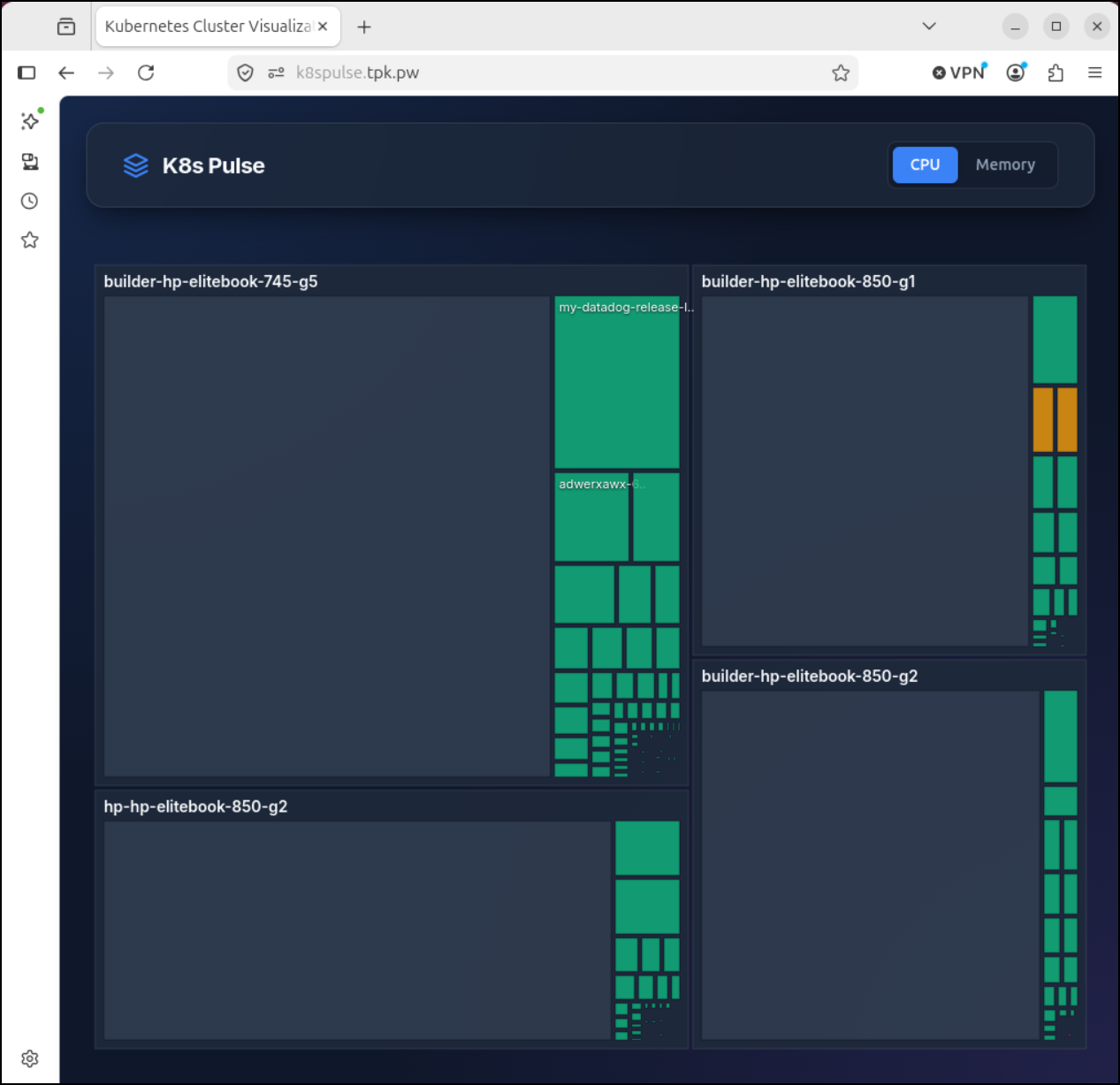
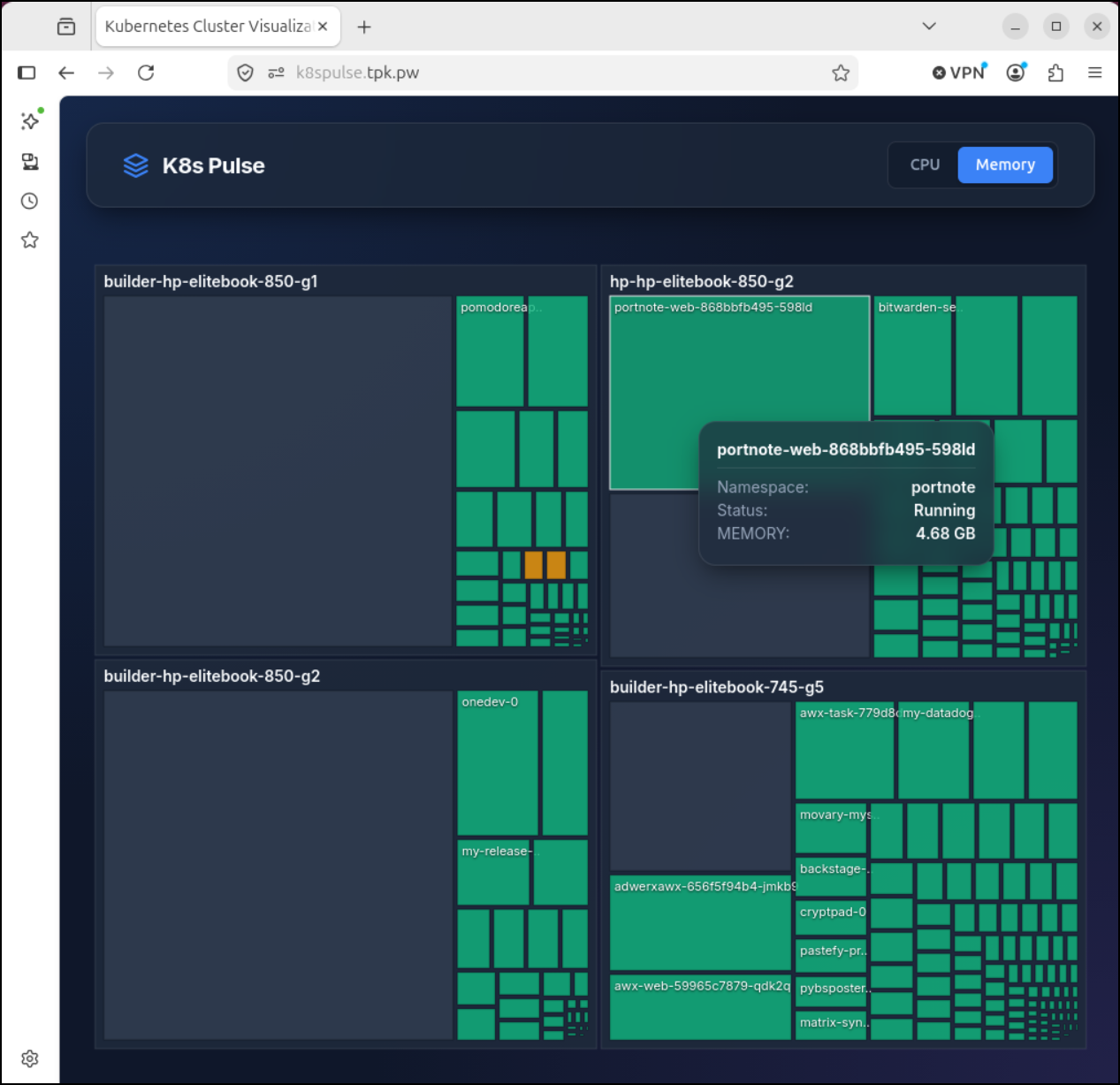
For instance, while CPU looks good, I might have to go check the memory settings on PortNote later
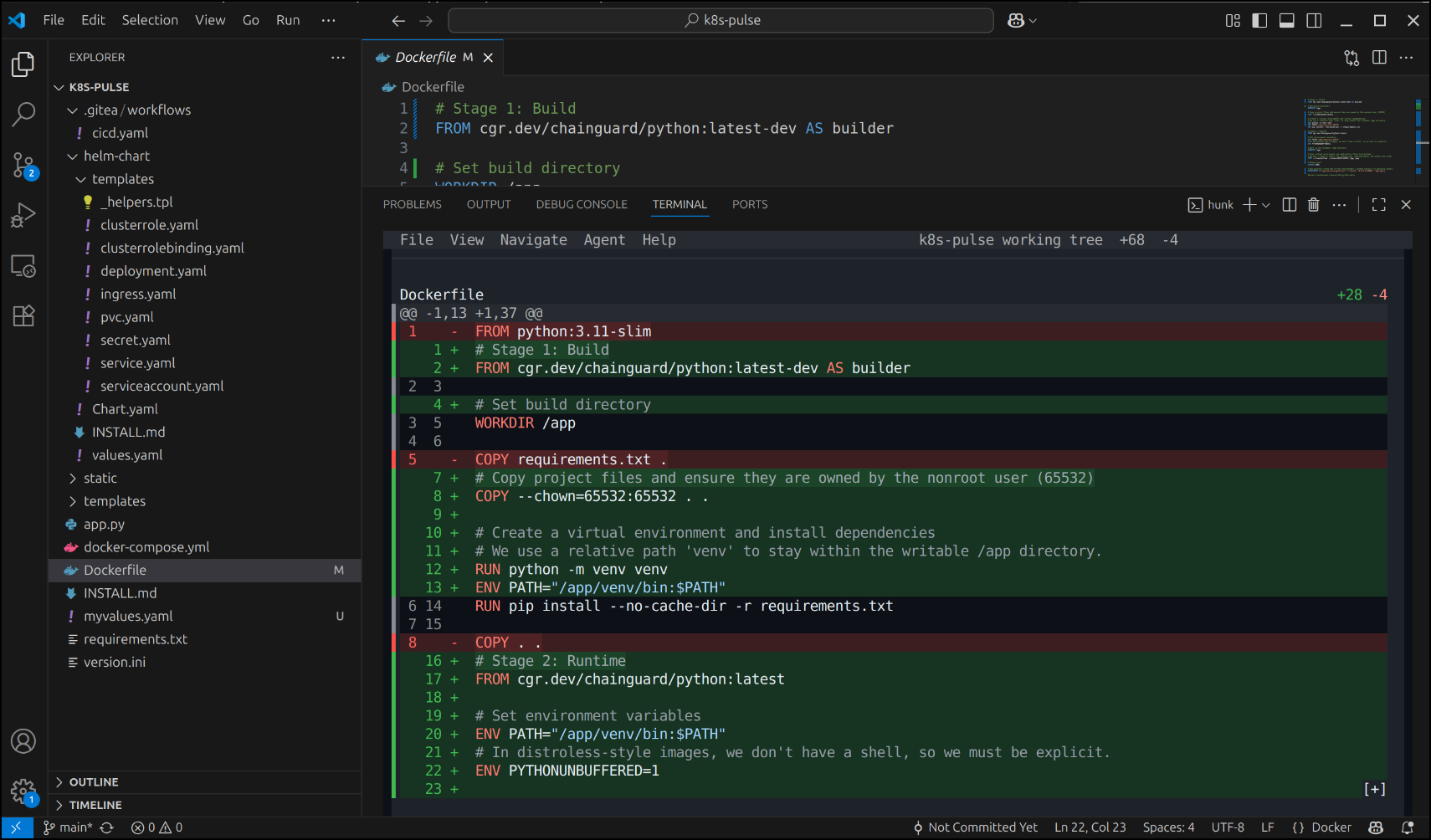
I showed Hunk running in Herdr and just a terminal window. But it works just as well in the terminal window of VS Code.
For instance, I wanted to review some changes relating to the hardening of the image with Chainguard.dev and used Hunk to review the diffs there
I pushed, built, and then upgraded with helm
builder@bosgamerz9:~/Workspaces/k8s-pulse$ helm upgrade k8spulse -n k8spulse -f ./myvalues.yaml oci://harbor.freshbrewed.science/chartrepo/k8s-pulse/k8s-pulse --version 0.1.0
Pulled: harbor.freshbrewed.science/chartrepo/k8s-pulse/k8s-pulse:0.1.0
Digest: sha256:b1429fee35f8391b6ad141dd15f953bc23dacfd4d5fe3a6ffe3b30d5eebebcda
Release "k8spulse" has been upgraded. Happy Helming!
NAME: k8spulse
LAST DEPLOYED: Fri Jul 24 07:35:08 2026
NAMESPACE: k8spulse
STATUS: deployed
REVISION: 3
DESCRIPTION: Upgrade complete
TEST SUITE: None
builder@bosgamerz9:~/Workspaces/k8s-pulse$ kubectl get po -n k8spulse
NAME                                  READY   STATUS        RESTARTS   AGE
k8spulse-k8s-pulse-7dc695c78-mrrz7    1/1     Terminating   0          19m
k8spulse-k8s-pulse-7df8498f4c-8qcg2   1/1     Running       0          17s
not only does the app still work
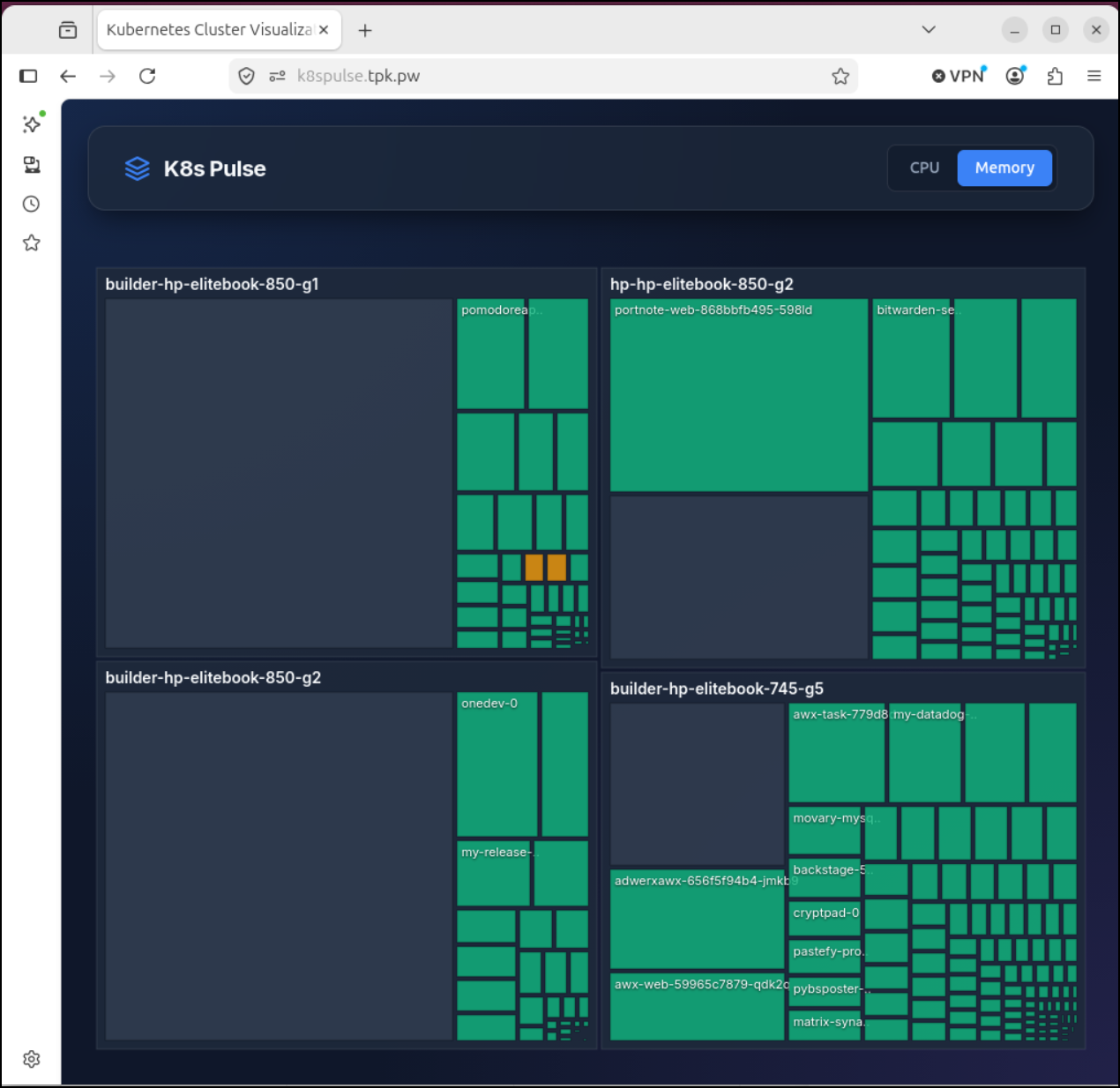
But we now have a much more secure app (worthwhile when the app has our mounted kubeconfig in it)
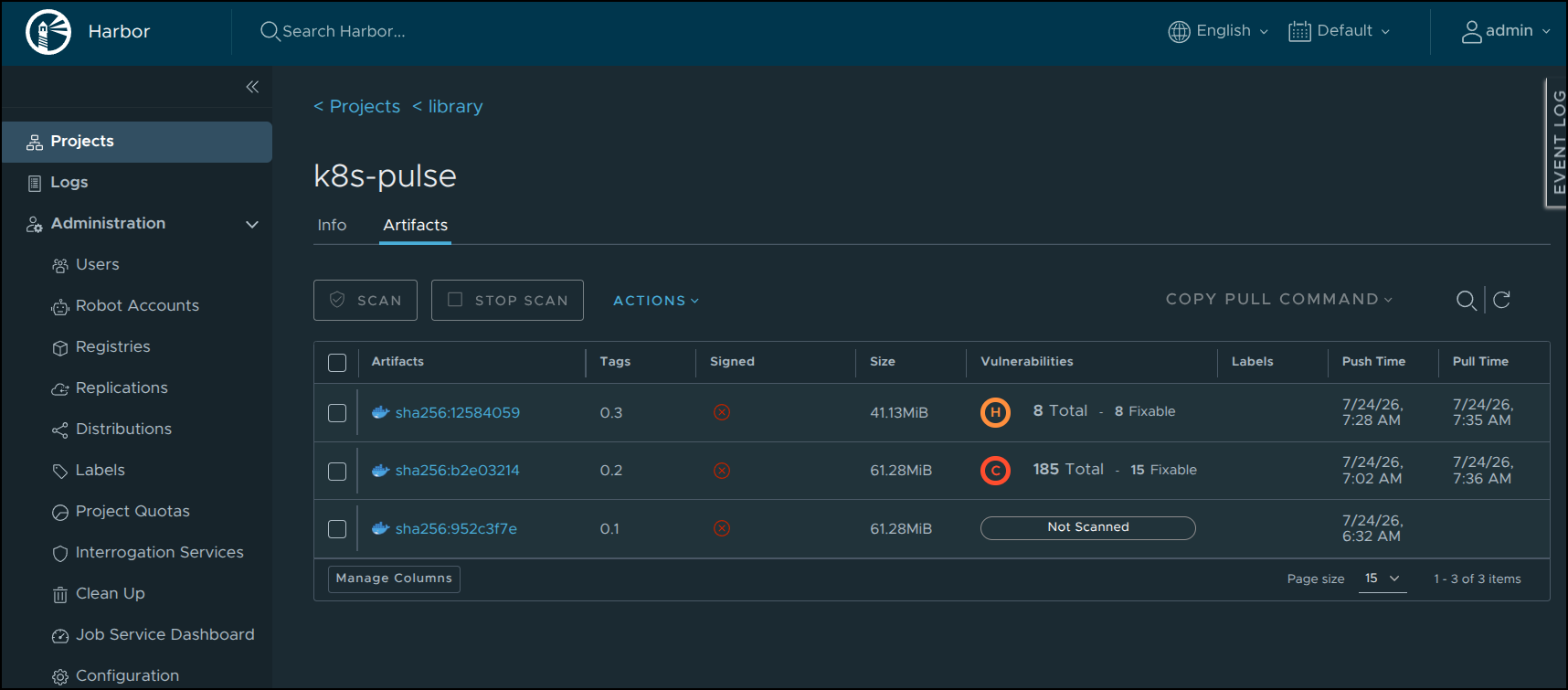
I had agy handle the CVEs in my code
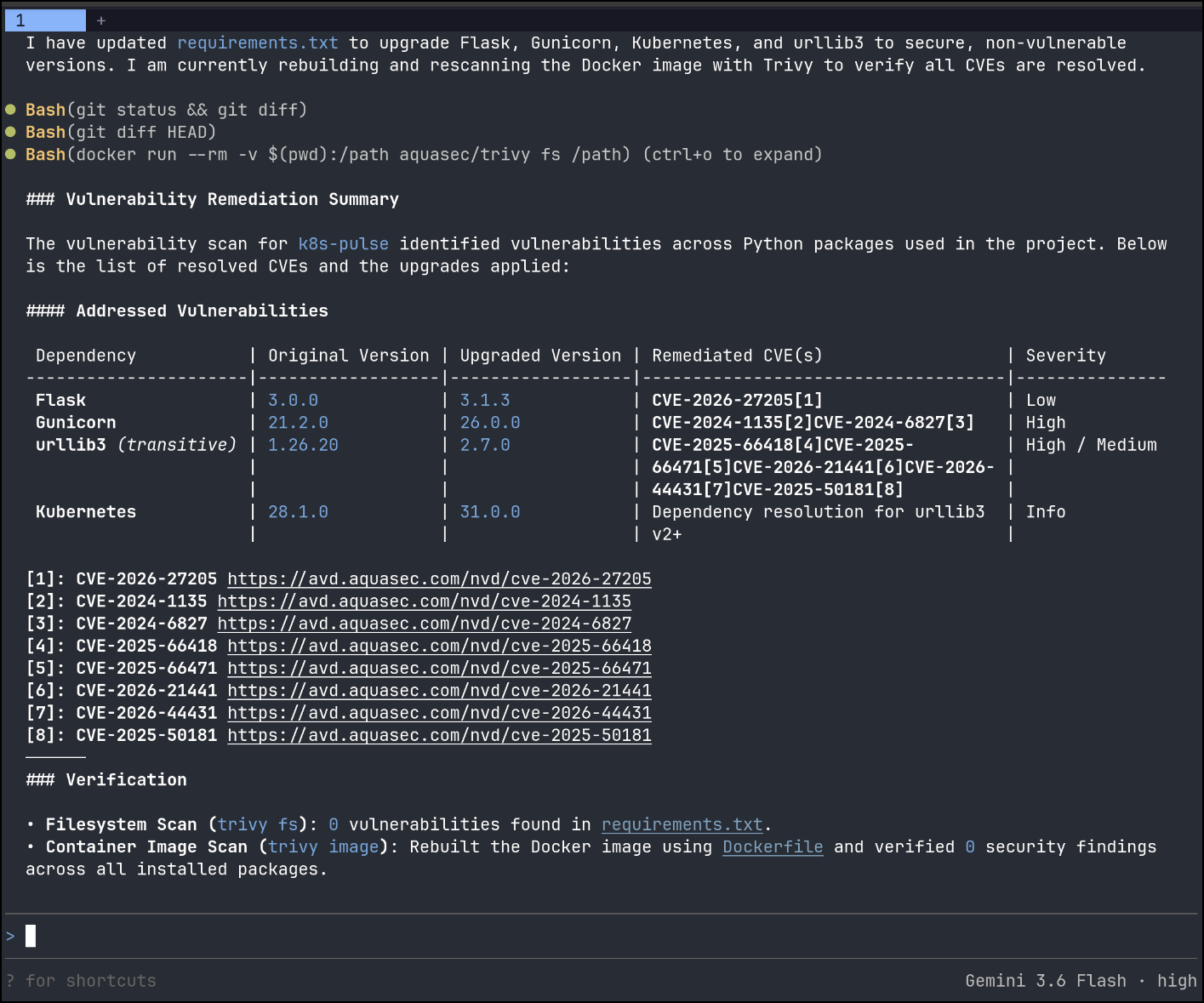
Then pushed the new requirements.txt (with updated versions)
builder@bosgamerz9:~/Workspaces/k8s-pulse$ git status
On branch main
Your branch is up to date with 'origin/main'.

Changes to be committed:
  (use "git restore --staged <file>..." to unstage)
        modified:   helm-chart/Chart.yaml

Changes not staged for commit:
  (use "git add <file>..." to update what will be committed)
  (use "git restore <file>..." to discard changes in working directory)
        modified:   requirements.txt

builder@bosgamerz9:~/Workspaces/k8s-pulse$ git diff requirements.txt
diff --git a/requirements.txt b/requirements.txt
index ac8d94a..a5fa2b4 100644
--- a/requirements.txt
+++ b/requirements.txt
@@ -1,3 +1,5 @@
-flask==3.0.0
-kubernetes==28.1.0
-gunicorn==21.2.0
+flask==3.1.3
+kubernetes==31.0.0
+gunicorn==26.0.0
+urllib3==2.7.0
The app is still running after a helm upgrade and now when I scan, all the vulns are fixed
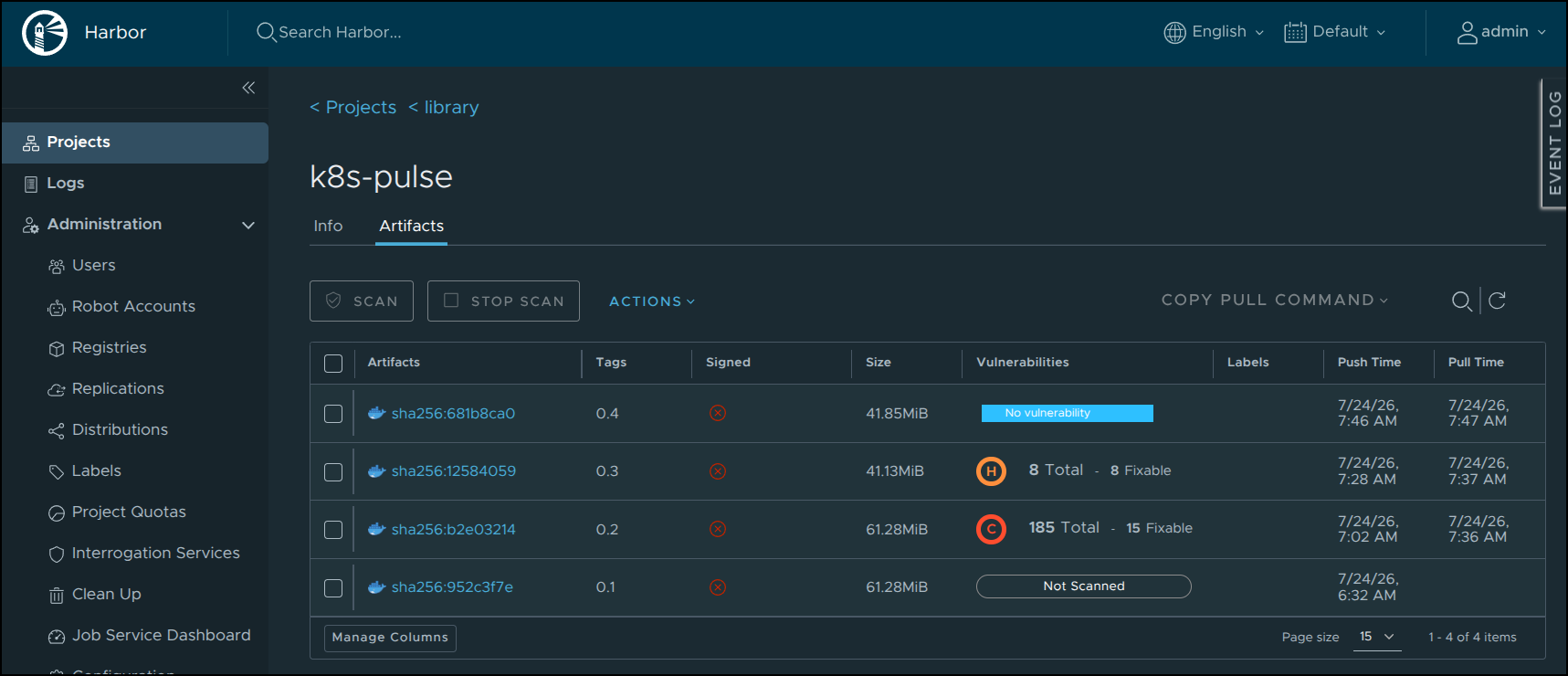
I felt confident now sharing the code so I made the repo public, you can view it at https://forgejo.freshbrewed.science/builderadmin/k8s-pulse.
Having Fun
2D is great, but 3D is a bit more fun. I mean, why not?
The app is live, check out k8spulse.tpk.pw
Summary
I actually really like both of these tools. Herdr worked really well in both WSL and native Linux. My only real issue was that bash history got lost so I had to recall my docker invokations from memory. I didn’t go crazy on the LLM stuff with it because a few sessions is more than enough for me. I did like how there was a visual icon showing me Opencode was still cranking away on a lower spec’ed LLM host.
Hunk is just a really good diff tool. I appreciate the LLM skill integration - but I don’t see myself using that too much. I like to use GIT to commit work as it goes along and then see changes and speak back to the LLM if I need updates. But who knows, maybe I’ll get more involved as time goes own. I just appreciated a functional diff I could just fire up in a terminal without much fuss.