I was recently working in Antigravity trying to fix some stylesheets when I hit my AI Pro limit:
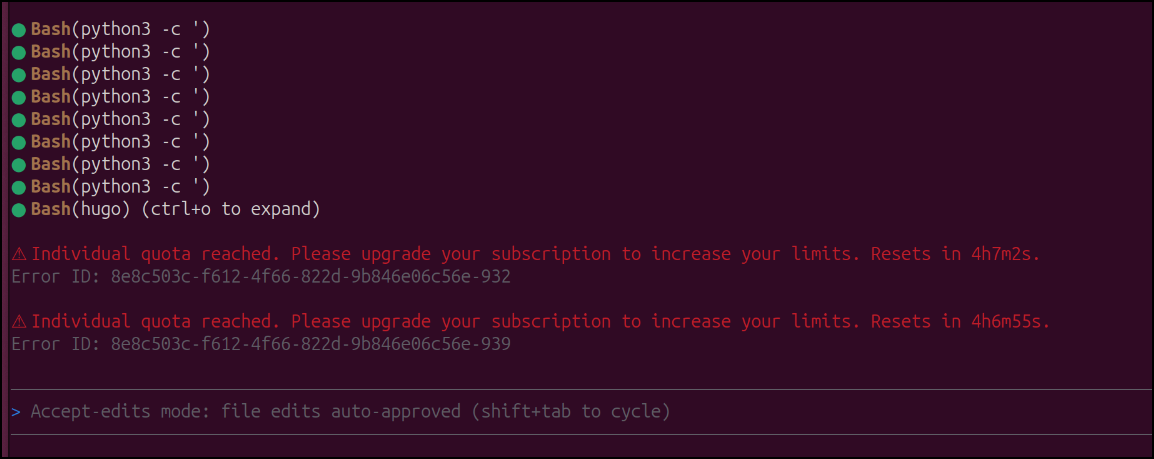
That hadn’t happened to me until today (and I bounced over to Github Copilot to finish the task), but the situation reminded me of a project I had bookmarked some time back, Agy Statusline
And once I started setting up status lines, it sparked me to look at a few more options. In this post we’ll actually explore five different status line offerings from a variety of developers.
Let’s start with Jochen Kirstaetter’s:
Installing Jochenkirstaetter’s
I’m a bit unclear on the nerd fonts part of their install instructions. They seem not required.
I’ll clone the repo, copy the file and set permissions
uilder@bosgamerz9:~/Workspaces$ git clone https://codeberg.org/jochenkirstaetter/agy-statusline.git
Cloning into 'agy-statusline'...
remote: Enumerating objects: 74, done.
remote: Counting objects: 100% (11/11), done.
remote: Compressing objects: 100% (11/11), done.
remote: Total 74 (delta 4), reused 0 (delta 0), pack-reused 63 (from 1)
Receiving objects: 100% (74/74), 98.42 KiB | 690.00 KiB/s, done.
Resolving deltas: 100% (40/40), done.
builder@bosgamerz9:~/Workspaces$ cd agy-statusline/
builder@bosgamerz9:~/Workspaces/agy-statusline$ cp ./statusline.sh ~/.gemini/antigravity-cli/
builder@bosgamerz9:~/Workspaces/agy-statusline$ chmod 755 ~/.gemini/antigravity-cli/statusline.sh
Then I’ll add the lines at the end of the agy CLI settings.json
builder@bosgamerz9:~/Workspaces/agy-statusline$ vi ~/.gemini/antigravity-cli/settings.json
builder@bosgamerz9:~/Workspaces/agy-statusline$ cat ~/.gemini/antigravity-cli/settings.json | tail -n 6
  "statusLine": {
    "type": "",
    "command": "~/.gemini/antigravity-cli/statusline.sh",
    "enabled": true
  }
}
Let me know go to a project page and fire up Antigravity
builder@bosgamerz9:~/Workspaces/mejWebsite$ export USE_NERD_FONTS=false
builder@bosgamerz9:~/Workspaces/mejWebsite$ agy
It looks pretty good
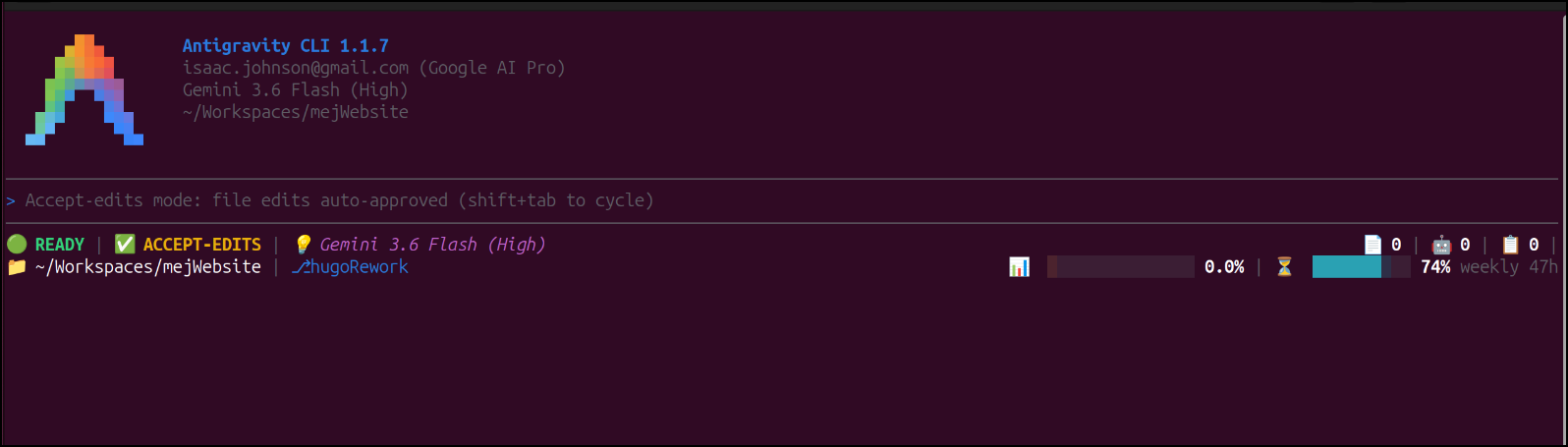
I’m going to connect BrowserMCP and see if I can debug a styling issue that has eluded me.
If I forget to disable Nerd Fonts, I see:
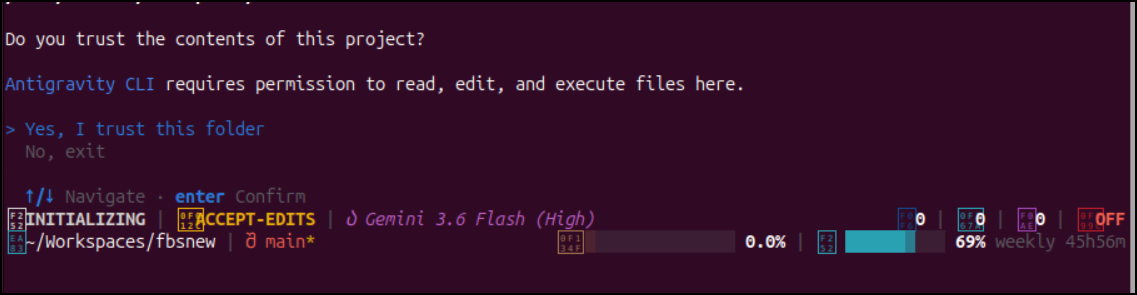
It worked and covered my major need - knowing my usage so far.
But I went on a search for more options…
AndyAWD’s status line
I came across another option, AndyAWD’s Antigravity CLI Statusline.
This has a bit less decoration, but more stats.
I removed the last one by just removing the “statusline” block in settings.json
$ vi ~/.gemini/antigravity-cli/settings.json
This one is installed as a plugin via a skill
$ agy plugin install https://github.com/andyawd/antigravity-cli-statusline
Cloning plugin from https://github.com/andyawd/antigravity-cli-statusline.git...
  [ok]    antigravity-cli-statusline
          ✔ skills      : 1 processed
          - agents      : skipped (not found)
          - commands    : skipped (not found)
          - mcpServers  : skipped (not found)
          - hooks       : skipped (not found)
Then I just invoke /antigravity-cli-statusline in agy
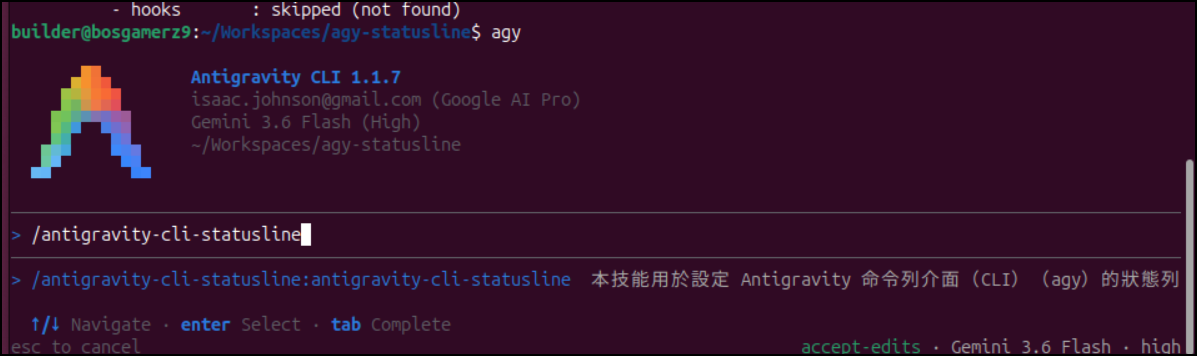
I pick my language
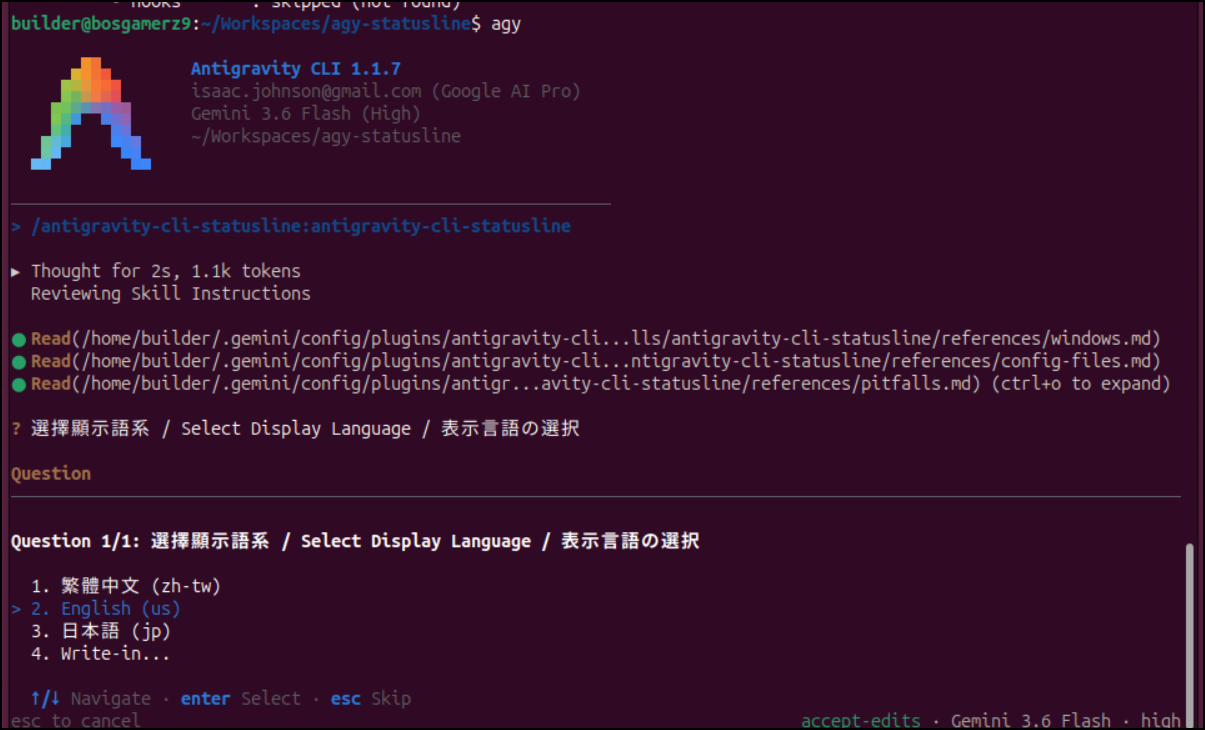
After doing some NodeJS configuration, I’m prompted for which stats I’m interested in
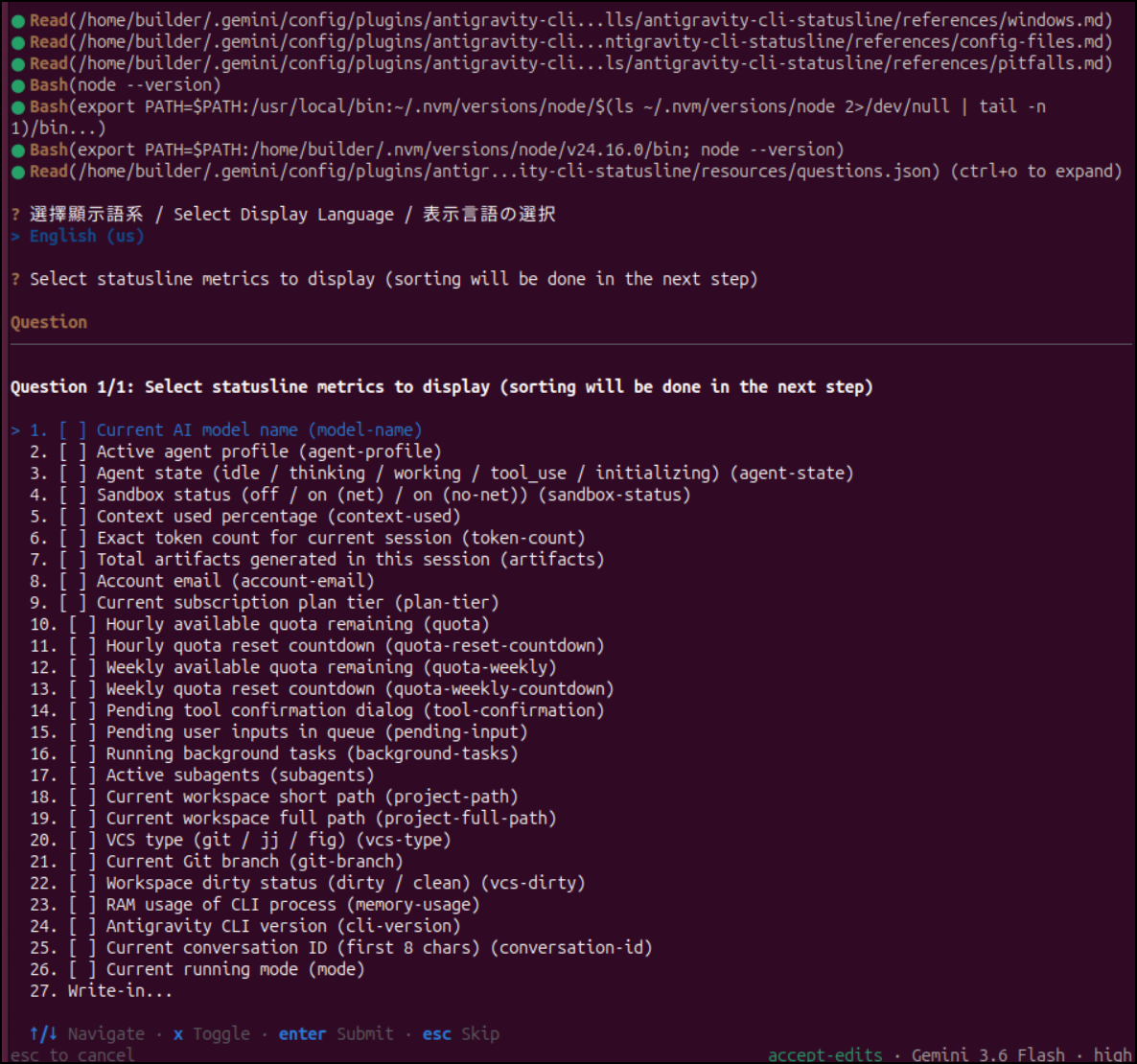
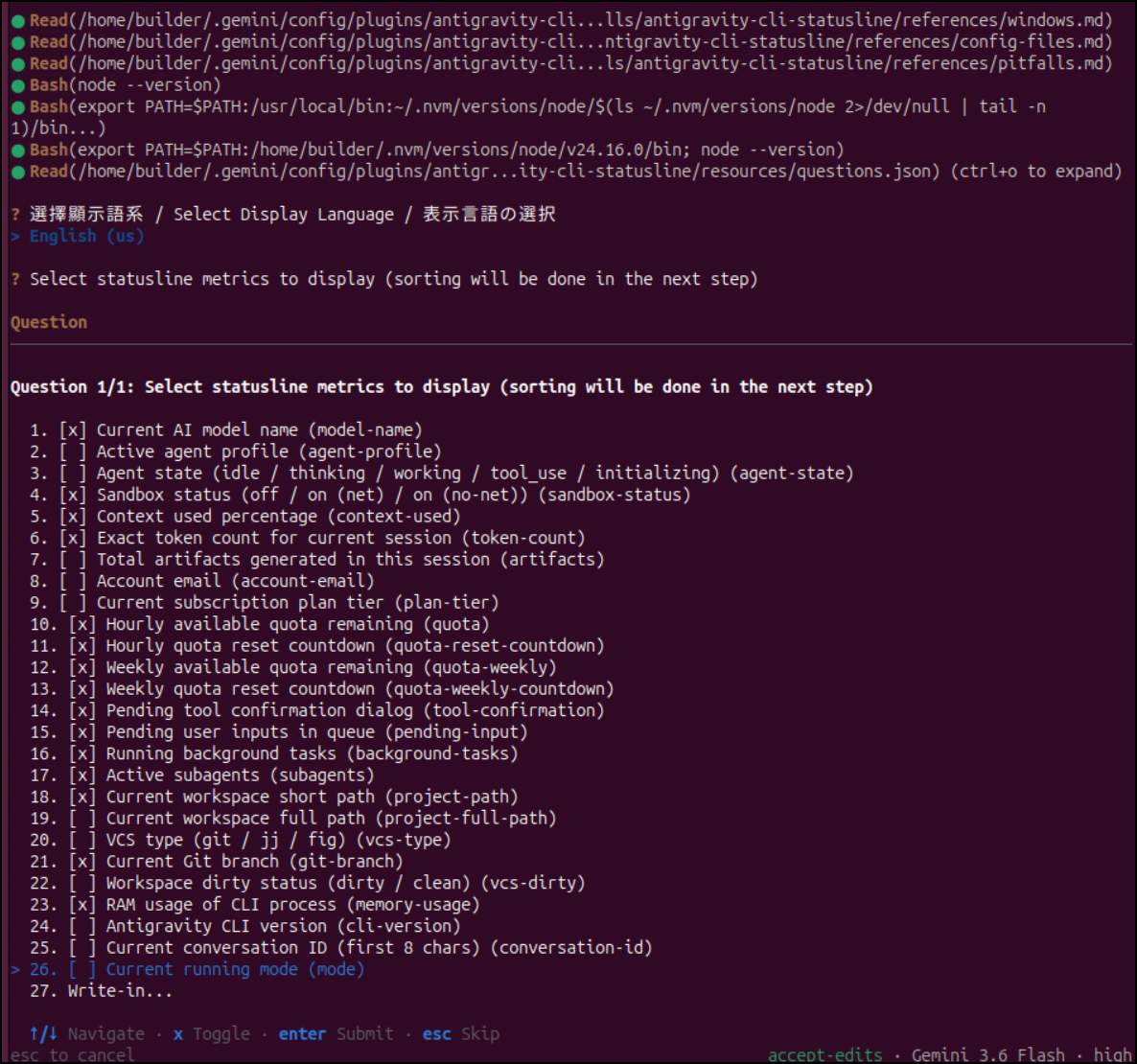
I’ll pick a subset that seem interesting
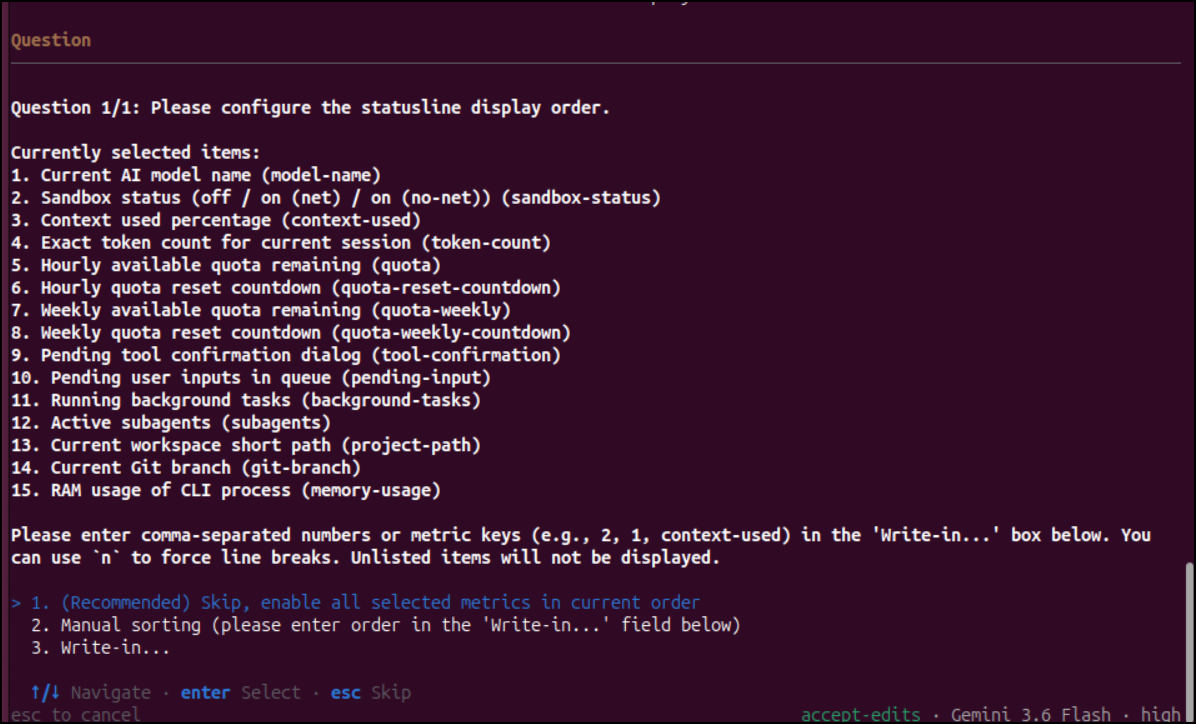
I could then tweak the display order (though I’ll leave it as default)
It’s now complete
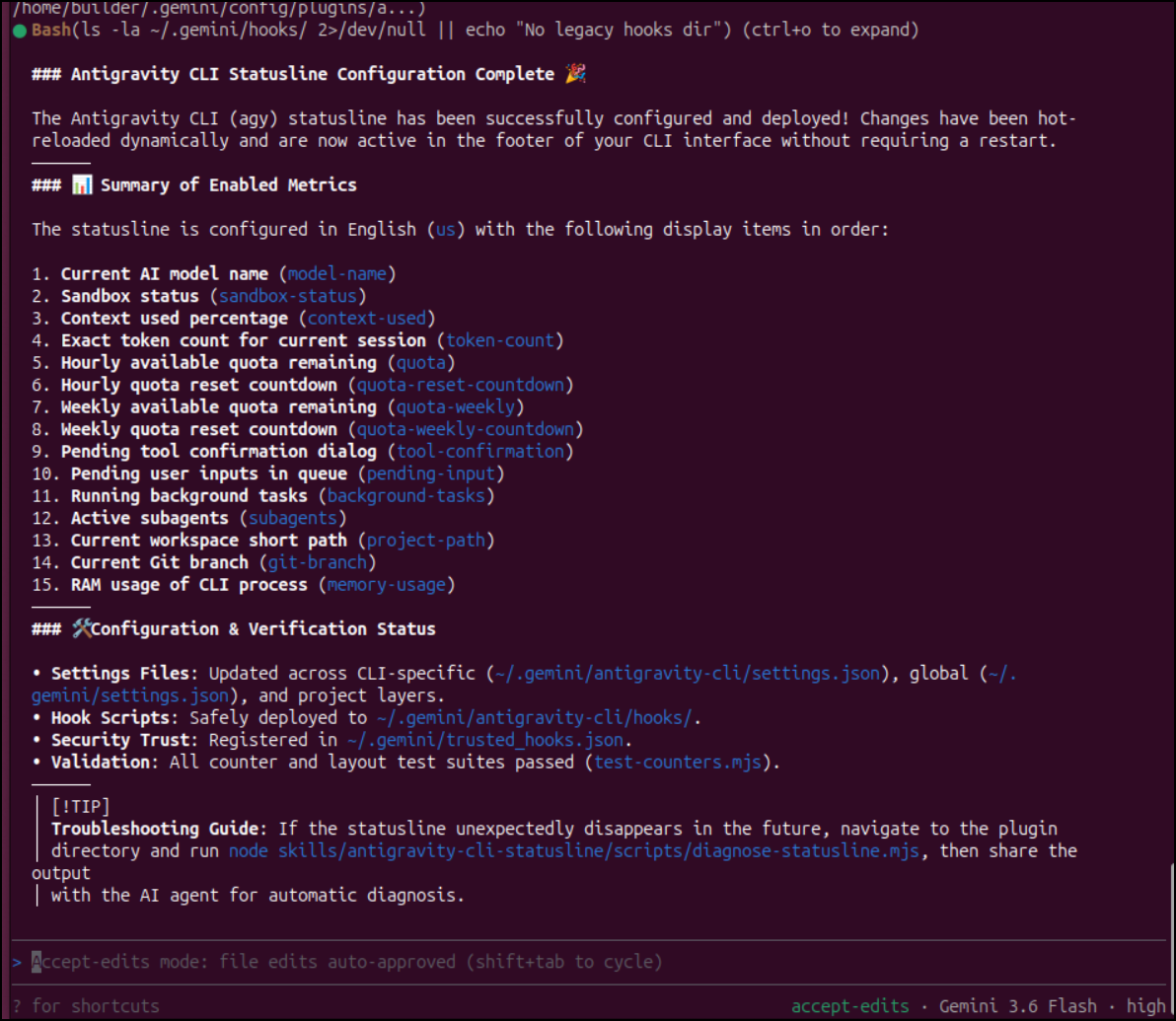
It said it would show without a restart (it did not) and on restart, I saw an error. Seems it need an actively loaded version of NodeJS (ie. node is in path)
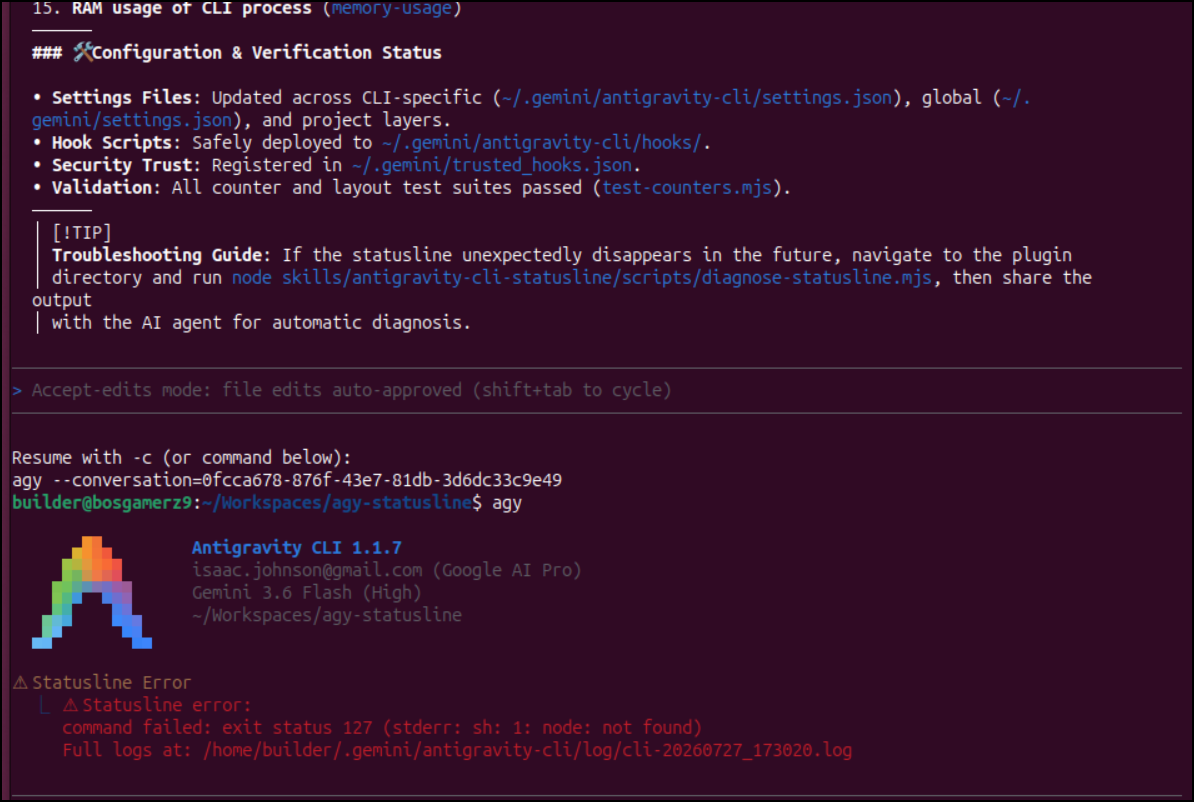
I fired off nvm to ensure Jod was live
$ nvm use lts/jod
Now using node v22.22.3 (npm v10.9.8)
Now I see my Quotas showing
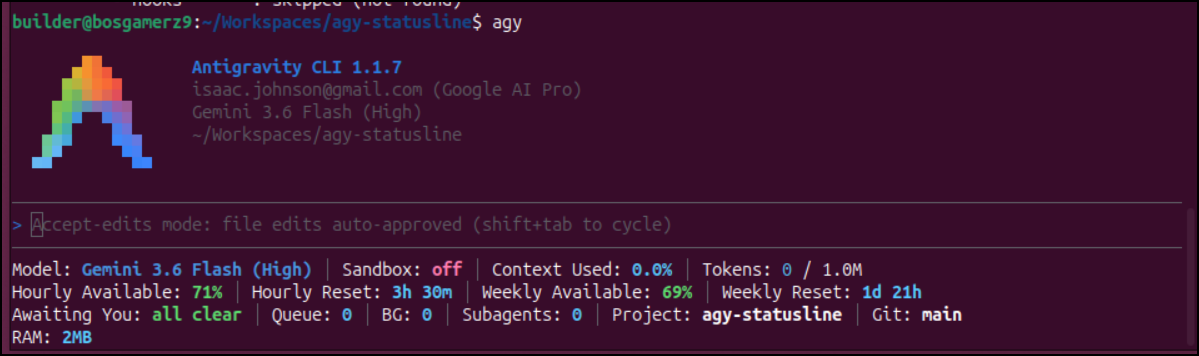
Here we can see it works great in Herdr:
I liked watching the model change as demand required it. I did not see the hourly available change however in this latest run
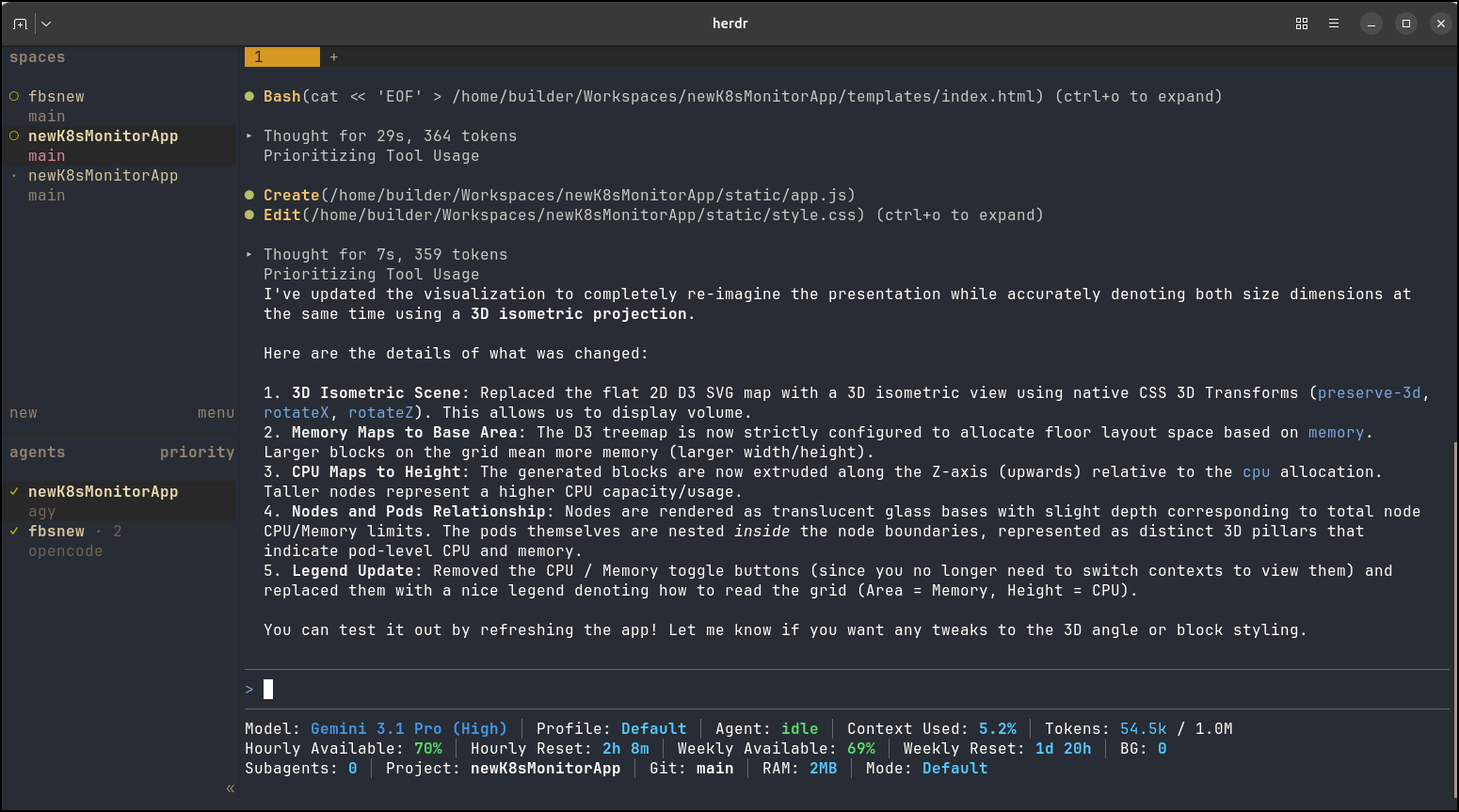
However, after a couple minutes, I relaunched agy and saw 69% available so perhaps the metrics are delayed.
Kineomsg’s Status Line
I found an even lighter weight one that just gives us session and weekly quotas from kineomsg/agy-statusline.
Theirs actually has a slick bash install script which basically installs like the Agy Statusline we did at the start (minus the NerdFonts).
builder@bosgamerz9:~/Workspaces$ git clone https://github.com/kineomsg/agy-statusline kineomsg-agy-statusline
Cloning into 'kineomsg-agy-statusline'...
remote: Enumerating objects: 43, done.
remote: Counting objects: 100% (43/43), done.
remote: Compressing objects: 100% (30/30), done.
remote: Total 43 (delta 17), reused 39 (delta 13), pack-reused 0 (from 0)
Receiving objects: 100% (43/43), 10.67 KiB | 10.67 MiB/s, done.
Resolving deltas: 100% (17/17), done.
builder@bosgamerz9:~/Workspaces$ cd kineomsg-agy-statusline/
builder@bosgamerz9:~/Workspaces/kineomsg-agy-statusline$ bash bin/install.sh

  agy-statusline installer
  ────────────────────────

  ✓ Dependencies found (jq, git)
  ✓ Found agy config at /home/builder/.gemini/antigravity-cli
  ✓ Installed statusline to /home/builder/.gemini/statusline.sh
  ✓ Updated settings.json with statusLine config

  Done! Restart agy to see your status line.

builder@bosgamerz9:~/Workspaces/kineomsg-agy-statusline$
Here we see it in action:
It did not seem like the session updated until I stopped and started Agy.
I did work as I can see the former app shows Succeeded pods as red
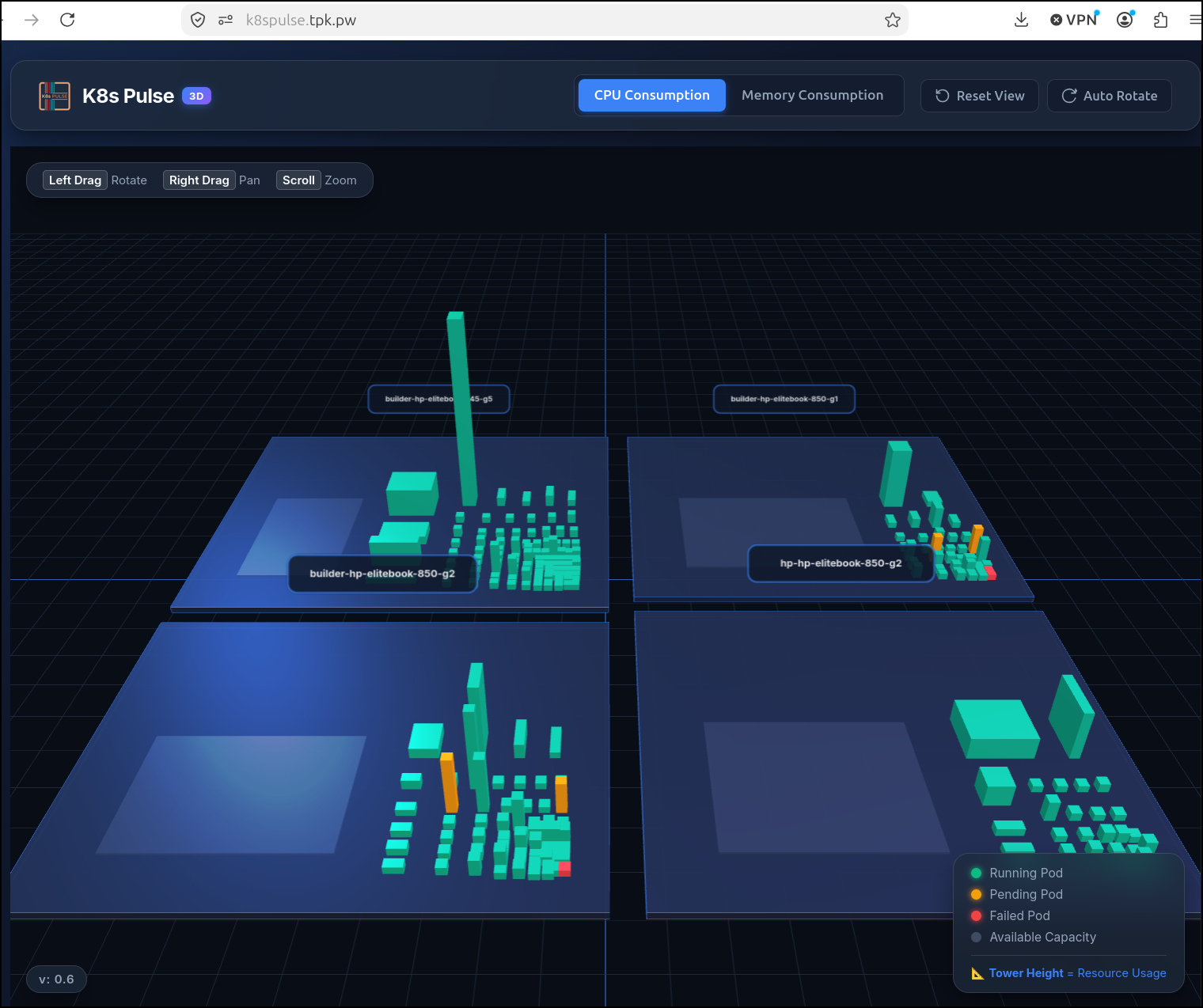
And the update has them gray
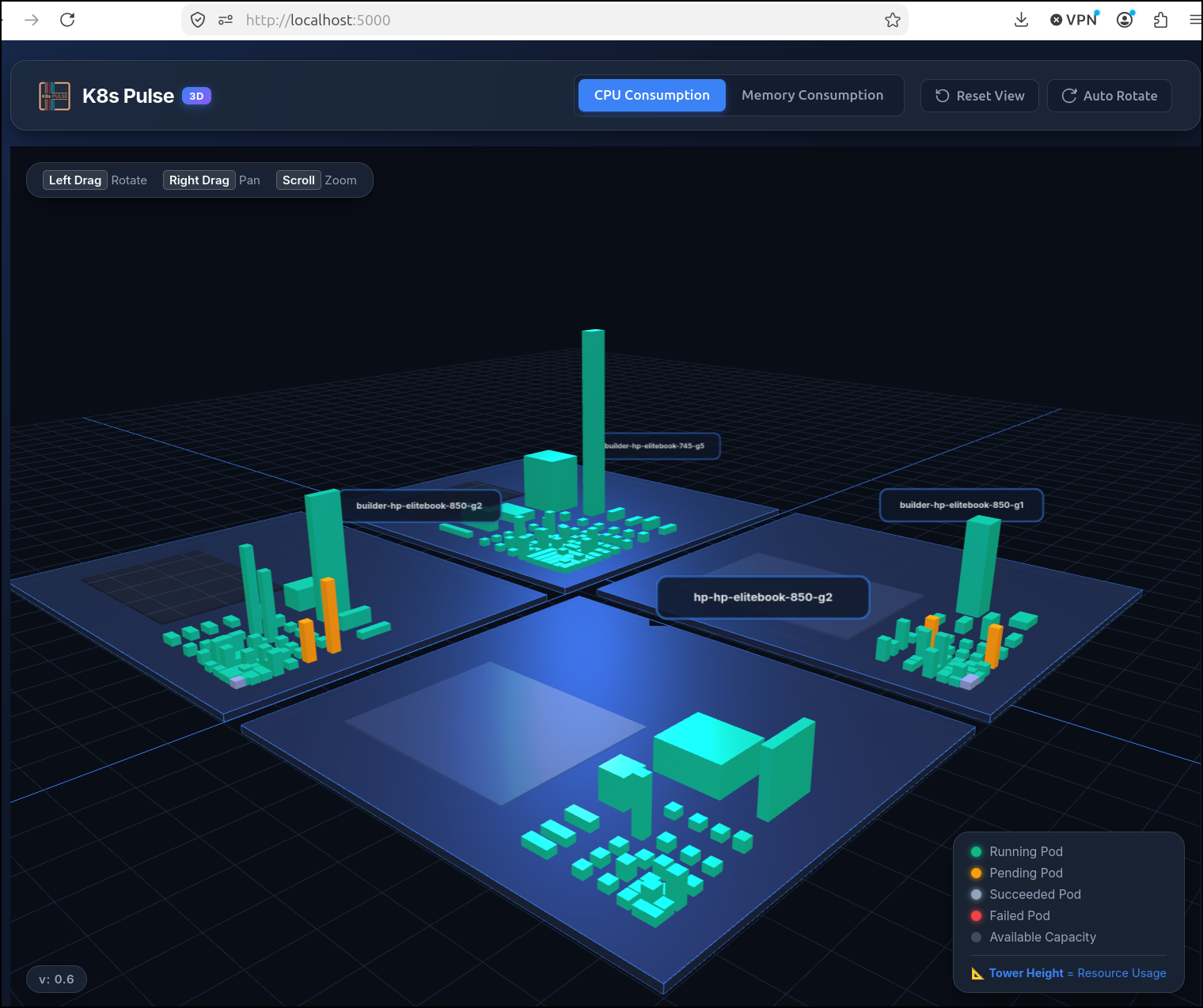
That said, as I used it a bit, I did find it update after my ask was completed so perhaps my first test didn’t really draw enough tokens
GordonBeeming’s Status Line
I found one from GordonBeeming that actually pulls together a cost estimate. This could be useful for those that are using Vertex AI / Gemini Enterprise Agent Platform for billing instead of an AI Pro/Ultra account.
Let’s pull the repo and run the installer there (though he suggests running his installer with curl -sSL https://raw.githubusercontent.com/gordonbeeming/agy-statusline/main/install.sh | bash)
builder@bosgamerz9:~/Workspaces$ git clone https://github.com/GordonBeeming/agy-statusline.git gordon-agy-statusline
Cloning into 'gordon-agy-statusline'...
remote: Enumerating objects: 8, done.
remote: Counting objects: 100% (8/8), done.
remote: Compressing objects: 100% (7/7), done.
remote: Total 8 (delta 0), reused 2 (delta 0), pack-reused 0 (from 0)
Receiving objects: 100% (8/8), 8.14 KiB | 8.14 MiB/s, done.
builder@bosgamerz9:~/Workspaces$ cd gordon-agy-statusline/
builder@bosgamerz9:~/Workspaces/gordon-agy-statusline$ bash ./install.sh
=== Antigravity Statusline Installer ===

Installing statusline.sh to /home/builder/.gemini/antigravity-cli/scripts...
  Installed successfully.

=== Installation complete ===

Add this to your ~/.gemini/antigravity-cli/settings.json:

  "statusLine": {
    "type": "command",
    "command": "~/.gemini/antigravity-cli/scripts/statusline.sh"
  }

The script will auto-update from main once per day.
I did need to manually update my settings.json for the path
builder@bosgamerz9:~/Workspaces/k8s-pulse$ vi ~/.gemini/antigravity-cli/settings.json

builder@bosgamerz9:~/Workspaces/k8s-pulse$ cat ~/.gemini/antigravity-cli/settings.json | grep command\"
    "type": "command",
    "command": "$HOME/.gemini/antigravity-cli/scripts/statusline.sh",
I don’t see it come up right away when I fire up Agy (and I tested I had jq and bc already in my path and that NodeJS was there)
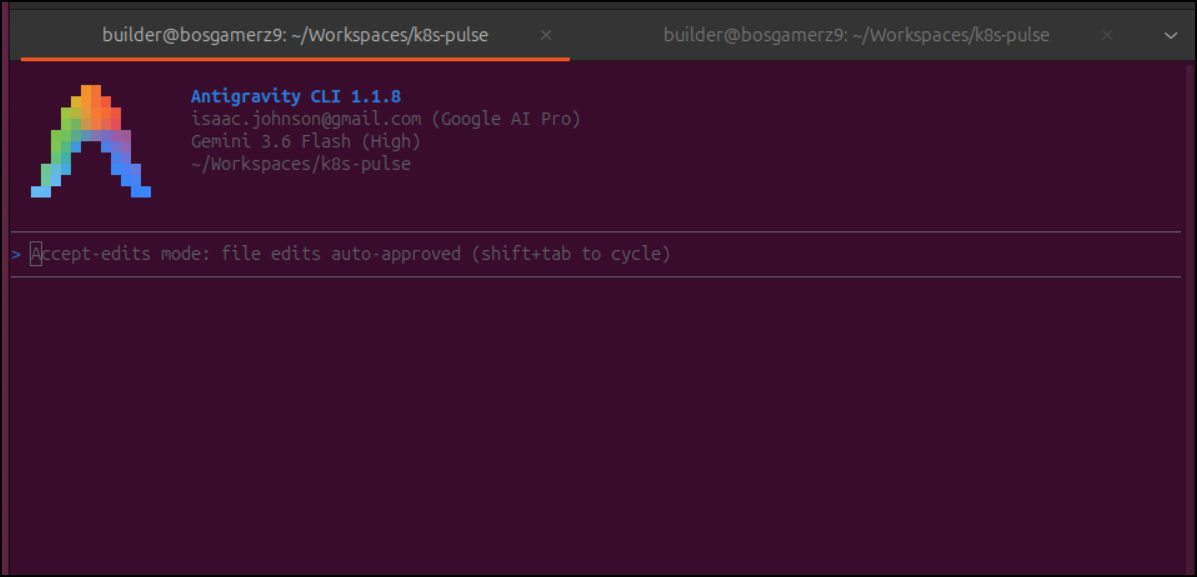
However, I have a tool, right? Agy can fix this.
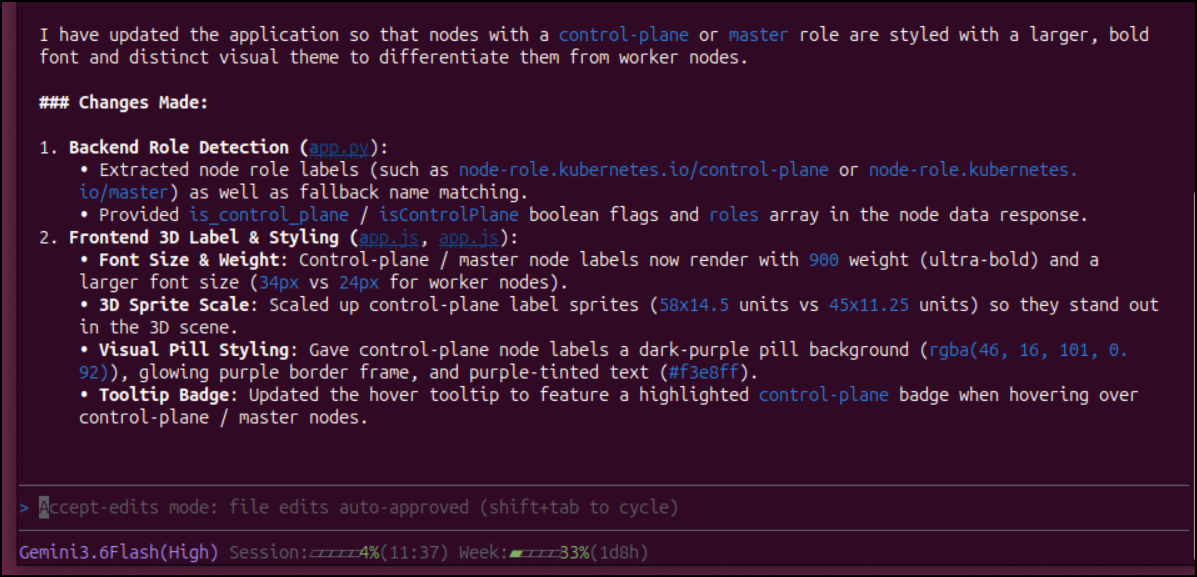
Antigravity cranked away and what was really neat is I saw the status line progressively get better and show more details as it handled more issues:
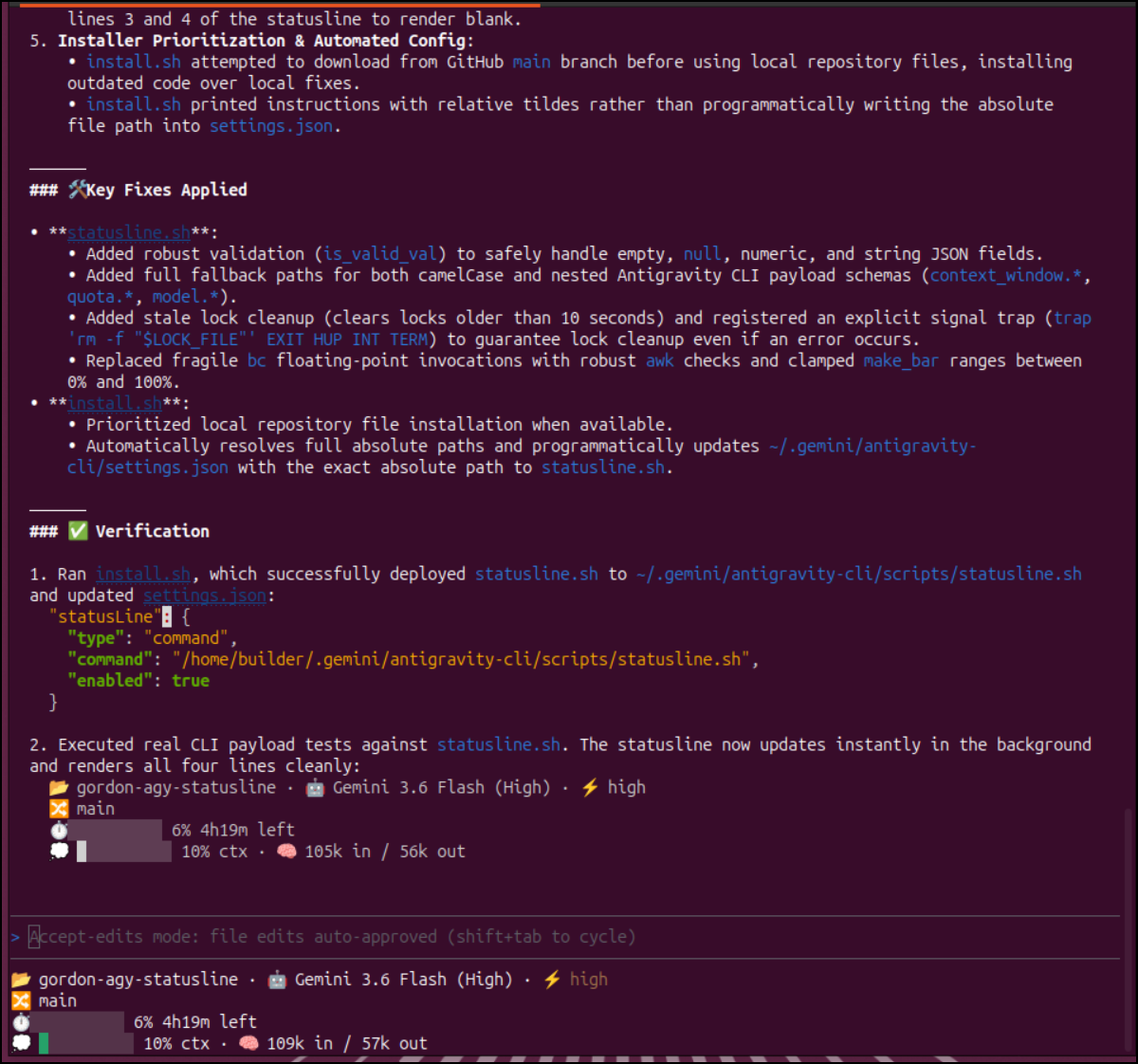
I did notice that Agy updated the settings.json
  "statusLine": {
    "type": "command",
    "command": "/home/builder/.gemini/antigravity-cli/scripts/statusline.sh",
    "enabled": true
  },
It’s always good to share, so I fired a PR off for him to review later. It could be my system is a bit odd, or Agy has updated since he last made this app 2 months ago. Either way, sharing is caring people. Sharing is caring.
Here we can see it in action:
Sam-297’s agy-statusline
I have one more I want to look at today, /Sam-297/agy-statusline.
This one installs as a plugin
builder@bosgamerz9:~/Workspaces/k8s-pulse$ mkdir -p ~/.agy-plugins
builder@bosgamerz9:~/Workspaces/k8s-pulse$ git clone https://github.com/Sam-297/agy-statusline ~/.agy-plugins/agy-statusline
Cloning into '/home/builder/.agy-plugins/agy-statusline'...
remote: Enumerating objects: 543, done.
remote: Counting objects: 100% (543/543), done.
remote: Compressing objects: 100% (282/282), done.
remote: Total 543 (delta 258), reused 497 (delta 212), pack-reused 0 (from 0)
Receiving objects: 100% (543/543), 297.07 KiB | 2.38 MiB/s, done.
Resolving deltas: 100% (258/258), done.
builder@bosgamerz9:~/Workspaces/k8s-pulse$ agy plugin install ~/.agy-plugins/agy-statusline
  [ok]    agy-statusline
          - skills      : skipped (not found)
          - agents      : skipped (not found)
          - commands    : skipped (not found)
          - mcpServers  : skipped (not found)
          ✔ hooks       : 1 processed
When then need to activate it
builder@bosgamerz9:~/Workspaces/k8s-pulse$ node ~/.agy-plugins/agy-statusline/bin/agy-statusline --setup
Created default config at /home/builder/.config/agy-statusline/config.mjs

To activate the status line, add this to your ~/.gemini/antigravity-cli/settings.json:

{
  "statusLine": {
    "type": "custom",
    "command": "/home/builder/.agy-plugins/agy-statusline/hooks/status-line.sh",
    "enabled": true
  }
}
I updated as it said
builder@bosgamerz9:~/Workspaces/k8s-pulse$ vi ~/.gemini/antigravity-cli/settings.json
builder@bosgamerz9:~/Workspaces/k8s-pulse$ cat ~/.gemini/antigravity-cli/settings.json | jq .statusLine
{
  "type": "custom",
  "command": "/home/builder/.agy-plugins/agy-statusline/hooks/status-line.sh",
  "enabled": true
}
And I saw it running at launch
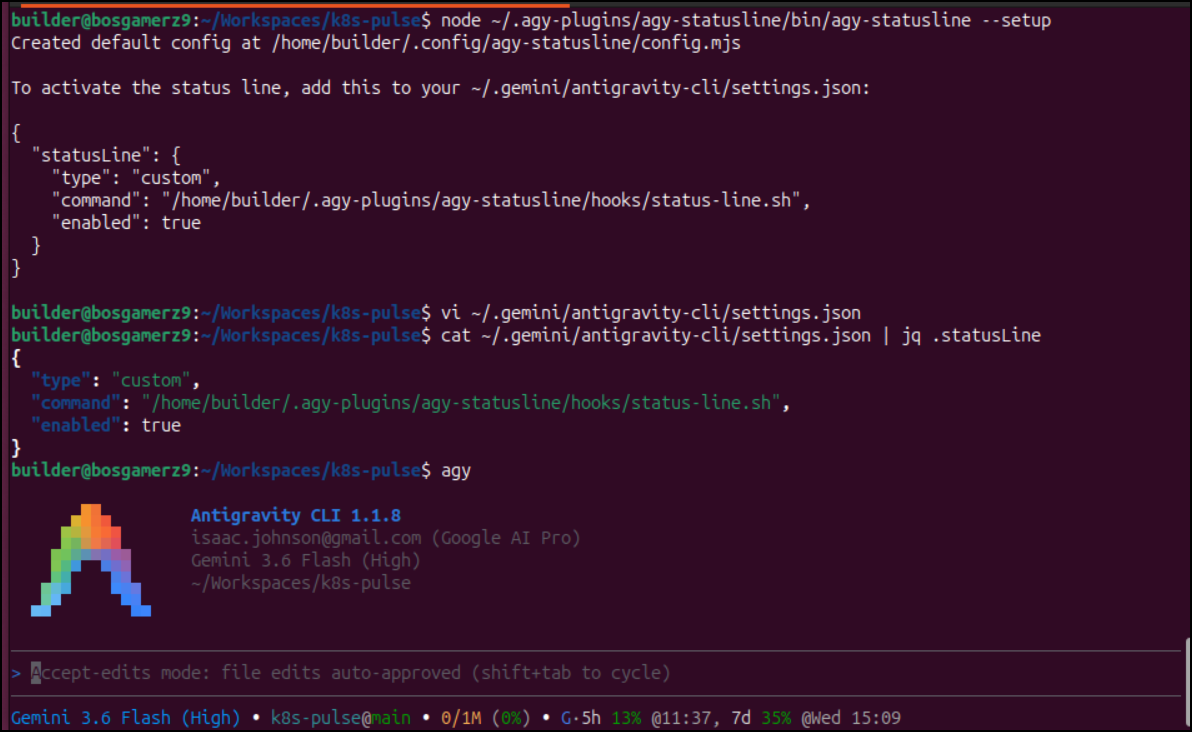
Here we can see it in action
It’s much tighter in display and at the end of that recording you see me end the agy session, fire it up and see the numbers did jump from 13% to 15% usage. I’m okay with that. I did see it update during the session from 11% to 13%.
In particular, I like how this shows me when (time) my quotas reset. So as it stands, it’s 7:42a as I write this, but looking at my window:
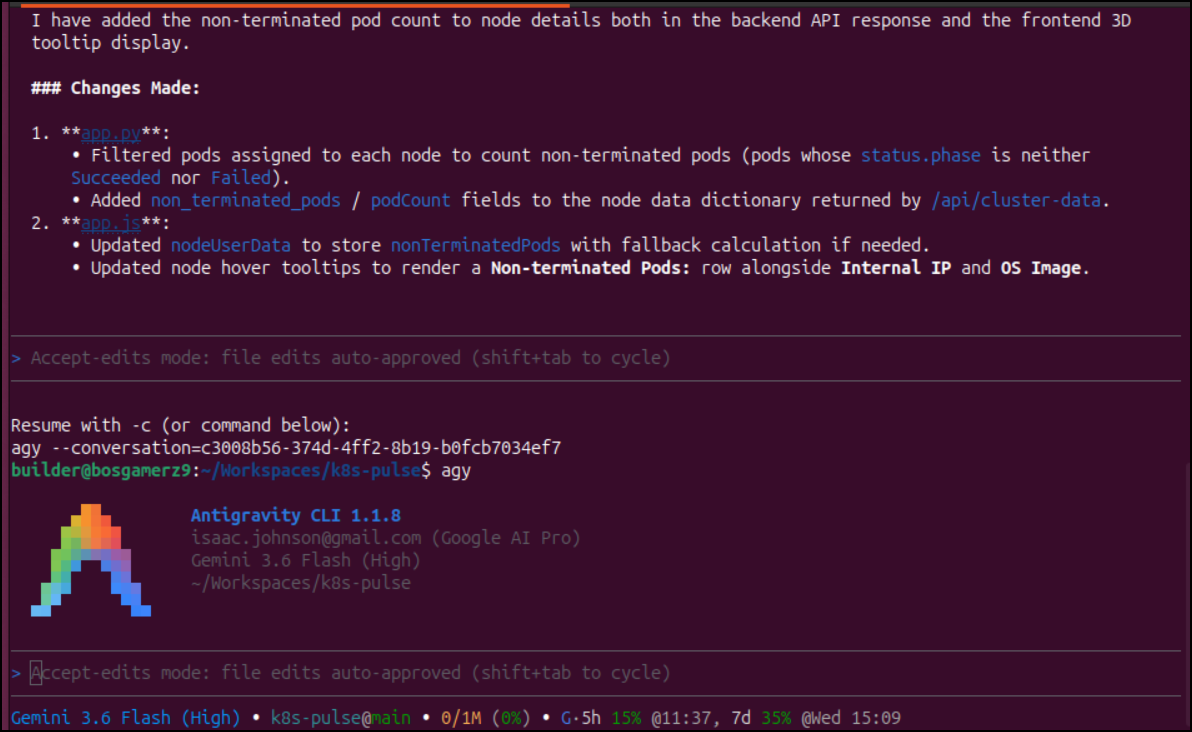
I know that 11:37a local time, my quota will reset. That is easier than mathing x hours and x minutes.
Summary
I actually like all of these status line offerings for different reasons. The first Agy Statusline, has a bar graph that gets right to my desired need - tracking my ‘spend’ in usage. I want to figure out the nerd font issue.
The second, AndyAWD’s Antigravity CLI Statusline, has lots of stats which is nice. Of all the tools, this one was the most configurable with a plethora of metrics to expose and arrange. I like seeing the model changes and quotas for hour and week separately. However, seeing just a percentage number isn’t as nice as a growing bar graph, at least to me.
Next, we looked at kineomsg/agy-statusline which was fine. Not bad, but it did not wow me. It worked, which is good. I did like the install process - this was perhaps the easiest one to install and use.
Then there was GordonBeeming’s one. It had some kind of issues which I used Antigravity to sort out. I really liked this one. It was visually pleasing and updated as it went along. We’ll see what happens with that PR.
Lastly, we looked at one from Sam-297. This is perhaps the tightest of them. I would recommend this one if you are trying to maximize your screen space (or conversely, want the smallest functional status line possible). In particular, I like the the fact this gives me a clock time things reset. I can easily track that as I go along.
I haven’t made up my mind just yet, but on my main driver, I think i will either use Gordon’s (for now, using my fork) or AndyAWD’s. I found both clicked. However, on my smaller dev box, I’ll stick with Sam-297’s for the time being.