

Published: Apr 21, 2026 by Isaac Johnson
In Part 1 we explored setting up a Hugo based blog in Azure using Azure Front Door and Storage Buckets. Earlier this week we followed up with Part 2 in GCP using Application Load Balancers and Storage Buckets.
Because, in both cases, we have to have persistent running infrastructure, there is a cost that might still be a bit high for your small time blogger looking to get going on the cheap.
Today we’ll build off of the prior two posts to see if we can create a usable container that could serve our small blog. Once we have it containerized, we can start to explore serverless options and compare costs.
Containerizing Hugo
The workflow today will build and push the static “public” folder out to one of two buckets to share via GCP ALBs
$ cat .gitea/workflows/cicd.yaml
name: Gitea Actions Test
run-name: $ is testing out Gitea Actions 🚀
on: [push]

jobs:
  Explore-Gitea-Actions:
    runs-on: my_custom_label
    container: node:22
    steps:
      - run: |
          DEBIAN_FRONTEND=noninteractive apt update -y
          umask 0002
          DEBIAN_FRONTEND=noninteractive apt install -y ca-certificates curl apt-transport-https lsb-release gnupg build-essential sudo zip
      - name: setup gcloud
        run: |
          curl https://packages.cloud.google.com/apt/doc/apt-key.gpg | gpg --dearmor -o /usr/share/keyrings/cloud.google.gpg
          echo "deb [signed-by=/usr/share/keyrings/cloud.google.gpg] https://packages.cloud.google.com/apt cloud-sdk main" | tee -a /etc/apt/sources.list.d/google-cloud-sdk.list
          DEBIAN_FRONTEND=noninteractive apt-get update
          DEBIAN_FRONTEND=noninteractive apt-get install -y google-cloud-cli
      - name: test gcloud
        run: |
          gcloud version
      - name: Check out repository code
        uses: actions/checkout@v3
        with:
          submodules: recursive
      - run: |
          # DEBIAN_FRONTEND=noninteractive sudo apt install -y hugo zip
          wget https://github.com/gohugoio/hugo/releases/download/v0.160.0/hugo_0.160.0_linux-amd64.tar.gz
          tar -xzvf hugo_0.160.0_linux-amd64.tar.gz
      - run: |
          echo "🔍 Checking Hugo version..."
          pwd
          ./hugo version
      - run: |
          export
          ls
          ls -ltra themes/hugo-theme-stack
      - name: hugo build
        run: |
          ./hugo
      - name: create sa and auth
        run: |
          cat <<EOF > /tmp/gcp-key.json
          $GCP_SAJSON
          EOF
          gcloud auth activate-service-account --key-file=/tmp/gcp-key.json
          gcloud config set project myanthosproject2
          # export GOOGLE_APPLICATION_CREDENTIALS="/path/to/your/service-account-file.json"
        env:
          GCP_SAJSON: $
      - name: test bucket
        run: |
          # test
          gcloud storage buckets list gs://dbeelogsme
      - name: Branch check and upload to GCS
        shell: bash
        run: |
            if [[ "$GITHUB_REF_NAME" == "main" && "$GITHUB_REF_TYPE" == "branch" ]]; then
                echo "✅ On main branch, proceeding with GCS sync..."
                # -r is recursive, -d deletes files in destination not in source (optional)
                gcloud storage rsync ./public gs://dbeelogsme --recursive
            else
                echo "⚠️ Not on main branch, uploading to testing path."
                gcloud storage rsync ./public gs://dbeelogsme-test --recursive
            fi
I did some looking and there are two ways to attack this:
Turning into a Container
we can build our site into a folder that is then served by a lightweight Nginx process. Adding Minify will shrink our JS and CSS to load even faster:
# Stage 1: Build
FROM hugomods/hugo:debian-dart-sass-0.160.1 AS builder
WORKDIR /src
COPY . .
RUN hugo --minify

# Stage 2: Serve
FROM nginx:alpine
COPY --from=builder /src/public /usr/share/nginx/html
EXPOSE 80
Note: I avoid Nightly tags, but if you read this well after I publish, you may wish to lookup the latest tag from Dockerhub
Let’s build and serve it up as it stands
$ docker build -t myhugo:0.1 .
[+] Building 57.4s (13/13) FINISHED                                                                           docker:default
 => [internal] load build definition from Dockerfile                                                                    0.0s
 => => transferring dockerfile: 251B                                                                                    0.0s
 => [internal] load metadata for docker.io/library/nginx:alpine                                                         0.0s
 => [internal] load metadata for docker.io/hugomods/hugo:debian-dart-sass-0.160.1                                       1.3s
 => [auth] hugomods/hugo:pull token for registry-1.docker.io                                                            0.0s
 => [internal] load .dockerignore                                                                                       0.0s
 => => transferring context: 2B                                                                                         0.0s
 => [builder 1/4] FROM docker.io/hugomods/hugo:debian-dart-sass-0.160.1@sha256:5dc92602efb1e34e0ea5ec0576b4af86cd984c  54.2s
 => => resolve docker.io/hugomods/hugo:debian-dart-sass-0.160.1@sha256:5dc92602efb1e34e0ea5ec0576b4af86cd984c56165b53c  0.0s
 => => sha256:da539b6761059a0a114c6671f1267b57445e3a54da023db5c28be019e40f0284 28.24MB / 28.24MB                        1.5s
 => => sha256:2a140fd0d6cdfea5acb1151c568cc81dc3167ca05f88d4c7b8f32d3701b0f59a 185.96MB / 185.96MB                     10.8s
 => => sha256:136c5a6247883b7423ee593ae6501d3ee6d7991a5d27575c56915892423d0eab 6.49kB / 6.49kB                          0.0s
 => => sha256:4effc8e7eba82bfc5792cbd602df13269dd525e5b6582158480b6ddf13ae8ca7 2.60MB / 2.60MB                          0.9s
 => => sha256:5dc92602efb1e34e0ea5ec0576b4af86cd984c56165b53c6979dfdcc99d7ce53 1.61kB / 1.61kB                          0.0s
 => => sha256:da2771f752bf97a58e1fd6c8bb7d67c812e2039b6809e2e6b6c352c04ab90ec0 4.47kB / 4.47kB                          0.0s
 => => sha256:365f1c3444f1f61c61f0f1bcd84024d70b5920a6055ba41346fdefff2353ae7e 10.13MB / 10.13MB                        1.7s
 => => sha256:3e2435c784152437773af364f87dd5bde2c5f98474cfed4cf34d66cd7695f2e6 44.91MB / 44.91MB                        4.9s
 => => extracting sha256:da539b6761059a0a114c6671f1267b57445e3a54da023db5c28be019e40f0284                               3.0s
 => => sha256:a80847ad56c3e290479f75b4f852a9d88a7c998ecc9ada2e1789844ba3aa6cd3 3.06MB / 3.06MB                          2.5s
 => => sha256:88c11d9c8b96394e9fda9d6d0c0789fe6cf2ea8813996f448503bfedcf058550 67.22MB / 67.22MB                        7.1s
 => => sha256:093f9586bc2c23b408ee3ed8d1119b6c3d6e7e1761ca84849ccd4405788cc19a 166B / 166B                              5.3s
 => => sha256:d785c4f6bdcd3f950f966e873c1a065584b3812e36e93c39df3dcb74c547d6d9 15.24MB / 15.24MB                        7.1s
 => => sha256:dd4d084397cffda26c36701bc49ea7215821af065fea13b3faac93e975bcaed6 15.20MB / 15.20MB                        8.1s
 => => sha256:a0db06d66d4ebe0e8db1e99b426e21fa2818328aa3f3145f6d9a8dbc4f2bb82c 162B / 162B                              7.3s
 => => sha256:95428f40ad6f7cdd5be90825809d3f2c795798376b2ec0a1e191e6d40fefbd89 4.54MB / 4.54MB                          8.0s
 => => sha256:a3f8b4b6e3c1bf86dd4b7a52a5fa0db9592fa5f1634c37b6e7d20c17634d54b8 1.05kB / 1.05kB                          8.3s
 => => sha256:4f4fb700ef54461cfa02571ae0db9a0dc1e0cdb5577484a6d75e68dc38e8acc1 32B / 32B                                8.2s
 => => sha256:170c0ab98110540897a5937a18dc4a89a4660121fb8b44cc11572e6dd98733d8 44.06MB / 44.06MB                       10.4s
 => => sha256:5a2e3f8f48cf9bb4e2c66236ad6a526963719d38e32a9e2521c6a905ccafd3ce 535B / 535B                              8.5s
 => => sha256:0d77e7d623f7428915719c2ffeedad814a3cc4fd54b7ed25dc35a957f636b31f 3.31kB / 3.31kB                          8.9s
 => => sha256:7b3ec2c133af7076907cc55c323a47cdcde4e93a4ded75d2e357846ec85f8dd5 94B / 94B                                9.3s
 => => extracting sha256:2a140fd0d6cdfea5acb1151c568cc81dc3167ca05f88d4c7b8f32d3701b0f59a                              14.6s
 => => extracting sha256:4effc8e7eba82bfc5792cbd602df13269dd525e5b6582158480b6ddf13ae8ca7                               1.0s
 => => extracting sha256:365f1c3444f1f61c61f0f1bcd84024d70b5920a6055ba41346fdefff2353ae7e                               2.5s
 => => extracting sha256:3e2435c784152437773af364f87dd5bde2c5f98474cfed4cf34d66cd7695f2e6                               3.6s
 => => extracting sha256:a80847ad56c3e290479f75b4f852a9d88a7c998ecc9ada2e1789844ba3aa6cd3                               0.4s
 => => extracting sha256:88c11d9c8b96394e9fda9d6d0c0789fe6cf2ea8813996f448503bfedcf058550                              12.0s
 => => extracting sha256:093f9586bc2c23b408ee3ed8d1119b6c3d6e7e1761ca84849ccd4405788cc19a                               0.0s
 => => extracting sha256:d785c4f6bdcd3f950f966e873c1a065584b3812e36e93c39df3dcb74c547d6d9                               0.5s
 => => extracting sha256:dd4d084397cffda26c36701bc49ea7215821af065fea13b3faac93e975bcaed6                               2.2s
 => => extracting sha256:a0db06d66d4ebe0e8db1e99b426e21fa2818328aa3f3145f6d9a8dbc4f2bb82c                               0.0s
 => => extracting sha256:95428f40ad6f7cdd5be90825809d3f2c795798376b2ec0a1e191e6d40fefbd89                               0.3s
 => => extracting sha256:4f4fb700ef54461cfa02571ae0db9a0dc1e0cdb5577484a6d75e68dc38e8acc1                               0.0s
 => => extracting sha256:a3f8b4b6e3c1bf86dd4b7a52a5fa0db9592fa5f1634c37b6e7d20c17634d54b8                               0.0s
 => => extracting sha256:170c0ab98110540897a5937a18dc4a89a4660121fb8b44cc11572e6dd98733d8                               2.2s
 => => extracting sha256:5a2e3f8f48cf9bb4e2c66236ad6a526963719d38e32a9e2521c6a905ccafd3ce                               0.0s
 => => extracting sha256:0d77e7d623f7428915719c2ffeedad814a3cc4fd54b7ed25dc35a957f636b31f                               0.0s
 => => extracting sha256:7b3ec2c133af7076907cc55c323a47cdcde4e93a4ded75d2e357846ec85f8dd5                               0.0s
 => [internal] load build context                                                                                       0.1s
 => => transferring context: 65.22kB                                                                                    0.1s
 => CACHED [stage-1 1/2] FROM docker.io/library/nginx:alpine                                                            0.0s
 => [builder 2/4] WORKDIR /src                                                                                          0.1s
 => [builder 3/4] COPY . .                                                                                              0.5s
 => [builder 4/4] RUN hugo --minify                                                                                     0.8s
 => [stage-1 2/2] COPY --from=builder /src/public /usr/share/nginx/html                                                 0.2s
 => exporting to image                                                                                                  0.2s
 => => exporting layers                                                                                                 0.2s
 => => writing image sha256:9535b1d16a40bc68b9a0cbfbb30ffdd10f298a907f6aa31de3029cdd608e30e7                            0.0s
 => => naming to docker.io/library/myhugo:0.1                                                                           0.0s
Just to avoid port conflicts, I’ll server this up locally on 8088
builder@DESKTOP-QADGF36:~/Workspaces/hugo-initech$ docker run -p 8088:80 myhugo:0.1
/docker-entrypoint.sh: /docker-entrypoint.d/ is not empty, will attempt to perform configuration
/docker-entrypoint.sh: Looking for shell scripts in /docker-entrypoint.d/
/docker-entrypoint.sh: Launching /docker-entrypoint.d/10-listen-on-ipv6-by-default.sh
10-listen-on-ipv6-by-default.sh: info: Getting the checksum of /etc/nginx/conf.d/default.conf
10-listen-on-ipv6-by-default.sh: info: Enabled listen on IPv6 in /etc/nginx/conf.d/default.conf
/docker-entrypoint.sh: Sourcing /docker-entrypoint.d/15-local-resolvers.envsh
/docker-entrypoint.sh: Launching /docker-entrypoint.d/20-envsubst-on-templates.sh
/docker-entrypoint.sh: Launching /docker-entrypoint.d/30-tune-worker-processes.sh
/docker-entrypoint.sh: Configuration complete; ready for start up
2026/04/13 10:59:12 [notice] 1#1: using the "epoll" event method
2026/04/13 10:59:12 [notice] 1#1: nginx/1.29.4
2026/04/13 10:59:12 [notice] 1#1: built by gcc 15.2.0 (Alpine 15.2.0)
2026/04/13 10:59:12 [notice] 1#1: OS: Linux 6.6.87.2-microsoft-standard-WSL2
2026/04/13 10:59:12 [notice] 1#1: getrlimit(RLIMIT_NOFILE): 1048576:1048576
2026/04/13 10:59:12 [notice] 1#1: start worker processes
2026/04/13 10:59:12 [notice] 1#1: start worker process 30
2026/04/13 10:59:12 [notice] 1#1: start worker process 31
2026/04/13 10:59:12 [notice] 1#1: start worker process 32
2026/04/13 10:59:12 [notice] 1#1: start worker process 33
2026/04/13 10:59:12 [notice] 1#1: start worker process 34
2026/04/13 10:59:12 [notice] 1#1: start worker process 35
2026/04/13 10:59:12 [notice] 1#1: start worker process 36
2026/04/13 10:59:12 [notice] 1#1: start worker process 37
2026/04/13 10:59:12 [notice] 1#1: start worker process 38
2026/04/13 10:59:12 [notice] 1#1: start worker process 39
2026/04/13 10:59:12 [notice] 1#1: start worker process 40
2026/04/13 10:59:12 [notice] 1#1: start worker process 41
2026/04/13 10:59:12 [notice] 1#1: start worker process 42
2026/04/13 10:59:12 [notice] 1#1: start worker process 43
2026/04/13 10:59:12 [notice] 1#1: start worker process 44
2026/04/13 10:59:12 [notice] 1#1: start worker process 45
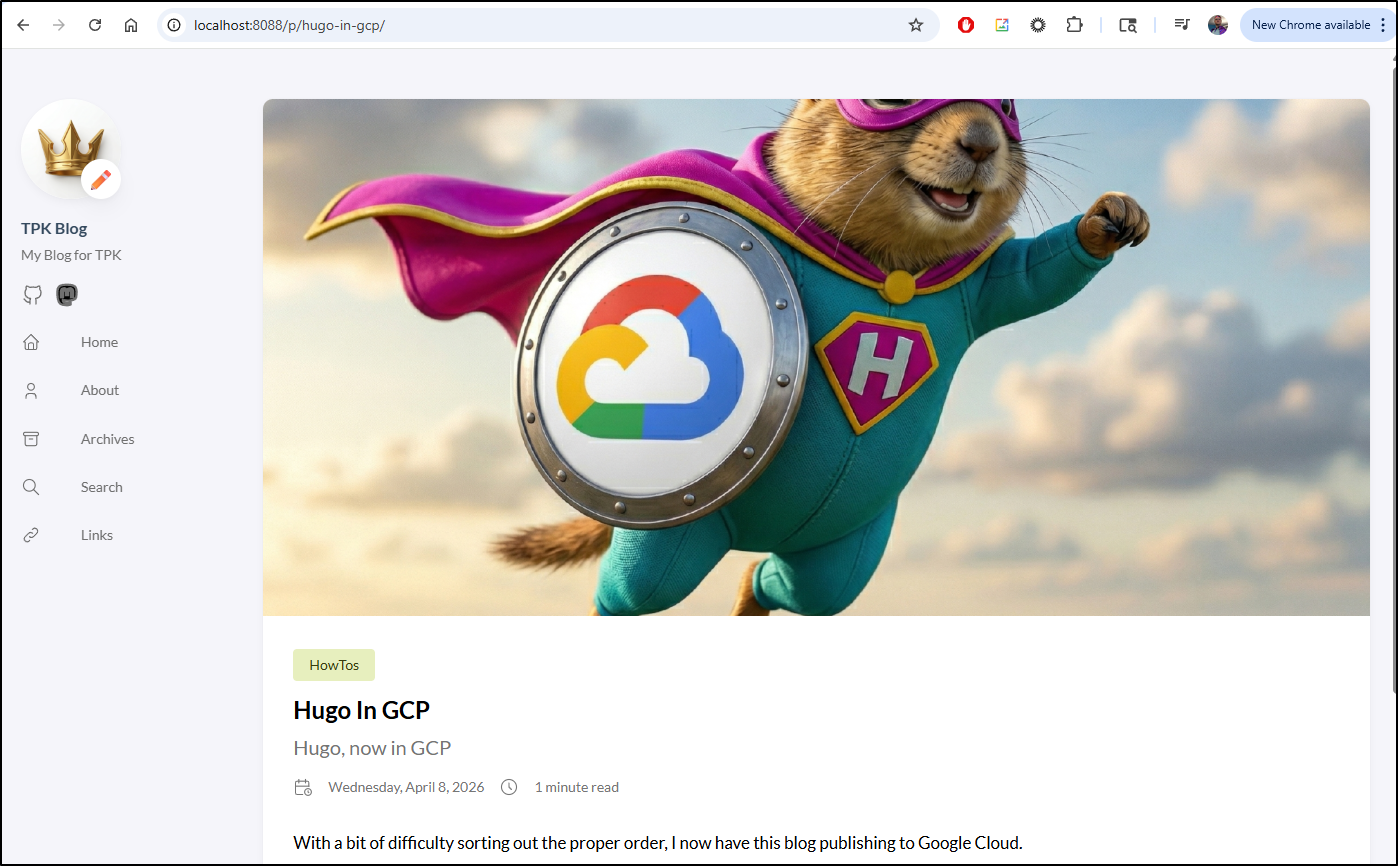
It looks good and is quite quick to respond
The second way we can serve this up is with an active Hugo process
FROM hugomods/hugo:debian-dart-sass-0.160.1

WORKDIR /src
COPY . .
EXPOSE 1313

# Standard hugo server command
CMD ["server", "--bind", "0.0.0.0", "--buildDrafts"]
I can build and serve that up
builder@DESKTOP-QADGF36:~/Workspaces/hugo-initech$ docker build -t myhugo:0.2 .
[+] Building 1.6s (7/7) FINISHED                                                                              docker:default
 => [internal] load build definition from Dockerfile                                                                    0.0s
 => => transferring dockerfile: 195B                                                                                    0.0s
 => [internal] load metadata for docker.io/hugomods/hugo:debian-dart-sass-0.160.1                                       0.5s
 => [auth] hugomods/hugo:pull token for registry-1.docker.io                                                            0.0s
 => [internal] load .dockerignore                                                                                       0.0s
 => => transferring context: 2B                                                                                         0.0s
 => [1/2] FROM docker.io/hugomods/hugo:debian-dart-sass-0.160.1@sha256:5dc92602efb1e34e0ea5ec0576b4af86cd984c56165b53c  0.0s
 => CACHED [2/2] WORKDIR /src                                                                                        0.0s
 => [3/3] COPY . .                                                                                                       0.0s
 => exporting to image                                                                                                  0.1s
 => => exporting layers                                                                                                 0.0s
 => => writing image sha256:6b853c2a177f9a7c362d8206a269d6fff91ebf70d043244817b69481267de991                            0.0s
 => => naming to docker.io/library/myhugo:0.2                                                                           0.0s
Now running as before (but this time using port 1313)
builder@DESKTOP-QADGF36:~/Workspaces/hugo-initech$ docker run -p 8088:1313 myhugo:0.2
Watching for changes in /src/archetypes, /src/assets/{icons,img}, /src/content/{categories,page,post}, /src/themes/hugo-theme-stack/archetypes, /src/themes/hugo-theme-stack/assets/{icons,scss,ts}, /src/themes/hugo-theme-stack/data, /src/themes/hugo-theme-stack/i18n, /src/themes/hugo-theme-stack/layouts/{_markup,_partials,_shortcodes,page}
Watching for config changes in /src/config/_default, /src/themes/hugo-theme-stack/config/_default
Start building sites …
hugo v0.160.1-d6bc8165e62b29d7d70ede01ed01d0f88de327e6+extended linux/amd64 BuildDate=2026-04-08T14:02:42Z VendorInfo=hugomods

WARN  deprecated: .Site.Data was deprecated in Hugo v0.156.0 and will be removed in a future release. Use hugo.Data instead.
WARN  Taxonomy categories not found
WARN  Taxonomy tags not found

              │ EN │ ZH │ ZH - HANT … │ JA
──────────────┼────┼────┼─────────────┼────
 Pages        │ 29 │ 17 │          17 │ 17
 Paginator    │  0 │  0 │           0 │  0
 pages        │    │    │             │
 Non-page     │  5 │  0 │           0 │  0
 files        │    │    │             │
 Static files │  0 │  0 │           0 │  0
 Processed    │ 26 │  0 │           0 │  0
 images       │    │    │             │
 Aliases      │ 10 │  5 │           5 │  5
 Cleaned      │  0 │  0 │           0 │  0

Built in 340 ms
Environment: "development"
Serving pages from disk
Running in Fast Render Mode. For full rebuilds on change: hugo server --disableFastRender
Web Server is available at http://localhost:1313/ (bind address 0.0.0.0)
Press Ctrl+C to stop
Performance-wise it was the same.
I ran both in parallel
builder@DESKTOP-QADGF36:~/Workspaces/hugo-initech$ docker run -d -p 8088:1313 myhugo:0.2
aa65a79d9ad2d557dae907526f6a3764dcdb6fafee2cfff074fdf74d3eb7d513
builder@DESKTOP-QADGF36:~/Workspaces/hugo-initech$ docker run -d -p 8089:80 myhugo:0.1
81c9e97a83cb4c2e22db47e6f70b03253d835128a214601f4dd0079530f9ab28
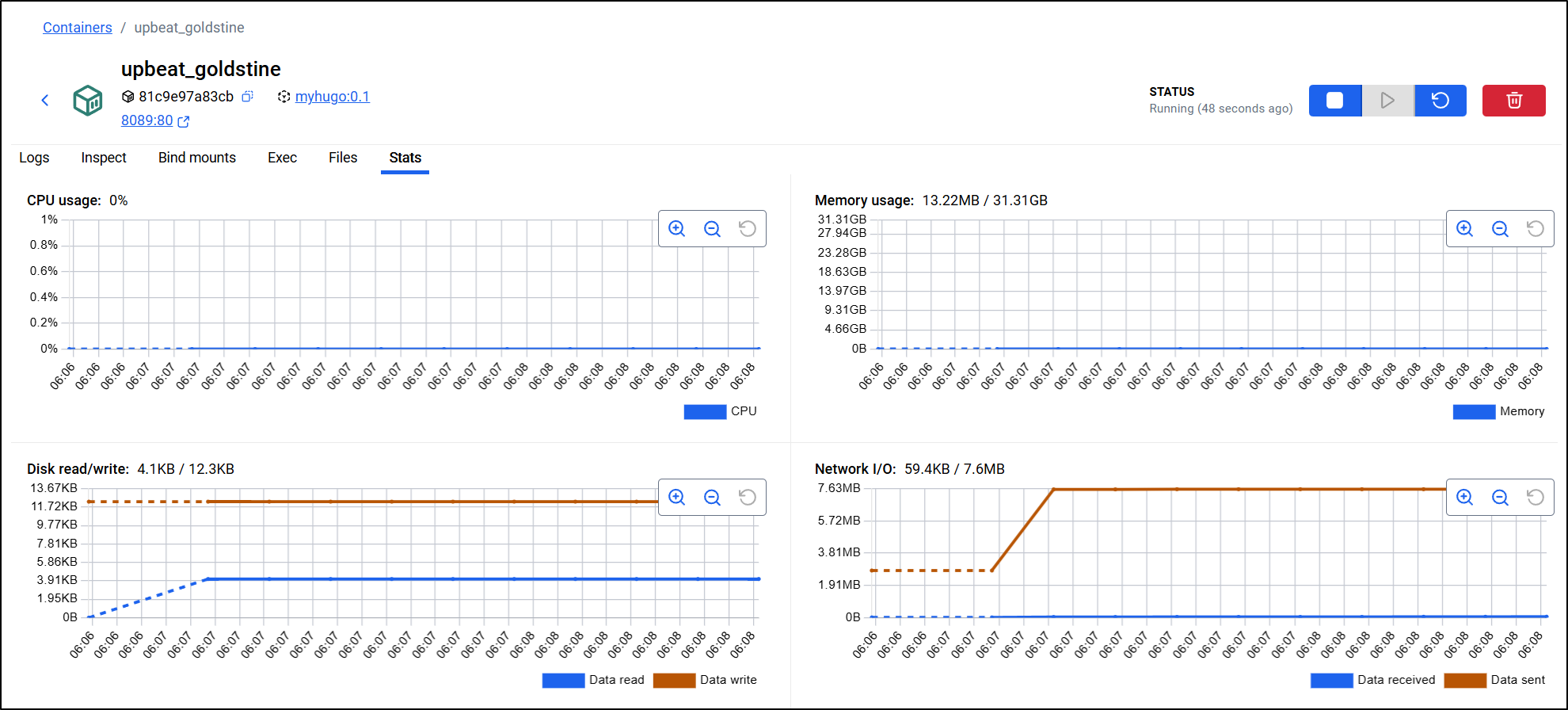
then looked to Docker desktop to see if I could determine which approach would be better (to the side I refreshed a few times different pages to generate some form of load)
The NGinx approach used practically no CPU and 13Mb of memory
The Hugo-as-a-server approach used much more CPU (spiking to 0.5%) and memory (36Mb)
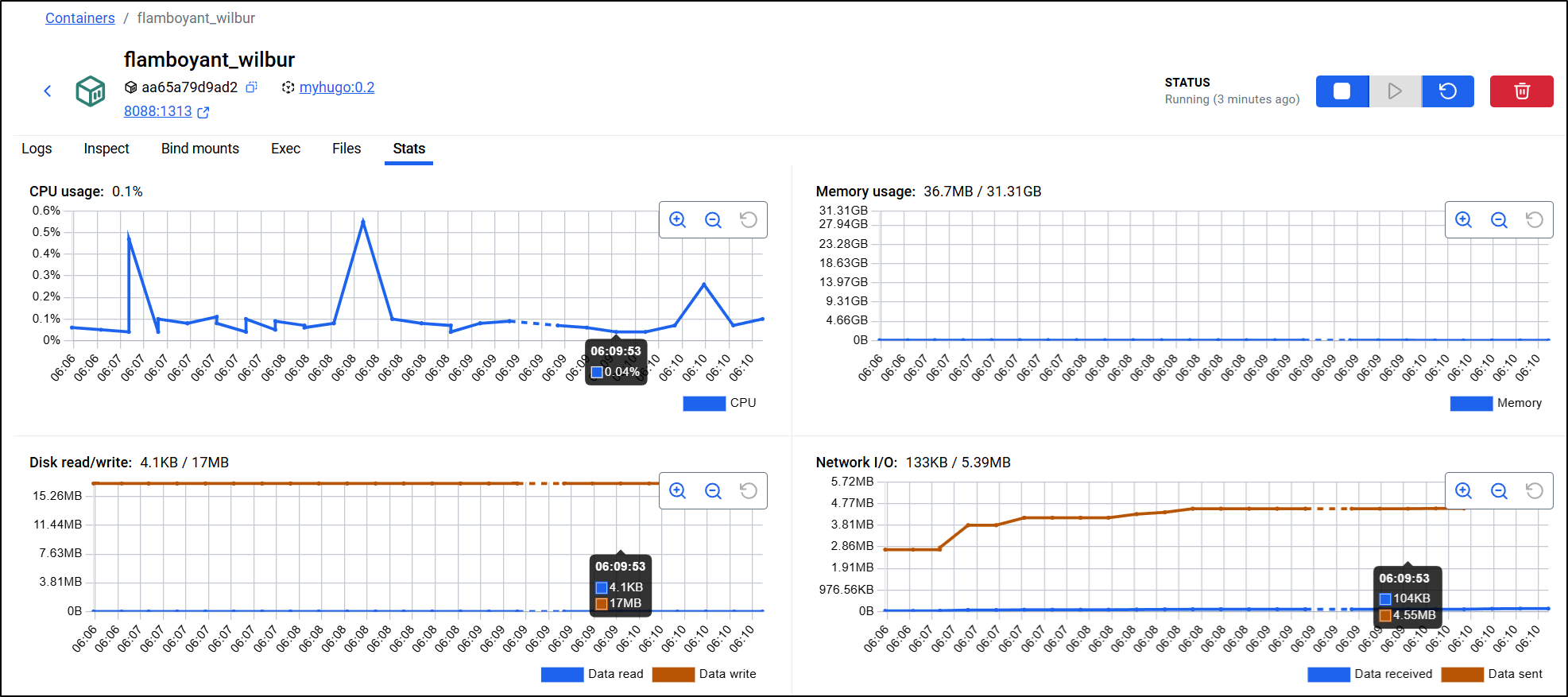
This confirmed my hypothesis - NGinx will take less CPU and Memory and when we start to get larger, this will make a difference.
Moreover, the size is what will cost us in Container Registries. The full size of the Hugo approach generates a 1.29Gb image presently and the Nginx as it is minified and just has the contents uses 83.2Mb.
From docker ls

CICD
When moving to a docker build approach, so much can be gutted out of our CICD as now Docker is really doing the work.
One of my patterns I often employ is to use the last line in a Dockerfile to tell my builds where to send this dockerfile. This gives me more control on revisions (which is helpful later with helm)
$ cat Dockerfile
# Stage 1: Build
FROM hugomods/hugo:debian-dart-sass-0.160.1 AS builder
WORKDIR /src
COPY . .
RUN hugo --minify

# Stage 2: Serve
FROM nginx:alpine
COPY --from=builder /src/public /usr/share/nginx/html
EXPOSE 80
#harbor.freshbrewed.science/library/hugoblog:0.1
While I do plan to start with my Harbor registry, worry not, we’ll come back to GCP
name: Hugo
run-name: $ is building Hugo 🚀
on: [push]

jobs:
  Explore-Gitea-Actions:
    runs-on: my_custom_label
    container: node:22
    steps:
      - run: |
          DEBIAN_FRONTEND=noninteractive apt update -y
          umask 0002
          DEBIAN_FRONTEND=noninteractive apt install -y ca-certificates curl apt-transport-https lsb-release gnupg build-essential sudo zip
      - name: setup gcloud
        run: |
          curl https://packages.cloud.google.com/apt/doc/apt-key.gpg | gpg --dearmor -o /usr/share/keyrings/cloud.google.gpg
          echo "deb [signed-by=/usr/share/keyrings/cloud.google.gpg] https://packages.cloud.google.com/apt cloud-sdk main" | tee -a /etc/apt/sources.list.d/google-cloud-sdk.list
          DEBIAN_FRONTEND=noninteractive apt-get update
          DEBIAN_FRONTEND=noninteractive apt-get install -y google-cloud-cli
      - name: test gcloud
        run: |
          gcloud version
      - name: Check out repository code
        uses: actions/checkout@v3
        with:
          submodules: recursive
      - name: Build Dockerfile
        run: |
          whoami
          which docker || true
          apt update
          cat /etc/os-release
          apt install -y ca-certificates curl gnupg
          mkdir -p /etc/apt/keyrings
          curl -fsSL https://download.docker.com/linux/ubuntu/gpg | gpg --dearmor -o /etc/apt/keyrings/docker.gpg
          echo \
            "deb [arch=$(dpkg --print-architecture) signed-by=/etc/apt/keyrings/docker.gpg] https://download.docker.com/linux/ubuntu \
            focal stable" | tee /etc/apt/sources.list.d/docker.list > /dev/null
          apt update
          DEBIAN_FRONTEND=noninteractive apt-get install -y docker-ce docker-ce-cli containerd.io docker-buildx-plugin docker-compose-plugin
      - name: Build Dockerfile
        run: |
          export BUILDIMGTAG="`cat Dockerfile | tail -n1 | sed 's/^.*\///g'`"
          docker build -t $BUILDIMGTAG .
          docker images
      - name: Tag and Push (Harbor)
        run: |
          export BUILDIMGTAG="`cat Dockerfile | tail -n1 | sed 's/^.*\///g'`"
          export FINALBUILDTAG="`cat Dockerfile | tail -n1 | sed 's/^#//g'`"
          docker tag $BUILDIMGTAG $FINALBUILDTAG
          docker images
          echo $CR_PAT | docker login harbor.freshbrewed.science -u $CR_USER --password-stdin
          docker push $FINALBUILDTAG
        env: # Or as an environment variable
          CR_PAT: $
          CR_USER: $
      - name: Tag and Push (Dockerhub)
        run: |
          export BUILDIMGTAG="`cat Dockerfile | tail -n1 | sed 's/^.*\///g'`"
          docker tag $BUILDIMGTAG $DHUSER/$BUILDIMGTAG
          docker images
          echo $DHPAT | docker login -u $DHUSER --password-stdin
          docker push $DHUSER/$BUILDIMGTAG
        env: # Or as an environment variable
          DHPAT: $
          DHUSER: $


      - run: |
          # DEBIAN_FRONTEND=noninteractive sudo apt install -y hugo zip
          wget https://github.com/gohugoio/hugo/releases/download/v0.160.0/hugo_0.160.0_linux-amd64.tar.gz
          tar -xzvf hugo_0.160.0_linux-amd64.tar.gz
      - run: |
          echo "🔍 Checking Hugo version..."
          pwd
          ./hugo version
      - run: |
          export
          ls
          ls -ltra themes/hugo-theme-stack
      - name: hugo build
        run: |
          ./hugo
      - name: create sa and auth
        run: |
          cat <<EOF > /tmp/gcp-key.json
          $GCP_SAJSON
          EOF
          gcloud auth activate-service-account --key-file=/tmp/gcp-key.json
          gcloud config set project myanthosproject2
          # export GOOGLE_APPLICATION_CREDENTIALS="/path/to/your/service-account-file.json"
        env:
          GCP_SAJSON: $
      - name: test bucket
        run: |
          # test
          gcloud storage buckets list gs://dbeelogsme
      - name: Branch check and upload to GCS
        shell: bash
        run: |
            if [[ "$GITHUB_REF_NAME" == "main" && "$GITHUB_REF_TYPE" == "branch" ]]; then
                echo "✅ On main branch, proceeding with GCS sync..."
                # -r is recursive, -d deletes files in destination not in source (optional)
                gcloud storage rsync ./public gs://dbeelogsme --recursive
            else
                echo "⚠️ Not on main branch, uploading to testing path."
                gcloud storage rsync ./public gs://dbeelogsme-test --recursive
            fi
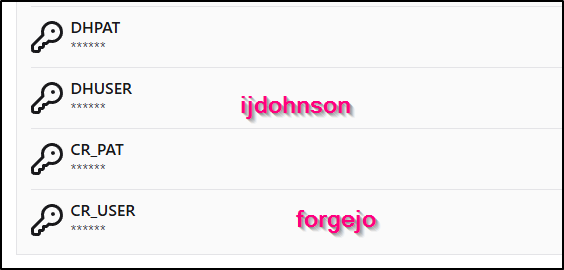
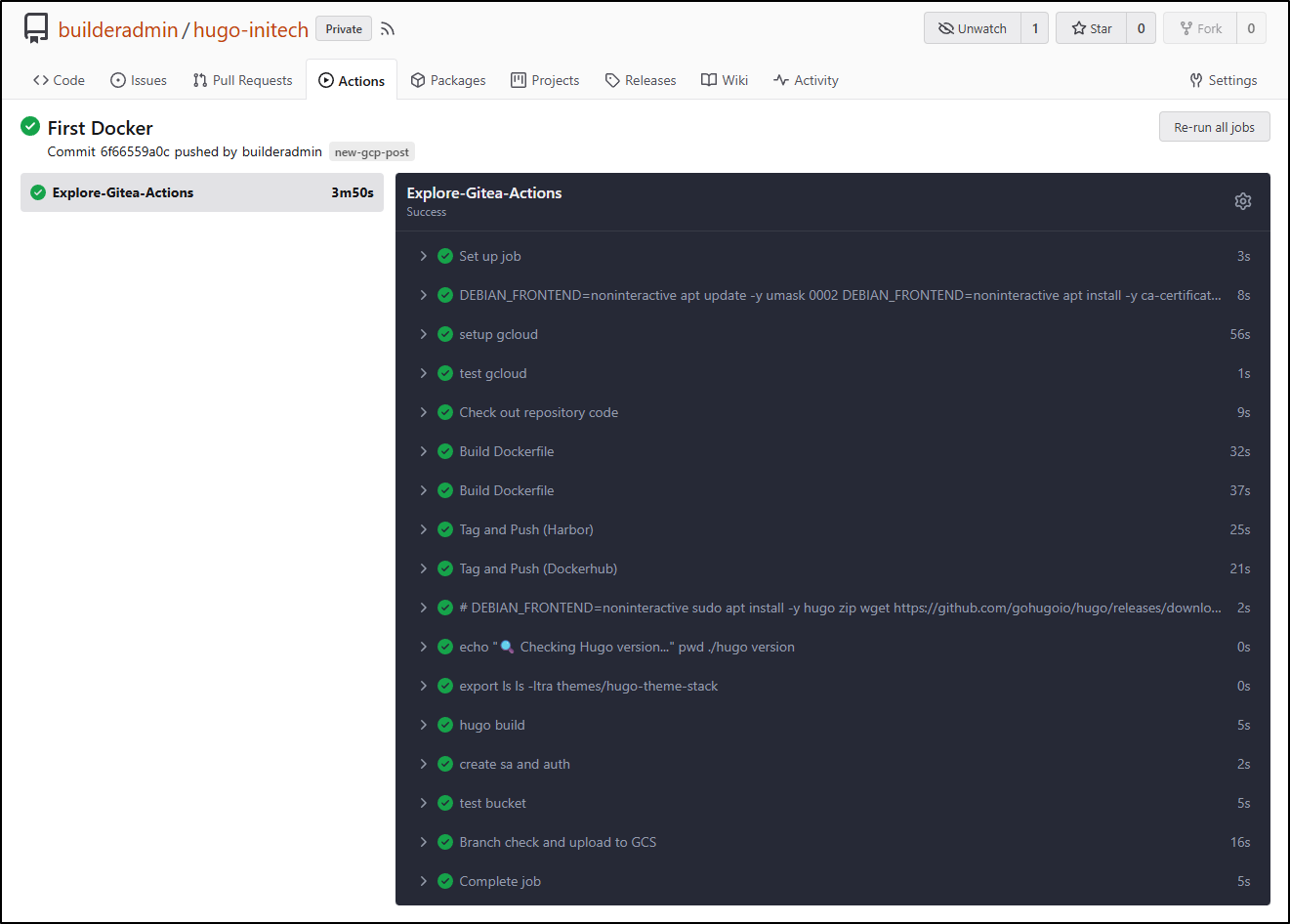
This meant I needed to create secrets for Harbor as well as Dockerhub
The flow ran without issue the first time (surprised as usually I make some kind of typo)
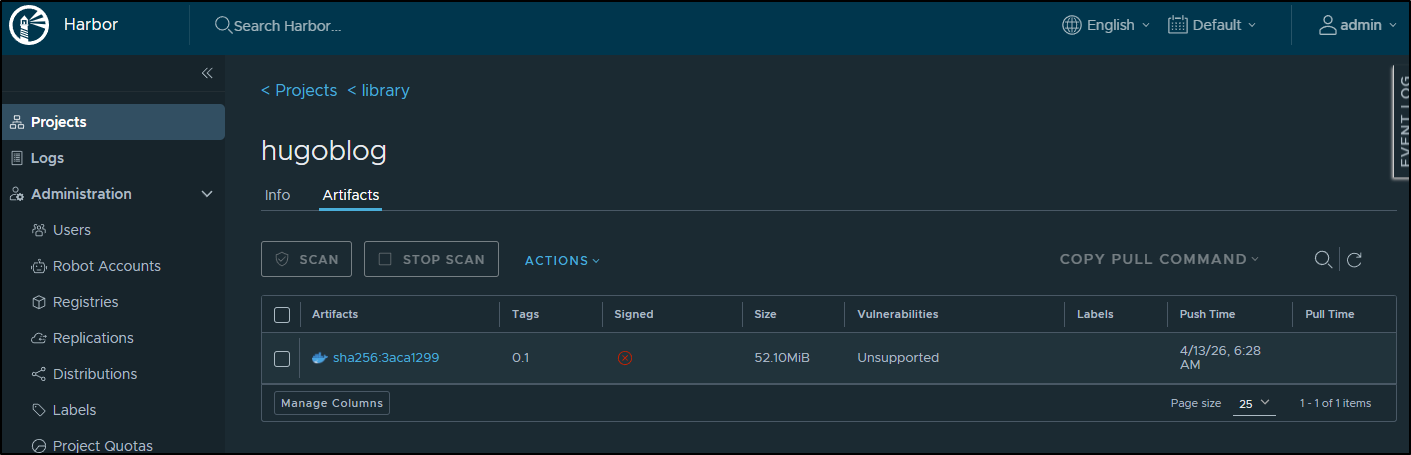
I can now see my container in my Harbor
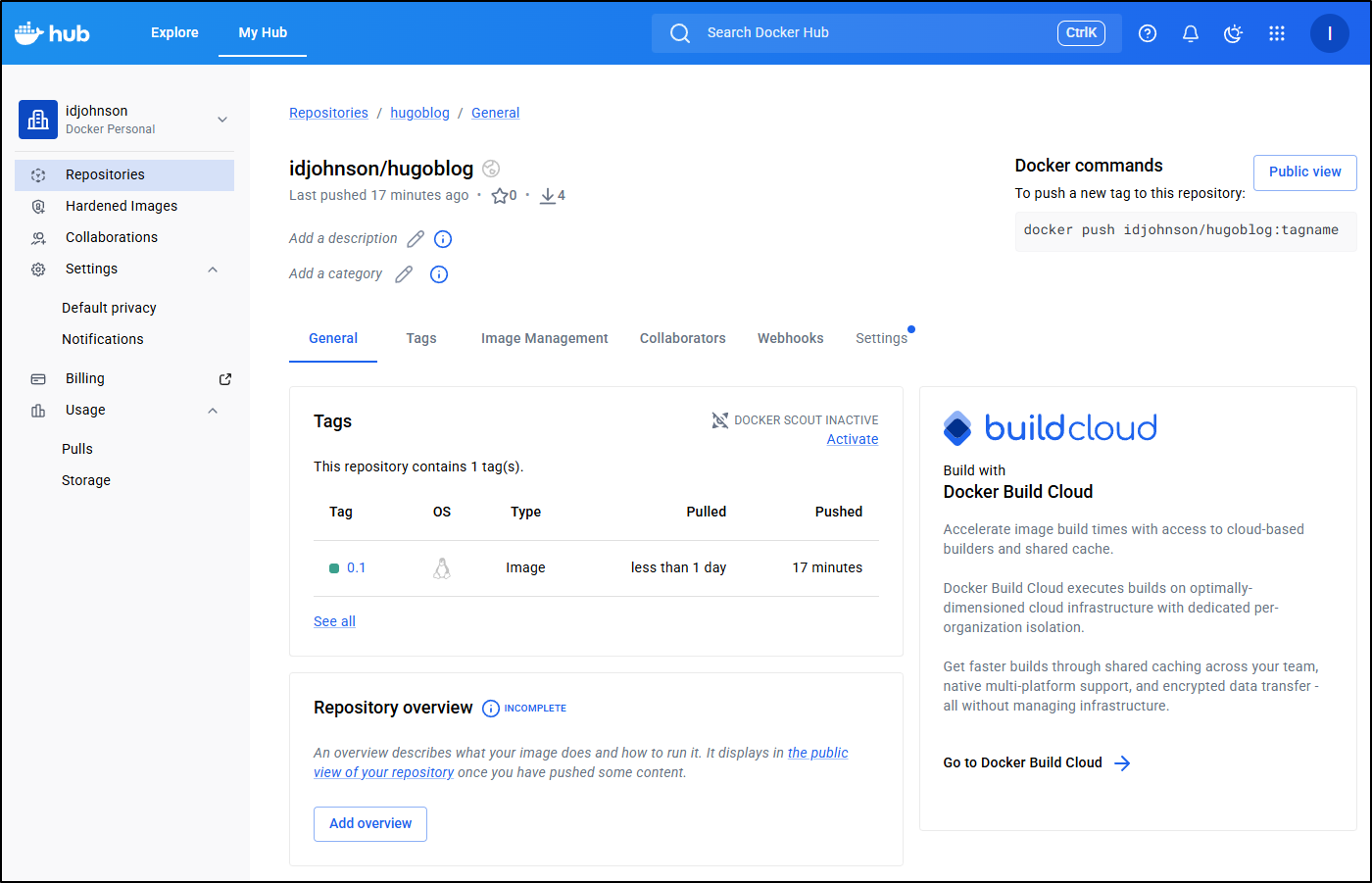
And in Dockerhub
Launching in Cloud Run
From the docs, a deploy should be easy. Though, presently there is a limit of max container sizes of 9.9Gb if using external Artifact Registries (so that just means if you get huge containers over time, you will need to use GAR)
I first went to fire it off from my Harbor
builder@DESKTOP-QADGF36:~/Workspaces/hugo-initech$ gcloud run deploy myhugo --image harbor.freshbrewed.science/library/hugobl
og@sha256:3aca1299b5751971032dd0e321494c976a008b491143ab58be7a63ce781fbdc6
Please specify a region:
 [1] africa-south1
 [2] asia-east1
 [3] asia-east2
 [4] asia-northeast1
 [5] asia-northeast2
 [6] asia-northeast3
 [7] asia-south1
 [8] asia-south2
 [9] asia-southeast1
 [10] asia-southeast2
 [11] asia-southeast3
 [12] australia-southeast1
 [13] australia-southeast2
 [14] europe-central2
 [15] europe-north1
 [16] europe-north2
 [17] europe-southwest1
 [18] europe-west1
 [19] europe-west10
 [20] europe-west12
 [21] europe-west2
 [22] europe-west3
 [23] europe-west4
 [24] europe-west6
 [25] europe-west8
 [26] europe-west9
 [27] me-central1
 [28] me-central2
 [29] me-west1
 [30] northamerica-northeast1
 [31] northamerica-northeast2
 [32] northamerica-south1
 [33] southamerica-east1
 [34] southamerica-west1
 [35] us-central1
 [36] us-east1
 [37] us-east4
 [38] us-east5
 [39] us-south1
 [40] us-west1
 [41] us-west2
 [42] us-west3
 [43] us-west4
 [44] cancel
Please enter numeric choice or text value (must exactly match list item):  35

To make this the default region, run `gcloud config set run/region us-central1`.

Allow unauthenticated invocations to [myhugo] (y/N)?  y

Deploying container to Cloud Run service [myhugo] in project [myanthosproject2] region [us-central1]
X Deploying new service...
  . Creating Revision...
  . Routing traffic...
  . Setting IAM Policy...
Deployment failed
ERROR: (gcloud.run.deploy) spec.template.spec.containers[0].image: Expected an image path like [host/]repo-path[:tag and/or @digest], where host is one of [region.]gcr.io, [region-]docker.pkg.dev or docker.io but obtained harbor.freshbrewed.science/library/hugoblog@sha256:3aca1299b5751971032dd0e321494c976a008b491143ab58be7a63ce781fbdc6. To deploy container images from other public or private registries, set up an Artifact Registry remote repository. See https://cloud.google.com/artifact-registry/docs/repositories/remote-repo.
But am reminded again by something that annoys me to no end - fixation on corporate SaaS providers. Even though the docs suggest we can use an Artifact URL, the gcloud command is fixed to just “Dockerhub” and GCR/GAR.
We can actually build and run without having to leverage Dockerhub (I don’t want to be forced into a SaaS)
If we specify the region (or –source) it will do a “build and push” operation and create the GAR repository for us.
Later you will see why I want to do this (for test endpoints). Still, booooo! on not letting me use Harbor

The build and push failed
builder@DESKTOP-QADGF36:~/Workspaces/hugo-initech$ gcloud run deploy myhugo --region us-central1
Deploying from source. To deploy a container use [--image]. See https://cloud.google.com/run/docs/deploying-source-code for more details.
Source code location (/home/builder/Workspaces/hugo-initech):
Next time, you can use `--source .` argument to deploy the current directory.

Deploying from source requires an Artifact Registry Docker repository to store built containers. A repository named
[cloud-run-source-deploy] in region [us-central1] will be created.

Do you want to continue (Y/n)?  y

Allow unauthenticated invocations to [myhugo] (y/N)?  y

Building using Dockerfile and deploying container to Cloud Run service [myhugo] in project [myanthosproject2] region [us-central1]
X Building and deploying new service... Building Container.
  ✓ Creating Container Repository...
  ✓ Uploading sources...
  ✓ Building Container... Logs are available at [https://console.cloud.google.com/cloud-build/builds;region=us-central1/534a
  a7ee-bacf-4940-b851-3db47828ee74?project=511842454269].
  - Creating Revision...
  . Routing traffic...
  ✓ Setting IAM Policy...
Deployment failed
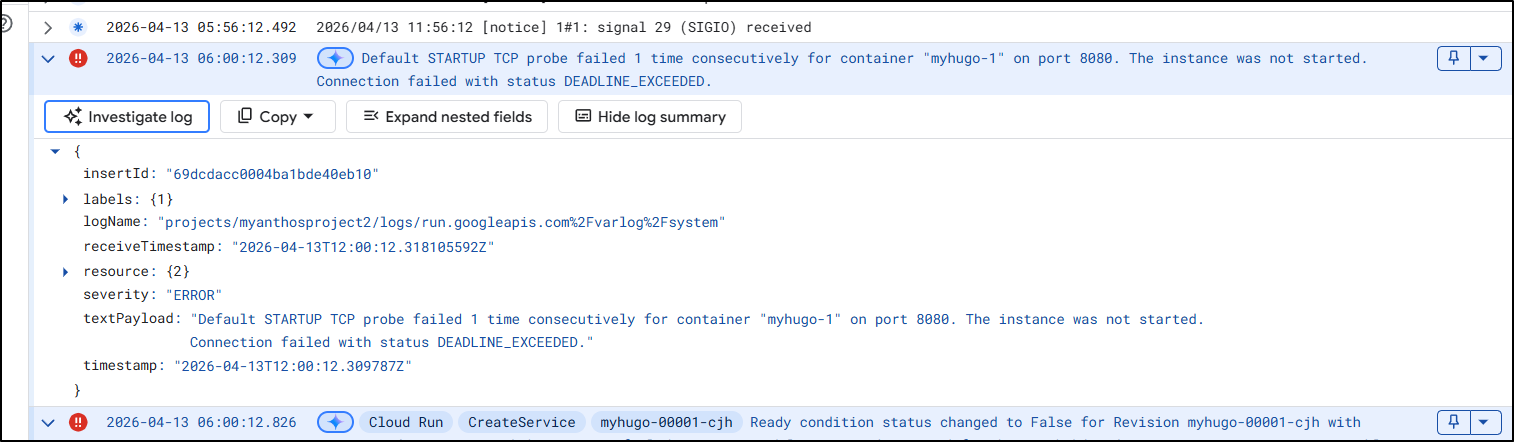
ERROR: (gcloud.run.deploy) The user-provided container failed to start and listen on the port defined provided by the PORT=8080 environment variable within the allocated timeout. This can happen when the container port is misconfigured or if the timeout is too short. The health check timeout can be extended. Logs for this revision might contain more information.

Logs URL: https://console.cloud.google.com/logs/viewer?project=myanthosproject2&resource=cloud_run_revision/service_name/myhugo/revision_name/myhugo-00001-cjh&advancedFilter=resource.type%3D%22cloud_run_revision%22%0Aresource.labels.service_name%3D%22myhugo%22%0Aresource.labels.revision_name%3D%22myhugo-00001-cjh%22
For more troubleshooting guidance, see https://cloud.google.com/run/docs/troubleshooting#container-failed-to-start
Looking at the logs (and now more carefully at the error message) it would seem it’s trying to use port “8080” when clearly the dockerfile says “EXPOSE 80”
I saw some indication I might be able to set port with --port so I tried that next
builder@DESKTOP-QADGF36:~/Workspaces/hugo-initech$ gcloud run deploy myhugo --region us-central1 --source . --port 80
Building using Dockerfile and deploying container to Cloud Run service [myhugo] in project [myanthosproject2] region [us-central1]
✓ Building and deploying... Done.
  ✓ Uploading sources...
  ✓ Building Container... Logs are available at [https://console.cloud.google.com/cloud-build/builds;region=us-central1/1aaf
  72ee-fe16-43de-a780-b2cebbb05868?project=511842454269].
  ✓ Creating Revision...
  ✓ Routing traffic...
Done.
Service [myhugo] revision [myhugo-00003-z44] has been deployed and is serving 100 percent of traffic.
Service URL: https://myhugo-511842454269.us-central1.run.app
That looks great!
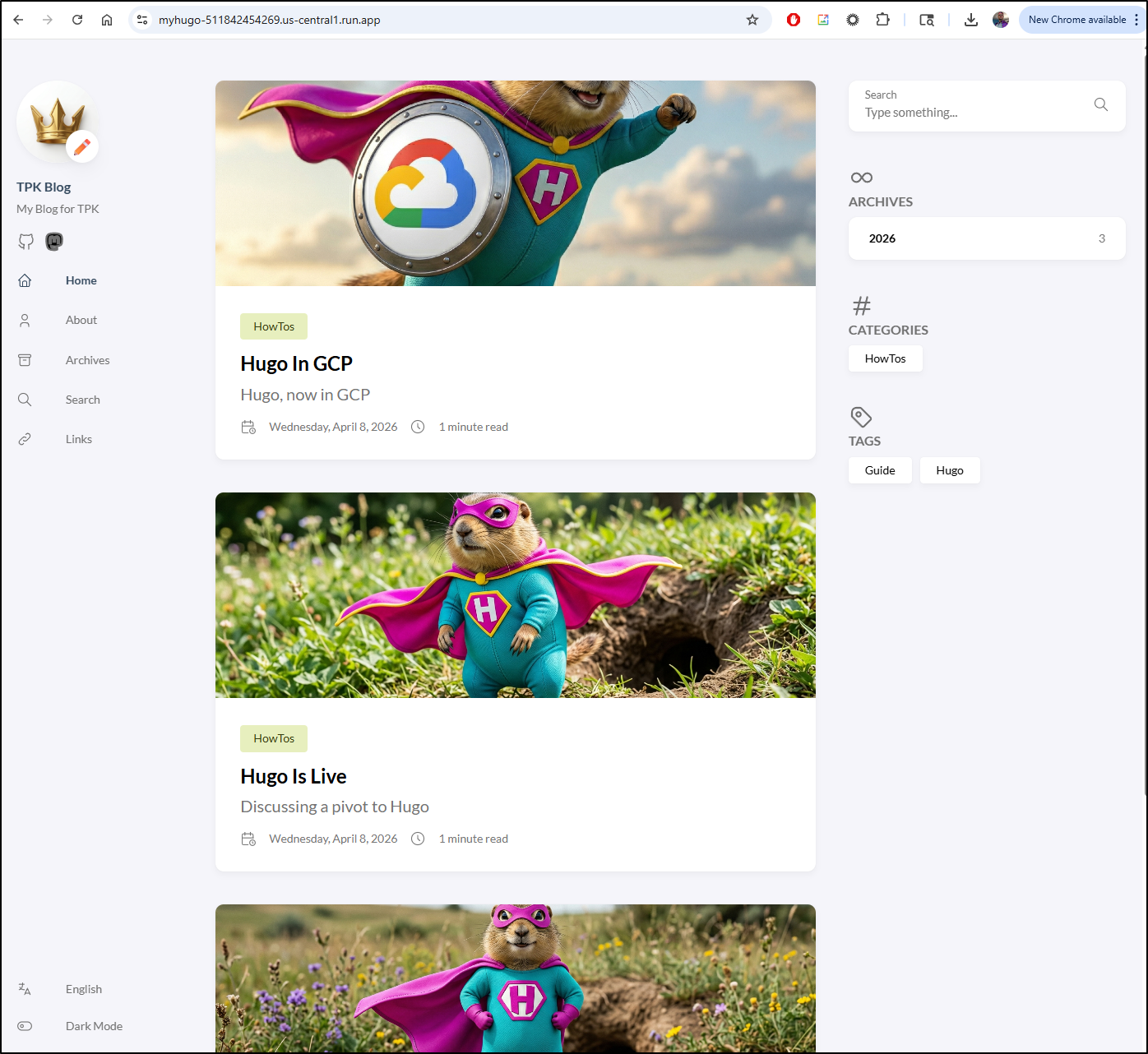
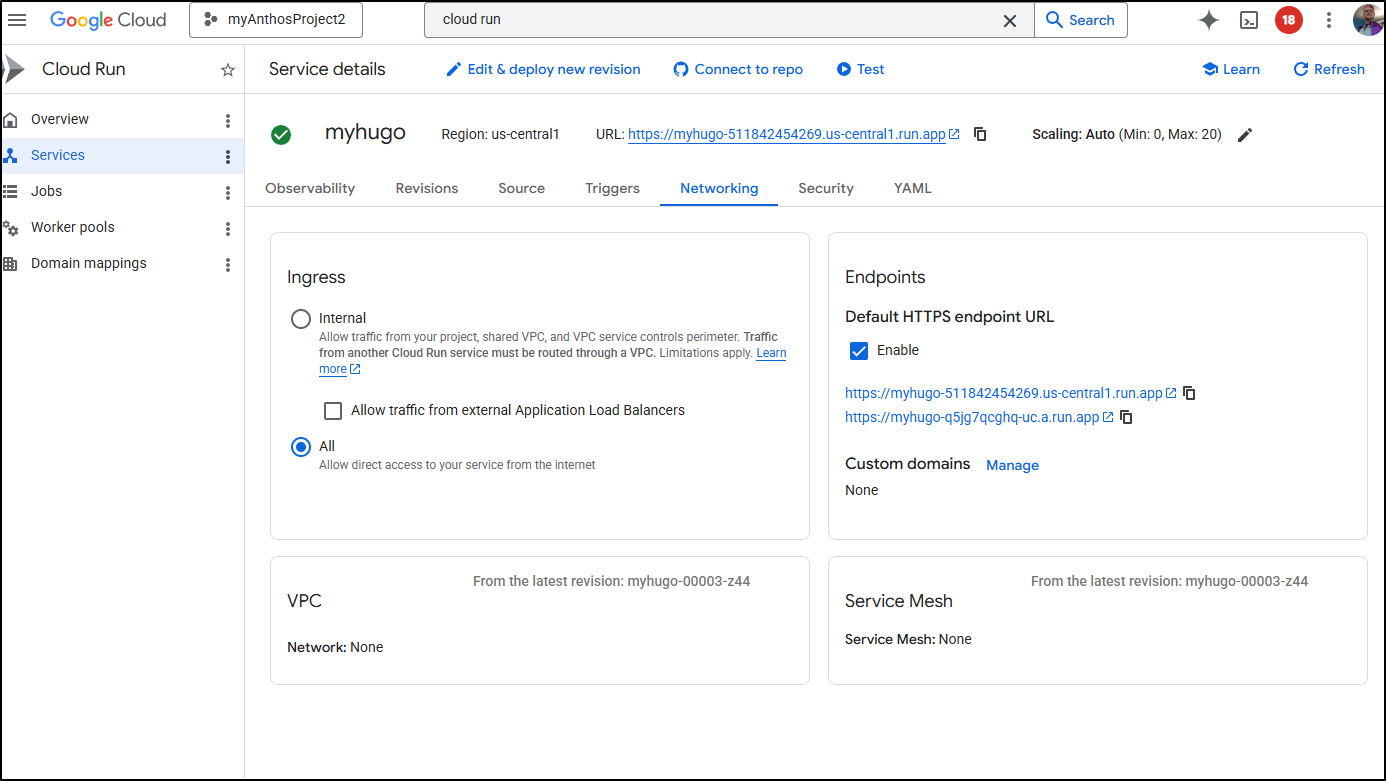
In the Cloud Console for Cloud Run, we can go to the Networking tab to see the Endpoints section. I’ll click “Manage” on custom domains
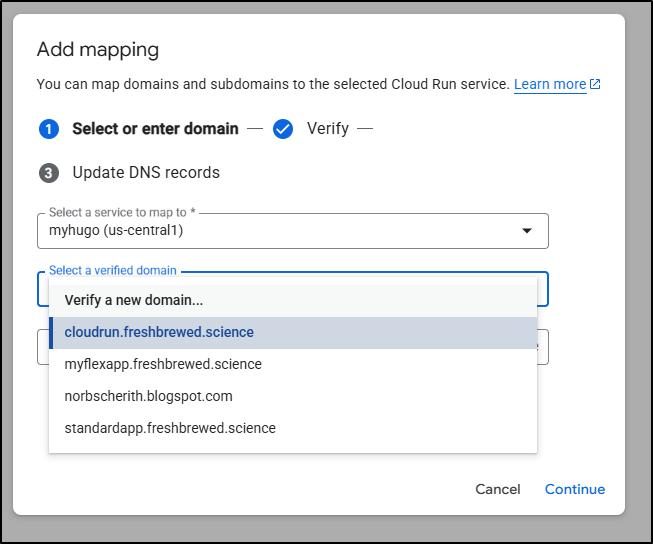
I have some very old serverless verified domains there, but none would really work.
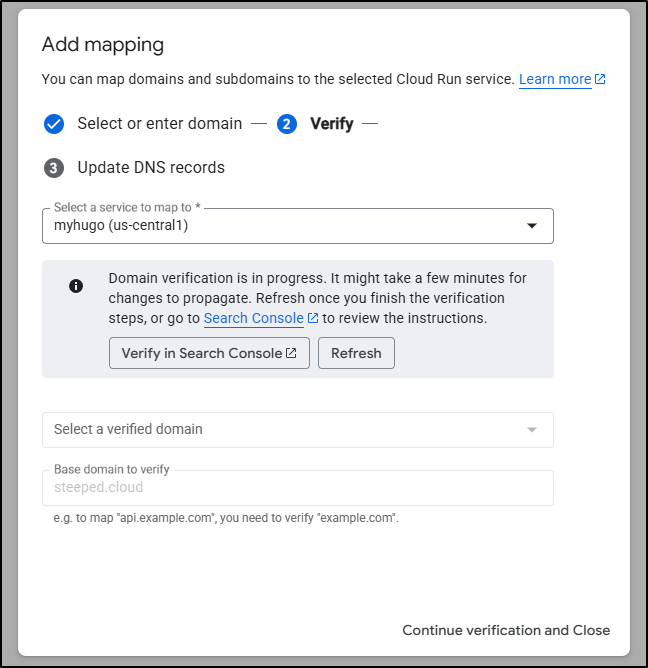
Let’s create a new one for the steeped.cloud domain I setup last time (but didn’t use)
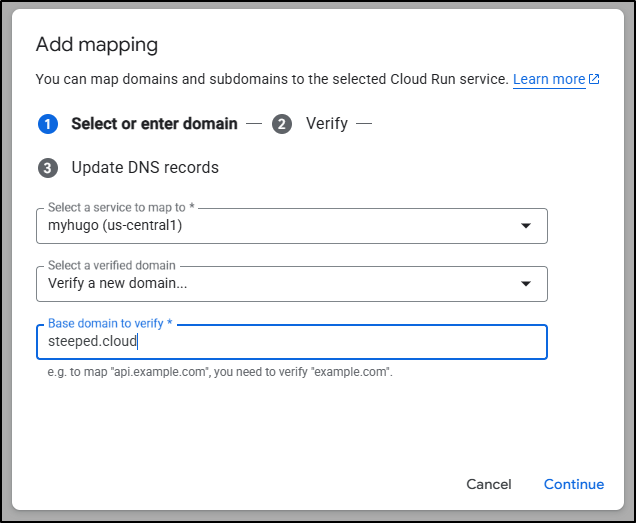
The process is pretty quick, I went to the linked search site
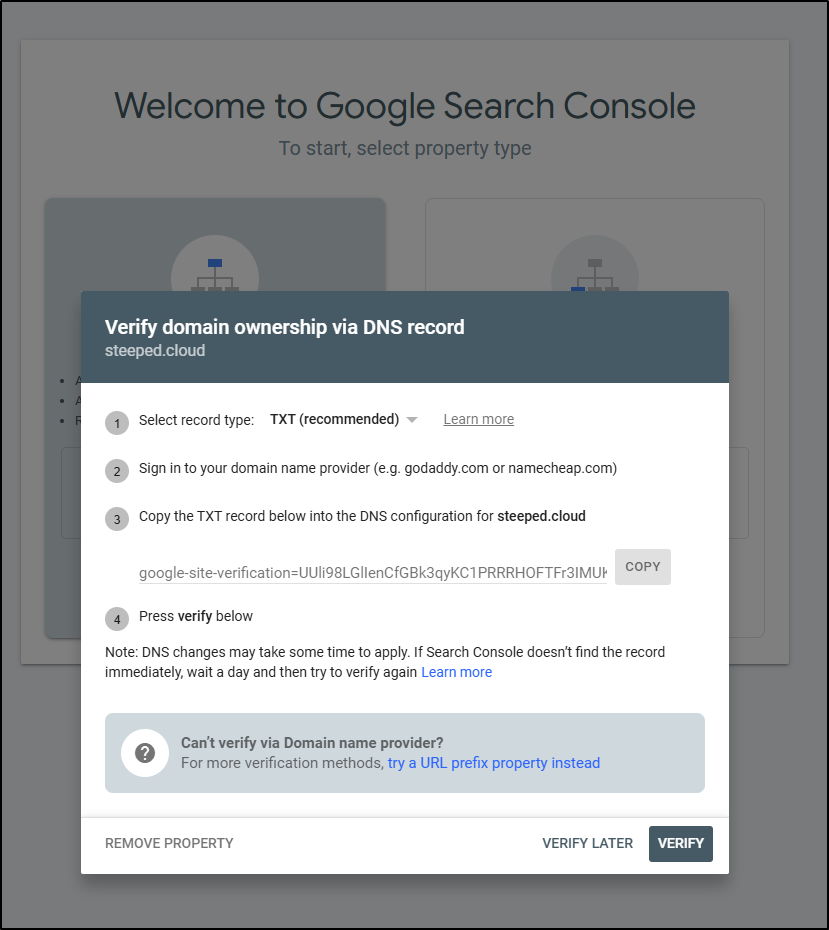
There it told me the TXT record to apply
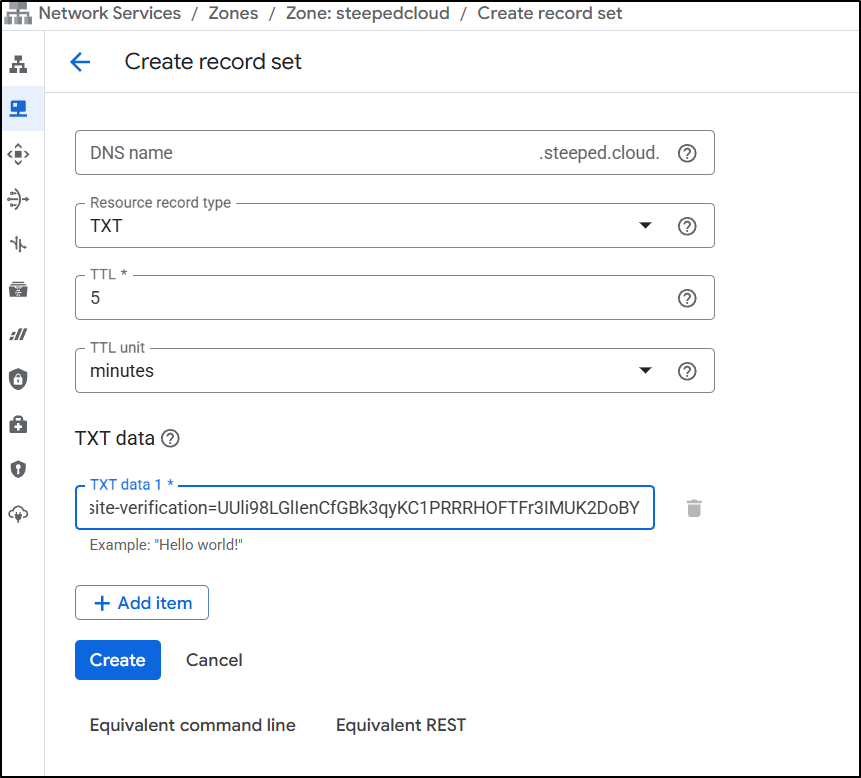
Which I did
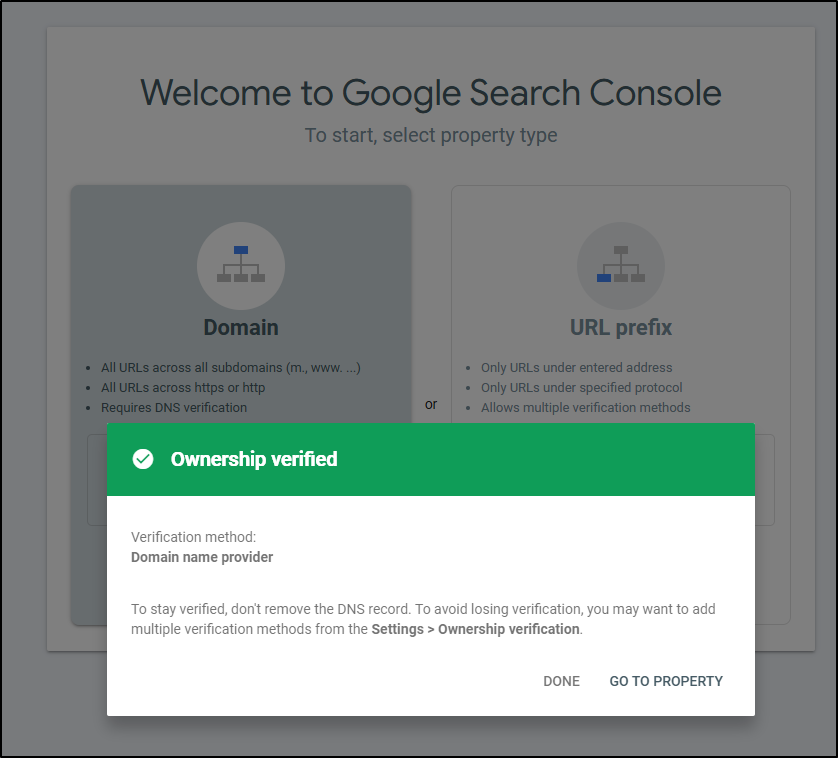
Then just clicked Verify to verify it
I can now come back and add a “www” endpoint on ‘steeped.cloud’ using the “Domain Mappings” on Cloud Run
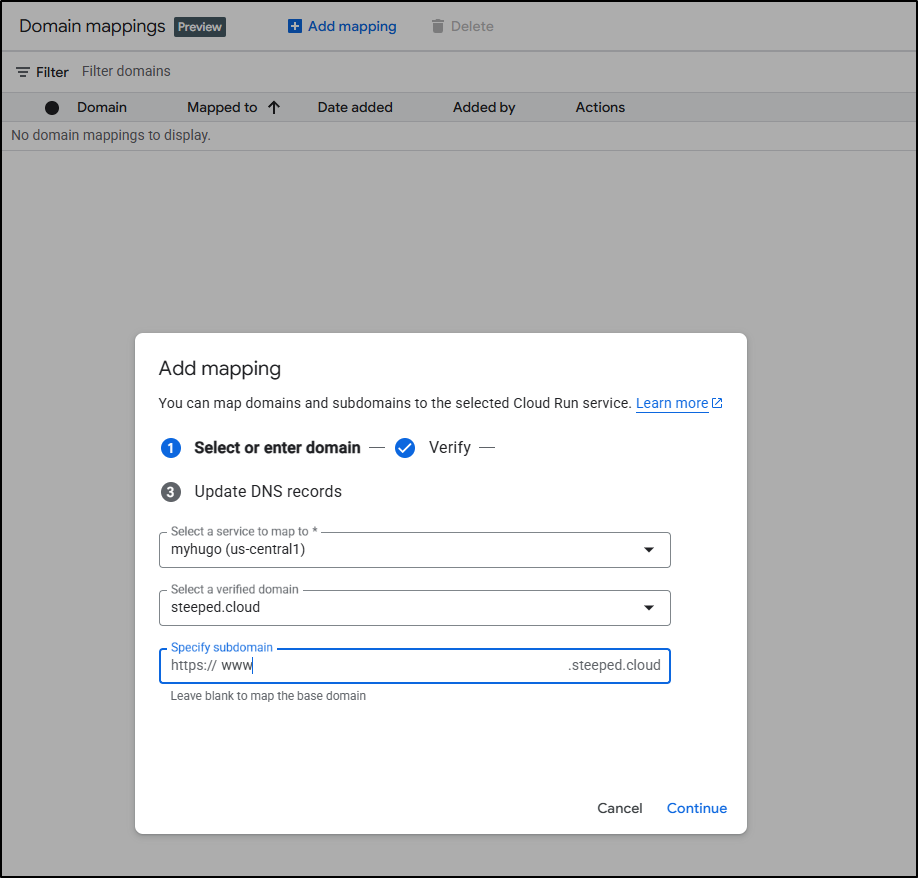
It will want me to create a CNAME now
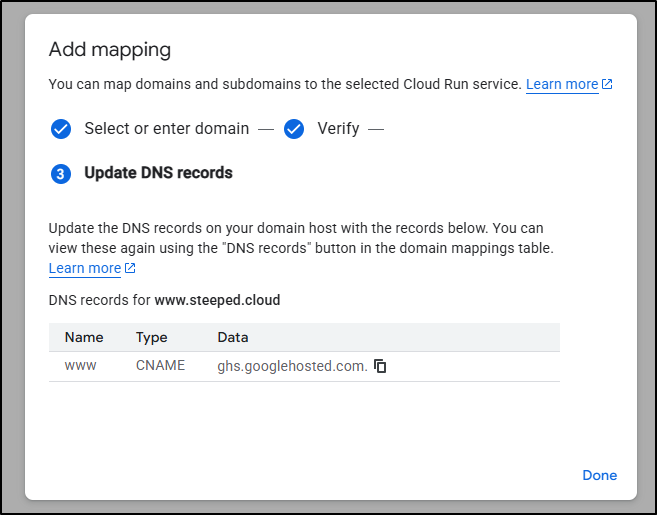
Which I did in Cloud DNS
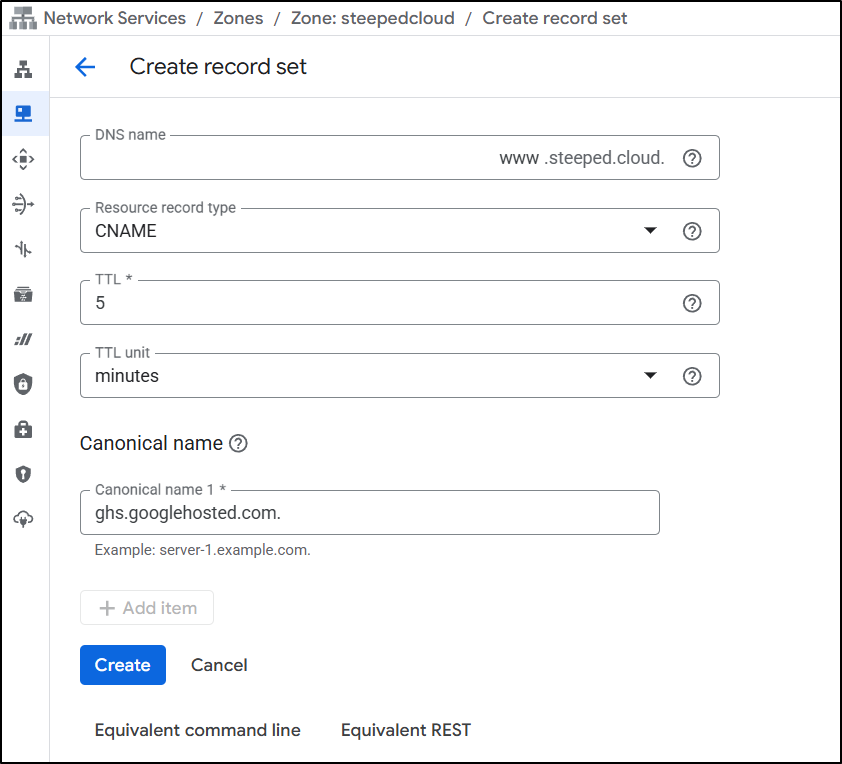
At least for me, it didn’t refresh right away - I had to click the “Refresh” button in the upper right
The step says i need to configure certificates
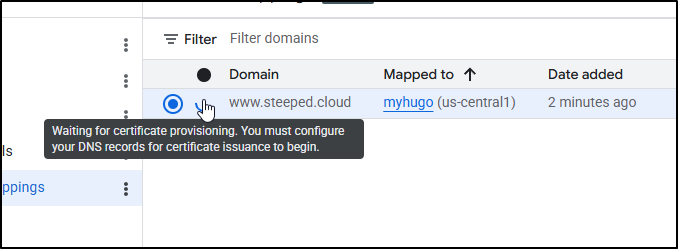
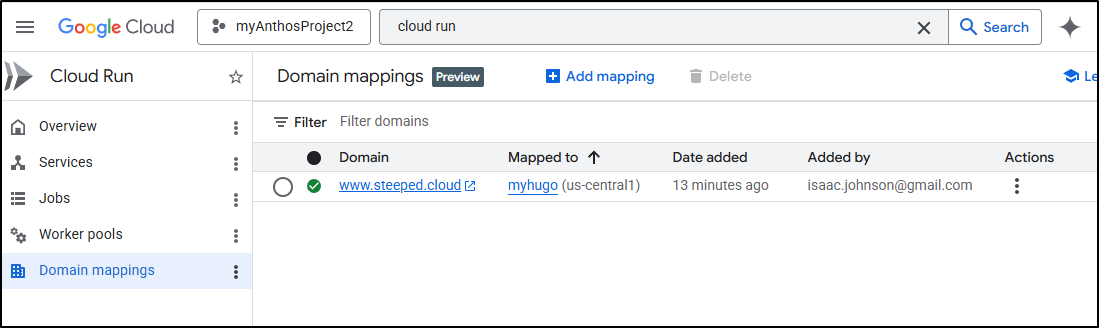
However, I have no idea where to do that or what it wants. I was in the middle of searching and debugging and using thinking mode on Gemini to see if I missed something when the icon turned green. So i just have to assume that it takes a while
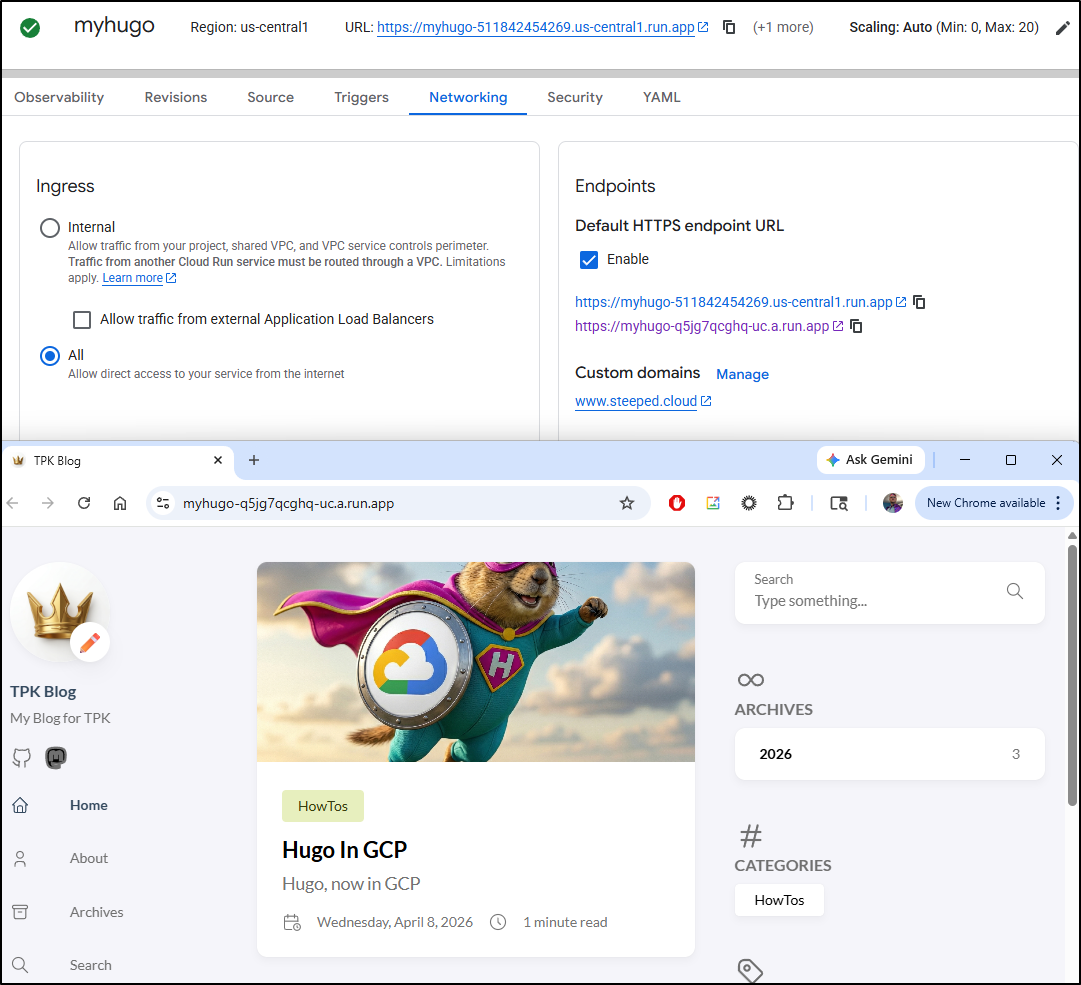
I can see the run.app URL without issue
However, the custom domain fails to forward
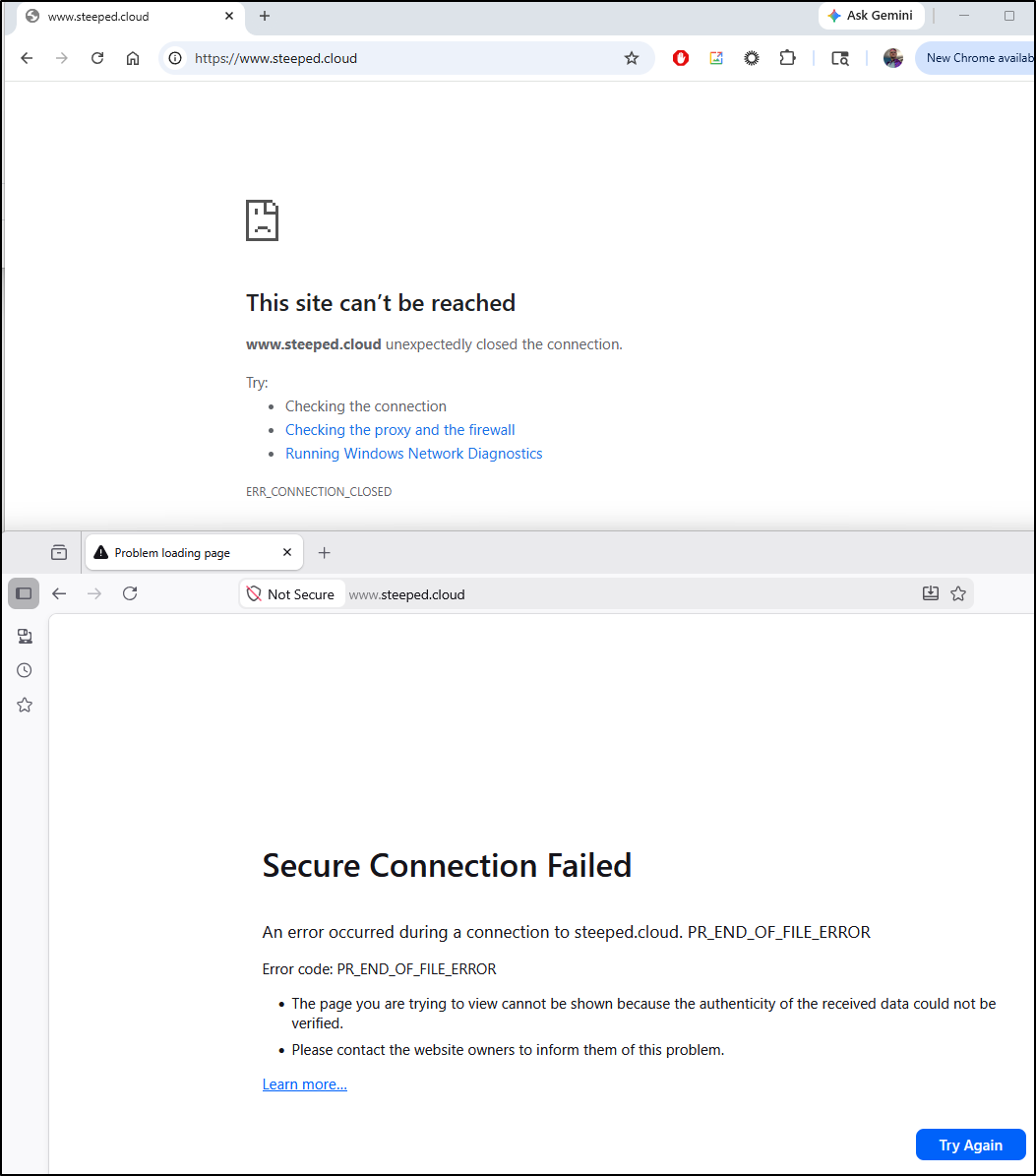
Again, I was deep into debugging when the pages just magically showed up - this was about 20 minutes after verifying the domain
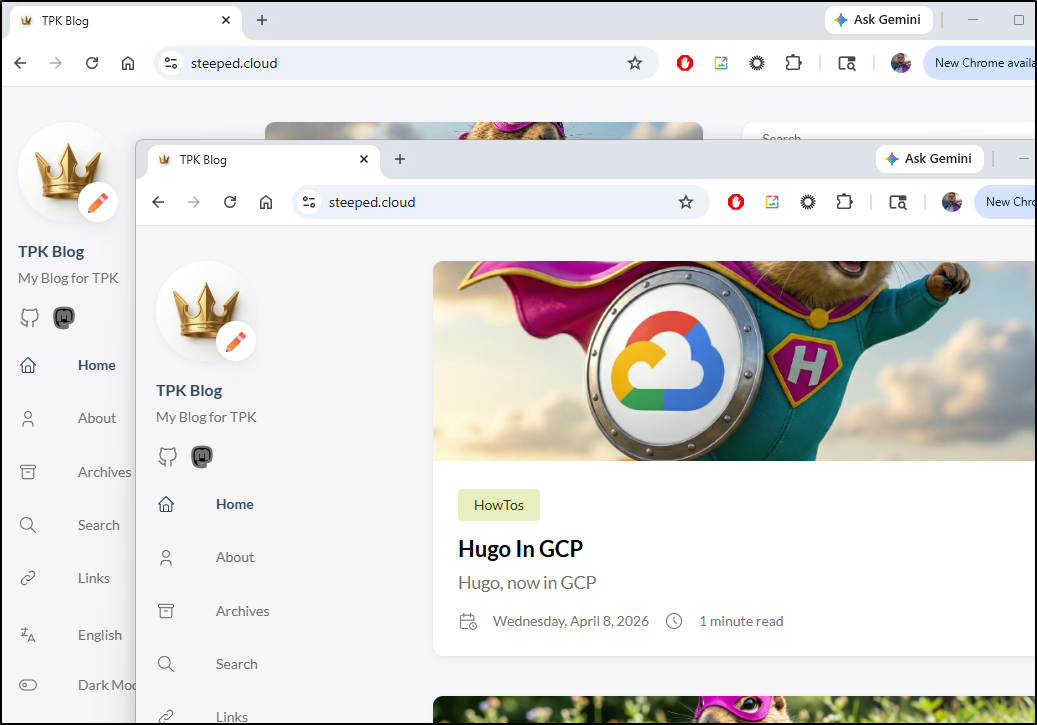
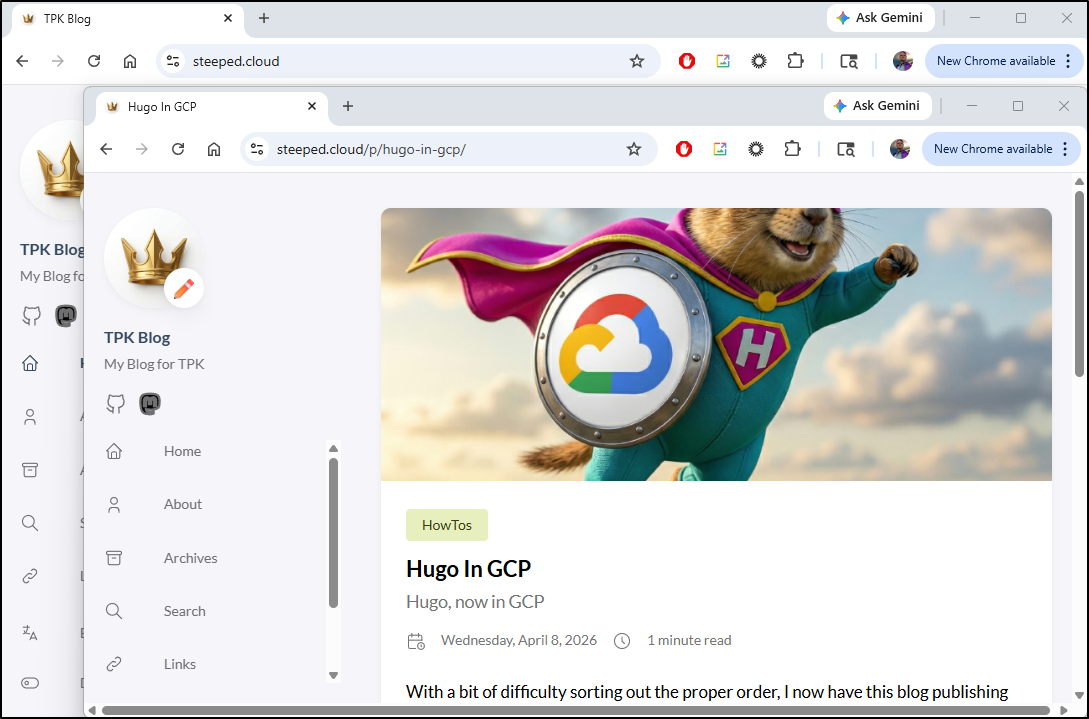
The pages now load fine in Firefox and Chrome
Test endpoint
I want to deploy now to a test endpoint, though as this would be just for me to verify contents, I have no need to add a DNS entry.
I’ll start with a local deployment - the reason is I do not want unauthenticated access - this is how I play to restrict access
$ gcloud run deploy myhugotest --region us-central1 --source . --port 80
Allow unauthenticated invocations to [myhugotest] (y/N)?  N

Building using Dockerfile and deploying container to Cloud Run service [myhugotest] in project [myanthosproject2] region [us-central1]
✓ Building and deploying new service... Done.
  ✓ Uploading sources...
  ✓ Building Container... Logs are available at [https://console.cloud.google.com/cloud-build/builds;region=us-central1/afd3
  f6b7-178c-4043-bcf9-c1df6a3b55e7?project=511842454269].
  ✓ Creating Revision...
  ✓ Routing traffic...
Done.
Service [myhugotest] revision [myhugotest-00001-gfb] has been deployed and is serving 100 percent of traffic.
Service URL: https://myhugotest-511842454269.us-central1.run.app
If I view that URL now, I see we are forbidden
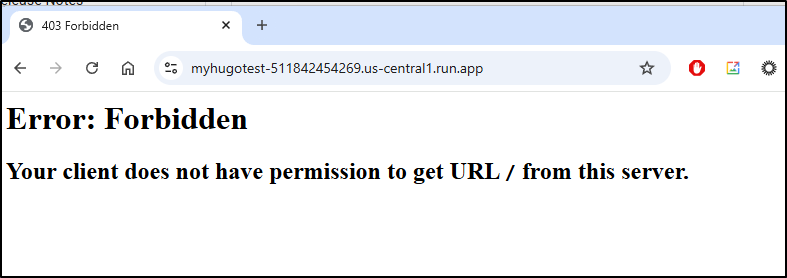
This is because “Allow public access” is disabled
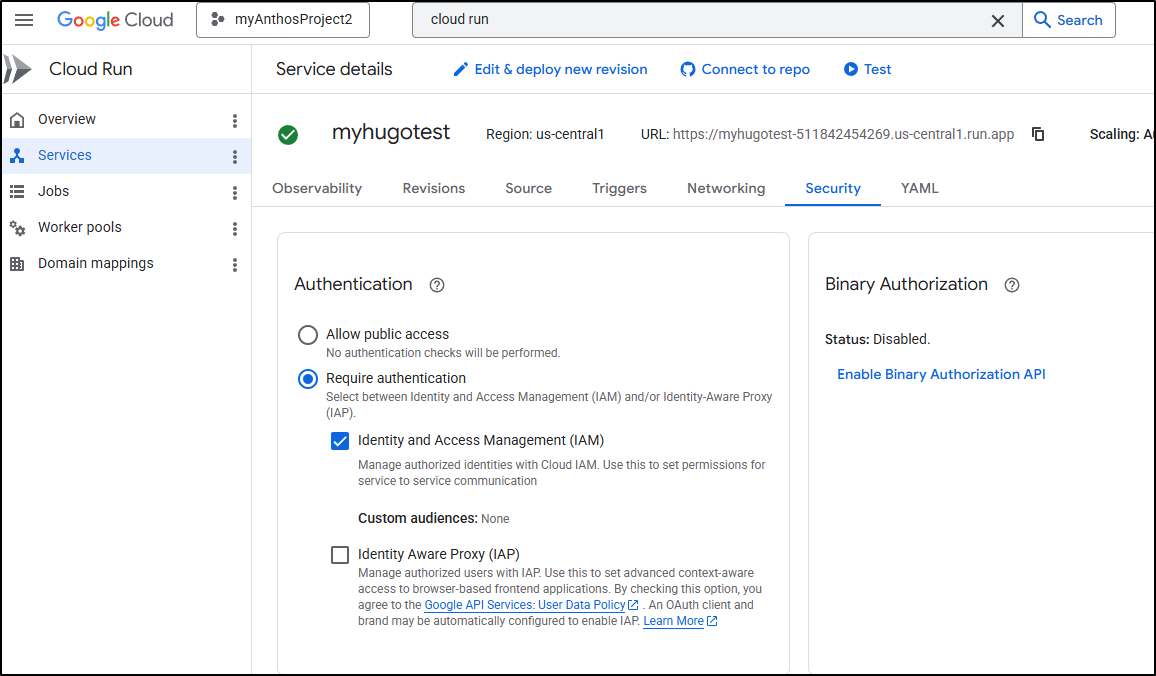
To add a Principal via the Cloud Console, we can do that in Services with the Permissions link
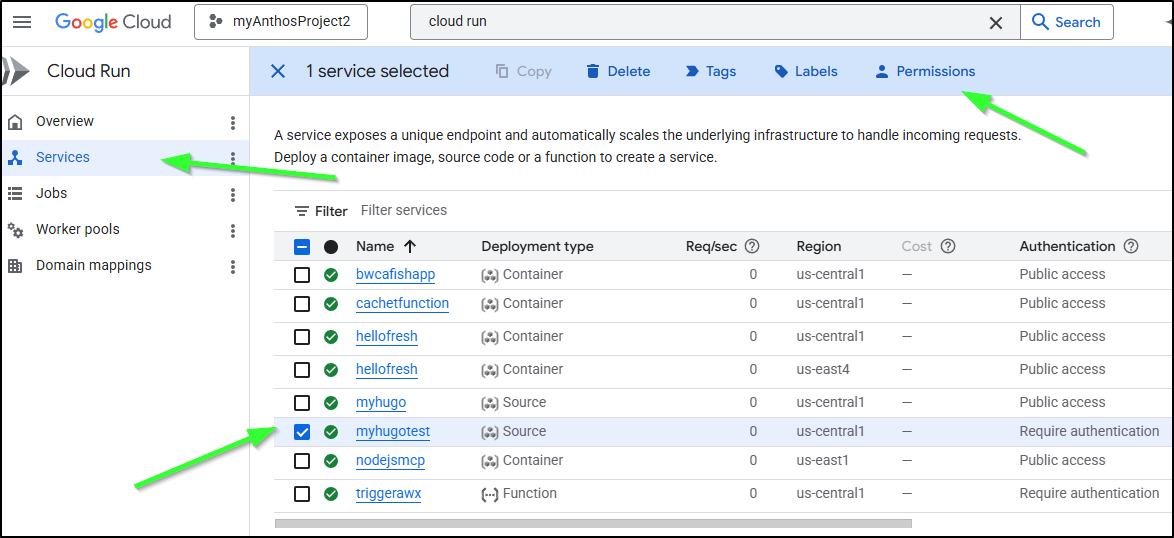
I’ll add myself as a cloud run invoker
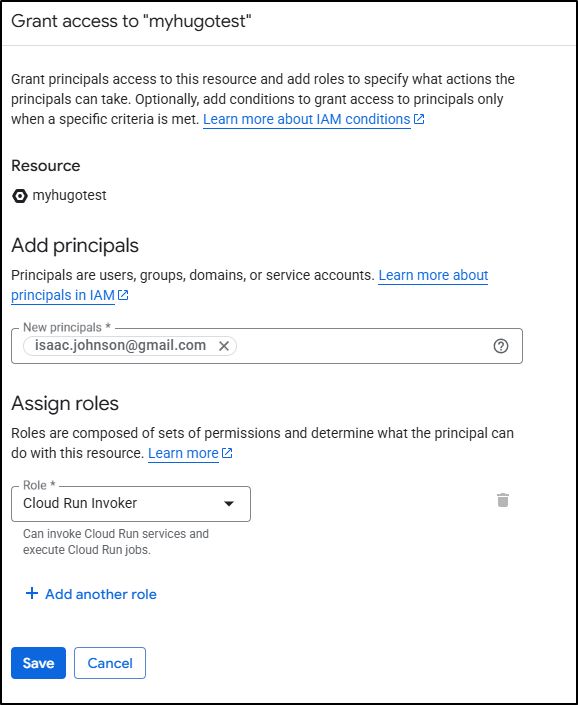
It may take a moment for the policy change to happen
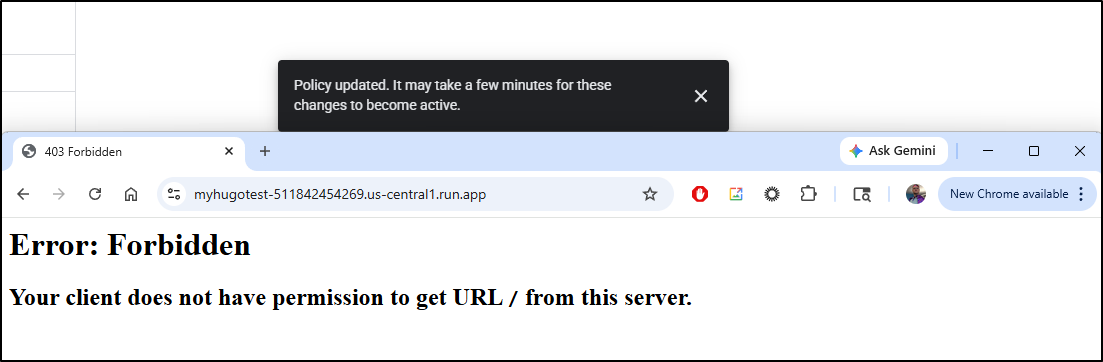
Even if I use gcloud to do the same thing
$ gcloud run services add-iam-policy-binding myhugotest --member="user:isaac.johnson@gmail.com" --role="roles/run.invoker" --region=us-central1
Updated IAM policy for service [myhugotest].
bindings:
- members:
  - user:isaac.johnson@gmail.com
  role: roles/run.invoker
etag: BwZPXkxAaKo=
version: 1
Accessing the URL https://myhugotest-511842454269.us-central1.run.app/ in my browser won’t help because the Cloud Run doesn’t know who I am.
I can use a gcloud command to determine this

Or, I could use a Chrome extension like “ModHeader” to add the Bearer token to my request, then the page will load
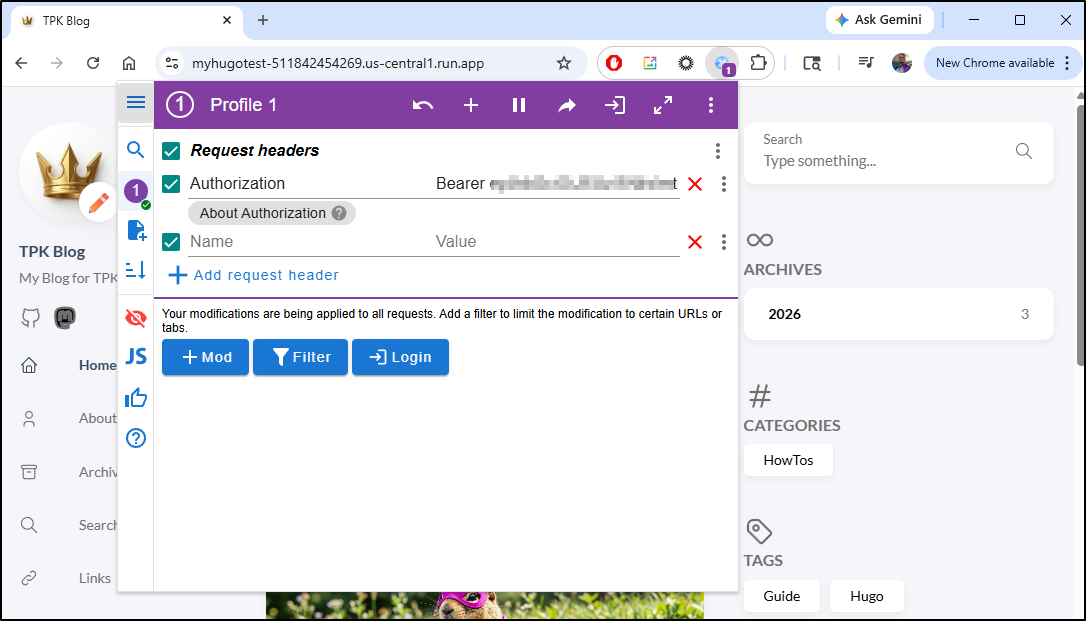
however, if you use ModHeader, remember to remove the value when done testing. I nearly had a panic attack when i stopped being able to see any GCP projects or tools
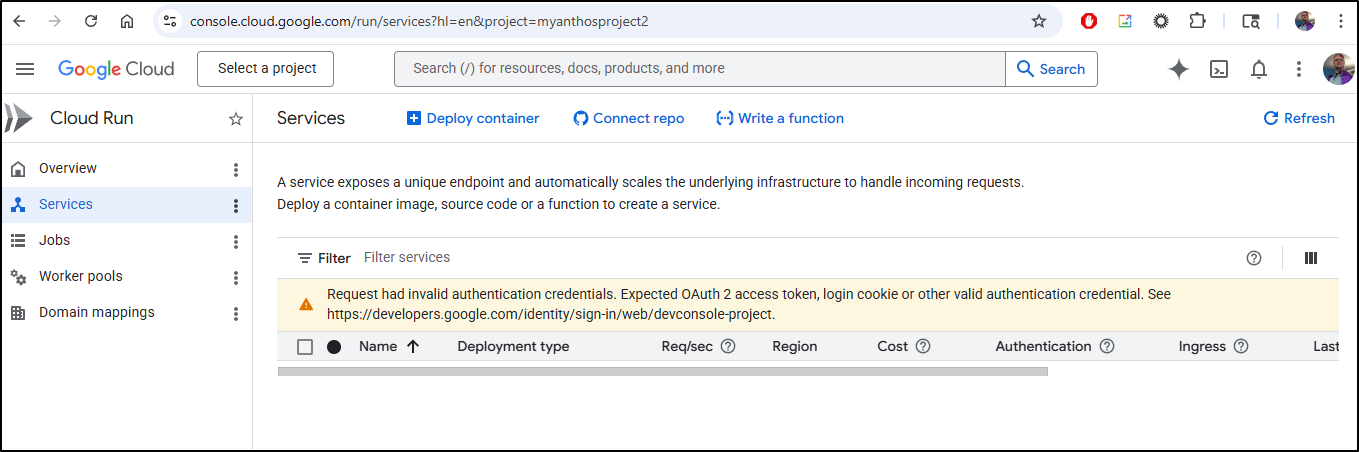
But it was due to the Header re-write that ModHeader was still doing for the test blog. Once i cleared the Authorization header, GCP Cloud Console came back
Adding IAP Proxy
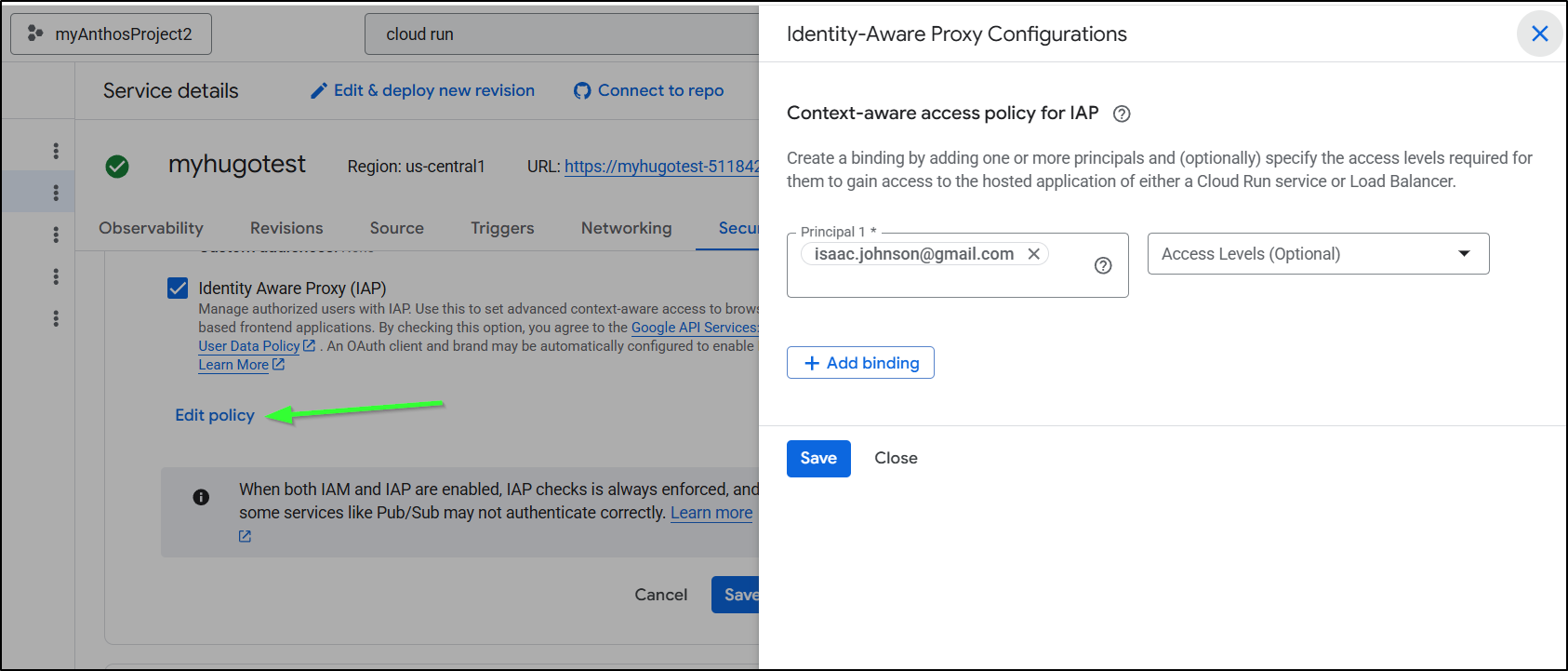
Let’s go to the test service in Cloud Run and select “Identity Aware Proxy (IAP)” to add the IAP proxy and save
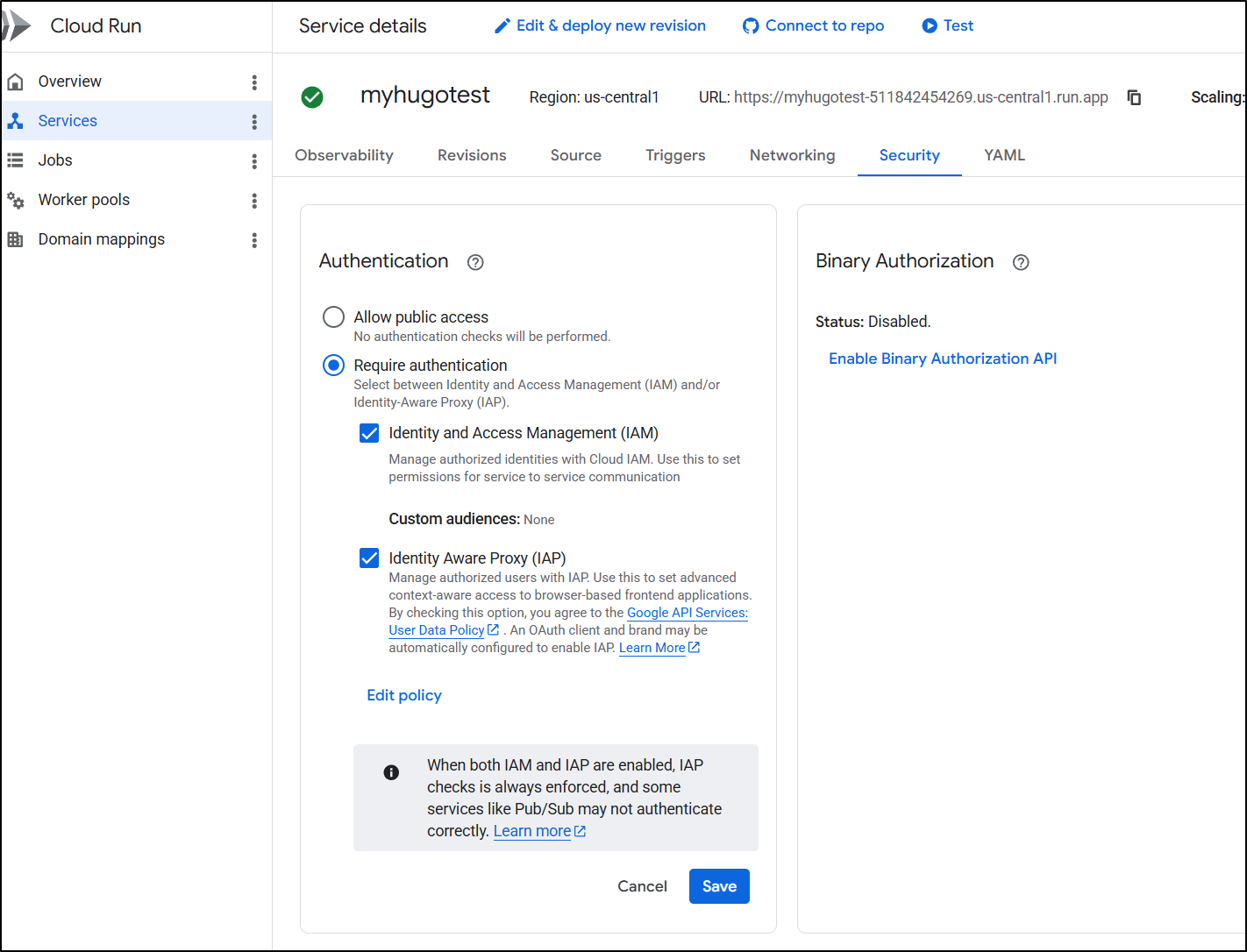
I now see
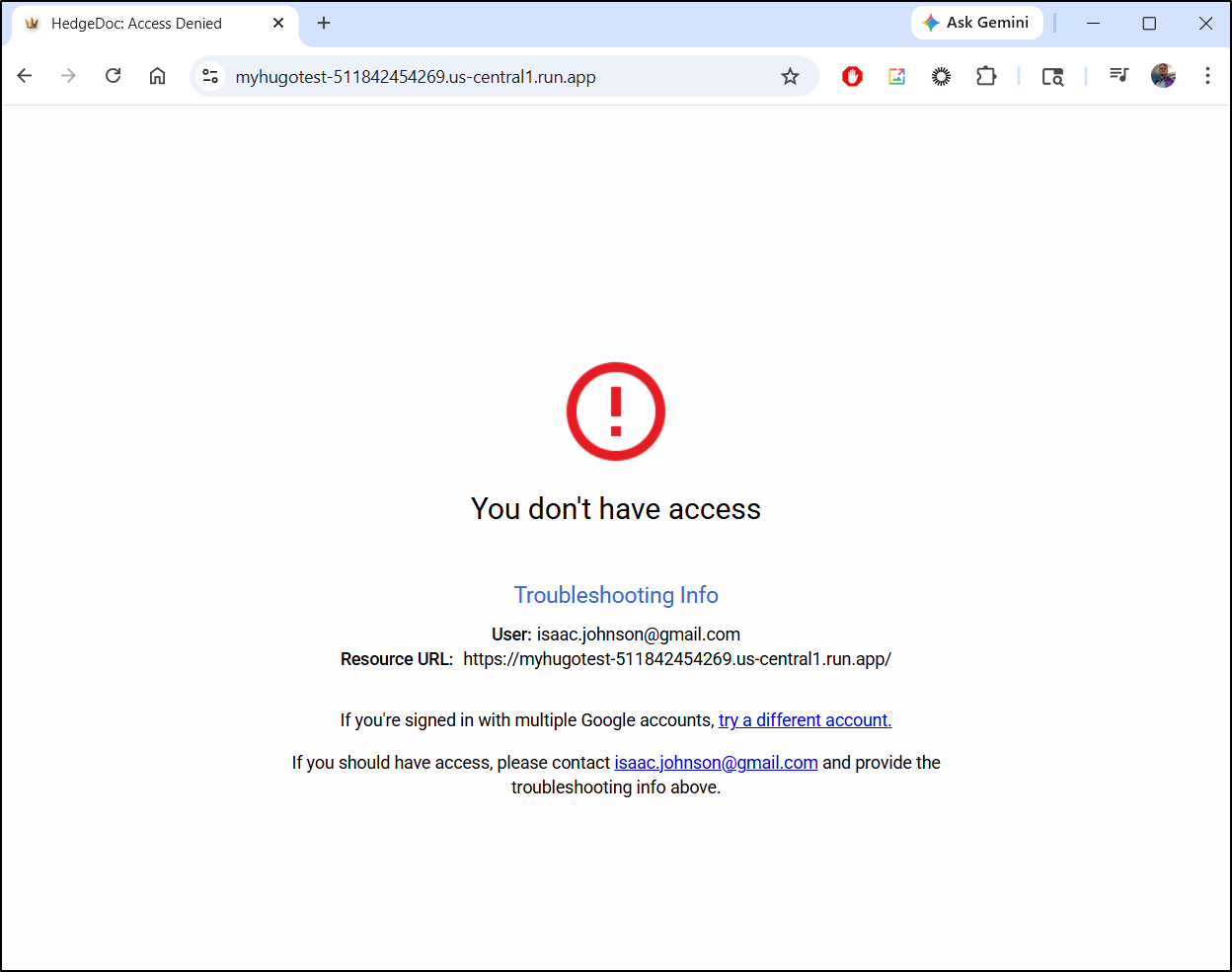
So I’ll add my user as an “IAP” httpsResourceAccessor.
$ gcloud beta iap web add-iam-policy-binding     --resource-type
=cloud-run --service=myhugotest --region=us-central1 --member='user:isaac.johnson@gmail.com' --role='roles/iap.httpsResourceA
ccessor'
Updated IAM policy for cloud run [projects/511842454269/iap_web/cloud_run-us-central1/services/myhugotest].
After it activated (couple of minutes), I could now load the page - no Header modifications required
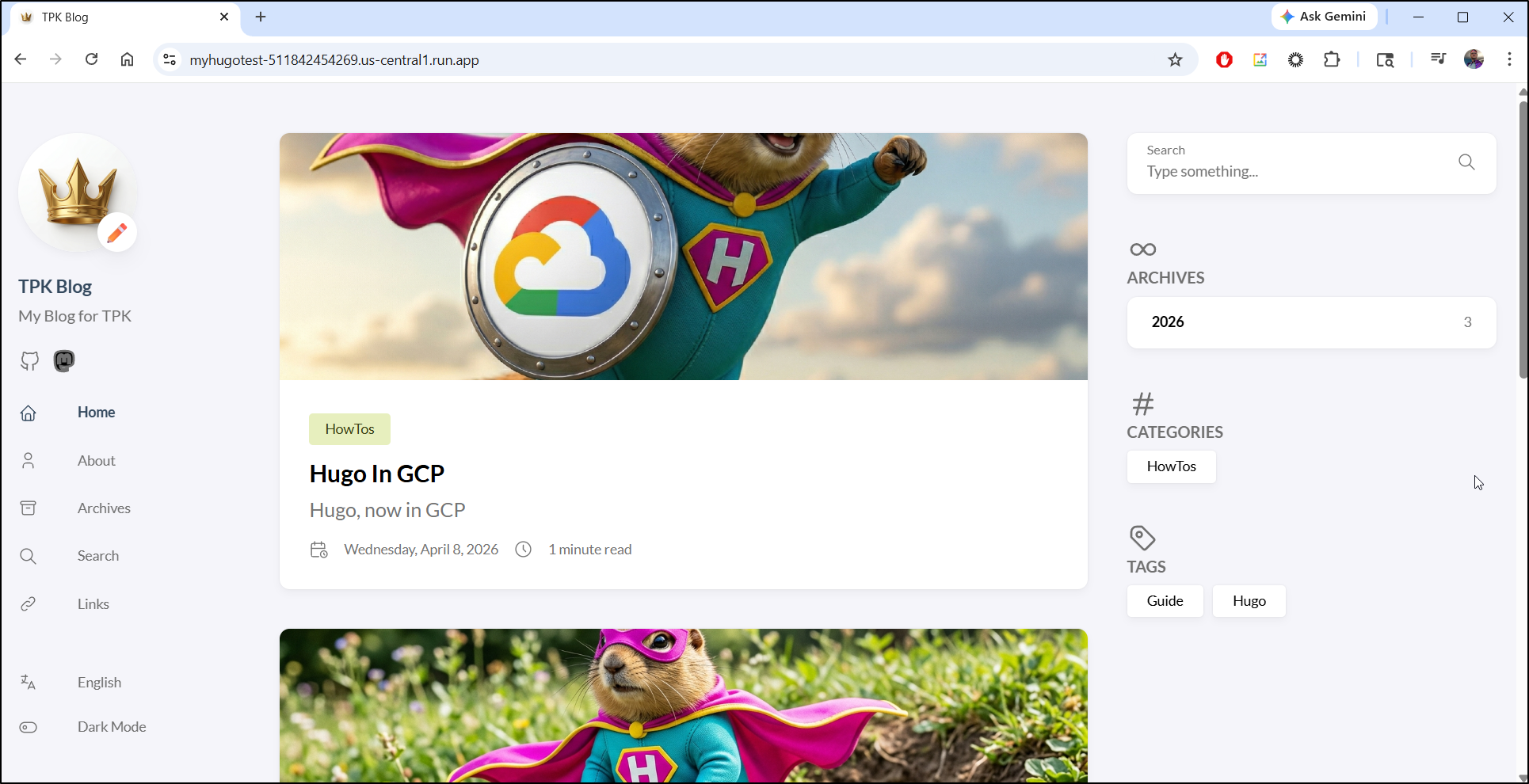
If you wish to use the Cloud Console UI to add and remove users from the test endpoint you can with the “Edit policy” link
Costs
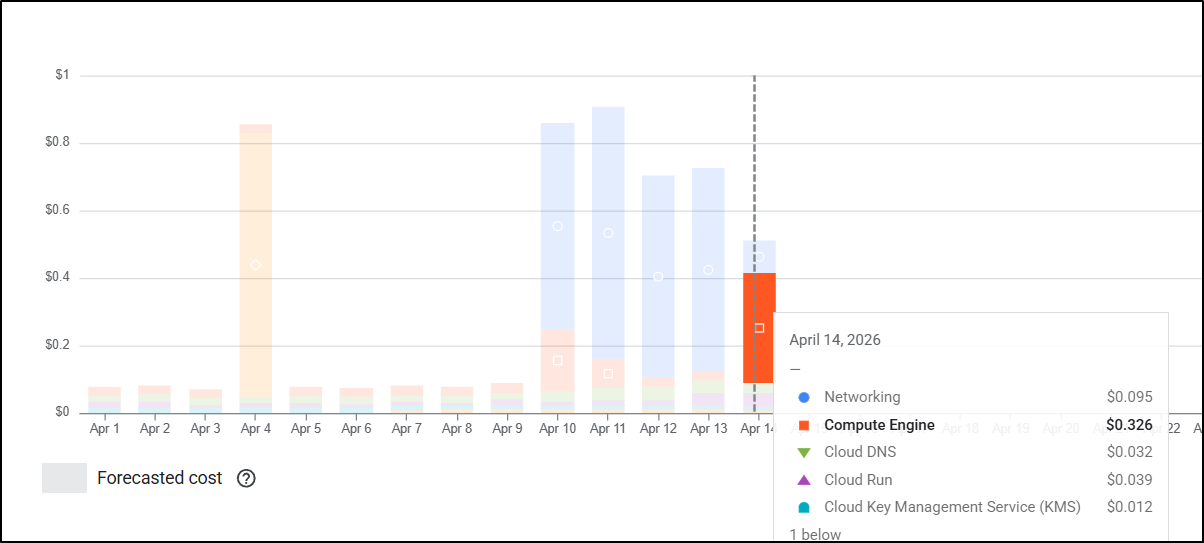
After I cleaned up, I saw a big jump in Compute Engine costs which surprised me:
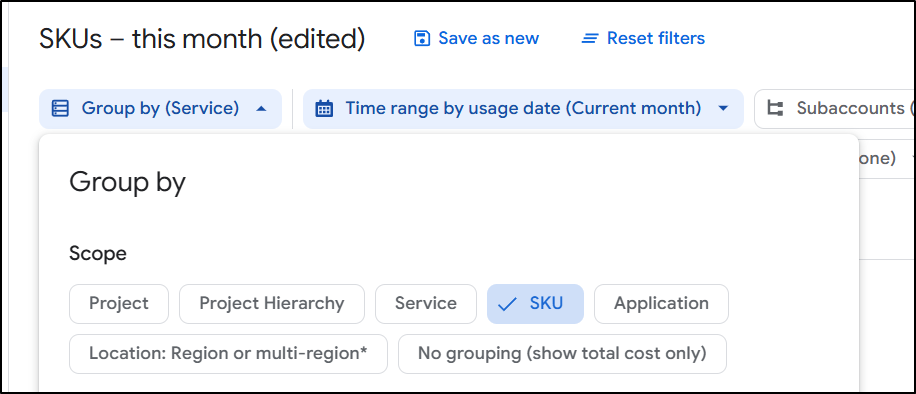
I switched to SKU view
And realized it was due to Static IPs
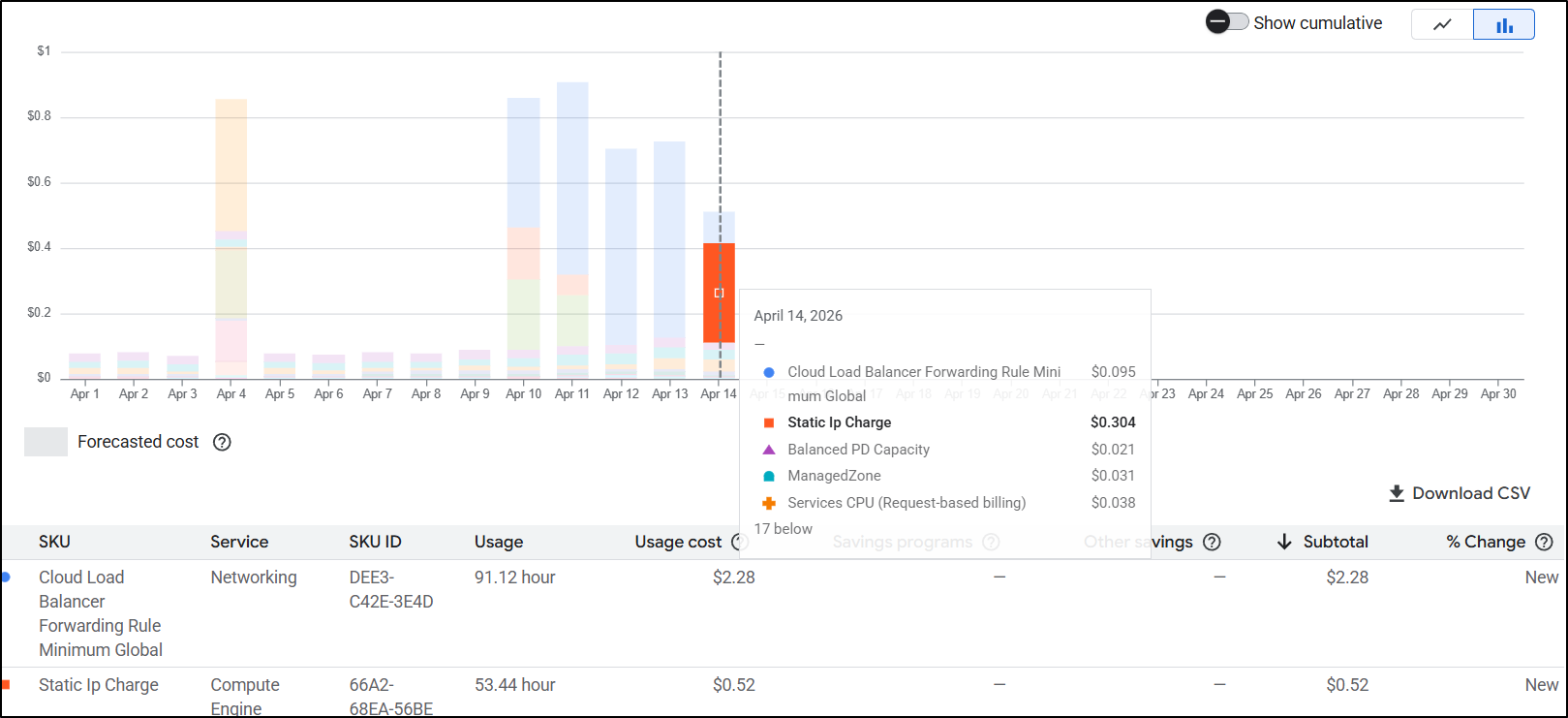
In GCP, Static IPs only get expensive if you aren’t actually using them. If I did nothing, I would spend US$10 just on static IPs.
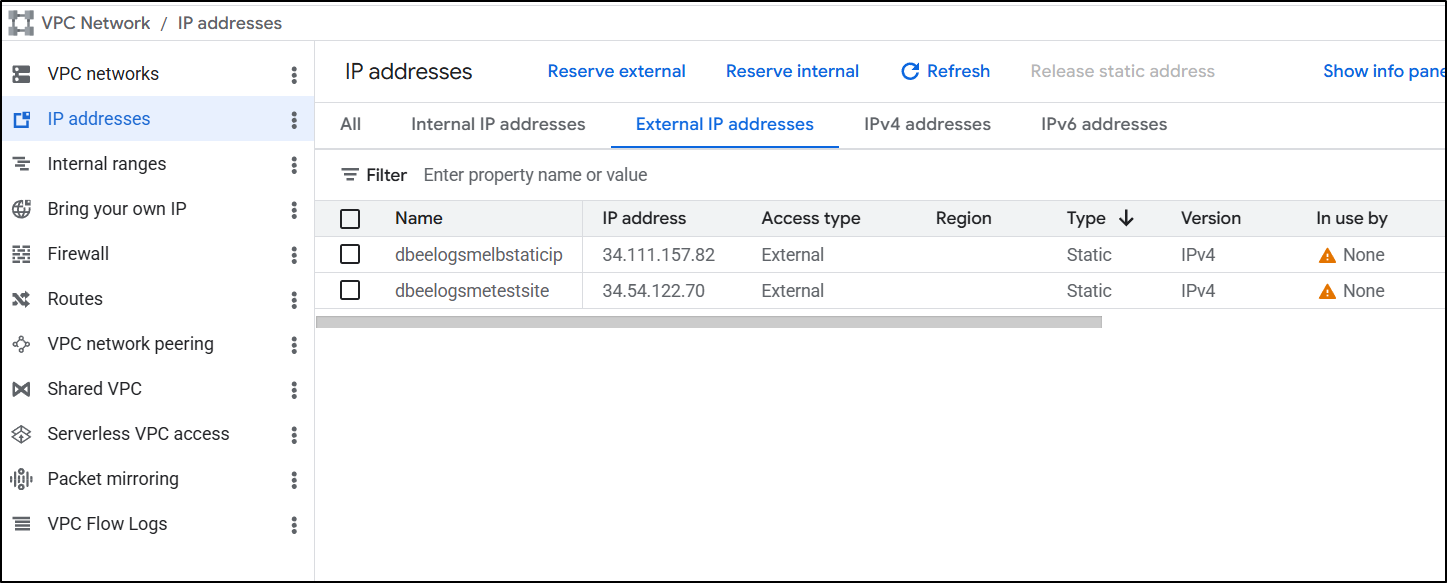
Going to VPC Networks/IP addresses I realized my mistake.
I had the IPs for the ALBs still there and from the icon, that clues me in to the fact they are not used
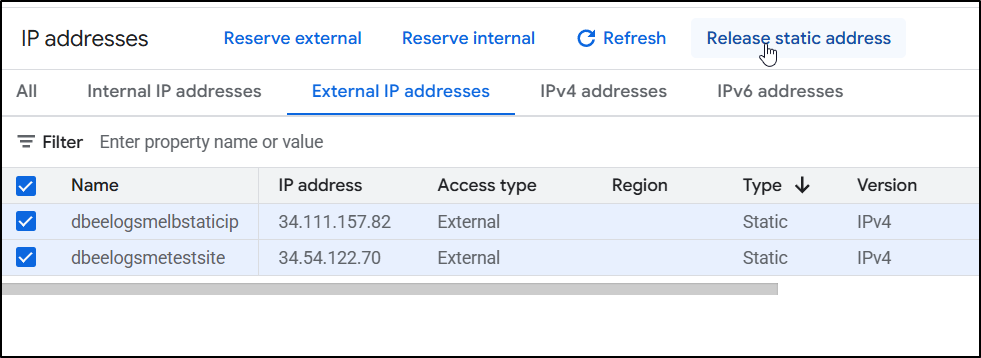
You don’t really delete an address, just ‘release’ it
I gave it a day and came back to review costs.
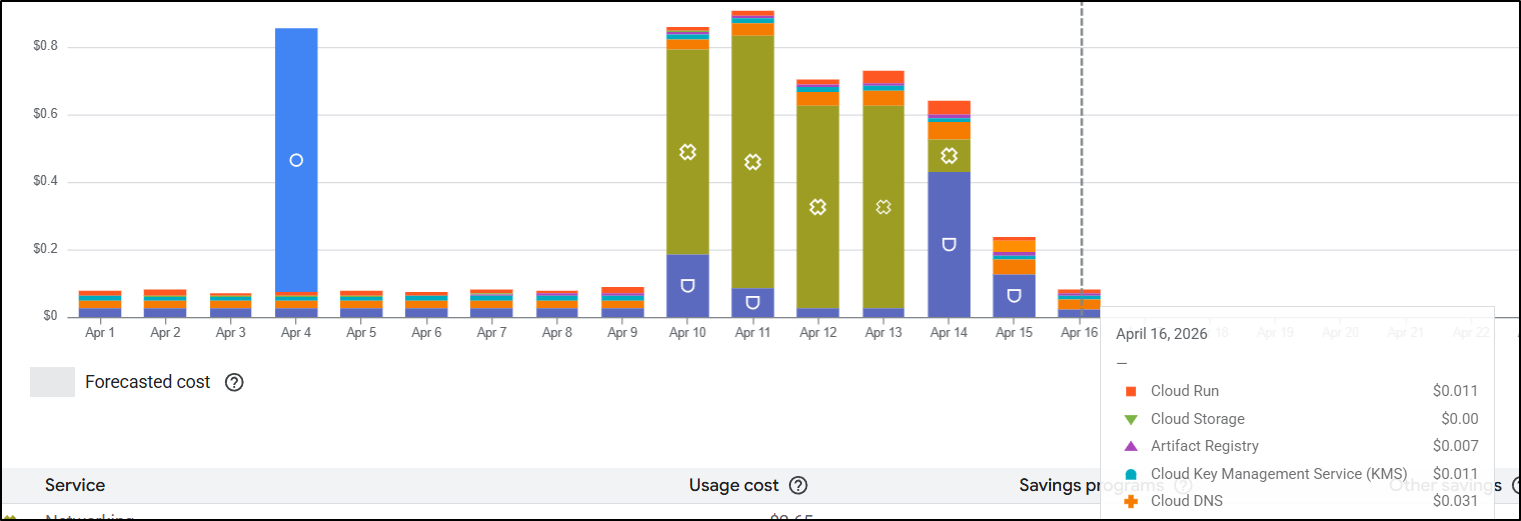
We can see our daily rate has dropped considerably. Even if we assume that Cloud DNS and Compute costs are roughly static per day (and they may capture operations or prior costs), we are looking at roughly US$0.0628 per day to run this blog WITH a protected test site.
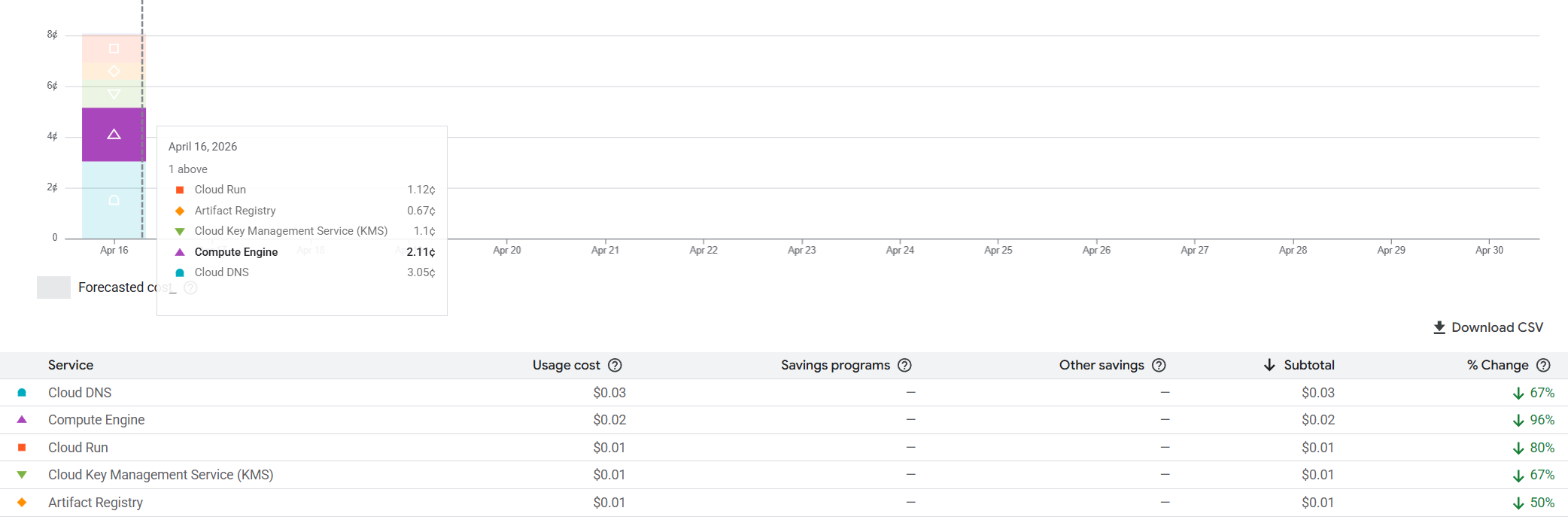
That means we would be just under US$2/mo for a very functional blog. These are prices I really like.
Summary
Today we tackled moving a site from Global Application Load Balancers and CDNs over to Cloud Run functions with custom domain mappings.
While ALBs are persistent global endpoints that properly serve traffic, due to their persistent nature, they also cost us between US$15 and $20 to keep running all the time. Cloud Run, one of GCP’s serverless options, is a pay-on-demand situation. If no one is visiting the website at that moment, we aren’t paying for the service. This is excellent for entry level sites with sporadic or minimal traffic.
Additionally, the “test” endpoint setup we built with Identity Aware Proxies is a far superior option, in my opinion, to having to possibly manage CIDR ingress blocks in a Load Balancer restriction.
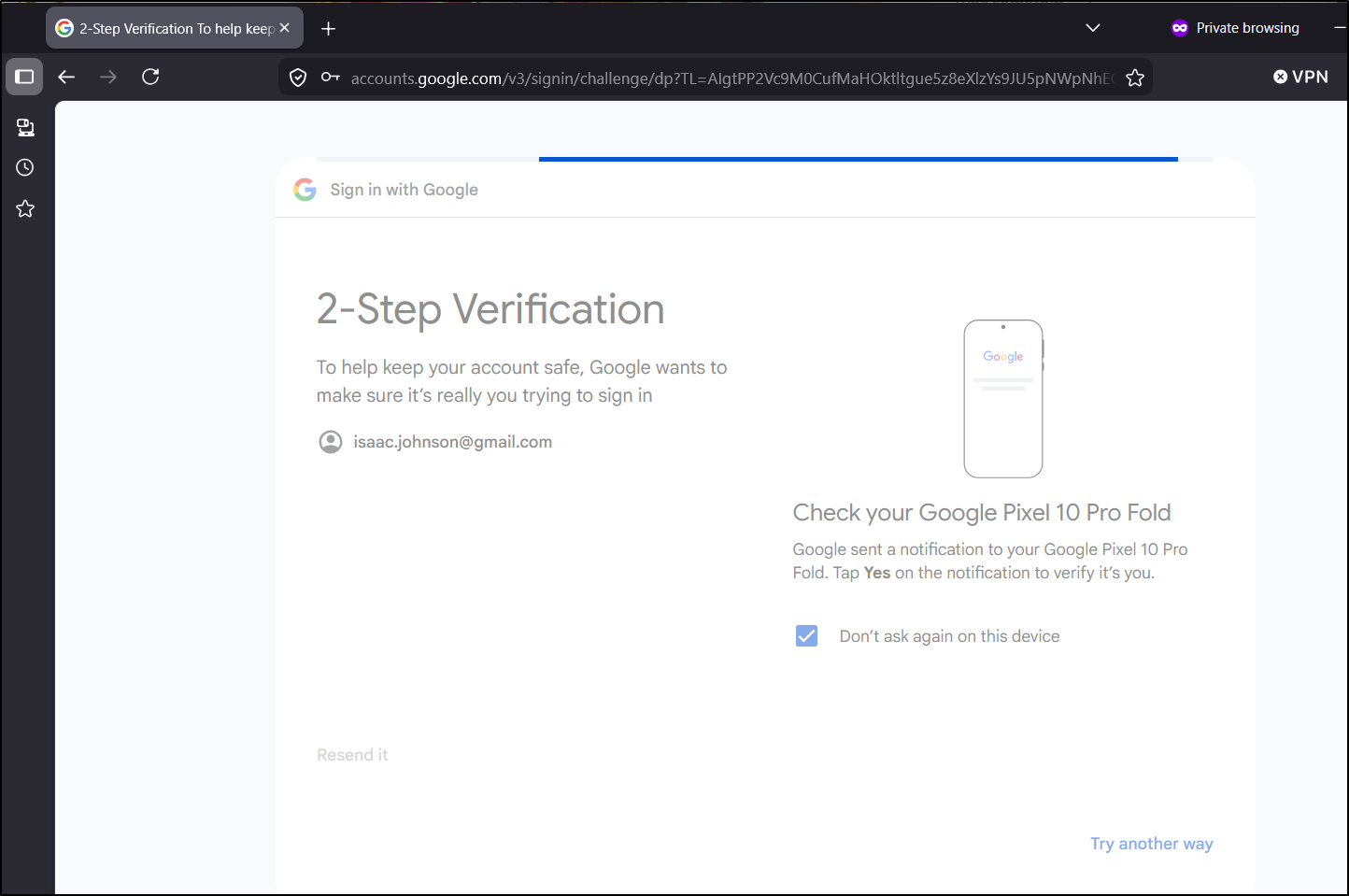
I did not have to build out an OAuth2 federated IdP flow in a container or app - Google is doing this for me, assumably for free. It also doesn’t require Chrome. I found Firefox worked just as well (and using an InPrivate window showed i needed to login)
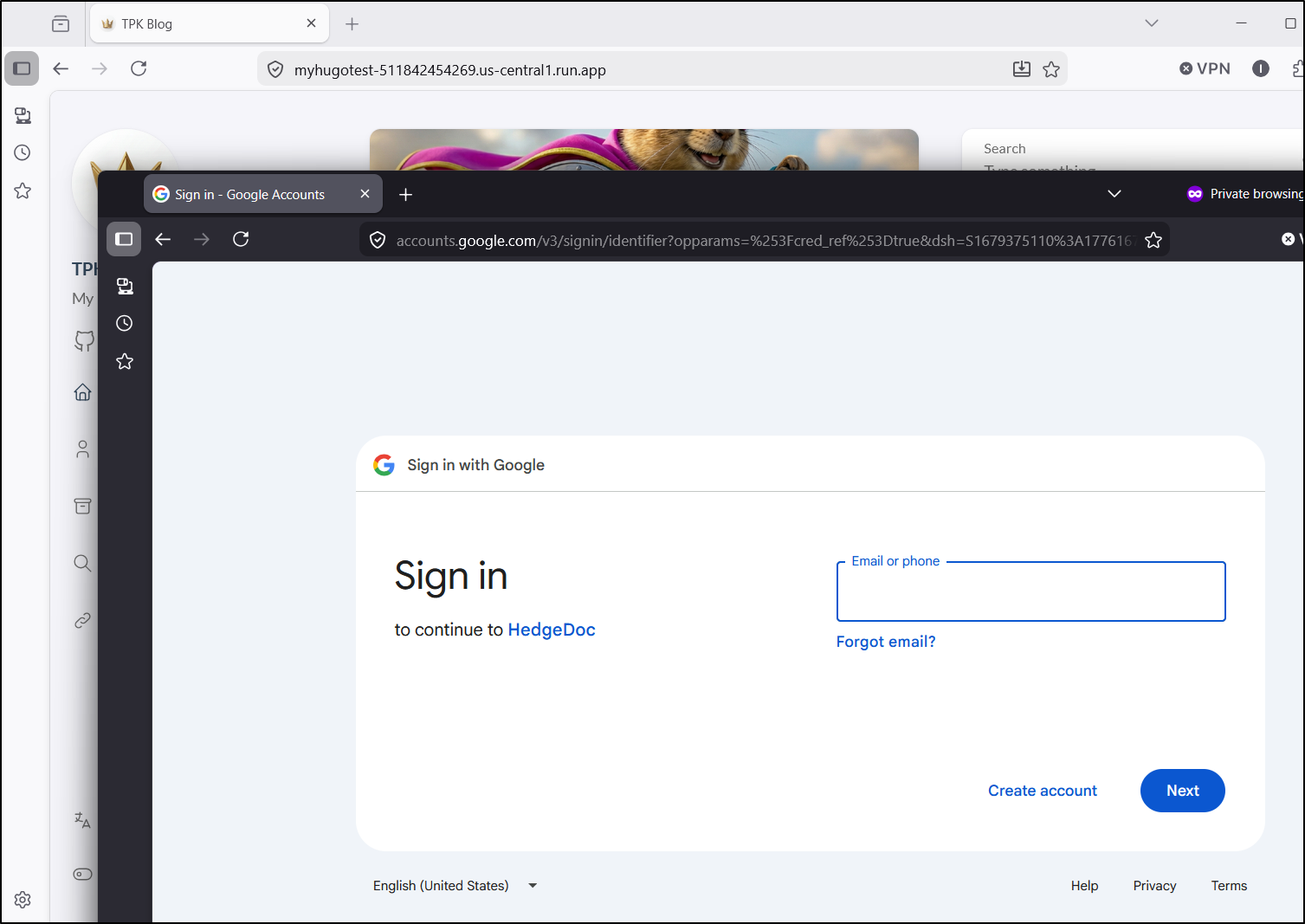
This includes the proper MFA one’s Google account likely has
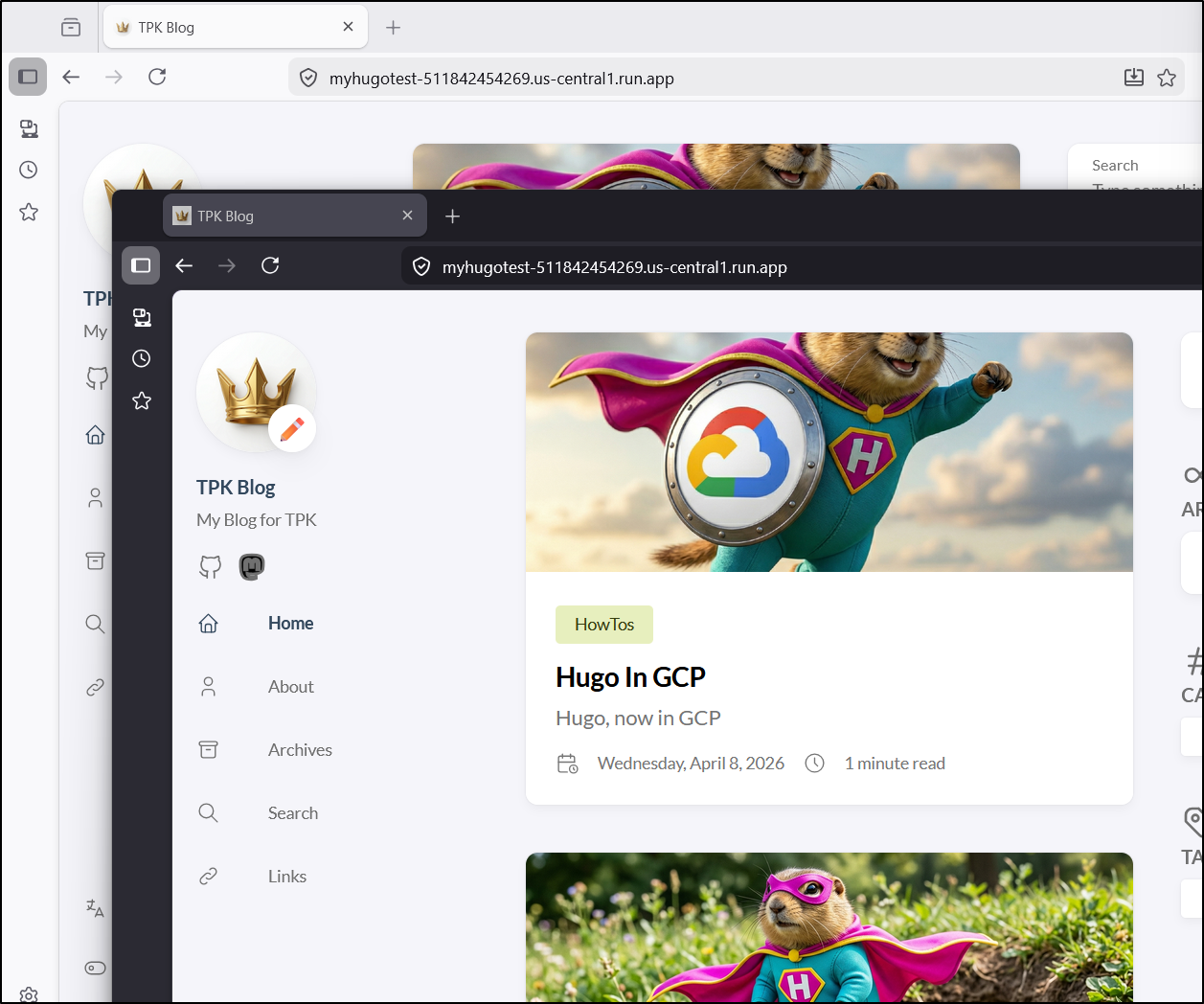
Once I reviewed the updated costs just using Cloud Run, this became an utter no-brainer. This is by far the cheapest option at small scales.
With a per vCPU charge of $0.000018 and per GiB-second $0.000002, auto-scaling set to the default 20 with limits of 1 vCPU and 512MiB, the max charge under sustained 100% usage would be $984.96/month.
To avoid some kind of DDOS, crazy traffic problem, I set the scaling max down to 1
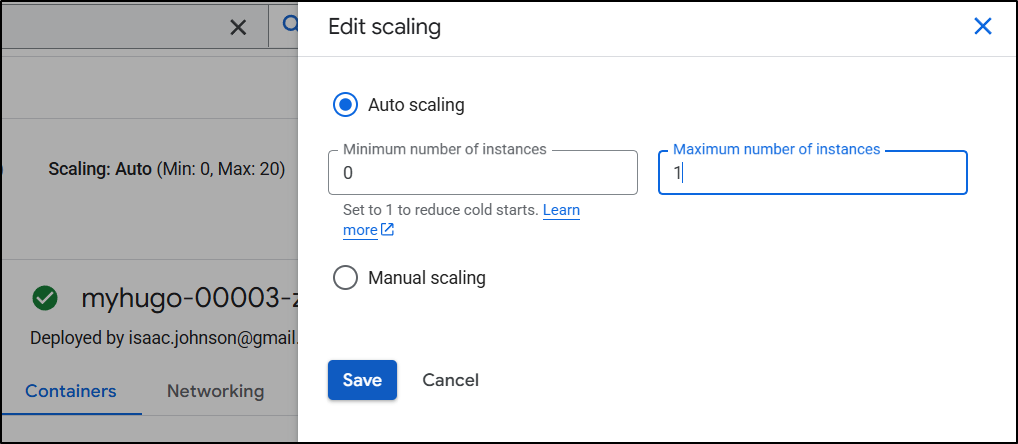
This means the max (again, for 100% all the time always on) would be $49.93 which wouldn’t be pleasant, but wouldn’t get me a spousaly thumping for a crazy high cloud bill.
That said, consider budgets instead. If you look back at Cloud Spend: Find and Fix or it’s prior article Cloud Budgets and Alerts I detail out how to use Cloud Budgets with tools like PagerDuty to get alerts if your spend jumps above a predefined limit.
I might allow up to 5 instances of this Cloud Run knowing I have budgets in place to alert me over US$20 - that way if some article catches fire and spikes traffic, users don’t get queued up, but when things are slow, I’m paying close to nothing.
