

Published: Apr 2, 2026 by Isaac Johnson
A while back I saw this Marius post about Dynacat, an interesting fork of Glances that looks to be more self-contained.
Also from a Marius post I noted Seafile. Seafile looks to be a much more complete file sharing and wiki suite which can run in Docker. We’ll give that a shot as well.
Dynacat install
We’ll find the install steps on the Github page
mkdir dynacat && cd dynacat && \
curl -sL https://github.com/glanceapp/docker-compose-template/archive/refs/heads/main.tar.gz | tar -xzf - --strip-components 2 && \
sed -i \
  -e 's/^  glance:/  dynacat:/' \
  -e 's/^    container_name: glance/    container_name: dynacat/' \
  -e 's/^    image: glanceapp\/glance/    image: panonim\/dynacat/' \
  docker-compose.yml && \
mv config/glance.yml config/dynacat.yml
Let’s execute that
builder@DESKTOP-QADGF36:~/Workspaces/dynacat$ mkdir dynacat && cd dynacat && \
curl -sL https://github.com/glanceapp/docker-compose-template/archive/refs/heads/main.tar.gz | tar -xzf - --strip-components 2 && \
sed -i \
  -e 's/^  glance:/  dynacat:/' \
  -e 's/^    container_name: glance/    container_name: dynacat/' \
  -e 's/^    image: glanceapp\/glance/    image: panonim\/dynacat/' \
  docker-compose.yml && \
mv config/glance.yml config/dynacat.yml
builder@DESKTOP-QADGF36:~/Workspaces/dynacat/dynacat$ cat config/dynacat.yml
server:
  assets-path: /app/assets

theme:
  # Note: assets are cached by the browser, changes to the CSS file
  # will not be reflected until the browser cache is cleared (Ctrl+F5)
  custom-css-file: /assets/user.css

pages:
  # It's not necessary to create a new file for each page and include it, you can simply
  # put its contents here, though multiple pages are easier to manage when separated
  - $include: home.yml
builder@DESKTOP-QADGF36:~/Workspaces/dynacat/dynacat$ cat docker-compose.yml
services:
  dynacat:
    container_name: dynacat
    image: panonim/dynacat
    restart: unless-stopped
    volumes:
      - ./config:/app/config
      - ./assets:/app/assets
      - /etc/localtime:/etc/localtime:ro
      # Optionally, also mount docker socket if you want to use the docker containers widget
      # - /var/run/docker.sock:/var/run/docker.sock:ro
    ports:
      - 8080:8080
    env_file: .env
Now we can launch Dynacat with Docker compose up
builder@DESKTOP-QADGF36:~/Workspaces/dynacat/dynacat$ docker compose up
[+] Running 5/5
 ✔ dynacat Pulled                                                                                                       3.4s
   ✔ bc1da058f299 Pull complete                                                                                         1.2s
   ✔ 5ab4e787c3f9 Pull complete                                                                                         1.2s
   ✔ e7c021652cab Pull complete                                                                                         2.0s
   ✔ 7df5d8721fac Pull complete                                                                                         2.1s
[+] Running 2/2
 ✔ Network dynacat_default  Created                                                                                     0.1s
 ✔ Container dynacat        Created                                                                                     0.2s
Attaching to dynacat
dynacat  | 2026/03/28 16:33:15 Starting server on :8080 (base-url: "", assets-path: "/app/assets")
We can see it fired up on 8080
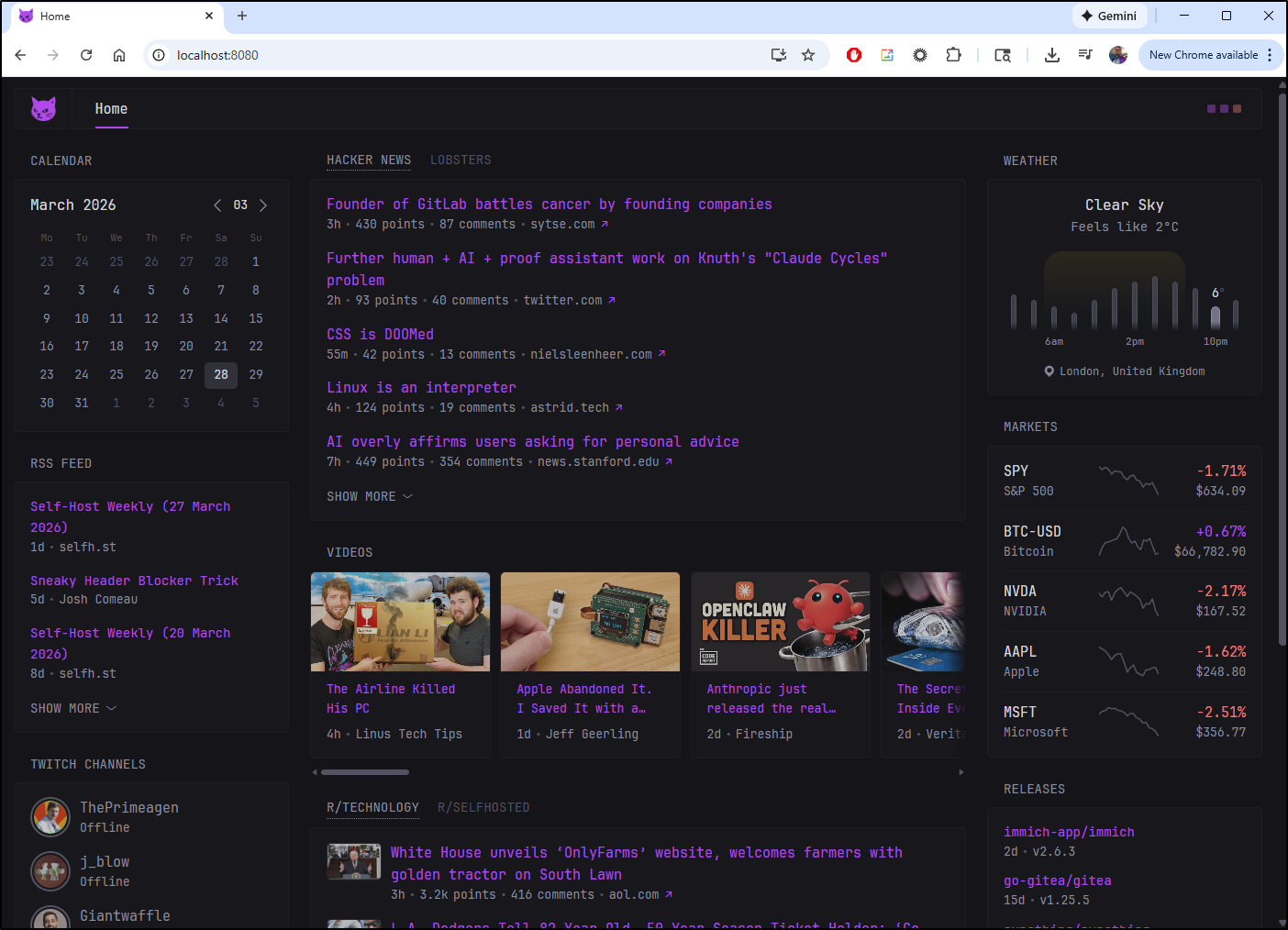
Let’s take a look at the config
$ cat config/home.yml
- name: Home
  # Optionally, if you only have a single page you can hide the desktop navigation for a cleaner look
  # hide-desktop-navigation: true
  columns:
    - size: small
      widgets:
        - type: calendar
          first-day-of-week: sunday

        - type: rss
          limit: 10
          collapse-after: 3
          cache: 12h
          feeds:
            - url: https://selfh.st/rss/
              title: selfh.st
            - url: https://ciechanow.ski/atom.xml
            - url: https://www.joshwcomeau.com/rss.xml
              title: Josh Comeau
            - url: https://freshbrewed.science/feed.xml
              title: Fresh Brewed
            - url: https://ishadeed.com/feed.xml
              title: Ahmad Shadeed

        - type: twitch-channels
          channels:
            - theprimeagen
            - j_blow
            - giantwaffle
            - cohhcarnage
            - christitustech
            - EJ_SA

    - size: full
      widgets:
        - type: group
          widgets:
            - type: hacker-news
            - type: lobsters

        - type: videos
          channels:
            - UCXuqSBlHAE6Xw-yeJA0Tunw # Linus Tech Tips
            - UCR-DXc1voovS8nhAvccRZhg # Jeff Geerling
            - UCsBjURrPoezykLs9EqgamOA # Fireship
            - UCBJycsmduvYEL83R_U4JriQ # Marques Brownlee
            - UCi8C7TNs2ohrc6hnRQ5Sn2w # Kai Lentit

        - type: group
          widgets:
            - type: reddit
              subreddit: technology
              show-thumbnails: true
            - type: reddit
              subreddit: selfhosted
              show-thumbnails: true

    - size: small
      widgets:
        - type: weather
          location: Woodbury, Minnesota
          units: imperial # alternatively "metric"
          hour-format: 12h # alternatively "24h"
          # Optionally hide the location from being displayed in the widget
          # hide-location: true

        - type: markets
          markets:
            - symbol: SPY
              name: S&P 500
            - symbol: BTC-USD
              name: Bitcoin
            - symbol: NVDA
              name: NVIDIA
            - symbol: AAPL
              name: Apple
            - symbol: MSFT
              name: Microsoft

        - type: releases
          cache: 1d
          # Without authentication the Github API allows for up to 60 requests per hour. You can create a
          # read-only token from your Github account settings and use it here to increase the limit.
          # token: ...
          repositories:
            - glanceapp/glance
            - go-gitea/gitea
            - immich-app/immich
            - syncthing/syncthing
I had to tweak the config a bit to get weather to work, but my final working one was
$ cat config/home.yml
- name: Home
  # Optionally, if you only have a single page you can hide the desktop navigation for a cleaner look
  # hide-desktop-navigation: true
  columns:
    - size: small
      widgets:
        - type: calendar
          first-day-of-week: sunday

        - type: rss
          limit: 10
          collapse-after: 3
          cache: 12h
          feeds:
            - url: https://selfh.st/rss/
              title: selfh.st
            - url: https://ciechanow.ski/atom.xml
            - url: https://www.joshwcomeau.com/rss.xml
              title: Josh Comeau
            - url: https://freshbrewed.science/feed.xml
            - url: https://ishadeed.com/feed.xml
              title: Ahmad Shadeed

        - type: twitch-channels
          channels:
            - theprimeagen
            - j_blow
            - giantwaffle
            - cohhcarnage
            - christitustech
            - EJ_SA

    - size: full
      widgets:
        - type: group
          widgets:
            - type: hacker-news
            - type: lobsters

        - type: videos
          channels:
            - UCXuqSBlHAE6Xw-yeJA0Tunw # Linus Tech Tips
            - UCR-DXc1voovS8nhAvccRZhg # Jeff Geerling
            - UCsBjURrPoezykLs9EqgamOA # Fireship
            - UCBJycsmduvYEL83R_U4JriQ # Marques Brownlee
            - UCi8C7TNs2ohrc6hnRQ5Sn2w # Kai Lentit

        - type: group
          widgets:
            - type: reddit
              subreddit: technology
              show-thumbnails: true
            - type: reddit
              subreddit: selfhosted
              show-thumbnails: true

    - size: small
      widgets:
        - type: weather
          location: Woodbury, Minnesota, USA
          units: imperial # alternatively "metric"
          hour-format: 12h # alternatively "24h"
          # Optionally hide the location from being displayed in the widget
          # hide-location: true

        - type: markets
          markets:
            - symbol: SPY
              name: S&P 500
            - symbol: BSX
              name: Boston Scientific
            - symbol: MDT
              name: Medtronic
            - symbol: ABT
              name: Abbott
            - symbol: MSFT
              name: Microsoft

        - type: releases
          cache: 1d
          # Without authentication the Github API allows for up to 60 requests per hour. You can create a
          # read-only token from your Github account settings and use it here to increase the limit.
          # token: ...
          repositories:
            - glanceapp/glance
            - go-gitea/gitea
            - immich-app/immich
            - syncthing/syncthing
Which I launched
$ docker compose up
Attaching to dynacat
dynacat  | 2026/03/28 16:45:45 Starting server on :8080 (base-url: "", assets-path: "/app/assets")
And we can see the weather and stocks look correct
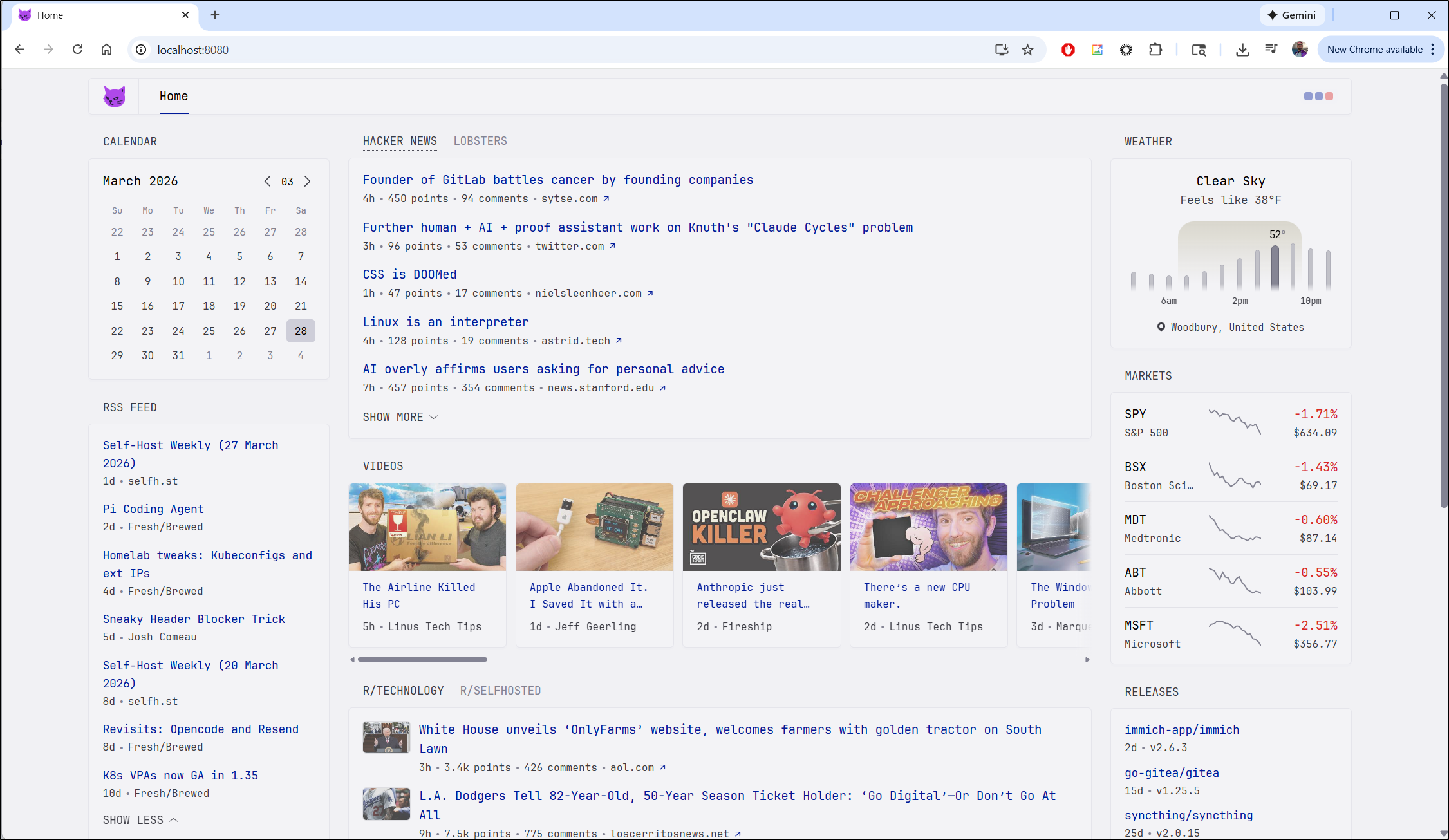
I’m finding it okay, but not sure what is the big difference with glance which I’ve had running at https://glance.tpk.pw/ for quite some time, at least since I wrote about it back in May 2025.
There are plenty of available widgets for Dynacat.
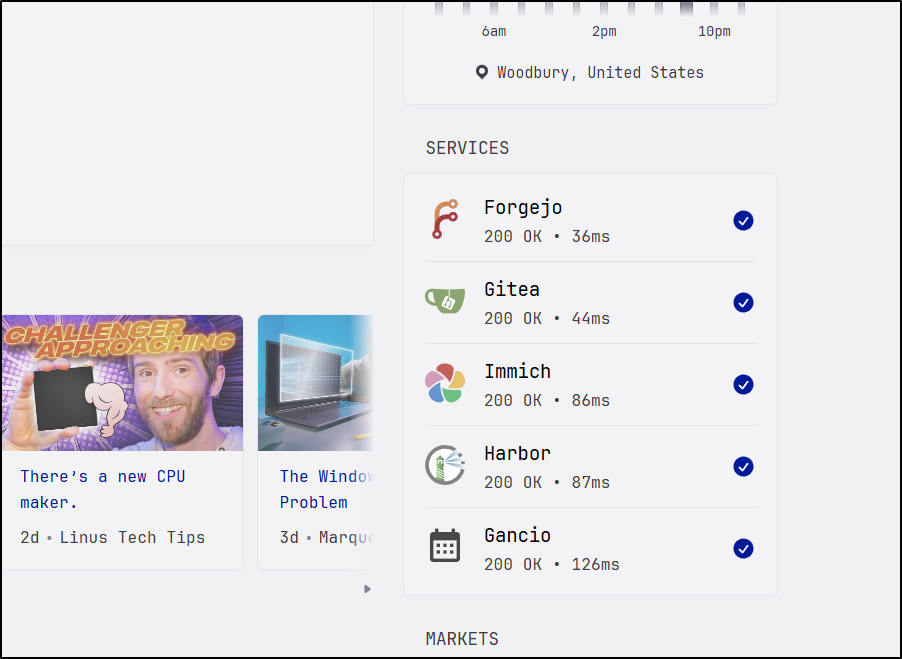
One that caught my eye was monitor
I added a block for some of my hosted services. I found icons for all but Gancio
        - type: monitor
          cache: 1m
          title: Services
          sites:
            - title: Forgejo
              url: https://forgejo.freshbrewed.science
              icon: sh:forgejo
            - title: Gitea
              url: https://gitea.freshbrewed.science
              icon: sh:gitea
            - title: Immich
              url: https://photos.freshbrewed.science
              icon: sh:immich
            - title: Harbor
              url: https://harbor.freshbrewed.science
              icon: sh:harbor
            - title: Gancio
              url: https://gancio.tpk.pw
              icon: mdi:calendar-month
I would say that looks pretty clean
Now, if I wanted to host this in k8s, I could convert the docker compose to a kubernetes manifest with PVCs.
---
apiVersion: v1
kind: PersistentVolumeClaim
metadata:
  name: dynacat-config-pvc
spec:
  accessModes:
    - ReadWriteOnce
  resources:
    requests:
      storage: 1Gi
---
apiVersion: v1
kind: PersistentVolumeClaim
metadata:
  name: dynacat-assets-pvc
spec:
  accessModes:
    - ReadWriteOnce
  resources:
    requests:
      storage: 5Gi
---
apiVersion: v1
kind: Secret
metadata:
  name: dynacat-secret
type: Opaque
stringData:
  MY_SECRET_TOKEN: "12345"
---
apiVersion: apps/v1
kind: Deployment
metadata:
  name: dynacat
  labels:
    app: dynacat
spec:
  replicas: 1
  selector:
    matchLabels:
      app: dynacat
  template:
    metadata:
      labels:
        app: dynacat
    spec:
      containers:
      - name: dynacat
        image: panonim/dynacat
        imagePullPolicy: IfNotPresent
        ports:
        - name: http
          containerPort: 8080
          protocol: TCP
        env:
        - name: MY_SECRET_TOKEN
          valueFrom:
            secretKeyRef:
              name: dynacat-secret
              key: MY_SECRET_TOKEN
        volumeMounts:
        - name: config
          mountPath: /app/config
        - name: assets
          mountPath: /app/assets
        resources:
          requests:
            memory: "128Mi"
            cpu: "100m"
          limits:
            memory: "256Mi"
            cpu: "500m"
      volumes:
      - name: config
        persistentVolumeClaim:
          claimName: dynacat-config-pvc
      - name: assets
        persistentVolumeClaim:
          claimName: dynacat-assets-pvc
      restartPolicy: Always
---
apiVersion: v1
kind: Service
metadata:
  name: dynacat-service
  labels:
    app: dynacat
spec:
  type: ClusterIP
  ports:
  - name: http
    port: 80
    targetPort: 8080
    protocol: TCP
  selector:
    app: dynacat
---
apiVersion: networking.k8s.io/v1
kind: Ingress
metadata:
  name: dynacat-ingress
  labels:
    app: dynacat
spec:
  ingressClassName: nginx
  rules:
  - host: dynacat.example.com
    http:
      paths:
      - path: /
        pathType: Prefix
        backend:
          service:
            name: dynacat-service
            port:
              number: 80
I’ll give it a try by setting an A record
$ az account set --subscription "Pay-As-You-Go" && az network dns record-set a add-record -g idjdnsrg -z tpk.pw -a 76.156.69.232 -n dynacat
{
  "ARecords": [
    {
      "ipv4Address": "76.156.69.232"
    }
  ],
  "TTL": 3600,
  "etag": "c4823121-b5ed-48f0-9a8d-7fae02e910c3",
  "fqdn": "dynacat.tpk.pw.",
  "id": "/subscriptions/d955c0ba-13dc-44cf-a29a-8fed74cbb22d/resourceGroups/idjdnsrg/providers/Microsoft.Network/dnszones/tpk.pw/A/dynacat",
  "name": "dynacat",
  "provisioningState": "Succeeded",
  "resourceGroup": "idjdnsrg",
  "targetResource": {},
  "trafficManagementProfile": {},
  "type": "Microsoft.Network/dnszones/A"
I’ll tweak up the Ingress to use TLS and my A name
---
apiVersion: networking.k8s.io/v1
kind: Ingress
metadata:
  name: dynacat-ingress
  annotations:
    cert-manager.io/cluster-issuer: azuredns-tpkpw
    ingress.kubernetes.io/ssl-redirect: "true"
    kubernetes.io/tls-acme: "true"
    nginx.ingress.kubernetes.io/proxy-body-size: "0"
    nginx.ingress.kubernetes.io/proxy-read-timeout: "3600"
    nginx.ingress.kubernetes.io/proxy-send-timeout: "3600"
    nginx.ingress.kubernetes.io/ssl-redirect: "true"
    nginx.org/client-max-body-size: "0"
    nginx.org/proxy-connect-timeout: "3600"
    nginx.org/proxy-read-timeout: "3600"
    nginx.org/websocket-services: dynacat-service
  labels:
    app: dynacat
spec:
  ingressClassName: nginx
  rules:
  - host: dynacat.tpk.pw
    http:
      paths:
      - path: /
        pathType: Prefix
        backend:
          service:
            name: dynacat-service
            port:
              number: 80
  tls:
  - hosts:
    - dynacat.tpk.pw
    secretName: dynacat-tls
Then apply
$ kubectl apply -f ./kubernetes-manifest.yaml
persistentvolumeclaim/dynacat-config-pvc created
persistentvolumeclaim/dynacat-assets-pvc created
secret/dynacat-secret created
deployment.apps/dynacat created
service/dynacat-service created
ingress.networking.k8s.io/dynacat-ingress created
Ahh - a bit of an issue - the pod needs the config to boot up, but I cant just kubectl cp to a crashing pod
builder@DESKTOP-QADGF36:~/Workspaces/dynacat/dynacat$ kubectl get po | grep dyna
dynacat-7f94f84bb9-gnh77                             0/1     CrashLoopBackOff   1 (10s ago)        19s
builder@DESKTOP-QADGF36:~/Workspaces/dynacat/dynacat$ kubectl logs dynacat-7f94f84bb9-gnh77
parsing config: reading /app/config/dynacat.yml: open /app/config/dynacat.yml: no such file or directory
I wasn’t sure the right approach - a utility pod to load, an init file, new Configmaps to mount so I sought some input from Claude and it suggested using some init pods to load at the start:
---
apiVersion: v1
kind: ConfigMap
metadata:
  name: dynacat-config-files
data:
  dynacat.yml: |
    server:
      assets-path: /app/assets

    theme:
      # Note: assets are cached by the browser, changes to the CSS file
      # will not be reflected until the browser cache is cleared (Ctrl+F5)
      custom-css-file: /assets/user.css

    pages:
      # It's not necessary to create a new file for each page and include it, you can simply
      # put its contents here, though multiple pages are easier to manage when separated
      - $include: home.yml
  home.yml: |
    - name: Home
      # Optionally, if you only have a single page you can hide the desktop navigation for a cleaner look
      # hide-desktop-navigation: true
      columns:
        - size: small
          widgets:
            - type: calendar
              first-day-of-week: sunday

            - type: rss
              limit: 10
              collapse-after: 3
              cache: 12h
              feeds:
                - url: https://selfh.st/rss/
                  title: selfh.st
                - url: https://ciechanow.ski/atom.xml
                - url: https://www.joshwcomeau.com/rss.xml
                  title: Josh Comeau
                - url: https://freshbrewed.science/feed.xml
                - url: https://ishadeed.com/feed.xml
                  title: Ahmad Shadeed

            - type: twitch-channels
              channels:
                - theprimeagen
                - j_blow
                - giantwaffle
                - cohhcarnage
                - christitustech
                - EJ_SA

        - size: full
          widgets:
            - type: group
              widgets:
                - type: hacker-news
                - type: lobsters

            - type: videos
              channels:
                - UCXuqSBlHAE6Xw-yeJA0Tunw # Linus Tech Tips
                - UCR-DXc1voovS8nhAvccRZhg # Jeff Geerling
                - UCsBjURrPoezykLs9EqgamOA # Fireship
                - UCBJycsmduvYEL83R_U4JriQ # Marques Brownlee
                - UCi8C7TNs2ohrc6hnRQ5Sn2w # Kai Lentit

            - type: group
              widgets:
                - type: reddit
                  subreddit: technology
                  show-thumbnails: true
                - type: reddit
                  subreddit: selfhosted
                  show-thumbnails: true

        - size: small
          widgets:
            - type: weather
              location: Woodbury, Minnesota, USA
              units: imperial # alternatively "metric"
              hour-format: 12h # alternatively "24h"
              # Optionally hide the location from being displayed in the widget
              # hide-location: true

            - type: monitor
              cache: 1m
              title: Services
              sites:
                - title: Forgejo
                  url: https://forgejo.freshbrewed.science
                  icon: sh:forgejo
                - title: Gitea
                  url: https://gitea.freshbrewed.science
                  icon: sh:gitea
                - title: Immich
                  url: https://photos.freshbrewed.science
                  icon: sh:immich
                - title: Harbor
                  url: https://harbor.freshbrewed.science
                  icon: sh:harbor
                - title: Gancio
                  url: https://gancio.tpk.pw
                  icon: mdi:calendar-month

            - type: markets
              markets:
                - symbol: SPY
                  name: S&P 500
                - symbol: BSX
                  name: Boston Scientific
                - symbol: MDT
                  name: Medtronic
                - symbol: ABT
                  name: Abbott
                - symbol: MSFT
                  name: Microsoft

            - type: releases
              cache: 1d
              # Without authentication the Github API allows for up to 60 requests per hour. You can create a
              # read-only token from your Github account settings and use it here to increase the limit.
              # token: ...
              repositories:
                - glanceapp/glance
                - go-gitea/gitea
                - immich-app/immich
                - syncthing/syncthing
---
apiVersion: v1
kind: PersistentVolumeClaim
metadata:
  name: dynacat-config-pvc
spec:
  accessModes:
    - ReadWriteOnce
  resources:
    requests:
      storage: 1Gi
---
apiVersion: v1
kind: PersistentVolumeClaim
metadata:
  name: dynacat-assets-pvc
spec:
  accessModes:
    - ReadWriteOnce
  resources:
    requests:
      storage: 5Gi
---
apiVersion: v1
kind: Secret
metadata:
  name: dynacat-secret
type: Opaque
stringData:
  MY_SECRET_TOKEN: "12345"
---
apiVersion: apps/v1
kind: Deployment
metadata:
  name: dynacat
  labels:
    app: dynacat
spec:
  replicas: 1
  selector:
    matchLabels:
      app: dynacat
  template:
    metadata:
      labels:
        app: dynacat
    spec:
      initContainers:
      - name: init-config
        image: busybox:1.35
        command: ['sh', '-c']
        args:
          - |
            cp /config-src/dynacat.yml /config-dst/dynacat.yml
            cp /config-src/home.yml /config-dst/home.yml
        volumeMounts:
        - name: config-src
          mountPath: /config-src
        - name: config
          mountPath: /config-dst
      containers:
      - name: dynacat
        image: panonim/dynacat
        imagePullPolicy: IfNotPresent
        ports:
        - name: http
          containerPort: 8080
          protocol: TCP
        env:
        - name: MY_SECRET_TOKEN
          valueFrom:
            secretKeyRef:
              name: dynacat-secret
              key: MY_SECRET_TOKEN
        volumeMounts:
        - name: config
          mountPath: /app/config
        - name: assets
          mountPath: /app/assets
        resources:
          requests:
            memory: "128Mi"
            cpu: "100m"
          limits:
            memory: "256Mi"
            cpu: "500m"
      volumes:
      - name: config-src
        configMap:
          name: dynacat-config-files
      - name: config
        persistentVolumeClaim:
          claimName: dynacat-config-pvc
      - name: assets
        persistentVolumeClaim:
          claimName: dynacat-assets-pvc
      restartPolicy: Always
---
apiVersion: v1
kind: Service
metadata:
  name: dynacat-service
  labels:
    app: dynacat
spec:
  type: ClusterIP
  ports:
  - name: http
    port: 80
    targetPort: 8080
    protocol: TCP
  selector:
    app: dynacat
---
apiVersion: networking.k8s.io/v1
kind: Ingress
metadata:
  name: dynacat-ingress
  annotations:
    cert-manager.io/cluster-issuer: azuredns-tpkpw
    ingress.kubernetes.io/ssl-redirect: "true"
    kubernetes.io/tls-acme: "true"
    nginx.ingress.kubernetes.io/proxy-body-size: "0"
    nginx.ingress.kubernetes.io/proxy-read-timeout: "3600"
    nginx.ingress.kubernetes.io/proxy-send-timeout: "3600"
    nginx.ingress.kubernetes.io/ssl-redirect: "true"
    nginx.org/client-max-body-size: "0"
    nginx.org/proxy-connect-timeout: "3600"
    nginx.org/proxy-read-timeout: "3600"
    nginx.org/websocket-services: dynacat-service
  labels:
    app: dynacat
spec:
  ingressClassName: nginx
  rules:
  - host: dynacat.tpk.pw
    http:
      paths:
      - path: /
        pathType: Prefix
        backend:
          service:
            name: dynacat-service
            port:
              number: 80
  tls:
  - hosts:
    - dynacat.tpk.pw
    secretName: dynacat-tls
I found Nginx gets a bit stuck sometimes on ingress updates, so I’ll delete the Ingress then apply
$ kubectl delete ingress dynacat-ingress
ingress.networking.k8s.io "dynacat-ingress" deleted
$ kubectl apply -f ./kubernetes-manifest.yaml
configmap/dynacat-config-files created
persistentvolumeclaim/dynacat-config-pvc unchanged
persistentvolumeclaim/dynacat-assets-pvc unchanged
secret/dynacat-secret configured
deployment.apps/dynacat configured
service/dynacat-service unchanged
ingress.networking.k8s.io/dynacat-ingress created
This time it worked
dynacat-846f8b69c7-g7mnq 1/1 Running 0 26s
The cert was already good
$ kubectl get cert | grep dyna
dynacat-tls                         True    dynacat-tls                         74s
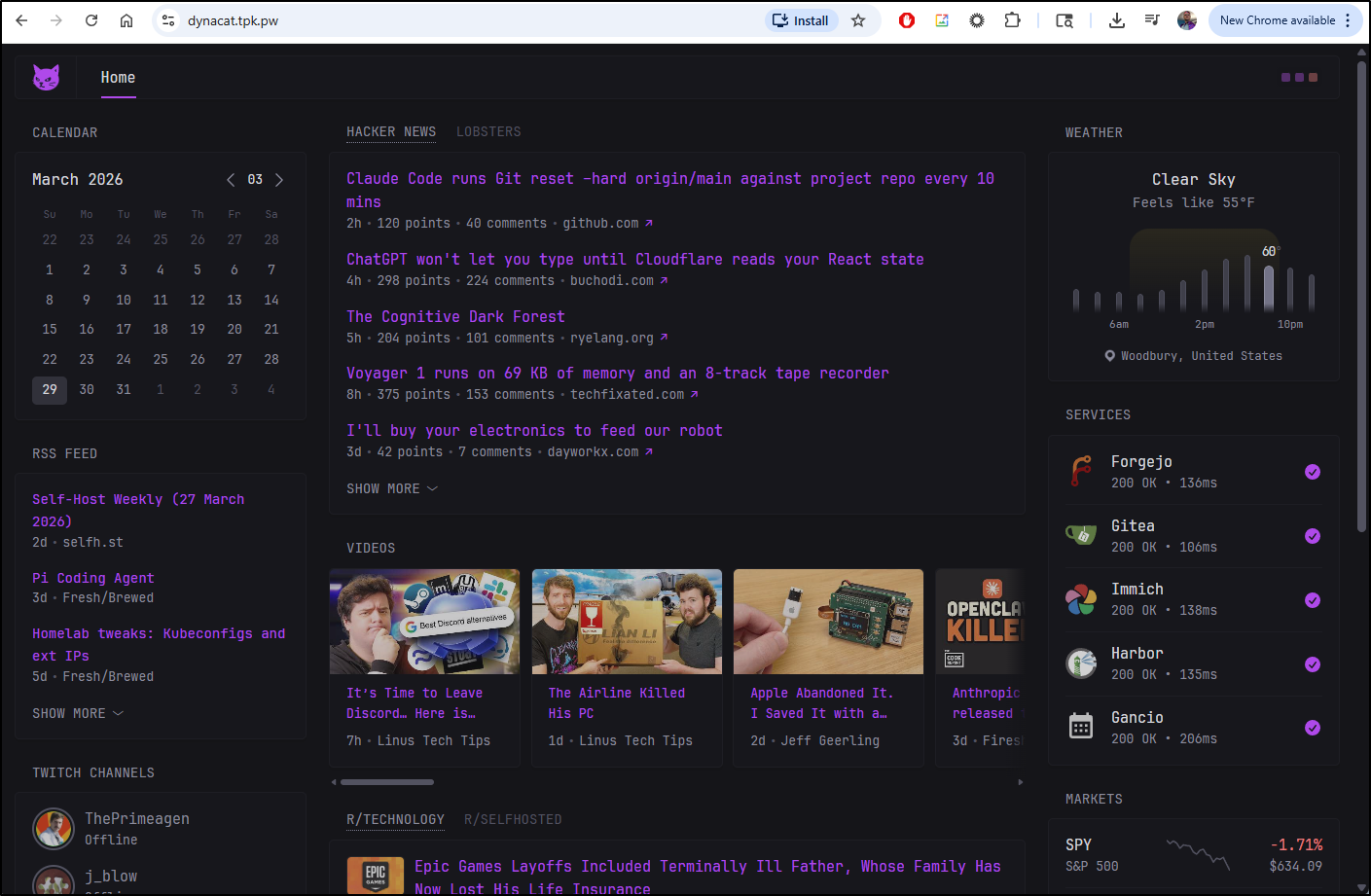
This time the website loaded
Seafile
Another interesting app I bookmarked from a Marius post is Seafile.
What surprised me right way was that the Seafile documentation has many gaps.
It talks in detail about the docker compose envs, but lacks showing a docker compose file. This page based on links used to show a compose YAML.
In this case we are going to use the Docker Compose from the MariusHosting article
services:
  db:
    image: mariadb:11.8-noble #LTS Long Time Support Until October 15, 2033.
    container_name: Seafile-DB
    hostname: seafile-db
    security_opt:
      - no-new-privileges:false
    volumes:
      - /volume1/docker/seafile/db:/var/lib/mysql:rw
    environment:
      MYSQL_ROOT_PASSWORD: rootpass
      MYSQL_DATABASE: seafile_db
      MYSQL_USER: seafileuser
      MYSQL_PASSWORD: seafilepassword
      TZ: America/Chicago
    restart: on-failure:5

  cache:
    image: memcached:1.6
    entrypoint: memcached -m 256
    container_name: Seafile-CACHE
    hostname: memcached
    security_opt:
      - no-new-privileges:true
    read_only: true
    user: 1026:100
    restart: on-failure:5

  redis:
    image: redis
    container_name: Seafile-REDIS
    command:
      - /bin/sh
      - -c
      - redis-server --requirepass redispass
    hostname: redis
    security_opt:
      - no-new-privileges:true
    read_only: false
    user: 1026:100
    healthcheck:
      test: ["CMD-SHELL", "redis-cli ping || exit 1"]
    volumes:
      - /volume1/docker/seafile/redis:/data:rw
    environment:
      TZ: America/Chicago
    restart: on-failure:5

  seafile:
    image: seafileltd/seafile-mc:13.0-latest
    container_name: Seafile
    user: 0:0
    hostname: seafile
    security_opt:
      - no-new-privileges:false
    healthcheck:
      test: wget --no-verbose --tries=1 --spider http://localhost
    volumes:
      - /volume1/docker/seafile/data:/shared:rw
    ports:
      - 8611:80
    environment:
       INIT_SEAFILE_MYSQL_ROOT_PASSWORD: rootpass
       SEAFILE_MYSQL_DB_HOST: seafile-db
       SEAFILE_MYSQL_DB_USER: seafileuser
       SEAFILE_MYSQL_DB_PORT: 3306
       SEAFILE_MYSQL_DB_PASSWORD: seafilepassword
       SEAFILE_MYSQL_DB_SEAFILE_DB_NAME: seafile_db
       SEAFILE_MYSQL_DB_CCNET_DB_NAME: ccnet_db
       SEAFILE_MYSQL_DB_SEAHUB_DB_NAME: seahub_db
       CACHE_PROVIDER: redis
       REDIS_HOST: redis
       REDIS_PORT: 6379
       REDIS_PASSWORD: redispass
       TIME_ZONE: America/Chicago
       SEAFILE_VOLUME: /opt/seafile-data
       SEAFILE_MYSQL_VOLUME: /opt/seafile-mysql/db
       INIT_SEAFILE_ADMIN_EMAIL: isaac.johnson@gmail.com
       INIT_SEAFILE_ADMIN_PASSWORD: notmypassword
       JWT_PRIVATE_KEY: dOxZYTTZgXKMHkqLBIQVImayQXAVWdzGBPuFJKggzcgvgPJPXpWzqzKaUOIOGGIr
       SEADOC_VOLUME: /opt/seadoc-data
       SEADOC_IMAGE: seafileltd/sdoc-server:2.0-latest
       ENABLE_SEADOC: false #or true
       SEADOC_SERVER_URL: https://seafile.tpk.pw/sdoc-server
       SEAFILE_SERVER_HOSTNAME: seafile.tpk.pw
       SEAFILE_SERVER_PROTOCOL: https
       FORCE_HTTPS_IN_CONF: true
       SEAFILE_SERVER_LETSENCRYPT: false
    depends_on:
      db:
        condition: service_started
      cache:
        condition: service_started
      redis:
        condition: service_started
    restart: on-failure:5
I’ll want to forward traffic here, so right off the bat, I’ll create an A Record in Azure DNS
$ az account set --subscription "Pay-As-You-Go" && az network dns record-set a add-record -g idjdnsrg -z tpk.pw -a 76.156.69.232 -n seafile
{
  "ARecords": [
    {
      "ipv4Address": "76.156.69.232"
    }
  ],
  "TTL": 3600,
  "etag": "2e615ee2-6bd7-4e42-8bec-e288fada805c",
  "fqdn": "seafile.tpk.pw.",
  "id": "/subscriptions/d955c0ba-13dc-44cf-a29a-8fed74cbb22d/resourceGroups/idjdnsrg/providers/Microsoft.Network/dnszones/tpk.pw/A/seafile",
  "name": "seafile",
  "provisioningState": "Succeeded",
  "resourceGroup": "idjdnsrg",
  "targetResource": {},
  "trafficManagementProfile": {},
  "type": "Microsoft.Network/dnszones/A"
}
I can now fire up Docker compose on the docker host (192.168.1.143 in this case)
builder@bosgamerz9:~/Workspaces/Seafile$ docker compose up -d
[+] Running 38/38
✔ cache Pulled 10.9s
✔ ec781dee3f47 Pull complete 9.7s
✔ 51dec6de03b1 Pull complete 9.7s
✔ e6a929ea558d Pull complete 9.7s
✔ b8f4f23b254e Pull complete 9.8s
✔ 6ae38152dcb8 Pull complete 9.8s
✔ e839fccf1879 Pull complete 9.8s
✔ db Pulled 3.9s
✔ 817807f3c64e Pull complete 1.7s
✔ 5843c951070e Pull complete 1.7s
✔ 61a0e6ba478b Pull complete 1.8s
✔ c688148c30c1 Pull complete 1.8s
✔ 86447b1c7e20 Pull complete 1.8s
✔ 943dc8eb543e Pull complete 2.9s
✔ af136b8199a6 Pull complete 2.9s
✔ 7761d3ebebab Pull complete 2.9s
✔ seafile Pulled 14.7s
✔ 505b3596871d Pull complete 5.8s
✔ c083fef1fc73 Pull complete 5.9s
✔ be8b84cba34b Pull complete 6.8s
✔ 8bedc8e9293a Pull complete 6.9s
✔ 622aaad4b3db Pull complete 7.1s
✔ b873e65fb3d4 Pull complete 7.8s
✔ 1d2e2524dcdd Pull complete 8.4s
✔ 601ae82f9133 Pull complete 9.7s
✔ 35a091cd3e29 Pull complete 11.5s
✔ fadc521a35fb Pull complete 11.5s
✔ 55d2f36eefb8 Pull complete 11.5s
✔ b9383a1b21d0 Pull complete 11.5s
✔ c18edc61dfc9 Pull complete 11.5s
✔ 8ee4a48da408 Pull complete 13.6s
✔ redis Pulled 11.5s
✔ 5f7274725e4f Pull complete 9.7s
✔ f4f2f7018ed9 Pull complete 9.7s
✔ 3f63903b0cb8 Pull complete 10.4s
✔ c9ff57cee690 Pull complete 10.4s
✔ 4f4fb700ef54 Pull complete 10.4s
✔ 3e6b2202a764 Pull complete 10.5s
[+] Running 5/5
✔ Network seafile_default Created 0.0s
✔ Container Seafile-REDIS Started 0.6s
✔ Container Seafile-DB Started 0.5s
✔ Container Seafile-CACHE Started 0.6s
✔ Container Seafile Started 0.3s
Then fire up a kubernetes ingress pointer manifest that should include an Endpoint, Service, and Ingress object for the A record
builder@DESKTOP-QADGF36:~$ cat seafile.ingress.yaml
apiVersion: v1
kind: Endpoints
metadata:
  name: seafile-external-ip
subsets:
- addresses:
  - ip: 192.168.1.143
  ports:
  - name: seafileint
    port: 8611
    protocol: TCP
---
apiVersion: v1
kind: Service
metadata:
  name: seafile-external-ip
spec:
  clusterIP: None
  clusterIPs:
  - None
  internalTrafficPolicy: Cluster
  ipFamilies:
  - IPv4
  - IPv6
  ipFamilyPolicy: RequireDualStack
  ports:
  - name: seafile
    port: 80
    protocol: TCP
    targetPort: 8611
  sessionAffinity: None
  type: ClusterIP
---
apiVersion: networking.k8s.io/v1
kind: Ingress
metadata:
  annotations:
    cert-manager.io/cluster-issuer: azuredns-tpkpw
    ingress.kubernetes.io/ssl-redirect: "true"
    kubernetes.io/tls-acme: "true"
    nginx.ingress.kubernetes.io/proxy-read-timeout: "3600"
    nginx.ingress.kubernetes.io/proxy-send-timeout: "3600"
    nginx.org/websocket-services: seafile-external-ip
  generation: 1
  name: seafileingress
spec:
  ingressClassName: nginx
  rules:
  - host: seafile.tpk.pw
    http:
      paths:
      - backend:
          service:
            name: seafile-external-ip
            port:
              number: 80
        path: /
        pathType: ImplementationSpecific
  tls:
  - hosts:
    - seafile.tpk.pw
    secretName: seafile-tls
builder@DESKTOP-QADGF36:~$ kubectl apply -f ./seafile.ingress.yaml
endpoints/seafile-external-ip created
service/seafile-external-ip created
ingress.networking.k8s.io/seafileingress created
When I see the cert is satisfied
builder@DESKTOP-QADGF36:~$ kubectl get cert seafile-tls
NAME          READY   SECRET        AGE
seafile-tls   False   seafile-tls   27s
builder@DESKTOP-QADGF36:~$ kubectl get cert seafile-tls
NAME          READY   SECRET        AGE
seafile-tls   False   seafile-tls   59s
builder@DESKTOP-QADGF36:~$ kubectl get cert seafile-tls
NAME          READY   SECRET        AGE
seafile-tls   True    seafile-tls   83s
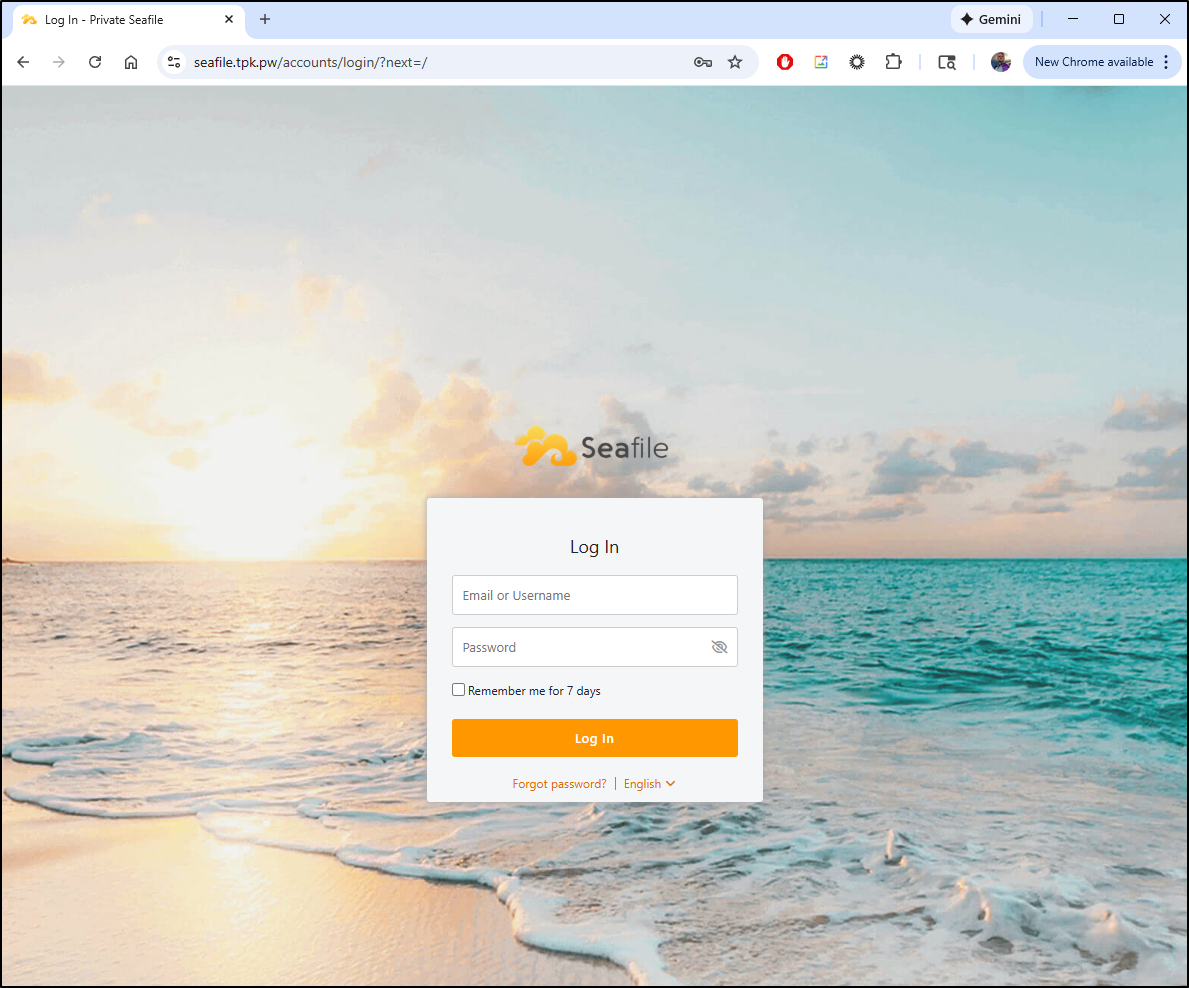
I can access the portal page
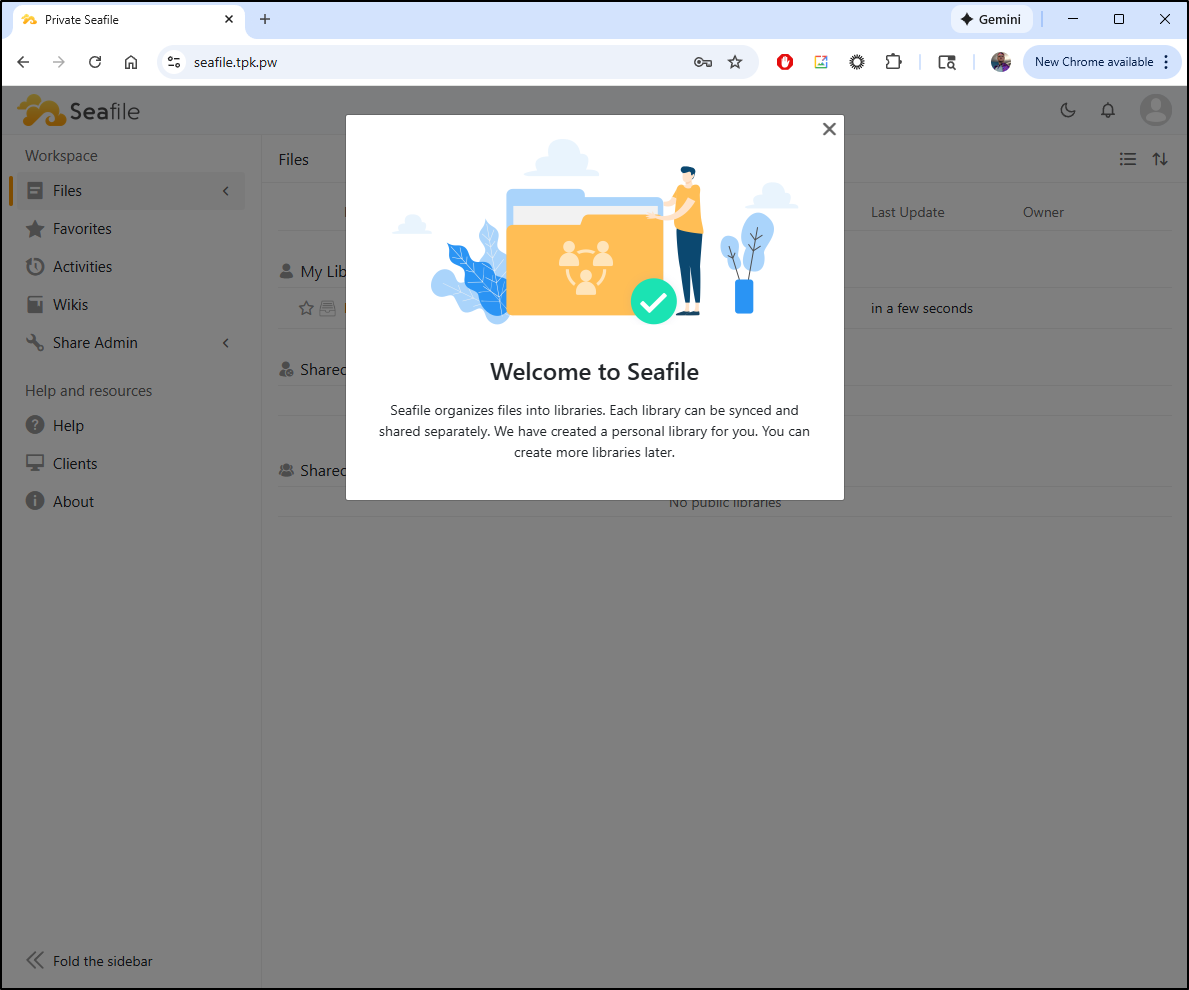
I logged in with the admin account to see the welcome splash
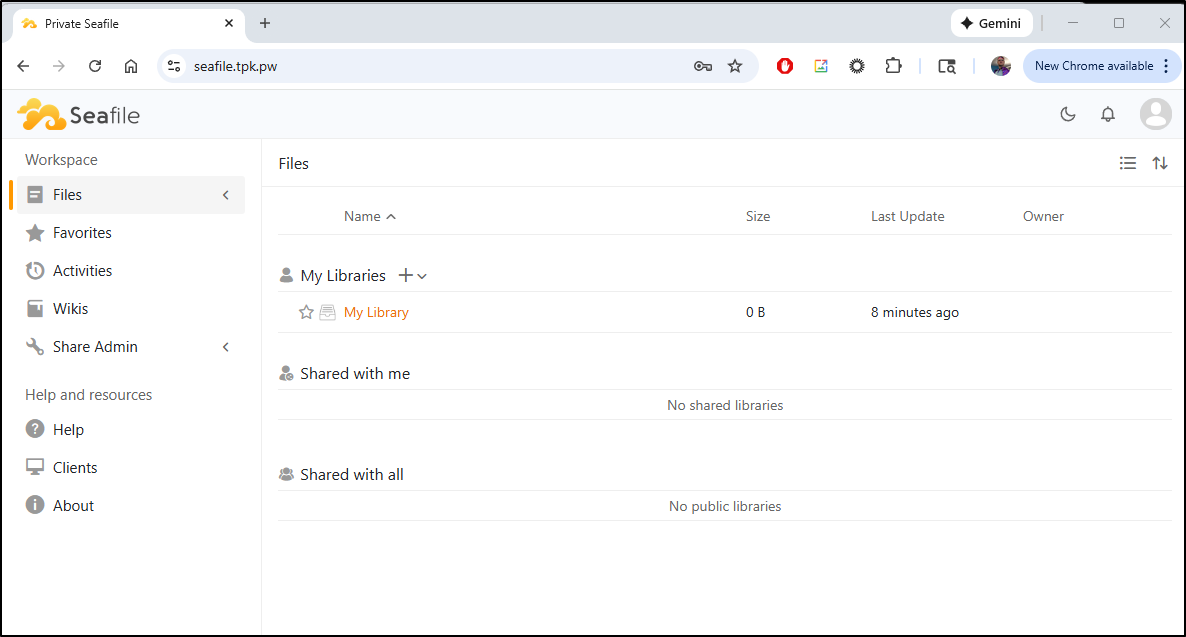
From here, we can see we already have a “My Library” created
It’s a little strange in that I can “create” a blank PPTX file
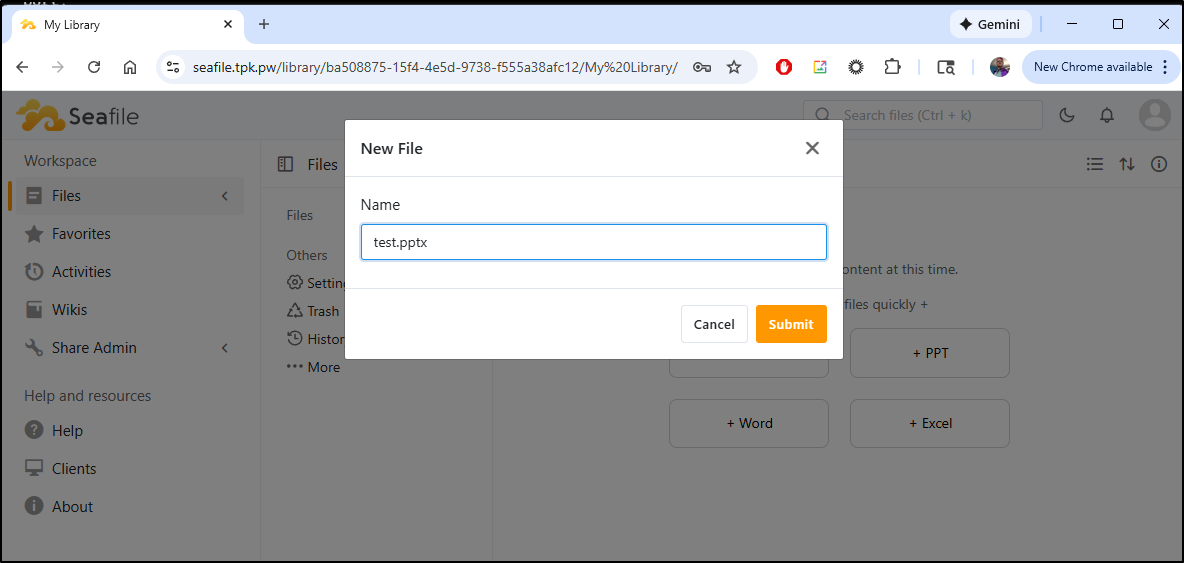
Then download it
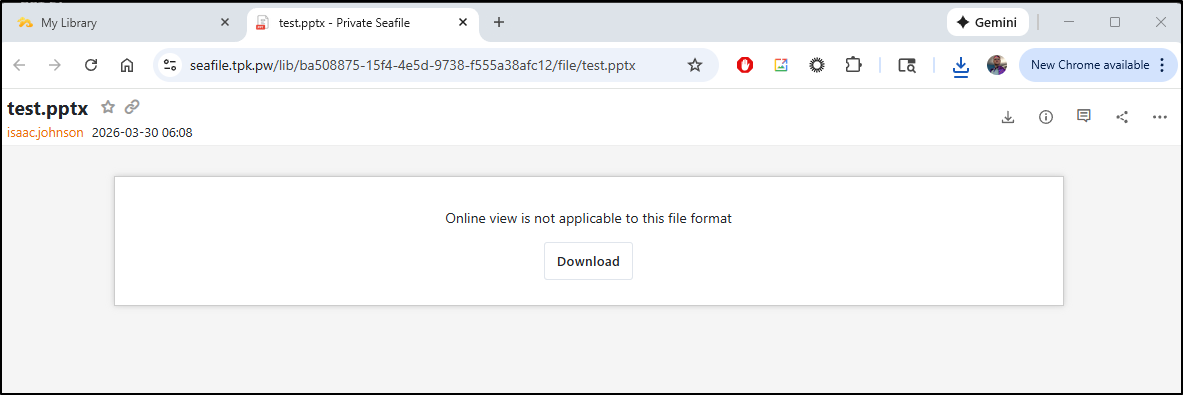
which, indeed, made an empty PPTX
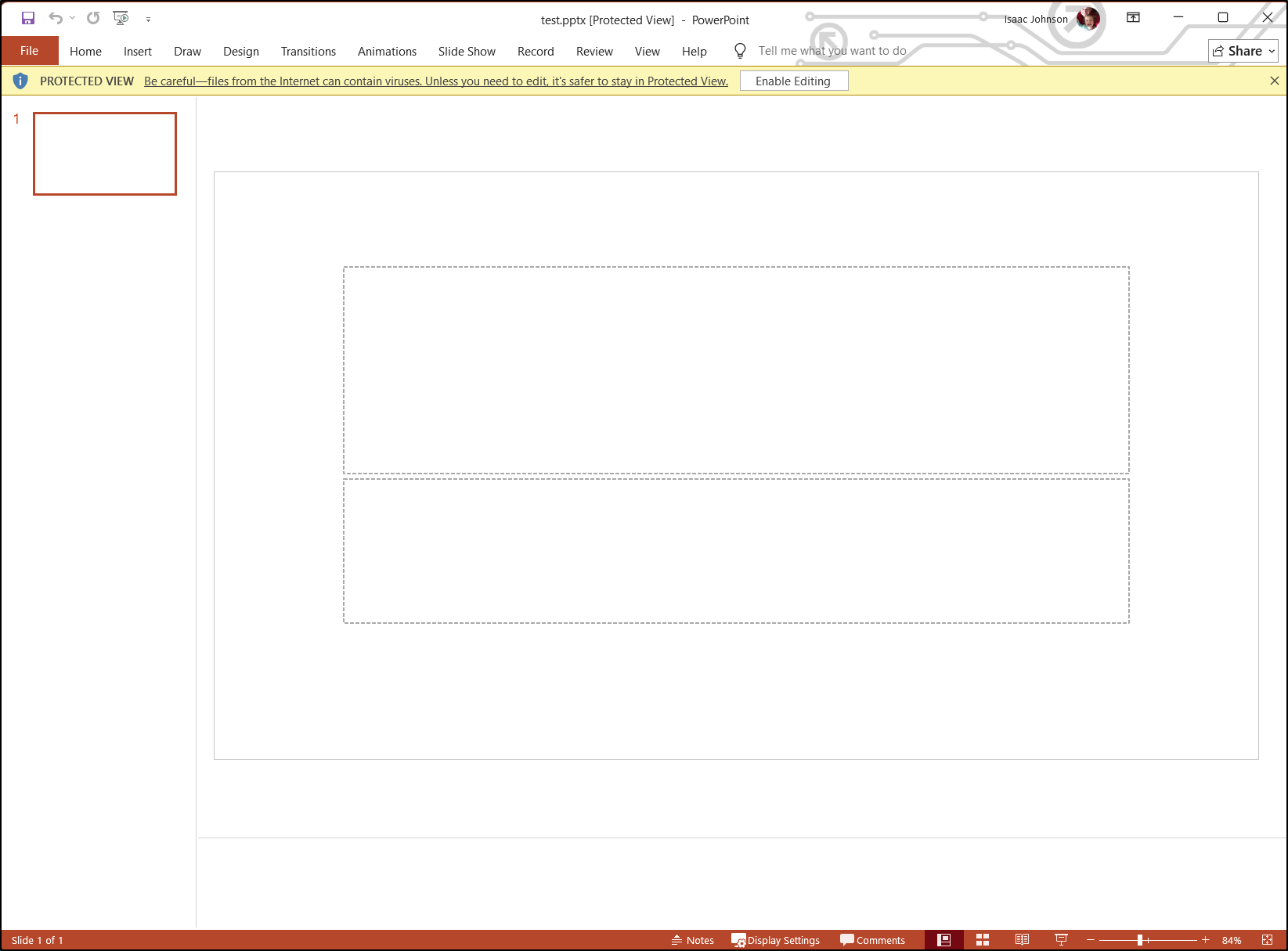
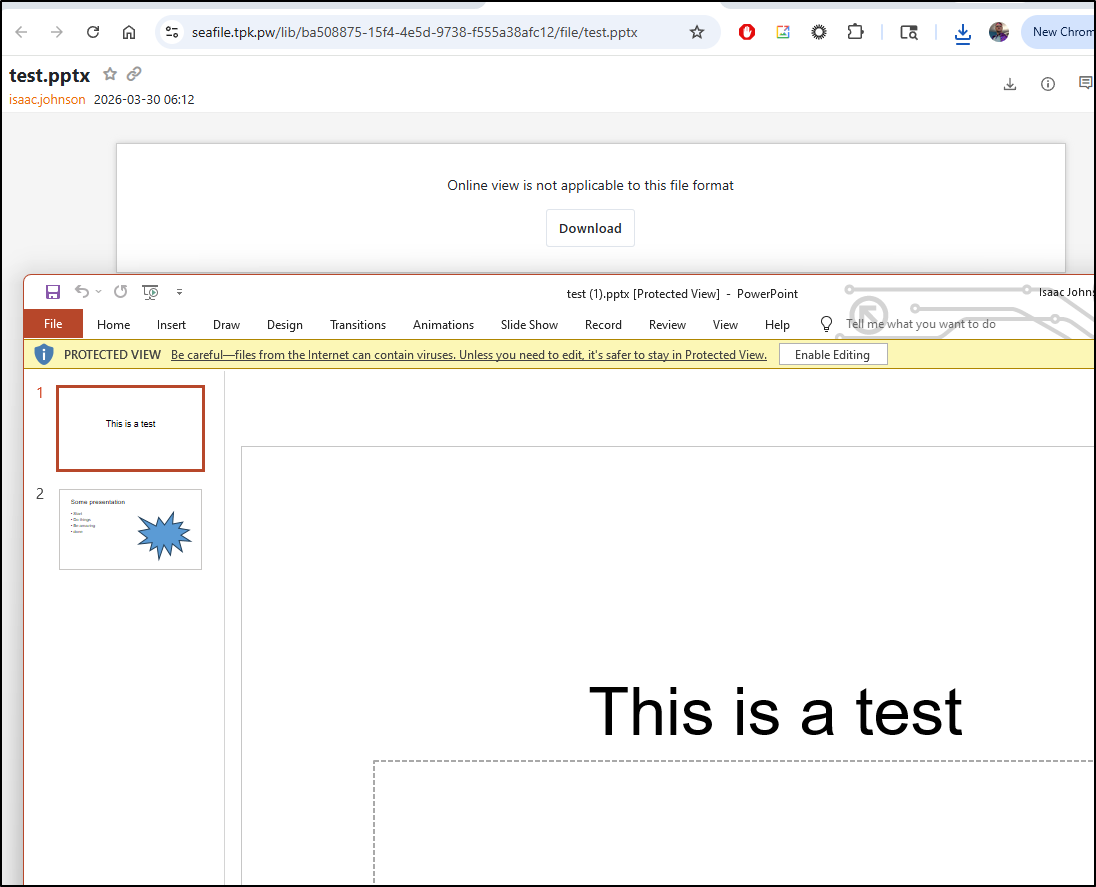
For a test, I filled in a couple slides
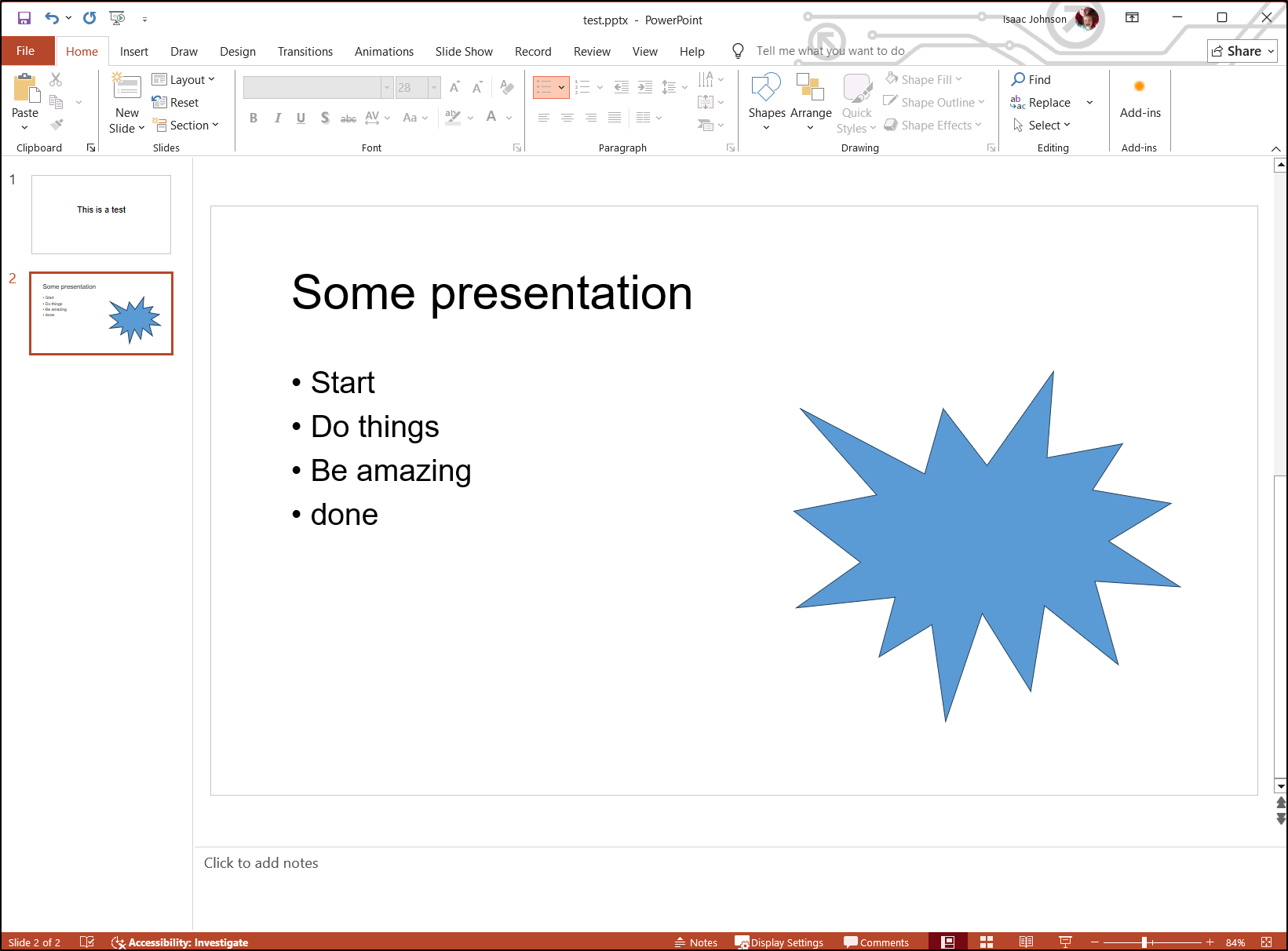
Uploading it back noted it would be replaced
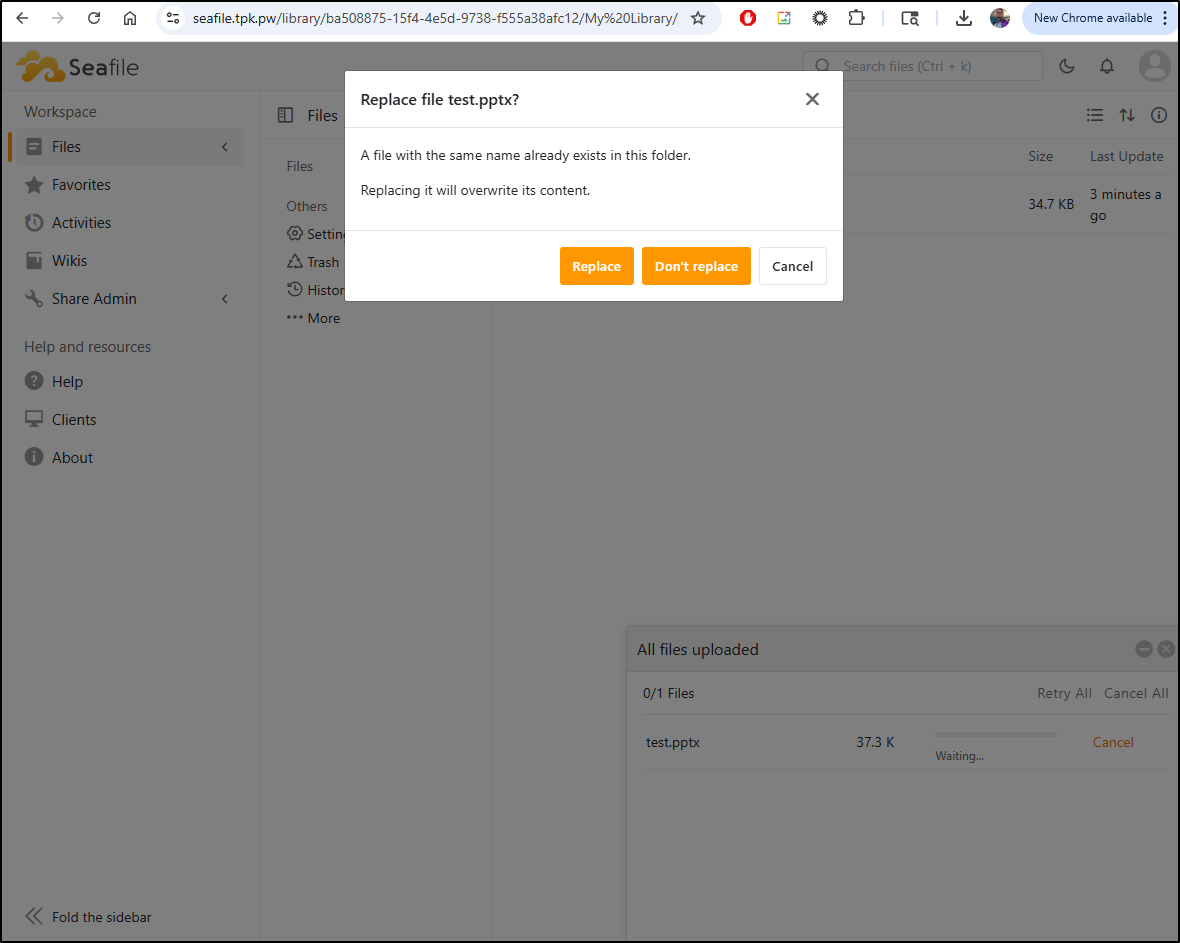
That said, a quick upload showed the new file was there
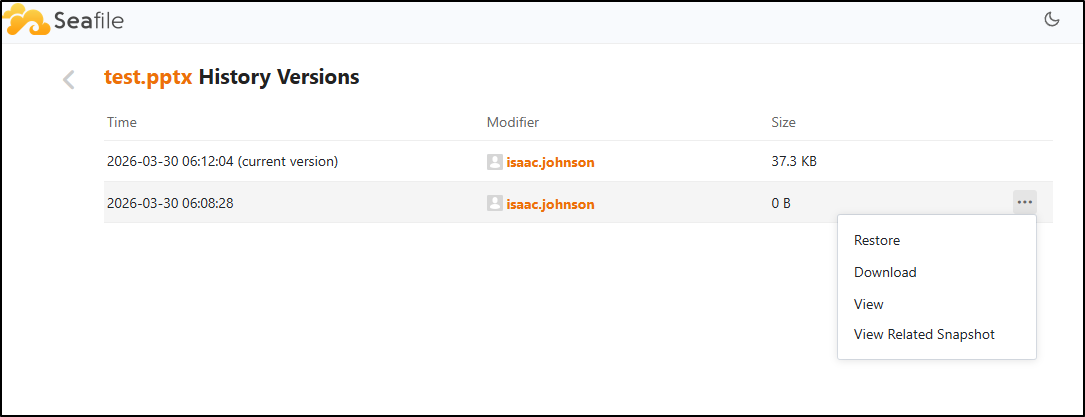
That said, there is a history section and it looks like I can restore old copies
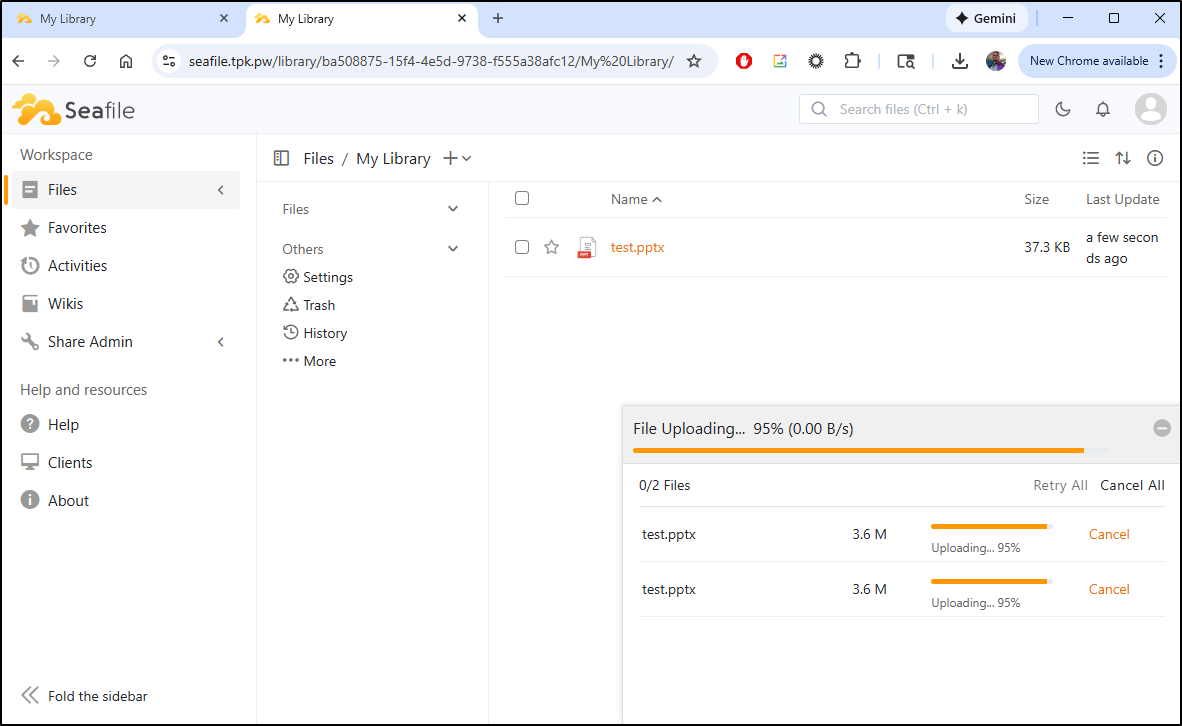
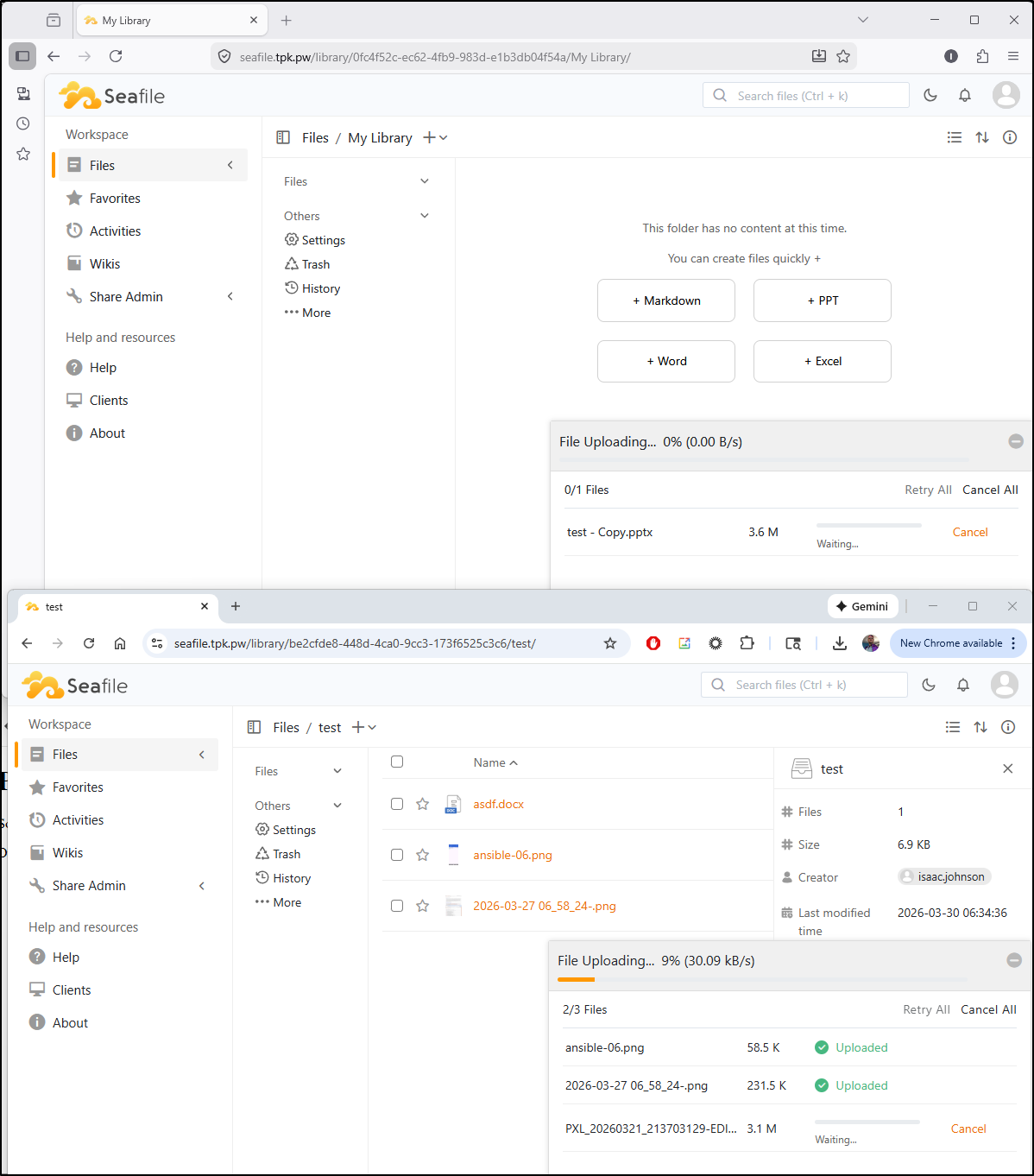
I tried loading a larger file (3.6Mb) and it stalled out
A refresh showed it crashed
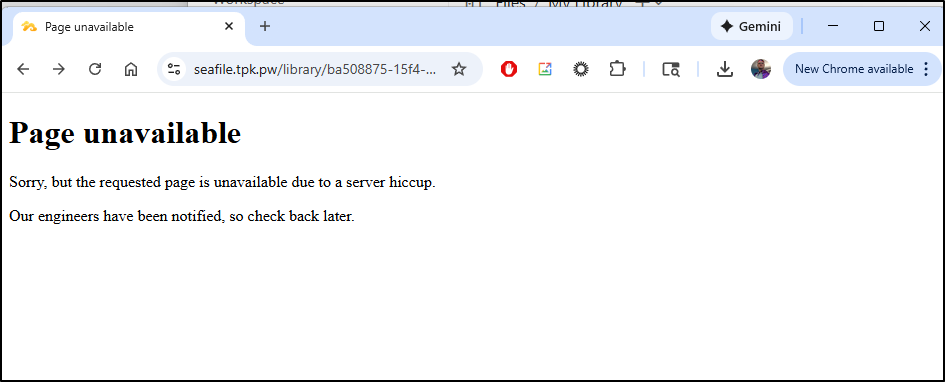
It wasn’t coming back, yet the logs showed no errors
CONTAINER ID   IMAGE                                          COMMAND                  CREATED          STATUS                        PORTS                                                                                                     NAMES
f3e3f2b0e9c9   seafileltd/seafile-mc:13.0-latest              "/sbin/my_init -- /s…"   22 minutes ago   Up 22 minutes (unhealthy)     0.0.0.0:8611->80/tcp, [::]:8611->80/tcp                                                                   Seafile
5eb404efd7f1   memcached:1.6                                  "memcached -m 256"       22 minutes ago   Up 22 minutes                 11211/tcp                                                                                                 Seafile-CACHE
e9182e277087   mariadb:11.8-noble                             "docker-entrypoint.s…"   22 minutes ago   Up 22 minutes                 3306/tcp                                                                                                  Seafile-DB
c60aa6ab51bc   redis                                          "docker-entrypoint.s…"   22 minutes ago   Up 22 minutes (healthy)       6379/tcp                                                                                                  Seafile-REDIS
with the main container logs
builder@bosgamerz9:~/Workspaces/Seafile$ docker logs Seafile
*** Running /etc/my_init.d/01_create_data_links.sh...
*** Booting runit daemon...
*** Runit started as PID 11
*** Running /scripts/enterpoint.sh...
2026-03-30 05:56:28 Waiting Nginx
nginx: [warn] conflicting server name "" on 0.0.0.0:80, ignored
2026-03-30 05:56:28 Nginx ready
2026-03-30 05:56:28 This is an idle script (infinite loop) to keep container running.
nginx: [warn] conflicting server name "" on 0.0.0.0:80, ignored
[2026-03-30 05:56:37] Now running setup-seafile-mysql.py in auto mode.
Checking python on this machine ...


verifying password of user root ...  done

verifying password of user seafileuser ...  done

---------------------------------
This is your configuration
---------------------------------

    server name:            seafile
    server ip/domain:       seafile.tpk.pw

    seafile data dir:       /opt/seafile/seafile-data
    fileserver port:        8082

    database:               create new
    ccnet database:         ccnet_db
    seafile database:       seafile_db
    seahub database:        seahub_db
    database user:          seafileuser


Generating seafile configuration ...

done
Generating seahub configuration ...

----------------------------------------
Now creating seafevents database tables ...

----------------------------------------
----------------------------------------
Now creating ccnet database tables ...

----------------------------------------
----------------------------------------
Now creating seafile database tables ...

----------------------------------------
----------------------------------------
Now creating seahub database tables ...

----------------------------------------

creating seafile-server-latest symbolic link ...  done


-----------------------------------------------------------------
Your seafile server configuration has been finished successfully.
-----------------------------------------------------------------

run seafile server:     ./seafile.sh { start | stop | restart }
run seahub  server:     ./seahub.sh  { start <port> | stop | restart <port> }

-----------------------------------------------------------------
If you are behind a firewall, remember to allow input/output of these tcp ports:
-----------------------------------------------------------------

port of seafile fileserver:   8082
port of seahub:               8000

When problems occur, Refer to

        https://download.seafile.com/published/seafile-manual/home.md

for information.


[2026-03-30 05:56:39] Updating version stamp

Starting seafile server, please wait ...
Seafile server started

Done.

Starting seahub at port 8000 ...


----------------------------------------
Successfully created seafile admin
----------------------------------------


Seahub is started

Done.
I tried a restart
builder@bosgamerz9:~/Workspaces/Seafile$ docker restart Seafile
Seafile

builder@bosgamerz9:~/Workspaces/Seafile$ docker logs Seafile | tail -n 10
*** Running /etc/my_init.d/01_create_data_links.sh...
*** Booting runit daemon...
*** Runit started as PID 11
*** Running /scripts/enterpoint.sh...
nginx: [warn] conflicting server name "" on 0.0.0.0:80, ignored
[2026-03-30 05:56:37] Now running setup-seafile-mysql.py in auto mode.
[2026-03-30 05:56:39] Updating version stamp
*** Shutting down /scripts/enterpoint.sh (PID 12)...
*** Shutting down runit daemon (PID 11)...
*** Running /etc/my_init.post_shutdown.d/10_syslog-ng.shutdown...
*** Init system aborted.
*** Killing all processes...
*** Running /etc/my_init.d/01_create_data_links.sh...
*** Booting runit daemon...
*** Runit started as PID 15
*** Running /scripts/enterpoint.sh...
nginx: [warn] conflicting server name "" on 0.0.0.0:80, ignored
[2026-03-30 06:19:53] Skip running setup-seafile-mysql.py because there is existing seafile-data folder.
Seafile server started

Done.

Starting seahub at port 8000 ...

Seahub is started

Done.
But still no go
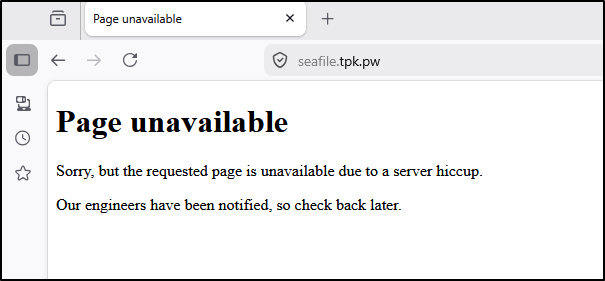
My next try was a full stop and start
builder@bosgamerz9:~/Workspaces/Seafile$ docker compose down
[+] Running 5/5
 ✔ Container Seafile        Removed                                                                                                                1.6s
 ✔ Container Seafile-REDIS  Removed                                                                                                               10.1s
 ✔ Container Seafile-CACHE  Removed                                                                                                                0.5s
 ✔ Container Seafile-DB     Removed                                                                                                                0.5s
 ✔ Network seafile_default  Removed                                                                                                                0.1s
builder@bosgamerz9:~/Workspaces/Seafile$ docker compose up
[+] Running 5/5
 ✔ Network seafile_default  Created                                                                                                                0.0s
 ✔ Container Seafile-DB     Created                                                                                                                0.0s
 ✔ Container Seafile-REDIS  Created                                                                                                                0.0s
 ✔ Container Seafile-CACHE  Created                                                                                                                0.0s
 ✔ Container Seafile        Created                                                                                                                0.0s
Attaching to Seafile, Seafile-CACHE, Seafile-DB, Seafile-REDIS
Seafile-REDIS  | 10:C 30 Mar 2026 06:21:49.430 # WARNING Memory overcommit must be enabled! Without it, a background save or replication may fail under low memory condition. Being disabled, it can also cause failures without low memory condition, see https://github.com/jemalloc/jemalloc/issues/1328. To fix this issue add 'vm.overcommit_memory = 1' to /etc/sysctl.conf and then reboot or run the command 'sysctl vm.overcommit_memory=1' for this to take effect.
Seafile-REDIS  | 10:C 30 Mar 2026 06:21:49.430 * oO0OoO0OoO0Oo Redis is starting oO0OoO0OoO0Oo
Seafile-REDIS  | 10:C 30 Mar 2026 06:21:49.430 * Redis version=8.6.2, bits=64, commit=00000000, modified=1, pid=10, just started
Seafile-REDIS  | 10:C 30 Mar 2026 06:21:49.430 * Configuration loaded
Seafile-REDIS  | 10:M 30 Mar 2026 06:21:49.430 * monotonic clock: POSIX clock_gettime
Seafile-REDIS  | 10:M 30 Mar 2026 06:21:49.431 * Running mode=standalone, port=6379.
Seafile-REDIS  | 10:M 30 Mar 2026 06:21:49.431 * Server initialized
Seafile-REDIS  | 10:M 30 Mar 2026 06:21:49.431 * Ready to accept connections tcp
Seafile-DB     | 2026-03-30 06:21:49-05:00 [Note] [Entrypoint]: Entrypoint script for MariaDB Server 1:11.8.6+maria~ubu2404 started.
Seafile        | *** Running /etc/my_init.d/01_create_data_links.sh...
Seafile        | *** Booting runit daemon...
Seafile        | *** Runit started as PID 15
Seafile        | *** Running /scripts/enterpoint.sh...
Seafile        | 2026-03-30 06:21:49 Waiting Nginx
Seafile        | nginx: [warn] conflicting server name "" on 0.0.0.0:80, ignored
Seafile-DB     | 2026-03-30 06:21:49-05:00 [Warn] [Entrypoint]: /sys/fs/cgroup///memory.pressure not writable, functionality unavailable to MariaDB
Seafile-DB     | 2026-03-30 06:21:49-05:00 [Note] [Entrypoint]: Switching to dedicated user 'mysql'
Seafile-DB     | 2026-03-30 06:21:49-05:00 [Note] [Entrypoint]: Entrypoint script for MariaDB Server 1:11.8.6+maria~ubu2404 started.
Seafile        | 2026-03-30 06:21:49 Nginx ready
Seafile        | 2026-03-30 06:21:49 This is an idle script (infinite loop) to keep container running.
Seafile-DB     | 2026-03-30 06:21:49-05:00 [Note] [Entrypoint]: MariaDB upgrade not required
Seafile-DB     | 2026-03-30  6:21:49 0 [Note] Starting MariaDB 11.8.6-MariaDB-ubu2404 source revision 9bfea48ce1214cc4470f6f6f8a4e30352cef84e7 server_uid YKPNagnfIROmJPf794u8unHaCSA= as process 1
Seafile-DB     | 2026-03-30  6:21:49 0 [Note] InnoDB: Compressed tables use zlib 1.3
Seafile-DB     | 2026-03-30  6:21:49 0 [Note] InnoDB: Number of transaction pools: 1
Seafile-DB     | 2026-03-30  6:21:49 0 [Note] InnoDB: Using crc32 + pclmulqdq instructions
Seafile-DB     | 2026-03-30  6:21:49 0 [Warning] mariadbd: io_uring_queue_init() failed with EPERM: sysctl kernel.io_uring_disabled has the value 2, or 1 and the user of the process is not a member of sysctl kernel.io_uring_group. (see man 2 io_uring_setup).
Seafile-DB     | create_uring failed: falling back to libaio
Seafile-DB     | 2026-03-30  6:21:49 0 [Note] InnoDB: Using Linux native AIO
Seafile-DB     | 2026-03-30  6:21:49 0 [Note] InnoDB: innodb_buffer_pool_size_max=128m, innodb_buffer_pool_size=128m
Seafile-DB     | 2026-03-30  6:21:49 0 [Note] InnoDB: Completed initialization of buffer pool
Seafile-DB     | 2026-03-30  6:21:49 0 [Note] InnoDB: File system buffers for log disabled (block size=512 bytes)
Seafile        | nginx: [warn] conflicting server name "" on 0.0.0.0:80, ignored
Seafile-DB     | 2026-03-30  6:21:49 0 [Note] InnoDB: End of log at LSN=1297842
Seafile-DB     | 2026-03-30  6:21:49 0 [Note] InnoDB: Opened 3 undo tablespaces
Seafile-DB     | 2026-03-30  6:21:49 0 [Note] InnoDB: 128 rollback segments in 3 undo tablespaces are active.
Seafile-DB     | 2026-03-30  6:21:49 0 [Note] InnoDB: Setting file './ibtmp1' size to 12.000MiB. Physically writing the file full; Please wait ...
Seafile-DB     | 2026-03-30  6:21:49 0 [Note] InnoDB: File './ibtmp1' size is now 12.000MiB.
Seafile-DB     | 2026-03-30  6:21:49 0 [Note] InnoDB: log sequence number 1297842; transaction id 1045
Seafile-DB     | 2026-03-30  6:21:49 0 [Note] InnoDB: Loading buffer pool(s) from /var/lib/mysql/ib_buffer_pool
Seafile-DB     | 2026-03-30  6:21:49 0 [Note] Plugin 'FEEDBACK' is disabled.
Seafile-DB     | 2026-03-30  6:21:49 0 [Note] Plugin 'wsrep-provider' is disabled.
Seafile-DB     | 2026-03-30  6:21:49 0 [Note] InnoDB: Buffer pool(s) load completed at 260330  6:21:49
Seafile-DB     | 2026-03-30  6:21:51 0 [Note] Server socket created on IP: '0.0.0.0', port: '3306'.
Seafile-DB     | 2026-03-30  6:21:51 0 [Note] Server socket created on IP: '::', port: '3306'.
Seafile-DB     | 2026-03-30  6:21:51 0 [Note] mariadbd: Event Scheduler: Loaded 0 events
Seafile-DB     | 2026-03-30  6:21:51 0 [Note] mariadbd: ready for connections.
Seafile-DB     | Version: '11.8.6-MariaDB-ubu2404'  socket: '/run/mysqld/mysqld.sock'  port: 3306  mariadb.org binary distribution
Seafile        | [2026-03-30 06:21:51] Skip running setup-seafile-mysql.py because there is existing seafile-data folder.
Seafile        | waiting for mysql server to be ready: mysql is not ready
Seafile        | [03/30/2026 06:21:51][upgrade]: The container was recreated, start fix the media symlinks
Seafile        | mv: not replacing '/shared/seafile/seahub-data/avatars/default-non-register.jpg'
Seafile        | mv: not replacing '/shared/seafile/seahub-data/avatars/default.png'
Seafile        | mv: not replacing '/shared/seafile/seahub-data/avatars/groups'
Seafile        | [03/30/2026 06:21:51][upgrade]: Done
Seafile        |
Seafile        | Starting seafile server, please wait ...


Seafile        | Seafile server started
Seafile        |
Seafile        | Done.
Seafile        |
Seafile        | Starting seahub at port 8000 ...
Seafile        |
Seafile        | Seahub is started
Seafile        |
Seafile        | Done.
Seafile        |
That worked, and my last file was still there. I tried uploading again
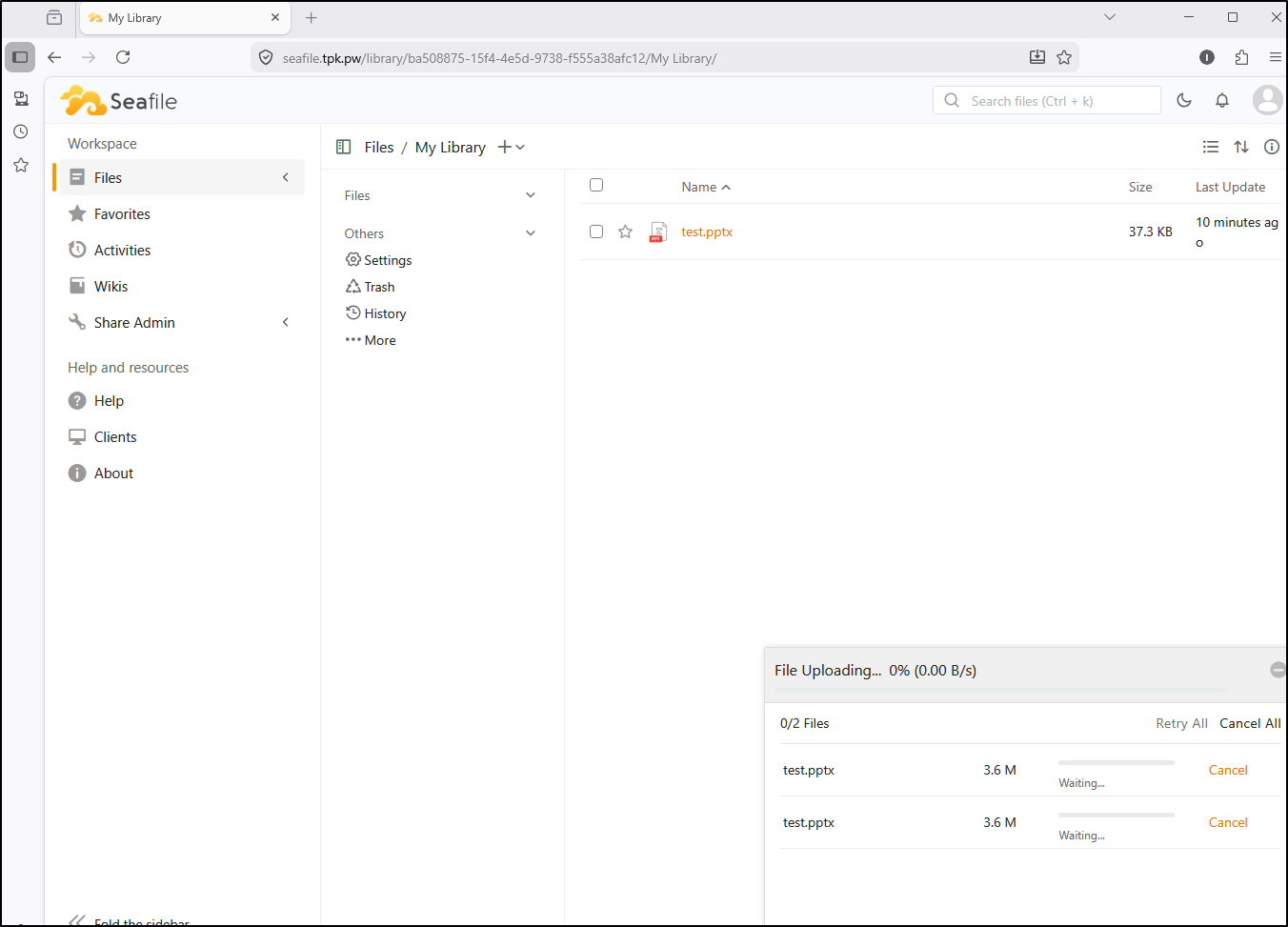
I tried Firefox and chrome, but without luck. It was not uploading anymore
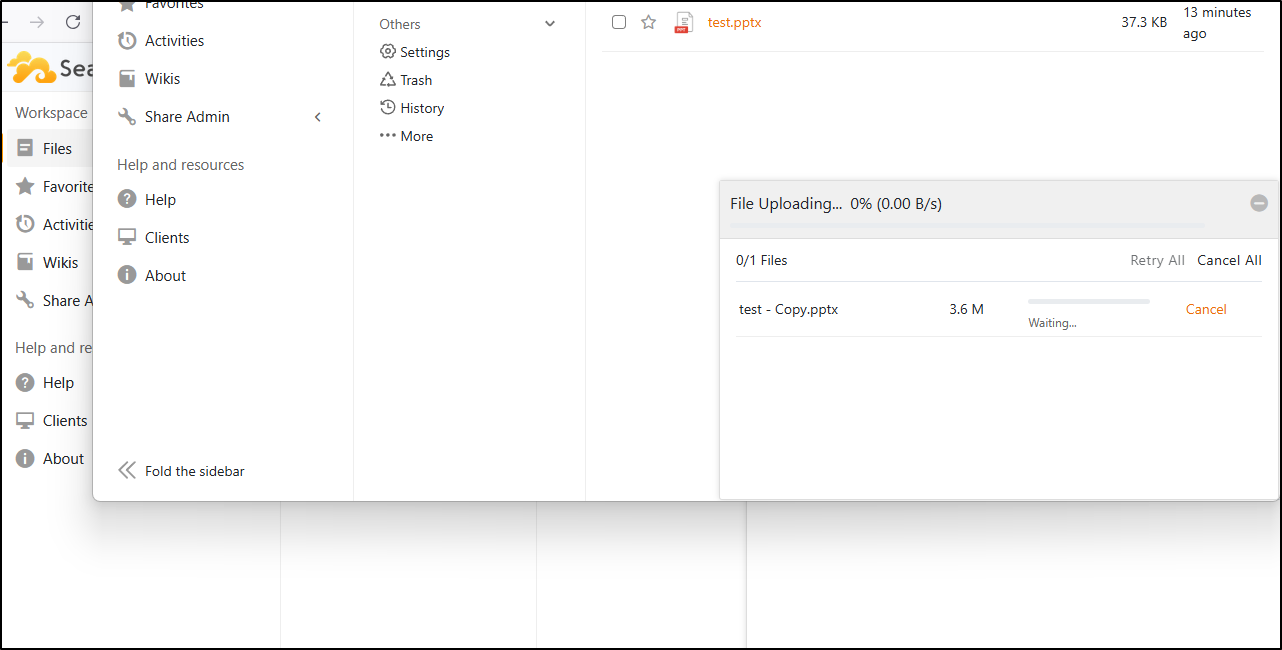
I also tried logging in directly to the app using the local URL, but it choked on uploads
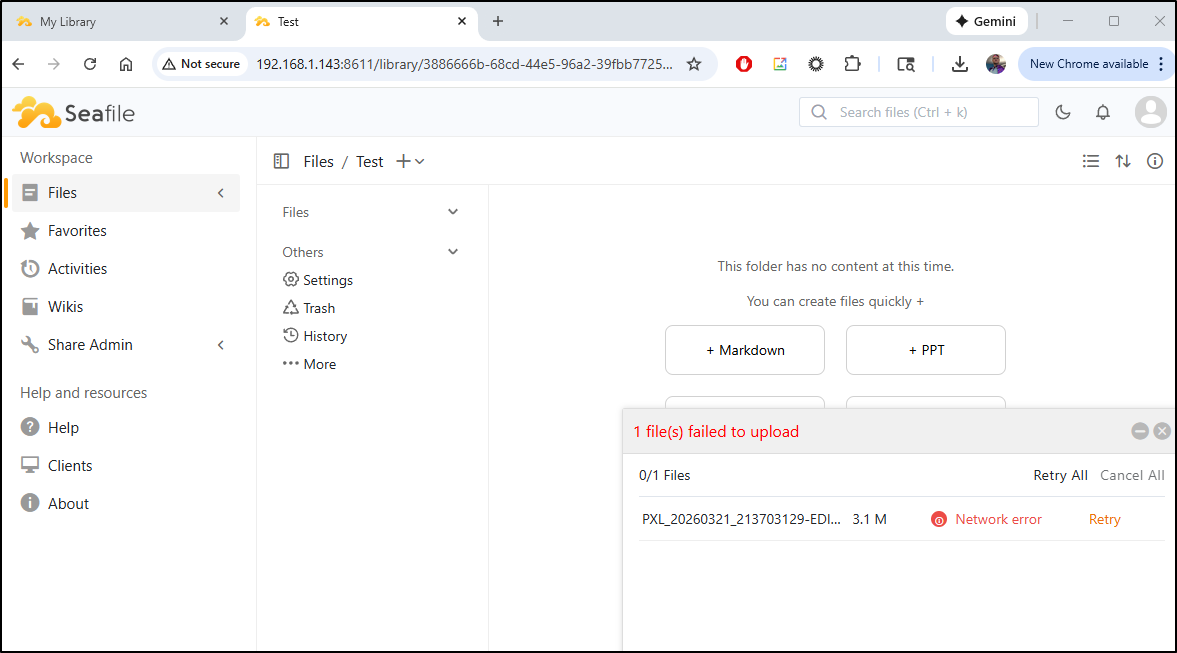
Last shot, a full destroy then fire up
# cleanup local files
builder@bosgamerz9:/volume1$ cd docker/
builder@bosgamerz9:/volume1/docker$ ls
seafile
builder@bosgamerz9:/volume1/docker$ sudo rm -rf ./seafile/
builder@bosgamerz9:/volume1/docker$ sudo mkdir seafile
builder@bosgamerz9:/volume1/docker$ sudo chmod 777 seafile/
# Now docker destroy
builder@bosgamerz9:~/Workspaces/Seafile$ docker compose down -v --rmi all --remove-orphans
[+] Running 4/4
✔ Image seafileltd/seafile-mc:13.0-latest Removed 1.2s
✔ Image mariadb:11.8-noble Removed 1.4s
✔ Image memcached:1.6 Removed 0.1s
✔ Image redis:latest Removed 0.0s
builder@bosgamerz9:~/Workspaces/Seafile$ docker compose up -d
[+] Running 38/38
✔ seafile Pulled 15.4s
✔ 505b3596871d Pull complete 5.5s
✔ c083fef1fc73 Pull complete 5.5s
✔ be8b84cba34b Pull complete 6.5s
✔ 8bedc8e9293a Pull complete 6.5s
✔ 622aaad4b3db Pull complete 6.9s
✔ b873e65fb3d4 Pull complete 7.7s
✔ 1d2e2524dcdd Pull complete 9.1s
✔ 601ae82f9133 Pull complete 10.4s
✔ 35a091cd3e29 Pull complete 12.1s
✔ fadc521a35fb Pull complete 12.1s
✔ 55d2f36eefb8 Pull complete 12.1s
✔ b9383a1b21d0 Pull complete 12.2s
✔ c18edc61dfc9 Pull complete 12.2s
✔ 8ee4a48da408 Pull complete 14.3s
✔ cache Pulled 5.2s
✔ 51dec6de03b1 Pull complete 3.9s
✔ e6a929ea558d Pull complete 3.9s
✔ b8f4f23b254e Pull complete 4.1s
✔ 6ae38152dcb8 Pull complete 4.1s
✔ e839fccf1879 Pull complete 4.2s
✔ redis Pulled 5.2s
✔ ec781dee3f47 Pull complete 3.9s
✔ 5f7274725e4f Pull complete 3.9s
✔ f4f2f7018ed9 Pull complete 3.9s
✔ 3f63903b0cb8 Pull complete 4.1s
✔ c9ff57cee690 Pull complete 4.1s
✔ 4f4fb700ef54 Pull complete 4.1s
✔ 3e6b2202a764 Pull complete 4.2s
✔ db Pulled 4.1s
✔ 817807f3c64e Pull complete 1.4s
✔ 5843c951070e Pull complete 1.4s
✔ 61a0e6ba478b Pull complete 1.6s
✔ c688148c30c1 Pull complete 1.6s
✔ 86447b1c7e20 Pull complete 1.6s
✔ 943dc8eb543e Pull complete 3.0s
✔ af136b8199a6 Pull complete 3.0s
✔ 7761d3ebebab Pull complete 3.0s
[+] Running 5/5
✔ Network seafile_default Created 0.0s
✔ Container Seafile-CACHE Started 0.4s
✔ Container Seafile-REDIS Started 0.4s
✔ Container Seafile-DB Started 0.4s
✔ Container Seafile Started 0.3s
Again, I found uploading small files under 1Mb seemed to be fine, but the moment we used something larger like a 3Mb jpg, it fell down
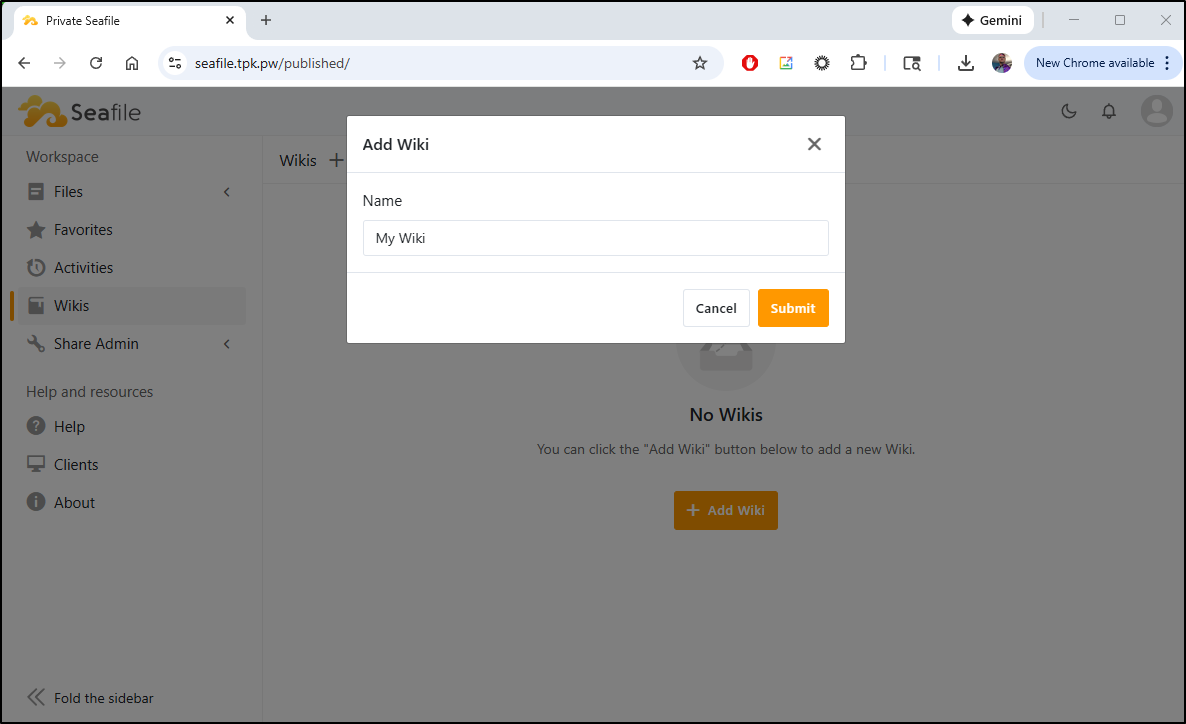
wikis
Let’s try some of the other features, perhaps they’ll work better. We can go to Wikis to create a new Wiki
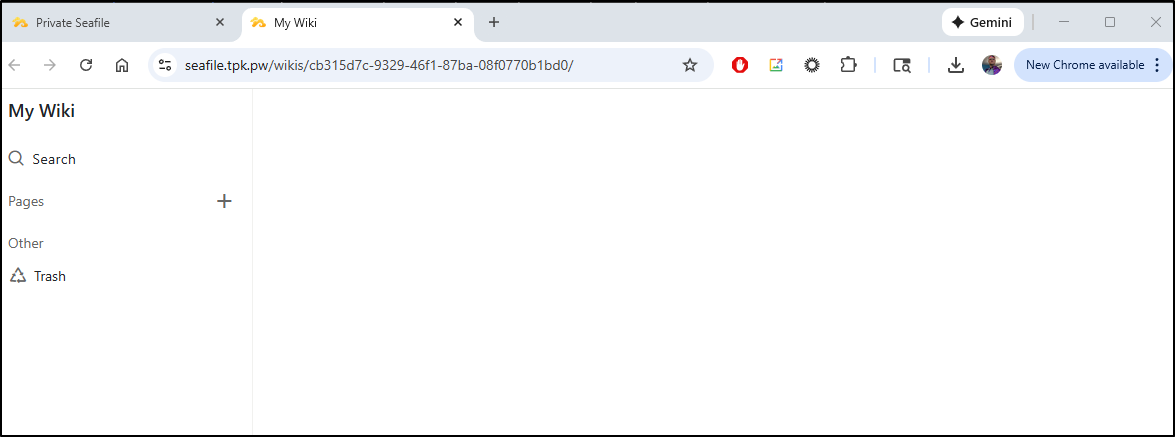
Once created, we can click on the wiki to see some basic nav and page create
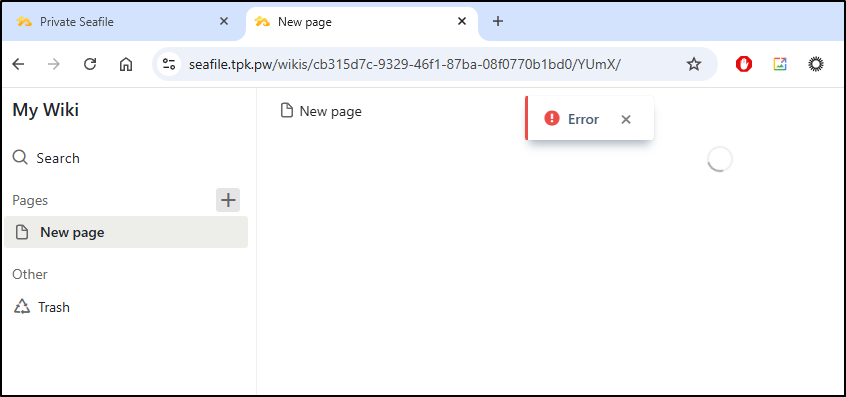
New Page, however, just gave me a spinning icon and error
Fat Client
I’ll try the fat client on windows
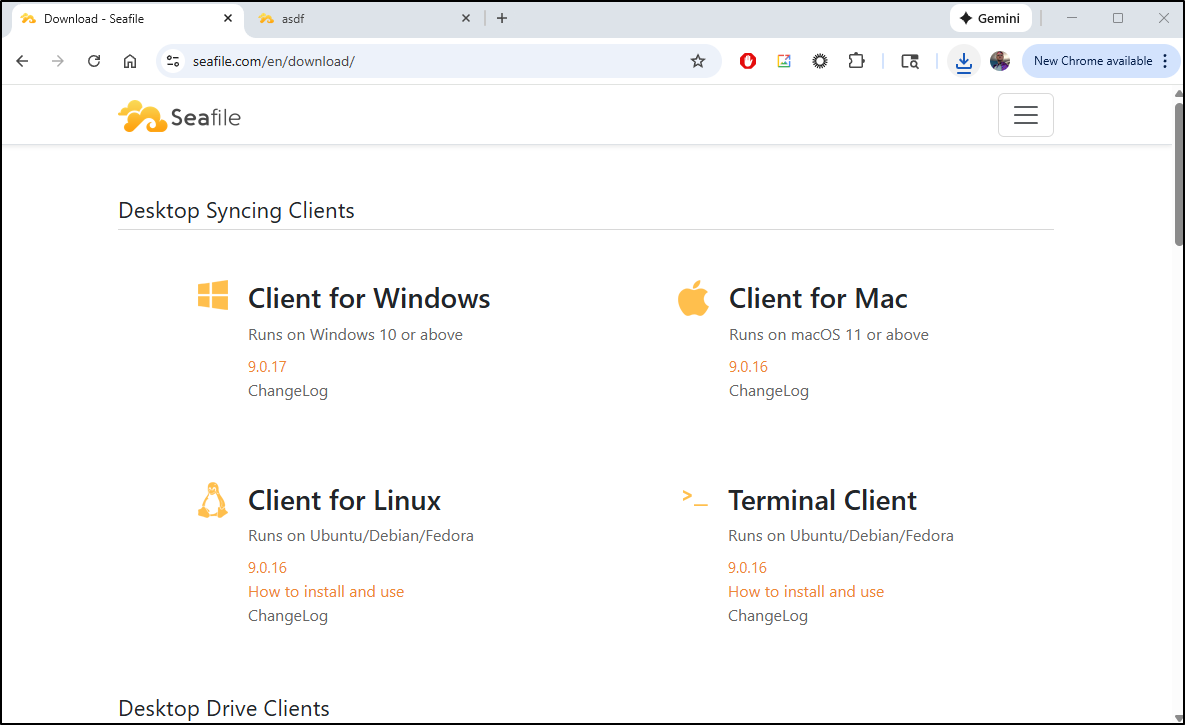
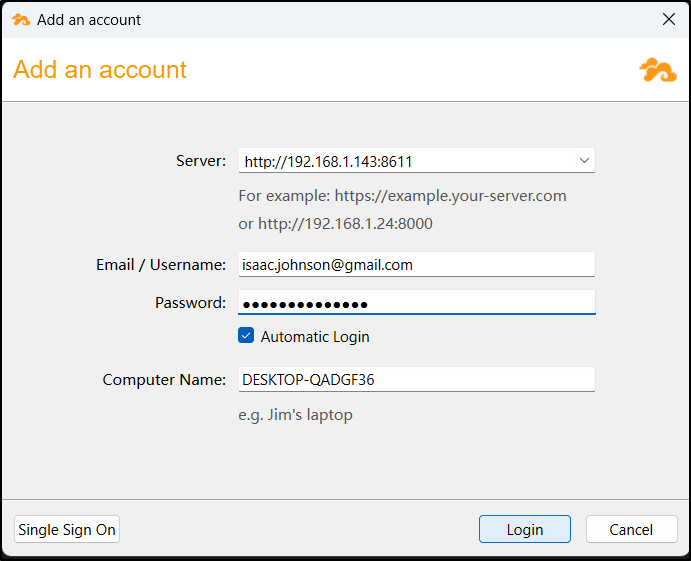
I could then login
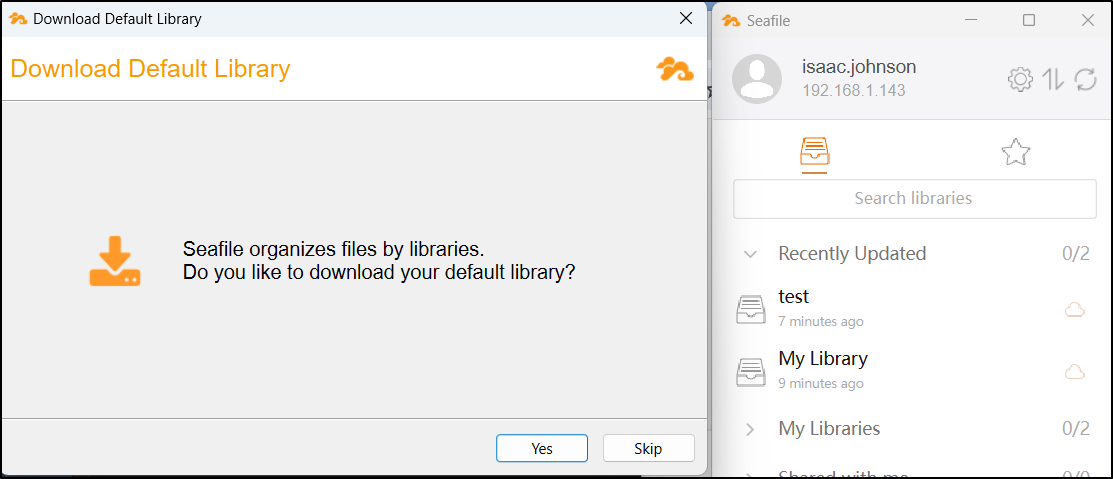
and it prompted me to sync files
and…. error
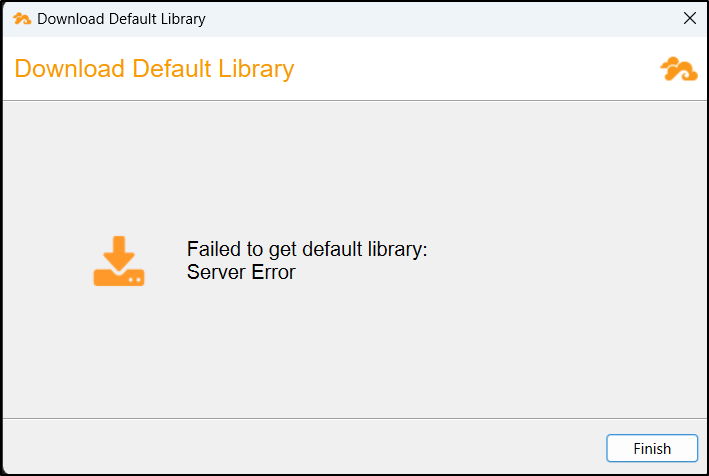
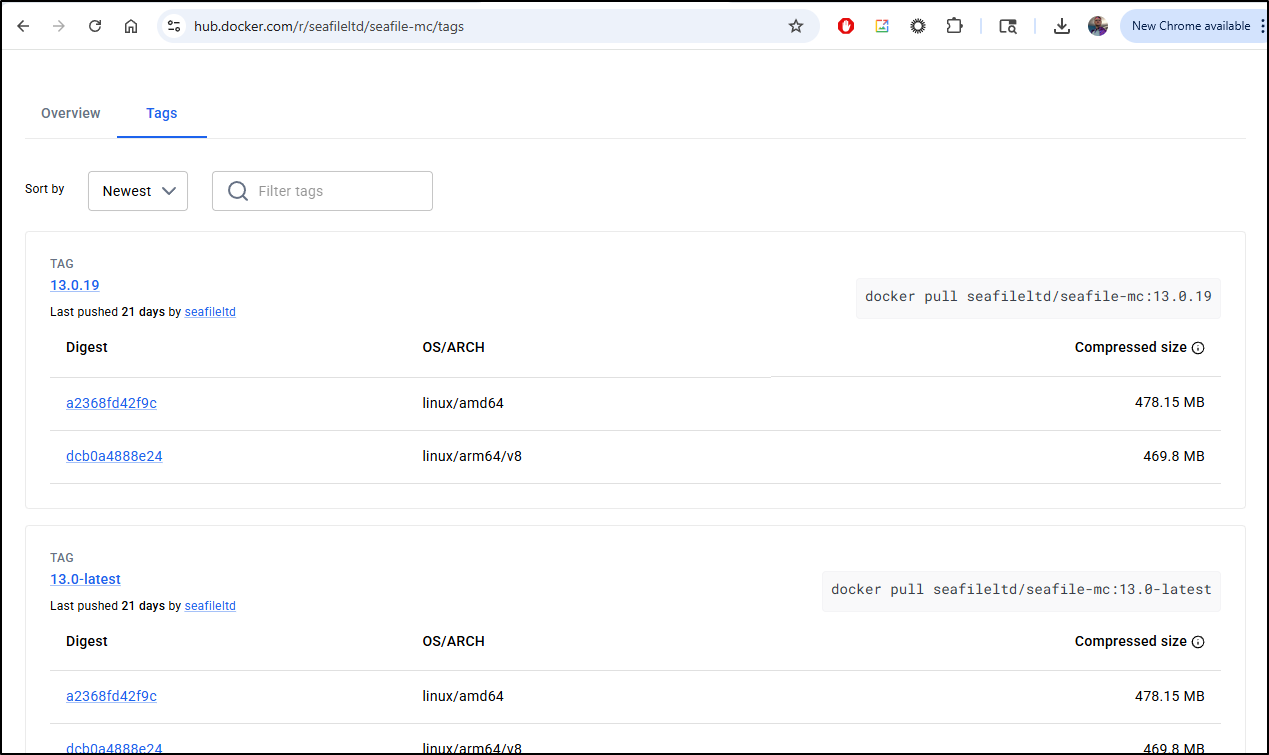
My next thought was perhaps I needed a new container. Sometimes we use older images in writeups and it just needs something a tad newer.
However, the latest container is 13.0-latest
Kubernetes native
They seemed to strip out their setup docs from versions 12 and 13, but I found a K8s guide for 11 here
I was losing patience so I just asked Gemini to build the single manifest
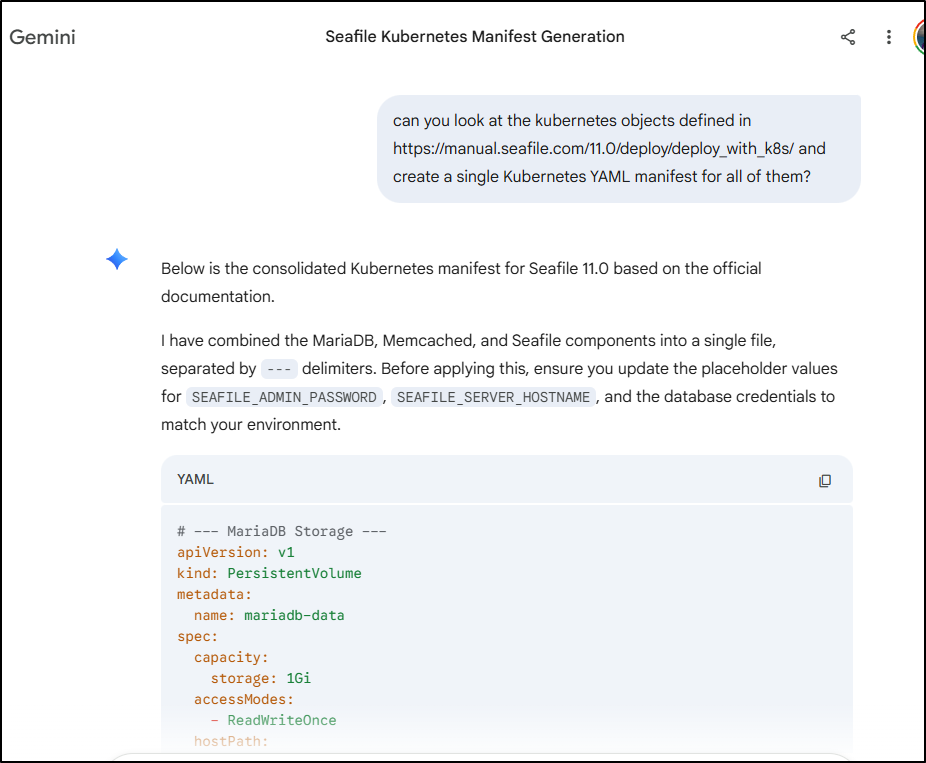
I tweaked a few settings including using HTTPS and the newer 13 image. Also, because we would be creating a memcache and mysql database, i felt we should do this in a namespace, so I created a “seafile” namespace to launch it all in
builder@DESKTOP-QADGF36:~$ kubectl create ns seafile
namespace/seafile created
builder@DESKTOP-QADGF36:~$ cat ./seafile.ingress.yaml
---
apiVersion: networking.k8s.io/v1
kind: Ingress
metadata:
  annotations:
    cert-manager.io/cluster-issuer: azuredns-tpkpw
    ingress.kubernetes.io/ssl-redirect: "true"
    kubernetes.io/tls-acme: "true"
    nginx.ingress.kubernetes.io/proxy-read-timeout: "3600"
    nginx.ingress.kubernetes.io/proxy-send-timeout: "3600"
    nginx.org/websocket-services: seafile
  generation: 1
  name: seafileingress
spec:
  ingressClassName: nginx
  rules:
  - host: seafile.tpk.pw
    http:
      paths:
      - backend:
          service:
            name: seafile
            port:
              number: 80
        path: /
        pathType: ImplementationSpecific
  tls:
  - hosts:
    - seafile.tpk.pw
    secretName: seafile-tls
---
# --- MariaDB Storage ---
apiVersion: v1
kind: PersistentVolume
metadata:
  name: mariadb-data
spec:
  capacity:
    storage: 1Gi
  accessModes:
    - ReadWriteOnce
  hostPath:
    path: /opt/seafile-mysql/db
---
apiVersion: v1
kind: PersistentVolumeClaim
metadata:
  name: mariadb-data
spec:
  accessModes:
    - ReadWriteOnce
  resources:
    requests:
      storage: 10Gi
---
# --- MariaDB Deployment & Service ---
apiVersion: apps/v1
kind: Deployment
metadata:
  name: mariadb
spec:
  selector:
    matchLabels:
      app: mariadb
  replicas: 1
  template:
    metadata:
      labels:
        app: mariadb
    spec:
      containers:
      - name: mariadb
        image: mariadb:10.11
        env:
        - name: MARIADB_ROOT_PASSWORD
          value: "db_dev"
        - name: MARIADB_AUTO_UPGRADE
          value: "true"
        ports:
        - containerPort: 3306
        volumeMounts:
        - name: mariadb-data
          mountPath: /var/lib/mysql
      volumes:
      - name: mariadb-data
        persistentVolumeClaim:
          claimName: mariadb-data
---
apiVersion: v1
kind: Service
metadata:
  name: mariadb
spec:
  selector:
    app: mariadb
  ports:
  - protocol: TCP
    port: 3306
    targetPort: 3306
---
# --- Memcached Deployment & Service ---
apiVersion: apps/v1
kind: Deployment
metadata:
  name: memcached
spec:
  replicas: 1
  selector:
    matchLabels:
      app: memcached
  template:
    metadata:
      labels:
        app: memcached
    spec:
      containers:
      - name: memcached
        image: memcached:1.6.18
        args: ["-m", "256"]
        ports:
        - containerPort: 11211
---
apiVersion: v1
kind: Service
metadata:
  name: memcached
spec:
  selector:
    app: memcached
  ports:
  - protocol: TCP
    port: 11211
    targetPort: 11211
---
# --- Seafile Storage ---
apiVersion: v1
kind: PersistentVolume
metadata:
  name: seafile-data
spec:
  capacity:
    storage: 10Gi
  accessModes:
    - ReadWriteOnce
  hostPath:
    path: /opt/seafile-data
---
apiVersion: v1
kind: PersistentVolumeClaim
metadata:
  name: seafile-data
spec:
  accessModes:
    - ReadWriteOnce
  resources:
    requests:
      storage: 10Gi
---
# --- Seafile Deployment & Service ---
apiVersion: apps/v1
kind: Deployment
metadata:
  name: seafile
spec:
  replicas: 1
  selector:
    matchLabels:
      app: seafile
  template:
    metadata:
      labels:
        app: seafile
    spec:
      imagePullSecrets:
      - name: regcred
      containers:
      - name: seafile
        image: seafileltd/seafile-mc:13.0-latest
        env:
        - name: DB_HOST
          value: "mariadb"
        - name: DB_ROOT_PASSWD
          value: "db_dev"
        - name: TIME_ZONE
          value: "America/Chicago"
        - name: SEAFILE_ADMIN_EMAIL
          value: "isaac.johnson@gmail.com"
        - name: SEAFILE_ADMIN_PASSWORD
          value: "notmypassword!"
        - name: SEAFILE_SERVER_LETSENCRYPT
          value: "false"
        - name: SEAFILE_SERVER_HOSTNAME
          value: "seafile.tpk.pw"
        - name: SEAFILE_SERVER_PROTOCOL
          value: "https"
        volumeMounts:
        - name: seafile-data
          mountPath: /shared
      volumes:
      - name: seafile-data
        persistentVolumeClaim:
          claimName: seafile-data
      restartPolicy: Always
---
apiVersion: v1
kind: Service
metadata:
  name: seafile
spec:
  selector:
    app: seafile
  type: ClusterIP
  ports:
  - protocol: TCP
    port: 80
    targetPort: 80
    name: seafile
builder@DESKTOP-QADGF36:~$ kubectl apply -f ./seafile.ingress.yaml -n seafile
ingress.networking.k8s.io/seafileingress created
persistentvolume/mariadb-data created
persistentvolumeclaim/mariadb-data created
deployment.apps/mariadb created
service/mariadb created
deployment.apps/memcached created
service/memcached created
persistentvolume/seafile-data created
persistentvolumeclaim/seafile-data created
deployment.apps/seafile created
service/seafile created
The TLS was satisfied quickly
$ kubectl get cert -n seafile
NAME          READY   SECRET        AGE
seafile-tls   True    seafile-tls   115s
I got a bad gateway and even tested with a port-forward
$ kubectl port-forward svc/seafile 8088:80 -n seafile
Forwarding from 127.0.0.1:8088 -> 80
Forwarding from [::1]:8088 -> 80
Handling connection for 8088
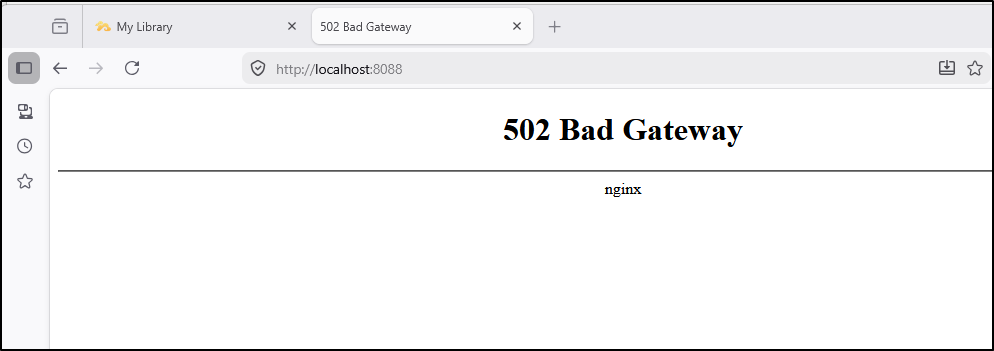
I suspect that the newer 13 image uses 8611 for ingress wheres the older used 80.
I updated the service, but then the port-forward failed again
$ kubectl port-forward svc/seafile 8088:80 -n seafile
Forwarding from 127.0.0.1:8088 -> 8611
Forwarding from [::1]:8088 -> 8611
Handling connection for 8088
Handling connection for 8088
E0330 07:16:09.747304   92389 portforward.go:424] "Unhandled Error" err="an error occurred forwarding 8088 -> 8611: error forwarding port 8611 to pod c1aa362dd7787302b716ebed56bda756d463d23766877717f5eabb2d59a4ea4b, uid : failed to execute portforward in network namespace \"/var/run/netns/cni-9f586fd4-dd56-1ac4-2bc0-a5b1d3c74659\": failed to connect to localhost:8611 inside namespace \"c1aa362dd7787302b716ebed56bda756d463d23766877717f5eabb2d59a4ea4b\", IPv4: dial tcp4 127.0.0.1:8611: connect: connection refused IPv6 dial tcp6: address localhost: no suitable address found "
error: lost connection to pod
The pod seems confused about the MariaDB (MySQL)
$ kubectl logs seafile-75c9d8ccbb-bp5xk  -n seafile
*** Running /etc/my_init.d/01_create_data_links.sh...
*** Booting runit daemon...
*** Runit started as PID 11
*** Running /scripts/enterpoint.sh...
2026-03-30 07:10:19 Nginx ready
2026-03-30 07:10:19 This is an idle script (infinite loop) to keep container running.
nginx: [warn] conflicting server name "" on 0.0.0.0:80, ignored
nginx: [warn] conflicting server name "" on 0.0.0.0:80, ignored
waiting for mysql server to be ready: mysql is not ready
waiting for mysql server to be ready: mysql is not ready
waiting for mysql server to be ready: mysql is not ready
waiting for mysql server to be ready: mysql is not ready
I kept banging away at it, adding the missing Redis, setting MysQL ports
---
apiVersion: networking.k8s.io/v1
kind: Ingress
metadata:
  annotations:
    cert-manager.io/cluster-issuer: azuredns-tpkpw
    ingress.kubernetes.io/ssl-redirect: "true"
    kubernetes.io/tls-acme: "true"
    nginx.ingress.kubernetes.io/proxy-read-timeout: "3600"
    nginx.ingress.kubernetes.io/proxy-send-timeout: "3600"
    nginx.org/websocket-services: seafile
  generation: 1
  name: seafileingress
spec:
  ingressClassName: nginx
  rules:
  - host: seafile.tpk.pw
    http:
      paths:
      - backend:
          service:
            name: seafile
            port:
              number: 80
        path: /
        pathType: ImplementationSpecific
  tls:
  - hosts:
    - seafile.tpk.pw
    secretName: seafile-tls
---
# --- MariaDB Storage ---
apiVersion: v1
kind: PersistentVolume
metadata:
  name: mariadb-data
spec:
  capacity:
    storage: 1Gi
  accessModes:
    - ReadWriteOnce
  hostPath:
    path: /opt/seafile-mysql/db
---
apiVersion: v1
kind: PersistentVolumeClaim
metadata:
  name: mariadb-data
spec:
  accessModes:
    - ReadWriteOnce
  resources:
    requests:
      storage: 10Gi
---
# --- MariaDB Deployment & Service ---
apiVersion: apps/v1
kind: Deployment
metadata:
  name: mariadb
spec:
  selector:
    matchLabels:
      app: mariadb
  replicas: 1
  template:
    metadata:
      labels:
        app: mariadb
    spec:
      containers:
      - name: mariadb
        image: mariadb:10.11
        env:
        - name: MARIADB_ROOT_PASSWORD
          value: "db_dev"
        - name: MARIADB_AUTO_UPGRADE
          value: "true"
        - name: MARIADB_DATABASE
          value: "seafile_db"
        - name: MARIADB_USER
          value: "seafileuser"
        - name: MARIADB_PASSWORD
          value: "seafilepassword"
        ports:
        - containerPort: 3306
        volumeMounts:
        - name: mariadb-data
          mountPath: /var/lib/mysql
      volumes:
      - name: mariadb-data
        persistentVolumeClaim:
          claimName: mariadb-data
---
apiVersion: v1
kind: Service
metadata:
  name: mariadb
spec:
  selector:
    app: mariadb
  ports:
  - protocol: TCP
    port: 3306
    targetPort: 3306
---
# --- Memcached Deployment & Service ---
apiVersion: apps/v1
kind: Deployment
metadata:
  name: memcached
spec:
  replicas: 1
  selector:
    matchLabels:
      app: memcached
  template:
    metadata:
      labels:
        app: memcached
    spec:
      containers:
      - name: memcached
        image: memcached:1.6.18
        args: ["-m", "256"]
        ports:
        - containerPort: 11211
---
apiVersion: v1
kind: Service
metadata:
  name: memcached
spec:
  selector:
    app: memcached
  ports:
  - protocol: TCP
    port: 11211
    targetPort: 11211
---
# --- Redis Deployment & Service ---
apiVersion: apps/v1
kind: Deployment
metadata:
  name: redis
spec:
  replicas: 1
  selector:
    matchLabels:
      app: redis
  template:
    metadata:
      labels:
        app: redis
    spec:
      containers:
      - name: redis
        image: redis:latest
        command:
          - redis-server
          - "--requirepass"
          - "redispass"
        ports:
        - containerPort: 6379
        volumeMounts:
        - name: redis-data
          mountPath: /data
      volumes:
      - name: redis-data
        emptyDir: {}
---
apiVersion: v1
kind: Service
metadata:
  name: redis
spec:
  selector:
    app: redis
  ports:
  - protocol: TCP
    port: 6379
    targetPort: 6379
---
# --- Seafile Storage ---
apiVersion: v1
kind: PersistentVolume
metadata:
  name: seafile-data
spec:
  capacity:
    storage: 10Gi
  accessModes:
    - ReadWriteOnce
  hostPath:
    path: /opt/seafile-data
---
apiVersion: v1
kind: PersistentVolumeClaim
metadata:
  name: seafile-data
spec:
  accessModes:
    - ReadWriteOnce
  resources:
    requests:
      storage: 10Gi
---
# --- Seafile Deployment & Service ---
apiVersion: apps/v1
kind: Deployment
metadata:
  name: seafile
spec:
  replicas: 1
  selector:
    matchLabels:
      app: seafile
  template:
    metadata:
      labels:
        app: seafile
    spec:
      imagePullSecrets:
      - name: regcred
      containers:
      - name: seafile
        image: seafileltd/seafile-mc:13.0-latest
        env:
        - name: INIT_SEAFILE_MYSQL_ROOT_PASSWORD
          value: "db_dev"
        - name: SEAFILE_MYSQL_DB_HOST
          value: "mariadb"
        - name: SEAFILE_MYSQL_DB_USER
          value: "seafileuser"
        - name: SEAFILE_MYSQL_DB_PASSWORD
          value: "seafilepassword"
        - name: SEAFILE_MYSQL_DB_PORT
          value: "3306"
        - name: SEAFILE_MYSQL_DB_SEAFILE_DB_NAME
          value: "seafile_db"
        - name: SEAFILE_MYSQL_DB_CCNET_DB_NAME
          value: "ccnet_db"
        - name: SEAFILE_MYSQL_DB_SEAHUB_DB_NAME
          value: "seahub_db"
        - name: CACHE_PROVIDER
          value: "redis"
        - name: REDIS_HOST
          value: "redis"
        - name: REDIS_PORT
          value: "6379"
        - name: REDIS_PASSWORD
          value: "redispass"
        - name: TIME_ZONE
          value: "America/Chicago"
        - name: SEAFILE_VOLUME
          value: "/opt/seafile-data"
        - name: SEAFILE_MYSQL_VOLUME
          value: "/opt/seafile-mysql/db"
        - name: INIT_SEAFILE_ADMIN_EMAIL
          value: "isaac.johnson@gmail.com"
        - name: INIT_SEAFILE_ADMIN_PASSWORD
          value: "notmypassword!"
        - name: JWT_PRIVATE_KEY
          value: "dOxZYTTZgXKMHkqLBIQVImayQXAVWdzGBPuFJKggzcgvgPJPXpWzqzKaUOIOGGIr"
        - name: SEADOC_VOLUME
          value: "/opt/seadoc-data"
        - name: SEADOC_IMAGE
          value: "seafileltd/sdoc-server:2.0-latest"
        - name: ENABLE_SEADOC
          value: "false"
        - name: SEADOC_SERVER_URL
          value: "https://seafile.tpk.pw/sdoc-server"
        - name: SEAFILE_SERVER_HOSTNAME
          value: "seafile.tpk.pw"
        - name: SEAFILE_SERVER_PROTOCOL
          value: "https"
        - name: FORCE_HTTPS_IN_CONF
          value: "true"
        volumeMounts:
        - name: seafile-data
          mountPath: /shared
      volumes:
      - name: seafile-data
        persistentVolumeClaim:
          claimName: seafile-data
      restartPolicy: Always
---
apiVersion: v1
kind: Service
metadata:
  name: seafile
spec:
  selector:
    app: seafile
  type: ClusterIP
  ports:
  - protocol: TCP
    port: 80
    targetPort: 8611
    name: seafile
apply as I went
$ kubectl apply -f ./seafile.ingress.yaml -n seafile
ingress.networking.k8s.io/seafileingress unchanged
persistentvolume/mariadb-data unchanged
persistentvolumeclaim/mariadb-data unchanged
deployment.apps/mariadb unchanged
service/mariadb unchanged
deployment.apps/memcached unchanged
service/memcached unchanged
deployment.apps/redis created
service/redis created
persistentvolume/seafile-data unchanged
persistentvolumeclaim/seafile-data unchanged
deployment.apps/seafile configured
service/seafile unchanged
And after changing the service targetPort from 8611 back to 80
---
apiVersion: v1
kind: Service
metadata:
  name: seafile
spec:
  selector:
    app: seafile
  type: ClusterIP
  ports:
  - protocol: TCP
    port: 80
    targetPort: 80
    name: seafile
it finally worked
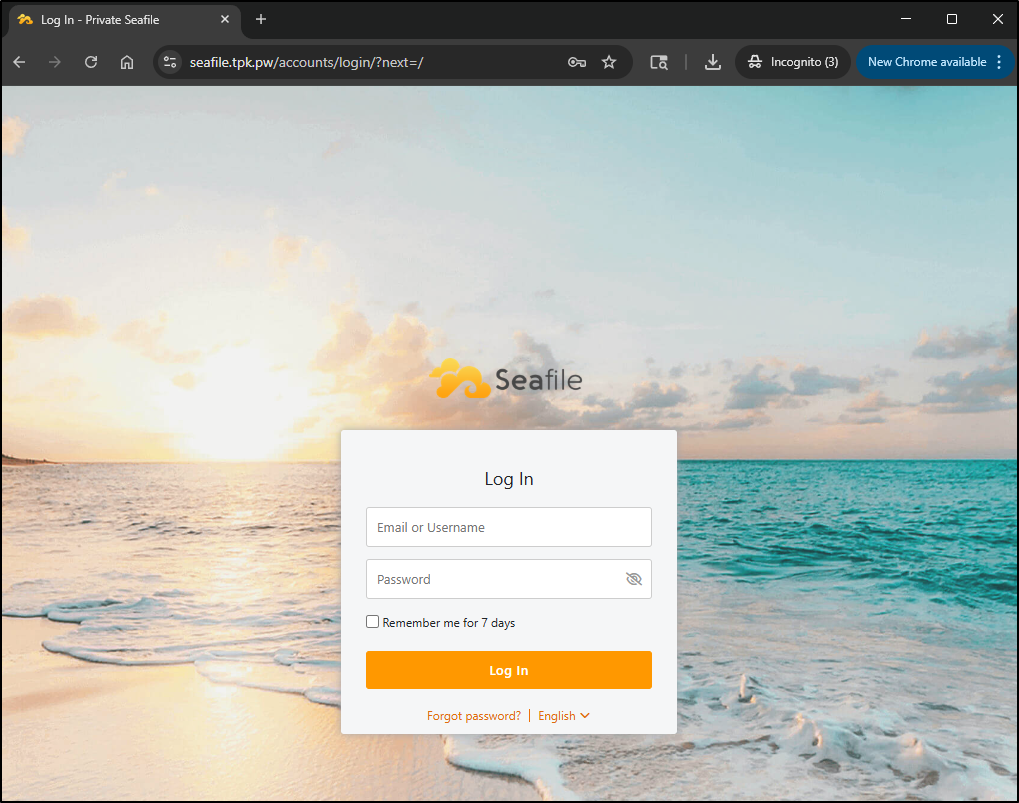
But just as before, it failed to upload any file of even moderate size
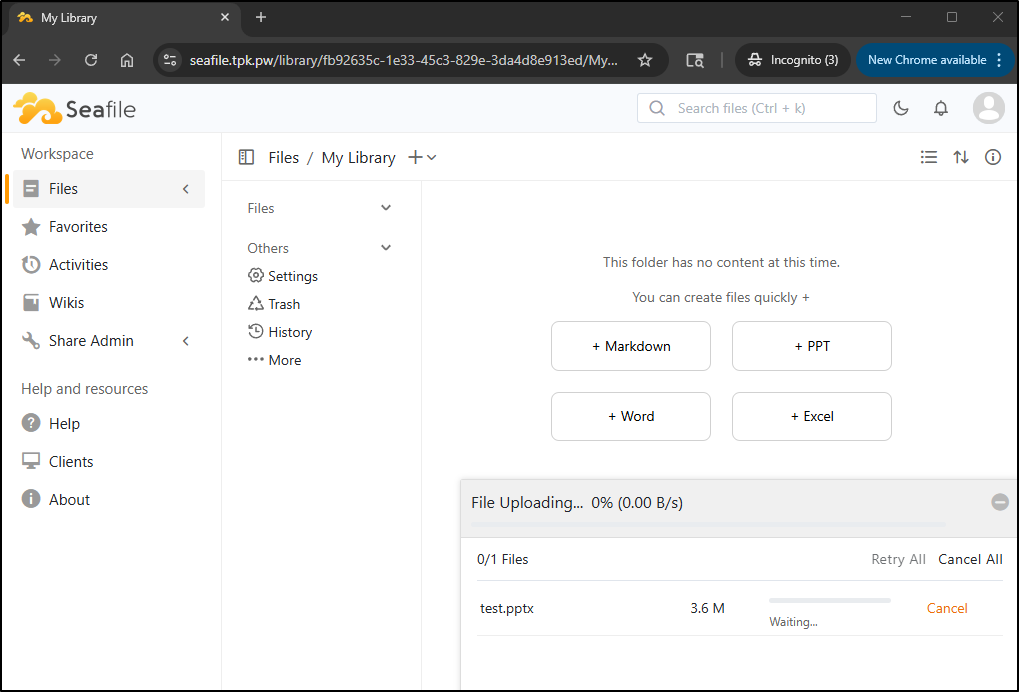
and there are no crashes nor anything in the logs
builder@DESKTOP-QADGF36:~/Workspaces/Seafile$ kubectl get po -n seafile
NAME                        READY   STATUS    RESTARTS   AGE
mariadb-86dbcfffb-hhr8h     1/1     Running   0          42m
memcached-d45ccfcd7-qjgwv   1/1     Running   0          42m
redis-5bb476f74b-pqfmq      1/1     Running   0          34m
seafile-5b4dbf44b6-7b28j    1/1     Running   0          34m
builder@DESKTOP-QADGF36:~/Workspaces/Seafile$ kubectl logs seafile-5b4dbf44b6-7b28j -n seafile
*** Running /etc/my_init.d/01_create_data_links.sh...
*** Booting runit daemon...
*** Runit started as PID 14
*** Running /scripts/enterpoint.sh...
2026-03-30 07:32:04 Waiting Nginx
nginx: [warn] conflicting server name "" on 0.0.0.0:80, ignored
2026-03-30 07:32:04 Nginx ready
2026-03-30 07:32:04 This is an idle script (infinite loop) to keep container running.
nginx: [warn] conflicting server name "" on 0.0.0.0:80, ignored
[2026-03-30 07:32:04] Skip running setup-seafile-mysql.py because there is existing seafile-data folder.
[03/30/2026 07:32:04][upgrade]: The container was recreated, start fix the media symlinks
mv: not replacing '/shared/seafile/seahub-data/avatars/default-non-register.jpg'
mv: not replacing '/shared/seafile/seahub-data/avatars/default.png'
mv: not replacing '/shared/seafile/seahub-data/avatars/groups'
[03/30/2026 07:32:04][upgrade]: Done

Starting seafile server, please wait ...
Seafile server started

Done.

Starting seahub at port 8000 ...


----------------------------------------
Successfully created seafile admin
----------------------------------------


Seahub is started

Done.
I think at this point I’m done with Seafile
SaaS
There is a hosted edition one can use
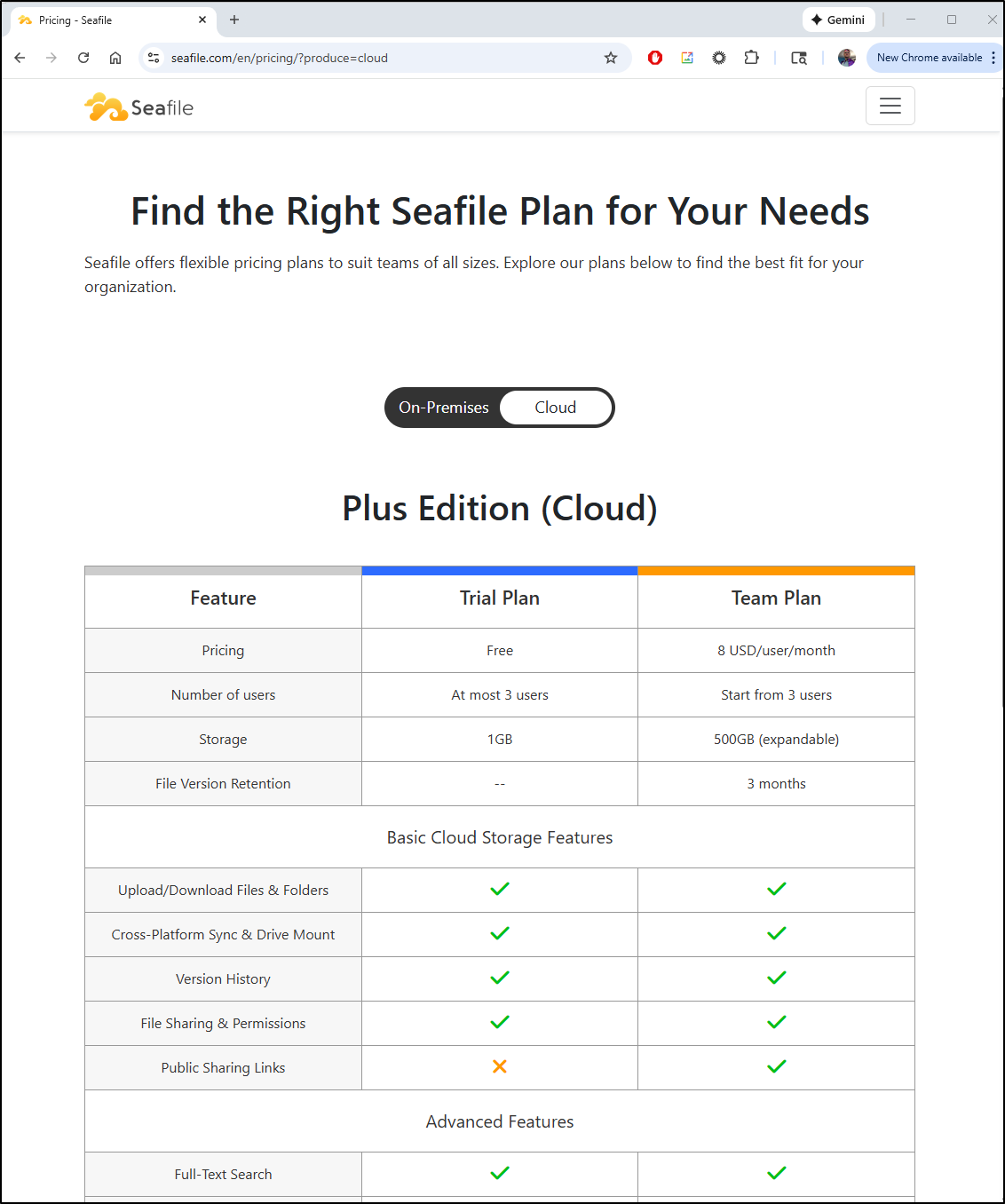
You can store at most 1Gb, but it’s easy to register.
That said, I don’t think I’ll pursue the SaaS for now
Summary
Dynacat was easy to install and use. Much like its upstream glance, it does a good job of creating a landing page. It was easy to self host at https://dynacat.tpk.pw/. I tweaked it a bit for some YT feeds, stocks and services. I may circle back and do more but in truth, I’m not much of a landing page person.
Seafile started okay, but quickly fell down on any file of size. I tried many different options - from Docker to Kubernetes. The company itself is based in China and Singapore and has been around since 2012 so perhaps there are just bugs with this latest version as it’s less than a month old.
