

Published: Dec 4, 2025 by Isaac Johnson
Today we will look at the latest version of FossFlow which has a number of improvements including linking and image export options. It also has some new language support for Spanish, Portugues, French, Hindi, Bengali, and Russian.
I’ll also use Google Antigravity to add some features I would like to see.
FossFlow
As we can see, I have a current diagram from the last blog post (and surprisingly no one messed with it). This is FossFlow 1.0.5
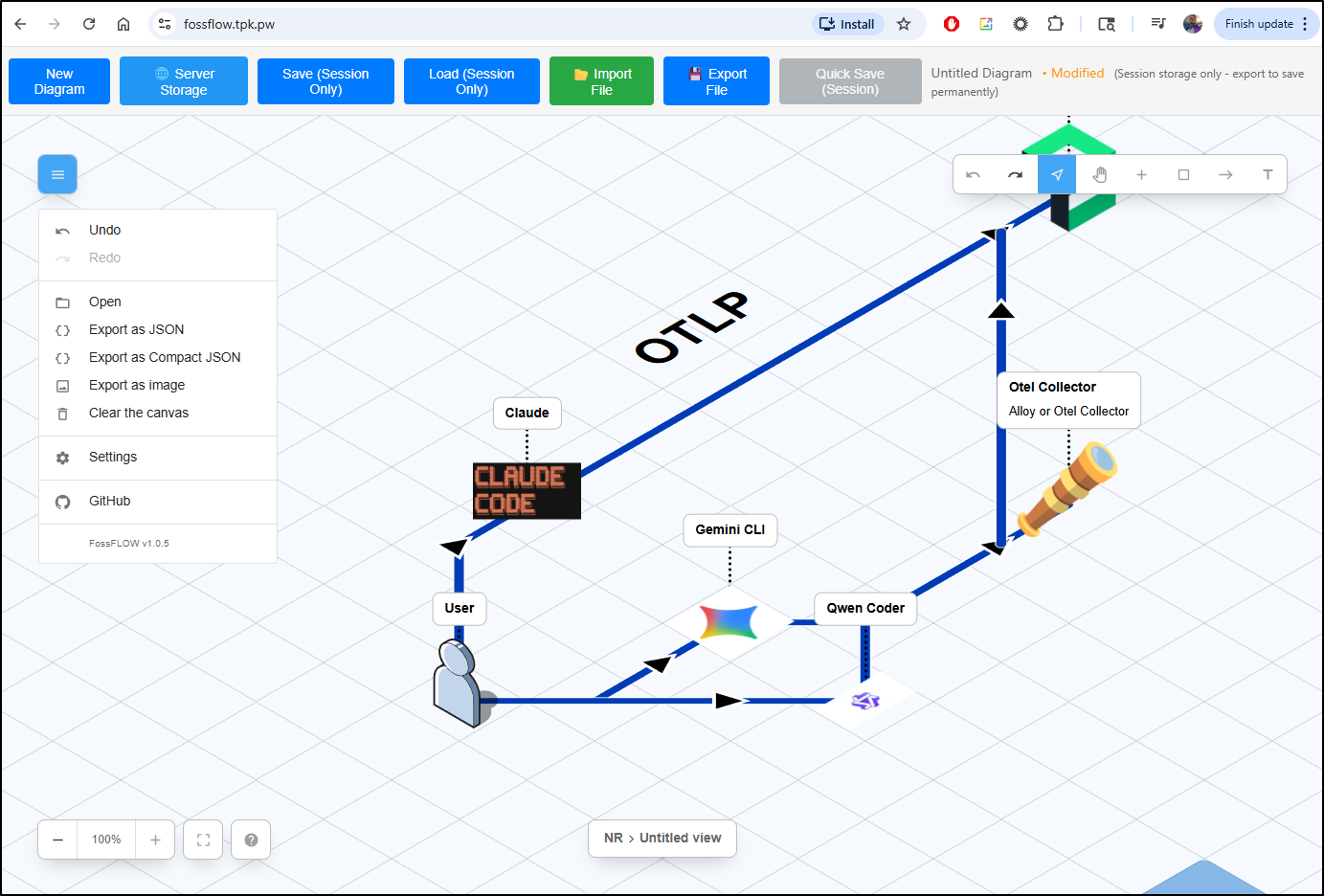
Since the deployment has an imagepullpolicy of always and we used “latest”, I should be able to just rotate the pod to get the latest version
$ kubectl get deployment fossflow -o yaml | grep image
      {"apiVersion":"apps/v1","kind":"Deployment","metadata":{"annotations":{},"name":"fossflow","namespace":"default"},"spec":{"replicas":1,"selector":{"matchLabels":{"app":"fossflow"}},"template":{"metadata":{"labels":{"app":"fossflow"}},"spec":{"containers":[{"image":"stnsmith/fossflow:latest","name":"fossflow","ports":[{"containerPort":80}],"volumeMounts":[{"mountPath":"/data/diagrams","name":"diagrams"}]}],"volumes":[{"name":"diagrams","persistentVolumeClaim":{"claimName":"fossflow-diagrams-pvc"}}]}}}}
      - image: stnsmith/fossflow:latest
        imagePullPolicy: Always
$ kubectl get po | grep foss
fossflow-78666fdbbb-xlx64                            1/1     Running            5 (12d ago)        78d
$ kubectl delete po fossflow-78666fdbbb-xlx64
pod "fossflow-78666fdbbb-xlx64" deleted
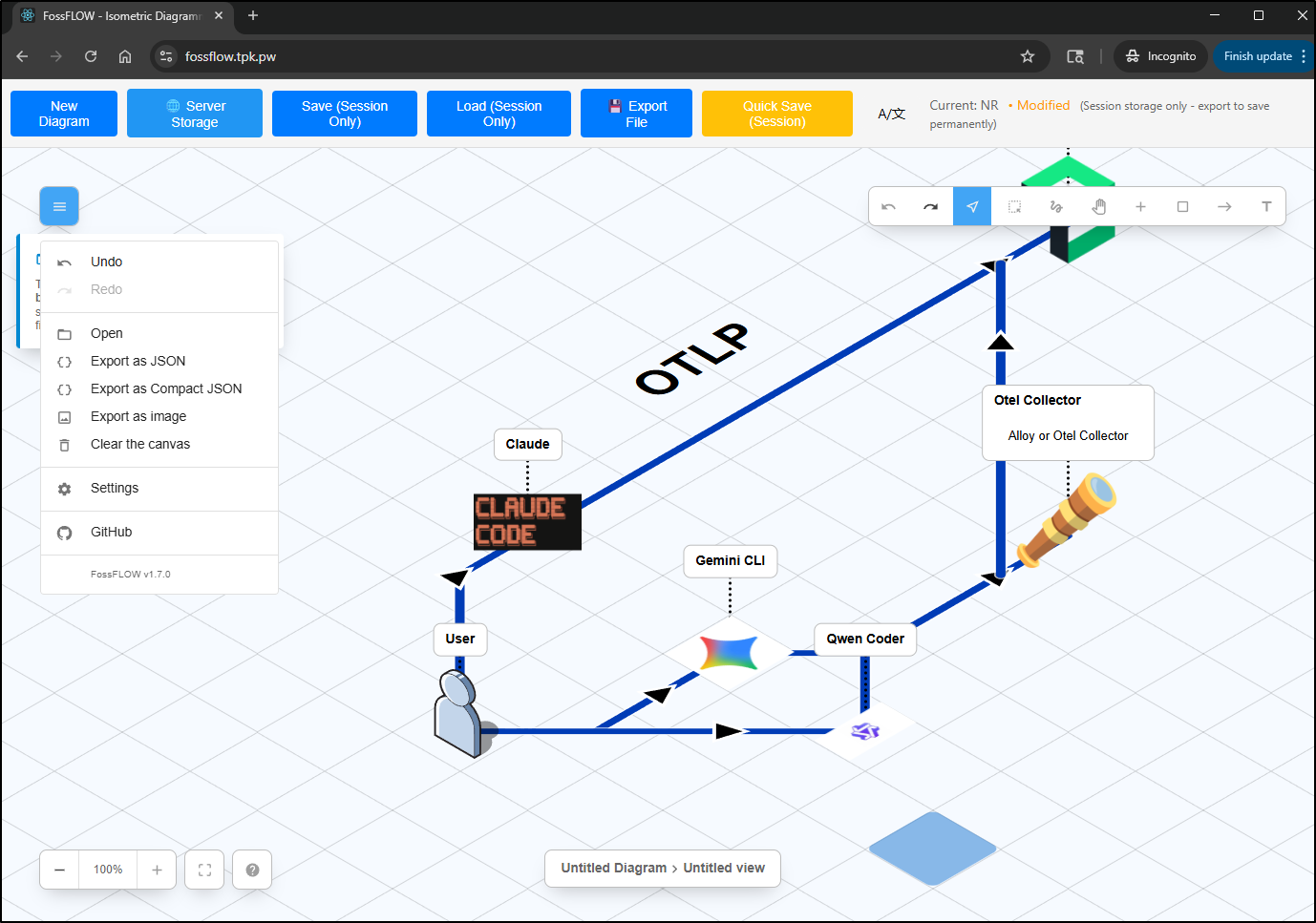
I noticed Chrome cached the webapp, but using an incognito browser showed it had updated to a fresh version
Icon imports
Let’s start by updating a diagram to add an imported Icon
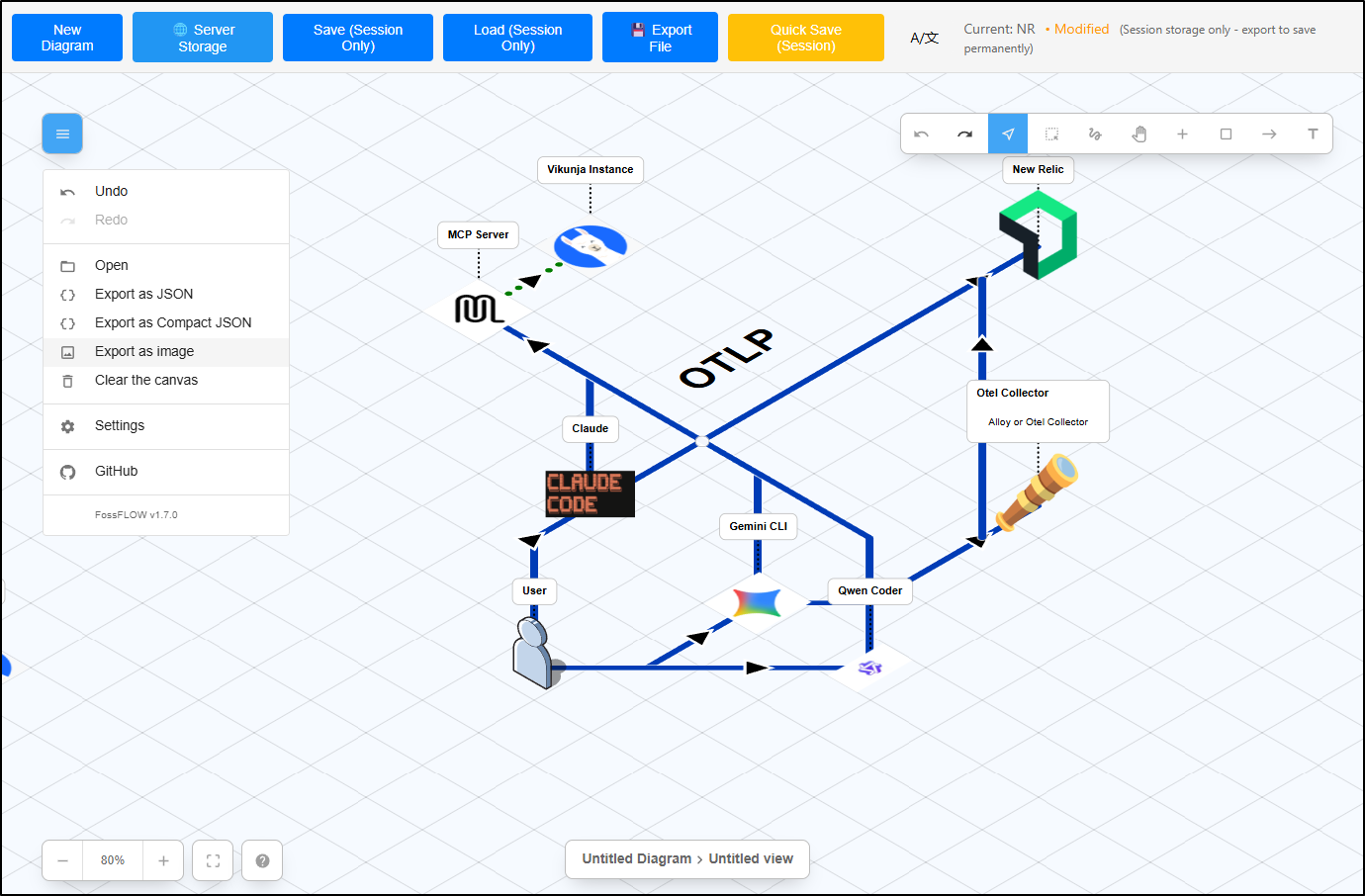
Next, while a small feature, one I really appreciate is that we can create links with just a simple click of the first item to the second. No needing to click and hold (which on some of my devices, just didn’t work well)
This makes it easy to add and link to custom icons
Lastly, a feature added shortly after I started using FossFlow was image export
We can now crop to the area of interest
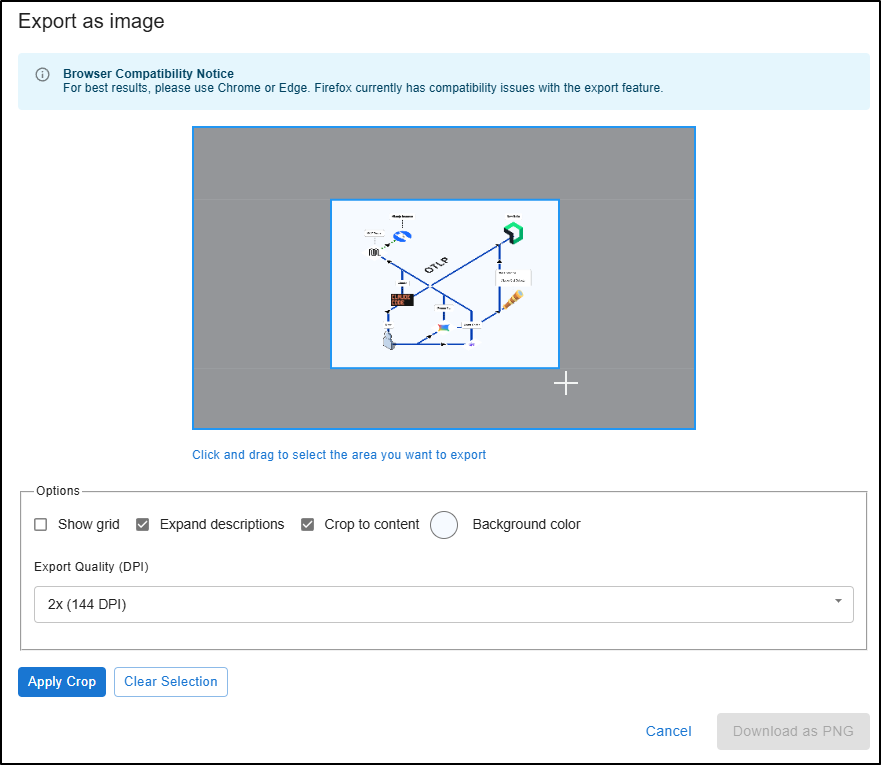
and even set our DPI
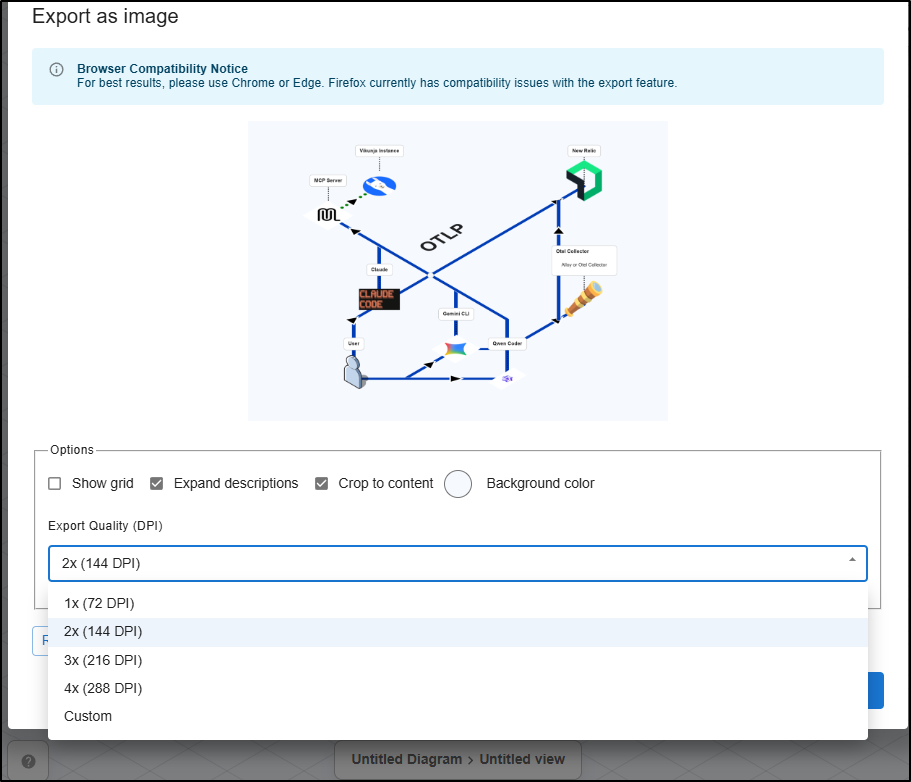
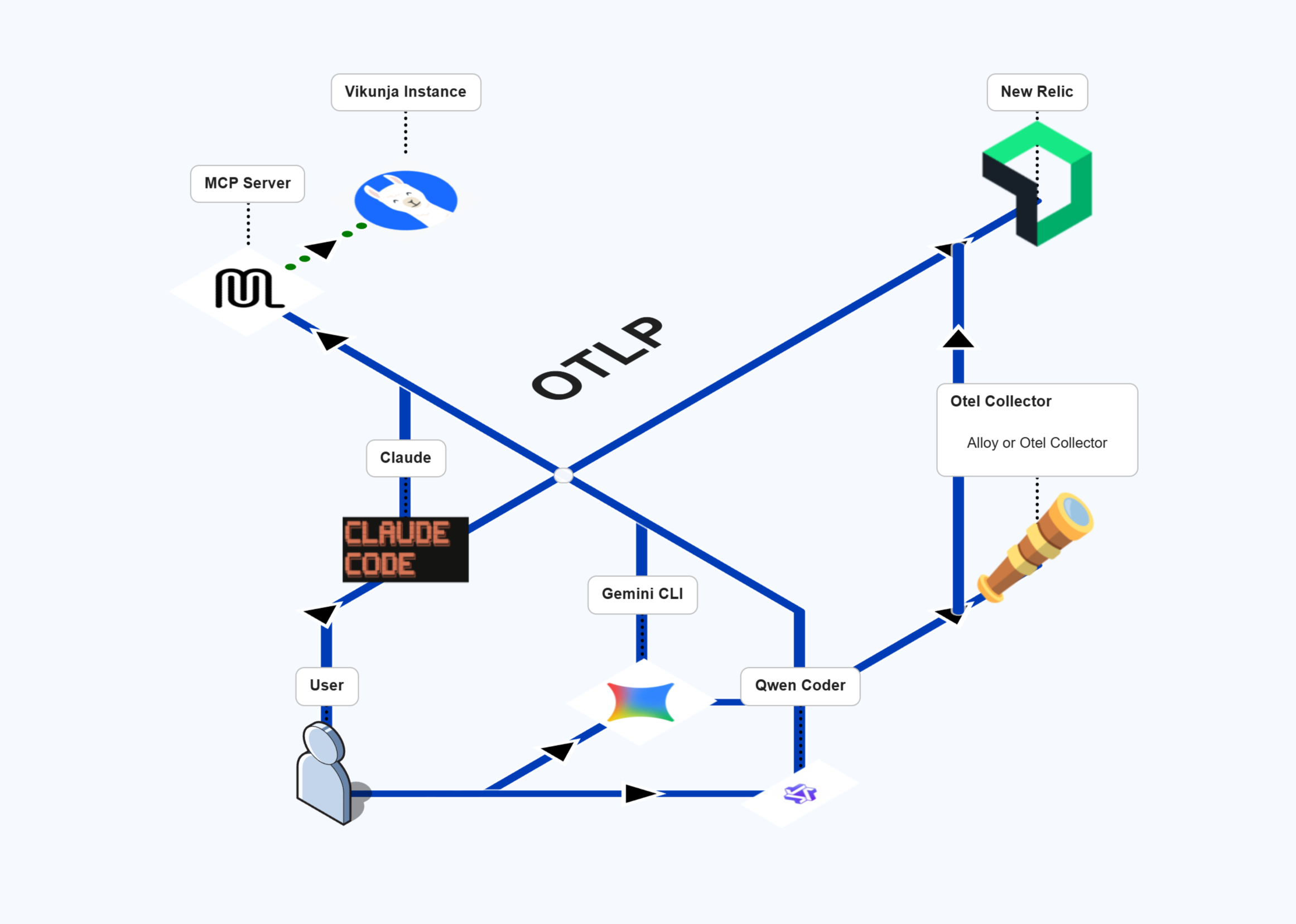
Here it is a 144Dpi as shown above
Setup
If you want to setup FossFlow yourself, just checkout the bottom half of the post from August as the steps have not changed.
Examples
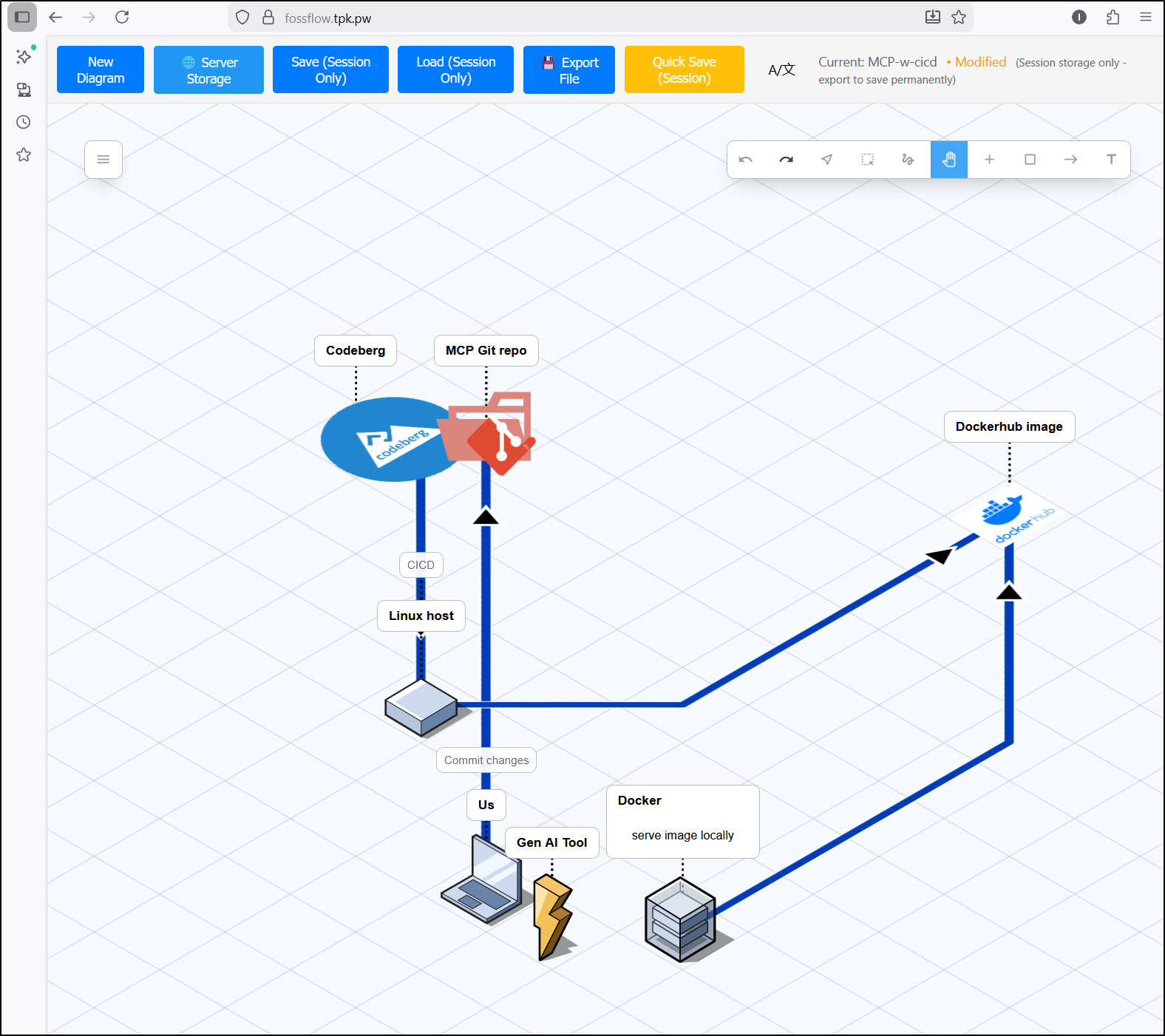
For a talk I gave recently, I wanted some diagrams to show the ways we can launch and run an MCP server
First, there was saving code to Codeberg and just running locally, possibly pushing our image to a dockerhub for safe keeping
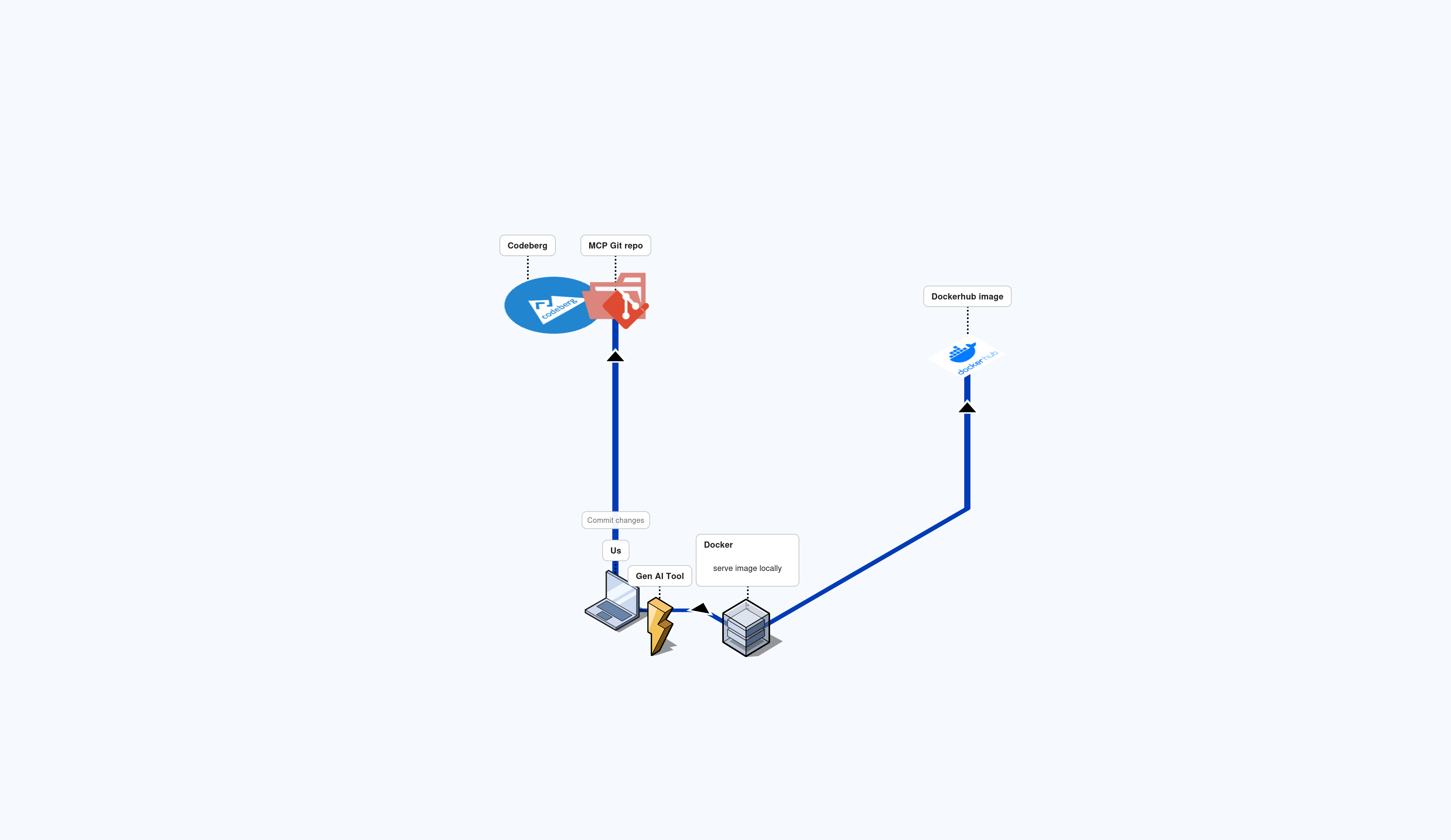
However, when I went to export as an image, I found it moved some items around (this was 2x DPI)
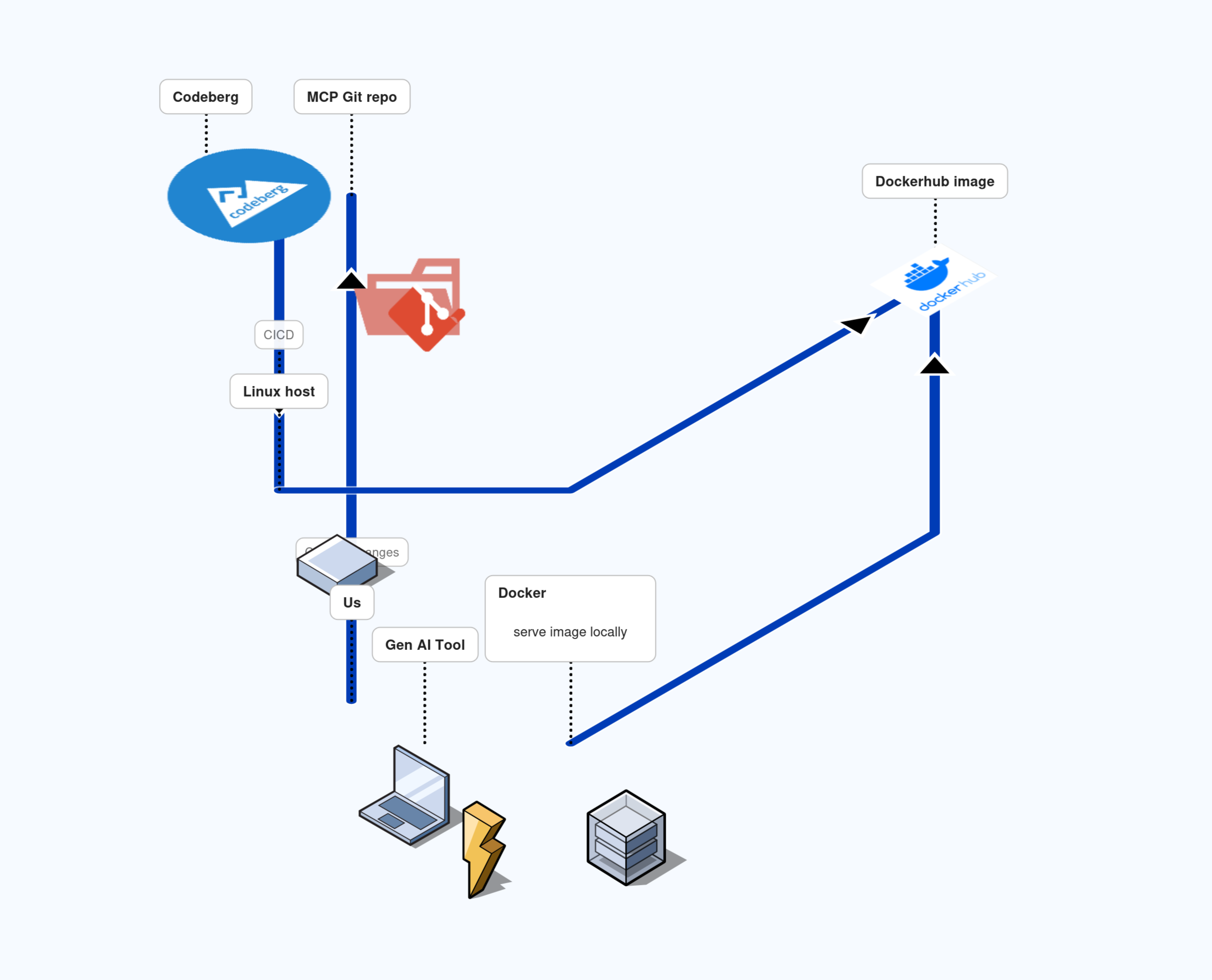
Followup: testing again on my Windows host showed no issues. So maybe the crop and export has some particular issues on Ubuntu 25.04

However, when, later on a different host, I load from server storage, it shows it correctly
I tried to see if MidJourney could do a nice transition – it clearly did not work. It was bad enough to merit showing yall
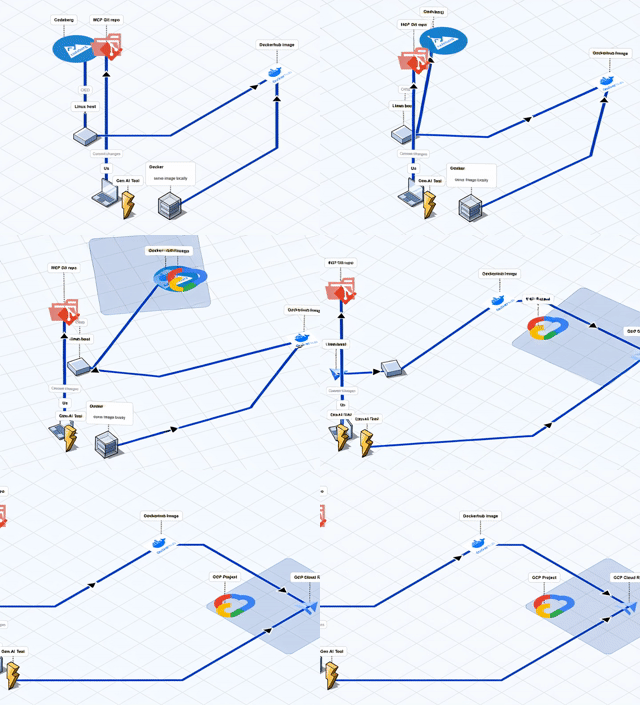
However, I decided to burn some credits with Veo3 and it was wonderfully creative (sound effects are theirs)
AI Updates with Antigravity
Let’s give Google Antigravity a shot. Because we have a CONTRIBUTING.md, we’ll make sure to reference it.
Here is the prompt
Paying attention to the coding standards in @CONTRIBUTING.md for “Code Standards”, please implement a new feature that would allow us to save the active diagram as a brand new server file. Presently the save as feature overwrites the last saved name and I want a feature that allows us to save it as a brand new thing.
We can see the full plan:

I built the dockerfile (as the npm run dev wont do server storage) and gave it a try.
I first saved a smaller version as “Chuckles”, the went to save this one as new
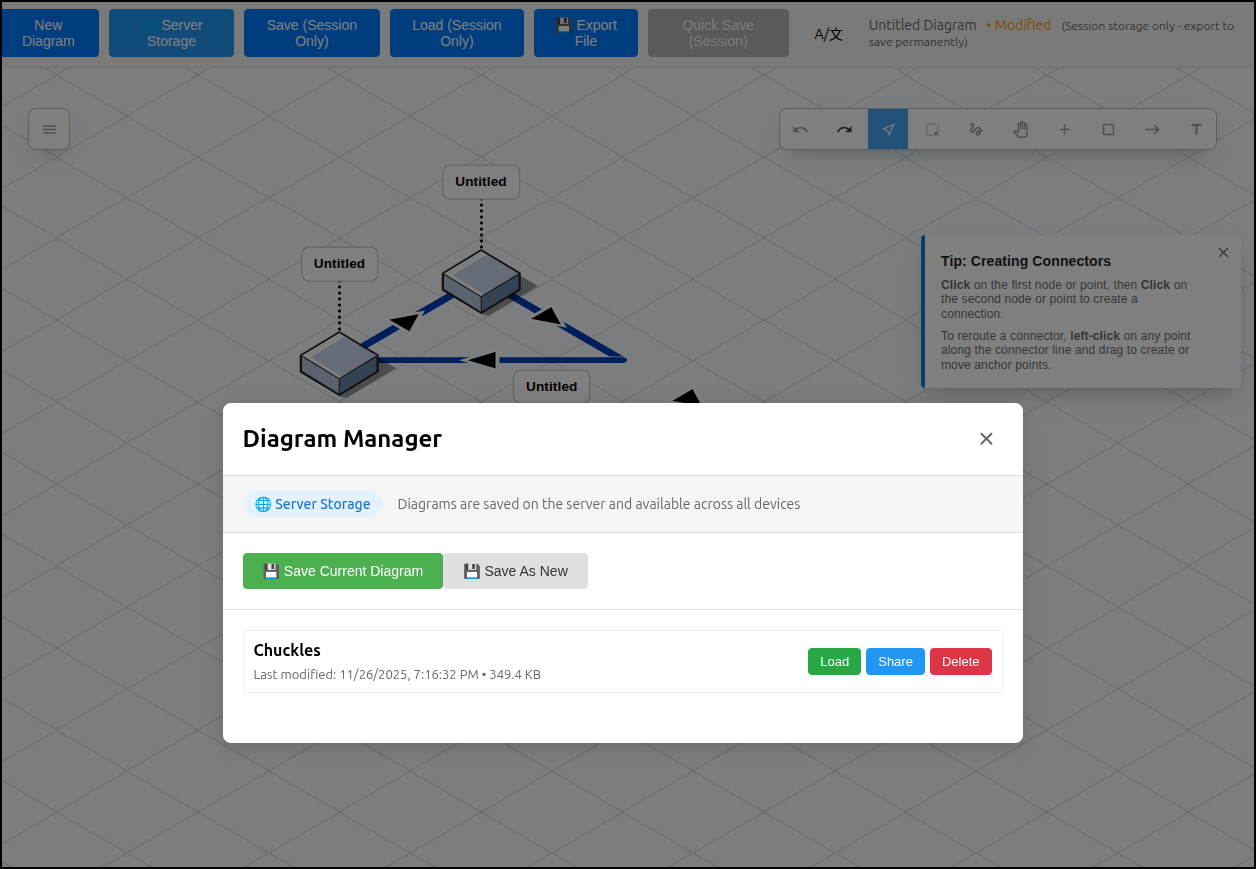
I gave it a name

I can see both on the sever storage

but I should try switching between them
As you see, it did work - though there is still a bit of session caching or something going on - but I’ve had that always. The point was the freshly launched Firefox browser was able to pull both copies.
Duplicate button
That worked great. Let’s add another feature:
Paying attention to the coding standards in @CONTRIBUTING.md for “Code Standards”, please implement a new feature that would allow us to copy/clone an existing saved server diagram. There should be an appropriate duplicate button that results in a copy with “ (copy)” added to the name on the server.
Let’s see if works:
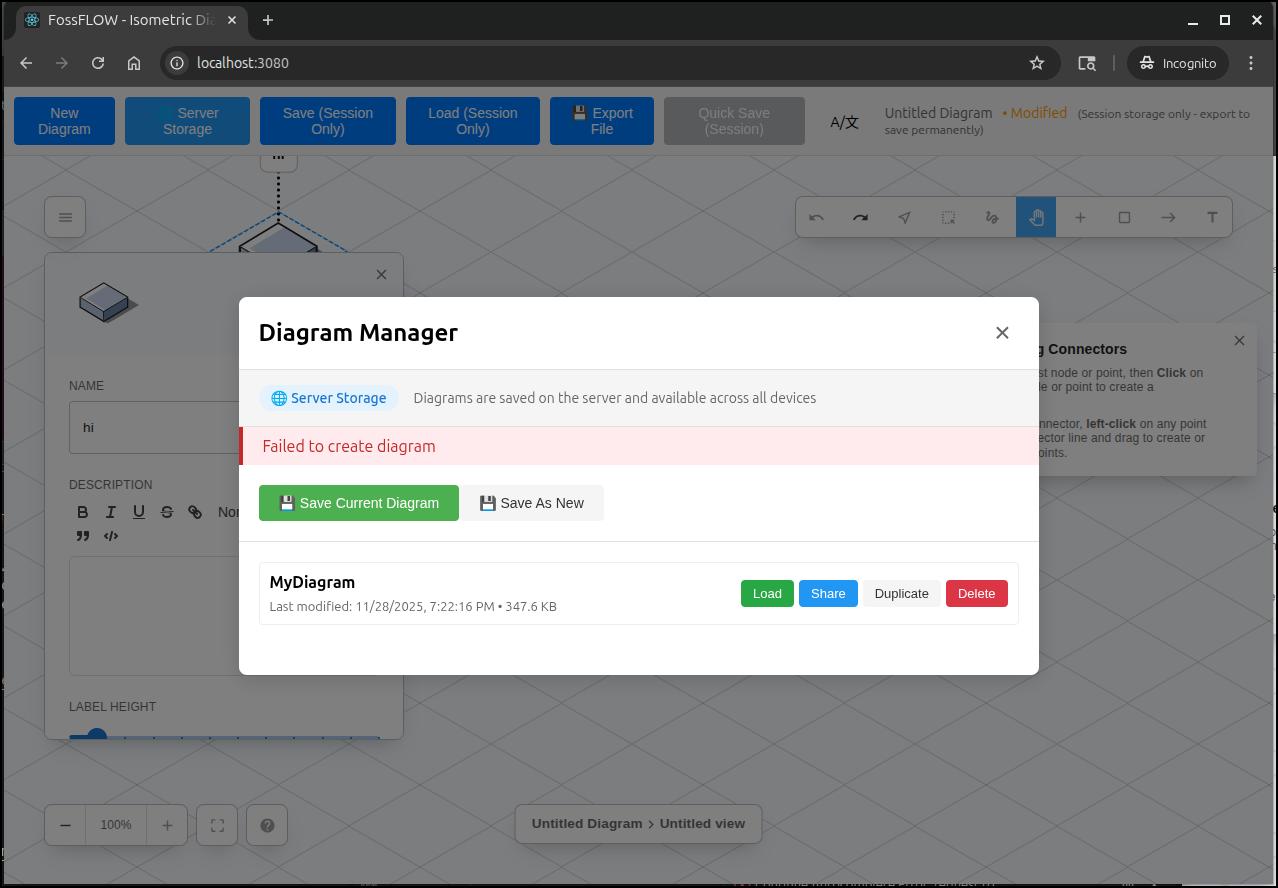
I gave the errors and it suggested an ID collision

I had one bad page with blank output, but the next run worked!
My last step is to offer my fork back to the repo owner as a PR
Soon after, he replied and suggested it get tested a bit before consideration. This is a fair point.
So I did a local build and push to Dockerhub
(myenv) builder@DESKTOP-QADGF36:~/Workspaces/FossFLOW$ docker build -t idjohnson/fossflow:newsave1 .
[+] Building 127.4s (24/24) FINISHED                                                                     docker:default
 => [internal] load build definition from Dockerfile                                                               0.0s
 => => transferring dockerfile: 1.42kB                                                                             0.0s
 => [internal] load metadata for docker.io/library/node:22-alpine                                                  0.9s
 => [internal] load metadata for docker.io/library/node:22                                                         1.5s
 => [auth] library/node:pull token for registry-1.docker.io                                                        0.0s
 => [internal] load .dockerignore                                                                                  0.0s
 => => transferring context: 144B                                                                                  0.0s
 => [build 1/9] FROM docker.io/library/node:22@sha256:4ad2c2b350ab49fb637ab40a269ffe207c61818bb7eb3a4ea122001a0c  38.7s
 => => resolve docker.io/library/node:22@sha256:4ad2c2b350ab49fb637ab40a269ffe207c61818bb7eb3a4ea122001a0c605e1f   0.0s
 => => sha256:4ad2c2b350ab49fb637ab40a269ffe207c61818bb7eb3a4ea122001a0c605e1f 6.41kB / 6.41kB                     0.0s
 => => sha256:044e042b582a6770ef915a819ba2098294c80720e6b01367fcc0416fb3fa43f3 2.49kB / 2.49kB                     0.0s
 => => sha256:f16655caad09cf8b36d045a8b39157a02d65afd0e421621ea753037bf262a2f9 6.74kB / 6.74kB                     0.0s
 => => sha256:708274aafe49b02dddc66f97a5c45bb0b8fcf481ce6b43785b11f287fd4e4e1b 48.48MB / 48.48MB                   4.3s
 => => sha256:8cdff261ed5cee6fd4e729e68c2831a0abc6c7c017569ab45dfd2240bcc3712d 24.03MB / 24.03MB                   2.5s
 => => sha256:078b2eece9b24f617524f986db4dd04f977e3e7d6fe15a9088a584147bc6ba05 64.40MB / 64.40MB                   5.3s
 => => sha256:a1208d53eb0667932469017a5ef3960e5ed2aea9143d62b983abe2f8593eeb9a 211.46MB / 211.46MB                13.2s
 => => sha256:362e190e81e394ad7873a548e78384bcf0a9daacdf35452a55ebc374a3fd6a52 3.33kB / 3.33kB                     4.5s
 => => extracting sha256:708274aafe49b02dddc66f97a5c45bb0b8fcf481ce6b43785b11f287fd4e4e1b                          5.6s
 => => sha256:90ee3f3f5efa419ff7251752dbd7a19d238966e999bf781692465663c1b27b7e 58.32MB / 58.32MB                   8.5s
 => => sha256:492322b340464242117fbad7689f992029de225efb1e68be0d27fe914b9ee433 1.25MB / 1.25MB                     5.7s
 => => sha256:fb630f06ead679c1ccef31f14b1303a611b4692157374142ba3aa10f288d5ca4 446B / 446B                         5.9s
 => => extracting sha256:8cdff261ed5cee6fd4e729e68c2831a0abc6c7c017569ab45dfd2240bcc3712d                          1.3s
 => => extracting sha256:078b2eece9b24f617524f986db4dd04f977e3e7d6fe15a9088a584147bc6ba05                          5.9s
 => => extracting sha256:a1208d53eb0667932469017a5ef3960e5ed2aea9143d62b983abe2f8593eeb9a                         14.4s
 => => extracting sha256:362e190e81e394ad7873a548e78384bcf0a9daacdf35452a55ebc374a3fd6a52                          0.0s
 => => extracting sha256:90ee3f3f5efa419ff7251752dbd7a19d238966e999bf781692465663c1b27b7e                          5.5s
 => => extracting sha256:492322b340464242117fbad7689f992029de225efb1e68be0d27fe914b9ee433                          0.1s
 => => extracting sha256:fb630f06ead679c1ccef31f14b1303a611b4692157374142ba3aa10f288d5ca4                          0.0s
 => [internal] load build context                                                                                  0.2s
 => => transferring context: 2.46MB                                                                                0.2s
 => CACHED [stage-1 1/8] FROM docker.io/library/node:22-alpine@sha256:b2358485e3e33bc3a33114d2b1bdb18cdbe4df01bd2  0.0s
 => [stage-1 2/8] RUN apk add --no-cache nginx                                                                     3.1s
 => [build 2/9] WORKDIR /app                                                                                       1.7s
 => [build 3/9] COPY package*.json ./                                                                              0.0s
 => [build 4/9] COPY packages/fossflow-lib/package*.json ./packages/fossflow-lib/                                  0.0s
 => [build 5/9] COPY packages/fossflow-app/package*.json ./packages/fossflow-app/                                  0.0s
 => [build 6/9] RUN npm install -g npm@11.5.2                                                                     11.2s
 => [build 7/9] RUN npm install                                                                                   41.6s
 => [build 8/9] COPY . .                                                                                           0.1s
 => [build 9/9] RUN npm run build:lib && npm run build:app                                                        30.0s
 => [stage-1 3/8] COPY --from=build /app/packages/fossflow-backend /app/packages/fossflow-backend                  0.0s
 => [stage-1 4/8] COPY --from=build /app/packages/fossflow-app/build /usr/share/nginx/html                         0.1s
 => [stage-1 5/8] COPY nginx.conf /etc/nginx/http.d/default.conf                                                   0.0s
 => [stage-1 6/8] COPY docker-entrypoint.sh /docker-entrypoint.sh                                                  0.0s
 => [stage-1 7/8] RUN chmod +x /docker-entrypoint.sh                                                               0.3s
 => [stage-1 8/8] RUN mkdir -p /data/diagrams                                                                      0.4s
 => exporting to image                                                                                             0.2s
 => => exporting layers                                                                                            0.1s
 => => writing image sha256:1b0c83ed144b39c8b3c10667146a96003321a0458c36ce051a3d2a6a6a834ce1                       0.0s
 => => naming to docker.io/idjohnson/fossflow:newsave1                                                             0.0s
(myenv) builder@DESKTOP-QADGF36:~/Workspaces/FossFLOW$ docker push idjohnson/fossflow:newsave1
The push refers to repository [docker.io/idjohnson/fossflow]
935fdc906692: Pushed
01d93b5c012d: Pushed
e75df34692d7: Pushed
4a5668517a84: Pushed
a7093df97531: Pushed
ef3738c7377a: Pushed
8cded90e1ebd: Pushed
77d31d00e82a: Mounted from library/node
7b2297ff8abe: Mounted from library/node
af8869b020fb: Mounted from library/node
256f393e029f: Mounted from library/nginx
newsave1: digest: sha256:2f18ba8393ad75e6f7b3cafb01ba0f10d93259705d9e0b109dcd8b6528a65925 size: 2615
(myenv) builder@DESKTOP-QADGF36:~/Workspaces/FossFLOW$
I then swapped out the standard image for my new build
(myenv) builder@DESKTOP-QADGF36:~/Workspaces/FossFLOW$ kubectl get deployments -A | grep -i foss
default                 fossflow                            1/1     1            1           97d
(myenv) builder@DESKTOP-QADGF36:~/Workspaces/FossFLOW$ kubectl get deployment fossflow -o yaml | grep -i image
      {"apiVersion":"apps/v1","kind":"Deployment","metadata":{"annotations":{},"name":"fossflow","namespace":"default"},"spec":{"replicas":1,"selector":{"matchLabels":{"app":"fossflow"}},"template":{"metadata":{"labels":{"app":"fossflow"}},"spec":{"containers":[{"image":"stnsmith/fossflow:latest","name":"fossflow","ports":[{"containerPort":80}],"volumeMounts":[{"mountPath":"/data/diagrams","name":"diagrams"}]}],"volumes":[{"name":"diagrams","persistentVolumeClaim":{"claimName":"fossflow-diagrams-pvc"}}]}}}}
      - image: stnsmith/fossflow:latest
        imagePullPolicy: Always
(myenv) builder@DESKTOP-QADGF36:~/Workspaces/FossFLOW$ kubectl edit deployment fossflow
deployment.apps/fossflow edited
(myenv) builder@DESKTOP-QADGF36:~/Workspaces/FossFLOW$ kubectl get po | grep -i foss
fossflow-57d986dccc-dw8b5                            1/1     Running            0                  10s
fossflow-78666fdbbb-tzcd7                            1/1     Terminating        0                  4d20h
(myenv) builder@DESKTOP-QADGF36:~/Workspaces/FossFLOW$ kubectl get deployment fossflow -o yaml | grep -i image
      {"apiVersion":"apps/v1","kind":"Deployment","metadata":{"annotations":{},"name":"fossflow","namespace":"default"},"spec":{"replicas":1,"selector":{"matchLabels":{"app":"fossflow"}},"template":{"metadata":{"labels":{"app":"fossflow"}},"spec":{"containers":[{"image":"stnsmith/fossflow:latest","name":"fossflow","ports":[{"containerPort":80}],"volumeMounts":[{"mountPath":"/data/diagrams","name":"diagrams"}]}],"volumes":[{"name":"diagrams","persistentVolumeClaim":{"claimName":"fossflow-diagrams-pvc"}}]}}}}
      - image: idjohnson/fossflow:newsave1
        imagePullPolicy: Always
We can now see it’s live

Summary
Today we looked at the latest version of FossFlow and found some features (like icon import) work great and some (like variable DPI resolution) sometimes mess up the generated saved image. However, I do not see that as a blocking issue (as I can just screenshot the webapp myself).
In using FossFlow, I often find the need to create a few variations of an idea or diagram. I used Google’s new Antigravity tool to update the apllication and fix any issues. This now has a Duplication option on saved images as well as a “save as new” option to save the current version out as a new server diagram.
