I last looked at the OS version of Mattermost back in 2024 and over time people wanted a more open-source native fork. Antimatter forked from mattermost back in Sept of this year but is very active with 1338 commits since forking as of writing.
Let’s see what is new by firing this up locally with a local build…
Antimatter
Let’s clone
isaac@isaac-G707:~/Workspaces$ git clone https://github.com/AntimatterChat/antimatter-docker.git
Cloning into 'antimatter-docker'...
remote: Enumerating objects: 195, done.
remote: Counting objects: 100% (195/195), done.
remote: Compressing objects: 100% (90/90), done.
remote: Total 195 (delta 98), reused 178 (delta 81), pack-reused 0 (from 0)
Receiving objects: 100% (195/195), 79.34 KiB | 1.53 MiB/s, done.
Resolving deltas: 100% (98/98), done.
isaac@isaac-G707:~/Workspaces$ cd antimatter-docker/
isaac@isaac-G707:~/Workspaces/antimatter-docker$
I tried local builds by cloning various Antimatter repos but high a roadblock with metrics
isaac@isaac-G707:~/Workspaces$ git clone https://github.com/Antimatterchat-Community/antimatter-plugin-jira.git
Cloning into 'antimatter-plugin-jira'...
remote: Enumerating objects: 7507, done.
remote: Counting objects: 100% (447/447), done.
remote: Compressing objects: 100% (322/322), done.
remote: Total 7507 (delta 330), reused 130 (delta 124), pack-reused 7060 (from 3)
Receiving objects: 100% (7507/7507), 7.03 MiB | 16.86 MiB/s, done.
Resolving deltas: 100% (4934/4934), done.
isaac@isaac-G707:~/Workspaces$ cd antimatter-docker/
isaac@isaac-G707:~/Workspaces/antimatter-docker$ SOURCES=local scripts/build-all.sh
==> fetching server (file:///home/isaac/Workspaces/antimatter @ HEAD)
    1e9300c9 Server: use range-over-int in the new attachment tests
==> fetching agents (file:///home/isaac/Workspaces/antimatter-plugin-agents @ HEAD)
    e19d633 Agents panel: add a regression test for the unreads-since fix
==>     tagged v2.8.0
==> fetching calls (file:///home/isaac/Workspaces/antimatter-plugin-calls @ HEAD)
    a6e4490 Calls webapp: check the permissions request before asking again
==>     tagged v1.12.5
==> fetching github (file:///home/isaac/Workspaces/antimatter-plugin-github @ HEAD)
    9f05bf1 Fix two rebrand slips in the issue footer and a version note
==>     tagged v3.0.0
==> fetching gitlab (file:///home/isaac/Workspaces/antimatter-plugin-gitlab @ HEAD)
    b54fba9 Credit the upstream GitHub plugin in the borrowed-code references
==>     tagged v2.0.0
==> fetching jira (file:///home/isaac/Workspaces/antimatter-plugin-jira @ HEAD)
    1076d05 Jira: drop the instance check left over from the licence gate
==>     tagged v5.0.0
error: local checkout not found: /home/isaac/Workspaces/Antimatter-plugin-metrics
That had a type (should have been lowercase).
I got all the repos cloned down:
Then I could build
#18 150.6               -exec cp {} dist/linux_arm64/antimatter/prepackaged_plugins/ \; ; \
#18 150.6 fi
#18 150.7 cp /src/server/bin/linux_arm64/antimatter /src/server/bin/linux_arm64/amctl dist/linux_arm64/antimatter/bin # from cross-compiled bin dir
#18 151.3 make[1]: Leaving directory '/src/server'
#18 151.3 tar -C dist/linux_arm64/antimatter/.. -czf dist/antimatter-linux-arm64.tar.gz antimatter ../antimatter
#18 159.7 tar: Removing leading `../' from member names
#18 159.7 tar: Removing leading `../' from hard link targets
#18 171.4 rm -rf dist/linux_arm64
#18 171.4 -rw-r--r-- 1 root root 299260379 Oct 27 11:37 dist/antimatter-linux-amd64.tar.gz
#18 171.4 -rw-r--r-- 1 root root 288666298 Oct 27 11:38 dist/antimatter-linux-arm64.tar.gz
#18 DONE 171.5s

#19 [server 1/1] COPY --from=server-build /src/server/dist/*-linux-*.tar.gz /
#19 DONE 0.5s

#20 exporting to client directory
#20 copying files 56.27MB 0.1s
#20 copying files 588.05MB 1.2s done
#20 DONE 1.2s
total 2
-rw-r--r-- 1 isaac isaac 299260379 Oct 27 06:37 antimatter-linux-amd64.tar.gz
-rw-r--r-- 1 isaac isaac 288666298 Oct 27 06:38 antimatter-linux-arm64.tar.gz
error: no signing key: set ANTIMATTER_PLUGIN_SIGNING_KEY or ANTIMATTER_PLUGIN_SIGNING_KEY_FILE
Looks like I need to make a GPG signing key first
$ gpg --batch --passphrase '' --quick-generate-key "My Antimatter Plugin Signing" ed25519 sign never
$ mkdir -p ~/.config/antimatter/plugin-signing
$ gpg --armor --export-secret-keys "My Antimatter Plugin Signing" > ~/.config/antimatter/plugin-signing/private-key.asc
Then set ANTIMATTER_PLUGIN_SIGNING_KEY_FILE to /home/isaac/.config/antimatter/plugin-signing/private-key.asc
$ export ANTIMATTER_PLUGIN_SIGNING_KEY_FILE=/home/isaac/.config/antimatter/plugin-signing/private-key.asc
However, that gave me errors on the key signatures
#17 [server 1/1] COPY --from=server-build /src/server/dist/*-linux-*.tar.gz /
#17 DONE 0.5s

#18 exporting to client directory
#18 copying files 64.21MB 0.1s
#18 copying files 587.98MB 1.1s done
#18 DONE 1.1s
total 233634
-rw-r--r-- 1 isaac isaac 299225506 Oct 27 07:23 antimatter-linux-amd64.tar.gz
-rw-r--r-- 1 isaac isaac 288628018 Oct 27 07:23 antimatter-linux-arm64.tar.gz
error: signing key 4C567E1359ABA193AD17F255F3C8F6BCA3DE3E85 does not match keys/antimatter-plugin-signing.fingerprint (06C8103246770F08BBA778B9E69B05C392A69A45)
One last try
isaac@isaac-G707:~/Workspaces/antimatter-docker$ gpg --batch --passphrase '' --quick-generate-key "My Antimatter Plugin Signing" rsa4096 sign never
gpg: A key for "My Antimatter Plugin Signing" already exists
isaac@isaac-G707:~/Workspaces/antimatter-docker$ FPR=$(gpg --batch --with-colons --list-secret-keys "My Antimatter Plugin Signing" | awk -F: '/^fpr/
    {print $10; exit}')
awk: cmd. line:2:     {print $10; exit}
awk: cmd. line:2:     ^ invalid char '�' in expression
isaac@isaac-G707:~/Workspaces/antimatter-docker$ FPR=$(gpg --batch --with-colons --list-secret-keys "My Antimatter Plugin Signing" | awk -F: '/^fpr/{print $10; exit}')
isaac@isaac-G707:~/Workspaces/antimatter-docker$ kdir -p ~/.config/antimatter/plugin-signing
Command 'kdir' not found, did you mean:
  command 'kdig' from deb knot-dnsutils (3.5.3-2)
  command 'ddir' from deb ddir (2025.0129-5)
  command 'dir' from deb coreutils-from-gnu (0.0.0~ubuntu25)
  command 'dir' from deb coreutils-from-uutils (0.0.0~ubuntu25)
  command 'vdir' from deb coreutils-from-gnu (0.0.0~ubuntu25)
  command 'vdir' from deb coreutils-from-uutils (0.0.0~ubuntu25)
  command 'cdir' from deb cdtool (2.1.8-release-9build1)
  command 'hdir' from deb hfsutils (3.2.6-16ubuntu2)
  command 'mkdir' from deb coreutils-from-gnu (0.0.0~ubuntu25)
  command 'mkdir' from deb coreutils-from-uutils (0.0.0~ubuntu25)
  command 'mkdir' from deb coreutils-from-busybox (0.0.0~ubuntu25)
  command 'mkdir' from deb coreutils-from-toybox (0.0.0~ubuntu25)
  command 'mdir' from deb mtools (4.0.49-1)
Try: sudo apt install <deb name>
isaac@isaac-G707:~/Workspaces/antimatter-docker$ mkdir -p ~/.config/antimatter/plugin-signing
isaac@isaac-G707:~/Workspaces/antimatter-docker$ gpg --armor --export-secret-keys "${FPR}" > ~/.config/antimatter/plugin-signing/private-key.asc
isaac@isaac-G707:~/Workspaces/antimatter-docker$ printf '%s\n' "${FPR}" > keys/antimatter-plugin-signing.fingerprint
isaac@isaac-G707:~/Workspaces/antimatter-docker$ gpg --armor --export "${FPR}" > keys/antimatter-plugin-signing.asc
This time it finally built
...
==> building image ghcr.io/antimatterchat/antimatter:dev
[+] Building 68.8s (29/29) FINISHED                                                                                     docker:default
 => [internal] load build definition from Dockerfile                                                                              0.0s
 => => transferring dockerfile: 4.06kB                                                                                            0.0s
 => resolve image config for docker-image://docker.io/docker/dockerfile:1.7                                                       0.5s
 => [auth] docker/dockerfile:pull token for registry-1.docker.io                                                                  0.0s
 => CACHED docker-image://docker.io/docker/dockerfile:1.7@sha256:a57df69d0ea827fb7266491f2813635de6f17269be881f696fbfdf2d83dda33  0.0s
 => => resolve docker.io/docker/dockerfile:1.7@sha256:a57df69d0ea827fb7266491f2813635de6f17269be881f696fbfdf2d83dda33e            0.0s
 => [internal] load metadata for gcr.io/distroless/base-debian12:latest                                                           0.4s
 => [internal] load metadata for docker.io/library/debian:bookworm-slim                                                           0.5s
 => [auth] library/debian:pull token for registry-1.docker.io                                                                     0.0s
 => [internal] load .dockerignore                                                                                                 0.0s
 => => transferring context: 57B                                                                                                  0.0s
 => [stage-1  1/13] FROM gcr.io/distroless/base-debian12:latest@sha256:fabbf1c0c357a3d42550111351daed089b20a2c954df13ee2fcff6060  1.6s
 => => resolve gcr.io/distroless/base-debian12:latest@sha256:fabbf1c0c357a3d42550111351daed089b20a2c954df13ee2fcff60602515e84     0.0s
 => => sha256:dc0fb75e565a59a5824baedc9645656d17bc91c4b31332ee179580fa9f60eacd 2.51MB / 2.51MB                                    0.5s
 => => sha256:96ed2737ae312e0bc637b40783f7c2f23416cb72ca957aa01855f1614278e64b 143.35kB / 143.35kB                                0.3s
 => => sha256:235c3625d753c5b8a741210c2e7fb26b47a0d02cf49acc631a38dcf847eedf89 4.95MB / 4.95MB                                    0.6s
 => => sha256:dcaa5a89b0ccda4b283e16d0b4d0891cd93d5fe05c6798f7806781a6a2d84354 314B / 314B                                        0.2s
 => => sha256:bf7a4185f01524837d19abde915ffde84e64368b250f5b5e9f6f75aea62a11d4 29.00kB / 29.00kB                                  0.2s
 => => sha256:39dc083afc39bd8dc43d456fe7ff7d39292e593bb2769972c11bb2e5f9119386 445.71kB / 445.71kB                                0.2s
 => => sha256:990a9c434e5e0f11549a8d4a41a1991e621b04e30cd63269adbc97b1dc38fd7e 12.48kB / 12.48kB                                  0.2s
 => => sha256:a5789fc40e828c4e7467626e3f69ec5dea8e5da22fe660db8ae6d16f777b0bbf 83.90kB / 83.90kB                                  0.1s
 => => extracting sha256:a5789fc40e828c4e7467626e3f69ec5dea8e5da22fe660db8ae6d16f777b0bbf                                         0.0s
 => => extracting sha256:990a9c434e5e0f11549a8d4a41a1991e621b04e30cd63269adbc97b1dc38fd7e                                         0.0s
 => => extracting sha256:39dc083afc39bd8dc43d456fe7ff7d39292e593bb2769972c11bb2e5f9119386                                         0.3s
 => => extracting sha256:bf7a4185f01524837d19abde915ffde84e64368b250f5b5e9f6f75aea62a11d4                                         0.0s
 => => extracting sha256:2780920e5dbfbe103d03a583ed75345306e572ec5a48cb10361f046767d9f29a                                         0.0s
 => => extracting sha256:7c12895b777bcaa8ccae0605b4de635b68fc32d60fa08f421dc3818bf55ee212                                         0.0s
 => => extracting sha256:3214acf345c0cc6bbdb56b698a41ccdefc624a09d6beb0d38b5de0b2303ecaf4                                         0.1s
 => => extracting sha256:52630fc75a18675c530ed9eba5f55eca09b03e91bd5bc15307918bbc1a7e7296                                         0.0s
 => => extracting sha256:dd64bf2dd177757451a98fcdc999a339c35dee5d9872d8f4dc69c8f3c4dd0112                                         0.0s
 => => extracting sha256:b839dfae01f66e15c6a8b63520557ed315bdfe036342fa7a0c537259f10d7a9a                                         0.0s
 => => extracting sha256:dcaa5a89b0ccda4b283e16d0b4d0891cd93d5fe05c6798f7806781a6a2d84354                                         0.0s
 => => extracting sha256:96ed2737ae312e0bc637b40783f7c2f23416cb72ca957aa01855f1614278e64b                                         0.0s
 => => extracting sha256:235c3625d753c5b8a741210c2e7fb26b47a0d02cf49acc631a38dcf847eedf89                                         0.1s
 => => extracting sha256:dc0fb75e565a59a5824baedc9645656d17bc91c4b31332ee179580fa9f60eacd                                         0.1s
 => [internal] load build context                                                                                                 2.5s
 => => transferring context: 834.93MB                                                                                             2.4s
 => [builder 1/6] FROM docker.io/library/debian:bookworm-slim@sha256:7ff6ba31527b9e336162fa061746c366c4b2032f4d2cff2078bea43f78e  2.0s
 => => resolve docker.io/library/debian:bookworm-slim@sha256:7ff6ba31527b9e336162fa061746c366c4b2032f4d2cff2078bea43f78efe3f8     0.0s
 => => sha256:11422d7ca1a44390a32bd8d8d9dc5946b4d053b3bbd9507d682e35584ba84a26 28.25MB / 28.25MB                                  0.8s
 => => extracting sha256:11422d7ca1a44390a32bd8d8d9dc5946b4d053b3bbd9507d682e35584ba84a26                                         1.1s
 => [builder 2/6] RUN apt-get update   && DEBIAN_FRONTEND=noninteractive apt-get install --no-install-recommends -y   ca-certif  15.6s
 => [builder 3/6] RUN mkdir -p /opt/doc-libs   && for tool in /usr/bin/pdftotext /usr/bin/wvWare /usr/bin/unrtf /usr/bin/tidy; d  0.3s
 => [builder 4/6] COPY out/server/antimatter-linux-amd64.tar.gz /tmp/server.tar.gz                                                0.4s
 => [builder 5/6] COPY out/plugins/ /tmp/plugins/                                                                                 1.7s
 => [builder 6/6] RUN mkdir -p /tmp/server   && tar -xzf /tmp/server.tar.gz -C /tmp/server   && mv /tmp/server/* /antimatter   &  4.7s
 => [stage-1  2/13] COPY --from=builder /etc/mime.types /etc                                                                      0.0s
 => [stage-1  3/13] COPY --from=builder --chown=2000:2000 /etc/ssl/certs /etc/ssl/certs                                           0.1s
 => [stage-1  4/13] COPY --from=builder /usr/bin/pdftotext /usr/bin/pdftotext                                                     0.0s
 => [stage-1  5/13] COPY --from=builder /usr/bin/wvText /usr/bin/wvText                                                           0.0s
 => [stage-1  6/13] COPY --from=builder /usr/bin/wvWare /usr/bin/wvWare                                                           0.0s
 => [stage-1  7/13] COPY --from=builder /usr/bin/unrtf /usr/bin/unrtf                                                             0.0s
 => [stage-1  8/13] COPY --from=builder /usr/bin/tidy /usr/bin/tidy                                                               0.0s
 => [stage-1  9/13] COPY --from=builder /usr/share/wv /usr/share/wv                                                               0.1s
 => [stage-1 10/13] COPY --from=builder /opt/doc-libs/ /usr/local/lib/doc-tools/                                                  0.0s
 => [stage-1 11/13] COPY --from=builder --chown=2000:2000 /antimatter /antimatter                                                 1.7s
 => [stage-1 12/13] COPY passwd /etc/passwd                                                                                       0.1s
 => [stage-1 13/13] WORKDIR /antimatter                                                                                           0.0s
 => exporting to image                                                                                                           38.9s
 => => exporting layers                                                                                                          30.1s
 => => exporting manifest sha256:c0ec4a138d8290ad24794077e288e7b95901a87259ac1669fcf6ff34e49da754                                 0.0s
 => => exporting config sha256:9da79918b6d087ab42f8d510e8f2265766a42fa5e772abcf73edf1506ff192fd                                   0.0s
 => => exporting attestation manifest sha256:af9d7cc25ffa38f8636ce57681edd0b623c747725e33366e17c89fde1a25003b                     0.0s
 => => exporting manifest list sha256:f65d5837065150f8eae06436458f825cd5fb9a6921f9e95493bb6d56025c77d3                            0.0s
 => => naming to ghcr.io/antimatterchat/antimatter:dev                                                                            0.0s
 => => unpacking to ghcr.io/antimatterchat/antimatter:dev
I can now use docker compose up to test it out with the other necessary containers and volumes
isaac@isaac-G707:~/Workspaces/antimatter-docker$ docker compose -f compose.local.yml up -d
[+] up 50/50
 ✔ Image ghcr.io/antimatterchat/antimatter:latest Pulled                                                                                                                                                                37.6s
 ✔ Image postgres:17-alpine                       Pulled                                                                                                                                                                 5.3s
 ✔ Volume antimatter-local_client-plugins         Created                                                                                                                                                                0.0s
 ✔ Volume antimatter-local_config                 Created                                                                                                                                                                0.0s
 ✔ Network antimatter-local_default               Created                                                                                                                                                                0.0s
 ✔ Volume antimatter-local_logs                   Created                                                                                                                                                                0.0s
 ✔ Volume antimatter-local_plugins                Created                                                                                                                                                                0.0s
 ✔ Volume antimatter-local_postgres               Created                                                                                                                                                                0.0s
 ✔ Volume antimatter-local_data                   Created                                                                                                                                                                0.0s
 ✔ Container antimatter-local-postgres-1          Healthy                                                                                                                                                                6.0s
 ✔ Container antimatter-local-antimatter-1        Started
I can now create a new account on the local version
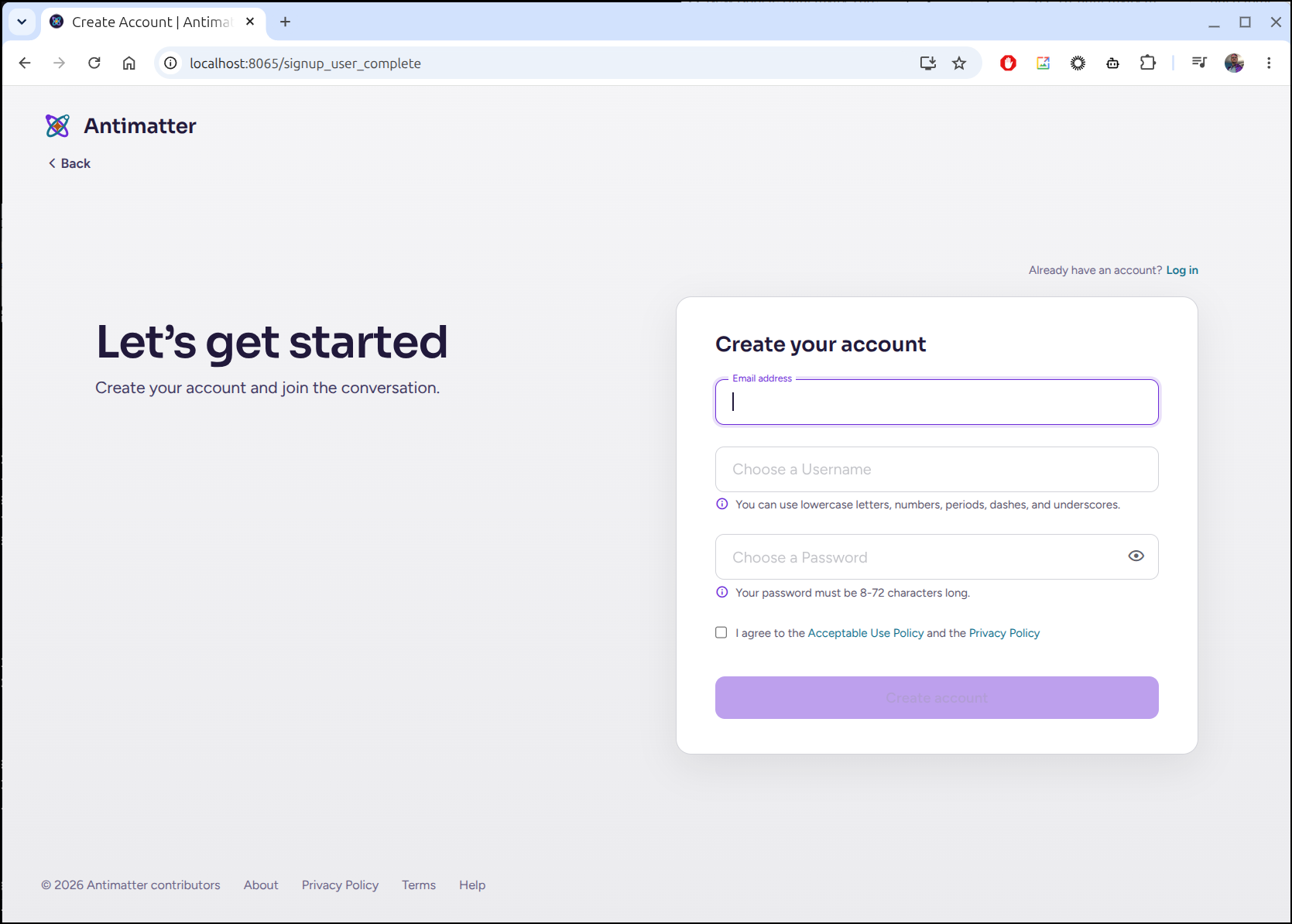
I then create an Organization
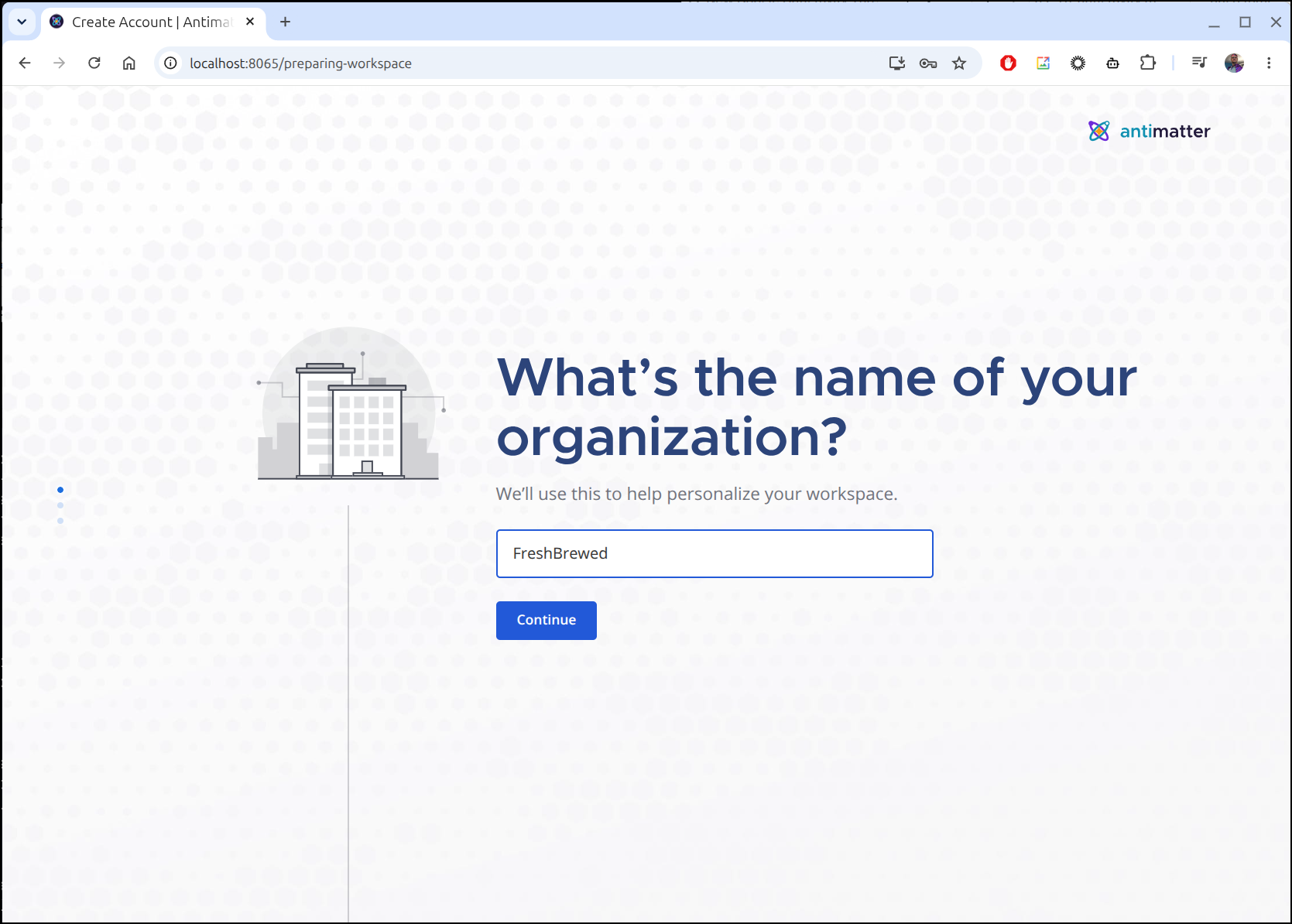
Then we can link tools like Github
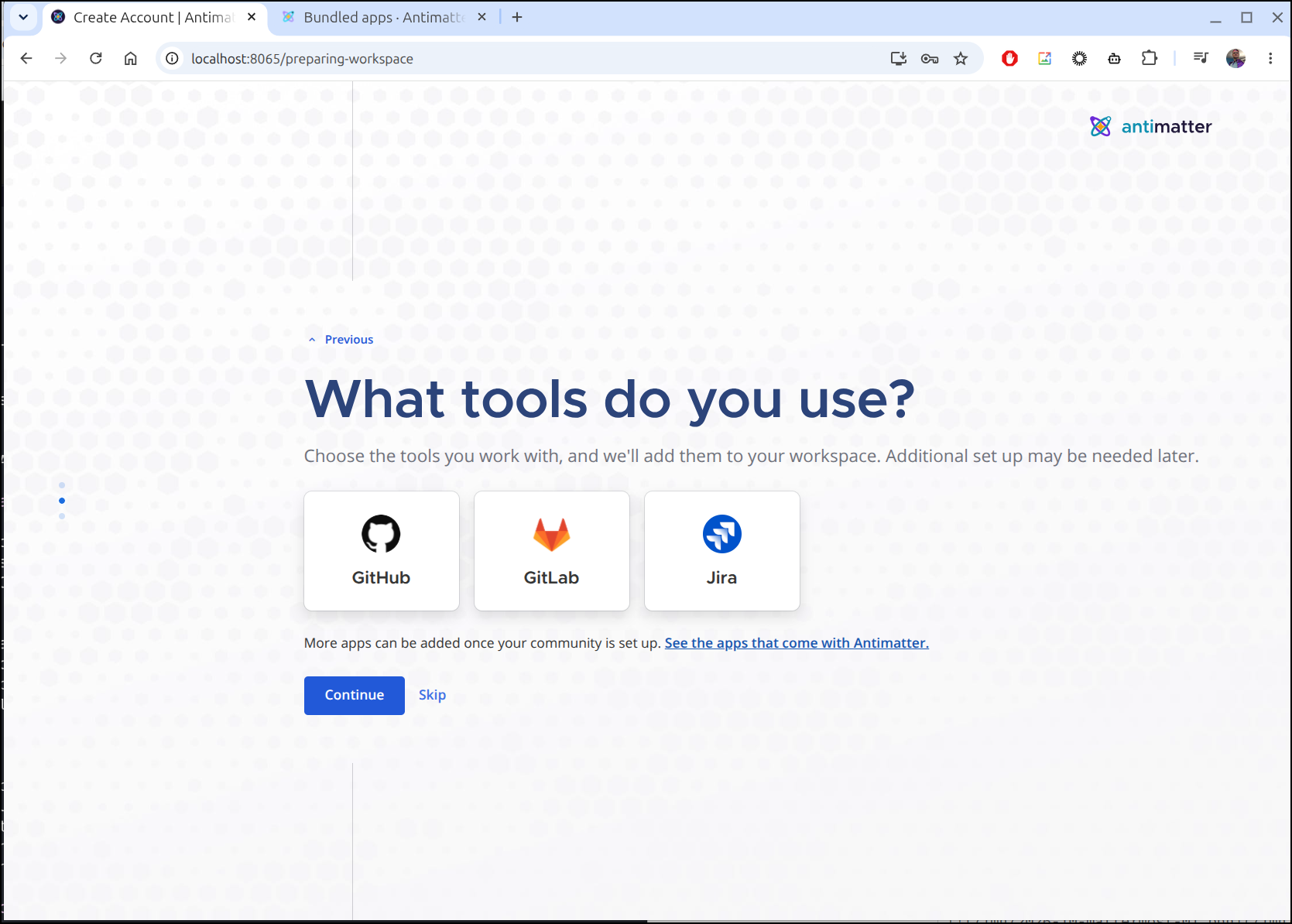
I’m then given a link to share out (which makes more sense if exposing externally)

I then get a Tour pop up as well as a setup menu
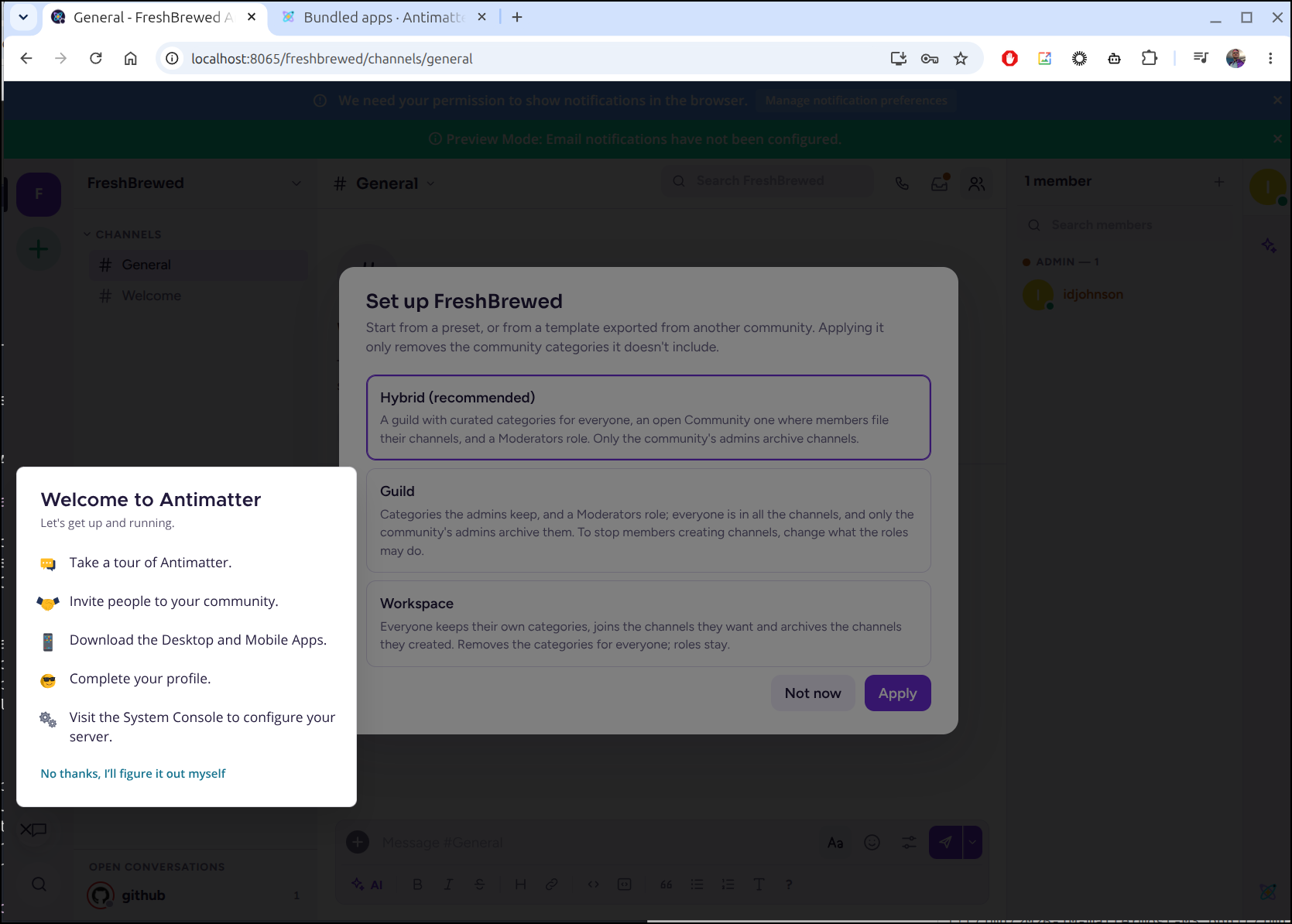
I chose Hybrid and landed back in what looks somewhat like slack to me
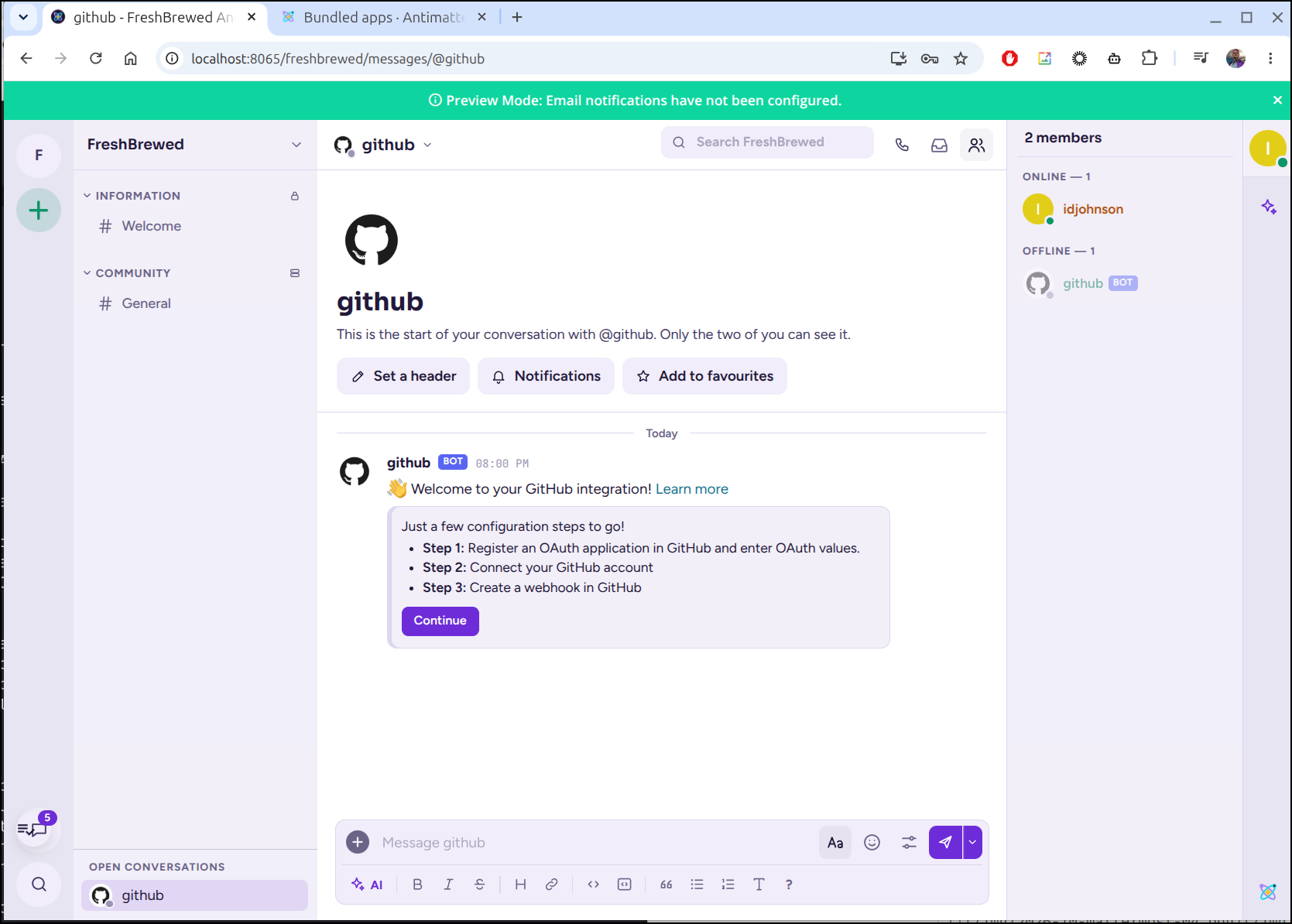
I’ll try the guide for Github Application support
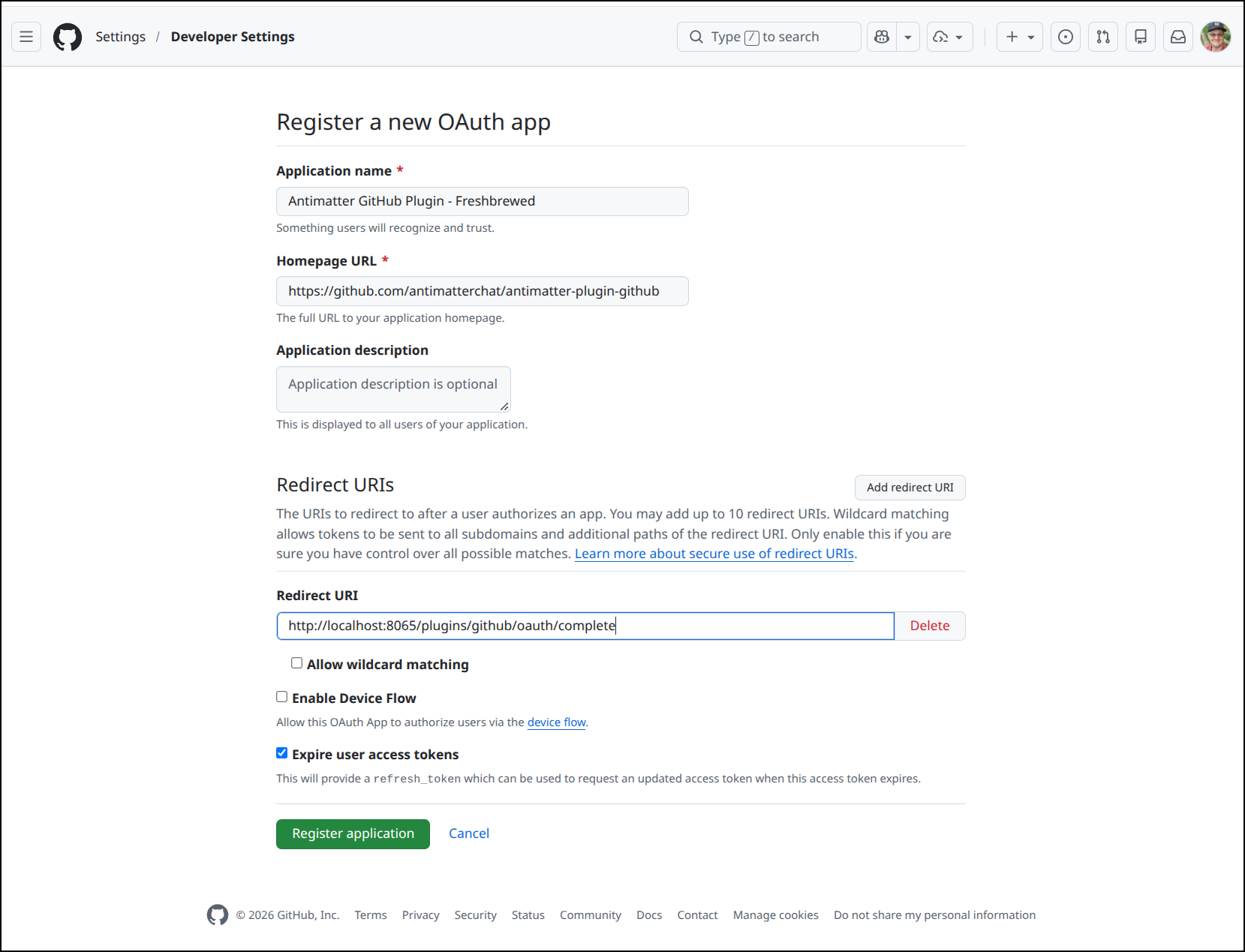
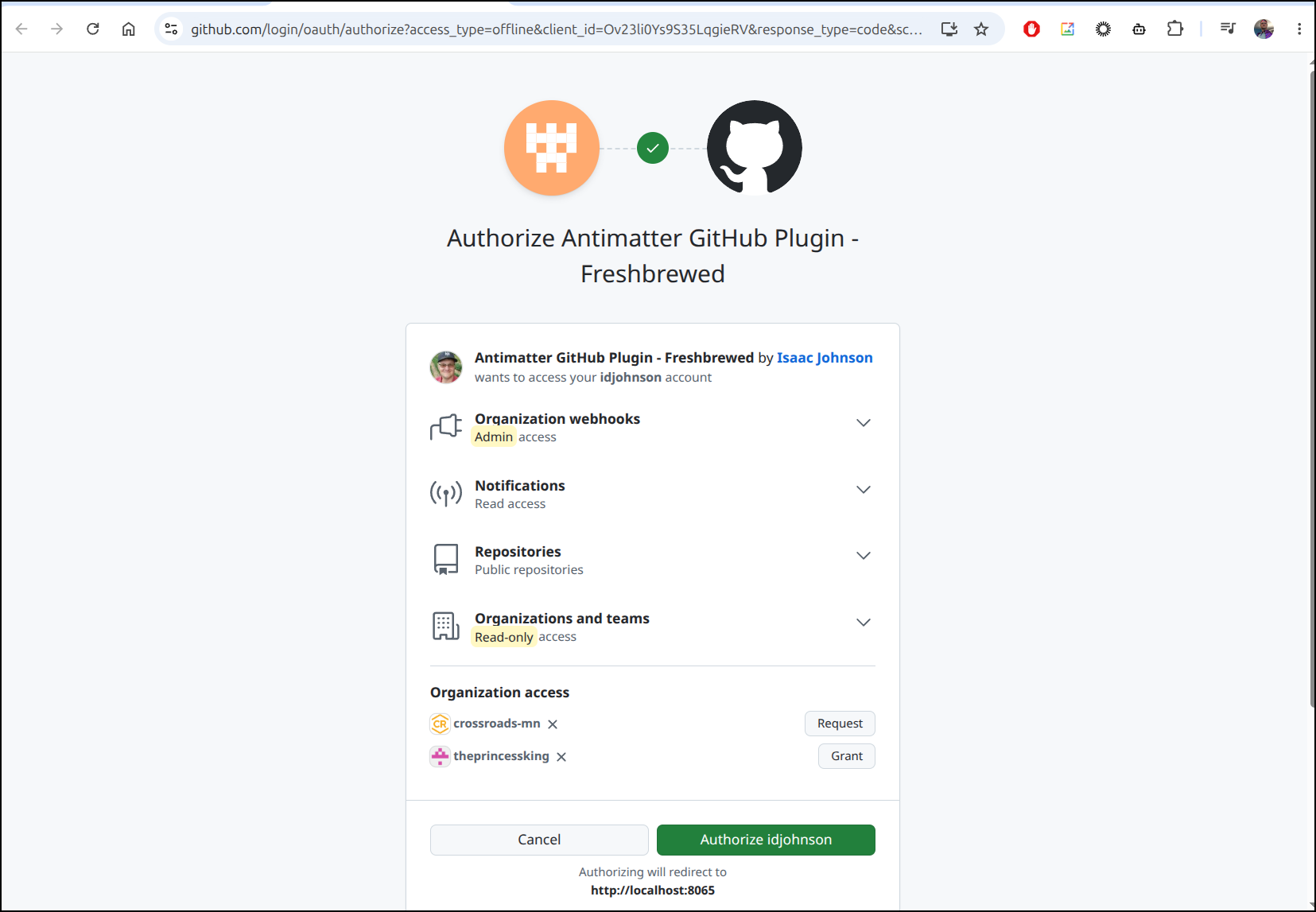
I can then finish setup and connect the account
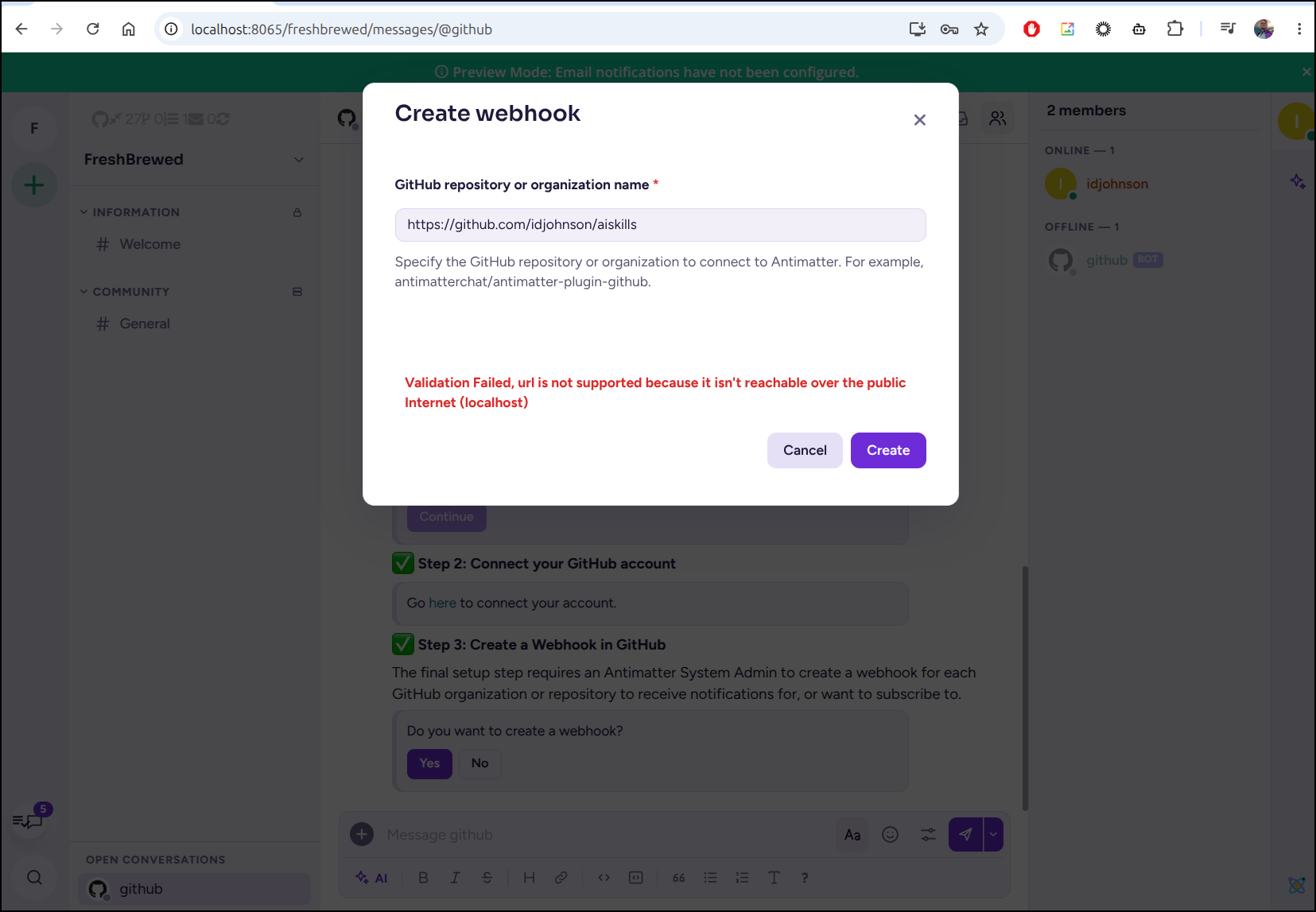
I now need to create a webhook on a repo or org
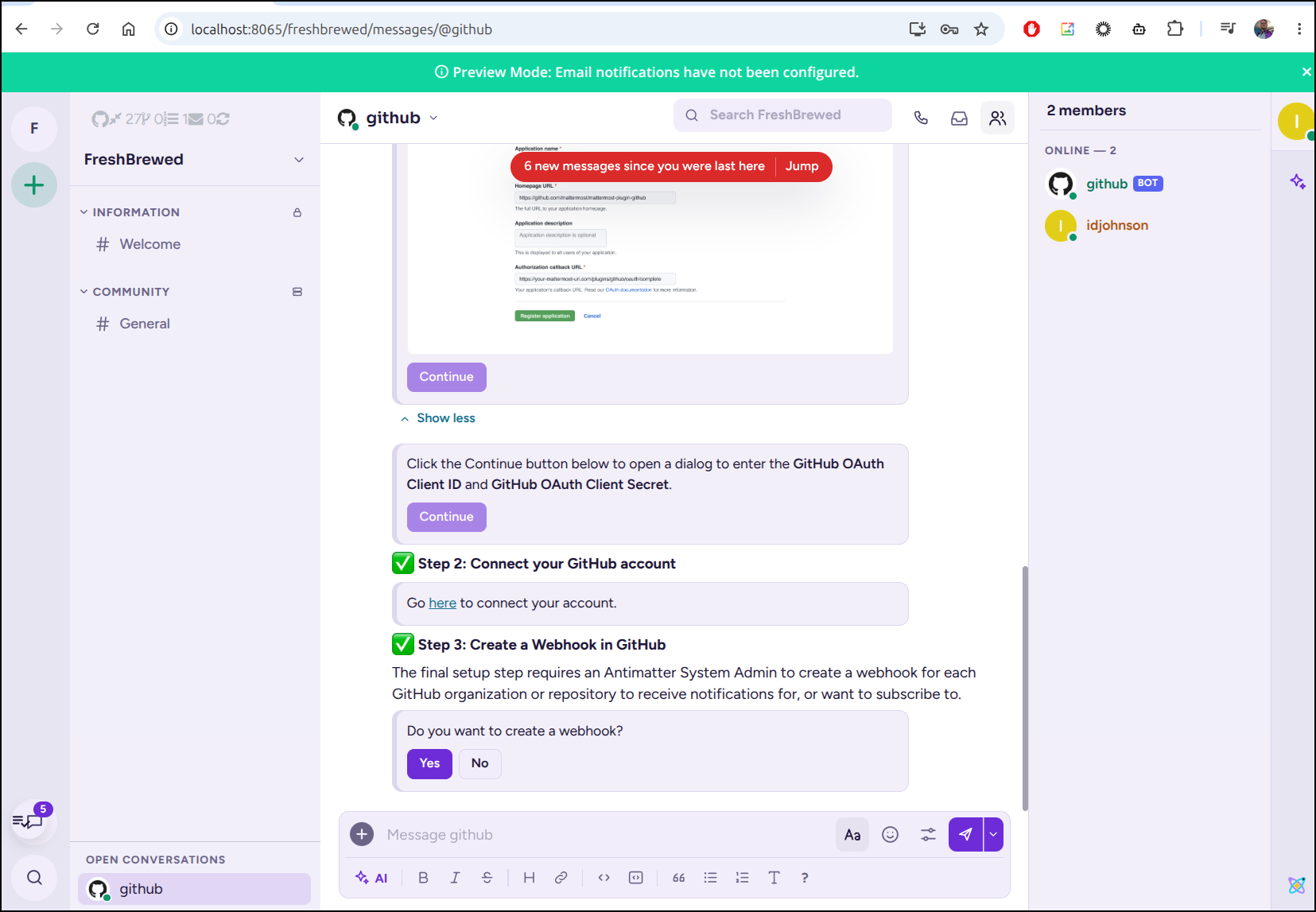
However, because my Antimatter is not exposed externally, it cannot complete
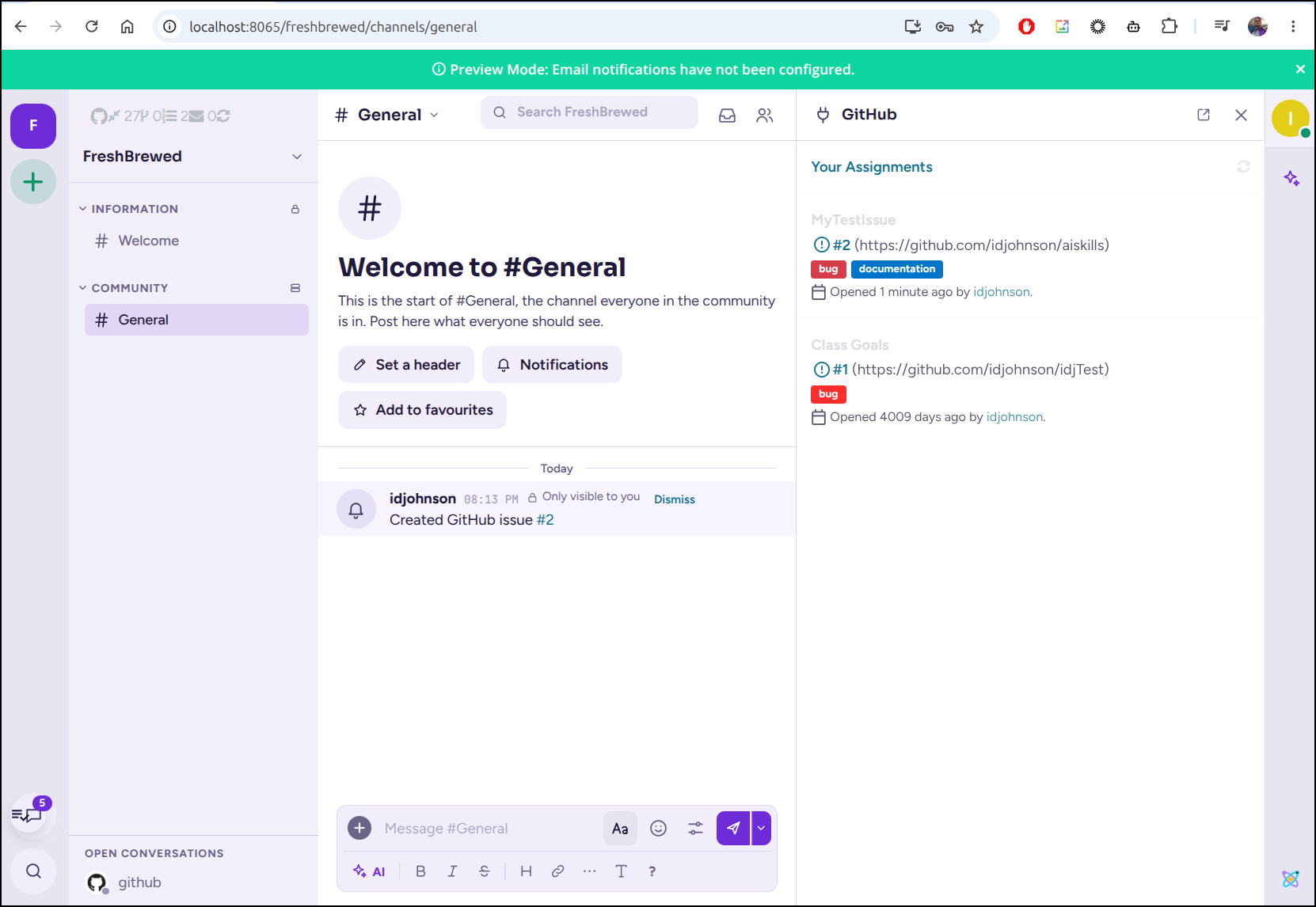
However, i can use /github commands to do other things like create issues
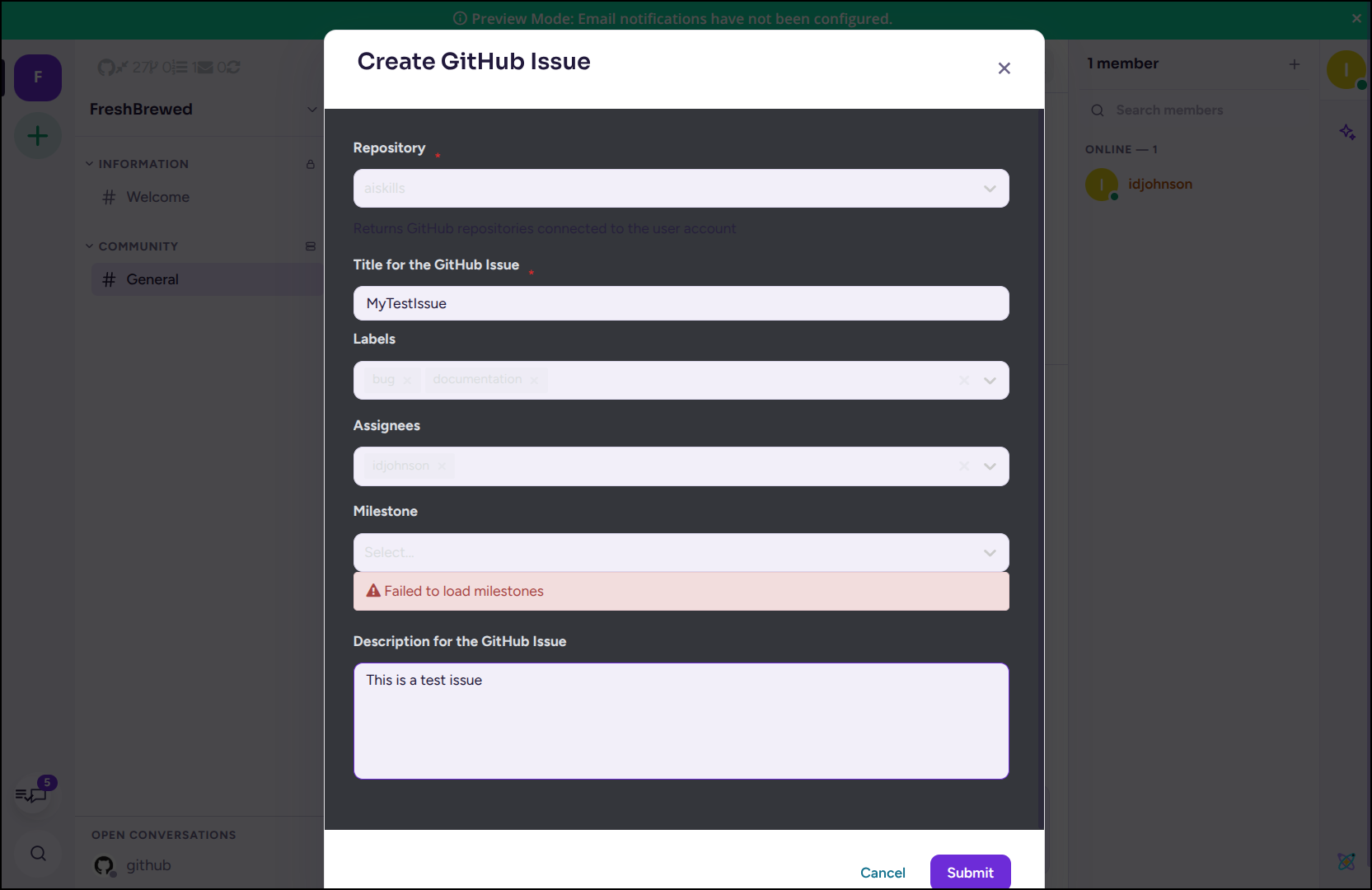
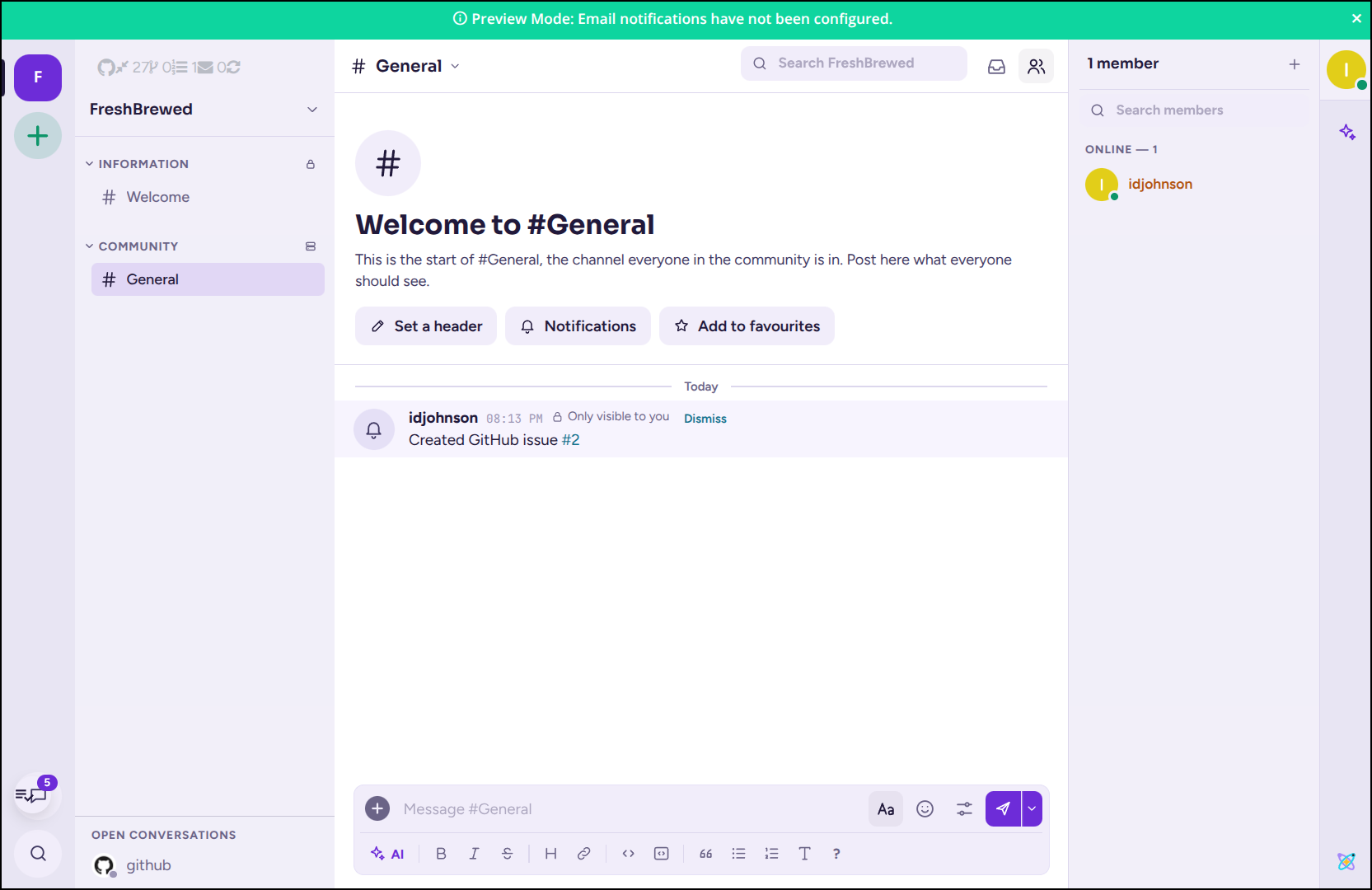
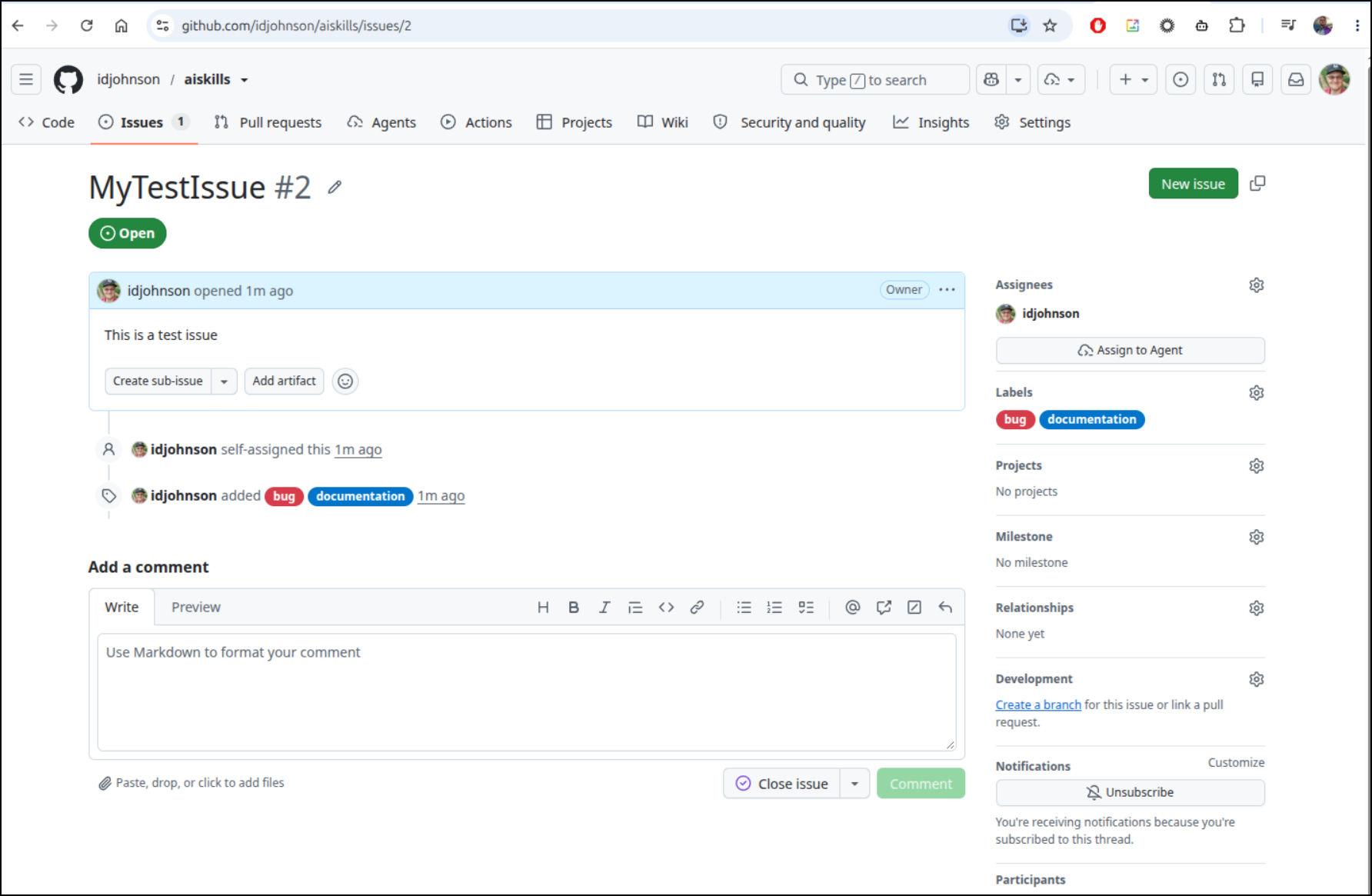
This created a bug in my aiskills repo
Which I can see in Github here
I’m not sure why the Github issue create popup in Antimatter had light text on white background, but it showed what I had typed.
Because my Antimatter user is associated to my Github identity, I can see this new but in “My Issues”
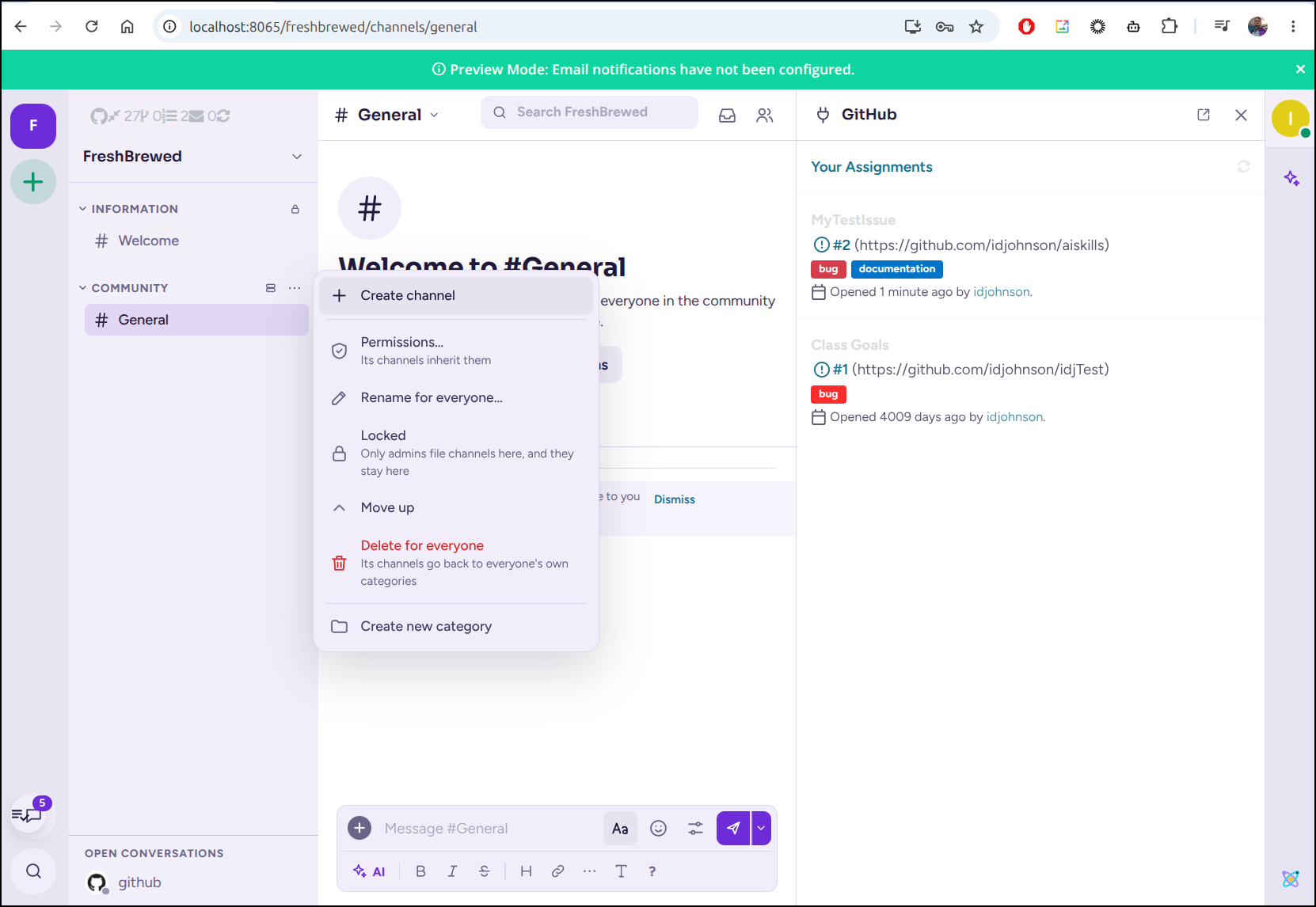
I can then create new channels
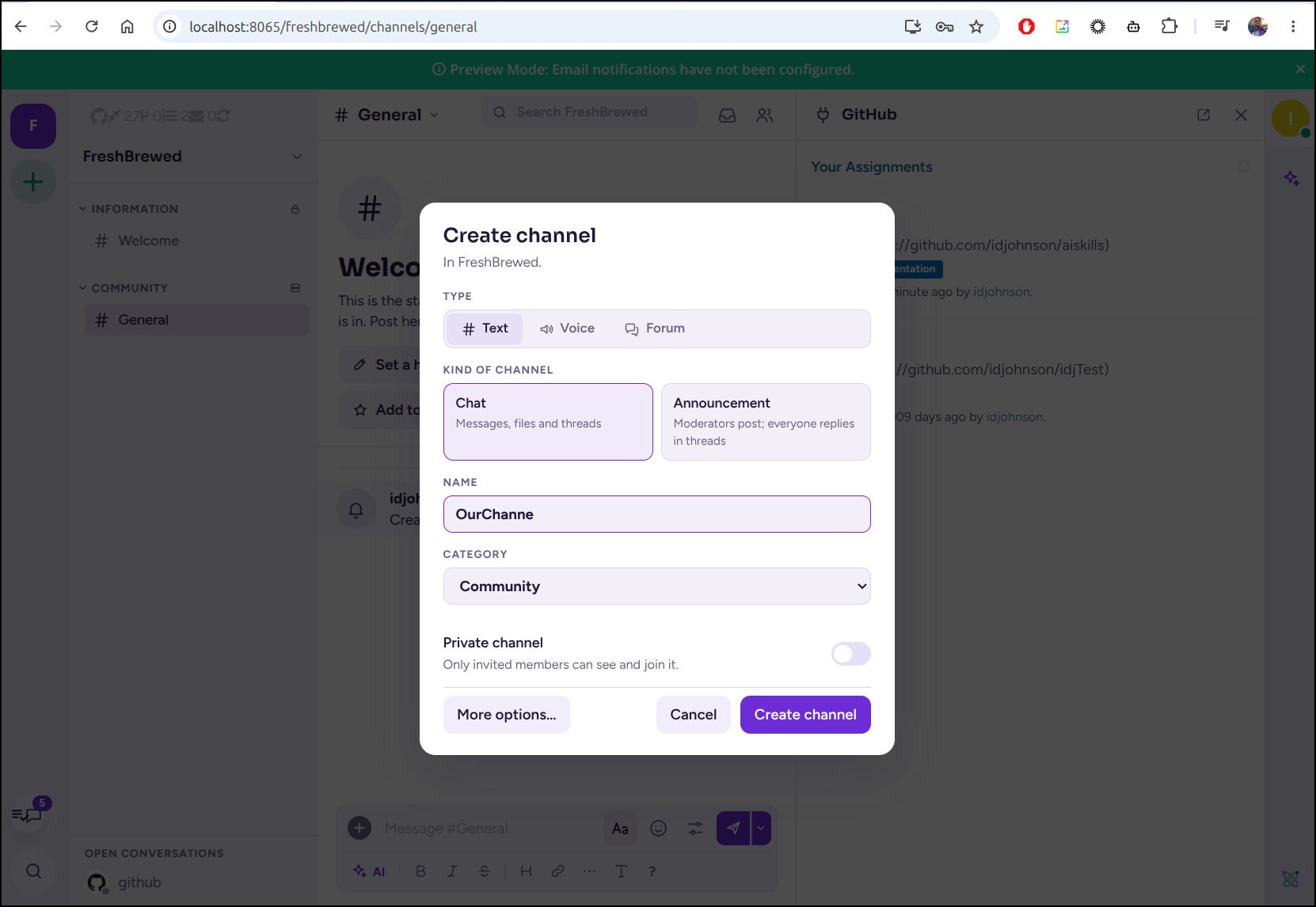
Now we can create this new channel
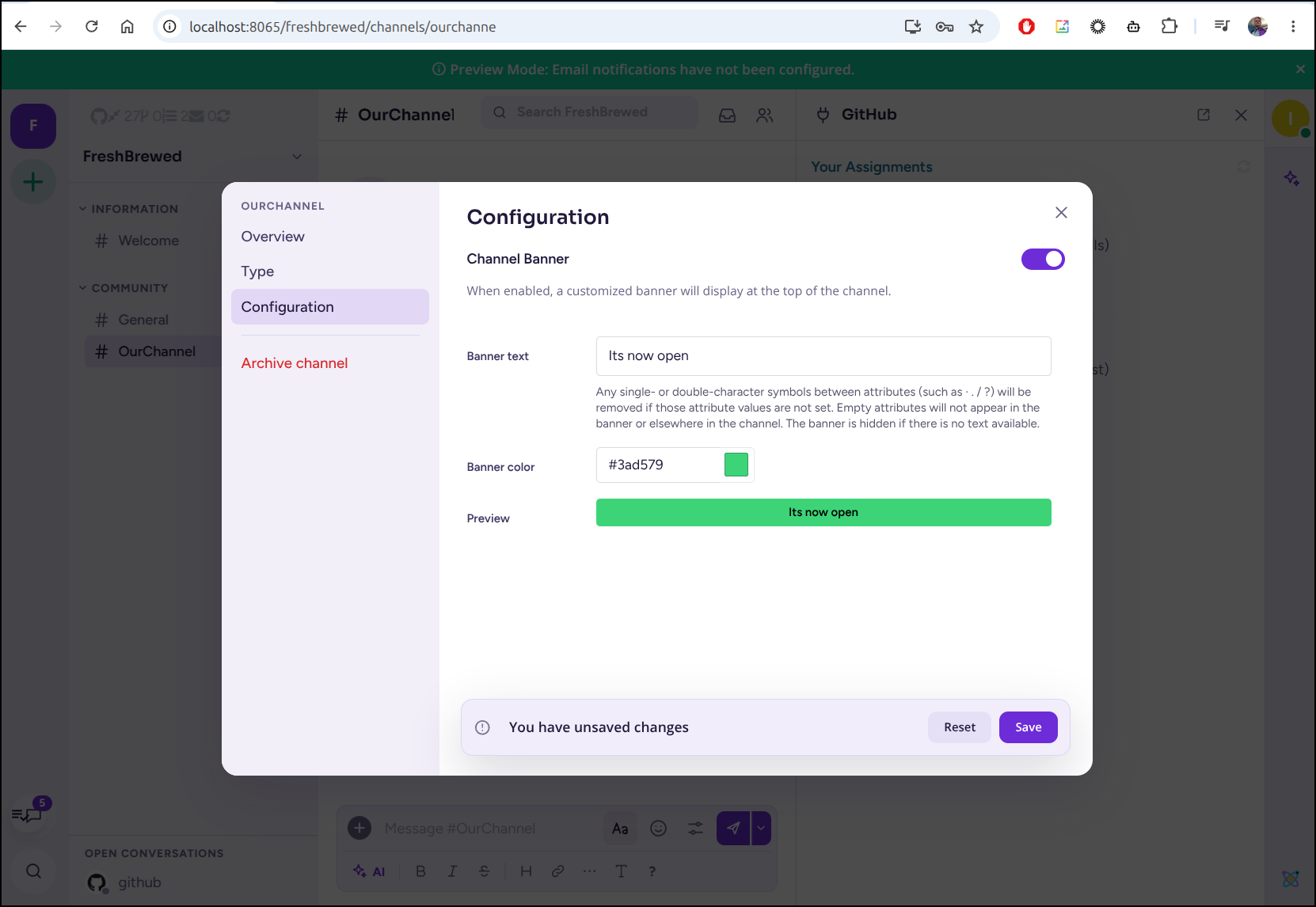
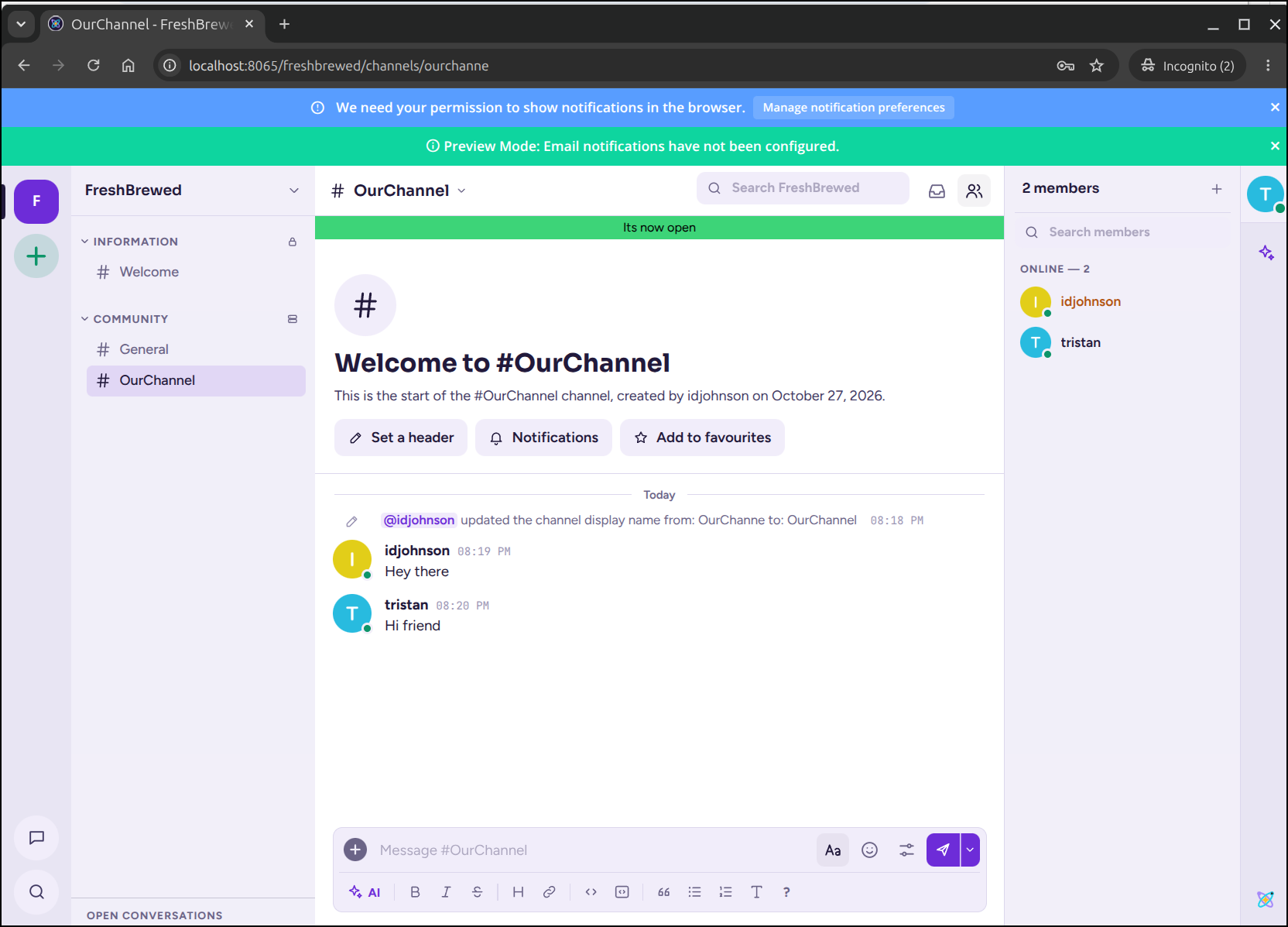
I can create banners
Other users can join and engage in chat
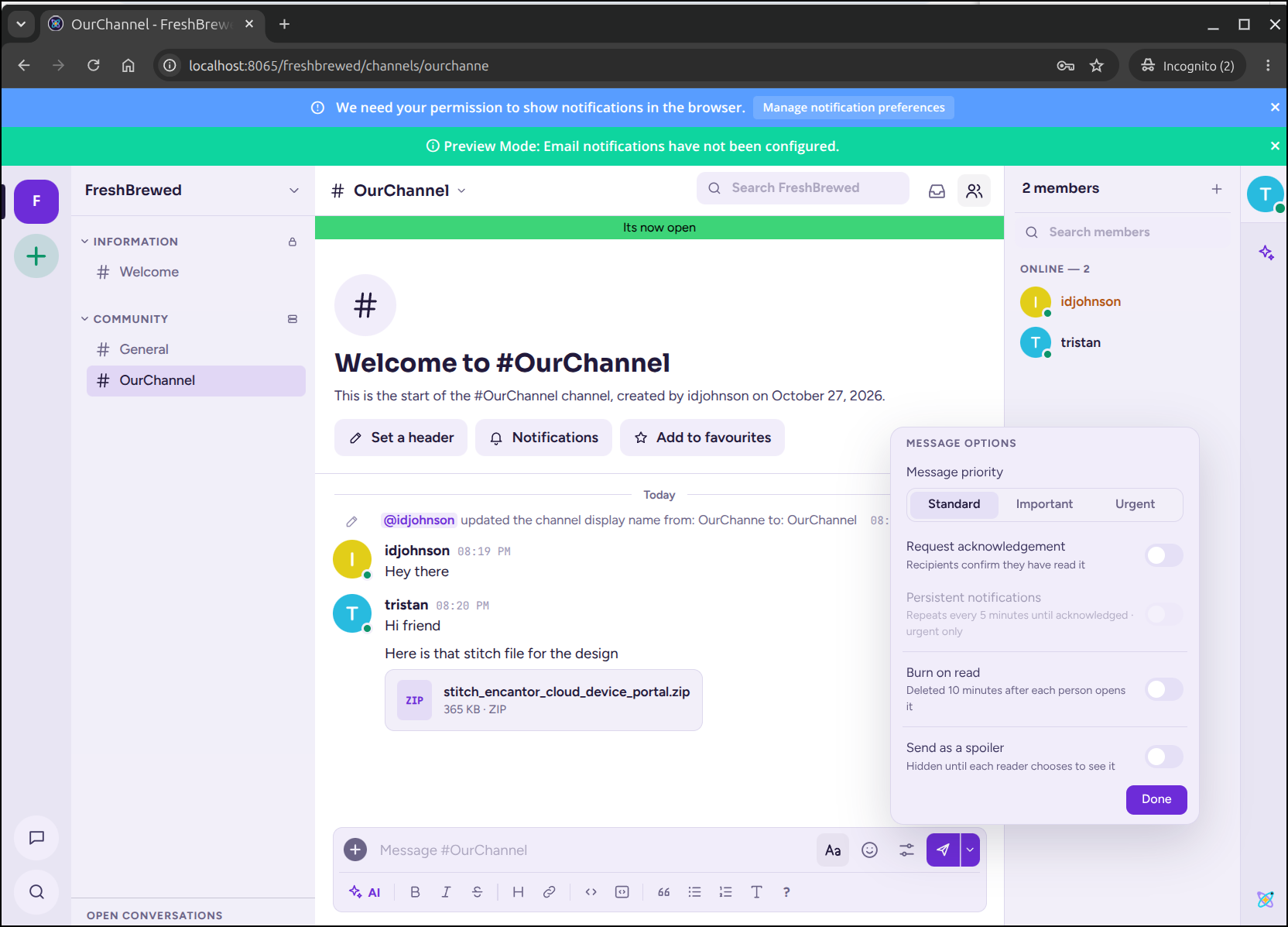
We can also upload files or setup burn after reading messages (good for password sharing)
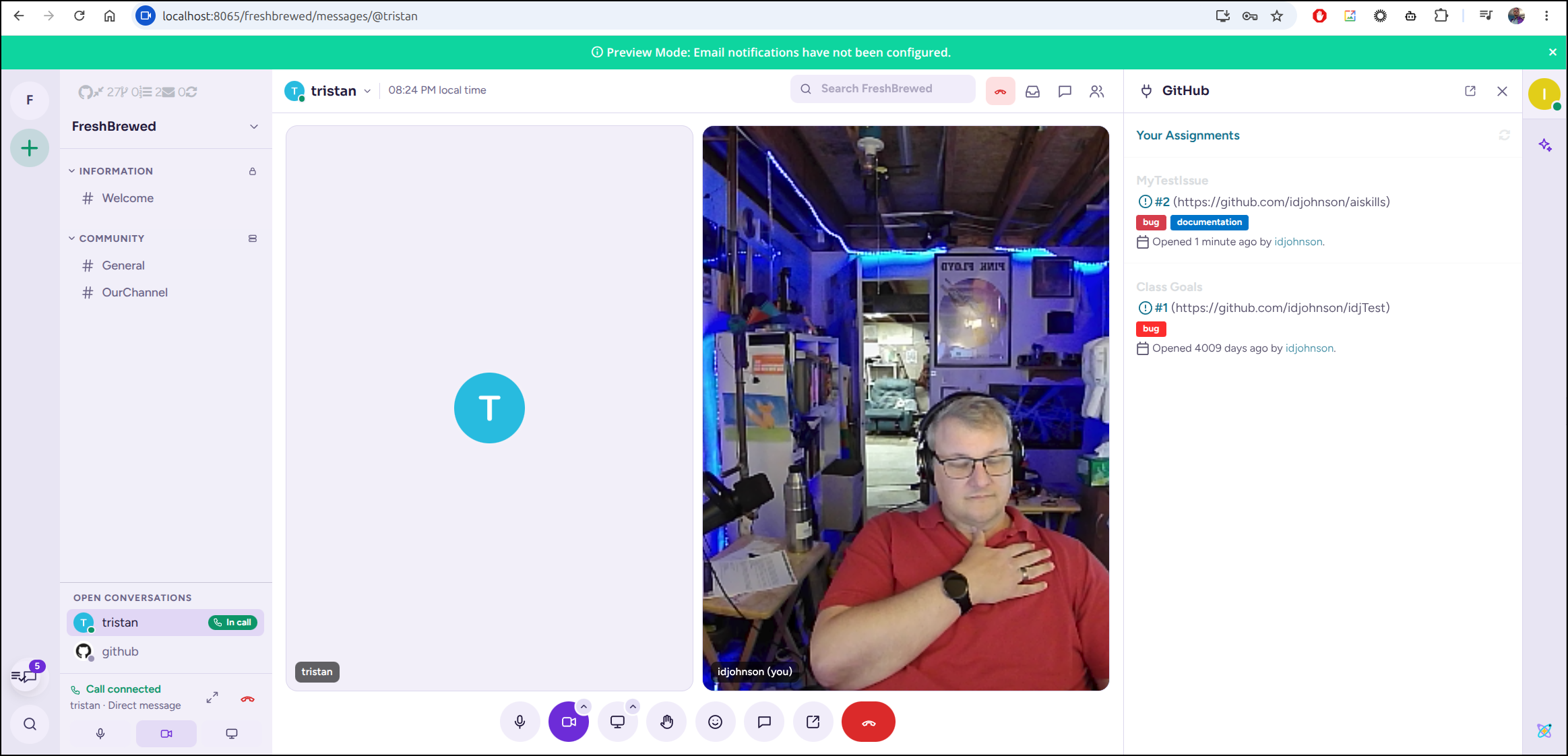
I can do video calls between users
If notifications were enabled, users messaging you can pop up messages on your desktop

Externalizing
There are ways to fire this up and get a proper TLS Host, however I won’t be able to do that in my cluster because it only uses docker with Caddy to self-fetch TLS certs.
The idea, as you can see in the install docs
is to set a DNS entry to your public IP and then in the ENV settings, note the domain
$ cat >> .env <<EOF
$ DOMAIN=chat.mydomain.com
$ EOF
$ sed -i 's|^SITE_URL=.*|SITE_URL=https://chat.mydomain.com|' .env
$ docker compose --profile https up -d
In their example, you really don’t need to even clone the repo:
$ mkdir antimatter && cd antimatter
$ curl -fsSLO https://antimatter.chat/compose.yaml
$ cat > .env <<EOF
$ SITE_URL=https://chat.mydomain.com
$ DOMAIN=chat.mydomain.com
$ POSTGRES_PASSWORD=$(openssl rand -hex 24)
$ S3_SECRET_KEY=$(openssl rand -hex 24)
$ GIFS_API_KEY=$(openssl rand -hex 24)
$ EOF
$ docker compose --profile https up -d
Testing in GCloud
Let’s create a new VM in GCP. I haven’t used the Cloud Console to do this in a while, so we’ll start there
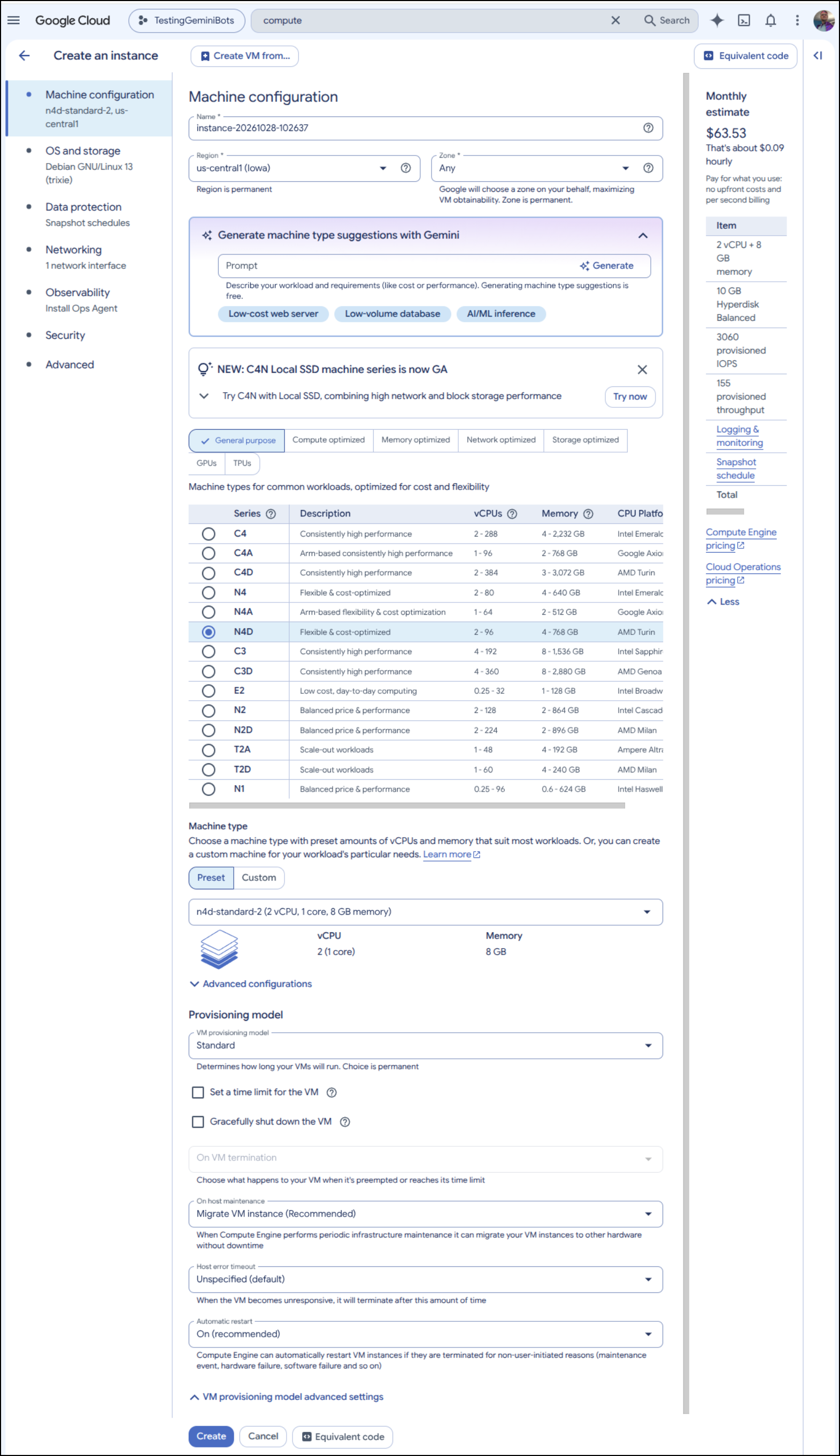
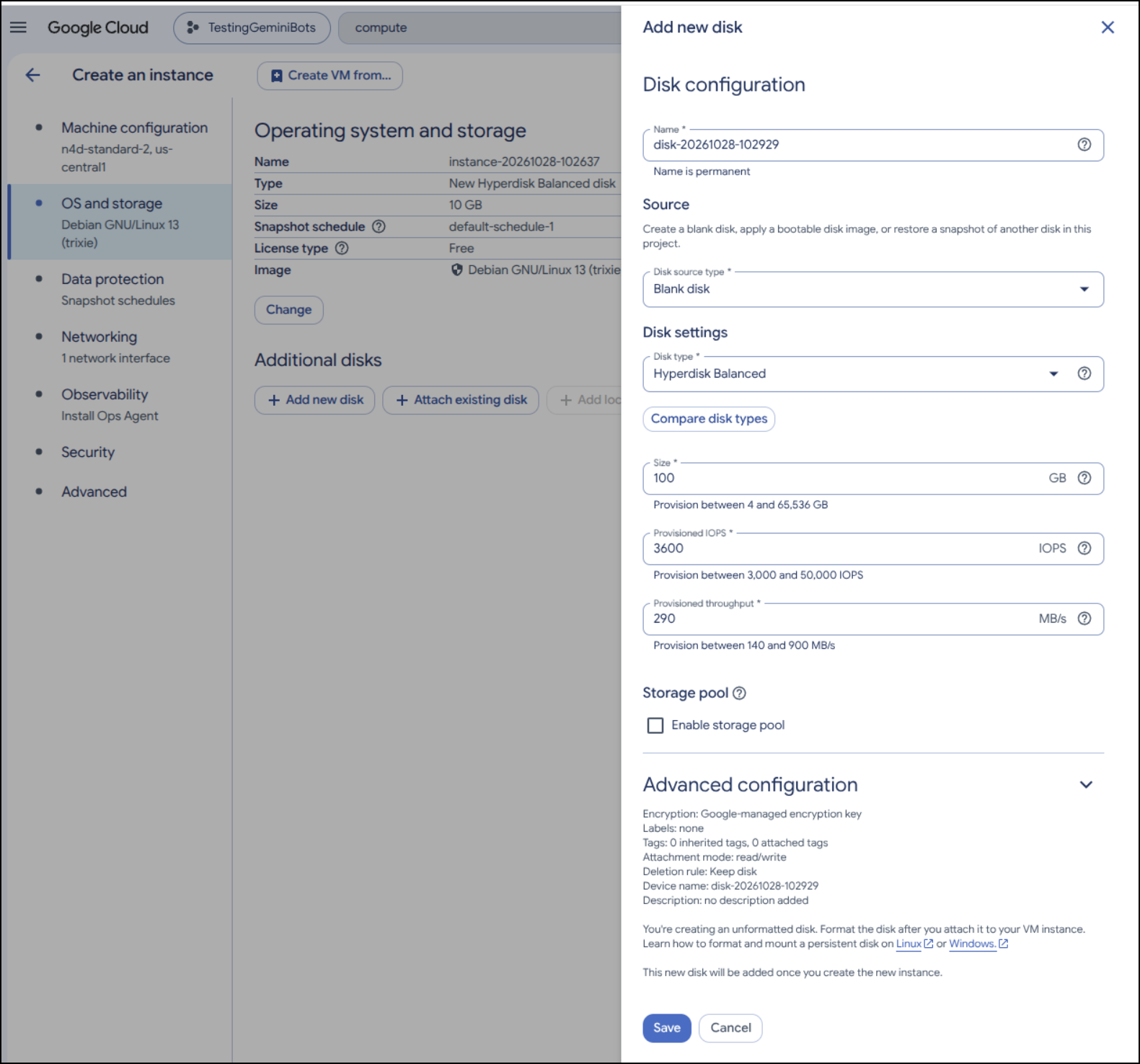
I’ll want to make sure to add a data disk as the default 10Gb won’t suffice
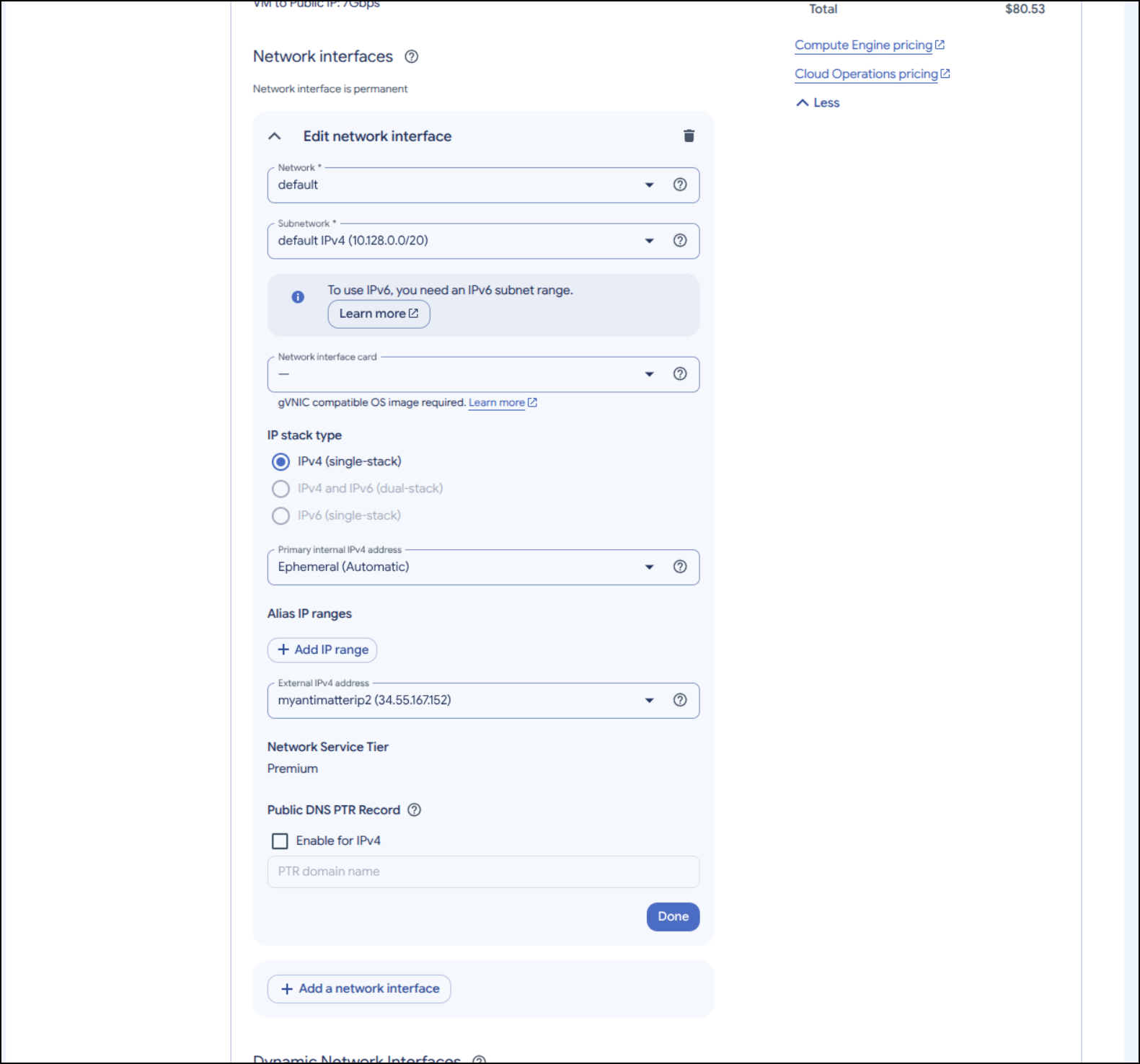
In the network section, we’ll want to reserve a static IP so we can create a valid A record (created in “External IPv4 address”)
Before I clicked create, I used the “Equivalent Code” button at the bottom to see what the gcloud CLI steps would be:
# Create the Compute Instance (VM)
gcloud compute instances create instance-20261028-102637 \
    --project=careful-compass-241122 \
    --zone=us-central1-c \
    --machine-type=n4d-standard-2 \
    --network-interface=address=34.55.167.152,network-tier=PREMIUM,stack-type=IPV4_ONLY,subnet=default \
    --metadata=enable-osconfig=TRUE \
    --maintenance-policy=MIGRATE \
    --provisioning-model=STANDARD \
    --service-account=243917726587-compute@developer.gserviceaccount.com \
    --scopes=https://www.googleapis.com/auth/devstorage.read_only,https://www.googleapis.com/auth/logging.write,https://www.googleapis.com/auth/monitoring.write,https://www.googleapis.com/auth/service.management.readonly,https://www.googleapis.com/auth/servicecontrol,https://www.googleapis.com/auth/trace.append \
    --create-disk=auto-delete=yes,boot=yes,device-name=instance-20261028-102637,image=projects/debian-cloud/global/images/debian-13-trixie-v20261027,mode=rw,provisioned-iops=3060,provisioned-throughput=155,size=10,type=hyperdisk-balanced \
    --create-disk=device-name=disk-20261028-102929,mode=rw,name=disk-20261028-102929,provisioned-iops=3600,provisioned-throughput=290,size=100,type=hyperdisk-balanced \
    --no-shielded-secure-boot \
    --shielded-vtpm \
    --shielded-integrity-monitoring \
    --labels=goog-ops-agent-policy=v2-template-1-7-0,goog-ec-src=vm_add-gcloud \
    --reservation-affinity=any \
&& \
# Rules for Ops Agent install
printf 'agentsRule:\n  packageState: installed\n  version: latest\ninstanceFilter:\n  inclusionLabels:\n  - labels:\n      goog-ops-agent-policy: v2-template-1-7-0\n' > config.yaml \
&& \
# and apply
gcloud compute instances ops-agents policies create goog-ops-agent-v2-template-1-7-0-us-central1-c \
    --project=careful-compass-241122 \
    --zone=us-central1-c \
    --file=config.yaml \
&& \
# backup schedules (snapshots)
gcloud compute resource-policies create snapshot-schedule default-schedule-1 \
    --project=careful-compass-241122 \
    --region=us-central1 \
    --max-retention-days=14 \
    --on-source-disk-delete=keep-auto-snapshots \
    --daily-schedule \
    --start-time=18:00 \
&& \
# Add our backup policies for Compute
gcloud compute disks add-resource-policies instance-20261028-102637 \
    --project=careful-compass-241122 \
    --zone=us-central1-c \
    --resource-policies=projects/careful-compass-241122/regions/us-central1/resourcePolicies/default-schedule-1 \
&& \
# Add our backup policies for the Disk
gcloud compute disks add-resource-policies disk-20261028-102929 \
    --project=careful-compass-241122 \
    --zone=us-central1-c \
    --resource-policies=projects/careful-compass-241122/regions/us-central1/resourcePolicies/default-schedule-1
(comments mine)
I can now click create and see the VM start
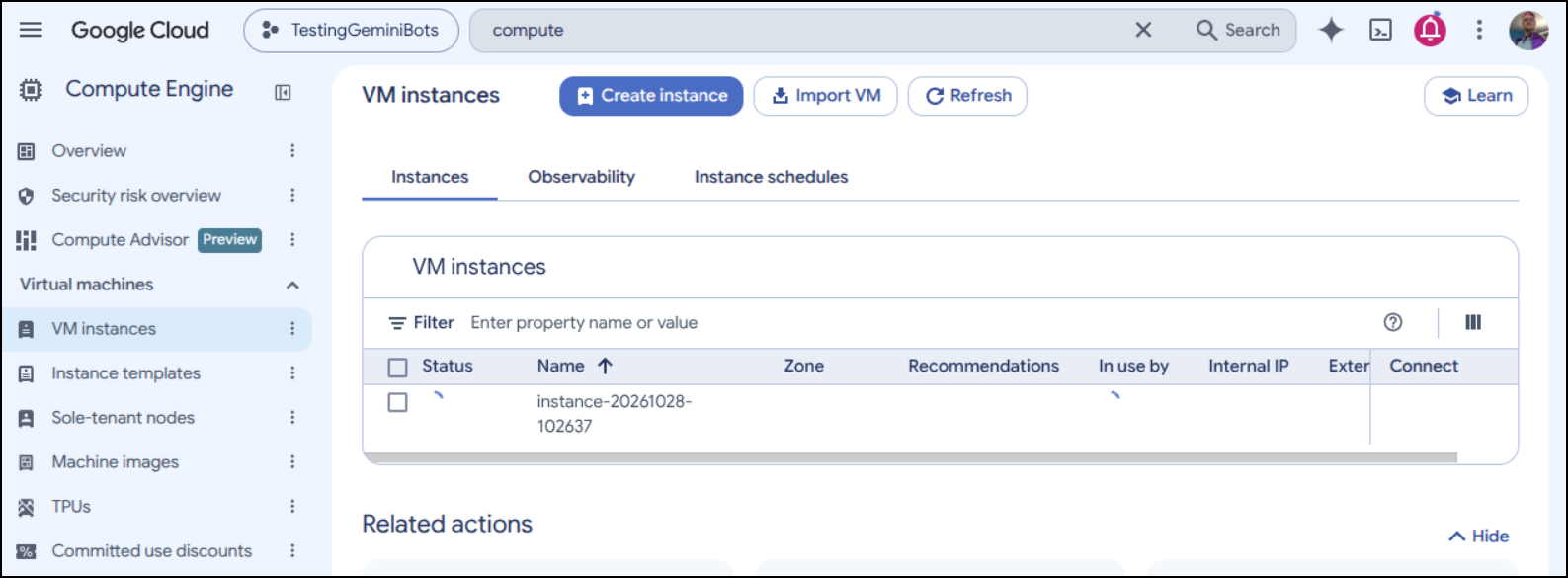
However, my first error was a lack of that type of instance class in the region
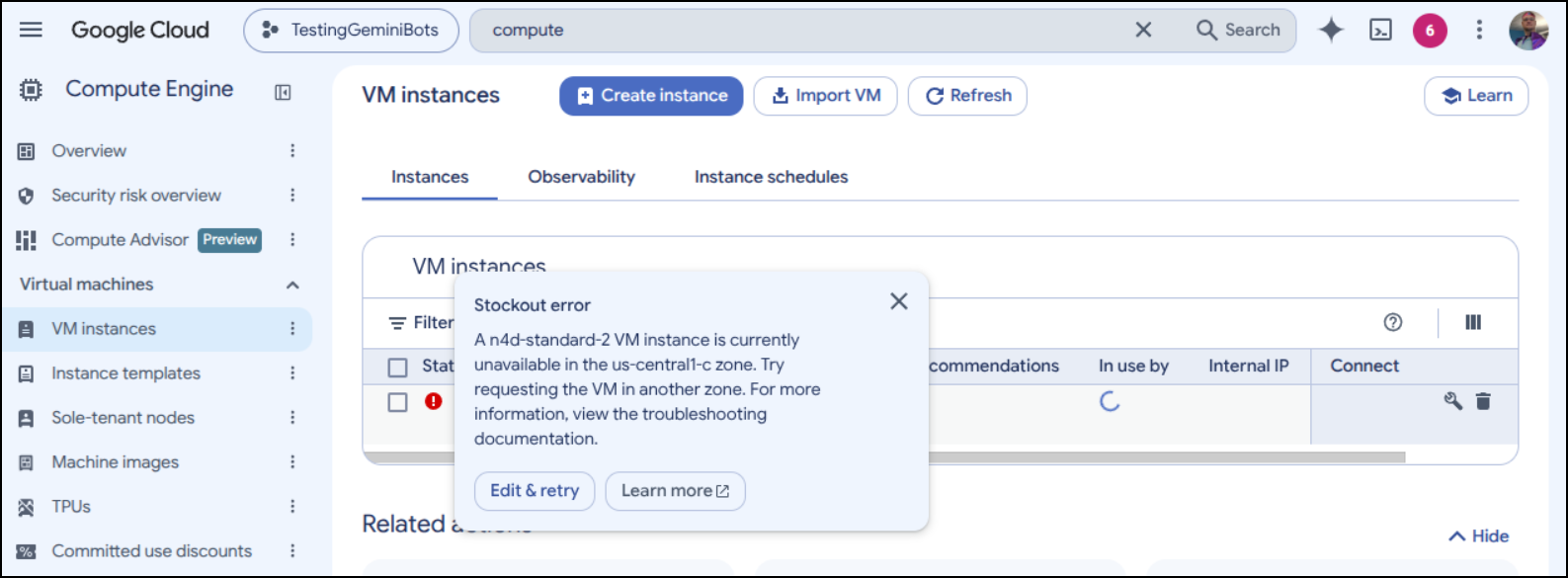
I tried a, b, c and f in us-central but all seemed unavailable
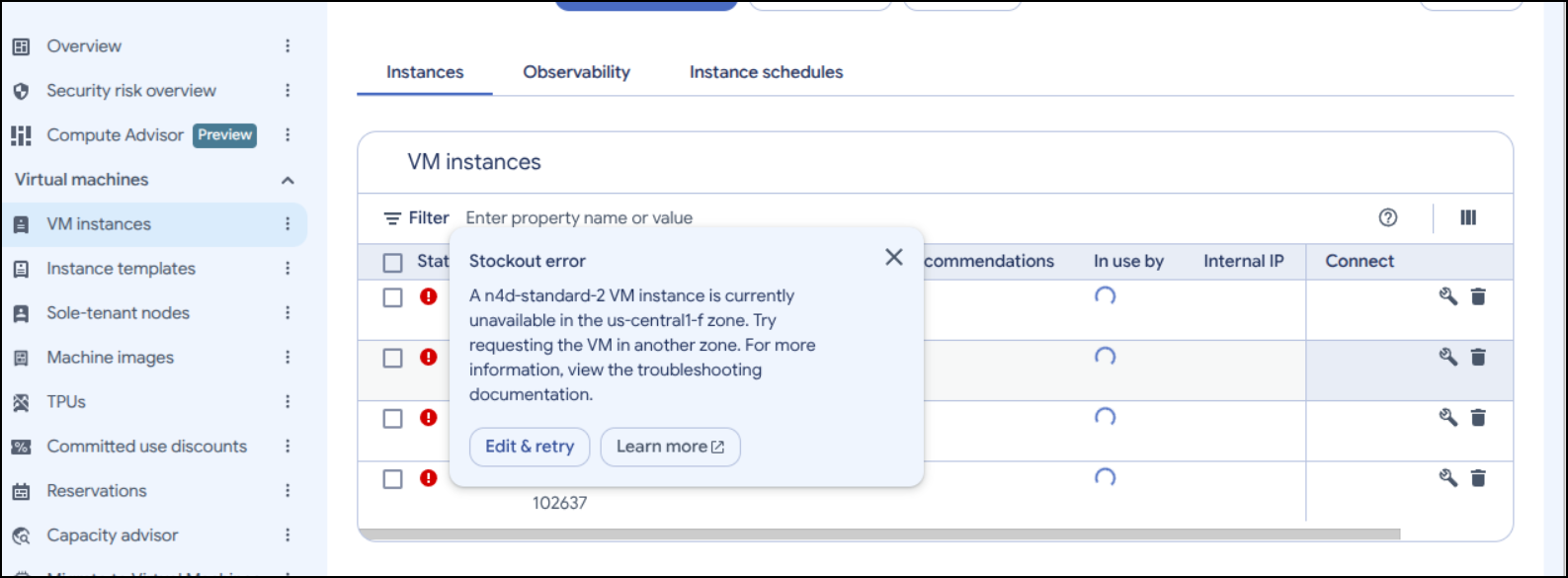
I switched to us-east4 but then needed to get a different public IP (will need to remember to clean up the unused ones I made)
That time it worked
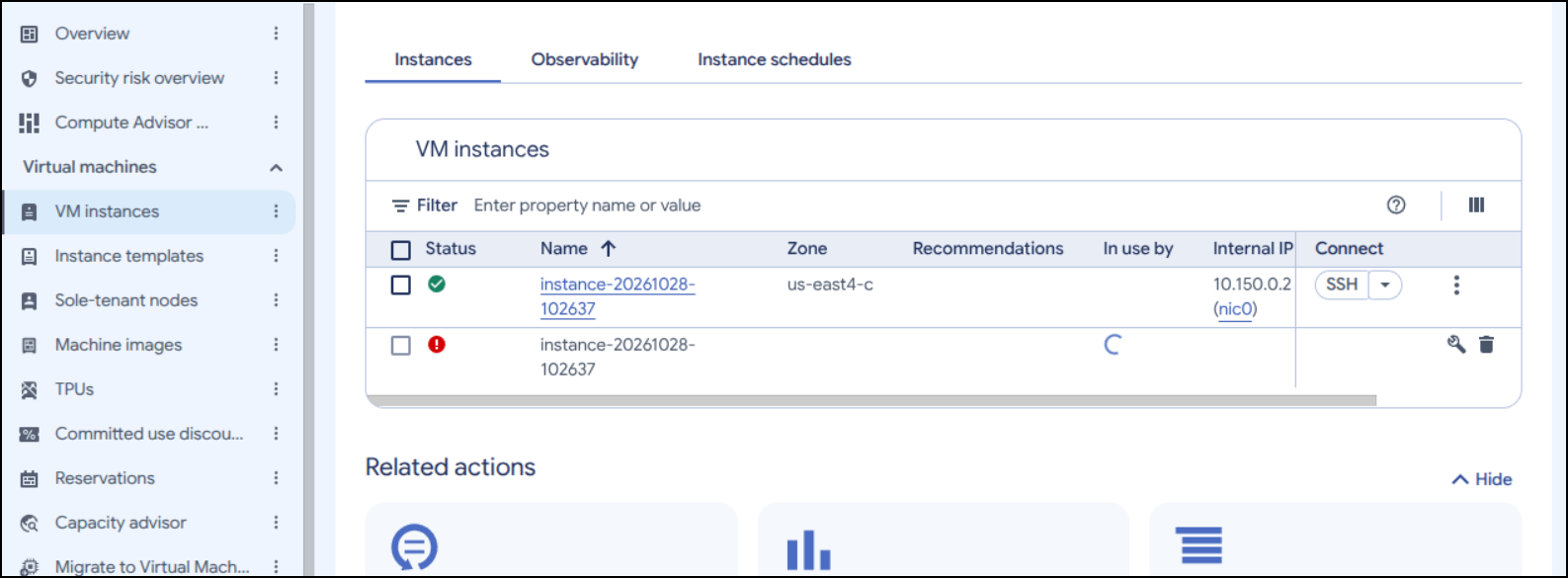
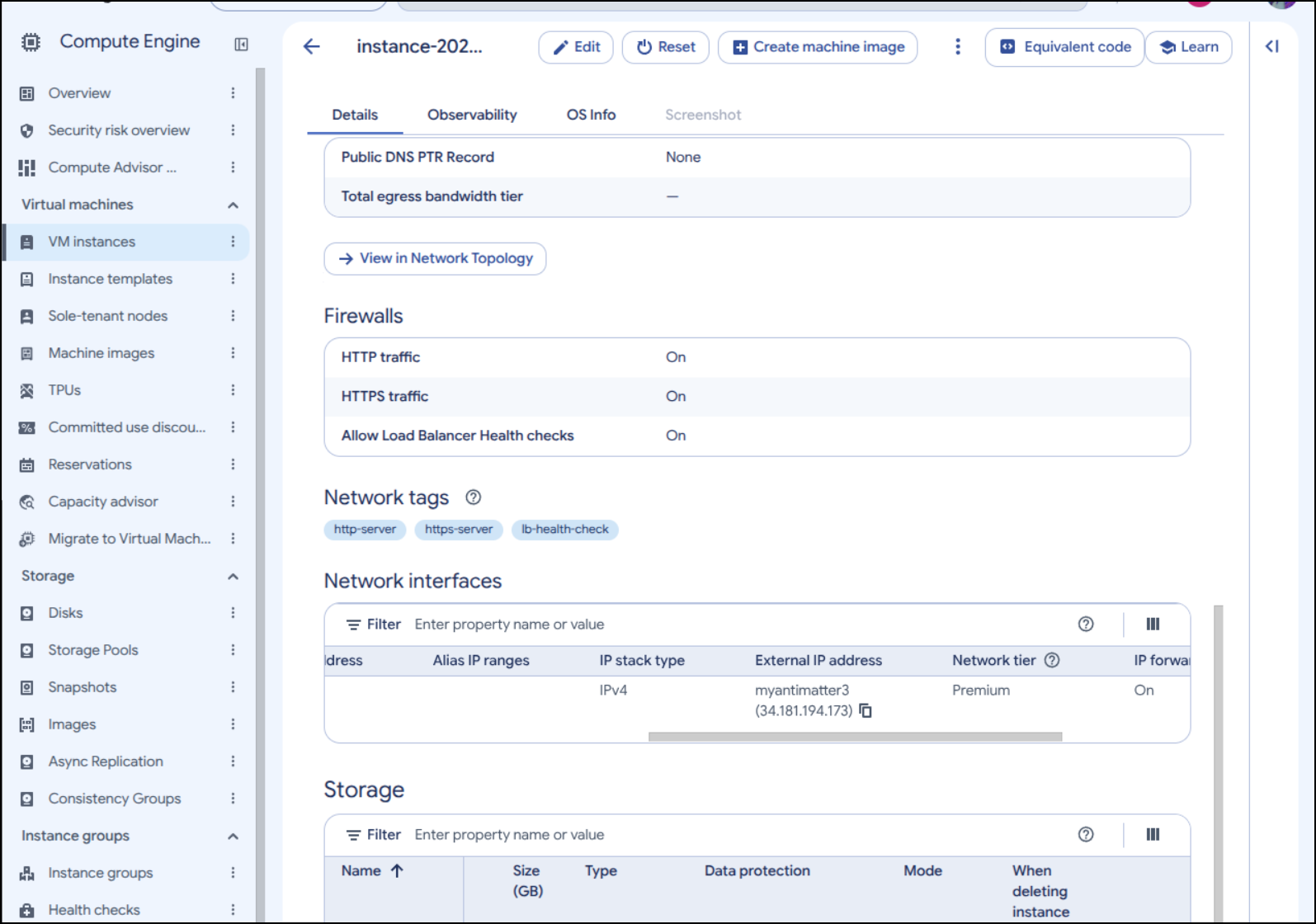
Viewing instance details, I can fetch the new public IP (34.181.194.173)
I keep my ‘fun’ DNS in Azure so I’ll quick make an A-Record there
$ az account set --subscription "Pay-As-You-Go" && az network dns record-set a add-record -g idjdnsrg -z tpk.pw -a 34.181.194.173 -n antimatter
{
  "ARecords": [
    {
      "ipv4Address": "34.181.194.173"
    }
  ],
  "TTL": 3600,
  "etag": "f4acf653-0da2-4509-8a6f-791c9d9b0915",
  "fqdn": "antimatter.tpk.pw.",
  "id": "/subscriptions/d955c0ba-13dc-44cf-a29a-8fed74cbb22d/resourceGroups/idjdnsrg/providers/Microsoft.Network/dnszones/tpk.pw/A/antimatter",
  "name": "antimatter",
  "provisioningState": "Succeeded",
  "resourceGroup": "idjdnsrg",
  "targetResource": {},
  "trafficManagementProfile": {},
  "type": "Microsoft.Network/dnszones/A"
}
We have a few options for SSH
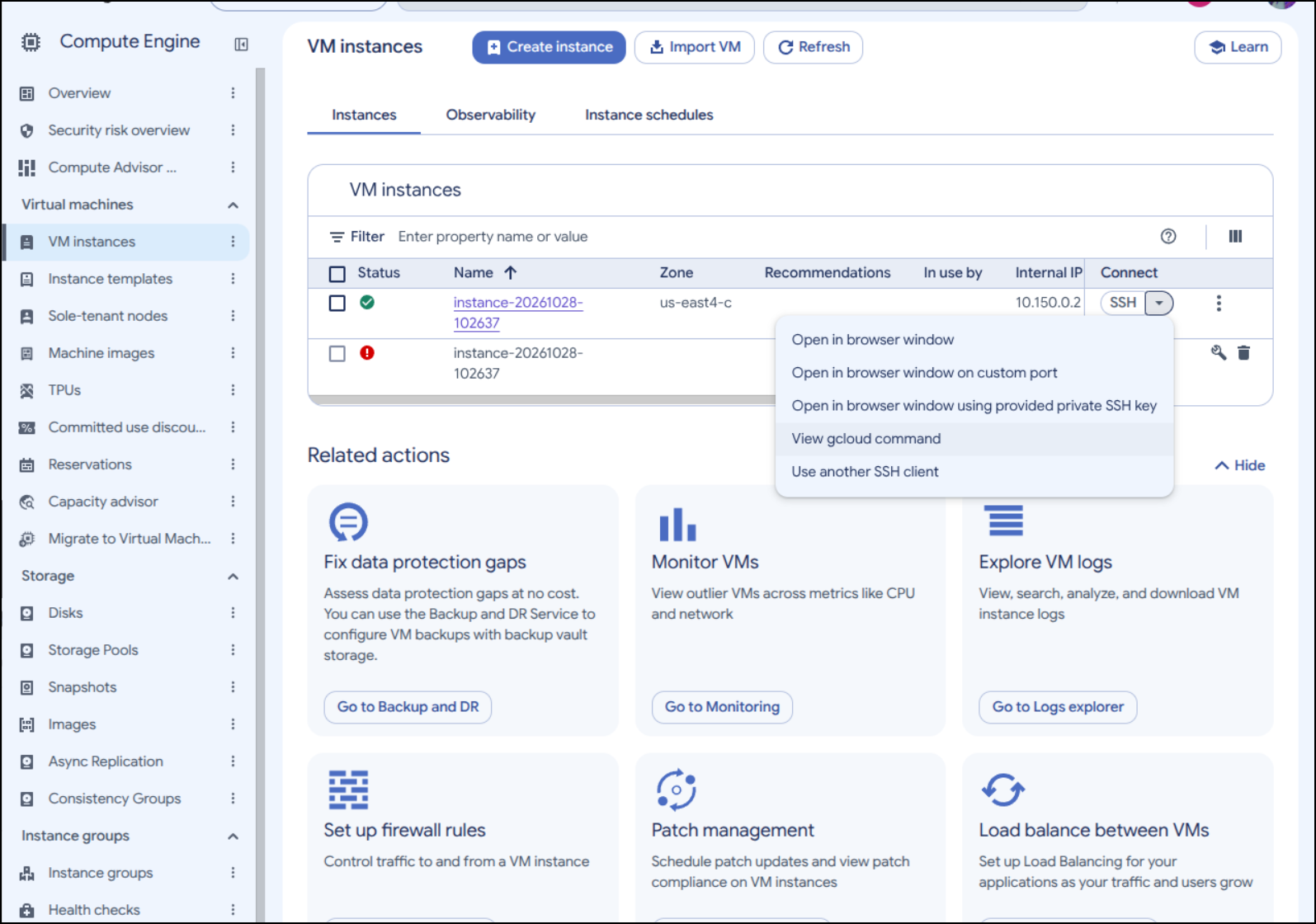
I’ll use the gcloud command as it easily creates the tunnel through and handles the SSH keys
$ gcloud compute ssh --zone "us-east4-c" "instance-20261028-102637" --project "careful-compass-241122"
Warning: Permanently added 'compute.6397560700466392884' (ED25519) to the list of known hosts.
Linux instance-20261028-102637 6.12.113+deb13-cloud-amd64 #1 SMP PREEMPT_DYNAMIC Debian 6.12.113-1 (2026-10-15) x86_64

The programs included with the Debian GNU/Linux system are free software;
the exact distribution terms for each program are described in the
individual files in /usr/share/doc/*/copyright.

Debian GNU/Linux comes with ABSOLUTELY NO WARRANTY, to the extent
permitted by applicable law.
isaac@instance-20261028-102637:~$
This is running Debian 13 (Trixie)
isaac@instance-20261028-102637:~$ cat /etc/os-release
PRETTY_NAME="Debian GNU/Linux 13 (trixie)"
NAME="Debian GNU/Linux"
VERSION_ID="13"
VERSION="13 (trixie)"
VERSION_CODENAME=trixie
DEBIAN_VERSION_FULL=13.7
ID=debian
HOME_URL="https://www.debian.org/"
SUPPORT_URL="https://www.debian.org/support"
BUG_REPORT_URL="https://bugs.debian.org/"
Next I’ll setup Docker
isaac@instance-20261028-102637:~$ sudo apt update
Get:1 file:/etc/apt/mirrors/debian.list Mirrorlist [30 B]
Get:2 file:/etc/apt/mirrors/debian-security.list Mirrorlist [39 B]
Hit:3 https://deb.debian.org/debian trixie InRelease
Hit:4 https://deb.debian.org/debian trixie-updates InRelease
Hit:5 https://deb.debian.org/debian trixie-backports InRelease
Hit:6 https://deb.debian.org/debian-security trixie-security InRelease
Hit:7 https://packages.cloud.google.com/apt google-compute-engine-trixie-stable InRelease
Hit:8 https://packages.cloud.google.com/apt cloud-sdk-trixie InRelease
Hit:9 https://packages.cloud.google.com/apt google-cloud-ops-agent-trixie-2 InRelease
1 package can be upgraded. Run 'apt list --upgradable' to see it.
isaac@instance-20261028-102637:~$ sudo apt install ca-certificates curl
ca-certificates is already the newest version (20250419+deb13u1).
curl is already the newest version (8.14.1-2+deb13u7).
Summary:
  Upgrading: 0, Installing: 0, Removing: 0, Not Upgrading: 1
isaac@instance-20261028-102637:~$ sudo install -m 0755 -d /etc/apt/keyrings
isaac@instance-20261028-102637:~$ sudo curl -fsSL https://download.docker.com/linux/debian/gpg -o /etc/apt/keyrings/docker.asc
isaac@instance-20261028-102637:~$ sudo chmod a+r /etc/apt/keyrings/docker.asc
isaac@instance-20261028-102637:~$ sudo tee /etc/apt/sources.list.d/docker.sources <<EOF
> Types: deb
> URIs: https://download.docker.com/linux/debian
> Suites: $(. /etc/os-release && echo "$VERSION_CODENAME")
> Components: stable
> Architectures: $(dpkg --print-architecture)
> Signed-By: /etc/apt/keyrings/docker.asc
> EOF
Types: deb
URIs: https://download.docker.com/linux/debian
Suites: trixie
Components: stable
Architectures: amd64
Signed-By: /etc/apt/keyrings/docker.asc
isaac@instance-20261028-102637:~$ sudo apt update
Get:1 file:/etc/apt/mirrors/debian.list Mirrorlist [30 B]
Get:2 file:/etc/apt/mirrors/debian-security.list Mirrorlist [39 B]
Get:7 https://download.docker.com/linux/debian trixie InRelease [32.5 kB]
Hit:3 https://deb.debian.org/debian trixie InRelease
Hit:4 https://deb.debian.org/debian trixie-updates InRelease
Hit:5 https://deb.debian.org/debian trixie-backports InRelease
Get:8 https://download.docker.com/linux/debian trixie/stable amd64 Packages [51.5 kB]
Hit:6 https://deb.debian.org/debian-security trixie-security InRelease
Hit:9 https://packages.cloud.google.com/apt google-compute-engine-trixie-stable InRelease
Hit:10 https://packages.cloud.google.com/apt cloud-sdk-trixie InRelease
Hit:11 https://packages.cloud.google.com/apt google-cloud-ops-agent-trixie-2 InRelease
Fetched 84.0 kB in 1s (126 kB/s)
1 package can be upgraded. Run 'apt list --upgradable' to see it.
$ sudo apt install docker-ce docker-ce-cli containerd.io docker-buildx-plugin docker-compose-plugin
Lastly, I’ll check docker is running and ensure my user is in the docker group (so I need not “sudo” all my docker commands)
isaac@instance-20261028-102637:~$ sudo systemctl status docker
WARNING: terminal is not fully functional
Press RETURN to continue
● docker.service - Docker Application Container Engine
     Loaded: loaded (/usr/lib/systemd/system/docker.service; enabled; preset: enabled)
     Active: active (running) since Wed 2026-10-28 10:51:33 UTC; 22s ago
 Invocation: 8119a71052e240668a4c67365b377040
TriggeredBy: ● docker.socket
       Docs: https://docs.docker.com
   Main PID: 2292 (dockerd)
      Tasks: 9
     Memory: 28.6M (peak: 32.1M)
        CPU: 243ms
     CGroup: /system.slice/docker.service
             └─2292 /usr/bin/dockerd -H fd:// --containerd=/run/containerd/containerd.sock

Oct 28 10:51:33 instance-20261028-102637 dockerd[2292]: time="2026-10-28T10:51:33.145062556Z" level=info msg="Restoring containers: start."
Oct 28 10:51:33 instance-20261028-102637 dockerd[2292]: time="2026-10-28T10:51:33.184701008Z" level=info msg="Deleting nftables IPv4 rules" error="running nft: /dev/stdin:1:17-30: Error: Could not process rule: No such file or directory\ndelete table ip doc>
Oct 28 10:51:33 instance-20261028-102637 dockerd[2292]: time="2026-10-28T10:51:33.208565458Z" level=info msg="Deleting nftables IPv6 rules" error="running nft: /dev/stdin:1:18-31: Error: Could not process rule: No such file or directory\ndelete table ip6 do>
Oct 28 10:51:33 instance-20261028-102637 dockerd[2292]: time="2026-10-28T10:51:33.465868628Z" level=info msg="Loading containers: done."
Oct 28 10:51:33 instance-20261028-102637 dockerd[2292]: time="2026-10-28T10:51:33.469988074Z" level=info msg="Docker daemon" commit=0367cbe containerd-snapshotter=true storage-driver=overlayfs version=29.9.2
Oct 28 10:51:33 instance-20261028-102637 dockerd[2292]: time="2026-10-28T10:51:33.470082677Z" level=info msg="Initializing buildkit"
Oct 28 10:51:33 instance-20261028-102637 dockerd[2292]: time="2026-10-28T10:51:33.551233768Z" level=info msg="Completed buildkit initialization"
Oct 28 10:51:33 instance-20261028-102637 dockerd[2292]: time="2026-10-28T10:51:33.556319812Z" level=info msg="Daemon has completed initialization"
Oct 28 10:51:33 instance-20261028-102637 dockerd[2292]: time="2026-10-28T10:51:33.556401045Z" level=info msg="API listen on /run/docker.sock"
Oct 28 10:51:33 instance-20261028-102637 systemd[1]: Started docker.service - Docker Application Container Engine.
lines 1-23/23 (END)
isaac@instance-20261028-102637:~$ sudo usermod -aG docker $USER
isaac@instance-20261028-102637:~$ newgrp docker
isaac@instance-20261028-102637:~$ docker ps
CONTAINER ID   IMAGE     COMMAND   CREATED   STATUS    PORTS     NAMES
I followed the steps we listed above to get the docker compose YAML and create the .env
isaac@instance-20261028-102637:~/antimatter$ ls
compose.yaml
isaac@instance-20261028-102637:~/antimatter$ cat .env
SITE_URL=https://antimatter.tpk.pw
DOMAIN=antimatter.tpk.pw
POSTGRES_PASSWORD=3d395a699184efd900691e09b9bd7965e812ba17e8831840
S3_SECRET_KEY=cb843ba2426e0d98fa4bb1af2e5d7c1aa050529026d65772
GIFS_API_KEY=cbb7dd9f86e086014dff56169fca4fceb2613717b80f5e6f
You’ll note I have set the SITE_URL and DOMAIN in the above
I can then fire up the docker compose (docker compose --profile https up -d). This first time we see it downloads the pre-built container images from Github’s CR

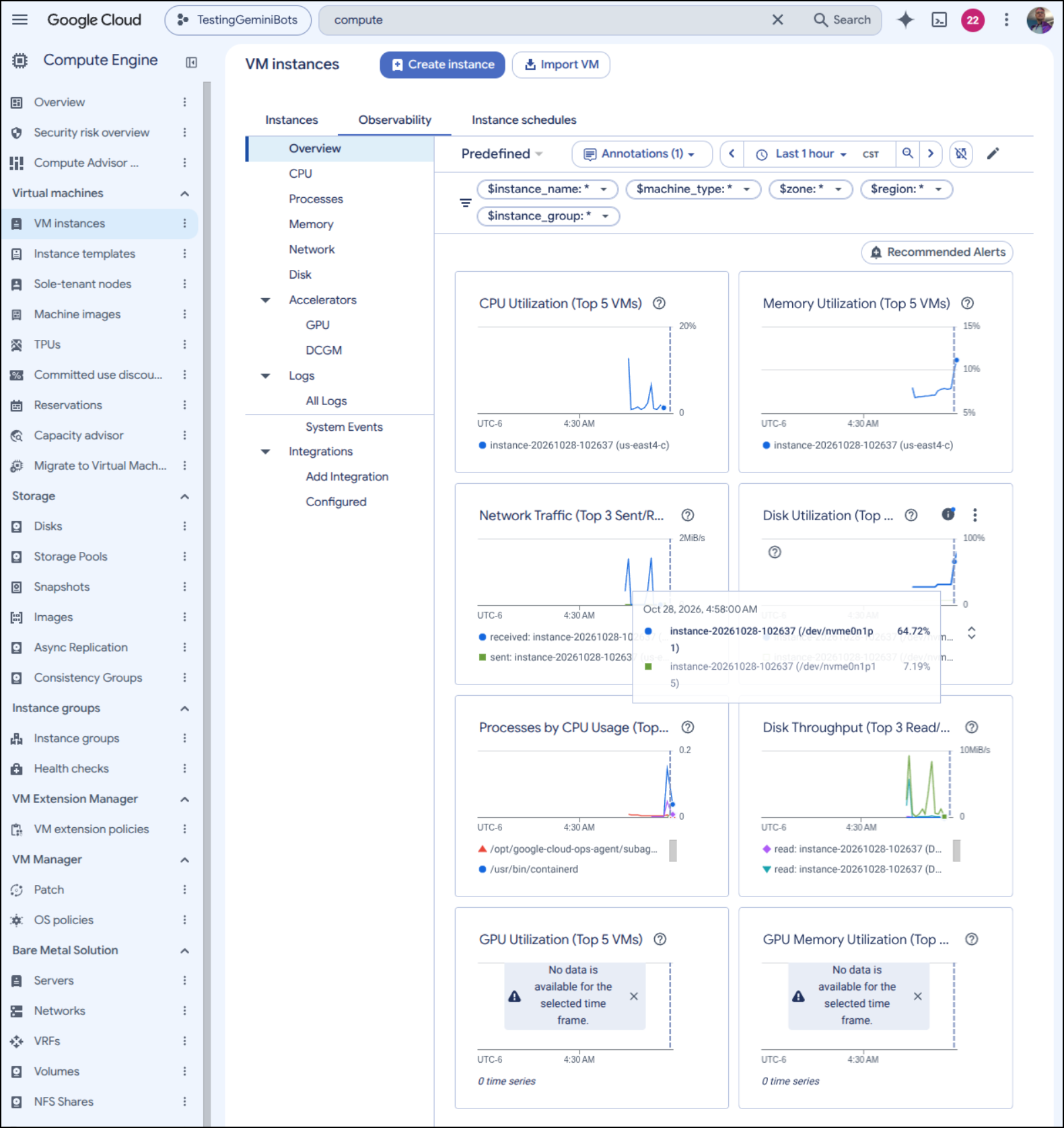
While it is booting up, I checked the “Observability” pane in the console to see how it was doing. It was pushing the disk but the CPU and Memory seemed fine (which was my worry)
It was less than a minute before everything was tip top. I tried the URL, expecting the LE process for certs to not be done but was surprised my site was live, with valid certs, already
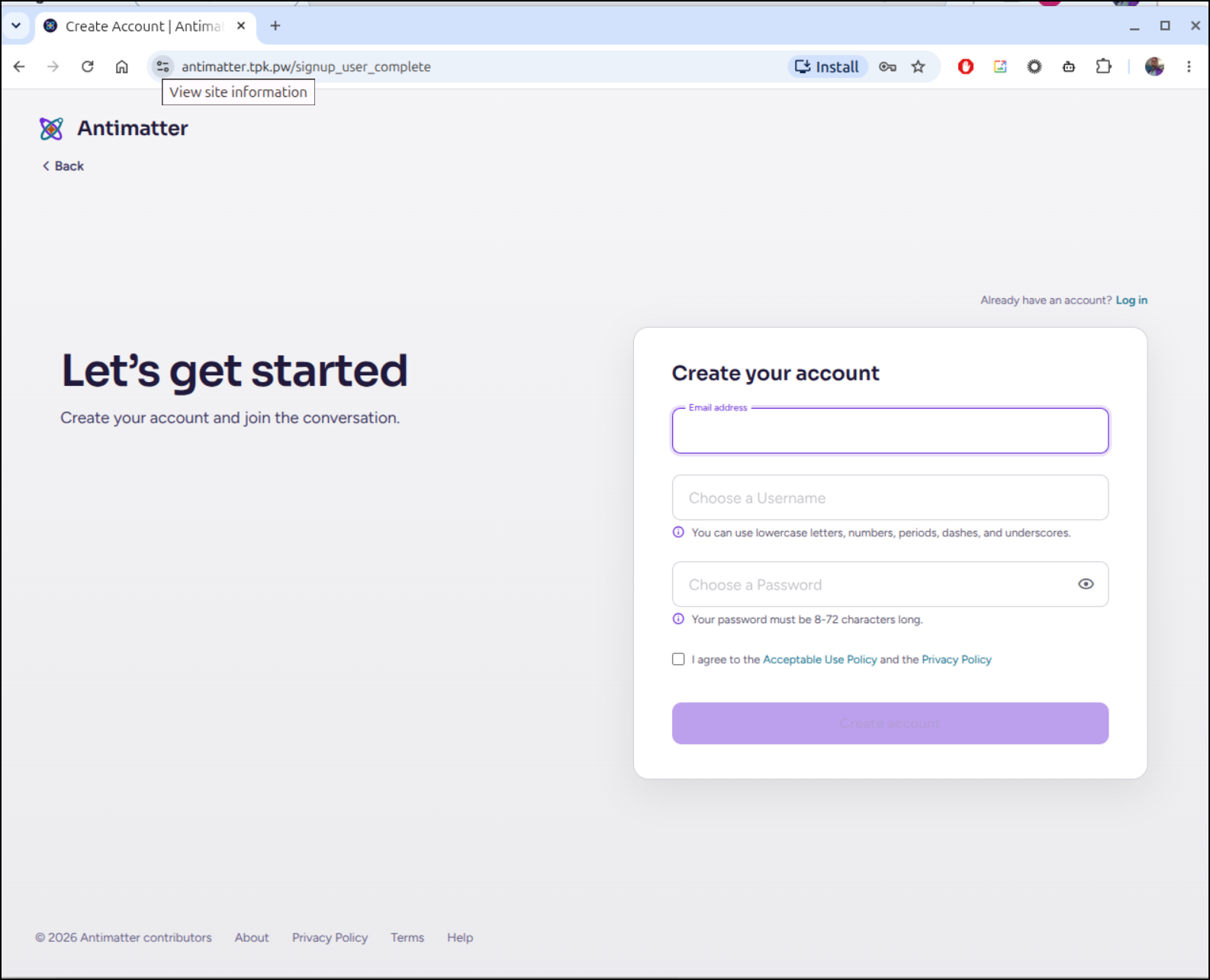
Here is where I hit my first problem, however.
I couldn’t save the account:
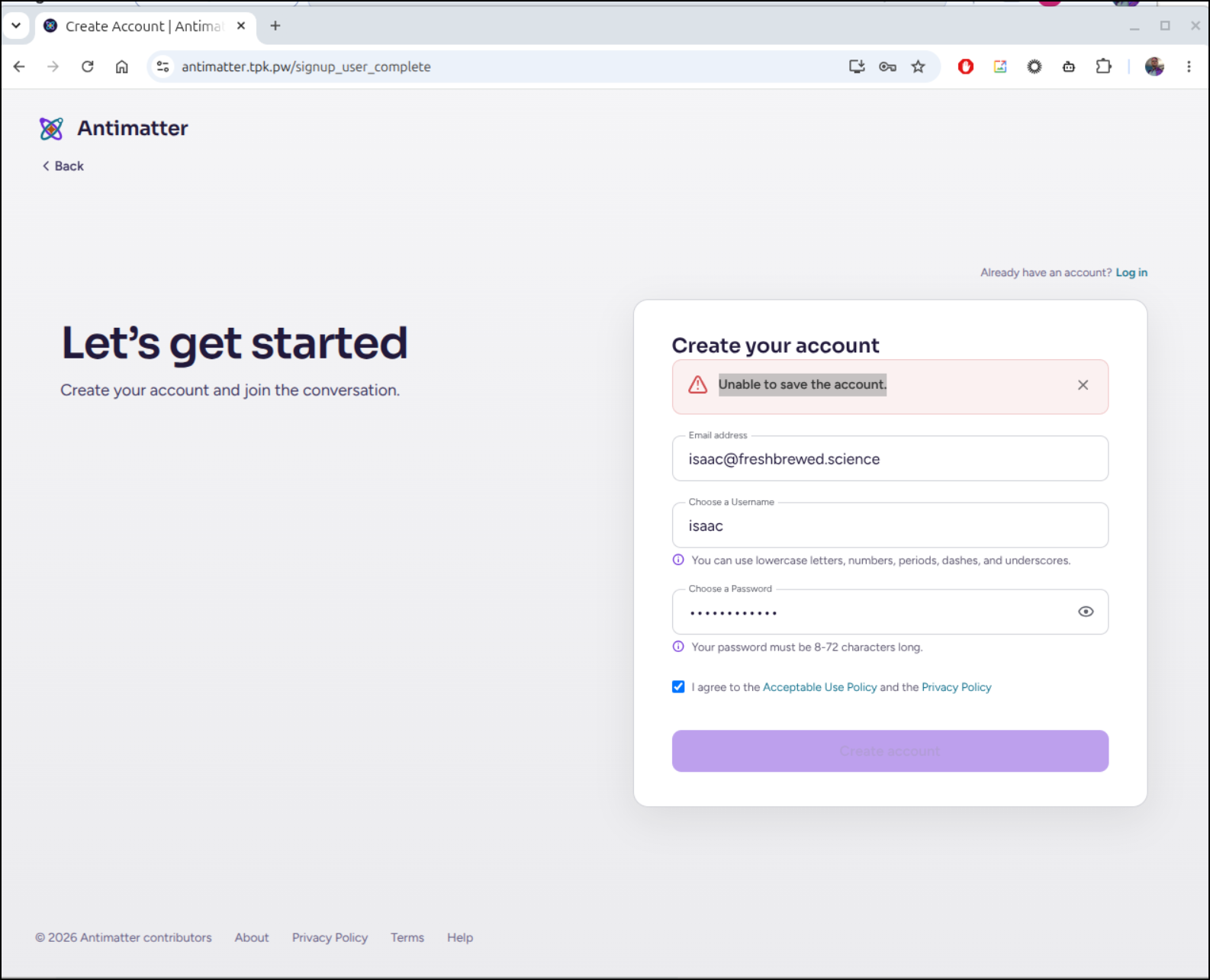
I pulled up the docker logs and saw:
{“timestamp”:“2026-10-28 11:01:19.974 Z”,“level”:“error”,“msg”:“Unable to save the account.”,“caller”:“web/context.go:130”,“path”:"/api/v4/users",“request_id”:“nnmh9sewopfnpqnkg1t1kz4ppe”,“ip_addr”:“76.156.69.232”,“user_id”:"",“method”:“POST”,“err_where”:“createUserOrGuest”,“http_code”:500,“error”:“createUserOrGuest: Unable to save the account., failed to save User with userId=64x5nuaatpbfjbcfx6an6jju1a: pq: could not extend file "base/16384/16977": No space left on device (53100)”}
Uh oh, what i feared.
We used up all the disk and forgot to handle the data disk. doh!
isaac@instance-20261028-102637:~/antimatter$ df -h
Filesystem       Size  Used Avail Use% Mounted on
udev             3.9G     0  3.9G   0% /dev
tmpfs            795M  964K  794M   1% /run
/dev/nvme0n1p1   9.7G  9.2G     0 100% /
tmpfs            3.9G  4.0K  3.9G   1% /dev/shm
efivarfs         256K   26K  226K  11% /sys/firmware/efi/efivars
tmpfs            5.0M     0  5.0M   0% /run/lock
tmpfs            3.9G     0  3.9G   0% /tmp
tmpfs            1.0M     0  1.0M   0% /run/credentials/systemd-journald.service
tmpfs            1.0M     0  1.0M   0% /run/credentials/systemd-resolved.service
tmpfs            1.0M     0  1.0M   0% /run/credentials/systemd-networkd.service
/dev/nvme0n1p15  124M  8.9M  115M   8% /boot/efi
tmpfs            1.0M     0  1.0M   0% /run/credentials/getty@tty1.service
tmpfs            1.0M     0  1.0M   0% /run/credentials/serial-getty@ttyS0.service
tmpfs            795M  8.0K  795M   1% /run/user/1000
I’ll start by formatting the data disk with ext4 (yeah i know, zfs is better)
isaac@instance-20261028-102637:~/antimatter$ sudo mkfs.ext4 -m 0 -E lazy_itable_init=0,lazy_journal_init=0,discard /dev/nvme0n2
mke2fs 1.47.2 (1-Jan-2025)
Discarding device blocks: done
Creating filesystem with 26214400 4k blocks and 6553600 inodes
Filesystem UUID: 80d184bf-ba29-446a-aaf0-453163414829
Superblock backups stored on blocks:
        32768, 98304, 163840, 229376, 294912, 819200, 884736, 1605632, 2654208,
        4096000, 7962624, 11239424, 20480000, 23887872

Allocating group tables: done
Writing inode tables: done
Creating journal (131072 blocks): done
Writing superblocks and filesystem accounting information: done
Then I’ll create a mount and add it (and make an /etc/fstab entry for reboots)
isaac@instance-20261028-102637:~/antimatter$ sudo mkdir -p /mnt/data
isaac@instance-20261028-102637:~/antimatter$ sudo mount -o discard,defaults /dev/nvme0n2 /mnt/data
isaac@instance-20261028-102637:~/antimatter$ echo UUID=$(sudo blkid -s UUID -o value /dev/nvme0n2) /mnt/data ext4 discard,defaults,nofail 0 2 | sudo tee -a /etc/fstab
UUID=80d184bf-ba29-446a-aaf0-453163414829 /mnt/data ext4 discard,defaults,nofail 0 2
Now I see the 100Gb Data drive
isaac@instance-20261028-102637:~/antimatter$ df -h
Filesystem       Size  Used Avail Use% Mounted on
udev             3.9G     0  3.9G   0% /dev
tmpfs            795M  676K  794M   1% /run
/dev/nvme0n1p1   9.7G  9.2G  2.0M 100% /
tmpfs            3.9G  4.0K  3.9G   1% /dev/shm
efivarfs         256K   26K  226K  11% /sys/firmware/efi/efivars
tmpfs            5.0M     0  5.0M   0% /run/lock
tmpfs            3.9G     0  3.9G   0% /tmp
tmpfs            1.0M     0  1.0M   0% /run/credentials/systemd-journald.service
tmpfs            1.0M     0  1.0M   0% /run/credentials/systemd-resolved.service
tmpfs            1.0M     0  1.0M   0% /run/credentials/systemd-networkd.service
/dev/nvme0n1p15  124M  8.9M  115M   8% /boot/efi
tmpfs            1.0M     0  1.0M   0% /run/credentials/getty@tty1.service
tmpfs            1.0M     0  1.0M   0% /run/credentials/serial-getty@ttyS0.service
tmpfs            795M  8.0K  795M   1% /run/user/1000
/dev/nvme0n2      98G  2.1M   98G   1% /mnt/data
I now need to move things for docker.
I stopped the running service
isaac@instance-20261028-102637:~/antimatter$ docker compose down
[+] down 1/1
 ! Network antimatter_edge Resource is still in use                                                                                                                                                                                                           0.0s
isaac@instance-20261028-102637:~/antimatter$ docker ps
CONTAINER ID   IMAGE            COMMAND                  CREATED          STATUS          PORTS                                                                                                                             NAMES
f1089ffb2cba   caddy:2-alpine   "caddy reverse-proxy…"   13 minutes ago   Up 11 minutes   0.0.0.0:80->80/tcp, [::]:80->80/tcp, 0.0.0.0:443->443/tcp, [::]:443->443/tcp, 0.0.0.0:443->443/udp, [::]:443->443/udp, 2019/tcp   antimatter-https-1
isaac@instance-20261028-102637:~/antimatter$ docker compose down
[+] down 1/1
 ! Network antimatter_edge Resource is still in use                                                                                                                                                                                                           0.0s
isaac@instance-20261028-102637:~/antimatter$ docker compose down
[+] down 1/1
 ! Network antimatter_edge Resource is still in use                                                                                                                                                                                                           0.0s
isaac@instance-20261028-102637:~/antimatter$ docker stop antimatter-https-1
antimatter-https-1
isaac@instance-20261028-102637:~/antimatter$ docker compose down
[+] down 1/1
 ✔ Network antimatter_edge Removed
I’ll now stop docker and make a new folder where we can put things
isaac@instance-20261028-102637:~/antimatter$ sudo systemctl stop docker docker.socket
isaac@instance-20261028-102637:~/antimatter$ sudo mkdir -p /mnt/data/docker
I ran rsync a couple times just to ensure I synced everything over (after installing it with sudo apt install rysnc)
isaac@instance-20261028-102637:~/antimatter$ sudo rsync -aP /var/lib/docker/ /mnt/data/docker/
sending incremental file list
Also, just as a quick sanity check, I verified the sizes of the dirs
isaac@instance-20261028-102637:~/antimatter$ sudo du -chs /mnt/data/docker
1.2G    /mnt/data/docker
1.2G    total
isaac@instance-20261028-102637:~/antimatter$ sudo du -chs /var/lib/docker
1.2G    /var/lib/docker
1.2G    total
Before I went any farther, I wanted to clean up a bit of space so the VM doesn’t get in a bad way. The files are copied, but let’s just remove the old volumes to clear out a bit of space
root@instance-20261028-102637:/var/lib/docker# du -chs ./*
84K     ./buildkit
184K    ./containers
4.0K    ./engine-id
36K     ./image
96K     ./network
12K     ./plugins
8.0K    ./rootfs
4.0K    ./runtimes
4.0K    ./swarm
8.0K    ./tmp
1.2G    ./volumes
1.2G    total
root@instance-20261028-102637:/var/lib/docker# rm -rf ./volumes
root@instance-20261028-102637:/var/lib/docker# df -h
Filesystem       Size  Used Avail Use% Mounted on
udev             3.9G     0  3.9G   0% /dev
tmpfs            795M  580K  794M   1% /run
/dev/nvme0n1p1   9.7G  8.1G  1.2G  88% /
tmpfs            3.9G  4.0K  3.9G   1% /dev/shm
efivarfs         256K   26K  226K  11% /sys/firmware/efi/efivars
tmpfs            5.0M     0  5.0M   0% /run/lock
tmpfs            3.9G     0  3.9G   0% /tmp
tmpfs            1.0M     0  1.0M   0% /run/credentials/systemd-journald.service
tmpfs            1.0M     0  1.0M   0% /run/credentials/systemd-resolved.service
tmpfs            1.0M     0  1.0M   0% /run/credentials/systemd-networkd.service
/dev/nvme0n1p15  124M  8.9M  115M   8% /boot/efi
tmpfs            1.0M     0  1.0M   0% /run/credentials/getty@tty1.service
tmpfs            1.0M     0  1.0M   0% /run/credentials/serial-getty@ttyS0.service
tmpfs            795M  8.0K  795M   1% /run/user/1000
/dev/nvme0n2      98G  1.2G   97G   2% /mnt/data
I then created a new daemon json file
isaac@instance-20261028-102637:/var/lib$ cat /etc/docker/daemon.json
{
  "data-root": "/mnt/data/docker"
}
Then fired it up and checked to see if it detected that change
isaac@instance-20261028-102637:/var/lib$ sudo systemctl start docker
isaac@instance-20261028-102637:/var/lib$ sudo docker info | grep "Docker Root Dir"
 Docker Root Dir: /mnt/data/docker
I’ll now just fire back up
isaac@instance-20261028-102637:~/antimatter$ docker compose --profile https up -d
[+] up 6/7
 ✔ Container antimatter-files-1         Healthy                                                                                                                                                                                                               5.7s
 ✔ Container antimatter-gifs-stickers-1 Exited                                                                                                                                                                                                                0.7s
 ✔ Container antimatter-postgres-1      Healthy                                                                                                                                                                                                               6.3s
 ✔ Container antimatter-gifs-1          Started                                                                                                                                                                                                               0.1s
 ✔ Container antimatter-bucket-1        Exited                                                                                                                                                                                                                0.7s
 ✔ Container antimatter-antimatter-1    Started                                                                                                                                                                                                               0.5s
 ⠙ Container antimatter-https-1         Starting                                                                                                                                                                                                              0.1s
Error response from daemon: failed to set up container networking: network de9b3436ae8d9ac24eea669347140ceaeb1489ea93e94917a6c7a0a2d763194d not found
Oops - we have a stale network. Let’s fix that
isaac@instance-20261028-102637:~/antimatter$ docker compose --profile https down
[+] down 10/10
 ✔ Container antimatter-https-1         Removed                                                                                                                                                                                                               0.1s
 ✔ Container antimatter-antimatter-1    Removed                                                                                                                                                                                                               0.5s
 ✔ Container antimatter-postgres-1      Removed                                                                                                                                                                                                               0.3s
 ✔ Container antimatter-bucket-1        Removed                                                                                                                                                                                                               0.0s
 ✔ Container antimatter-gifs-1          Removed                                                                                                                                                                                                               0.2s
 ✔ Container antimatter-files-1         Removed                                                                                                                                                                                                               0.3s
 ✔ Container antimatter-gifs-stickers-1 Removed                                                                                                                                                                                                               0.0s
 ✔ Network antimatter_default           Removed                                                                                                                                                                                                               0.2s
 ✔ Network antimatter_private           Removed                                                                                                                                                                                                               0.1s
 ✔ Network antimatter_edge              Removed                                                                                                                                                                                                               0.3s
isaac@instance-20261028-102637:~/antimatter$ dockerr network prune -f
bash: dockerr: command not found
isaac@instance-20261028-102637:~/antimatter$ docker network prune -f
isaac@instance-20261028-102637:~/antimatter$ docker compose --profile https up -d
[+] up 10/10
 ✔ Network antimatter_default           Created                                                                                                                                                                                                               0.1s
 ✔ Network antimatter_private           Created                                                                                                                                                                                                               0.1s
 ✔ Container antimatter-gifs-stickers-1 Exited                                                                                                                                                                                                                1.0s
 ✔ Network antimatter_edge              Created                                                                                                                                                                                                               0.0s
 ✔ Container antimatter-files-1         Healthy                                                                                                                                                                                                               5.8s
 ✔ Container antimatter-postgres-1      Healthy                                                                                                                                                                                                               6.5s
 ✔ Container antimatter-gifs-1          Started                                                                                                                                                                                                               1.0s
 ✔ Container antimatter-bucket-1        Exited                                                                                                                                                                                                                6.9s
 ✔ Container antimatter-antimatter-1    Started                                                                                                                                                                                                               7.2s
 ✔ Container antimatter-https-1         Started                                                                                                                                                                                                               7.4s
isaac@instance-20261028-102637:~/antimatter$
I’ll try signup again
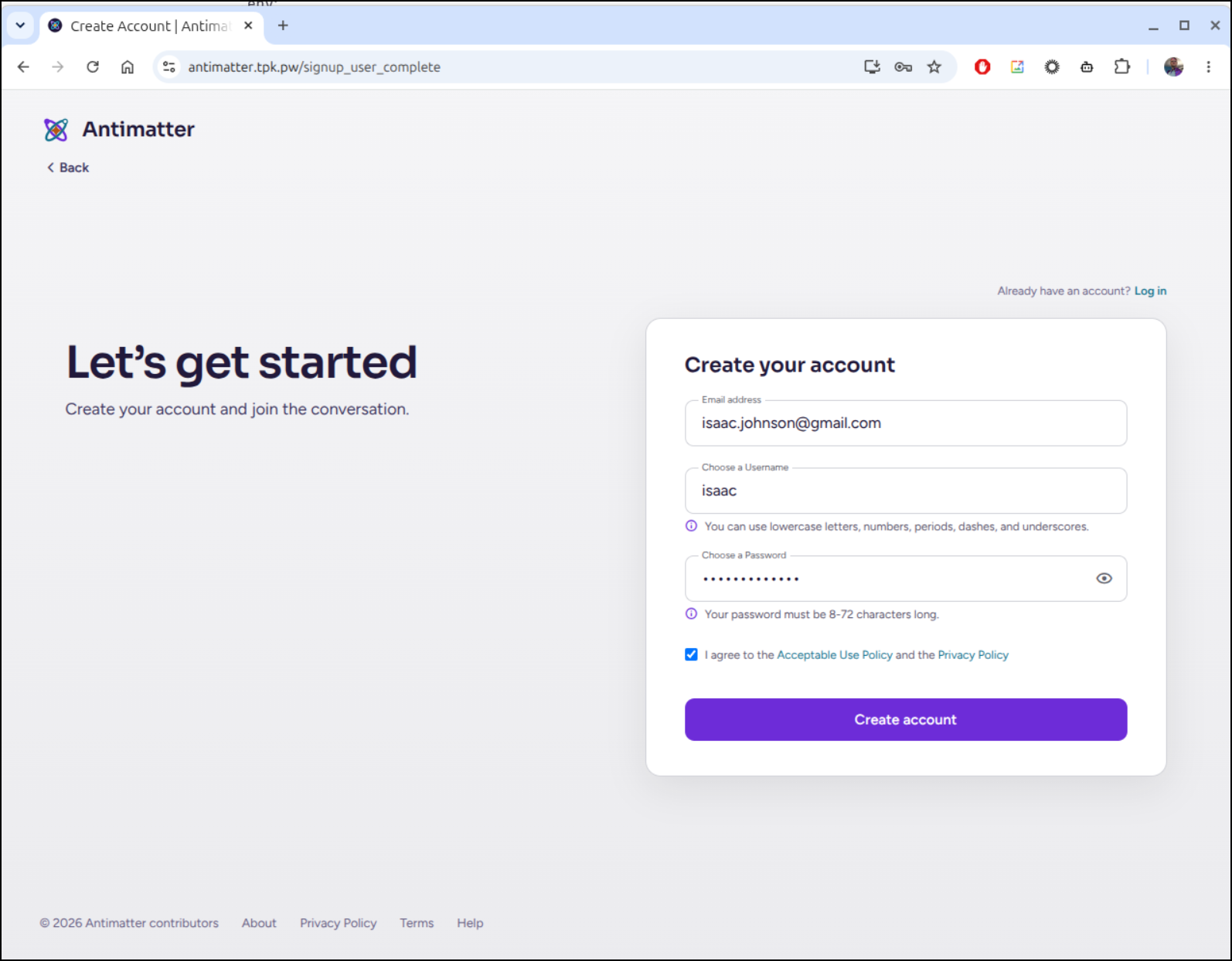
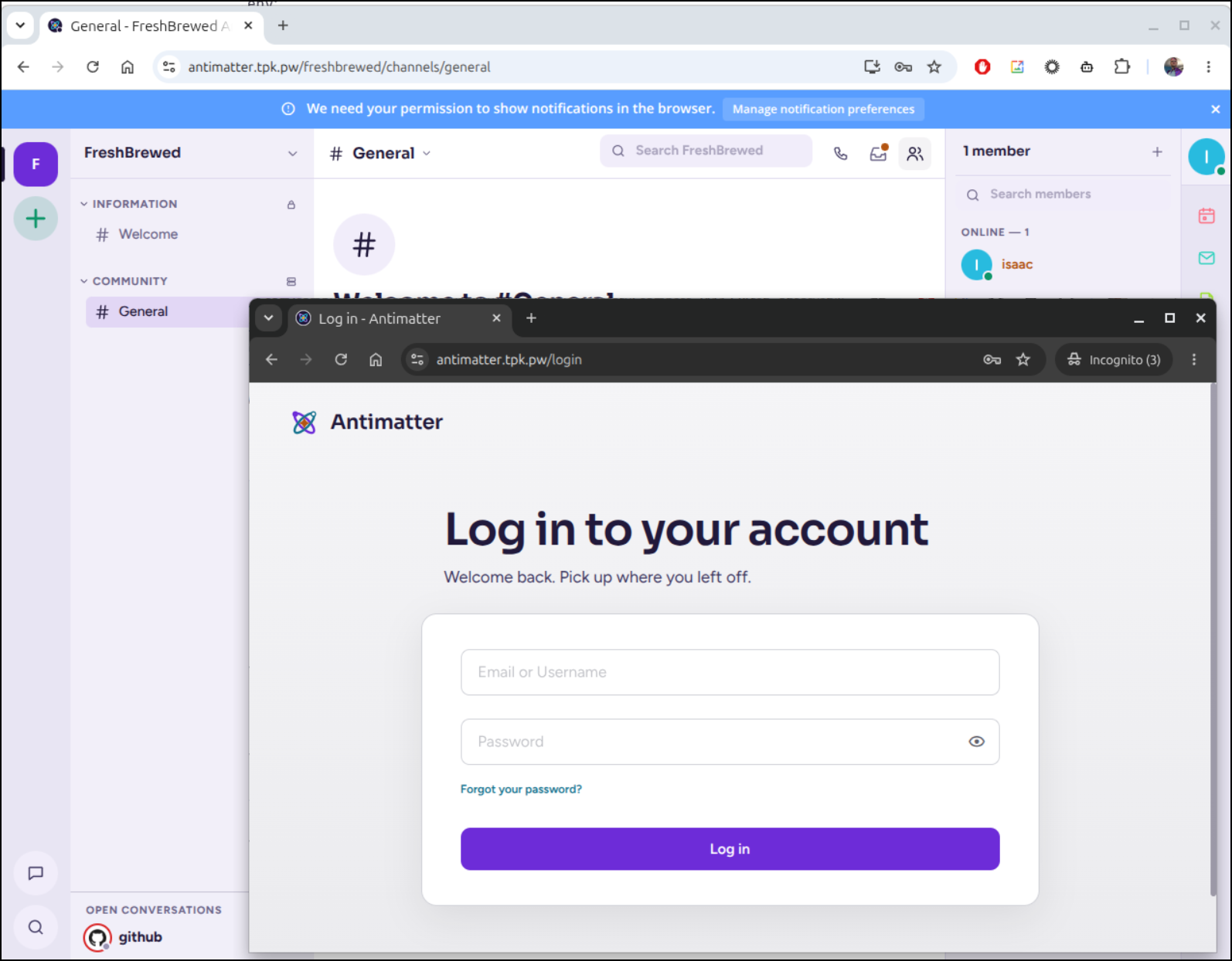
And here you can see we are all setup and using an incognito window, I can see unauthenticated users are set to login, but not create accounts
Cleanup
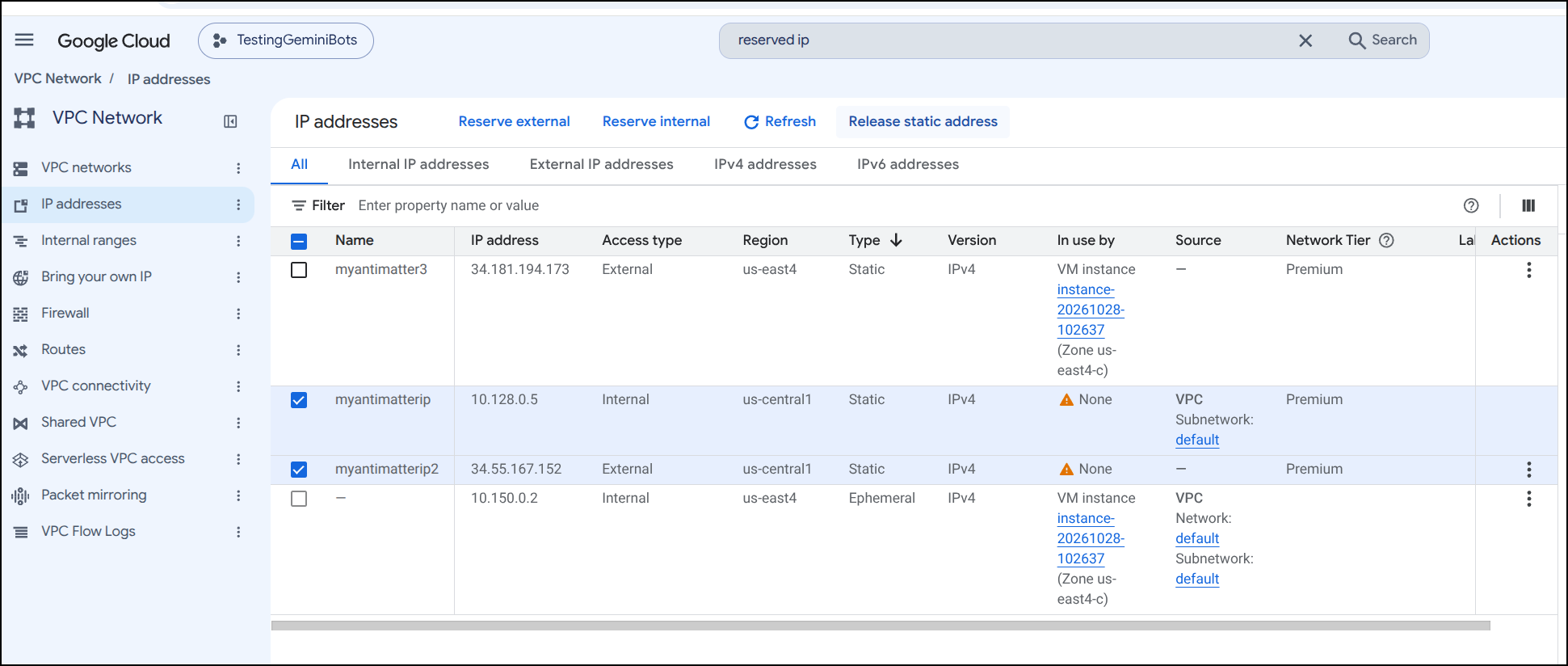
As I mentioned earlier, it’s a good idea to clear out those Static IPs that we didn’t use (as the us-central region wasn’t working for us today and we had to move to us-east4)
Select the unused IPs and click “Release static address”
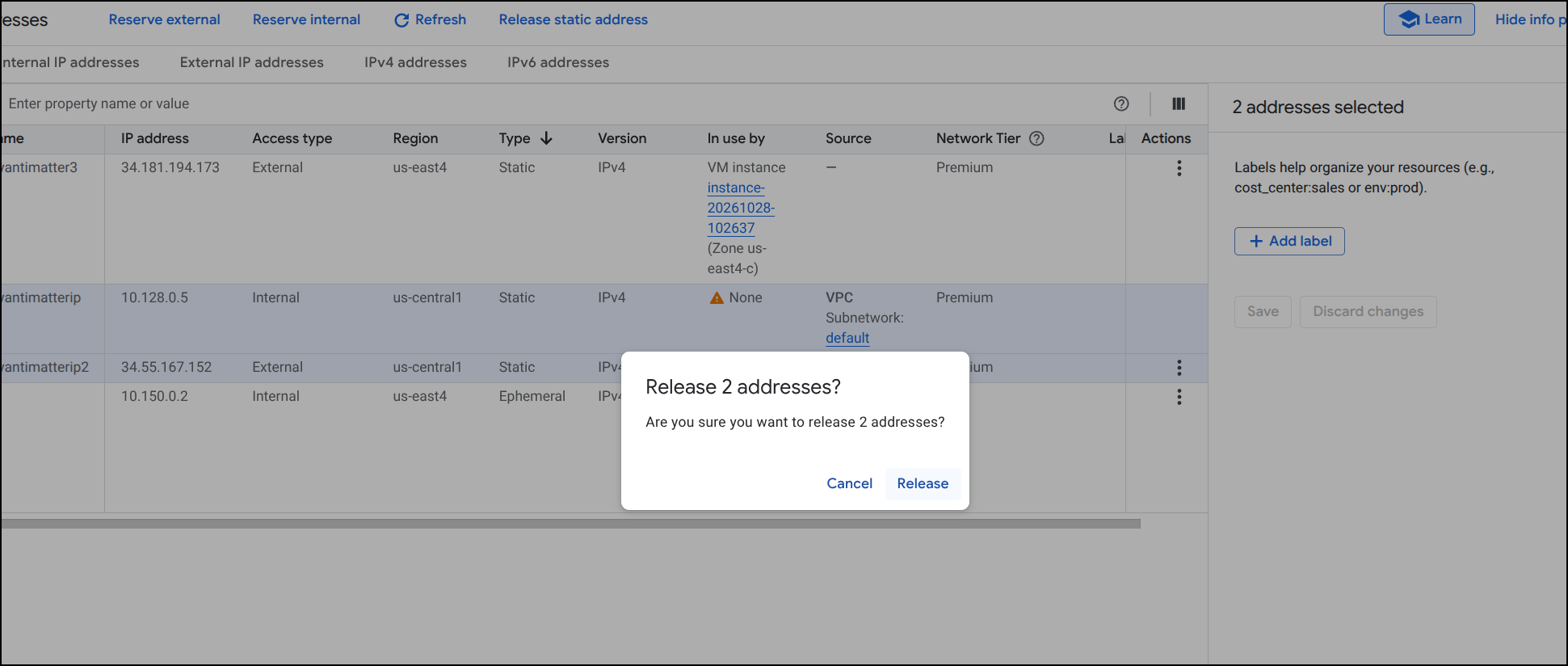
it confirms
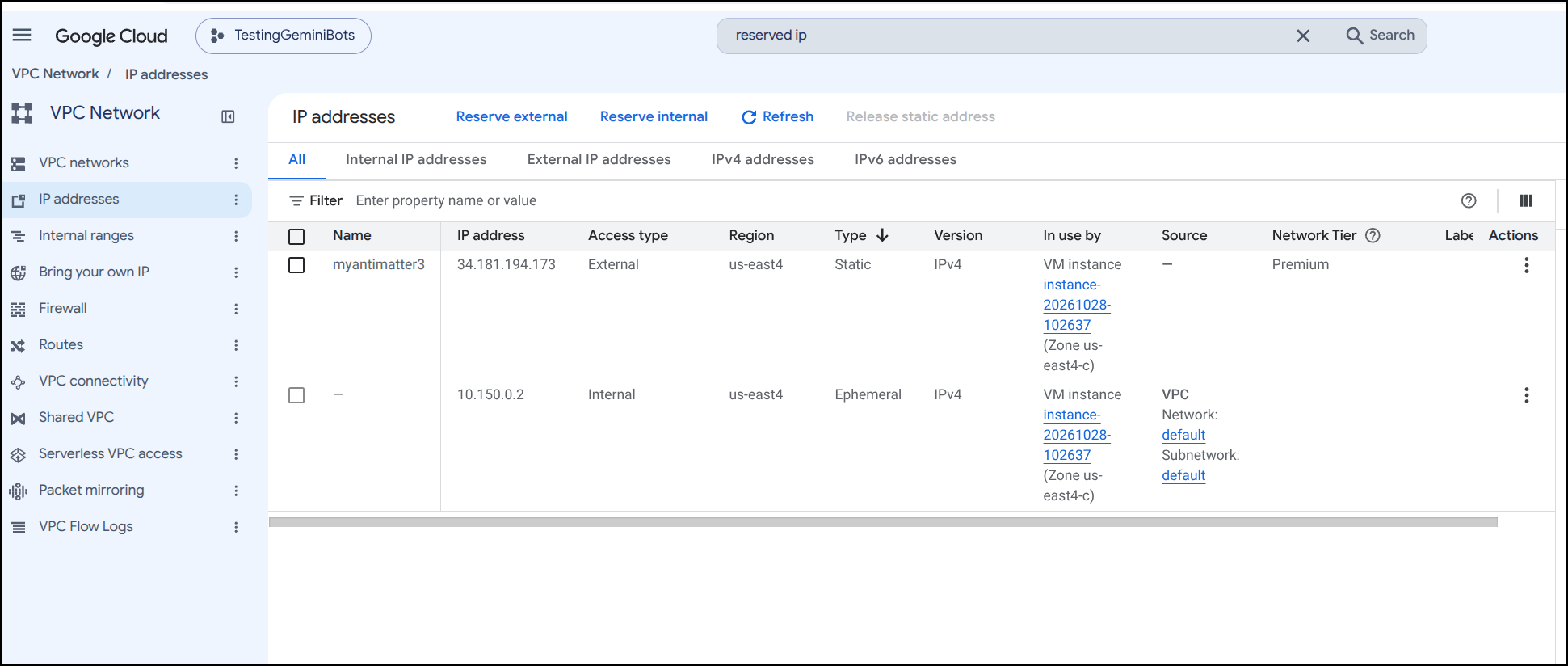
And now our system just has those two addresses (internal and external) that are tied to the live VM
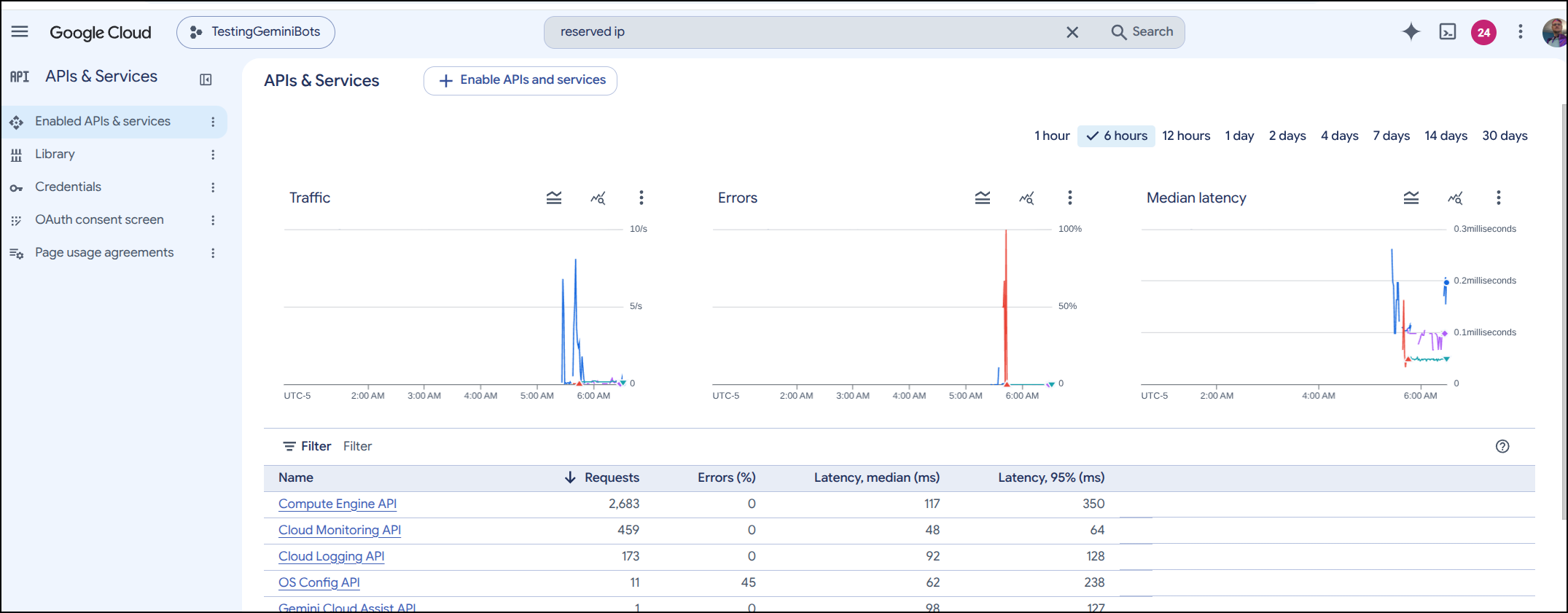
It was interesting to check my API usage and see how many actual Compute Engine API calls there were in total. About 2683 just getting this all stood up
Costs
Let’s assume on-demand pricing, this will cost:
- Compute Instance (n4d-standard-2)
- Machine Specs: 2 vCPUs, 8 GB Memory (powered by AMD Turin).
- Hourly Rate (On-Demand): $0.0847 / hour
- Estimated Monthly Cost: $61.83
- Static Reserved Regional IPv4 Address
- Hourly Rate (In-Use / Assigned to VM): $0.004 / hour
- Estimated Monthly Cost: $2.92
- Note: If the VM is deleted or the IP becomes unattached, the unused/idle rate increases to $0.010 / hour (~$7.30 / month).
- Storage (100 GiB Hyperdisk Balanced)
- Standard Rate (approx.): ~$0.15 / GiB-month (base provisioned capacity, excluding any custom provisioned IOPS or throughput scaling).
- Estimated Monthly Cost: ~$15.00
If we set a 1 year committed use discount (CUD), that could greatly reduce things to $274/year or $56.87 a month.
We could also consider 3 year CUDs and Spot VMs (but I wouldn’t want something like this on interruptable spot VMs)
| Item | On-Demand (No CUD) | 1-Year CUD (~37% off Compute) | 3-Year CUD (~55% off Compute) | Spot VM* (~44% off Compute) |
|---|---|---|---|---|
| n4d-standard-2 VM | $61.83 | $38.95 | $27.83 | $34.60 |
| Static IPv4 (In-Use) | $2.92 | $2.92 | $2.92 | $2.92 |
| 100 GiB Hyperdisk Balanced | $15.00 | $15.00 | $15.00 | $15.00 |
| Estimated Total / Month | $79.75 | $56.87 | $45.75 | $52.52 |
| Annualized Total | $957.00 | $682.44 | $549.00 | $630.24 |
As you can imagine, another easy way to trim the bill is reduce that extra storage. It’s $15/mo for the 100Gb of disk, but at present, with images and other, I’m just using 6Gb.
Assuming we would want some elbow room for file uploads/etc. we could go from 100Gb to 50Gb and that would just be $7.50 month (saving then $7.50 month off the bill)
Gcloud Cleanup
Lastly, when the time comes to clean this all up, we can execute just a few gcloud commands to do that:
# 1. Delete VM
gcloud compute instances delete instance-20261028-102637 --zone=us-east4-c --quiet

# 2. Delete Hyperdisk Balanced
gcloud compute disks delete disk-20261028-102929 --zone=us-east4-c --quiet

# 3. Release Static IP
gcloud compute addresses delete myantimatter3 --region=us-east4 --quiet
I found the hypderdisk was removed when i deleted the instance
isaac@isaac-G707:~/Workspaces/antimatter-docker$ gcloud compute instances delete instance-20261028-102637 --zone=us-east4-c --quiet
Deleted [https://www.googleapis.com/compute/v1/projects/careful-compass-241122/zones/us-east4-c/instances/instance-20261028-102637].
isaac@isaac-G707:~/Workspaces/antimatter-docker$ gcloud compute disks delete disk-20261028-102929 --zone=us-east4-c --quiet
Deleted [https://www.googleapis.com/compute/v1/projects/careful-compass-241122/zones/us-east4-c/disks/disk-20261028-102929].
isaac@isaac-G707:~/Workspaces/antimatter-docker$ gcloud compute disks delete disk-20261028-102929 --zone=us-east4-c --quiet
ERROR: (gcloud.compute.disks.delete) Could not fetch resource:
 - The resource 'projects/careful-compass-241122/zones/us-east4-c/disks/disk-20261028-102929' was not found

isaac@isaac-G707:~/Workspaces/antimatter-docker$ gcloud compute disks list --zones=us-east4-c
WARNING: The following filter keys were not present in any resource : zone
Listed 0 items.
Kubernetes Experiment
First, the A Record again
$ az account set --subscription "Pay-As-You-Go" && az network dns record-set a add-record -g idjdnsrg -z tpk.pw -a 76.156.69.232 -n amatter
{
  "ARecords": [
    {
      "ipv4Address": "76.156.69.232"
    }
  ],
  "TTL": 3600,
  "etag": "3fe51a3b-d4d9-4a78-aa31-8d3fdd277e78",
  "fqdn": "amatter.tpk.pw.",
  "id": "/subscriptions/d955c0ba-13dc-44cf-a29a-8fed74cbb22d/resourceGroups/idjdnsrg/providers/Microsoft.Network/dnszones/tpk.pw/A/amatter",
  "name": "amatter",
  "provisioningState": "Succeeded",
  "resourceGroup": "idjdnsrg",
  "targetResource": {},
  "trafficManagementProfile": {},
  "type": "Microsoft.Network/dnszones/A"
}
First pass (likely borked TLS)
$ helm upgrade --install antimatter -n antimatter ./helm/antimatter \
  --set env.SITE_URL="https://amatter.tpk.pw" \
  --set env.DOMAIN="amatter.tpk.pw" \
  --set env.POSTGRES_PASSWORD="$(openssl rand -hex 24)" \
  --set env.S3_SECRET_KEY="$(openssl rand -hex 24)" \
  --set env.GIFS_API_KEY="$(openssl rand -hex 24)" \
  --set ingress.enabled=true \
  --set persistence.storageClass="local-path"
Release "antimatter" does not exist. Installing it now.
NAME: antimatter
LAST DEPLOYED: Wed Oct 28 08:43:07 2026
NAMESPACE: antimatter
STATUS: deployed
REVISION: 1
DESCRIPTION: Install complete
TEST SUITE: None
NOTES:
1. Antimatter has been deployed!
   Site URL: https://amatter.tpk.pw
   Domain:   amatter.tpk.pw

2. Get the application URL by running these commands:
  http://amatter.tpk.pw/
I tweaked the values as the ingress lacked the cluster-issuer, nginx annotations and TLS settings
$ cat myvalues.yaml
env:
  DOMAIN: amatter.tpk.pw
  GIFS_API_KEY: 87b6f050298980d5fa6d5e861e3c7ecbbb76ca61136bb0f3
  POSTGRES_PASSWORD: 070f4d09434fb7712a8bfd1229792d552d5053718b1eb043
  S3_SECRET_KEY: 42d8a65d76f14daa0fe65a103f9e5b5a70cc5580e3bd2cfb
  SITE_URL: https://amatter.tpk.pw
ingress:
  annotations:
    cert-manager.io/cluster-issuer: azuredns-tpkpw
    ingress.kubernetes.io/ssl-redirect: "true"
    kubernetes.io/tls-acme: "true"
    nginx.ingress.kubernetes.io/proxy-body-size: "0"
    nginx.ingress.kubernetes.io/ssl-redirect: "true"
    nginx.org/websocket-services: antimatter
  className: nginx
  enabled: true
  hosts:
  - host: amatter.tpk.pw
    paths:
    - path: /
      pathType: Prefix
  tls:
  - hosts:
    - amatter.tpk.pw
persistence:
  storageClass: local-path
I need to manually remove the ingress in my cluster (most shouldn’t need to do that), then upgrade to get the new values to stick
isaac@isaac-G707:~/Workspaces/antimatter-docker$ kubectl get ingress -n antimatter
NAME         CLASS    HOSTS            ADDRESS   PORTS   AGE
antimatter   <none>   amatter.tpk.pw             80      5m27s
isaac@isaac-G707:~/Workspaces/antimatter-docker$ kubectl delete ingress -n antimatter antimatter
ingress.networking.k8s.io "antimatter" deleted from antimatter namespace
isaac@isaac-G707:~/Workspaces/antimatter-docker$ helm upgrade antimatter -n antimatter -f ./myvalues.yaml ./helm/antimatter/
Release "antimatter" has been upgraded. Happy Helming!
NAME: antimatter
LAST DEPLOYED: Wed Oct 28 08:48:59 2026
NAMESPACE: antimatter
STATUS: deployed
REVISION: 3
DESCRIPTION: Upgrade complete
TEST SUITE: None
NOTES:
1. Antimatter has been deployed!
   Site URL: https://amatter.tpk.pw
   Domain:   amatter.tpk.pw

2. Get the application URL by running these commands:
  https://amatter.tpk.pw/
isaac@isaac-G707:~/Workspaces/antimatter-docker$ kubectl get ingress -n antimatter
NAME         CLASS   HOSTS            ADDRESS   PORTS     AGE
antimatter   nginx   amatter.tpk.pw             80, 443   4s
Once I saw the cert satisfied
kubectl get cert -n antimatter
NAME          READY   SECRET        AGE
amatter-tls   True    amatter-tls   2m28s
That seemed to work without issue
Summary
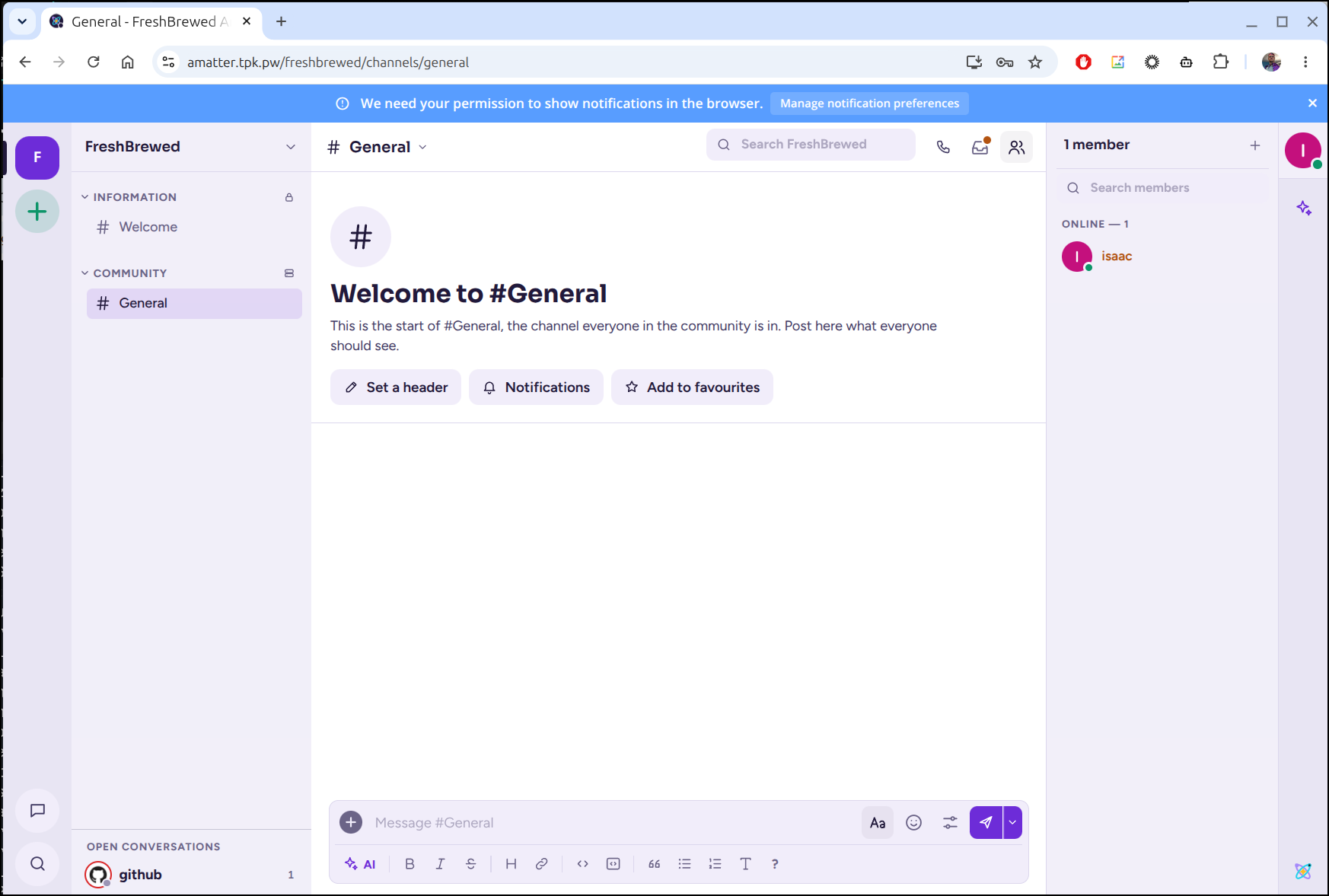
We fired up a local matter most by first building it ourselves, which took a ridiculous number of git clone operations and at least one fixing of a repo casing in the build file (Antimatter vs antimatter). Once built, we could run the container locally with docker.
This also let us to consider using docker compose with just off-the-shelf Github CR based images. Since my Nginx ingress controller can get spastic with video calls (e.g. jitsi), I opted to build out a Google Compute Instance VM with public IP and fire up Antimatter there.
This had just a couple of issues: which Google region had compute (then after changing regions, getting a different valid reserved IP), then remember to format and mount the data drive (and switch docker to using that). While I used Azure DNS for the A Record, I could have just as easily used Google DNS.
The containerized instance works great - it’s zippy and easy to run. If we assumed a small team that would want this for a year, a 1-year CUD would have brought the price down to $55 (and even less if we trimmed the disk).
I wanted to see what the commercial version would cost, but Mattermost, for which Antimatter is based upon, does that really annoying thing of “talk to sales” which means I most certainly will not do that.
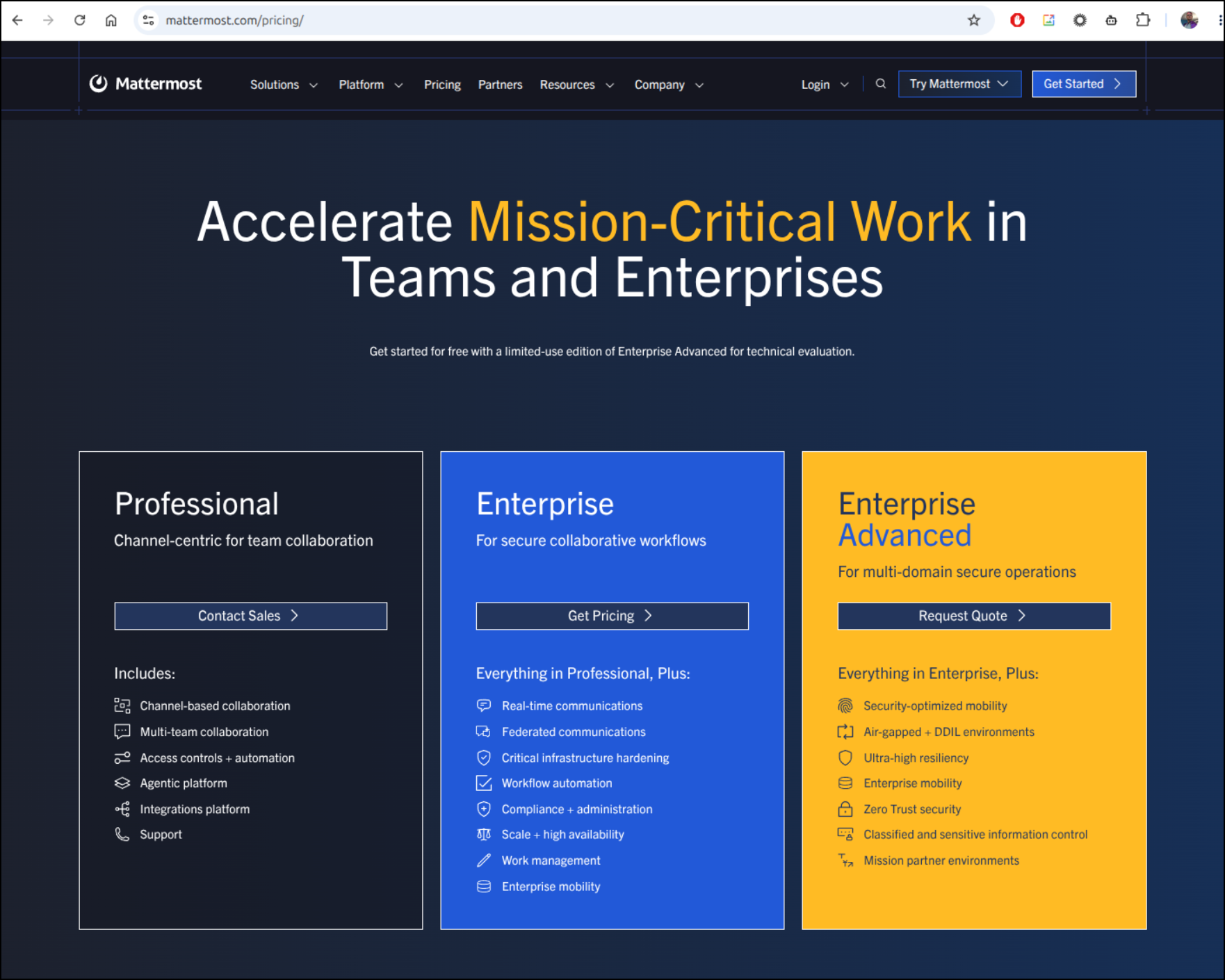
We can, however, get a hint from this Capterra page which suggests its roughly $10/mo/user so if we assume relative feature parity, the Mattermost professional hosted option might be good for a team of 5 or less - assuming they will give you a per-user seat at that level.
Now if you do not care about callbacks from Github - ie. the webhook and can live in private IP space, there is no reason not to just host locally. You could use something like tailscale to expose it with a VPN or even consider something like Cloudflare (which would be $20 for the Pro plan to expose on a DNS name with a reverse proxy) - about the same for Ngrok.
If anything, I could see a team firing this up in Docker on a local VM at work and using it as the ’team chat server’ - if inside the house, you don’t need to worry about certs or TLS.
I like this - especially the video calls feature. Plenty of times I’ve worked at places where the “corporate” comms tool is just trash, or is so heavily monitored, everyone has their private comms off network - which has it’s own security considerations.
I think adding an Antimatter box to the mix would give dev teams a proper comms hub for working together while not leaking data out on public Slacks etc that are outside the walls.