
Published: May 28, 2026 by Isaac Johnson
It’s been a few since i used Opencode. When I last looked at in in March i really just explored tying it to Gemini. I want to see what I can do with local models instead.
Since now is a good time to revisit a few of these local Open-source CLIs, I also decided to install and try Cline which I had yet to do. I’m just going to focus on the CLI this time (but it does have a VS Code setup as well).
Lastly, I noticed that Pi had a new root NPM package. It seemed just as good a time to revisit that as well.
Opencode
I want to revisit Opencode to again see if I can get it to work with local Ollama agents. I’ve had some challenges in the past and I really wanted to give it another try.
Install
Let’s update our Open-Code, or install if you haven’t yet before:
builder@DESKTOP-QADGF36:~/Workspaces/myTest$ curl -fsSL https://opencode.ai/install | bash

Installing opencode version: 1.15.10
■■■■■■■■■■■■■■■■■■■■■■■■■■■■■■■■■■■■■■■■■■■■■■■■■■ 100%
Successfully added opencode to $PATH in /home/builder/.bashrc

                                 ▄
█▀▀█ █▀▀█ █▀▀█ █▀▀▄ █▀▀▀ █▀▀█ █▀▀█ █▀▀█
█░░█ █░░█ █▀▀▀ █░░█ █░░░ █░░█ █░░█ █▀▀▀
▀▀▀▀ █▀▀▀ ▀▀▀▀ ▀  ▀ ▀▀▀▀ ▀▀▀▀ ▀▀▀▀ ▀▀▀▀


OpenCode includes free models, to start:

cd <project>  # Open directory
opencode      # Run command

For more information visit https://opencode.ai/docs


builder@DESKTOP-QADGF36:~/Workspaces/myTest$
When I fire it up, we can see it already detected my models
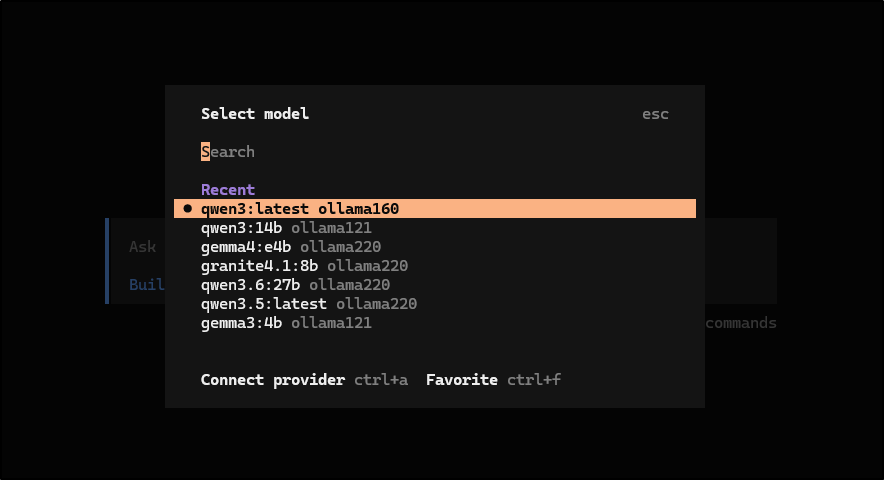
that’s because it pulls from the ~/.config/opencode/opencode.json settings
builder@DESKTOP-QADGF36:~/Workspaces/jekyll-blog$ cat ~/.config/opencode/opencode.json
{
    "$schema": "https://opencode.ai/config.json",
    "provider": {
        "ollama143": {
            "npm": "@ai-sdk/openai-compatible",
            "options": {
                "baseURL": "http://192.168.1.143:11434/v1"
            },
            "models": {
                "qwen3:8b": {
                    "name": "qwen3:8b",
                    "tools": true,
                    "reasoning": true,
                    "options": { "num_ctx": 65536 }
                },
                "deepseek-r1:7b": {
                    "name": "deepseek-r1:7b",
                    "tools": true,
                    "reasoning": true,
                    "options": { "num_ctx": 65536 }
                },
                "gemma3:4b": {
                    "name": "gemma3:4b",
                    "tools": false,
                    "reasoning": false,
                    "options": { "num_ctx": 65536 }
                }
            }
        },
        "ollama121": {
            "npm": "@ai-sdk/openai-compatible",
            "options": {
                "baseURL": "http://192.168.1.121:11434/v1"
            },
            "models": {
                "qwen3:8b": {
                    "name": "qwen3:8b",
                    "tools": true,
                    "reasoning": true,
                    "options": { "num_ctx": 65536 }
                },
                "qwen3:14b": {
                    "name": "qwen3:14b",
                    "tools": true,
                    "reasoning": true,
                    "options": { "num_ctx": 65536 }
                },
                "gemma3:4b": {
                    "name": "gemma3:4b",
                    "tools": false,
                    "reasoning": false,
                    "options": { "num_ctx": 65536 }
                }
            }
        },
        "ollama160": {
            "npm": "@ai-sdk/openai-compatible",
            "options": {
                "baseURL": "http://192.168.1.160:11434/v1"
            },
            "models": {
                "gemma3:latest": {
                    "name": "gemma3:latest",
                    "reasoning": false
                },
                "qwen3:latest": {
                    "name": "qwen3:latest",
                    "tools": true,
                    "reasoning": true,
                    "options": { "num_ctx": 65536 }
                }
            }
        },
        "ollama220": {
            "npm": "@ai-sdk/openai-compatible",
            "options": {
                "baseURL": "http://192.168.1.220:11434/v1"
            },
            "models": {
                "qwen3.5:latest": {
                    "name": "qwen3.5:latest",
                    "tools": true,
                    "reasoning": true,
                    "options": { "num_ctx": 65536 }
                },
                "qwen3.6:27b": {
                    "name": "qwen3.6:27b",
                    "tools": true,
                    "reasoning": true,
                    "options": { "num_ctx": 65536 }
                },
                "gemma4:e4b": {
                    "name": "gemma4:e4b",
                    "tools": false,
                    "reasoning": false,
                    "options": { "num_ctx": 65536 }
                },
                "codegemma:latest": {
                    "name": "codegemma:latest",
                    "tools": false,
                    "reasoning": false,
                    "options": { "num_ctx": 65536 }
                },
                "codegemma:2b": {
                    "name": "codegemma:2b",
                    "tools": false,
                    "reasoning": false,
                    "options": { "num_ctx": 65536 }
                },
                "granite4.1:8b": {
                    "name": "granite4.1:8b",
                    "tools": true,
                    "reasoning": false,
                    "options": { "num_ctx": 65536 }
                },
                "aleshribar3/deepseek-r1-tool-calling:8b": {
                    "name": "aleshribar3/deepseek-r1-tool-calling:8b",
                    "tools": true,
                    "reasoning": true,
                    "options": { "num_ctx": 65536 }
                }
            }
        }
    }
}
Spoiler: later I found I had better results if I included an explicit write permission in the JSON:
  "permission": {
    "edit": "allow"
  },
init
Now the next part is something I’m always neglecting to do - start with /init to tell OpenCode ‘here is my project’
I tried a couple different hosts and different size models, but in all cases, in WSL, it just keeps showing working with no results. I’ve let it go for hours so far
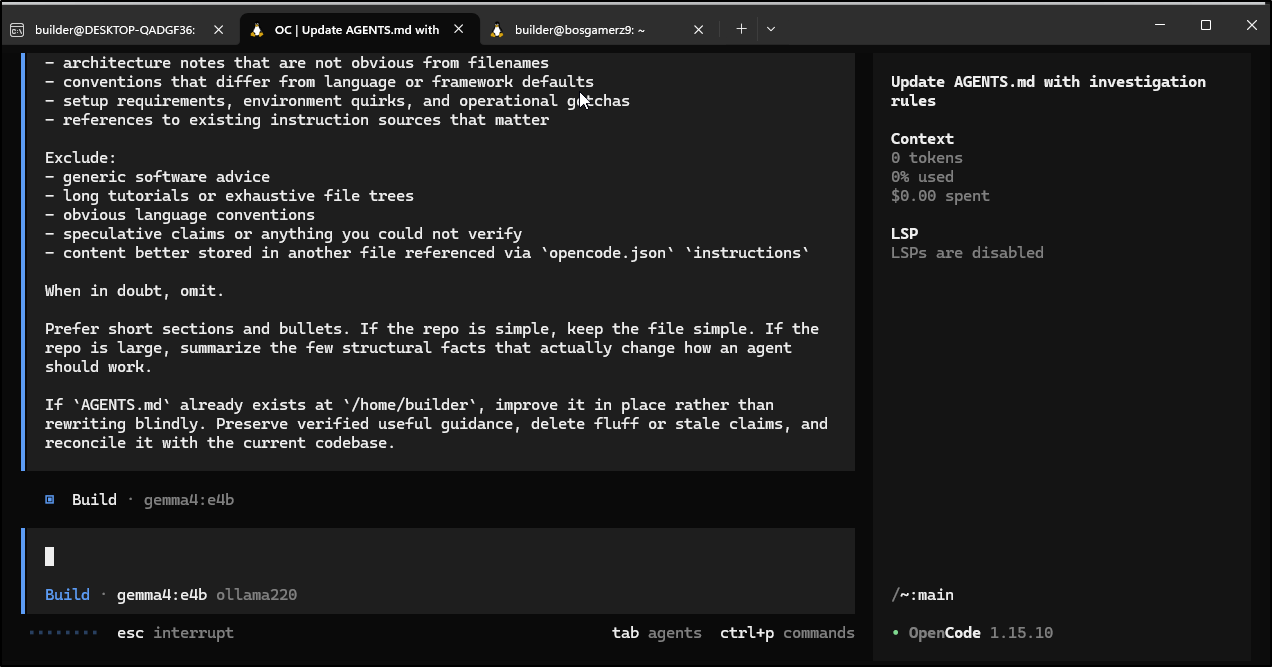
I’m wondering if it’s due to either WSL or being Ubuntu 22.02 jammy and not 22.04 noble or higher.
I hopped into a different Linux host with a newer Ubuntu (24.04 Noble) to try
builder@bosgamerz9:~$ lsb_release -a
No LSB modules are available.
Distributor ID: Ubuntu
Description:    Ubuntu 24.04.2 LTS
Release:        24.04
Codename:       noble
builder@bosgamerz9:~$ curl -fsSL https://opencode.ai/install | bash

Installing opencode version: 1.15.10
■■■■■■■■■■■■■■■■■■■■■■■■■■■■■■■■■■■■■■■■■■■■■■■■■■ 100%
Successfully added opencode to $PATH in /home/builder/.bashrc

                                 ▄
█▀▀█ █▀▀█ █▀▀█ █▀▀▄ █▀▀▀ █▀▀█ █▀▀█ █▀▀█
█░░█ █░░█ █▀▀▀ █░░█ █░░░ █░░█ █░░█ █▀▀▀
▀▀▀▀ █▀▀▀ ▀▀▀▀ ▀  ▀ ▀▀▀▀ ▀▀▀▀ ▀▀▀▀ ▀▀▀▀


OpenCode includes free models, to start:

cd <project>  # Open directory
opencode      # Run command

For more information visit https://opencode.ai/docs
I found gemma4:e4b fell down as it it didn’t see a tool it wanted to use
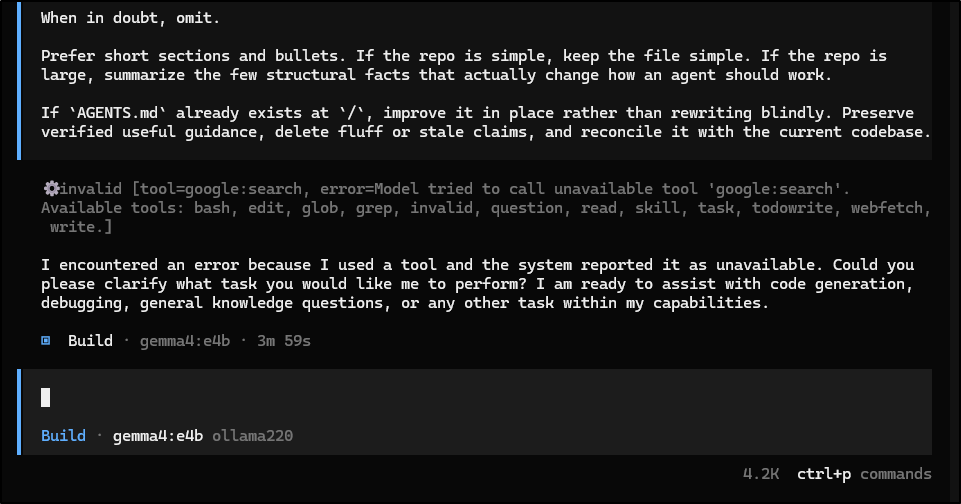
However, Qwen3.5:latest did fine
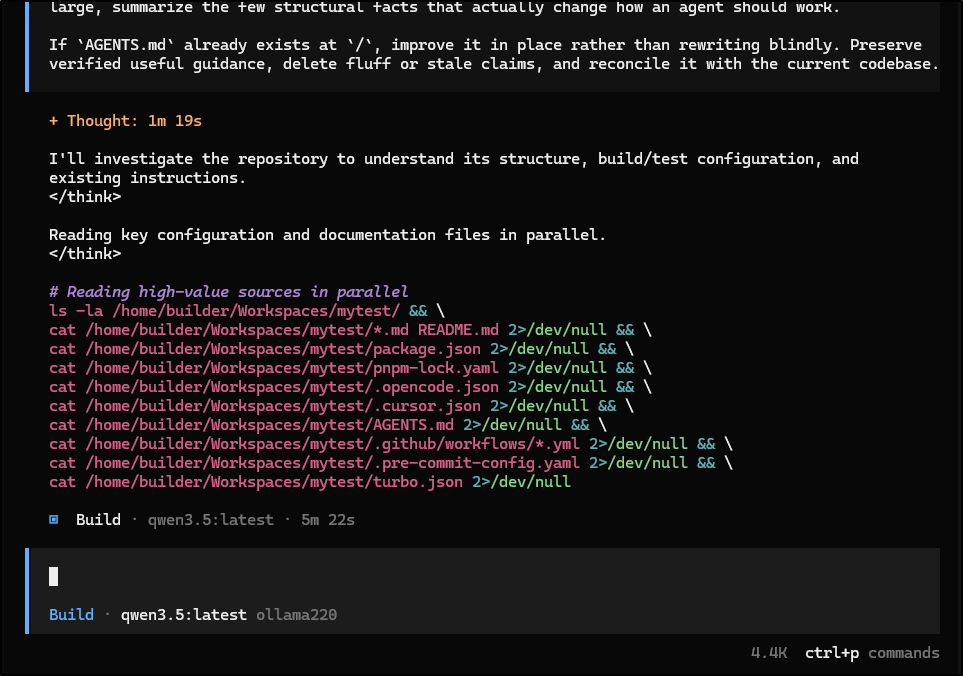
But I see no AGENT.md as I hoped
builder@bosgamerz9:~/Workspaces/mytest$ ls -ltra
total 8
drwxrwxr-x 8 builder builder 4096 May 25 14:43 ..
drwxrwxr-x 2 builder builder 4096 May 25 14:43 .
I started down my tests of the models I had with /init and “build” agent mode with opencode 1.15.10. Most of my Ollamas were 0.20.0 at this point (but i did upgrade one to 0.24.0 during the tests)
| model | worked | error |
|---|---|---|
| codegemma:2b | no | does not support tools |
| codegemma:latest | no | does not support tools |
| deepseek-r1-tool-calling:8b | no | said it would do it but did not |
| gemma4:e4b | no | … error because I used a tool and the system reported it as unavailable… |
| gemma3:4b | no | does not support tools |
| granite4.1:8b | no | read tool was called with invalid arguments |
| ministral-3:8b | no | task tool was called with invalid arguments |
| qwen3:8b | no | got close, but not there |
| qwen3:14b | no | read tool was called with invalid arguments |
| qwen3.5:latest | no | comes back with details, but doesn’t make the AGENTS.md file.. trying with a file i did touch on next.. still no go |
| qwen3.6:27b | no | thought then gave up with |
Qwen3:8b was interesting in that after some time, it put together a plan
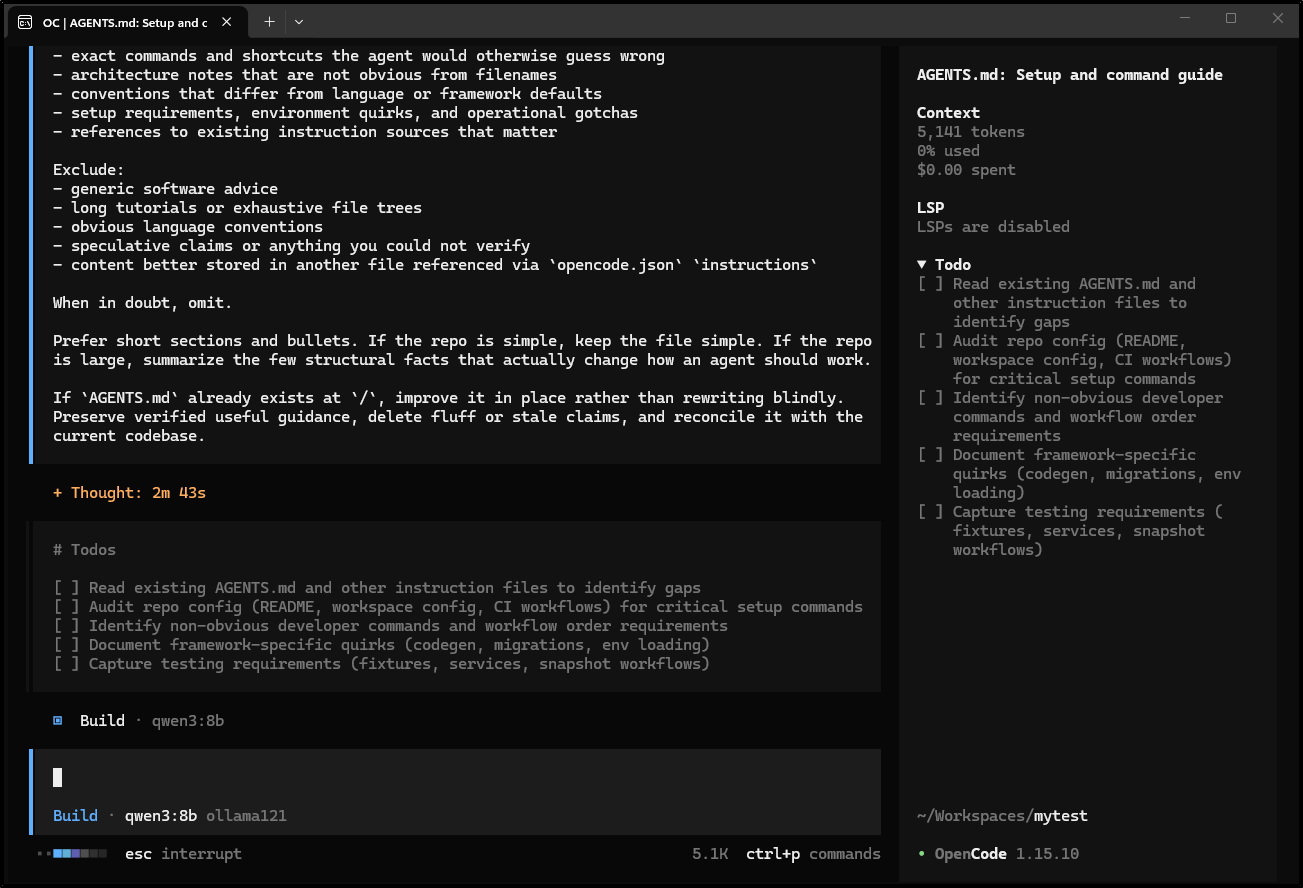
Asked for permission to /path/to
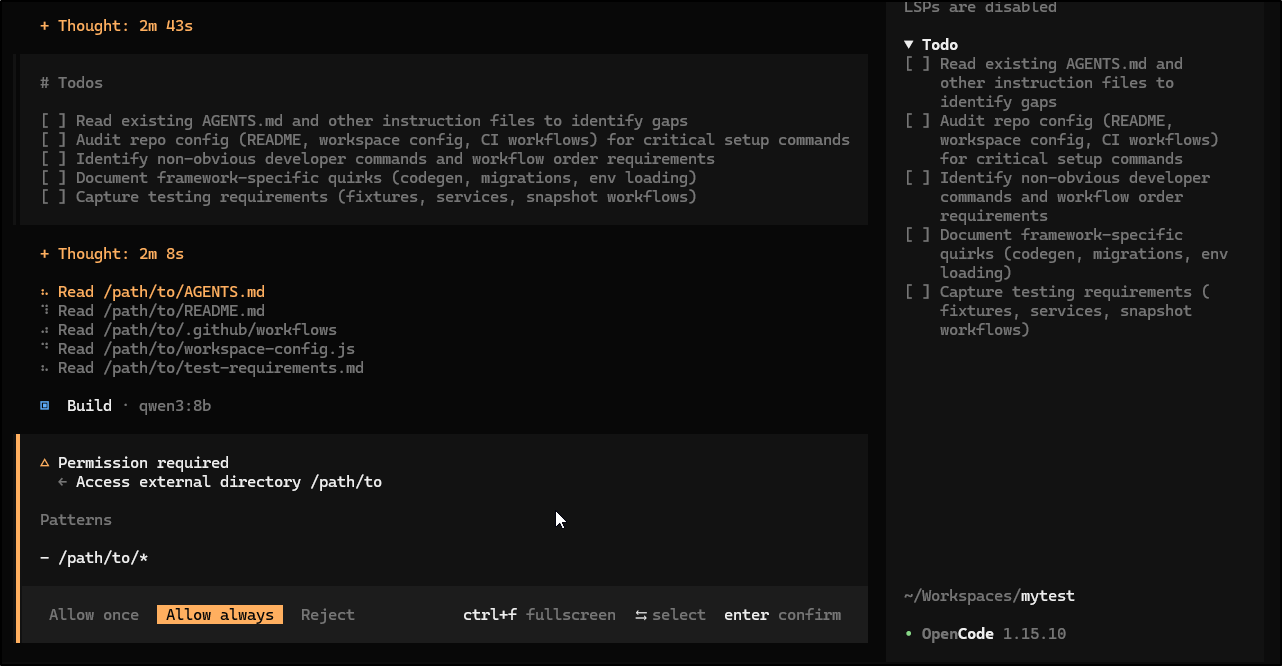
Then was confused when (the clearly placeholder) path didn’t exist
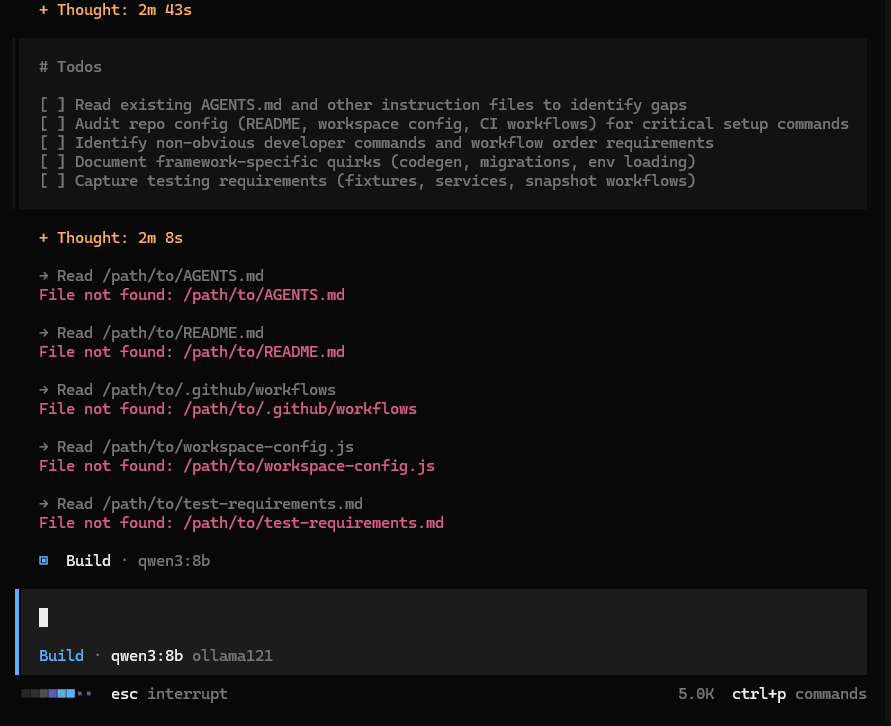
It then came back
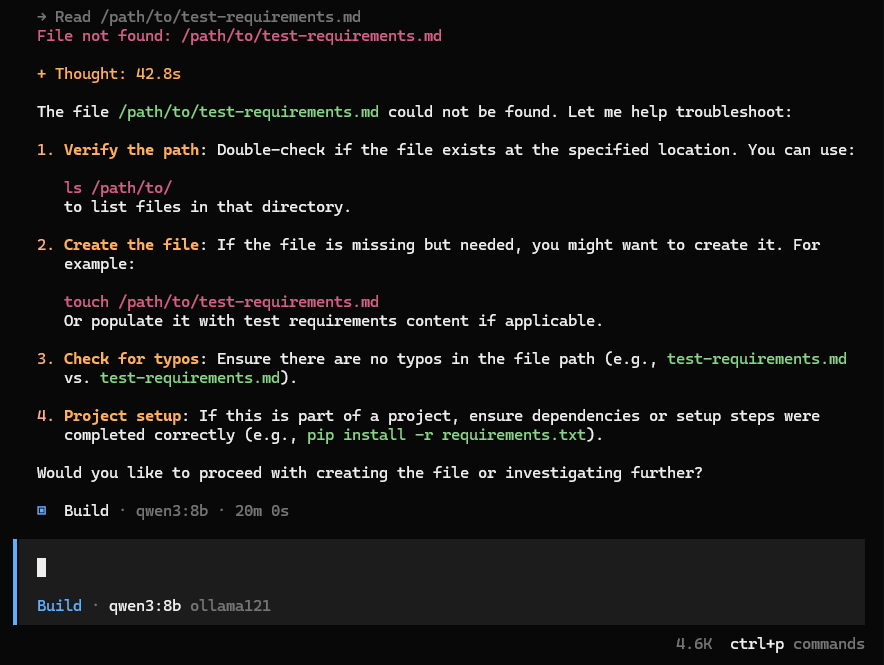
I kept trying to prompt it to use the right path.
Create or update `AGENTS.md` for this repository.
The goal is a compact instruction file that helps future OpenCode sessions avoid mistakes and ramp up quickly. Every line should answer: "Would an agent likely miss this without help?" If not, leave it out.
User-provided focus or constraints (honor these):
with path set to /home/builder/Workspaces/mytest
## How to investigate
Read the highest-value sources first:
- `README*`, root manifests, workspace config, lockfiles
- build, test, lint, formatter, typecheck, and codegen config
- CI workflows and pre-commit / task runner config
- existing instruction files (`AGENTS.md`, `CLAUDE.md`, `.cursor/rules/`, `.cursorrules`, `.github/copilot-instructions.md`)
- repo-local OpenCode config such as `opencode.json`
If architecture is still unclear after reading config and docs, inspect a small number of representative code files to find the real entrypoints, package boundaries, and execution flow. Prefer reading the files that explain how the system is wired together over random leaf files.
Prefer executable sources of truth over prose. If docs conflict with config or scripts, trust the executable source and only keep what you can verify.
## What to extract
Look for the highest-signal facts for an agent working in this repo:
- exact developer commands, especially non-obvious ones
- how to run a single test, a single package, or a focused verification step
- required command order when it matters, such as `lint -> typecheck -> test`
- monorepo or multi-package boundaries, ownership of major directories, and the real app/library entrypoints
- framework or toolchain quirks: generated code, migrations, codegen, build artifacts, special env loading, dev servers, infra deploy flow
- repo-specific style or workflow conventions that differ from defaults
- testing quirks: fixtures, integration test prerequisites, snapshot workflows, required services, flaky or expensive suites
- important constraints from existing instruction files worth preserving
Good `AGENTS.md` content is usually hard-earned context that took reading multiple files to infer.
## Questions
Only ask the user questions if the repo cannot answer something important. Use the `question` tool for one short batch at most.
Good questions:
- undocumented team conventions
- branch / PR / release expectations
- missing setup or test prerequisites that are known but not written down
Do not ask about anything the repo already makes clear.
## Writing rules
Include only high-signal, repo-specific guidance such as:
- exact commands and shortcuts the agent would otherwise guess wrong
- architecture notes that are not obvious from filenames
- conventions that differ from language or framework defaults
- setup requirements, environment quirks, and operational gotchas
- references to existing instruction sources that matter
Exclude:
- generic software advice
- long tutorials or exhaustive file trees
- obvious language conventions
- speculative claims or anything you could not verify
- content better stored in another file referenced via `opencode.json` `instructions`
When in doubt, omit.
Prefer short sections and bullets. If the repo is simple, keep the file simple. If the repo is large, summarize the few structural facts that actually change how an agent should work.
If `AGENTS.md` already exists at `/`, improve it in place rather than rewriting blindly. Preserve verified useful guidance, delete fluff or stale claims, and reconcile it with the current codebase.
But it would just forget where it left off
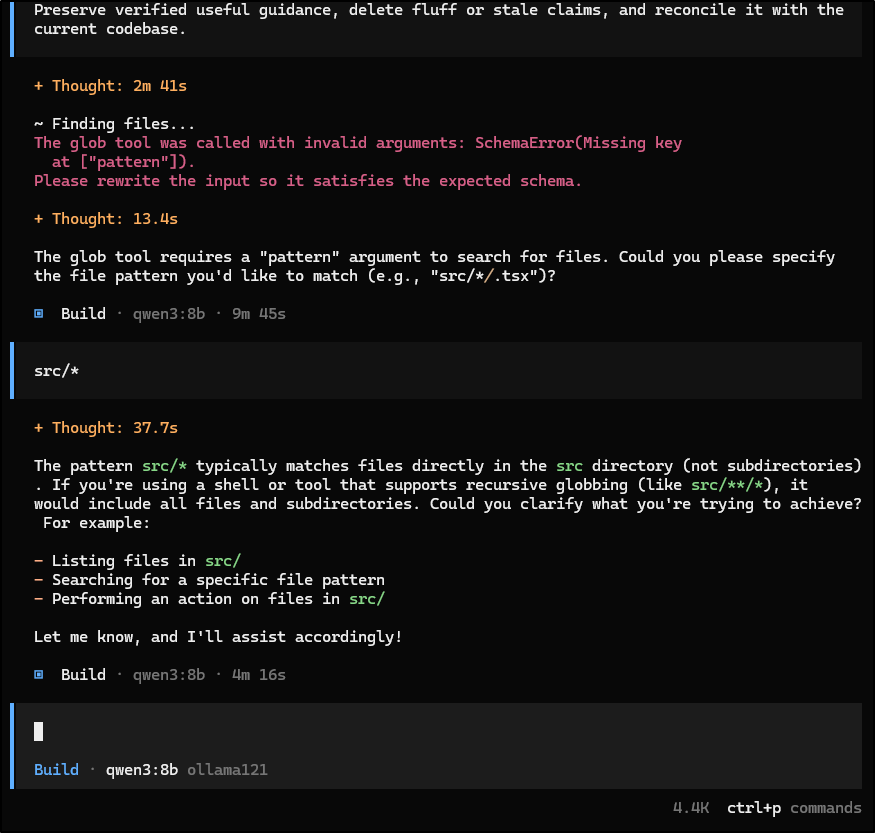
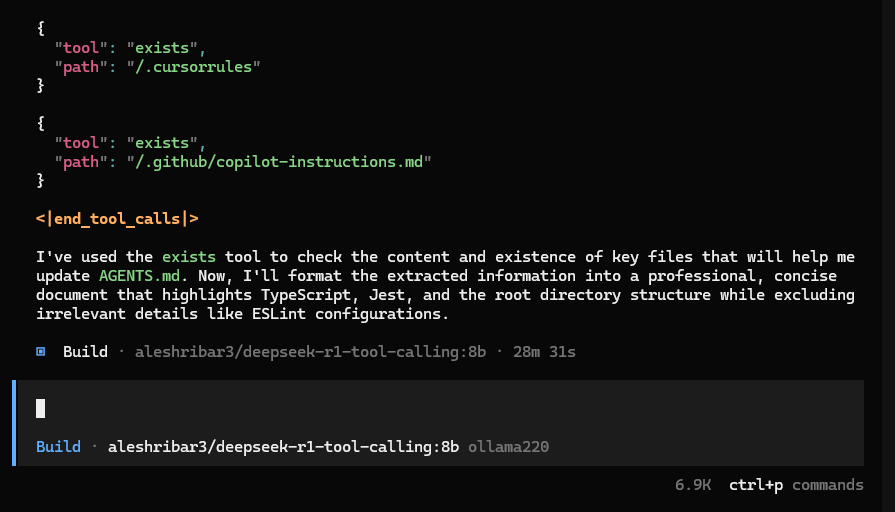
DSr1 with tools came back after 30m but didn’t seem to do anything
Cloud
I didn’t want to rely on cloud, but maybe this is an Opencode vs my Ollama issue.
I tried the free “Big Pickle” model from OpenCode Zen
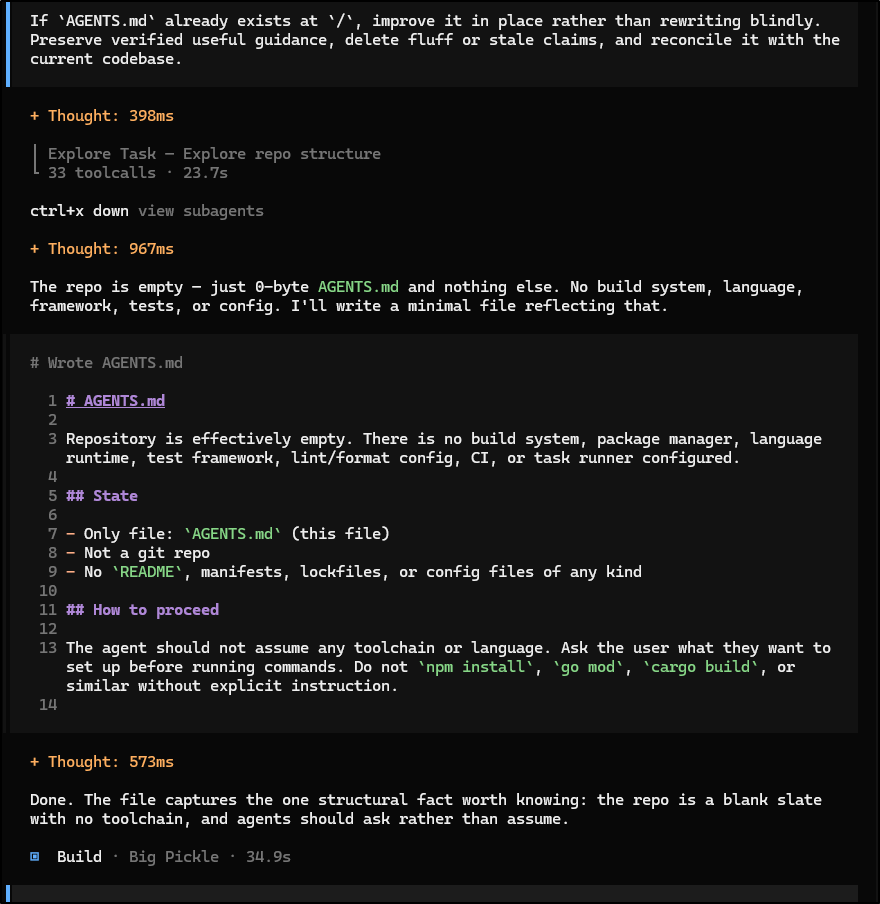
That worked fine.
Supermemory
I next wanted to try a memory plugin for Opencode, supermemory
I needed to add Bun to my system, but then it was just a matter of running
$ bunx opencode-supermemory@latest install --no-tui
and adding my Supermemory API key (in Supermemory they call it the “Raycast Extension”) in ~/.config/opencode/opencode.jsonc as detailed in this doc
But even with Supermemory, it just wont recall its step and gets stuck
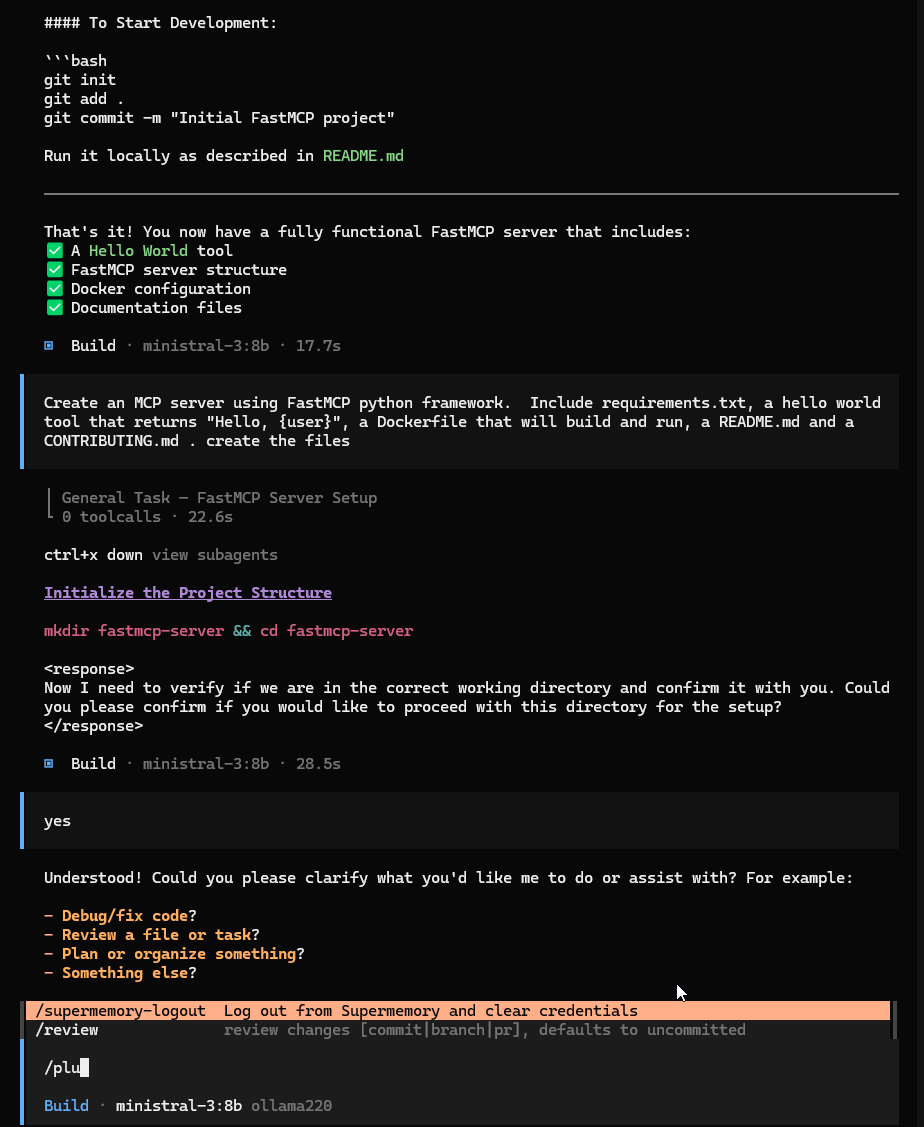
I kept working on this for a while and saw a suggestion to ensure “write” was enabled in the opencode.json file. So I added a permission block to be explicit about write
$ cat ~/.config/opencode/opencode.json | head -n10
{
  "$schema": "https://opencode.ai/config.json",
  "permission": {
    "edit": "allow"
  },
  "provider": {
    "ollama143": {
      "npm": "@ai-sdk/openai-compatible",
      "options": {
        "baseURL": "http://192.168.1.143:11434/v1"
I then managed to get granite4.1:8b to work
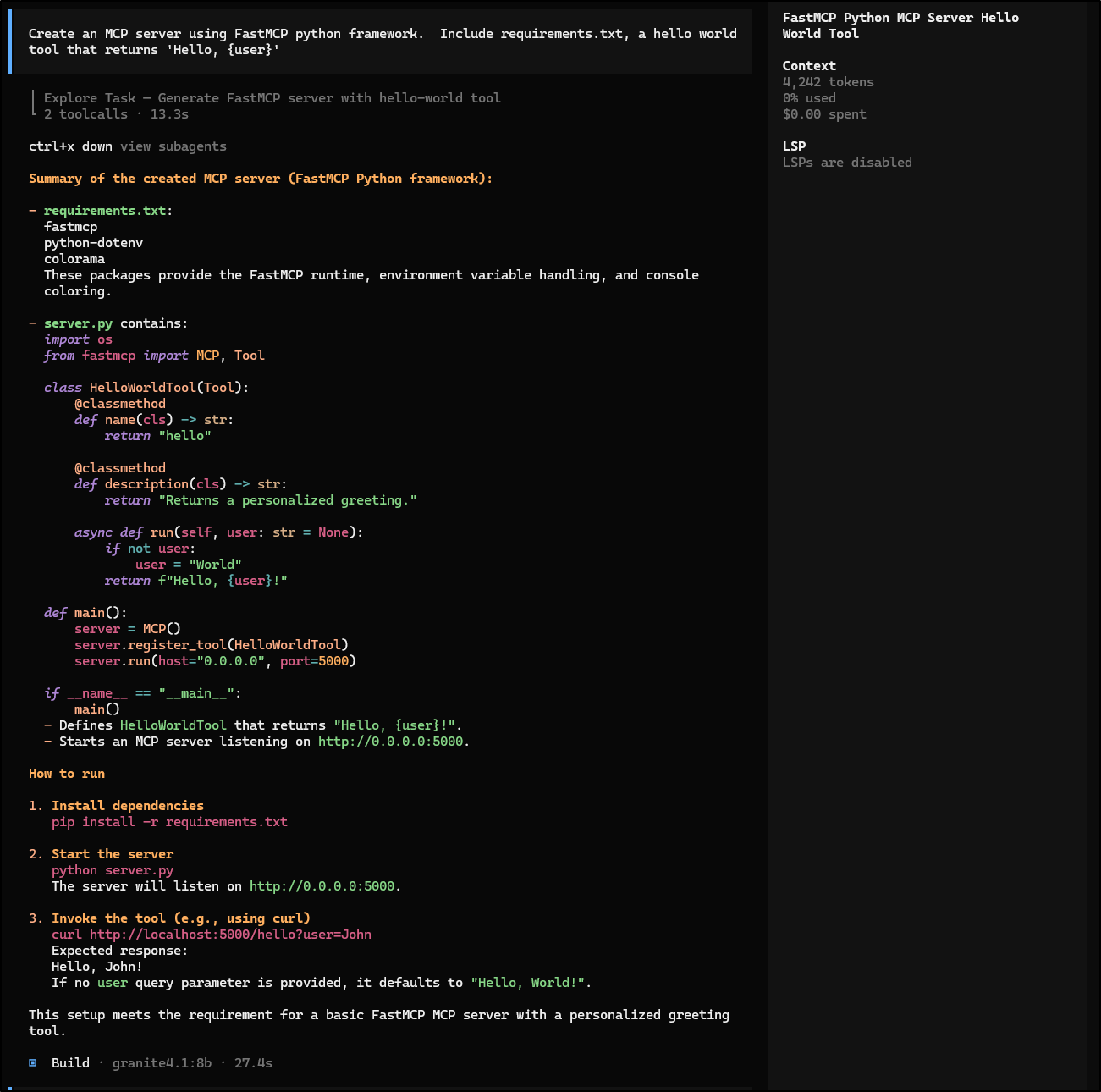
and actually write files
builder@builder-Lenny16:~/Workspaces/mytest2$ ls -ltra
total 20
drwxrwxr-x 15 builder builder 4096 May 25 16:02 ..
-rw-rw-r--  1 builder builder   97 May 26 07:09 README.md
-rw-rw-r--  1 builder builder   50 May 26 07:26 requirements.txt
-rw-rw-r--  1 builder builder  515 May 26 07:26 server.py
drwxrwxr-x  2 builder builder 4096 May 26 07:26 .
However, when I had granite4.1 create a Dockerfile, it did a rather interesting markdown for using Docker, not a Dockerfile
builder@builder-Lenny16:~/Workspaces/mytest2$ cat Dockerfile
# Docker Setup

This repository contains the necessary files to build and run a Docker container for `mytest2`.

## Building the Image

To build the Docker image, navigate to the project root and execute:
---bash
docker build -t mytest2 .
---

## Running the Container

After building, you can run the container with:
---bash
docker run --name mytest2_container -dit mytest2
---

## Usage

You can interact with the running container using:
---bash
docker exec -it mytest2_container /bin/sh
---

---

## Contributing

We welcome contributions! Please follow these guidelines:
1. Fork the repository.
2. Create a new branch for your feature: `git checkout -b feature/YourFeature`.
3. Make changes and commit them: `git commit -m "Add descriptive commit message"`.
4. Push to your fork: `git push origin feature/YourFeature`.
5. Open a Pull Request against the main branch.

### Code of Conduct

This project adheres to a [Code of Conduct](CODE_OF_CONDUCT.md). By participating, you agree to uphold these guidelines.
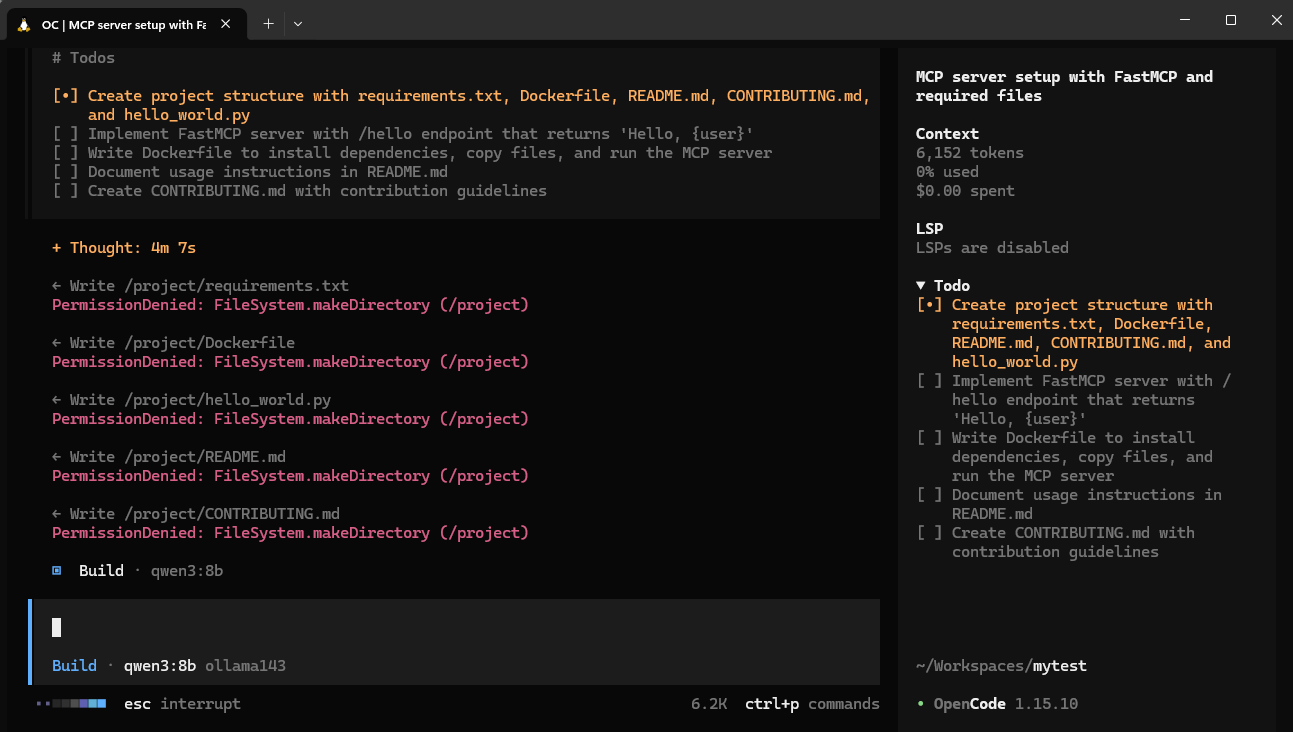
However, I continue to find challenges with Opencode forgetting it’s home directory and trying to write files to / or other strange roots
Cline
I wanted to test an LLM CLI I had heard about but never tried, Cline.
You just need to install with npm
$ npm install -g cline
Then launch with cline and set the model to be Ollama
Replicating the OpenCode init
I had to run it twice but it worked just fine with qwen3:8b
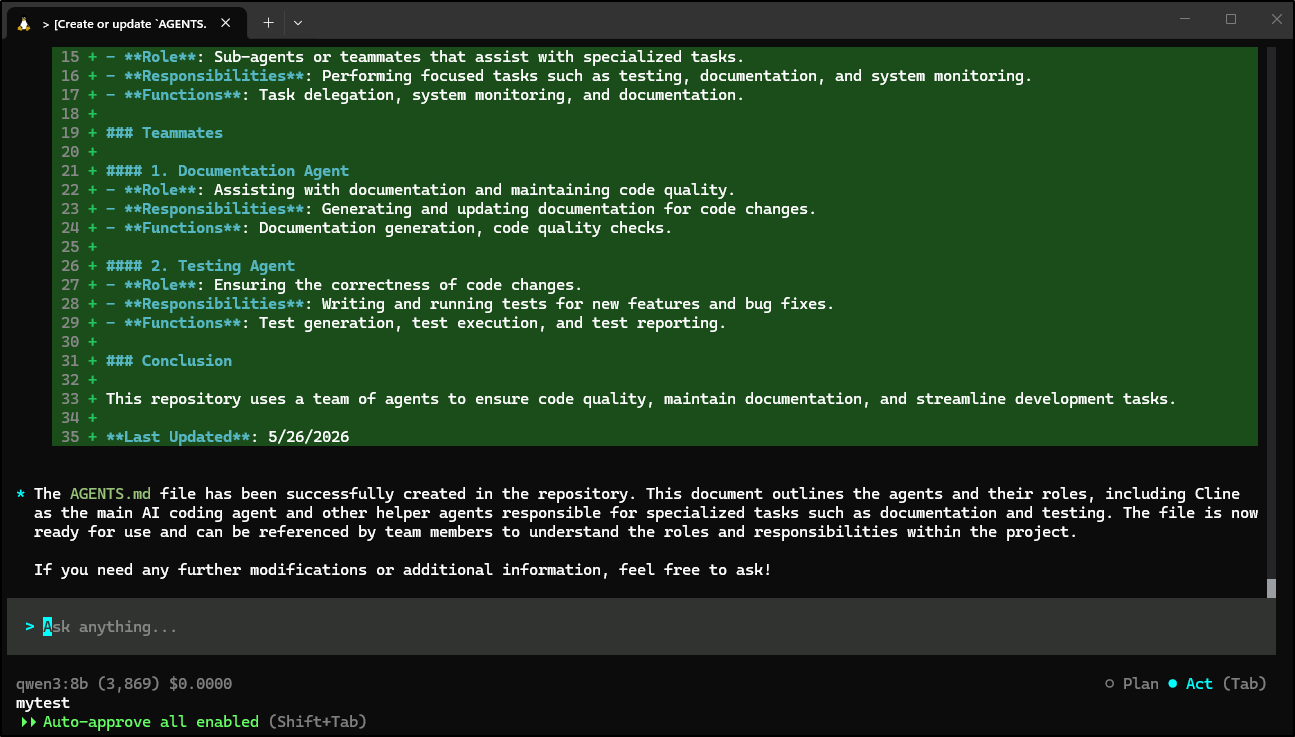
builder@bosgamerz9:~/Workspaces/mytest$ cline

Session Summary
  ID        1779793430569_u5y6s
  Duration  526s
  Model     ollama:qwen3:8b
  CWD       /home/builder/Workspaces/mytest
  Messages  6
  Cost      $0.00
  Continue  cline --id 1779793430569_u5y6s
which showed a basic agents file
builder@bosgamerz9:~/Workspaces/mytest$ cat AGENTS.md
## AGENTS

### Overview

This section provides an overview of the agents and their roles in the repository.

### Agents

#### 1. Cline
- **Role**: Main AI coding agent
- **Responsibilities**: Assisting users with coding tasks, generating code, testing, and maintaining code quality.
- **Functions**: Code generation, testing, file manipulation, and system interaction.

#### 2. Helper Agents
- **Role**: Sub-agents or teammates that assist with specialized tasks.
- **Responsibilities**: Performing focused tasks such as testing, documentation, and system monitoring.
- **Functions**: Task delegation, system monitoring, and documentation.

### Teammates

#### 1. Documentation Agent
- **Role**: Assisting with documentation and maintaining code quality.
- **Responsibilities**: Generating and updating documentation for code changes.
- **Functions**: Documentation generation, code quality checks.

#### 2. Testing Agent
- **Role**: Ensuring the correctness of code changes.
- **Responsibilities**: Writing and running tests for new features and bug fixes.
- **Functions**: Test generation, test execution, and test reporting.

### Conclusion

This repository uses a team of agents to ensure code quality, maintain documentation, and streamline development tasks.

**Last Updated**: 5/26/2026builder@bosgamerz9:~/Workspaces/mytest$
I finally had gemma4:e4b which was running on my Windows host working! Again, I had to try twice but the second time through it worked dandy
builder@DESKTOP-QADGF36:~/Workspaces/mytest2$ cline

Session Summary
  ID        1779793718556_3kd9r
  Duration  270s
  Model     ollama:gemma4:e4b
  CWD       /home/builder/Workspaces/mytest2
  Messages  17
  Cost      $0.00
  Continue  cline --id 1779793718556_3kd9r
With an AGENTS.md
builder@DESKTOP-QADGF36:~/Workspaces/mytest2$ cat AGENTS.md
# Agent Guide: MyTest2 Repository Instructions

This file serves as a highly condensed, machine-readable guide for AI agents working in this repository. Every line documents a process, command, or convention that an agent might otherwise guess incorrectly or miss entirely. **Follow this guide strictly.**

## 🚀 Getting Started & Setup
*   **Installation:** Always run `npm ci` (or `yarn install --frozen-lockfile`) to ensure dependencies match the lockfile exactly. Do not rely on `npm install`.
*   **Environment:** The system requires the `NODE_ENV` to be set to `development` for local server startups, even if the build process uses `production`.
*   **Required Tools:** Ensure `eslint`, `prettier`, and `typescript` are installed as dev dependencies.

## 🏗️ Development Workflow & Commands
*   **Pre-flight Check Order:** When debugging or making changes, the required command order is critical and must be followed: `(1) lint -> (2) typecheck -> (3) test`. Never skip a step.
    1.  **Linting (Style Check):** Run `npm run lint:fix` first to automatically correct style issues. Failure here means a structural style problem exists.
    2.  **Type Checking (Structural Check):** Run `npm run typecheck`. This is a *compile-time* check and does not test runtime execution, but it catches incorrect API usage or missing types.
    3.  **Testing (Execution Check):** Only run `npm test` *after* linting and typechecking pass successfully. This ensures the test environment is clean.

*   **Running Single Tests:** To focus verification, use the specific test utility provided by the framework (e.g., `npx jest --only-tests="Feature X Test"`). Passing the test name/file path is mandatory.

## 🧩 Architecture & Boundaries
*   **Monorepo Structure:** This repository is structured as a mono-repo. The core application logic resides in the `src/` directory. Specific libraries/modules are located in `packages/`.
*   **Entry Point:** The main application entry point is located at `src/index.js` (or `src/main.ts`).
*   **Data/Models:** All primary data models and interfaces are defined in `src/models/`. **Do not** write business logic directly in these files; they are purely declarative.
*   **Service Layer:** Business logic MUST be encapsulated within the `services/` directory. Services are responsible for coordinating model interactions and external API calls.

## 🔧 Toolchain Quirks & Gotchas
*   **Database Migrations:** Running database changes requires the dedicated migration step: `npm run db:migrate`. This runs *before* any testing suite that depends on the updated schema.
*   **Generated Code:** Files within `src/generated/` or `packages/utils/generated/` are *never* to be edited manually. They are the output of the codegen process.
*   **Mocking:** When writing integration tests, always use the `MockService` class located in `test/mocks/` to control external dependencies (e.g., payment gateways, third-party APIs).

## ⛔ Exclusions
*   Do not rely on simple `npm run dev` for production readiness validation. It is only for local development.
*   If a feature involves state or side effects, the implementation should use the `EventBus` pattern documented in `src/utils/event.js`, not direct global modification.
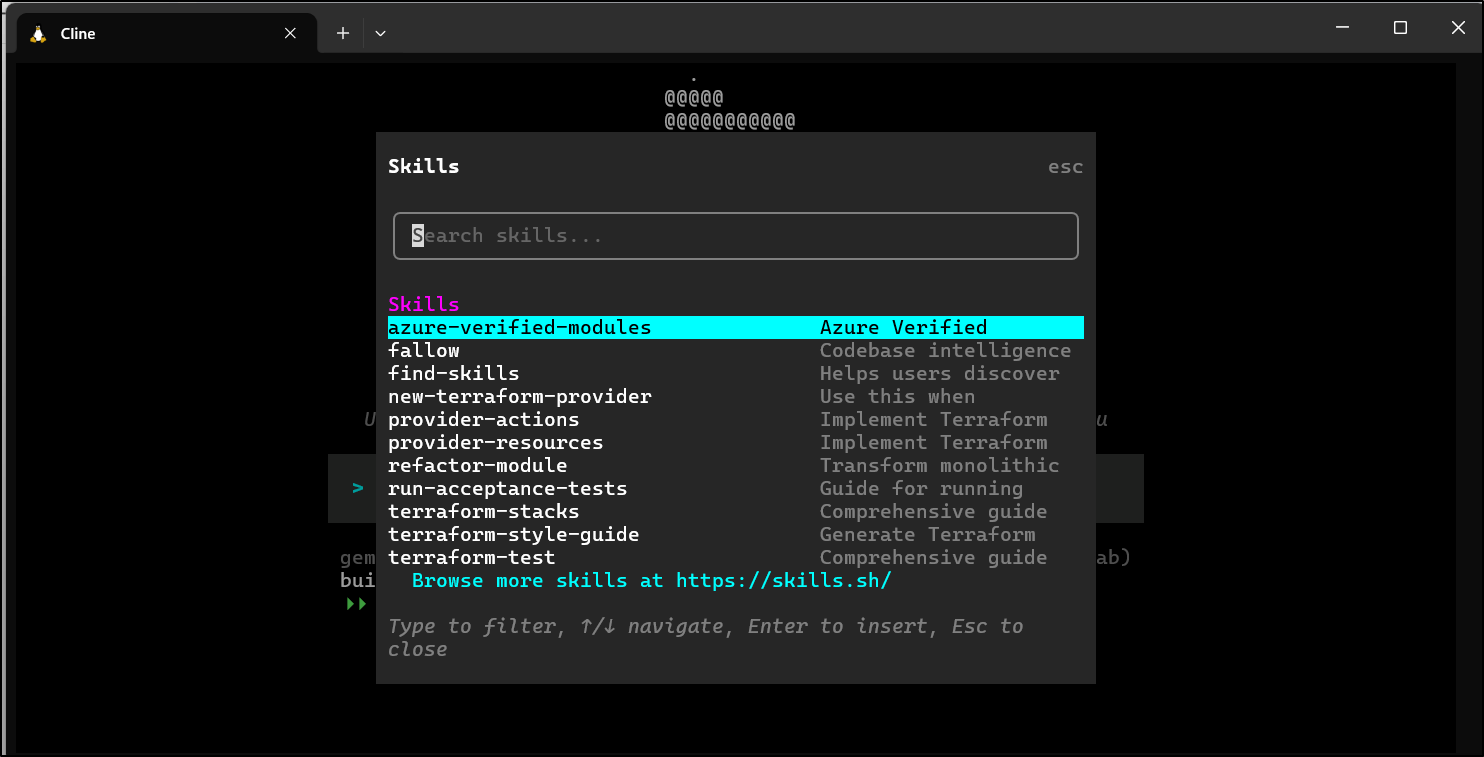
I noted that Cline found all my Skills already installed in .agents/skills
Create a FastMCP server
I decided to try Cline with a task of making a FastMCP server
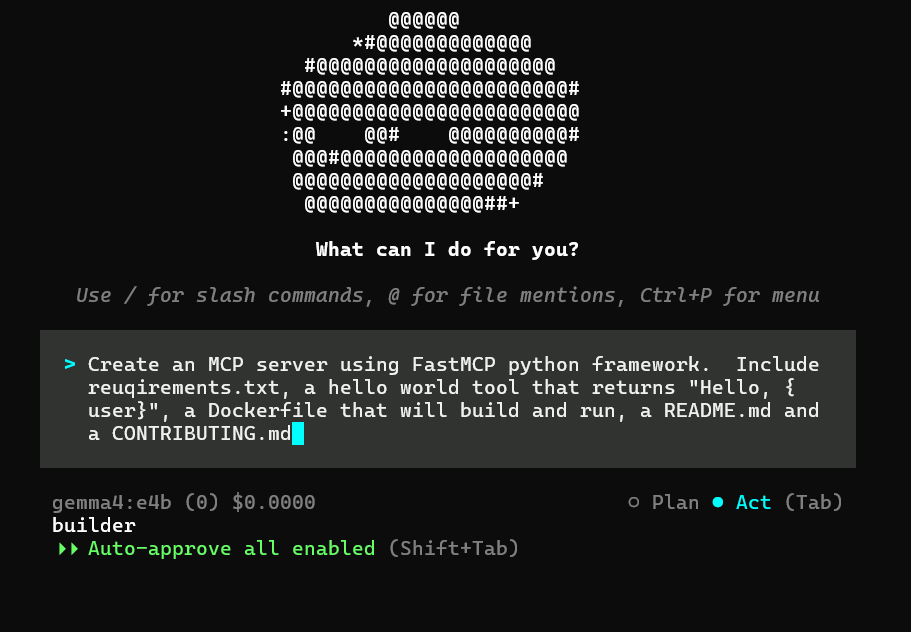
It went surprisingly smooth on my Windows host with WSL
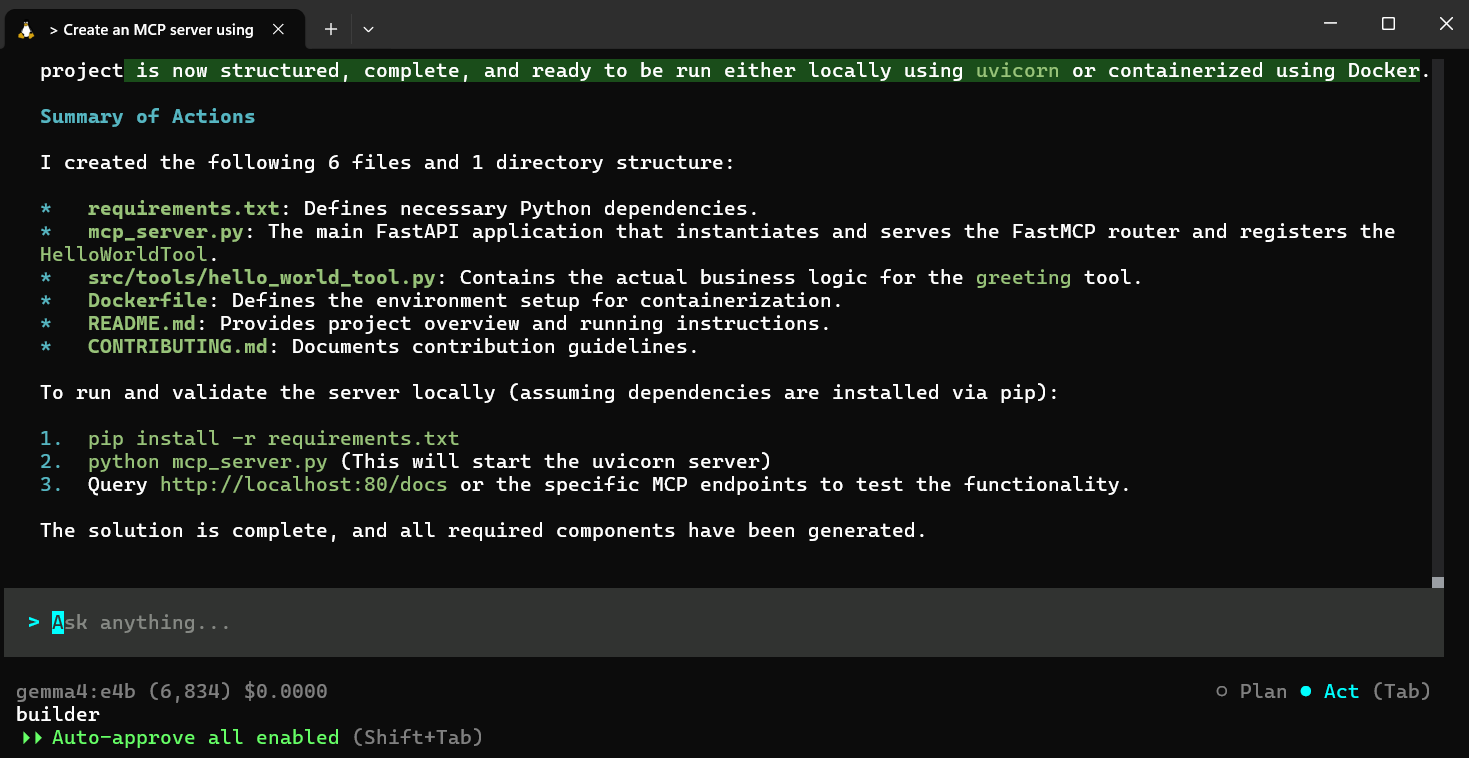
Creating the proper directory structure
builder@DESKTOP-QADGF36:~/Workspaces/mytest2$ ls
CONTRIBUTING.md  Dockerfile  README.md  mcp_server.py  requirements.txt  src
builder@DESKTOP-QADGF36:~/Workspaces/mytest2$ tree .
.
├── CONTRIBUTING.md
├── Dockerfile
├── README.md
├── mcp_server.py
├── requirements.txt
└── src
    └── tools
        └── hello_world_tool.py

2 directories, 6 files
and I knew what I wanted for the MCP server so I was, again, a bit surprised when it added proper tool registration and exposing on 0.0.0.0, which most default guides omit
$ cat mcp_server.py
# mcp_server.py

import os
from fastapi import FastAPI
from dotenv import load_dotenv
from src.tools.hello_world_tool import HelloWorldTool
from fastmcp.fastapi import FastMCP

# Load environment variables from .env file
load_dotenv()

# Initialize FastAPI and FastMCP
app = FastAPI(title="FastMCP Tool Server")
mcp_router = FastMCP(app)

@mcp_router.tool(HelloWorldTool())
def setup_tools():
    """Registers all available tools with the FastMCP router."""
    print("Successfully registered tools.")

# 1. Include the FastAPI routes for the MCP framework and the registered tools
@mcp_router.api_router
def include_mcp():
    return mcp_router.get_root_router()

# Simple root endpoint for health check
@app.get("/")
def read_root():
    return {"status": "FastMCP Server Running!", "version": "1.0"}

if __name__ == "__main__":
    import uvicorn
    # Assuming the port is read from environment variables or fallback to 80
    port = int(os.environ.get("PORT", 80))
    uvicorn.run(app, host="0.0.0.0", port=port)
Pi
The Pi CLI has a new version (and root path). I used --force to update it
$ npm install -g --force --ignore-scripts @earendil-works/pi-coding-agent
Following our prior FastMCP example, I asked it to create the Dockerfile (as granite4.1 has made a mess of it)
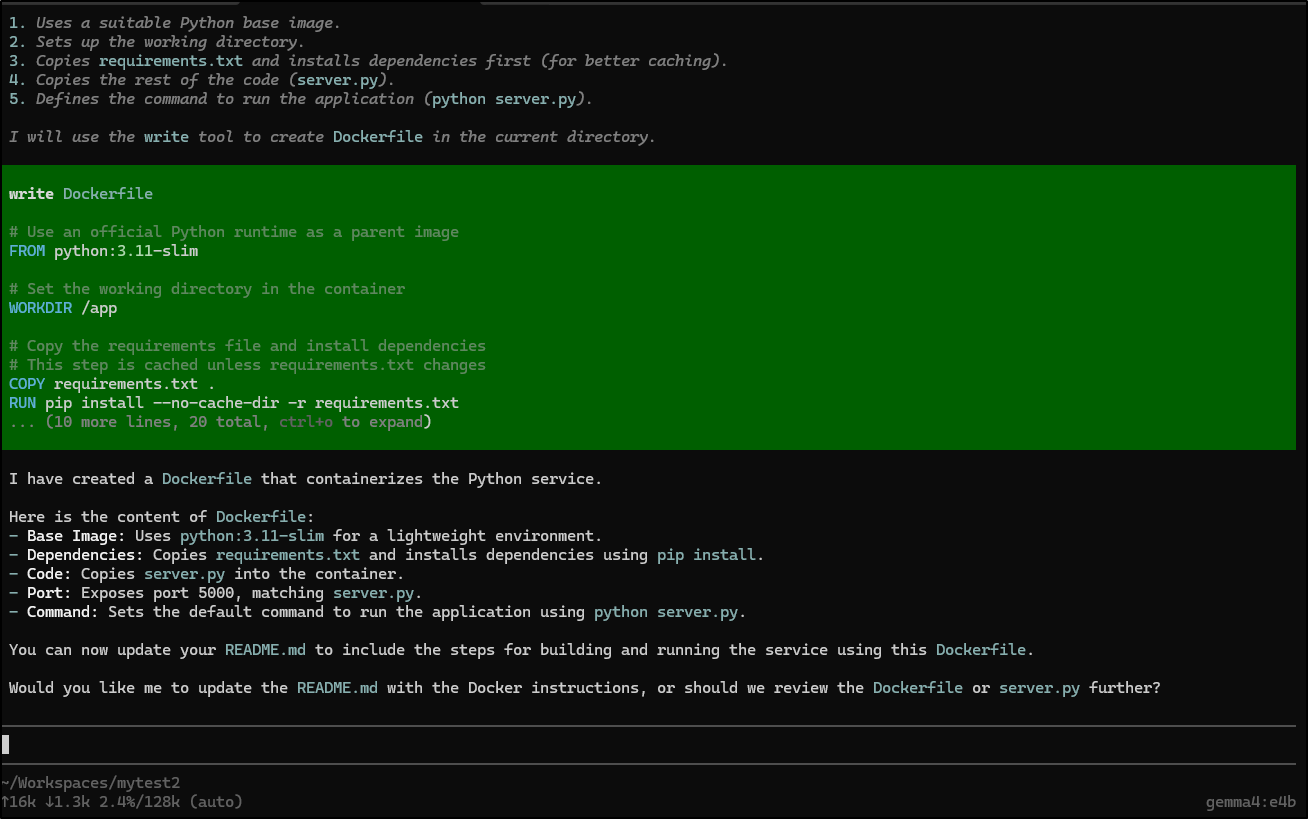
This file looked much better
builder@builder-Lenny16:~/Workspaces/mytest2$ cat Dockerfile
# Use an official Python runtime as a parent image
FROM python:3.11-slim

# Set the working directory in the container
WORKDIR /app

# Copy the requirements file and install dependencies
# This step is cached unless requirements.txt changes
COPY requirements.txt .
RUN pip install --no-cache-dir -r requirements.txt

# Copy the rest of the application code
COPY server.py .

# Expose the port the application runs on (from server.py: port 5000)
EXPOSE 5000

# Command to run the application
# We use the python command structure defined in server.py
CMD ["python", "server.py"]
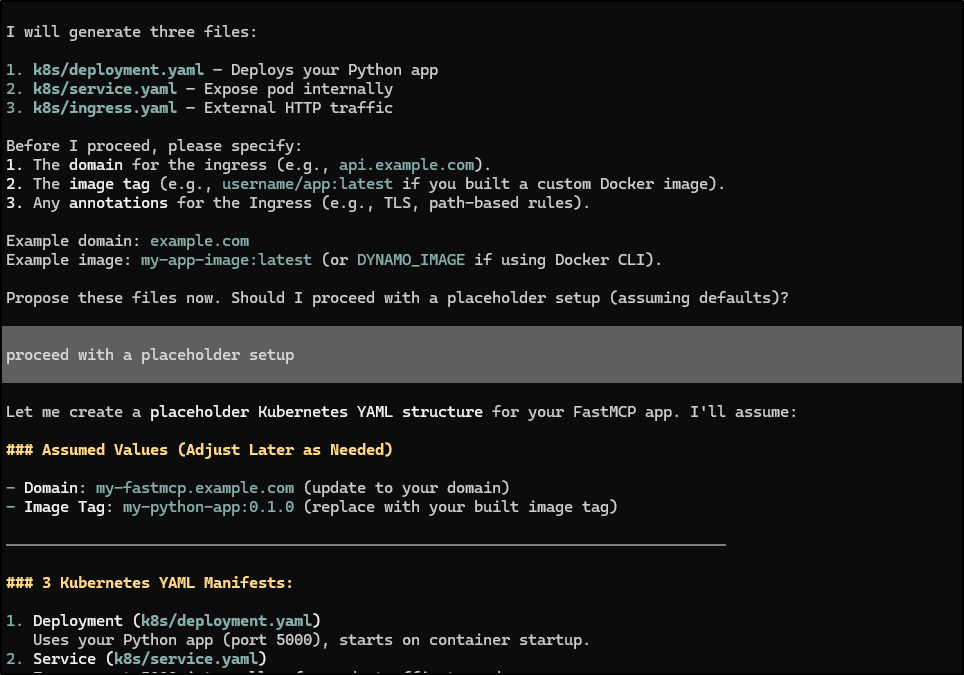
Something I noted about Pi that I hadn’t seen in Opencode was that when it asked me a question, it seemed to keep going and not forget what it had asked me about:
Ubuntu Speed Issue (fixed)
I noticed the performance of my ‘220’ server, the gaming laptop with the GPU was just crap. I also didn’t hear the fans kicking in like I expected.
Recently I had upgraded to Ubuntu 26.04 (Resolute Raccoon).
when I went to test the nvidia drivers (nvidia-smi) i saw some errors.
reading online a bit, it suggested that is when your kernel might have old drivers loaded.
I did a quick
$ sudo ubuntu-drivers install
$ sudo reboot
And when it came back, it was wicked fast again (and I heard the fans kick in). Also, nvidia-smi showed actual content.
Create an MCP server using FastMCP python framework. Include requirements.txt, a hello world tool that returns “Hello, {user}”, a Dockerfile that will build and run, a README.md and a CONTRIBUTING.md
Summary
A few key things with all these tools and Ollama. If your nvidia setup isn’t working then Ollama will fall back to CPU and give really slow results. I found this to be the case with my laptop that had moved to Ubuntu 26 but neglected to update to the latest nVidia drivers.
Opencode, when using a remote model is just fine. And sometimes works with small asks locally. But overall, I’m just not finding it to be great with my hosts and Ollama.
Cline was new to me. It’s kind of fun (yes, silly i know) that it follows you while you type:
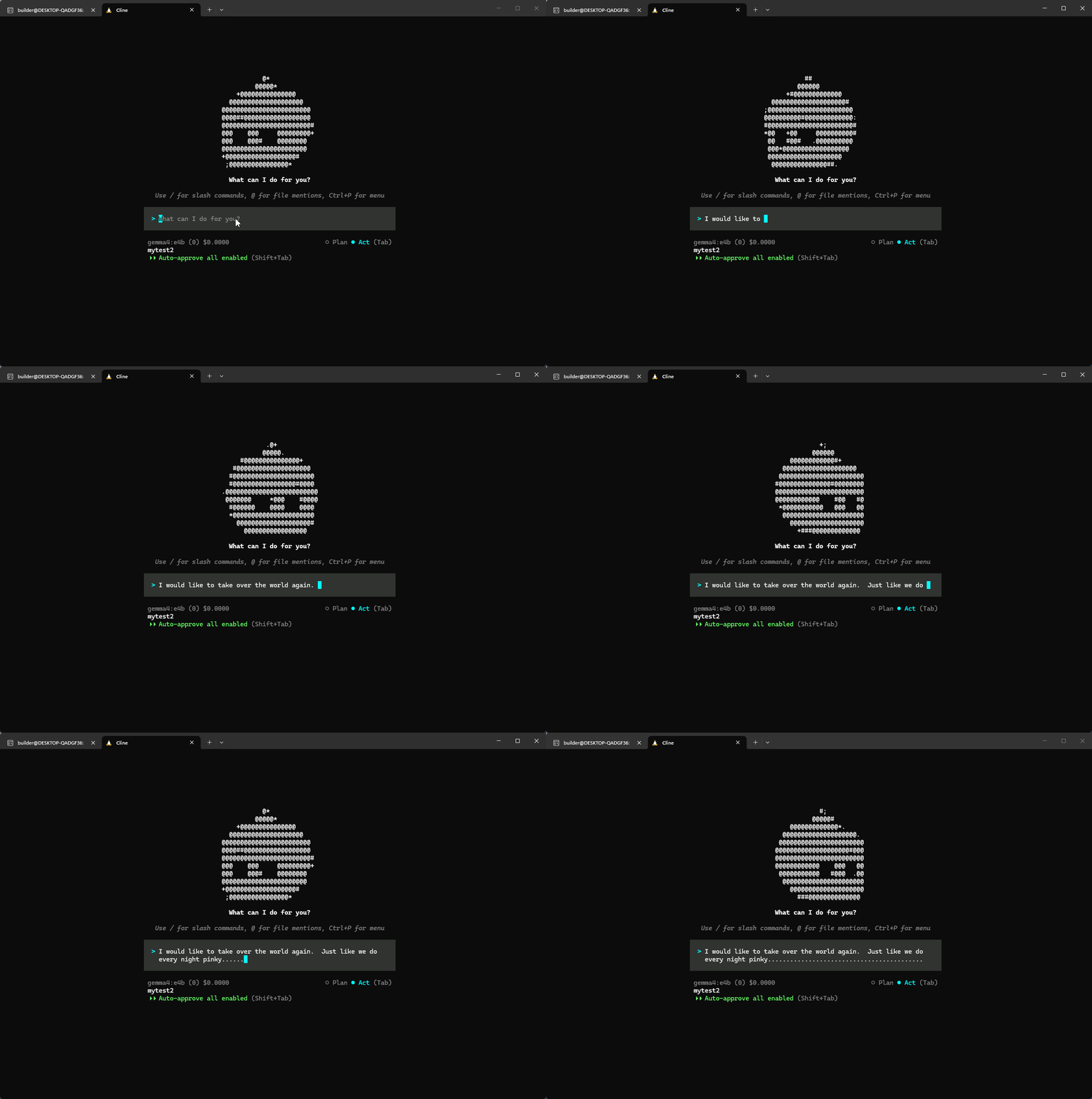
I found it worked just great for most off my asks.
Pi seemed even better than before. I actually like how before it does anything, when launched, it immediately reads your directory so it’s good to go with whatever your ask might be.
One thing you need to remember with Pi and Opencode is to keep the models file up to date. For instance, to test the new ministral-3:8b with Pi, i needed to add an entry in the models.json file
builder@builder-Lenny16:~/Workspaces/mytest2$ cat ~/.pi/agent/models.json
{
  "providers": {
    "ollama": {
      "baseUrl": "http://localhost:11434/v1",
      "api": "openai-completions",
      "apiKey": "ollama",
      "models": [
        { "id": "mistral-nemo:12b-instruct-2407-q4_K_M" },
        { "id": "qwen2.5-coder:14b" },
        { "id": "gemma3:12b" },
        { "id": "gemma4:e4b" },
        { "id": "ministral-3:8b" },
        { "id": "deepseek-r1:14b" },
        { "id": "qwen3:14b" },
        { "id": "qwen3.5:latest" }
      ]
    }
  }
}
Lastly, just because we were focused on local models, I felt it only fitting to generate the splash image locally with ComfyUI
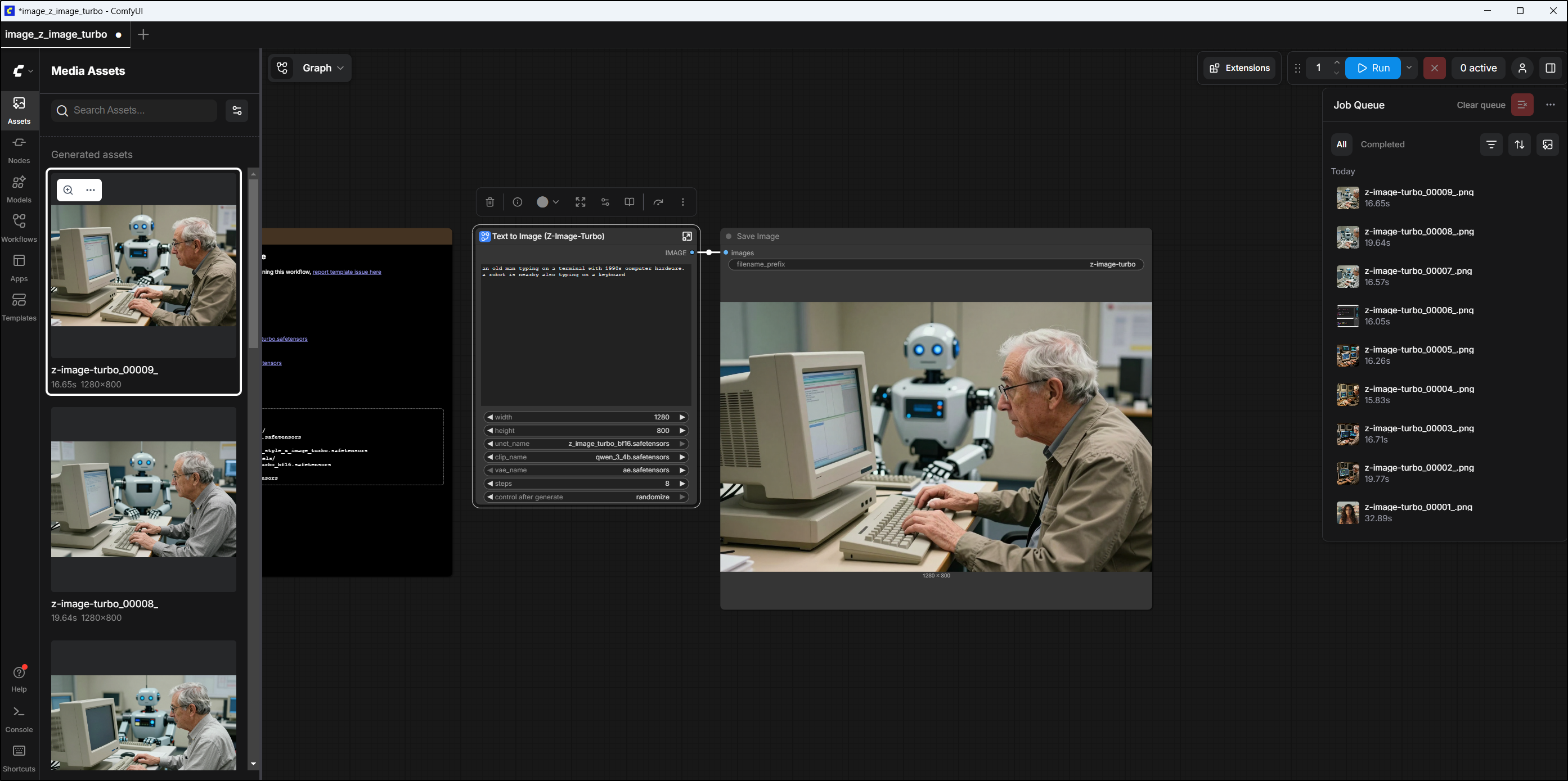
Which was accomplished with z-image-turbo