

Published: Mar 12, 2026 by Isaac Johnson
Let’s talk about Chat clients. I got to wondering what every happened to IRC. Internet Relay Chat (IRC) has been around since 1988, but I certainly got to know it later in 1996. It was my usual hangout space in the early 2000s but maybe I just got busy - I stopped using it in the ’10s. It never went away. It hasn’t changed at all and only recently, after about 22 years did people hop off Freenode to Libera.chat as the primary server.
We have Matrix as well (I’ve had a Matrix Synapse server here since 2024) but it really didn’t take off. Is IRC any good? With all these negative changes happening to the formerly good and reliable tools like Slack and Discord, is it time to go back to the tried and true? Is it time to Bring back the Time?
Inspirecd Dependencies
Let’s make sure we have the build essential pieces we need
$ sudo apt update
$ sudo apt install -y build-essential git perl g++ make libssl-dev pkg-config
Next, we can clone down Inspirecd from Github
builder@bosgamerz9:~$ cd Workspaces/
builder@bosgamerz9:~/Workspaces$ git clone https://github.com/inspircd/inspircd.git
Cloning into 'inspircd'...
remote: Enumerating objects: 159000, done.
remote: Counting objects: 100% (1145/1145), done.
remote: Compressing objects: 100% (455/455), done.
remote: Total 159000 (delta 899), reused 801 (delta 689), pack-reused 157855 (from 3)
Receiving objects: 100% (159000/159000), 43.06 MiB | 849.00 KiB/s, done.
Resolving deltas: 100% (133861/133861), done.
I went to configure
builder@bosgamerz9:~/Workspaces/inspircd$ perl ./configure --enable-extras ssl_openssl
Enabling the ssl_openssl module ...
argon2          = disabled
geo_maxmind     = disabled
ldap            = disabled
log_json        = disabled
log_syslog      = disabled
mysql           = disabled
pgsql           = disabled
regex_pcre2     = disabled
regex_posix     = disabled
regex_re2       = disabled
regex_tre       = disabled
sqlite3         = disabled
ssl_gnutls      = disabled
ssl_openssl     = enabled
sslrehashsignal = disabled
Remember: YOU are responsible for making sure any libraries needed have been installed!


builder@bosgamerz9:~/Workspaces/inspircd$ perl ./configure
Configuring InspIRCd 4.9.0-cab23b7e5 on Linux 6.14.0-29-generic x86_64.
Checking whether .configure/cache.cfg is available ... no
Checking whether /home/builder/Workspaces/inspircd is writable ... yes
Checking whether `c++` is available ... yes
Checking whether `c++` is compatible ... yes
Checking whether arc4random_buf() is available ... yes
Checking whether clock_gettime() is available ... yes
Checking whether getentropy() is available ... yes
Checking whether epoll is available ... yes
Checking whether kqueue is available ... no
Checking whether poll is available ... yes
Warning: You are building a development version. This contains code which has
not been tested as heavily and may contain various faults which could seriously
affect the running of your server. It is recommended that you use a stable
version instead.

You can obtain the latest stable version from https://www.inspircd.org or by
running `git checkout $(git describe --abbrev=0 --tags insp4)` if you are
installing from Git.

I understand this warning and want to continue anyway.
[no] => yes

Currently, InspIRCd is configured with the following paths:

Binary: /home/builder/Workspaces/inspircd/run/bin
Config: /home/builder/Workspaces/inspircd/run/conf
Data:   /home/builder/Workspaces/inspircd/run/data
Log:    /home/builder/Workspaces/inspircd/run/logs
Manual: /home/builder/Workspaces/inspircd/run/manuals
Module: /home/builder/Workspaces/inspircd/run/modules
Script: /home/builder/Workspaces/inspircd/run

Do you want to change these settings?

[no] => no

Currently, InspIRCd is configured to automatically enable all available extra modules.

Would you like to enable extra modules manually?

[no] => no

Enabling the log_syslog module ...
Enabling the regex_posix module ...
Enabling the sslrehashsignal module ...
Creating .configure ...
Writing .configure/cache.cfg ...
Parsing make/template/apparmor ...
Writing .configure/apparmor ...
Parsing make/template/config.h ...
Writing include/config.h ...
Parsing make/template/deploy-ssl.sh ...
Writing .configure/deploy-ssl.sh ...
Parsing make/template/help.txt ...
Writing .configure/help.txt ...
Parsing make/template/inspircd ...
Writing .configure/inspircd ...
Parsing make/template/inspircd-testssl.1 ...
Writing .configure/inspircd-testssl.1 ...
Parsing make/template/inspircd.1 ...
Writing .configure/inspircd.1 ...
Parsing make/template/inspircd.openrc ...
Writing .configure/inspircd.openrc ...
Parsing make/template/inspircd.service ...
Writing .configure/inspircd.service ...
Parsing make/template/logrotate ...
Writing .configure/logrotate ...
Parsing make/template/main.mk ...
Writing GNUmakefile ...
Parsing make/template/org.inspircd.plist ...

Configuration is complete! You have chosen to build with the following settings:

Compiler:
  Binary:  c++
  Name:    GCC
  Version: 13.3

Extra Modules:
  * log_syslog
  * regex_posix
  * ssl_openssl
  * sslrehashsignal

Paths:
  Binary:  /home/builder/Workspaces/inspircd/run/bin
  Config:  /home/builder/Workspaces/inspircd/run/conf
  Data:    /home/builder/Workspaces/inspircd/run/data
  Example: /home/builder/Workspaces/inspircd/run/conf/examples
  Log:     /home/builder/Workspaces/inspircd/run/logs
  Manual:  /home/builder/Workspaces/inspircd/run/manuals
  Module:  /home/builder/Workspaces/inspircd/run/modules
  Runtime: /home/builder/Workspaces/inspircd/run/data
  Script:  /home/builder/Workspaces/inspircd/run

Execution Group: builder (1000)
Execution User:  builder (1000)
Socket Engine:   epoll

To build with these settings run 'make -j17 install' now.
I can now make the binaries
builder@bosgamerz9:~/Workspaces/inspircd$ make -j17 install
*************************************
*       BUILDING INSPIRCD           *
*                                   *
*   This will take a *long* time.   *
*     Why not read our docs at      *
*     https://docs.inspircd.org     *
*  while you wait for Make to run?  *
*************************************
        BUILD:          channels.cpp
        BUILD:          cull.cpp
        BUILD:          bancache.cpp
        BUILD:          clientprotocol.cpp
        BUILD:          hashcomp.cpp
        BUILD:          configparser.cpp
        BUILD:          dynamic.cpp
        BUILD:          configreader.cpp
        BUILD:          extensible.cpp
        BUILD:          cidr.cpp
        BUILD:          commands.cpp
        BUILD:          channelmanager.cpp
        BUILD:          inspircd.cpp
        BUILD:          helperfuncs.cpp
        BUILD:          listmode.cpp
        BUILD:          base.cpp
        BUILD:          listensocket.cpp
... snip ...


        LINK:           modules/core_xline.so
        LINK:           modules/m_spanningtree.so

*************************************
*        INSTALL COMPLETE!          *
*************************************
Paths:
  Configuration: /home/builder/Workspaces/inspircd/run/conf
  Binaries: /home/builder/Workspaces/inspircd/run/bin
  Modules: /home/builder/Workspaces/inspircd/run/modules
  Data: /home/builder/Workspaces/inspircd/run/data
To start the ircd, run: /home/builder/Workspaces/inspircd/run/inspircd start
Remember to create your config file: /home/builder/Workspaces/inspircd/run/conf/inspircd.conf
Examples are available at: /home/builder/Workspaces/inspircd/run/conf/examples
I’m pretty sure that covered install, but I’ll be explicit about it
builder@bosgamerz9:~/Workspaces/inspircd$ make install
*************************************
*       BUILDING INSPIRCD           *
*                                   *
*   This will take a *long* time.   *
*     Why not read our docs at      *
*     https://docs.inspircd.org     *
*  while you wait for Make to run?  *
*************************************

*************************************
*        INSTALL COMPLETE!          *
*************************************
Paths:
  Configuration: /home/builder/Workspaces/inspircd/run/conf
  Binaries: /home/builder/Workspaces/inspircd/run/bin
  Modules: /home/builder/Workspaces/inspircd/run/modules
  Data: /home/builder/Workspaces/inspircd/run/data
To start the ircd, run: /home/builder/Workspaces/inspircd/run/inspircd start
Remember to create your config file: /home/builder/Workspaces/inspircd/run/conf/inspircd.conf
Examples are available at: /home/builder/Workspaces/inspircd/run/conf/examples
I copied the example conf over and changed things like my name, email and server domain name
builder@bosgamerz9:~/Workspaces/inspircd$ cp run/conf/examples/inspircd.example.conf run/conf/inspircd.conf
builder@bosgamerz9:~/Workspaces/inspircd$ vi run/conf/inspircd.conf
I’m going to want to use a DNS name (as my IP tends to change from time to time), so I’ll set an A-Record to my current ingress IP
$ az account set --subscription "Pay-As-You-Go" && az network dns record-set a add-record -g idjdnsrg -z tpk.pw -a 76.156.69.232 -n irc
{
  "ARecords": [
    {
      "ipv4Address": "76.156.69.232"
    }
  ],
  "TTL": 3600,
  "etag": "d06ff40d-eecf-49a6-bad0-fa93b7754588",
  "fqdn": "irc.tpk.pw.",
  "id": "/subscriptions/d955c0ba-13dc-44cf-a29a-8fed74cbb22d/resourceGroups/idjdnsrg/providers/Microsoft.Network/dnszones/tpk.pw/A/irc",
  "name": "irc",
  "provisioningState": "Succeeded",
  "resourceGroup": "idjdnsrg",
  "targetResource": {},
  "trafficManagementProfile": {},
  "type": "Microsoft.Network/dnszones/A"
}
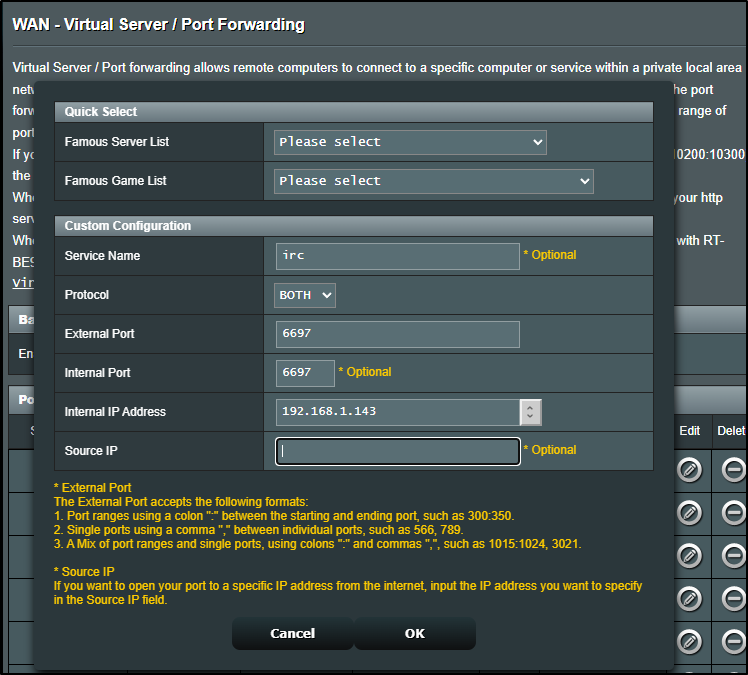
And I’ll create a forwarding rule
We can now run it
builder@bosgamerz9:~/Workspaces/inspircd$ cd run
builder@bosgamerz9:~/Workspaces/inspircd/run$ ls
apparmor  bin  conf  data  deploy-ssl.sh  inspircd  inspircd.openrc  inspircd.service  logrotate  logs  manuals  modules
builder@bosgamerz9:~/Workspaces/inspircd/run$ ./inspircd start
InspIRCd - Internet Relay Chat Daemon
See /INFO for contributors & authors

InspIRCd Process ID: 1243481

Loading core modules .....................
InspIRCd is now running as 'irc.tpk.pw'[247] with 1048576 max open sockets
I was having a lot of issues sorting out TLS so I stopped the local process
builder@bosgamerz9:~/Workspaces/inspircd/run$ ./inspircd stop
Stopping InspIRCd (pid: 1243481)...
InspIRCd Stopped.
And tried using a container (with self-signed certs) instead
builder@bosgamerz9:~/Workspaces/inspircd/run$ docker run --name inspircd -p 6667:6667 -p 6697:6697 -e "INSP_TLS_CN=irc.tpk.pw" inspircd/inspircd-dock
er
Unable to find image 'inspircd/inspircd-docker:latest' locally
latest: Pulling from inspircd/inspircd-docker
589002ba0eae: Pull complete
846eed7a3760: Pull complete
c6b8f6e5ebab: Pull complete
720ba1ca8e28: Pull complete
c9d4b0e16ef1: Pull complete
Digest: sha256:5dd8db6d00eeddea7debd5544f38bdbc731500b0d047ae5f24f9f95110a18156
Status: Downloaded newer image for inspircd/inspircd-docker:latest
** Note: You may use '--sec-param High' instead of '--bits 4096'
Generating a 4096 bit RSA private key...
Generating a self signed certificate...
X.509 Certificate Information:
        Version: 3
        Serial Number (hex): 77e3f6ec0d9bd60882c09b73b50962dcacfe35d6
        Validity:
                Not Before: Tue Mar 03 13:13:49 UTC 2026
                Not After: Wed Mar 03 13:13:49 UTC 2027
        Subject: CN=irc.tpk.pw,OU=Example Server Admins,O=Example IRC Network,L=Example City,ST=Example State,C=XZ
        Subject Public Key Algorithm: RSA
        Algorithm Security Level: High (4096 bits)
                Modulus (bits 4096):
                        00:ba:04:c5:bd:9e:cf:4b:7c:89:4a:76:b5:10:af:d5
                        5e:ce:be:17:4f:a8:40:5e:87:06:22:8d:e2:e6:e3:b6
                        c4:50:a7:c5:9c:fe:05:53:9c:20:50:de:56:7e:24:e5
                        57:55:c7:f6:12:7f:c2:e3:b8:07:47:d6:ea:fc:57:d7
                        50:13:e0:68:0a:7c:a0:7c:e6:1d:54:b8:db:ad:bb:56
                        94:37:d5:56:af:9f:9f:8f:29:6f:49:ef:b2:a3:f8:cb
                        d0:75:3c:7c:ff:b6:db:0a:3f:49:cc:7d:9c:57:b1:17
                        e1:7c:e7:3b:aa:84:d5:08:c3:18:64:ae:a7:98:d1:b3
                        47:94:ac:61:89:06:a7:00:d9:33:74:37:d0:4c:af:67
                        03:f0:e0:38:d4:e2:ae:06:b7:0d:44:84:6d:1e:21:f9
                        13:99:95:a3:fd:97:07:f9:1c:bc:e5:d6:8e:bf:10:8c
                        1d:4d:9d:b8:c1:db:ee:cf:0b:c5:be:3a:41:38:da:8c
                        96:f3:2a:be:ea:3f:1e:ac:15:e3:be:19:8c:46:45:9b
                        20:71:62:4d:a0:1a:c1:1a:9a:63:cd:58:d7:5e:29:a9
                        0b:bd:1d:86:fb:66:0f:cd:70:5f:6d:77:7f:ef:a6:90
                        06:01:44:b5:e0:aa:a6:19:7e:b4:d1:2f:22:71:d5:c1
                        5b:74:35:b0:4b:41:2c:86:c8:16:25:cc:b7:f5:db:fc
                        ae:42:72:95:0b:66:be:8d:9b:8a:26:3f:be:7c:83:6a
                        41:fd:a9:f8:58:e9:62:aa:11:63:a7:45:17:1e:25:b9
                        9e:d5:62:21:d8:50:d0:52:22:a3:2c:8f:2d:2c:d2:4c
                        d8:52:74:07:a8:5c:34:43:04:c5:3b:15:de:06:e4:2d
                        01:61:6c:34:4f:ed:f1:94:90:8e:ad:25:67:52:83:c2
                        63:9c:86:7b:b2:bb:78:24:22:5f:f6:6e:35:28:3b:3e
                        6a:1a:a3:00:33:6f:a1:cd:e8:e6:52:23:e3:9e:7f:7b
                        3a:ee:cd:ed:ae:ad:bb:99:67:93:a9:60:49:4a:4b:0b
                        e5:23:c3:a0:06:7e:a9:9b:4e:dc:03:ae:d4:e6:34:36
                        8a:5a:29:e3:c2:5f:85:3a:3f:81:d9:f2:ed:bf:7e:46
                        9b:0a:21:7d:21:91:dc:60:02:a6:64:c5:df:13:21:90
                        44:cd:77:ce:41:6e:68:4e:68:45:7f:17:85:b7:87:8d
                        a6:4a:37:fc:65:ef:16:5f:01:f5:f3:b4:44:e6:93:d7
                        ec:ef:5c:29:17:af:e0:44:50:01:8f:13:95:df:61:0e
                        e8:70:12:9f:54:a2:a3:9d:9a:ea:fd:a2:65:aa:6a:77
                        31
                Exponent (bits 24):
                        01:00:01
        Extensions:
                Basic Constraints (critical):
                        Certificate Authority (CA): FALSE
                Key Purpose (not critical):
                        TLS WWW Client.
                        TLS WWW Server.
                        OCSP signing.
                        Code signing.
                        Time stamping.
                Key Usage (critical):
                        Digital signature.
                        Key encipherment.
                Subject Key Identifier (not critical):
                        1130f4a689411493d7f0baca26131d773c8d8a69
Other Information:
        Public Key ID:
                sha1:1130f4a689411493d7f0baca26131d773c8d8a69
                sha256:8934fdd15907c11f601b82990247e5174870808f3248770169ae112a10f641a7
        Public Key PIN:
                pin-sha256:iTT90VkHwR9gG4KZAkflF0hwgI8ySHcBaa4RKhD2Qac=


Signing certificate...
Generating DH parameters (2048 bits)...
(might take long time)
InspIRCd - Internet Relay Chat Daemon
See /INFO for contributors & authors

InspIRCd Process ID: 1

Loading core modules .....................
[*] Loading module:     m_account.so
[*] Loading module:     m_alias.so
[*] Loading module:     m_allowinvite.so
[*] Loading module:     m_alltime.so
[*] Loading module:     m_banexception.so
[*] Loading module:     m_banredirect.so
[*] Loading module:     m_bcrypt.so
[*] Loading module:     m_blockcolor.so
[*] Loading module:     m_botmode.so
[*] Loading module:     m_callerid.so
[*] Loading module:     m_cap.so
[*] Loading module:     m_chancreate.so
[*] Loading module:     m_chanfilter.so
[*] Loading module:     m_chanhistory.so
[*] Loading module:     m_channelban.so
[*] Loading module:     m_chghost.so
[*] Loading module:     m_chgident.so
[*] Loading module:     m_chgname.so
[*] Loading module:     m_commonchans.so
[*] Loading module:     m_connectban.so
[*] Loading module:     m_connflood.so
[*] Loading module:     m_conn_umodes.so
[*] Loading module:     m_conn_waitpong.so
[*] Loading module:     m_customprefix.so
[*] Loading module:     m_cycle.so
[*] Loading module:     m_dnsbl.so
[*] Loading module:     m_exemptchanops.so
[*] Loading module:     m_filter.so
[*] Loading module:     m_gateway.so
[*] Loading module:     m_globalload.so
[*] Loading module:     m_globops.so
[*] Loading module:     m_help.so
[*] Loading module:     m_hidechans.so
[*] Loading module:     m_inviteexception.so
[*] Loading module:     m_ircv3.so
[*] Loading module:     m_ircv3_accounttag.so
[*] Loading module:     m_ircv3_batch.so
[*] Loading module:     m_ircv3_capnotify.so
[*] Loading module:     m_ircv3_chghost.so
[*] Loading module:     m_ircv3_ctctags.so
[*] Loading module:     m_ircv3_echomessage.so
[*] Loading module:     m_ircv3_invitenotify.so
[*] Loading module:     m_ircv3_labeledresponse.so
[*] Loading module:     m_ircv3_msgid.so
[*] Loading module:     m_ircv3_servertime.so
[*] Loading module:     m_joinflood.so
[*] Loading module:     m_knock.so
[*] Loading module:     m_log_syslog.so
[*] Loading module:     m_messageflood.so
[*] Loading module:     m_monitor.so
[*] Loading module:     m_multiprefix.so
[*] Loading module:     m_noctcp.so
[*] Loading module:     m_nonotice.so
[*] Loading module:     m_operlog.so
[*] Loading module:     m_opermodes.so
[*] Loading module:     m_passforward.so
[*] Loading module:     m_password_hash.so
[*] Loading module:     m_realnameban.so
[*] Loading module:     m_regex_glob.so
[*] Loading module:     m_sajoin.so
[*] Loading module:     m_sakick.so
[*] Loading module:     m_samode.so
[*] Loading module:     m_sanick.so
[*] Loading module:     m_sapart.so
[*] Loading module:     m_saquit.so
[*] Loading module:     m_satopic.so
[*] Loading module:     m_seenicks.so
[*] Loading module:     m_services.so
[*] Loading module:     m_sethost.so
[*] Loading module:     m_setident.so
[*] Loading module:     m_setname.so
[*] Loading module:     m_sha2.so
[*] Loading module:     m_shun.so
[*] Loading module:     m_silence.so
[*] Loading module:     m_spanningtree.so
[*] Loading module:     m_ssl_gnutls.so
[*] Loading module:     m_sslinfo.so
[*] Loading module:     m_sslmodes.so
[*] Loading module:     m_swhois.so
[*] Loading module:     m_tline.so
[*] Loading module:     m_uhnames.so
[*] Loading module:     m_xline_db.so
InspIRCd is now running as '6c2f16f4e983.example.com'[387] with 1048576 max open sockets
I struggled for a while getting TLS to work and after enough time, decided a containerized approach would be more fruitful.
inspircd-docker
I found this inspircd docker container that would use TLS with self-signed certs.
While I would prefer properly signed, I figured this was a good start.
$ docker run --name inspircd -p 6667:6667 -p 6697:6697 -e "INSP_TLS_CN=irc.tpk.pw" inspircd/inspircd-docker
We already had a forwarding rule set earlier for that DNS name.
I can use an app like xxxx on my phone to now connect.
It will warn about the cert, but I just need to accept
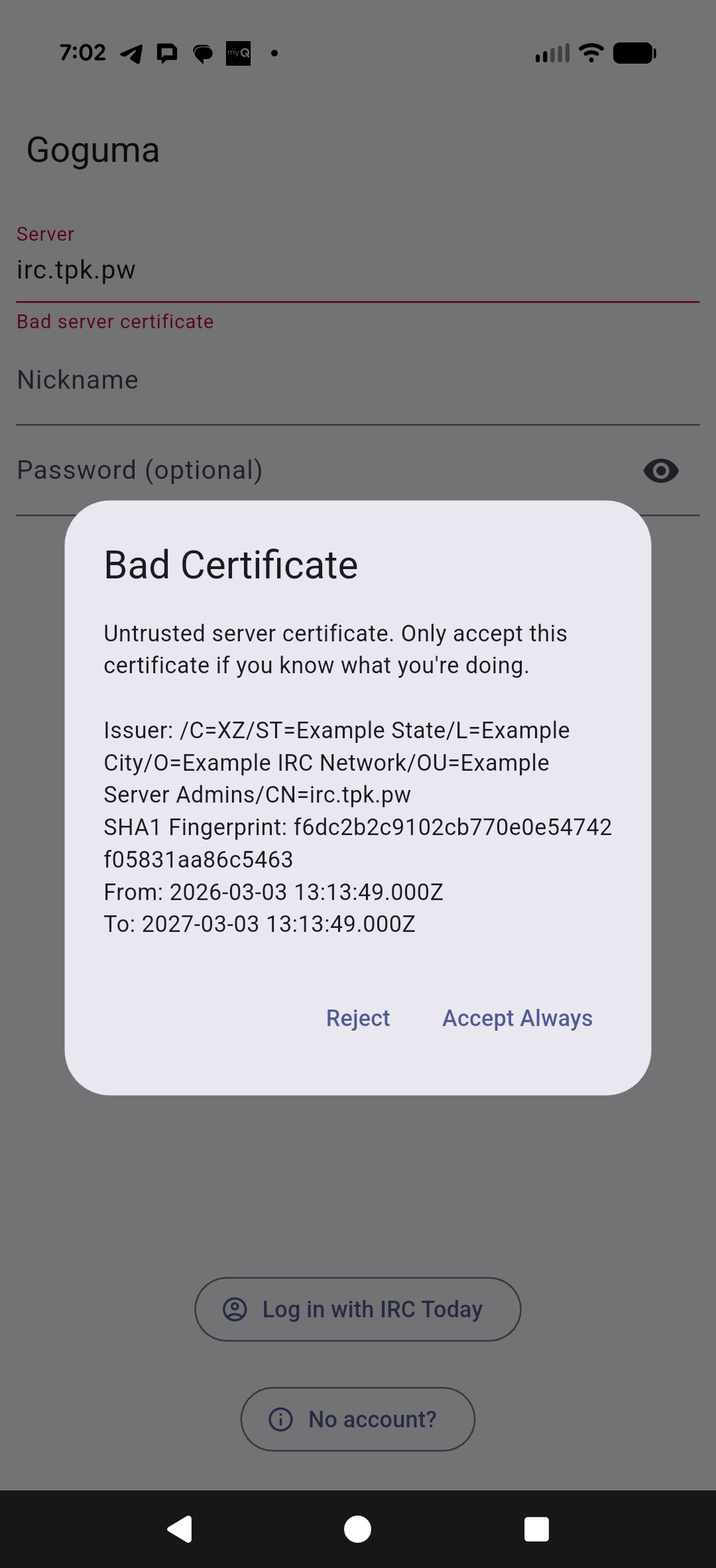
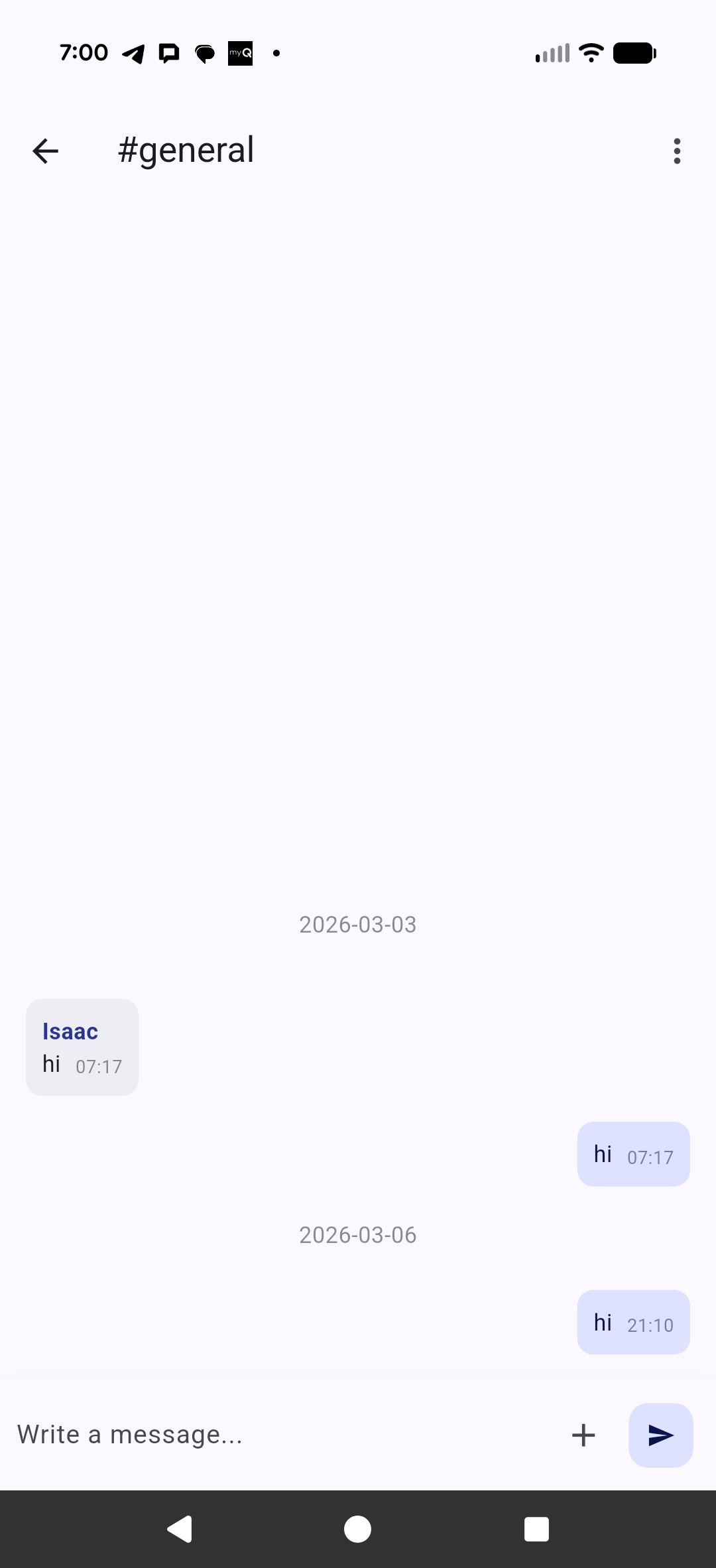
but then it works just fine
Scripting output
I wanted to be able to post messages from processes and builds.
It took a few iterations to sort out TCP piping, but I managed to get it finall work:
$ cat ./testirc3.sh
#!/bin/bash

# Configuration
SERVER="irc.tpk.pw"
PORT="6667"
NICK="mybot"
CHAN="#general"

# 1. Open a bidirectional socket on File Descriptor 3
exec 3<>/dev/tcp/$SERVER/$PORT

# 2. Send registration info to the socket
echo "NICK $NICK" >&3
echo "USER $NICK 8 * :My Bot" >&3

# 3. Read from the socket (Descriptor 3)
while read -u 3 line; do
    # Print server output to your terminal so you can see what's happening
    echo "<< $line"

    case "$line" in
        # Answer the PING immediately
        PING*)
            ID=$(echo "$line" | cut -d':' -f2)
            echo "PONG :$ID" >&3
            echo ">> PONG sent"
            ;;

        # 001 is the "Welcome" numeric. Now we can join and talk.
        *001*)
            echo "JOIN $CHAN" >&3
            sleep 2 # Small buffer for the server to process the join
            echo "PRIVMSG $CHAN :Hello from the command line!" >&3
            echo "QUIT" >&3
            echo ">> Message sent and quitting."
            exit
            ;;

        # Error handling if the nick is taken
        *433*)
            echo "Error: Nickname already in use."
            exit 1
            ;;
    esac
done
Testing shows a completed message
builder@DESKTOP-QADGF36:~/Workspaces$ ./testirc3.sh
<< :6c2f16f4e983.example.com NOTICE * :*** Looking up your hostname...
<< PING :yvof8p1ksK
>> PONG sent
<< :6c2f16f4e983.example.com NOTICE mybot :*** Found your hostname (RT-BE92U-BDA0)
<< :6c2f16f4e983.example.com 001 mybot :Welcome to the ExampleNet IRC Network mybot!mybot@RT-BE92U-BDA0
>> Message sent and quitting.
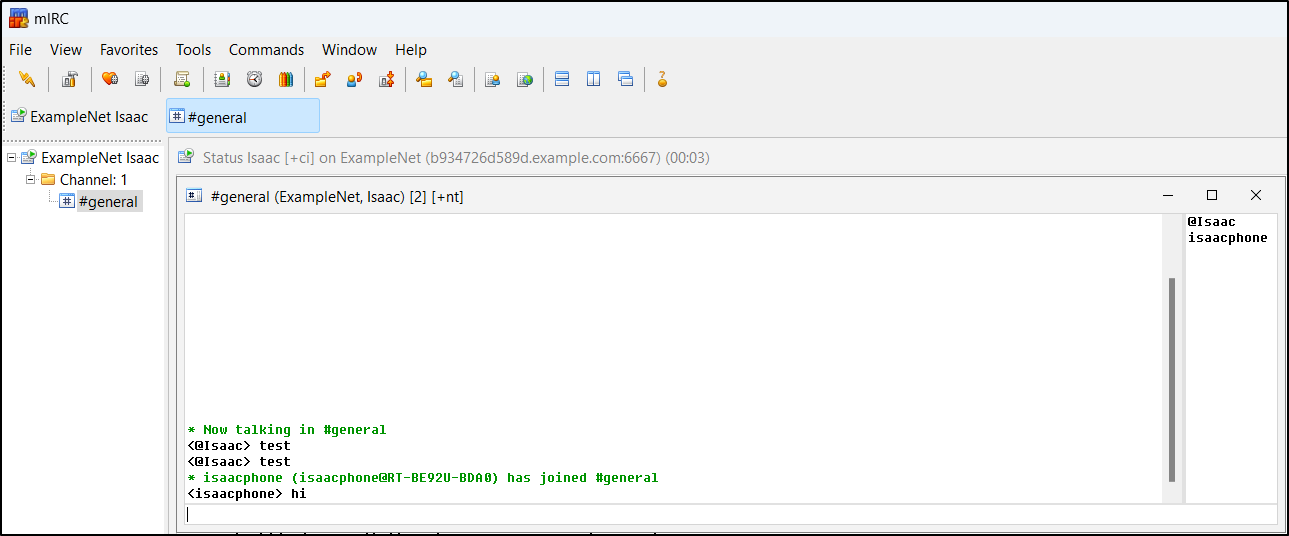
We can now see it post (i tested twice, it did not post twice).
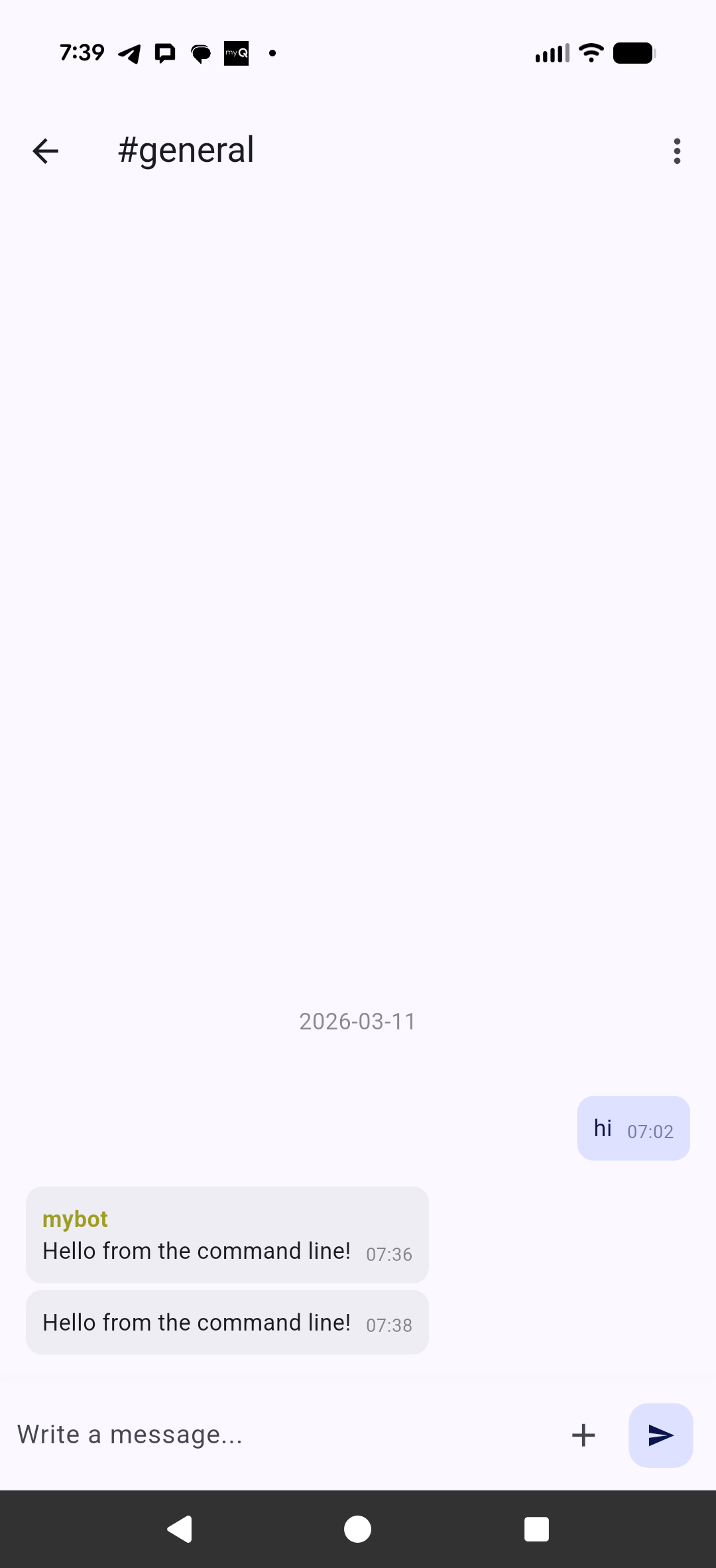
Having multiple devices try to use my username ended up with a ban I could not solve so I reset the container and connected, this time giving a unique name to each device.
But it did come up and work just fine
Matrix
I don’t often use it - and really, I’m not sure why - perhaps it’s because it’s rather dead without users, but I do have a Matrix Synapse host (matrix.freshbrewed.science).
All my build scripts keep posting there
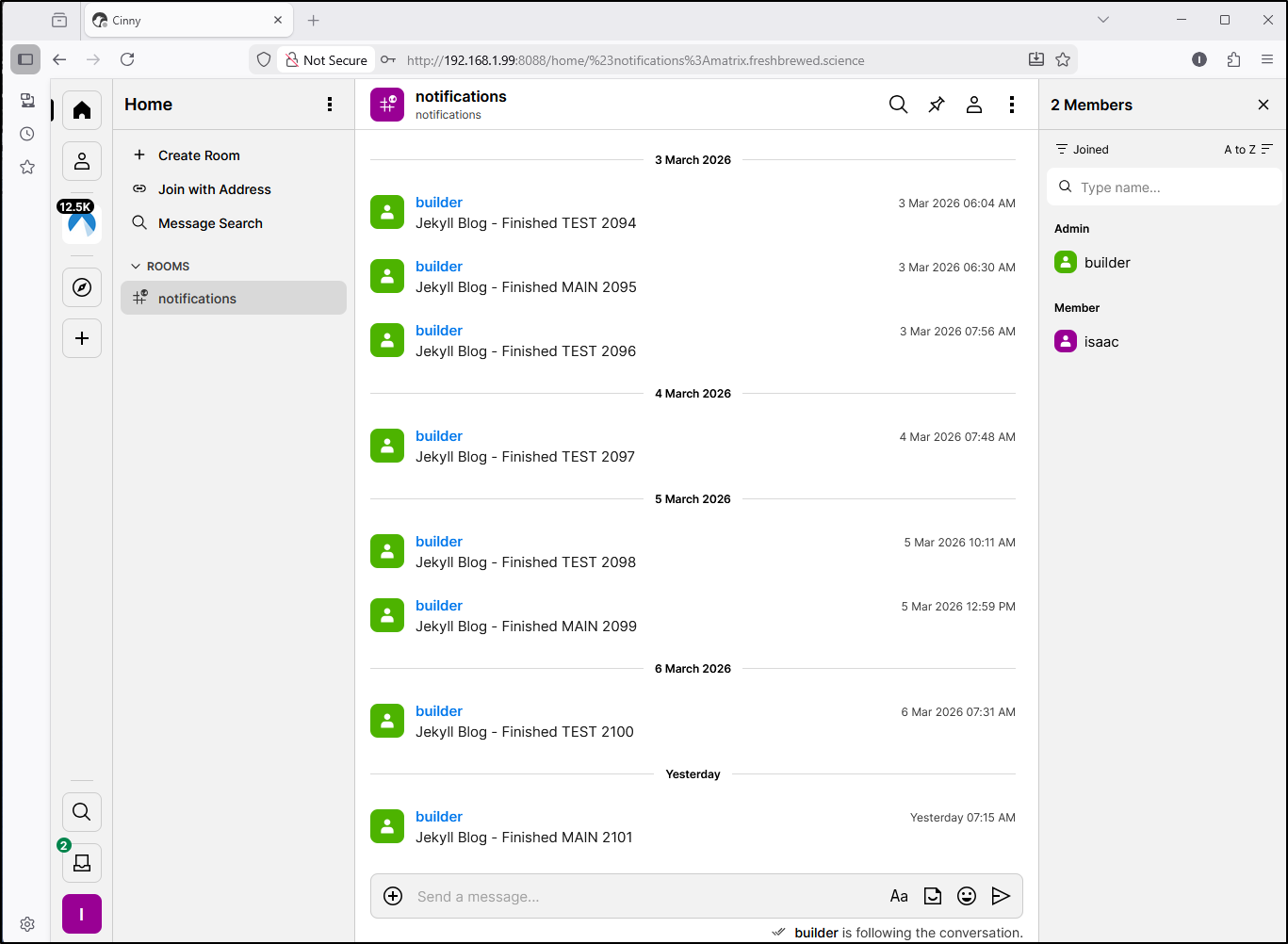
I looked at my last deploy and see it was from a few years ago (good testament to something that doesnt fall down)
$ helm list | grep matrix matrix-synapse default 1 2024-03-02 08:37:10.310138818 -0600 CST deployed matrix-synapse-3.8.2 1.101.0
Seems the latest chart is up to 1.148.0 (from my 1.101.0)
The upgrade should be just as easy as it was on 2024-01-30…
$ helm upgrade matrix-synapse ananace-charts/matrix-synapse --set serverName=matrix.freshbrewed.science --set wellknown.enabled=true
Release "matrix-synapse" has been upgraded. Happy Helming!
NAME: matrix-synapse
LAST DEPLOYED: Wed Mar 11 10:27:54 2026
NAMESPACE: default
STATUS: deployed
REVISION: 2
NOTES:
** Note, this chart may take a while to finish setup, please be patient **
** Also, remember to disable the signingkey job (signingkey.job.enabled=false) **

Your Synapse install is now starting, you should soon be able to access it on
the following URL(s);
http://matrix.freshbrewed.science

You can create a user in your new Synapse install by running the following
command; (replacing USERNAME and PASSWORD)

    export POD_NAME=$(kubectl get pods --namespace default -l "app.kubernetes.io/name=matrix-synapse,app.kubernetes.io/instance=matrix-synapse,app.kubernetes.io/component=synapse" -o jsonpath="{.items[0].metadata.name}")
    kubectl exec --namespace default $POD_NAME -- register_new_matrix_user -c /synapse/config/homeserver.yaml -c /synapse/config/conf.d/secrets.yaml -u USERNAME -p PASSWORD --admin http://localhost:8008

You can also specify --no-admin to create a non-admin user.
As I watched containers, I could see there was a bit of an order issue - as the PostgreSQL container rotated after the app, the app got into a crash loop for a few moments. but then it came back
builder@DESKTOP-QADGF36:~/Workspaces$ kubectl get po | grep matrix
matrix-synapse-55f7b5dbc5-8xzc8                      0/1     Running            1 (2s ago)        19s
matrix-synapse-bfc9b99b7-2gdzp                       1/1     Running            398 (6d5h ago)    207d
matrix-synapse-postgresql-0                          1/1     Terminating        6 (17d ago)       207d
matrix-synapse-redis-master-6986bdf45b-8w6tx         0/1     Running            0                 19s
matrix-synapse-redis-master-8f95f8bd7-p5ptf          1/1     Running            6 (17d ago)       185d
matrix-synapse-wellknown-lighttpd-7496b664b4-7wfxf   1/1     Running            0                 19s
builder@DESKTOP-QADGF36:~/Workspaces$ kubectl get po | grep matrix
matrix-synapse-55f7b5dbc5-8xzc8                      0/1     Error              1 (13s ago)        30s
matrix-synapse-bfc9b99b7-2gdzp                       1/1     Running            398 (6d5h ago)     207d
matrix-synapse-postgresql-0                          1/1     Terminating        6 (17d ago)        207d
matrix-synapse-redis-master-6986bdf45b-8w6tx         1/1     Running            0                  30s
matrix-synapse-wellknown-lighttpd-7496b664b4-7wfxf   1/1     Running            0                  30s
builder@DESKTOP-QADGF36:~/Workspaces$ kubectl get po | grep matrix
matrix-synapse-55f7b5dbc5-8xzc8                      0/1     CrashLoopBackOff   1 (10s ago)        36s
matrix-synapse-bfc9b99b7-2gdzp                       1/1     Running            398 (6d5h ago)     207d
matrix-synapse-postgresql-0                          0/1     Running            0                  5s
matrix-synapse-redis-master-6986bdf45b-8w6tx         1/1     Running            0                  36s
matrix-synapse-wellknown-lighttpd-7496b664b4-7wfxf   1/1     Running            0                  36s
builder@DESKTOP-QADGF36:~/Workspaces$ kubectl get po | grep matrix
matrix-synapse-55f7b5dbc5-8xzc8                      0/1     Running            2 (22s ago)        48s
matrix-synapse-bfc9b99b7-2gdzp                       1/1     Running            398 (6d5h ago)     207d
matrix-synapse-postgresql-0                          1/1     Running            0                  17s
matrix-synapse-redis-master-6986bdf45b-8w6tx         1/1     Running            0                  48s
matrix-synapse-wellknown-lighttpd-7496b664b4-7wfxf   1/1     Running            0                  48s
builder@DESKTOP-QADGF36:~/Workspaces$ kubectl get po | grep matrix
matrix-synapse-55f7b5dbc5-8xzc8                      1/1     Running            2 (75s ago)        101s
matrix-synapse-postgresql-0                          1/1     Running            0                  70s
matrix-synapse-redis-master-6986bdf45b-8w6tx         1/1     Running            0                  101s
matrix-synapse-wellknown-lighttpd-7496b664b4-7wfxf   1/1     Running            0                  101s
A refresh of Cinny showed the room was up and running
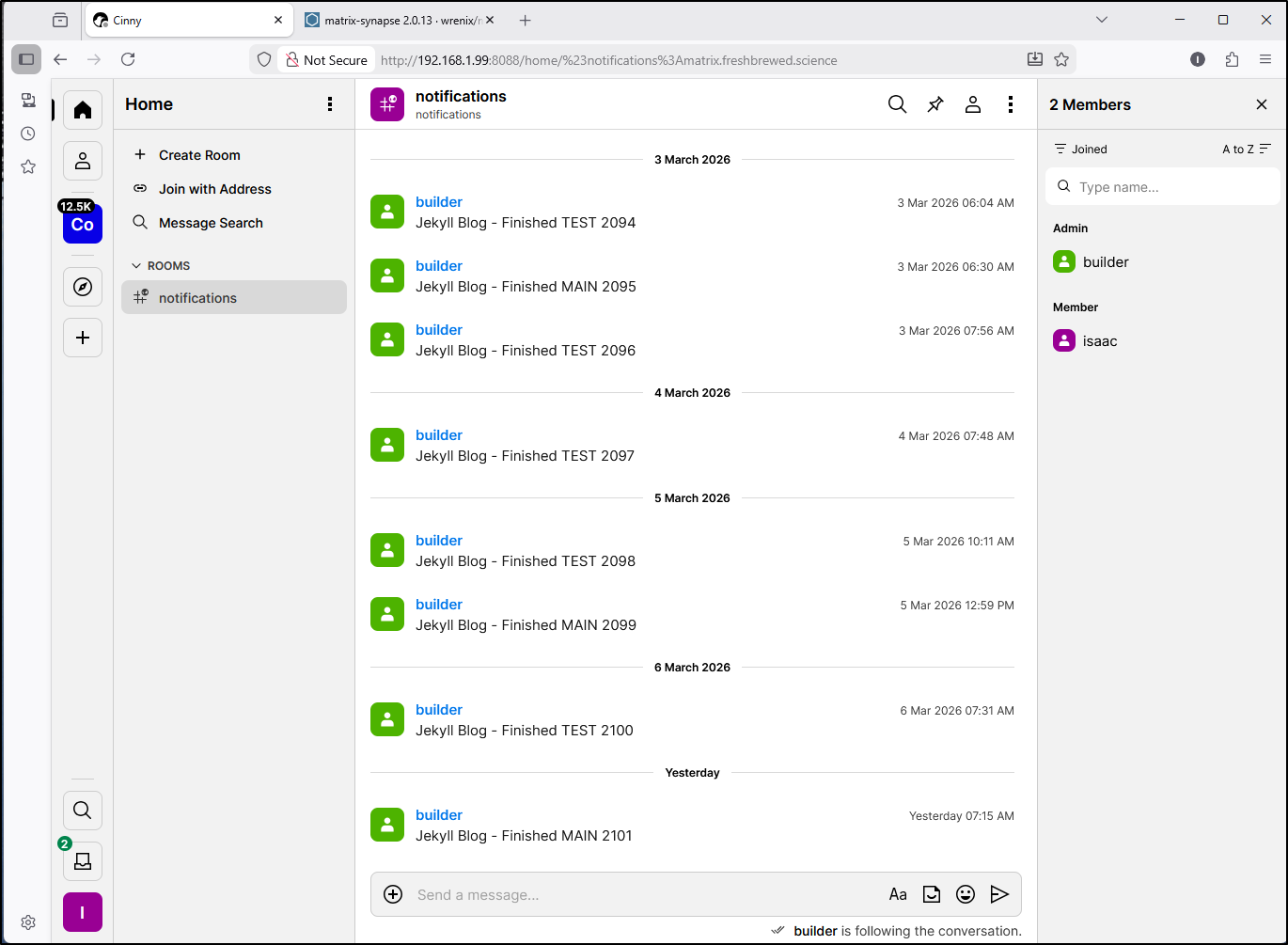
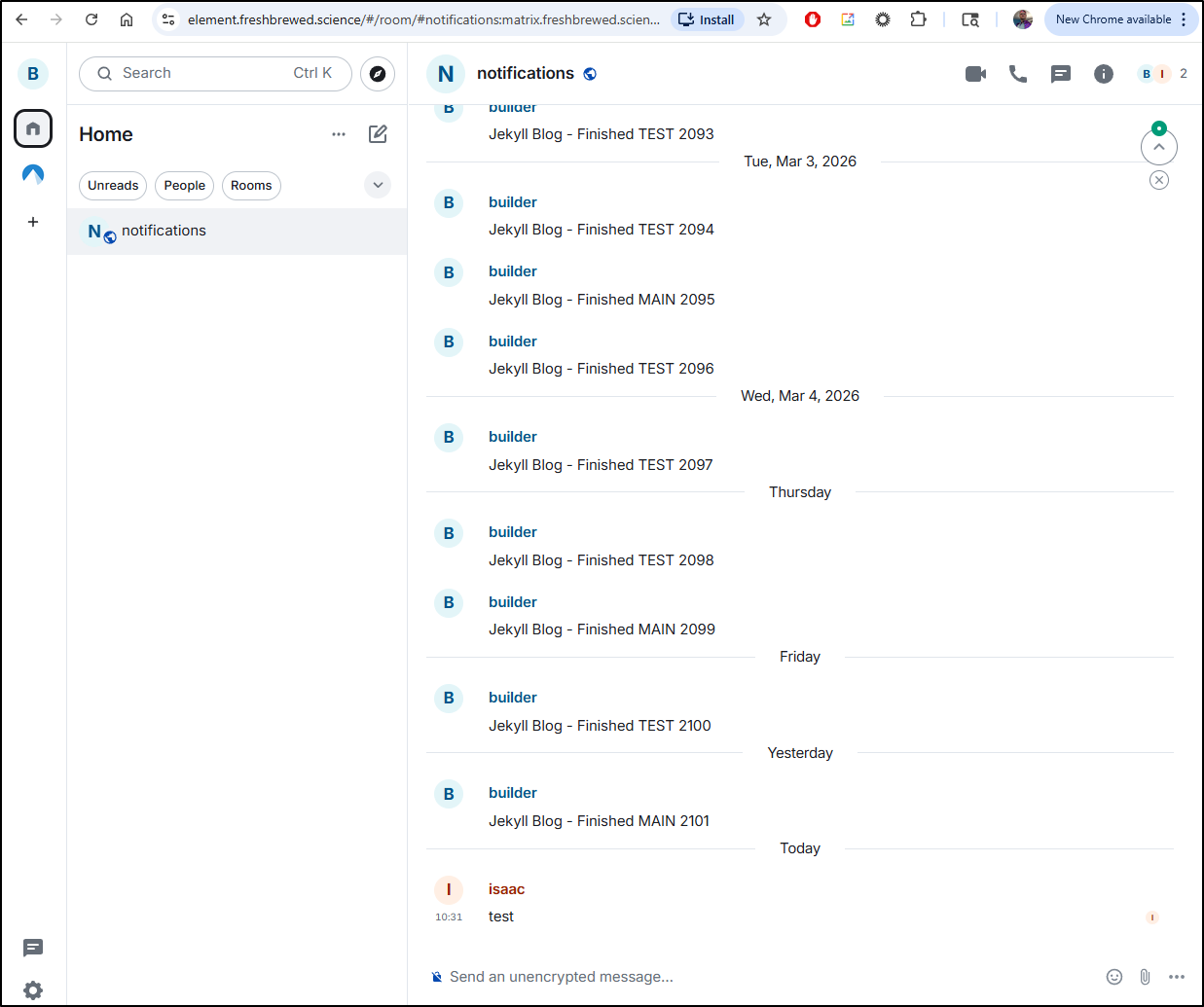
while I don’t have Cinny exposed externally, I do have element available to all, which has a container set to “latest” so it’s always up to date
Summary
IRC is still very cool for chat. I think there is more work on my end to figure out how to apply controls (logins, admins, proper SSL).
That said, I’m not certain I need anything beyond Matrix with some proper Matrix clients. Most of my other threads come through Discord, Google Chat, Keybase and Telegram.
What is funny to me is we used to have Pidgin and Trillium long long ago back when there were too many chat options and we wanted a single client that could bridge gchat, yahoo chat, aolchat, ICQ, MSN and more.. Seems we may need to come back to that again.
Side note: Just looking at the Pidgin plugins, I think I have a winner for the future - it coveres all of mine (save for Keybase.io).
