

Published: Mar 10, 2026 by Isaac Johnson
I had bookmarked this Marius post on Homehub, a nice family hub app. I wanted to check that out and maybe see if I could tweak it a bit.
I also wanted to look at Toolstack, another of that authors public repos that seemed to be a rather clever assortment of useful utilities.
Let’s start with that.
Toolstack
I found this interesting Github repo from Suraj that had a bunch of utilities served up via a web browser.
Let’s just start with cloning the repo down
(base) builder@LuiGi:~/Workspaces$ git clone https://github.com/surajverma/toolstack.git
Cloning into 'toolstack'...
remote: Enumerating objects: 196, done.
remote: Counting objects: 100% (196/196), done.
remote: Compressing objects: 100% (84/84), done.
remote: Total 196 (delta 67), reused 186 (delta 58), pack-reused 0 (from 0)
Receiving objects: 100% (196/196), 275.17 KiB | 304.00 KiB/s, done.
Resolving deltas: 100% (67/67), done.
(base) builder@LuiGi:~/Workspaces$ nvm use lts/jod
Now using node v22.22.0 (npm v10.9.4)
(base) builder@LuiGi:~/Workspaces$ cd toolstack/
Then installing any dependencies
(base) builder@LuiGi:~/Workspaces/toolstack$ npm install

added 375 packages, and audited 376 packages in 13s

141 packages are looking for funding
  run `npm fund` for details

8 vulnerabilities (3 low, 2 moderate, 2 high, 1 critical)

To address issues that do not require attention, run:
  npm audit fix

To address all issues, run:
  npm audit fix --force

Run `npm audit` for details.
I can now fire it up in dev mode (npm run dev)
(base) builder@LuiGi:~/Workspaces/toolstack$ npm run dev

> toolstack@0.1.0 dev
> next dev --turbopack

   ▲ Next.js 15.3.3 (Turbopack)
   - Local:        http://localhost:3000
   - Network:      http://10.239.189.22:3000

 ✓ Starting...
Attention: Next.js now collects completely anonymous telemetry regarding usage.
This information is used to shape Next.js' roadmap and prioritize features.
You can learn more, including how to opt-out if you'd not like to participate in this anonymous program, by visiting the following URL:
https://nextjs.org/telemetry

 ✓ Ready in 727ms
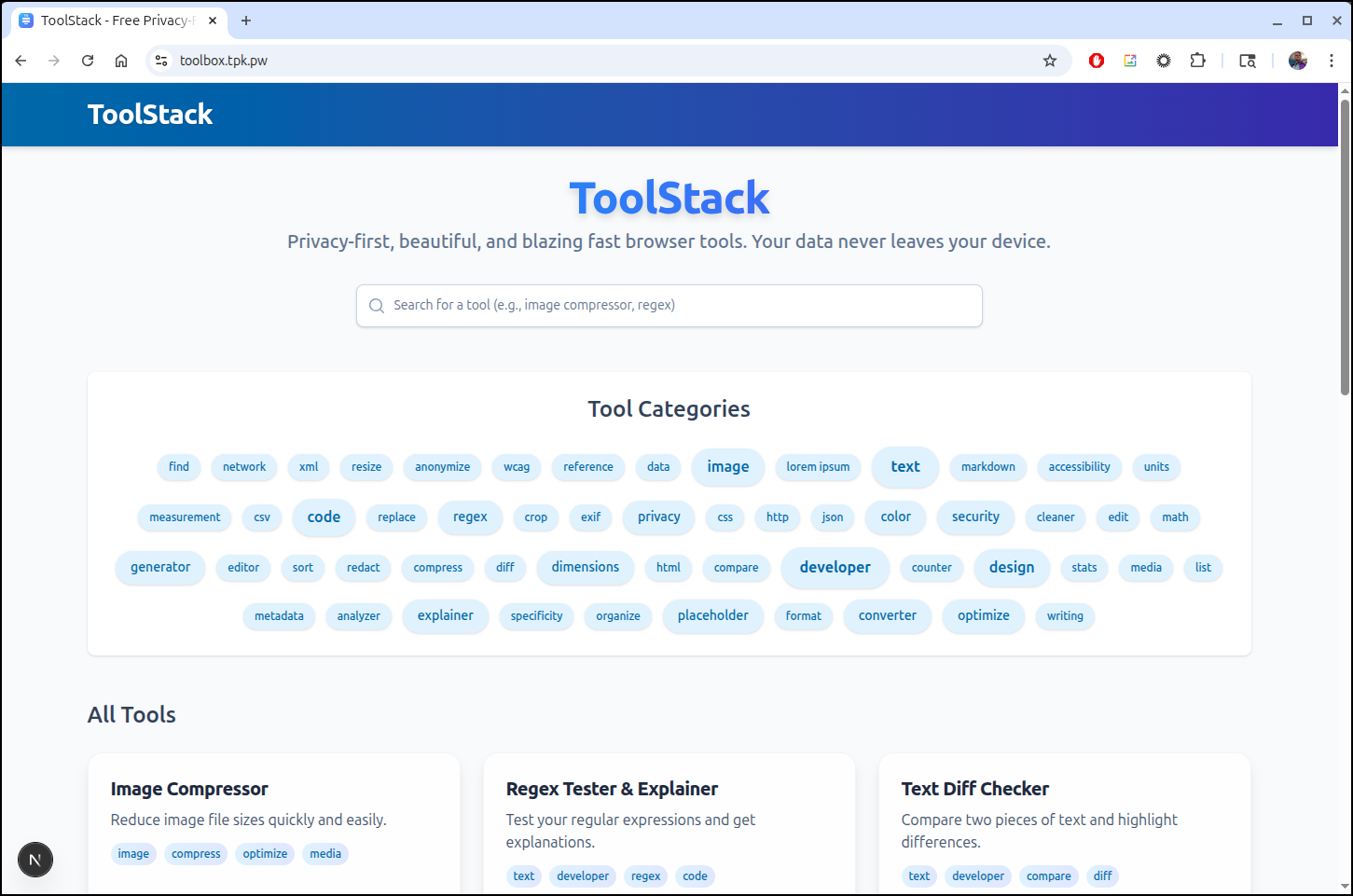
It is actually loaded with little utilities
I like this, but wish I could just put it out on a URL and enjoy it (instead of running NodeJS locally).
I put together a simple Dockerfile
FROM node:20-alpine AS production
WORKDIR /app
COPY . .
EXPOSE 3000
CMD ["npm", "run", "dev", "--", "-H", "0.0.0.0"]
Then build and tested
(base) builder@LuiGi:~/Workspaces/toolstack$ docker build -t mytest:04 .
[+] Building 4.5s (9/9) FINISHED                                                       docker:default
 => [internal] load build definition from Dockerfile                                             0.0s
 => => transferring dockerfile: 170B                                                             0.0s
 => [internal] load metadata for docker.io/library/node:20-alpine                                1.1s
 => [auth] library/node:pull token for registry-1.docker.io                                      0.0s
 => [internal] load .dockerignore                                                                0.0s
 => => transferring context: 2B                                                                  0.0s
 => [1/3] FROM docker.io/library/node:20-alpine@sha256:09e2b3d9726018aecf269bd35325f46bf75046a6  0.0s
 => [internal] load build context                                                                0.5s
 => => transferring context: 1.71MB                                                              0.5s
 => CACHED [2/3] WORKDIR /app                                                                    0.0s
 => [3/3] COPY . .                                                                               1.2s
 => exporting to image                                                                           1.6s
 => => exporting layers                                                                          1.5s
 => => writing image sha256:1870f773c57fb4c01a76ec4f0d67dab1a4482c6889e30418d9df18fbb1178760     0.0s
 => => naming to docker.io/library/mytest:04                                                     0.0s
(base) builder@LuiGi:~/Workspaces/toolstack$ docker run -p 3000:3000 mytest:04

> toolstack@0.1.0 dev
> next dev --turbopack -H 0.0.0.0

   ▲ Next.js 15.3.3 (Turbopack)
   - Local:        http://localhost:3000
   - Network:      http://0.0.0.0:3000

 ✓ Starting...
Attention: Next.js now collects completely anonymous telemetry regarding usage.
This information is used to shape Next.js' roadmap and prioritize features.
You can learn more, including how to opt-out if you'd not like to participate in this anonymous program, by visiting the following URL:
https://nextjs.org/telemetry

 ✓ Ready in 890ms
 ○ Compiling / ...
 ✓ Compiled / in 6.5s
 GET / 200 in 6788ms
It’s a pretty simple app, so I’ll just push it up to dockerhub
(venv) (base) builder@LuiGi:~/Workspaces/toolstack$ docker tag mytest:04 idjohnson/toolstack:01
(venv) (base) builder@LuiGi:~/Workspaces/toolstack$ docker push idjohnson/toolstack:01
The push refers to repository [docker.io/idjohnson/toolstack]
3042ce71e8c5: Pushed
5e2c1c4da1e2: Pushed
1dcaf7a5a25b: Mounted from library/node
3bcb0b085764: Mounted from library/node
e881f55858a8: Mounted from library/node
989e799e6349: Mounted from library/node
01: digest: sha256:e5b56fe4eb79665a441a8766ab2a93cf5421165ff4b6a18e83d9b1924ee20b7d size: 1577
I’ll create a quick A record
$ az account set --subscription "Pay-As-You-Go" && az network dns record-set a add-record -g idjdnsrg -z tpk.pw -a 76.156.69.232 -n toolbox
{
  "ARecords": [
    {
      "ipv4Address": "76.156.69.232"
    }
  ],
  "TTL": 3600,
  "etag": "a97f4aeb-5bd9-4b26-ac3e-3e5cb5518305",
  "fqdn": "toolbox.tpk.pw.",
  "id": "/subscriptions/d955c0ba-13dc-44cf-a29a-8fed74cbb22d/resourceGroups/idjdnsrg/providers/Microsoft.Network/dnszones/tpk.pw/A/toolbox",
  "name": "toolbox",
  "provisioningState": "Succeeded",
  "resourceGroup": "idjdnsrg",
  "targetResource": {},
  "trafficManagementProfile": {},
  "type": "Microsoft.Network/dnszones/A"
}
Now I just need a service, deployment and ingress to use that DNS entry
(venv) (base) builder@LuiGi:~/Workspaces/toolstack$ cat ./manifest.yaml
apiVersion: apps/v1
kind: Deployment
metadata:
  name: toolstack-deployment
spec:
  replicas: 2
  selector:
    matchLabels:
      app: toolstack
  template:
    metadata:
      labels:
        app: toolstack
    spec:
      containers:
      - name: toolstack-container
        image: idjohnson/toolstack:01
        ports:
        - containerPort: 3000
---
apiVersion: v1
kind: Service
metadata:
  name: toolstack-service
spec:
  selector:
    app: toolstack
  ports:
    - protocol: TCP
      port: 80
      targetPort: 3000
---
apiVersion: networking.k8s.io/v1
kind: Ingress
metadata:
  annotations:
    cert-manager.io/cluster-issuer: azuredns-tpkpw
    ingress.kubernetes.io/ssl-redirect: "true"
    kubernetes.io/ingress.class: nginx
    kubernetes.io/tls-acme: "true"
    nginx.ingress.kubernetes.io/proxy-body-size: "0"
    nginx.ingress.kubernetes.io/proxy-read-timeout: "3600"
    nginx.ingress.kubernetes.io/proxy-send-timeout: "3600"
    nginx.ingress.kubernetes.io/ssl-redirect: "true"
    nginx.org/client-max-body-size: "0"
    nginx.org/proxy-connect-timeout: "3600"
    nginx.org/proxy-read-timeout: "3600"
    nginx.org/websocket-services: toolstack-service
  name: toolstack-ingress
spec:
  rules:
  - host: toolbox.tpk.pw
    http:
      paths:
      - backend:
          service:
            name: toolstack-service
            port:
              number: 80
        path: /
        pathType: Prefix
  tls:
  - hosts:
    - toolbox.tpk.pw
    secretName: toolbox-tls
And apply them in k8s
(venv) (base) builder@LuiGi:~/Workspaces/toolstack$ kubectl apply -f ./manifest.yaml
deployment.apps/toolstack-deployment created
service/toolstack-service created
Warning: annotation "kubernetes.io/ingress.class" is deprecated, please use 'spec.ingressClassName' instead
ingress.networking.k8s.io/toolstack-ingress created
Once the cert is ready
$ kubectl get cert | grep tool
toolbox-tls                         True    toolbox-tls                         90s
I can now access https://toolbox.tpk.pw
Homehub
Another of his projects is Homehub which like the toolbox, is a catch all for a slew of tools a home might want to share amongst the family unit.
This one came with a container as well as a docker compose
# compose.yml
services:
  homehub:
    container_name: homehub
    image: ghcr.io/surajverma/homehub:latest
    ports:
      - "5000:5000" #app listens internally on port 5000
    environment:
      - FLASK_ENV=production
      - SECRET_KEY=${SECRET_KEY:-} # set via .env; falls back to random if not provided
    volumes:
      - ./uploads:/app/uploads
      - ./media:/app/media
      - ./pdfs:/app/pdfs
      - ./data:/app/data
      - ./config.yml:/app/config.yml:ro
I’ll start by cloning the repo
(venv) (base) builder@LuiGi:~/Workspaces$ git clone https://github.com/surajverma/homehub.git
Cloning into 'homehub'...
remote: Enumerating objects: 487, done.
remote: Counting objects: 100% (116/116), done.
remote: Compressing objects: 100% (57/57), done.
remote: Total 487 (delta 86), reused 59 (delta 59), pack-reused 371 (from 2)
Receiving objects: 100% (487/487), 355.90 KiB | 3.46 MiB/s, done.
Resolving deltas: 100% (284/284), done.
We then need to copy over the example YAML config file
(venv) (base) builder@LuiGi:~/Workspaces$ cd homehub/
(venv) (base) builder@LuiGi:~/Workspaces/homehub$ ls
Dockerfile  README.md  compose.yml         package.json      run.py  tailwind.config.js  tests
LICENSE     app        config-example.yml  requirements.txt  static  templates           wsgi.py
(venv) (base) builder@LuiGi:~/Workspaces/homehub$ cp config-example.yml config.yml
Once I edited the file, i just did a docker compose up to check it out
(venv) (base) builder@LuiGi:~/Workspaces/homehub$ vi config.yml
(venv) (base) builder@LuiGi:~/Workspaces/homehub$ docker compose up
[+] Running 11/11
 ✔ homehub Pulled                                                                                                                        7.0s
   ✔ 1074353eec0d Already exists                                                                                                         0.0s
   ✔ 9e4742745279 Pull complete                                                                                                          0.6s
   ✔ 522560f13f9b Pull complete                                                                                                          1.3s
   ✔ a4581c766c38 Pull complete                                                                                                          1.4s
   ✔ 38b0eea34756 Pull complete                                                                                                          1.5s
   ✔ 4147244d0bd5 Pull complete                                                                                                          4.9s
   ✔ 70974fc3d2fc Pull complete                                                                                                          5.7s
   ✔ c68d49ee74e4 Pull complete                                                                                                          5.7s
   ✔ c726830993c6 Pull complete                                                                                                          5.8s
   ✔ d6e2f8e4672e Pull complete                                                                                                          5.9s
[+] Running 2/2
 ✔ Network homehub_default  Created                                                                                                      0.1s
 ✔ Container homehub        Created                                                                                                      0.2s
Attaching to homehub
homehub  | [2026-03-04 00:09:03 +0000] [1] [INFO] Starting gunicorn 23.0.0
homehub  | [2026-03-04 00:09:03 +0000] [1] [INFO] Listening at: http://0.0.0.0:5000 (1)
homehub  | [2026-03-04 00:09:03 +0000] [1] [INFO] Using worker: sync
homehub  | [2026-03-04 00:09:03 +0000] [7] [INFO] Booting worker with pid: 7
I can access it on port 5000
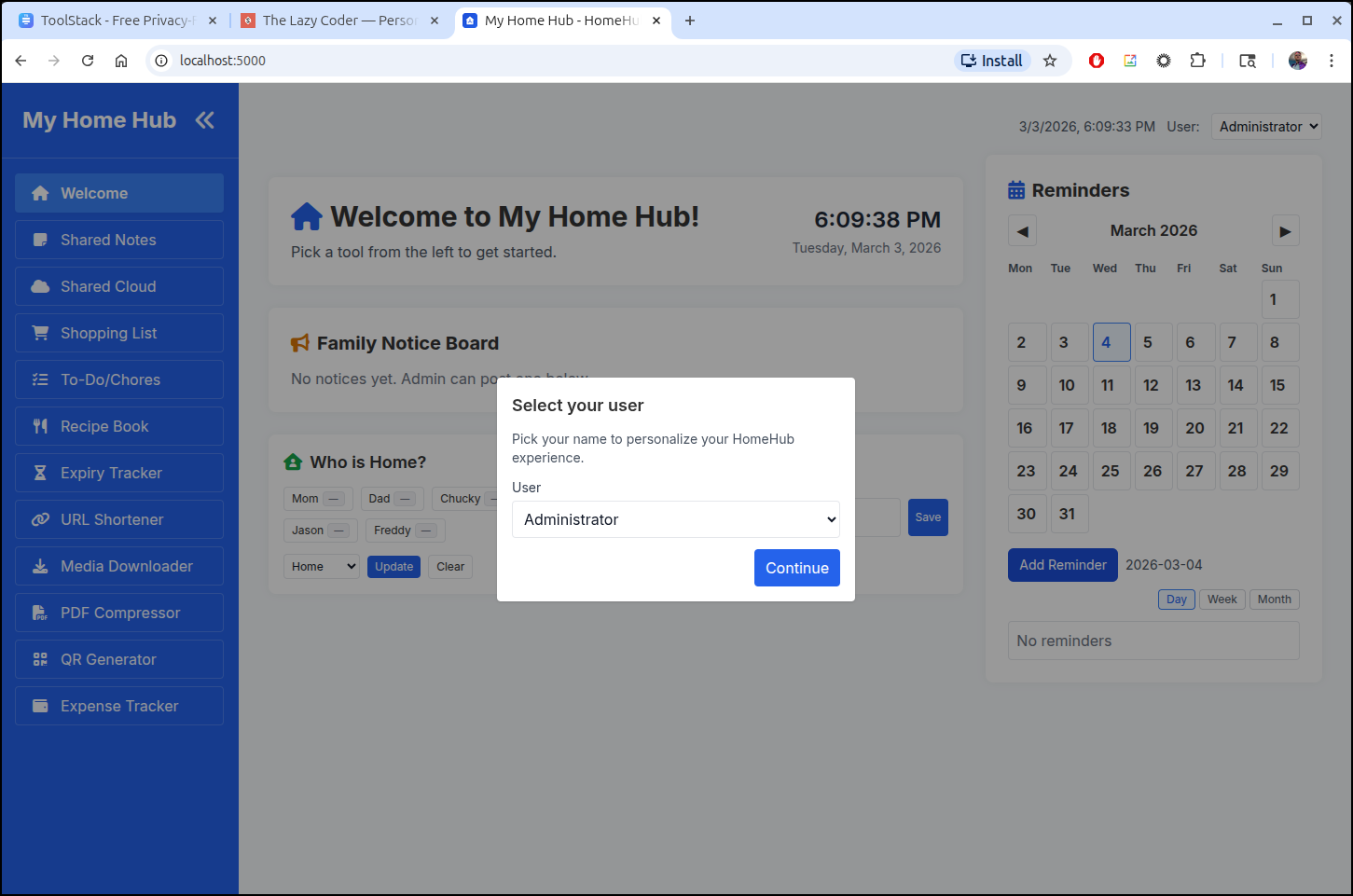
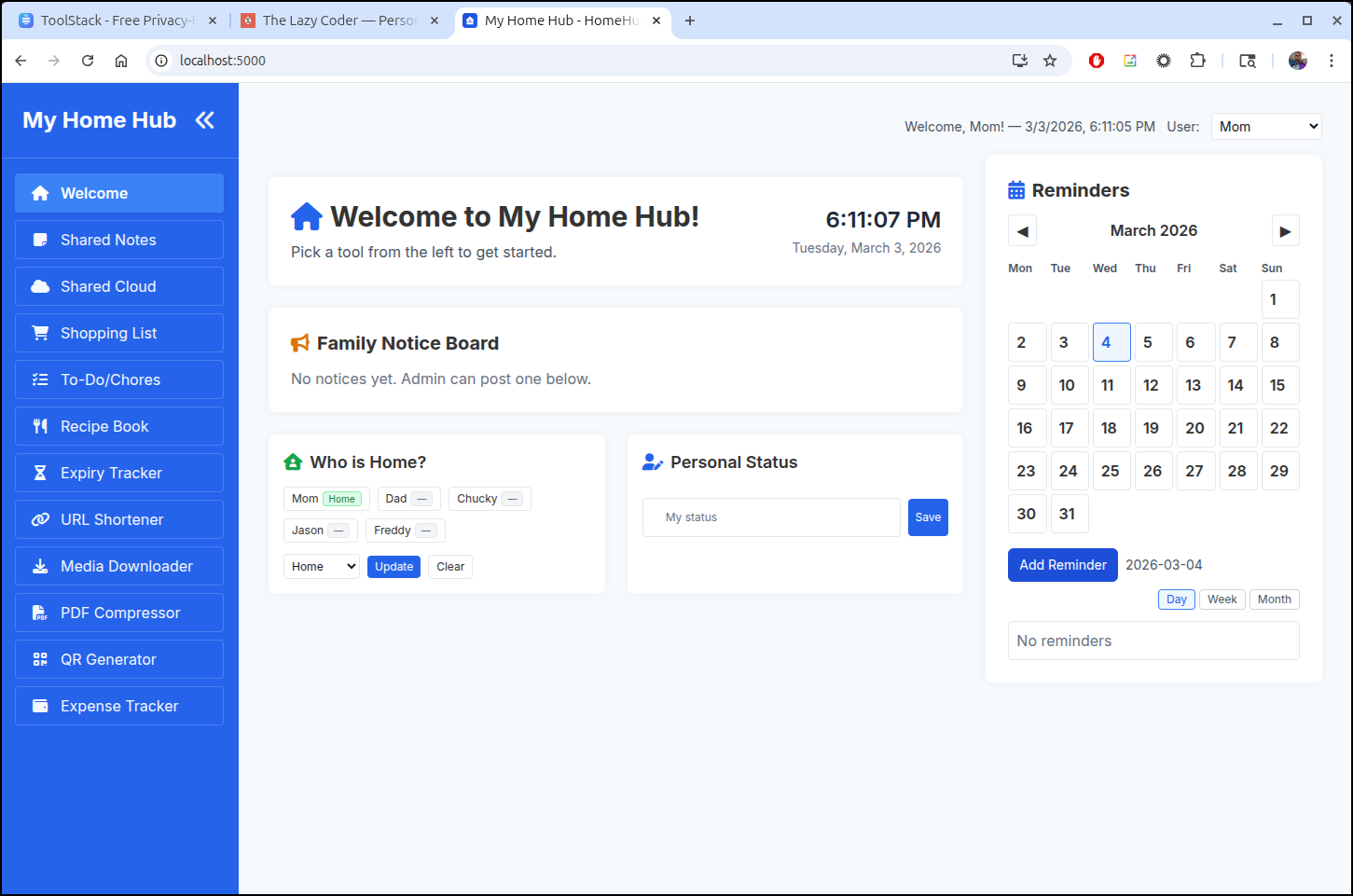
We can mark ourselves home or set a status or event
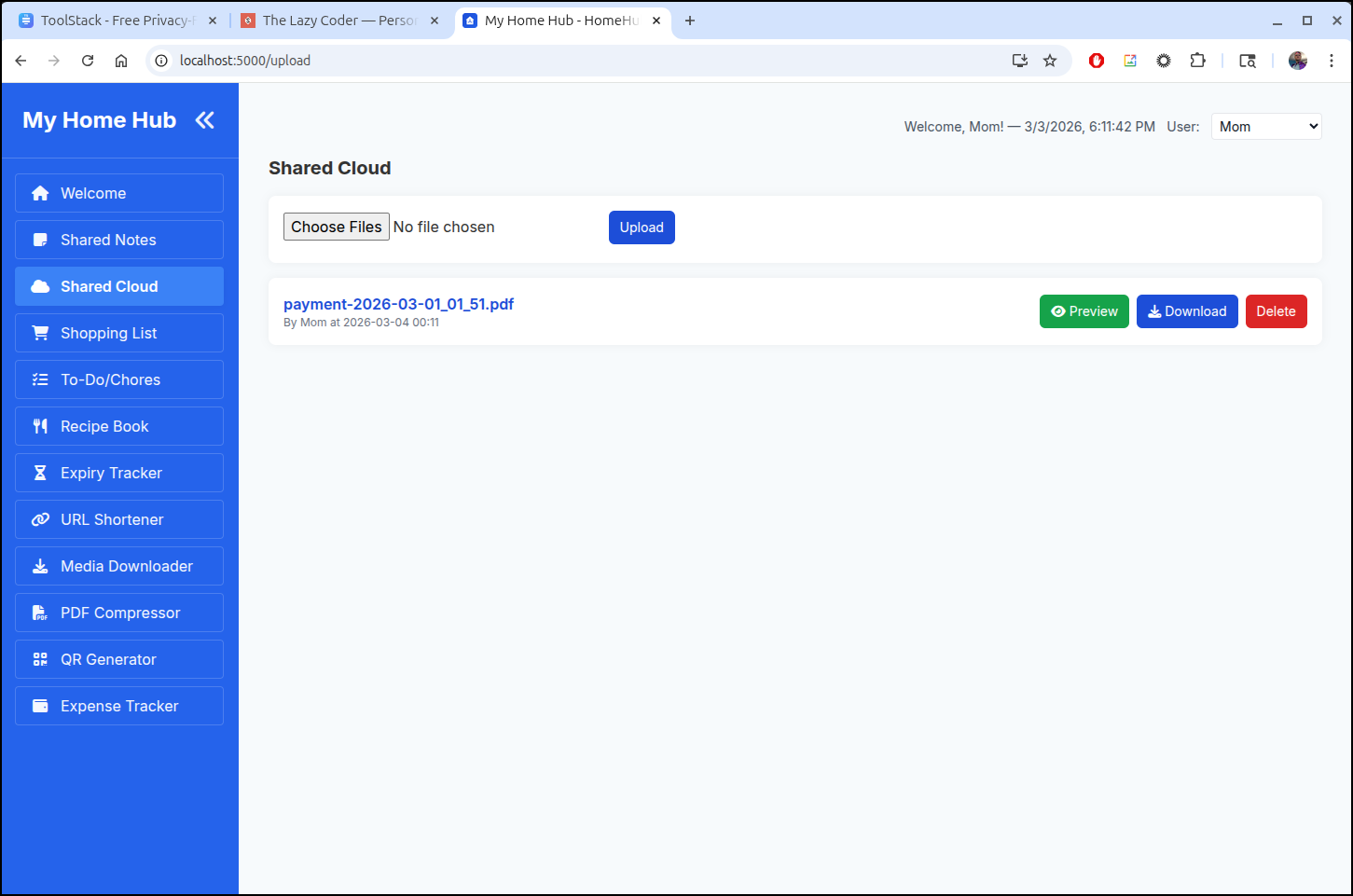
The shared cloud is a nice place to just stash files for sharing
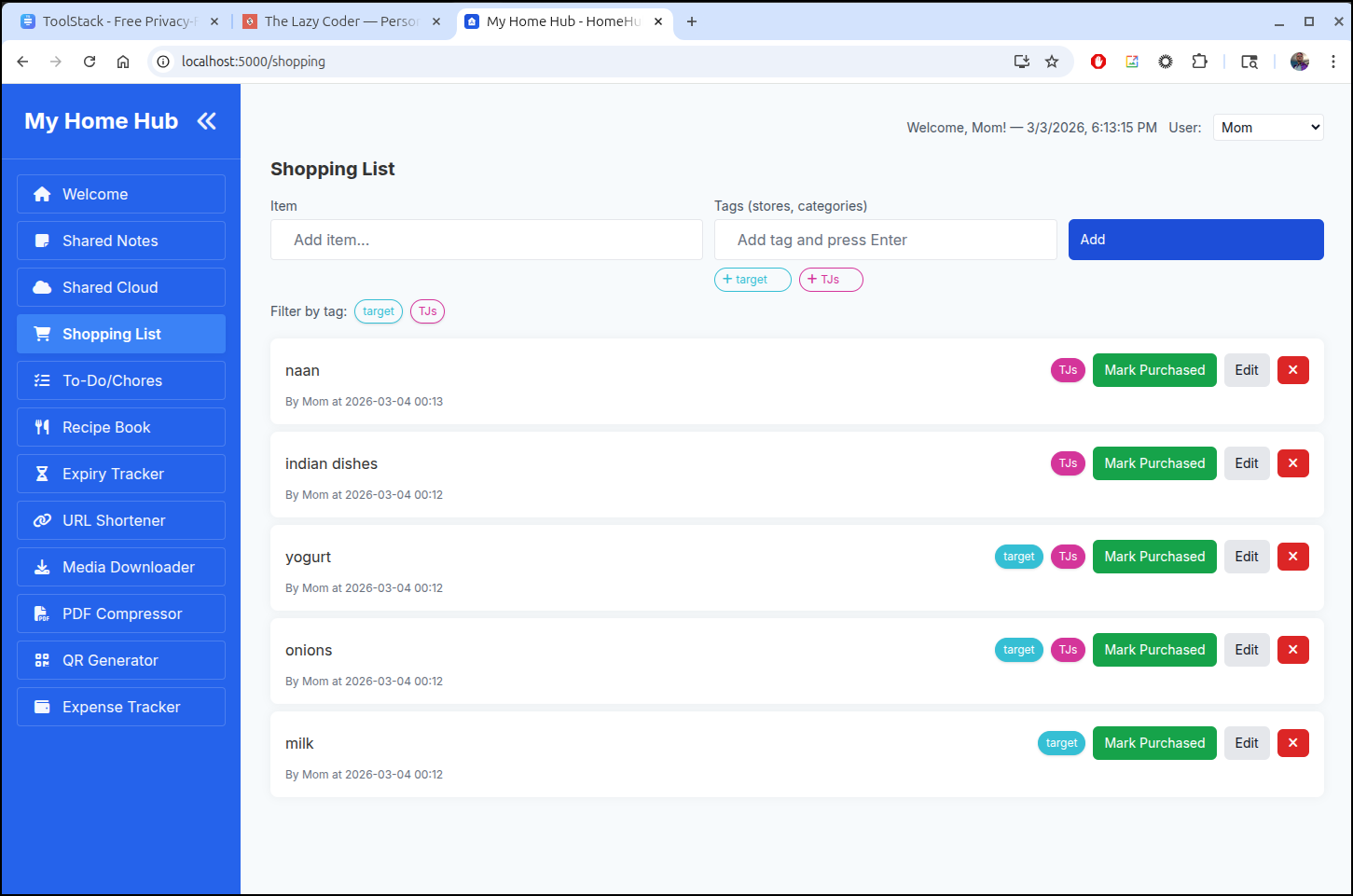
The shopping list creates a nice place to add grocery lists (a bit of our own here)
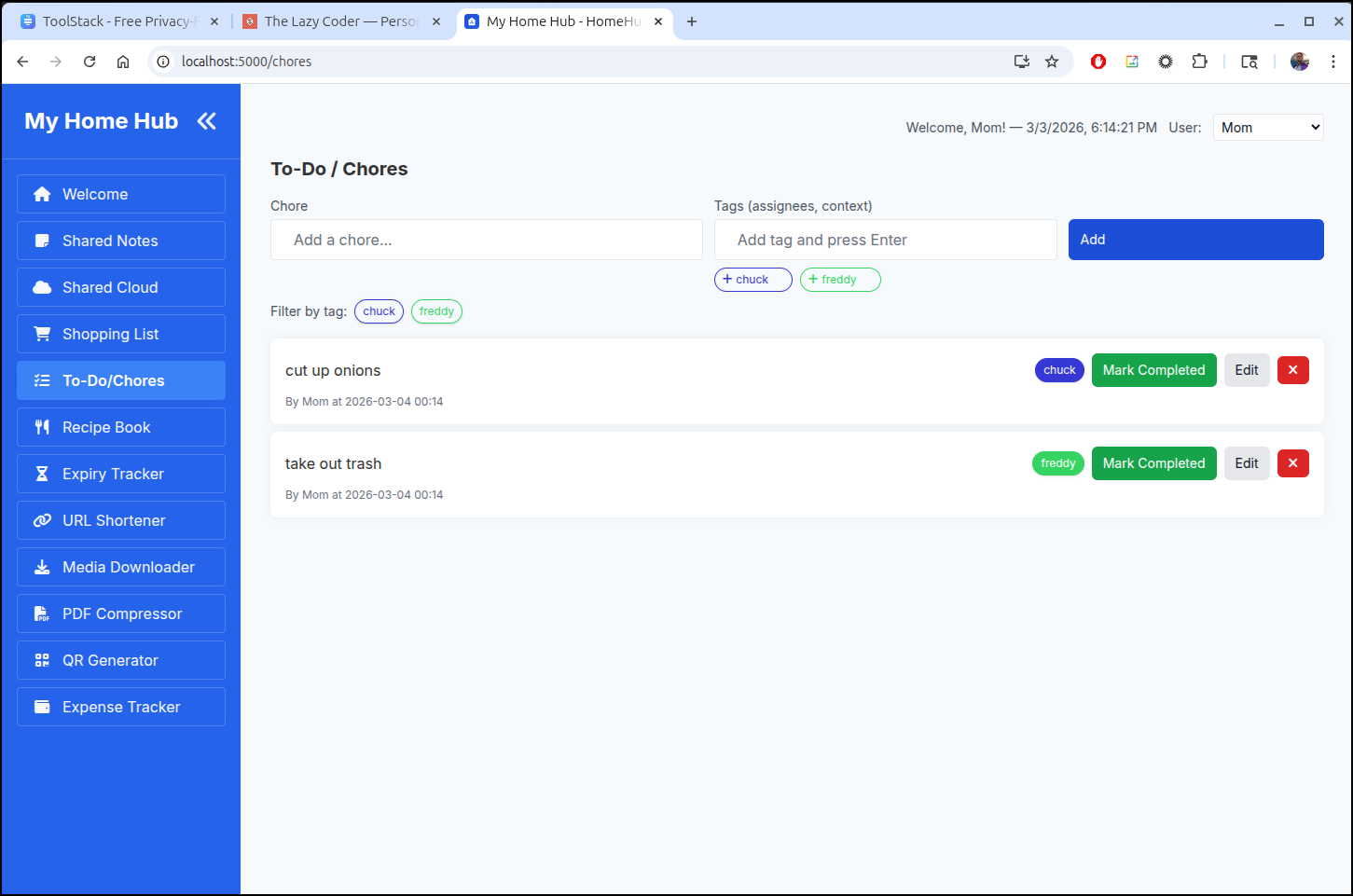
chores
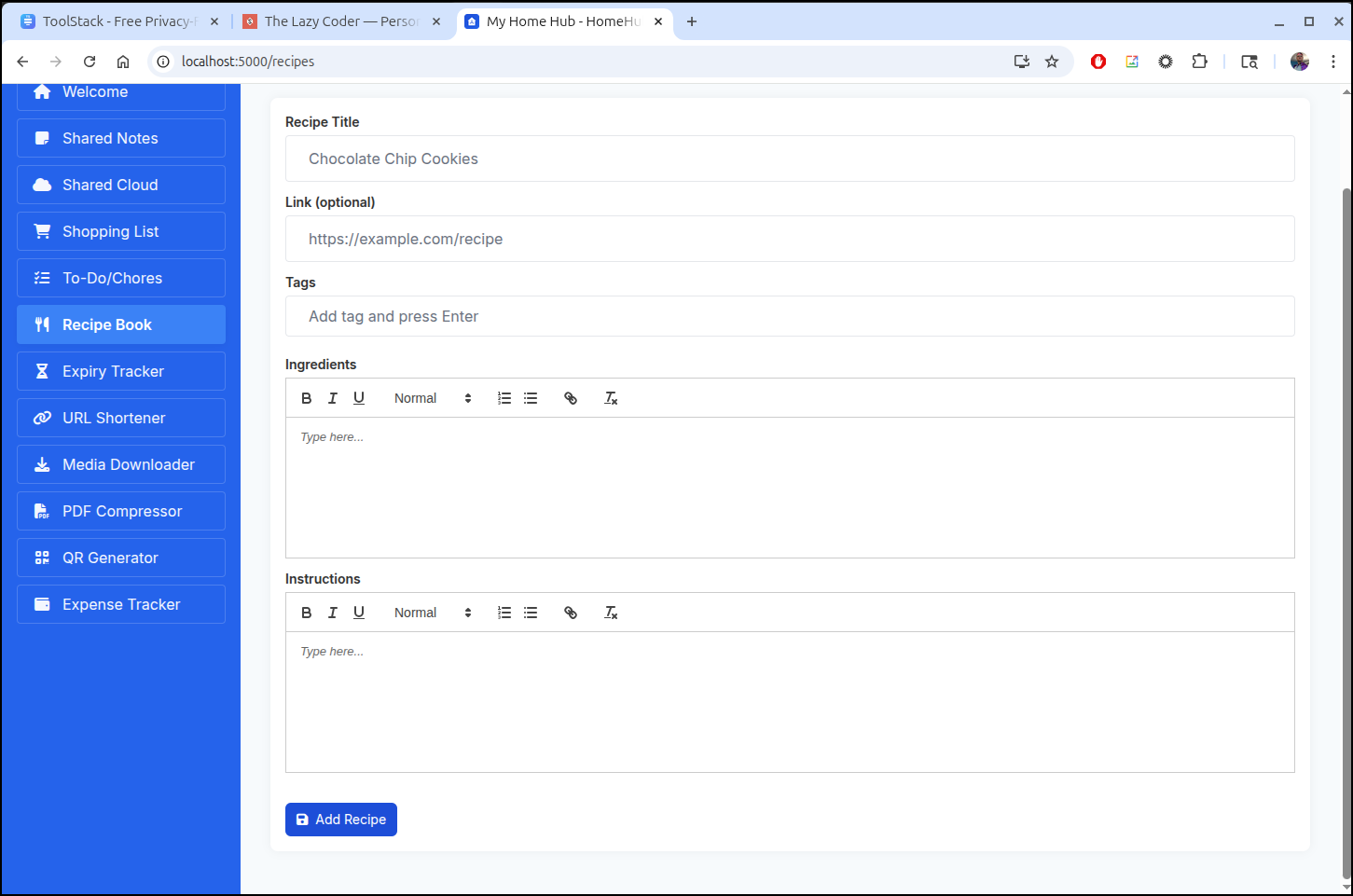
Recipes
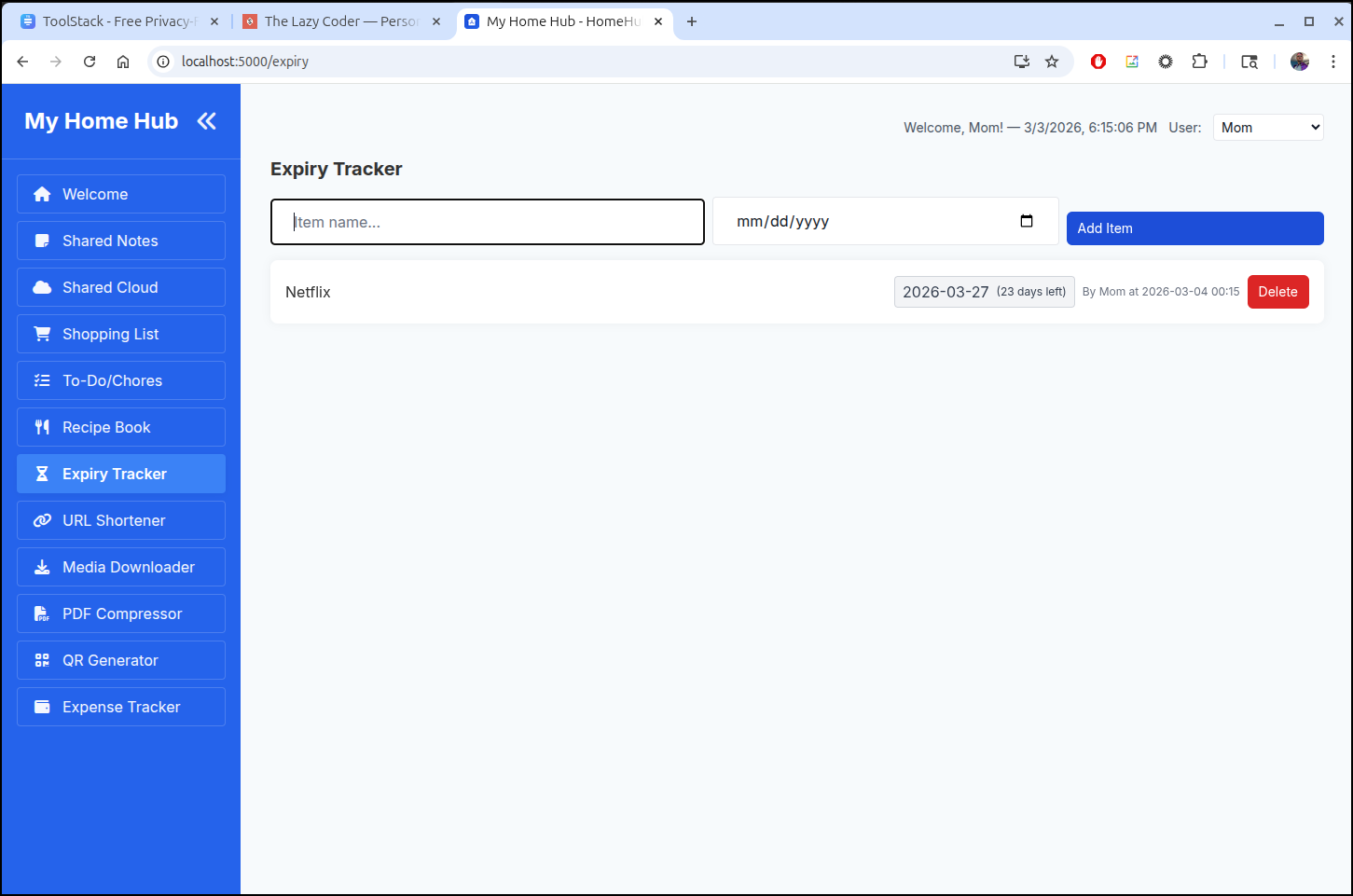
Expiry - I could actually use this as we do dance between a lot of subscription services
The URL Shortener, Media Downloader and PDF Compressor do not really seem like the kind of things we would need.
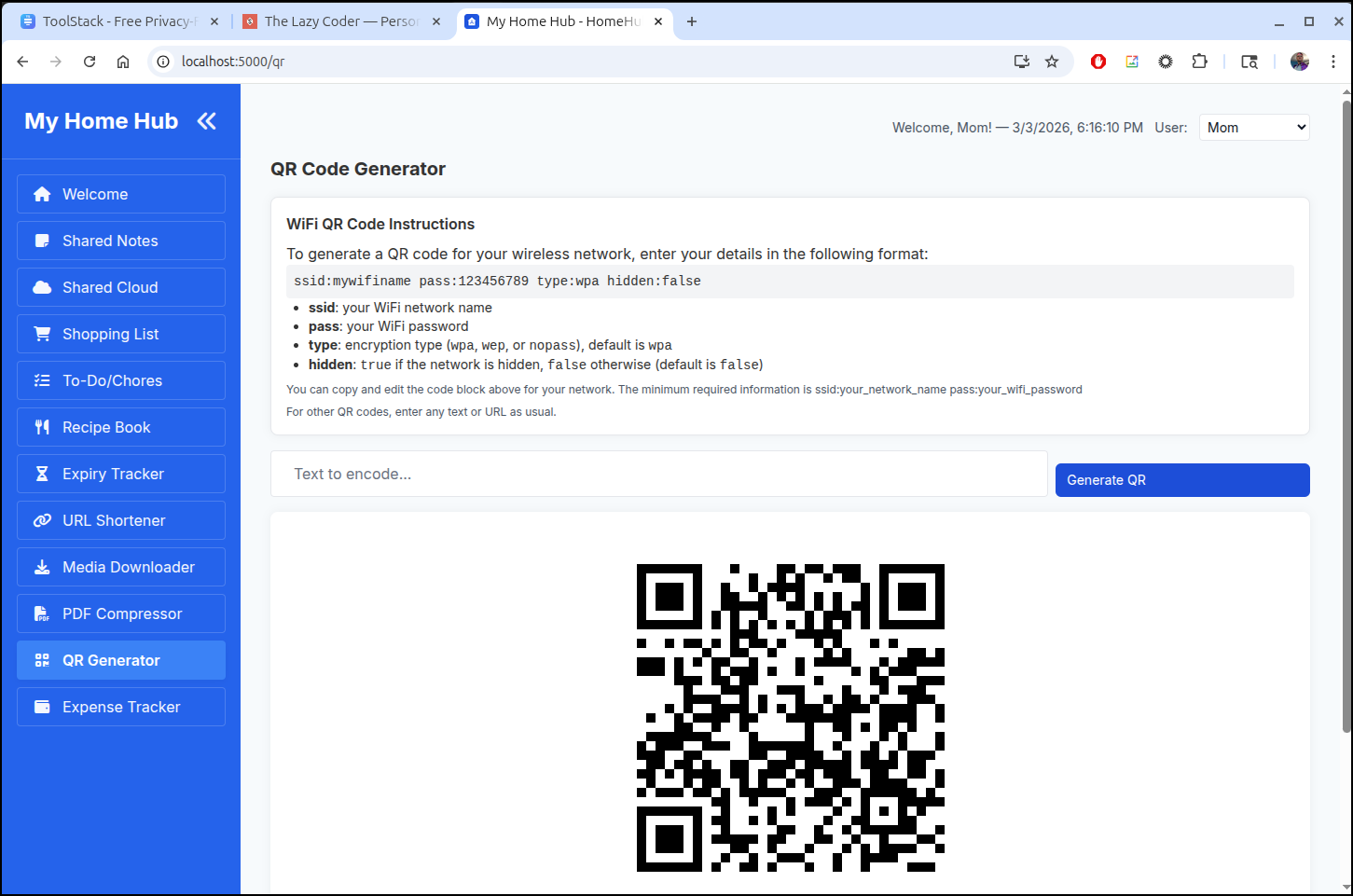
But the Wifi QR code generator would be nice
And I could imagine an expense tracker to be used, if anything, by the kiddos seeking reimbursement (e.g. fill car with gas, take out sister for dinner, etc)
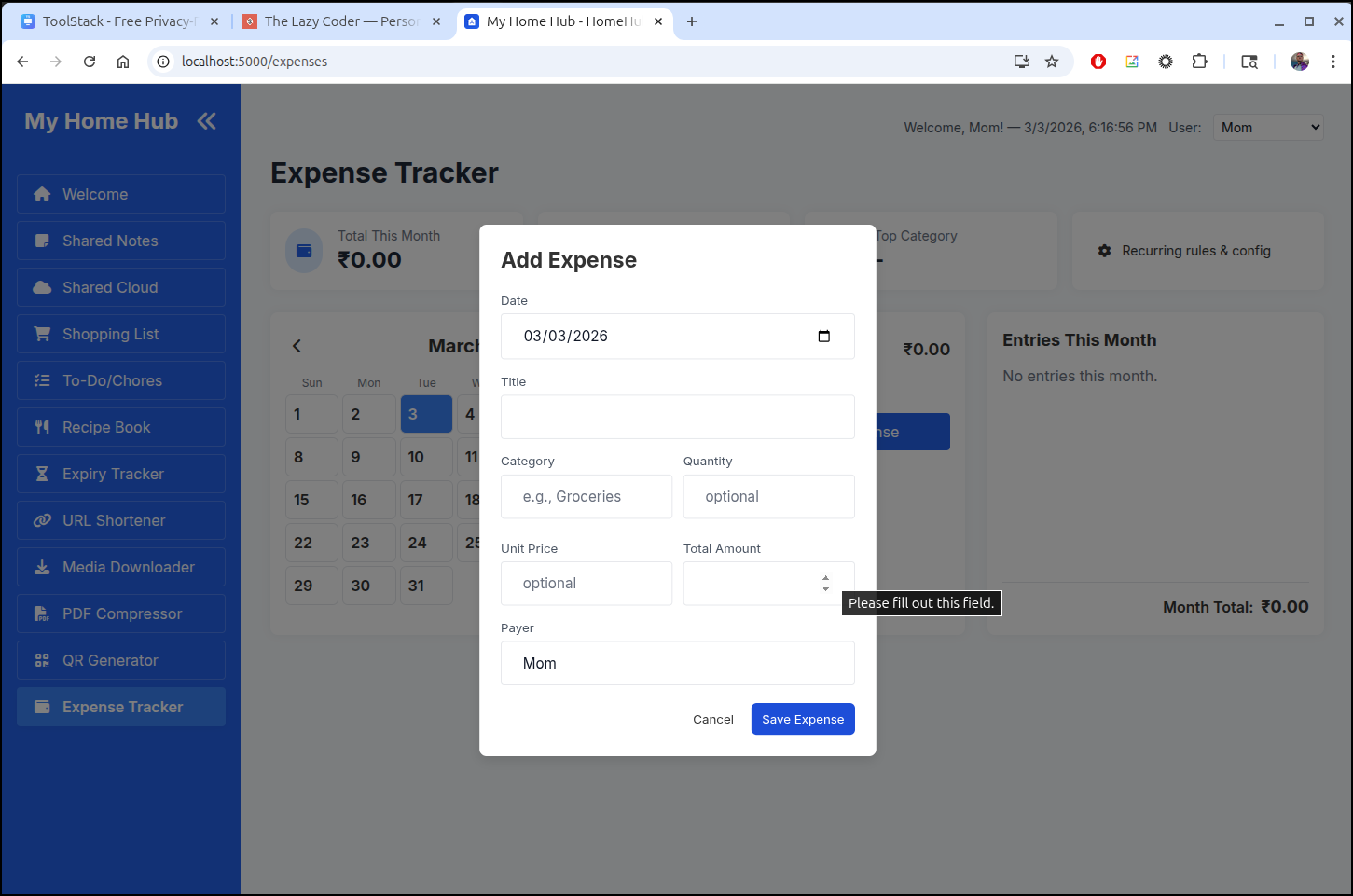
Now, here is a bit of the rub. This has no auth. And without auth, there is no way I would externalize my home WIFI details, nor our expenses. Thus, as it stands, I might very well just use on a local dockerhost.
Gemini
But it had me wondering - how hard would it be to add some basic auth in there.
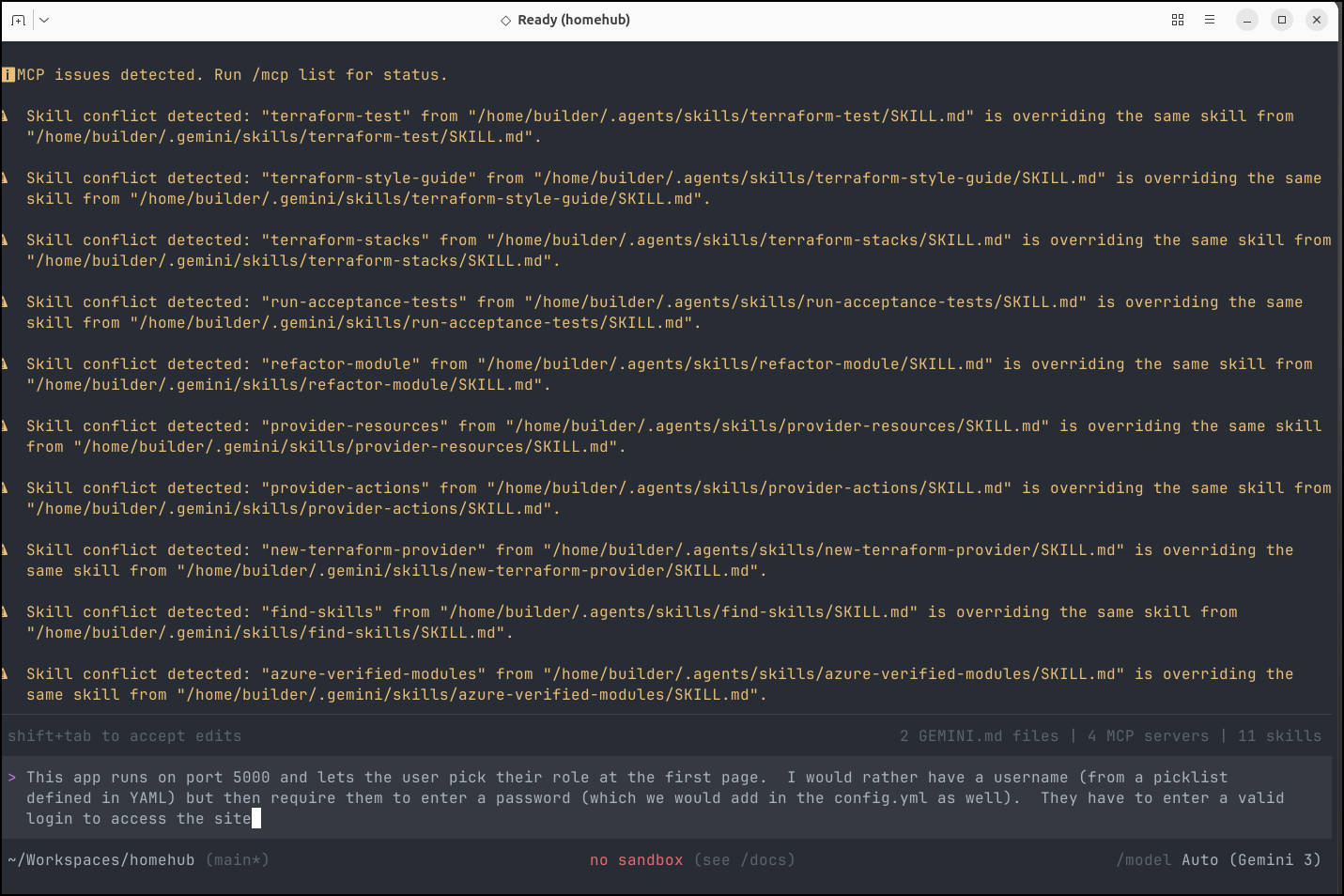
Gemini updated the YAML and provided some pytests to go with it.
Next was to test building a local image
(venv) (base) builder@LuiGi:~/Workspaces/homehub$ docker build -t homehub:test1 .
[+] Building 44.6s (20/20) FINISHED                                                                                            docker:default
 => [internal] load build definition from Dockerfile                                                                                     0.1s
 => => transferring dockerfile: 1.24kB                                                                                                   0.0s
 => [internal] load metadata for docker.io/library/python:3.12-alpine                                                                    2.4s
 => [auth] library/python:pull token for registry-1.docker.io                                                                            0.0s
 => [internal] load .dockerignore                                                                                                        0.1s
 => => transferring context: 222B                                                                                                        0.0s
 => [internal] load build context                                                                                                        0.1s
 => => transferring context: 797.25kB                                                                                                    0.0s
 => [builder 1/9] FROM docker.io/library/python:3.12-alpine@sha256:53e7c5ca6ceff2fc02e9b4b0e7cddb7ce8fa9683dedb89fdf73cab1423079c15      2.2s
 => => resolve docker.io/library/python:3.12-alpine@sha256:53e7c5ca6ceff2fc02e9b4b0e7cddb7ce8fa9683dedb89fdf73cab1423079c15              0.0s
 => => sha256:53e7c5ca6ceff2fc02e9b4b0e7cddb7ce8fa9683dedb89fdf73cab1423079c15 10.30kB / 10.30kB                                         0.0s
 => => sha256:1d132f2d802114876d114b0918e01998bf0c07af8332f776c3c4cb8e388c9a5f 1.74kB / 1.74kB                                           0.0s
 => => sha256:e31482fb1094d66a7c2082cd69202658e2f1f8da5b9e455caae09f1e27cdaf9f 5.42kB / 5.42kB                                           0.0s
 => => sha256:6de7811bee64ba64355c278198dcf2e22b4efba35aa596f23f6ed80278ac5afe 460.95kB / 460.95kB                                       0.6s
 => => sha256:6f3f43492c5b00f17f4a416bd78474116d69f3840b50bbc51c6654e4a4f88aa2 13.74MB / 13.74MB                                         1.6s
 => => sha256:89a8227ba99bcd9d5df82f6cb4e5ea1b222c3ec33685ba1a0d8c6db402f012ad 247B / 247B                                               0.5s
 => => extracting sha256:6de7811bee64ba64355c278198dcf2e22b4efba35aa596f23f6ed80278ac5afe                                                0.1s
 => => extracting sha256:6f3f43492c5b00f17f4a416bd78474116d69f3840b50bbc51c6654e4a4f88aa2                                                0.3s
 => => extracting sha256:89a8227ba99bcd9d5df82f6cb4e5ea1b222c3ec33685ba1a0d8c6db402f012ad                                                0.0s
 => [builder 2/9] WORKDIR /app                                                                                                           0.1s
 => [builder 3/9] RUN apk add --no-cache     build-base     zlib-dev     jpeg-dev     nodejs     npm                                     9.8s
 => [stage-1 3/7] RUN apk add --no-cache     ffmpeg     ghostscript     libjpeg-turbo     zlib     libstdc++                            14.5s
 => [builder 4/9] COPY requirements.txt .                                                                                                0.1s
 => [builder 5/9] RUN pip install --no-cache-dir -r requirements.txt                                                                    19.7s
 => [builder 6/9] COPY package.json tailwind.config.js ./                                                                                0.1s
 => [builder 7/9] COPY static/input.css ./static/                                                                                        0.1s
 => [builder 8/9] COPY templates ./templates                                                                                             0.1s
 => [builder 9/9] RUN npm install && npm run build:css                                                                                   7.4s
 => [stage-1 4/7] COPY --from=builder /usr/local/lib/python3.12/site-packages /usr/local/lib/python3.12/site-packages                    1.1s
 => [stage-1 5/7] COPY --from=builder /usr/local/bin /usr/local/bin                                                                      0.1s
 => [stage-1 6/7] COPY . /app                                                                                                            0.1s
 => [stage-1 7/7] COPY --from=builder /app/static/output.css /app/static/output.css                                                      0.1s
 => exporting to image                                                                                                                   0.7s
 => => exporting layers                                                                                                                  0.6s
 => => writing image sha256:b2a6b9cc93dadfb9970a27870b6954baeb46c2af5ac67ee1dd9b304e3db63979                                             0.0s
 => => naming to docker.io/library/homehub:test1                                                                                         0.0s
I switched the compose file to use my local image
(venv) (base) builder@LuiGi:~/Workspaces/homehub$ cat compose.yml
services:
  homehub:
    container_name: homehub
    image: homehub:test1
    # build: .
    ports:
      - "5000:5000"
    volumes:
      - ./uploads:/app/uploads
      - ./media:/app/media
      - ./pdfs:/app/pdfs
      - ./data:/app/data
      - ./config.yml:/app/config.yml:ro
    environment:
      - FLASK_ENV=production
      - SECRET_KEY=${SECRET_KEY:-}
Then I’ll add passwords for the users. I’m not sure if I also need the family members so I’ll leave them for the moment in the config.yaml
...snip...
users:
  - name: "Mom"
    password: "mompassword"
  - name: "Dad"
    password: "dadpassword"
  - name: "Administrator"
    password: "adminpassword"
  - name: "Freddy"
    password: "d0ntsl33p"
  - name: "Chucky"
    password: "l3tsPl4y"
  - name: "Jason"
    password: "H4ppyH0llow33n"

family_members:
  - Mom
  - Dad
  - Chucky
  - Jason
  - Freddy
... snip ...
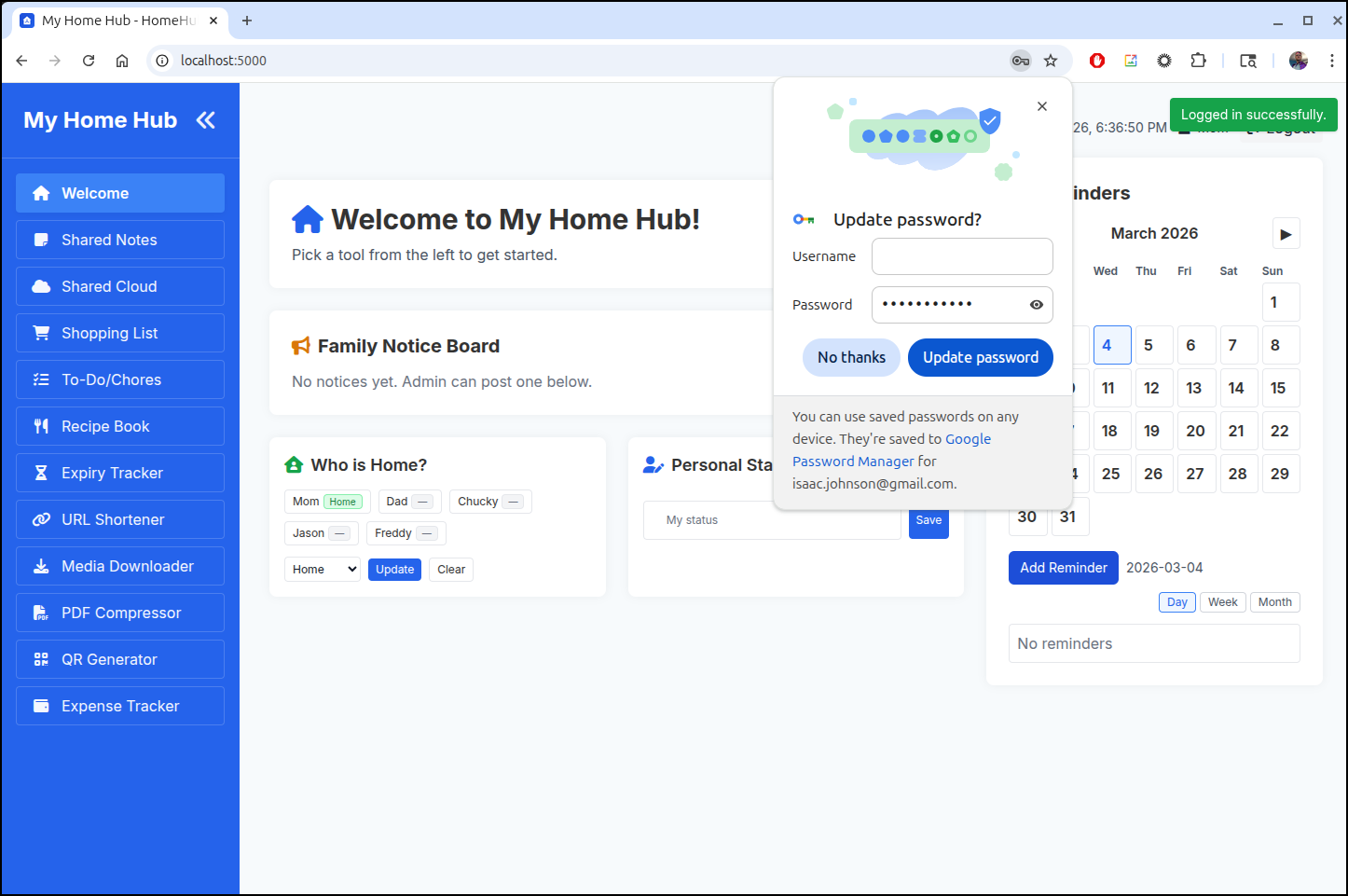
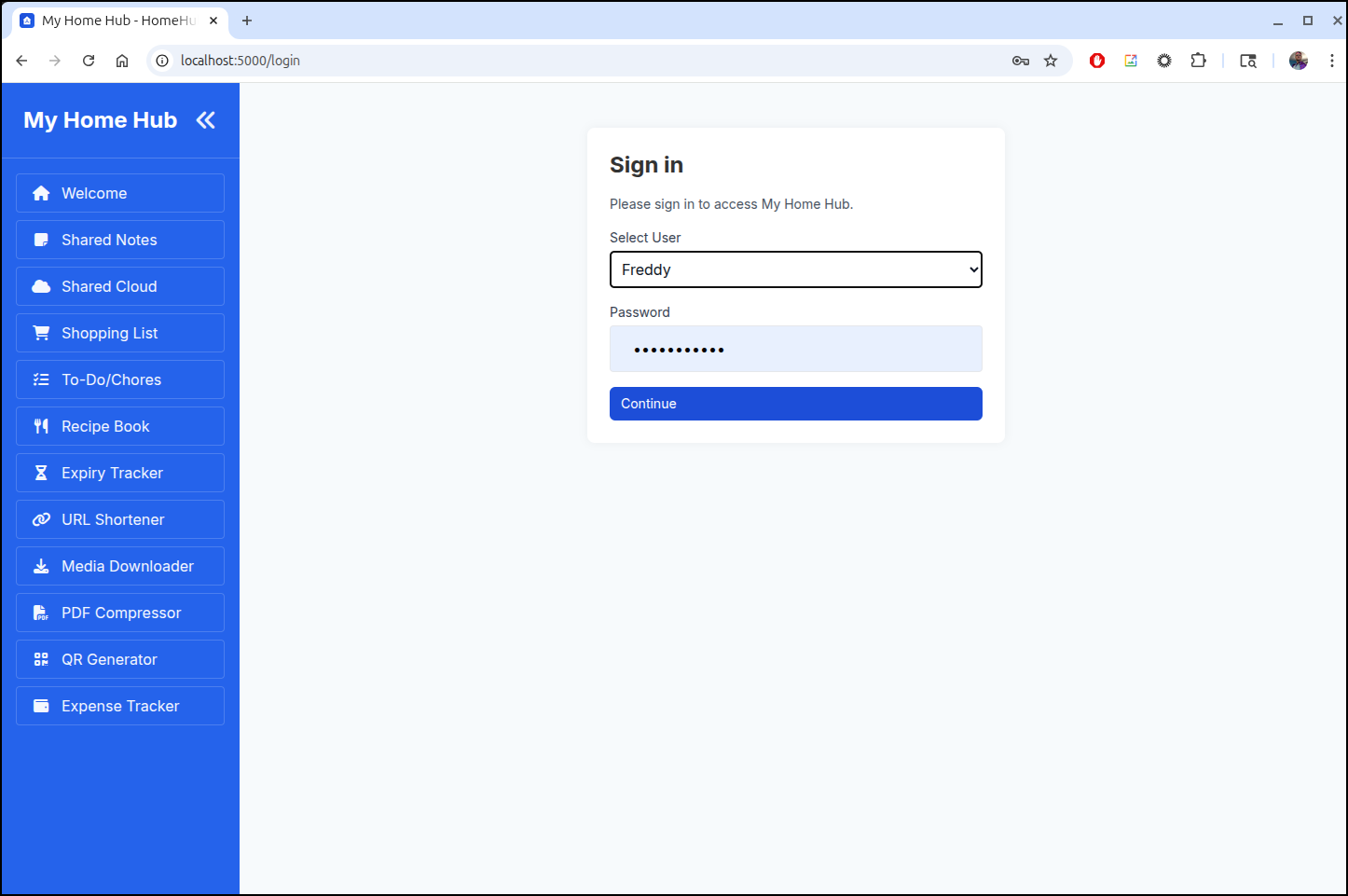
Now I can see it needs a login
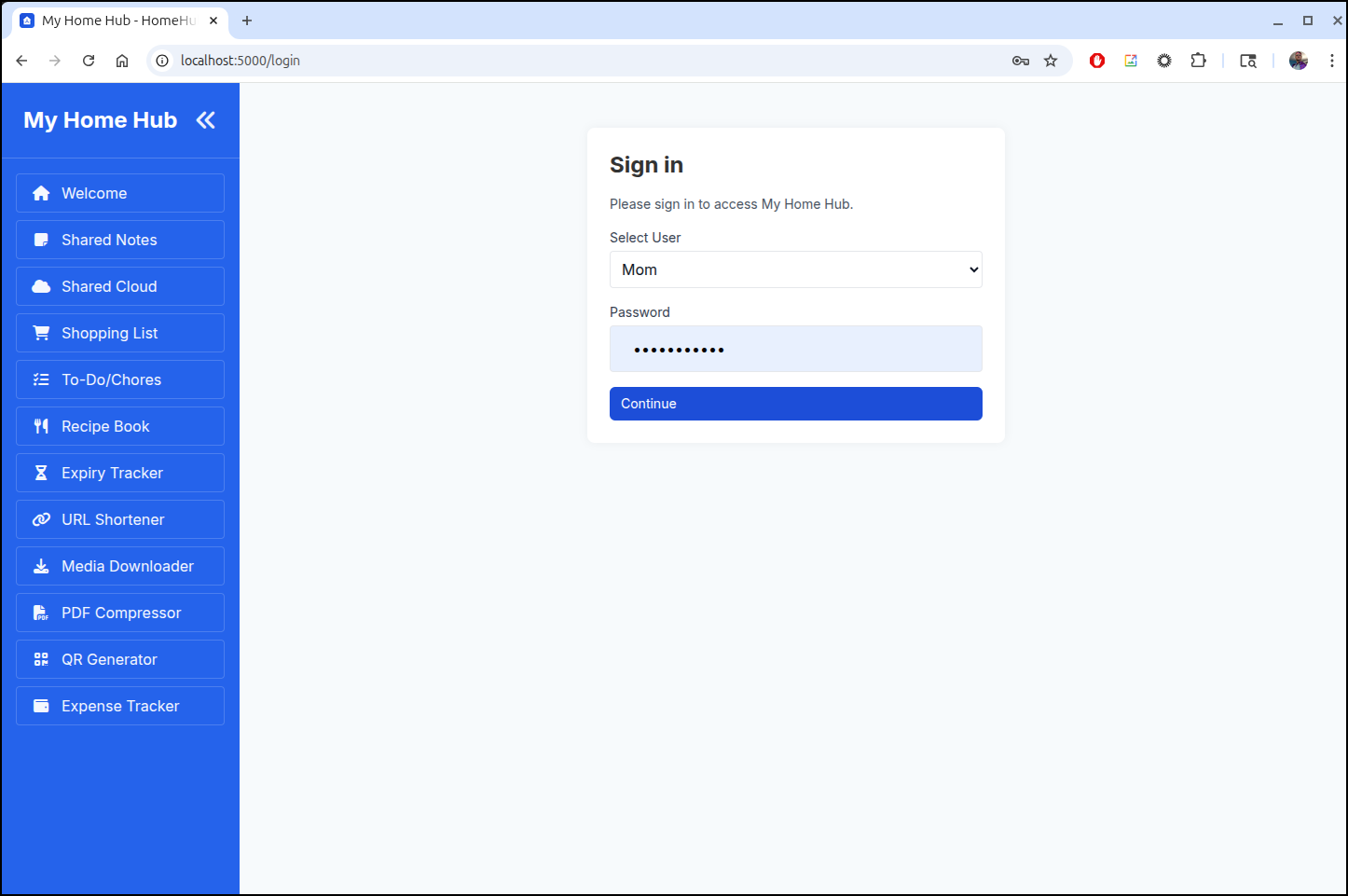
and if I enter the right password, I can join
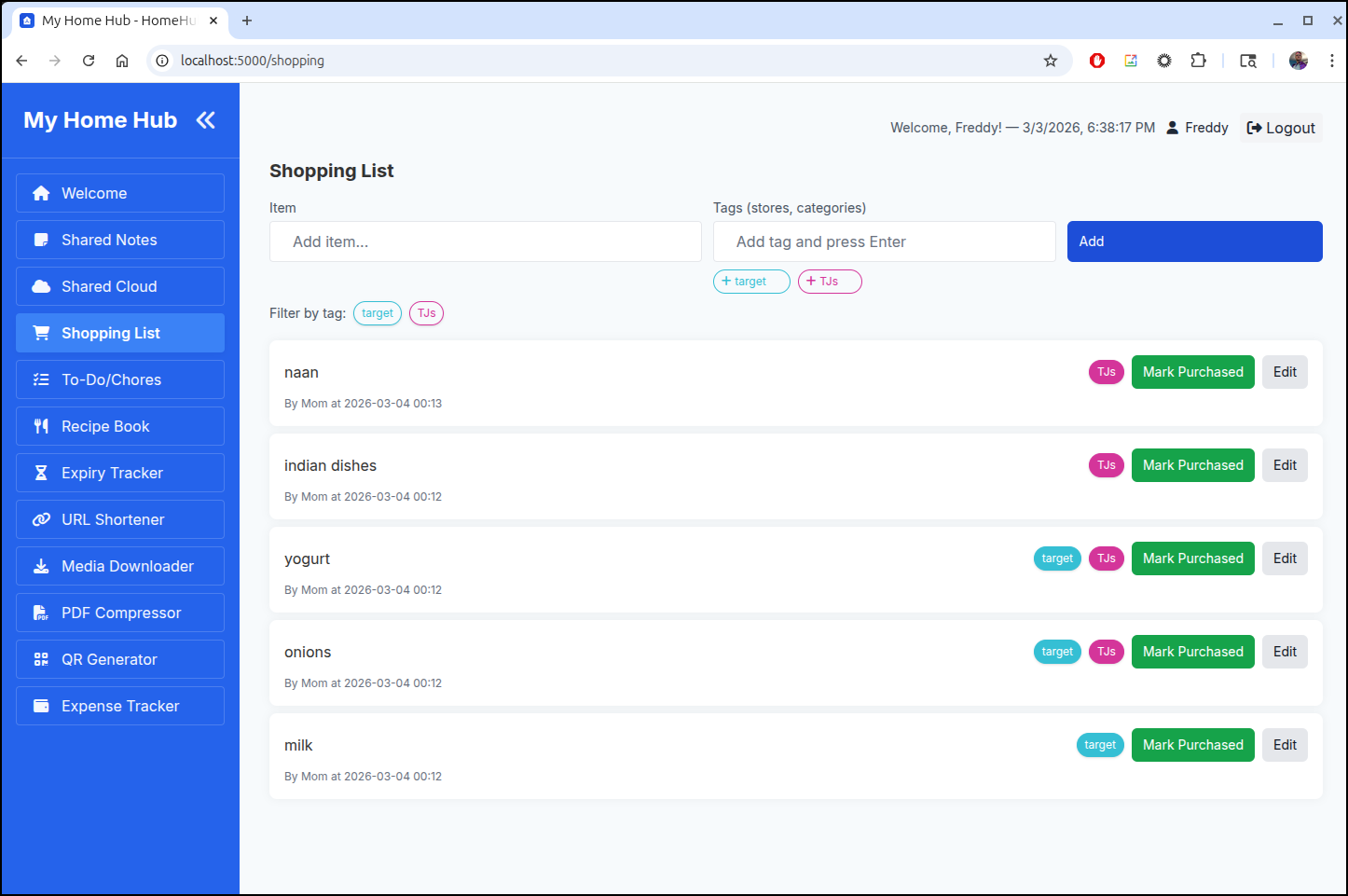
I can, of course, log out and login as a different user now
And we can see the logged in user and logout buttons in the top right
I’m not sure if the author would want AI driven updates. But in case he doesn’t, I did stuff this container up into Dockerhub in case any of y’all want a go with it
(venv) (base) builder@LuiGi:~/Workspaces/homehub$ docker tag homehub:test1 idjohnson/homehub:test1
(venv) (base) builder@LuiGi:~/Workspaces/homehub$ docker push idjohnson/homehub:test1
The push refers to repository [docker.io/idjohnson/homehub]
adec628c24d1: Pushed
932acd45322f: Pushed
7c35b30fc0bf: Pushed
e02e32e048a9: Pushed
c2a60e60649b: Pushed
f8156944f2a6: Pushed
f045c92e01b4: Mounted from library/python
60285744fe26: Mounted from library/python
2a320211b927: Mounted from library/python
989e799e6349: Mounted from idjohnson/toolstack
test1: digest: sha256:d4d7cdca9e035712ce3995a45449538cc8d3c17c8818496cd0b5c1d0efa8d843 size: 2413
Summary
Following a Marius post we looked at Homehub and Toolstack, both created by Suraj.
In the case of Homehub, we used Gemini CLI to enhance it to have login and passwords and shared it on Dockerhub for others. With Toolstack, we made a simple Dockerfile and shared it on Kubernetes.
I like Toolstack - it’s pretty useful. I’ll likely keep that https://toolbox.tpk.pw instance running as it’s like a low cost swiss army knife.
The author, Suraj Verma has worked at a lot of eCommerce sites. I’m guessing the public Github repos are just for him to work ideas out as he mentions he’s worked on 50+ websites. My guess is he is a go-getter who does OS stuff on the side between gigs. Either way, good stuff and I’ll likely be back to see what he has in the future.
