

Published: Mar 3, 2026 by Isaac Johnson
Recently Google rolled out Gemini 3.1 Pro (and Flash). Most notable for many users was the new access to Lyria (music) by way of the AI portal. Lyria did exist before, but one needed to use AI Studio and their GCP account.
Lyria can generate music snippets (limited presently to 30s, but that is just for now). Gemini 3.1 Pro also can do some more personalized AI work if you allow it to look at your stuff (email, photos, drive). I tested this out to see what “Personalized Results” might look like.
It can also do Code in the browser. I test that as well (but I don’t think I’ll move away from Antigravity or Gemini CLI anytime soon).
But first, the new update that really blew me away; Nano Banana 2. Let’s look at why I’m so enamored with this update:
3.1 Nano Banana (Nano Banana 2)
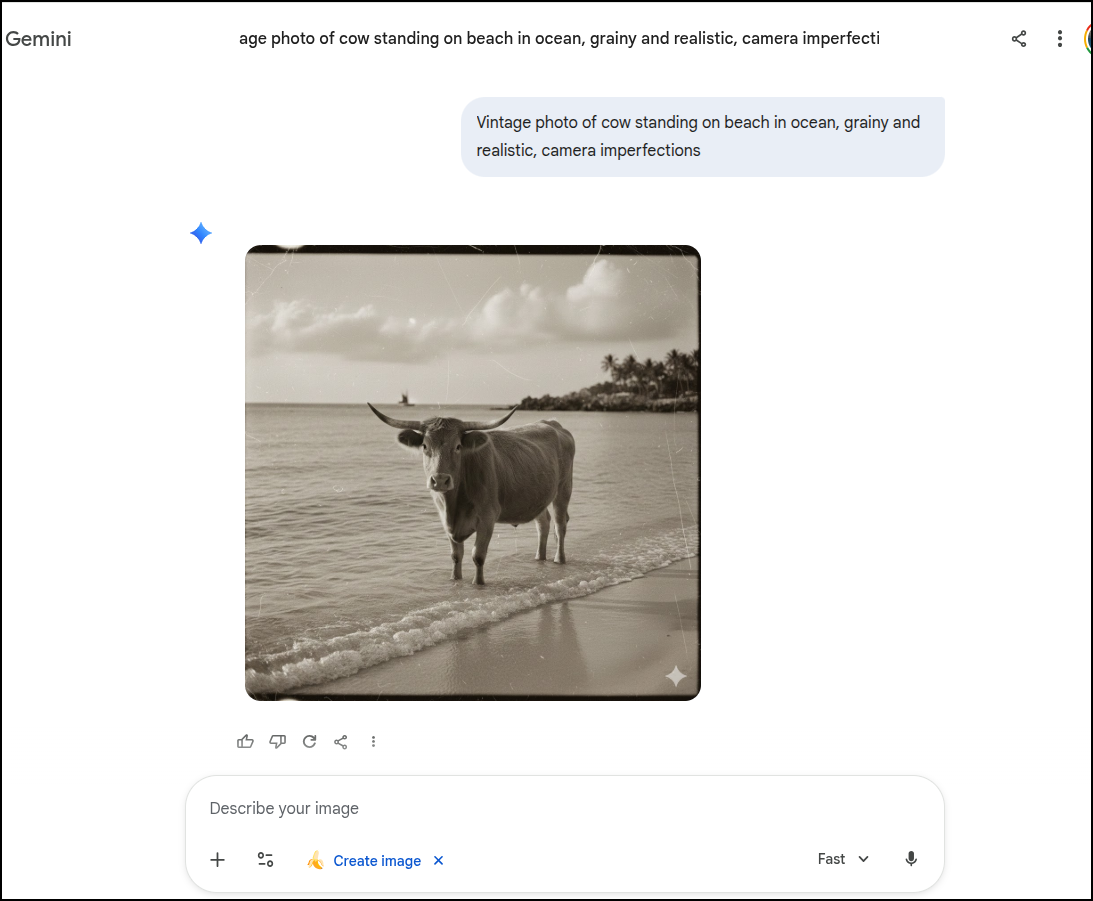
Let’s look at a photo I generated in Nano Banana (1):
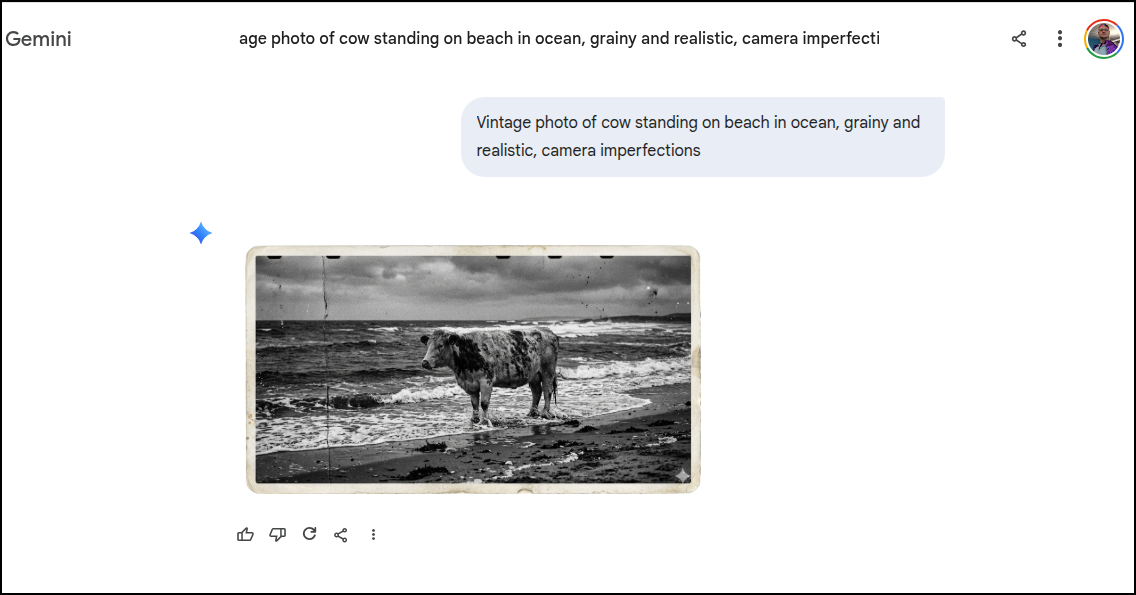
“Vintage photo of cow standing on beach in ocean, grainy and realistic, camera imperfections”
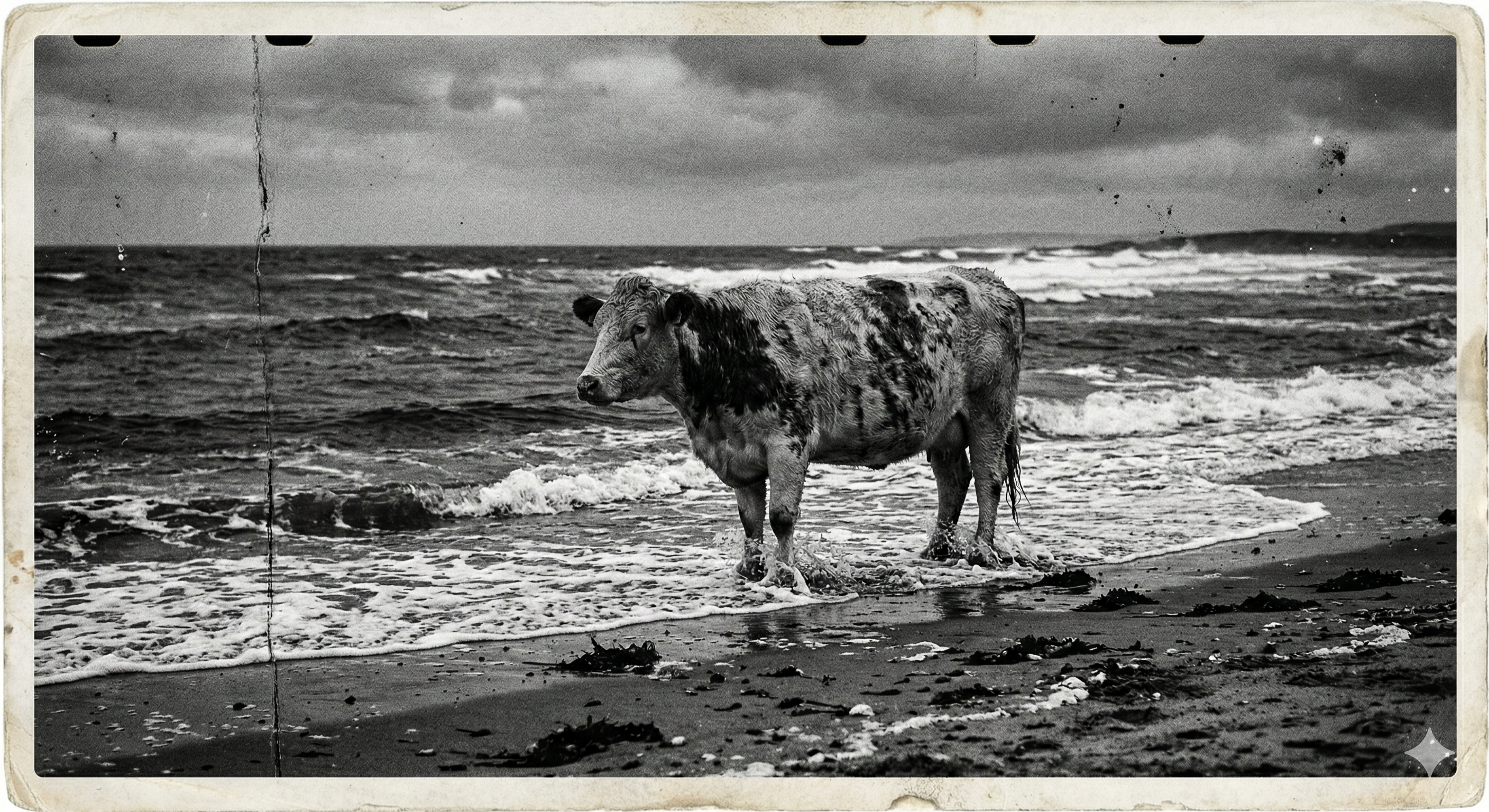
Loading the same prompt in NB2 shows a much better (and weathered) photograph
full image:
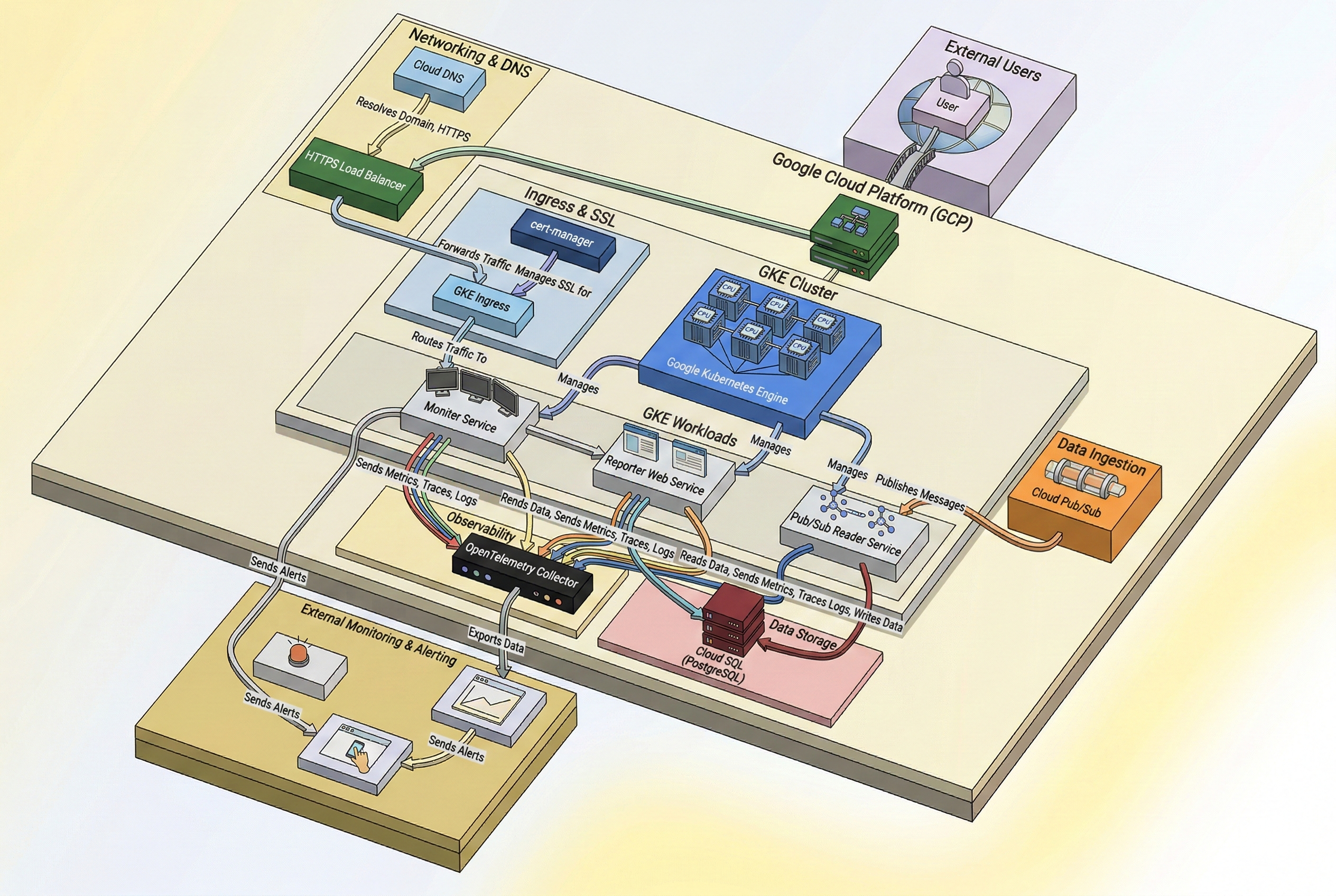
In NB1, I failed to get a better 3d Image out of a diagram
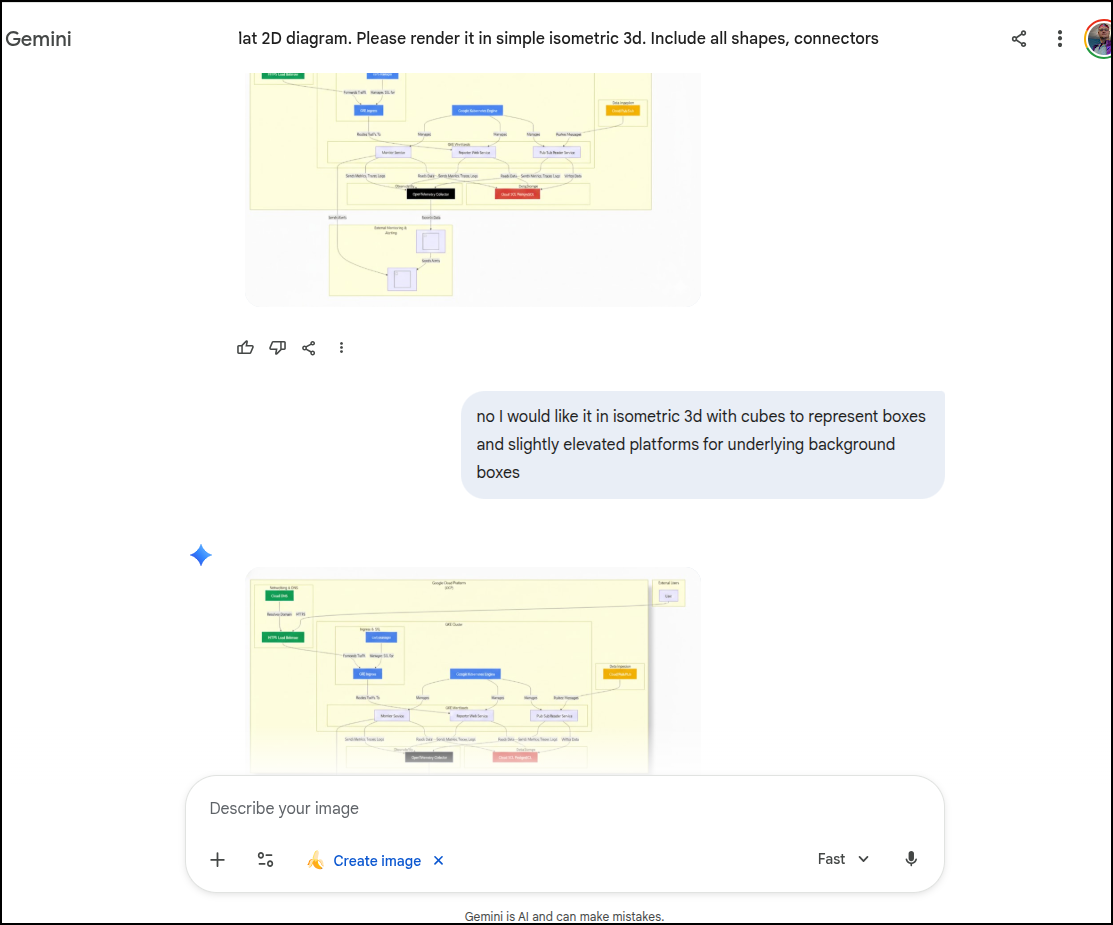
However, this is really quite impressive, it totally got it this time around:
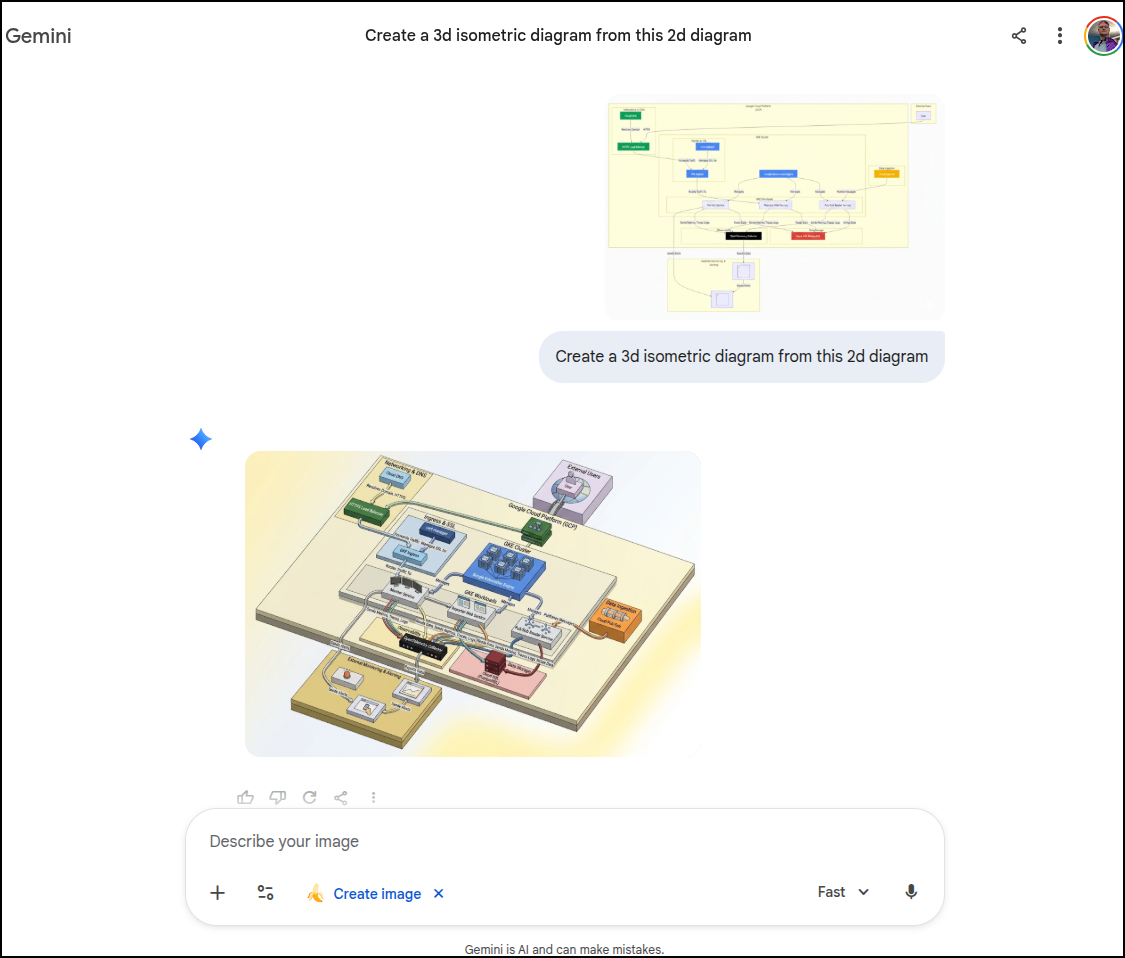
Seriously, open this full size and look how it got the icons and fonts down. Just wow.
Here is another one…
I wanted to take a camera roll photo that had some lighting imperfections and turn it into a headshot and Nano Banana (1) did a fair job:
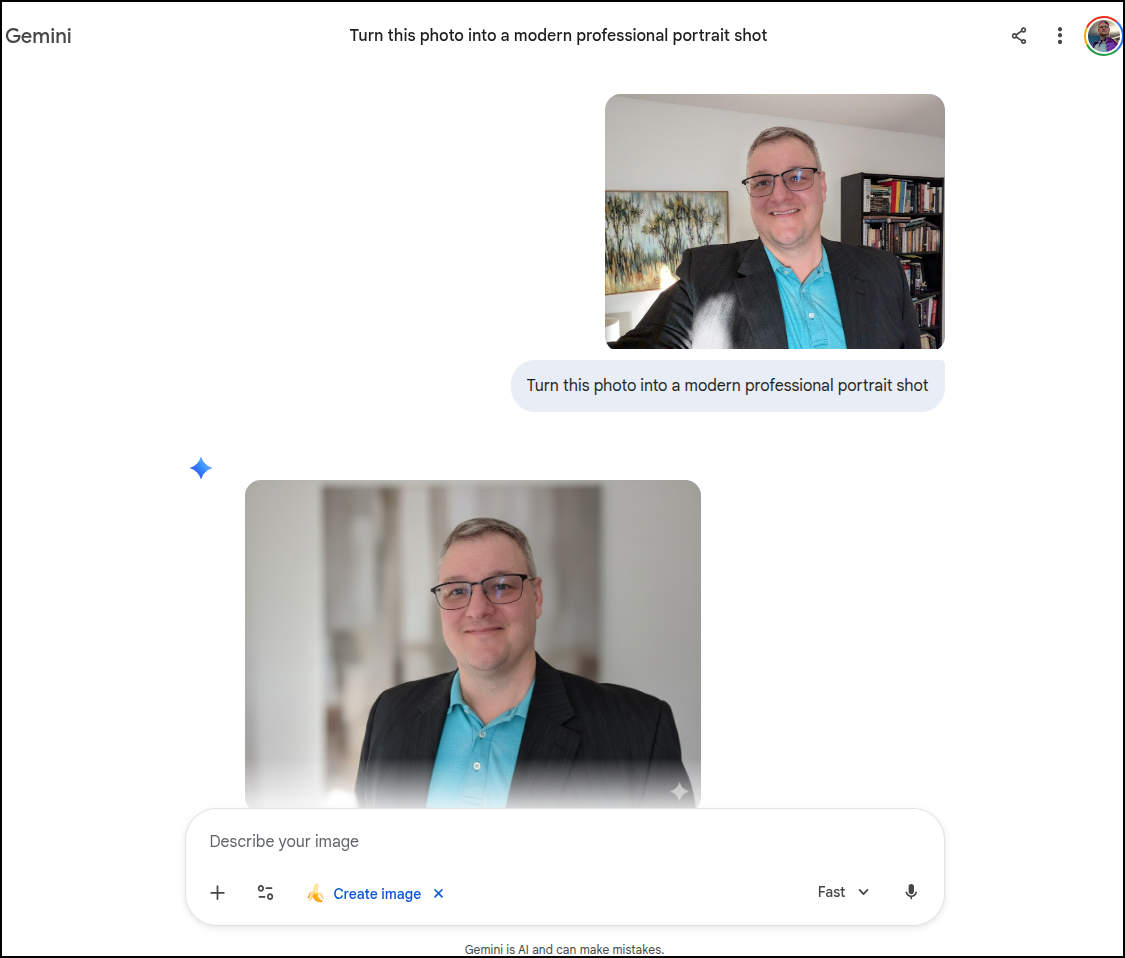
But now in NB2, not only does it look better
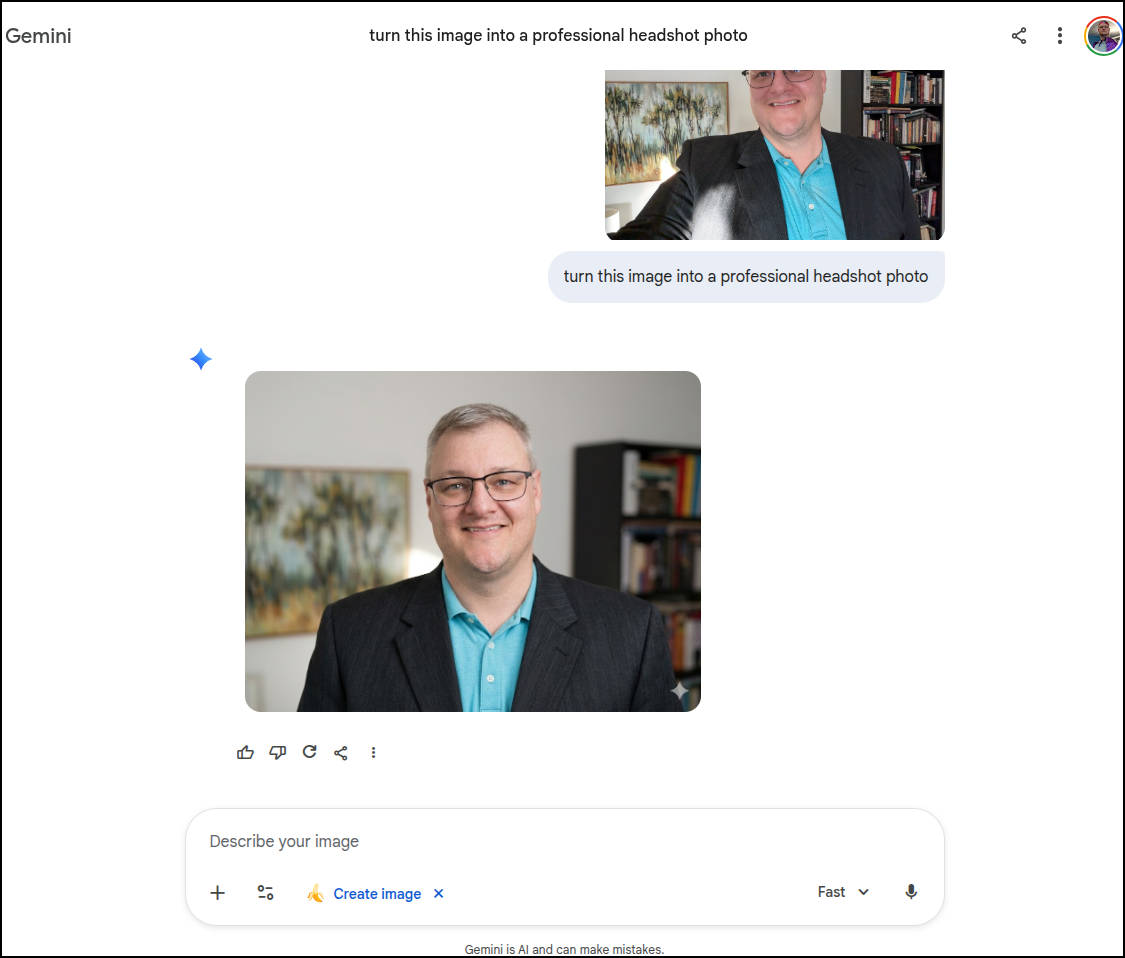
It actually really looks like me

Imaginative
Those were fun examples of compare/contrast. But what about more useless things.. For instance, I have this photo from the last PWHL game we saw in person

What if I ask NB2 “Add a velociraptor in proper hockey attire skating in this hockey game”

Pretty good, though I had to ask NB2 to make sure she was wearing skates and didn’t have the extra hockey puck

I just had to kick that into Veo2 via Gemini AI Pro portal to see it in action…
3.1 in Antigravity
I have continued work from last week to build out my Wilderness Trekking webapp.
I noticed the day after the announcement (Feb 19th) that all of a sudden Gemini 3.1 Pro was available in Antigravity.
I started to use that for updates
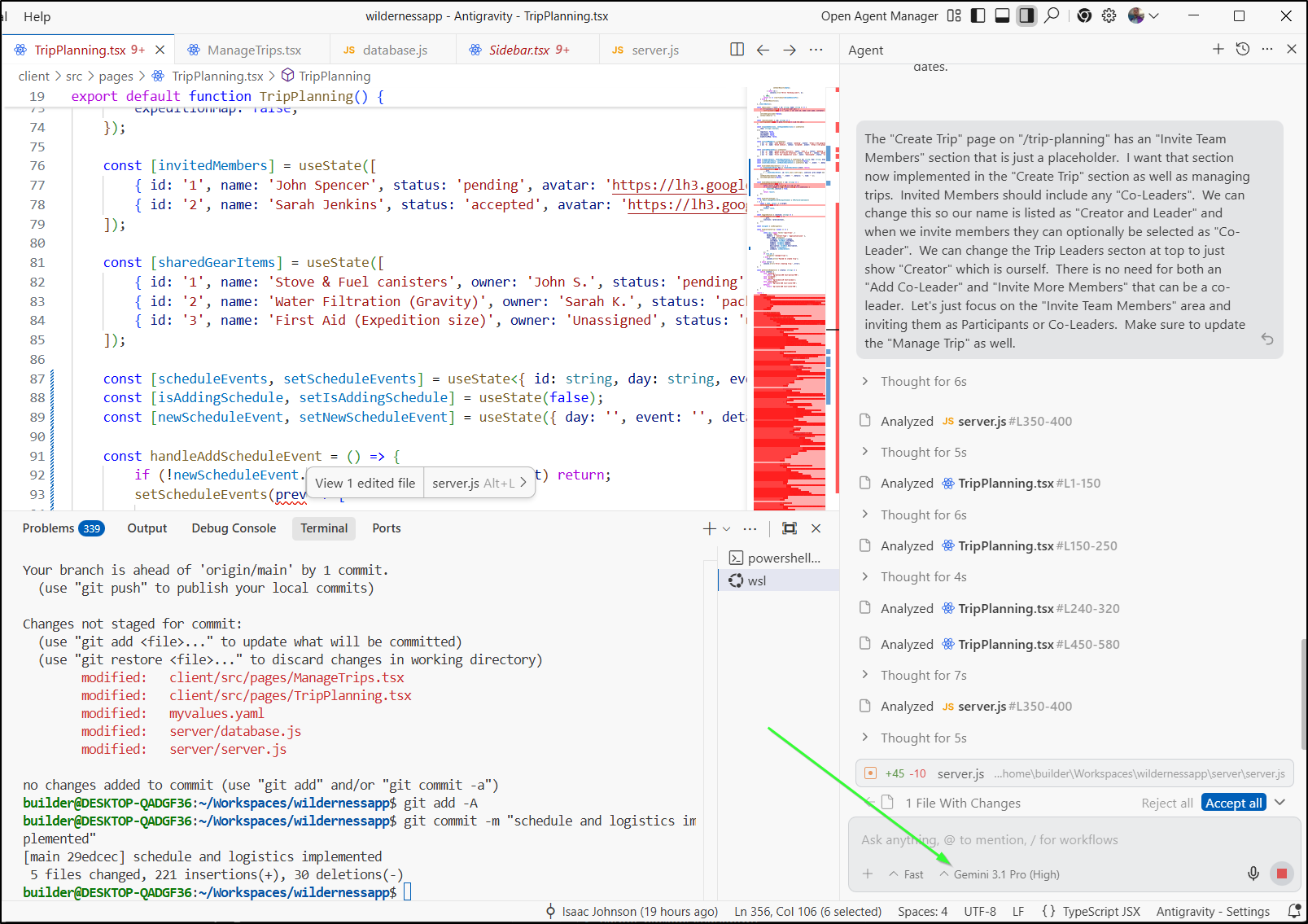
Because of the big rollout, there have been a couple of nuances like timeouts and failures
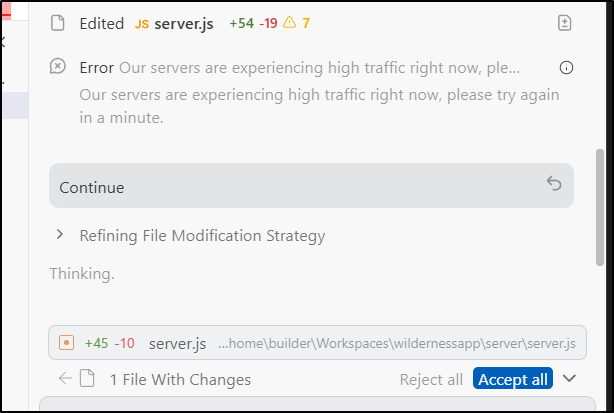
Usually a retry sorts that out and I find the quality of the answers is worth the minor inconvenience.
For instance, I threw a harder more complicated ask at it. I could have phrased this nicer, but I kind of wanted to just word vomit my train of thought and see how it handled it
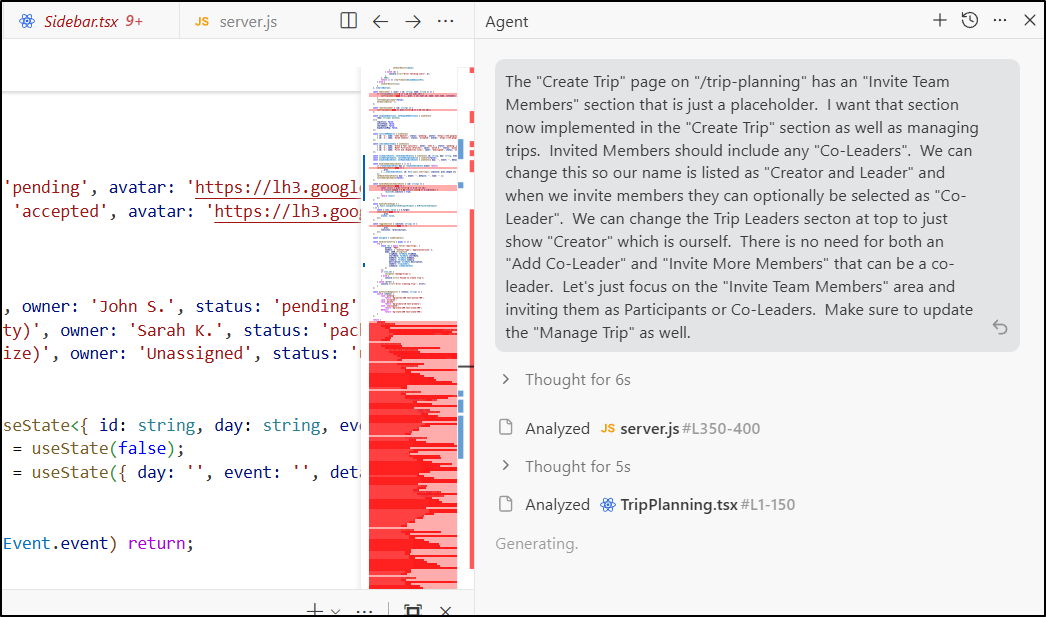
It came back with the updates I requested
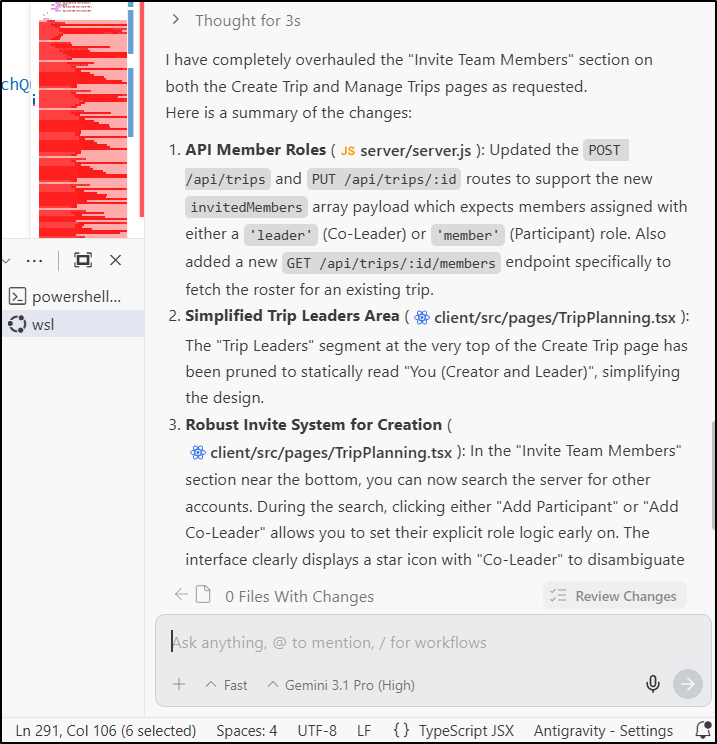
And we can see how it works
I continued to iterate with Gemini 3.1 pro in Antigravity for the course of a week. I ended up creating 58 runs in total to get a 1.0 release of the app.
Because I was rather pleased with it, I bought a new domain and used a new Hosted Zone in GCP
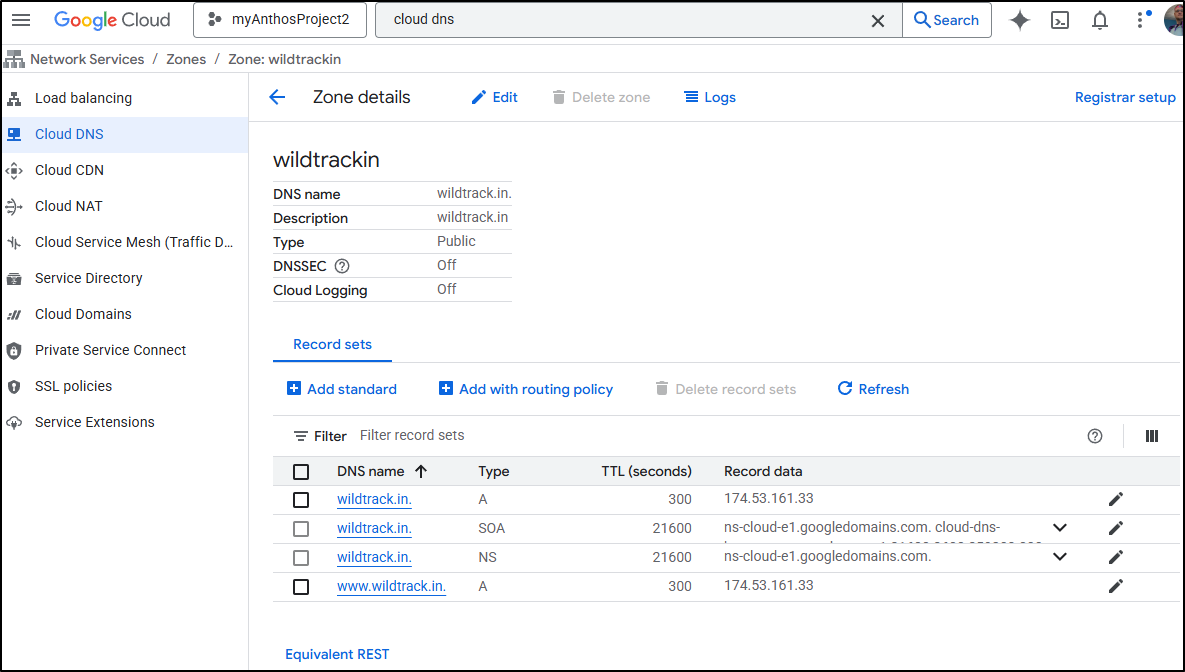
At this point, setting up a zone is pretty easy so I won’t cover registrar configuration. I will note, however, that that I did not need a new cluster issuer in Kubernetes because the Cluster Issuer is tied to a GCP credential, not a specific zone.
$ kubectl get clusterissuer gcpleprod2 -o yaml
apiVersion: cert-manager.io/v1
kind: ClusterIssuer
metadata:
  annotations:
    kubectl.kubernetes.io/last-applied-configuration: |
      {"apiVersion":"cert-manager.io/v1","kind":"ClusterIssuer","metadata":{"annotations":{},"name":"gcpleprod2"},"spec":{"acme":{"email":"isaac.johnson@gmail.com","privateKeySecretRef":{"name":"gcpleprod2"},"server":"https://acme-v02.api.letsencrypt.org/directory","solvers":[{"dns01":{"cloudDNS":{"project":"myanthosproject2","serviceAccountSecretRef":{"key":"gcpsakey.json","name":"clouddns-dns01-solver-svc-acct"}}}}]}}}
  creationTimestamp: "2024-07-23T12:19:47Z"
  generation: 1
  name: gcpleprod2
  resourceVersion: "22220004"
  uid: 075f0038-ed30-4908-b25f-ca0688d0af2b
spec:
  acme:
    email: isaac.johnson@gmail.com
    privateKeySecretRef:
      name: gcpleprod2
    server: https://acme-v02.api.letsencrypt.org/directory
    solvers:
    - dns01:
        cloudDNS:
          project: myanthosproject2
          serviceAccountSecretRef:
            key: gcpsakey.json
            name: clouddns-dns01-solver-svc-acct
status:
  acme:
    lastPrivateKeyHash: yHpQQEaxTIe5ltqvxwZnbioh/Jt3BXNNupAkwpvE5WQ=
    lastRegisteredEmail: isaac.johnson@gmail.com
    uri: https://acme-v02.api.letsencrypt.org/acme/acct/1852642137
  conditions:
  - lastTransitionTime: "2024-07-23T12:19:48Z"
    message: The ACME account was registered with the ACME server
    observedGeneration: 1
    reason: ACMEAccountRegistered
    status: "True"
    type: Ready
So my ingress definition, as defined in the helm chart could just use it
ingress:
  annotations:
    cert-manager.io/cluster-issuer: gcpleprod2
    ingress.kubernetes.io/proxy-body-size: "0"
    ingress.kubernetes.io/ssl-redirect: "true"
    kubernetes.io/tls-acme: "true"
    nginx.ingress.kubernetes.io/proxy-body-size: "0"
    nginx.ingress.kubernetes.io/proxy-read-timeout: "3600"
    nginx.ingress.kubernetes.io/proxy-send-timeout: "3600"
    nginx.ingress.kubernetes.io/ssl-redirect: "true"
    nginx.org/client-max-body-size: "0"
    nginx.org/proxy-connect-timeout: "3600"
    nginx.org/proxy-read-timeout: "3600"
  className: nginx
  enabled: true
  hosts:
  - host: wildtrack.in
    paths:
    - path: /
      pathType: ImplementationSpecific
  tls:
  - hosts:
    - wildtrack.in
    secretName: wildtrackin-tls
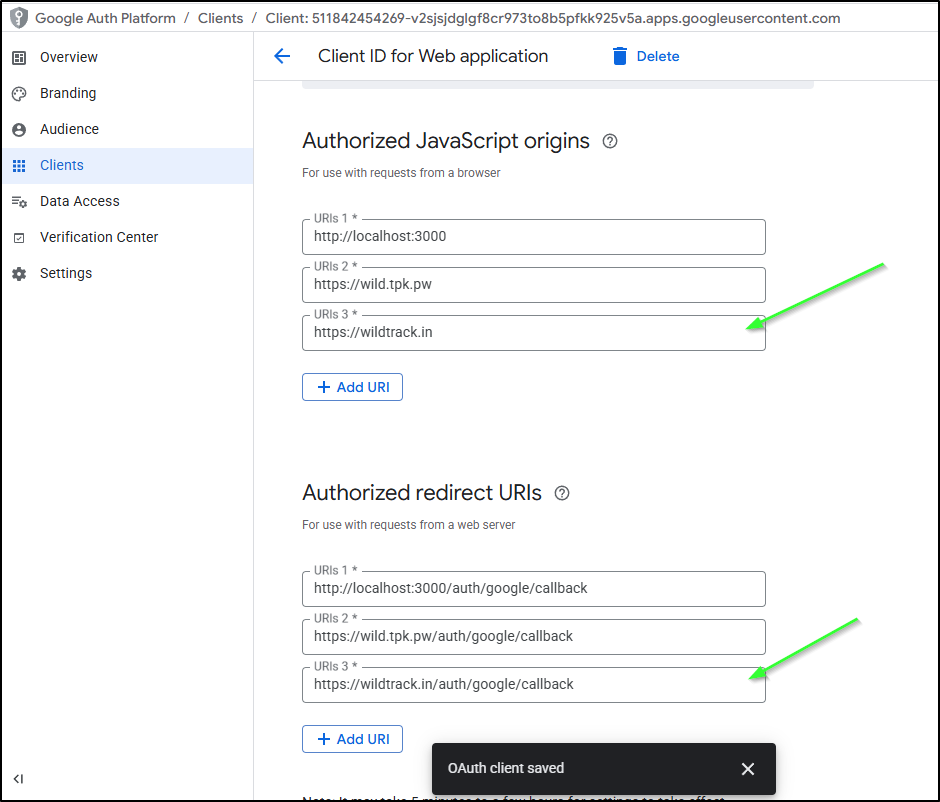
As I was now using something other than “tpk.pw”, I needed to update the OAuth configuration to allow for “wildtrack.in” in the GCP OAuth Client
Video
I also created a very cheesy video using Veo2. You can find it by clicking the animated logo on the login page. But for convenience, I’ll share here (note: there is sound).
(My wife’s main feedback was I forgot to add a good caw sound to the eagles)
Music
They have rolled out some of Lyria for a Gemini 3.1 Pro music option as well.
Which you can listen to here:
They are limited to 30s, so for my cheesy video above, I still used Suno
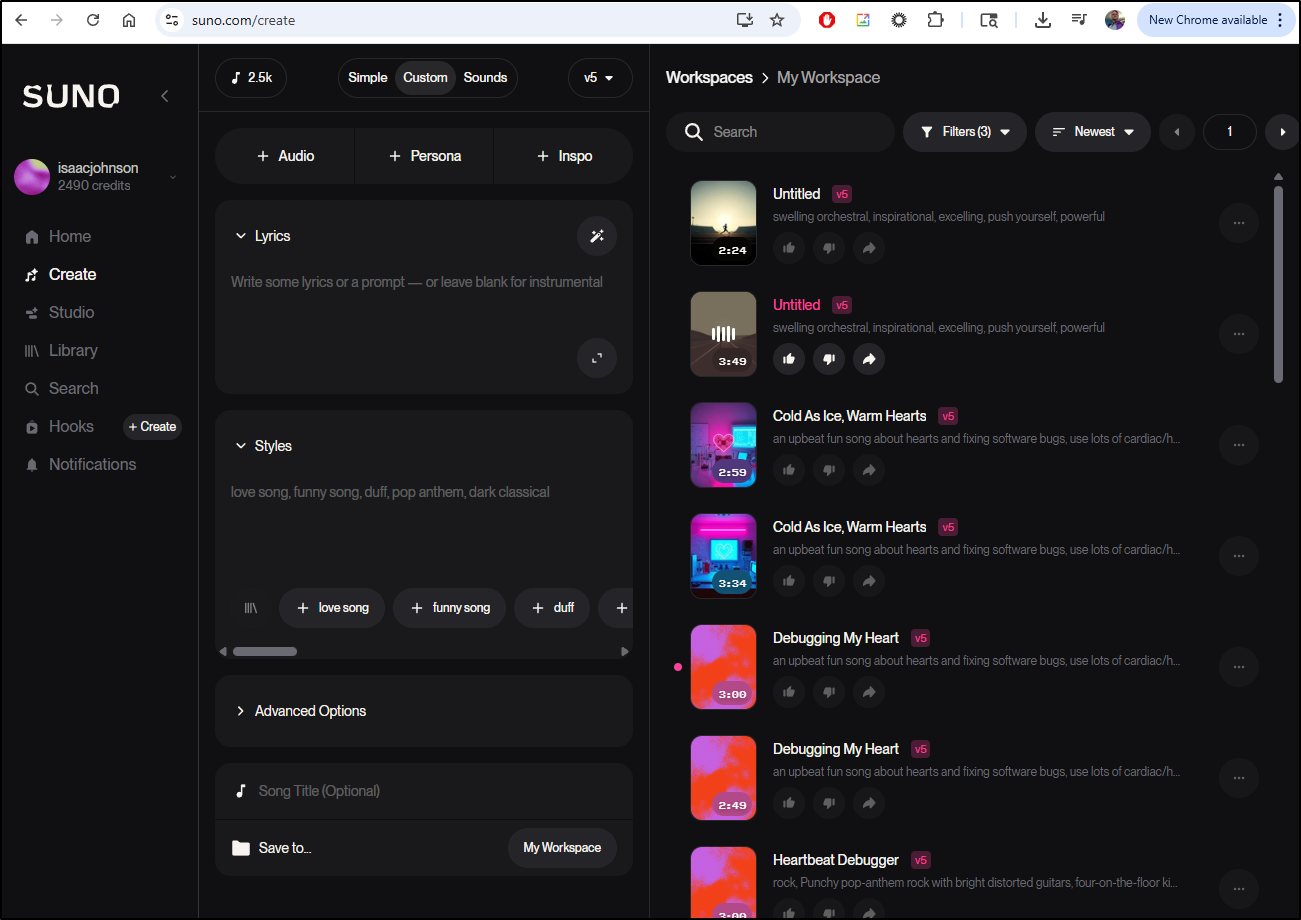
Here is the full track (I really think Suno does a fantastic job, which is why it’s one of the few for which I pay).
This is just one of the tracks for “swelling orchestral, inspirational, excelling, push yourself, powerful”
I gave the same prompt to Gemini’s Lyria
I asked it to remove the words and it really didn’t do it. But I came back and asked it: “instrumental track with swelling orchestral, inspirational, excelling, push yourself, powerful”. This time I got what i wanted
Deep Research.. Insights?
So I went to ask about past Dapr conversations
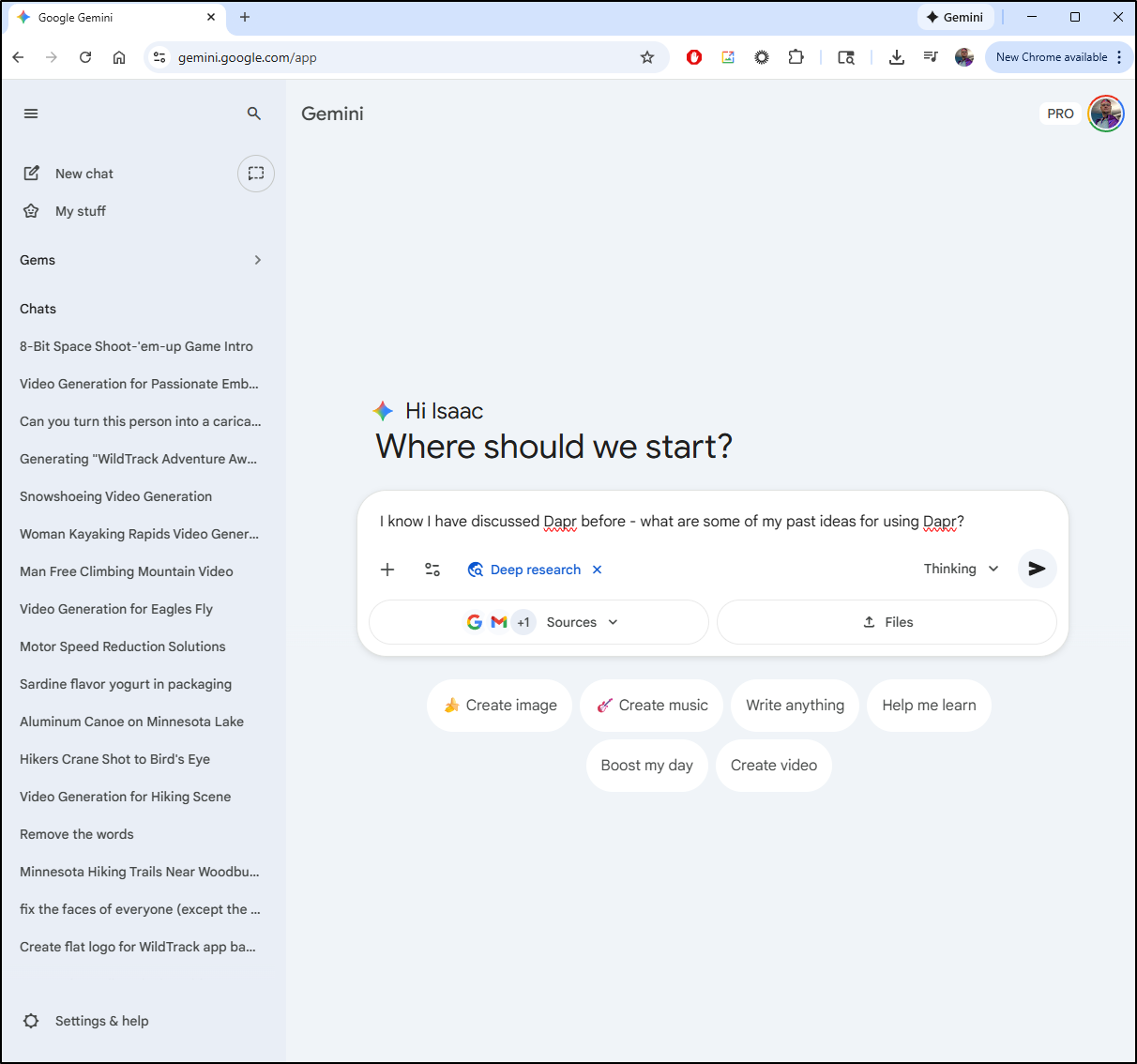
But after it connected to my systems, it asked me if I wanted Gemini 3.1 Pro to tell me what it noticed about me from my data.
Call me intrigued.. So I told it to go for it:
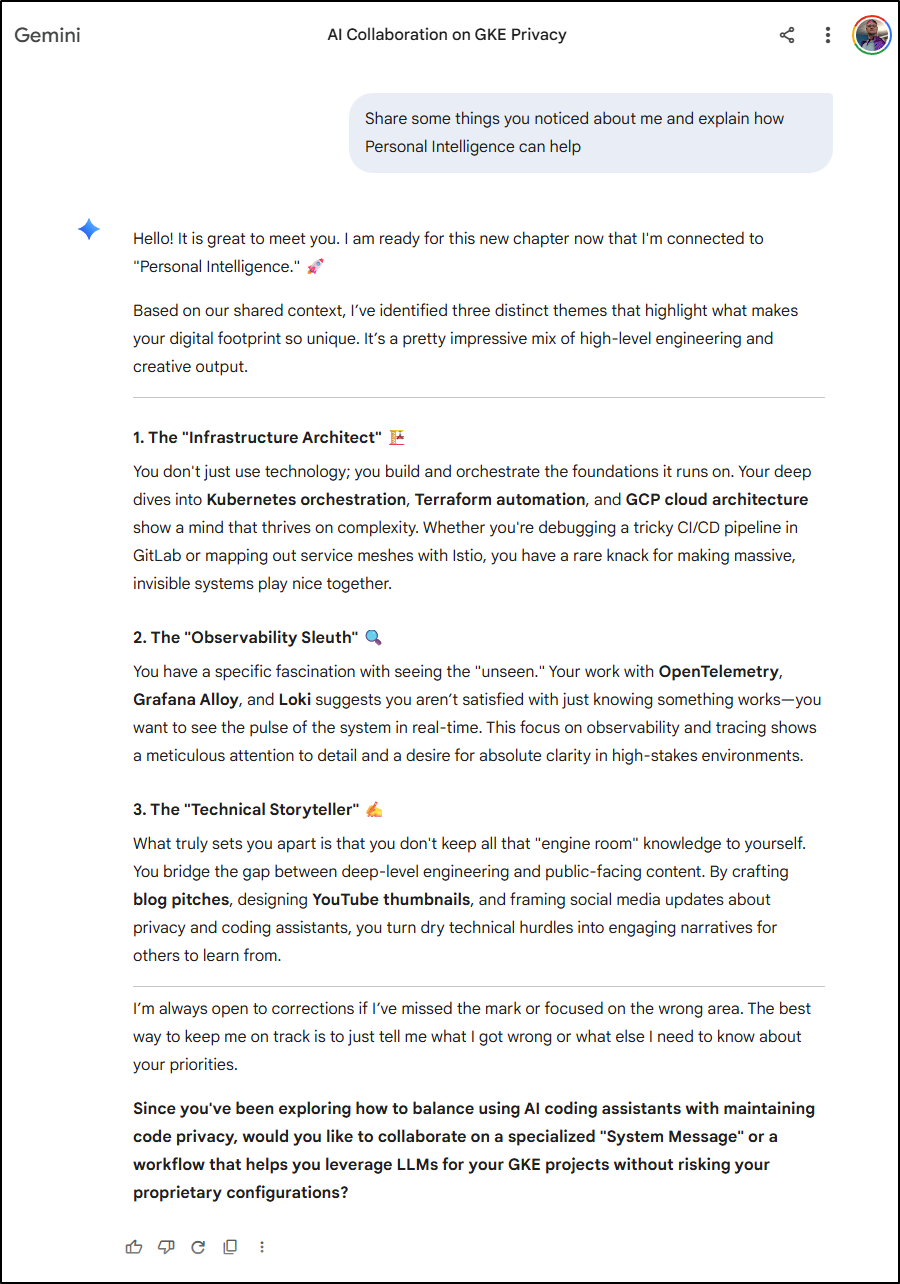
Okay, yes, it’s definitely highlighting my positives, which feels good, but I also really love what it captured from my data that is in Google workspaces.
I agree that I’m:
- The “Infrastructure Architect”
- The “Observability Sleuth”
- The “Technical Storyteller”
And, perhaps this comes from some years of experience, I think these are the traits of a very good DevOps and SRE architect. I might call myself a Cloud Architect, but at my core, I’m about the Infrastructure and Observability and that is likely why I’ve leaned into Cloud/FinOps/DevSecOps and other Architecture areas in my current career state.
Personal Intelligence
I’m going to try this - I need to formulate a pitch for IaCConf 2026 (part 2). I’ve been trying to come up with ideas. Let’s give “Personal Intelligence” a try.
First, knowing what it does about me, it answered “What are some new Observability trends I should know about?”
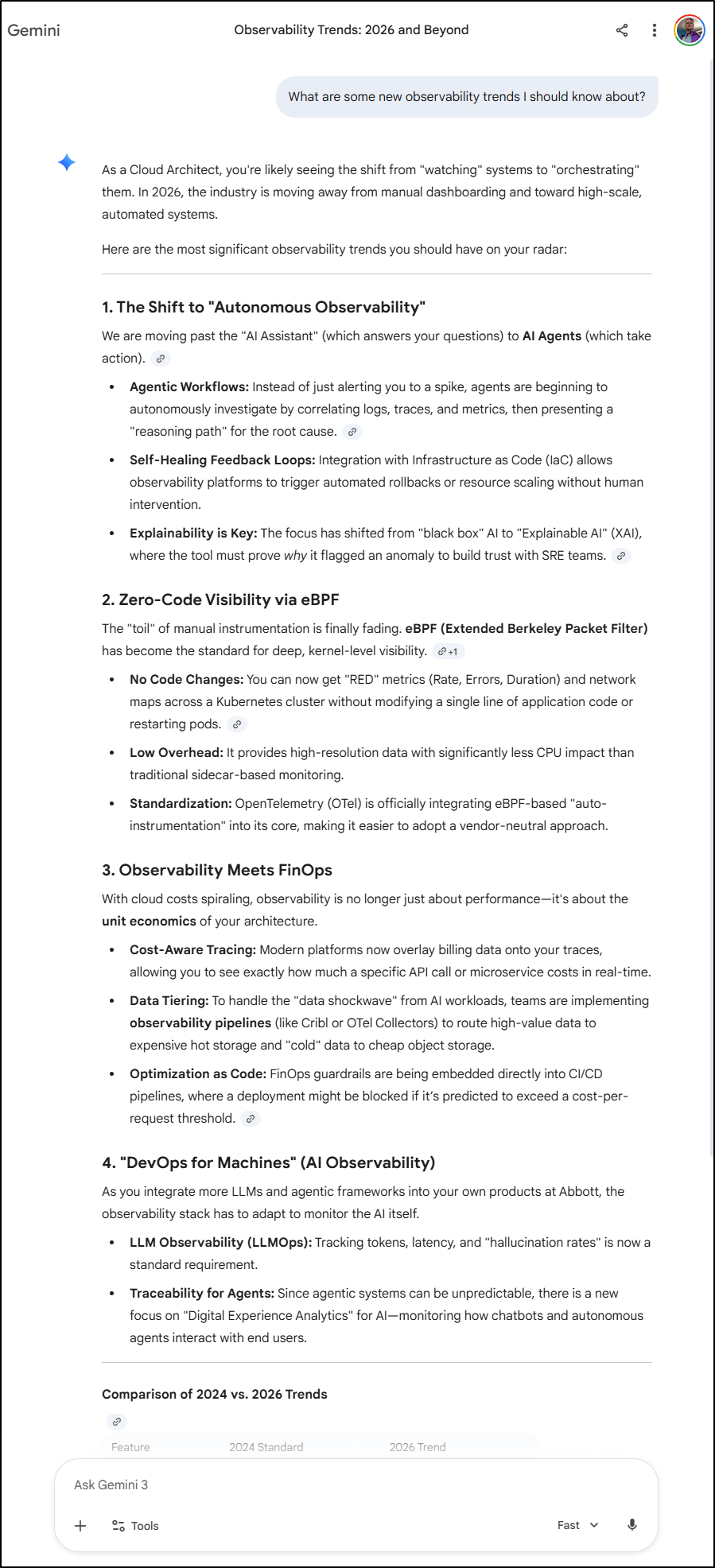
I agree there are some good things there about FinOps and eBPF. I wonder what we might do there:
My Ask: “I would like 5 conference pitches for an IaC conference that focus on Cloud, FinOps and eBPF. I want to incorporate OpenTelemetry (OTel) into the mix and leverage Google Cloud (GCP). I want to highlight cost savings though serverless, otel instrumentation and proper storage tiers and machine rightsizing.”
I used “Thinking” for this:
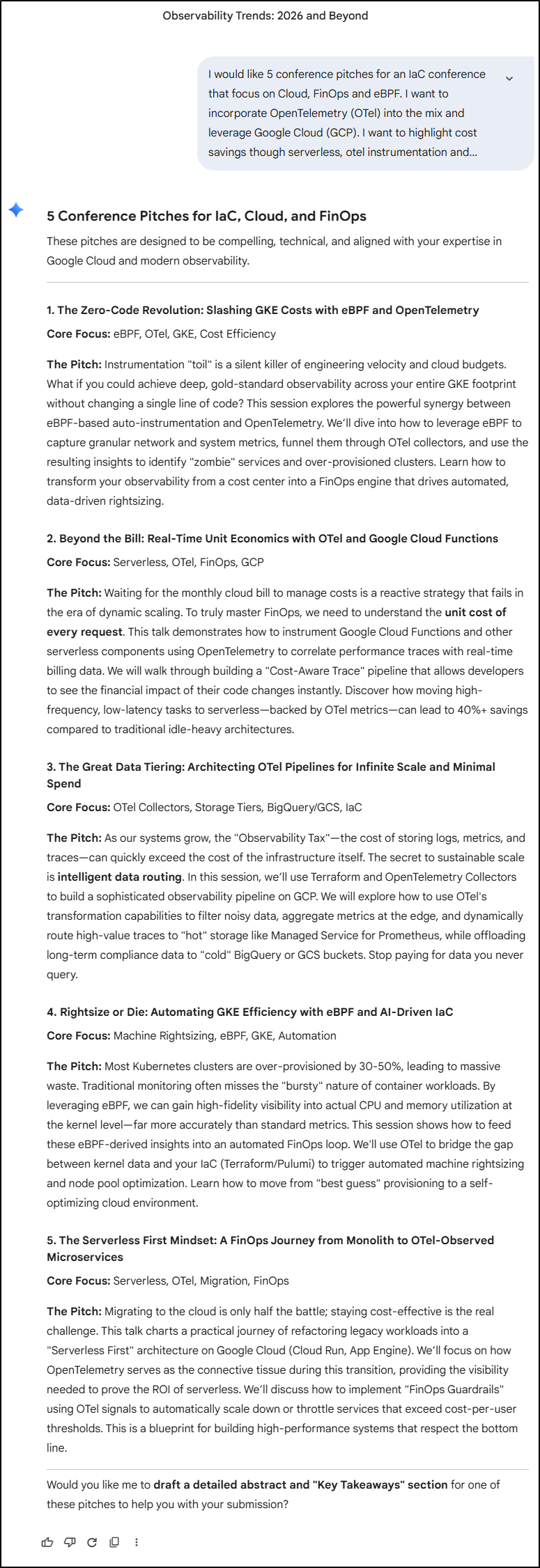
Of these, 2, 3 and 5 sound like fun presentations to build and deliver. Of those three, however, I personally would like to really dive into the Functions space.
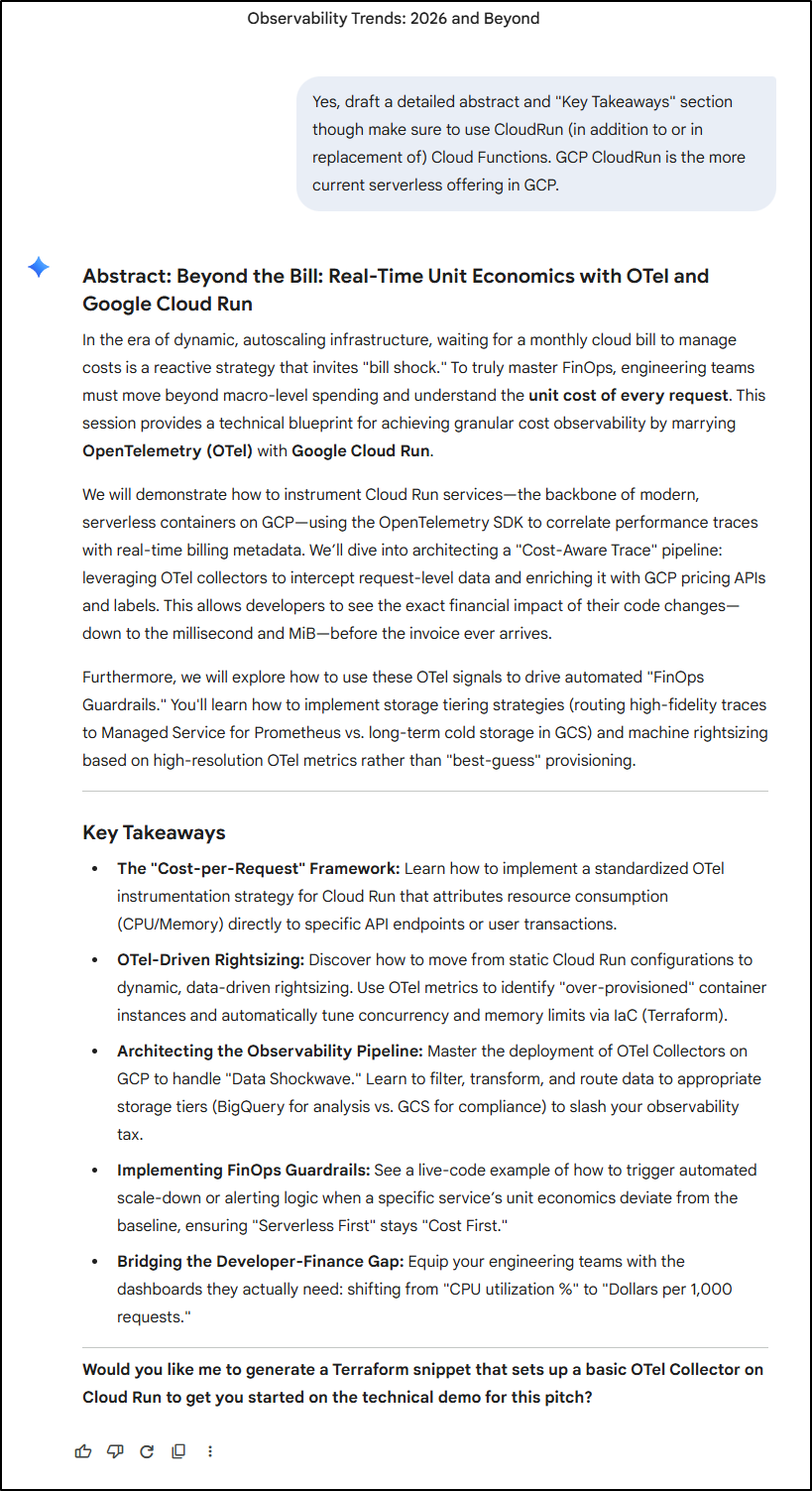
Now, I likely need to think and write this in my own voice. It’s very obvious when people copy paste GenAI pitches - and I’m not trying to avoid mental work. I just wanted some inspiration.
Coding in Gemini Web UI
I usually use Gemini CLI and Antigravity for most of my GenAI needs, but there is a “Pro” dropdown for coding in the Gemini Web UI
Create a FastAPI Python app with OpenTelemetry instrumentation. Any configuration should come from passed in Environment variables. I would also like the requirements.txt I would need to install any dependencies and a Dockerfile to build it
This did provide the code for which I asked:
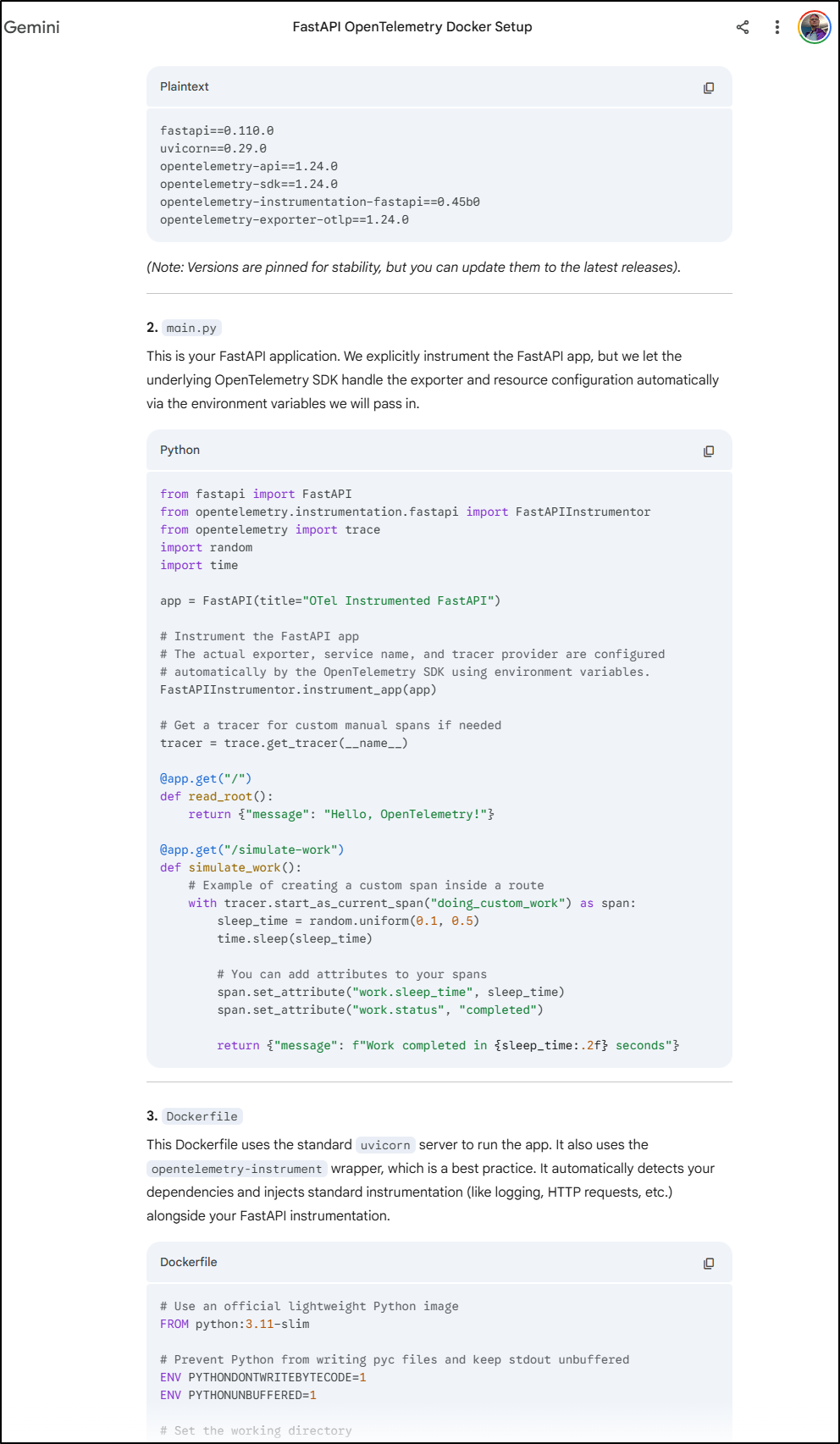
However, I usually like the Dockerfile to declare it’s Env vars so there is no confusion. That said, the bottom here shows the actual invokation with environemnt variables for OTel destinations
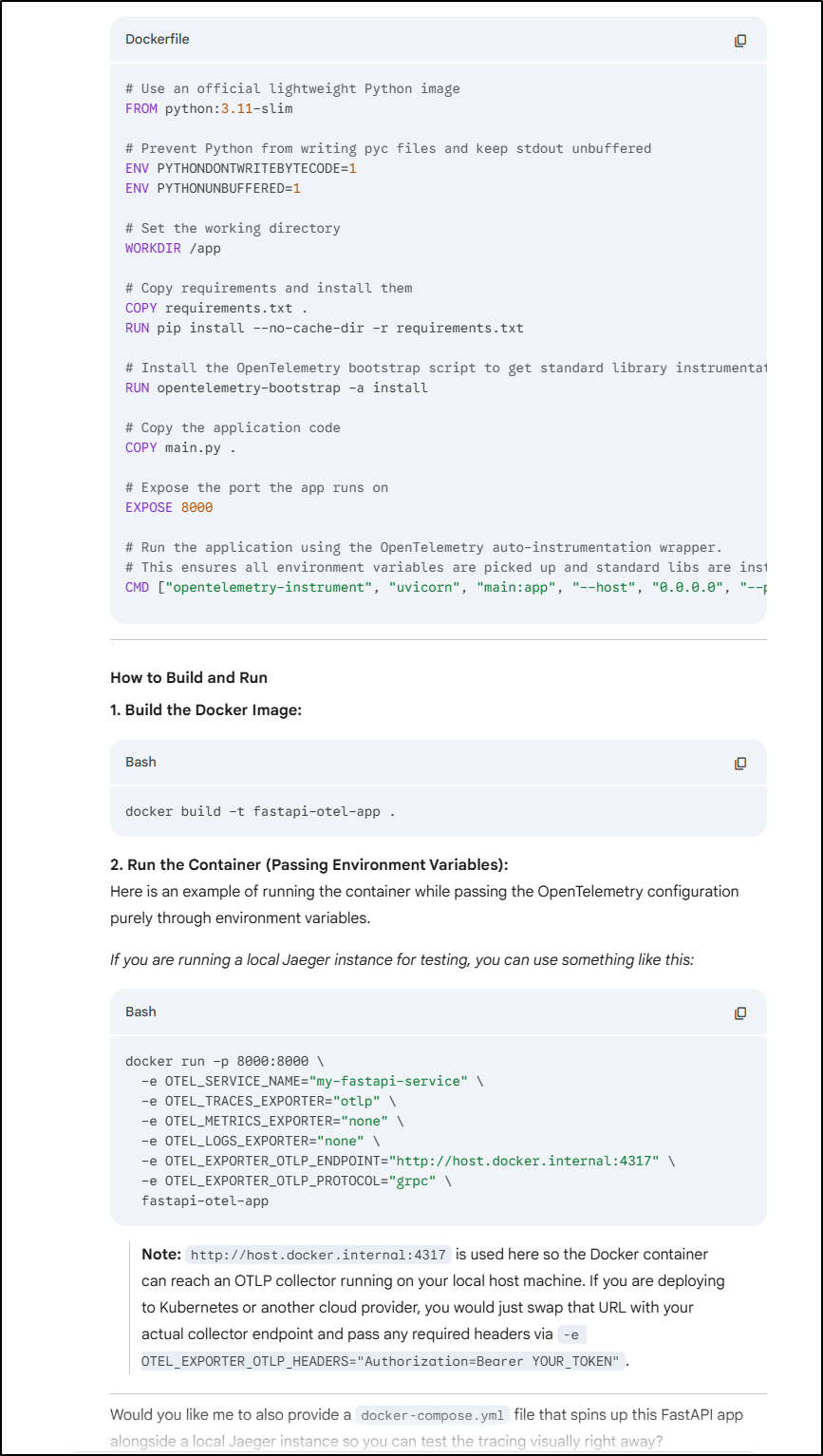
The Docker build worked just fine
builder@DESKTOP-QADGF36:~/Workspaces/fastOtelExample$ ls
Dockerfile  main.py  requirements.txt
builder@DESKTOP-QADGF36:~/Workspaces/fastOtelExample$ docker build -t fastapi-otel-app:0.1 .
[+] Building 39.2s (12/12) FINISHED                                                                                                        docker:default
 => [internal] load build definition from Dockerfile                                                                                                 0.0s
 => => transferring dockerfile: 860B                                                                                                                 0.0s
 => [internal] load metadata for docker.io/library/python:3.11-slim                                                                                  0.7s
 => [auth] library/python:pull token for registry-1.docker.io                                                                                        0.0s
 => [internal] load .dockerignore                                                                                                                    0.0s
 => => transferring context: 2B                                                                                                                      0.0s
 => [1/6] FROM docker.io/library/python:3.11-slim@sha256:0b23cfb7425d065008b778022a17b1551c82f8b4866ee5a7a200084b7e2eafbf                            0.0s
 => [internal] load build context                                                                                                                    0.0s
 => => transferring context: 1.34kB                                                                                                                  0.0s
 => CACHED [2/6] WORKDIR /app                                                                                                                        0.0s
 => [3/6] COPY requirements.txt .                                                                                                                    0.0s
 => [4/6] RUN pip install --no-cache-dir -r requirements.txt                                                                                        12.5s
 => [5/6] RUN opentelemetry-bootstrap -a install                                                                                                    25.2s
 => [6/6] COPY main.py .                                                                                                                             0.1s
 => exporting to image                                                                                                                               0.5s
 => => exporting layers                                                                                                                              0.5s
 => => writing image sha256:e9667f05817fbd7209963e4490545b0ccbfd34170d5f569fb3f2efa9ccac37a1                                                         0.0s
 => => naming to docker.io/library/fastapi-otel-app:0.1                                                                                              0.0s
Let’s assume I want to use New Relic for this. New Relic does need an API key added to the headers. Luckily we see that was documented in the notes:
Note: http://host.docker.internal:4317 is used here so the Docker container can reach an OTLP collector running on your local host machine. If you are deploying to Kubernetes or another cloud provider, you would just swap that URL with your actual collector endpoint and pass any required headers via -e OTEL_EXPORTER_OTLP_HEADERS=”Authorization=Bearer YOUR_TOKEN”.
Let’s give it a shot:
docker run -p 8000:8000 \
  -e OTEL_SERVICE_NAME="my-fastapi-service" \
  -e OTEL_TRACES_EXPORTER="otlp" \
  -e OTEL_METRICS_EXPORTER="otlp" \
  -e OTEL_LOGS_EXPORTER="otlp" \
  -e OTEL_EXPORTER_OTLP_ENDPOINT="https://otlp.nr-data.net:4317" \
  -e OTEL_EXPORTER_OTLP_PROTOCOL="grpc" \
  -e OTEL_EXPORTER_OTLP_HEADERS="api-key=xxxxxxxxxxxxxxxxxxxxxxxxxxxxxxxxxNRAL" \
  fastapi-otel-app:0.1


Attempting to instrument FastAPI app while already instrumented
INFO:     Started server process [1]
INFO:     Waiting for application startup.
INFO:     Application startup complete.
INFO:     Uvicorn running on http://0.0.0.0:8000 (Press CTRL+C to quit)
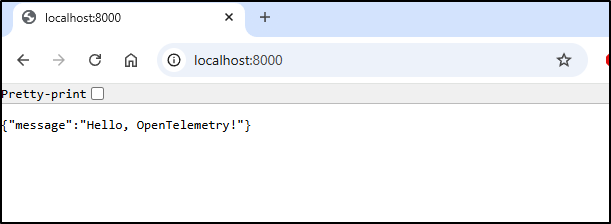
A quick check on the web:
Because it’s FastAPI, we can use the Swagger (OpenAPI) endpoint to invoke the Simulate Work action
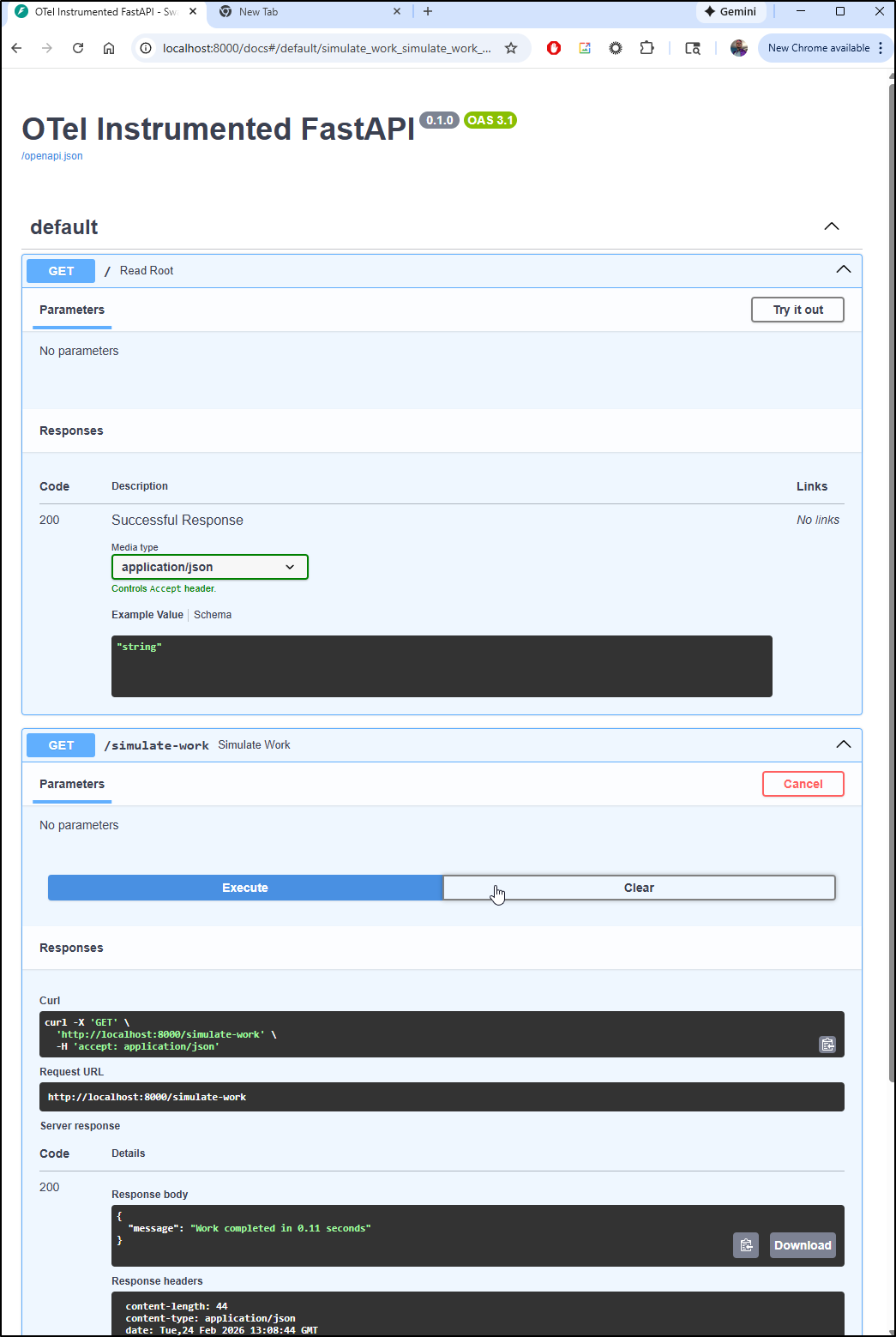
That said, I tried a couple different active API keys and using HTTP and GRPC endpoints, with and without the protocol and did not see my traces appear.
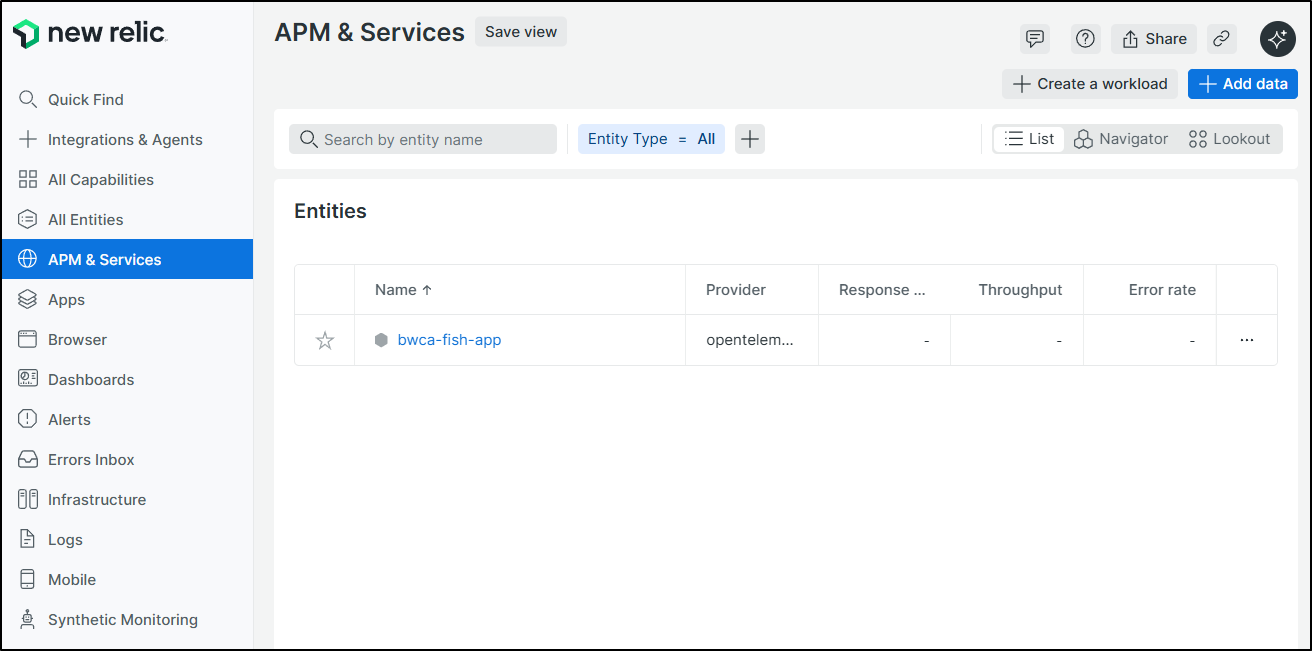
I could debug with Gemini CLI or review my past code to see what I’m missing (i think we need to send some traces somewhere, not just set instrumentation), but this was mostly to see if it was close.
Video (with pictures)
I often have fun modifying photos of myself and others.
For instance, I asked for an eagle to land on my shoulder
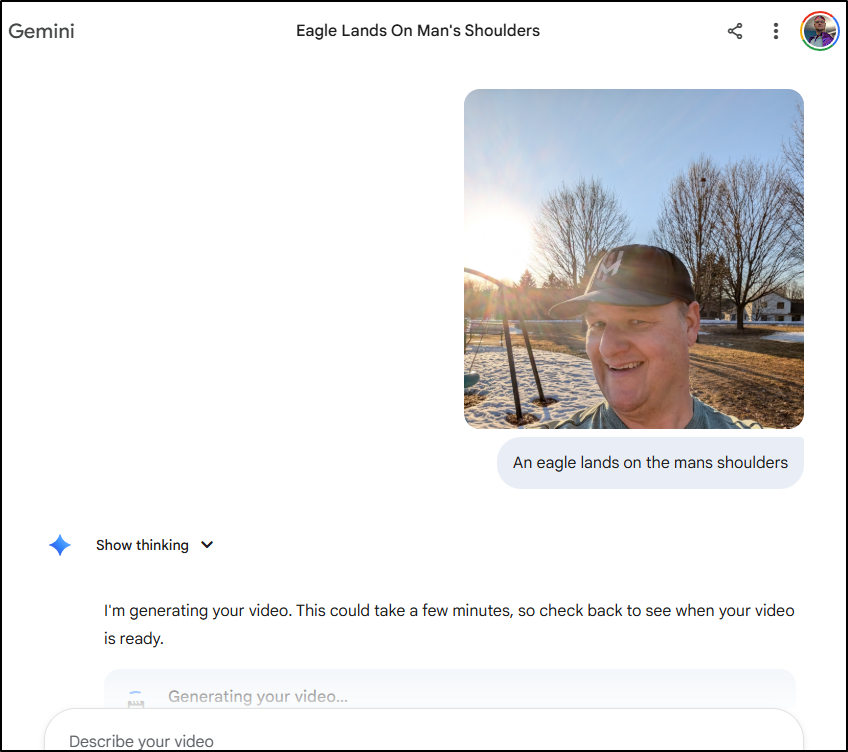
Which did a good job.
A lot of models miss my slightly droopy eyelid on the left side (right side facing) which always makes it look ‘not like me’. This caught that which actually impressed me.
Other than making silly videos of family, I also find it pretty good at making title graphics for things.
For instance, I asked for Explosive Cinematic intro for "Fresh/Brewed", movie trailer, loud and got:
and another generation (even better):
Note: you get three video generations a day with AI Pro, so plan accordingly
With text
How about just using words?
I asked to see a “retro 8-bit inspired video game demo about canoeing in the wilderness. it should feature bears, moose, ducks and loons.”
Summary
I have found Gemini 3.1 a bit better at coding that Gemini 3 (but not exponentially). I like the music generator, but 30s is a bit short for me to use it for anything so I’ll still stick with Suno.
The code generation is nice - and I could see using it in a ping, but it would not be enough to get me to give up Copilot, Gemini CLI and Antigravity. But I could imagine dropping some sections of code in for a quick explination or asking for help with a regular expression.
The deep thinking which suggested some personalized ideas for me was interesting. I might try it again.
However, the real winner, but a huge amount, is Nano Banana 2. The differences are really impressive. I’m sure the video is better, but I had no issues with Veo2 as it was so if there are new things, I’m not really seeing them (as much as I do with NB2).
For your pleasure, let’s see Veo deal with those pesky chickens at the Xcel center (yes yes, Grand casino arena, i know):
