

Published: Feb 24, 2026 by Isaac Johnson
Marius posted about Moocup a while ago. I have found as I’m moving to Linux across my stacks, I need a good Greenshot replacement.
Krita is very similar to GIMP or Photoshop. I reviewed it in the past, but only in it’s containerized form. Today I look at the native app (AppImage) as well as revisit the containerized option which will work in any OS.
Moocup
We can look at the Github page for Moocup for setup.
Let’s start with just firing it up in Docker on an available port (8088) with docker run -p 8080:80 jellydeck/moocup:latest
$ docker pull jellydeck/moocup:latest
latest: Pulling from jellydeck/moocup
1074353eec0d: Already exists
49c3d04ac9a0: Pull complete
e21cf1f5c34e: Pull complete
a30d3a4ae715: Pull complete
a3f8193e0094: Pull complete
58f93aab77a7: Pull complete
686540890f1c: Pull complete
3e36ccd1eb32: Pull complete
b2c62a766488: Pull complete
31ddd1e190a5: Pull complete
Digest: sha256:b1edb9d21f2c3b1abcfba32f258c8b119022d2101b3fd57cc328591837730a70
Status: Downloaded newer image for jellydeck/moocup:latest
docker.io/jellydeck/moocup:latest


$ docker run -p 8088:80 jellydeck/moocup:latest
/docker-entrypoint.sh: /docker-entrypoint.d/ is not empty, will attempt to perform configuration
/docker-entrypoint.sh: Looking for shell scripts in /docker-entrypoint.d/
/docker-entrypoint.sh: Launching /docker-entrypoint.d/10-listen-on-ipv6-by-default.sh
10-listen-on-ipv6-by-default.sh: info: Getting the checksum of /etc/nginx/conf.d/default.conf
10-listen-on-ipv6-by-default.sh: info: Enabled listen on IPv6 in /etc/nginx/conf.d/default.conf
/docker-entrypoint.sh: Sourcing /docker-entrypoint.d/15-local-resolvers.envsh
/docker-entrypoint.sh: Launching /docker-entrypoint.d/20-envsubst-on-templates.sh
/docker-entrypoint.sh: Launching /docker-entrypoint.d/30-tune-worker-processes.sh
/docker-entrypoint.sh: Configuration complete; ready for start up
2026/02/22 14:50:37 [notice] 1#1: using the "epoll" event method
2026/02/22 14:50:37 [notice] 1#1: nginx/1.28.1
2026/02/22 14:50:37 [notice] 1#1: built by gcc 15.2.0 (Alpine 15.2.0)
2026/02/22 14:50:37 [notice] 1#1: OS: Linux 6.17.0-14-generic
2026/02/22 14:50:37 [notice] 1#1: getrlimit(RLIMIT_NOFILE): 1073741816:1073741816
2026/02/22 14:50:37 [notice] 1#1: start worker processes
2026/02/22 14:50:37 [notice] 1#1: start worker process 30
2026/02/22 14:50:37 [notice] 1#1: start worker process 31
2026/02/22 14:50:37 [notice] 1#1: start worker process 32
2026/02/22 14:50:37 [notice] 1#1: start worker process 33
2026/02/22 14:50:37 [notice] 1#1: start worker process 34
2026/02/22 14:50:37 [notice] 1#1: start worker process 35
2026/02/22 14:50:37 [notice] 1#1: start worker process 36
2026/02/22 14:50:37 [notice] 1#1: start worker process 37
2026/02/22 14:50:37 [notice] 1#1: start worker process 38
2026/02/22 14:50:37 [notice] 1#1: start worker process 39
2026/02/22 14:50:37 [notice] 1#1: start worker process 40
2026/02/22 14:50:37 [notice] 1#1: start worker process 41
2026/02/22 14:50:37 [notice] 1#1: start worker process 42
2026/02/22 14:50:37 [notice] 1#1: start worker process 43
2026/02/22 14:50:37 [notice] 1#1: start worker process 44
2026/02/22 14:50:37 [notice] 1#1: start worker process 45
I can now see it running
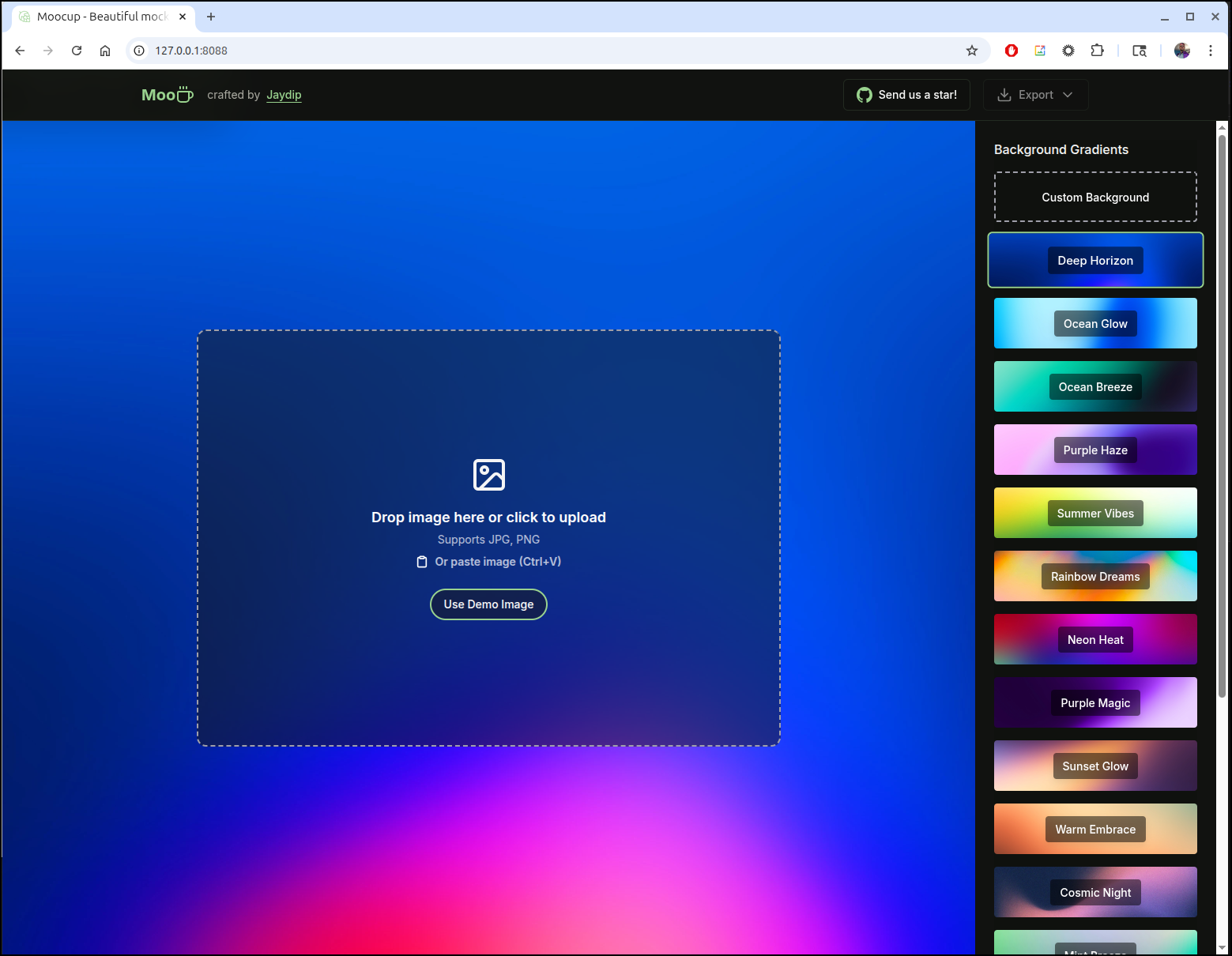
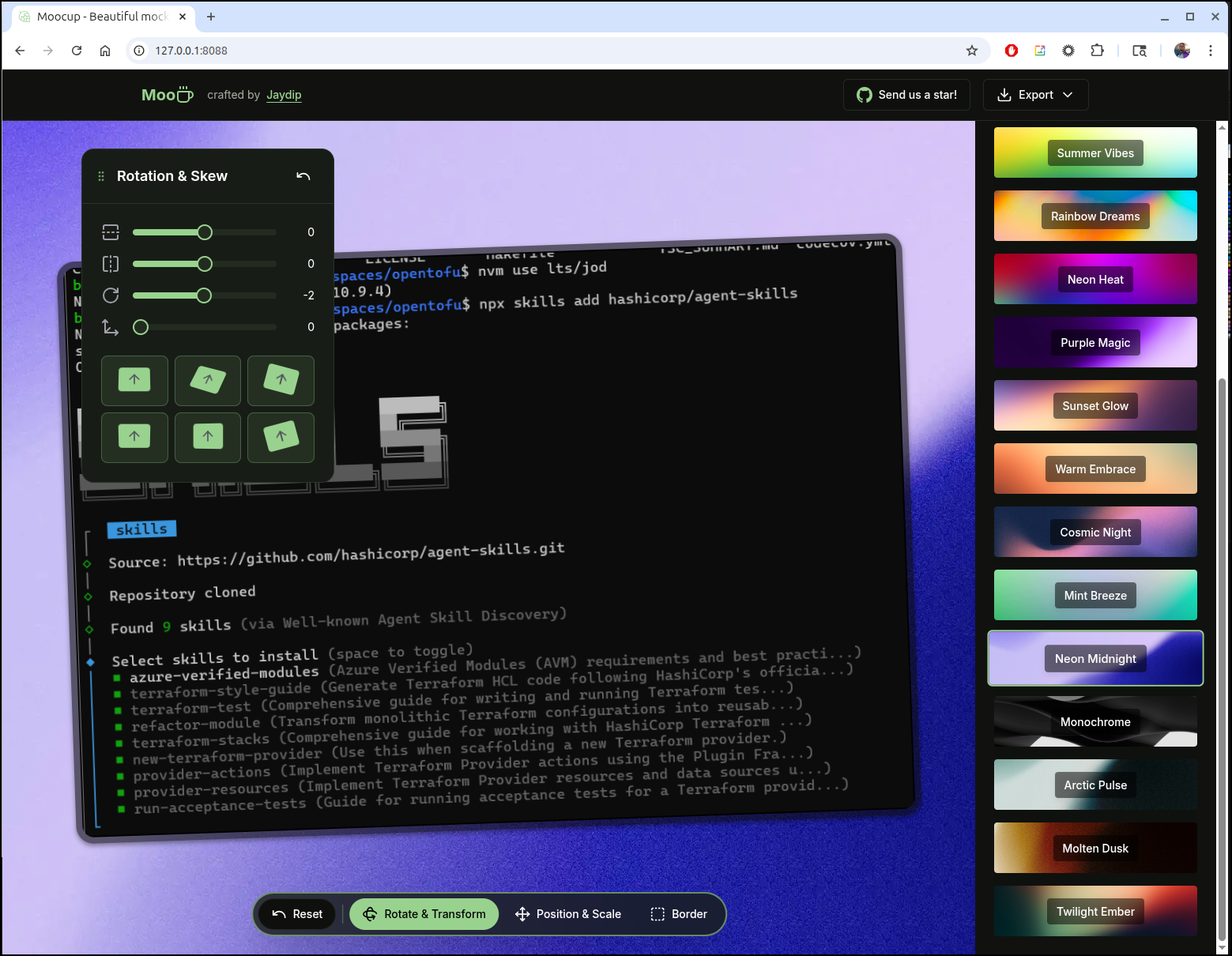
We can create some backgrounds and move around the screenshot
Which looks like this with a higher resolution png export
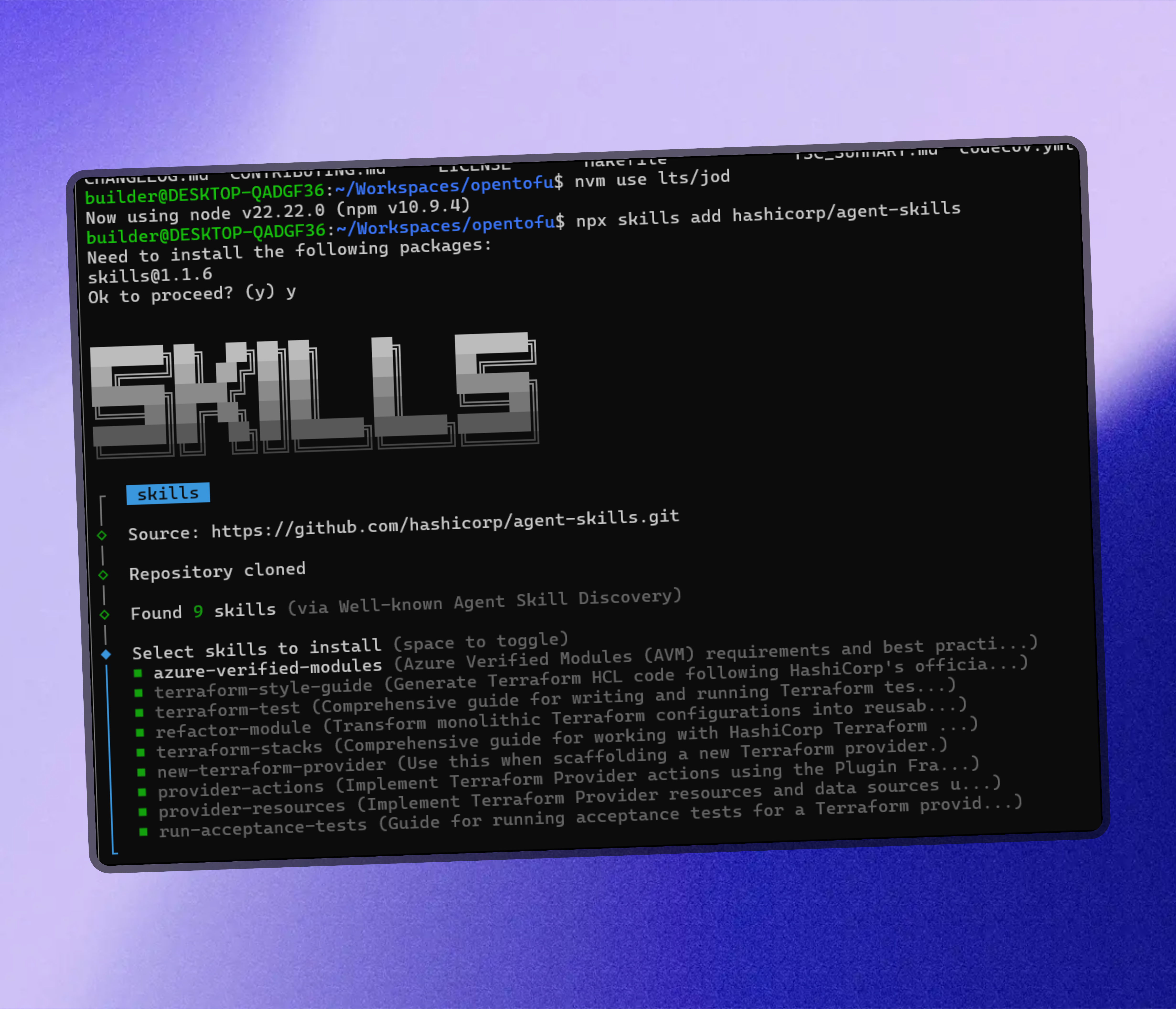
It’s a nice little app, and I could see using it with Powerpoint presentations, but really I need a few more features like arrows and the ability to mask secrets exposed in a screenshot to replace Greenshot.
I thought on self-hosting, but you can use the authors instance at https://moocup.jaydip.me/ for that.
Krita
Let’s checkout Krita again.
I’m going to try the “AppImage” first
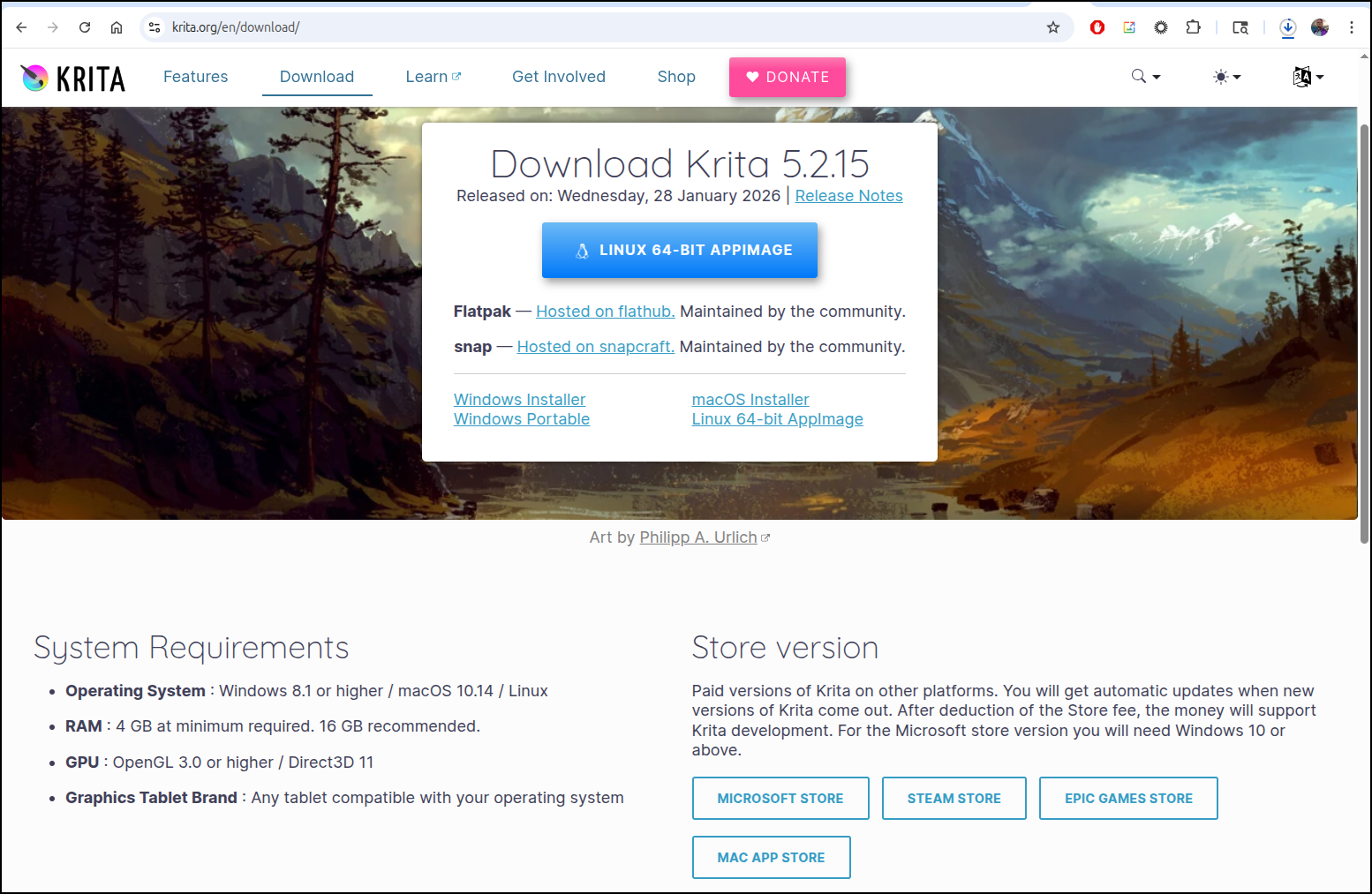
I need to make it executable to use it
$ chmod 755 ~/Downloads/krita-5.2.15-x86_64.AppImage
The full app then launches
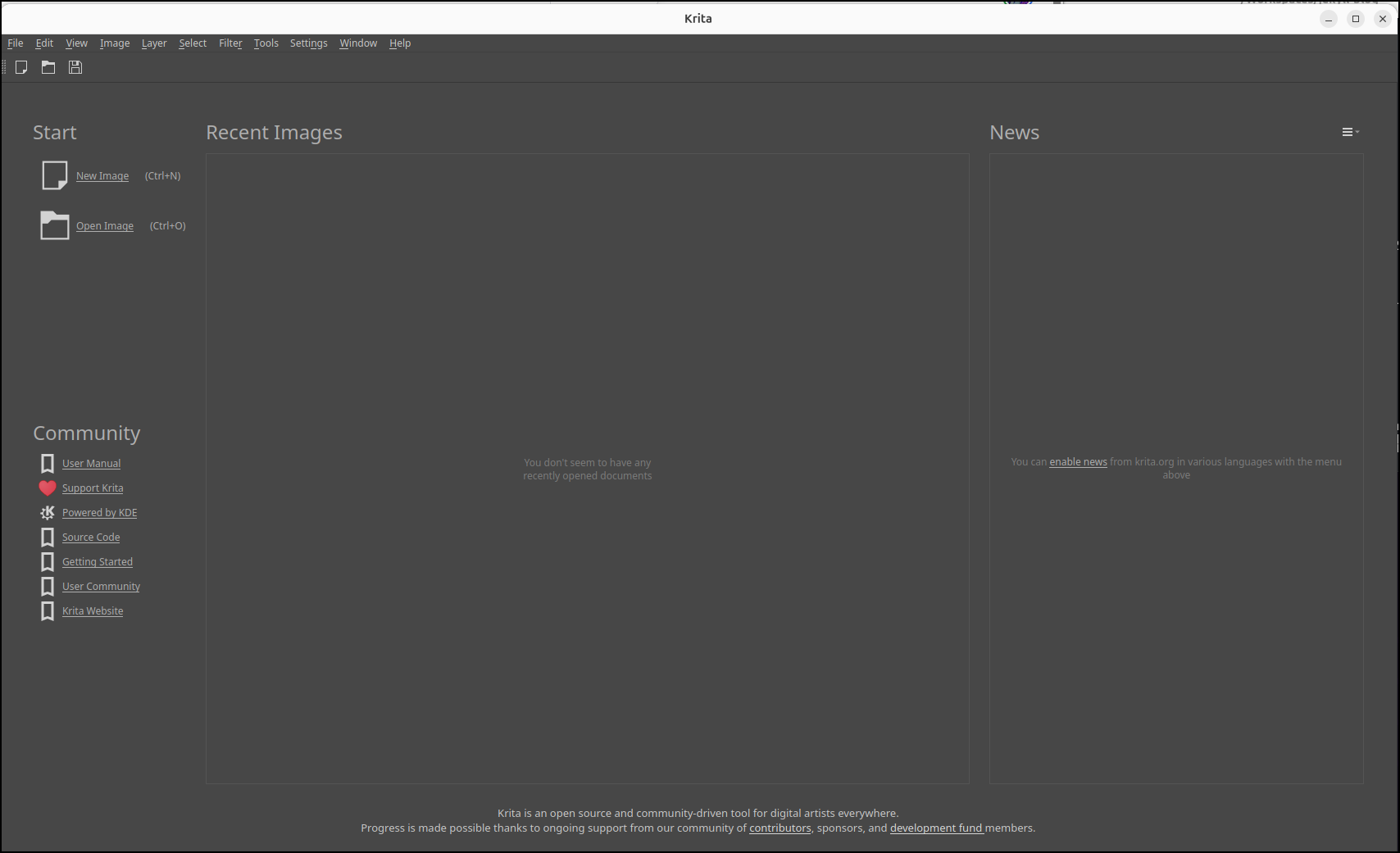
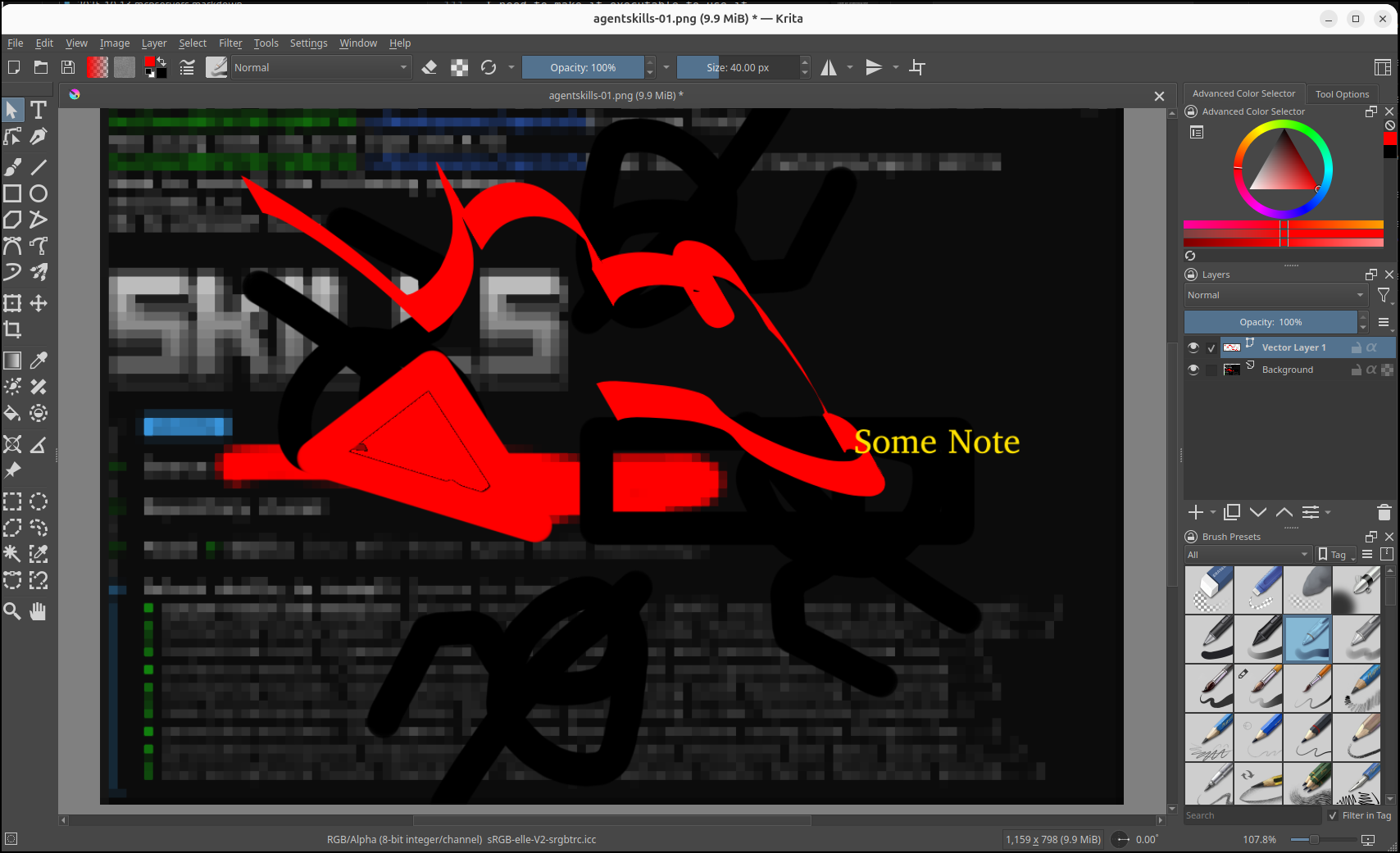
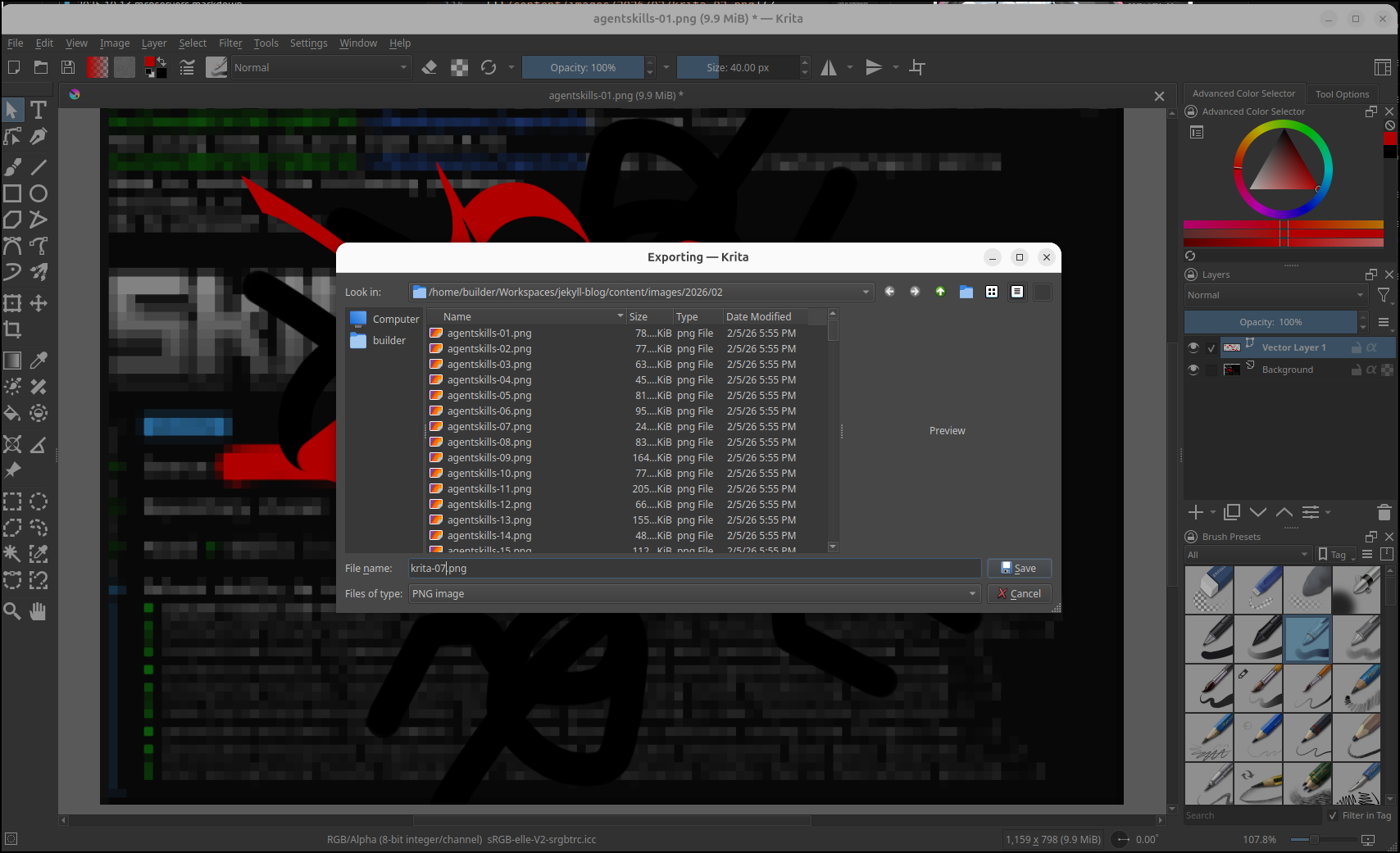
I noticed the file picker is not the system one
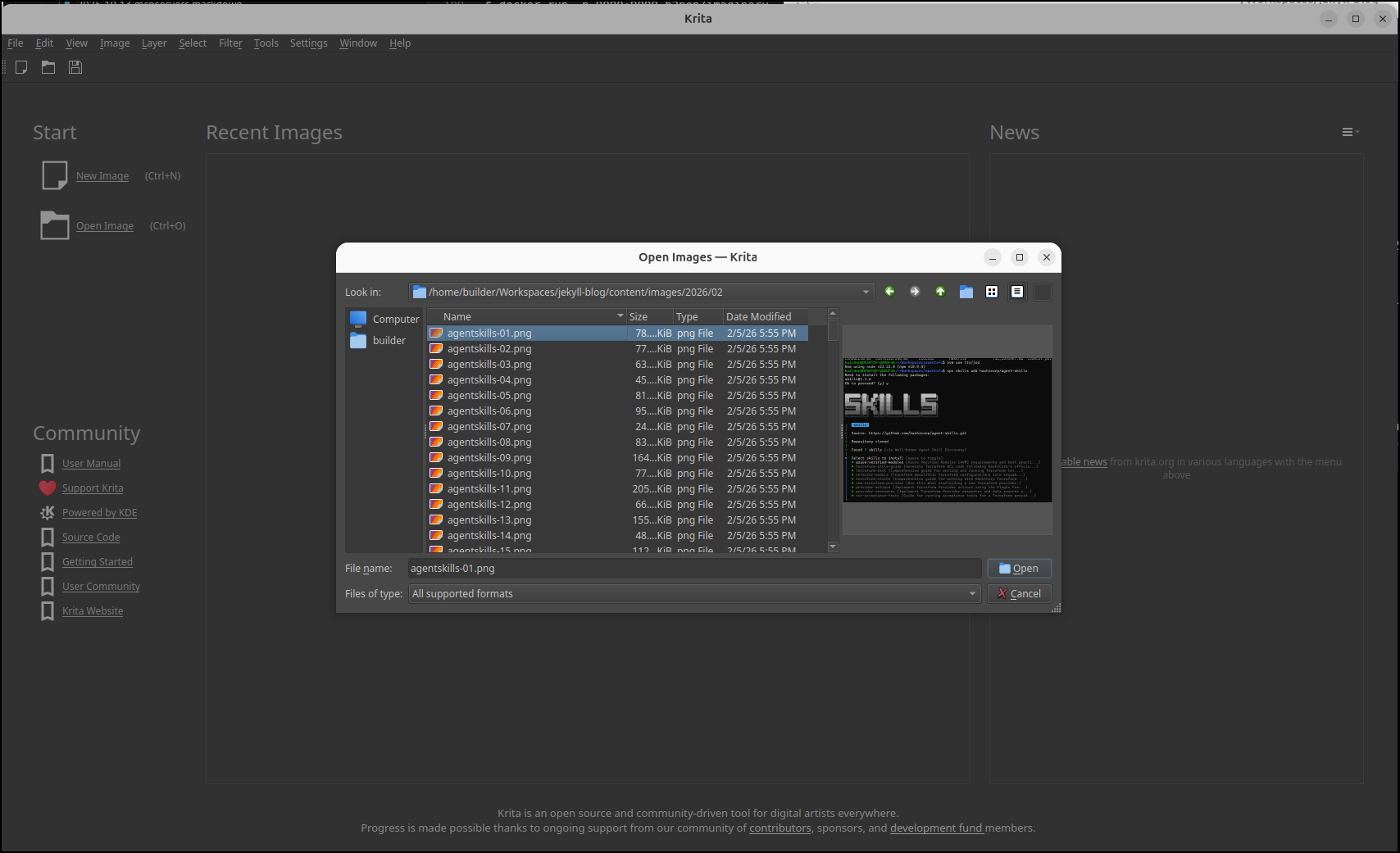
It reminds me a lot of early Photoshop. I found it easy to mask secrets it needed
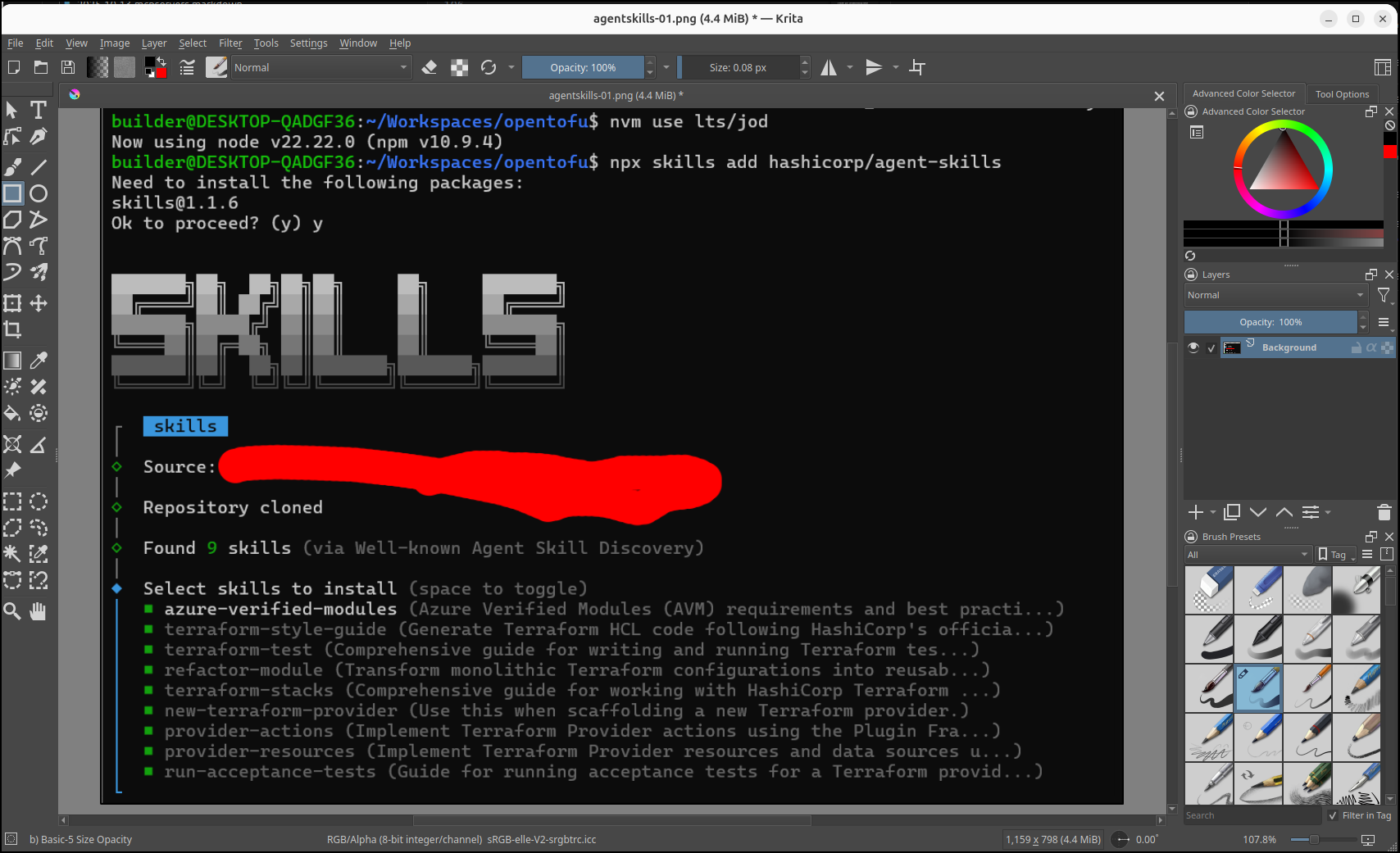
This makes it easy to draw, blur or add text
Because the file picker comes back to the source, it is easy to save it where it needs to be as a PNG
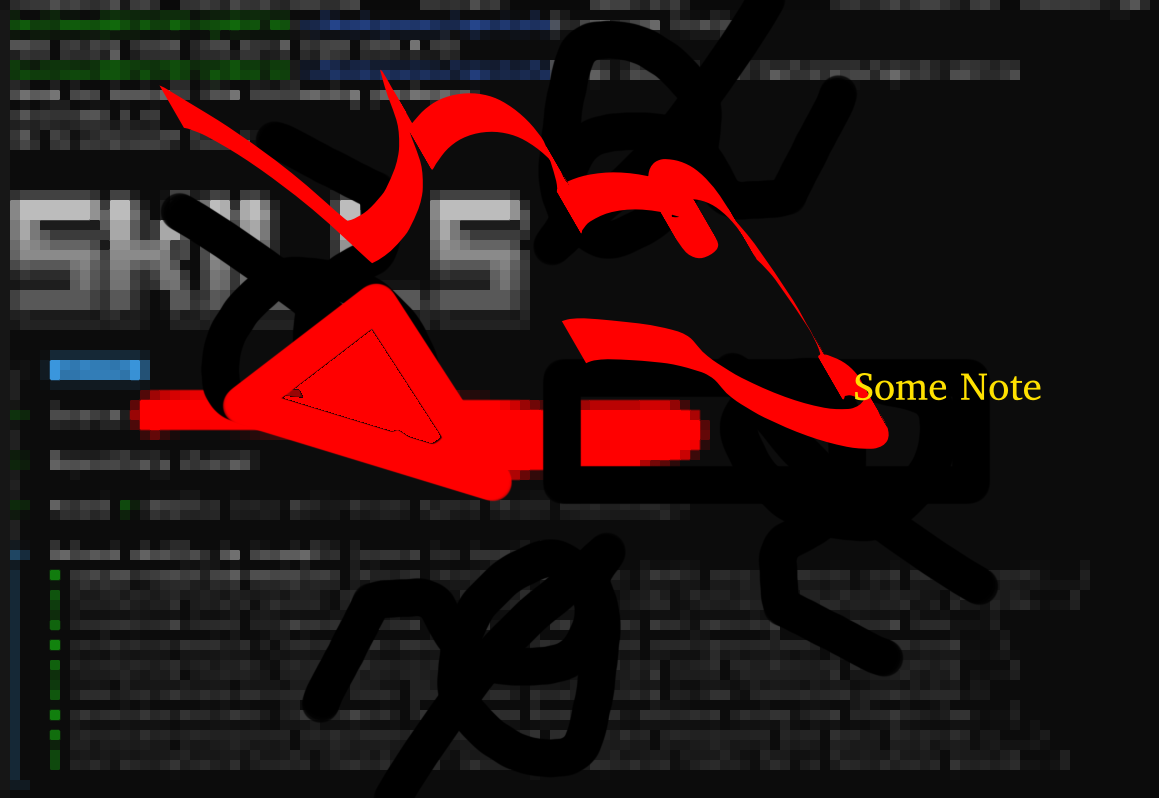
And here is the output
Docker
An Appimage is great for Linux computers, but for the rest, there is a docker container from the linuxserver group. We covered this last July.
We can see the usage on the Github page
I can create a docker-compose file
builder@LuiGi:~/Workspaces/docker-krita$ cat docker-compose.yml
---
services:
  krita:
    image: lscr.io/linuxserver/krita:latest
    container_name: krita
    environment:
      - PUID=1000
      - PGID=1000
      - TZ=Etc/UTC
    volumes:
      - /path/to/config:/config
    ports:
      - 3000:3000
      - 3001:3001
    shm_size: "1gb"
    restart: unless-stopped
It’s a large image so it took a bit to pull, but it did eventually get the container down and launch
builder@LuiGi:~/Workspaces/docker-krita$ docker compose up
[+] Running 14/14
 ✔ krita Pulled                                                                                                         152.4s
   ✔ 51d785f74d62 Pull complete                                                                                           6.2s
   ✔ 8eb9195ac8d0 Pull complete                                                                                           6.2s
   ✔ acf4cb1173ef Pull complete                                                                                           6.3s
   ✔ 53b97e9e6f09 Pull complete                                                                                           6.4s
   ✔ 7128b481ed57 Pull complete                                                                                           6.5s
   ✔ 48e902ed2ef1 Pull complete                                                                                          13.3s
   ✔ ee9ccdc2f9ce Pull complete                                                                                          13.4s
   ✔ f1c1cb5508f8 Pull complete                                                                                         145.4s
   ✔ 9919dd47f442 Pull complete                                                                                         145.5s
   ✔ b2e018127dc5 Pull complete                                                                                         145.9s
   ✔ 6e9a551646e8 Pull complete                                                                                         146.0s
   ✔ 2f9e1bff0ac2 Pull complete                                                                                         150.0s
   ✔ 2783da7d1362 Pull complete                                                                                         150.0s
[+] Running 2/2
 ✔ Network docker-krita_default  Created                                                                                  0.1s
 ✔ Container krita               Created                                                                                  0.2s
Attaching to krita
krita  | [migrations] started
krita  | [migrations] no migrations found
krita  | ───────────────────────────────────────
krita  |
krita  |       ██╗     ███████╗██╗ ██████╗
krita  |       ██║     ██╔════╝██║██╔═══██╗
krita  |       ██║     ███████╗██║██║   ██║
krita  |       ██║     ╚════██║██║██║   ██║
krita  |       ███████╗███████║██║╚██████╔╝
krita  |       ╚══════╝╚══════╝╚═╝ ╚═════╝
krita  |
krita  |    Brought to you by linuxserver.io
krita  | ───────────────────────────────────────
krita  |
krita  | To support LSIO projects visit:
krita  | https://www.linuxserver.io/donate/
krita  |
krita  | ───────────────────────────────────────
krita  | GID/UID
krita  | ───────────────────────────────────────
krita  |
krita  | User UID:    1000
krita  | User GID:    1000
krita  | ───────────────────────────────────────
krita  | .................+...+.+.....+.........+.+...+...+++++++++++++++++++++++++++++++++++++++*...+++++++++++++++++++++++++++++++++++++++*................+.+...+...+.........+.....+.........+......+......+...+.........+..........+...........+....+.....+...+............+.......+......+..+............+...+............+....+.....+...............+.+......+.....++++++
krita  | ...+.........+++++++++++++++++++++++++++++++++++++++*...........+...+.+...+...+...+..+.......+..+.+..+...+....+...+......+.....+.........+......+....+......+......+........+...+..........+........+....+...+...+...........+++++++++++++++++++++++++++++++++++++++*..........+.+..................+..+..........+........+......+.......+.........+...+...+...+...........+.+..+...+....+...........+...+..........+..+...+.........+.+..+............+..........+...+..+.+..............+.+.....+.+.....+.+...+.....+....+...+..+................+.....+....+.................................+...+..+....+...+..+...+............+.+..+.+......+.....+......+.............+..+.........+......+....+...........+..........+...+.....+....++++++
krita  | -----
krita  | [ls.io-init] Creating initial backup of menu.xml
krita  | [ls.io-init] Creating initial backup of system rc.xml
krita  | [custom-init] No custom files found, skipping...
krita  | xsettingsd: Loaded 1 setting from /config/.xsettingsd
krita  | _XSERVTransmkdir: ERROR: euid != 0,directory /tmp/.X11-unix will not be created.
krita  | xsettingsd: Unable to open connection to X server
krita  | screen 0 shmid 0
krita  | [ls.io-init] done.
krita  | 17
krita  | 18
krita  | INFO:selkies.__main__:Starting mode 'websockets'...
krita  | INFO:selkies.__main__:Starting Selkies in 'websockets' mode.
krita  | INFO:data_websocket:pcmflux library found. Audio capture is available.
krita  | INFO:data_websocket:pixelflux library found. Striped encoding modes available.
krita  | INFO:root:Expected C js_config_t size (from ctypes): 1354 bytes
krita  | INFO:main:Upload directory ensured: /config/Desktop
krita  | INFO:main:Legacy Mode ENABLED (SELKIES_MASTER_TOKEN is not set).
krita  | INFO:main:Starting Selkies (WebSocket Mode) with settings: {'_setting_definitions': [{'name': 'audio_enabled', 'type': 'bool', 'default': True, 'help': 'Enable server-to-client audio streaming.'}, {'name': 'microphone_enabled', 'type': 'bool', 'default': True, 'help': 'Enable client-to-server microphone forwarding.'}, {'name': 'gamepad_enabled', 'type': 'bool', 'default': True, 'help': 'Enable gamepad support.'}, {'name': 'clipboard_enabled', 'type': 'bool', 'default': True, 'help': 'Enable clipboard synchronization.'}, {'name': 'clipboard_in_enabled', 'type': 'bool', 'default': True, 'help': 'Enable client-to-server clipboard synchronization.'}, {'name': 'clipboard_out_enabled', 'type': 'bool', 'default': True, 'help': 'Enable server-to-client clipboard synchronization.'}, {'name': 'command_enabled', 'type': 'bool', 'default': True, 'help': 'Enable parsing of command websocket messages.'}, {'name': 'file_transfers', 'type': 'list', 'default': 'upload,download', 'meta': {'allowed': ['upload', 'download']}, 'help': 'Allowed file transfer directions (comma-separated: "upload,download"). Set to "" or "none" to disable.'}, {'name': 'framerate', 'type': 'range', 'default': '8-120', 'meta': {'default_value': 60}, 'help': 'Allowed framerate range (e.g., "8-165") or a fixed value (e.g., "60").'}, {'name': 'audio_bitrate', 'type': 'enum', 'default': '320000', 'meta': {'allowed': ['64000', '128000', '192000', '256000', '320000']}, 'help': 'The default audio bitrate.'}, {'name': 'is_manual_resolution_mode', 'type': 'bool', 'default': False, 'help': 'Lock the resolution to the manual width/height values.'}, {'name': 'manual_width', 'type': 'int', 'default': 0, 'help': 'Lock width to a fixed value. Setting this forces manual resolution mode.'}, {'name': 'manual_height', 'type': 'int', 'default': 0, 'help': 'Lock height to a fixed value. Setting this forces manual resolution mode.'}, {'name': 'scaling_dpi', 'type': 'enum', 'default': '96', 'meta': {'allowed': ['96', '120', '144', '168', '192', '216', '240', '264', '288']}, 'help': 'The default DPI for UI scaling.'}, {'name': 'enable_binary_clipboard', 'type': 'bool', 'default': False, 'help': 'Allow binary data (e.g., images) on the clipboard.'}, {'name': 'use_browser_cursors', 'type': 'bool', 'default': False, 'help': 'Use browser CSS cursors instead of rendering to canvas.'}, {'name': 'use_css_scaling', 'type': 'bool', 'default': False, 'help': 'HiDPI when false, if true a lower resolution is sent from the client and the canvas is stretched.'}, {'name': 'ui_title', 'type': 'str', 'default': 'Selkies', 'help': 'Title in top left corner of sidebar.'}, {'name': 'ui_show_logo', 'type': 'bool', 'default': True, 'help': 'Show the Selkies logo in the sidebar.'}, {'name': 'ui_show_core_buttons', 'type': 'bool', 'default': True, 'help': 'Show the core components buttons display, audio, microphone, and gamepad.'}, {'name': 'ui_show_sidebar', 'type': 'bool', 'default': True, 'help': 'Show the main sidebar UI.'}, {'name': 'ui_sidebar_show_video_settings', 'type': 'bool', 'default': True, 'help': 'Show the video settings section in the sidebar.'}, {'name': 'ui_sidebar_show_screen_settings', 'type': 'bool', 'default': True, 'help': 'Show the screen settings section in the sidebar.'}, {'name': 'ui_sidebar_show_audio_settings', 'type': 'bool', 'default': True, 'help': 'Show the audio settings section in the sidebar.'}, {'name': 'ui_sidebar_show_stats', 'type': 'bool', 'default': True, 'help': 'Show the stats section in the sidebar.'}, {'name': 'ui_sidebar_show_clipboard', 'type': 'bool', 'default': True, 'help': 'Show the clipboard section in the sidebar.'}, {'name': 'ui_sidebar_show_files', 'type': 'bool', 'default': True, 'help': 'Show the file transfer section in the sidebar.'}, {'name': 'ui_sidebar_show_apps', 'type': 'bool', 'default': True, 'help': 'Show the applications section in the sidebar.'}, {'name': 'ui_sidebar_show_sharing', 'type': 'bool', 'default': True, 'help': 'Show the sharing section in the sidebar.'}, {'name': 'ui_sidebar_show_gamepads', 'type': 'bool', 'default': True, 'help': 'Show the gamepads section in the sidebar.'}, {'name': 'ui_sidebar_show_fullscreen', 'type': 'bool', 'default': True, 'help': 'Show the fullscreen button in the sidebar.'}, {'name': 'ui_sidebar_show_gaming_mode', 'type': 'bool', 'default': True, 'help': 'Show the gaming mode button in the sidebar.'}, {'name': 'ui_sidebar_show_trackpad', 'type': 'bool', 'default': True, 'help': 'Show the virtual trackpad button in the sidebar.'}, {'name': 'ui_sidebar_show_keyboard_button', 'type': 'bool', 'default': True, 'help': 'Show the on-screen keyboard button in the display area.'}, {'name': 'ui_sidebar_show_soft_buttons', 'type': 'bool', 'default': True, 'help': 'Show the soft buttons section in the sidebar.'}, {'name': 'enable_sharing', 'type': 'bool', 'default': True, 'help': 'Master toggle for all sharing features.'}, {'name': 'enable_collab', 'type': 'bool', 'default': True, 'help': 'Enable collaborative (read-write) sharing link.'}, {'name': 'enable_shared', 'type': 'bool', 'default': True, 'help': 'Enable view-only sharing links.'}, {'name': 'enable_player2', 'type': 'bool', 'default': True, 'help': 'Enable sharing link for gamepad player 2.'}, {'name': 'enable_player3', 'type': 'bool', 'default': True, 'help': 'Enable sharing link for gamepad player 3.'}, {'name': 'enable_player4', 'type': 'bool', 'default': True, 'help': 'Enable sharing link for gamepad player 4.'}, {'name': 'debug', 'type': 'bool', 'default': False, 'help': 'Enable debug logging.'}, {'name': 'mode', 'type': 'str', 'default': 'websockets', 'help': "Specify the mode: 'webrtc' or 'websockets'; defaults to websockets"}, {'name': 'enable_dual_mode', 'type': 'bool', 'default': False, 'help': 'Enable switching Streaming modes from UI'}, {'name': 'audio_device_name', 'type': 'str', 'default': 'output.monitor', 'help': 'Audio device name for pcmflux capture.'}, {'name': 'encoder', 'type': 'enum', 'default': 'x264enc', 'meta': {'allowed': ['x264enc', 'x264enc-striped', 'jpeg']}, 'help': 'The default video encoder.'}, {'name': 'h264_crf', 'type': 'range', 'default': '5-50', 'meta': {'default_value': 25}, 'help': 'Allowed H.264 CRF range (e.g., "5-50") or a fixed value.'}, {'name': 'jpeg_quality', 'type': 'range', 'default': '1-100', 'meta': {'default_value': 40}, 'help': 'Allowed JPEG quality range (e.g., "1-100") or a fixed value.'}, {'name': 'h264_fullcolor', 'type': 'bool', 'default': False, 'help': 'Enable H.264 full color range for pixelflux encoders.'}, {'name': 'h264_streaming_mode', 'type': 'bool', 'default': False, 'help': 'Enable H.264 streaming mode for pixelflux encoders.'}, {'name': 'use_cpu', 'type': 'bool', 'default': False, 'help': 'Force CPU-based encoding for pixelflux.'}, {'name': 'use_paint_over_quality', 'type': 'bool', 'default': True, 'help': 'Enable high-quality paint-over for static scenes.'}, {'name': 'paint_over_jpeg_quality', 'type': 'range', 'default': '1-100', 'meta': {'default_value': 90}, 'help': 'Allowed JPEG paint-over quality range or a fixed value.'}, {'name': 'h264_paintover_crf', 'type': 'range', 'default': '5-50', 'meta': {'default_value': 18}, 'help': 'Allowed H.264 paint-over CRF range or a fixed value.'}, {'name': 'h264_paintover_burst_frames', 'type': 'range', 'default': '1-30', 'meta': {'default_value': 5}, 'help': 'Allowed H.264 paint-over burst frames range or a fixed value.'}, {'name': 'second_screen', 'type': 'bool', 'default': True, 'help': 'Enable support for a second monitor/display.'}, {'name': 'port', 'type': 'int', 'default': 8081, 'env_var': 'CUSTOM_WS_PORT', 'help': 'Port for the data websocket server.'}, {'name': 'control_port', 'type': 'int', 'default': 8083, 'help': 'Port for the internal control plane API.'}, {'name': 'master_token', 'type': 'str', 'default': '', 'help': 'Master token to enable secure mode and protect the control plane API.'}, {'name': 'dri_node', 'type': 'str', 'default': '', 'env_var': 'DRI_NODE', 'help': 'Path to the DRI render node for VA-API.'}, {'name': 'watermark_path', 'type': 'str', 'default': '', 'env_var': 'WATERMARK_PNG', 'help': 'Absolute path to the watermark PNG file.'}, {'name': 'watermark_location', 'type': 'int', 'default': -1, 'env_var': 'WATERMARK_LOCATION', 'help': 'Watermark location enum (0-6).'}, {'name': 'wayland_socket_index', 'type': 'int', 'default': 0, 'help': 'Index for the Wayland command socket (e.g. 0 for wayland-0).'}], 'audio_enabled': (True, False), 'microphone_enabled': (True, False), 'gamepad_enabled': (True, False), 'clipboard_enabled': (True, False), 'clipboard_in_enabled': (True, False), 'clipboard_out_enabled': (True, False), 'command_enabled': (True, False), 'file_transfers': ['upload', 'download'], 'framerate': (8, 120), 'audio_bitrate': '320000', 'is_manual_resolution_mode': (False, False), 'manual_width': 0, 'manual_height': 0, 'scaling_dpi': '96', 'enable_binary_clipboard': (False, False), 'use_browser_cursors': (False, False), 'use_css_scaling': (False, False), 'ui_title': 'Selkies', 'ui_show_logo': (True, False), 'ui_show_core_buttons': (True, False), 'ui_show_sidebar': (True, False), 'ui_sidebar_show_video_settings': (True, False), 'ui_sidebar_show_screen_settings': (True, False), 'ui_sidebar_show_audio_settings': (True, False), 'ui_sidebar_show_stats': (True, False), 'ui_sidebar_show_clipboard': (True, False), 'ui_sidebar_show_files': (True, False), 'ui_sidebar_show_apps': (True, False), 'ui_sidebar_show_sharing': (True, False), 'ui_sidebar_show_gamepads': (True, False), 'ui_sidebar_show_fullscreen': (True, False), 'ui_sidebar_show_gaming_mode': (True, False), 'ui_sidebar_show_trackpad': (True, False), 'ui_sidebar_show_keyboard_button': (True, False), 'ui_sidebar_show_soft_buttons': (True, False), 'enable_sharing': (True, False), 'enable_collab': (True, False), 'enable_shared': (True, False), 'enable_player2': (True, False), 'enable_player3': (True, False), 'enable_player4': (True, False), 'debug': (False, False), 'mode': 'websockets', 'enable_dual_mode': (False, False), 'audio_device_name': 'output.monitor', 'encoder': 'x264enc', 'h264_crf': (5, 50), 'jpeg_quality': (1, 100), 'h264_fullcolor': (False, False), 'h264_streaming_mode': (False, False), 'use_cpu': (False, False), 'use_paint_over_quality': (True, False), 'paint_over_jpeg_quality': (1, 100), 'h264_paintover_crf': (5, 50), 'h264_paintover_burst_frames': (1, 30), 'second_screen': (True, False), 'port': 8082, 'control_port': 8083, 'master_token': '', 'dri_node': '', 'watermark_path': '', 'watermark_location': -1, 'wayland_socket_index': 0}
krita  | INFO:main:Initial Encoder: x264enc, Framerate: 60
krita  | INFO:main:SelkiesStreamingApp initialized: encoder=x264enc, display=1024x768
krita  | INFO:main:All main components initialized. Running server...
krita  | INFO:webrtc_input:System DPI detected as ~96. Cursor size cap set to 32x32px.
krita  | INFO:webrtc_input:Resetting keyboard modifiers.
krita  | INFO:webrtc_input:Clipboard monitor running (binary mode: False)
krita  | INFO:webrtc_input:Found XFIXES version 4.0
krita  | INFO:webrtc_input:starting cursor monitor
krita  | INFO:webrtc_input:watching for cursor changes
krita  | WARNING:data_websocket:Cannot broadcast cursor data: no clients connected or server not ready.
krita  | INFO:data_websocket:Data WebSocket Server listening on port 8082
krita  | INFO:webrtc_input:Initializing 4 persistent gamepad instances...
krita  | INFO:root:Packed js_config payload for 'Microsoft X-Box 360 pad' (js0): len=1360 bytes. Name='Microsoft X-Box 360 pad', Vendor=0x045e, Product=0x028e, Version=0x0100, Reported Buttons=11 (Array capacity: 512), Reported Axes=8 (Array capacity: 64)
krita  | INFO:selkies_gamepad:Gamepad configured. JS socket: /tmp/selkies_js0.sock, EVDEV socket: /tmp/selkies_event1000.sock. Using fixed config: Microsoft X-Box 360 pad
krita  | INFO:webrtc_input:Initialized and started persistent gamepad instance for index 0 (Name: 'Microsoft X-Box 360 pad', JS: /tmp/selkies_js0.sock, EVDEV: /tmp/selkies_event1000.sock).
krita  | INFO:root:Packed js_config payload for 'Microsoft X-Box 360 pad' (js1): len=1360 bytes. Name='Microsoft X-Box 360 pad', Vendor=0x045e, Product=0x028e, Version=0x0100, Reported Buttons=11 (Array capacity: 512), Reported Axes=8 (Array capacity: 64)
krita  | INFO:selkies_gamepad:Gamepad configured. JS socket: /tmp/selkies_js1.sock, EVDEV socket: /tmp/selkies_event1001.sock. Using fixed config: Microsoft X-Box 360 pad
krita  | INFO:webrtc_input:Initialized and started persistent gamepad instance for index 1 (Name: 'Microsoft X-Box 360 pad', JS: /tmp/selkies_js1.sock, EVDEV: /tmp/selkies_event1001.sock).
krita  | INFO:root:Packed js_config payload for 'Microsoft X-Box 360 pad' (js2): len=1360 bytes. Name='Microsoft X-Box 360 pad', Vendor=0x045e, Product=0x028e, Version=0x0100, Reported Buttons=11 (Array capacity: 512), Reported Axes=8 (Array capacity: 64)
krita  | INFO:selkies_gamepad:Gamepad configured. JS socket: /tmp/selkies_js2.sock, EVDEV socket: /tmp/selkies_event1002.sock. Using fixed config: Microsoft X-Box 360 pad
krita  | INFO:webrtc_input:Initialized and started persistent gamepad instance for index 2 (Name: 'Microsoft X-Box 360 pad', JS: /tmp/selkies_js2.sock, EVDEV: /tmp/selkies_event1002.sock).
krita  | INFO:root:Packed js_config payload for 'Microsoft X-Box 360 pad' (js3): len=1360 bytes. Name='Microsoft X-Box 360 pad', Vendor=0x045e, Product=0x028e, Version=0x0100, Reported Buttons=11 (Array capacity: 512), Reported Axes=8 (Array capacity: 64)
krita  | INFO:selkies_gamepad:Gamepad configured. JS socket: /tmp/selkies_js3.sock, EVDEV socket: /tmp/selkies_event1003.sock. Using fixed config: Microsoft X-Box 360 pad
krita  | INFO:webrtc_input:Initialized and started persistent gamepad instance for index 3 (Name: 'Microsoft X-Box 360 pad', JS: /tmp/selkies_js3.sock, EVDEV: /tmp/selkies_event1003.sock).
krita  | INFO:selkies_gamepad:Gamepad /tmp/selkies_js0.sock: Event processor started.
krita  | INFO:selkies_gamepad:JS interposer server listening on /tmp/selkies_js0.sock
krita  | INFO:selkies_gamepad:Gamepad /tmp/selkies_js1.sock: Event processor started.
krita  | INFO:selkies_gamepad:JS interposer server listening on /tmp/selkies_js1.sock
krita  | INFO:selkies_gamepad:Gamepad /tmp/selkies_js2.sock: Event processor started.
krita  | INFO:selkies_gamepad:JS interposer server listening on /tmp/selkies_js2.sock
krita  | INFO:selkies_gamepad:Gamepad /tmp/selkies_js3.sock: Event processor started.
krita  | INFO:selkies_gamepad:JS interposer server listening on /tmp/selkies_js3.sock
krita  | INFO:selkies_gamepad:EVDEV interposer server listening on /tmp/selkies_event1000.sock
krita  | INFO:selkies_gamepad:EVDEV interposer server listening on /tmp/selkies_event1001.sock
krita  | INFO:selkies_gamepad:EVDEV interposer server listening on /tmp/selkies_event1002.sock
krita  | INFO:selkies_gamepad:EVDEV interposer server listening on /tmp/selkies_event1003.sock
krita  | xsettingsd: Loaded 1 setting from /config/.xsettingsd
krita  | xsettingsd: Created window 0x1200001 on screen 0 with timestamp 39843864
krita  | xsettingsd: Selection _XSETTINGS_S0 is owned by 0x0
krita  | xsettingsd: Took ownership of selection _XSETTINGS_S0
krita  | WARNING:data_websocket:Cannot broadcast cursor data: no clients connected or server not ready.
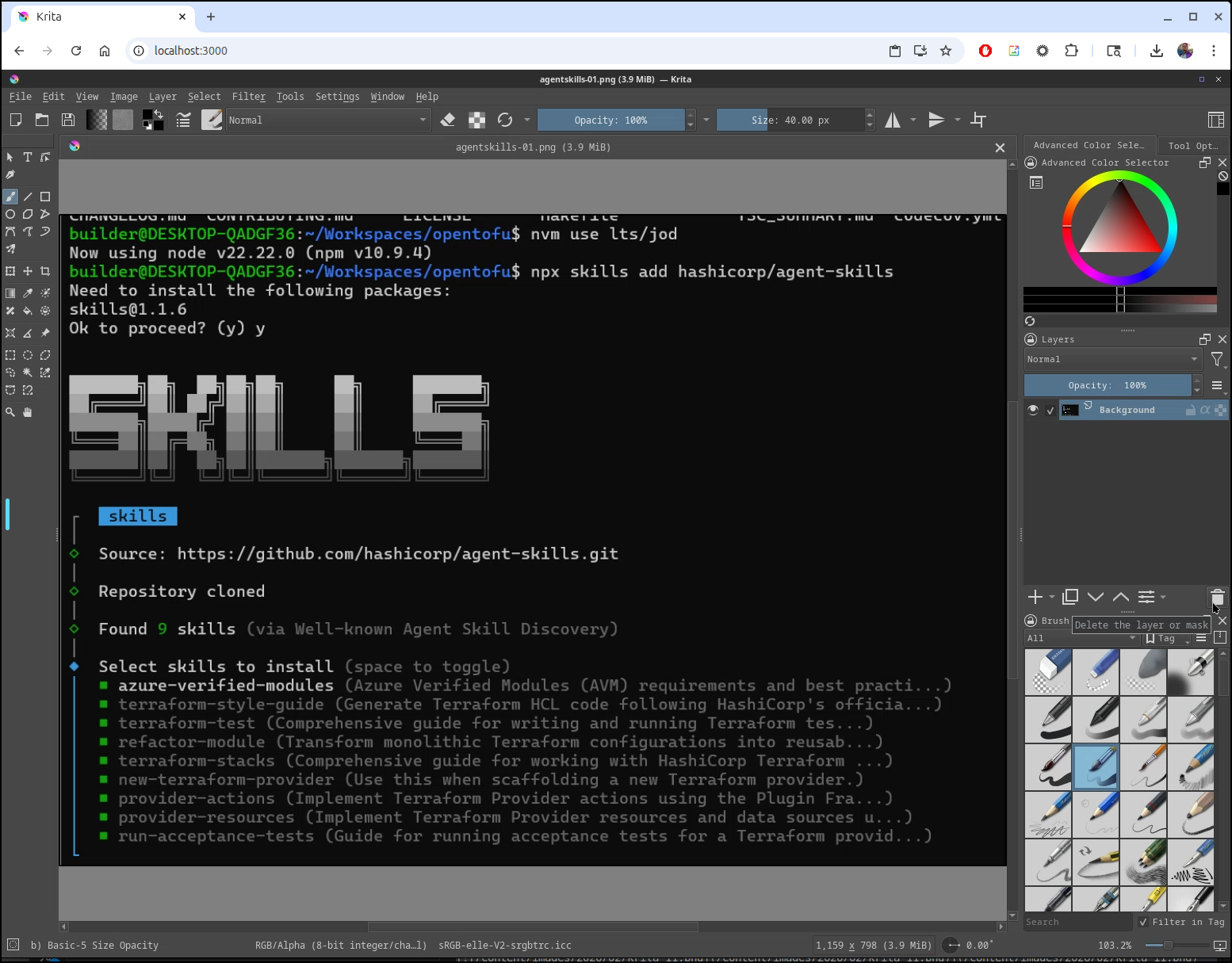
Because this is running in a container, we need to use the VNC tools to upload and download files:
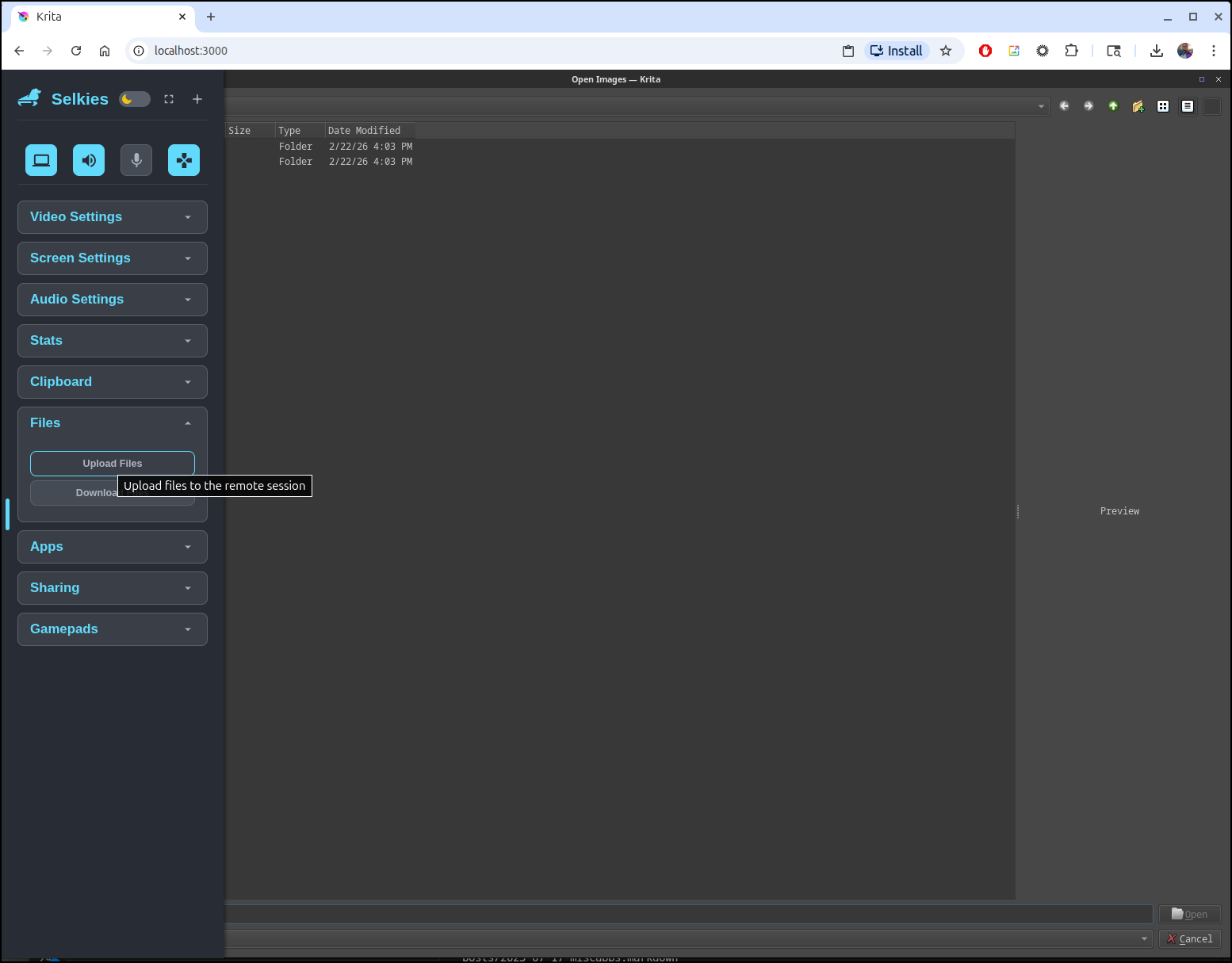
The files you upload this way end up on the containers “desktop” folder
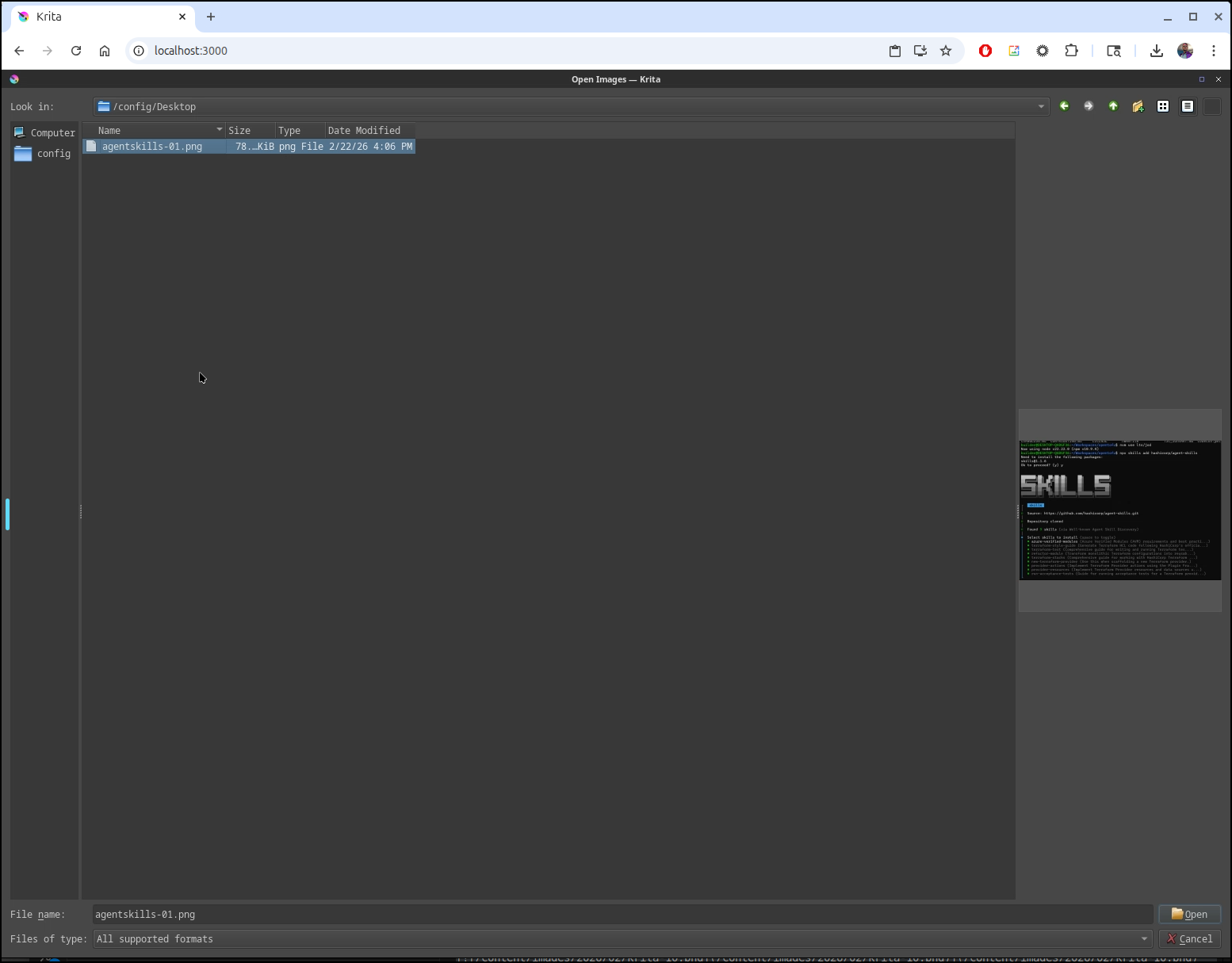
On some of my computers, I found a slight lag at large resolutions, however on this linux laptop, it was nearly the same as the native app
My script
Most of what I want to do, at least for this blog, is to snag a screenshot, apply a small border and put it into the Jekyll blog folder.
The output of my script is the Markdown I need to put here.
builder@LuiGi:~/Workspaces/jekyll-blog$ ~/ss2b.sh 02 krita-05
[](/content/images/2026/02/krita-05.png)
builder@LuiGi:~/Workspaces/jekyll-blog$ ~/ss2b.sh 02 krita-06
[](/content/images/2026/02/krita-06.png)
builder@LuiGi:~/Workspaces/jekyll-blog$ ~/ss2b.sh 02 krita-07
[](/content/images/2026/02/krita-07.png)
The script itself just uses imagemagick to get the job done.
builder@LuiGi:~/Workspaces/jekyll-blog$ cat ~/ss2b.sh
#!/bin/bash
set +x
export YEAR=2026
export MONTH=$1
export NAME=$2
# get latest picture and add a border
# sudo apt install imagemagick
cd ~/Pictures/Screenshots
convert "`ls -tra ~/Pictures/Screenshots/ | grep \.png | tail -n1 | sed 's/ /\\ /g'`" -bordercolor black -border 2x2 /home/builder/Workspaces/jekyll-blog/content/images/$YEAR/$MONTH/$NAME.png
#[](/content/images/$YEAR/11/sumologic-44.png)
echo "[](/content/images/$YEAR/$MONTH/$NAME.png)"
Summary
Today we looked at Moocup, a small but functional containerized Open-source screenshot editor. It does a fine job adding a border and background and I could see myself using it some presentations, but the lack of image edit tools like lines, arrows and masking limits it’s usefulness, at least im my flows.
I recall using Krita in the past when I ran windows and found the fat client a bit ‘in’ and the containerized version a bit sluggish. Today, as I now use Ubuntu as my primary OS, I wanted to revisit it and use the AppImage native x64 binary. I also thought it might be worth retrying the Docker instance (especially docker in linux). I will likely dance between Krita and Gimp going forward as both work quite well.
Lastly, just to round things out, I shared my local bash script that uses Imagemagik to convert images and add a small border from my default Ubuntu screenshots folder. This greatly speeds up my blogging flow and I thought others in similar positions using Jekyll with Linux might find it useful. On my one remaining Windows host, I still use Greenshot.
