

Published: Jan 29, 2026 by Isaac Johnson
I came across PozNote from a Marius Post about installing to a NAS. As we just looked at Alexandrie, I wanted to compare and contrast this similar self-hosted document suite.
Joplin is another on my list of note taking suites to check out. This one is a bit more native-app driven. I’ll explore launching in docker and using on Android.
Poznote
The initial setup is really quite easy as Tim Poznanski provides a Docker-compose file
Let’s start with a docker instance.
I’ll clone down the repo
builder@DESKTOP-QADGF36:~/Workspaces$ git clone https://github.com/timothepoznanski/poznote.git
Cloning into 'poznote'...
remote: Enumerating objects: 21194, done.
remote: Counting objects: 100% (363/363), done.
remote: Compressing objects: 100% (165/165), done.
remote: Total 21194 (delta 211), reused 207 (delta 197), pack-reused 20831 (from 3)
Receiving objects: 100% (21194/21194), 108.25 MiB | 10.26 MiB/s, done.
Resolving deltas: 100% (12995/12995), done.
builder@DESKTOP-QADGF36:~/Workspaces$ cd poznote/
We then need an .env file.
builder@DESKTOP-QADGF36:~/Workspaces/poznote$ cp .env.example .env
Then fire it up
builder@DESKTOP-QADGF36:~/Workspaces/poznote$ docker compose up
[+] Running 23/23
 ✔ webserver Pulled                                                                                                          15.3s
   ✔ 2d35ebdb57d9 Already exists                                                                                              0.0s
   ✔ 2bef9cb3f990 Pull complete                                                                                               8.0s
   ✔ a4c72d6e07f1 Pull complete                                                                                               8.1s
   ✔ 4bcd12be3e1e Pull complete                                                                                               8.1s
   ✔ c9d33dc5a138 Pull complete                                                                                               8.4s
   ✔ 32e14496102d Pull complete                                                                                               8.4s
   ✔ ae0ebd5abde8 Pull complete                                                                                               9.8s
   ✔ 15366323bdc0 Pull complete                                                                                               9.8s
   ✔ d1a32e3112b7 Pull complete                                                                                               9.9s
   ✔ 2e24563ec23a Pull complete                                                                                               9.9s
   ✔ 4f4fb700ef54 Pull complete                                                                                              10.0s
   ✔ 9596dcfb2908 Pull complete                                                                                              10.0s
   ✔ 69bac53097be Pull complete                                                                                              12.3s
   ✔ baa2f7aa6c46 Pull complete                                                                                              12.3s
   ✔ 05d21884c3c5 Pull complete                                                                                              12.3s
   ✔ 6dd61dfa7ea5 Pull complete                                                                                              12.4s
   ✔ 466e82c97eae Pull complete                                                                                              12.4s
   ✔ b32021bc1bca Pull complete                                                                                              12.4s
   ✔ 4604bebe4b7a Pull complete                                                                                              12.5s
   ✔ 9ac6d8b845a0 Pull complete                                                                                              13.3s
   ✔ 3af4a35860c1 Pull complete                                                                                              13.3s
   ✔ e6368db40c84 Pull complete                                                                                              14.2s
[+] Running 2/2
 ✔ Network poznote_default        Created                                                                                     0.1s
 ✔ Container poznote-webserver-1  Created                                                                                     0.5s
Attaching to webserver-1
webserver-1  | Poznote Initialization Script - Setting up data directory...
webserver-1  | Setting correct permissions recursively on /var/www/html/data...
webserver-1  | Final permissions check for /var/www/html/data:
webserver-1  | total 28
webserver-1  | drwxrwxr-x    7 www-data www-data      4096 Jan 23 13:33 .
webserver-1  | drwxr-xr-x    1 www-data www-data      4096 Jan 23 04:22 ..
webserver-1  | drwxrwxr-x    2 www-data www-data      4096 Jan 23 13:33 attachments
webserver-1  | drwxrwxr-x    2 www-data www-data      4096 Jan 23 13:33 backups
webserver-1  | drwxrwxr-x    2 www-data www-data      4096 Jan 23 13:33 database
webserver-1  | drwxrwxr-x    2 www-data www-data      4096 Jan 23 13:33 entries
webserver-1  | drwxrwxr-x    2 www-data www-data      4096 Jan 23 13:33 users
webserver-1  | /usr/lib/python3.12/site-packages/supervisor/options.py:13: UserWarning: pkg_resources is deprecated as an API. See https://setuptools.pypa.io/en/latest/pkg_resources.html. The pkg_resources package is slated for removal as early as 2025-11-30. Refrain from using this package or pin to Setuptools<81.
webserver-1  |   import pkg_resources
webserver-1  | 2026-01-23 13:33:13,486 INFO Set uid to user 0 succeeded
webserver-1  | 2026-01-23 13:33:13,492 INFO RPC interface 'supervisor' initialized
webserver-1  | 2026-01-23 13:33:13,492 CRIT Server 'unix_http_server' running without any HTTP authentication checking
webserver-1  | 2026-01-23 13:33:13,493 INFO supervisord started with pid 1
webserver-1  | 2026-01-23 13:33:14,496 INFO spawned: 'nginx' with pid 17
webserver-1  | 2026-01-23 13:33:14,501 INFO spawned: 'php-fpm' with pid 18
webserver-1  | [23-Jan-2026 13:33:14] NOTICE: fpm is running, pid 18
webserver-1  | [23-Jan-2026 13:33:14] NOTICE: ready to handle connections
webserver-1  | 2026-01-23 13:33:15,539 INFO success: nginx entered RUNNING state, process has stayed up for > than 1 seconds (startsecs)
webserver-1  | 2026-01-23 13:33:15,540 INFO success: php-fpm entered RUNNING state, process has stayed up for > than 1 seconds (startsecs)
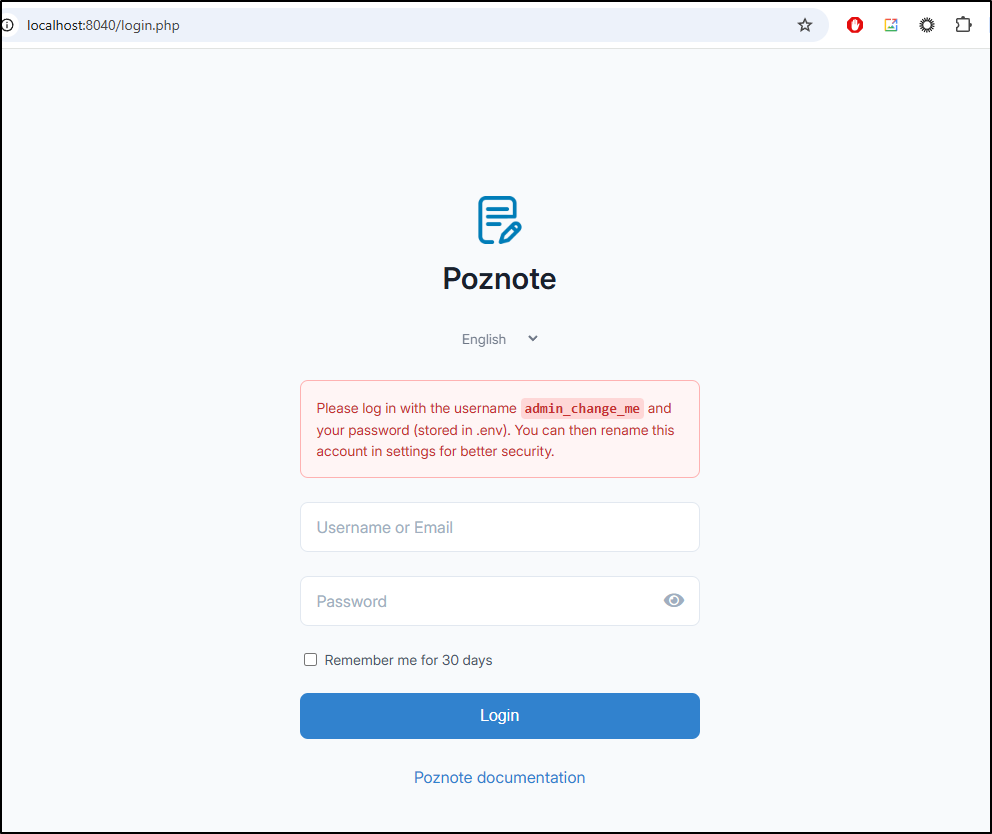
I can now reach the login page at http://localhost:8040
We are greeted with a nice welcome note by Tim
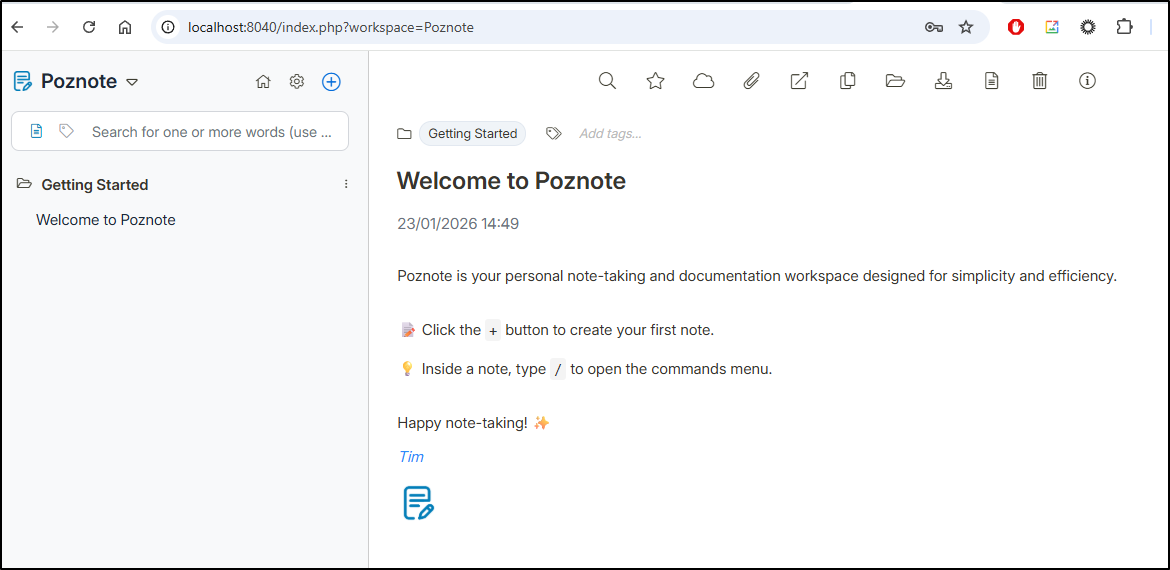
The actions we can take (from left to right) are “search/replace”, “favourite”, “Share Note” (cloud), “Attachments”, “Open In New Tab”, “Duplicate”, “Move”, “Download”, “Convert to Markdown”, “Delete” and “Information”.
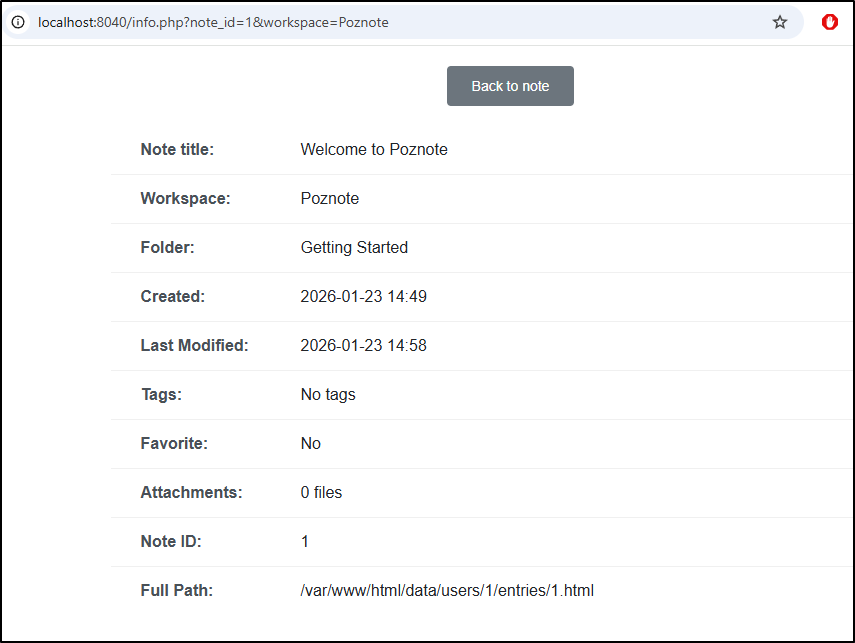
Information gives us some details like title, when it was created and modified and tags:
Let’s try using it a bit:
If we click the gear icon we can go to settings
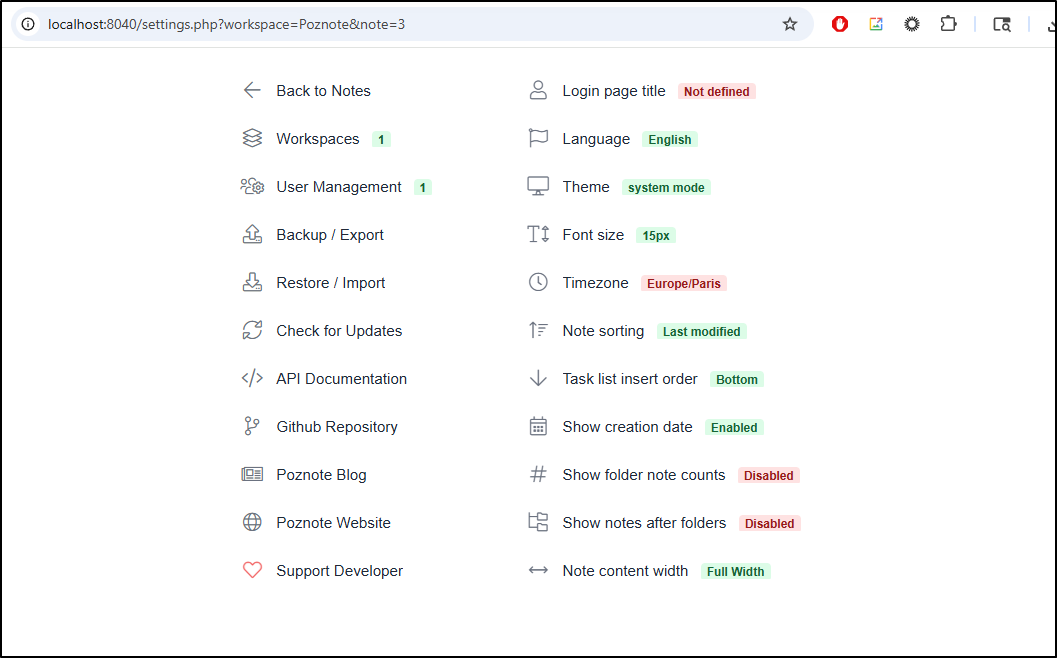
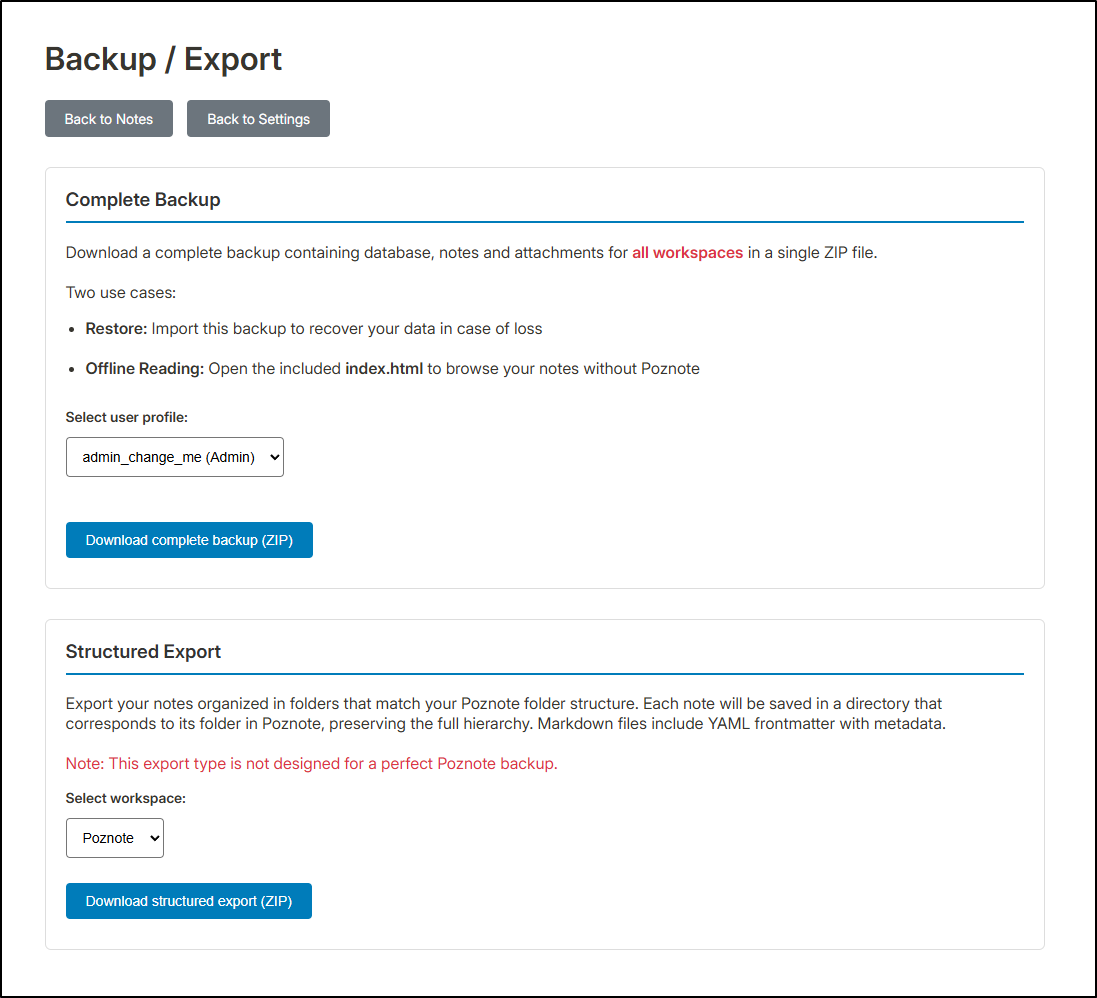
it is here we can do occasional backups of all the notes
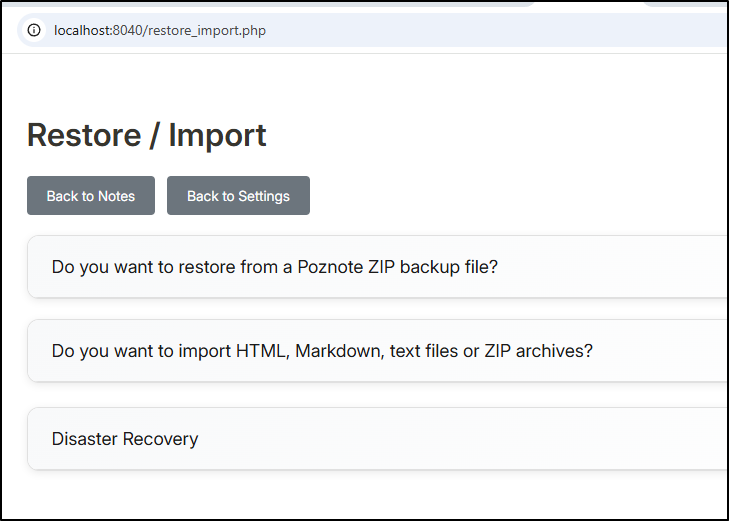
The restore is similar with more of a question driven wizard
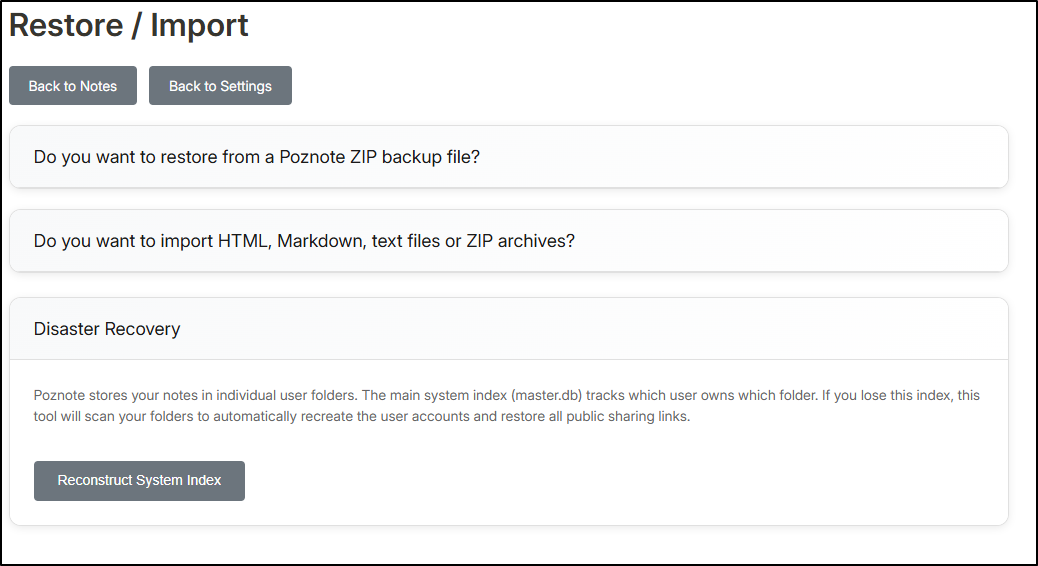
The “Disaster Recovery” assumes the DB may have been corrupted and can rescan things to recreate user accounts and sharing links
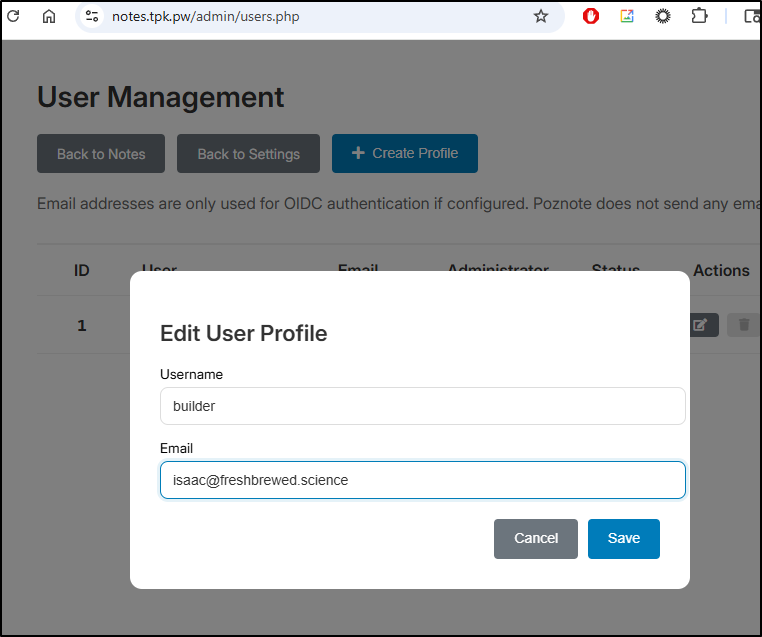
User management let’s me rename users via Actions and create a new profile
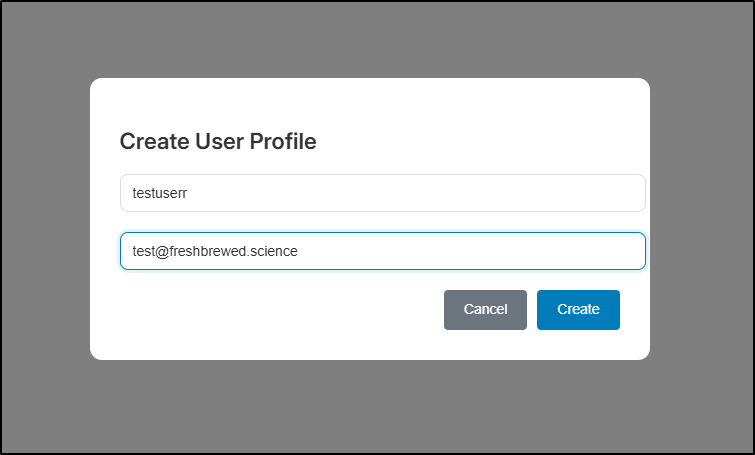
However, passwords are shared (that is, admin users use the “admin” password from the .env file and the users use the “user” password set in .env)
This is not the case, however, if we setup SSO (in which case the federated IdP verifies passwords and we just need to have a user account created with a matching email address).
Exposing externally
Let’s fire up an A Record first as we’ll need that soon
$ az account set --subscription "Pay-As-You-Go" && az network dns record-set a add-record -g idjdnsrg -z tpk.pw -a 174.53.161.33 -n notes
{
  "ARecords": [
    {
      "ipv4Address": "174.53.161.33"
    }
  ],
  "TTL": 3600,
  "etag": "0182c2a8-df28-4ef7-bb84-53132c995ca6",
  "fqdn": "notes.tpk.pw.",
  "id": "/subscriptions/d955c0ba-13dc-44cf-a29a-8fed74cbb22d/resourceGroups/idjdnsrg/providers/Microsoft.Network/dnszones/tpk.pw/A/notes",
  "name": "notes",
  "provisioningState": "Succeeded",
  "resourceGroup": "idjdnsrg",
  "targetResource": {},
  "trafficManagementProfile": {},
  "type": "Microsoft.Network/dnszones/A"
}
I’m going to use Helm to sort this out.
I built out charts with Gemini CLI based on the Dockerfile. Then created a proper values file
autoscaling:
  enabled: true
  maxReplicas: 2
  minReplicas: 1
  targetCPUUtilizationPercentage: 80

config:
  POZNOTE_PASSWORD: "sampleadmin"
  POZNOTE_PASSWORD_USER: "sampleuser"

persistence:
  enabled: true
  storageClass: "local-path"
  accessMode: ReadWriteOnce
  size: 5Gi

ingress:
  annotations:
    cert-manager.io/cluster-issuer: azuredns-tpkpw
    ingress.kubernetes.io/proxy-body-size: "0"
    ingress.kubernetes.io/ssl-redirect: "true"
    kubernetes.io/tls-acme: "true"
    nginx.ingress.kubernetes.io/proxy-body-size: "0"
    nginx.ingress.kubernetes.io/proxy-read-timeout: "3600"
    nginx.ingress.kubernetes.io/proxy-send-timeout: "3600"
  className: nginx
  enabled: true
  hosts:
  - host: notes.tpk.pw
    paths:
    - path: /
      pathType: ImplementationSpecific
  tls:
  - hosts:
    - notes.tpk.pw
    secretName: notestpkpw-tls
I can now use the values to install
builder@DESKTOP-QADGF36:~/Workspaces/poznote$ helm install poznote -f ./values.yml ./charts/poznote/
NAME: poznote
LAST DEPLOYED: Fri Jan 23 11:09:06 2026
NAMESPACE: default
STATUS: deployed
REVISION: 1
TEST SUITE: None
The first issue I encountered was the helm charts neglected to create an SA so the RS was blocked
$ kubectl describe rs poznote-5568d5bcb7 | tail -n1
  Warning  FailedCreate  51s (x16 over 3m35s)  replicaset-controller  Error creating: pods "poznote-5568d5bcb7-" is forbidden: error looking up service account default/poznote: serviceaccount "poznote" not found
I had Gemini CLI help sort that out:
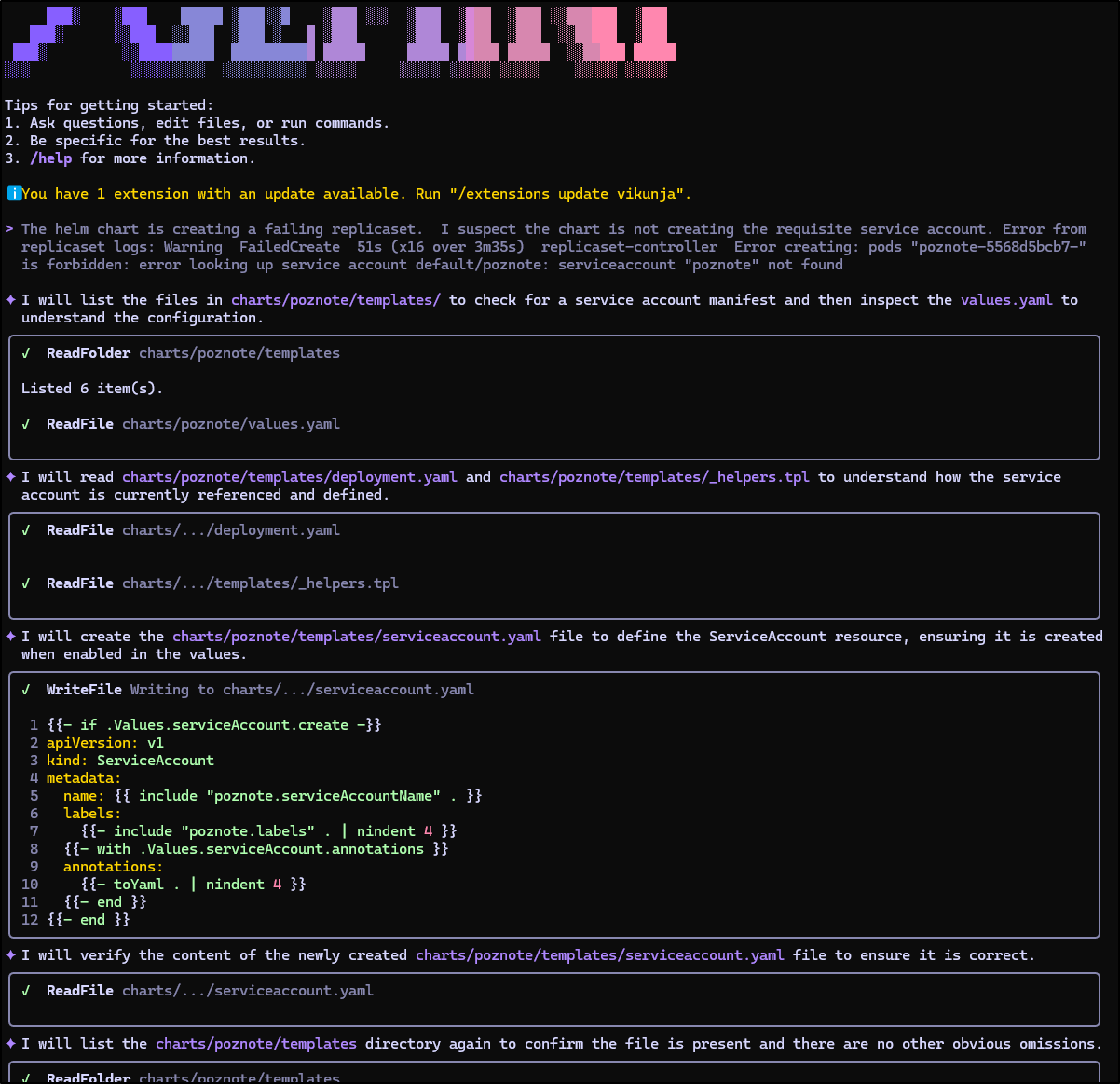
This time it created a pod that started to launch
builder@DESKTOP-QADGF36:~/Workspaces/poznote$ kubectl get po | grep poz
poznote-5568d5bcb7-f4rgv                             0/1     ContainerCreating   0                   12s
builder@DESKTOP-QADGF36:~/Workspaces/poznote$ kubectl get po | grep poz
poznote-5568d5bcb7-f4rgv                             1/1     Running     0                   110s
Once the cert was satisfied I could access the site
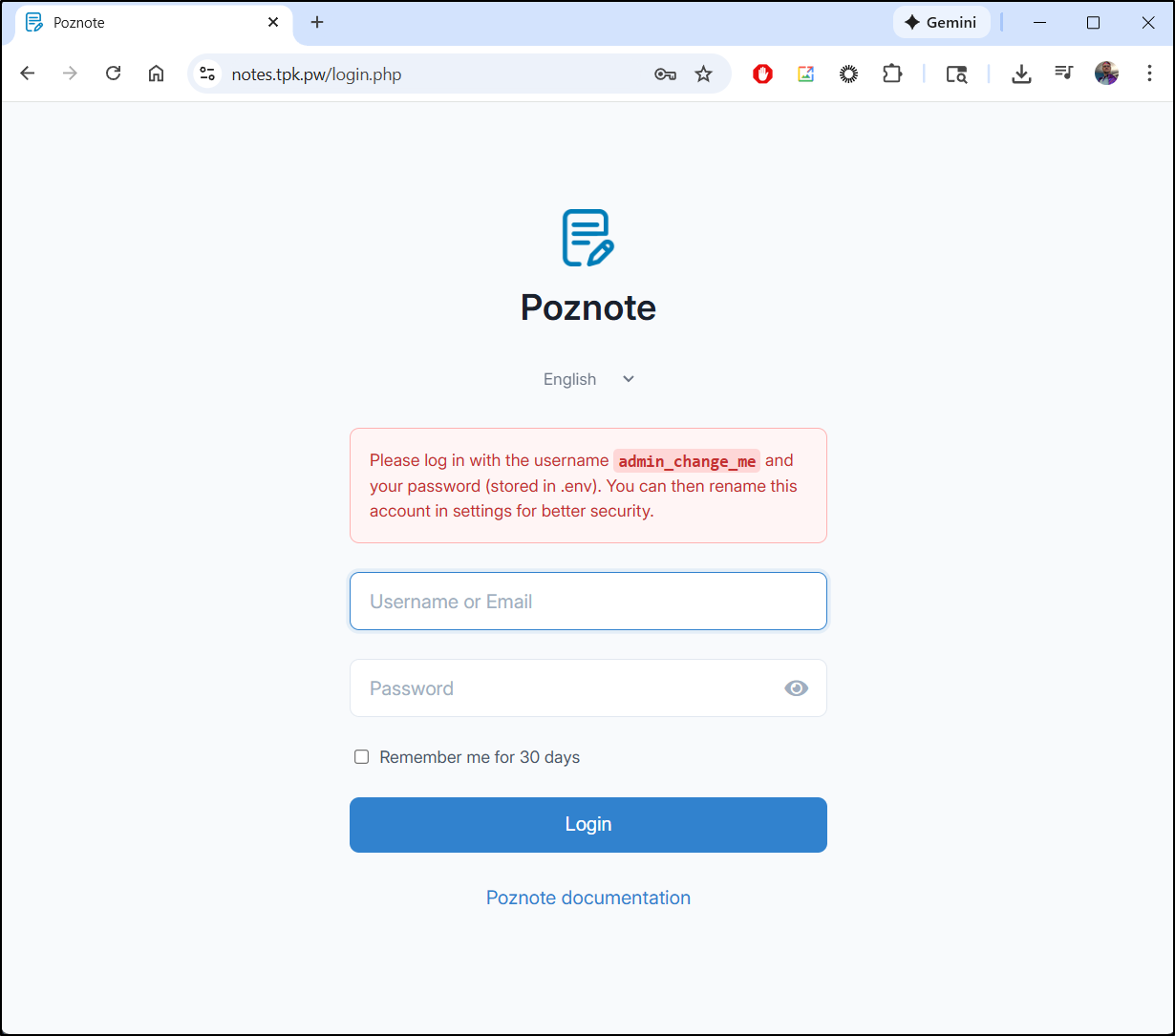
The first step I’ll do is to rename the admin user
SSO
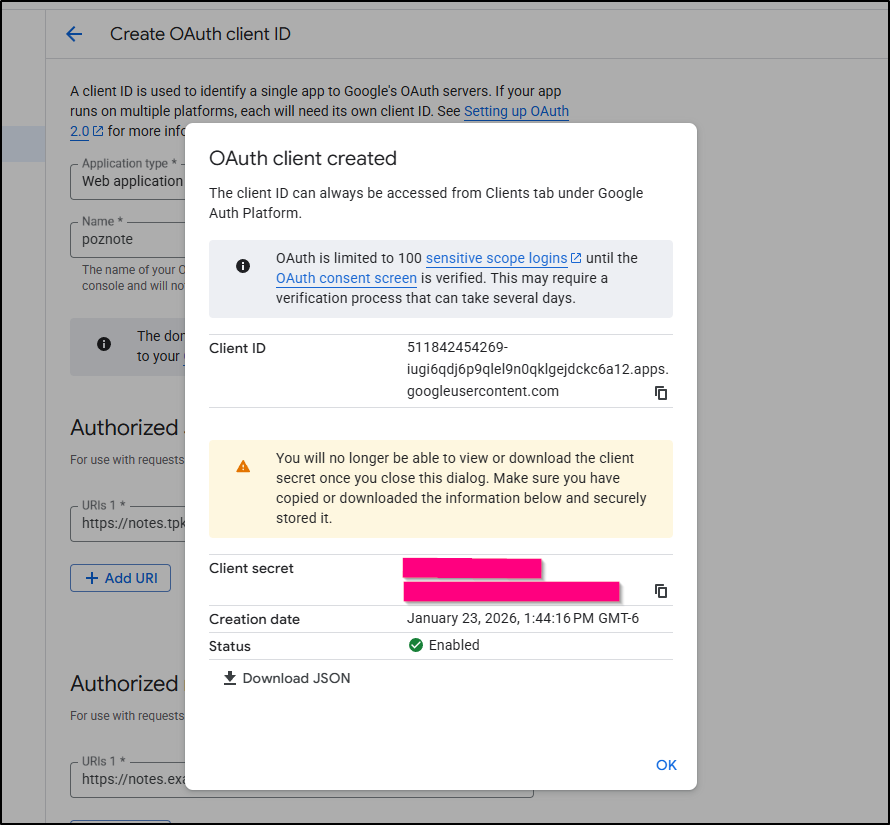
I’ll use GCP Oauth Federated identity. I start with going to the API and Services section, OAuth consent screen
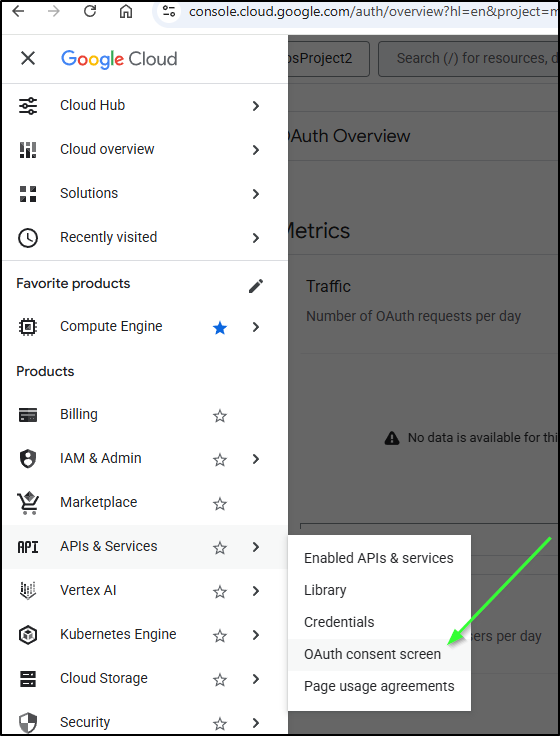
From there I’ll use “Create Client”
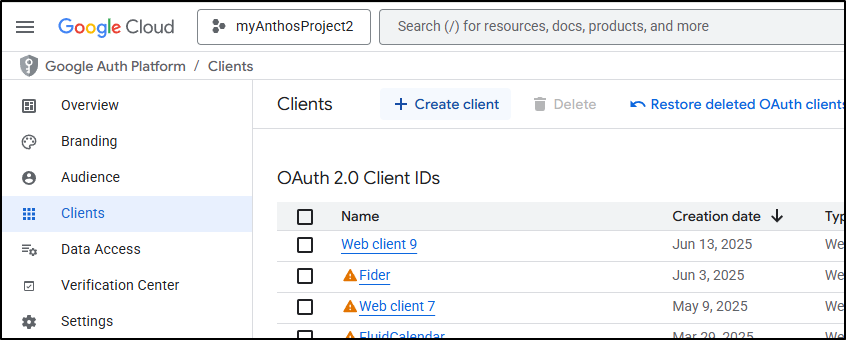
I’ll want to use “/oidc_callback.php” for the callback for this app
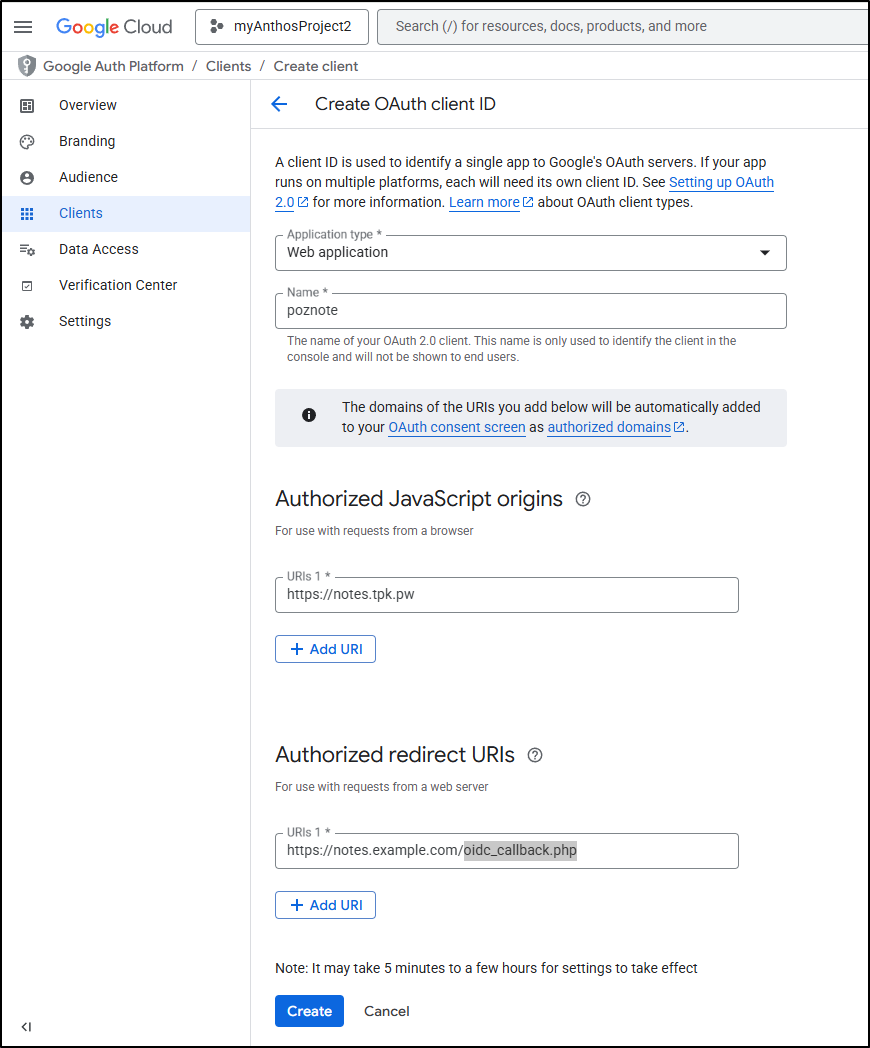
We can also edit this later (for instance, fix the Redirect URI)
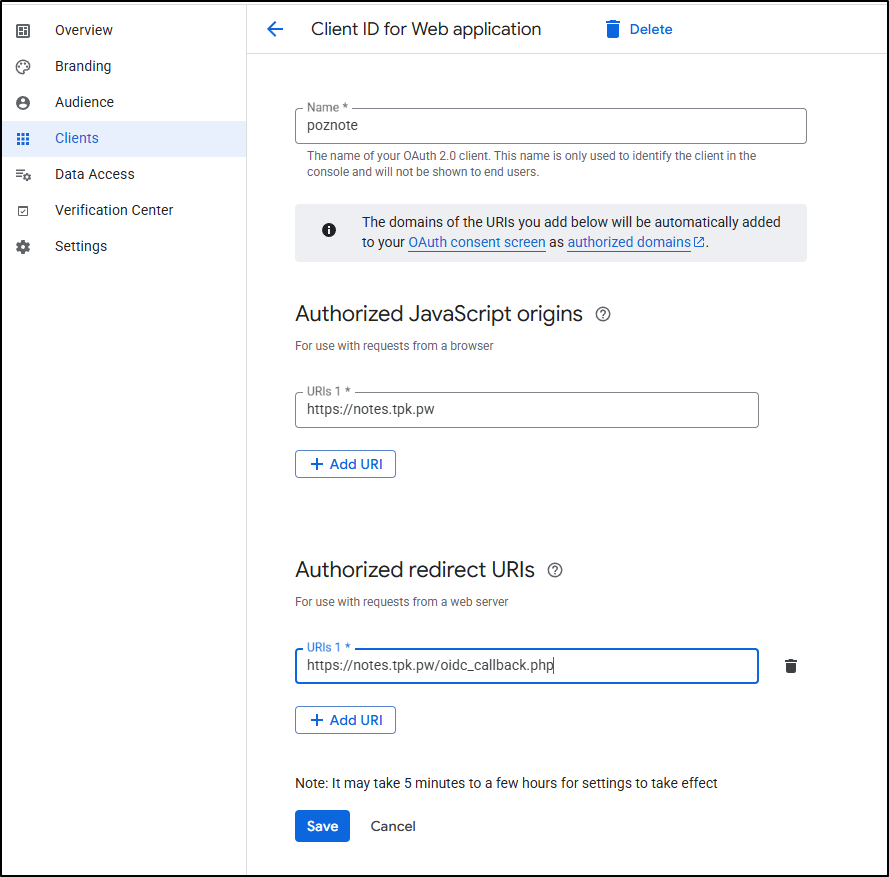
This will give us a Client ID and Secret we’ll need for the SSO section
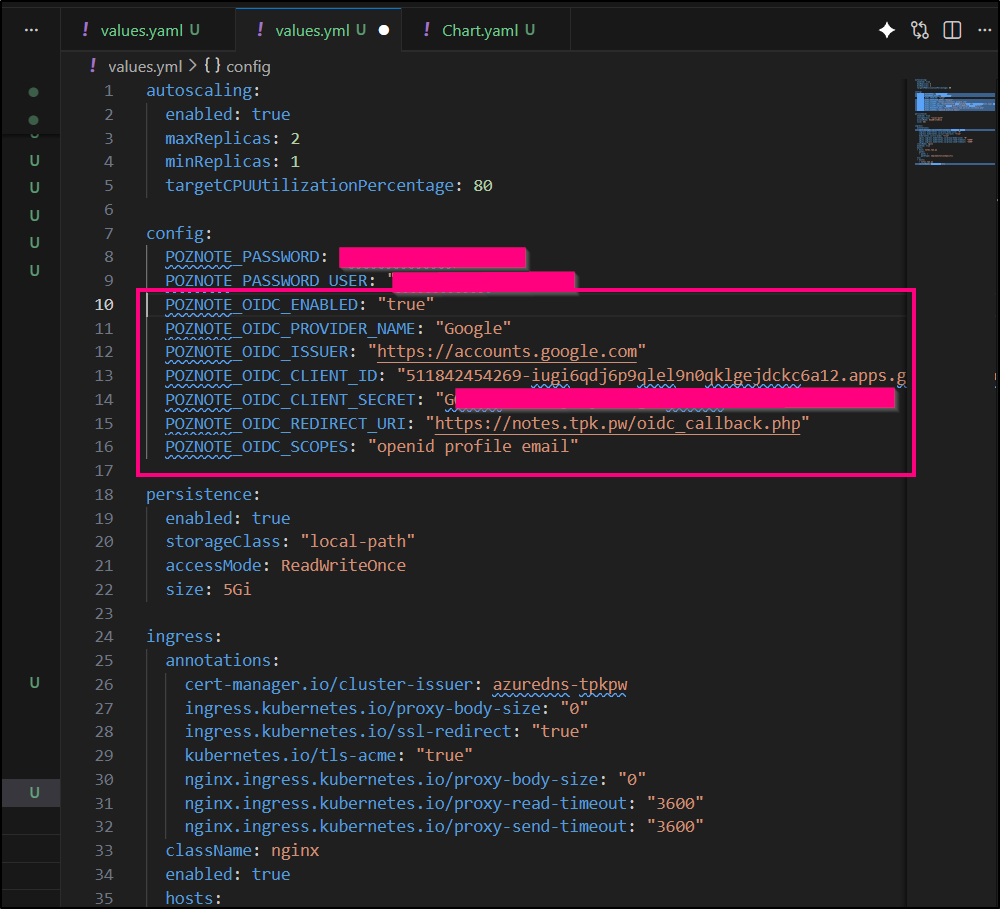
I’ll now add them as a block to the values file
config:
  POZNOTE_PASSWORD: "xxxxxxxxxxxxxxxxxxxxxxxxxxxxxxx"
  POZNOTE_PASSWORD_USER: "xxxxxxxxxxxxxxxxxxxxxxxxxxxxxxxxx"
  POZNOTE_OIDC_ENABLED: "true"
  POZNOTE_OIDC_PROVIDER_NAME: "Google"
  POZNOTE_OIDC_ISSUER: "https://accounts.google.com"
  POZNOTE_OIDC_CLIENT_ID: "511842454269-iugi6qdj6p9qlel9n0qklgejdckc6a12.apps.googleusercontent.com"
  POZNOTE_OIDC_CLIENT_SECRET: "xxxxxxxxxxxxxxxxxxxxxxxxxxxxxxxxxxx"
  POZNOTE_OIDC_REDIRECT_URI: "https://notes.tpk.pw/oidc_callback.php"
  POZNOTE_OIDC_SCOPES: "openid profile email"
I’ll upgrade with helm, but because this really just changes the Configmap, I need to forcibly bounce the pod
builder@DESKTOP-QADGF36:~/Workspaces/poznote$ !2086
helm upgrade poznote -f ./values.yml ./charts/poznote/
Release "poznote" has been upgraded. Happy Helming!
NAME: poznote
LAST DEPLOYED: Fri Jan 23 13:48:39 2026
NAMESPACE: default
STATUS: deployed
REVISION: 2
TEST SUITE: None
builder@DESKTOP-QADGF36:~/Workspaces/poznote$ kubectl get po | grep poz
poznote-5568d5bcb7-f4rgv                             1/1     Running            0                   152m
builder@DESKTOP-QADGF36:~/Workspaces/poznote$ kubectl get po | grep poz
poznote-5568d5bcb7-f4rgv                             1/1     Running            0                   152m
builder@DESKTOP-QADGF36:~/Workspaces/poznote$ kubectl delete po poznote-5568d5bcb7-f4rgv
pod "poznote-5568d5bcb7-f4rgv" deleted
builder@DESKTOP-QADGF36:~/Workspaces/poznote$ kubectl get po | grep poz
poznote-5568d5bcb7-zhdzg                             1/1     Running            0                   5s
We can now see SSO as an option, but to use it, I’ll need to add users
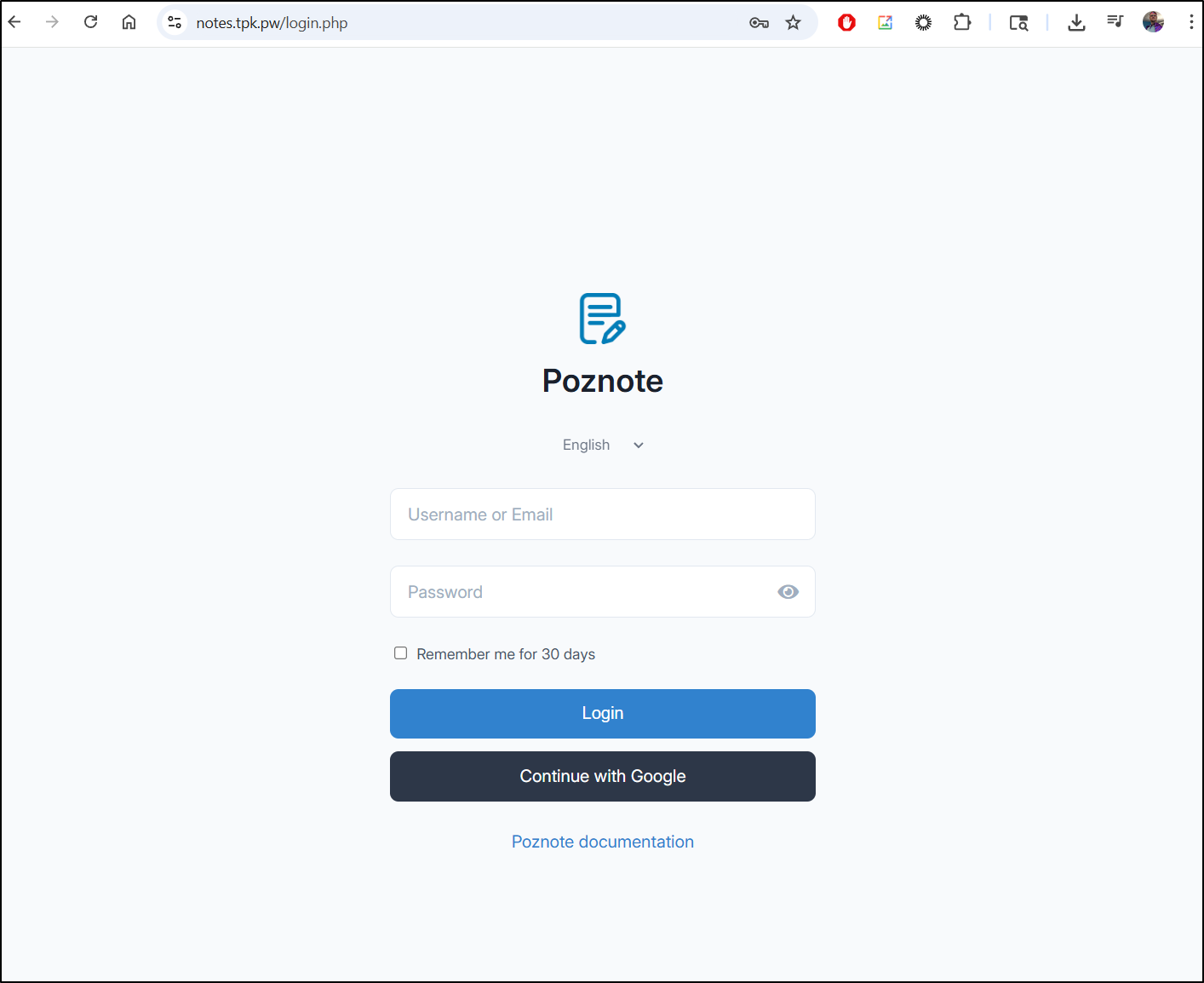
Here we can see me adding a user, verifying it works and then logging out to show the admin user cannot see the new users files (My New Note)
API
We can use the REST API to get things like notes associated to a user:
For instance, the admin users
$ curl -u 'builder:xxxxxxxxxxxxx' -H "X-User-ID: 1" https://notes.tpk.pw/api/v1/notes
{"success":true,"notes":[{"id":1,"heading":"Welcome to Poznote","type":"note","tags":null,"folder":"Getting Started","folder_id":1,"workspace":"Poznote","updated":"2026-01-23 17:28:56","created":"2026-01-23 17:28:56"}]}
I can fetch my federated user as well if I know the key ID
$ curl -u 'builder:xxxxxxxxxxxxxxxxxxx' -H "X-User-ID: 3" https://notes.tpk.pw/apq/v1/notes | j
  % Total    % Received % Xferd  Average Speed   Time    Time     Time  Current
                                 Dload  Upload   Total   Spent    Left  Speed
100   407    0   407    0     0   3662      0 --:--:-- --:--:-- --:--:--  3700
{
  "success": true,
  "notes": [
    {
      "id": 2,
      "heading": "My New Note",
      "type": "markdown",
      "tags": "",
      "folder": "Getting Started",
      "folder_id": 1,
      "workspace": "Poznote",
      "updated": "2026-01-23 20:02:09",
      "created": "2026-01-23 20:01:59"
    },
    {
      "id": 1,
      "heading": "Welcome to Poznote",
      "type": "note",
      "tags": null,
      "folder": "Getting Started",
      "folder_id": 1,
      "workspace": "Poznote",
      "updated": "2026-01-23 20:01:41",
      "created": "2026-01-23 20:01:41"
    }
  ]
}
MCP Server
We can see the documentation for the MCP server included here
There is a way to run this as an httpStreamable with just python and a virtual env
builder@DESKTOP-QADGF36:~/Workspaces/poznote$ cd mcp-server/
builder@DESKTOP-QADGF36:~/Workspaces/poznote/mcp-server$ python3 -m venv venv
builder@DESKTOP-QADGF36:~/Workspaces/poznote/mcp-server$ source venv/bin/activate
(venv) builder@DESKTOP-QADGF36:~/Workspaces/poznote/mcp-server$ pip install --upgrade pip
Requirement already satisfied: pip in ./venv/lib/python3.11/site-packages (23.3.1)
Collecting pip
  Downloading pip-25.3-py3-none-any.whl.metadata (4.7 kB)
Downloading pip-25.3-py3-none-any.whl (1.8 MB)
   ━━━━━━━━━━━━━━━━━━━━━━━━━━━━━━━━━━━━━━━━ 1.8/1.8 MB 15.7 MB/s eta 0:00:00
Installing collected packages: pip
  Attempting uninstall: pip
    Found existing installation: pip 23.3.1
    Uninstalling pip-23.3.1:
      Successfully uninstalled pip-23.3.1
Successfully installed pip-25.3
Then install the libs and use the import command to verify we have all the required libraries installed
(venv) builder@DESKTOP-QADGF36:~/Workspaces/poznote/mcp-server$ pip install -e .
Obtaining file:///home/builder/Workspaces/poznote/mcp-server
  Installing build dependencies ... done
  Checking if build backend supports build_editable ... done
  Getting requirements to build editable ... done
  Installing backend dependencies ... done
  Preparing editable metadata (pyproject.toml) ... done
Collecting httpx>=0.27.0 (from poznote-mcp-server==2.0.0)
  Using cached httpx-0.28.1-py3-none-any.whl.metadata (7.1 kB)
Collecting mcp>=1.0.0 (from poznote-mcp-server==2.0.0)
  Downloading mcp-1.25.0-py3-none-any.whl.metadata (89 kB)
Collecting uvicorn>=0.30.0 (from poznote-mcp-server==2.0.0)
  Downloading uvicorn-0.40.0-py3-none-any.whl.metadata (6.7 kB)
Collecting anyio (from httpx>=0.27.0->poznote-mcp-server==2.0.0)
  Downloading anyio-4.12.1-py3-none-any.whl.metadata (4.3 kB)
Collecting certifi (from httpx>=0.27.0->poznote-mcp-server==2.0.0)
  Downloading certifi-2026.1.4-py3-none-any.whl.metadata (2.5 kB)
Collecting httpcore==1.* (from httpx>=0.27.0->poznote-mcp-server==2.0.0)
  Using cached httpcore-1.0.9-py3-none-any.whl.metadata (21 kB)
Collecting idna (from httpx>=0.27.0->poznote-mcp-server==2.0.0)
  Using cached idna-3.11-py3-none-any.whl.metadata (8.4 kB)
Collecting h11>=0.16 (from httpcore==1.*->httpx>=0.27.0->poznote-mcp-server==2.0.0)
  Using cached h11-0.16.0-py3-none-any.whl.metadata (8.3 kB)
Collecting httpx-sse>=0.4 (from mcp>=1.0.0->poznote-mcp-server==2.0.0)
  Downloading httpx_sse-0.4.3-py3-none-any.whl.metadata (9.7 kB)
Collecting jsonschema>=4.20.0 (from mcp>=1.0.0->poznote-mcp-server==2.0.0)
  Downloading jsonschema-4.26.0-py3-none-any.whl.metadata (7.6 kB)
Collecting pydantic-settings>=2.5.2 (from mcp>=1.0.0->poznote-mcp-server==2.0.0)
  Downloading pydantic_settings-2.12.0-py3-none-any.whl.metadata (3.4 kB)
Collecting pydantic<3.0.0,>=2.11.0 (from mcp>=1.0.0->poznote-mcp-server==2.0.0)
  Using cached pydantic-2.12.5-py3-none-any.whl.metadata (90 kB)
Collecting pyjwt>=2.10.1 (from pyjwt[crypto]>=2.10.1->mcp>=1.0.0->poznote-mcp-server==2.0.0)
  Using cached PyJWT-2.10.1-py3-none-any.whl.metadata (4.0 kB)
Collecting python-multipart>=0.0.9 (from mcp>=1.0.0->poznote-mcp-server==2.0.0)
  Downloading python_multipart-0.0.21-py3-none-any.whl.metadata (1.8 kB)
Collecting sse-starlette>=1.6.1 (from mcp>=1.0.0->poznote-mcp-server==2.0.0)
  Downloading sse_starlette-3.2.0-py3-none-any.whl.metadata (12 kB)
Collecting starlette>=0.27 (from mcp>=1.0.0->poznote-mcp-server==2.0.0)
  Downloading starlette-0.52.1-py3-none-any.whl.metadata (6.3 kB)
Collecting typing-extensions>=4.9.0 (from mcp>=1.0.0->poznote-mcp-server==2.0.0)
  Using cached typing_extensions-4.15.0-py3-none-any.whl.metadata (3.3 kB)
Collecting typing-inspection>=0.4.1 (from mcp>=1.0.0->poznote-mcp-server==2.0.0)
  Using cached typing_inspection-0.4.2-py3-none-any.whl.metadata (2.6 kB)
Collecting annotated-types>=0.6.0 (from pydantic<3.0.0,>=2.11.0->mcp>=1.0.0->poznote-mcp-server==2.0.0)
  Using cached annotated_types-0.7.0-py3-none-any.whl.metadata (15 kB)
Collecting pydantic-core==2.41.5 (from pydantic<3.0.0,>=2.11.0->mcp>=1.0.0->poznote-mcp-server==2.0.0)
  Using cached pydantic_core-2.41.5-cp311-cp311-manylinux_2_17_x86_64.manylinux2014_x86_64.whl.metadata (7.3 kB)
Collecting attrs>=22.2.0 (from jsonschema>=4.20.0->mcp>=1.0.0->poznote-mcp-server==2.0.0)
  Downloading attrs-25.4.0-py3-none-any.whl.metadata (10 kB)
Collecting jsonschema-specifications>=2023.03.6 (from jsonschema>=4.20.0->mcp>=1.0.0->poznote-mcp-server==2.0.0)
  Downloading jsonschema_specifications-2025.9.1-py3-none-any.whl.metadata (2.9 kB)
Collecting referencing>=0.28.4 (from jsonschema>=4.20.0->mcp>=1.0.0->poznote-mcp-server==2.0.0)
  Downloading referencing-0.37.0-py3-none-any.whl.metadata (2.8 kB)
Collecting rpds-py>=0.25.0 (from jsonschema>=4.20.0->mcp>=1.0.0->poznote-mcp-server==2.0.0)
  Downloading rpds_py-0.30.0-cp311-cp311-manylinux_2_17_x86_64.manylinux2014_x86_64.whl.metadata (4.1 kB)
Collecting python-dotenv>=0.21.0 (from pydantic-settings>=2.5.2->mcp>=1.0.0->poznote-mcp-server==2.0.0)
  Downloading python_dotenv-1.2.1-py3-none-any.whl.metadata (25 kB)
Collecting cryptography>=3.4.0 (from pyjwt[crypto]>=2.10.1->mcp>=1.0.0->poznote-mcp-server==2.0.0)
  Downloading cryptography-46.0.3-cp311-abi3-manylinux_2_34_x86_64.whl.metadata (5.7 kB)
Collecting cffi>=2.0.0 (from cryptography>=3.4.0->pyjwt[crypto]>=2.10.1->mcp>=1.0.0->poznote-mcp-server==2.0.0)
  Downloading cffi-2.0.0-cp311-cp311-manylinux2014_x86_64.manylinux_2_17_x86_64.whl.metadata (2.6 kB)
Collecting pycparser (from cffi>=2.0.0->cryptography>=3.4.0->pyjwt[crypto]>=2.10.1->mcp>=1.0.0->poznote-mcp-server==2.0.0)
  Downloading pycparser-3.0-py3-none-any.whl.metadata (8.2 kB)
Collecting click>=7.0 (from uvicorn>=0.30.0->poznote-mcp-server==2.0.0)
  Using cached click-8.3.1-py3-none-any.whl.metadata (2.6 kB)
Using cached httpx-0.28.1-py3-none-any.whl (73 kB)
Using cached httpcore-1.0.9-py3-none-any.whl (78 kB)
Using cached h11-0.16.0-py3-none-any.whl (37 kB)
Downloading mcp-1.25.0-py3-none-any.whl (233 kB)
Downloading pydantic-2.12.5-py3-none-any.whl (463 kB)
Downloading pydantic_core-2.41.5-cp311-cp311-manylinux_2_17_x86_64.manylinux2014_x86_64.whl (2.1 MB)
   ━━━━━━━━━━━━━━━━━━━━━━━━━━━━━━━━━━━━━━━━ 2.1/2.1 MB 7.4 MB/s  0:00:00
Using cached annotated_types-0.7.0-py3-none-any.whl (13 kB)
Downloading anyio-4.12.1-py3-none-any.whl (113 kB)
Downloading httpx_sse-0.4.3-py3-none-any.whl (9.0 kB)
Downloading idna-3.11-py3-none-any.whl (71 kB)
Downloading jsonschema-4.26.0-py3-none-any.whl (90 kB)
Downloading attrs-25.4.0-py3-none-any.whl (67 kB)
Downloading jsonschema_specifications-2025.9.1-py3-none-any.whl (18 kB)
Downloading pydantic_settings-2.12.0-py3-none-any.whl (51 kB)
Using cached PyJWT-2.10.1-py3-none-any.whl (22 kB)
Downloading cryptography-46.0.3-cp311-abi3-manylinux_2_34_x86_64.whl (4.5 MB)
   ━━━━━━━━━━━━━━━━━━━━━━━━━━━━━━━━━━━━━━━━ 4.5/4.5 MB 12.0 MB/s  0:00:00
Downloading cffi-2.0.0-cp311-cp311-manylinux2014_x86_64.manylinux_2_17_x86_64.whl (215 kB)
Downloading python_dotenv-1.2.1-py3-none-any.whl (21 kB)
Downloading python_multipart-0.0.21-py3-none-any.whl (24 kB)
Downloading referencing-0.37.0-py3-none-any.whl (26 kB)
Downloading rpds_py-0.30.0-cp311-cp311-manylinux_2_17_x86_64.manylinux2014_x86_64.whl (390 kB)
Downloading sse_starlette-3.2.0-py3-none-any.whl (12 kB)
Downloading starlette-0.52.1-py3-none-any.whl (74 kB)
Downloading typing_extensions-4.15.0-py3-none-any.whl (44 kB)
Downloading typing_inspection-0.4.2-py3-none-any.whl (14 kB)
Downloading uvicorn-0.40.0-py3-none-any.whl (68 kB)
Downloading click-8.3.1-py3-none-any.whl (108 kB)
Downloading certifi-2026.1.4-py3-none-any.whl (152 kB)
Downloading pycparser-3.0-py3-none-any.whl (48 kB)
Building wheels for collected packages: poznote-mcp-server
  Building editable for poznote-mcp-server (pyproject.toml) ... done
  Created wheel for poznote-mcp-server: filename=poznote_mcp_server-2.0.0-py3-none-any.whl size=3798 sha256=35c6bfcb8265f881c4c122a4b4ae72323cb13a1e18fadf82f70da30c833bd49d
  Stored in directory: /tmp/pip-ephem-wheel-cache-exv8wnh5/wheels/ce/d8/23/efd3bf9165997d0dd03cdfd2b3953ff6a0fa97cf0a5315dbd9
Successfully built poznote-mcp-server
Installing collected packages: typing-extensions, rpds-py, python-multipart, python-dotenv, pyjwt, pycparser, idna, httpx-sse, h11, click, certifi, attrs, annotated-types, uvicorn, typing-inspection, referencing, pydantic-core, httpcore, cffi, anyio, starlette, pydantic, jsonschema-specifications, httpx, cryptography, sse-starlette, pydantic-settings, jsonschema, mcp, poznote-mcp-server
Successfully installed annotated-types-0.7.0 anyio-4.12.1 attrs-25.4.0 certifi-2026.1.4 cffi-2.0.0 click-8.3.1 cryptography-46.0.3 h11-0.16.0 httpcore-1.0.9 httpx-0.28.1 httpx-sse-0.4.3 idna-3.11 jsonschema-4.26.0 jsonschema-specifications-2025.9.1 mcp-1.25.0 poznote-mcp-server-2.0.0 pycparser-3.0 pydantic-2.12.5 pydantic-core-2.41.5 pydantic-settings-2.12.0 pyjwt-2.10.1 python-dotenv-1.2.1 python-multipart-0.0.21 referencing-0.37.0 rpds-py-0.30.0 sse-starlette-3.2.0 starlette-0.52.1 typing-extensions-4.15.0 typing-inspection-0.4.2 uvicorn-0.40.0
(venv) builder@DESKTOP-QADGF36:~/Workspaces/poznote/mcp-server$ python -c "import poznote_mcp; print('poznote_mcp OK')"
poznote_mcp OK
We can now run it
(venv) builder@DESKTOP-QADGF36:~/Workspaces/poznote/mcp-server$ export POZNOTE_API_URL=https://notes.tpk.pw/api/v1
export POZNOTE_USERNAME=builder
export POZNOTE_PASSWORD=xxxxxxxxxxxxxxxxxxxxxxx
export POZNOTE_USER_ID=3
export POZNOTE_DEFAULT_WORKSPACE=Poznote
(venv) builder@DESKTOP-QADGF36:~/Workspaces/poznote/mcp-server$
(venv) builder@DESKTOP-QADGF36:~/Workspaces/poznote/mcp-server$ poznote-mcp serve --host=0.0.0.0 --port=8877
2026-01-23 20:44:59,963 - poznote-mcp - INFO - Starting Poznote MCP Server (HTTP mode on 0.0.0.0:8877)...
INFO:     Started server process [87870]
INFO:     Waiting for application startup.
2026-01-23 20:44:59,988 - mcp.server.streamable_http_manager - INFO - StreamableHTTP session manager started
INFO:     Application startup complete.
INFO:     Uvicorn running on http://0.0.0.0:8877 (Press CTRL+C to quit)
Testing with Gemini CLI
Gemini CLI
Let’s add it to Gemini CLI
builder@DESKTOP-QADGF36:~/Workspaces/poznote$ nvm use lts/jod
Now using node v22.22.0 (npm v10.9.4)
builder@DESKTOP-QADGF36:~/Workspaces/poznote$ gemini mcp add --transport http poznote http://localhost:8877/mcp
MCP server "poznote" added to project settings. (http)
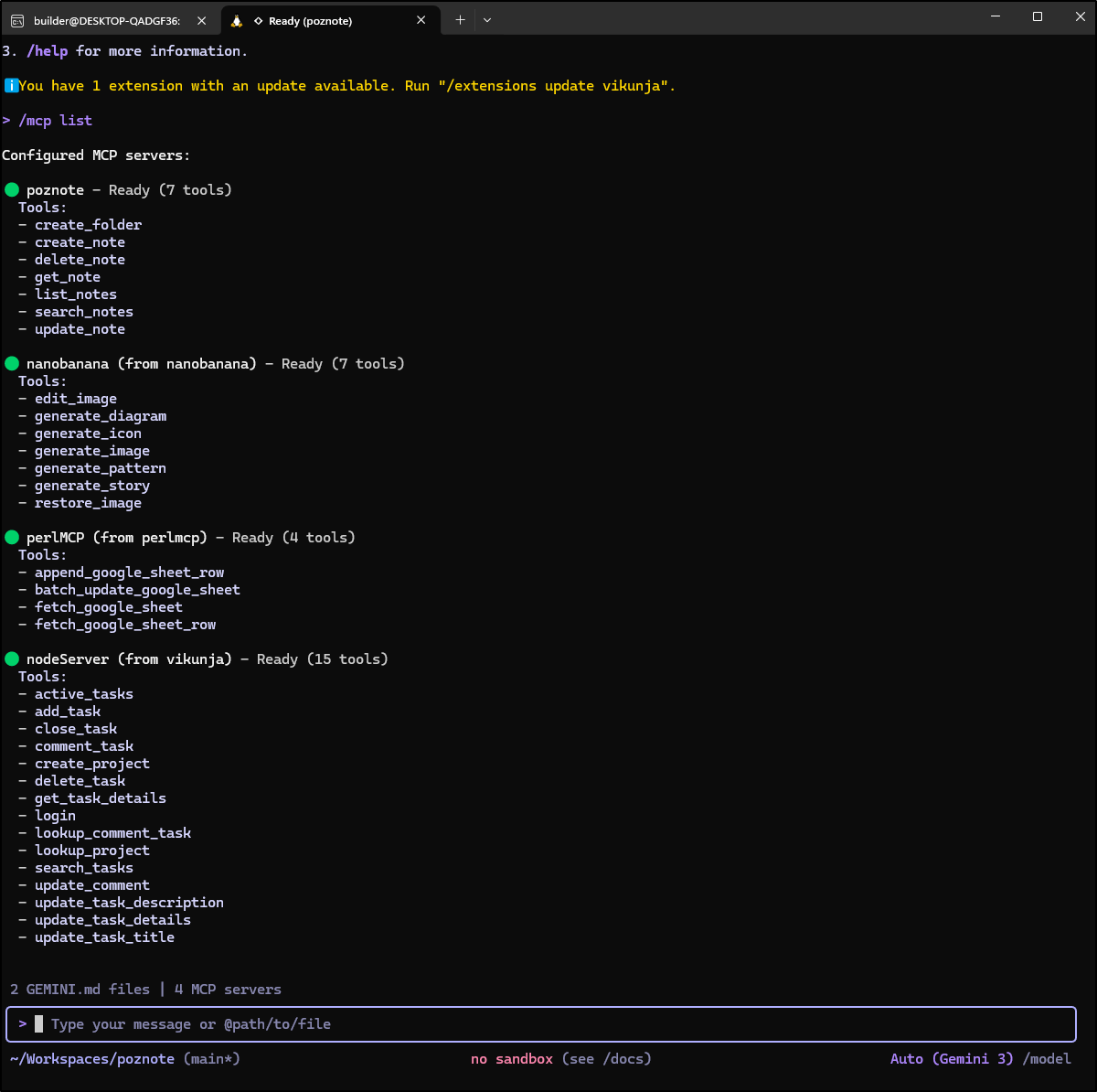
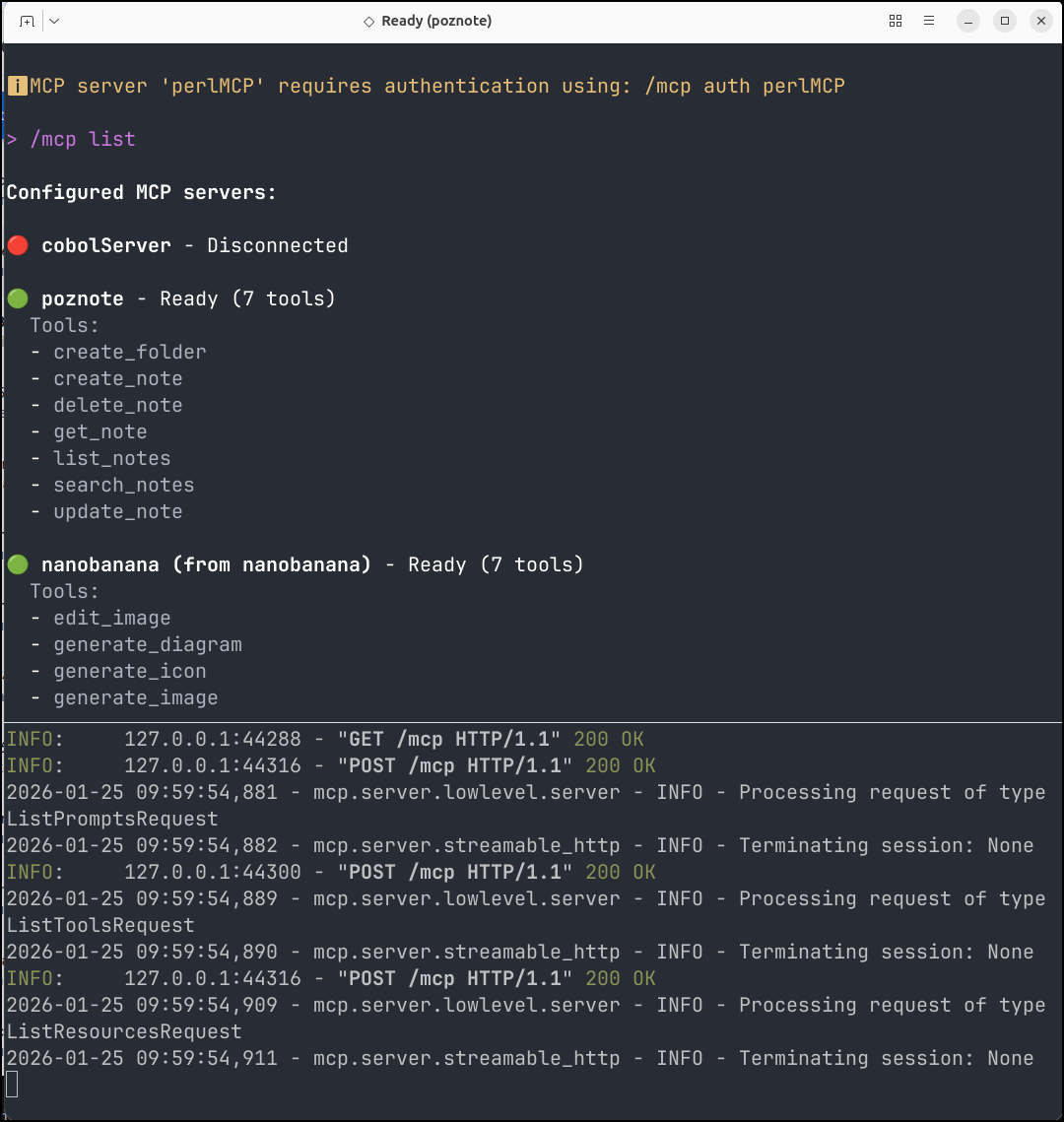
We can now see the poznote MCP server with tools listed upon firing up Gemini CLI and using /mcp list
Creating some AI notes
I first used Gemini CLI
Which took a few to work out
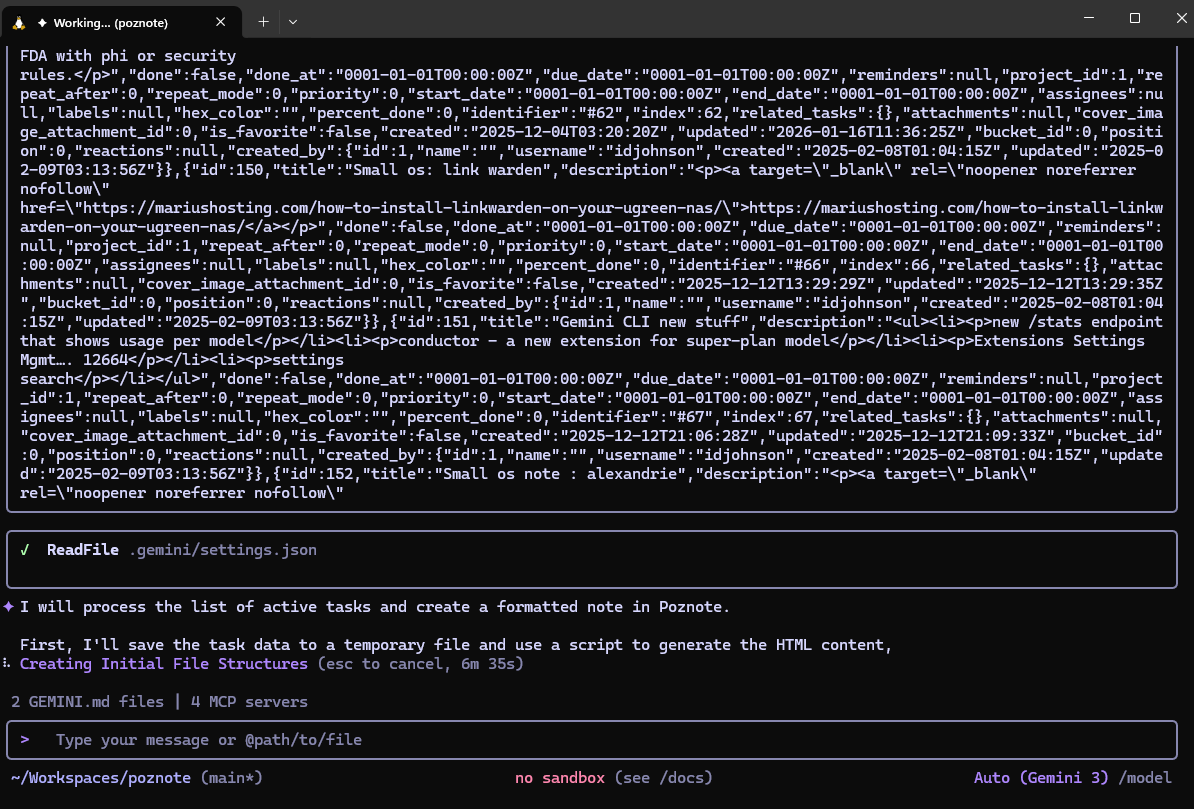
But it did want to pivot to using Python3 for setting it up
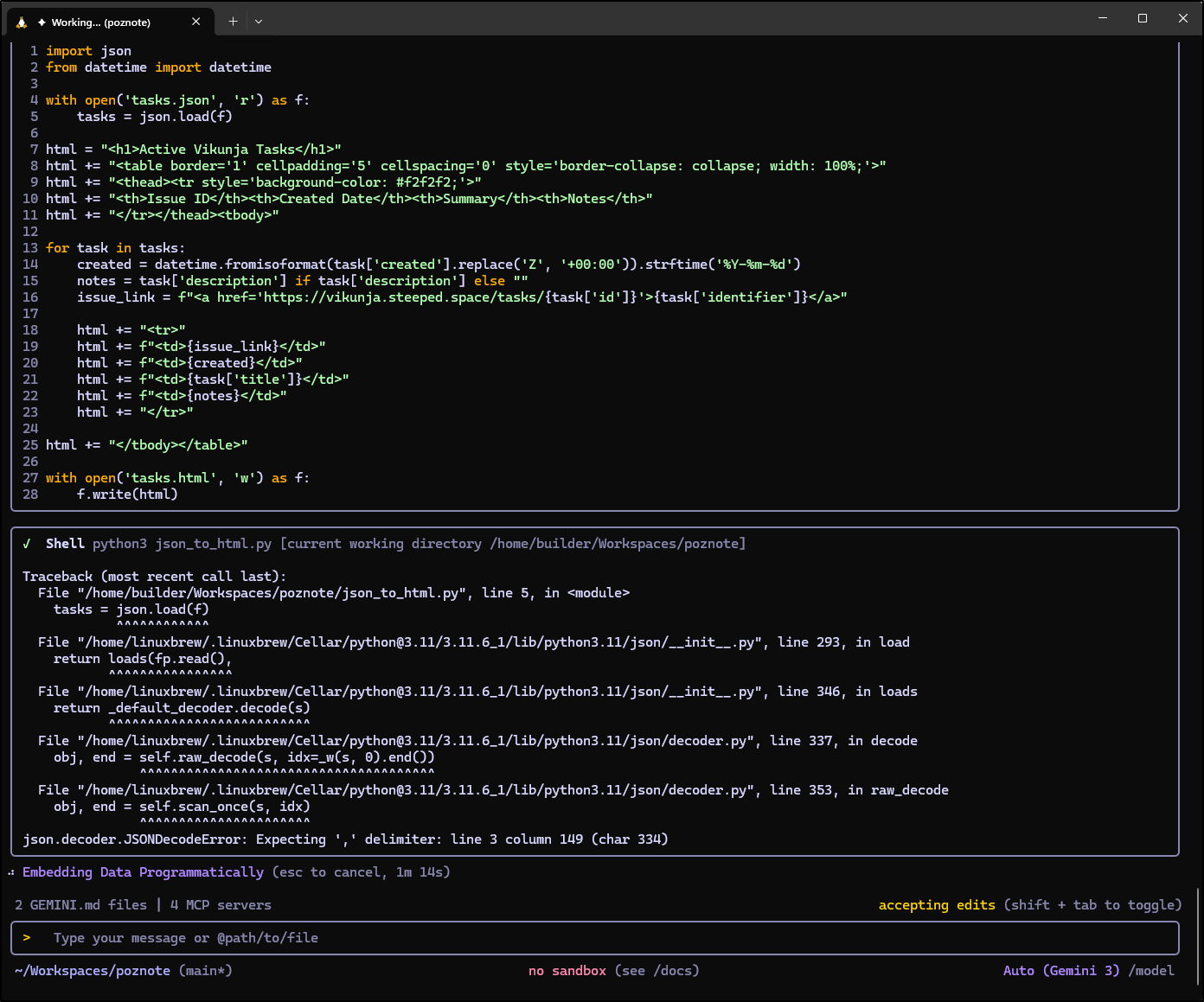
However, that did work
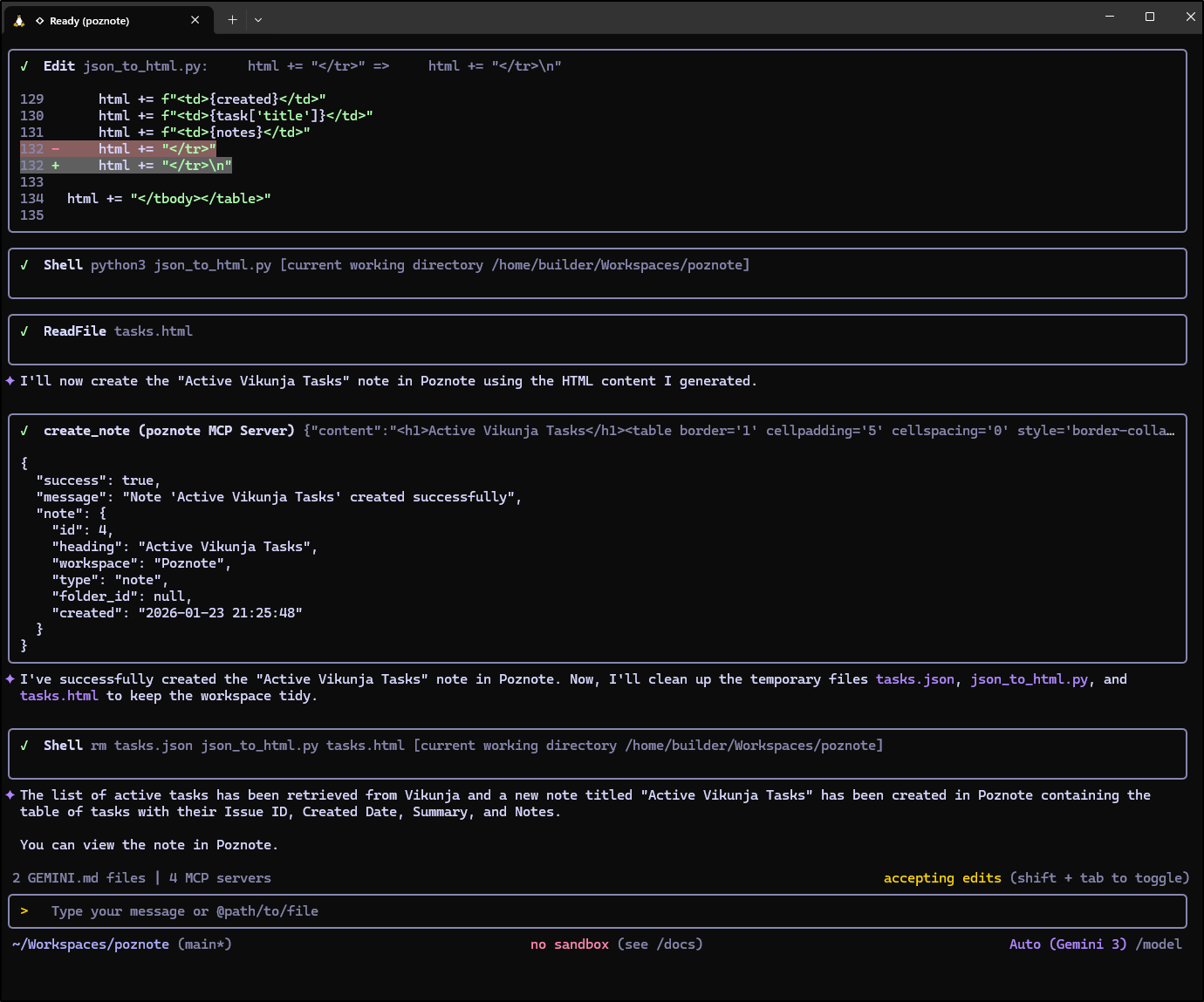
and we can see the output
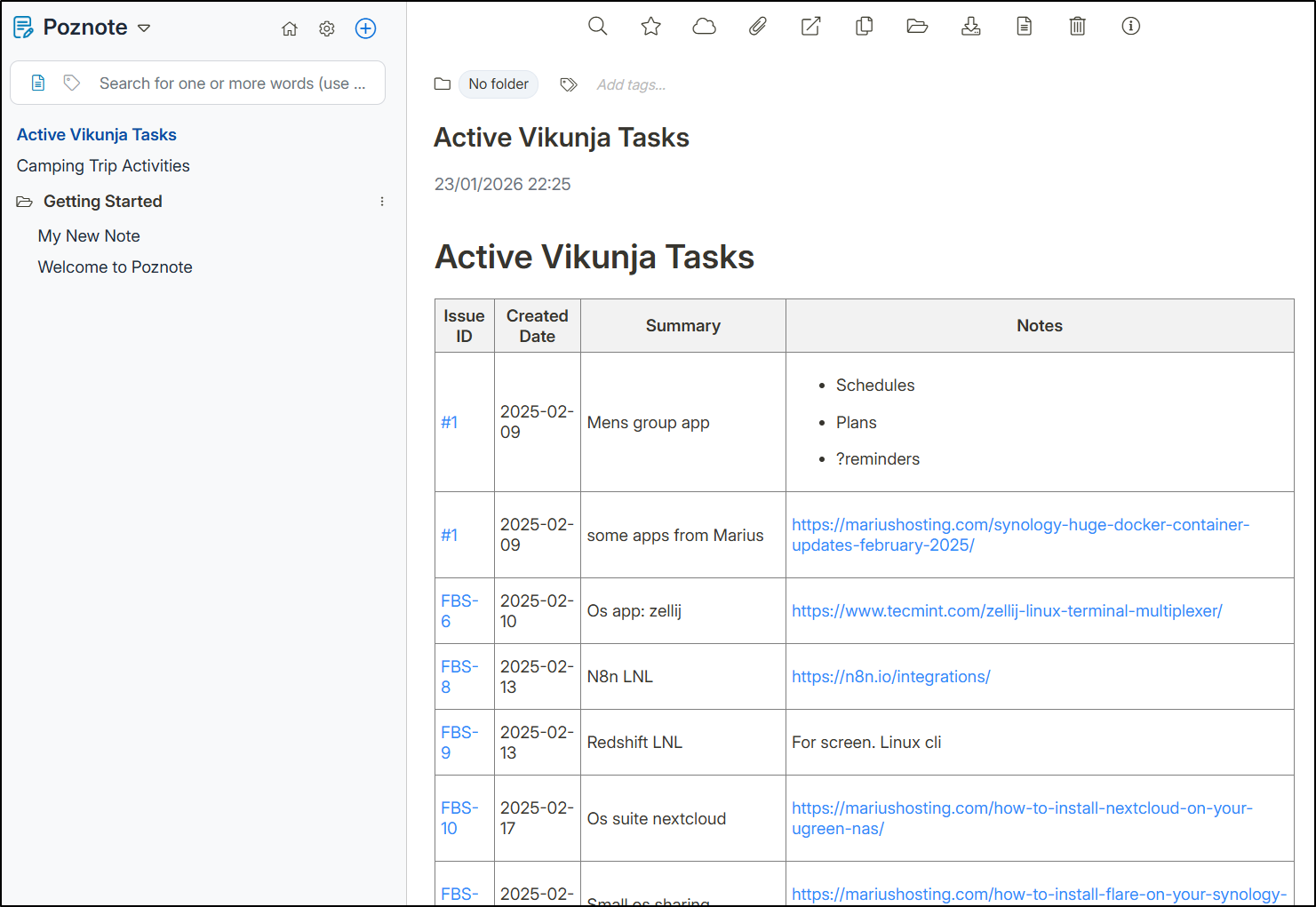
Copilot
I set this up in VS Code for Copilot
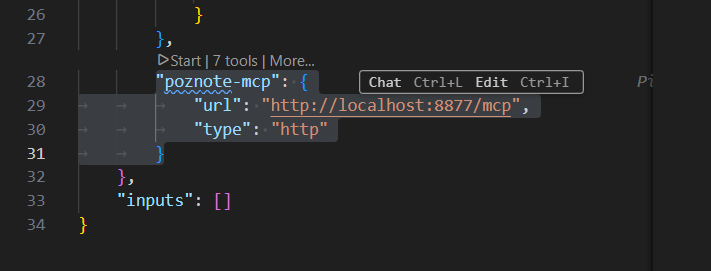
and asked it to create Camping notes
Which worked great
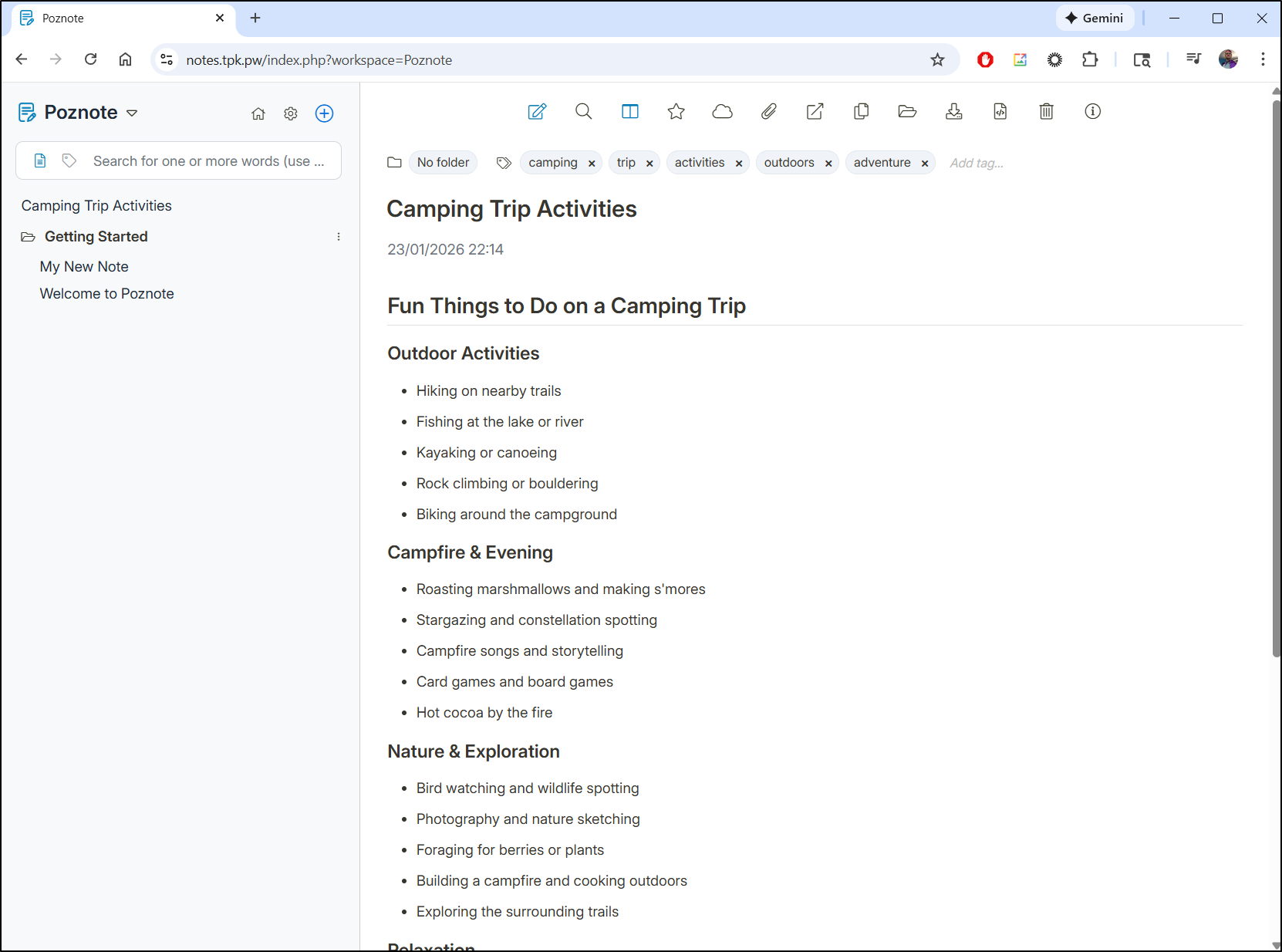
Solving a problem? Creating a doc?
I wanted to solve a real problem/challenge, not just a made up test.
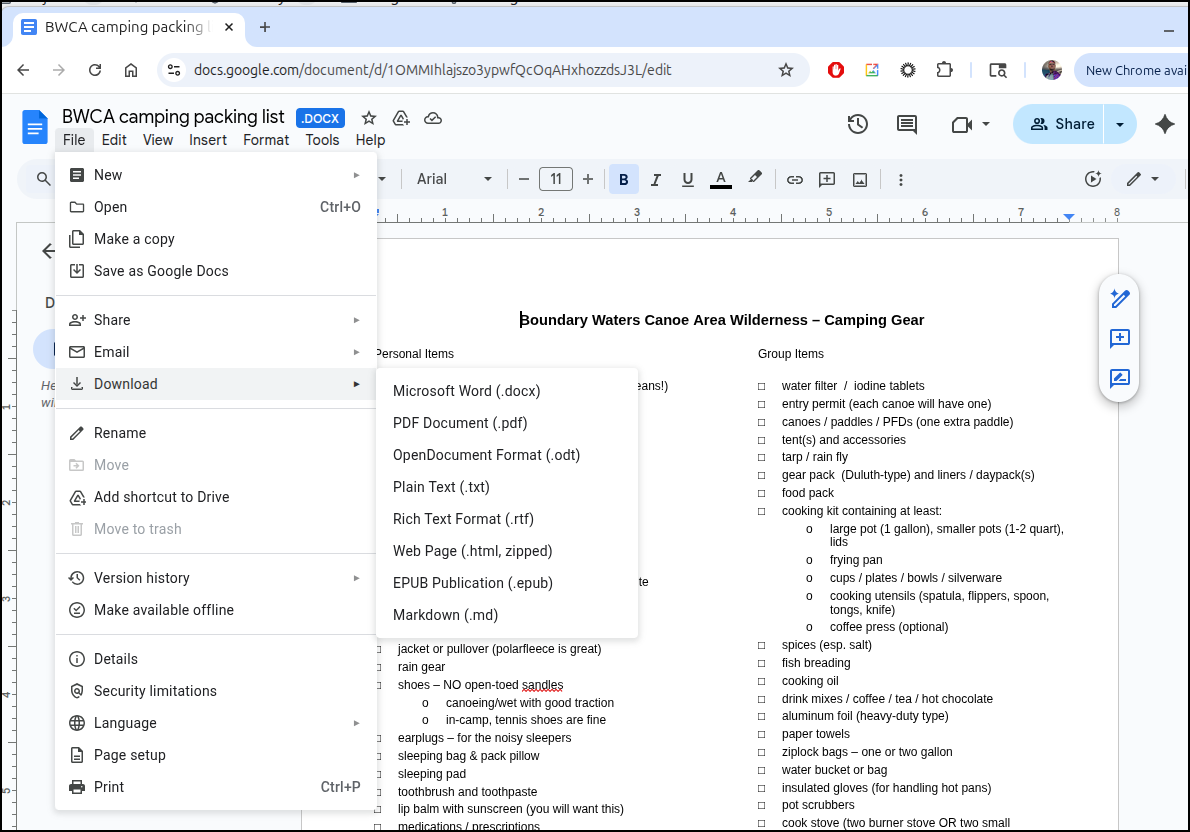
Years ago, my buddy created and sent out a word doc for BWCA trips which I’ve had imported into Google Docs.
I can export it as markdown
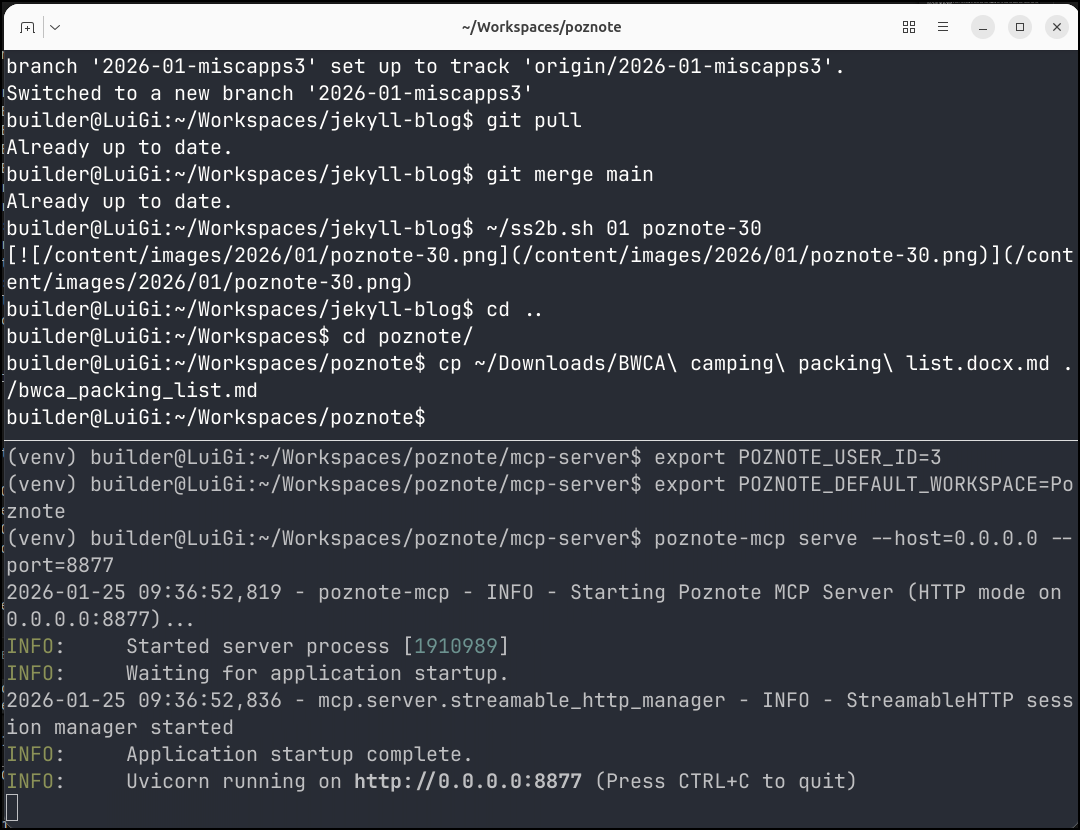
I’ll now fire up the MCP server and copy the doc locally
I verified Gemini could see the MCP server and it was running
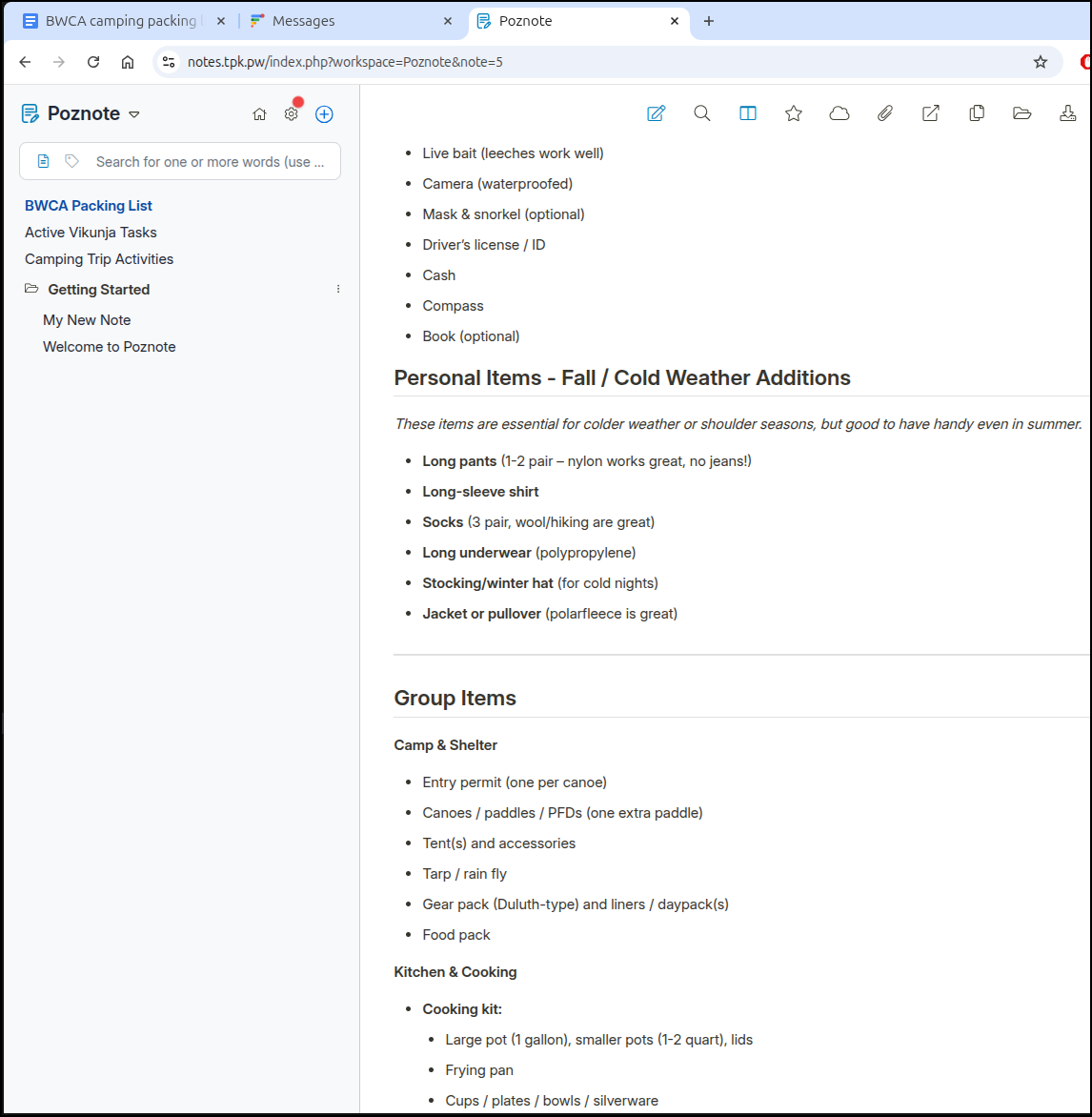
I can now use Gemini CLI to not only load it to Poznote, but reformat it for warm vs cold weather:
which create a pretty good file (though it might still need some refinement)
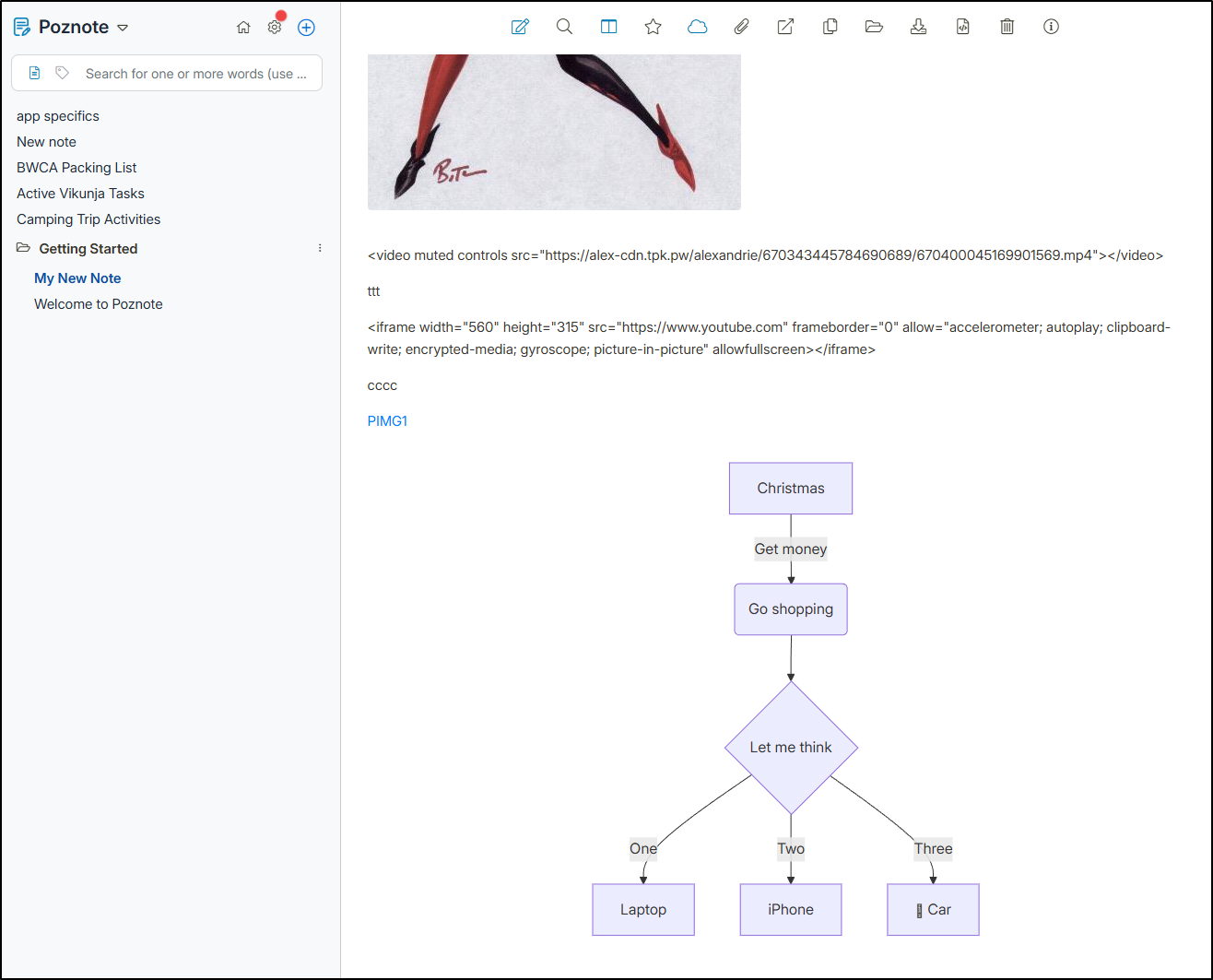
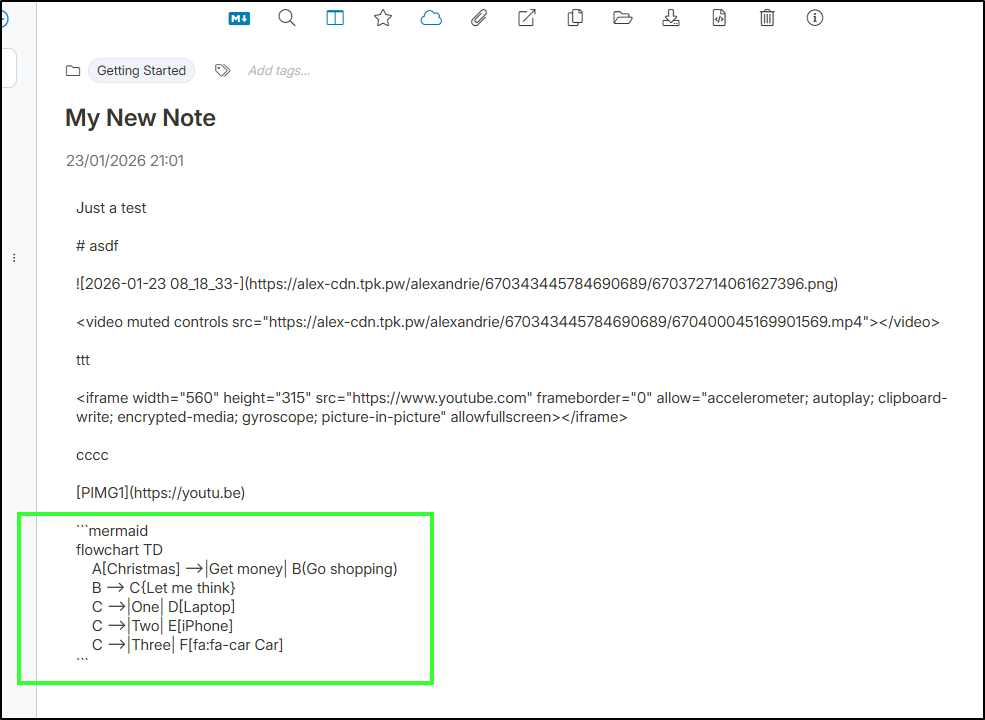
Now I have yet to get video to work - and maybe that will just not happen - but I did find it renders Mermaid diagrams natively:
using just the “mermaid” tag:
Joplin
We explored Poznote in detail, but there was another app that seemed very similar, Joplin which I had noted from an older Marius post.
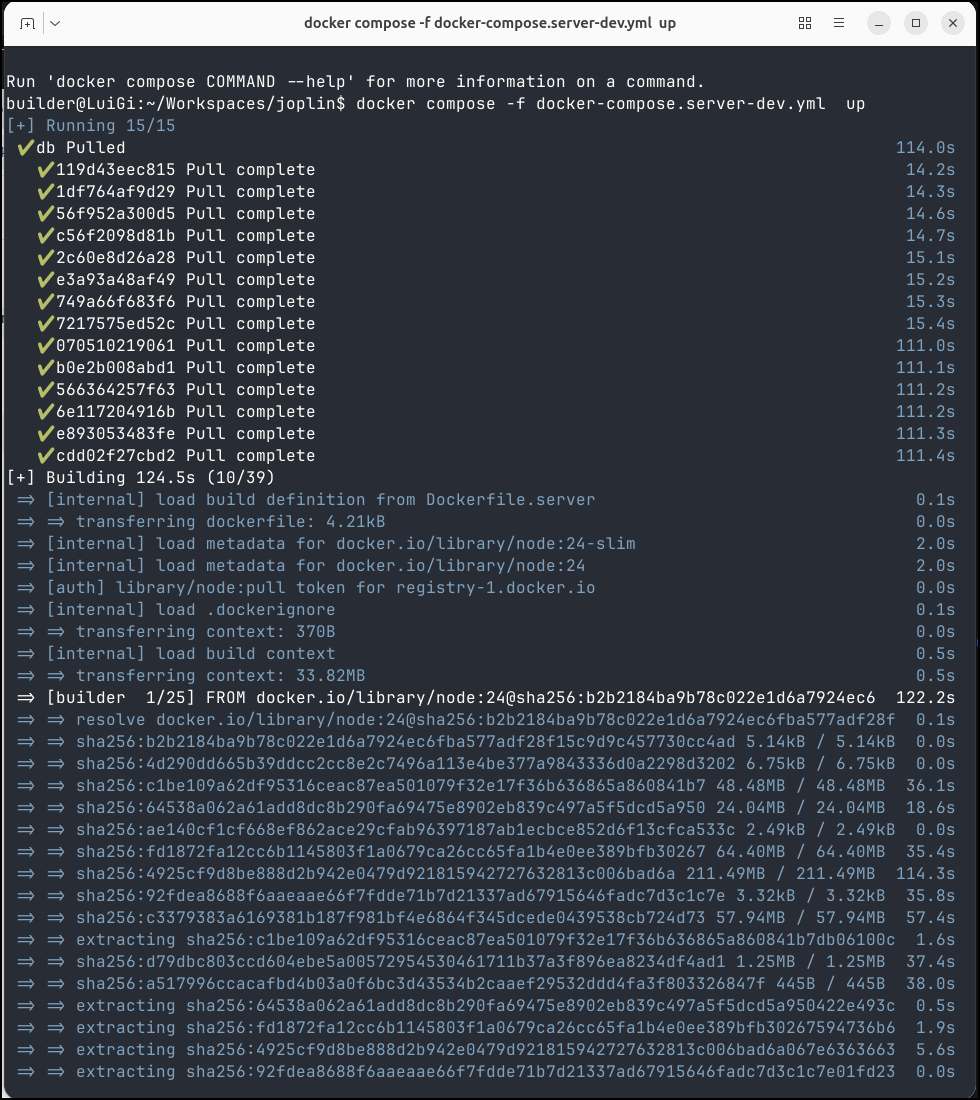
While the Website for Joplin doesn’t really cover installing the server, we can look to the Docker compose file
I can use docker compose up on the dev file to get started
I can now reach the server on port 22300
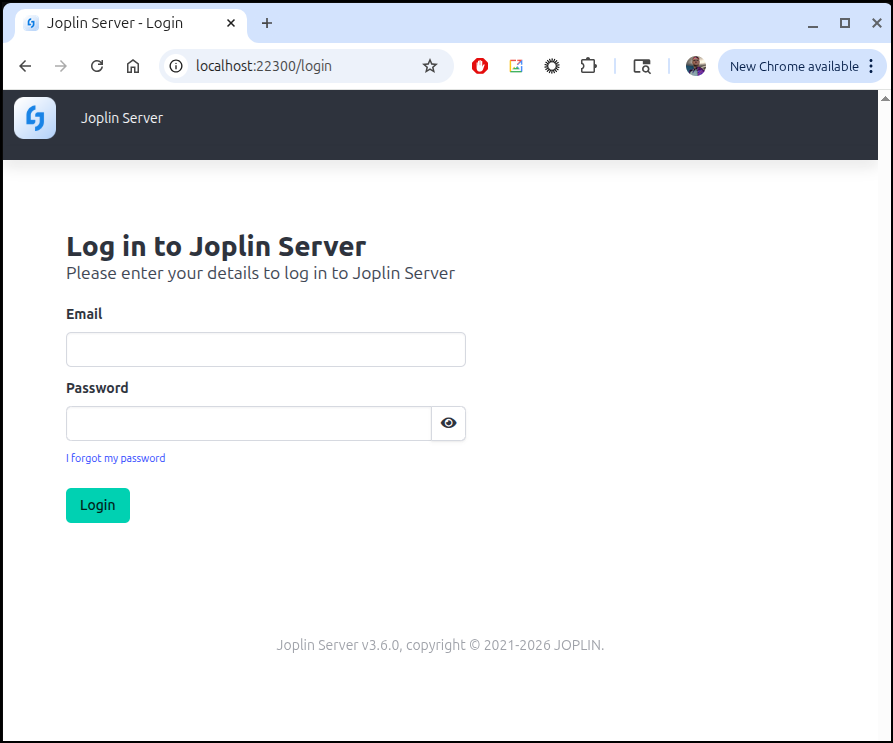
We can now login with admin@localhost/admin
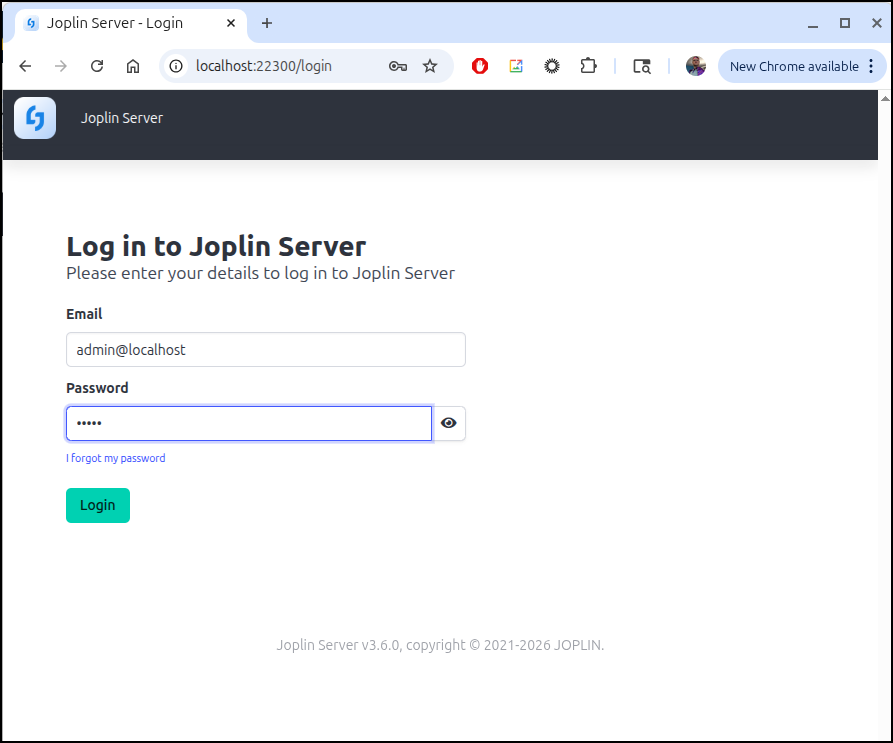
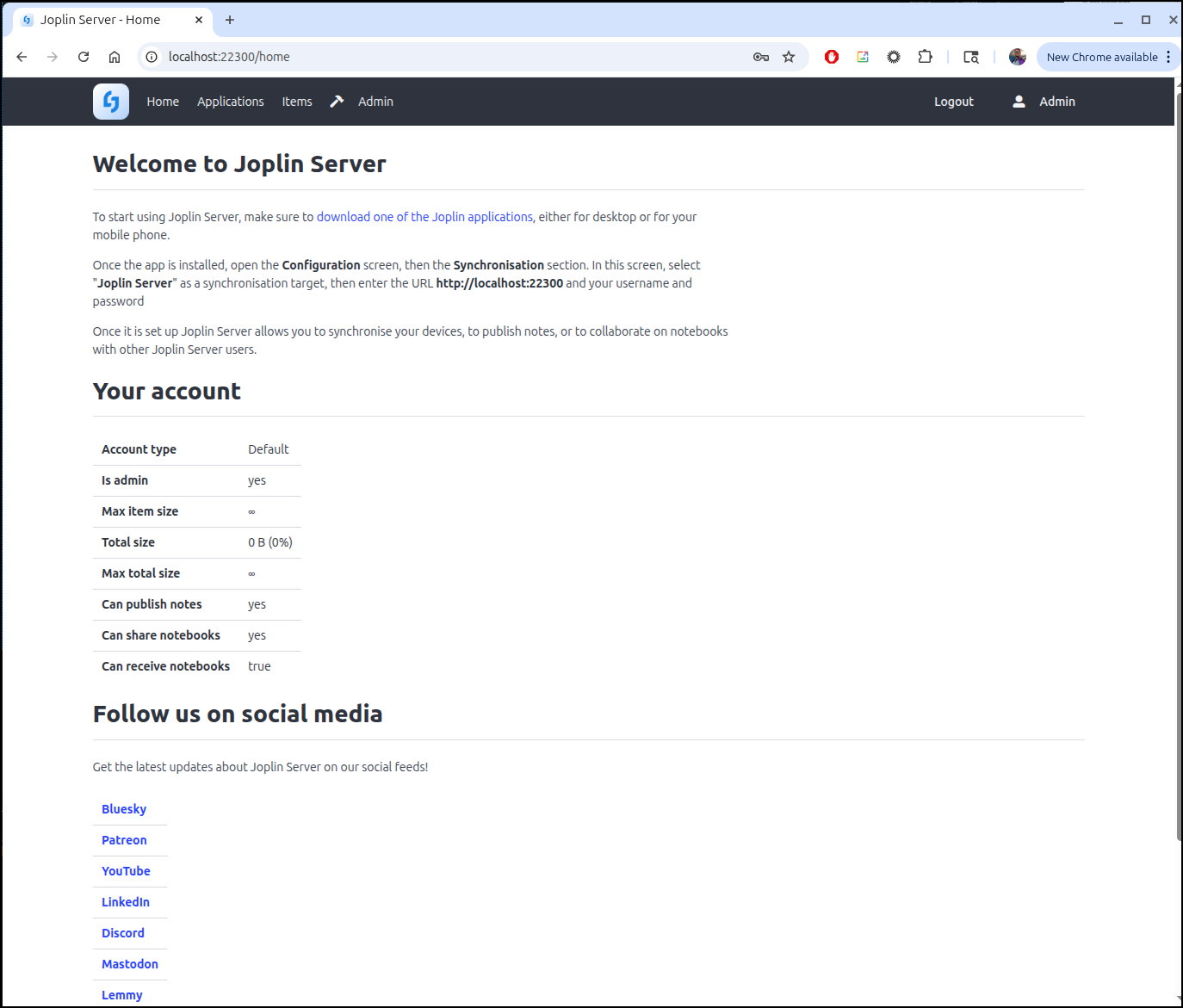
Once I logged in and changed the admin password, I could see the main dashboard
The next step would likely be to add users
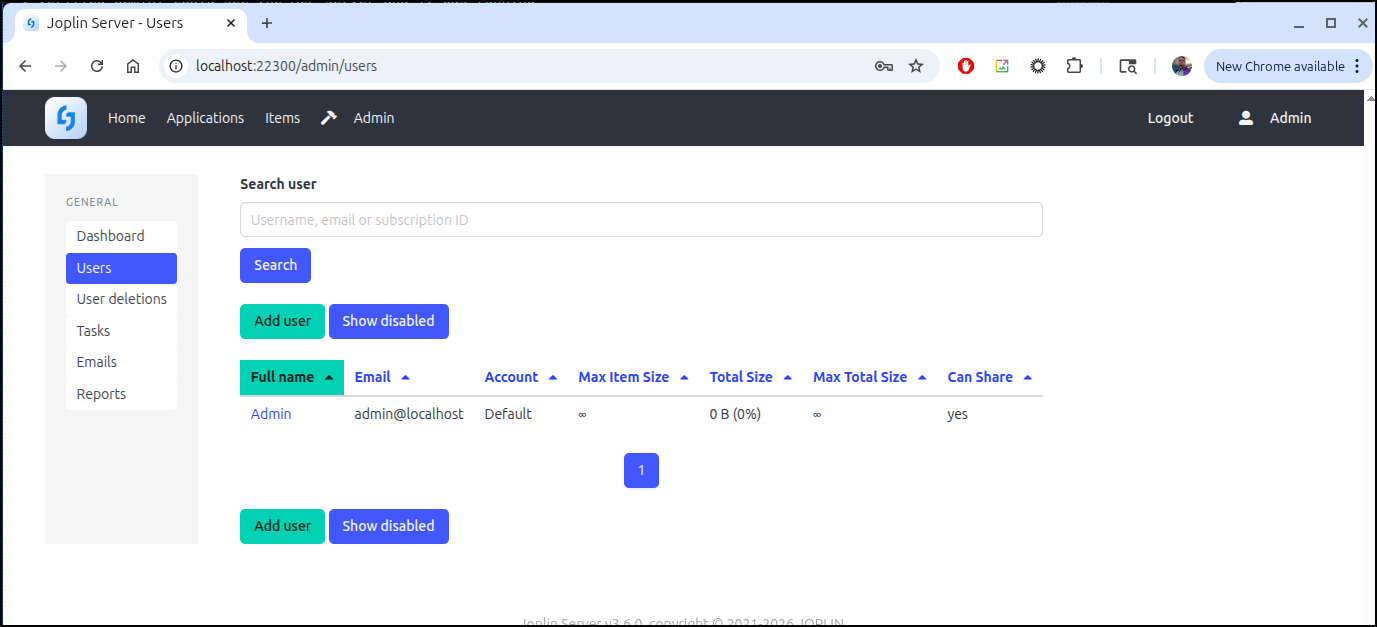
However, the Joplin “server” is really just a backend. All the functionality lives in native apps
Android App
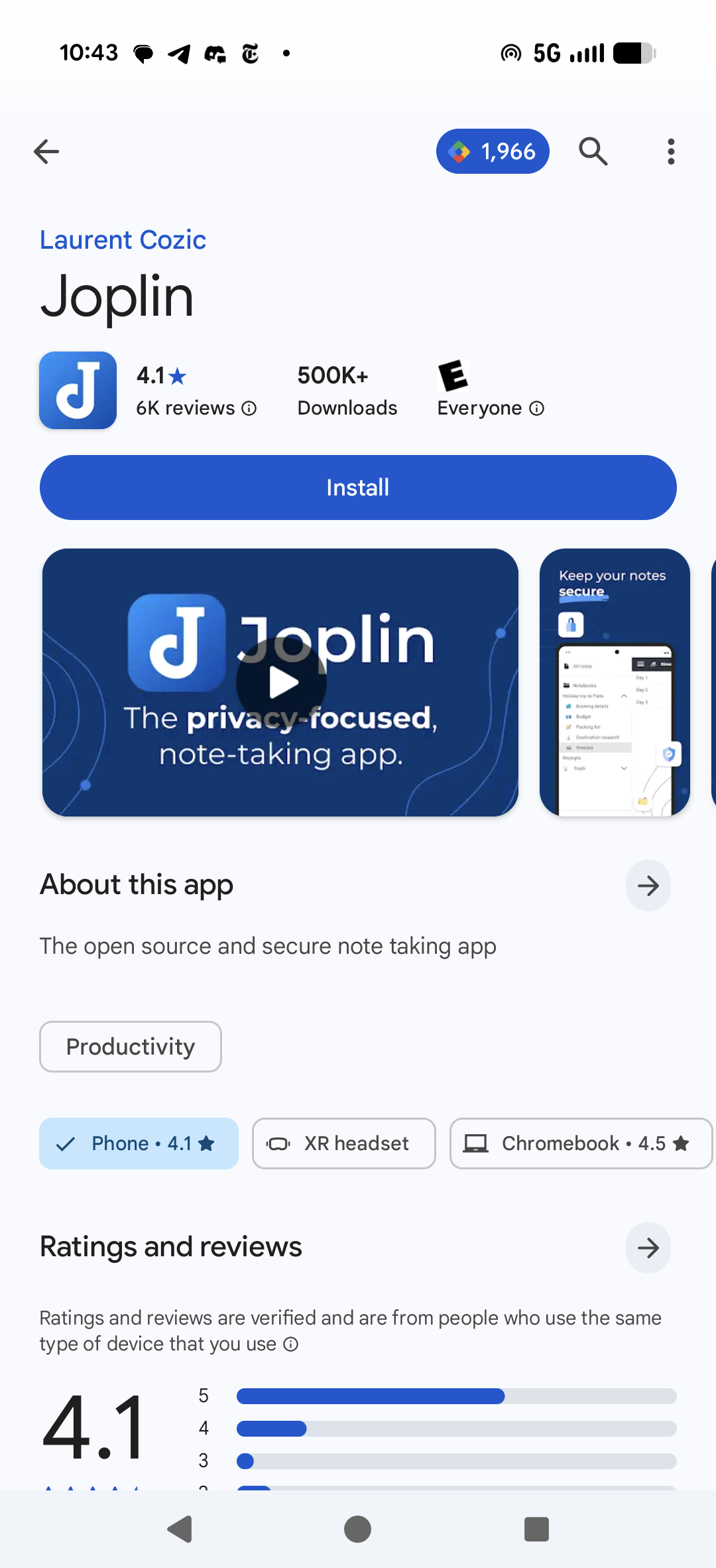
So let’s install the android app
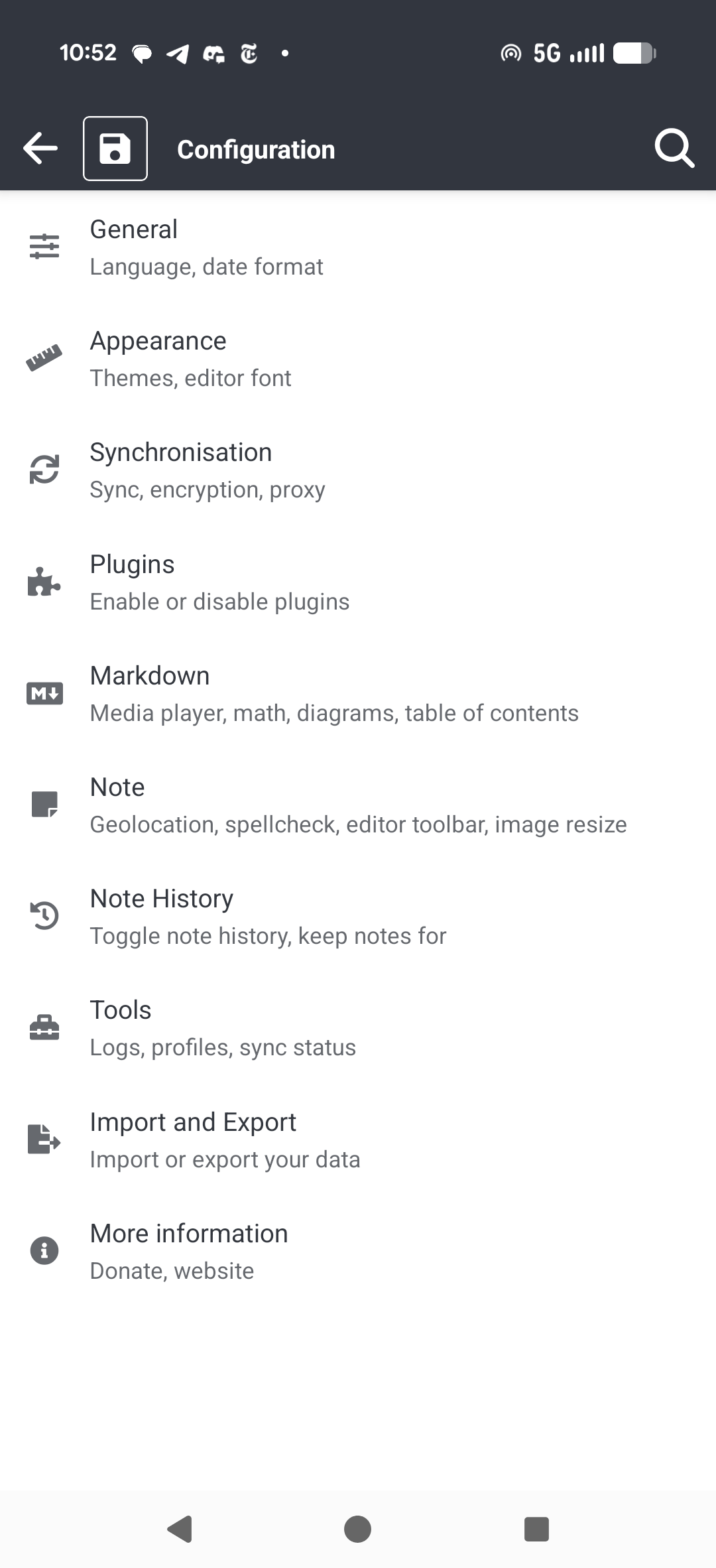
To set a sync server, we have to Configuration and then click “Synchronisation” (sic)
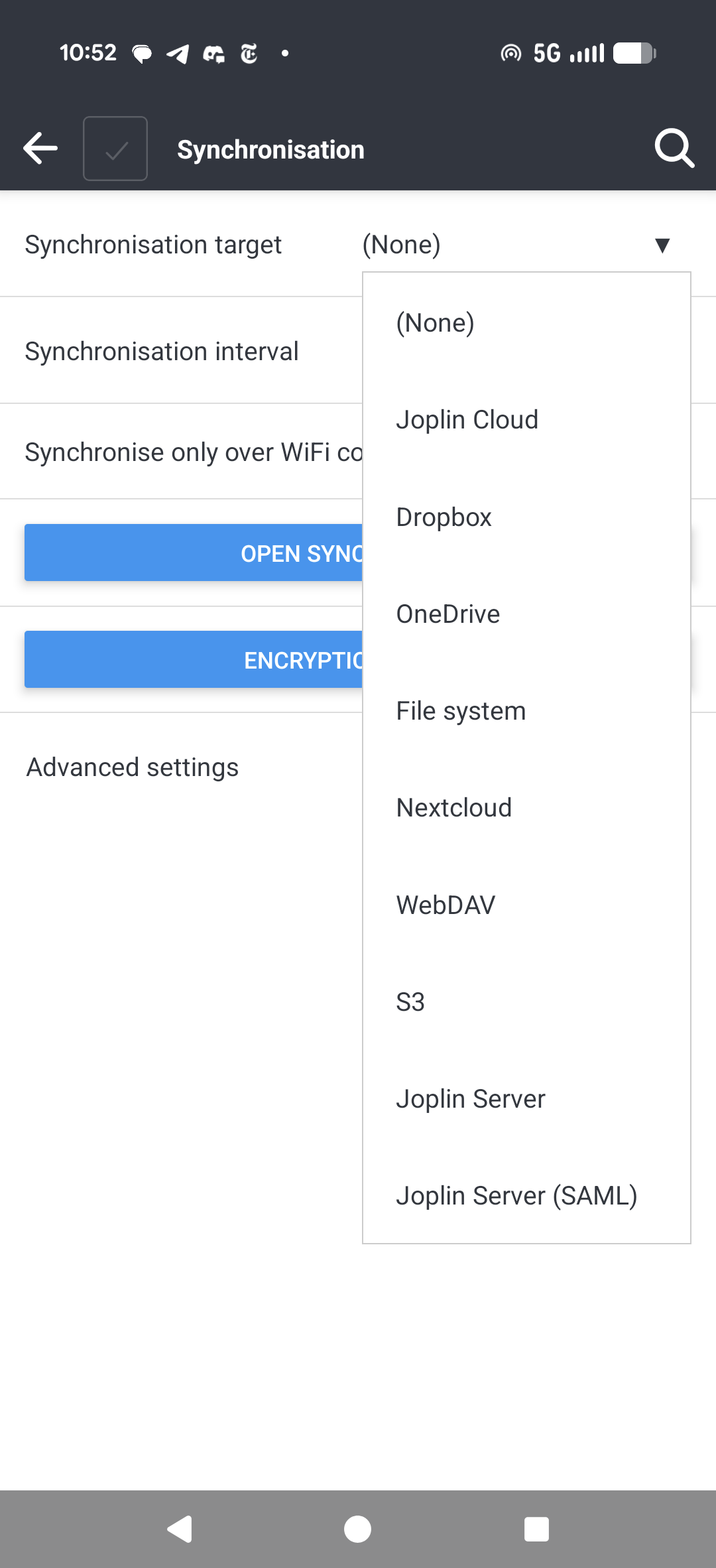
From there we have a variety of options including their own Cloud option as well as our server
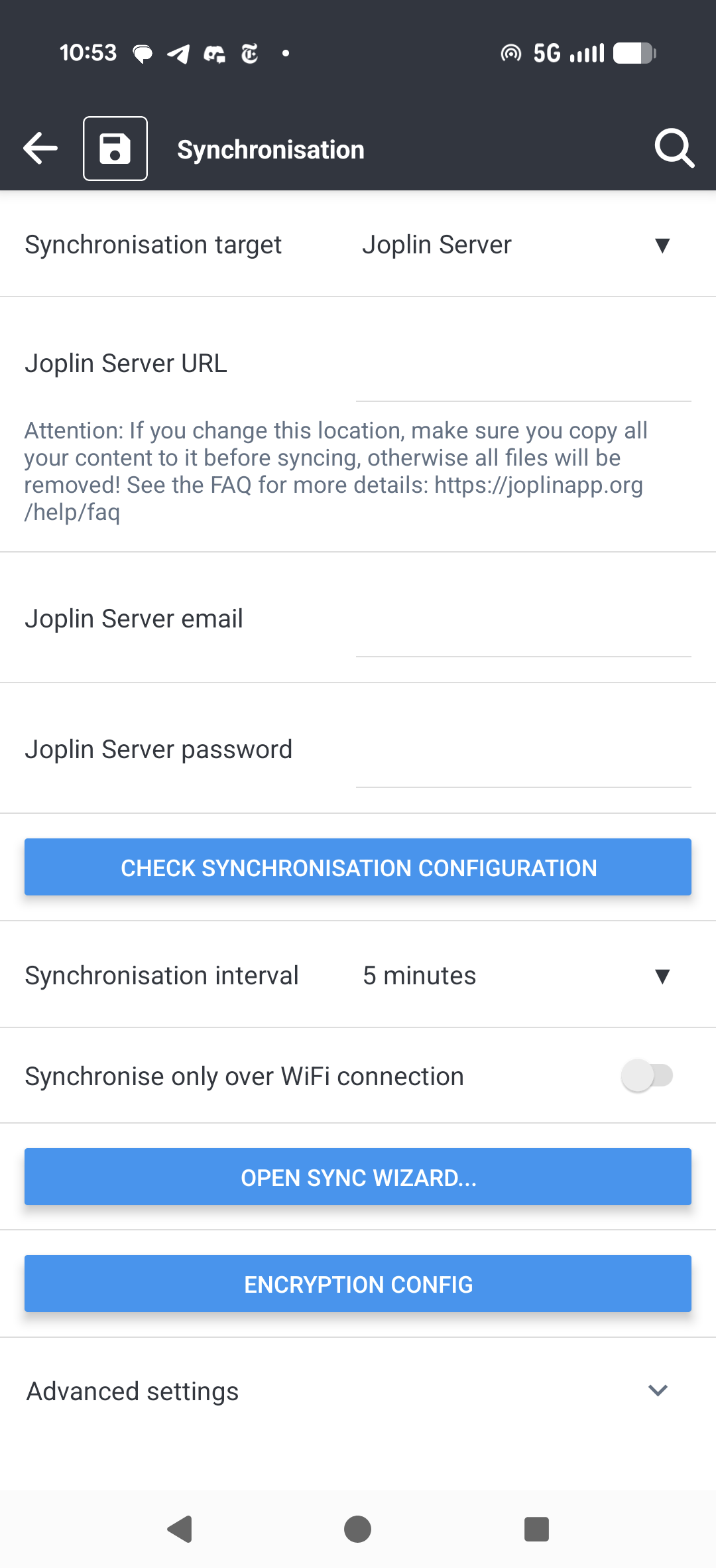
It would be there that I could set values to my ingress server, or if in the same network, the local IP of my laptop running Joplin
Using Joplin
We can create a variety of options from the “+” new menu option
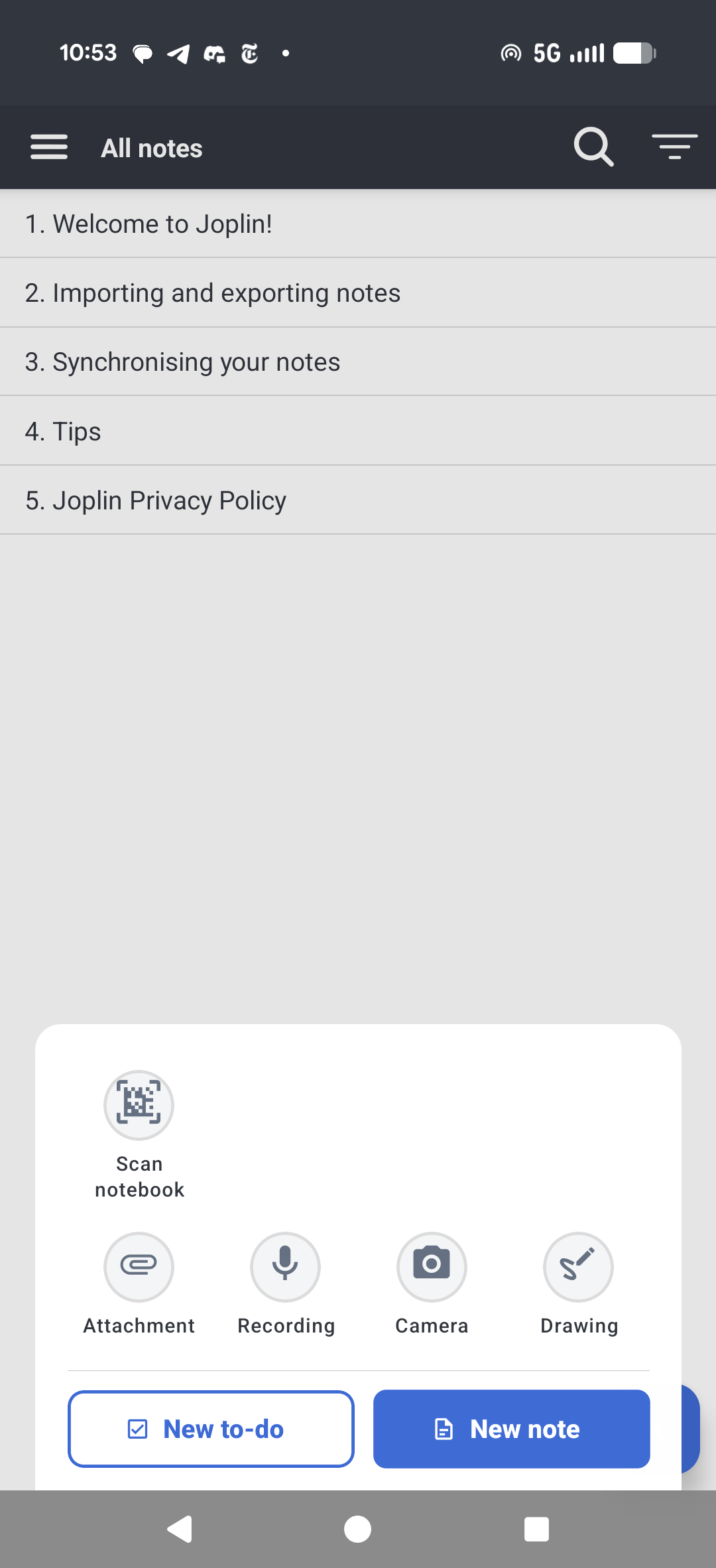
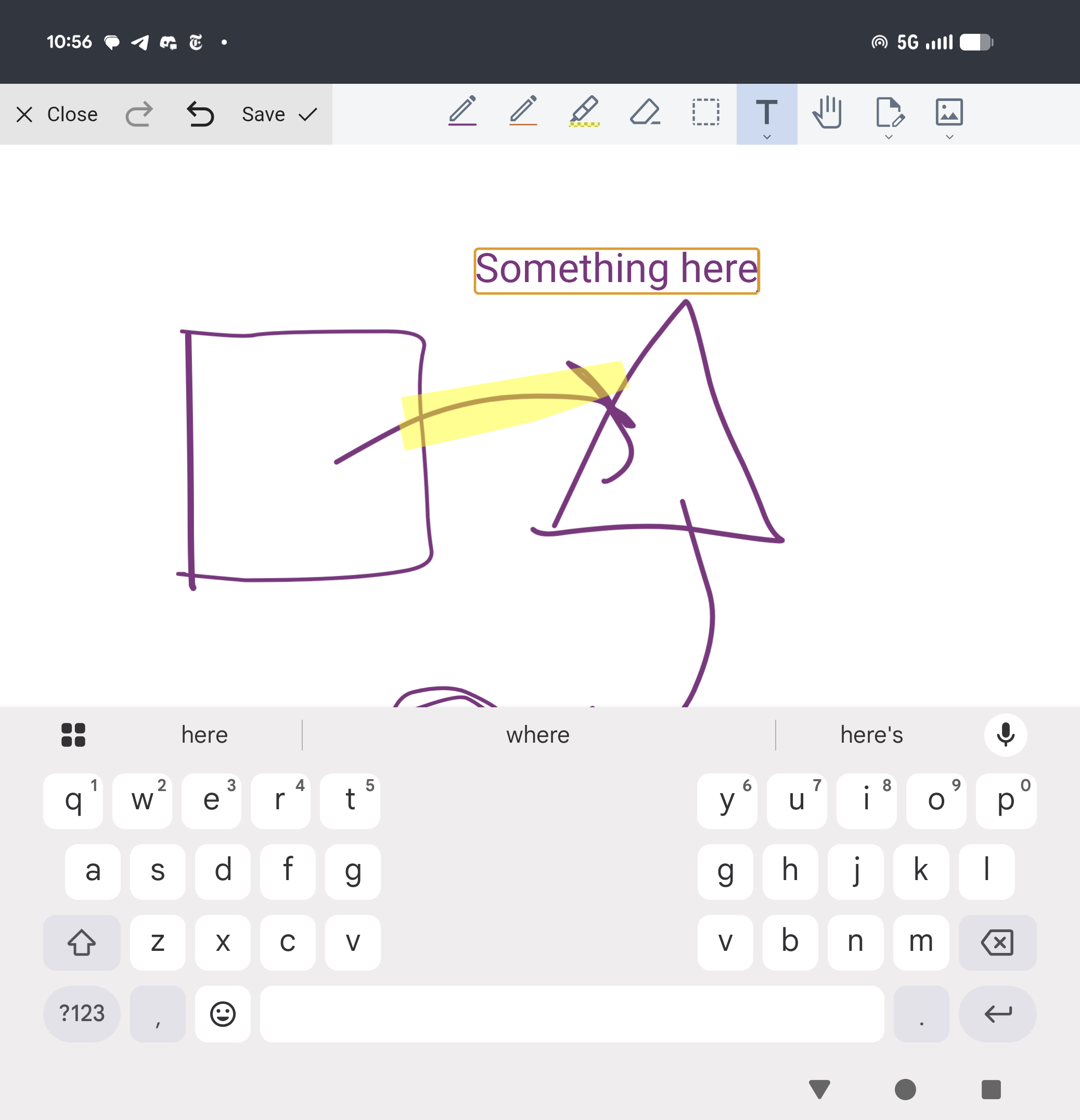
For instance, I unfolded and quickly made some diagrams with text
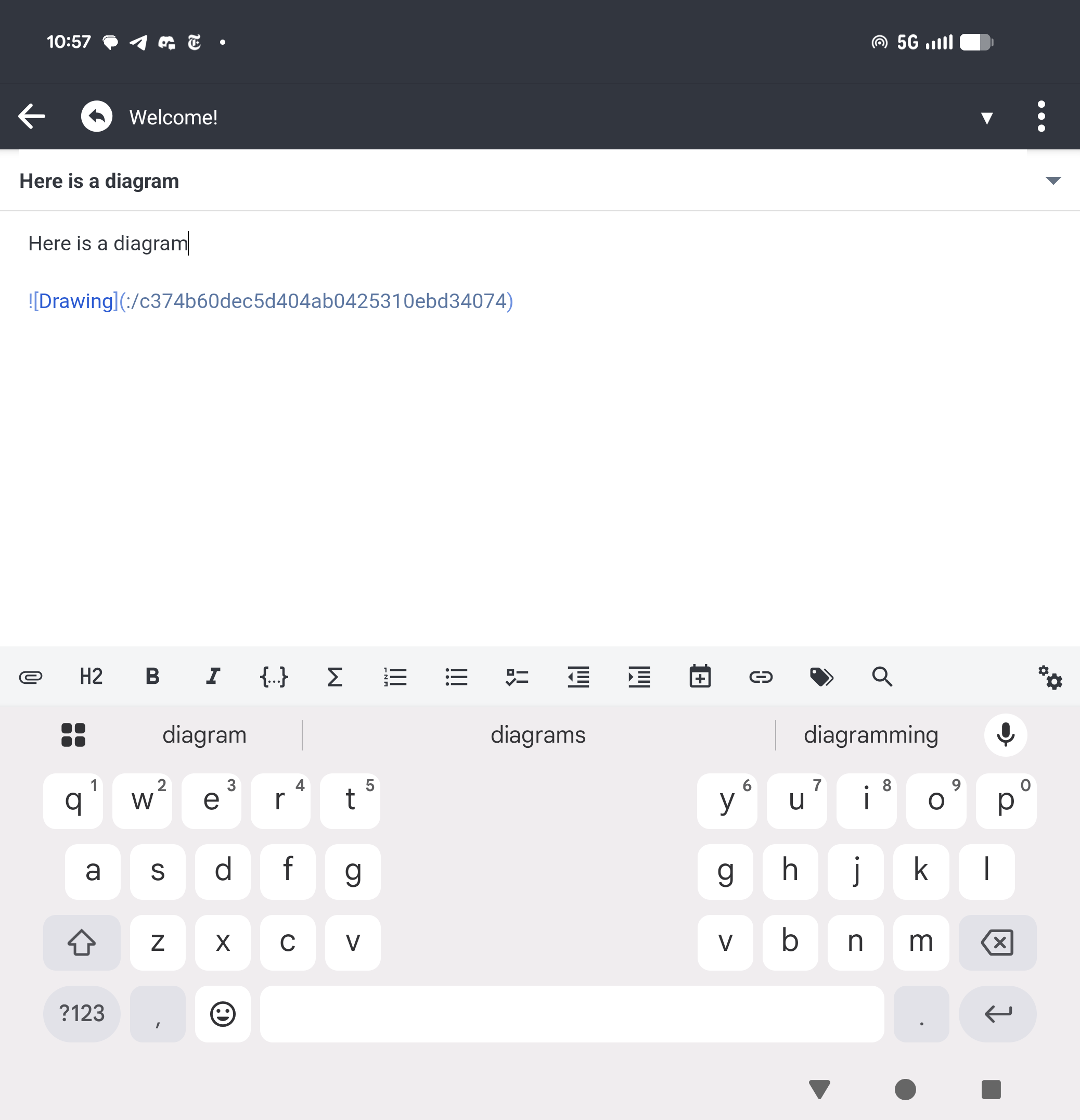
Those diagrams can then be added to a document as a local reference
which renders fine, locally
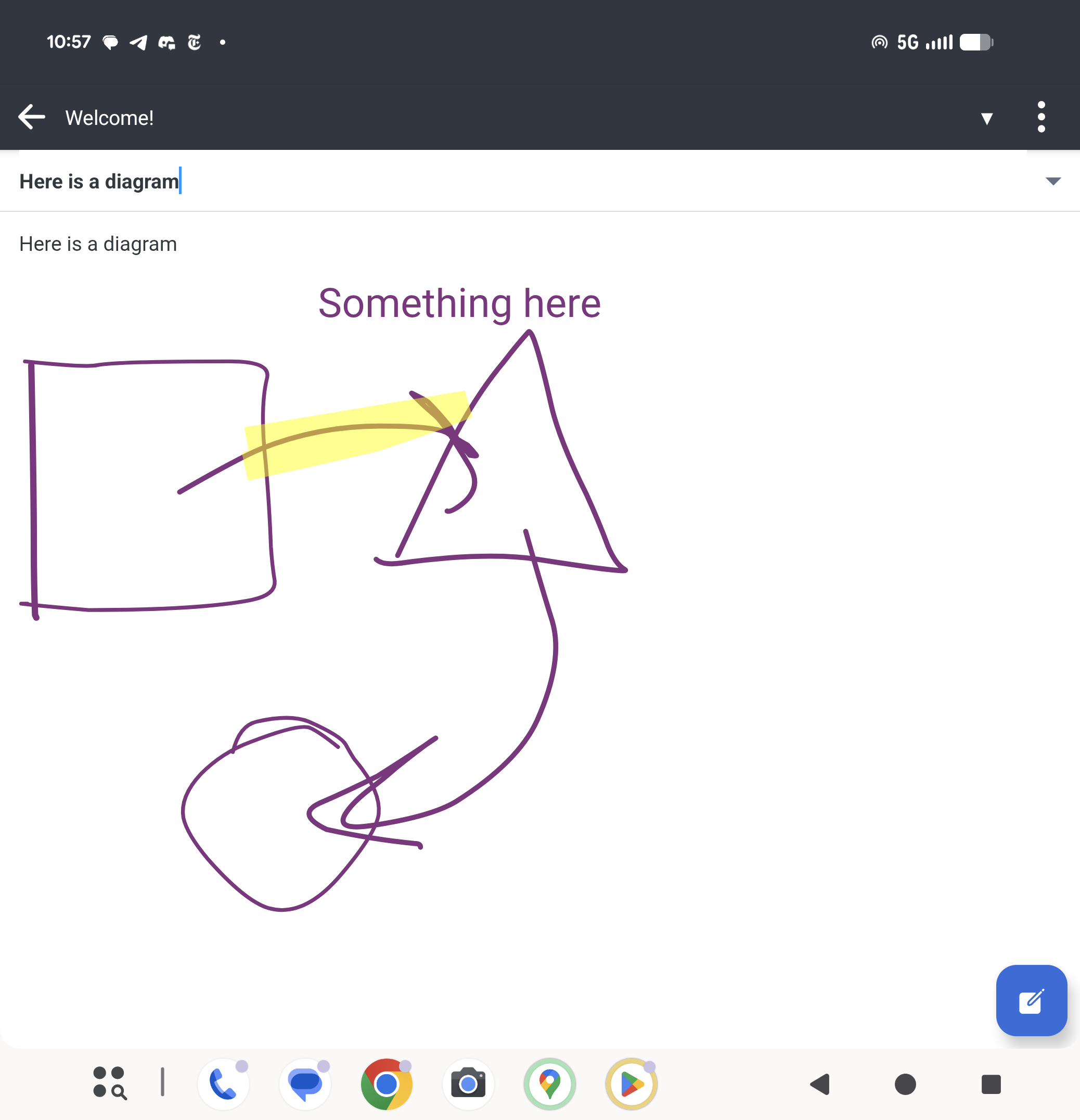
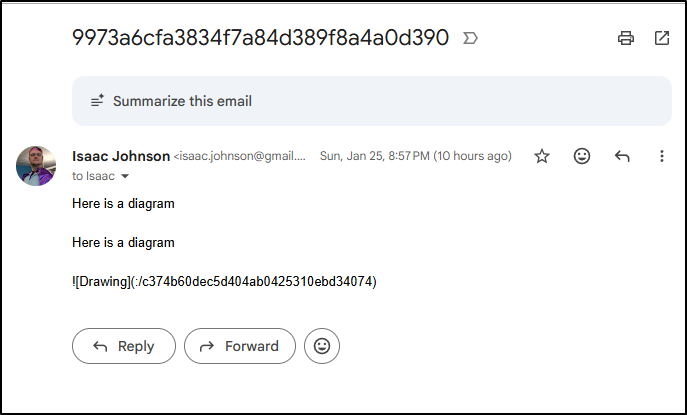
But now is where we get stuck. I can’t really export it in any real way.
If I “email” the document, this is what they see:
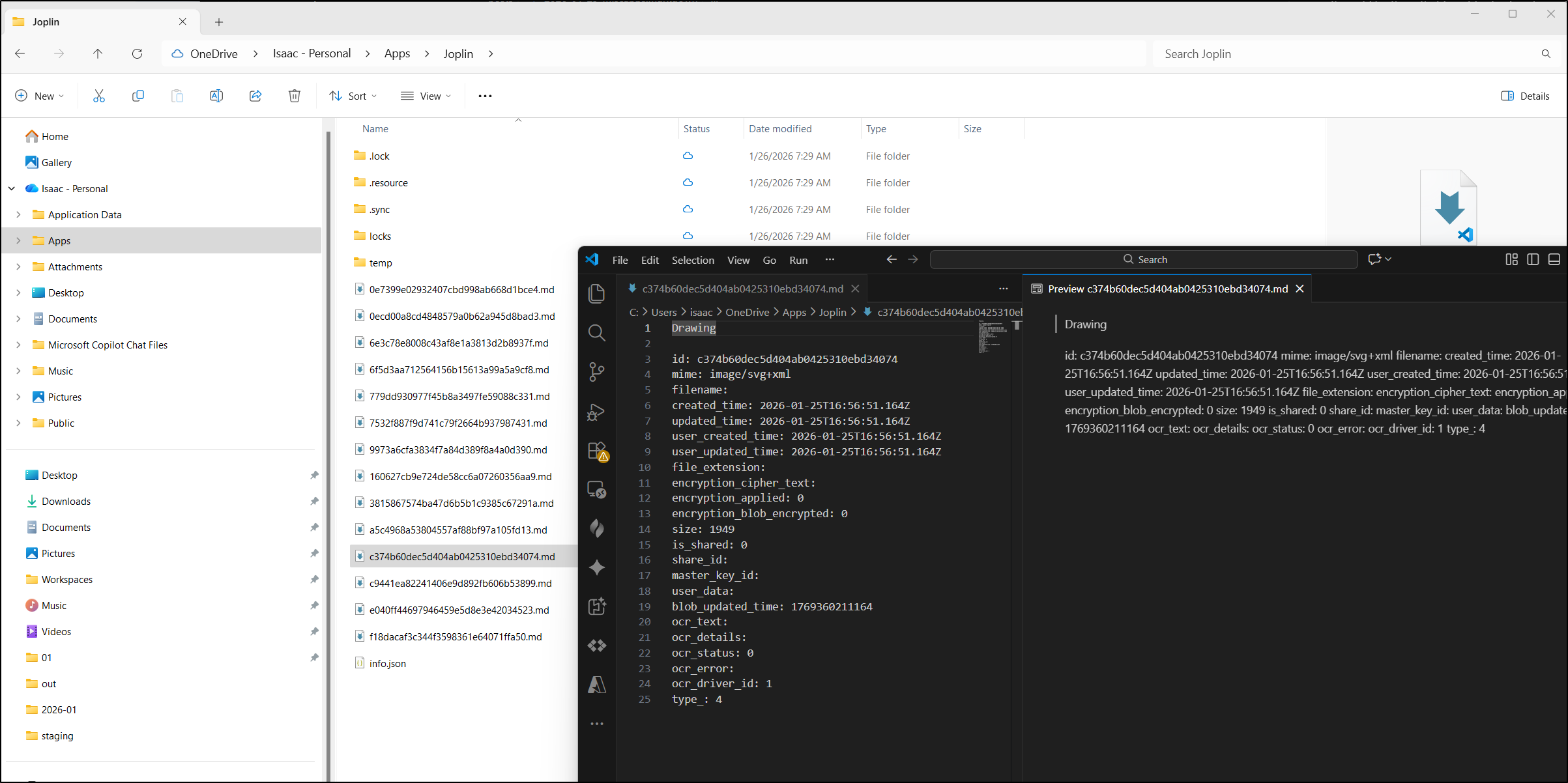
I synced to OneDrive, which did back things up, but as you can see, not in a usable way
Summary
Today we started with Poznote by Tim Poznanski. In many ways, it is similar to Alexandrie, but it has some key features that Alexandrie lacks: namely a built-in MCP server and easy to setup MFA. It’s a nice extra that we have native Mermaid diagrams as I often use them in my Github and Azure repos.
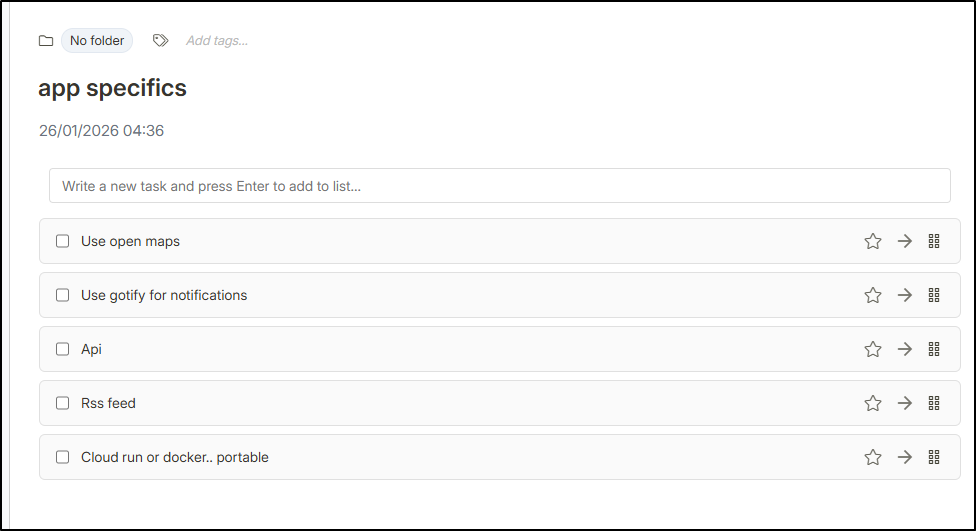
I was just thinking of starting to use it for an app and leveraging the “tasks” list (to compare with Vikunja)
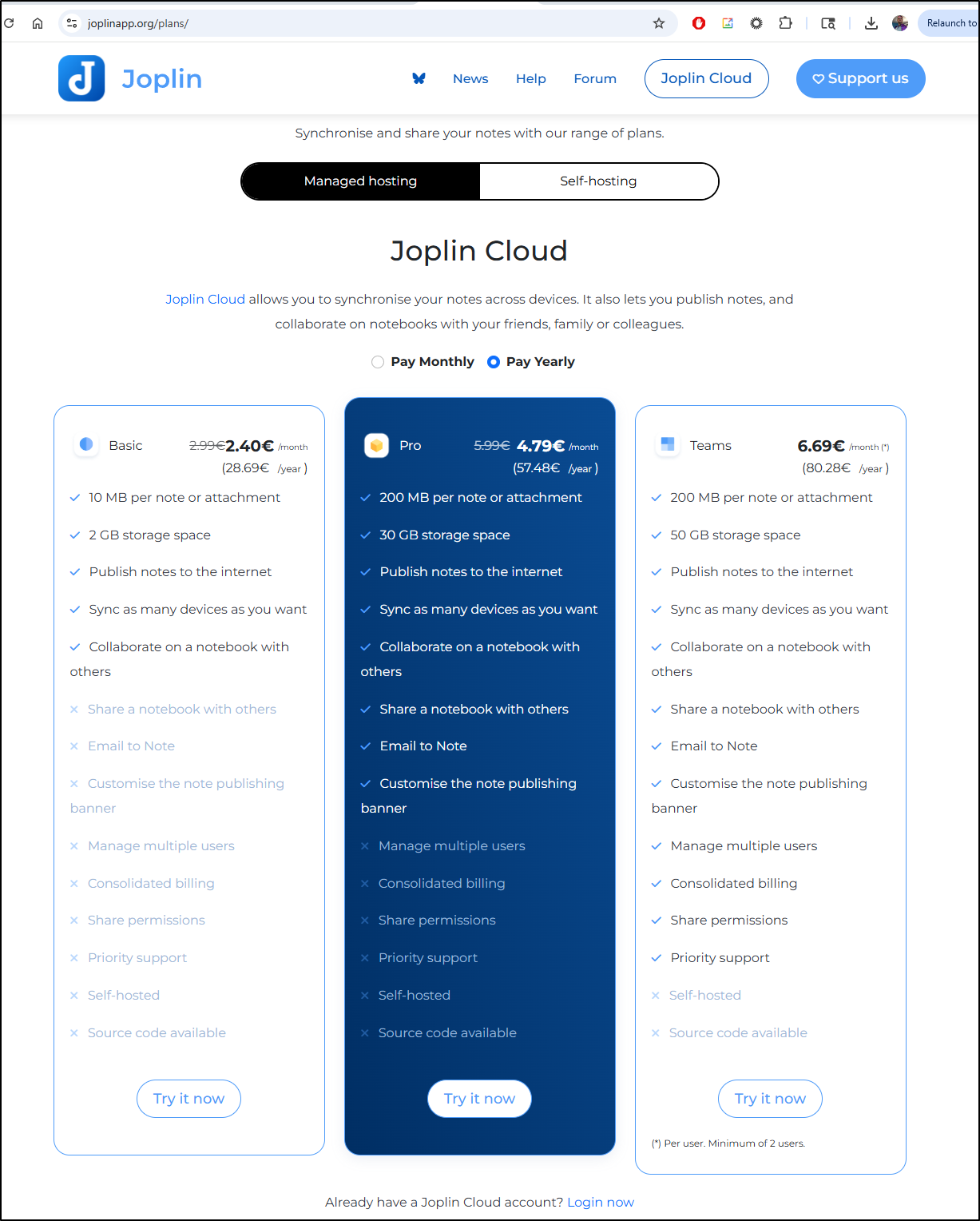
The other suite+app we explored was Joplin by Laurent Cozic. It has a lot of interesting features in the android app, but the lack of a usable web back end means I’m unlikely to move forward with it. I do as much work on my laptops and desktops as I do on my phone and cannot live in a mobile-app-only system. That said, it was very easy to use and if you want to use their backend, they have a reasonable SaaS offering:
And for many, a key feature is that it is not using a US-based cloud provider. From their FAQ:
Joplin Cloud data and servers are all located in France (Paris), thus your data benefits from strong data protection regulations including GDPR
