

Published: Jan 15, 2026 by Isaac Johnson
Earlier this week I posted my first article on PerlMCP which I pushed to Codeberg as a version1.0 tag. That code provides a Perl-based MCP server of type httpStreamable tied to a fixed GCP Service Account credential and just protected by a rotatable password.
The problem I see is that it may not be the right implementation for everyone. Certainly, it has consequences if I ever published it to the Gemini Extensions Library (or similar). I would have toute-les-monde using my SA’s cred to bang at sheets; not sure I want that.
So I have two ideas:
- Make an optional credentials field someone can send their own credentials - like a “bring your own user” situation
- Remove the password field and make it only credentials based.
As I’m stewing on this, let’s start with the first and go from there.
Writing up the issue
It’s not that I’m a process junky. It’s just that there are right and wrong ways to do things. And if you “release” software, then all new functionally could be tied to a requirement; a feature or a flaw (bug).
I wrote this first idea into Issue 1
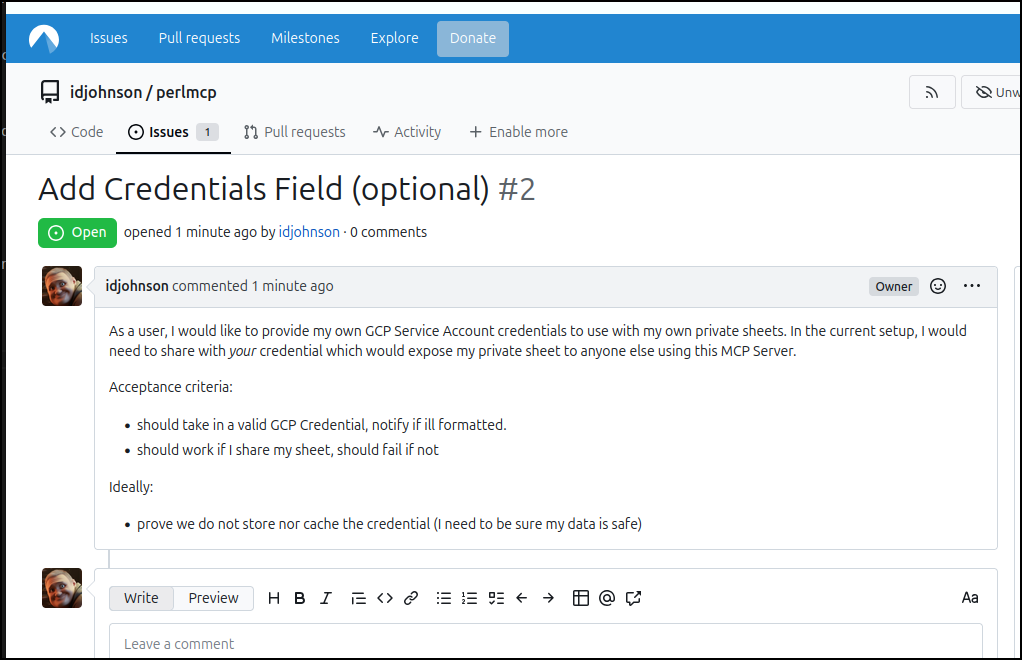
As I start to code, this is where I will use the ticket ID as the prefix for the branch. This is how I do it in business and I how I do it at home.
$ git checkout -b 01-passed-in-credentials
Switched to a new branch '01-passed-in-credentials'
I made the changes to write to a temp file
... snip ...

    my $credsfile = 'credentials.json';

    # If we mounted in as a directory with Docker, use that path
    if ((-d "/creds") && (-e "/creds/credentials.json")) {
            $credsfile = '/creds/credentials.json';
    }

    # If they passed in a credential, we will use that first
    if (exists $args->{credential}) {
        my $randomint = int(rand(10000));
        my $etime = time();

        my $temp_cred_file = "/tmp/mcp_google_cred_$etime$randomint.json";
        open(my $fh, '>', $temp_cred_file) or die "Could not open file '$temp_cred_file' $!";
        print $fh $args->{credential};
        close $fh;
        $credsfile = $temp_cred_file;
        print "Using temporary credential file at $temp_cred_file\n" if ($DEBUGMODE > 0);
    } else {
        # Check on Password if required, does not apply if using custom credential
        if ($USAGEPASS ne 'nopassword'){
            if (exists $args->{password}) {
                if ($args->{password} ne $USAGEPASS) {
                    print "Invalid password provided. Rejecting request.\n";
                    return "Invalid password provided for fetch_google_sheet tool.\n";
                } else {
                    print "Password accepted.\n";
                }
            } else {
                print "No password provided. Rejecting request.\n";
                return "No password provided for fetch_google_sheet tool.\n";
            }
        } else {
            print "No usage password set, skipping password check.\n";
        }
    }

    my @scopes = ('https://www.googleapis.com/auth/spreadsheets',
                  'https://www.googleapis.com/auth/drive');
    my $auth =  WWW::Google::Cloud::Auth::ServiceAccount->new(
        credentials_path => $credsfile,
        scope => join " ", @scopes
    );

    my $c = shift;
    my $token = $auth->get_token();
    print "token: $token\n" if ($DEBUGMODE > 0);
    my $sheet_id = $args->{sheetid};
    my $range = "A:Z"; # default range
    if (exists $args->{range}) {
        $range = $args->{range};
    }
    my ($return_code, $contents) =
        read_spreadsheet_search($token, $sheet_id, $range, $args->{searchfield}, $args->{searchvalue});

    # we have no need for a custom credential file anymore
    if (exists $args->{credential}) {
        unlink $credsfile;
        print "Deleted temporary credential file at $credsfile\n" if ($DEBUGMODE > 0);
    }

... snip ...
The key parts here are to create a unique filename to stash in tmp using epoch time and a random number
    my $randomint = int(rand(10000));
    my $etime = time();
and then make sure to wipe it when done
    if (exists $args->{credential}) {
        unlink $credsfile;
        print "Deleted temporary credential file at $credsfile\n" if ($DEBUGMODE > 0);
    }
I then tested the server.pl locally
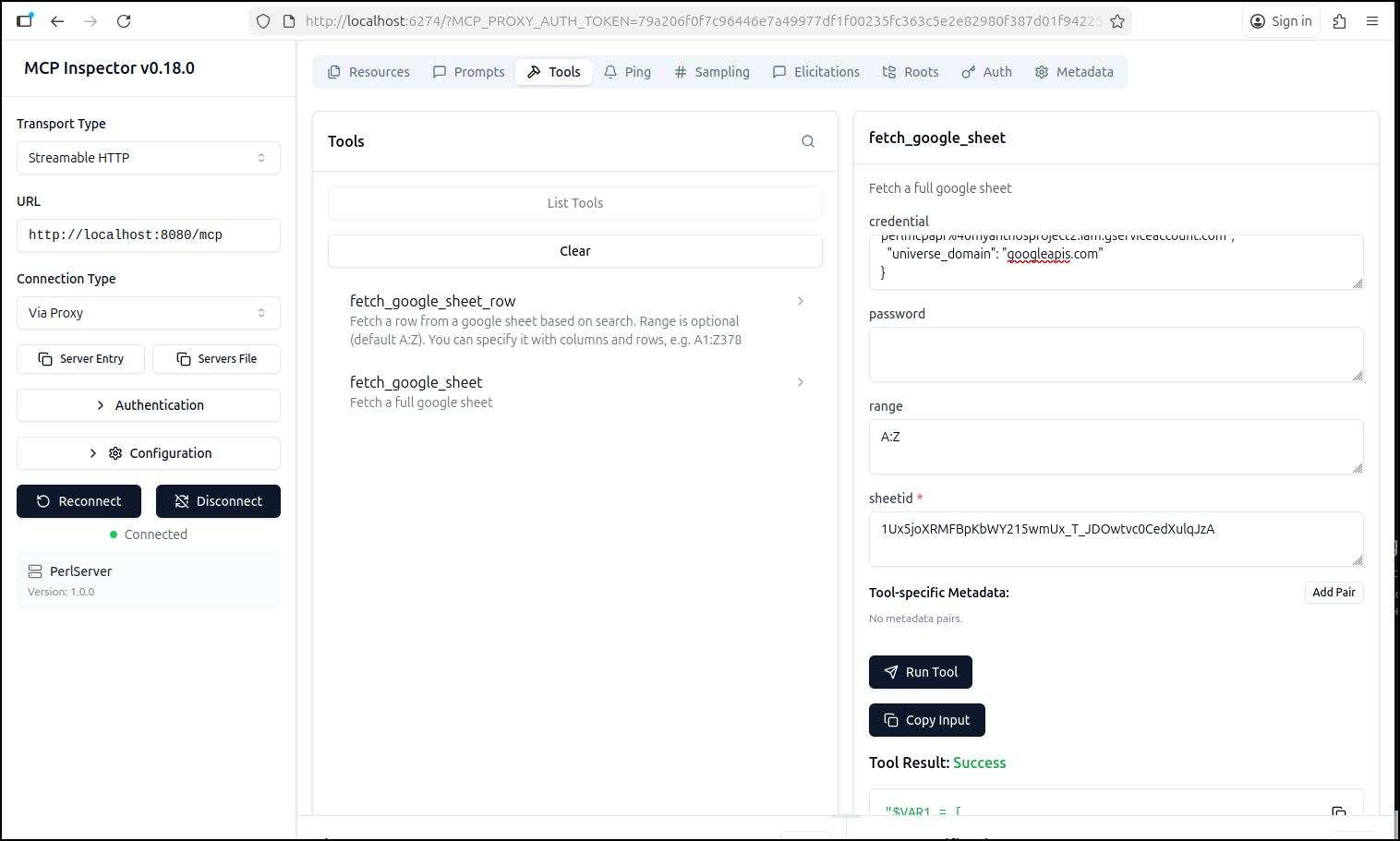
When done, I verified no cred was left in /tmp
builder@LuiGi:~/Workspaces/myperlmcp$ ls /tmp/ | grep cred
builder@LuiGi:~/Workspaces/myperlmcp$
let’s go ahead and deploy this to Kubernetes so we can use it easily in other tools.
First, I’ll need to push up an image
$ docker build -t idjohnson/perlmcp:1.1 .
[+] Building 525.0s (11/11) FINISHED                                                                                           docker:default
 => [internal] load build definition from Dockerfile                                                                                     0.1s
 => => transferring dockerfile: 364B                                                                                                     0.0s
 => [internal] load metadata for docker.io/library/perl:5.34                                                                             1.2s
 => [auth] library/perl:pull token for registry-1.docker.io                                                                              0.0s
 => [internal] load .dockerignore                                                                                                        0.0s
 => => transferring context: 2B                                                                                                          0.0s
 => [1/5] FROM docker.io/library/perl:5.34@sha256:6beebc97f4b6779637a112b3f0a5ecbbe25b1392cd1db8f0c0018bde9ad4c067                       0.0s
 => [internal] load build context                                                                                                        0.0s
 => => transferring context: 57.14kB                                                                                                     0.0s
 => CACHED [2/5] RUN mkdir -p /usr/src/app                                                                                               0.0s
 => [3/5] COPY . /usr/src/app                                                                                                            0.1s
 => [4/5] WORKDIR /usr/src/app                                                                                                           0.0s
 => [5/5] RUN cpanm --installdeps .                                                                                                    521.1s
 => exporting to image                                                                                                                   2.3s
 => => exporting layers                                                                                                                  2.2s
 => => writing image sha256:e289a51981f4d8c7b87e254d5be43fdff356acf05c11c3642c533857c8dcacf5                                             0.0s
 => => naming to docker.io/idjohnson/perlmcp:1.1                                                                                         0.0s

 3 warnings found (use docker --debug to expand):
 - LegacyKeyValueFormat: "ENV key=value" should be used instead of legacy "ENV key value" format (line 13)
 - SecretsUsedInArgOrEnv: Do not use ARG or ENV instructions for sensitive data (ENV "MCP_USAGE_PASSWORD") (line 13)
 - LegacyKeyValueFormat: "ENV key=value" should be used instead of legacy "ENV key value" format (line 14)


$ docker push idjohnson/perlmcp:1.1
The push refers to repository [docker.io/idjohnson/perlmcp]
cc4f11b70850: Pushed
5f70bf18a086: Layer already exists
9cc1b18e38c2: Pushed
e334f41581cf: Layer already exists
51d356c14f7b: Layer already exists
9538f213ec9d: Layer already exists
cf72c54274ff: Layer already exists
8074245e25ed: Layer already exists
71e1aa306a5a: Layer already exists
69f16cc74eb0: Layer already exists
82677505c894: Layer already exists
1.1: digest: sha256:6e10a8c098432801edc63cdd6855129647da487a897d60ced4bd32e61cdeb2ef size: 2625
Adding append
I decided to allow some help from GenAI on the Append routine.
I first wrote up the new tool and subroutines for posting values.
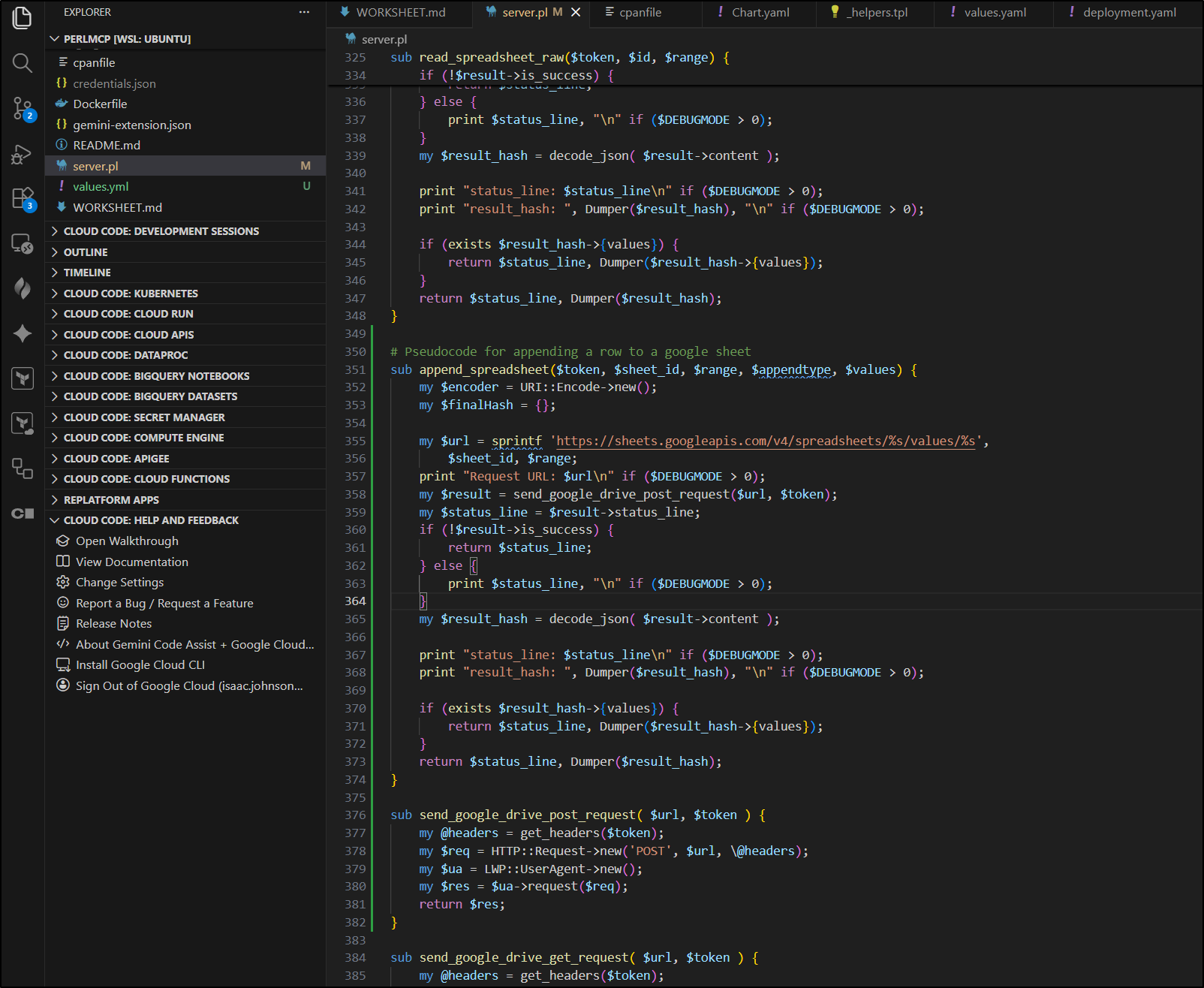
I was sure of the “tool” portion, but pretty sure I had some mistakes in the REST calls.
I then asked Gemini CLI to help out in reviewing them and correcting mistakes
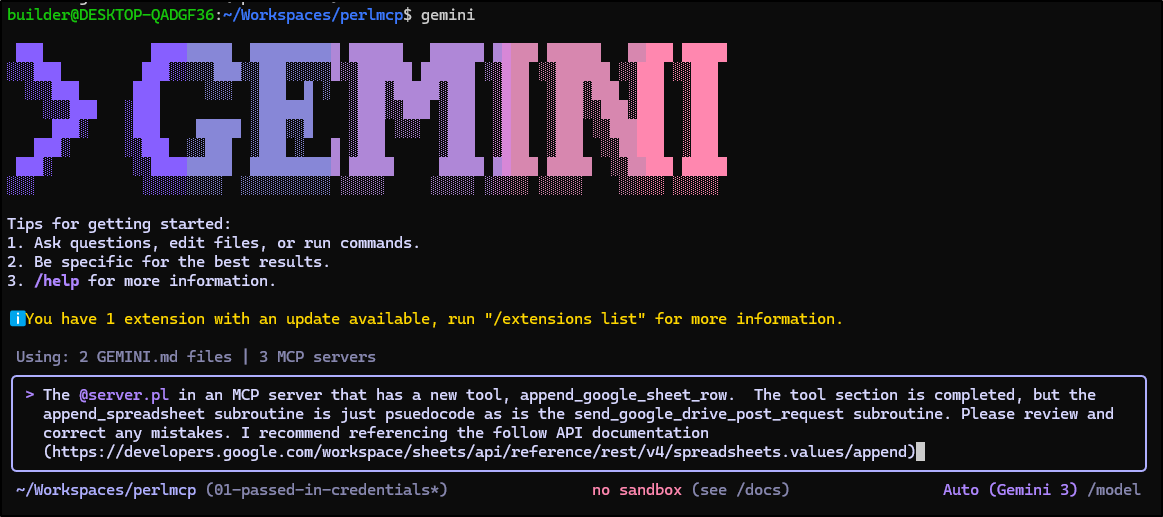
On the first pass it has a lot of great catches
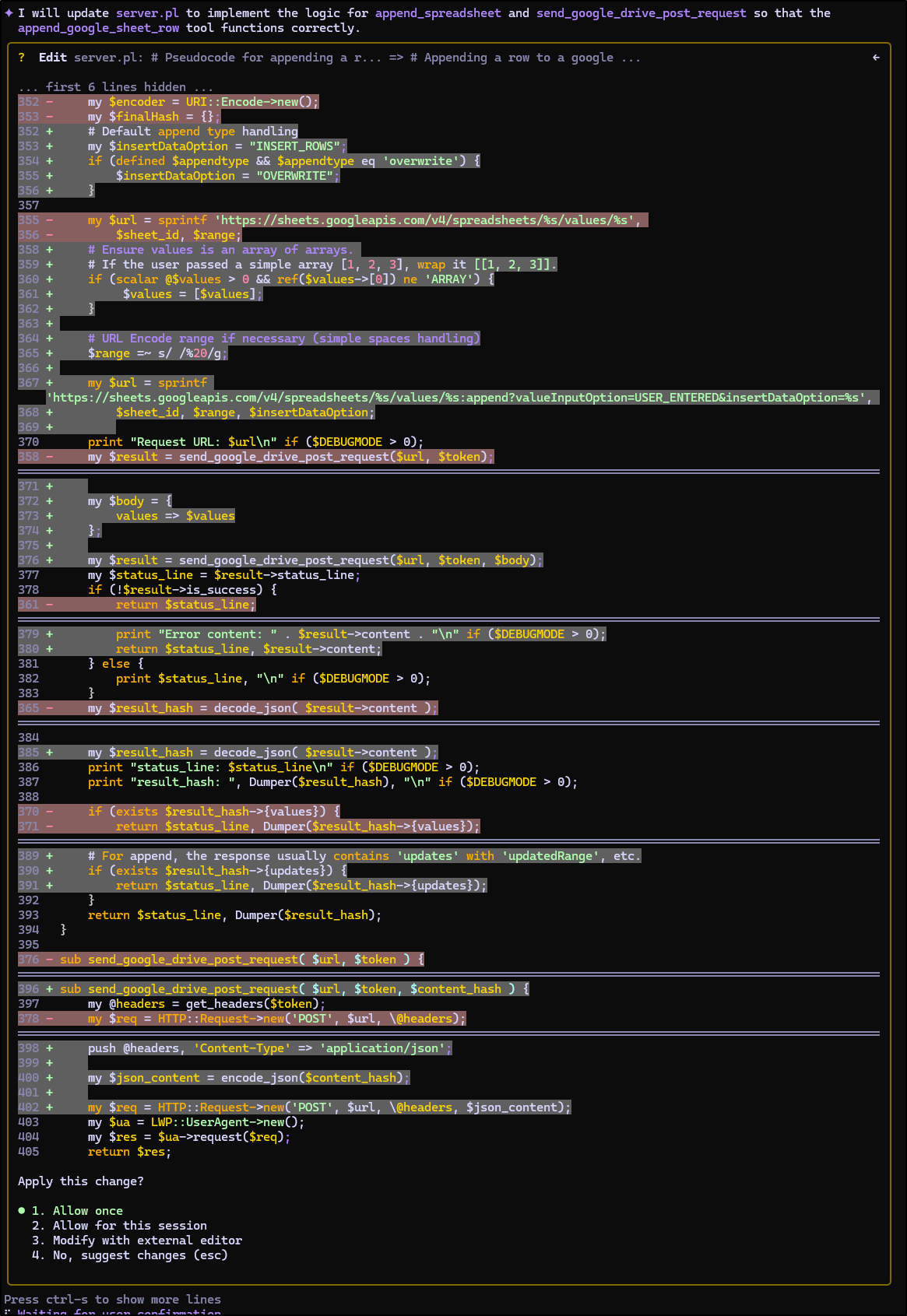
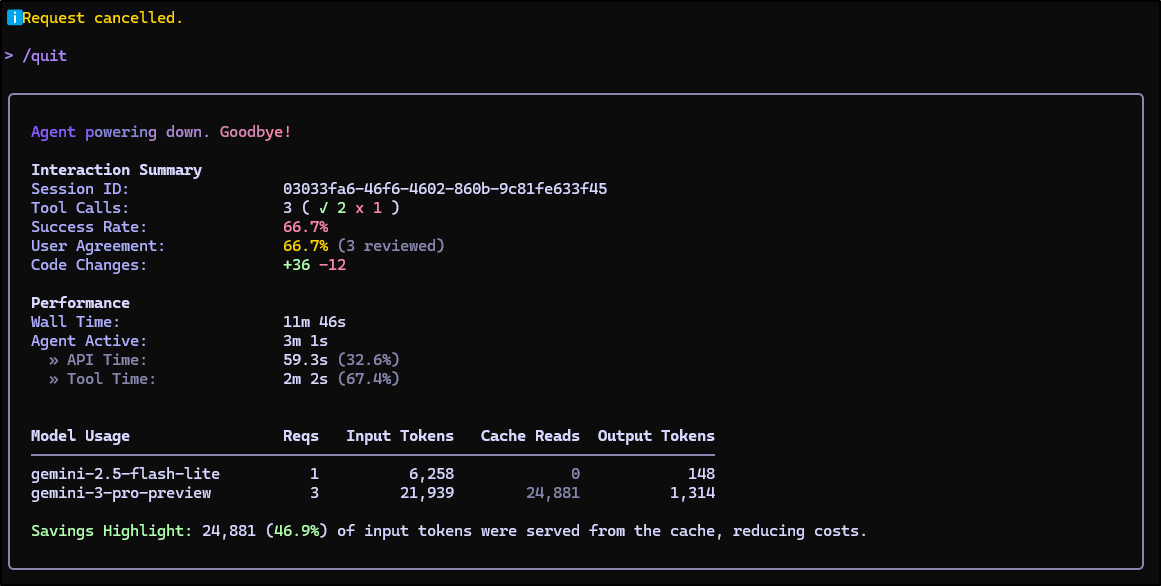
I think by keeping the focus tight, it was not only faster, but used very few tokens
I’ll do a quick check locally
builder@DESKTOP-QADGF36:~/Workspaces/perlmcp$ export MCP_DEBUG=1 && export MCP_USAGE_PASSWORD=p@ssw0rd && perl  ./server.pl dae
mon -m production -l http://*:8088
The signatures feature is experimental at ./server.pl line 27.
The signatures feature is experimental at ./server.pl line 109.
The signatures feature is experimental at ./server.pl line 191.
The signatures feature is experimental at ./server.pl line 266.
The signatures feature is experimental at ./server.pl line 325.
The signatures feature is experimental at ./server.pl line 351.
The signatures feature is experimental at ./server.pl line 396.
The signatures feature is experimental at ./server.pl line 408.
The signatures feature is experimental at ./server.pl line 416.
[2026-01-12 06:06:11.95868] [10023] [info] Listening at "http://*:8088"
Web application available at http://127.0.0.1:8088
I’ll use the MCP Inspector to test
builder@DESKTOP-QADGF36:~$ nvm use lts/jod
Now using node v22.20.0 (npm v10.9.3)
builder@DESKTOP-QADGF36:~$ !1806
npx @modelcontextprotocol/inspector
Starting MCP inspector...
⚙️ Proxy server listening on localhost:6277
🔑 Session token: 8bf3a52a63e3d81ebd32113ced062b03171bb119a63de0d42dbde441412ed8e0
   Use this token to authenticate requests or set DANGEROUSLY_OMIT_AUTH=true to disable auth

🚀 MCP Inspector is up and running at:
   http://localhost:6274/?MCP_PROXY_AUTH_TOKEN=8bf3a52a63e3d81ebd32113ced062b03171bb119a63de0d42dbde441412ed8e0

🌐 Opening browser...
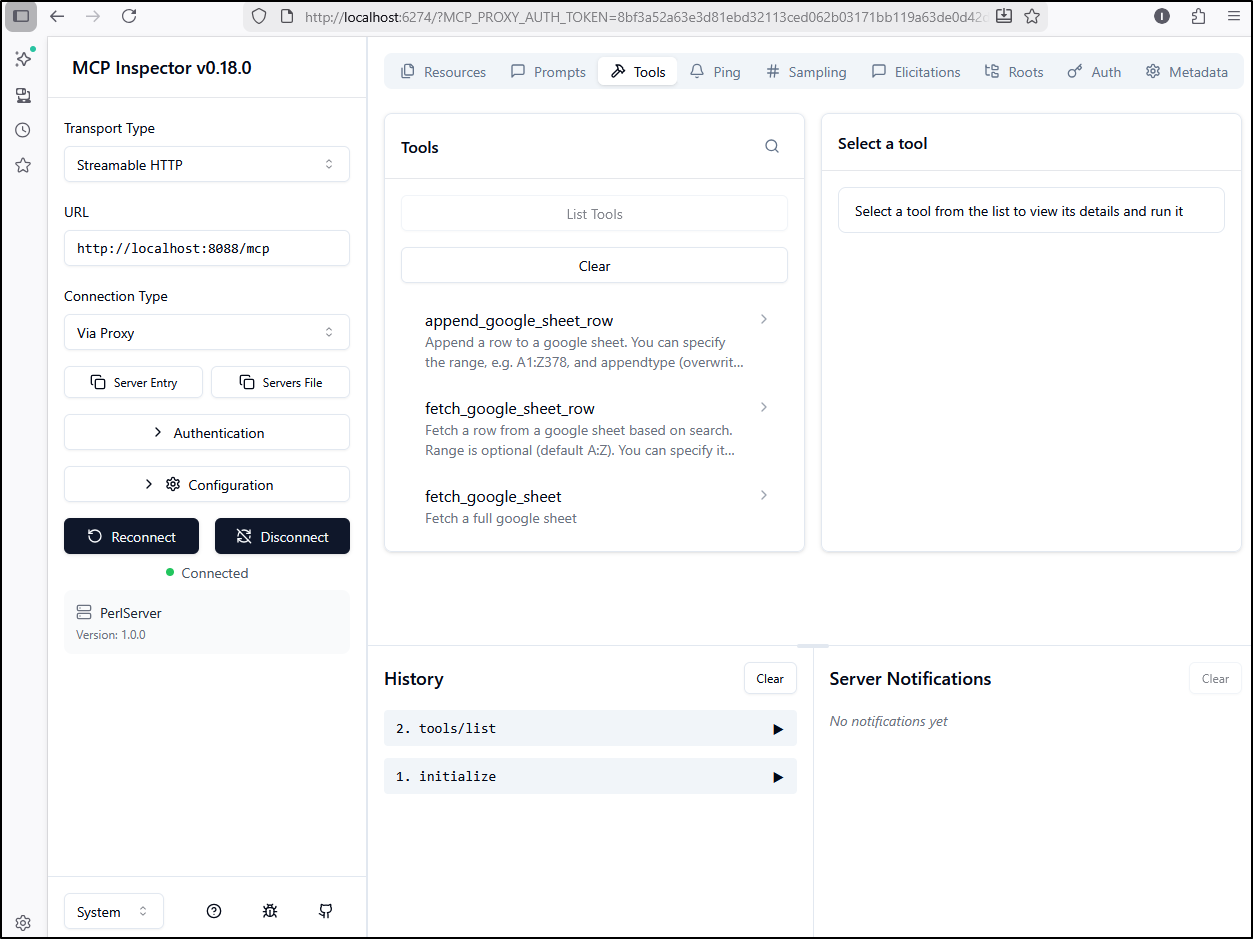
I connected and could see my new tool - that’s a good start (heck, that’s the bit I wrote so w00t for me)
I ran the tool with a lot of defaults - just the credential, sheetid, and a row to append to my “projects” sheet
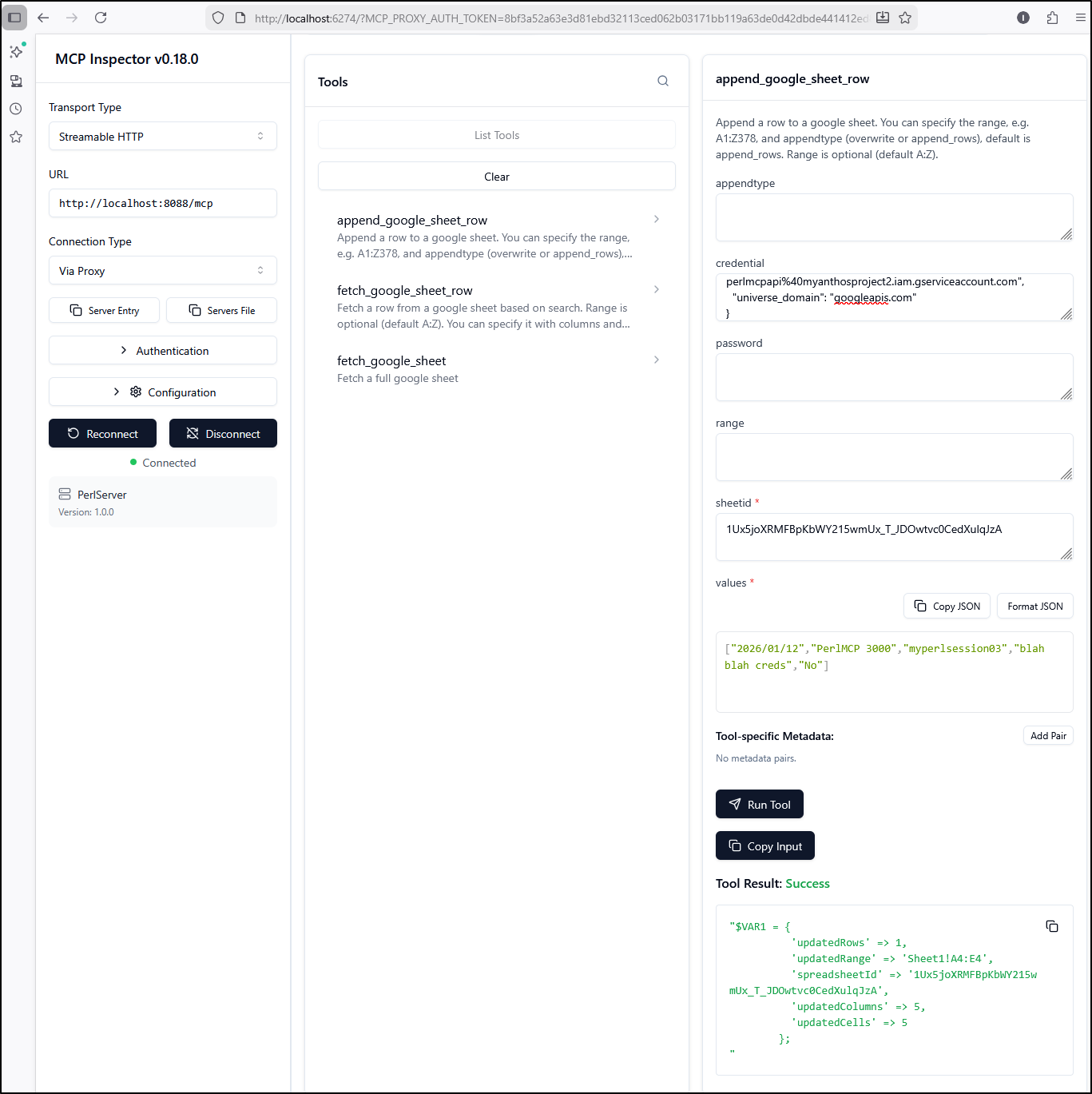
That totally worked!
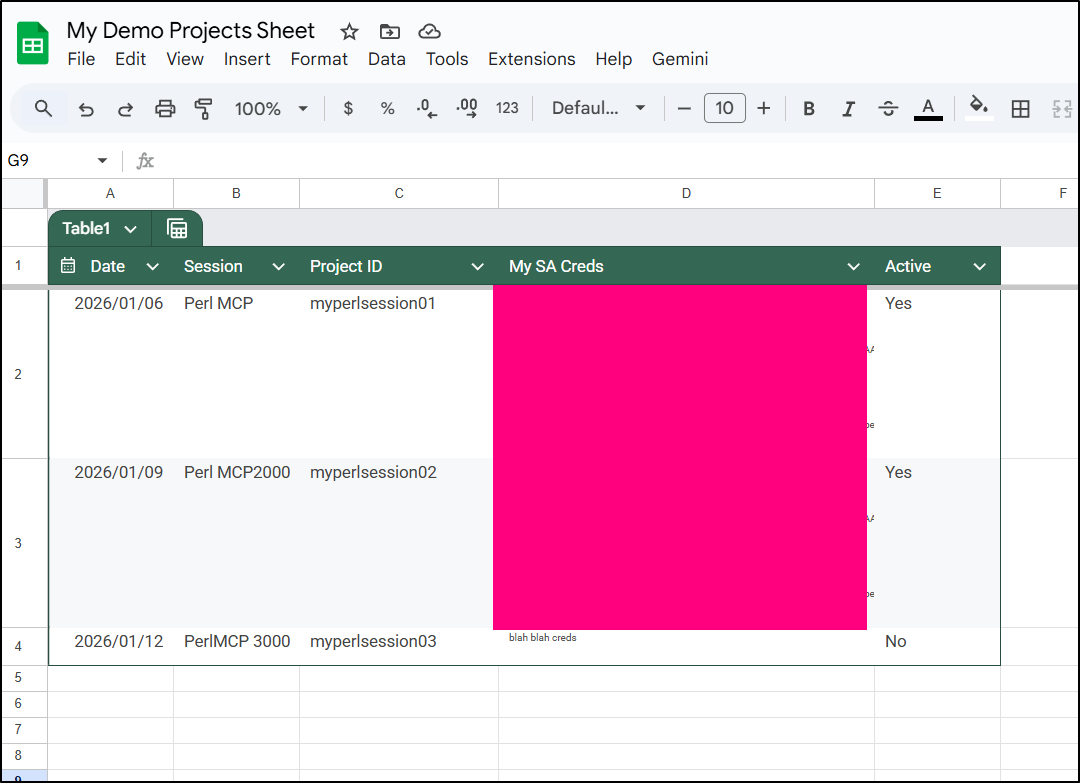
Appending does work, but I’m noticing the range isn’t really working
I see in the output of the tool I am asking for the correct range
Request URL: https://sheets.googleapis.com/v4/spreadsheets/1Ux5joXRMFBpKbWY215wmUx_T_JDOwtvc0CedXulqJzA/values/A1:E1:append?valueInputOption=USER_ENTERED&insertDataOption=OVERWRITE
200 OK
status_line: 200 OK
result_hash: $VAR1 = {
          'spreadsheetId' => '1Ux5joXRMFBpKbWY215wmUx_T_JDOwtvc0CedXulqJzA',
          'updates' => {
                         'updatedColumns' => 5,
                         'spreadsheetId' => '1Ux5joXRMFBpKbWY215wmUx_T_JDOwtvc0CedXulqJzA',
                         'updatedCells' => 5,
                         'updatedRows' => 1,
                         'updatedRange' => 'Sheet1!A5:E5'
                       },
          'tableRange' => 'Sheet1!A1:E4'
        };

Deleted temporary credential file at /tmp/mcp_google_cred_17682201348138.json
Return code: 200 OK
Contents: $VAR1 = {
          'updatedColumns' => 5,
          'spreadsheetId' => '1Ux5joXRMFBpKbWY215wmUx_T_JDOwtvc0CedXulqJzA',
          'updatedCells' => 5,
          'updatedRows' => 1,
          'updatedRange' => 'Sheet1!A5:E5'
        };

-- MCP Response
{
  "id" => 7,
  "jsonrpc" => "2.0",
  "result" => {
    "content" => [
      {
        "text" => "\$VAR1 = {\n          'updatedColumns' => 5,\n          'spreadsheetId' => '1Ux5joXRMFBpKbWY215wmUx_T_JDOwtvc0CedXulqJzA',\n          'updatedCells' => 5,\n          'updatedRows' => 1,\n          'updatedRange' => 'Sheet1!A5:E5'\n        };\n",
        "type" => "text"
      }
    ],
    "isError" => bless( do{\(my $o = 0)}, 'JSON::PP::Boolean' )
  }
}
i think this might be expected behaviour as the documentation clearly says “The valueInputOption only controls how the input data will be added to the sheet (column-wise or row-wise), it does not influence what cell the data starts being written to.”
I’ll save the progress thus far
builder@DESKTOP-QADGF36:~/Workspaces/perlmcp$ git commit -m "added an append value, works to spec"
[01-passed-in-credentials a26bee1] added an append value, works to spec
 1 file changed, 141 insertions(+)
and give Gemini a chance to make a new tool based on these others for batchUpdate
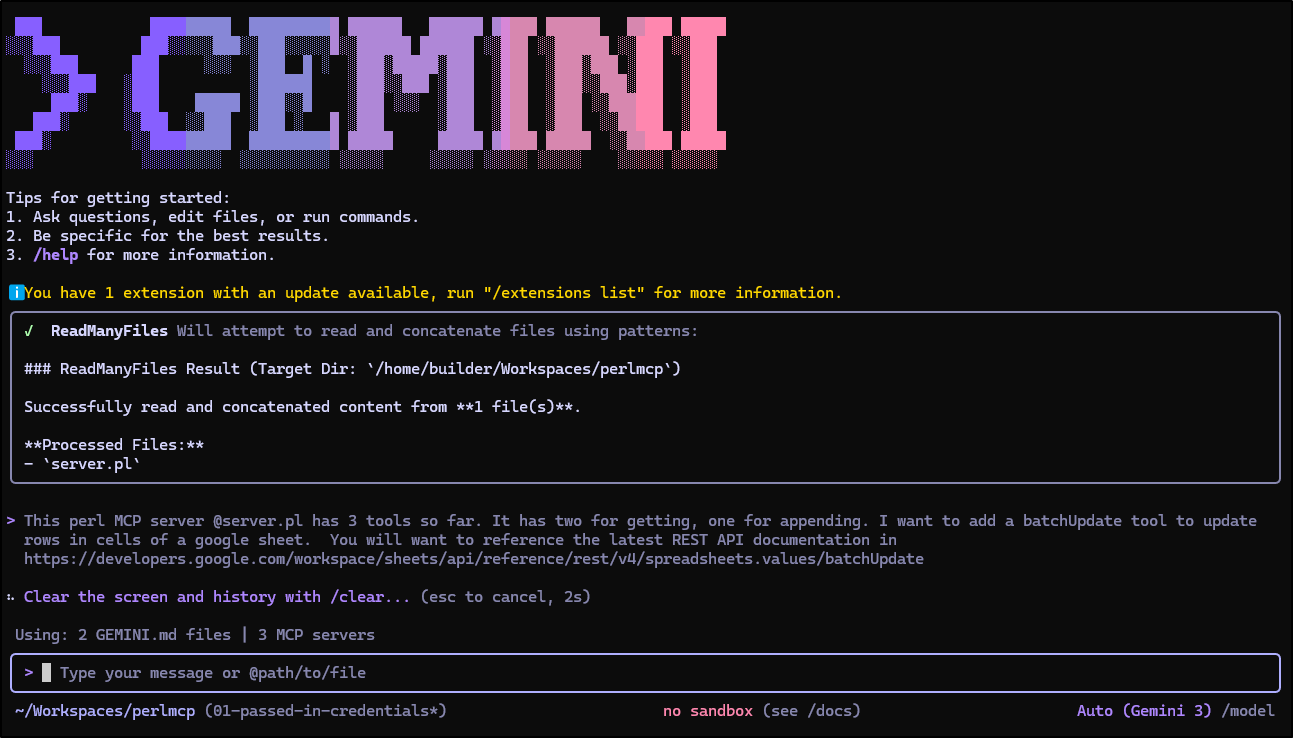
So far that looks good
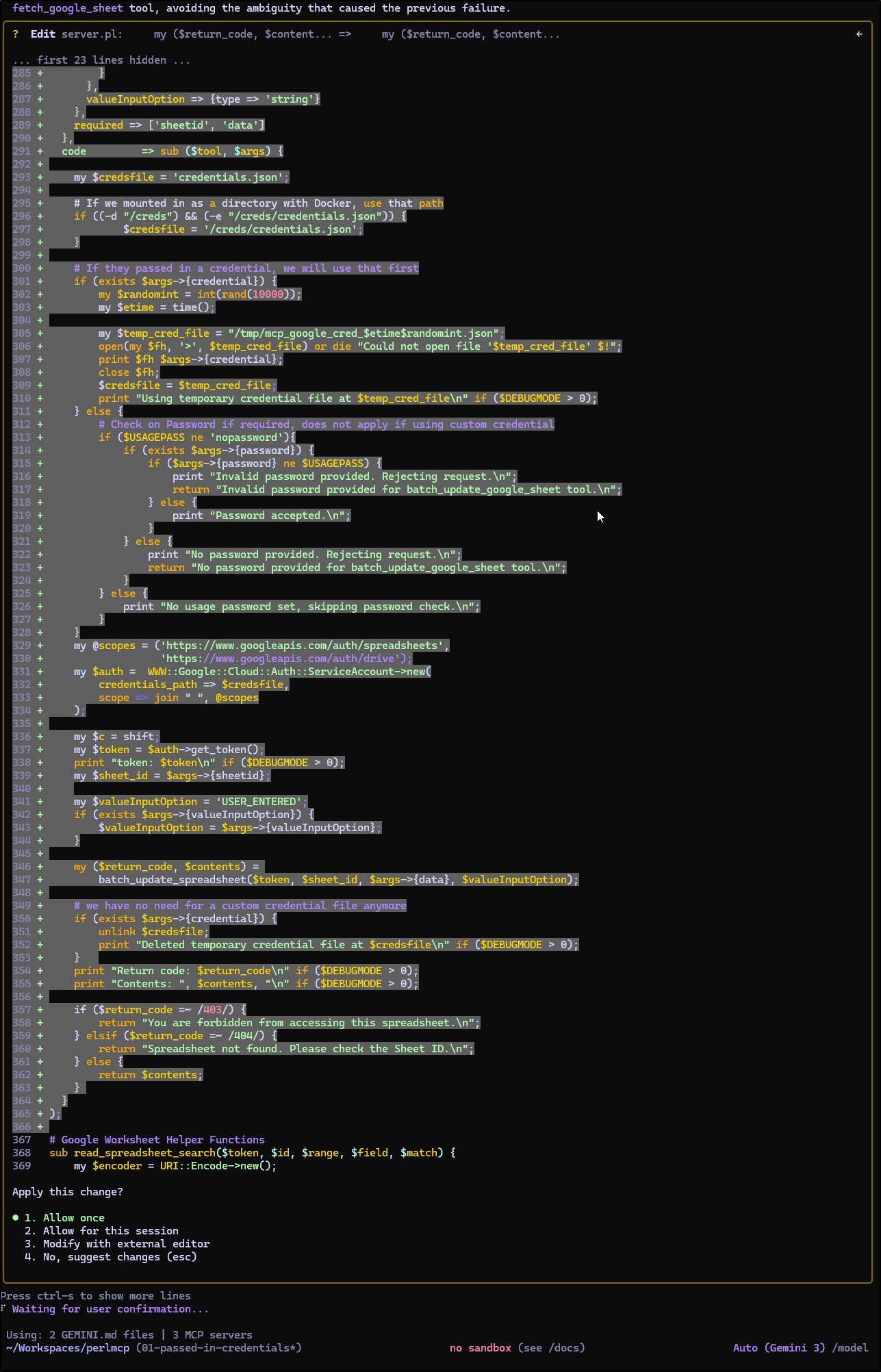
And the return looks right
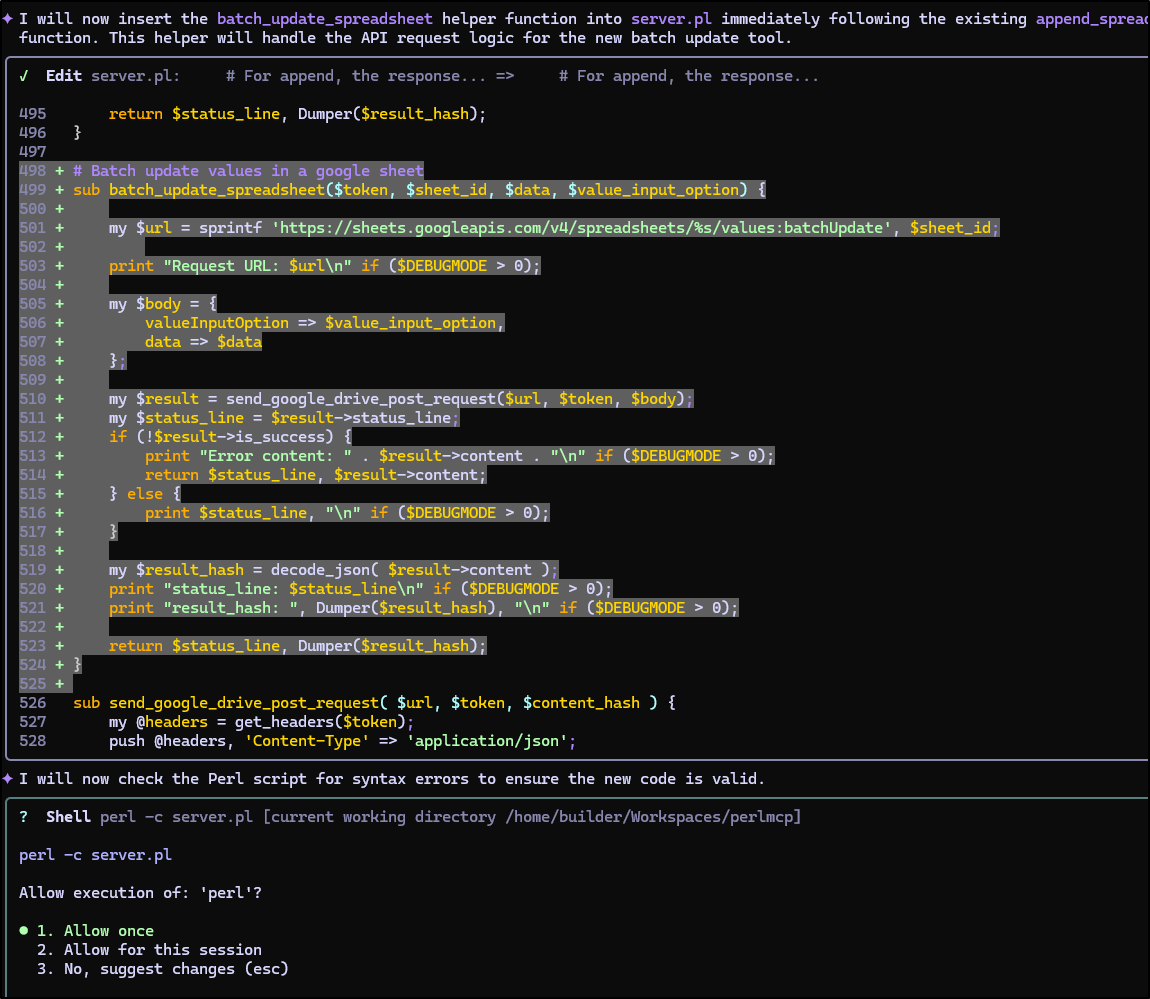
This, I might add was just as fast, but did use a few more tokens
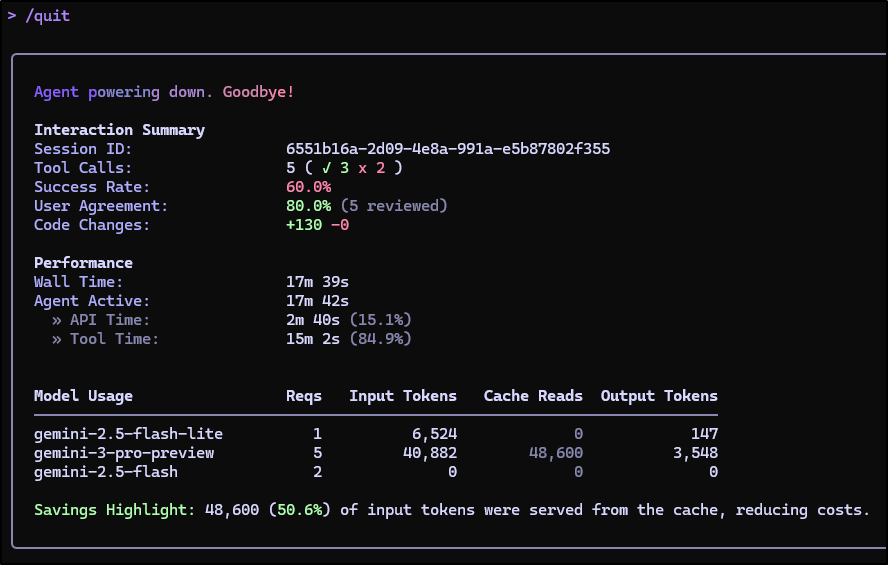
I decided to YOLO and just give it a try
But it was failing. The logs showed the error:
-- MCP Response
{
  "error" => {
    "code" => -32602,
    "message" => "Invalid arguments"
  },
  "id" => undef,
  "jsonrpc" => "2.0"
}
I’m a bit worried the “data” block is overly complicated. I tried a few ideas for content but they didn’t sort it out
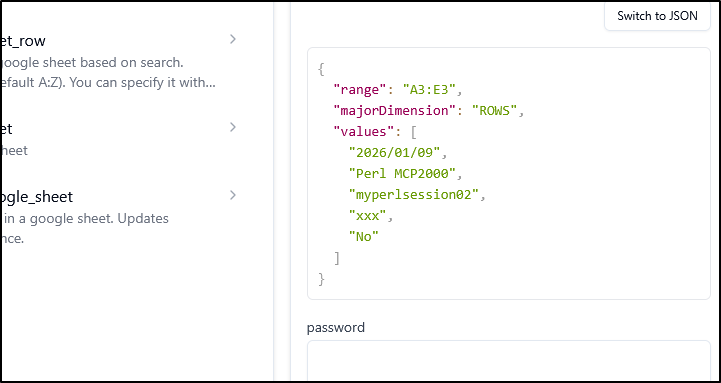
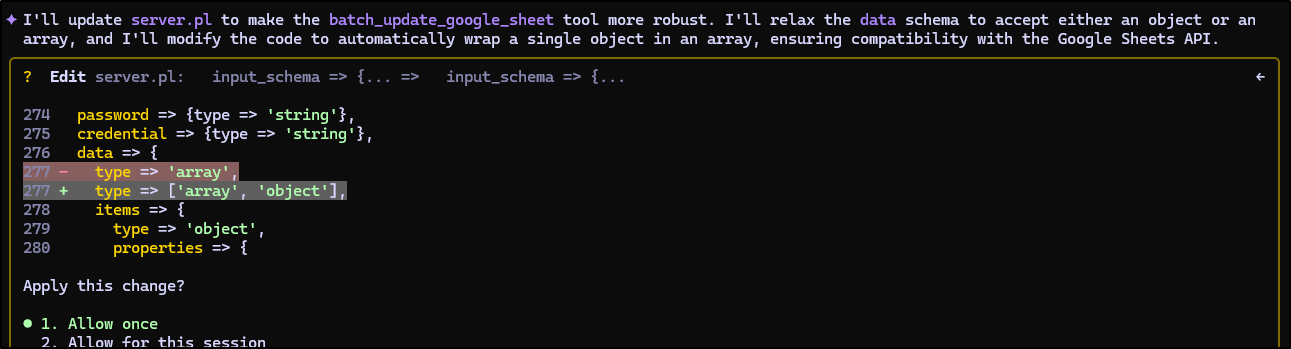
While I did ask for help
I also asked it to create some examples for me
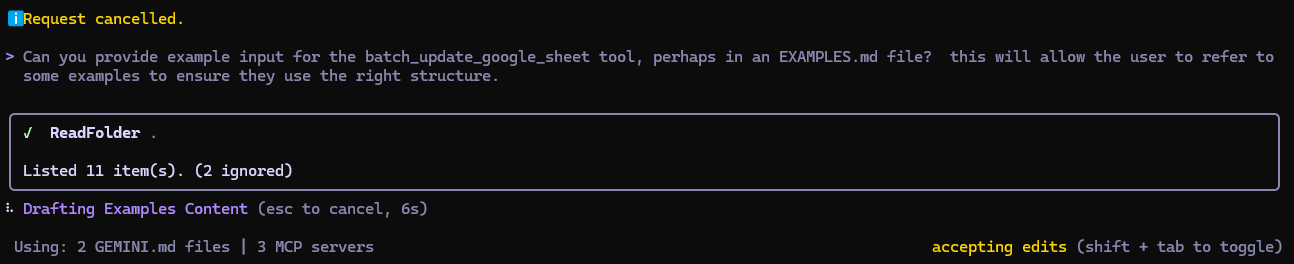
which showed I was way off on the structure
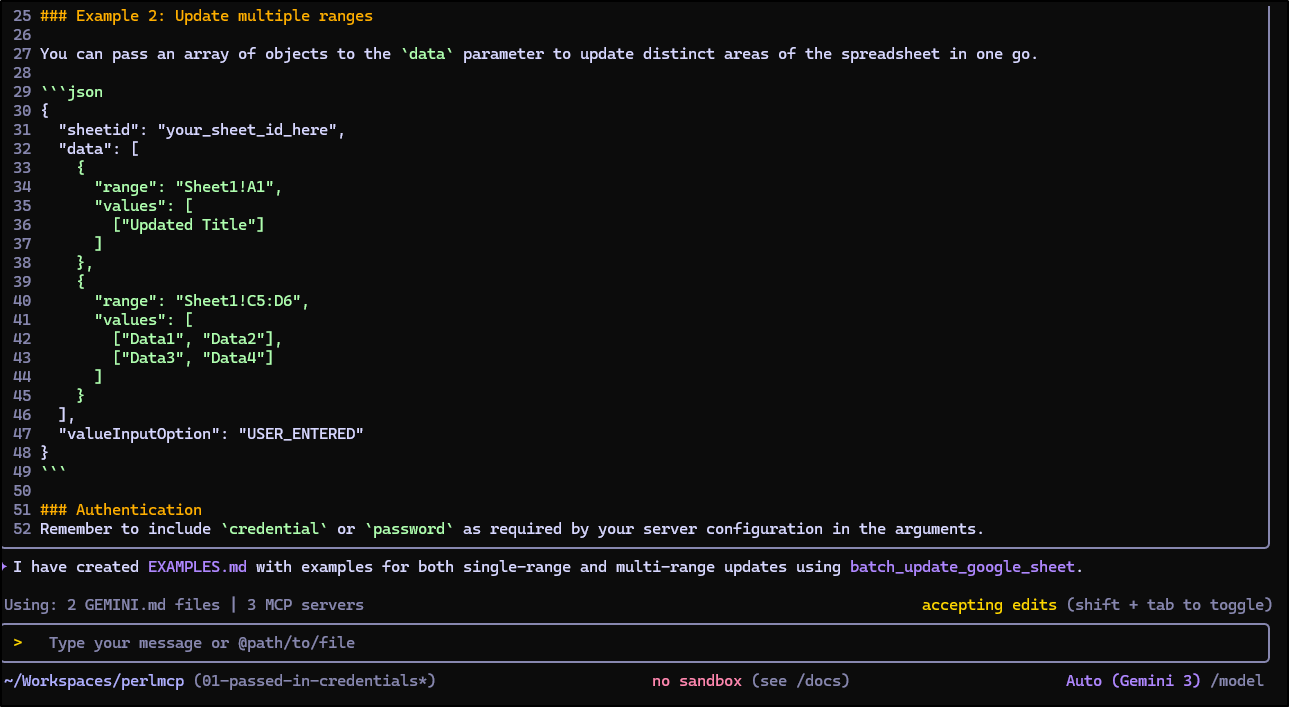
I’ll now try the same request, but with data that matches the example
{
  "range": "Sheet1!A3:E3",
  "values": [
    [
      "2026/01/09",
      "Perl MCP2000",
      "myperlsession02",
      "xxx",
      "No"
    ]
  ]
}
and it worked!
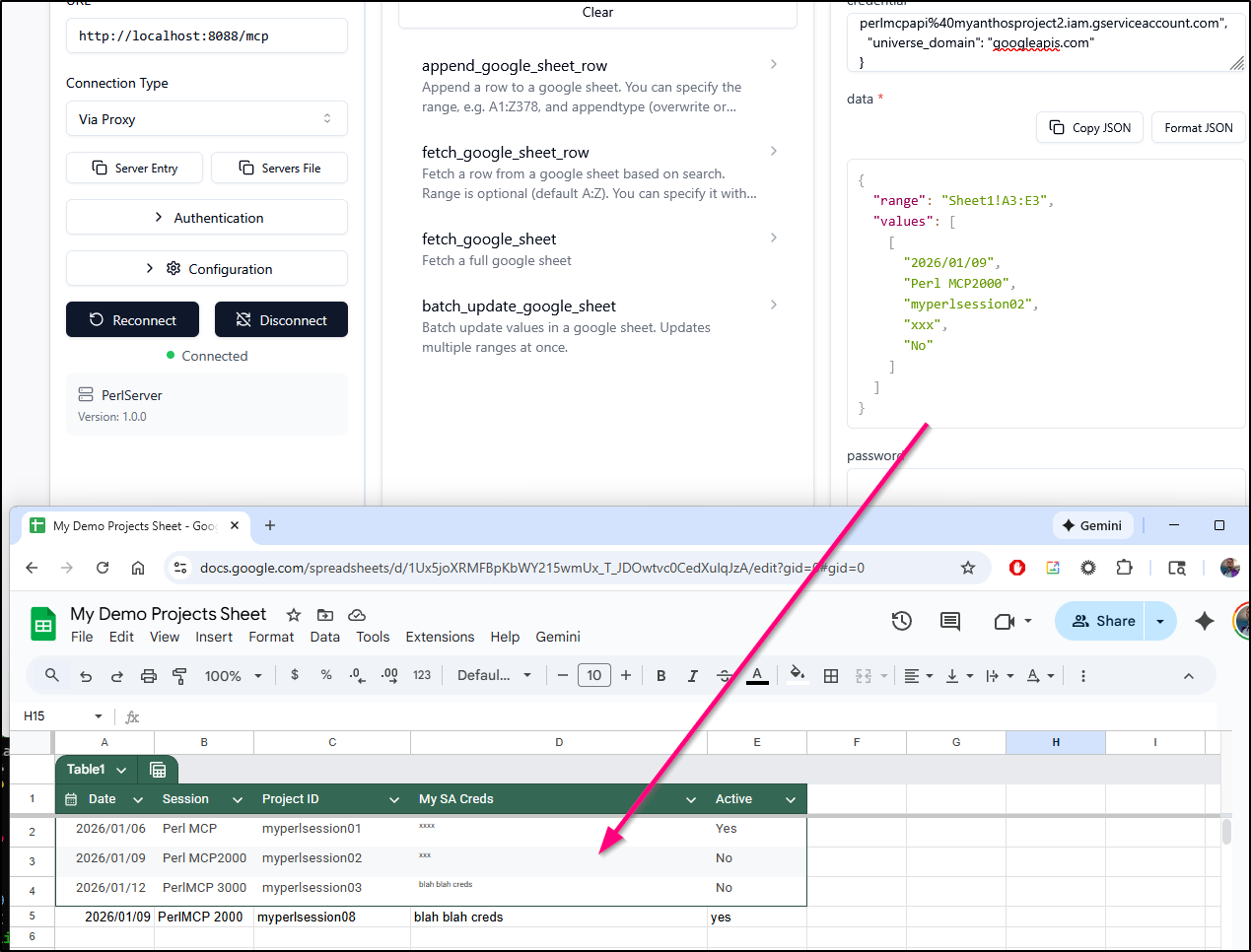
But that data stucture sucks. I will never remember that.
I can either update the tool hints or restructure the input.
I’m going to save our work thus far
builder@DESKTOP-QADGF36:~/Workspaces/perlmcp$ git add EXAMPLES.md
builder@DESKTOP-QADGF36:~/Workspaces/perlmcp$ git add server.pl
builder@DESKTOP-QADGF36:~/Workspaces/perlmcp$ git commit -m "working batch update, needs refinement"
[01-passed-in-credentials 8eb8a88] working batch update, needs refinement
 2 files changed, 188 insertions(+)
 create mode 100644 EXAMPLES.md
and see if I can’t refine it a bit more
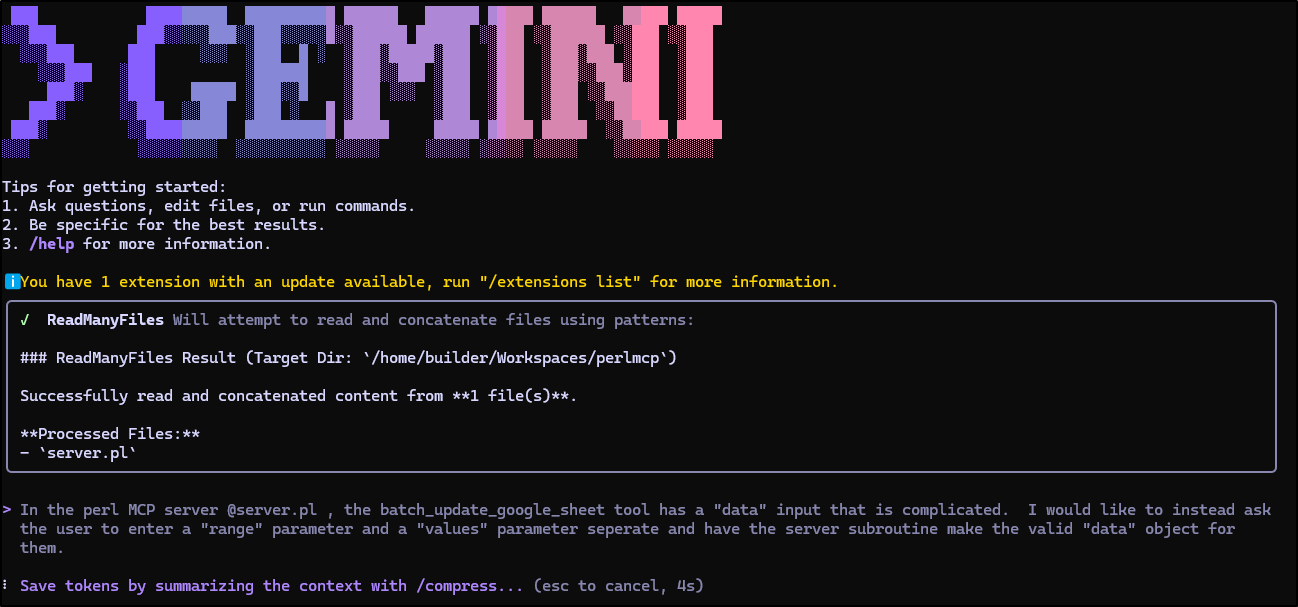
I did some testing and it does check range. I like this new input much more
Cleanup
I’ll often take readable over optimized any day of the week, but I do know there are some large blocks of copy pasta in there that could be cleaned up.
I’ll ask Gemini to provide some suggestions and see if it makes it too unwieldy
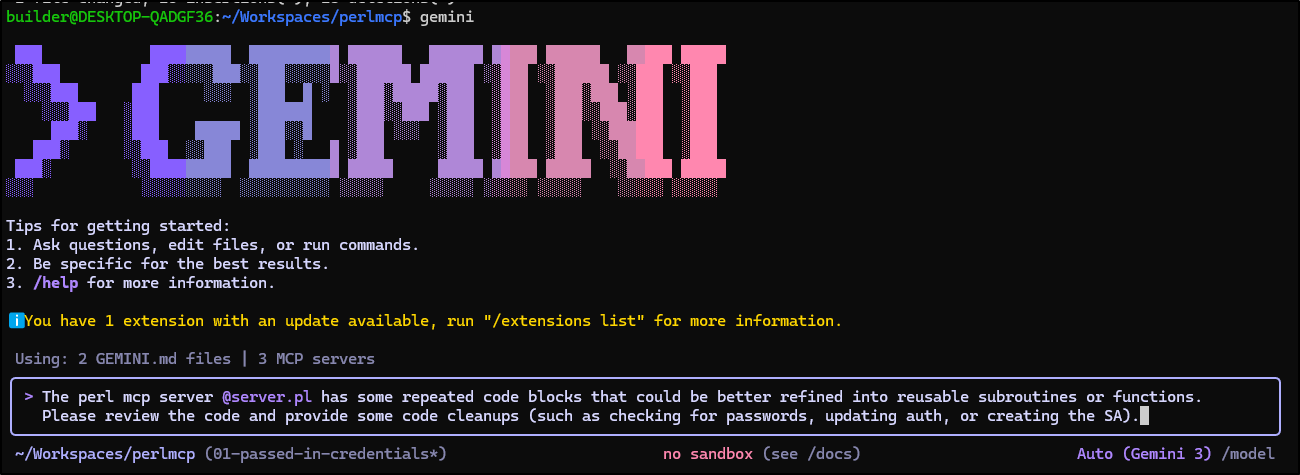
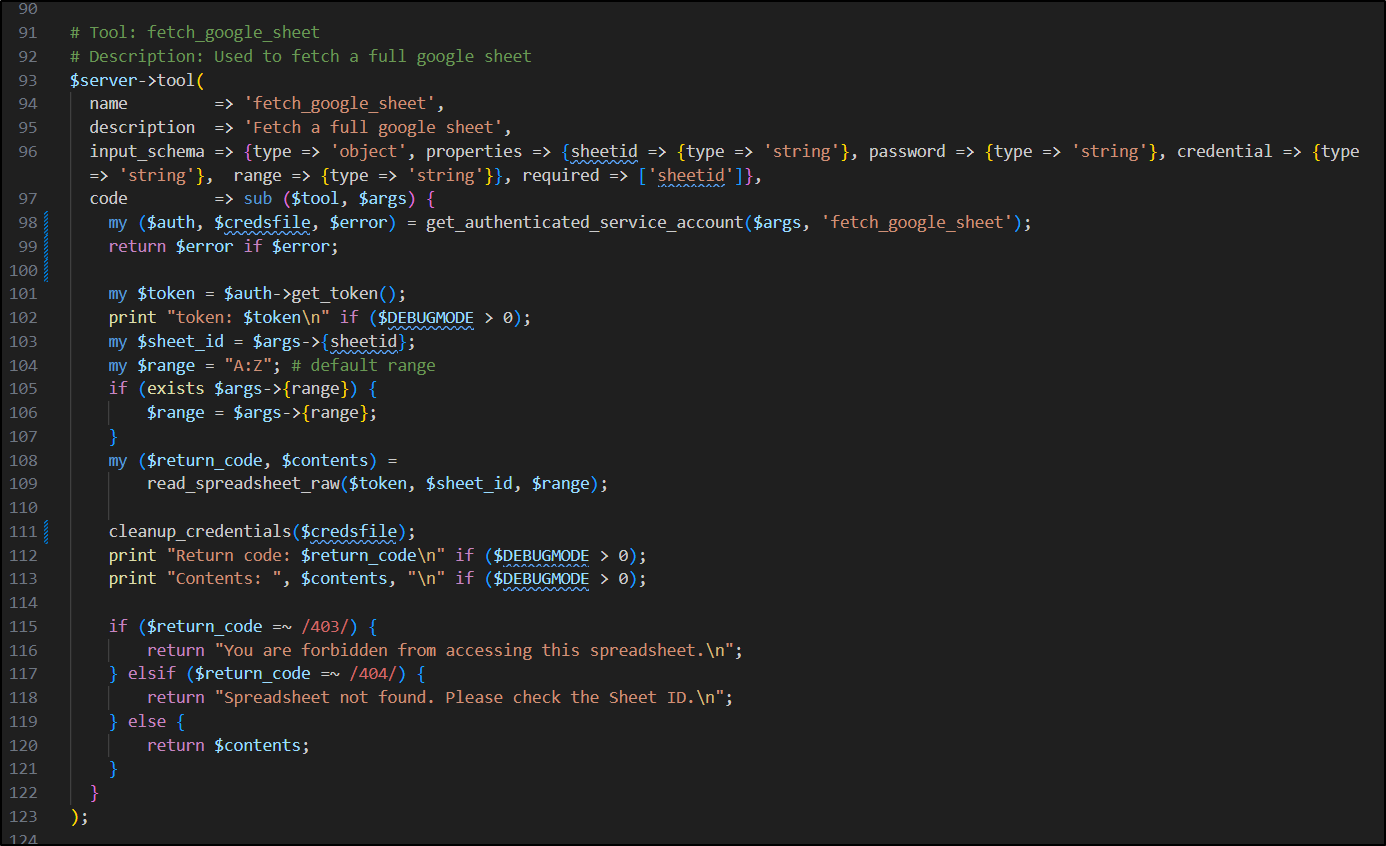
It did as I suggested and moved the auth blocks and cleanup into their own routines which made way more sense
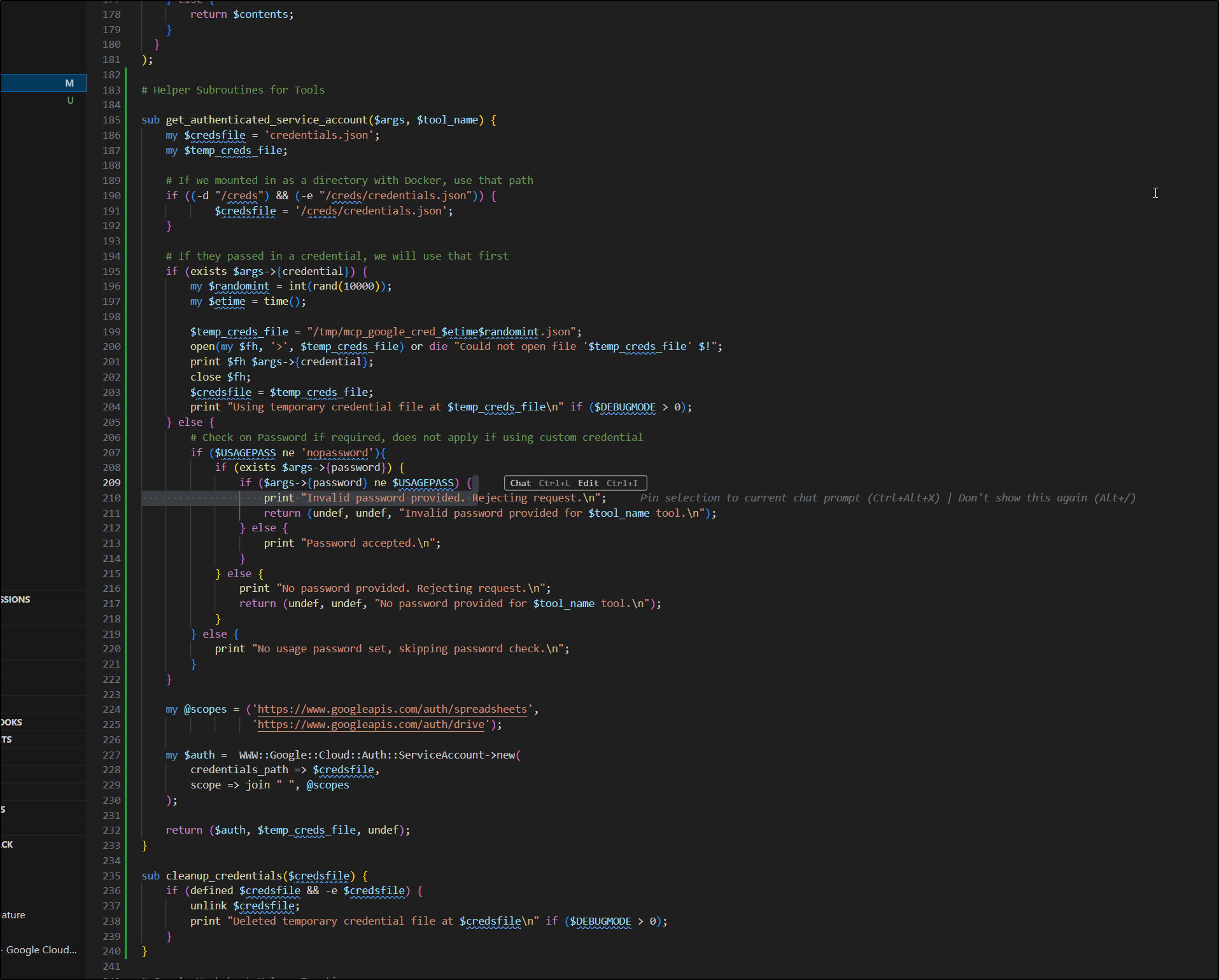
That greatly reduced the size of the tool call routines
I made sure to fire it up and test it after, but it looks good.
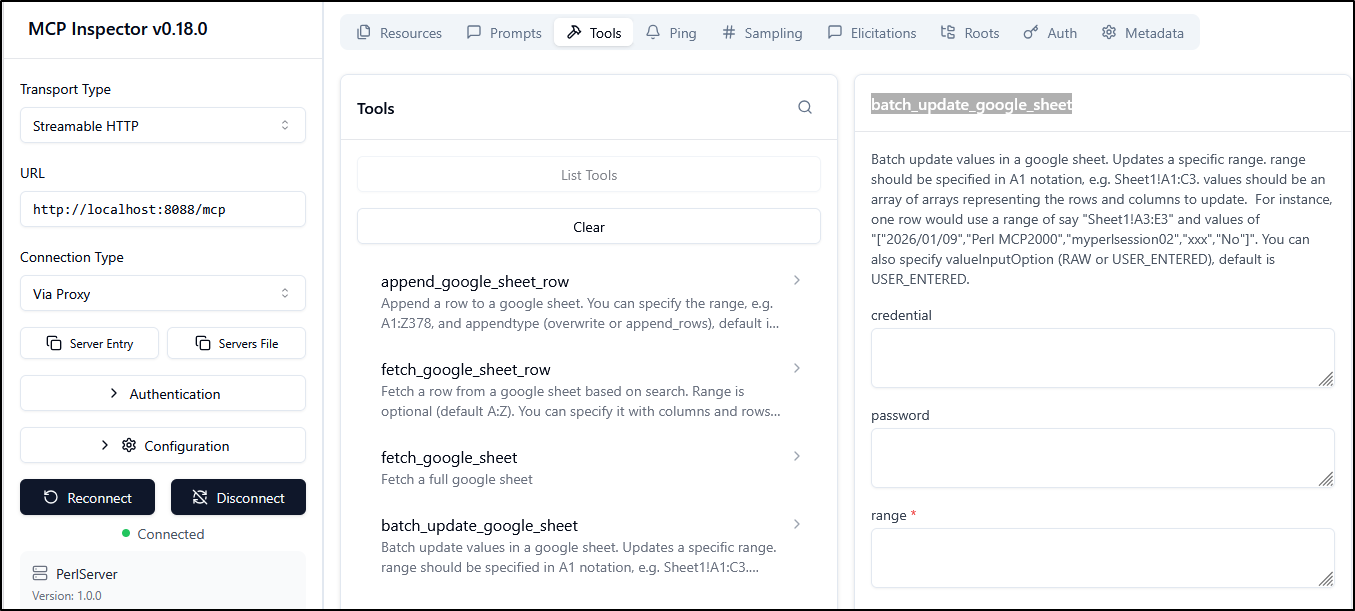
My last update was to change the batch_update_google_sheet to make the data format clear so there is little guesswork.
Make it live
My next step is to make it live on the hosted Saas Instance
A quick docker build and push will get it to Dockerhub
builder@DESKTOP-QADGF36:~/Workspaces/perlmcp$ export VER=1.2 && docker build -t idjohnson/perlmcp:$VER . && docker push idjohnson/perlmcp:$VER && echo done
[+] Building 441.0s (11/11) FINISHED                                                                                           docker:default
 => [internal] load build definition from Dockerfile                                                                                     0.0s
 => => transferring dockerfile: 364B                                                                                                     0.0s
 => [internal] load metadata for docker.io/library/perl:5.34                                                                             0.7s
 => [auth] library/perl:pull token for registry-1.docker.io                                                                              0.0s
 => [internal] load .dockerignore                                                                                                        0.0s
 => => transferring context: 2B                                                                                                          0.0s
 => [1/5] FROM docker.io/library/perl:5.34@sha256:6beebc97f4b6779637a112b3f0a5ecbbe25b1392cd1db8f0c0018bde9ad4c067                       0.0s
 => [internal] load build context                                                                                                        0.0s
 => => transferring context: 55.78kB                                                                                                     0.0s
 => CACHED [2/5] RUN mkdir -p /usr/src/app                                                                                               0.0s
 => [3/5] COPY . /usr/src/app                                                                                                            0.1s
 => [4/5] WORKDIR /usr/src/app                                                                                                           0.0s
 => [5/5] RUN cpanm --installdeps .                                                                                                    438.0s
 => exporting to image                                                                                                                   2.0s
 => => exporting layers                                                                                                                  2.0s
 => => writing image sha256:33e3814024a0f1cc1bc0fb624d2a60f6e500405431cde126ca429b8a77d36e9e                                             0.0s
 => => naming to docker.io/idjohnson/perlmcp:1.2                                                                                         0.0s

 3 warnings found (use docker --debug to expand):
 - LegacyKeyValueFormat: "ENV key=value" should be used instead of legacy "ENV key value" format (line 13)
 - SecretsUsedInArgOrEnv: Do not use ARG or ENV instructions for sensitive data (ENV "MCP_USAGE_PASSWORD") (line 13)
 - LegacyKeyValueFormat: "ENV key=value" should be used instead of legacy "ENV key value" format (line 14)
The push refers to repository [docker.io/idjohnson/perlmcp]
052472e79056: Pushed
5f70bf18a086: Layer already exists
edfeed792fcd: Pushed
e334f41581cf: Layer already exists
51d356c14f7b: Layer already exists
9538f213ec9d: Layer already exists
cf72c54274ff: Layer already exists
8074245e25ed: Layer already exists
71e1aa306a5a: Layer already exists
69f16cc74eb0: Layer already exists
82677505c894: Layer already exists
1.2: digest: sha256:b950b03bfa2eeded9bd5555c953725f9fa40c9090e80a24622fe46c6ab9d53c4 size: 2625
done
We now have a valid image at idjohnosn/perlmcp:1.2 anyone can use.
I realized I should store this out in Harbor as well on the public endpoint
I pushed the latest of this round to the library, the last round (last blog post) and then an ephemeral “latest” tag anyone can use
builder@DESKTOP-QADGF36:~/Workspaces/perlmcp$ docker tag idjohnson/perlmcp:1.2 harbor.freshbrewed.science/library/perlmcp:1.2
builder@DESKTOP-QADGF36:~/Workspaces/perlmcp$ docker push harbor.freshbrewed.science/library/perlmcp:1.2
The push refers to repository [harbor.freshbrewed.science/library/perlmcp]
052472e79056: Pushed
5f70bf18a086: Mounted from freshbrewedprivate/docusaurus
edfeed792fcd: Pushed
e334f41581cf: Pushed
51d356c14f7b: Pushed
9538f213ec9d: Pushed
cf72c54274ff: Pushed
8074245e25ed: Pushed
71e1aa306a5a: Pushed
69f16cc74eb0: Pushed
82677505c894: Pushed
1.2: digest: sha256:b950b03bfa2eeded9bd5555c953725f9fa40c9090e80a24622fe46c6ab9d53c4 size: 2625
builder@DESKTOP-QADGF36:~/Workspaces/perlmcp$ docker tag idjohnson/perlmcp:0.2 harbor.freshbrewed.science/library/perlmcp:0.2
builder@DESKTOP-QADGF36:~/Workspaces/perlmcp$ docker push harbor.freshbrewed.science/library/perlmcp:0.2
The push refers to repository [harbor.freshbrewed.science/library/perlmcp]
ad0c738bb887: Pushed
5f70bf18a086: Layer already exists
2b3c07fe9632: Pushed
e334f41581cf: Layer already exists
51d356c14f7b: Layer already exists
9538f213ec9d: Layer already exists
cf72c54274ff: Layer already exists
8074245e25ed: Layer already exists
71e1aa306a5a: Layer already exists
69f16cc74eb0: Layer already exists
82677505c894: Layer already exists
0.2: digest: sha256:ba4f656d9dafafc069fb9c6328f5758cefd3773b390c6bcbdb27bb8074516237 size: 2625
builder@DESKTOP-QADGF36:~/Workspaces/perlmcp$ docker tag idjohnson/perlmcp:1.2 harbor.freshbrewed.science/library/perlmcp:latest
builder@DESKTOP-QADGF36:~/Workspaces/perlmcp$ docker push harbor.freshbrewed.science/library/perlmcp:latest
The push refers to repository [harbor.freshbrewed.science/library/perlmcp]
052472e79056: Layer already exists
5f70bf18a086: Layer already exists
edfeed792fcd: Layer already exists
e334f41581cf: Layer already exists
51d356c14f7b: Layer already exists
9538f213ec9d: Layer already exists
cf72c54274ff: Layer already exists
8074245e25ed: Layer already exists
71e1aa306a5a: Layer already exists
69f16cc74eb0: Layer already exists
82677505c894: Layer already exists
latest: digest: sha256:b950b03bfa2eeded9bd5555c953725f9fa40c9090e80a24622fe46c6ab9d53c4 size: 2625
The library is on an unauthenticated endpoint (sharing is caring, folks) so you can find them at harbor.freshbrewed.science/harbor/projects/1/repositories/perlmcp/artifacts-tab.
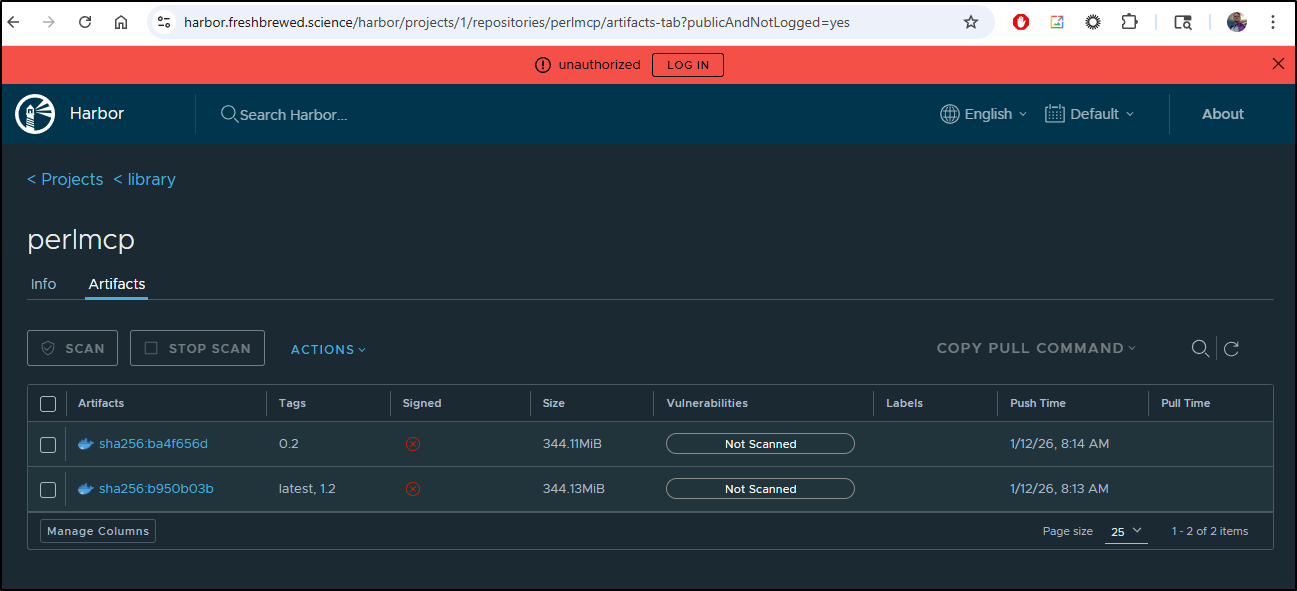
If you are unfamiliar with the UI, you can just pick a tag and copy the pull command
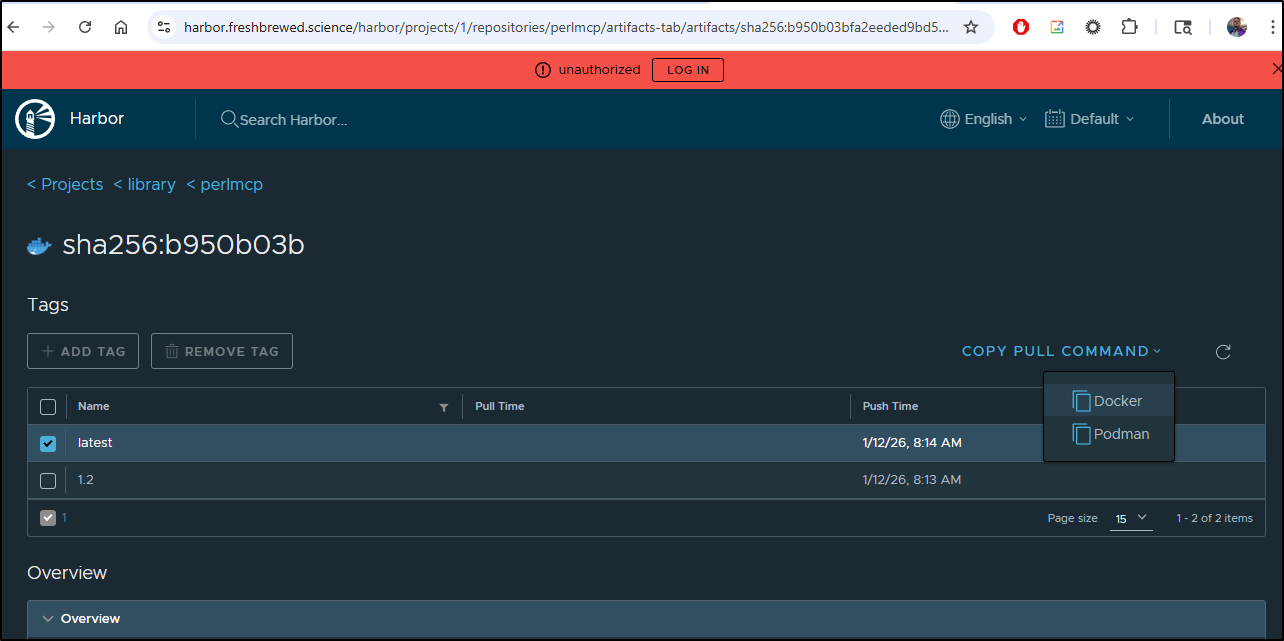
e.g.
$ docker pull harbor.freshbrewed.science/library/perlmcp:latest
Let’s use my local harbor in the values file.
builder@DESKTOP-QADGF36:~/Workspaces/perlmcp$ cat values.yml  | head -n10

replicaCount: 1

image:
  repository: idjohnson/perlmcp
  #IfNotPresent, Never or Always
  pullPolicy: IfNotPresent
  # Overrides the image tag whose default is the chart appVersion.
  tag: "1.2"
Then update with helm
builder@DESKTOP-QADGF36:~/Workspaces/perlmcp$ kubectl get po -l app.kubernetes.io/instance=perlmcp
NAME                       READY   STATUS    RESTARTS   AGE
perlmcp-6d6d46f4d4-wc8lh   1/1     Running   0          2d
builder@DESKTOP-QADGF36:~/Workspaces/perlmcp$ helm upgrade --install perlmcp -f ./values.yml ./charts/perlmcp/
Release "perlmcp" has been upgraded. Happy Helming!
NAME: perlmcp
LAST DEPLOYED: Mon Jan 12 08:20:16 2026
NAMESPACE: default
STATUS: deployed
REVISION: 7
NOTES:
1. Get the application URL by running these commands:
  https://perlmcp.steeped.icu/
builder@DESKTOP-QADGF36:~/Workspaces/perlmcp$ kubectl get po -l app.kubernetes.io/instance=perlmcp
NAME                       READY   STATUS              RESTARTS   AGE
perlmcp-6d6d46f4d4-wc8lh   1/1     Running             0          2d
perlmcp-c4cf5f8f7-f7mf8    0/1     ContainerCreating   0          3s
builder@DESKTOP-QADGF36:~/Workspaces/perlmcp$ kubectl get po -l app.kubernetes.io/instance=perlmcp
NAME                       READY   STATUS              RESTARTS   AGE
perlmcp-6d6d46f4d4-wc8lh   1/1     Running             0          2d
perlmcp-c4cf5f8f7-f7mf8    0/1     ContainerCreating   0          9s
builder@DESKTOP-QADGF36:~/Workspaces/perlmcp$ kubectl get po -l app.kubernetes.io/instance=perlmcp
NAME                       READY   STATUS    RESTARTS   AGE
perlmcp-6d6d46f4d4-wc8lh   1/1     Running   0          2d1h
perlmcp-c4cf5f8f7-f7mf8    0/1     Running   0          15s
builder@DESKTOP-QADGF36:~/Workspaces/perlmcp$ kubectl get po -l app.kubernetes.io/instance=perlmcp
NAME                       READY   STATUS    RESTARTS   AGE
perlmcp-6d6d46f4d4-wc8lh   1/1     Running   0          2d1h
perlmcp-c4cf5f8f7-f7mf8    0/1     Running   0          32s
builder@DESKTOP-QADGF36:~/Workspaces/perlmcp$ kubectl get po -l app.kubernetes.io/instance=perlmcp
NAME                      READY   STATUS    RESTARTS   AGE
perlmcp-c4cf5f8f7-f7mf8   1/1     Running   0          39s
Because I have it linked in Gemini CLI already, I can just launch Gemini to see the new tools and ensure the updated SaaS endpoint is live
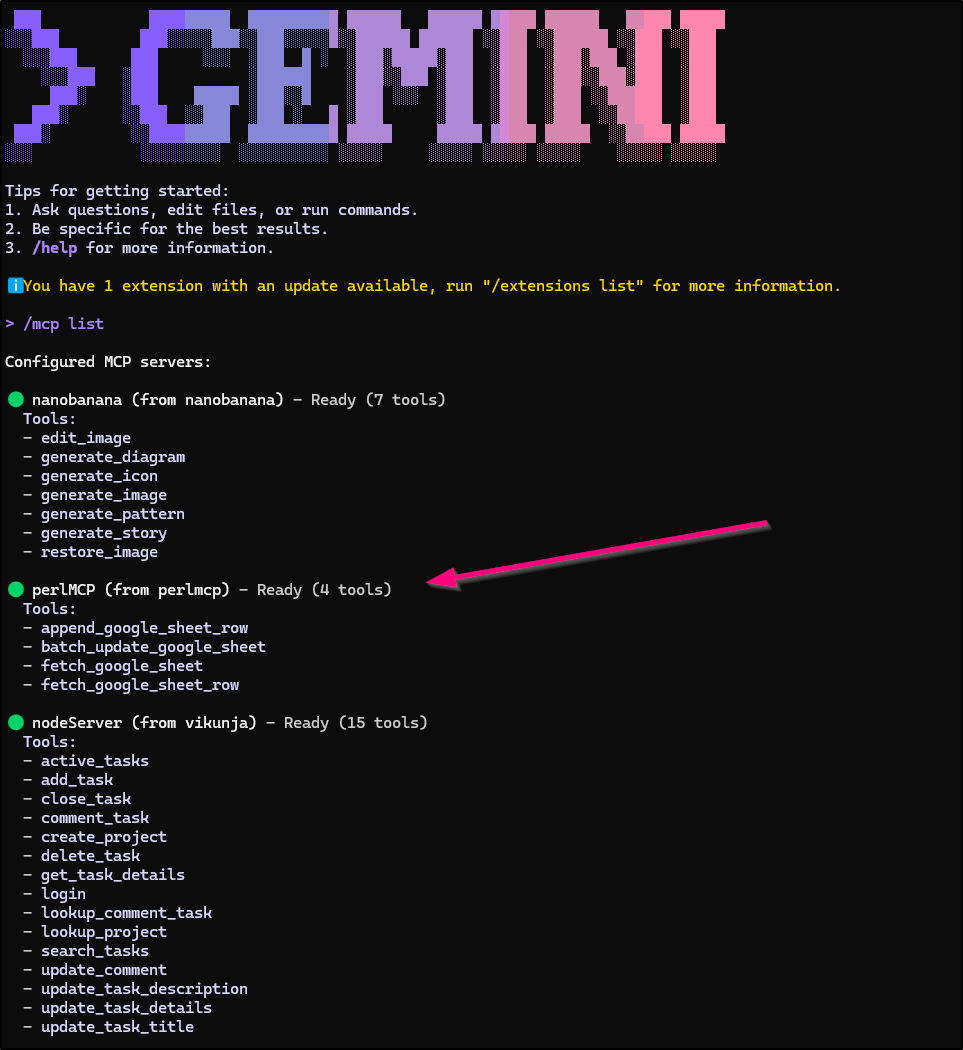
Let’s try using it.
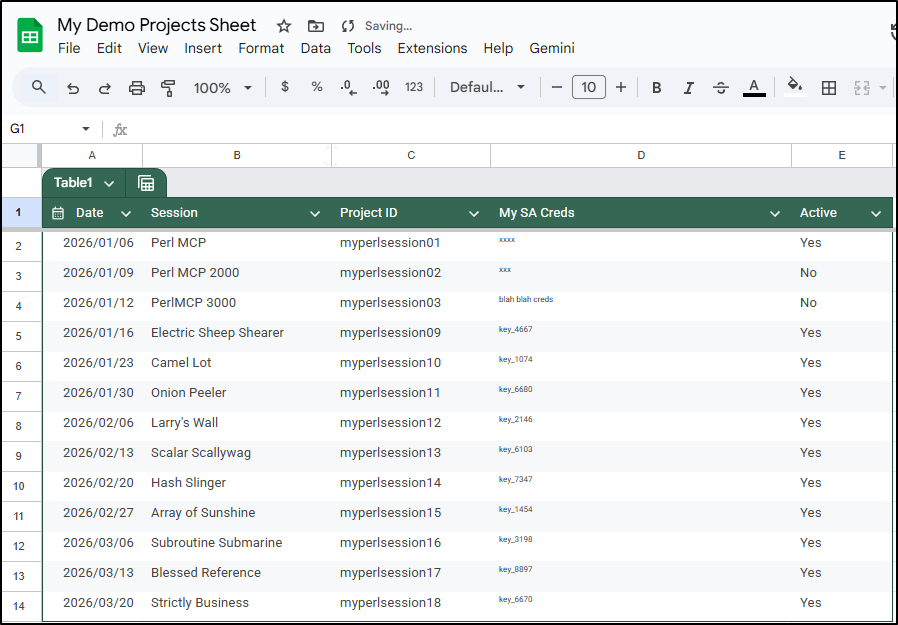
And we can now see all the sessions were added with fun names
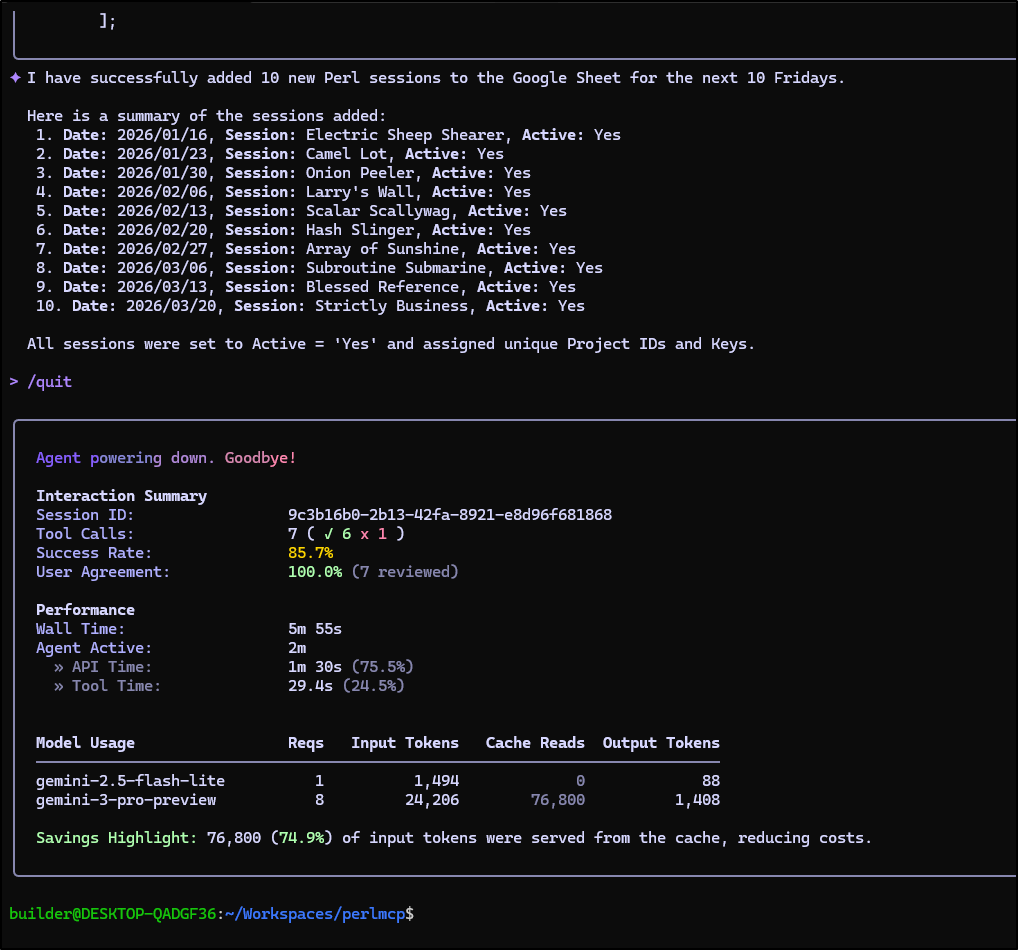
And it didn’t even take much by way of tokens to do that
Wrapping up
The server code now looks good enough to ship (to me)
use Data::Dumper;
use HTTP::Request;
use JSON;
use LWP::UserAgent;
use MCP::Server;
use Mojolicious::Lite -signatures;
use LWP::Protocol::https;
use URI::Encode;
use URI;
use WWW::Google::Cloud::Auth::ServiceAccount;
use experimental qw(declared_refs refaliasing signatures);
use feature qw(say);
use strict;
use warnings;

my $server = MCP::Server->new;
my $USAGEPASS = $ENV{'MCP_USAGE_PASSWORD'} || 'nopassword';
my $DEBUGMODE = $ENV{'MCP_DEBUG'} + 0;


# Tool: append_google_sheet_row
# Description: Used to append a row to a google sheet
$server->tool(
  name         => 'append_google_sheet_row',
  description  => 'Append a row to a google sheet. You can specify the range, e.g. A1:Z378, and appendtype (overwrite or append_rows), default is append_rows. Range is optional (default A:Z).',
  input_schema => {type => 'object', properties => {sheetid => {type => 'string'}, password => {type => 'string'}, credential => {type => 'string'}, range => {type => 'string'}, appendtype => {type => 'string'}, values => {type => 'array'}}, required => ['sheetid','values']},
  code         => sub ($tool, $args) {
    my ($auth, $credsfile, $error) = get_authenticated_service_account($args, 'append_google_sheet_row');
    return $error if $error;

    my $token = $auth->get_token();
    print "token: $token\n" if ($DEBUGMODE > 0);
    my $sheet_id = $args->{sheetid};
    my $range = "A:Z"; # default range
    if (exists $args->{range}) {
        $range = $args->{range};
    }
    my ($return_code, $contents) =
        append_spreadsheet($token, $sheet_id, $range, $args->{appendtype}, $args->{values}); # to create

    cleanup_credentials($credsfile);

    print "Return code: $return_code\n" if ($DEBUGMODE > 0);
    print "Contents: ", $contents, "\n" if ($DEBUGMODE > 0);

    if ($return_code =~ /403/) {
        return "You are forbidden from accessing this spreadsheet.\n";
    } elsif ($return_code =~ /404/) {
        return "Spreadsheet not found. Please check the Sheet ID.\n";
    } else {
        return $contents;
    }
  }
);

# Tool: fetch_google_sheet_row
# Description: Used to fetch a row from a google sheet based on search criteria
$server->tool(
  name         => 'fetch_google_sheet_row',
  description  => 'Fetch a row from a google sheet based on search. Range is optional (default A:Z). You can specify it with columns and rows, e.g. A1:Z378',
  input_schema => {type => 'object', properties => {sheetid => {type => 'string'}, password => {type => 'string'}, credential => {type => 'string'}, range => {type => 'string'}, searchfield => {type => 'string'}, searchvalue => {type => 'string'}}, required => ['sheetid','searchfield','searchvalue']},
  code         => sub ($tool, $args) {
    my ($auth, $credsfile, $error) = get_authenticated_service_account($args, 'fetch_google_sheet_row');
    return $error if $error;

    my $token = $auth->get_token();
    print "token: $token\n" if ($DEBUGMODE > 0);
    my $sheet_id = $args->{sheetid};
    my $range = "A:Z"; # default range
    if (exists $args->{range}) {
        $range = $args->{range};
    }
    my ($return_code, $contents) =
        read_spreadsheet_search($token, $sheet_id, $range, $args->{searchfield}, $args->{searchvalue});

    cleanup_credentials($credsfile);

    print "Return code: $return_code\n" if ($DEBUGMODE > 0);
    print "Contents: ", $contents, "\n" if ($DEBUGMODE > 0);

    if ($return_code =~ /403/) {
        return "You are forbidden from accessing this spreadsheet.\n";
    } elsif ($return_code =~ /404/) {
        return "Spreadsheet not found. Please check the Sheet ID.\n";
    } else {
        return $contents;
    }
  }
);

# Tool: fetch_google_sheet
# Description: Used to fetch a full google sheet
$server->tool(
  name         => 'fetch_google_sheet',
  description  => 'Fetch a full google sheet',
  input_schema => {type => 'object', properties => {sheetid => {type => 'string'}, password => {type => 'string'}, credential => {type => 'string'},  range => {type => 'string'}}, required => ['sheetid']},
  code         => sub ($tool, $args) {
    my ($auth, $credsfile, $error) = get_authenticated_service_account($args, 'fetch_google_sheet');
    return $error if $error;

    my $token = $auth->get_token();
    print "token: $token\n" if ($DEBUGMODE > 0);
    my $sheet_id = $args->{sheetid};
    my $range = "A:Z"; # default range
    if (exists $args->{range}) {
        $range = $args->{range};
    }
    my ($return_code, $contents) =
        read_spreadsheet_raw($token, $sheet_id, $range);

    cleanup_credentials($credsfile);
    print "Return code: $return_code\n" if ($DEBUGMODE > 0);
    print "Contents: ", $contents, "\n" if ($DEBUGMODE > 0);

    if ($return_code =~ /403/) {
        return "You are forbidden from accessing this spreadsheet.\n";
    } elsif ($return_code =~ /404/) {
        return "Spreadsheet not found. Please check the Sheet ID.\n";
    } else {
        return $contents;
    }
  }
);

# Tool: batch_update_google_sheet
# Description: Used to batch update values in a google sheet
$server->tool(
  name         => 'batch_update_google_sheet',
  description  => 'Batch update values in a google sheet. Updates a specific range. range should be specified in A1 notation, e.g. Sheet1!A1:C3. values should be an array of arrays representing the rows and columns to update.  For instance, one row would use a range of say "Sheet1!A3:E3" and values of "["2026/01/09","Perl MCP2000","myperlsession02","xxx","No"]". You can also specify valueInputOption (RAW or USER_ENTERED), default is USER_ENTERED.',
  input_schema => {
    type => 'object',
    properties => {
      sheetid => {type => 'string'},
      password => {type => 'string'},
      credential => {type => 'string'},
      range => {type => 'string'},
      values => {type => 'array'},
      valueInputOption => {type => 'string'}
    },
    required => ['sheetid', 'range', 'values']
  },
  code         => sub ($tool, $args) {
    my ($auth, $credsfile, $error) = get_authenticated_service_account($args, 'batch_update_google_sheet');
    return $error if $error;

    my $token = $auth->get_token();
    print "token: $token\n" if ($DEBUGMODE > 0);
    my $sheet_id = $args->{sheetid};

    my $values = $args->{values};
    # Ensure values is an array of arrays
    if (scalar @$values > 0 && ref($values->[0]) ne 'ARRAY') {
         $values = [$values];
    }

    my $data = [{
        range => $args->{range},
        values => $values
    }];

    my $valueInputOption = 'USER_ENTERED';
    if (exists $args->{valueInputOption}) {
        $valueInputOption = $args->{valueInputOption};
    }

    my ($return_code, $contents) =
        batch_update_spreadsheet($token, $sheet_id, $data, $valueInputOption);

    cleanup_credentials($credsfile);
    print "Return code: $return_code\n" if ($DEBUGMODE > 0);
    print "Contents: ", $contents, "\n" if ($DEBUGMODE > 0);

    if ($return_code =~ /403/) {
        return "You are forbidden from accessing this spreadsheet.\n";
    } elsif ($return_code =~ /404/) {
        return "Spreadsheet not found. Please check the Sheet ID.\n";
    } else {
        return $contents;
    }
  }
);

# Helper Subroutines for Tools

sub get_authenticated_service_account($args, $tool_name) {
    my $credsfile = 'credentials.json';
    my $temp_creds_file;

    # If we mounted in as a directory with Docker, use that path
    if ((-d "/creds") && (-e "/creds/credentials.json")) {
            $credsfile = '/creds/credentials.json';
    }

    # If they passed in a credential, we will use that first
    if (exists $args->{credential}) {
        my $randomint = int(rand(10000));
        my $etime = time();

        $temp_creds_file = "/tmp/mcp_google_cred_$etime$randomint.json";
        open(my $fh, '>', $temp_creds_file) or die "Could not open file '$temp_creds_file' $!";
        print $fh $args->{credential};
        close $fh;
        $credsfile = $temp_creds_file;
        print "Using temporary credential file at $temp_creds_file\n" if ($DEBUGMODE > 0);
    } else {
        # Check on Password if required, does not apply if using custom credential
        if ($USAGEPASS ne 'nopassword'){
            if (exists $args->{password}) {
                if ($args->{password} ne $USAGEPASS) {
                    print "Invalid password provided. Rejecting request.\n";
                    return (undef, undef, "Invalid password provided for $tool_name tool.\n");
                } else {
                    print "Password accepted.\n";
                }
            } else {
                print "No password provided. Rejecting request.\n";
                return (undef, undef, "No password provided for $tool_name tool.\n");
            }
        } else {
            print "No usage password set, skipping password check.\n";
        }
    }

    my @scopes = ('https://www.googleapis.com/auth/spreadsheets',
                  'https://www.googleapis.com/auth/drive');

    my $auth =  WWW::Google::Cloud::Auth::ServiceAccount->new(
        credentials_path => $credsfile,
        scope => join " ", @scopes
    );

    return ($auth, $temp_creds_file, undef);
}

sub cleanup_credentials($credsfile) {
    if (defined $credsfile && -e $credsfile) {
        unlink $credsfile;
        print "Deleted temporary credential file at $credsfile\n" if ($DEBUGMODE > 0);
    }
}

# Google Worksheet Helper Functions
sub read_spreadsheet_search($token, $id, $range, $field, $match) {
    my $encoder = URI::Encode->new();
    my $finalHash = {};

    my $url = sprintf 'https://sheets.googleapis.com/v4/spreadsheets/%s/values/%s',
        $id, $range;
    print "Request URL: $url\n" if ($DEBUGMODE > 0);
    my $result = send_google_drive_get_request($url, $token);
    my $status_line = $result->status_line;
    if (!$result->is_success) {
        return $status_line;
    } else {
        print $status_line, "\n" if ($DEBUGMODE > 0);
    }
    my $result_hash = decode_json( $result->content );
    $finalHash->{match_field_index} = -1;
    print "INITIAL RETURN: ", Dumper($result_hash), "\n" if ($DEBUGMODE > 0);
    if (exists $result_hash->{values}) {
        foreach my $row_index (0 .. $#{ $result_hash->{values} }) {
            my $row = $result_hash->{values}[$row_index];
            if ($row_index == 0) {
                # store the keys from the table header
                foreach my $col_index (0 .. $#{ $row }) {
                    $finalHash->{headers}[$col_index] = $row->[$col_index];
                    if ($row->[$col_index] =~ /$field/) {
                        # store the index of this column
                        # this is used for matching to match
                        $finalHash->{match_field_index} = $col_index;
                    }
                    print "Header Cell value: ", $row->[$col_index], "\n" if ($DEBUGMODE > 0);
                }
            } else {
                # store the data values
                if ($finalHash->{match_field_index} >= 0) {
                    # only store rows that match the match criteria
                    if ($row->[$finalHash->{match_field_index}] !~ /$match/) {
                        print "Skipping row $row_index since it does not match $match on field index ", $finalHash->{match_field_index}, "\n" if ($DEBUGMODE > 0);
                        next;
                    } else {
                        print "Row $row_index matches $match on field index ", $finalHash->{match_field_index}, "\n" if ($DEBUGMODE > 0);

                        foreach my $col_index (0 .. $#{ $row }) {
                            my $cell_value = $row->[$col_index];
                            $finalHash->{values}[$col_index]->{$finalHash->{headers}[$col_index]} = $cell_value;
                            print "Storing in hash: values $col_index of key ", $finalHash->{headers}[$col_index], " => $cell_value\n" if ($DEBUGMODE > 0);
                        }
                    }
                }
            }
        }
    } else {
        print "No values found in the response.\n";
    }

    print "result_final_hash: ", Dumper($finalHash), "\n" if ($DEBUGMODE > 0);
    return $status_line, Dumper($finalHash);
}

# Google Worksheet Helper Functions
sub read_spreadsheet_raw($token, $id, $range) {
    my $encoder = URI::Encode->new();
    my $finalHash = {};

    my $url = sprintf 'https://sheets.googleapis.com/v4/spreadsheets/%s/values/%s',
        $id, $range;
    print "Request URL: $url\n" if ($DEBUGMODE > 0);
    my $result = send_google_drive_get_request($url, $token);
    my $status_line = $result->status_line;
    if (!$result->is_success) {
        return $status_line;
    } else {
        print $status_line, "\n" if ($DEBUGMODE > 0);
    }
    my $result_hash = decode_json( $result->content );

    print "status_line: $status_line\n" if ($DEBUGMODE > 0);
    print "result_hash: ", Dumper($result_hash), "\n" if ($DEBUGMODE > 0);

    if (exists $result_hash->{values}) {
        return $status_line, Dumper($result_hash->{values});
    }
    return $status_line, Dumper($result_hash);
}

# Appending a row to a google sheet
sub append_spreadsheet($token, $sheet_id, $range, $appendtype, $values) {
    # Default append type handling
    my $insertDataOption = "INSERT_ROWS";
    if (defined $appendtype && $appendtype eq 'overwrite') {
        $insertDataOption = "OVERWRITE";
    }

    # Ensure values is an array of arrays.
    # If the user passed a simple array [1, 2, 3], wrap it [[1, 2, 3]].
    if (scalar @$values > 0 && ref($values->[0]) ne 'ARRAY') {
         $values = [$values];
    }

    # URL Encode range if necessary (simple spaces handling)
    $range =~ s/ /%20/g;

    my $url = sprintf 'https://sheets.googleapis.com/v4/spreadsheets/%s/values/%s:append?valueInputOption=USER_ENTERED&insertDataOption=%s',
        $sheet_id, $range, $insertDataOption;

    print "Request URL: $url\n" if ($DEBUGMODE > 0);

    my $body = {
        values => $values
    };

    my $result = send_google_drive_post_request($url, $token, $body);
    my $status_line = $result->status_line;
    if (!$result->is_success) {
        print "Error content: " . $result->content . "\n" if ($DEBUGMODE > 0);
        return $status_line, $result->content;
    } else {
        print $status_line, "\n" if ($DEBUGMODE > 0);
    }

    my $result_hash = decode_json( $result->content );
    print "status_line: $status_line\n" if ($DEBUGMODE > 0);
    print "result_hash: ", Dumper($result_hash), "\n" if ($DEBUGMODE > 0);

    # For append, the response usually contains 'updates' with 'updatedRange', etc.
    if (exists $result_hash->{updates}) {
        return $status_line, Dumper($result_hash->{updates});
    }
    return $status_line, Dumper($result_hash);
}

# Batch update values in a google sheet
sub batch_update_spreadsheet($token, $sheet_id, $data, $value_input_option) {

    my $url = sprintf 'https://sheets.googleapis.com/v4/spreadsheets/%s/values:batchUpdate', $sheet_id;

    print "Request URL: $url\n" if ($DEBUGMODE > 0);

    my $body = {
        valueInputOption => $value_input_option,
        data => $data
    };

    print "Request Body: ", Dumper($body), "\n" if ($DEBUGMODE > 0);

    my $result = send_google_drive_post_request($url, $token, $body);
    my $status_line = $result->status_line;
    if (!$result->is_success) {
        print "Error content: " . $result->content . "\n" if ($DEBUGMODE > 0);
        return $status_line, $result->content;
    } else {
        print $status_line, "\n" if ($DEBUGMODE > 0);
    }

    my $result_hash = decode_json( $result->content );
    print "status_line: $status_line\n" if ($DEBUGMODE > 0);
    print "result_hash: ", Dumper($result_hash), "\n" if ($DEBUGMODE > 0);

    return $status_line, Dumper($result_hash);
}

sub send_google_drive_post_request( $url, $token, $content_hash ) {
    my @headers = get_headers($token);
    push @headers, 'Content-Type' => 'application/json';

    my $json_content = encode_json($content_hash);

    my $req = HTTP::Request->new('POST', $url, \@headers, $json_content);
    my $ua = LWP::UserAgent->new();
    my $res = $ua->request($req);
    return $res;
}

sub send_google_drive_get_request( $url, $token ) {
    my @headers = get_headers($token);
    my $req = HTTP::Request->new('GET', $url, \@headers);
    my $ua = LWP::UserAgent->new();
    my $res = $ua->request($req);
    return $res;
}

sub get_headers($token) {
    return
        'User-Agent'      => 'Mozilla/8.0',
        'Accept-Encoding' => 'gzip, deflate',
        'Accept'          => '*/*',
        'Connection'      => 'keep-alive',
        "Authorization"   => "Bearer $token";
}

any '/mcp' => $server->to_action;
app->start;
And we now have the images in Dockerhub and HarborCR
I best push to Codeberg
builder@DESKTOP-QADGF36:~/Workspaces/perlmcp$ git branch --show-current
01-passed-in-credentials
builder@DESKTOP-QADGF36:~/Workspaces/perlmcp$ git push
Enumerating objects: 15, done.
Counting objects: 100% (15/15), done.
Delta compression using up to 16 threads
Compressing objects: 100% (13/13), done.
Writing objects: 100% (13/13), 3.68 KiB | 1.84 MiB/s, done.
Total 13 (delta 8), reused 0 (delta 0), pack-reused 0
remote:
remote: Create a new pull request for '01-passed-in-credentials':
remote:   https://codeberg.org/idjohnson/perlmcp/compare/main...01-passed-in-credentials
remote:
To ssh://codeberg.org/idjohnson/perlmcp.git
   8a3124f..6d2b977  01-passed-in-credentials -> 01-passed-in-credentials
and make a requisite PR
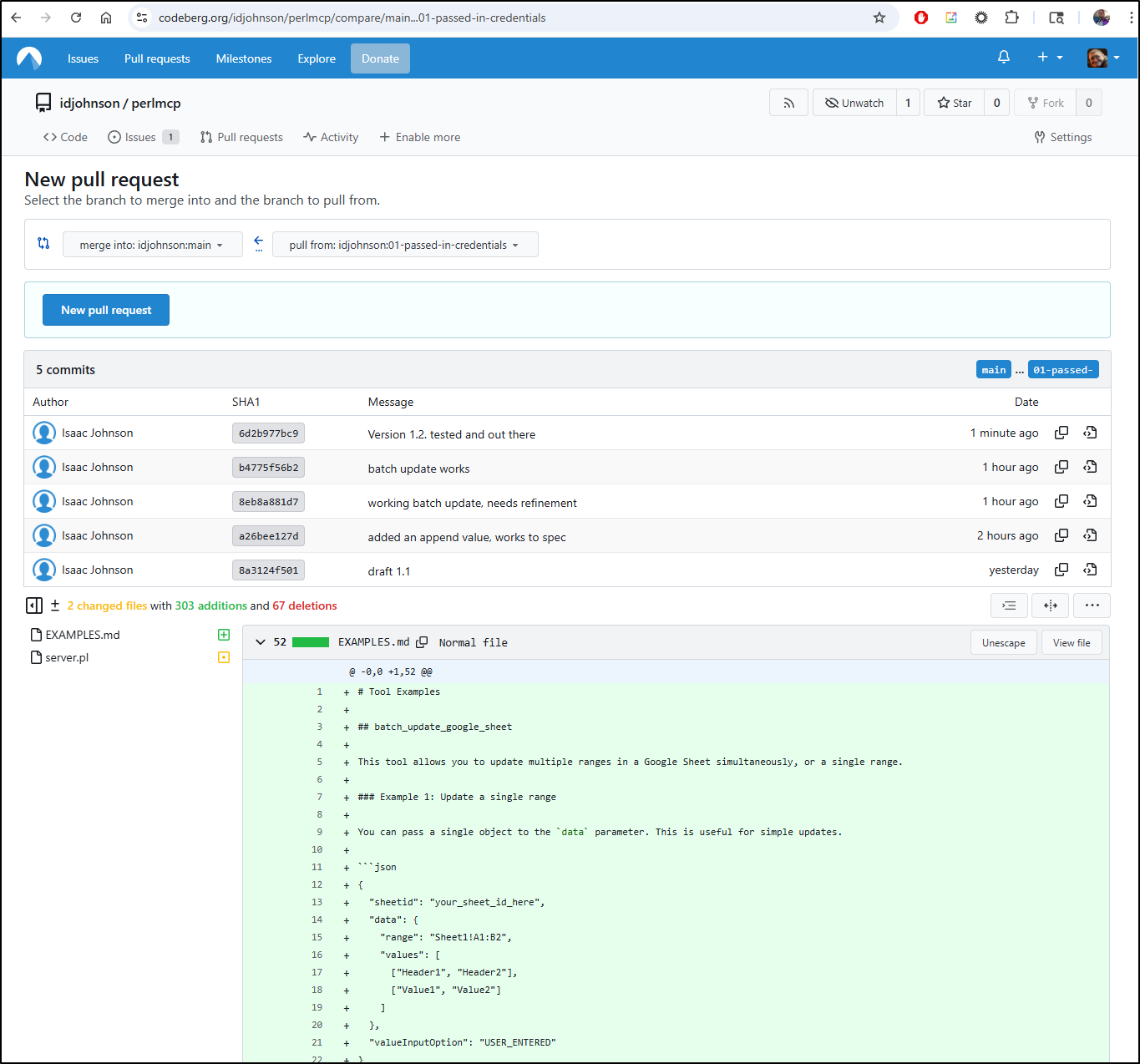
Since I tested, I’ll accept the risk and process the MR
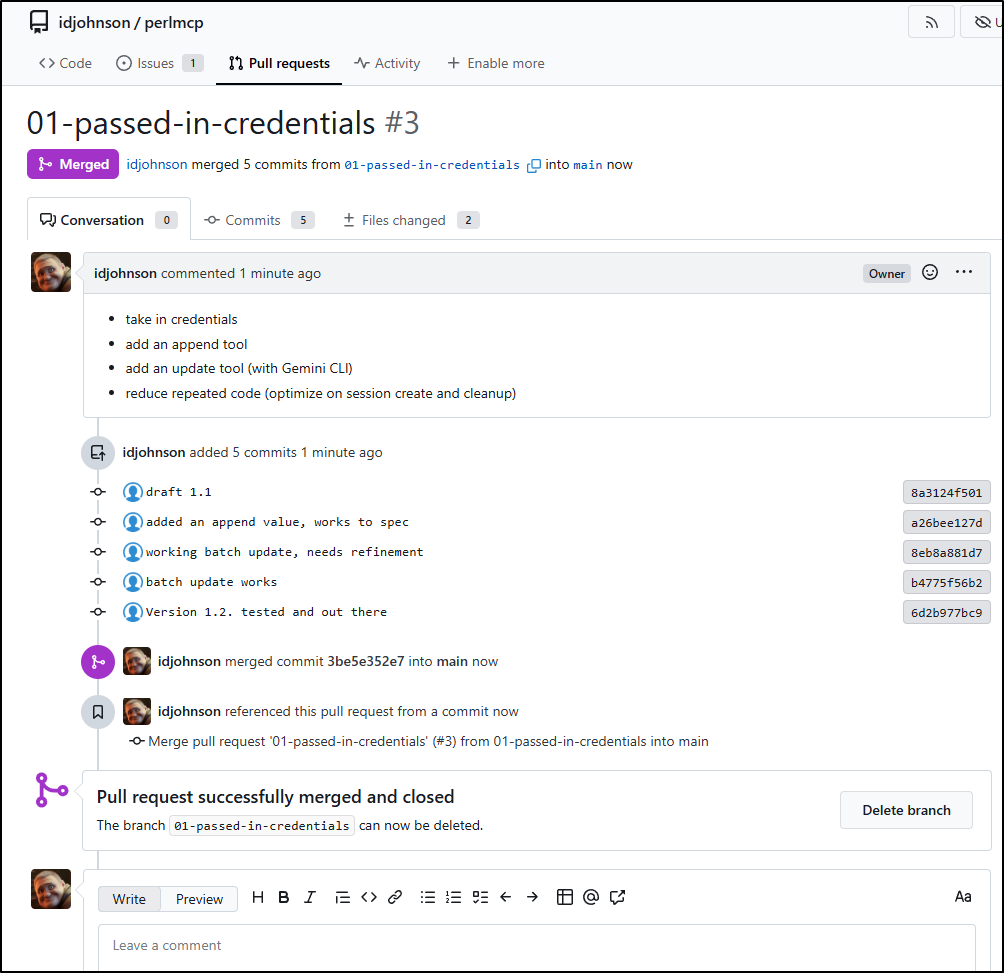
For sharing, I just made a version1.2 tag
A quick followup: initialize
The fact that Copilot and Gemini seem to skip the “initialize” step means what we have so far worked great for my GenAI CLI tooling and code editor plugins.
However, for some future work I realized it was failing to connect in n8n:
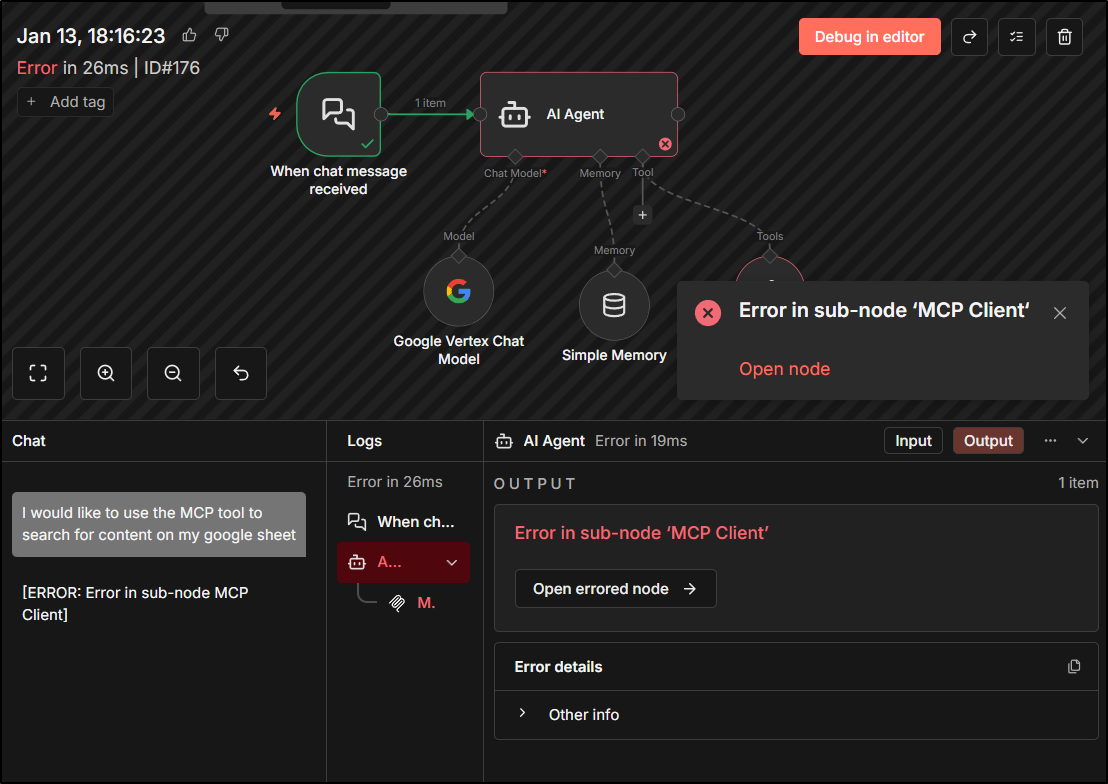
The Cobol MCP Server was working fine so I was a bit stumped.
It took a bit of debugging, but I finally realized that technically the MCP flow requires an initialize phase in it’s lifecycle so that the the server and client can ensure they are using the same version of the MCP protocol.
I used Gemini CLI to find and patch the phase and tested as version 1.3 of the container.
You can see the PR4 in Codeberg, but basically at the top off server.pl after the use statements, we added:
	# Monkey-patch MCP::Server to fix protocol negotiation
{
    no warnings 'redefine';
    *MCP::Server::_handle_initialize = sub ($self, $params) {
        # Echo back the client's protocol version to ensure compatibility
        my $version = $params->{protocolVersion} // '2025-11-25';
        return {
            protocolVersion => $version,
            capabilities    => {prompts => {}, resources => {}, tools => {}},
            serverInfo      => {name => $self->name, version => $self->version}
        };
    };
}
Also, just for those that may not have a good external ingress, but would like to use a NodePort service (send traffic to any K8s node on a specific port), I added an example NodePort service as well. I was using this for debugging the initialize (when i initially thought it might be TLS or Ingress routing).
Summary
I’m pretty happy with this. I might add some more Google Workspace actions with sheets, but it will now do the things I want - namely process sheets for information or build out some new forms.
It’s funny how all that is old becomes new again. In 2015 or so I fell in love with the Pebble Watch. Its best feature was a fantastic JavaScript-based IDE for building and testing code. I used to note some of my watch apps on my CV but dropped them because Pebble was snapped up by Fitbit and died soon after.
But in just this last year, it has been reborn as RePebble and I became aware that a new Pebble app store would launch because I got some security alerts on a low privileged GCP SA key in the wild that just hopped into some new repos. Of course! I used google sheets back then as the backing store for my AUDL Watch app (now UFA).
They copied it into the new store:
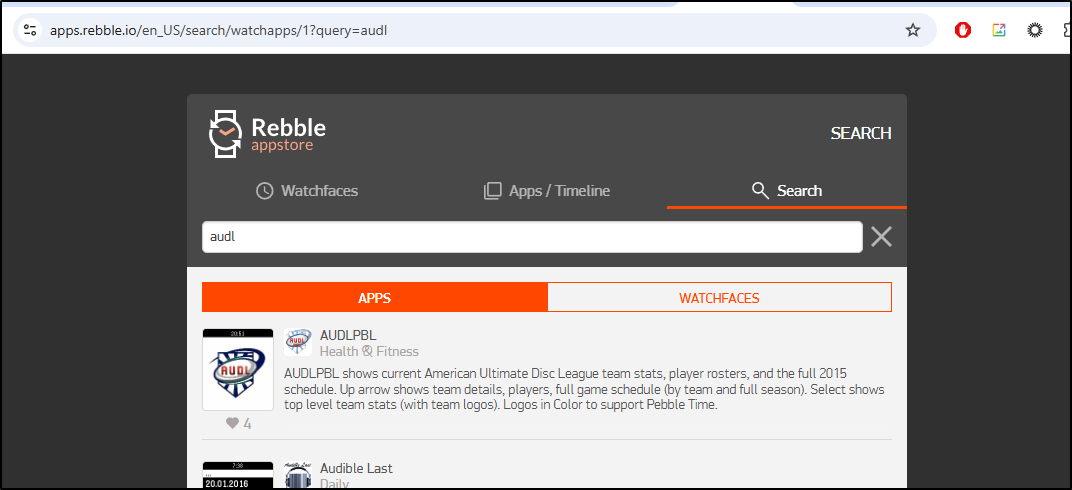
Some of my old sheets still exist in Google Workspaces
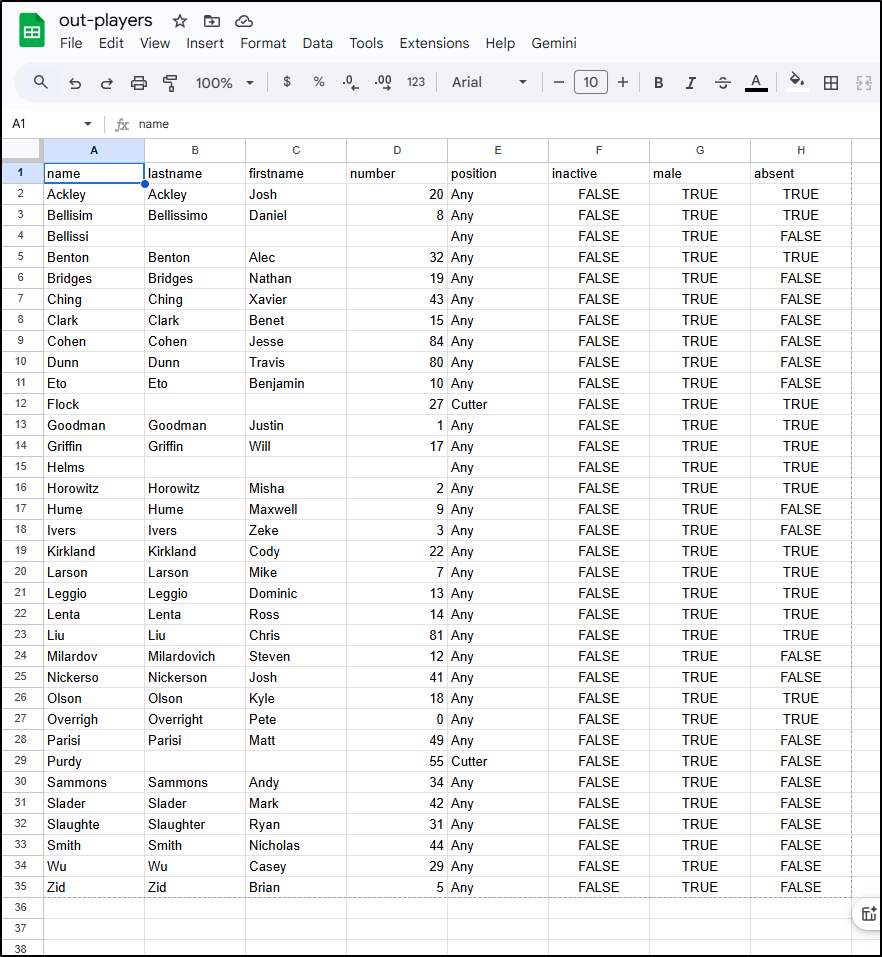
So, I’m sure you are wondering where this is going - if I were to resurrect the app, update the teams and rosters, use a new key (or reactivate the old), I could then use GenAI tools to update schedules, rosters, etc. I could even imagine some kind of triggered flow with Ansible or N8N to keep it refreshed for me.
And I’m not saying Google Sheets is the best data store - I might very well use Firebase or Cloud SQL for a dedicated app - however, when you need to engage with a sports league, or some social or professional group, often the easiest form of collaboration is a shared Google sheet (it’s a lot easier to ask a PTA mom to update a Google sheet for who is handling which event table, then teaching a group of non-techies the patterns for SQL updates in a console).
So I think this app has legs.
In fairness, there is a Google one called “Google-workspace”
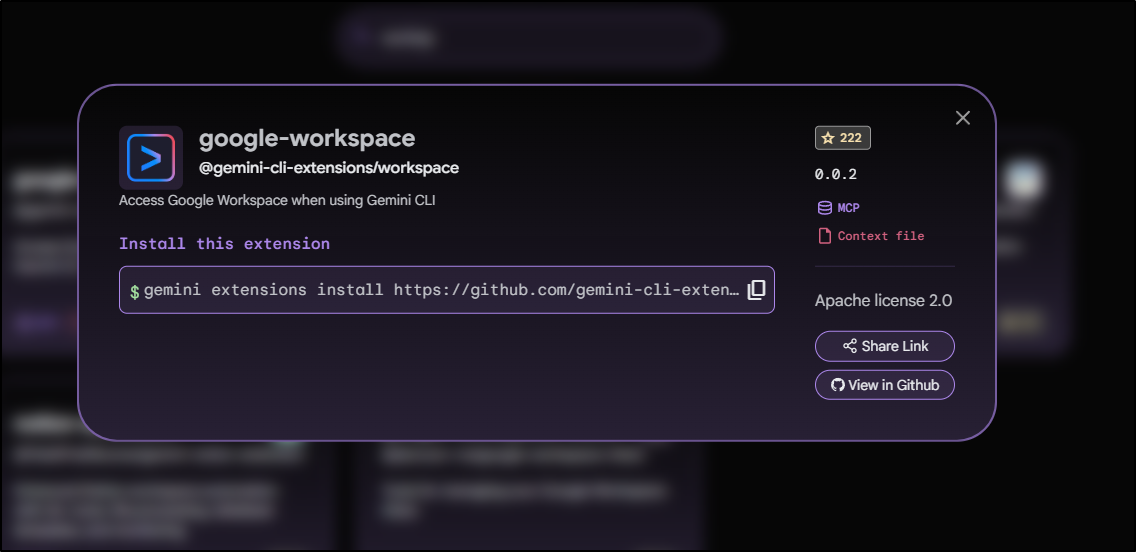
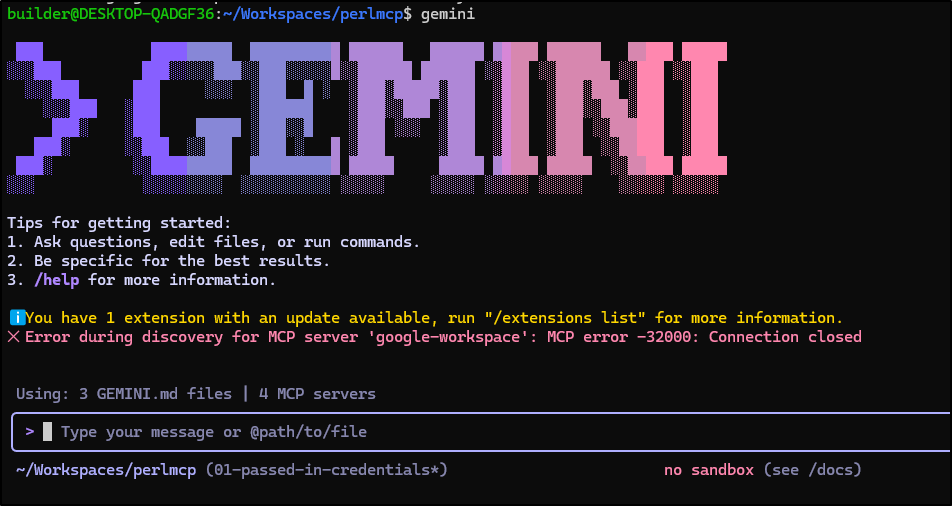
But I don’t know if it’s my local environment or the fact I’m not in a Google “organization” that prevents it from working - either way, it’s no bueno for me.
Also, the last point I’ll make: I really had fun cranking out Perl. I just picked up two Orielly books I used to have but long ago gave away, Learning Perl and the Perl Cookbook for my eldest daughter. I respun her computer to be Ubuntu (on her asking - she hated the Copilot spam in Windows 11) so I shall bring her up right and start her on Perl (knowing she’ll eventually tangent to Python… but it’s all good).
