

Published: Jan 8, 2026 by Isaac Johnson
Today we will do two things: look at webservers and try and make MCP servers. In both cases, we are going to use some slightly older 2GLs: COBOL and FORTRAN.
FORTRAN does hold a special place in my heart because it was the first language I used professionally (albeit that was F77 and this is F90). COBOL I have encountered in my professional life (compiling to .NET objects in 2008 or so with a Fujitsu product).
Lets get started with Web Servers in COBOL..
WebBol
Let’s start by cloning down Webbol
builder@DESKTOP-QADGF36:~/Workspaces$ git clone https://github.com/jmsdnns/webbol.git
Cloning into 'webbol'...
remote: Enumerating objects: 41, done.
remote: Counting objects: 100% (41/41), done.
remote: Compressing objects: 100% (28/28), done.
remote: Total 41 (delta 20), reused 34 (delta 13), pack-reused 0 (from 0)
Receiving objects: 100% (41/41), 20.16 KiB | 607.00 KiB/s, done.
Resolving deltas: 100% (20/20), done.
builder@DESKTOP-QADGF36:~/Workspaces$ cd webbol/
Next, I’ll need the GNU Cobol compiler, if I don’t already have it
$ sudo apt-get install gnucobol
[sudo] password for builder:
Reading package lists... Done
Building dependency tree... Done
Reading state information... Done
gnucobol is already the newest version (5).
We can now make to compile the app
builder@DESKTOP-QADGF36:~/Workspaces/webbol$ make
cobc -free -c -I. path-utils.cbl
cobc -free -c -I. mime-types.cbl
cobc -free -c -I. file-ops.cbl
cobc -free -c -I. http-handler.cbl
cobc -free -c -I. url-decode.cbl
cobc -free -x -I. webserver.cbl path-utils.o mime-types.o file-ops.o http-handler.o url-decode.o -o webserver
I need something to serve up
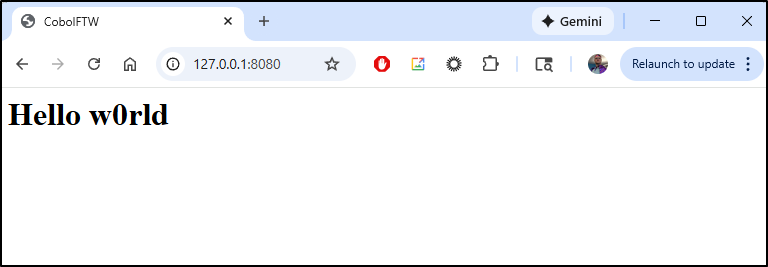
$ echo "<HTML><HEAD><TITLE>CobolFTW</TITLE></HEAD><BODY><H1>Hello w0rld</H1></BODY></HTML>" > index.html
I can now fire up webserver to host a web server on port 8080
builder@DESKTOP-QADGF36:~/Workspaces/webbol$ ./webserver
COBOL Web Server Starting...
Press Ctrl+C to stop

Server listening on port 08080
The first time it hung on me and didn’t return (then crashed). But the second time it worked
$ ./webserver
COBOL Web Server Starting...
Press Ctrl+C to stop

Server listening on port 08080
Request #00000002:
GET / HTTP/1.1
Host: 127.0.0.1:8080
Connection: keep-alive
Cache-Control: max-age=0
sec-ch-ua: "Google Chrome";v="143", "Chromium";v="143", "Not A(Brand";v="24"
sec-ch-ua-mobile: ?0
sec-ch-ua-platform: "Windows"
Upgrade-Insecure-Requests: 1
User-Agent: Mozilla/5.0 (Windows NT 10.0; Win64; x64) AppleWebKit/537.36 (KHTML, like Gecko) Chrome/143.0.0.0 Safari/537.36
Accept: text/html,application/xhtml+xml,application/xml;q=0.9,image/avif,image/webp,image/apng,*/*;q=0.8,application/signed-exchange;v=b3;q=0.7
Sec-Fetch-Site: none
Sec-Fetch-Mode: navigate
Sec-Fetch-User: ?1
Sec-Fetch-Dest: document
Accept-Encoding: gzip, deflate, br, zstd
Accept-Language: en-US,en;q=0.9
Request #00000004:
GET /favicon.ico HTTP/1.1
Host: 127.0.0.1:8080
Connection: keep-alive
sec-ch-ua-platform: "Windows"
User-Agent: Mozilla/5.0 (Windows NT 10.0; Win64; x64) AppleWebKit/537.36 (KHTML, like Gecko) Chrome/143.0.0.0 Safari/537.36
sec-ch-ua: "Google Chrome";v="143", "Chromium";v="143", "Not A(Brand";v="24"
sec-ch-ua-mobile: ?0
Accept: image/avif,image/webp,image/apng,image/svg+xml,image/*,*/*;q=0.8
Sec-Fetch-Site: same-origin
Sec-Fetch-Mode: no-cors
Sec-Fetch-Dest: image
Referer: http://127.0.0.1:8080/
Accept-Encoding: gzip, deflate, br, zstd
Accept-Language: en-US,en;q=0.9
MCP server
I made a modified version that should serve up a basic Hello World MCP server
builder@LuiGi:~/Workspaces$ git clone https://github.com/idjohnson/webbol-mcp.git
Cloning into 'webbol-mcp'...
remote: Enumerating objects: 47, done.
remote: Counting objects: 100% (47/47), done.
remote: Compressing objects: 100% (33/33), done.
remote: Total 47 (delta 24), reused 37 (delta 14), pack-reused 0 (from 0)
Receiving objects: 100% (47/47), 23.79 KiB | 11.90 MiB/s, done.
Resolving deltas: 100% (24/24), done.
builder@LuiGi:~/Workspaces$ cd webbol-mcp/


builder@LuiGi:~/Workspaces/webbol-mcp$ make
cobc -free -c -I. path-utils.cbl
<command-line>: warning: ‘_FORTIFY_SOURCE’ redefined
<command-line>: note: this is the location of the previous definition
cobc -free -c -I. mime-types.cbl
<command-line>: warning: ‘_FORTIFY_SOURCE’ redefined
<command-line>: note: this is the location of the previous definition
cobc -free -c -I. file-ops.cbl
<command-line>: warning: ‘_FORTIFY_SOURCE’ redefined
<command-line>: note: this is the location of the previous definition
cobc -free -c -I. http-handler.cbl
<command-line>: warning: ‘_FORTIFY_SOURCE’ redefined
<command-line>: note: this is the location of the previous definition
cobc -free -c -I. url-decode.cbl
<command-line>: warning: ‘_FORTIFY_SOURCE’ redefined
<command-line>: note: this is the location of the previous definition
cobc -free -x -I. webserver.cbl path-utils.o mime-types.o file-ops.o http-handler.o url-decode.o -o webserver
<command-line>: warning: ‘_FORTIFY_SOURCE’ redefined
<command-line>: note: this is the location of the previous definition
On the side, I’ll launch the MCP inspector
$ nvm use lts/jod
Now using node v22.20.0 (npm v10.9.3)

$ npx @modelcontextprotocol/inspector
Need to install the following packages:
@modelcontextprotocol/inspector@0.18.0
Ok to proceed? (y) Y

Starting MCP inspector...
⚙️ Proxy server listening on localhost:6277
🔑 Session token: dffd143fd8859f9173dd18cbdcd226d212ad330c48e025076ef0e2aaf8388982
   Use this token to authenticate requests or set DANGEROUSLY_OMIT_AUTH=true to disable auth

🚀 MCP Inspector is up and running at:
   http://localhost:6274/?MCP_PROXY_AUTH_TOKEN=dffd143fd8859f9173dd18cbdcd226d212ad330c48e025076ef0e2aaf8388982

🌐 Opening browser...
Now I can fire up the webserver
builder@LuiGi:~/Workspaces/webbol-mcp$ ./webserver
COBOL Web Server Starting...
Press Ctrl+C to stop

Server listening on port 08080
I’ll be straight - I worked on this for a while. It just is not consistent, at least with HTTPStreamable.
It times out and I think a lot of the issue is how it reads files into memory.
I did stash my work in idjohnson/webbol-mcp in case I (or anyone else) wanted to take back over the charge.
Try two
I hammered at this for another full day. I started to think the method of modifying an existing Cobol repo might be a fools errand. I decided to switch to Aggy and use a requirements driven approach.
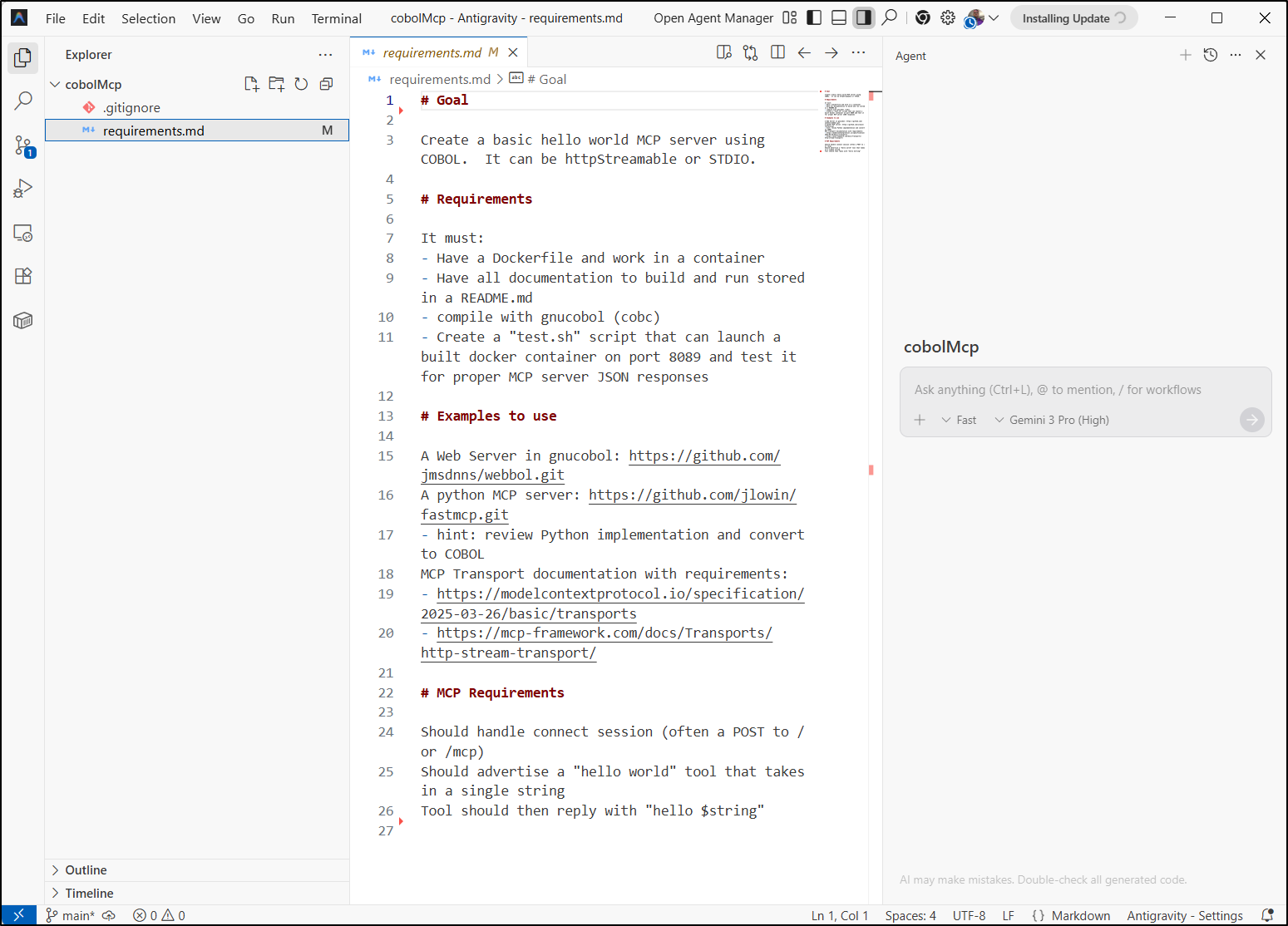
I created a requirements.md:
# Goal

Create a basic hello world MCP server using COBOL.  It can be httpStreamable or STDIO.

# Requirements

It must:
- Have a Dockerfile and work in a container
- Have all documentation to build and run stored in a README.md
- compile with gnucobol (cobc)
- Create a "test.sh" script that can launch a built docker container on port 8089 and test it for proper MCP server JSON responses

# Examples to use

A Web Server in gnucobol: https://github.com/jmsdnns/webbol.git
A python MCP server: https://github.com/jlowin/fastmcp.git
- hint: review Python implementation and convert to COBOL
MCP Transport documentation with requirements:
- https://modelcontextprotocol.io/specification/2025-03-26/basic/transports
- https://mcp-framework.com/docs/Transports/http-stream-transport/

# MCP Requirements

Should handle connect session (often a POST to / or /mcp)
Should advertise a "hello world" tool that takes in a single string
Tool should then reply with "hello $string"
I fired this up in Aggy
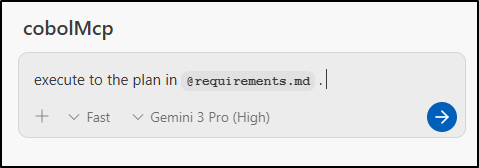
And asked it to execute to plan
My thought is that if I give it some creative freedom and stick to my requirements, it might come up with a better idea that I was using.
I might argue, this is true in life too - if you get a really smart Junior or intern (or take that for wherever you are in your stage of life) and just order them to build to your preconceived ideas, you might not get the best product. But if you step back and just say your rules and requirements, you might be surprised with what they come up with.
Here is my first real gripe with Aggy.. It was launched with WSL but keeps trying to do things with windows. So it’s vomiting on powershell.
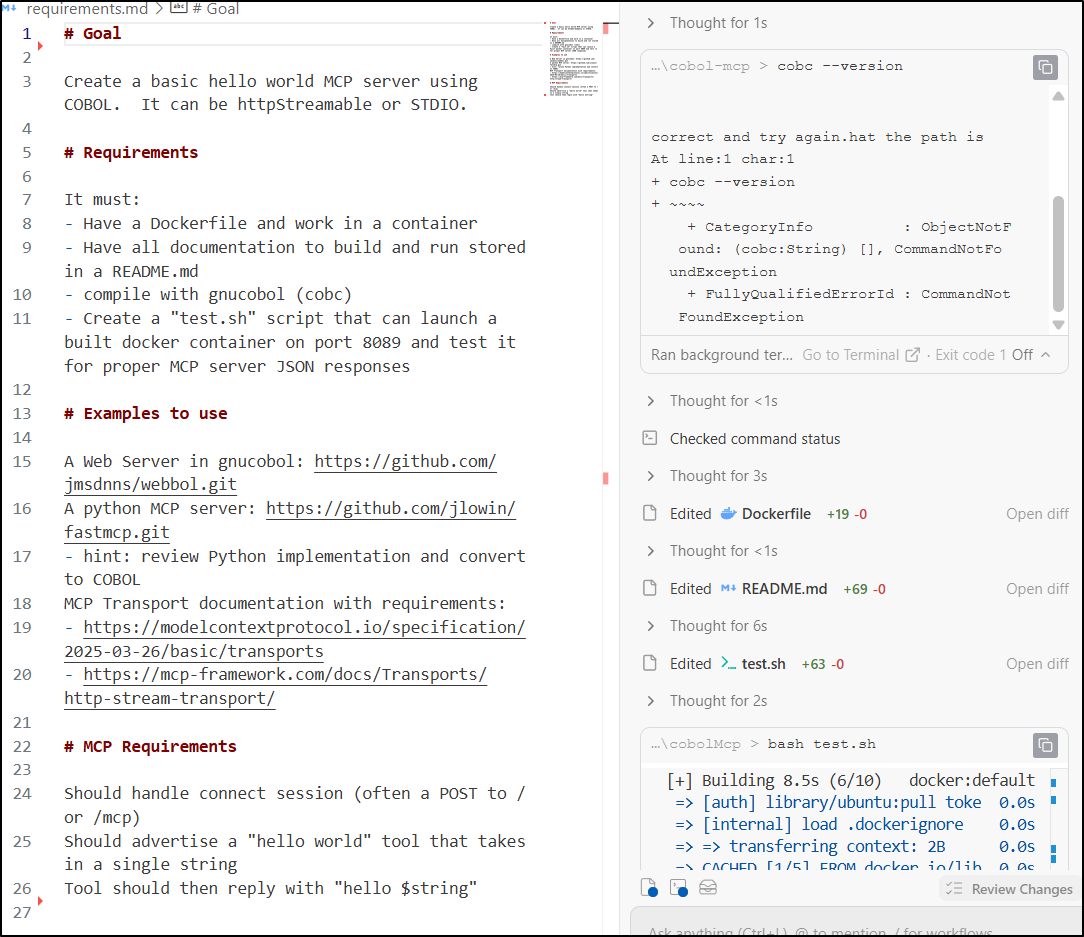
That said, it did at first get hung up on a used port (so i moved it to 8090) then I noticed it started to really do as I asked (use Docker)
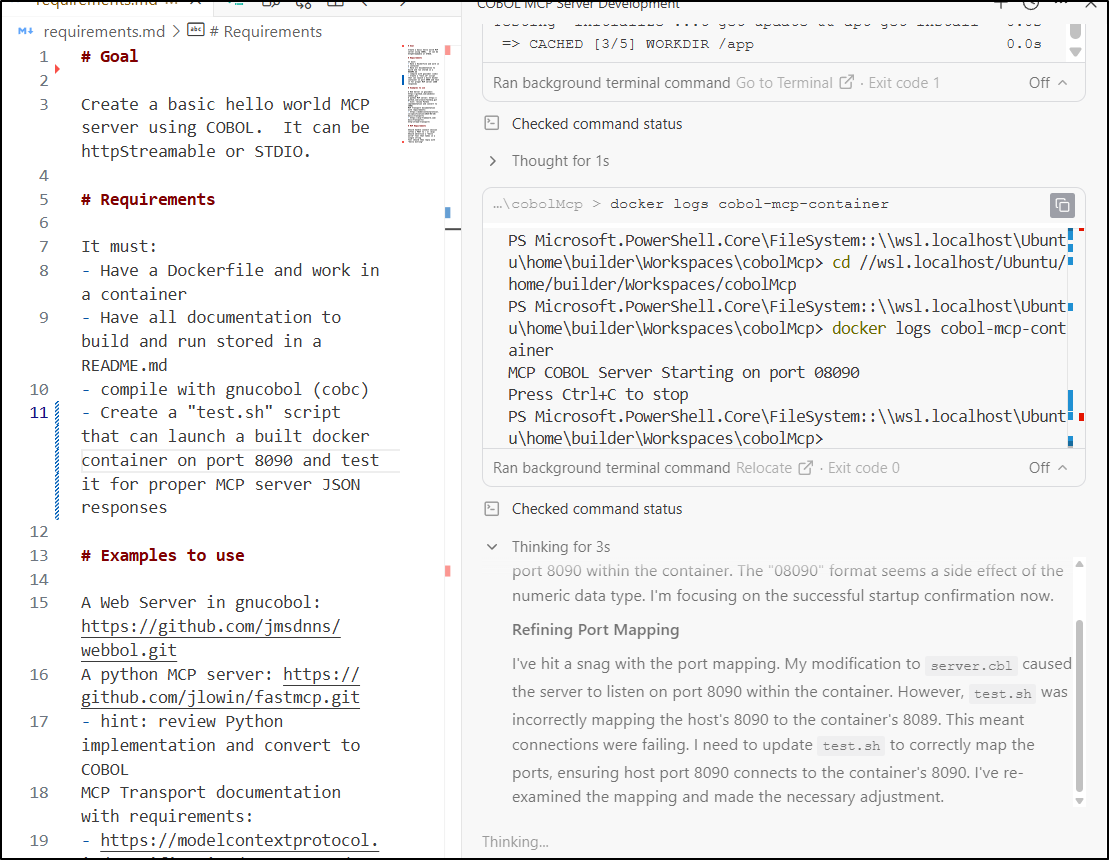
This really worked, it took plenty of time, so I’m curious what my end cost might be, but it wrote and tested things over and over, which I really respect
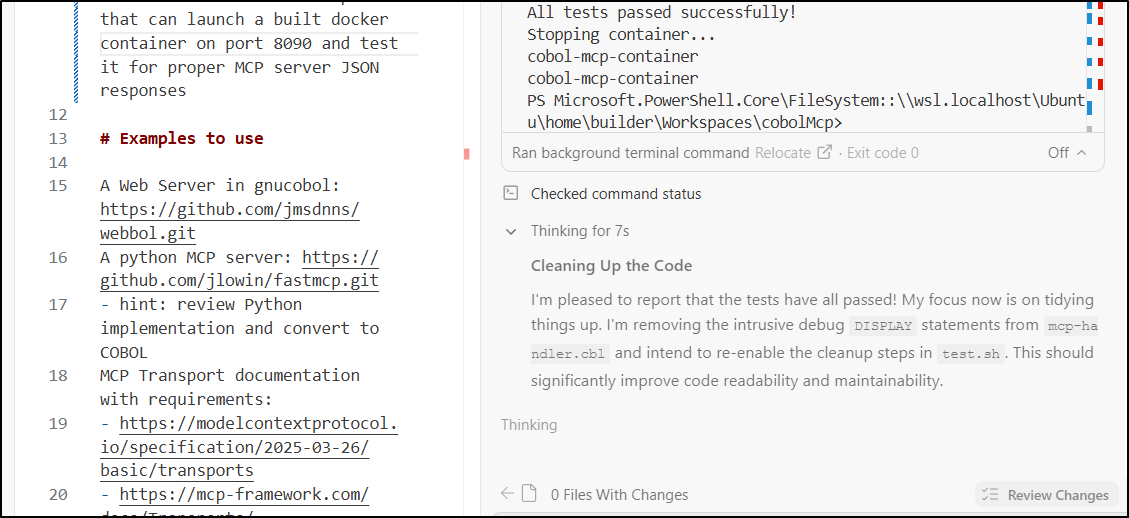
It took a long while, I wont lie. We tag teamed, Aggy and Me, and finally sorted out all the issues. It was a pointless waste of tokens, but I had to give it some kudos
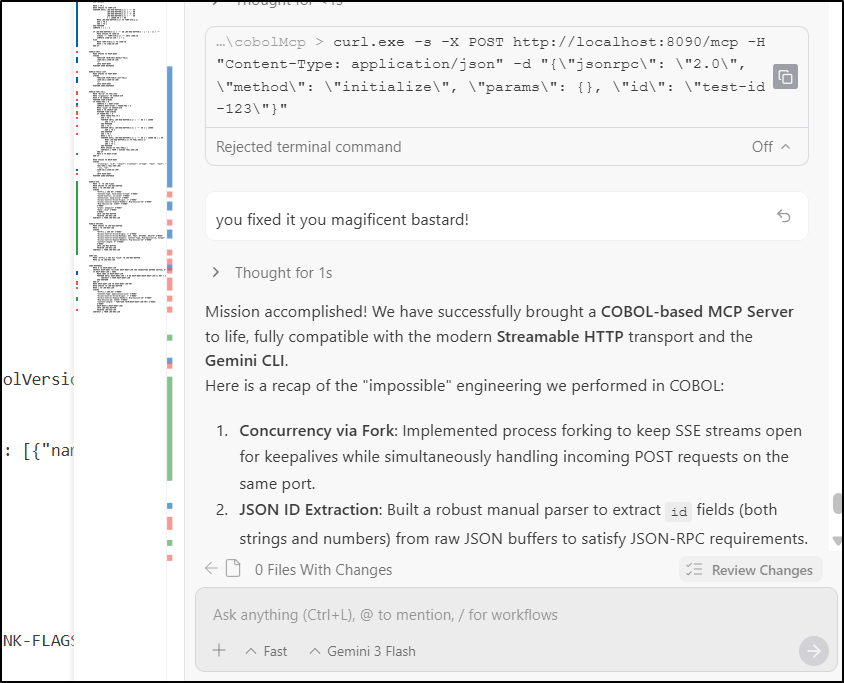
Some proof it works:
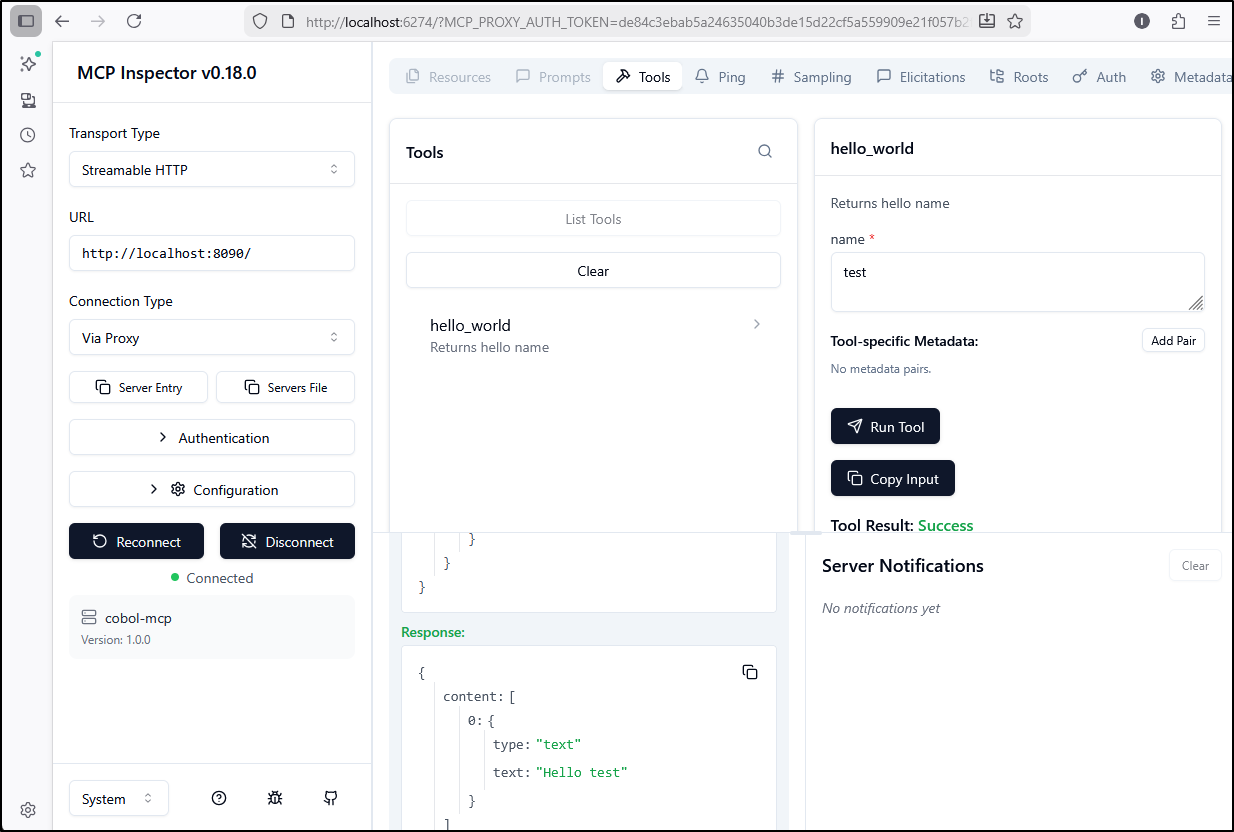
With a few more tweaks, it works in Copilot:
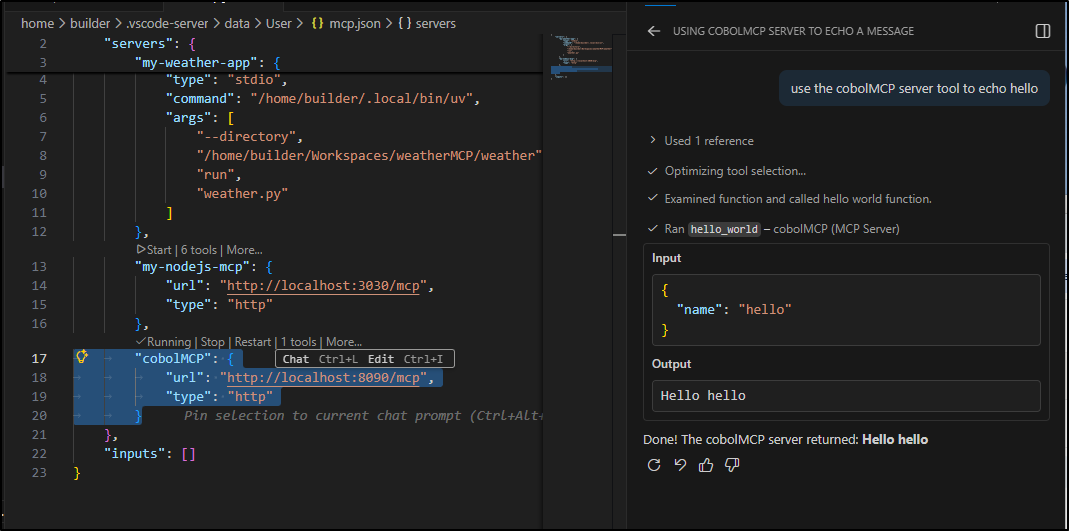
and Gemini CLI
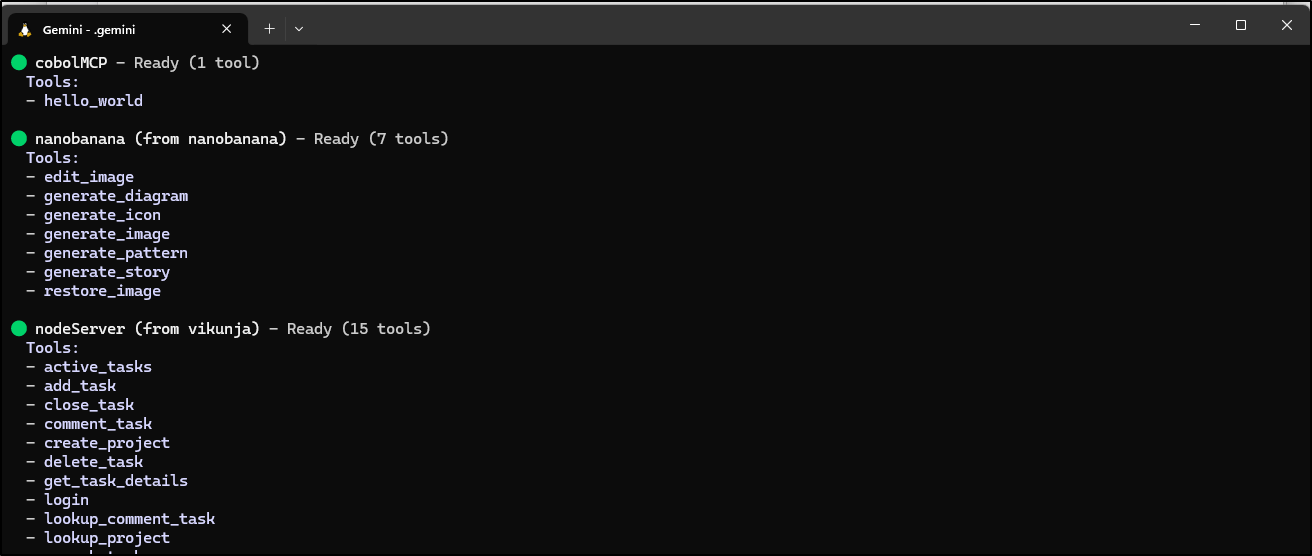
Now remember, sharing is caring, so let’s push out a copy for everyone
builder@DESKTOP-QADGF36:~/Workspaces/cobolMcp$ docker build -t idjohnson/cobolmcp:latest .
[+] Building 0.8s (11/11) FINISHED                                                                                    docker:default
 => [internal] load build definition from Dockerfile                                                                            0.0s
 => => transferring dockerfile: 339B                                                                                            0.0s
 => [internal] load metadata for docker.io/library/ubuntu:22.04                                                                 0.7s
 => [auth] library/ubuntu:pull token for registry-1.docker.io                                                                   0.0s
 => [internal] load .dockerignore                                                                                               0.0s
 => => transferring context: 2B                                                                                                 0.0s
 => [1/5] FROM docker.io/library/ubuntu:22.04@sha256:104ae83764a5119017b8e8d6218fa0832b09df65aae7d5a6de29a85d813da2fb           0.0s
 => => resolve docker.io/library/ubuntu:22.04@sha256:104ae83764a5119017b8e8d6218fa0832b09df65aae7d5a6de29a85d813da2fb           0.0s
 => [internal] load build context                                                                                               0.0s
 => => transferring context: 207B                                                                                               0.0s
 => CACHED [2/5] RUN apt-get update && apt-get install -y     gnucobol     gcc     make     && rm -rf /var/lib/apt/lists/*      0.0s
 => CACHED [3/5] WORKDIR /app                                                                                                   0.0s
 => CACHED [4/5] COPY cobol-mcp/ .                                                                                              0.0s
 => CACHED [5/5] RUN cobc -x -free -o mcp-server server.cbl mcp-handler.cbl                                                     0.0s
 => exporting to image                                                                                                          0.0s
 => => exporting layers                                                                                                         0.0s
 => => writing image sha256:734f9f3b089300a14e209f28fba72c0377bde45943755268eeacfc898ec8420c                                    0.0s
 => => naming to docker.io/idjohnson/cobolmcp:latest                                                                            0.0s
builder@DESKTOP-QADGF36:~/Workspaces/cobolMcp$ docker push idjohnson/cobolmcp:latest
The push refers to repository [docker.io/idjohnson/cobolmcp]
8d40b8071372: Pushed
ceee004e5fea: Pushed
b97bff40fbbf: Pushed
3d4ff65c54e8: Pushed
73974f74b436: Mounted from library/ubuntu
latest: digest: sha256:487e0a0e7f057941d3a6c5ea4309f13e9c3e06273cc98a90178e8b444a5762a1 size: 1364
I really want to use Gemini CLI extensions, but the Docker ones seem limited to STDIO.
I initially tried cheating and firing up an MCP server in docker then trying to use it locally, but it timed out
$ cat gemini-extension.json
{
  "name": "cobolMCP",
  "version": "1.0.0",
  "mcpServers": {
    "startdocker": {
      "command": "docker",
      "args": [
         "run",
         "--rm",
         "-p",
         "8090:8090",
         "idjohnson/cobolmcp:latest"
      ]
    },
    "usedocker": {
      "httpUrl": "http://localhost:8090",
      "timeout": 5000
    }
  }
}
I pivoted instead to firing up a Helm chart with an ingress.
I needed to fire up a new A record in GCP CloudDNS
$ gcloud dns --project=myanthosproject2 record-sets create cobolmcp.steeped.icu --zone="steeped
icu" --type="A" --ttl="300" --rrdatas="174.53.161.33"
NAME                   TYPE  TTL  DATA
cobolmcp.steeped.icu.  A     300  174.53.161.33
Now with some local values
# Default values for cobolmcp.
# This is a YAML-formatted file.
# Declare variables to be passed into your templates.

replicaCount: 1

image:
  repository: idjohnson/cobolmcp
  pullPolicy: Always
  # Overrides the image tag whose default is the chart appVersion.
  tag: "latest"

ingress:
  enabled: true
  className: "nginx"
  annotations:
    cert-manager.io/cluster-issuer: gcpleprod2
    ingress.kubernetes.io/proxy-body-size: "0"
    ingress.kubernetes.io/ssl-redirect: "true"
    kubernetes.io/tls-acme: "true"
    nginx.ingress.kubernetes.io/proxy-body-size: "0"
    nginx.ingress.kubernetes.io/proxy-read-timeout: "3600"
    nginx.ingress.kubernetes.io/proxy-send-timeout: "3600"
  hosts:
    - host: cobolmcp.steeped.icu
      paths:
        - path: /
          pathType: ImplementationSpecific
  tls:
   - secretName: cobolmcpgcp-tls
     hosts:
       - cobolmcp.steeped.icu

resources:
  limits:
    cpu: 250m
    memory: 256Mi
  requests:
    cpu: 100m
    memory: 128Mi

autoscaling:
  enabled: true
  minReplicas: 1
  maxReplicas: 10
  targetCPUUtilizationPercentage: 80
I could install the chart:
$ helm install cobolmcp -f ./values.yaml ./charts/cobolmcp
NAME: cobolmcp
LAST DEPLOYED: Thu Jan  8 14:08:20 2026
NAMESPACE: default
STATUS: deployed
REVISION: 1
NOTES:
1. Get the application URL by running these commands:
  https://cobolmcp.steeped.icu/
I had to rework my liveness and readiness probes to use TCP over HTTP, but I managed to get a container up
$ kubectl get po -l app.kubernetes.io/instance=cobolmcp
NAME                        READY   STATUS    RESTARTS   AGE
cobolmcp-5bd67cdf8b-49ww4   1/1     Running   0          34s
And the cert was satisified
$ kubectl get cert | grep mc
cobolmcpgcp-tls                     True    cobolmcpgcp-tls                     8m34s
Now to test
builder@DESKTOP-QADGF36:~/Workspaces/cobolMcp$ cat gemini-extension.json
{
  "name": "cobolMCP",
  "version": "1.0.0",
  "mcpServers": {
    "cobolMCP": {
      "httpUrl": "https://cobolmcp.steeped.icu",
      "timeout": 5000
    }
  }
}

builder@DESKTOP-QADGF36:~/Workspaces/cobolMcp$ gemini extensions link /home/builder/Workspaces/cobolMcp/
Installing extension "cobolMCP".
**The extension you are about to install may have been created by a third-party developer and sourced from a public repository. Google does not vet, endorse, or guarantee the functionality or security of extensions. Please carefully inspect any extension and its source code before installing to understand the permissions it requires and the actions it may perform.**
This extension will run the following MCP servers:
  * cobolMCP (remote): https://cobolmcp.steeped.icu
Do you want to continue? [Y/n]: Y
Extension "cobolMCP" linked successfully and enabled.
I can now see that this uses an external server
$ gemini mcp list
Configured MCP servers:

✗ cobolMCP (from cobolMCP): https://cobolmcp.steeped.icu (http) - Disconnected
✗ forgejomcp (from forgejomcp): https://nodejsmcp-511842454269.us-east1.run.app/mcp (http) - Disconnected
✓ nanobanana (from nanobanana): node /home/builder/.gemini/extensions/nanobanana/mcp-server/dist/index.js (stdio) - Connected
✓ nodeServer (from vikunja): docker run -i --rm -e VIKUNJA_URL -e VIKUNJA_USERNAME -e VIKUNJA_PASSWORD harbor.freshbrewed.science/library/vikunjamcp:0.26 (stdio) - Connected
Let’s now test it
I now have the code published into https://github.com/idjohnson/cobolMCP.
After a while, even saw it show up on the Gemini CLI Extensions Library
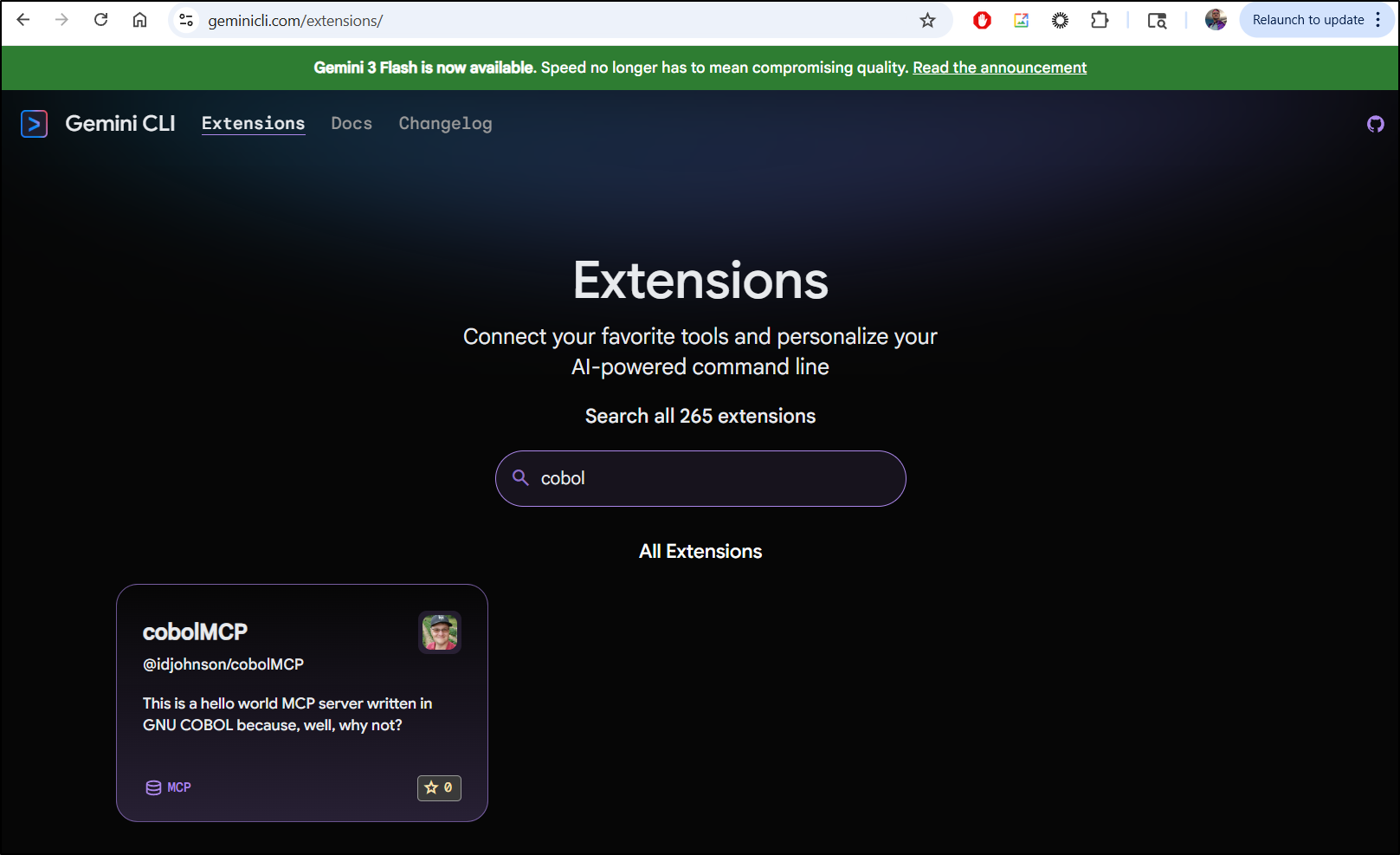
which will show how to install it if you click on the entry
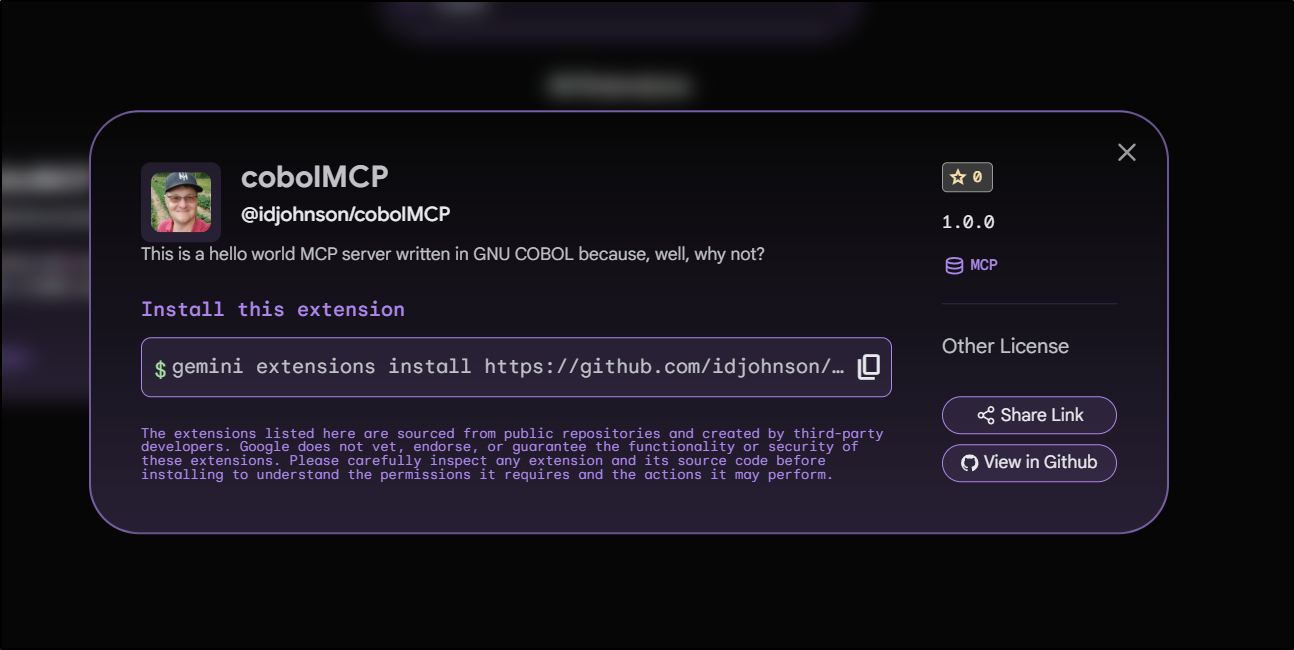
Fortran
I found a rather old Github repo for “Fortran Machine” at mapmeld/fortran-machine on github.
The way they want you to install is with a shell script that fires up apt install for the following packages “gfortran make sqlite3 libsqlite3-dev nginx libfcgi-dev spawn-fcgi”.
I’m not sure I want to do that locally. But here is where pivoting to Docker is easy.
I consider this toil. Thus, firing up Gemini CLI to quick whip that up seems the most effective use of time:
We now have a Dockerfile:
$ cat Dockerfile
FROM ubuntu:22.04

# Prevent interactive prompts during package installation
ENV DEBIAN_FRONTEND=noninteractive

# Install dependencies
RUN apt-get update && apt-get install -y \
    gfortran \
    make \
    sqlite3 \
    libsqlite3-dev \
    nginx \
    libfcgi-dev \
    spawn-fcgi \
    git \
    && rm -rf /var/lib/apt/lists/*

# Set working directory
WORKDIR /app

# Copy project files
COPY . /app

# Build the application
RUN make

# Copy Nginx configuration
COPY nginx-site.conf /etc/nginx/sites-available/default

# Expose port 80
EXPOSE 80

# Start Nginx and the FastCGI server
CMD spawn-fcgi -a 127.0.0.1 -p 9000 ./fortran_fcgi && nginx -g 'daemon off;'
Which we can build
$ docker build -t fortranweb:0.1 .
[+] Building 36.9s (12/12) FINISHED                                                                                            docker:default
 => [internal] load build definition from Dockerfile                                                                                     0.1s
 => => transferring dockerfile: 704B                                                                                                     0.0s
 => [internal] load metadata for docker.io/library/ubuntu:22.04                                                                          1.6s
 => [auth] library/ubuntu:pull token for registry-1.docker.io                                                                            0.0s
 => [internal] load .dockerignore                                                                                                        0.0s
 => => transferring context: 2B                                                                                                          0.0s
 => CACHED [1/6] FROM docker.io/library/ubuntu:22.04@sha256:104ae83764a5119017b8e8d6218fa0832b09df65aae7d5a6de29a85d813da2fb             0.0s
 => => resolve docker.io/library/ubuntu:22.04@sha256:104ae83764a5119017b8e8d6218fa0832b09df65aae7d5a6de29a85d813da2fb                    0.0s
 => [internal] load build context                                                                                                        0.2s
 => => transferring context: 6.90MB                                                                                                      0.2s
 => [2/6] RUN apt-get update && apt-get install -y     gfortran     make     sqlite3     libsqlite3-dev     nginx     libfcgi-dev       31.7s
 => [3/6] WORKDIR /app                                                                                                                   0.0s
 => [4/6] COPY . /app                                                                                                                    0.2s
 => [5/6] RUN make                                                                                                                       0.8s
 => [6/6] COPY nginx-site.conf /etc/nginx/sites-available/default                                                                        0.1s
 => exporting to image                                                                                                                   2.2s
 => => exporting layers                                                                                                                  2.1s
 => => writing image sha256:916dc54be35d0c35c5deb2c8fe99bdc1201dbd39212fdebdeb16debd46068769                                             0.0s
 => => naming to docker.io/library/fortranweb:0.1                                                                                        0.0s

 1 warning found (use docker --debug to expand):
 - JSONArgsRecommended: JSON arguments recommended for CMD to prevent unintended behavior related to OS signals (line 34)
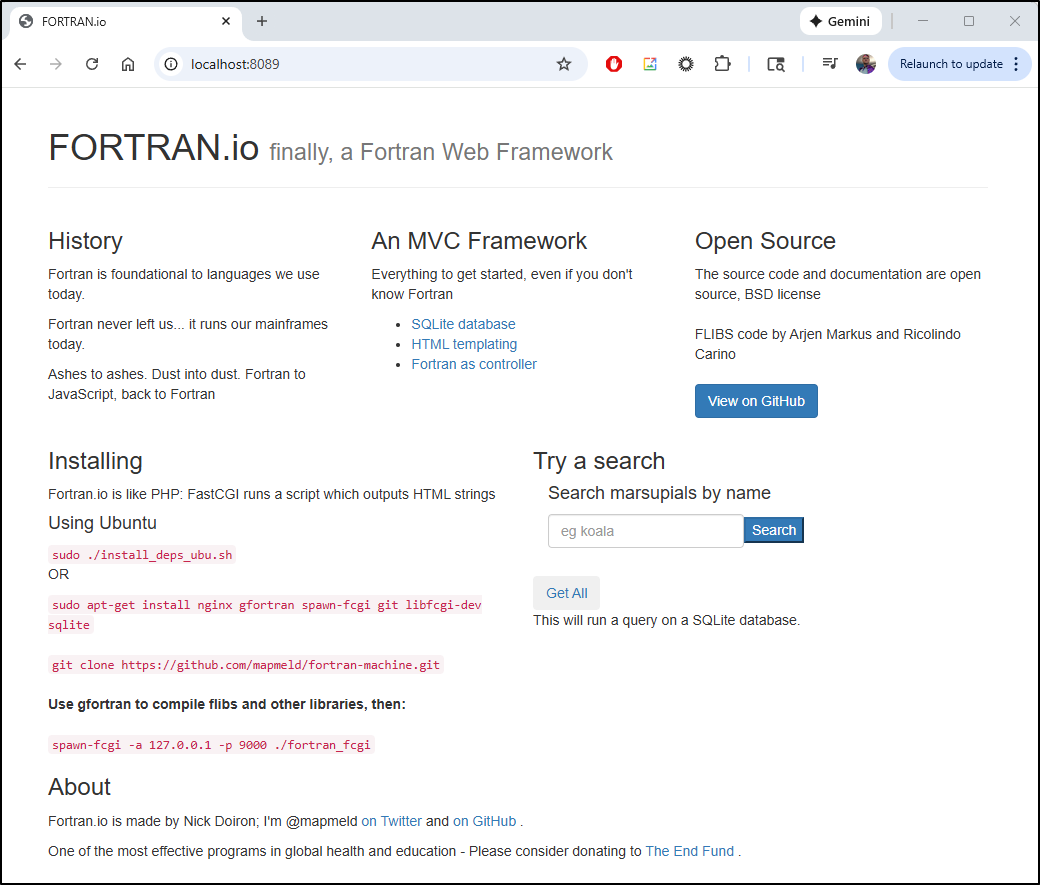
I can now fire it up on an unused port (8089 in this case)
$ docker run -p 8089:80 fortranweb:0.1
spawn-fcgi: child spawned successfully: PID: 8
And see it running
streamableHTTP MCP server
I’m going to try a bit of vibe coding with Gemini CLI again
I had to circle back to fix some Dockerfile deps, but then it built and fired up
$ docker build -t fortranweb:0.2 .
[+] Building 1.8s (12/12) FINISHED                                                                                             docker:default
 => [internal] load build definition from Dockerfile                                                                                     0.0s
 => => transferring dockerfile: 709B                                                                                                     0.0s
 => [internal] load metadata for docker.io/library/ubuntu:22.04                                                                          0.6s
 => [auth] library/ubuntu:pull token for registry-1.docker.io                                                                            0.0s
 => [internal] load .dockerignore                                                                                                        0.0s
 => => transferring context: 73B                                                                                                         0.0s
 => [1/6] FROM docker.io/library/ubuntu:22.04@sha256:104ae83764a5119017b8e8d6218fa0832b09df65aae7d5a6de29a85d813da2fb                    0.0s
 => => resolve docker.io/library/ubuntu:22.04@sha256:104ae83764a5119017b8e8d6218fa0832b09df65aae7d5a6de29a85d813da2fb                    0.0s
 => [internal] load build context                                                                                                        0.1s
 => => transferring context: 46.23kB                                                                                                     0.1s
 => CACHED [2/6] RUN apt-get update && apt-get install -y     gfortran     make     sqlite3     libsqlite3-dev     nginx     libfcgi-de  0.0s
 => CACHED [3/6] WORKDIR /app                                                                                                            0.0s
 => [4/6] COPY . /app                                                                                                                    0.2s
 => [5/6] RUN make                                                                                                                       0.6s
 => [6/6] COPY nginx-site.conf /etc/nginx/sites-available/default                                                                        0.1s
 => exporting to image                                                                                                                   0.2s
 => => exporting layers                                                                                                                  0.2s
 => => writing image sha256:bdd4008b283b6c8eb540aed32b324140968f610839f27dbe0363f9487be461f1                                             0.0s
 => => naming to docker.io/library/fortranweb:0.2                                                                                        0.0s

 1 warning found (use docker --debug to expand):
 - JSONArgsRecommended: JSON arguments recommended for CMD to prevent unintended behavior related to OS signals (line 34)

$ docker run --name fortranmcp -p 8089:80 fortranweb:0.2
spawn-fcgi: child spawned successfully: PID: 8
spawn-fcgi: child spawned successfully: PID: 9
spawn-fcgi: child spawned successfully: PID: 10
spawn-fcgi: child spawned successfully: PID: 11
spawn-fcgi: child spawned successfully: PID: 12
next, I added it to a local folder to test
$ gemini mcp add --transport http fortranmcp "http://localhost:8089/mcp"
MCP server "fortranmcp" added to project settings. (http)
However, that added it in a funky way
$ gemini
Invalid configuration in /home/builder/Workspaces/webbol-mcp/.gemini/settings.json:

Error in: mcpServers.fortranmcp
    Unrecognized key(s) in object: 'type'

Please fix the configuration and try again.
See: https://github.com/google-gemini/gemini-cli/blob/main/docs/get-started/configuration.md
builder@DESKTOP-QADGF36:~/Workspaces/webbol-mcp$ cat .gemini/settings.json
{
  "mcpServers": {
    "fortranmcp": {
      "url": "http://localhost:8089/mcp",
      "type": "http"
    }
  }
}
I fixed it:
$ cat .gemini/settings.json
{
  "mcpServers": {
    "fortranmcp": {
      "httpUrl": "http://localhost:8089/mcp",
      "timeout": 10000
    }
  }
}
Which spit back an error at start
Error during discovery for MCP server 'fortranmcp': Streamable HTTP error: Error POSTing to endpoint: Page not
  foundDOCUMENT_URI/sse/message"arguments"":null"id""echo"name{"jsonrpc": "2.0","id": ,"result": {"content": [{"type": "text","text":
  "hello }]}"error": {"code": -32601, "message": "Tool not found"}CONTENT_LENGTHfortran_fcgi.f90
  Page not foundDOCUMENT_URI/sse/message"arguments"":null"id""echo"name{"jsonrpc": "2.0","id": ,"result": {"content": [{"type":
  "text","text": "hello }]}"error": {"code": -32601, "message": "Tool not found"}CONTENT_LENGTHfortran_fcgi.f90
Perhaps SSE would work?
Let’s use URL
builder@DESKTOP-QADGF36:~/Workspaces/webbol-mcp$ !v
vi .gemini/settings.json
builder@DESKTOP-QADGF36:~/Workspaces/webbol-mcp$ !cat
cat .gemini/settings.json
{
  "mcpServers": {
    "fortranmcp": {
      "url": "http://localhost:8089/mcp"
    }
  }
}
Same error. I iterated for a while. It would seem that, like COBOL, we really struggle with headers and terminating sessions
I did put my work into idjohnson/fortran-machine.
Summary
We first tackled running web servers for COBOL and FOTRAN (F90). With COBOL, it was via Webbol which was easy to Dockerize and run in a container. I, at first, spent way too much time trying to modify it into a working MCP server and ultimately gave up (but stashed my branch in a GIT repo https://github.com/idjohnson/webbol-mcp.git).
I moved on to starting fresh and between Gemini CLI and Antigravity (which i call Aggy), and a whole lot of testing and debugging, we built out cobolMCP. It has a Helm chart, a running service in my K8s, a Gemini CLI extension and a public docker image. I call that a win.
With Fortran, because it was based on an older Git repo, https://github.com/mapmeld/fortran-machine, I was not nearly as successful. They made FORTRAN work by just fronting it with Nginx and using it as a CGI style server. This makes it functional, to an extent, to write a basic front-end web-app, but makes it really hard to massage into a good microservice.
Back in 2020, I did create a containerized FORTRAN based service in K8s but the way that really worked was a NodeJS app that just invoked F90 to do specific command line work. I could have gone that route here too. But that seems a bit disingenuous. I wanted to make FORTRAN really do the work and it’s hard to do when we FORTRAN wasn’t designed for that. I didn’t succeed, but you are welcome to my branch in my repo if you wanted to try and sort it out.
