

Published: Jan 5, 2026 by Isaac Johnson
It’s 2026 so let’s start off with a few interesting open-source apps that have been on my radar: Alexandrie, Bytestash and Snipe-IT. All three, over time, came from posts on Marius hosting, just to give credit where it’s due.
Alexandrie is more than just a markdown editor - it can host MD based sites and act as a CDN. Bytestash is a more refined version of code snippet hosting, like Github gists. And Snipe-IT is an IT asset management suite that, as you see in the post, is a lot more full featured than I expected.
Let’s start with Alexandrie.
Alexandrie
From this Marius post I found an MD editor, Alexandrie
Let’s start with a simple clone and docker compose up
builder@LuiGi:~/Workspaces$ git clone https://github.com/Smaug6739/Alexandrie.git
Cloning into 'Alexandrie'...
remote: Enumerating objects: 20746, done.
remote: Counting objects: 100% (614/614), done.
remote: Compressing objects: 100% (196/196), done.
remote: Total 20746 (delta 487), reused 476 (delta 416), pack-reused 20132 (from 2)
Receiving objects: 100% (20746/20746), 67.02 MiB | 10.18 MiB/s, done.
Resolving deltas: 100% (13973/13973), done.
builder@LuiGi:~/Workspaces$ cd Alexandrie/
builder@LuiGi:~/Workspaces/Alexandrie$ cp .env.example .env
builder@LuiGi:~/Workspaces/Alexandrie$ docker compose up
[+] Running 38/38
 ✔ backend Pulled                                                                                                                        3.9s
 ✔ frontend Pulled                                                                                                                      14.6s
 ✔ mysql Pulled                                                                                                                         22.8s
[+] Running 8/8
 ✔ Network alexandrie_alexandrie-network  Created                                                                                        0.1s
 ✔ Volume alexandrie_mysql_data           Created                                                                                        0.0s
 ✔ Volume alexandrie_rustfs_data          Created                                                                                        0.0s
 ✔ Volume alexandrie_rustfs_logs          Created                                                                                        0.0s
 ✔ Container alexandrie-mysql             Created                                                                                        0.3s
 ✔ Container alexandrie-rustfs            Created                                                                                        0.3s
 ✔ Container alexandrie-backend           Created                                                                                        0.1s
 ✔ Container alexandrie-frontend          Created                                                                                        0.1s
Attaching to alexandrie-backend, alexandrie-frontend, alexandrie-mysql, alexandrie-rustfs
alexandrie-mysql  | 2026-01-02 15:54:55+00:00 [Note] [Entrypoint]: Entrypoint script for MySQL Server 8.0.44-1.el9 started.
alexandrie-rustfs  | Initializing data directories: /data
alexandrie-rustfs  | OBS log directory not configured and logs outputs to stdout
alexandrie-rustfs  | Starting: /usr/bin/rustfs  /data
alexandrie-rustfs  | RustFS API: http://172.18.0.2:9000  http://127.0.0.1:9000
alexandrie-rustfs  | RustFS Start Time: 2026-01-02 15:54:55
alexandrie-rustfs  | {"timestamp":"2026-01-02T15:54:55.414686606Z","level":"WARN","fields":{"message":"config not found, start to init"},"target":"rustfs_ecstore::tier::tier","filename":"crates/ecstore/src/tier/tier.rs","line_number":490,"threadName":"main","threadId":"ThreadId(1)"}
alexandrie-rustfs  | {"timestamp":"2026-01-02T15:54:55.416289617Z","level":"WARN","fields":{"message":"Configuration not found (Read the main configuration): Start initializing new configuration"},"target":"rustfs_ecstore::config::com","filename":"crates/ecstore/src/config/com.rs","line_number":137,"threadName":"main","threadId":"ThreadId(1)"}
alexandrie-rustfs  | {"timestamp":"2026-01-02T15:54:55.417401774Z","level":"WARN","fields":{"message":"Configuration initialization complete (Read the main configuration)"},"target":"rustfs_ecstore::config::com","filename":"crates/ecstore/src/config/com.rs","line_number":139,"threadName":"main","threadId":"ThreadId(1)"}
alexandrie-rustfs  | {"timestamp":"2026-01-02T15:54:55.430460079Z","level":"WARN","fields":{"message":"Global region is not set; attempting notification configuration for all buckets with an empty region."},"target":"rustfs::init","filename":"rustfs/src/init.rs","line_number":79,"threadName":"main","threadId":"ThreadId(1)"}
alexandrie-rustfs  | {"timestamp":"2026-01-02T15:54:55.431128011Z","level":"WARN","fields":{"message":"main checkpoint file is corrupted or not exists: Not found: checkpoint file not exists: \"/tmp/rustfs_scanner/scanner_checkpoint_scanner-node-2d23a3924e4f4a6fb6086e48f0d22f13.json\""},"target":"rustfs_ahm::scanner::checkpoint","filename":"crates/ahm/src/scanner/checkpoint.rs","line_number":154,"threadName":"main","threadId":"ThreadId(1)"}
alexandrie-rustfs  | {"timestamp":"2026-01-02T15:54:55.43114271Z","level":"WARN","fields":{"message":"backup file is corrupted or not exists: Not found: checkpoint file not exists: \"/tmp/rustfs_scanner/scanner_checkpoint_scanner-node-2d23a3924e4f4a6fb6086e48f0d22f13.backup\""},"target":"rustfs_ahm::scanner::checkpoint","filename":"crates/ahm/src/scanner/checkpoint.rs","line_number":172,"threadName":"main","threadId":"ThreadId(1)"}
alexandrie-mysql   | 2026-01-02 15:54:55+00:00 [Note] [Entrypoint]: Switching to dedicated user 'mysql'
alexandrie-mysql   | 2026-01-02 15:54:55+00:00 [Note] [Entrypoint]: Entrypoint script for MySQL Server 8.0.44-1.el9 started.
alexandrie-mysql   | 2026-01-02 15:54:55+00:00 [Note] [Entrypoint]: Initializing database files
alexandrie-mysql   | 2026-01-02T15:54:55.551671Z 0 [Warning] [MY-011068] [Server] The syntax '--skip-host-cache' is deprecated and will be removed in a future release. Please use SET GLOBAL host_cache_size=0 instead.
alexandrie-mysql   | 2026-01-02T15:54:55.551739Z 0 [System] [MY-013169] [Server] /usr/sbin/mysqld (mysqld 8.0.44) initializing of server in progress as process 80
alexandrie-mysql   | 2026-01-02T15:54:55.561571Z 1 [System] [MY-013576] [InnoDB] InnoDB initialization has started.
alexandrie-mysql   | 2026-01-02T15:54:57.219719Z 1 [System] [MY-013577] [InnoDB] InnoDB initialization has ended.
alexandrie-mysql   | 2026-01-02T15:55:00.667874Z 6 [Warning] [MY-010453] [Server] root@localhost is created with an empty password ! Please consider switching off the --initialize-insecure option.
alexandrie-mysql   | 2026-01-02 15:55:08+00:00 [Note] [Entrypoint]: Database files initialized
alexandrie-mysql   | 2026-01-02 15:55:08+00:00 [Note] [Entrypoint]: Starting temporary server
alexandrie-mysql   | 2026-01-02T15:55:08.329759Z 0 [Warning] [MY-011068] [Server] The syntax '--skip-host-cache' is deprecated and will be removed in a future release. Please use SET GLOBAL host_cache_size=0 instead.
alexandrie-mysql   | 2026-01-02T15:55:08.330704Z 0 [System] [MY-010116] [Server] /usr/sbin/mysqld (mysqld 8.0.44) starting as process 136
alexandrie-mysql   | 2026-01-02T15:55:08.362268Z 1 [System] [MY-013576] [InnoDB] InnoDB initialization has started.
alexandrie-mysql   | 2026-01-02T15:55:08.889927Z 1 [System] [MY-013577] [InnoDB] InnoDB initialization has ended.
alexandrie-mysql   | 2026-01-02T15:55:09.492583Z 0 [Warning] [MY-010068] [Server] CA certificate ca.pem is self signed.
alexandrie-mysql   | 2026-01-02T15:55:09.492624Z 0 [System] [MY-013602] [Server] Channel mysql_main configured to support TLS. Encrypted connections are now supported for this channel.
alexandrie-mysql   | 2026-01-02T15:55:09.502180Z 0 [Warning] [MY-011810] [Server] Insecure configuration for --pid-file: Location '/var/run/mysqld' in the path is accessible to all OS users. Consider choosing a different directory.
alexandrie-mysql   | 2026-01-02T15:55:09.528544Z 0 [System] [MY-010931] [Server] /usr/sbin/mysqld: ready for connections. Version: '8.0.44'  socket: '/var/run/mysqld/mysqld.sock'  port: 0  MySQL Community Server - GPL.
alexandrie-mysql   | 2026-01-02T15:55:09.528589Z 0 [System] [MY-011323] [Server] X Plugin ready for connections. Socket: /var/run/mysqld/mysqlx.sock
alexandrie-mysql   | 2026-01-02 15:55:09+00:00 [Note] [Entrypoint]: Temporary server started.
alexandrie-mysql   | '/var/lib/mysql/mysql.sock' -> '/var/run/mysqld/mysqld.sock'
alexandrie-mysql   | Warning: Unable to load '/usr/share/zoneinfo/iso3166.tab' as time zone. Skipping it.
alexandrie-mysql   | Warning: Unable to load '/usr/share/zoneinfo/leap-seconds.list' as time zone. Skipping it.
alexandrie-mysql   | Warning: Unable to load '/usr/share/zoneinfo/leapseconds' as time zone. Skipping it.
alexandrie-mysql   | 2026-01-02T15:55:10.474617Z 9 [Warning] [MY-013360] [Server] Plugin sha256_password reported: ''sha256_password' is deprecated and will be removed in a future release. Please use caching_sha2_password instead'
alexandrie-mysql   | Warning: Unable to load '/usr/share/zoneinfo/tzdata.zi' as time zone. Skipping it.
alexandrie-mysql   | Warning: Unable to load '/usr/share/zoneinfo/zone.tab' as time zone. Skipping it.
alexandrie-mysql   | Warning: Unable to load '/usr/share/zoneinfo/zone1970.tab' as time zone. Skipping it.
alexandrie-mysql   | 2026-01-02 15:55:10+00:00 [Note] [Entrypoint]: Creating database alexandrie
alexandrie-mysql   | 2026-01-02 15:55:10+00:00 [Note] [Entrypoint]: Creating user alexandrie
alexandrie-mysql   | 2026-01-02 15:55:10+00:00 [Note] [Entrypoint]: Giving user alexandrie access to schema alexandrie
alexandrie-mysql   |
alexandrie-mysql   | 2026-01-02 15:55:10+00:00 [Note] [Entrypoint]: Stopping temporary server
alexandrie-mysql   | 2026-01-02T15:55:10.730772Z 14 [System] [MY-013172] [Server] Received SHUTDOWN from user root. Shutting down mysqld (Version: 8.0.44).
alexandrie-mysql   | 2026-01-02T15:55:13.218035Z 0 [System] [MY-010910] [Server] /usr/sbin/mysqld: Shutdown complete (mysqld 8.0.44)  MySQL Community Server - GPL.
alexandrie-mysql   | 2026-01-02 15:55:13+00:00 [Note] [Entrypoint]: Temporary server stopped
alexandrie-mysql   |
alexandrie-mysql   | 2026-01-02 15:55:13+00:00 [Note] [Entrypoint]: MySQL init process done. Ready for start up.
alexandrie-mysql   |
alexandrie-mysql   | 2026-01-02T15:55:13.950563Z 0 [Warning] [MY-011068] [Server] The syntax '--skip-host-cache' is deprecated and will be removed in a future release. Please use SET GLOBAL host_cache_size=0 instead.
alexandrie-mysql   | 2026-01-02T15:55:13.951617Z 0 [System] [MY-010116] [Server] /usr/sbin/mysqld (mysqld 8.0.44) starting as process 1
alexandrie-mysql   | 2026-01-02T15:55:13.965352Z 1 [System] [MY-013576] [InnoDB] InnoDB initialization has started.
alexandrie-mysql   | 2026-01-02T15:55:14.445863Z 1 [System] [MY-013577] [InnoDB] InnoDB initialization has ended.
alexandrie-mysql   | 2026-01-02T15:55:14.810101Z 0 [Warning] [MY-010068] [Server] CA certificate ca.pem is self signed.
alexandrie-mysql   | 2026-01-02T15:55:14.810132Z 0 [System] [MY-013602] [Server] Channel mysql_main configured to support TLS. Encrypted connections are now supported for this channel.
alexandrie-mysql   | 2026-01-02T15:55:14.816954Z 0 [Warning] [MY-011810] [Server] Insecure configuration for --pid-file: Location '/var/run/mysqld' in the path is accessible to all OS users. Consider choosing a different directory.
alexandrie-mysql   | 2026-01-02T15:55:14.838466Z 0 [System] [MY-010931] [Server] /usr/sbin/mysqld: ready for connections. Version: '8.0.44'  socket: '/var/run/mysqld/mysqld.sock'  port: 3306  MySQL Community Server - GPL.
alexandrie-mysql   | 2026-01-02T15:55:14.838509Z 0 [System] [MY-011323] [Server] X Plugin ready for connections. Bind-address: '::' port: 33060, socket: /var/run/mysqld/mysqlx.sock
alexandrie-backend  | info | Initializing Alexandrie backend...
alexandrie-backend  | success| Loaded configuration from: /app/config.toml successfully
alexandrie-backend  | success| Successfully created alexandrie
alexandrie-backend  | success| Successfully set bucket policy
alexandrie-frontend  | Building application with current environment variables...
alexandrie-frontend  | API: http://localhost:8201
alexandrie-frontend  | CDN: http://localhost:9000/alexandrie
alexandrie-frontend  | URL: http://localhost:8200
alexandrie-frontend  | Starting Nitro server...
alexandrie-frontend  | Listening on http://[::]:8200
alexandrie-backend   | success| Repository manager initialized successfully with prepared statements
alexandrie-backend   | success| Service manager initialized successfully
alexandrie-backend   | success| Old logs deleted successfully.
alexandrie-backend   | info | Starting server on port: 8201
alexandrie-backend   | success| Old sessions deleted successfully.
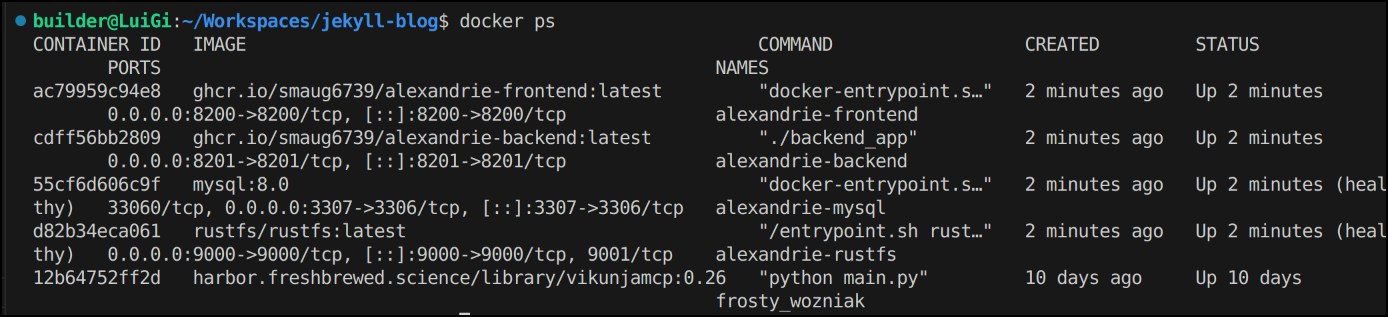
I can see the containers are up:
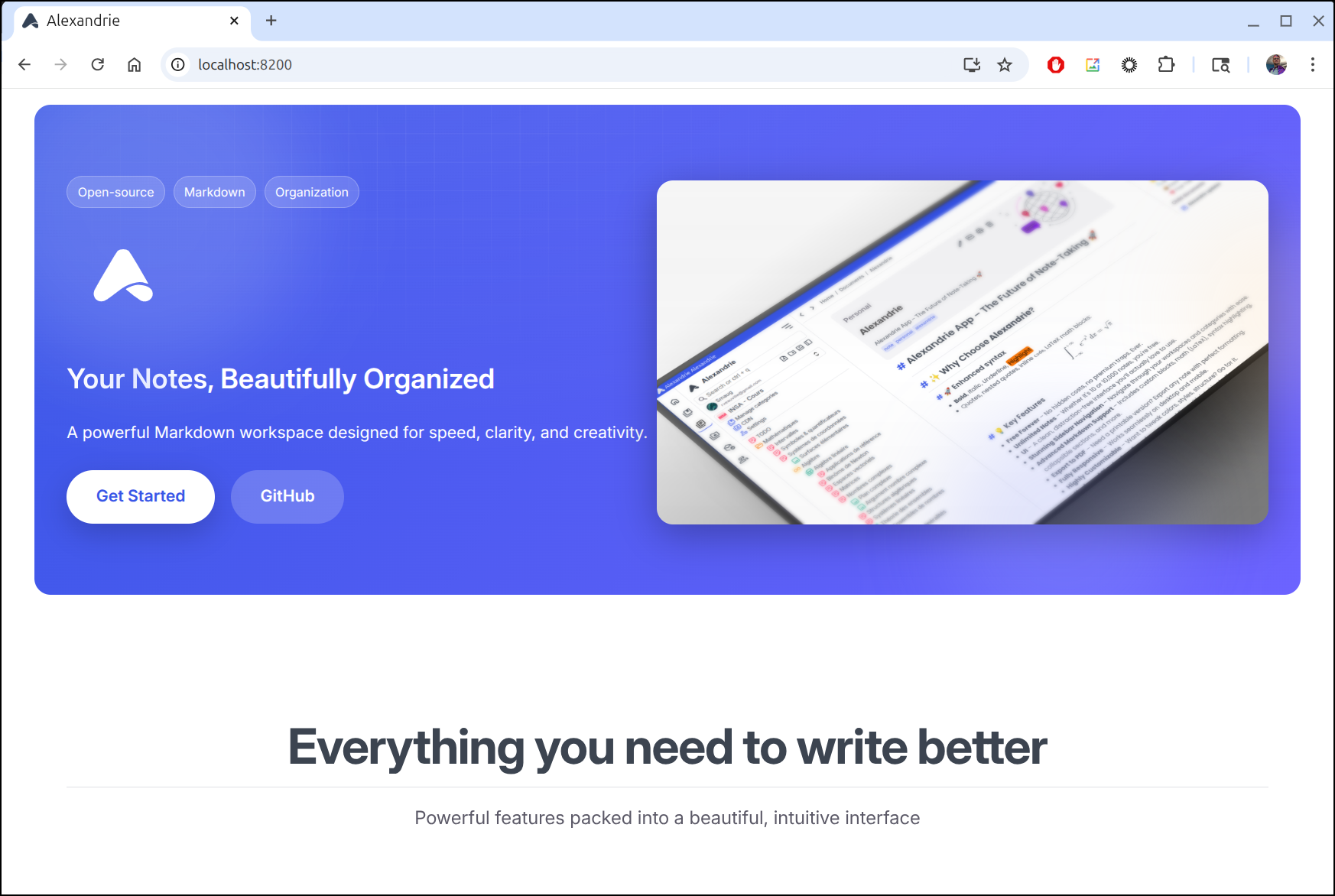
I can now connect to port 8200
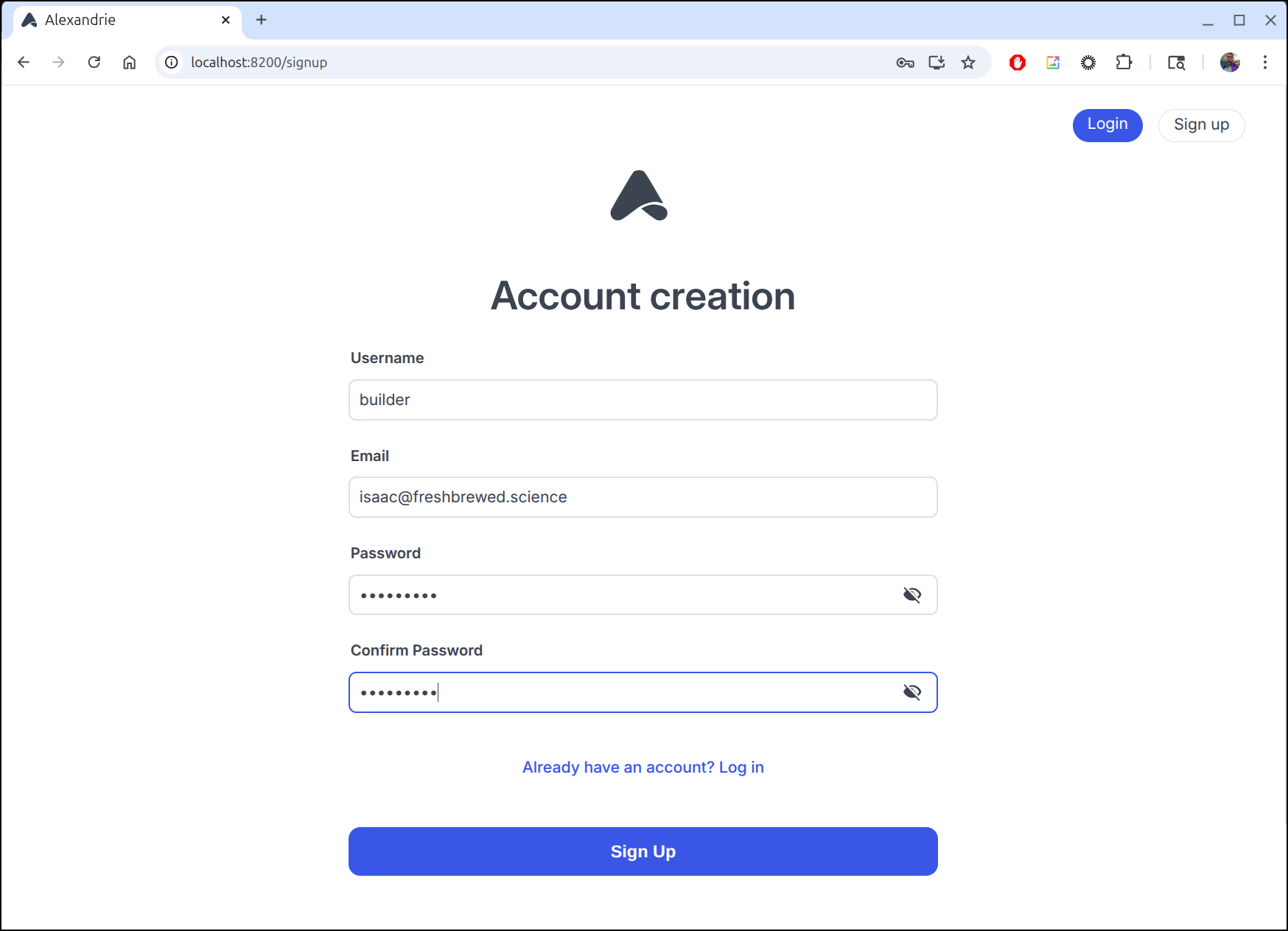
I can signup for a new account
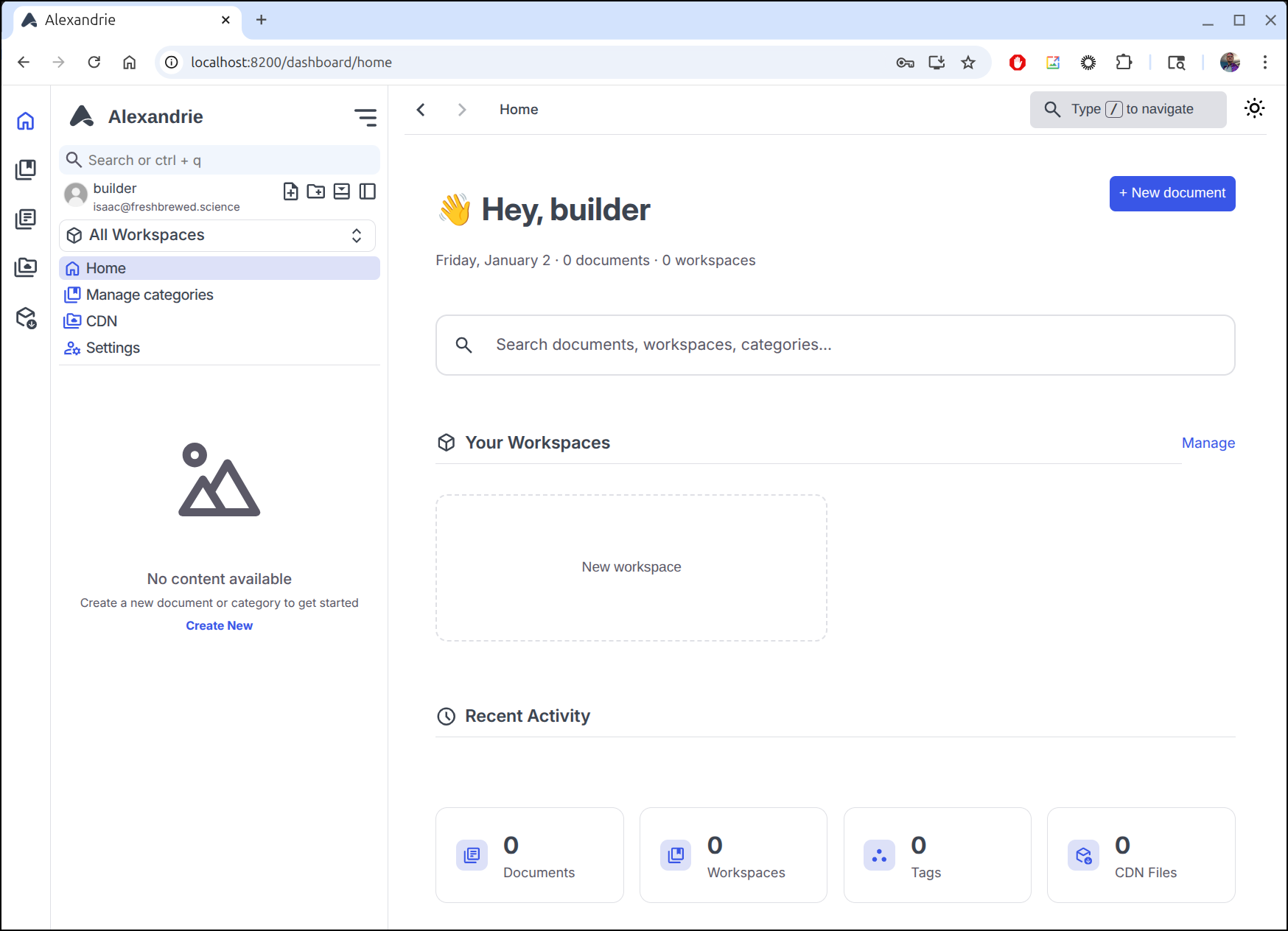
Which takes me to the landing page
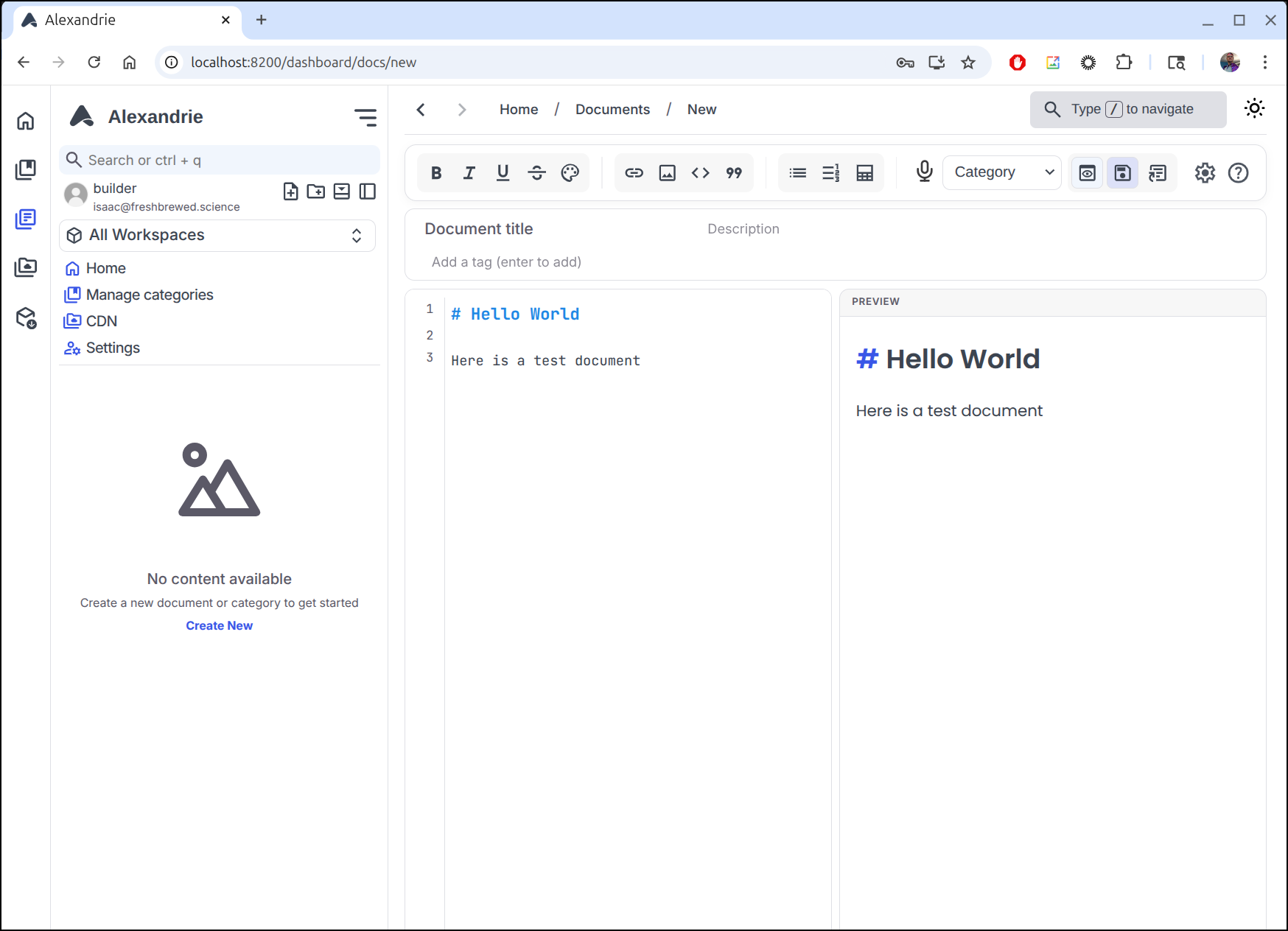
I can easily add a new document
Bytestash
Another Marius post clued me into Bytestash
There is a suggested ByteStash docker compose
services:
  bytestash:
    image: "ghcr.io/jordan-dalby/bytestash:latest"
    restart: always
    volumes:
      - /your/snippet/path:/data/snippets
    ports:
      - "5000:5000"
    environment:
      # See https://github.com/jordan-dalby/ByteStash/wiki/FAQ#environment-variables
      #ALLOWED_HOSTS: localhost,my.domain.com,my.domain.net
      BASE_PATH: ""
      JWT_SECRET: your-secret
      TOKEN_EXPIRY: 24h
      ALLOW_NEW_ACCOUNTS: "true"
      DEBUG: "true"
      DISABLE_ACCOUNTS: "false"
      DISABLE_INTERNAL_ACCOUNTS: "false"

      # See https://github.com/jordan-dalby/ByteStash/wiki/Single-Sign%E2%80%90on-Setup for more info
      OIDC_ENABLED: "false"
      OIDC_DISPLAY_NAME: ""
      OIDC_ISSUER_URL: ""
      OIDC_CLIENT_ID: ""
      OIDC_CLIENT_SECRET: ""
      OIDC_SCOPES: ""
Let’s clone the repo and give it a shot
builder@LuiGi:~/Workspaces$ cd ByteStash/
builder@LuiGi:~/Workspaces/ByteStash$ ls
Dockerfile  README.md  docker-compose.yaml  media              package.json
LICENSE     client     helm-charts          package-lock.json  server
builder@LuiGi:~/Workspaces/ByteStash$ docker compose up
[+] Building 34.2s (23/23) FINISHED
 => [internal] load local bake definitions                                                                                               0.0s
 => => reading from stdin 525B                                                                                                           0.0s
 => [internal] load build definition from Dockerfile                                                                                     0.1s
 => => transferring dockerfile: 729B                                                                                                     0.0s
 => [internal] load metadata for docker.io/library/node:22-alpine                                                                        1.7s
 => [auth] library/node:pull token for registry-1.docker.io                                                                              0.0s
 => [internal] load .dockerignore                                                                                                        0.1s
 => => transferring context: 2B                                                                                                          0.0s
 => [client-build 1/7] FROM docker.io/library/node:22-alpine@sha256:0340fa682d72068edf603c305bfbc10e23219fb0e40df58d9ea4d6f33a9798bf     0.3s
 => => resolve docker.io/library/node:22-alpine@sha256:0340fa682d72068edf603c305bfbc10e23219fb0e40df58d9ea4d6f33a9798bf                  0.0s
 => => sha256:0340fa682d72068edf603c305bfbc10e23219fb0e40df58d9ea4d6f33a9798bf 6.41kB / 6.41kB                                           0.0s
 => => sha256:eefb407f08684593068a61d76c3336fb418bdfd184357ccfe448aadfa1147b3e 1.72kB / 1.72kB                                           0.0s
 => => sha256:c91ce80d48fb1a545181cbad2e7e4329bf5aa581c9a87db465e31fa21f92add7 6.52kB / 6.52kB                                           0.0s
 => [internal] load build context                                                                                                        0.1s
 => => transferring context: 545.68kB                                                                                                    0.0s
 => [production 2/9] WORKDIR /app                                                                                                        0.1s
 => [client-build 2/7] WORKDIR /app/client                                                                                               0.1s
 => [production 3/9] WORKDIR /app                                                                                                        0.1s
 => [client-build 3/7] COPY client/package.json ./                                                                                       0.1s
 => [production 4/9] COPY server/package.json ./                                                                                         0.1s
 => [client-build 4/7] RUN npm install --package-lock-only                                                                              10.6s
 => [production 5/9] RUN apk add --no-cache --virtual .build-deps python3 make g++ gcc &&       npm install --omit=dev &&       apk de  11.7s
 => [client-build 5/7] RUN npm ci                                                                                                        4.4s
 => [production 6/9] COPY server/src ./src                                                                                               0.1s
 => [production 7/9] COPY server/docs ./docs                                                                                             0.2s
 => [client-build 6/7] COPY client/ ./                                                                                                   0.1s
 => [client-build 7/7] RUN npm run build                                                                                                15.2s
 => [production 8/9] COPY --from=client-build /app/client/build /client/build                                                            0.1s
 => [production 9/9] RUN mkdir -p ./data/snippets                                                                                        0.2s
 => exporting to image                                                                                                                   0.6s
 => => exporting layers                                                                                                                  0.5s
 => => writing image sha256:f107a84e752c186a2e844bb27ff5d097ec7df05223560bd4646a5123eb1ea008                                             0.0s
 => => naming to docker.io/library/bytestash-server                                                                                      0.0s
 => resolving provenance for metadata file                                                                                               0.0s
[+] Running 3/3
 ✔ bytestash-server              Built                                                                                                   0.0s
 ✔ Network bytestash_default     Created                                                                                                 0.1s
 ✔ Container bytestash-server-1  Created                                                                                                 0.1s
Attaching to server-1
server-1  | [INFO] Server running on port 5000
I’ll need to create an account
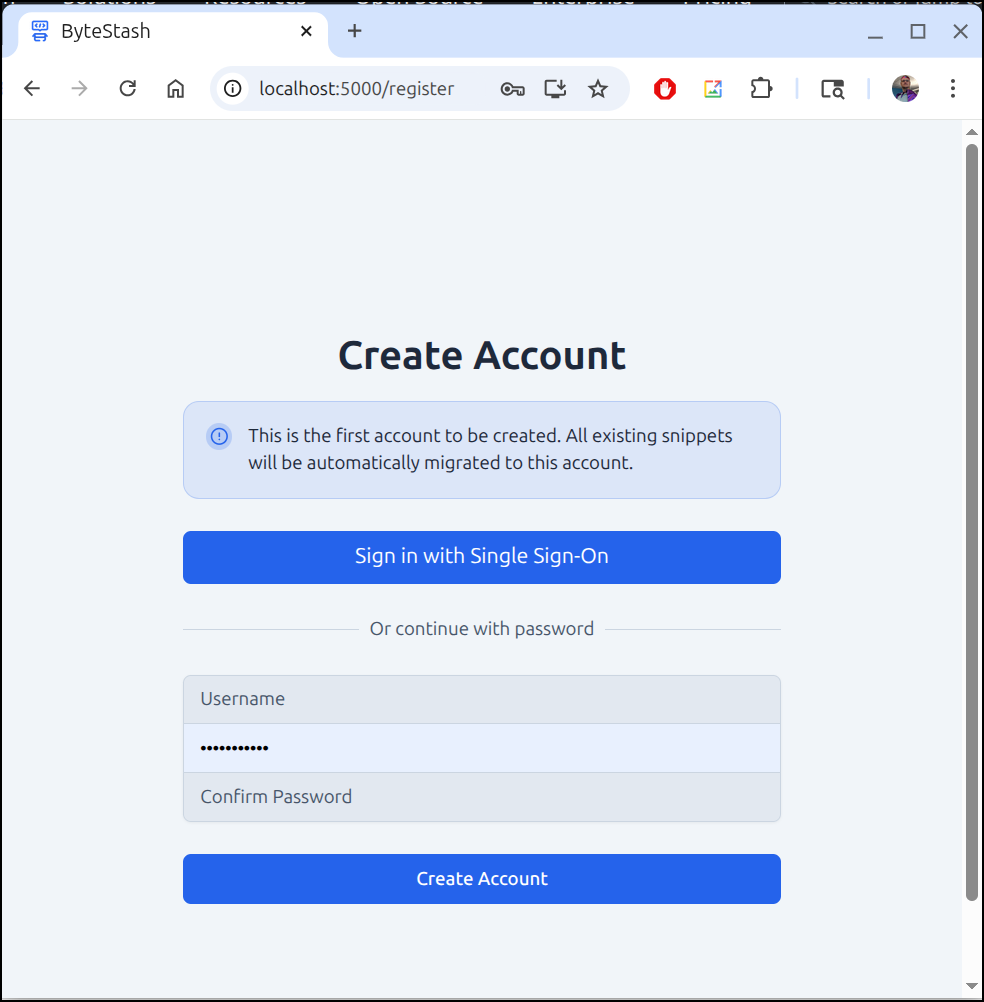
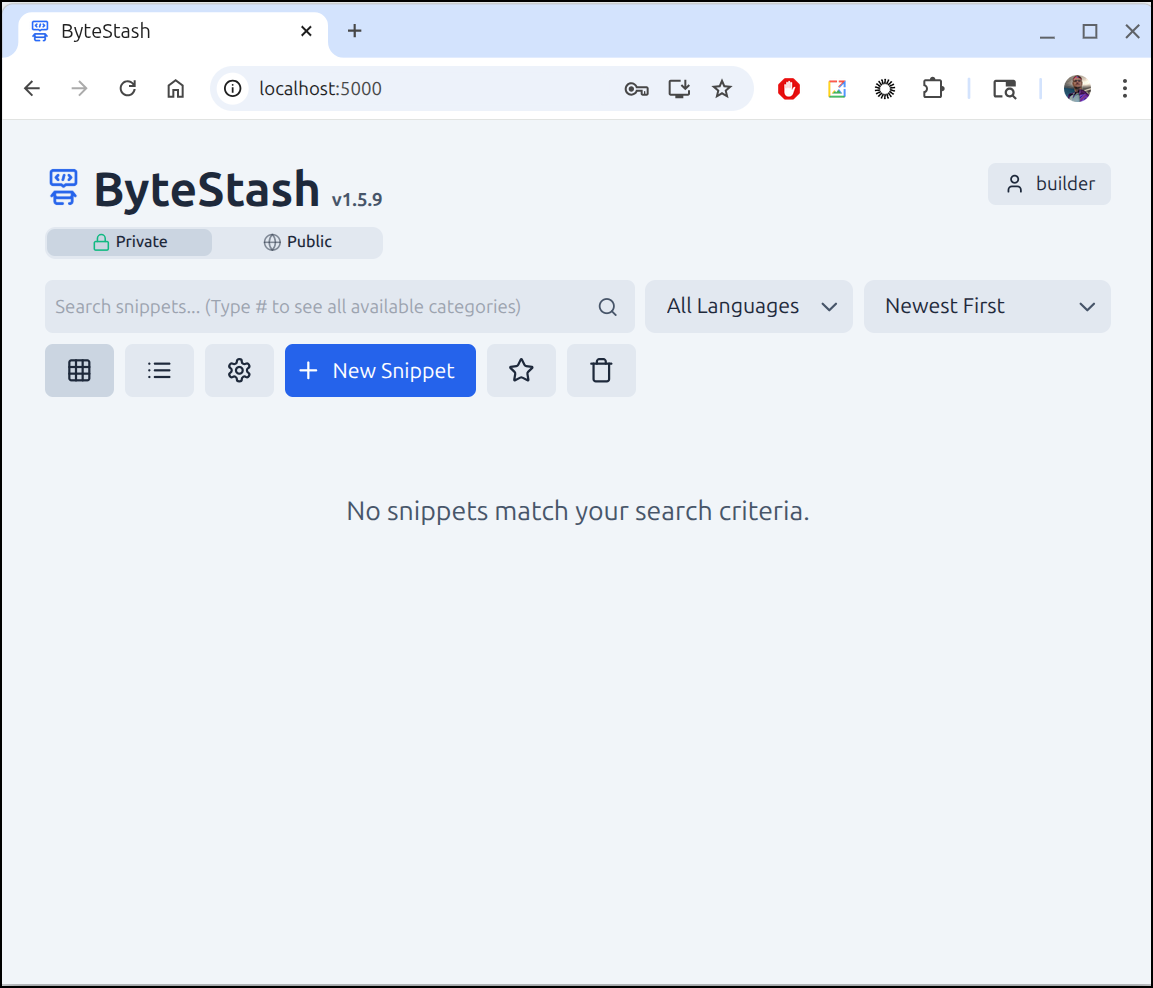
which lets me into the dashboard
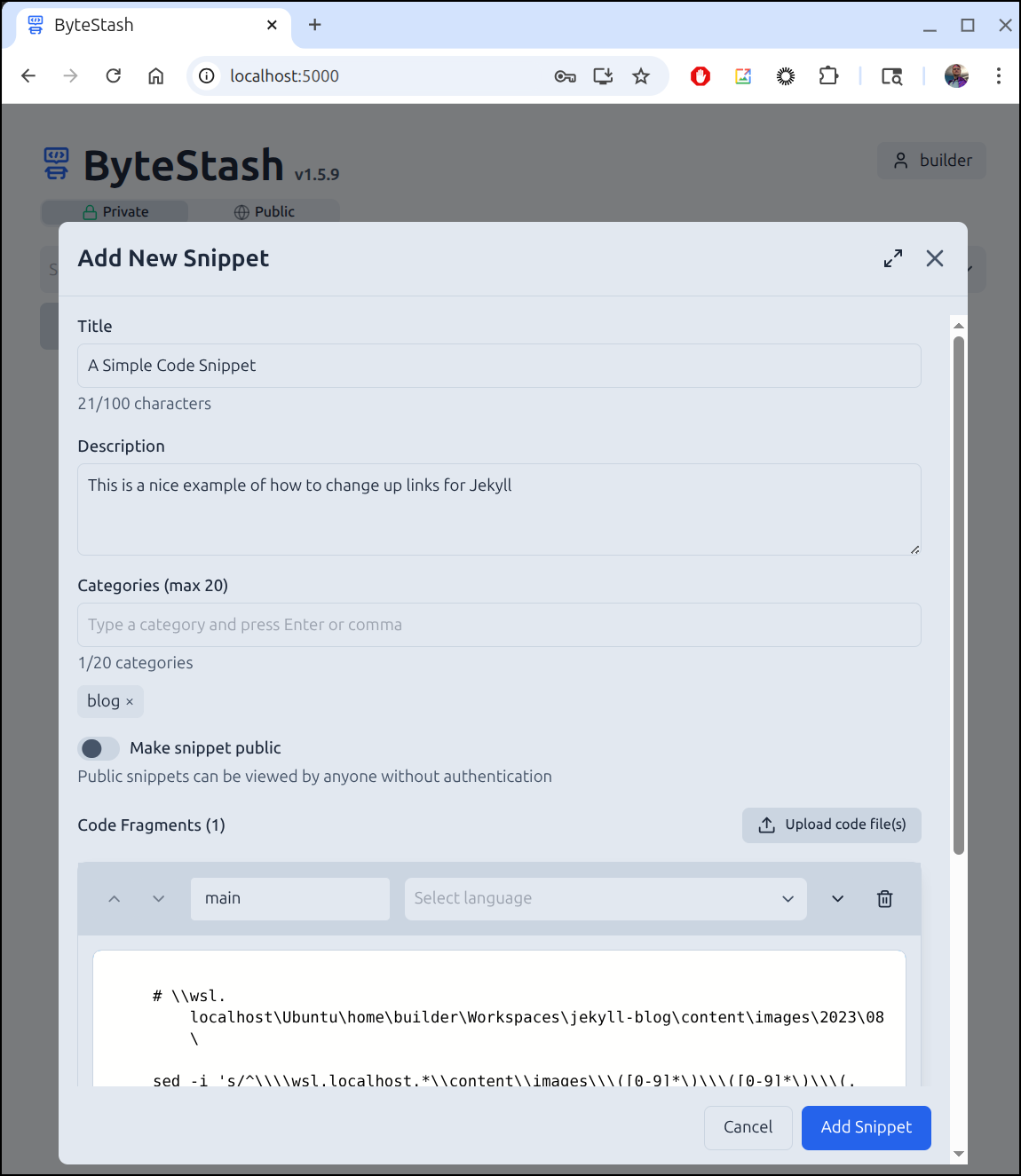
Let’s create a bytestash snippet
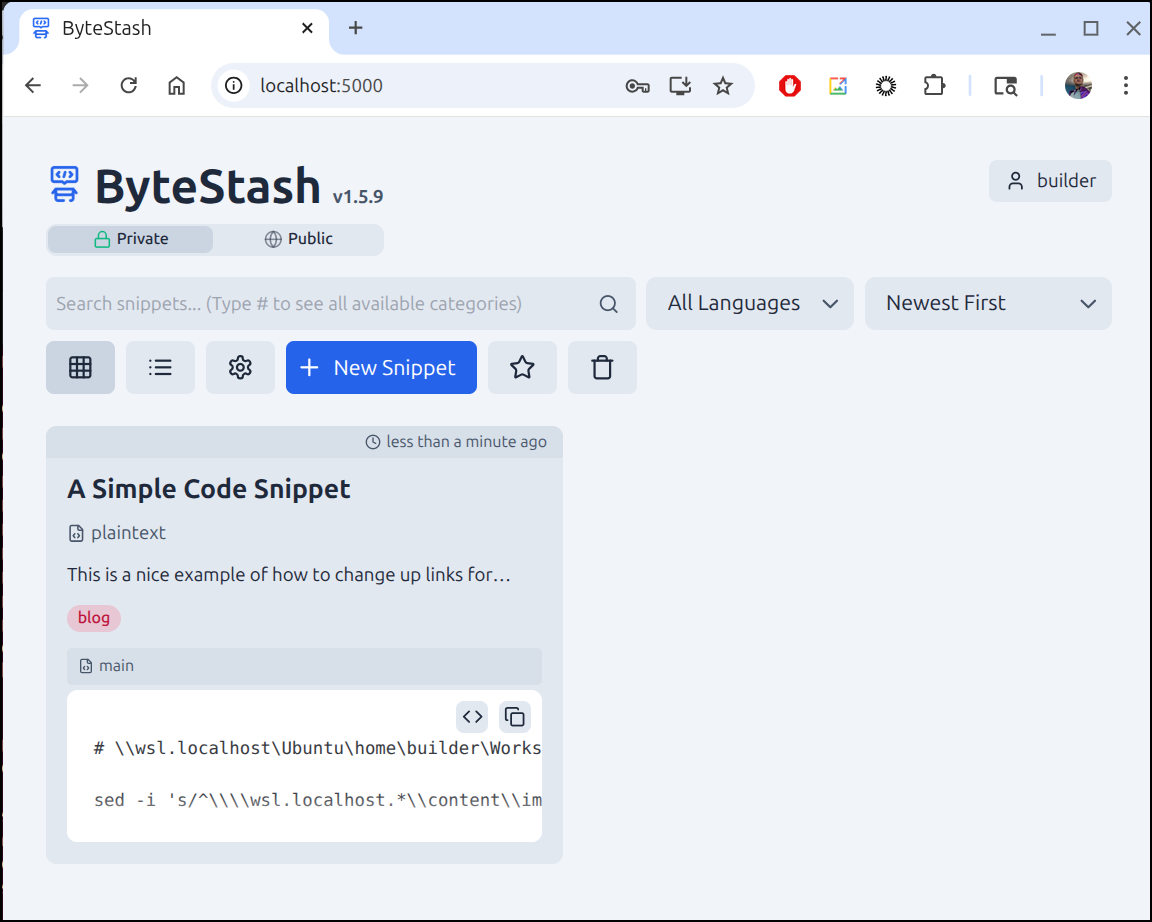
I can now see it in my list of snippets
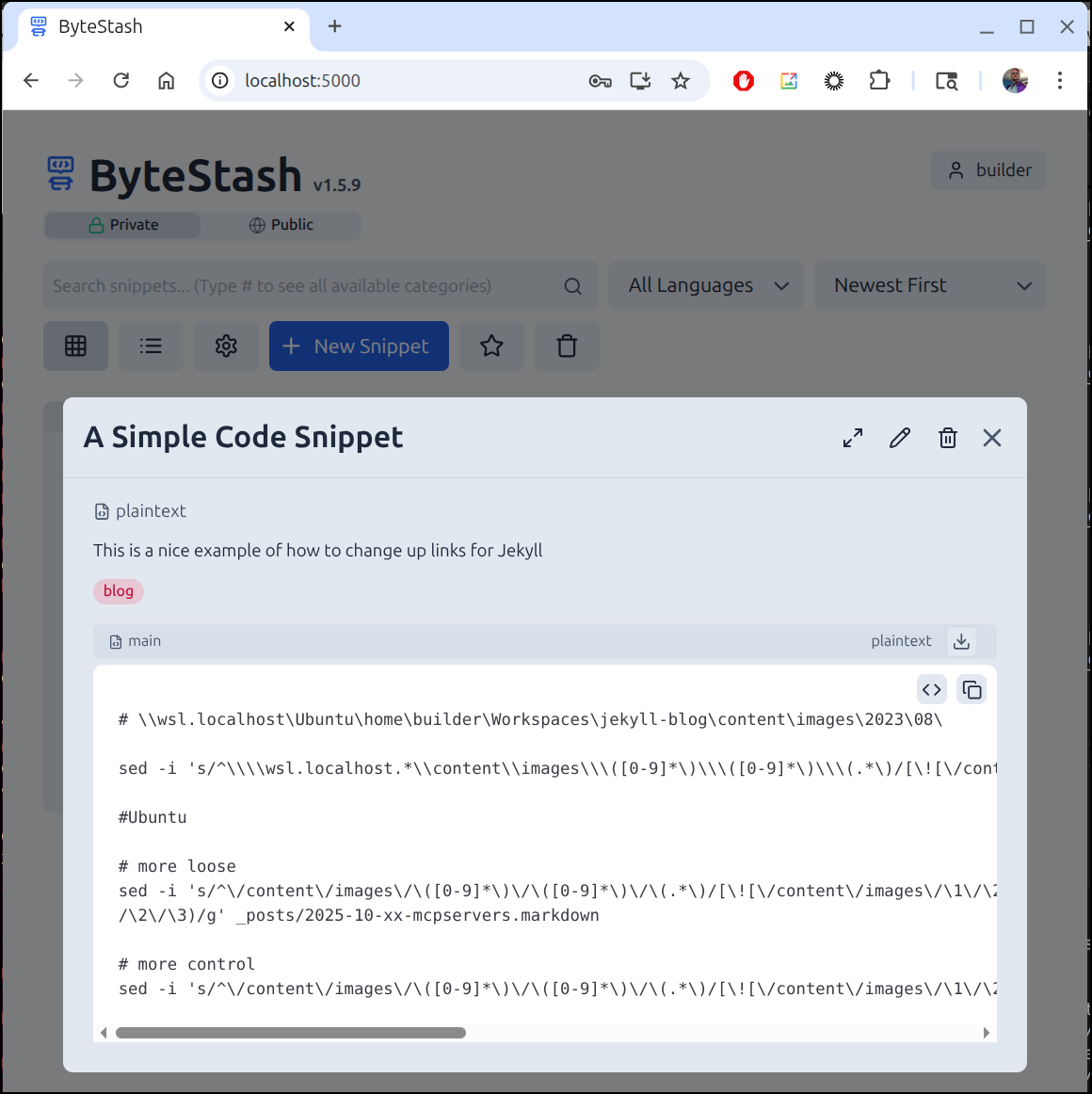
If I click it, I get a nice view of the code
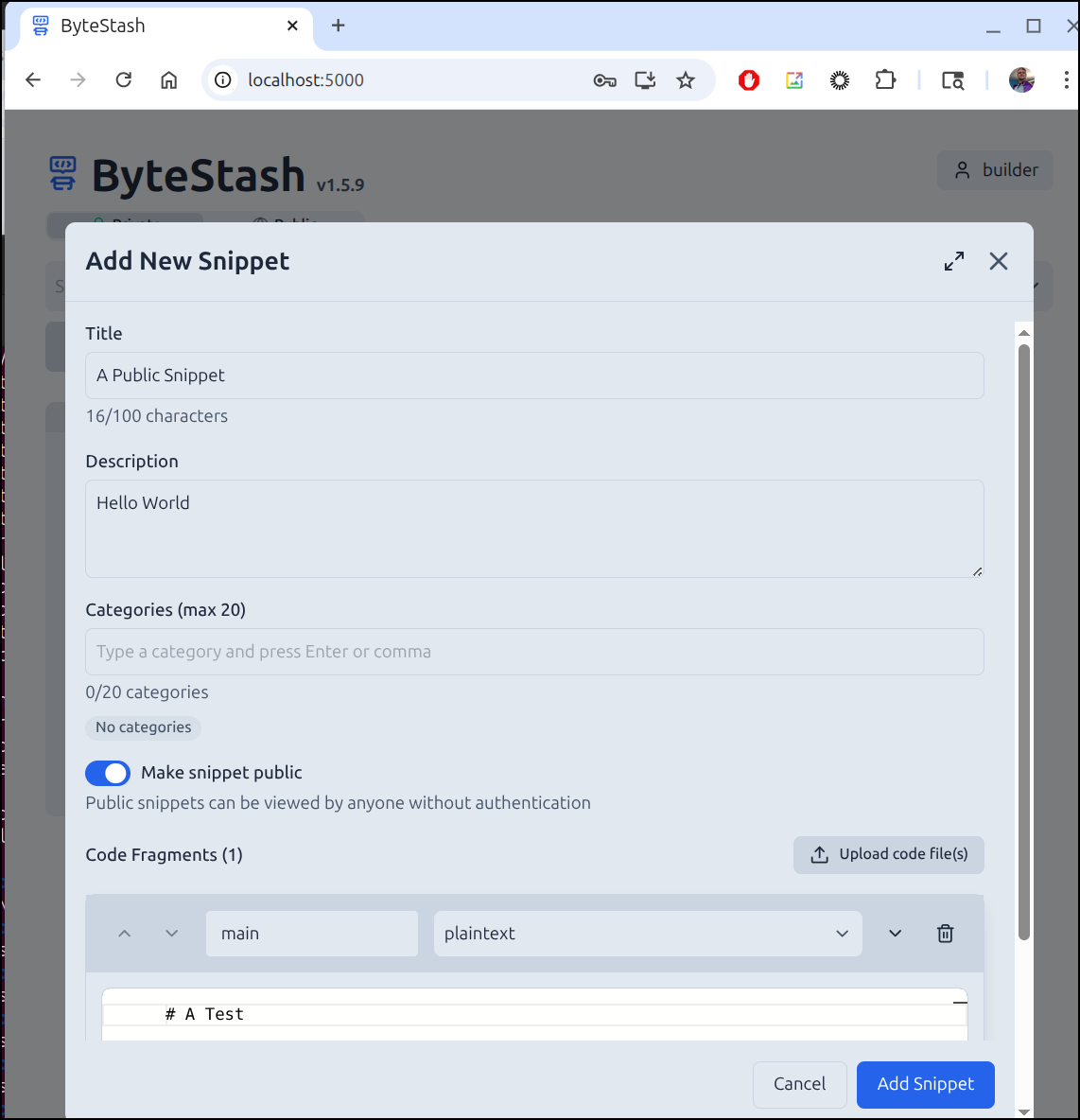
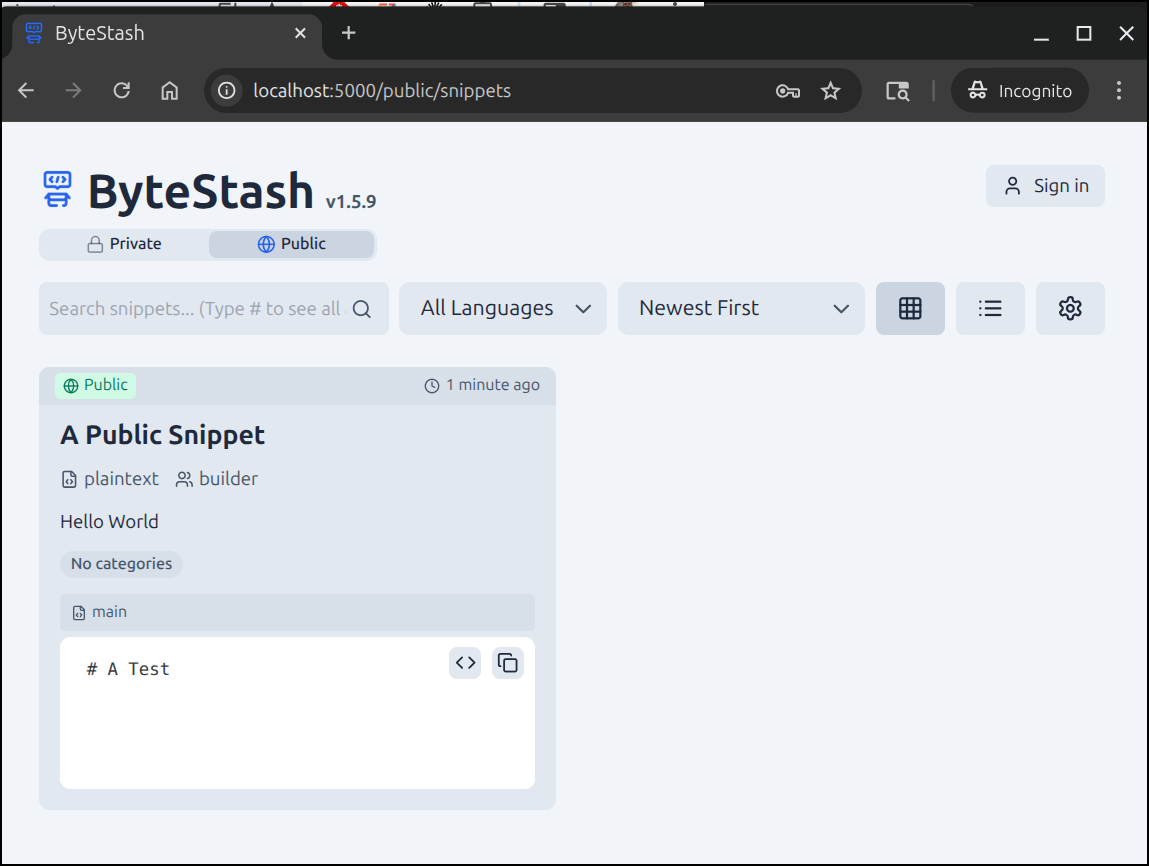
I’ll now try making a public snippet
I can see it now in the Public session
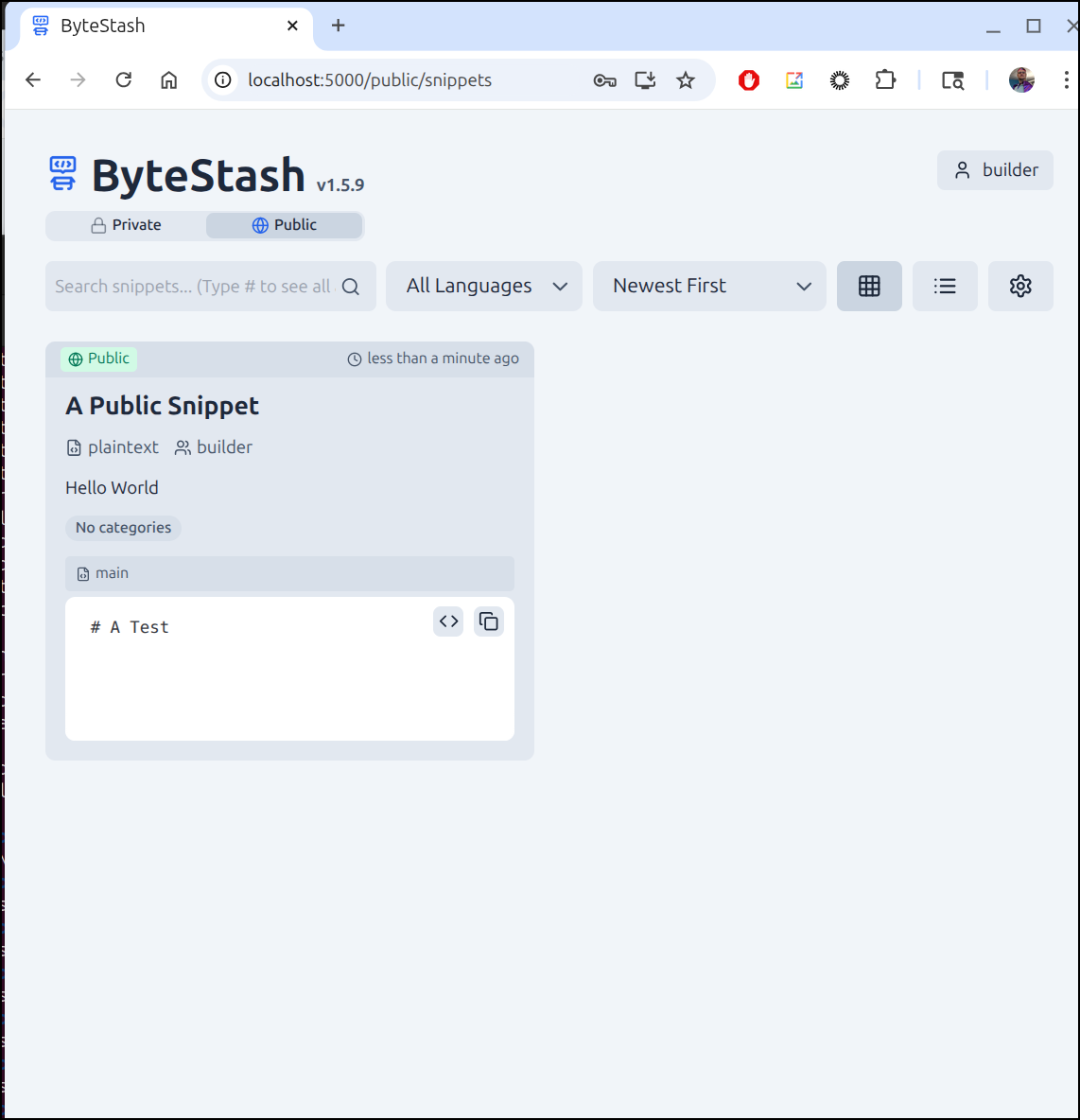
I can see it without logging in as well
Kubernetes
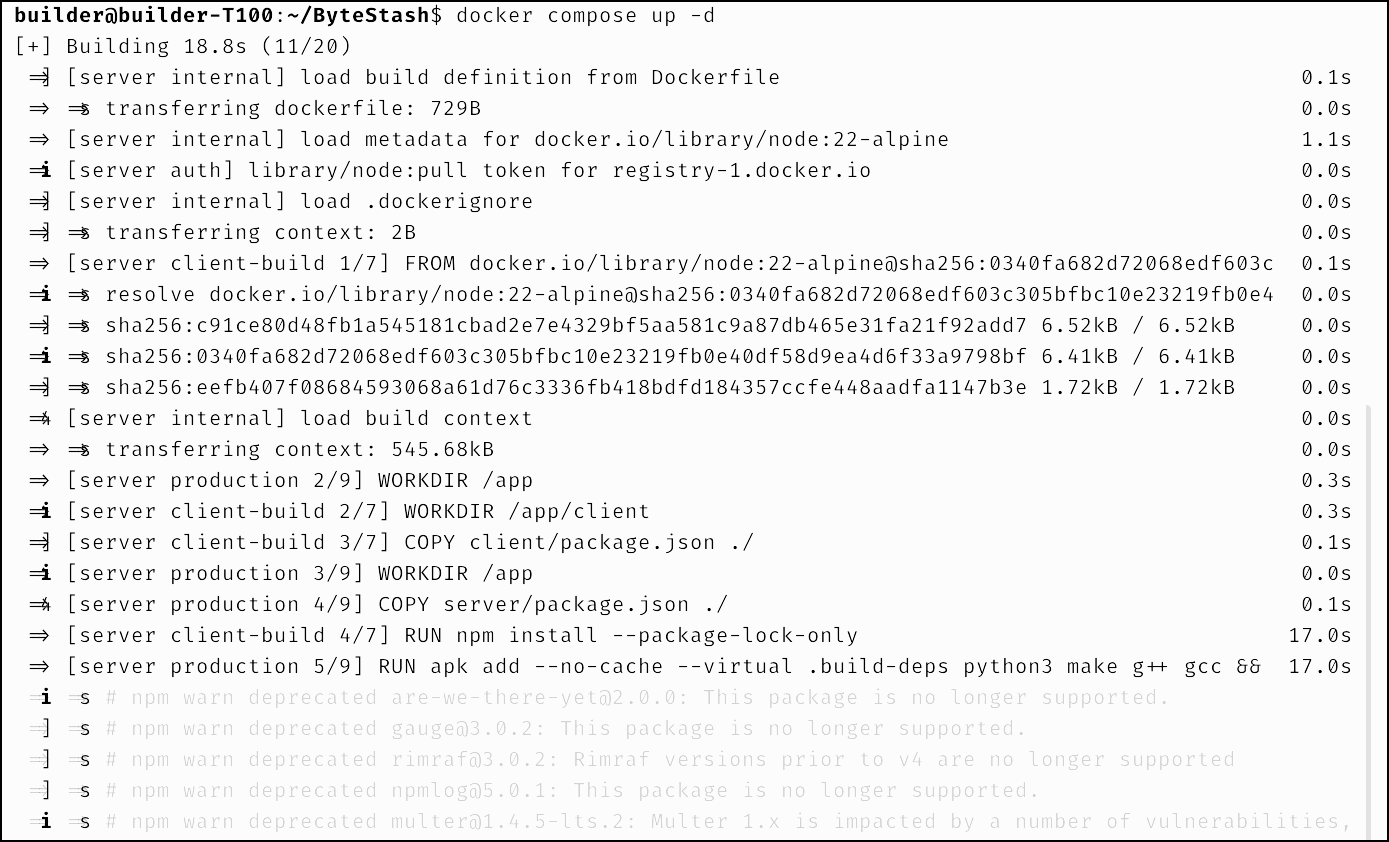
I’ll start by firing it up on my dockerhost.
I did update the docker-compose.yml to add “bytestash.tpk.pw” to the allowed hosts and switched to port 5010:5000 as 5000 was already in use on my host
I’ll need an A-Record for the domain
$ az account set --subscription "Pay-As-You-Go" && az network dns record-set a add-record -g idjdnsrg -z tpk.pw -a 174.53.161.33 -n bytestash
{
  "ARecords": [
    {
      "ipv4Address": "174.53.161.33"
    }
  ],
  "TTL": 3600,
  "etag": "fa7a782a-141f-4f6e-9178-060e7cffa8a8",
  "fqdn": "bytestash.tpk.pw.",
  "id": "/subscriptions/d955c0ba-13dc-44cf-a29a-8fed74cbb22d/resourceGroups/idjdnsrg/providers/Microsoft.Network/dnszones/tpk.pw/A/bytestash",
  "name": "bytestash",
  "provisioningState": "Succeeded",
  "resourceGroup": "idjdnsrg",
  "targetResource": {},
  "trafficManagementProfile": {},
  "type": "Microsoft.Network/dnszones/A"
}
We can now create a service, endpoint and ingress:
$ cat./bytestash_ingress.yaml
apiVersion: v1
kind: Endpoints
metadata:
  name: bytestash-external-ip
subsets:
- addresses:
  - ip: 192.168.1.99
  ports:
  - name: bytestashint
    port: 5010
    protocol: TCP
---
apiVersion: v1
kind: Service
metadata:
  name: bytestash-external-ip
spec:
  clusterIP: None
  clusterIPs:
  - None
  internalTrafficPolicy: Cluster
  ipFamilies:
  - IPv4
  - IPv6
  ipFamilyPolicy: RequireDualStack
  ports:
  - name: bytestash
    port: 80
    protocol: TCP
    targetPort: 5010
  sessionAffinity: None
  type: ClusterIP
---
apiVersion: networking.k8s.io/v1
kind: Ingress
metadata:
  annotations:
    cert-manager.io/cluster-issuer: azuredns-tpkpw
    ingress.kubernetes.io/ssl-redirect: "true"
    kubernetes.io/ingress.class: nginx
    kubernetes.io/tls-acme: "true"
    nginx.ingress.kubernetes.io/proxy-read-timeout: "3600"
    nginx.ingress.kubernetes.io/proxy-send-timeout: "3600"
    nginx.org/websocket-services: bytestash-external-ip
  generation: 1
  name: bytestashingress
spec:
  rules:
  - host: bytestash.tpk.pw
    http:
      paths:
      - backend:
          service:
            name: bytestash-external-ip
            port:
              number: 80
        path: /
        pathType: ImplementationSpecific
  tls:
  - hosts:
    - bytestash.tpk.pw
    secretName: bytestash-tls


$ kubectl apply -f ./bytestash_ingress.yaml
endpoints/bytestash-external-ip created
service/bytestash-external-ip created
Warning: annotation "kubernetes.io/ingress.class" is deprecated, please use 'spec.ingressClassName' instead
ingress.networking.k8s.io/bytestashingress created
When the cert is satisified
$ kubectl get cert
NAME                                READY   SECRET                              AGE
bytestash-tls                       True    bytestash-tls                       103s
We can test access:
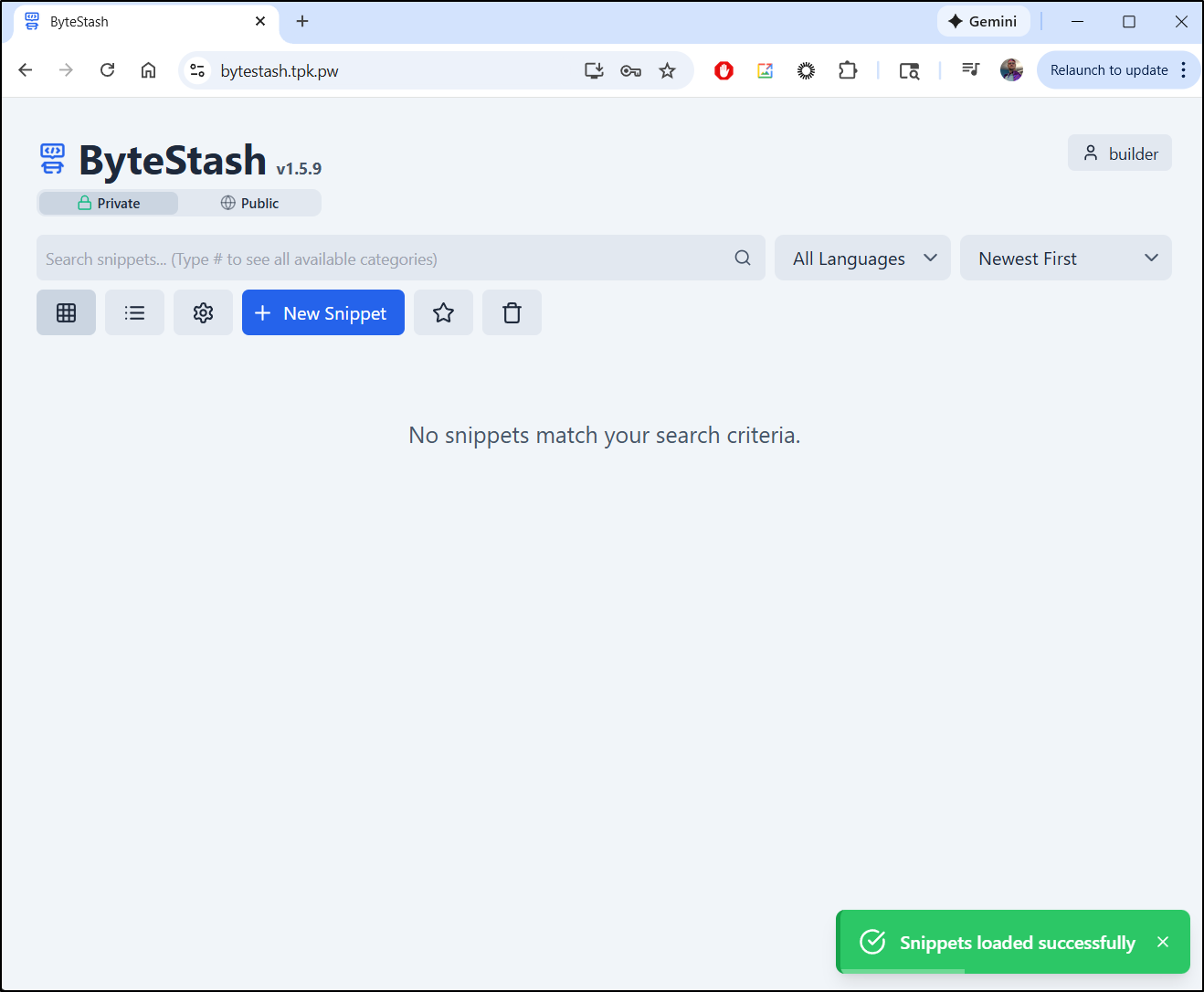
I’ll disable signup (only because anything like this just gets abused by bots and spammers)
builder@builder-T100:~/ByteStash$ cat ./docker-compose.yaml | grep ALLOW
      - ALLOWED_HOSTS=localhost,bytestash.tpk.pw
      - ALLOW_NEW_ACCOUNTS=true
      - ALLOW_PASSWORD_CHANGES=true
builder@builder-T100:~/ByteStash$ docker compose down
[+] Running 2/2
 ✔ Container bytestash-server-1  Removed                                                                                                    0.3s
 ✔ Network bytestash_default     Removed                                                                                                    0.1s
builder@builder-T100:~/ByteStash$ !v
vi docker-compose.yaml
builder@builder-T100:~/ByteStash$ cat ./docker-compose.yaml | grep ALLOW
      - ALLOWED_HOSTS=localhost,bytestash.tpk.pw
      - ALLOW_NEW_ACCOUNTS=false
      - ALLOW_PASSWORD_CHANGES=true
builder@builder-T100:~/ByteStash$ docker compose up
[+] Building 0.0s (0/0)
[+] Running 2/2
 ✔ Network bytestash_default     Created                                                                                                    0.2s
 ✔ Container bytestash-server-1  Created                                                                                                    0.2s
Attaching to bytestash-server-1
bytestash-server-1  | [INFO] Server running on port 5000


^CGracefully stopping... (press Ctrl+C again to force)
Aborting on container exit...
[+] Stopping 1/1
 ✔ Container bytestash-server-1  Stopped                                                                                                    0.2s
canceled
builder@builder-T100:~/ByteStash$ docker compose up -d
[+] Building 0.0s (0/0)
[+] Running 1/1
 ✔ Container bytestash-server-1  Started
Snipe IT
From a Marius post I found Snipe-IT
I will follow Marius’s example and use a docker compose file
$ cat ./docker-compose.yaml
services:
  db:
    image: mariadb:11.4-noble #LTS Long Time Support Until May 29, 2029.
    container_name: SNIPE-IT-DB
    security_opt:
      - no-new-privileges:false
    user: 999:10
    volumes:
      - /volume1/docker/snipeit/db:/var/lib/mysql:rw
    environment:
      - MYSQL_ROOT_PASSWORD=snipe
      - MYSQL_USER=snipe
      - MYSQL_PASSWORD=snipe
      - MYSQL_DATABASE=snipe
      - TZ=America/Chicago
    restart: on-failure:5

  snipeit:
    image: snipe/snipe-it:latest
    container_name: SNIPE-IT
    healthcheck:
      test: curl -f http://localhost:80/ || exit 1
    depends_on:
      - db
    volumes:
      - /volume1/docker/snipeit/config:/var/lib/snipeit:rw
    environment:
      - TZ=America/Chicago
      - APP_URL=https://snipeit.tpk.pw
      - NGINX_APP_URL=https://snipeit.tpk.pw
      - APP_KEY=base64:d89fd98g8d9f89g88sa9d8g8gw9e8s9df8s9d8f9wes9
      - APP_FORCE_TLS=true
      - MYSQL_PORT_3306_TCP_ADDR=db
      - MYSQL_PORT_3306_TCP_PORT=3306
      - MYSQL_DATABASE=snipe
      - MYSQL_USER=snipe
      - MYSQL_PASSWORD=snipe
      - PUID=999
      - PGID=10
      - MAIL_PORT_587_TCP_ADDR=smtp.gmail.com
      - MAIL_PORT_587_TCP_PORT=587
      - MAIL_ENV_FROM_ADDR=isaac.johnson@gmail.com
      - MAIL_ENV_FROM_NAME=isaac.johnson@gmail.com
      - MAIL_ENV_ENCRYPTION=TLS
      - MAIL_ENV_USERNAME=isaac.johnson@gmail.com
      - MAIL_ENV_PASSWORD=notmypassword
    ports:
      - 1339:80
    restart: on-failure:5
I can then use docker compose up to launch it
builder@builder-T100:~/snipeit$ docker compose up -d
[+] Running 37/37
 ✔ snipeit 27 layers [⣿⣿⣿⣿⣿⣿⣿⣿⣿⣿⣿⣿⣿⣿⣿⣿⣿⣿⣿⣿⣿⣿⣿⣿⣿⣿⣿]      0B/0B      Pulled                                                                  20.6s
   ✔ 3ab1646e5531 Pull complete                                                                                                            11.8s
   ✔ 83ef1f54f520 Pull complete                                                                                                            11.9s
   ✔ 6653fd46f6da Pull complete                                                                                                            12.0s
   ✔ 7ba61ef36eb4 Pull complete                                                                                                            12.0s
   ✔ 3f861cef632e Pull complete                                                                                                            12.0s
   ✔ 950d15df8d8a Pull complete                                                                                                            12.0s
   ✔ 8712e0119b3a Pull complete                                                                                                            12.0s
   ✔ 796c184574cb Pull complete                                                                                                            12.1s
   ✔ 99c9e7004eba Pull complete                                                                                                            12.1s
   ✔ ac3e0a8dddf1 Pull complete                                                                                                            12.1s
   ✔ 90e19a12f615 Pull complete                                                                                                            12.1s
   ✔ d689ae8e08a1 Pull complete                                                                                                            12.1s
   ✔ 2c46118a4964 Pull complete                                                                                                            12.2s
   ✔ 4f12235e7372 Pull complete                                                                                                            12.2s
   ✔ 3b783637a429 Pull complete                                                                                                            12.2s
   ✔ ca5cb97a976f Pull complete                                                                                                            14.1s
   ✔ 39b2d2359bf9 Pull complete                                                                                                            14.1s
   ✔ 1b887c43aae7 Pull complete                                                                                                            14.1s
   ✔ 4f4fb700ef54 Pull complete                                                                                                            14.1s
   ✔ b3f7d7442cf3 Pull complete                                                                                                            14.1s
   ✔ 60c54e8bfe74 Pull complete                                                                                                            15.8s
   ✔ 8175c648daf3 Pull complete                                                                                                            15.9s
   ✔ 088f10323df2 Pull complete                                                                                                            15.9s
   ✔ d4eed4690471 Pull complete                                                                                                            19.4s
   ✔ 4014bb7b801d Pull complete                                                                                                            19.4s
   ✔ b93161ba5790 Pull complete                                                                                                            19.4s
   ✔ 74f638b2ec75 Pull complete                                                                                                            19.4s
 ✔ db 8 layers [⣿⣿⣿⣿⣿⣿⣿⣿]      0B/0B      Pulled                                                                                           11.4s
   ✔ 20043066d3d5 Already exists                                                                                                            0.0s
   ✔ 85f10f7acd53 Pull complete                                                                                                             5.2s
   ✔ 89d27d8f606e Pull complete                                                                                                             6.1s
   ✔ 9cebb03235ac Pull complete                                                                                                             6.2s
   ✔ 494c705a1e86 Pull complete                                                                                                             6.2s
   ✔ 3586afbd92d6 Pull complete                                                                                                            10.2s
   ✔ e89983107921 Pull complete                                                                                                            10.2s
   ✔ 8b6963150edf Pull complete                                                                                                            10.2s
[+] Building 0.0s (0/0)
[+] Running 3/3
 ✔ Network snipeit_default  Created                                                                                                         0.1s
 ✔ Container SNIPE-IT-DB    Started                                                                                                         1.2s
 ✔ Container SNIPE-IT       Started
We can see it running
 $ docker ps | grep snip
0949880dd0c2   snipe/snipe-it:latest                                            "/startup.sh"            2 minutes ago       Up 2 minutes (healthy)   443/tcp, 0.0.0.0:1339->80/tcp, :::1339->80/tcp                                     SNIPE-IT
I’ll create an A-Record
$ az account set --subscription "Pay-As-You-Go" && az network dns record-set a add-record -g idjdnsrg -z tpk.pw -a 174.53.161.33 -n snipeit
{
  "ARecords": [
    {
      "ipv4Address": "174.53.161.33"
    }
  ],
  "TTL": 3600,
  "etag": "b8f616d4-72f2-4baa-aa14-484f94cbb10a",
  "fqdn": "snipeit.tpk.pw.",
  "id": "/subscriptions/d955c0ba-13dc-44cf-a29a-8fed74cbb22d/resourceGroups/idjdnsrg/providers/Microsoft.Network/dnszones/tpk.pw/A/snipeit",
  "name": "snipeit",
  "provisioningState": "Succeeded",
  "resourceGroup": "idjdnsrg",
  "targetResource": {},
  "trafficManagementProfile": {},
  "type": "Microsoft.Network/dnszones/A"
We can now create an Ingress
$ cat snipeit_ingress.yaml
apiVersion: v1
kind: Endpoints
metadata:
  name: snipeit-external-ip
subsets:
- addresses:
  - ip: 192.168.1.99
  ports:
  - name: snipeitint
    port: 1339
    protocol: TCP
---
apiVersion: v1
kind: Service
metadata:
  name: snipeit-external-ip
spec:
  clusterIP: None
  clusterIPs:
  - None
  internalTrafficPolicy: Cluster
  ipFamilies:
  - IPv4
  - IPv6
  ipFamilyPolicy: RequireDualStack
  ports:
  - name: snipeit
    port: 80
    protocol: TCP
    targetPort: 1339
  sessionAffinity: None
  type: ClusterIP
---
apiVersion: networking.k8s.io/v1
kind: Ingress
metadata:
  annotations:
    cert-manager.io/cluster-issuer: azuredns-tpkpw
    ingress.kubernetes.io/ssl-redirect: "true"
    kubernetes.io/ingress.class: nginx
    kubernetes.io/tls-acme: "true"
    nginx.ingress.kubernetes.io/proxy-read-timeout: "3600"
    nginx.ingress.kubernetes.io/proxy-send-timeout: "3600"
    nginx.org/websocket-services: snipeit-external-ip
  generation: 1
  name: snipeitingress
spec:
  rules:
  - host: snipeit.tpk.pw
    http:
      paths:
      - backend:
          service:
            name: snipeit-external-ip
            port:
              number: 80
        path: /
        pathType: ImplementationSpecific
  tls:
  - hosts:
    - snipeit.tpk.pw
    secretName: snipeit-tls

$ kubectl apply -f ./snipeit_ingress.yaml
endpoints/snipeit-external-ip created
service/snipeit-external-ip created
Warning: annotation "kubernetes.io/ingress.class" is deprecated, please use 'spec.ingressClassName' instead
ingress.networking.k8s.io/snipeitingress created
When the cert is satisified
builder@DESKTOP-QADGF36:~/Workspaces/jekyll-blog$ kubectl get cert | grep snip
snipeit-tls                         False   snipeit-tls                         67s
builder@DESKTOP-QADGF36:~/Workspaces/jekyll-blog$ kubectl get cert | grep snip
snipeit-tls                         True    snipeit-tls                         79s
I tried the URL
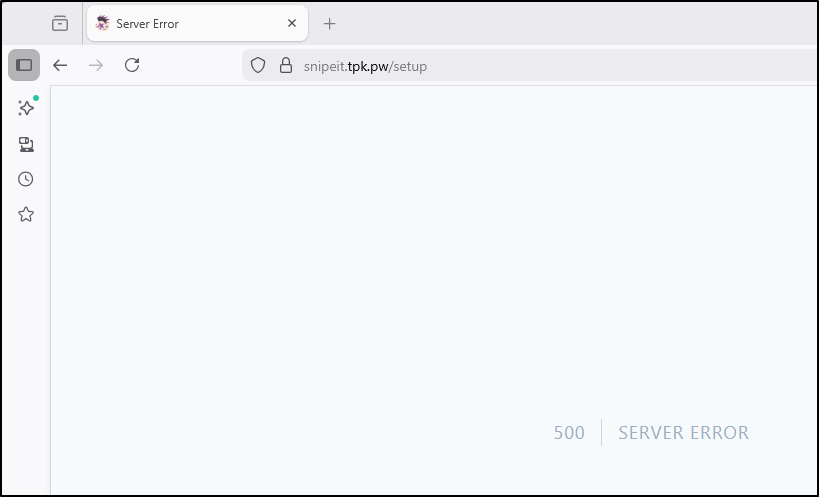
Once I (well, Gemini CLI did the work mostly) figured out the problems I had it up.
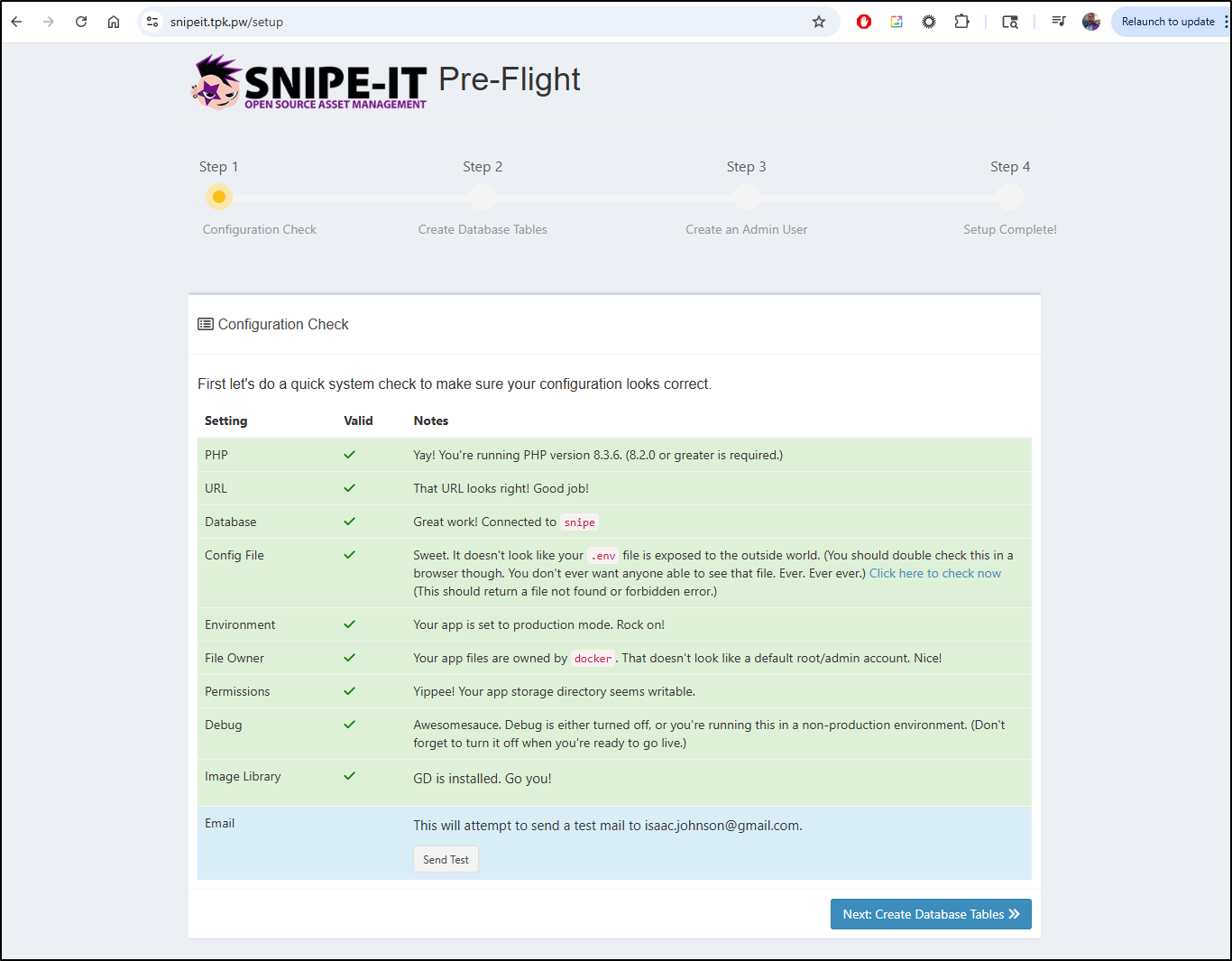
Namely, the APP_KEY needed a different base64 value and the DB env vars are actually different than what Marius used for the snipeit container.
builder@builder-T100:~/snipeit$ cat docker-compose.yaml
services:
  db:
    image: mariadb:11.4-noble #LTS Long Time Support Until May 29, 2029.
    container_name: SNIPE-IT-DB
    security_opt:
      - no-new-privileges:false
    user: 1000:1000
    volumes:
      - /home/builder/snipeit/db:/var/lib/mysql:rw
    environment:
      - MYSQL_ROOT_PASSWORD=snipe
      - MYSQL_USER=snipe
      - MYSQL_PASSWORD=snipe
      - MYSQL_DATABASE=snipe
      - TZ=America/Chicago
    restart: on-failure:5

  snipeit:
    image: snipe/snipe-it:latest
    container_name: SNIPE-IT
    healthcheck:
      test: curl -f http://localhost:80/ || exit 1
    depends_on:
      - db
    volumes:
      - /home/builder/snipeit/config:/var/lib/snipeit:rw
    environment:
      - TZ=America/Chicago
      - APP_URL=https://snipeit.tpk.pw
      - NGINX_APP_URL=https://snipeit.tpk.pw
      - APP_KEY=base64:5CsbnJGb2IgNFftWyf7Qthx4VdJSZIDW6cTB5g8LjG8=
      - APP_FORCE_TLS=true
      - DB_HOST=db
      - DB_PORT=3306
      - DB_DATABASE=snipe
      - DB_USERNAME=snipe
      - DB_PASSWORD=snipe
      - PUID=1000
      - PGID=1000
      - MAIL_PORT_587_TCP_ADDR=smtp.gmail.com
      - MAIL_PORT_587_TCP_PORT=587
      - MAIL_ENV_FROM_ADDR=isaac.johnson@gmail.com
      - MAIL_ENV_FROM_NAME=isaac.johnson@gmail.com
      - MAIL_ENV_ENCRYPTION=TLS
      - MAIL_ENV_USERNAME=isaac.johnson@gmail.com
      - MAIL_ENV_PASSWORD=notmypassword
    ports:
      - 1339:80
    restart: on-failure:5
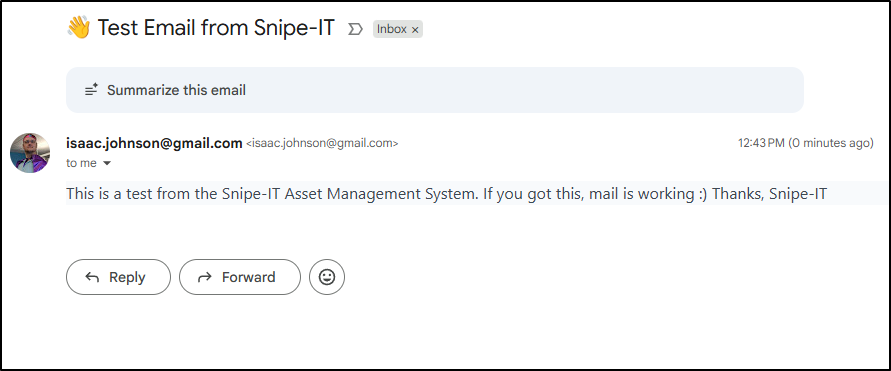
i did the “send test email” to check my app key was still good
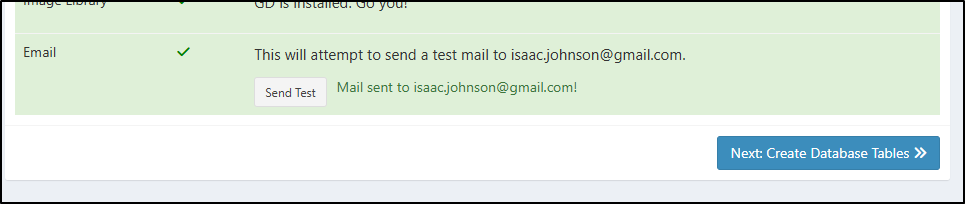
which worked
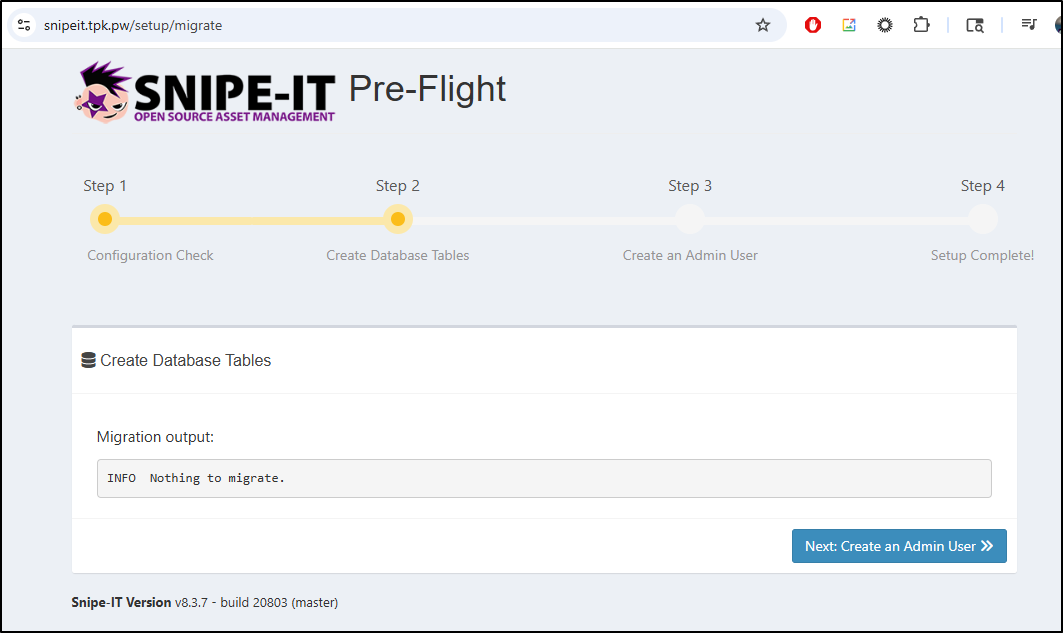
I then did a Migrate Database step
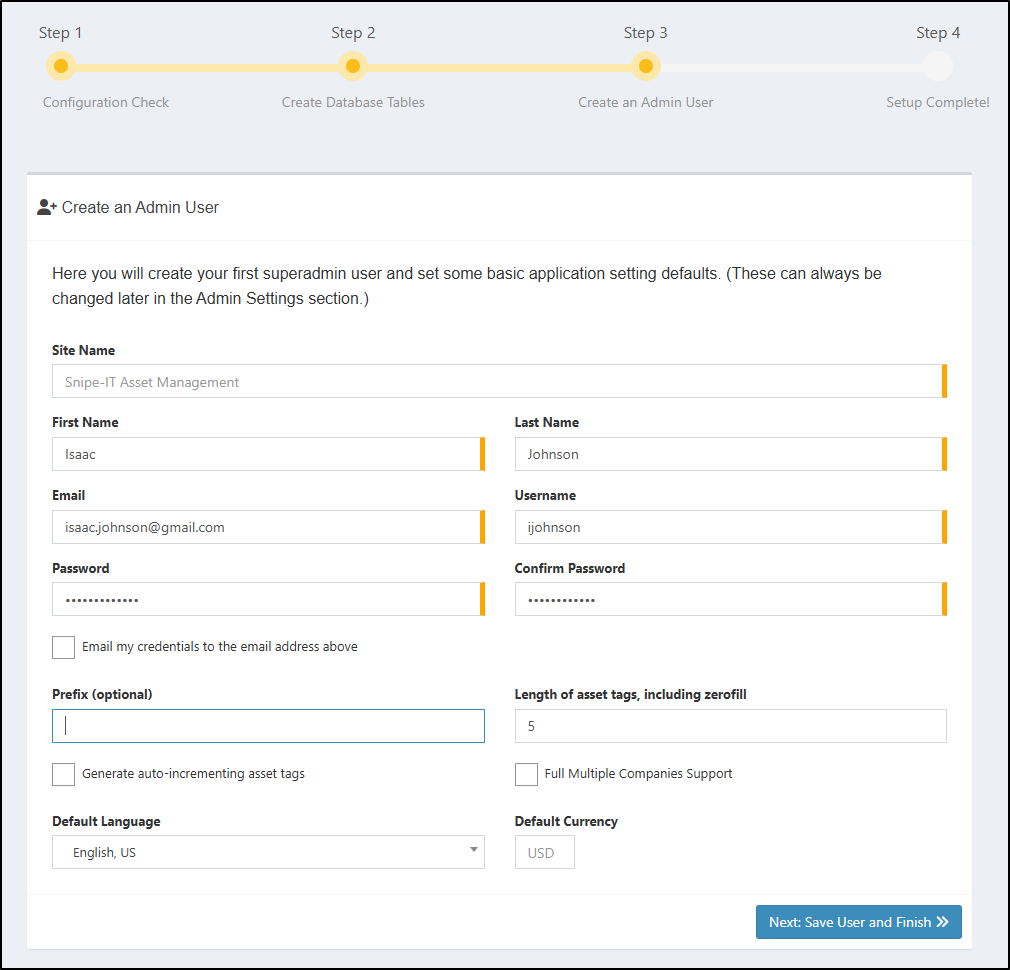
I’ll create an admin user
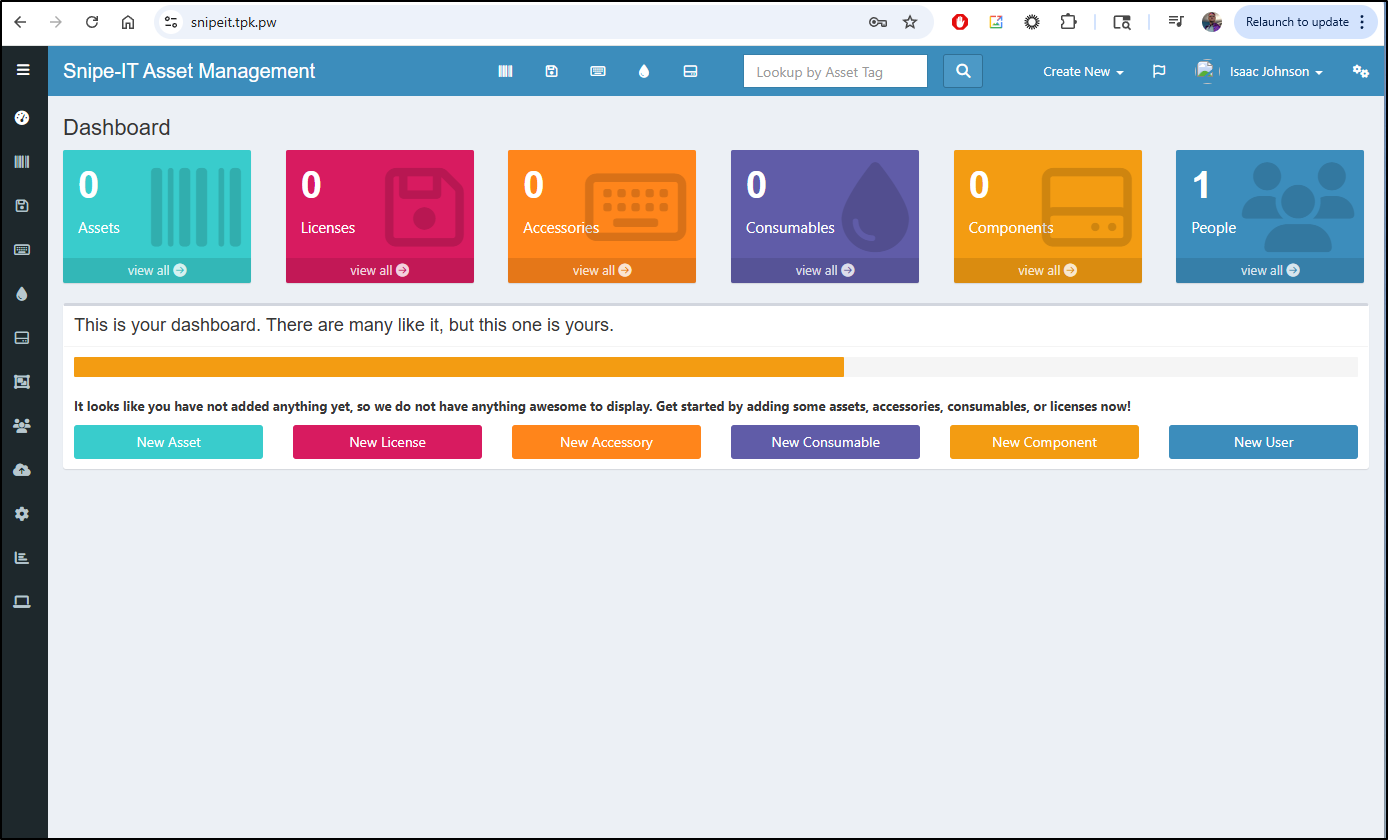
I’m now in
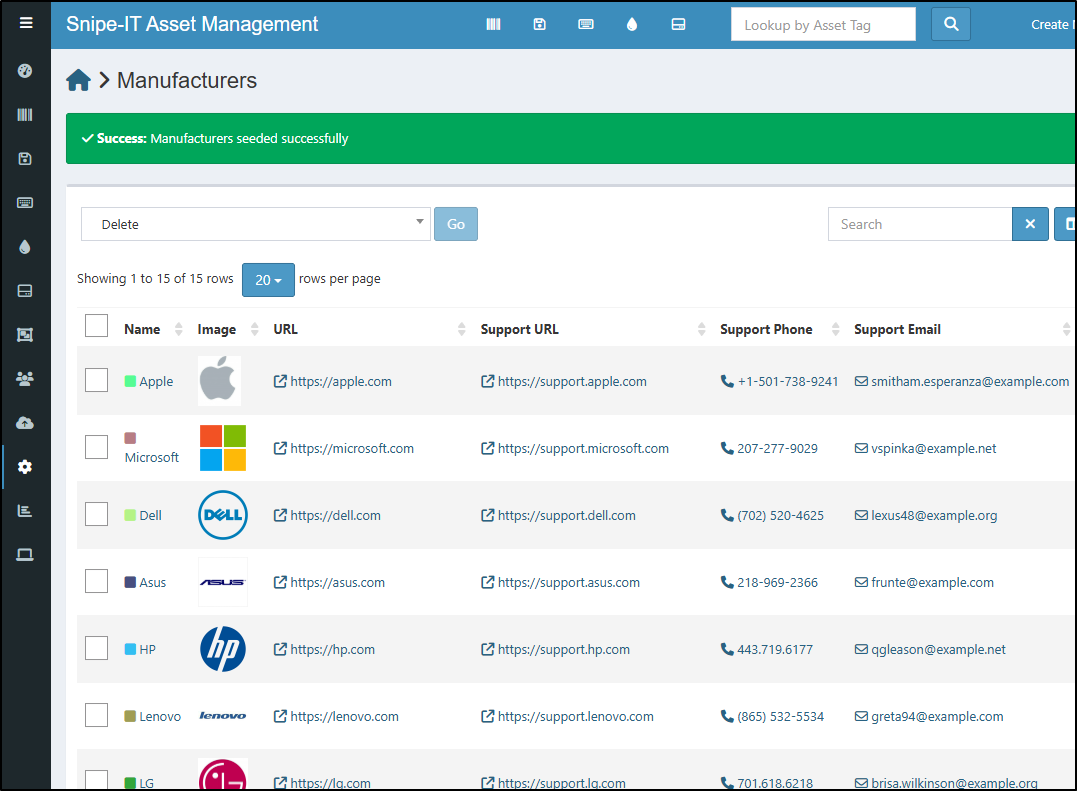
In the Manufacturers area, we can click “Create Manufacturers” to seed it with a predefined list of common ones
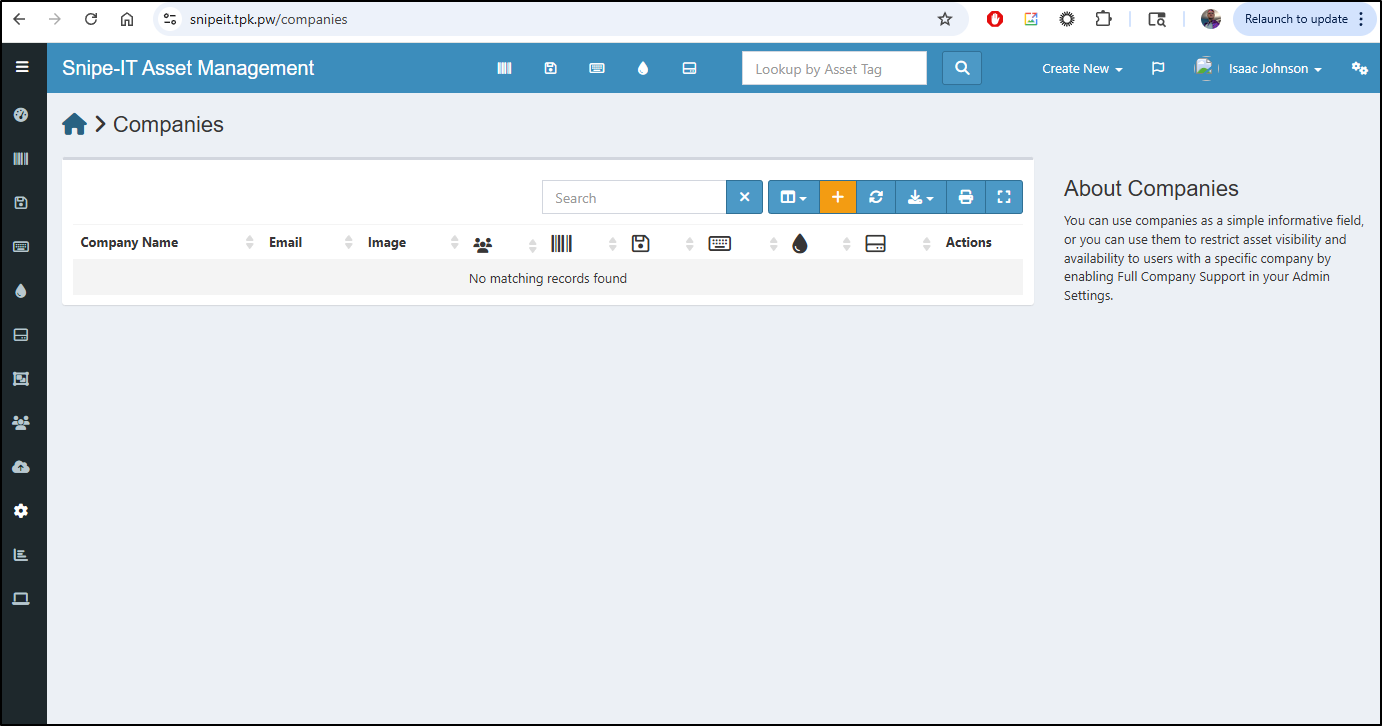
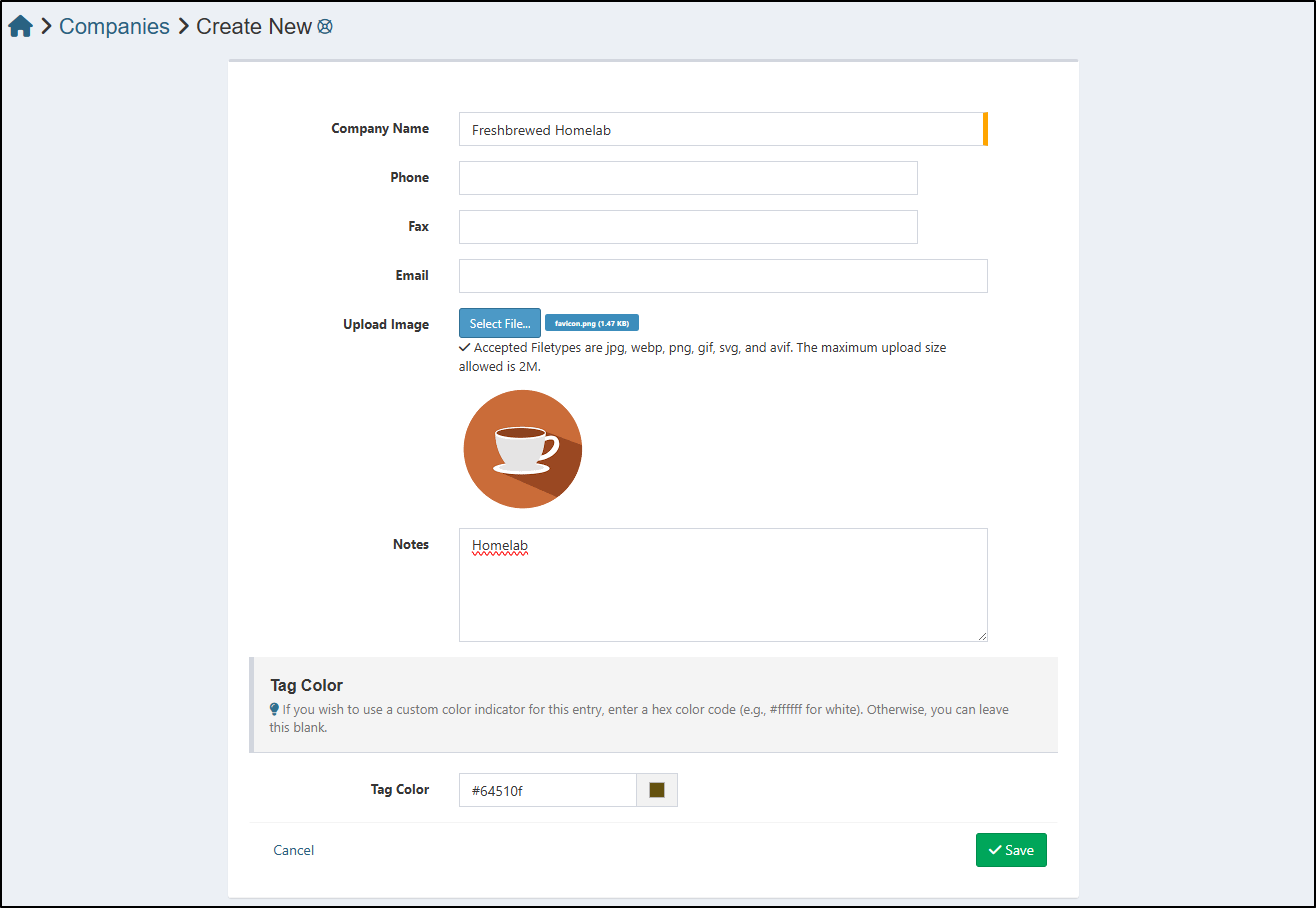
I’ll next make a new company in the Companies area, which by default is empty
I’ll create an entry for Homelab
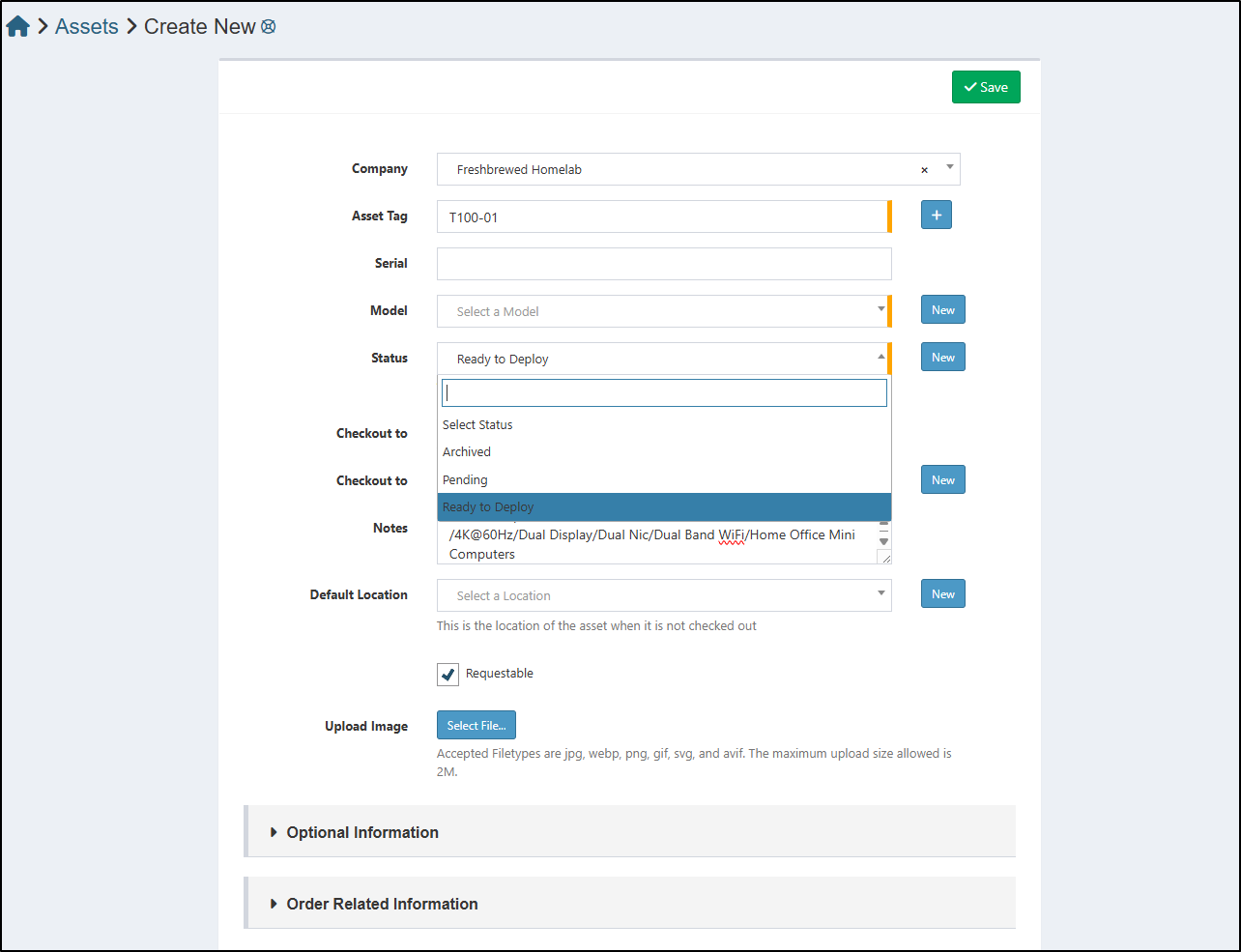
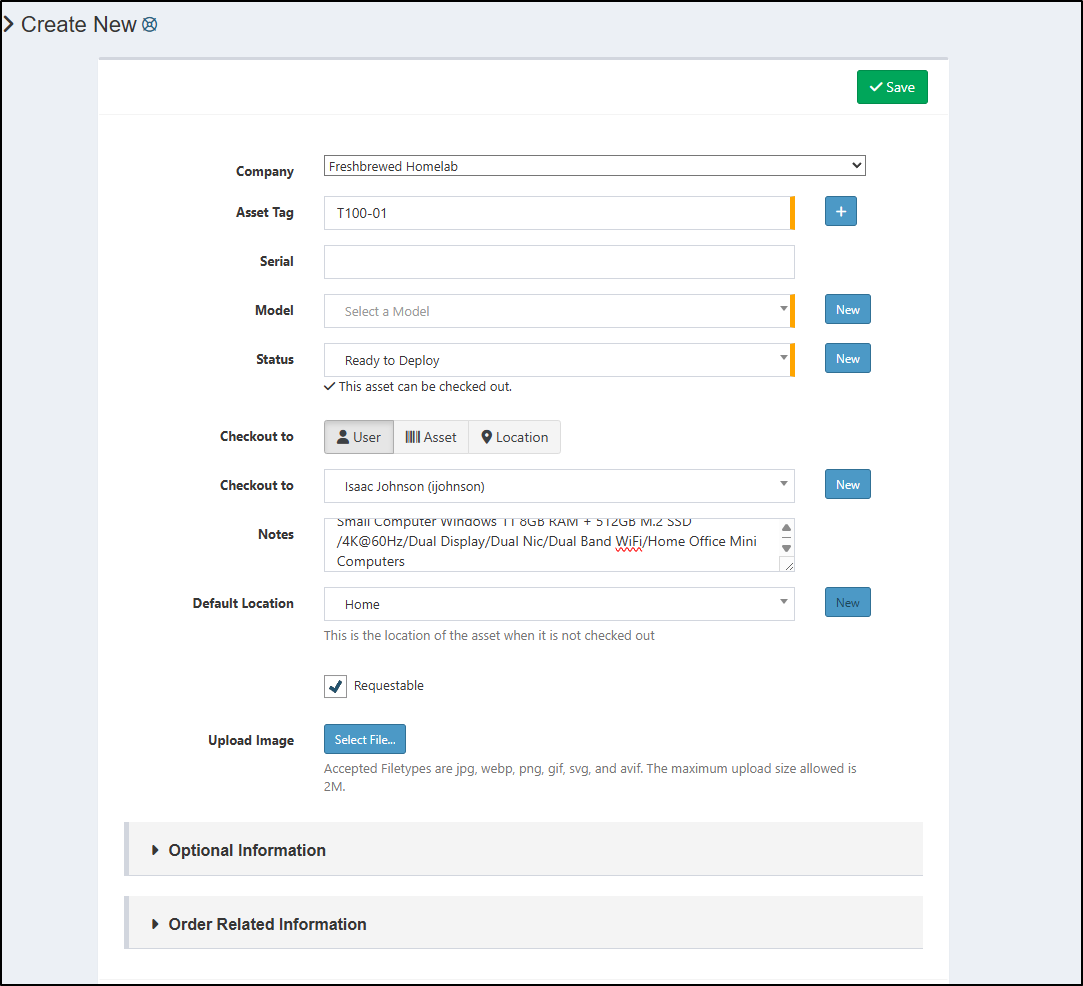
I was thinking this tool was mostly for tracking my IT assets, but it seems to have the idea of “checking out” an asset to a user.
That is, we first set the status to “Archived”, “Pending”, or “Ready to Deploy”
I can then check it out to a user
or a location
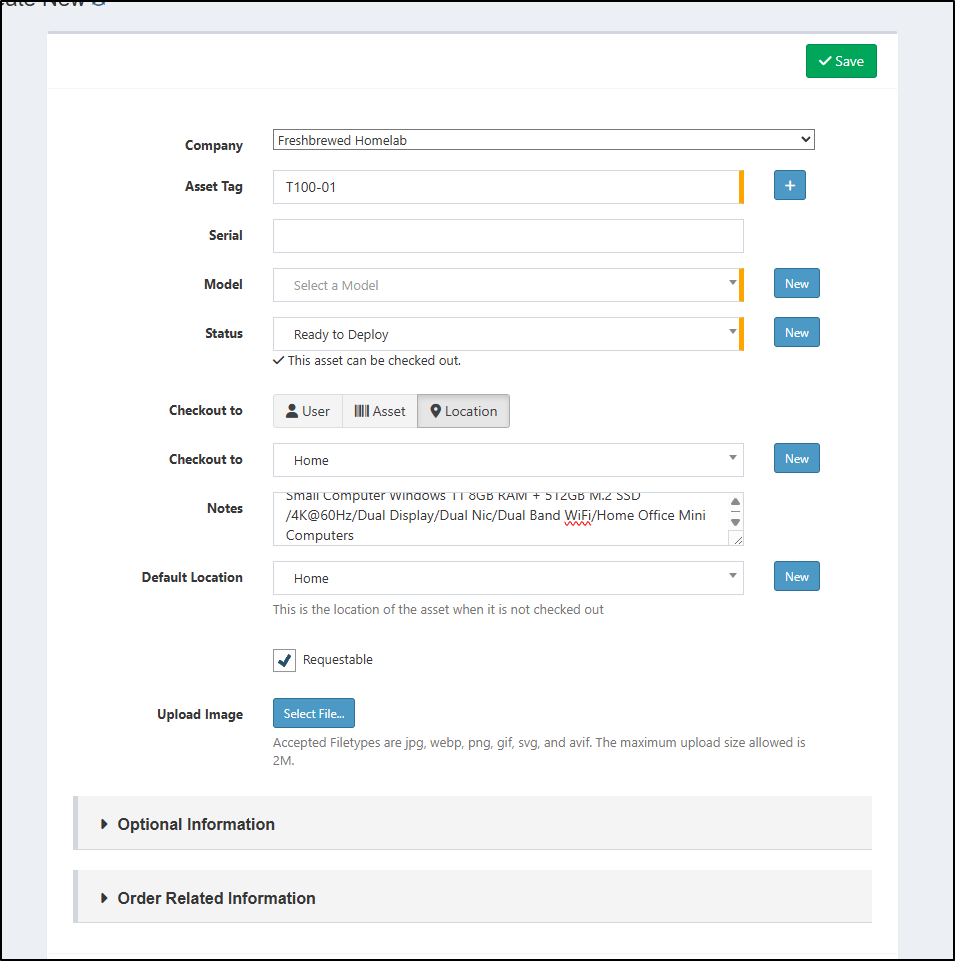
But I first had to set an Asset Model which was empty, which then required a category
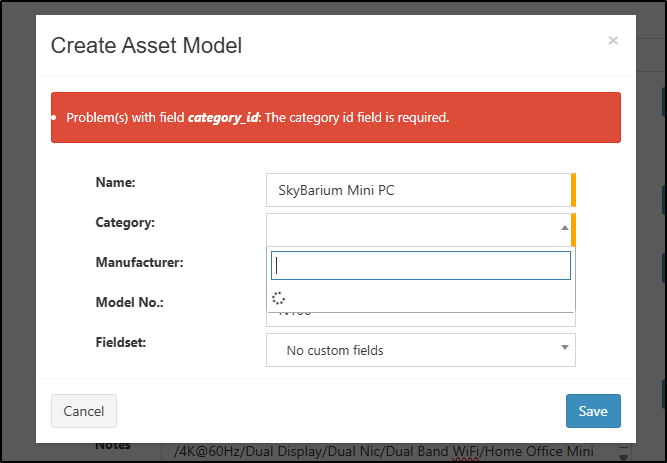
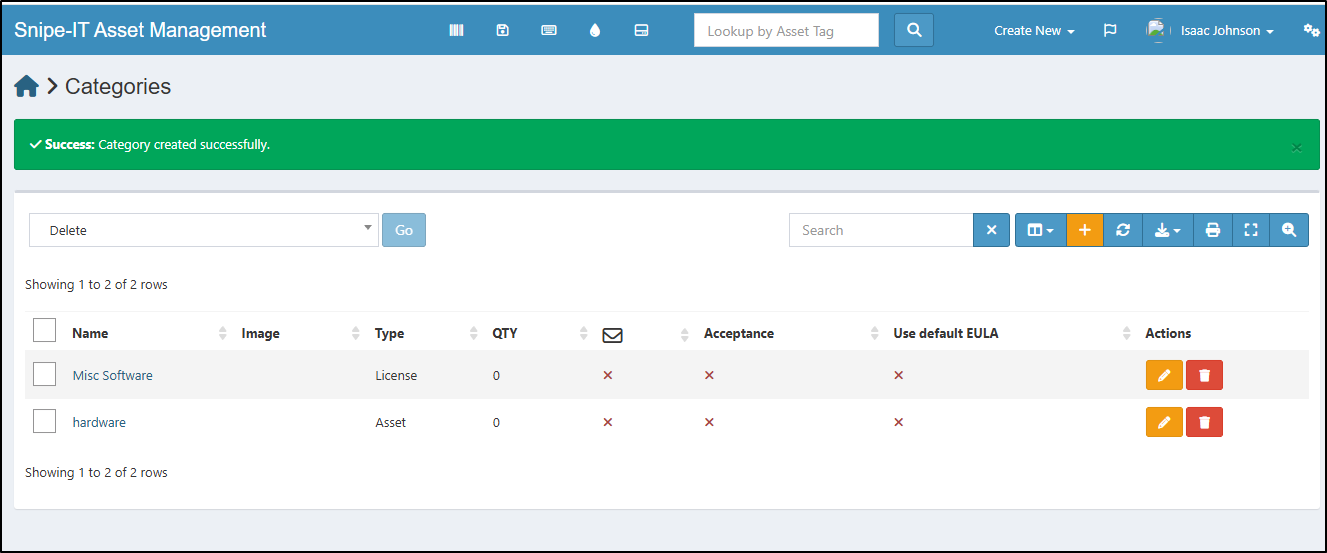
So I made a category for Hardware in type Asset
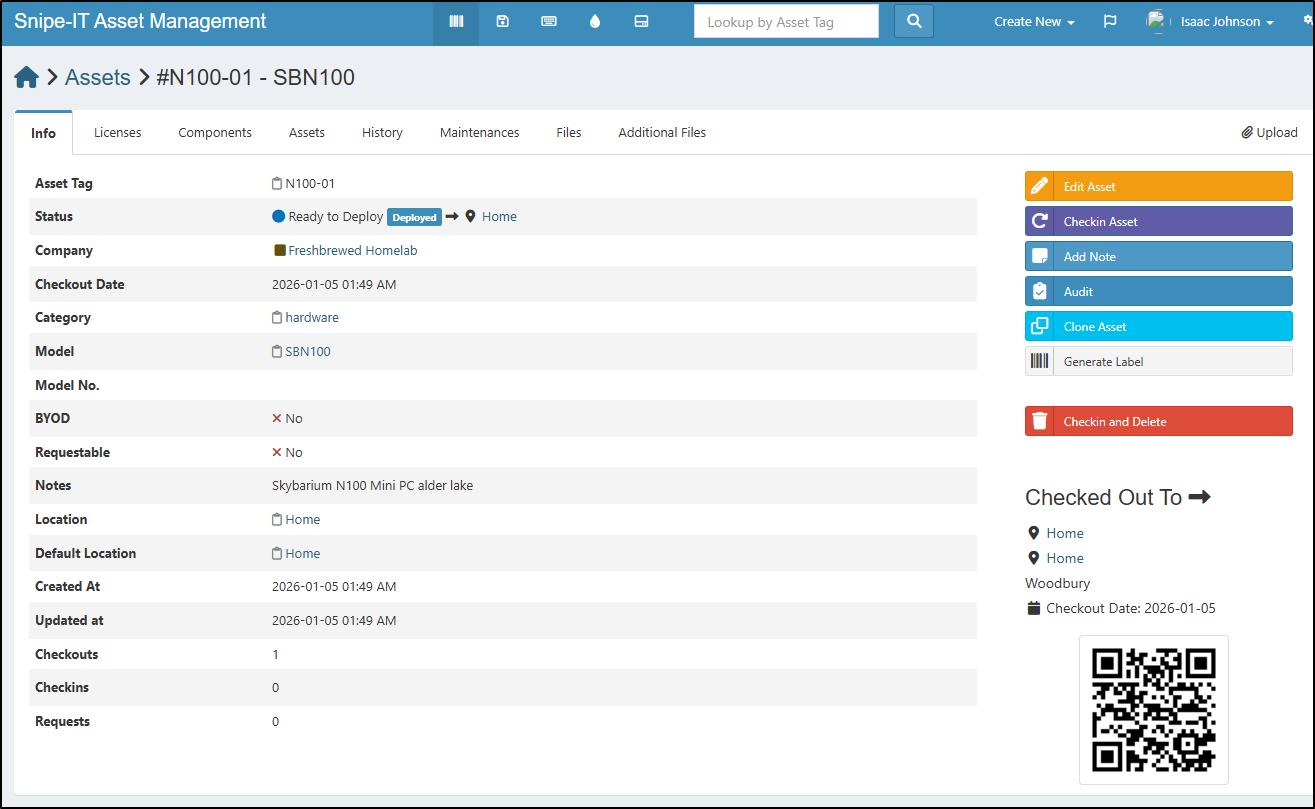
This allowed me to create a model and finally my first asset
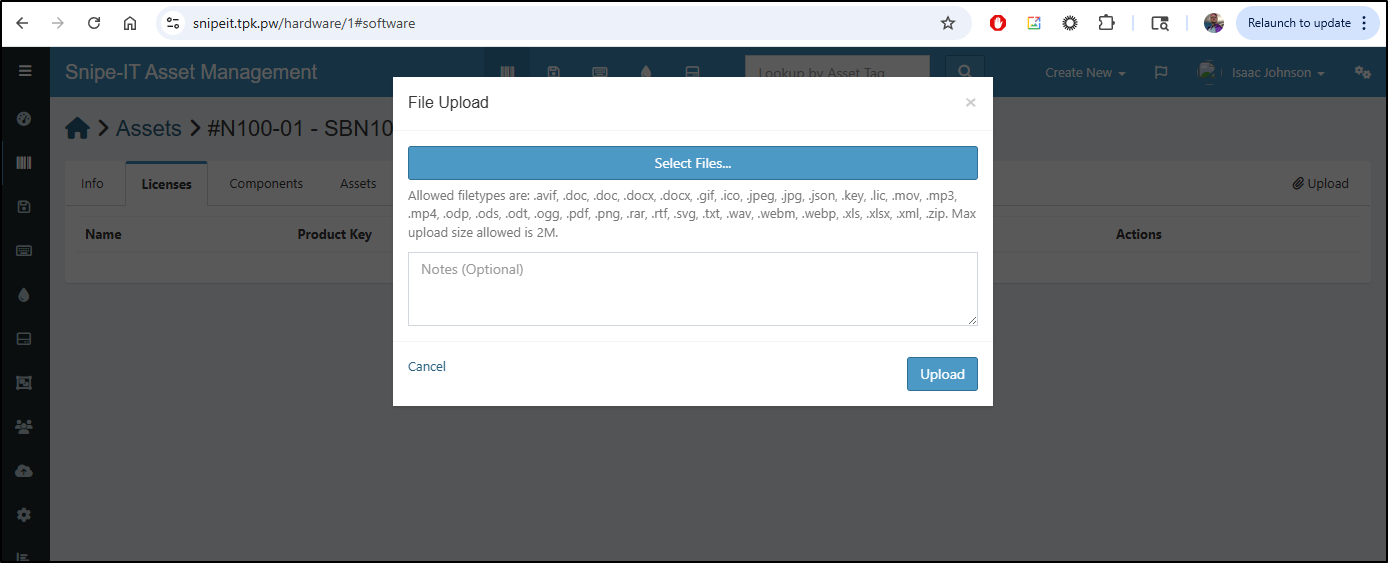
There is so much more we can do here. We could upload license files if the device had some kind of activation license key
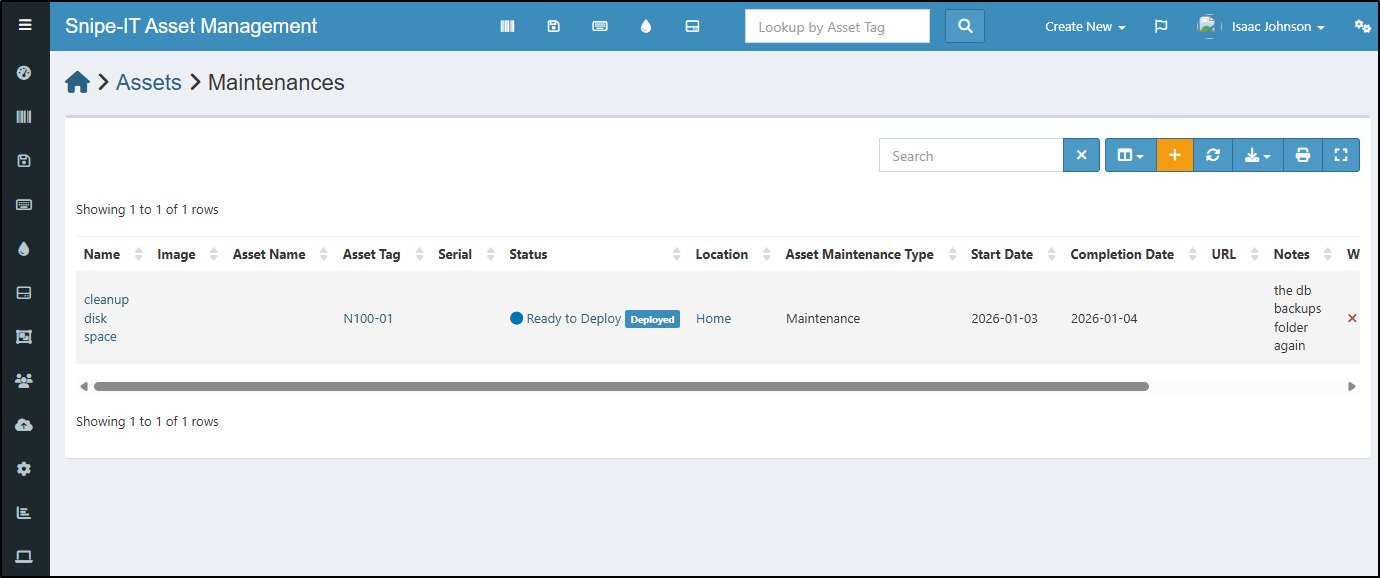
I could log maintenance activities
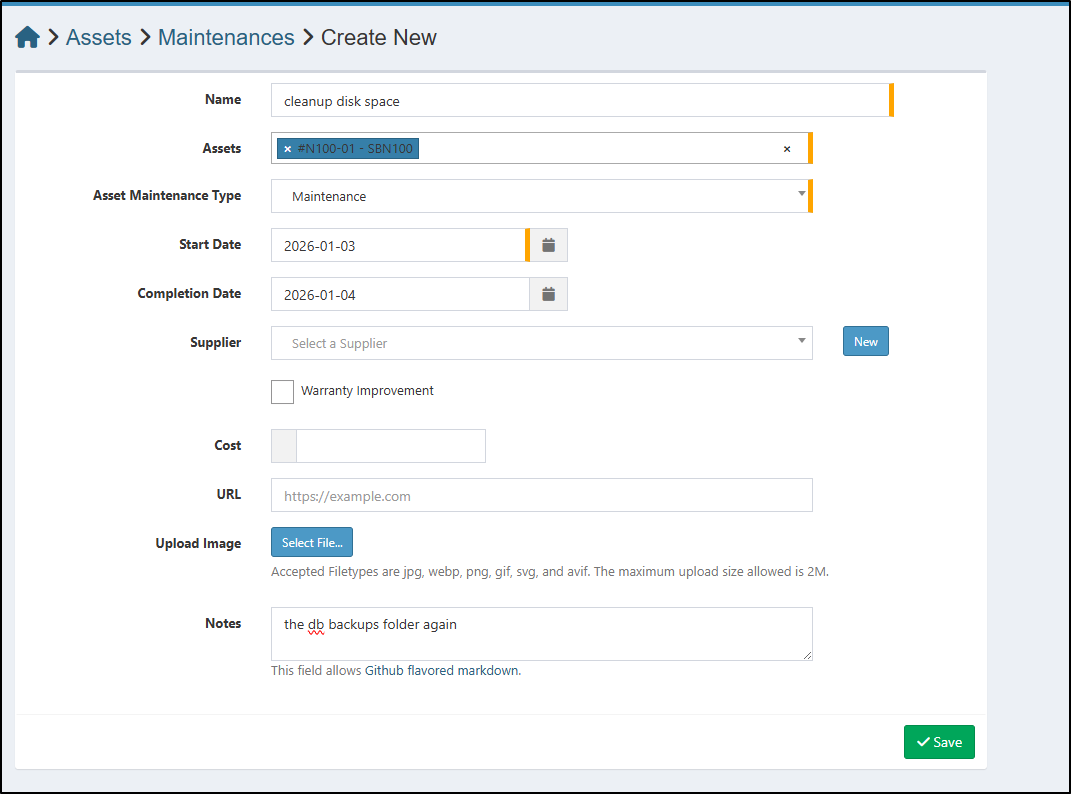
which might be nice to track how often I have to touch my unique pets
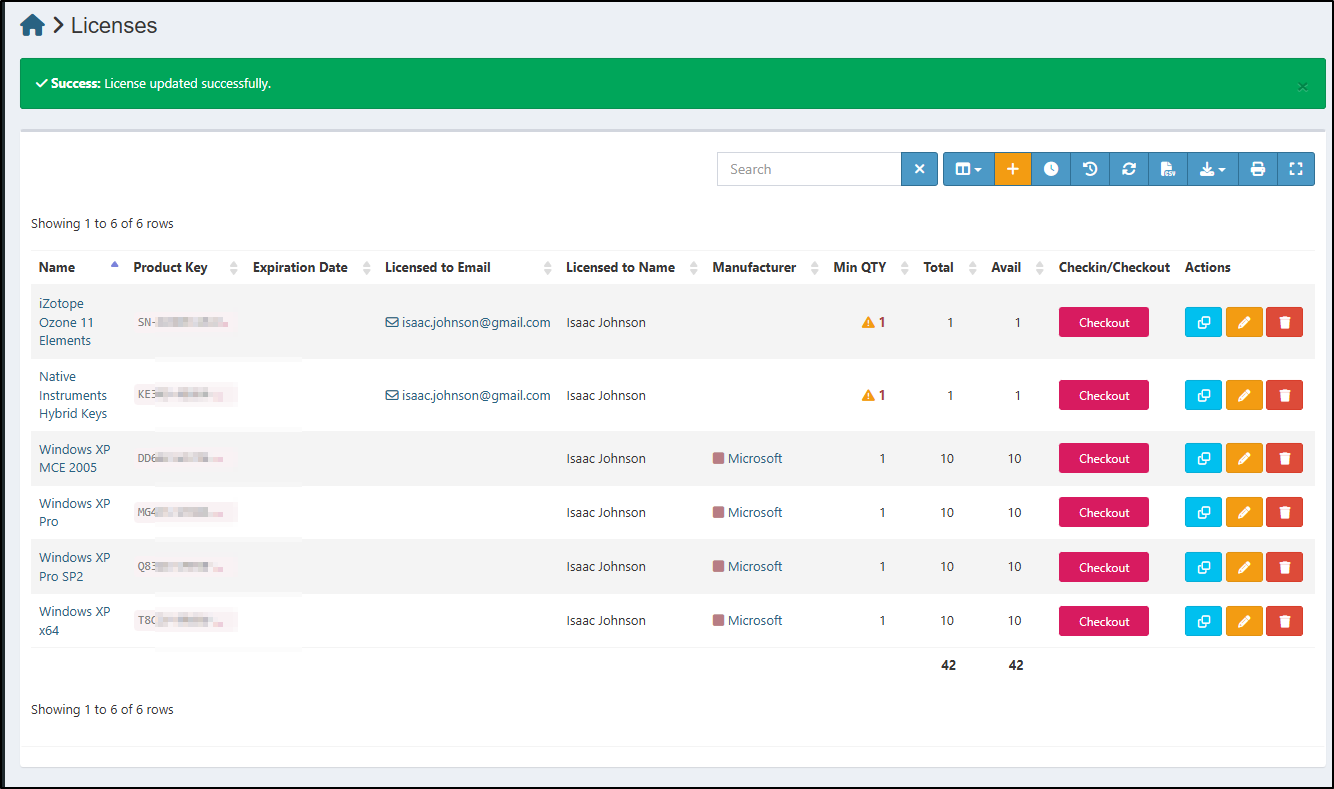
I can also use the License section to track license keys and usage.
Reporting
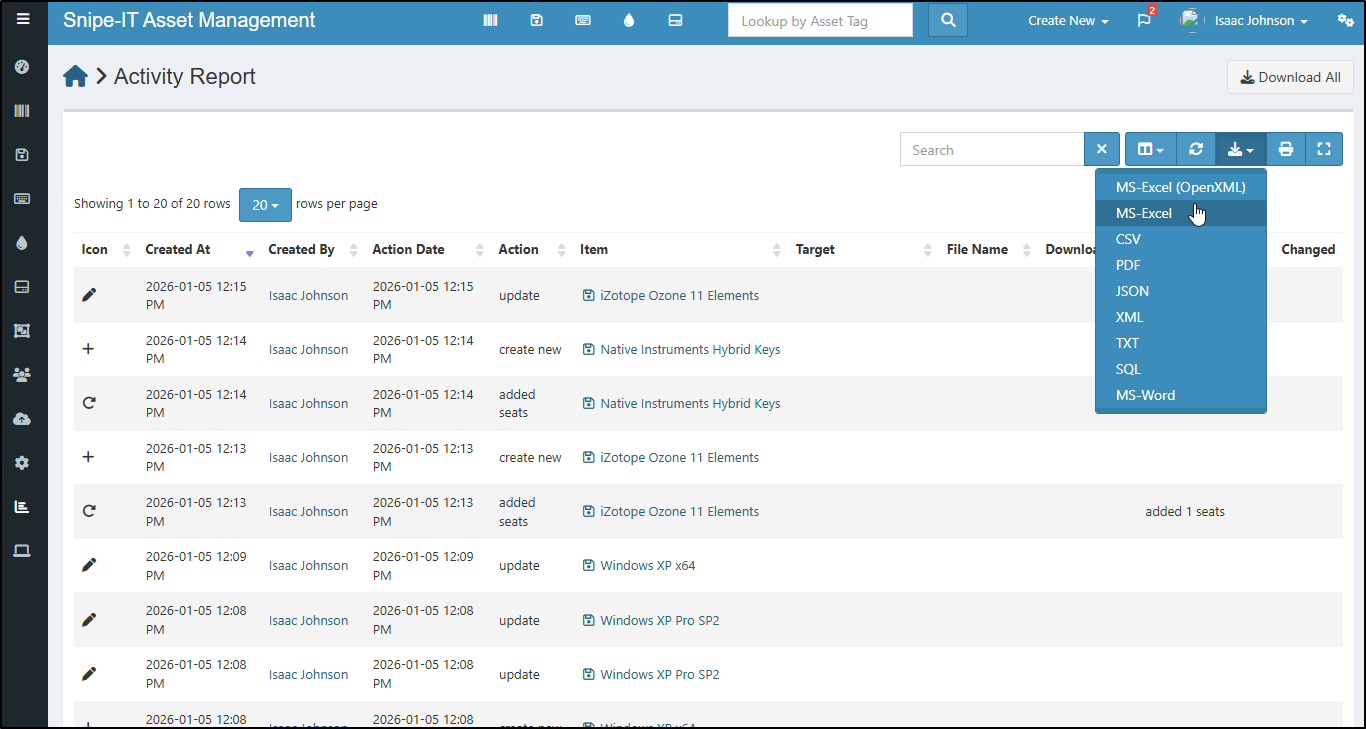
If I wanted to see activities over time, there is a built-in Activity report
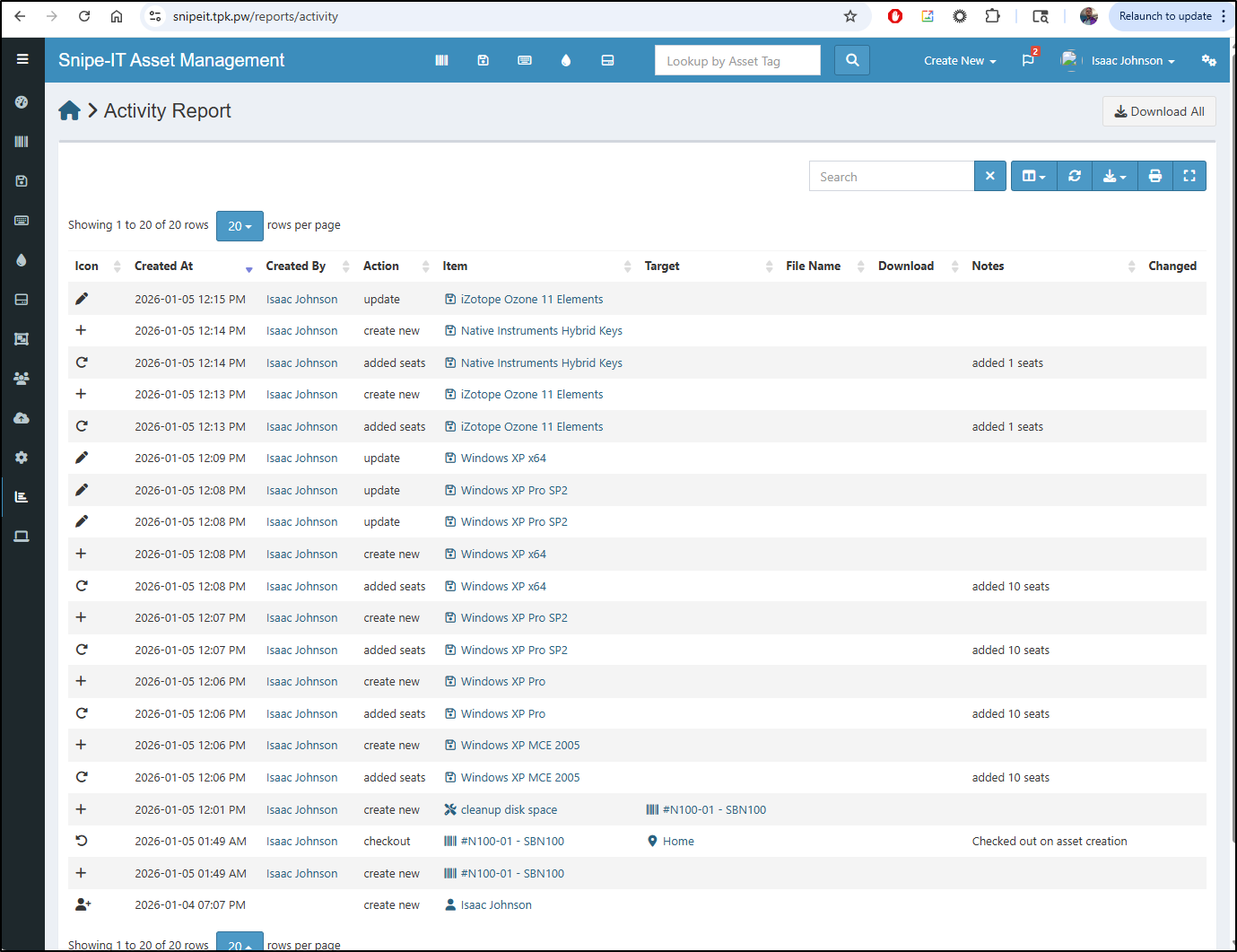
I can do things like add columns (such as Action Date) and then export to a CSV or Excel file for making a nice Operations report
Dashboard
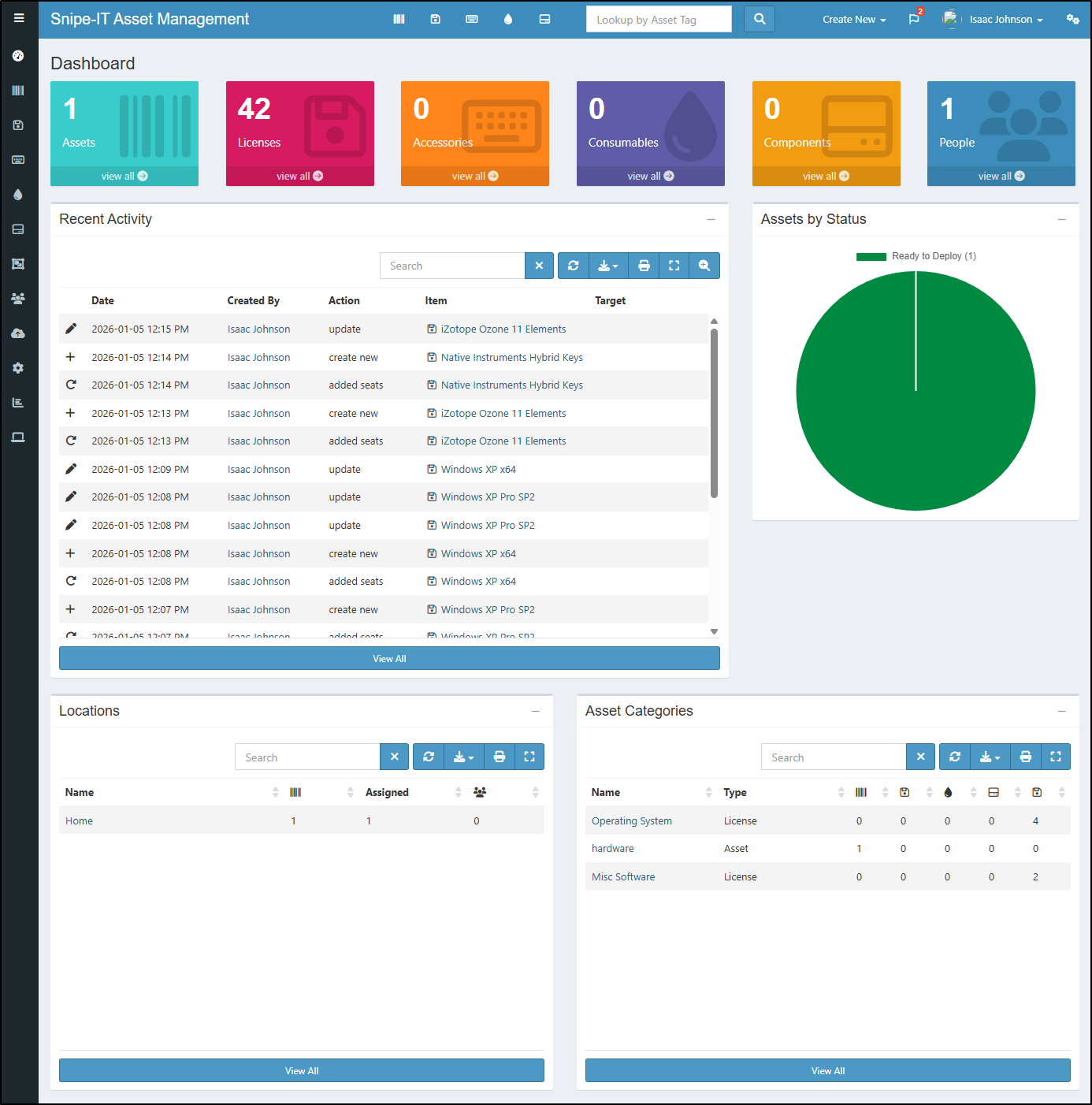
Our main Dashboard will also show recent activity as well as a list of accessories (to check out), consumables and more.
Summary
In this article we looked at Alexandrie, Bytestash and Snipe-IT. I actually liked all three quite a lot.
I want to explore Alexandrie more by hosting it with a nice ingress and checking out the CDN features. Bytestash will now be part of my stack and is hosted at https://bytestash.tpk.pw/. Any public snippets will be at https://bytestash.tpk.pw/public/snippets.
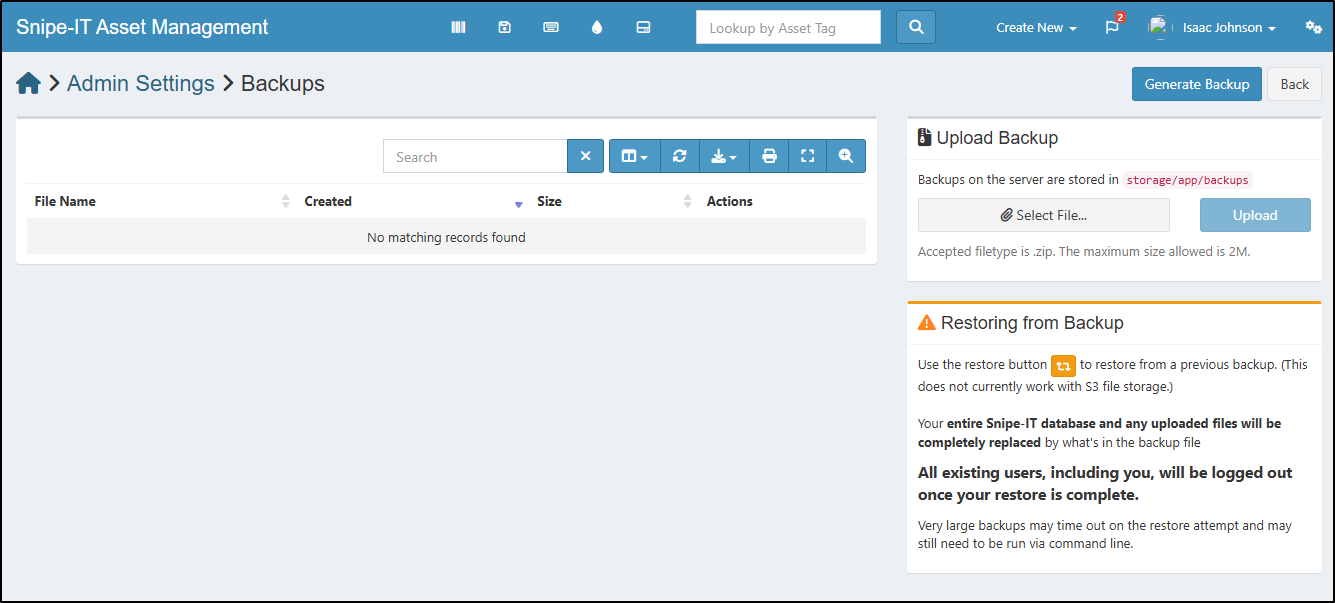
I’m debating going deep with Snipe-IT. I didn’t dig into it above, but it has a solid backup and restore feature, which is critical to me if I store lots of details in there (I don’t want to rely on just MySQL backups)
Overall, some really great tools and I hope you found at least one you can use in your own stacks.
