

Published: Nov 11, 2025 by Isaac Johnson
Continuing from our last post about UpCloud, I really want to get into Terraform / OpenTofu next.
Last time we explored some features with UpCloud and their Hub and CLI. Today I want to setup a full OpenTofu (terraform) stack and show how to import created items as well as move to remote state management in Object Storage.
Terraform / OpenTofu
Let’s start by creating a provider.tf and doing an init. So that I do not have to store my login vars in a file (which could be errantly committed to source), we can set the username and password as env vars
builder@DESKTOP-QADGF36:~/Workspaces/upcloudTF$ export UPCLOUD_USERNAME=idjohnson
builder@DESKTOP-QADGF36:~/Workspaces/upcloudTF$ export UPCLOUD_PASSWORD='xxxxxxxxxxxxxxx'
builder@DESKTOP-QADGF36:~/Workspaces/upcloudTF$ cat provider.tf
terraform {
  required_providers {
    upcloud = {
      source  = "UpCloudLtd/upcloud"
      version = "~> 5.0"
    }
  }
}

provider "upcloud" {
  # username and password configuration arguments can be omitted
  # if environment variables UPCLOUD_USERNAME and UPCLOUD_PASSWORD are set
  # username = ""
  # password = ""
}

builder@DESKTOP-QADGF36:~/Workspaces/upcloudTF$ tofu init

Initializing the backend...

Initializing provider plugins...
- Finding upcloudltd/upcloud versions matching "~> 5.0"...
- Installing upcloudltd/upcloud v5.29.1...
- Installed upcloudltd/upcloud v5.29.1 (signed, key ID 6182C780EB46767E)

Providers are signed by their developers.
If you'd like to know more about provider signing, you can read about it here:
https://opentofu.org/docs/cli/plugins/signing/

OpenTofu has created a lock file .terraform.lock.hcl to record the provider
selections it made above. Include this file in your version control repository
so that OpenTofu can guarantee to make the same selections by default when
you run "tofu init" in the future.

OpenTofu has been successfully initialized!

You may now begin working with OpenTofu. Try running "tofu plan" to see
any changes that are required for your infrastructure. All OpenTofu commands
should now work.

If you ever set or change modules or backend configuration for OpenTofu,
rerun this command to reinitialize your working directory. If you forget, other
commands will detect it and remind you to do so if necessary.
I then imported into the state file
builder@DESKTOP-QADGF36:~/Workspaces/upcloudTF$ cat network.tf
import {
  to = upcloud_network.my_network
  id = "037517fb-a70e-43b2-862e-ba41f81e5f2c"
}

resource "upcloud_network" "my_network" {
  # ...
}

builder@DESKTOP-QADGF36:~/Workspaces/upcloudTF$ tofu import upcloud_network.my_network 037517fb-a70e-43b2-862e-ba41f81e5f2c
upcloud_network.my_network: Importing from ID "037517fb-a70e-43b2-862e-ba41f81e5f2c"...
upcloud_network.my_network: Import prepared!
  Prepared upcloud_network for import
upcloud_network.my_network: Refreshing state... [id=037517fb-a70e-43b2-862e-ba41f81e5f2c]

Import successful!

The resources that were imported are shown above. These resources are now in
your OpenTofu state and will henceforth be managed by OpenTofu.

builder@DESKTOP-QADGF36:~/Workspaces/upcloudTF$ cat network.tf
import {
  to = upcloud_network.my_network
  id = "037517fb-a70e-43b2-862e-ba41f81e5f2c"
}

resource "upcloud_network" "my_network" {
  # ...
}
I can then export the state to HCL and append to my network.tf
builder@DESKTOP-QADGF36:~/Workspaces/upcloudTF$ tofu state show upcloud_network.my_network >> network.tf
builder@DESKTOP-QADGF36:~/Workspaces/upcloudTF$ cat network.tf
import {
  to = upcloud_network.my_network
  id = "037517fb-a70e-43b2-862e-ba41f81e5f2c"
}

resource "upcloud_network" "my_network" {
  # ...
}

# upcloud_network.my_network:
resource "upcloud_network" "my_network" {
    id     = "037517fb-a70e-43b2-862e-ba41f81e5f2c"
    labels = {}
    name   = "My Network"
    router = "043cd66a-bc49-487d-8ab9-72fe50476164"
    type   = "private"
    zone   = "de-fra1"

    ip_network {
        address            = "10.0.0.0/24"
        dhcp               = true
        dhcp_default_route = false
        dhcp_dns           = []
        dhcp_routes        = []
        family             = "IPv4"
        gateway            = "10.0.0.1"
    }
}
Some items are set to Read-Only so Tofu won’t like that we have them set in the HCL
builder@DESKTOP-QADGF36:~/Workspaces/upcloudTF$ cat network.tf
# upcloud_network.my_network:
resource "upcloud_network" "my_network" {
    id     = "037517fb-a70e-43b2-862e-ba41f81e5f2c"
    labels = {}
    name   = "My Network"
    router = "043cd66a-bc49-487d-8ab9-72fe50476164"
    type   = "private"
    zone   = "de-fra1"

    ip_network {
        address            = "10.0.0.0/24"
        dhcp               = true
        dhcp_default_route = false
        dhcp_dns           = []
        dhcp_routes        = []
        family             = "IPv4"
        gateway            = "10.0.0.1"
    }
}
builder@DESKTOP-QADGF36:~/Workspaces/upcloudTF$ tofu plan
╷
│ Error: Invalid Configuration for Read-Only Attribute
│
│   with upcloud_network.my_network,
│   on network.tf line 3, in resource "upcloud_network" "my_network":
│    3:     id     = "037517fb-a70e-43b2-862e-ba41f81e5f2c"
│
│ Cannot set value for this attribute as the provider has marked it as read-only. Remove the configuration line
│ setting the value.
│
│ Refer to the provider documentation or contact the provider developers for additional information about
│ configurable and read-only attributes that are supported.
╵
╷
│ Error: Invalid Configuration for Read-Only Attribute
│
│   with upcloud_network.my_network,
│   on network.tf line 7, in resource "upcloud_network" "my_network":
│    7:     type   = "private"
│
│ Cannot set value for this attribute as the provider has marked it as read-only. Remove the configuration line
│ setting the value.
│
│ Refer to the provider documentation or contact the provider developers for additional information about
│ configurable and read-only attributes that are supported.
We can just comment them out to see that Tofu is happy again
builder@DESKTOP-QADGF36:~/Workspaces/upcloudTF$ cat network.tf
# upcloud_network.my_network:
resource "upcloud_network" "my_network" {
    # id     = "037517fb-a70e-43b2-862e-ba41f81e5f2c"
    labels = {}
    name   = "My Network"
    router = "043cd66a-bc49-487d-8ab9-72fe50476164"
    # type   = "private"
    zone   = "de-fra1"

    ip_network {
        address            = "10.0.0.0/24"
        dhcp               = true
        dhcp_default_route = false
        dhcp_dns           = []
        dhcp_routes        = []
        family             = "IPv4"
        gateway            = "10.0.0.1"
    }
}
builder@DESKTOP-QADGF36:~/Workspaces/upcloudTF$ tofu plan
upcloud_network.my_network: Refreshing state... [id=037517fb-a70e-43b2-862e-ba41f81e5f2c]

No changes. Your infrastructure matches the configuration.

OpenTofu has compared your real infrastructure against your configuration and found no differences, so no changes
are needed.
We can so similar with our database. Let’s look at the Tofu docs for UpCloud PostgreSQL managed databases
I’ll create a basic db.tf
$ cat ./db.tf
resource "upcloud_managed_database_postgresql" "pg-1x1xcpu-1gb-10gb-de-fra1" {
  # (resource arguments)
}
I tend to name the resource after the instance ID. I just then need to import into my state file
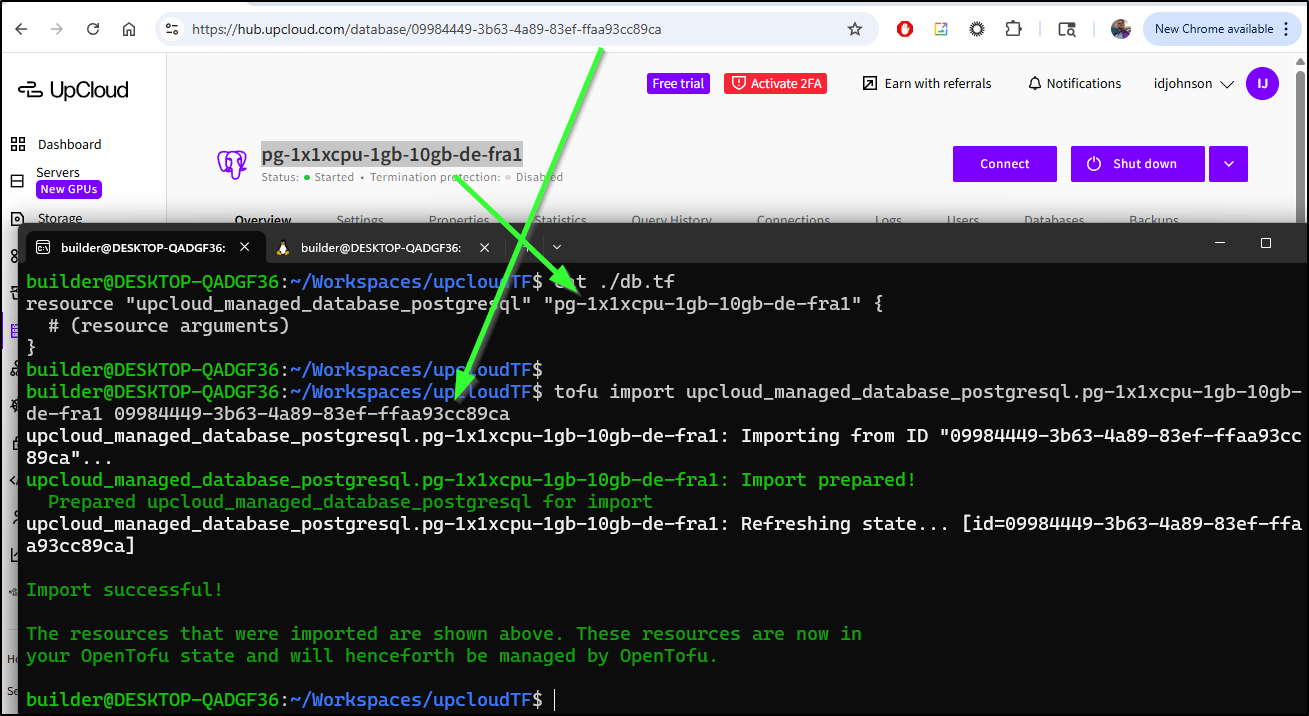
Then dump it into the TF file
$ tofu state show upcloud_managed_database_postgresql.pg-1x1xcpu-1gb-1
0gb-de-fra1 >> db.tf
This created quite a large block of HCL. I’ll use tofu plan to see if it is happy with it
builder@DESKTOP-QADGF36:~/Workspaces/upcloudTF$ cat db.tf
# upcloud_managed_database_postgresql.pg-1x1xcpu-1gb-10gb-de-fra1:
resource "upcloud_managed_database_postgresql" "pg-1x1xcpu-1gb-10gb-de-fra1" {
    additional_disk_space_gib = 0
    components                = [
        {
            component = "pg"
            host      = "idjtest-yaiqdimddmyd.db.upclouddatabases.com"
            port      = 11569
            route     = "dynamic"
            usage     = "primary"
        },
        {
            component = "pg"
            host      = "public-idjtest-yaiqdimddmyd.db.upclouddatabases.com"
            port      = 11569
            route     = "public"
            usage     = "primary"
        },
        {
            component = "pgbouncer"
            host      = "idjtest-yaiqdimddmyd.db.upclouddatabases.com"
            port      = 11570
            route     = "dynamic"
            usage     = "primary"
        },
        {
            component = "pgbouncer"
            host      = "public-idjtest-yaiqdimddmyd.db.upclouddatabases.com"
            port      = 11570
            route     = "public"
            usage     = "primary"
        },
    ]
    id                        = "09984449-3b63-4a89-83ef-ffaa93cc89ca"
    labels                    = {}
    maintenance_window_dow    = "sunday"
    maintenance_window_time   = "05:00:00"
    name                      = "idjtest"
    node_states               = [
        {
            name  = "idjtest-1"
            role  = "master"
            state = "running"
        },
    ]
    plan                      = "1x1xCPU-1GB-10GB"
    powered                   = true
    primary_database          = "defaultdb"
    service_host              = "idjtest-yaiqdimddmyd.db.upclouddatabases.com"
    service_password          = (sensitive value)
    service_port              = "11569"
    service_uri               = (sensitive value)
    service_username          = "avnadmin"
    sslmode                   = "require"
    state                     = "running"
    termination_protection    = false
    title                     = "pg-1x1xcpu-1gb-10gb-de-fra1"
    type                      = "pg"
    zone                      = "de-fra1"

    properties {
        automatic_utility_network_ip_filter    = true
        autovacuum_analyze_scale_factor        = 0
        autovacuum_analyze_threshold           = 0
        autovacuum_freeze_max_age              = 0
        autovacuum_max_workers                 = 0
        autovacuum_naptime                     = 0
        autovacuum_vacuum_cost_delay           = 0
        autovacuum_vacuum_cost_limit           = 0
        autovacuum_vacuum_scale_factor         = 0
        autovacuum_vacuum_threshold            = 0
        backup_hour                            = 0
        backup_minute                          = 22
        bgwriter_delay                         = 0
        bgwriter_flush_after                   = 0
        bgwriter_lru_maxpages                  = 0
        bgwriter_lru_multiplier                = 0
        deadlock_timeout                       = 0
        idle_in_transaction_session_timeout    = 0
        ip_filter                              = [
            "75.72.233.202/32",
        ]
        jit                                    = false
        log_autovacuum_min_duration            = 0
        log_min_duration_statement             = 0
        log_temp_files                         = 0
        max_connections                        = 0
        max_files_per_process                  = 0
        max_locks_per_transaction              = 0
        max_logical_replication_workers        = 0
        max_parallel_workers                   = 0
        max_parallel_workers_per_gather        = 0
        max_pred_locks_per_transaction         = 0
        max_prepared_transactions              = 0
        max_replication_slots                  = 0
        max_slot_wal_keep_size                 = 0
        max_stack_depth                        = 0
        max_standby_archive_delay              = 0
        max_standby_streaming_delay            = 0
        max_sync_workers_per_subscription      = 0
        max_wal_senders                        = 0
        max_worker_processes                   = 0
        password_encryption                    = (sensitive value)
        pg_partman_bgw_interval                = 0
        pg_stat_monitor_enable                 = false
        pg_stat_monitor_pgsm_enable_query_plan = false
        pg_stat_monitor_pgsm_max_buckets       = 0
        public_access                          = true
        service_log                            = false
        shared_buffers_percentage              = 0
        temp_file_limit                        = 0
        track_activity_query_size              = 0
        version                                = "18"
        wal_sender_timeout                     = 0
        wal_writer_delay                       = 0
        work_mem                               = 0

        pglookout {
            max_failover_replication_time_lag = 60
        }
    }
}
builder@DESKTOP-QADGF36:~/Workspaces/upcloudTF$ tofu plan
╷
│ Error: Unbalanced parentheses
│
│   on db.tf line 50, in resource "upcloud_managed_database_postgresql" "pg-1x1xcpu-1gb-10gb-de-fra1":
│   50:     service_password          = (sensitive value)
│
│ Expected a closing parenthesis to terminate the expression.
╵
╷
│ Error: Unbalanced parentheses
│
│   on db.tf line 52, in resource "upcloud_managed_database_postgresql" "pg-1x1xcpu-1gb-10gb-de-fra1":
│   52:     service_uri               = (sensitive value)
│
│ Expected a closing parenthesis to terminate the expression.
╵
╷
│ Error: Unbalanced parentheses
│
│   on db.tf line 103, in resource "upcloud_managed_database_postgresql" "pg-1x1xcpu-1gb-10gb-de-fra1":
│  103:         password_encryption                    = (sensitive value)
│
│ Expected a closing parenthesis to terminate the expression.
╵
Once I trimmed it down to the TF settable values:
$ cat db.tf
# upcloud_managed_database_postgresql.pg-1x1xcpu-1gb-10gb-de-fra1:
resource "upcloud_managed_database_postgresql" "pg-1x1xcpu-1gb-10gb-de-fra1" {
    additional_disk_space_gib = 0
    labels                    = {}
    maintenance_window_dow    = "sunday"
    maintenance_window_time   = "05:00:00"
    name                      = "idjtest"
    plan                      = "1x1xCPU-1GB-10GB"
    powered                   = true
    termination_protection    = false
    title                     = "pg-1x1xcpu-1gb-10gb-de-fra1"
    zone                      = "de-fra1"

    properties {
        automatic_utility_network_ip_filter    = true
        backup_hour                            = 0
        backup_minute                          = 22
        ip_filter                              = [
            "75.72.233.202/32",
        ]
        jit                                    = false
        pg_stat_monitor_enable                 = false
        pg_stat_monitor_pgsm_enable_query_plan = false
        public_access                          = true
        service_log                            = false

        pglookout {
            max_failover_replication_time_lag = 60
        }
    }
}
Then the plan worked just fine
$ tofu plan
upcloud_network.my_network: Refreshing state... [id=037517fb-a70e-43b2-862e-ba41f81e5f2c]
upcloud_managed_database_postgresql.pg-1x1xcpu-1gb-10gb-de-fra1: Refreshing state... [id=09984449-3b63-4a89-83ef-ffaa93cc89ca]

No changes. Your infrastructure matches the configuration.

OpenTofu has compared your real infrastructure against your configuration and found no differences, so no changes are
needed.
Here we can see attempting to update with TF
However as we noted, the current plan did not let us add storage. But at least we see that confirmed in the Hub and with OpenTofu.
Another way we can see Tofu in action is to set some labels in the Hub
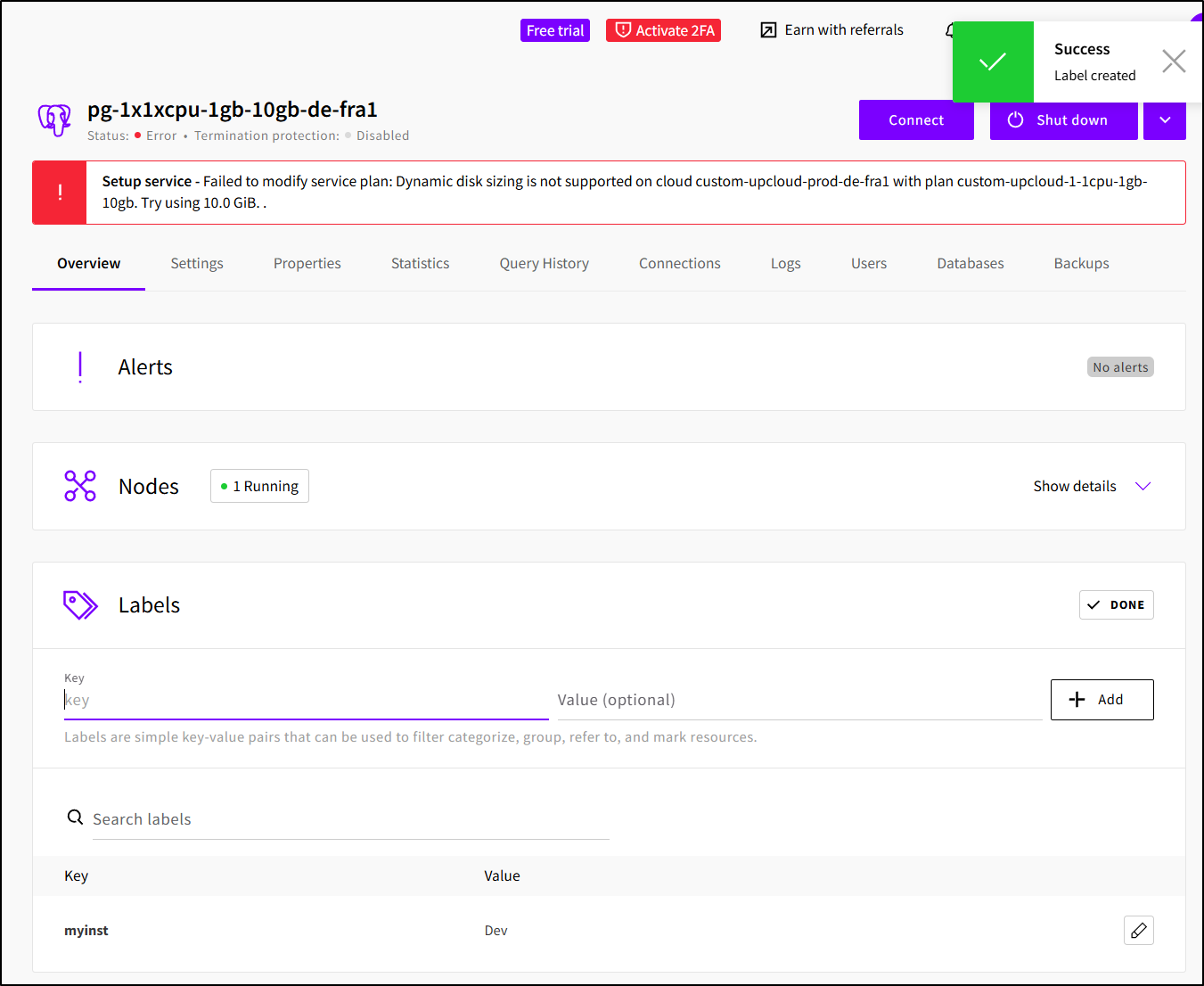
Then when I try and plan, we can see Tofu would want to remove them
$ tofu plan
upcloud_network.my_network: Refreshing state... [id=037517fb-a70e-43b2-862e-ba41f81e5f2c]
upcloud_managed_database_postgresql.pg-1x1xcpu-1gb-10gb-de-fra1: Refreshing state... [id=09984449-3b63-4a89-83ef-ffaa93cc89ca]

OpenTofu used the selected providers to generate the following execution plan. Resource actions are indicated with
the following symbols:
  ~ update in-place

OpenTofu will perform the following actions:

  # upcloud_managed_database_postgresql.pg-1x1xcpu-1gb-10gb-de-fra1 will be updated in-place
  ~ resource "upcloud_managed_database_postgresql" "pg-1x1xcpu-1gb-10gb-de-fra1" {
        id                        = "09984449-3b63-4a89-83ef-ffaa93cc89ca"
      ~ labels                    = {
          - "myinst" = "Dev" -> null
        }
        name                      = "idjtest"
        # (19 unchanged attributes hidden)

        # (1 unchanged block hidden)
    }

Plan: 0 to add, 1 to change, 0 to destroy.

─────────────────────────────────────────────────────────────────────────────────────────────────────────────────────

Note: You didn't use the -out option to save this plan, so OpenTofu can't guarantee to take exactly these actions if
you run "tofu apply" now.
Let’s add a label and use tofu fmt to ensure we maintain good code formatting
builder@DESKTOP-QADGF36:~/Workspaces/upcloudTF$ cat db.tf
# upcloud_managed_database_postgresql.pg-1x1xcpu-1gb-10gb-de-fra1:
resource "upcloud_managed_database_postgresql" "pg-1x1xcpu-1gb-10gb-de-fra1" {
    additional_disk_space_gib = 0
    maintenance_window_dow    = "sunday"
    maintenance_window_time   = "05:00:00"
    labels                    = {
       "myinst" = "Dev"
       "usingtofu" = "true"
    }
    name                      = "idjtest"
    plan                      = "1x1xCPU-1GB-10GB"
    powered                   = true
    termination_protection    = false
    title                     = "pg-1x1xcpu-1gb-10gb-de-fra1"
    zone                      = "de-fra1"

    properties {
        automatic_utility_network_ip_filter    = true
        backup_hour                            = 0
        backup_minute                          = 22
        ip_filter                              = [
            "75.72.233.202/32",
        ]
        jit                                    = false
        pg_stat_monitor_enable                 = false
        pg_stat_monitor_pgsm_enable_query_plan = false
        public_access                          = true
        service_log                            = false

        pglookout {
            max_failover_replication_time_lag = 60
        }
    }
}
builder@DESKTOP-QADGF36:~/Workspaces/upcloudTF$ tofu fmt
db.tf
network.tf
builder@DESKTOP-QADGF36:~/Workspaces/upcloudTF$ cat db.tf
# upcloud_managed_database_postgresql.pg-1x1xcpu-1gb-10gb-de-fra1:
resource "upcloud_managed_database_postgresql" "pg-1x1xcpu-1gb-10gb-de-fra1" {
  additional_disk_space_gib = 0
  maintenance_window_dow    = "sunday"
  maintenance_window_time   = "05:00:00"
  labels = {
    "myinst"    = "Dev"
    "usingtofu" = "true"
  }
  name                   = "idjtest"
  plan                   = "1x1xCPU-1GB-10GB"
  powered                = true
  termination_protection = false
  title                  = "pg-1x1xcpu-1gb-10gb-de-fra1"
  zone                   = "de-fra1"

  properties {
    automatic_utility_network_ip_filter = true
    backup_hour                         = 0
    backup_minute                       = 22
    ip_filter = [
      "75.72.233.202/32",
    ]
    jit                                    = false
    pg_stat_monitor_enable                 = false
    pg_stat_monitor_pgsm_enable_query_plan = false
    public_access                          = true
    service_log                            = false

    pglookout {
      max_failover_replication_time_lag = 60
    }
  }
}
Here we can see the TF updating the labels:
If we are to do IaC properly, we do not store our state file locally or even checked into GIT because it can have secrets.
So let’s first create an Object Store we can use with the state file
$ cat objectstore.tf
resource "upcloud_managed_object_storage" "terraform_state_bucket" {
  region            = "europe-2"
  name              = "terraform-state-storage"
  configured_status = "started"
}

resource "upcloud_managed_object_storage_bucket" "tfbucket" {
  service_uuid = upcloud_managed_object_storage.terraform_state_bucket.id
  name         = "tfbucket"
}
The plan takes a while (at least for me)
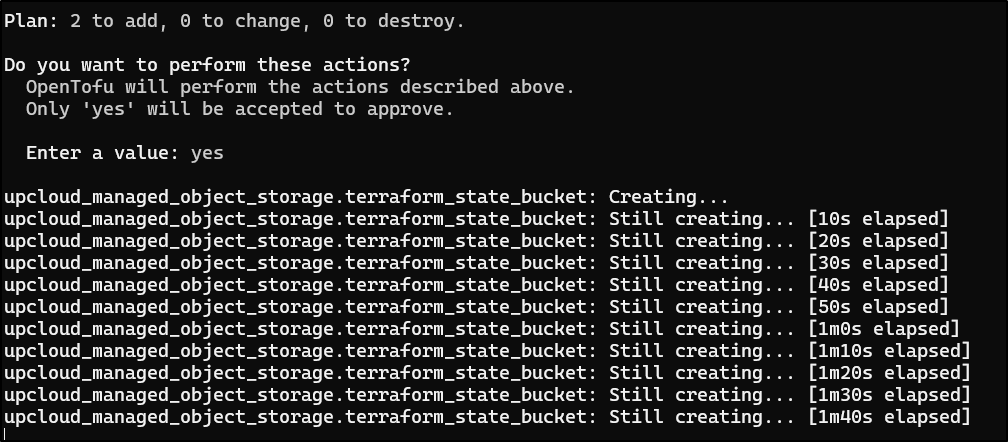
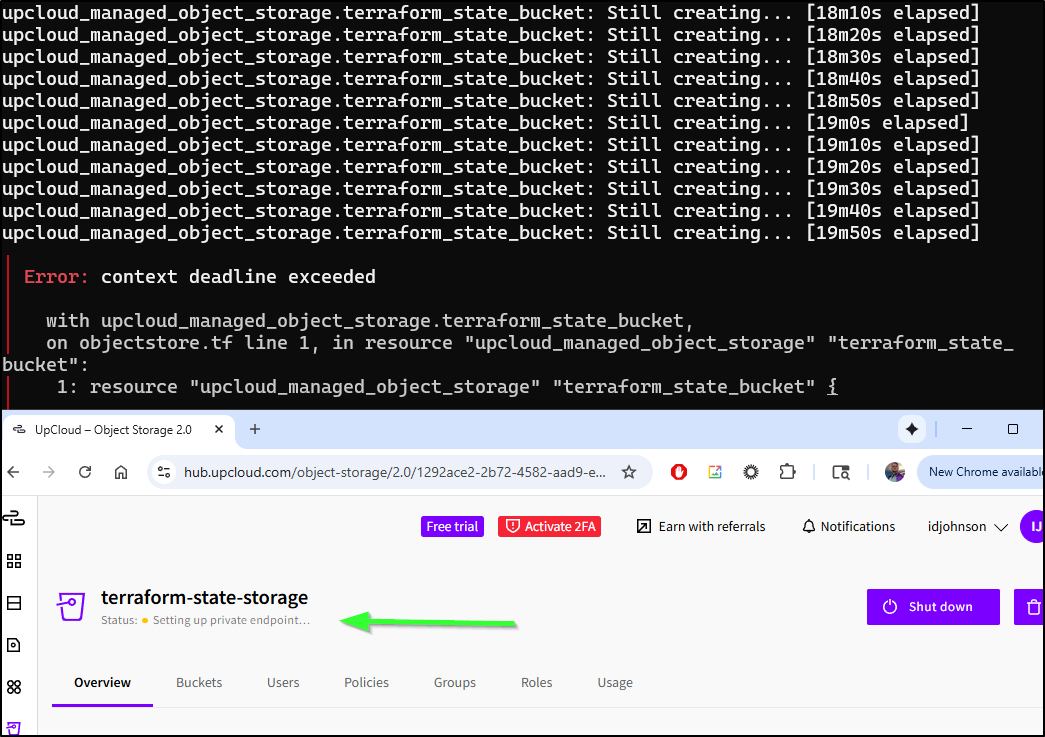
Seems it is taking time setting up the public endpoint
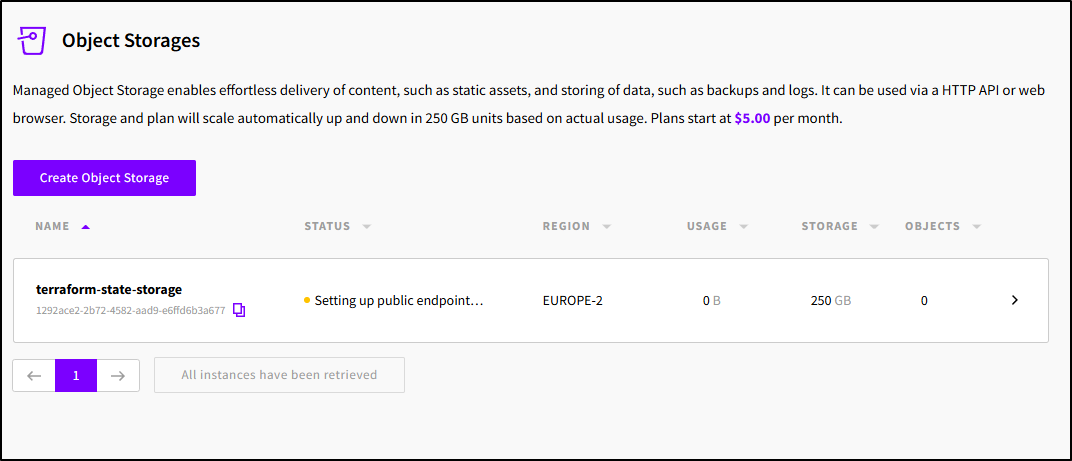
I’m being patient. but at the 20m mark, Tofu times out and we still see it in the provisioning private endpoint state
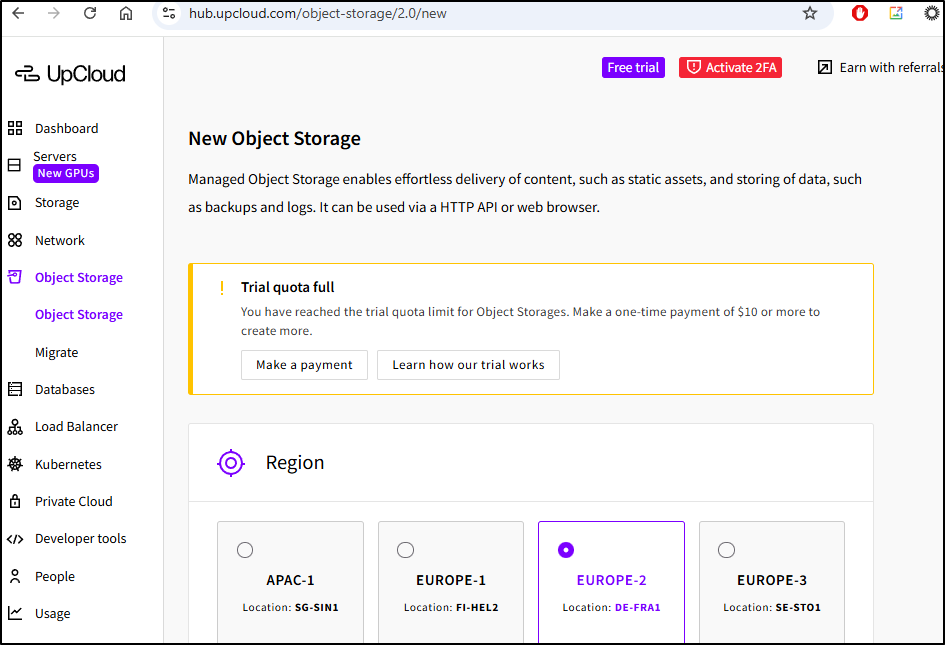
Trying to just create a bucket is blocked unless I pay them US$10
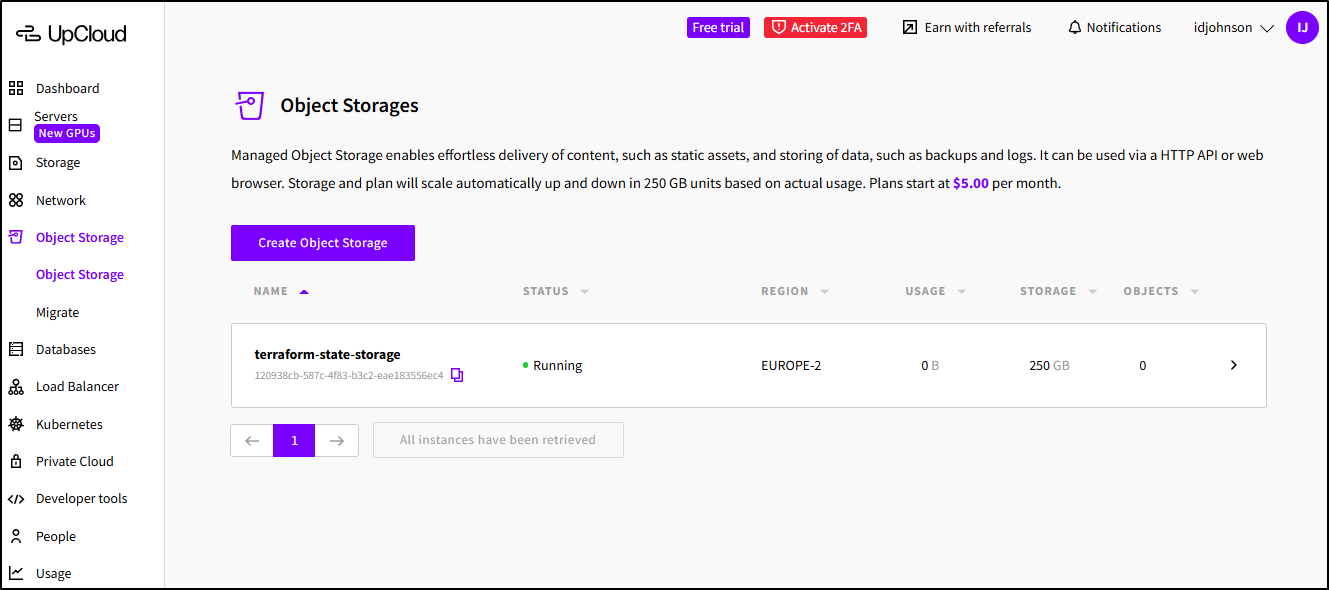
However, when I did this again, removing the old and re-adding, it worked
... snip ...
upcloud_managed_object_storage.terraform_state_bucket: Still creating... [16m11s elapsed]
upcloud_managed_object_storage.terraform_state_bucket: Still creating... [16m21s elapsed]
upcloud_managed_object_storage.terraform_state_bucket: Still creating... [16m31s elapsed]
upcloud_managed_object_storage.terraform_state_bucket: Still creating... [16m41s elapsed]
upcloud_managed_object_storage.terraform_state_bucket: Still creating... [16m51s elapsed]
upcloud_managed_object_storage.terraform_state_bucket: Still creating... [17m1s elapsed]
upcloud_managed_object_storage.terraform_state_bucket: Still creating... [17m11s elapsed]
upcloud_managed_object_storage.terraform_state_bucket: Still creating... [17m21s elapsed]
upcloud_managed_object_storage.terraform_state_bucket: Still creating... [17m31s elapsed]
upcloud_managed_object_storage.terraform_state_bucket: Still creating... [17m41s elapsed]
upcloud_managed_object_storage.terraform_state_bucket: Still creating... [17m51s elapsed]
upcloud_managed_object_storage.terraform_state_bucket: Still creating... [18m1s elapsed]
upcloud_managed_object_storage.terraform_state_bucket: Still creating... [18m11s elapsed]
upcloud_managed_object_storage.terraform_state_bucket: Still creating... [18m21s elapsed]
upcloud_managed_object_storage.terraform_state_bucket: Still creating... [18m31s elapsed]
upcloud_managed_object_storage.terraform_state_bucket: Still creating... [18m41s elapsed]
upcloud_managed_object_storage.terraform_state_bucket: Still creating... [18m51s elapsed]
upcloud_managed_object_storage.terraform_state_bucket: Still creating... [19m1s elapsed]
upcloud_managed_object_storage.terraform_state_bucket: Creation complete after 19m1s [id=120938cb-587c-4f83-b3c2-eae183556ec4]
upcloud_managed_object_storage_bucket.tfbucket: Creating...
upcloud_managed_object_storage_bucket.tfbucket: Creation complete after 1s [id=120938cb-587c-4f83-b3c2-eae183556ec4/tfbucket]

Apply complete! Resources: 2 added, 1 changed, 2 destroyed.
Though, the bucket was not public so I needed to enable that
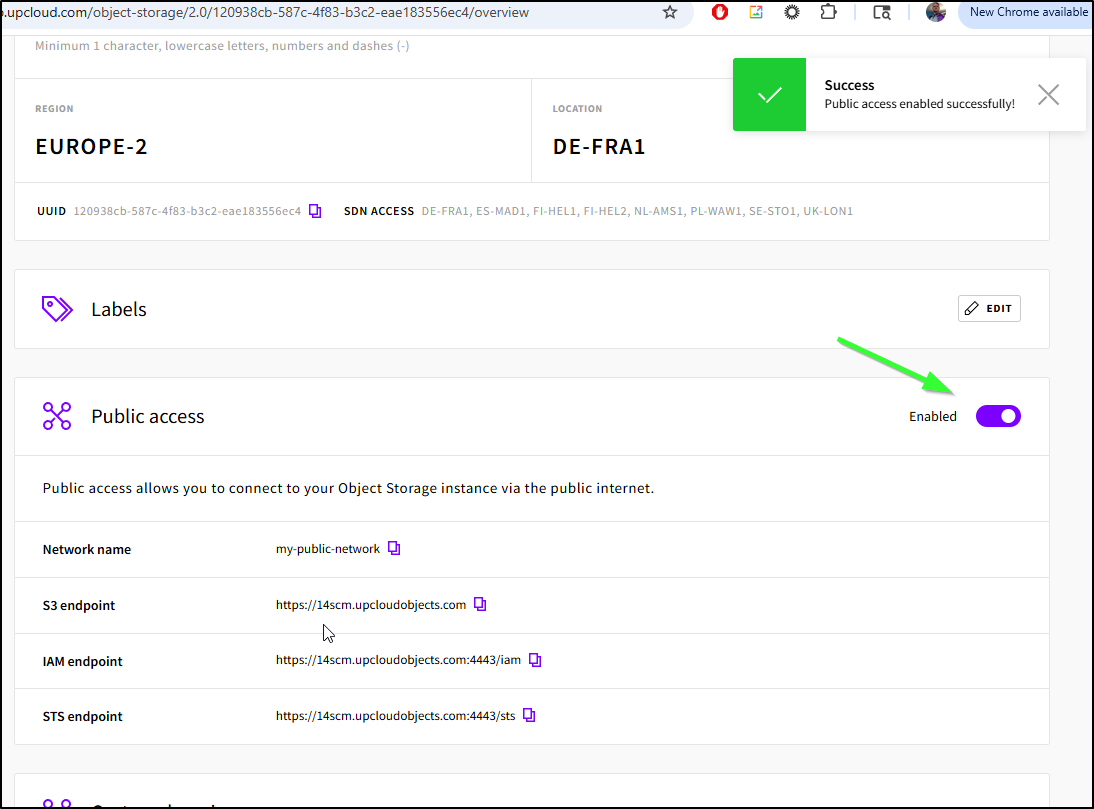
This incurs another delay as we wait for certs to get created
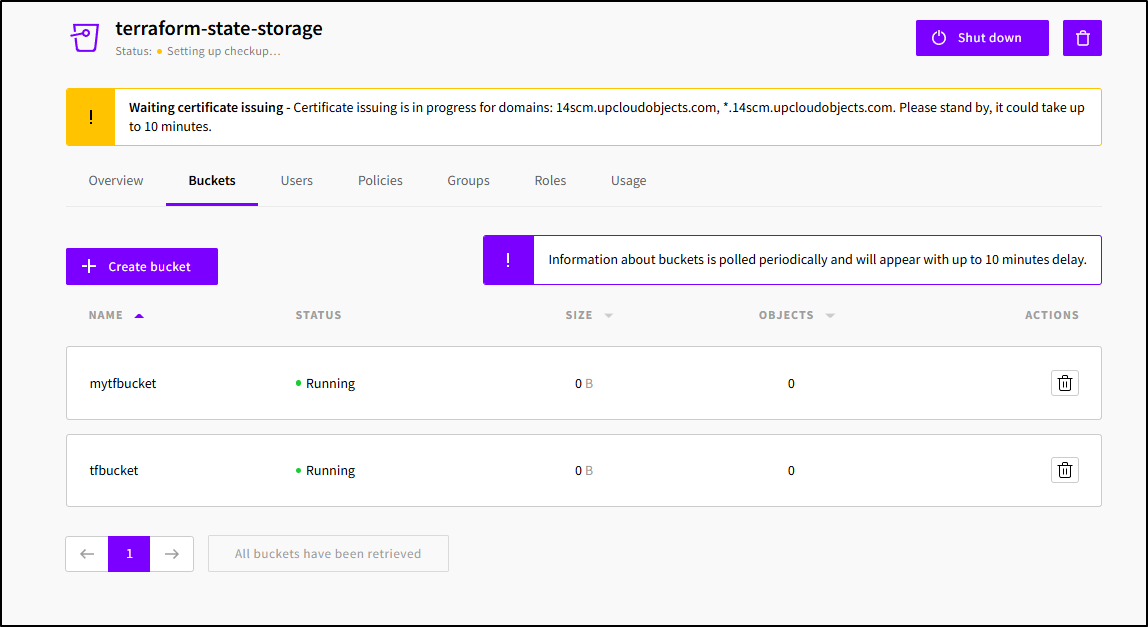
To use this as a backend, we can leverage the S3 compatible endpoint.
First, create a user with a policy - I used FullAccess as a demo
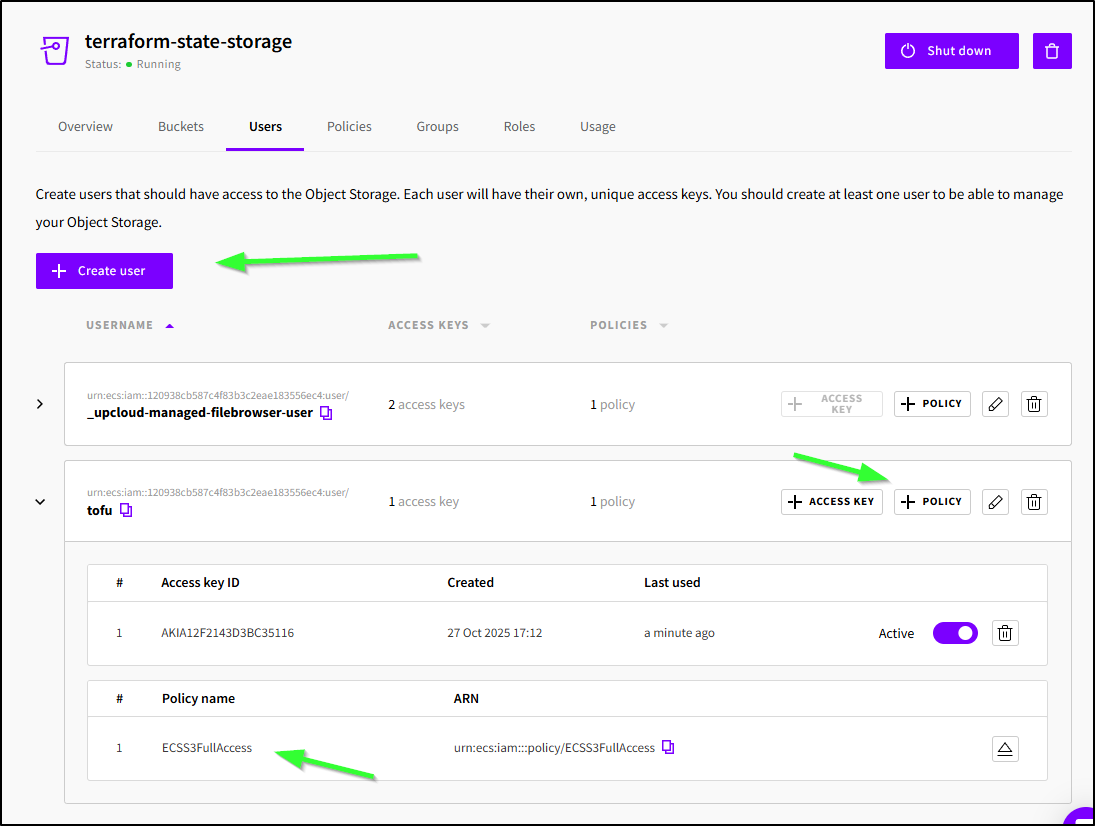
When I did “+ Access Key” it created a new key I could use with the standard AWS Env vars
builder@DESKTOP-QADGF36:~/Workspaces/upcloudTF$ export AWS_SECRET_ACCESS_KEY='xxxx/xxxxxxxxxxxxxxxxx/xxxxxxxxxxxxxx/xxxx'
builder@DESKTOP-QADGF36:~/Workspaces/upcloudTF$ export AWS_ACCESS_KEY_ID='AKIA12F2143D3BC35116'
I changed my provider.tf to use the storage account and s3 as the type
terraform {
  required_providers {
    upcloud = {
      source  = "UpCloudLtd/upcloud"
      version = "~> 5.0"
    }
  }

  backend "s3" {
    # Obtain the UpCloud object storage URL from the created resource
    bucket = "tfbucket"
    key = "terraform.tfstate"
    endpoint = "https://14scm.upcloudobjects.com"
    region = "us-east-1"
    skip_credentials_validation = true
    skip_region_validation      = true
    skip_s3_checksum            = true
  }
}

provider "upcloud" {
  # username and password configuration arguments can be omitted
  # if environment variables UPCLOUD_USERNAME and UPCLOUD_PASSWORD are set
  # username = ""
  # password = ""
}
The “Endpoint” above came from the details page of this Object Store
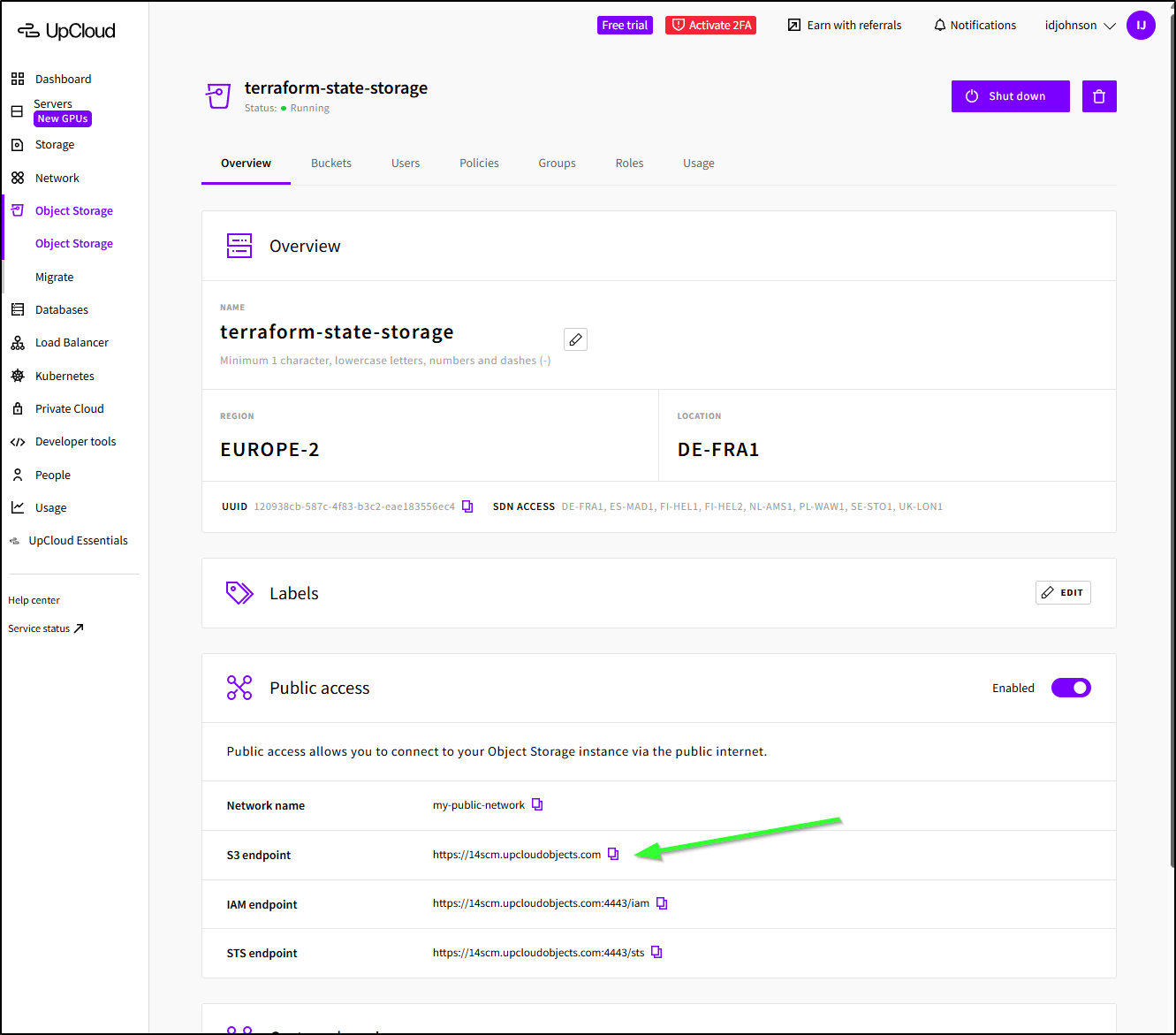
Now I can do a migrated
builder@DESKTOP-QADGF36:~/Workspaces/upcloudTF$ export AWS_SECRET_ACCESS_KEY='xxxx/xxxxxxxxxxxxxxxxx/xxxxxxxxxxxxxx/xxxx'
builder@DESKTOP-QADGF36:~/Workspaces/upcloudTF$ export AWS_ACCESS_KEY_ID='AKIA12F2143D3BC35116'
builder@DESKTOP-QADGF36:~/Workspaces/upcloudTF$ tofu init -migrate-state

Initializing the backend...
Do you want to copy existing state to the new backend?
  Pre-existing state was found while migrating the previous "local" backend to the
  newly configured "s3" backend. No existing state was found in the newly
  configured "s3" backend. Do you want to copy this state to the new "s3"
  backend? Enter "yes" to copy and "no" to start with an empty state.

  Enter a value: yes


Successfully configured the backend "s3"! OpenTofu will automatically
use this backend unless the backend configuration changes.

Initializing provider plugins...
- Reusing previous version of upcloudltd/upcloud from the dependency lock file
- Using previously-installed upcloudltd/upcloud v5.29.1

OpenTofu has been successfully initialized!

You may now begin working with OpenTofu. Try running "tofu plan" to see
any changes that are required for your infrastructure. All OpenTofu commands
should now work.

If you ever set or change modules or backend configuration for OpenTofu,
rerun this command to reinitialize your working directory. If you forget, other
commands will detect it and remind you to do so if necessary.
I can see the file living now in the bucket:
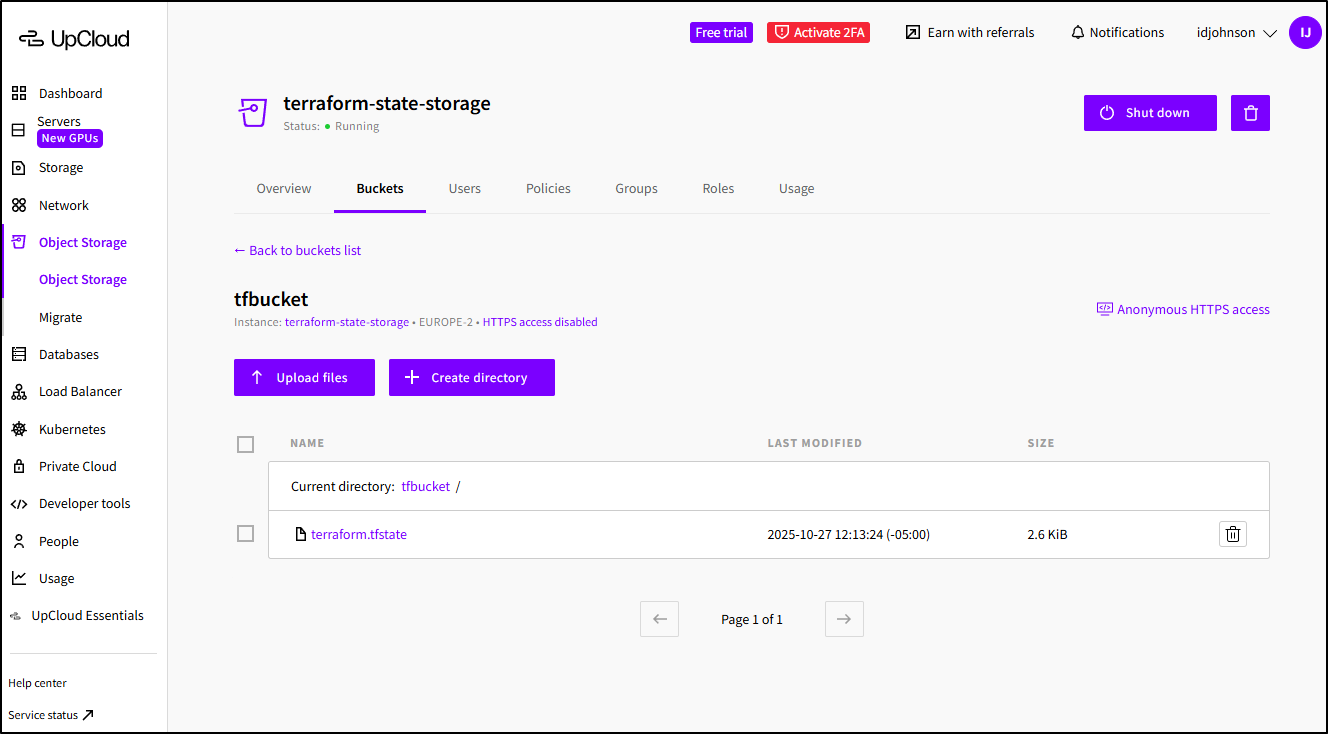
At some point, one would want to move this into a pipeline or service. Having the state file live in a durable cloud-based object store is the right way to store it and reduces dependence on a local machine. Additionally, any secrets created by Terraform will be protected in file (as opposed to checked in to a GIT repo as a .tfstate file).
The easy way
We did all this in the very off-the-shelf tofu/terraform way.
UpCloud has made this WAY easier by way of some developer tools:
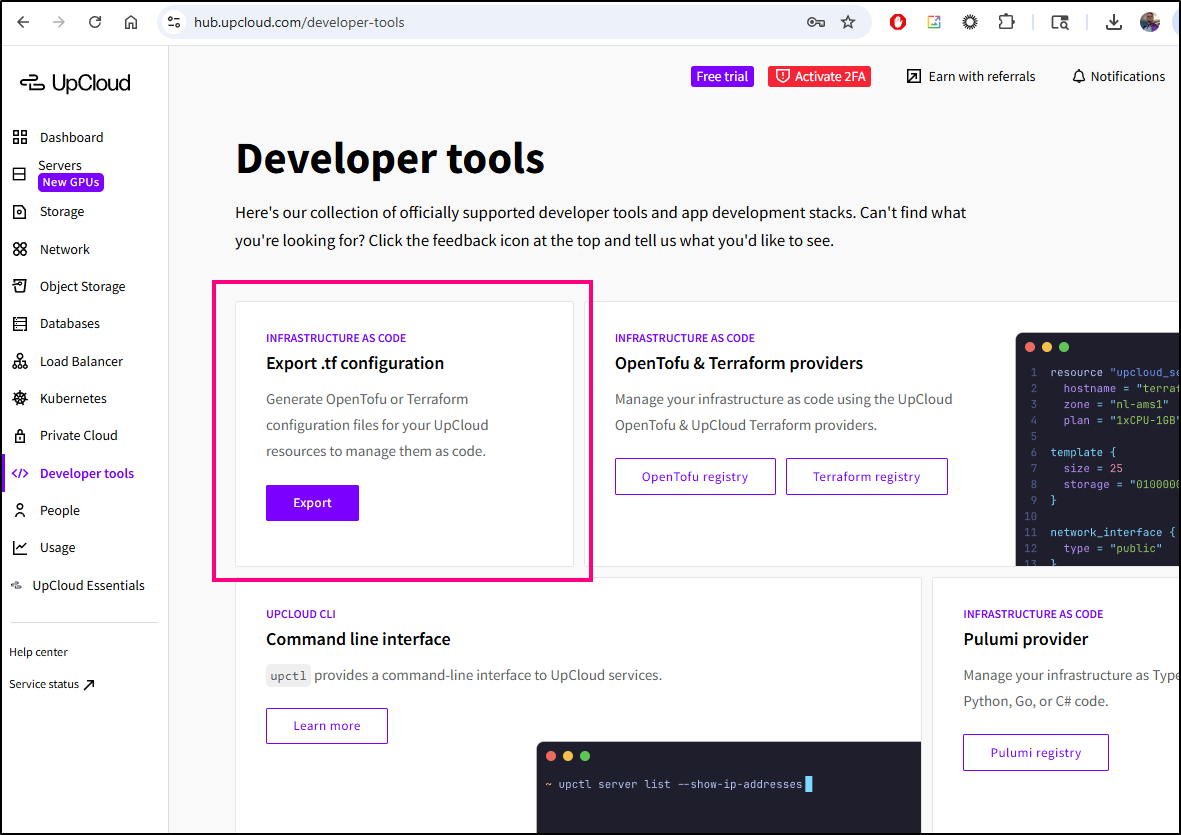
Where I can pick a type
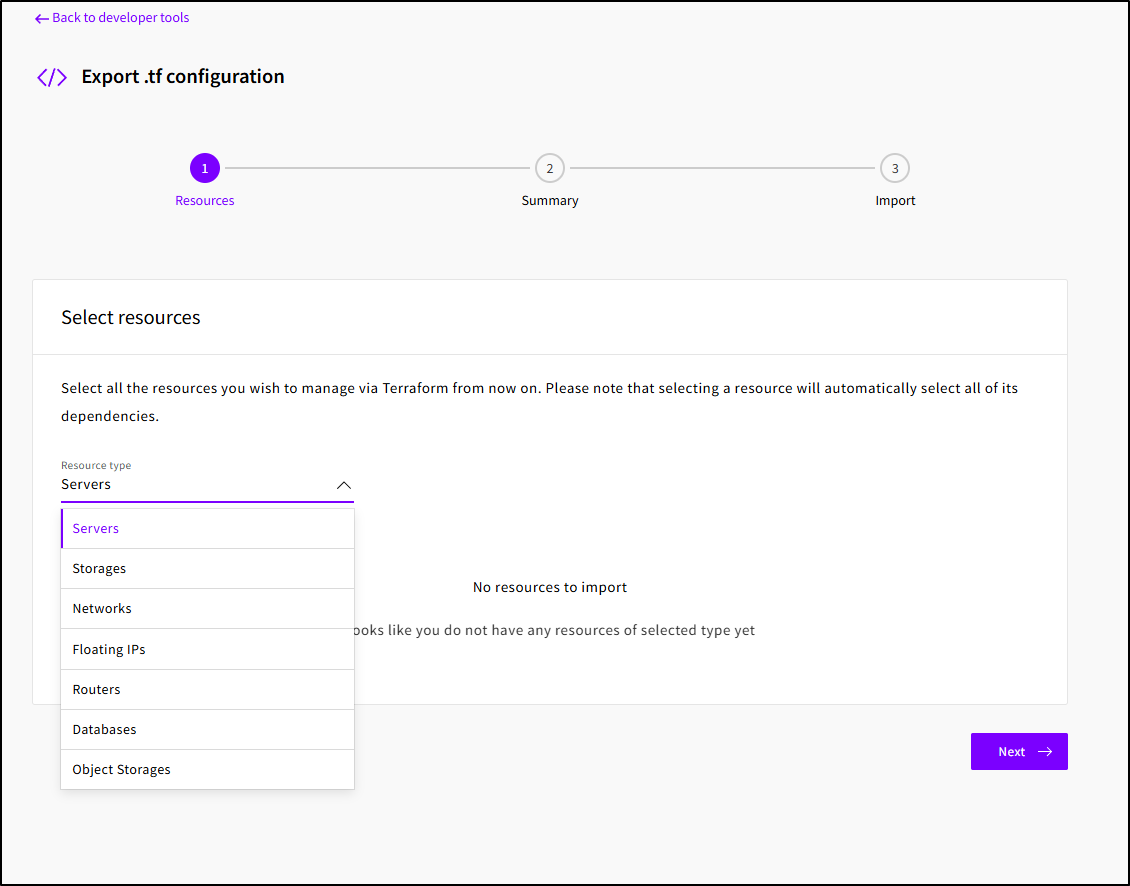
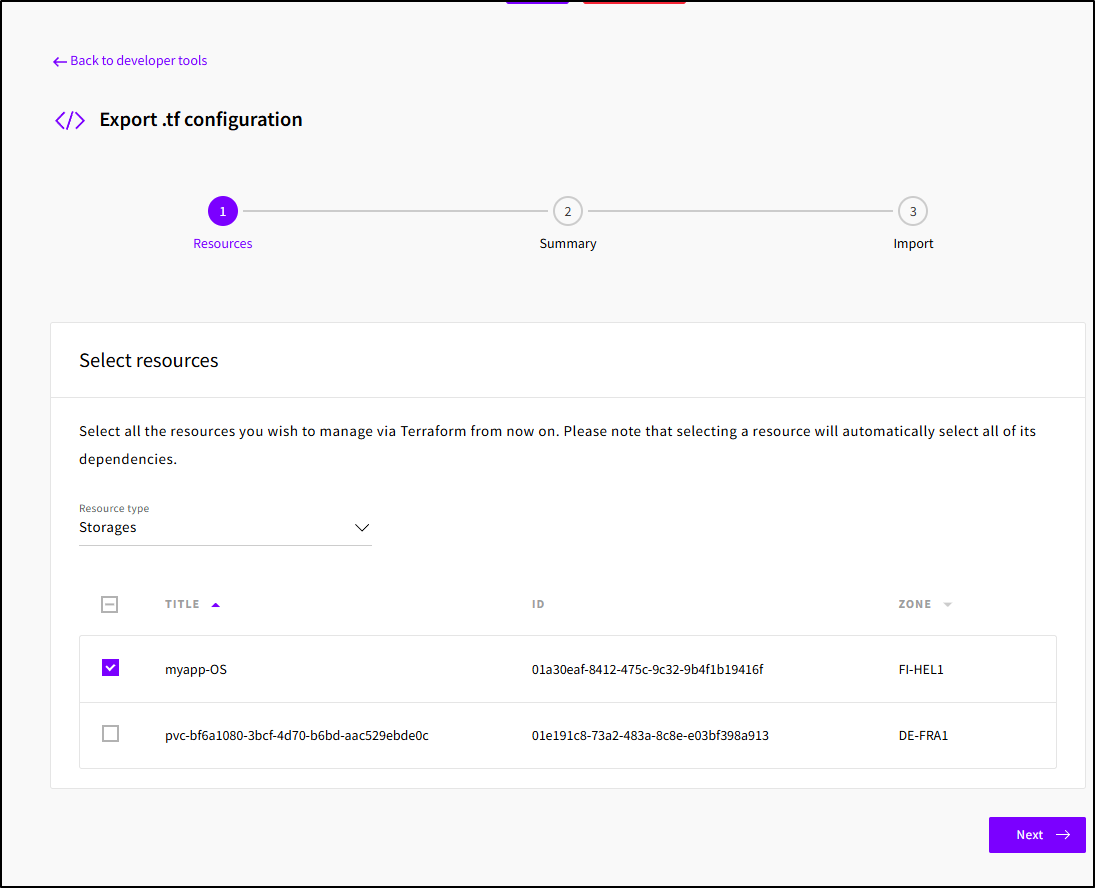
like my initial storage account
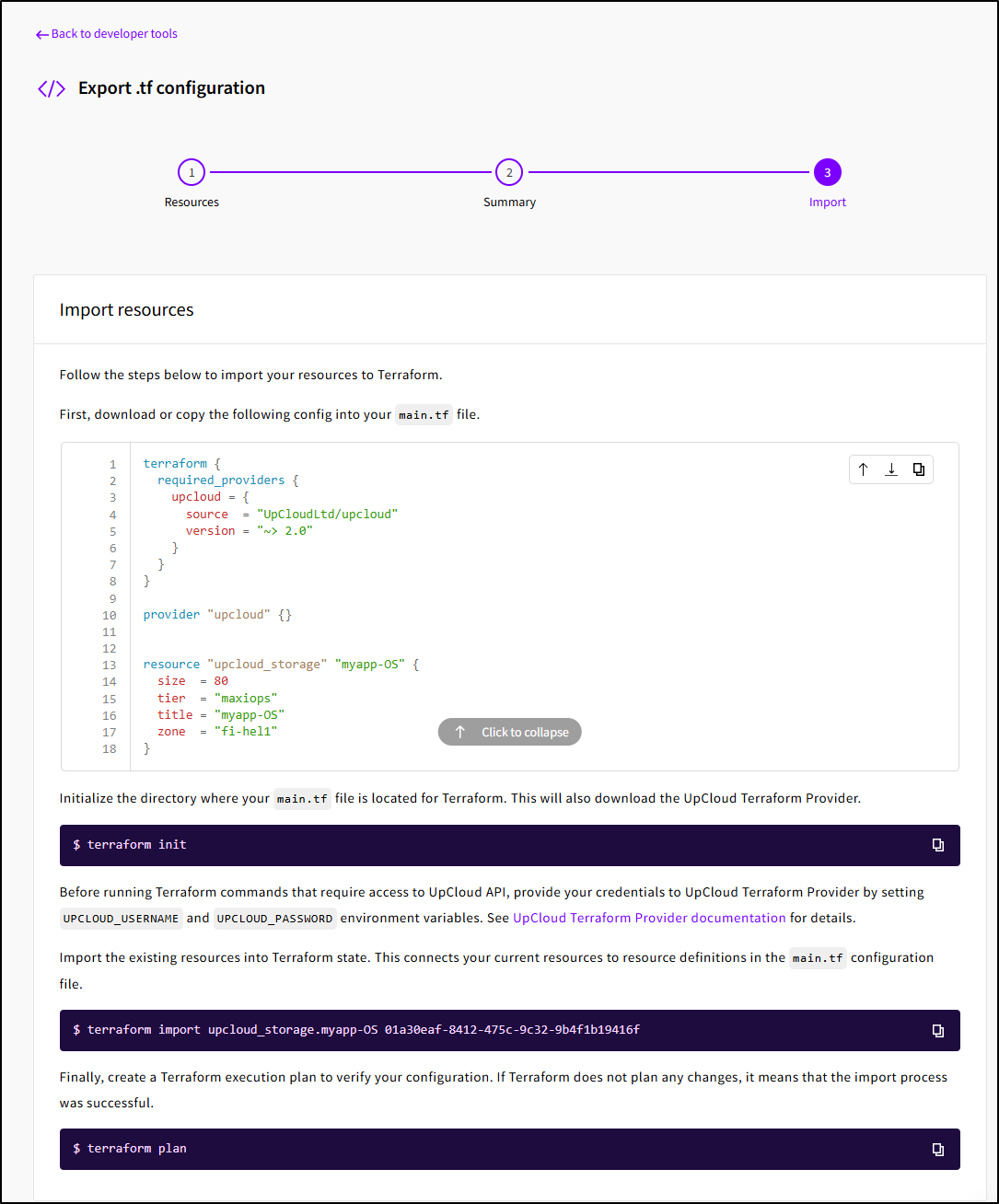
And get the basic Terraform (HCL) output:
Free Stuff
UpCloud has what they call “UpCloud Essentials” which are some zero cost offerings:
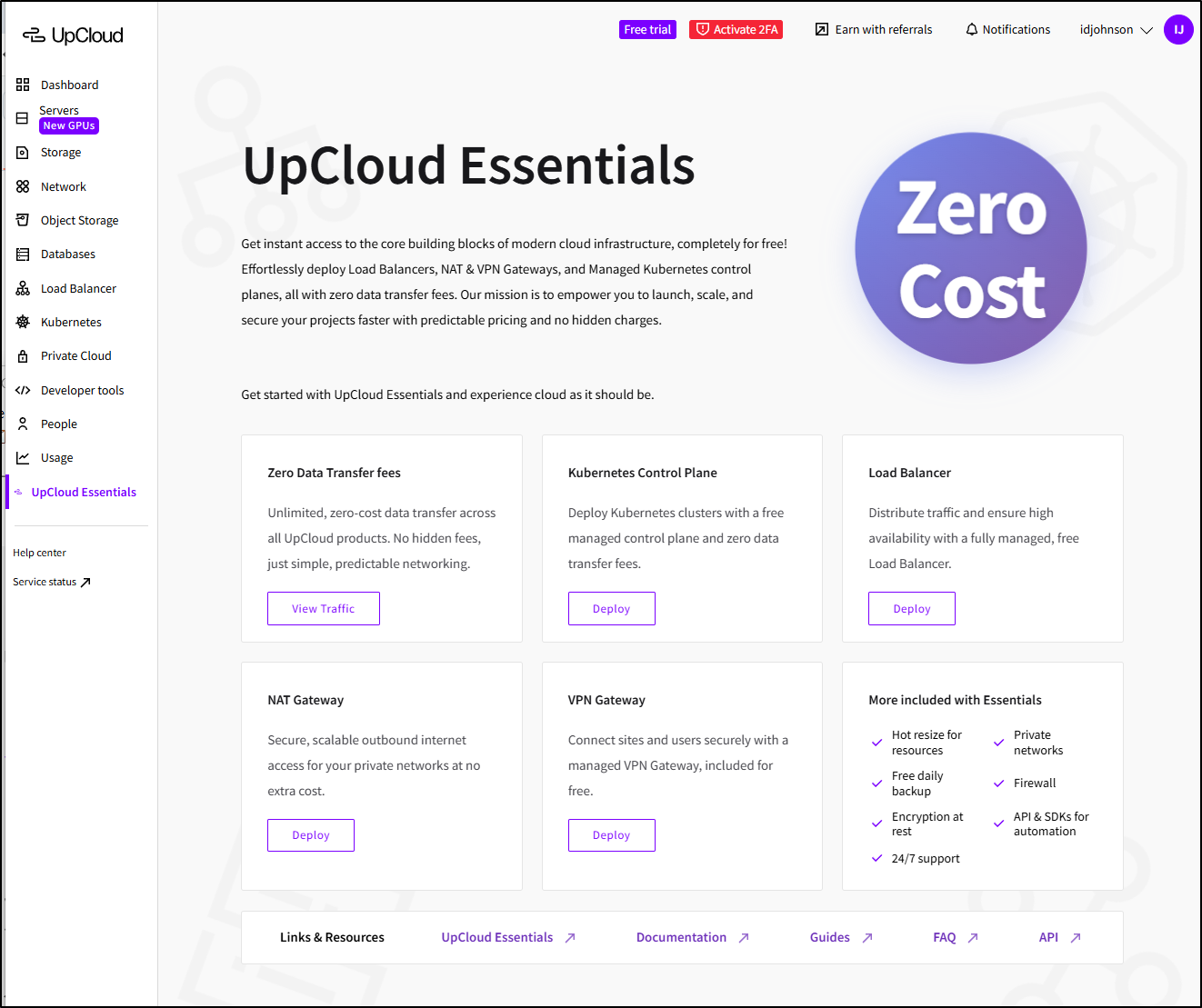
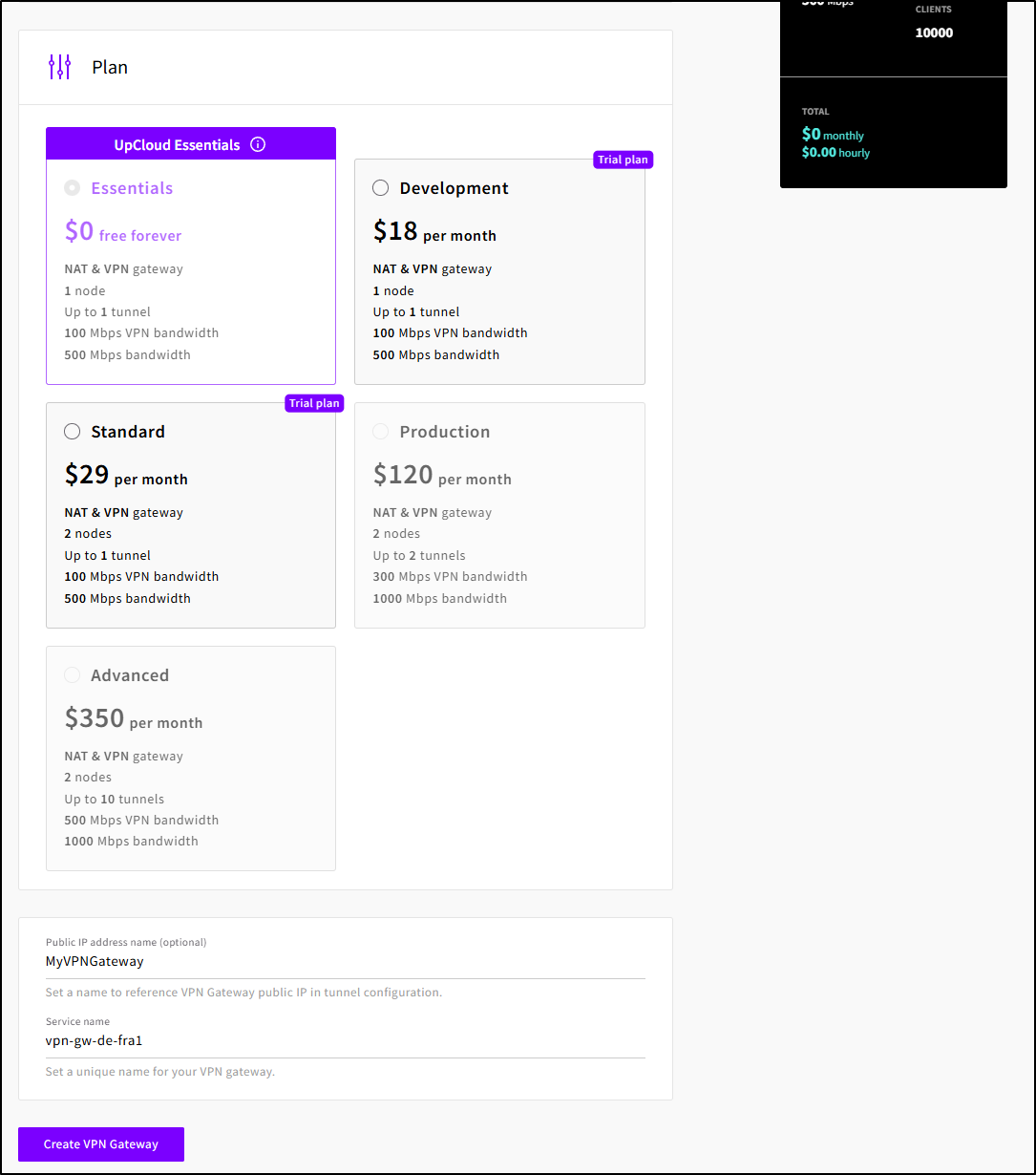
I haven’t seen a free VPN gateway before (save for a GCP IAP tunnel which is temporary). Let’s create one.
First I need an SDN router (which is free, but needs to exist)
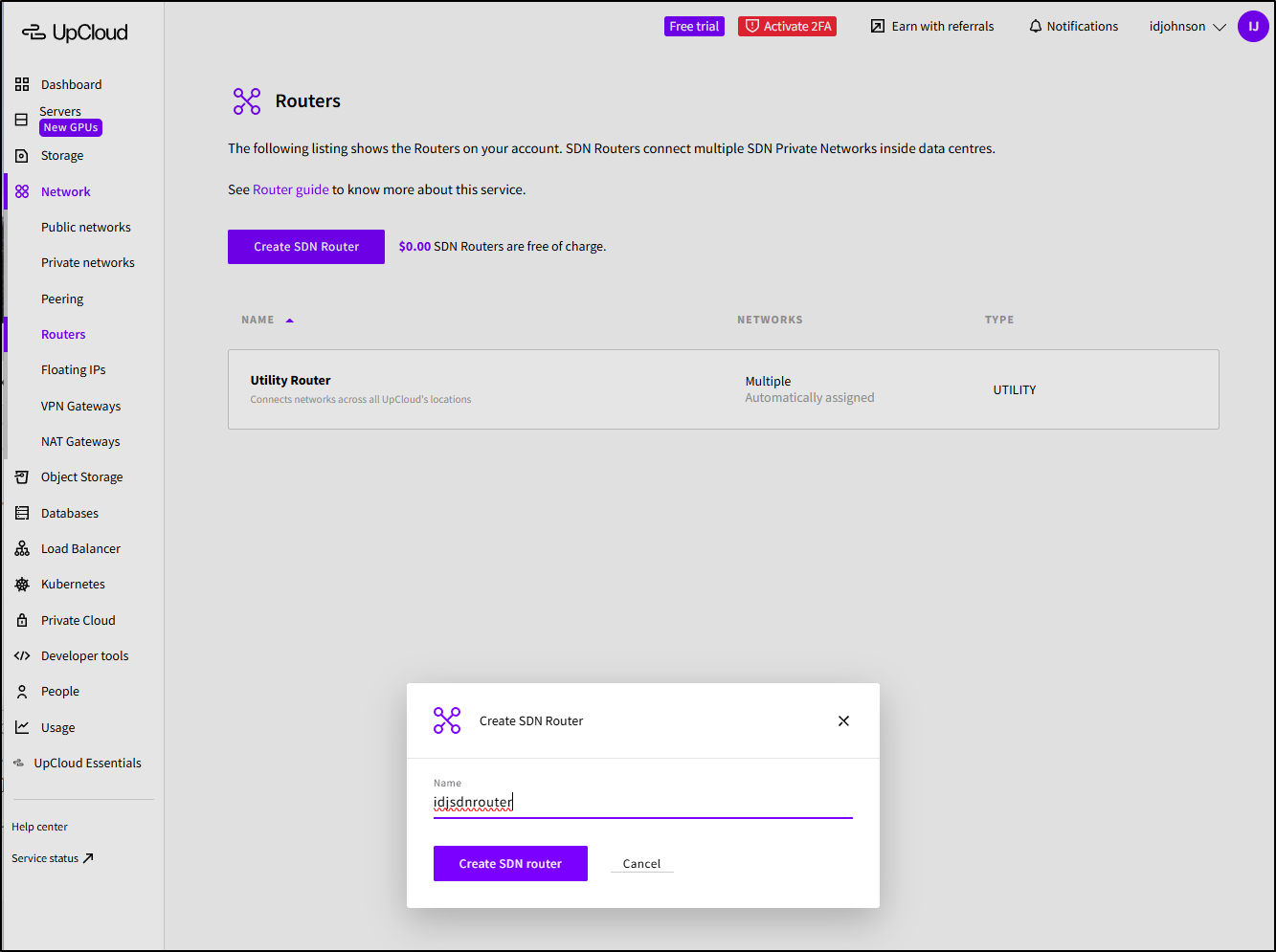
I’ll then attach the SDN router to my existing “My Network”
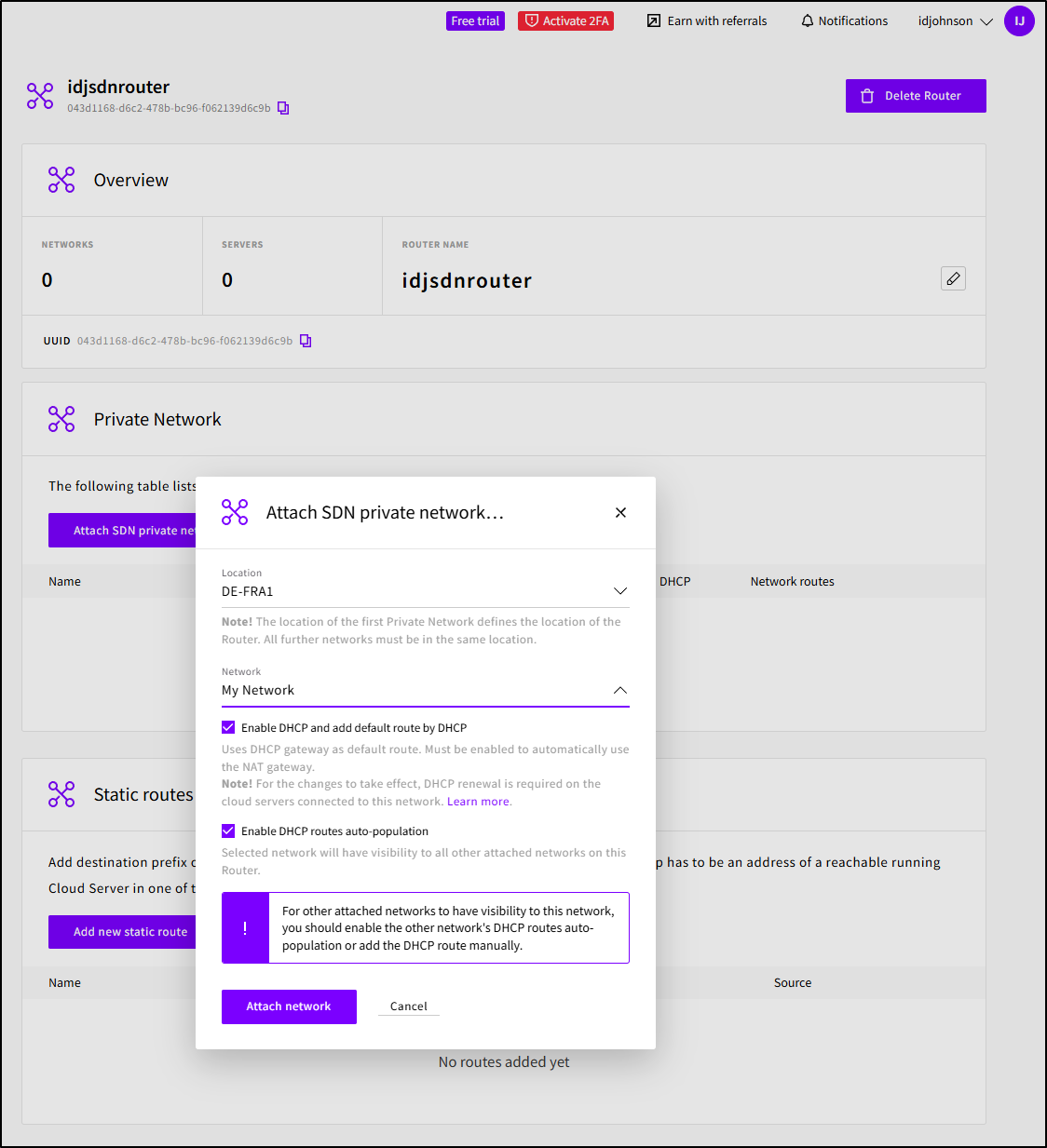
I can now select that and the region (DE-FRA1)
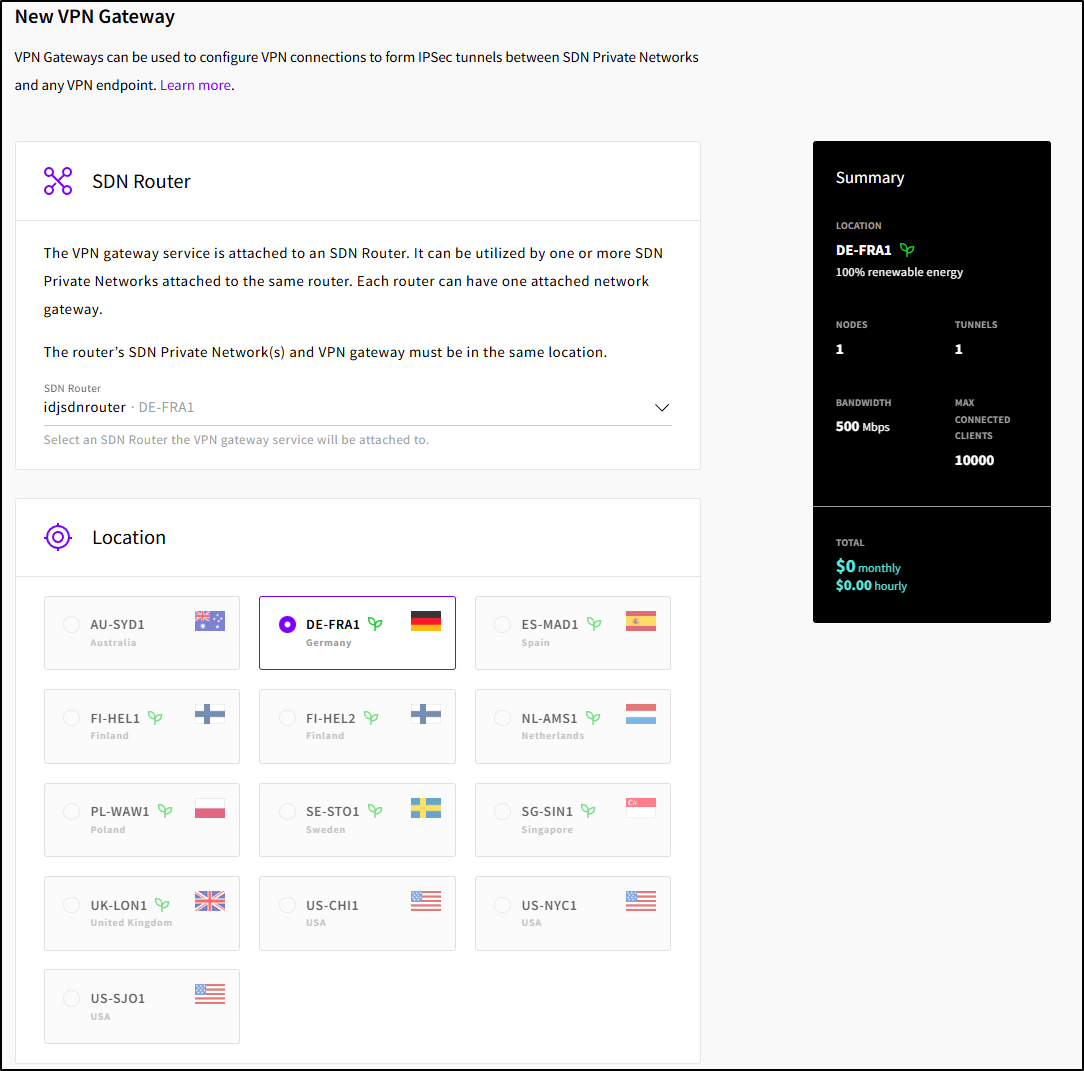
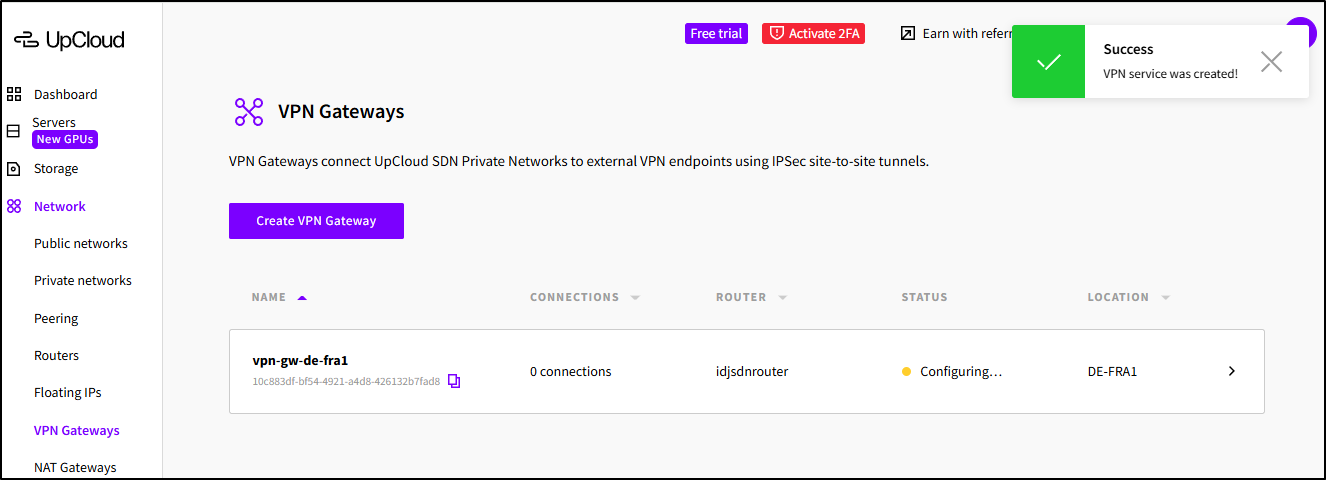
I’ll select a plan (or leave it as the free one) and give my gateway a name, then click “Create VPN Gateway”
While that creates
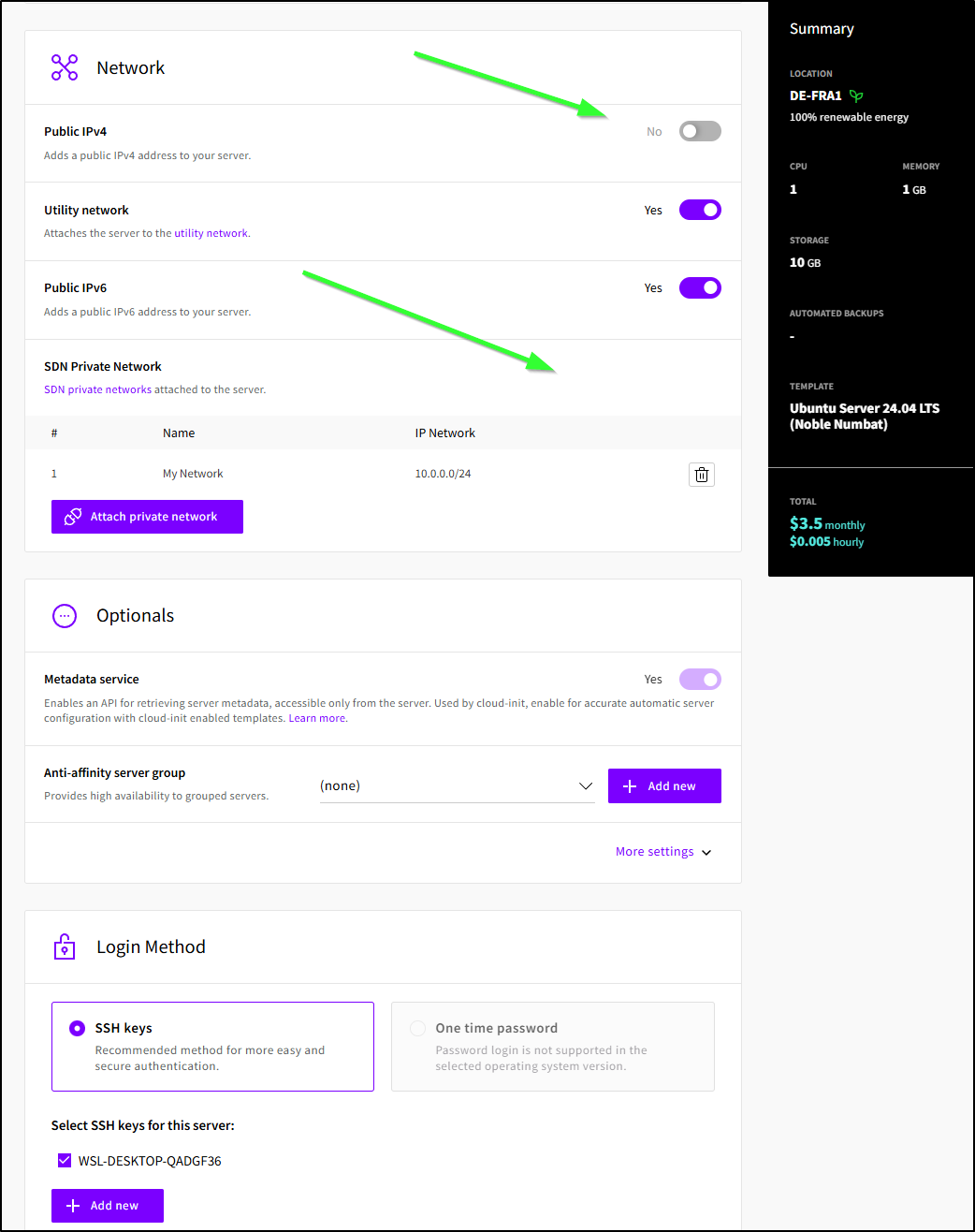
I’ll create a new VM, but this time I will not give it a public IP and instead attach it to my Software Defined Network (SDN) Private Network
About
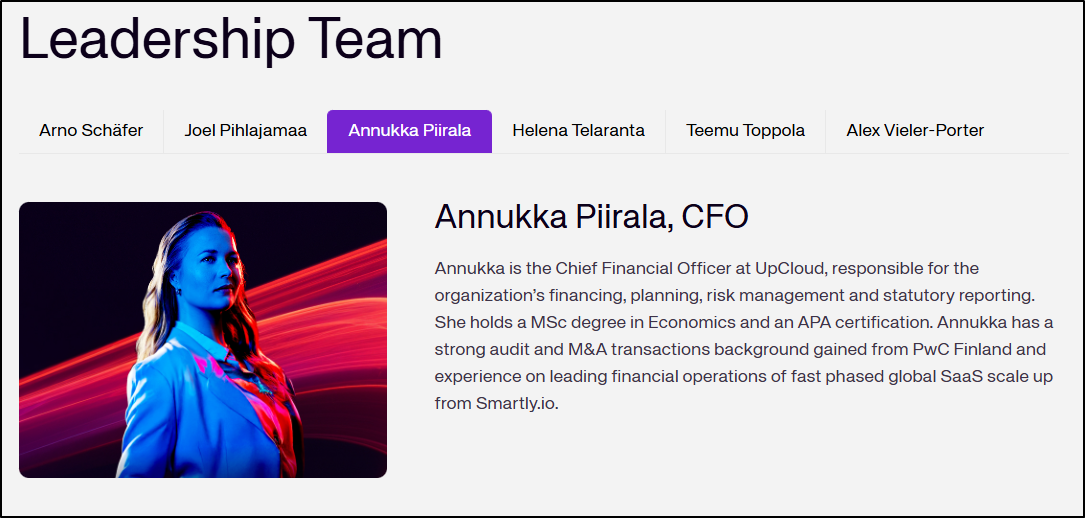
Upcloud has been around since 2011, launching to the public in 2012. Joel Pihlajamaa, CTO and Founder had spun it off from his prior venture, Sigmatic which is a shared web hosting provider.
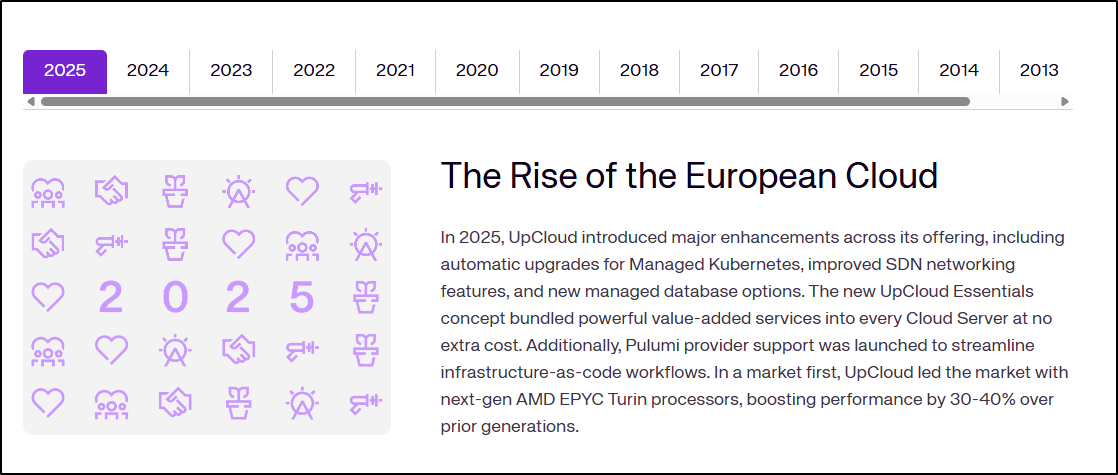
The About Page covers what has been new each year
And has some of the most badass C-suite profile images I’ve seen on a company website
However, once I created it, I realized this VPN setup is a peering tunnel, not something I can really use (I was hoping for an OpenVPN profile that I could instantiate).
Wishlist
I’m okay that the VPN isn’t really usable as my router just handles L2TP, PPTP and OpenVPN
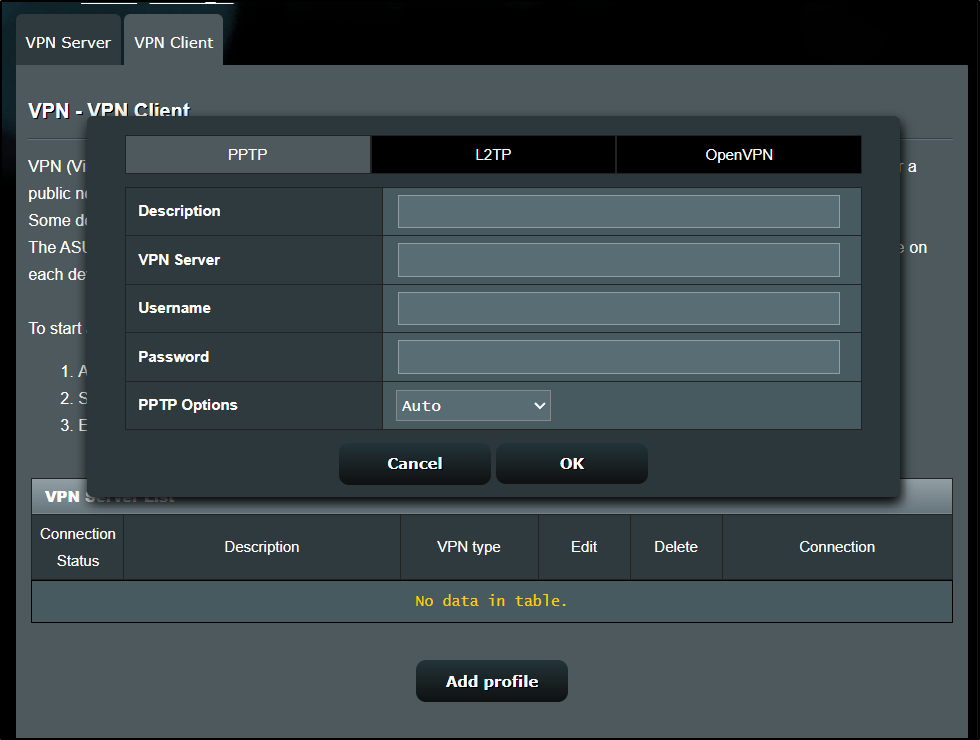
I consider that a me-problem.
Budgets
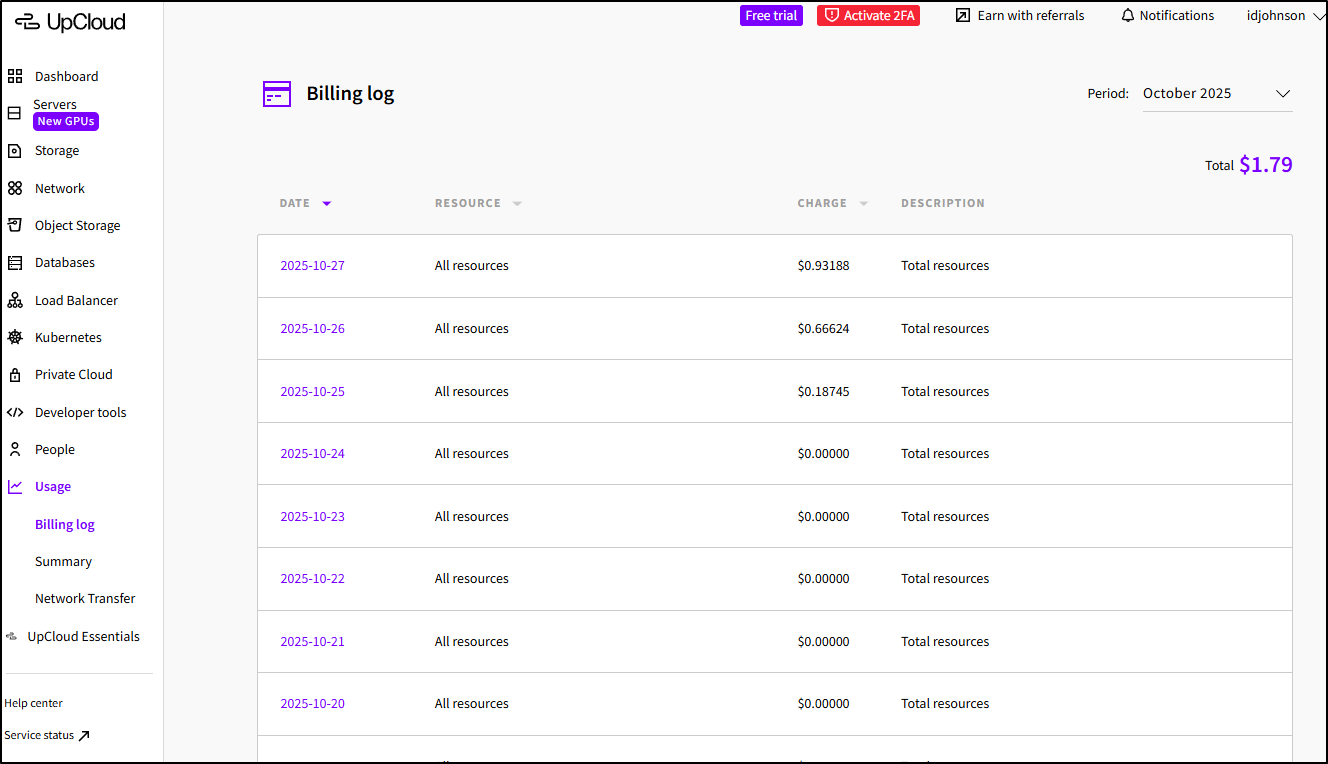
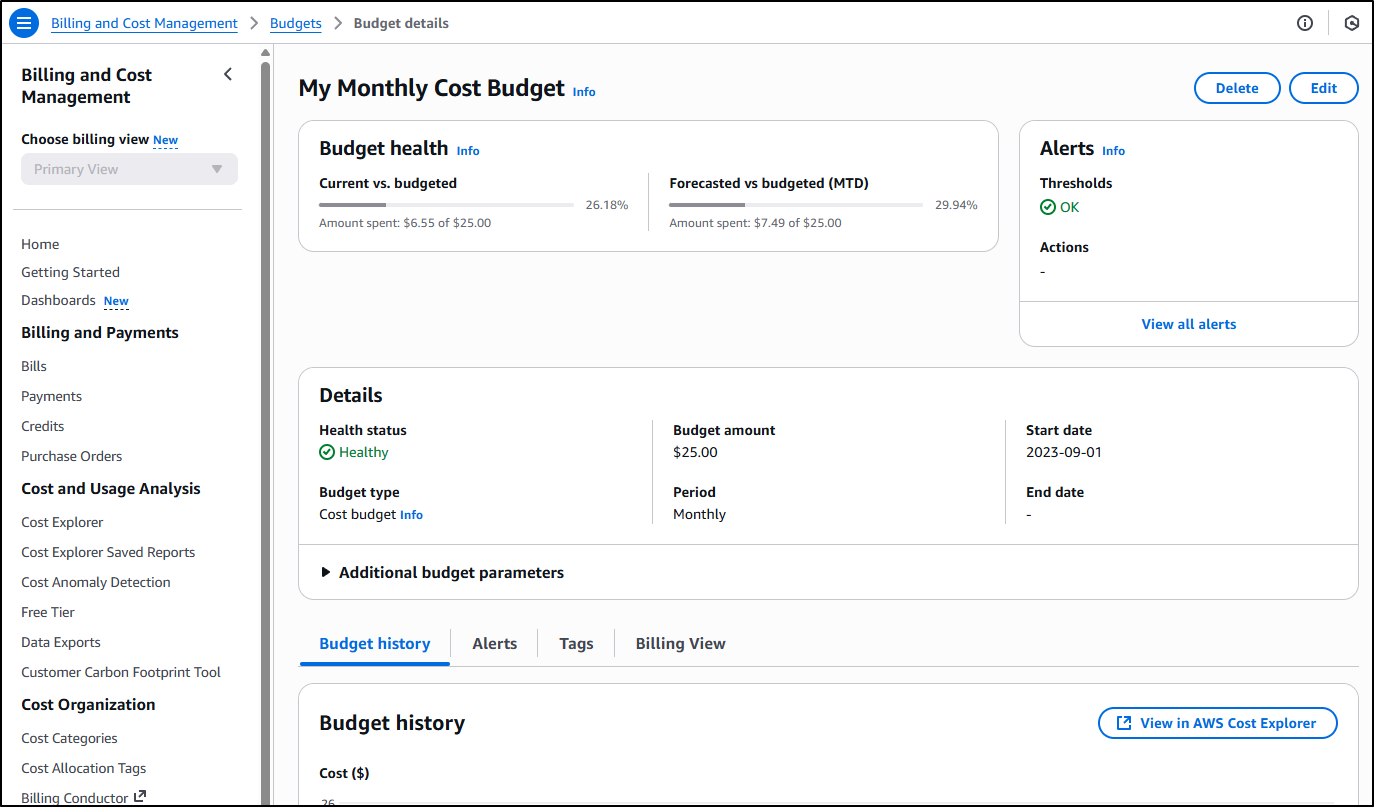
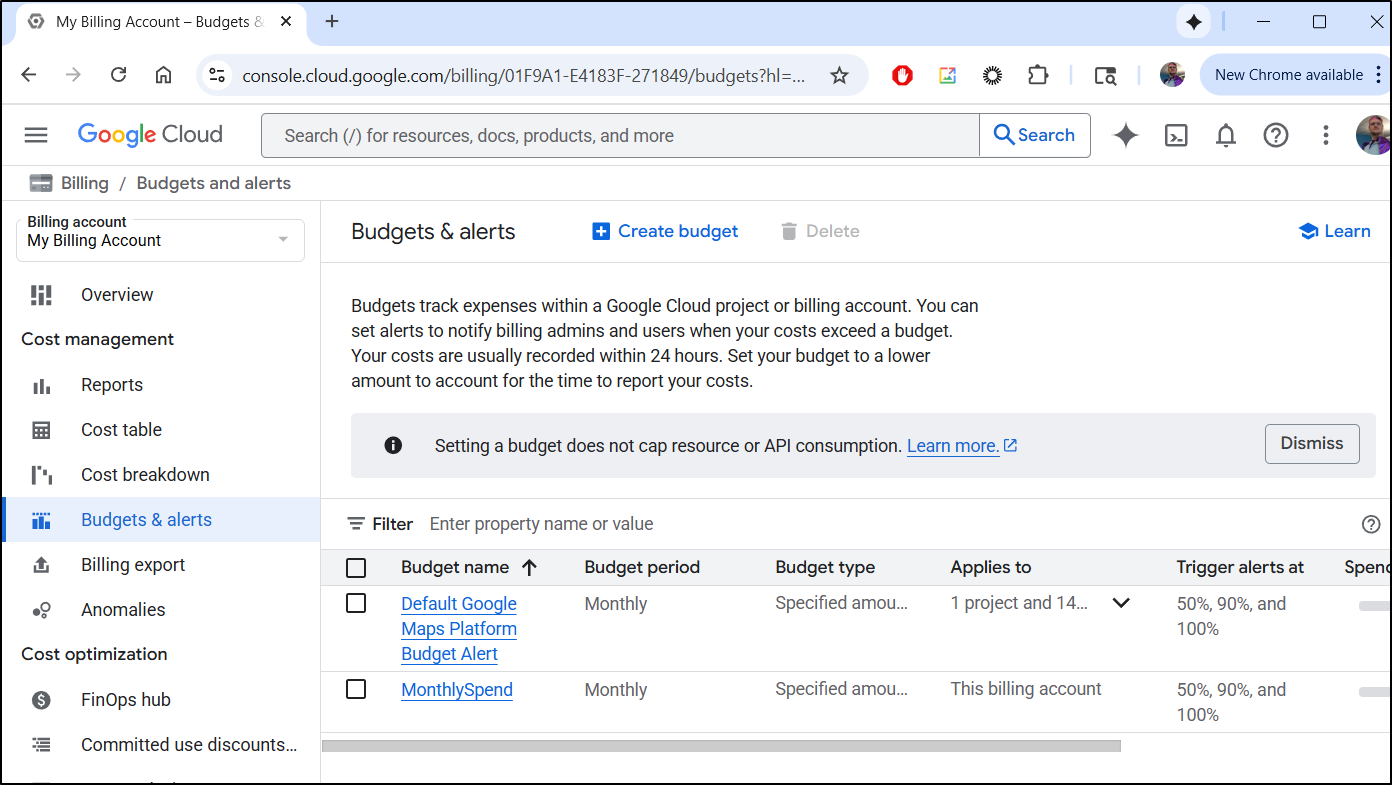
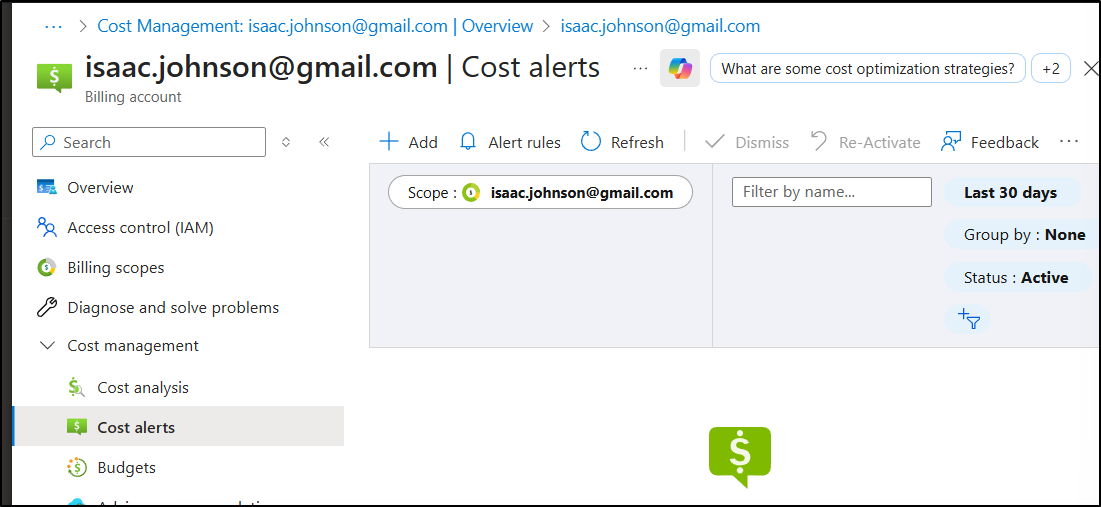
However, I really wish UpCloud had some kind of Billing alerts (most clouds call them Budgets).
I can view my usage just fine
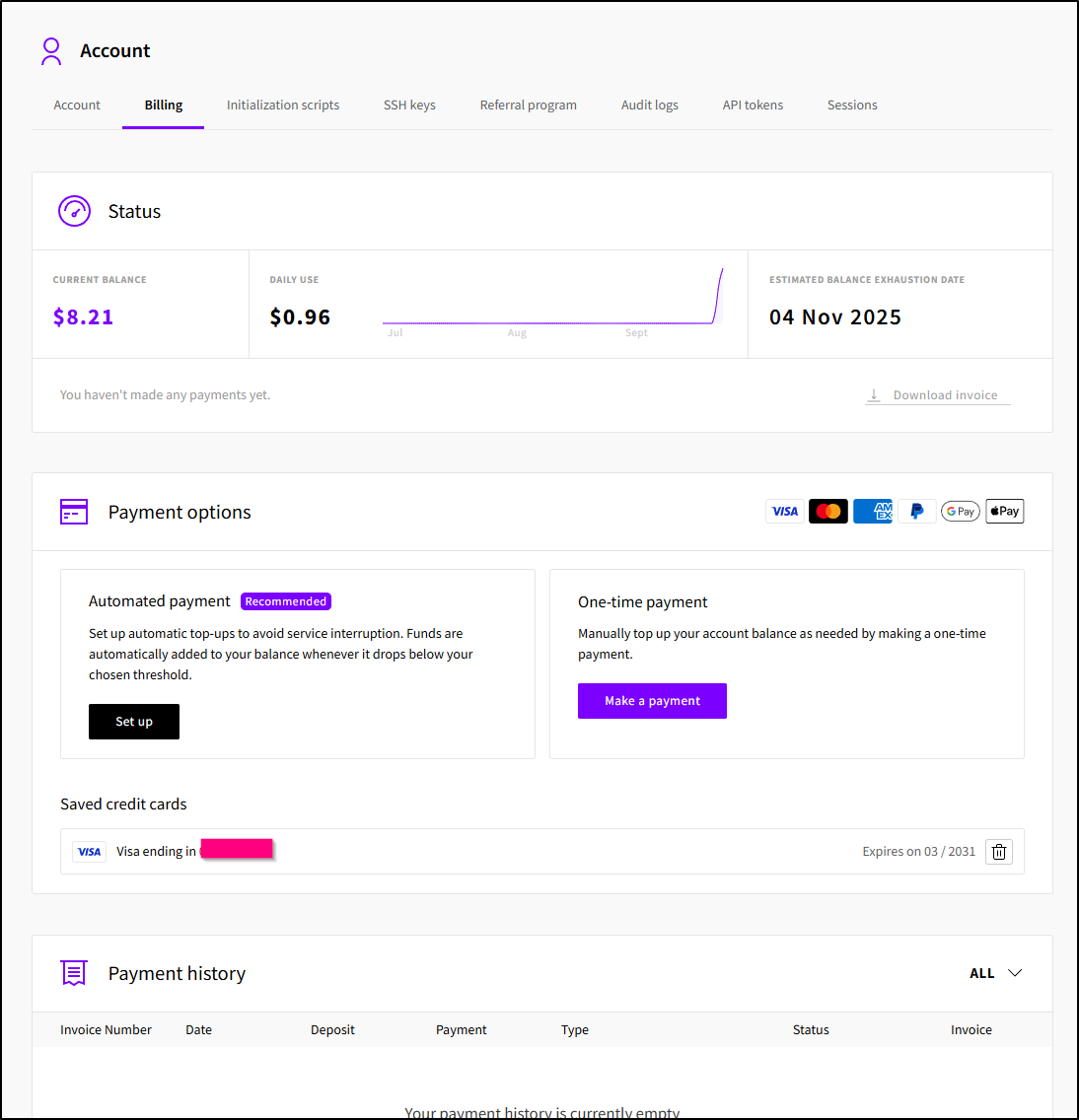
And I can setup automatic payments
But there is nothing akin to Budgets in AWS
And GCP
Or Budgets/Cost Alerts in Azure
Serverless
Most things seemed billed by the hour, but one feature I use in all the cloud are serverless containerized functions that should be per-second or per-minute at most. Namely, Cloud Functions (or Azure Logic Functions) in Azure, Lambdas in AWS and Cloud Run functions in GCP. They have utility and short of setting it up in a Kubernetes cluster (e.g. OpenFaaS, Kubeless, etc), I don’t see an equivalent in UpCloud
Databases
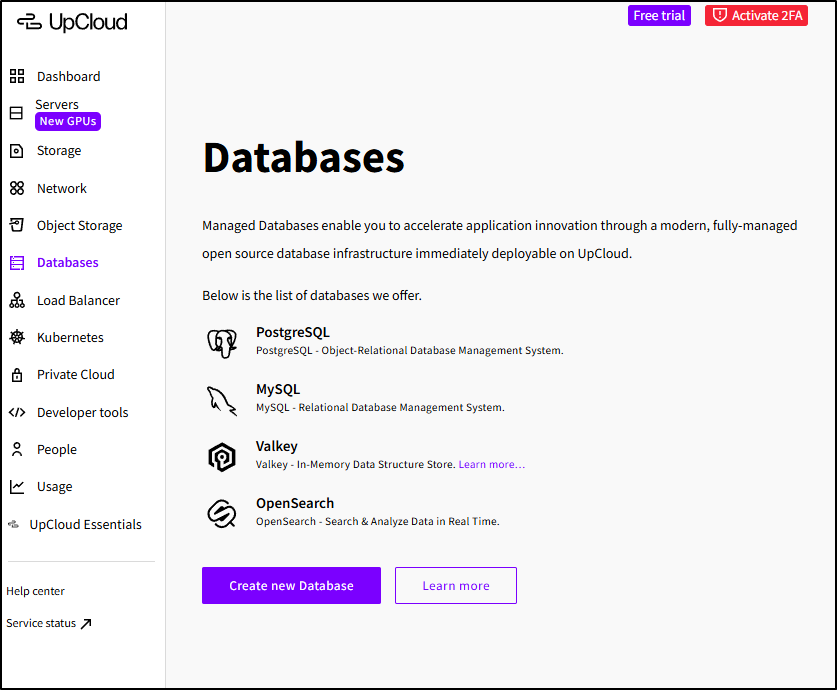
I’ll just go out and say it - if you offer Windows Server, you really aught to offer SQL Server, even if it’s SQL Server standard. This will capture your Windows Workloads in a basic way.
Today, we just have PostgreSQL and MySQL (MariaDB). I’ve said it before, and I’ll say it again, I don’t put Keystores in the same category (be it Valkey or Redis)
Summary
Today we dug into OpenTofu Infrastructure as Code, creating terraform for our UpCloud instance. We imported the database and network then created the Object Storage using code. The Object Store was then used as a backend for remote state file management - offloading the important part of our state file to durable cloud storage.
After handling the standard import, I showed “the easy way” with their TF export feature before looking at the “free stuff”. I wrapped with a Wishlist (namely Budgets and Serverless options).
Overall, I really like UpCloud. To make the referral link I had to put real funds in and I noticed that night I got an email saying based on current usage my services would last roughly 18days
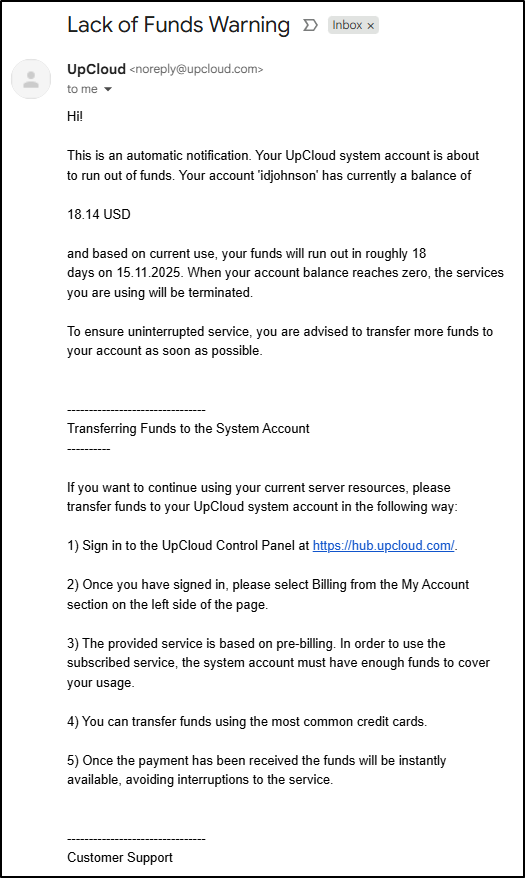
That is kind of a budget - reverse of what I imagined. Namely, tell me when I run out versus tell me when I exceed spend. But that could be one way to cover the need to be aware of cloud spend.
I would recommend at least doing a trial for free.
